Chapter 1: Networking Fundamentals
1.7 Public vs private IP
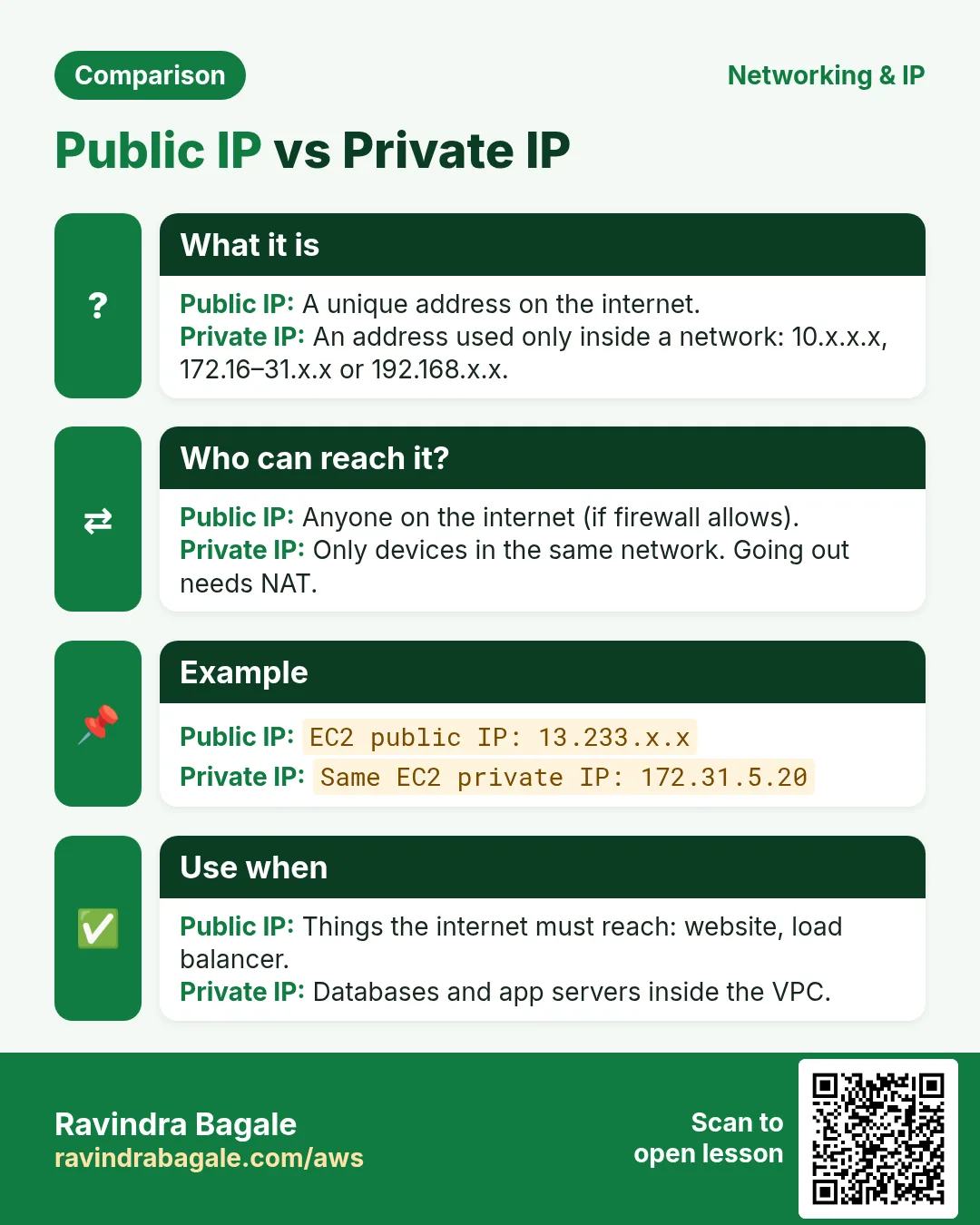
In short: A public IP is globally unique and routable on the internet. A private IP is used only inside a local network (home, college, VPC) and is not routable on the internet.
Friends, your laptop shows 192.168.1.5, but the internet sees a different IP – let's understand that difference today.
मित्रांनो, तुमच्या लॅपटॉपवर 192.168.1.5 दिसतो, पण इंटरनेटवर वेगळा IP दिसतो – हा फरक आज समजून घेऊ.
दोस्तों, आपके लैपटॉप पर 192.168.1.5 दिखता है, लेकिन इंटरनेट पर अलग IP दिखता है – ये फ़र्क आज समझ लेते हैं.
A public IP is globally unique and routable on the internet. A private IP is used only inside a local network (home, college, VPC) and is not routable on the internet. RFC 1918 reserves three private ranges:
| Class | Private range (RFC 1918) | CIDR | Typical use |
|---|---|---|---|
| A | 10.0.0.0 – 10.255.255.255 | 10.0.0.0/8 |
Large companies, AWS VPCs |
| B | 172.16.0.0 – 172.31.255.255 | 172.16.0.0/12 |
AWS default VPC uses 172.31.0.0/16 |
| C | 192.168.0.0 – 192.168.255.255 | 192.168.0.0/16 |
Home Wi-Fi routers |
Other special ranges: 100.64.0.0/10 (carrier-grade NAT used by mobile ISPs) and 169.254.0.0/16 (link-local; on EC2, 169.254.169.254 is the instance metadata service).
Check your own IPs:
# Private IP(s) of this machine
ip -4 addr show
hostname -I

# Public IP as seen by the internet
curl -s https://checkip.amazonaws.com
Ravindra Bagale's Tip
Many students type the EC2 private IP (172.31.x.x) into the browser and try to open the website. A private IP is not routed on the internet – from outside, always use the public IP or the Elastic IP. And let servers inside the VPC talk to each other over private IPs.
Ravindra Bagale's Tip – मराठी
बरेच students EC2 चा private IP (172.31.x.x) browser मध्ये टाकून website उघडायचा प्रयत्न करतात. Private IP internet वर route होत नाही – बाहेरून नेहमी public IP किंवा Elastic IP वापरा. आणि VPC मधले servers एकमेकांशी private IP ने बोलू द्या.
Ravindra Bagale's Tip – हिंदी
बहुत से students EC2 का private IP (172.31.x.x) browser में डालकर website खोलने की कोशिश करते हैं. Private IP internet पर route नहीं होता – बाहर से हमेशा public IP या Elastic IP इस्तेमाल करो. और VPC के servers को आपस में private IP से बात करने दो.
Lab
Chala, varchi teen commands tumchya laptop var aani EC2 var chalva aani donhi thikani private aani public IP liha. Mag hya IPs madhle private konte te sanga: 10.10.10.10, 172.31.5.20, 192.168.100.1, 8.8.8.8 – RFC 1918 table baghun.
Extended teaching notes
Why this lesson matters
Cloud security is mostly IAM, network exposure, logging and secure defaults. The shared responsibility model means the provider patches the metal; you patch what you configure.
- No public databases or public admin panels.
- Roles / OIDC instead of long-lived access keys.
- CloudTrail / Activity Logs / Audit Logs on and retained.
- S3/Blob/GCS: Block Public Access; encrypt; least privilege.
Mini case study
Suppose we are on a purple-team exercise for an Indian mid-size company (sample data). Red notes a technique from this lesson against a lab clone. Blue must show the control that stops it, the log that would have fired, and the ticket that hardens production. That is the standard this course trains you for.
Defender's worksheet (do this today)
- Write the lesson title, date and the exact lab target you are allowed to use.
- List three owned systems (VMs, apps, or cloud accounts) where this lesson applies.
- Run one safe check from the lesson on a lab system only. Paste the command and output.
- Write a two-sentence fix you would give a teammate.
- Name one related public advisory (CERT-In, CISA, NVD, or a vendor bulletin) with its date.
Indian workplace (sample data)
Suppose we are a junior analyst at Infosys, TCS, Wipro or a fintech SOC in Bengaluru/Pune. Turn this lesson into one checklist item with an owner, a due date and a place to store evidence (ticket + screenshot).
Global practice
Compare your notes with OWASP, CIS Benchmarks, NIST CSF/IR guidance or a cloud Well-Architected security question. Write five lines on what overlaps.
Everyday analogy
Explain the risk and the fix to a family member without jargon. If they can repeat the warning, you understand it well enough to teach juniors.
Key terms
- Control: a safeguard (patch, config, process, detection).
- Finding: a weakness backed by evidence.
- Remediation: the fix plus how you verified it.
- Scope: systems you have written permission to touch.
- Least privilege: only the access the task needs.
- Defence in depth: several layers so one failure does not end the story.
Common mistakes
- Skipping written permission "just for a quick scan".
- Practising on hostel, office or public targets without authorisation.
- Collecting tool output without writing the fix.
- Copying attack steps onto production to "verify". Defenders verify with versions, configs and patches.
- Publishing screenshots that contain secrets, cookies or internal hostnames.
Recap
- Evidence, fix, owner, date.
- Own lab only.
- Fix > spectacle.
Quick revision cards
Revise this lesson in two minutes. Save the cards on your phone or download them as PNG files. The QR code on each card opens its lesson.
More cards: Ravi Sir's Cards.