Linux Commands A-Z Part 3: echo, find, grep, firewall-cmd, free, fsck and More with Examples
This is Part 3 of the Linux Commands A-Z reference: echo to host. These are the commands you use to print and pass values in scripts, find files, open firewall ports, check memory, repair filesystems, see who holds a file, read users and ACLs, compress logs, read the start of files, reuse history and test DNS. grep gets a full deep dive with twenty options and fourteen worked steps, because it is the command you will type most in real support work. Every command has why, what, an options table and step-by-step examples with real output and its meaning.
What you'll learn in this chapter
- Print, export and calculate values in scripts with echo, env, export, expr and exit
- Find files by name, size, time and owner with find, and identify them with file
- Search text like a pro with grep: regex, context, counts, recursion and exit codes
- Open ports with firewall-cmd and read memory with free
- Partition with fdisk and repair with fsck safely
- Read users, groups and ACLs with getent, groups, getfacl and groupadd
- Compress logs with gzip and gunzip, and read files with head
- Reuse commands with history, manage jobs with fg, see file holders with fuser and test DNS with host
1. An everyday example: a Pune Metro station control room
Why do we need this?
At Civil Court station, the controller announces messages on the speakers, searches the CCTV log for one platform, checks which gates are open, looks at how full the parking is, checks the lift that reported a fault, sees who is using the staff room, and calls the central office to confirm the next train.
What is it?
echo is the announcement. grep is the CCTV log search. firewall-cmd is the gates. free is the parking level. fsck is the lift check. fuser is who is in the staff room. host is the call to the central office.
How to do it (step by step)
2. A five-minute triage using Part 3 commands
Why do we need this?
Before the deep dives, see how these commands work together when an app is slow or failing.
What is it?
Memory first, then errors, then the port, then DNS, then big files.
| Question | Command |
|---|---|
| Is memory low? | free -h |
| Any errors today? | grep -c ERROR app.log |
| Is the port open in the firewall? | firewall-cmd --list-ports |
| Does the DB name resolve? | host db.internal |
| Any huge files? | find / -xdev -size +1G |
How to do it (step by step)
- Run the triage in one go.
free -h | grep Mem; grep -c ERROR /var/log/app/app.log; sudo firewall-cmd --list-ports; host db.internalOutput:
Mem:  7.6Gi  6.9Gi  210Mi  12Mi  520Mi  410Mi
37
80/tcp 443/tcp
db.internal has address 10.0.2.15
What it means: Only 410 MB available, 37 errors, ports fine, DNS fine. Memory is the first suspect.
- Look at the newest errors with context.
grep -B1 -A2 ERROR /var/log/app/app.log | tail -4Output:
2026-10-26 00:41:11 INFO cache size 1.9G
2026-10-26 00:41:12 ERROR java.lang.OutOfMemoryError: Java heap space
	at com.shop.Cart.load(Cart.java:88)
--
What it means: The line before shows a growing cache; the error confirms memory.
3. echo: Print text
echo in depth: print text, variables and escape codes
Why do we need this?
Scripts must tell the user what is happening, write lines into files and show variable values while you debug. echo is the simplest way to print anything.
What is it?
echo is a shell builtin that prints its arguments followed by a new line. The shell expands variables and wildcards before echo sees them, so quoting decides what you get. For exact formatting, printf is safer.
Common options
| Option | What it does |
|---|---|
echo text | Print text and a new line. |
echo -n text | No new line at the end. |
echo -e "a\tb" | Understand escapes like \t and \n. |
echo "$VAR" | Print a variable safely. |
echo '$VAR' | Single quotes: print it literally. |
echo $? | Exit code of the last command. |
How to do it (step by step)
- Print a message.
echo "Backup started"Output:
Backup startedWhat it means: Text plus a new line.
- Show a variable.
echo "User is $USER on $HOSTNAME"Output:
User is ec2-user on web01What it means: Double quotes expand variables.
- Stop expansion.
echo 'Cost is $5'Output:
Cost is $5What it means: Single quotes keep $ as it is.
- Use a tab.
echo -e "name\tcity\nRavi\tPune"Output:
name	city
Ravi	Pune
What it means: -e turns \t into a tab and \n into a new line.
- Write to a file.
echo "server=10.0.1.5" | sudo tee -a /etc/app.confOutput:
server=10.0.1.5What it means: tee -a appends as root; plain sudo echo >> fails.
- Check if the last command worked.
ls /nope; echo $?Output:
ls: cannot access '/nope': No such file or directory
2
What it means: 0 means success; anything else is an error.
Practise this in the tasks below: Practice tasks
Real use: A Kothrud school IT admin uses echo in a script to print "Lab PC 12 ready" after setting up each computer.
4. env: Show or set environment for a command
env in depth: see and change the environment of a command
Why do we need this?
A program behaves differently depending on variables like PATH, LANG, TZ or JAVA_HOME. When something works for you but not in cron or for another user, the environment is usually the reason.
What is it?
env prints all exported variables, or runs one command with extra or removed variables, without changing your shell. It is also used in script first lines as #!/usr/bin/env python3 to find the program in PATH.
Common options
| Option | What it does |
|---|---|
env | List exported variables. |
env VAR=v cmd | Run cmd with VAR set. |
env -i cmd | Run with an empty environment. |
env -u VAR cmd | Run without VAR. |
#!/usr/bin/env bash | Find bash in PATH for a script. |
How to do it (step by step)
- List everything.
env | sort | head -4Output:
HISTSIZE=1000
HOME=/home/ec2-user
LANG=C.UTF-8
LOGNAME=ec2-user
What it means: Each line is NAME=value.
- Find one variable.
env | grep ^PATH=Output:
PATH=/usr/local/bin:/usr/bin:/usr/local/sbin:/usr/sbinWhat it means: Folders searched for commands, in order.
- Run one command in another time zone.
env TZ=Asia/Kolkata dateOutput:
Mon Oct 26 01:30:00 IST 2026What it means: Only this command sees TZ; your shell is unchanged.
- Test like cron does.
env -i /bin/bash -c 'echo "PATH=$PATH"'Output:
PATH=/usr/local/bin:/usr/binWhat it means: With an empty environment bash uses a tiny default PATH, like cron.
Practise this in the tasks below: Practice tasks
Real use: A Magarpatta analytics team runs env LANG=C sort on reports so sorting is the same on every server.
5. exit: Leave a shell with a status code
exit in depth: leave a shell and return a status
Why do we need this?
Scripts must tell cron, CI pipelines and other scripts whether they worked. That message is the exit code, and exit sets it.
What is it?
exit is a builtin that ends the current shell or script with a number from 0 to 255. 0 means success. In a login session it logs you out. In a function, use return instead.
Common options
| Option | What it does |
|---|---|
exit | Exit with the last command's status. |
exit 0 | Success. |
exit 1 | General error. |
exit 2 | Common for wrong usage. |
echo $? | Read the code after a script. |
How to do it (step by step)
- Write a check script.
printf '#!/bin/bash\n[ -f /etc/app.conf ] || { echo missing; exit 1; }\necho ok\n' > chk.sh; chmod +x chk.shWhat it means: The script stops with 1 if the file is missing.
- Run it and read the code.
./chk.sh; echo "code=$?"Output:
missing
code=1
What it means: Callers see 1 and know it failed.
- Use it in a chain.
./chk.sh && echo "deploy"Output:
missingWhat it means: && runs the next part only on exit 0.
- Leave an SSH session.
exitOutput:
logout
Connection to 10.0.1.5 closed.
What it means: You are back on your own machine.
Practise this in the tasks below: Practice tasks
Real use: A Chakan auto plant's CI job fails the build when the test script exits non-zero, so broken firmware never reaches the line.
6. export: Make a variable visible to child programs
export in depth: pass variables to child programs
Why do we need this?
You set JAVA_HOME or AWS_PROFILE in your shell, but the program you start does not see it. A plain variable stays inside the shell; export passes it on.
What is it?
export marks a shell variable so it is copied into the environment of every command started from this shell. It does not affect the parent shell or other terminals. Put it in ~/.bashrc or /etc/profile.d/ to keep it.
Common options
| Option | What it does |
|---|---|
export VAR=value | Set and export. |
export VAR | Export an existing variable. |
export -p | List exported variables. |
export -n VAR | Stop exporting. |
export PATH="$PATH:/opt/bin" | Add a folder to PATH. |
How to do it (step by step)
- A plain variable is not passed.
APP_ENV=prod; bash -c 'echo "[$APP_ENV]"'Output:
[]What it means: The child shell does not see it.
- Export it.
export APP_ENV=prod; bash -c 'echo "[$APP_ENV]"'Output:
[prod]What it means: Now every child sees it.
- Add a tool folder to PATH.
export PATH="$PATH:/opt/tools/bin"; command -v mytoolOutput:
/opt/tools/bin/mytoolWhat it means: The shell now finds the tool.
- Keep it for all users.
echo 'export JAVA_HOME=/usr/lib/jvm/java-17' | sudo tee /etc/profile.d/java.shOutput:
export JAVA_HOME=/usr/lib/jvm/java-17What it means: New login shells load files in /etc/profile.d/.
Practise this in the tasks below: Practice tasks
Real use: A Baner SaaS team exports AWS_PROFILE=staging before running Terraform so they never touch production by mistake.
7. expr: Simple maths and string checks
expr in depth: simple maths and string checks
Why do we need this?
Old scripts and very small systems (like routers with BusyBox) use expr for maths and string length. You will meet it when you read legacy scripts.
What is it?
expr evaluates an expression made of separate words and prints the result. Each number and operator must be a separate argument, and * must be escaped. In bash, $(( )) is faster and cleaner.
Common options
| Option | What it does |
|---|---|
expr 5 + 3 | Add. |
expr 6 \* 4 | Multiply (escape *). |
expr 17 % 5 | Remainder. |
expr length "$s" | String length. |
expr "$s" : "ab*" | Match from the start, print length. |
How to do it (step by step)
- Add two numbers.
expr 40 + 2Output:
42What it means: Spaces around + are required.
- Multiply.
expr 7 \* 6Output:
42What it means: Without the backslash the shell expands * as a wildcard.
- String length.
expr length "PuneCity"Output:
8What it means: Counts characters.
- Same in modern bash.
echo $(( 7 * 6 )); s=PuneCity; echo ${#s}Output:
42
8
What it means: Prefer these in bash scripts.
Practise this in the tasks below: Practice tasks
Real use: A Bhosari factory's old BusyBox gateways count retries with expr because bash is not installed.
8. fdisk: Create and list disk partitions
fdisk in depth: list and create disk partitions
Why do we need this?
A new data disk arrives empty. Before you can make a filesystem and mount it, you often need a partition on it. fdisk is the classic tool, and fdisk -l is the fastest way to see every disk.
What is it?
fdisk is an interactive menu tool for MBR and GPT partition tables. Changes stay in memory until you press w. For scripts, use parted or sfdisk. After creating a partition, run partprobe or reboot so the kernel sees it.
Common options
| Option | What it does |
|---|---|
fdisk -l | List all disks and partitions. |
fdisk /dev/sdb | Open a disk in the menu. |
n | New partition (inside menu). |
p | Print the table. |
w | Write and exit. |
q | Quit without saving. |
How to do it (step by step)
- Find the new disk.
sudo fdisk -l | grep "^Disk /dev"Output:
Disk /dev/nvme0n1: 20 GiB, 21474836480 bytes
Disk /dev/nvme1n1: 50 GiB, 53687091200 bytes
What it means: nvme1n1 is the new 50 GiB disk.
- Open it.
sudo fdisk /dev/nvme1n1Output:
Command (m for help):What it means: You are inside the menu. Nothing is changed yet.
- Make one partition using the whole disk.
n, p, 1, Enter, Enter, wOutput:
Created a new partition 1 of type 'Linux' and of size 50 GiB.
The partition table has been altered.
What it means: Default start and end use the whole disk; w saves.
- Confirm.
lsblk /dev/nvme1n1Output:
NAME        SIZE TYPE
nvme1n1      50G disk
└─nvme1n1p1  50G part
What it means: The new partition p1 is ready for mkfs.
Practise this in the tasks below: Practice tasks
Real use: A Hadapsar hospital admin adds a 500 GB disk for X-ray images: fdisk, then mkfs.xfs, then a line in /etc/fstab.
9. fg: Bring a job to the foreground
fg in depth: bring a background job back
Why do we need this?
You pressed Ctrl+Z by mistake in vim, or sent a long copy to the background and now need to answer its question. fg brings the job back to the front.
What is it?
fg is a shell builtin. It moves a stopped or background job of this shell to the foreground so it owns the keyboard again. Jobs are numbered; see them with jobs. bg resumes in the background instead.
Common options
| Option | What it does |
|---|---|
fg | Bring the latest job. |
fg %2 | Bring job 2. |
fg %vim | Job whose command starts with vim. |
Ctrl+Z | Stop the running job. |
jobs -l | List jobs with PIDs. |
How to do it (step by step)
- Start an edit and stop it.
vim notes.txt (then Ctrl+Z)Output:
[1]+ Stopped vim notes.txtWhat it means: Job 1 is paused, not closed.
- Start a long job in the background.
sleep 600 &Output:
[2] 4821What it means: Job 2, PID 4821.
- List them.
jobsOutput:
[1]+  Stopped                 vim notes.txt
[2]-  Running                 sleep 600 &
What it means: + is the current job, - the one before.
- Return to vim.
fg %1Output:
(vim opens again with your text)What it means: Your unsaved work is still there.
Practise this in the tasks below: Practice tasks
Real use: A Viman Nagar support engineer keeps tail -f in the background while editing configs, switching with fg and Ctrl+Z.
10. file: Detect what kind of file it is
file in depth: what kind of file is this?
Why do we need this?
A file named report.pdf might really be a zip, a script or a virus. Uploads, downloads and old backups often have wrong or no extensions. file checks the content, not the name.
What is it?
file reads the first bytes of a file (its "magic number") and compares them with a database to name the type. It also tells text encoding, line endings and whether a program is 32 or 64 bit.
Common options
| Option | What it does |
|---|---|
file name | Show the type. |
file -i name | Show the MIME type. |
file -b name | Brief: no file name. |
file -s /dev/sdb1 | Read a device (find filesystem). |
file -L link | Follow symlinks. |
How to do it (step by step)
- Check a suspicious upload.
file invoice.pdfOutput:
invoice.pdf: Zip archive data, at least v2.0 to extractWhat it means: It is a zip, not a PDF. Do not open it blindly.
- Check a script from Windows.
file deploy.shOutput:
deploy.sh: Bourne-Again shell script, ASCII text executable, with CRLF line terminatorsWhat it means: CRLF breaks bash; fix with dos2unix or sed.
- Check a binary.
file /usr/bin/lsOutput:
/usr/bin/ls: ELF 64-bit LSB pie executable, x86-64, dynamically linkedWhat it means: 64-bit Intel or AMD program.
- Is a new disk formatted?
sudo file -s /dev/nvme1n1p1Output:
/dev/nvme1n1p1: dataWhat it means: "data" means no filesystem yet.
Practise this in the tasks below: Practice tasks
Real use: A Shivajinagar law firm's mail gateway runs file -i on attachments and blocks executables named as documents.
11. find: Search files by name, size, time
find in depth: search files by name, size, time and owner
Why do we need this?
Disks fill with old logs, someone asks where a config lives, or security wants every world-writable file. find answers all of these, and can act on what it finds.
What is it?
find walks a folder tree and tests every file against conditions such as -name, -type, -size, -mtime, -user and -perm. Matching files are printed, or passed to an action like -delete or -exec. It reads the disk live, unlike locate.
Common options
| Option | What it does |
|---|---|
-name "*.log" | By name (quote the pattern). |
-iname | Name, ignore case. |
-type f / d / l | File, folder, link. |
-size +100M | Bigger than 100 MB. |
-mtime +7 | Changed more than 7 days ago. |
-user / -perm | Owner or permission. |
-maxdepth 1 | Do not go deeper. |
-exec cmd {} + | Run a command on matches. |
-delete | Delete matches. |
How to do it (step by step)
- Find a config file.
sudo find /etc -name "nginx.conf"Output:
/etc/nginx/nginx.confWhat it means: Always quote patterns so the shell does not expand them.
- Big files on the root disk.
sudo find / -xdev -type f -size +500M 2>/dev/nullOutput:
/var/log/app/debug.log
/home/ravi/old.iso
What it means: -xdev stays on one filesystem.
- Old logs.
find /var/log/app -name "*.log" -mtime +30Output:
/var/log/app/app-2026-09-01.logWhat it means: Changed more than 30 days ago.
- Delete them safely: list first, then delete.
find /var/log/app -name "*.log" -mtime +30 -deleteWhat it means: Same test, now with -delete. Put -delete last.
- Run a command on matches.
find /srv/app -name "*.sh" -exec chmod 750 {} +What it means: {} is the file list; + passes many files at once.
- Security check: world-writable files.
sudo find /srv -type f -perm -o+wOutput:
/srv/upload/tmp.txtWhat it means: Anyone can change these; fix them.
- Files changed in the last hour.
sudo find /etc -mmin -60 -type fOutput:
/etc/resolv.confWhat it means: Who touched config just now?
Practise this in the tasks below: Practice tasks
Real use: A Hinjewadi bank runs find with -mtime +90 -delete nightly on report folders, so disks never fill on month end.
12. firewall-cmd: Manage firewalld rules
firewall-cmd in depth: open ports safely on RHEL
Why do we need this?
You installed a web server but nobody can reach it. On RHEL, Rocky and Fedora, firewalld blocks ports by default, and firewall-cmd is how you open them without breaking SSH.
What is it?
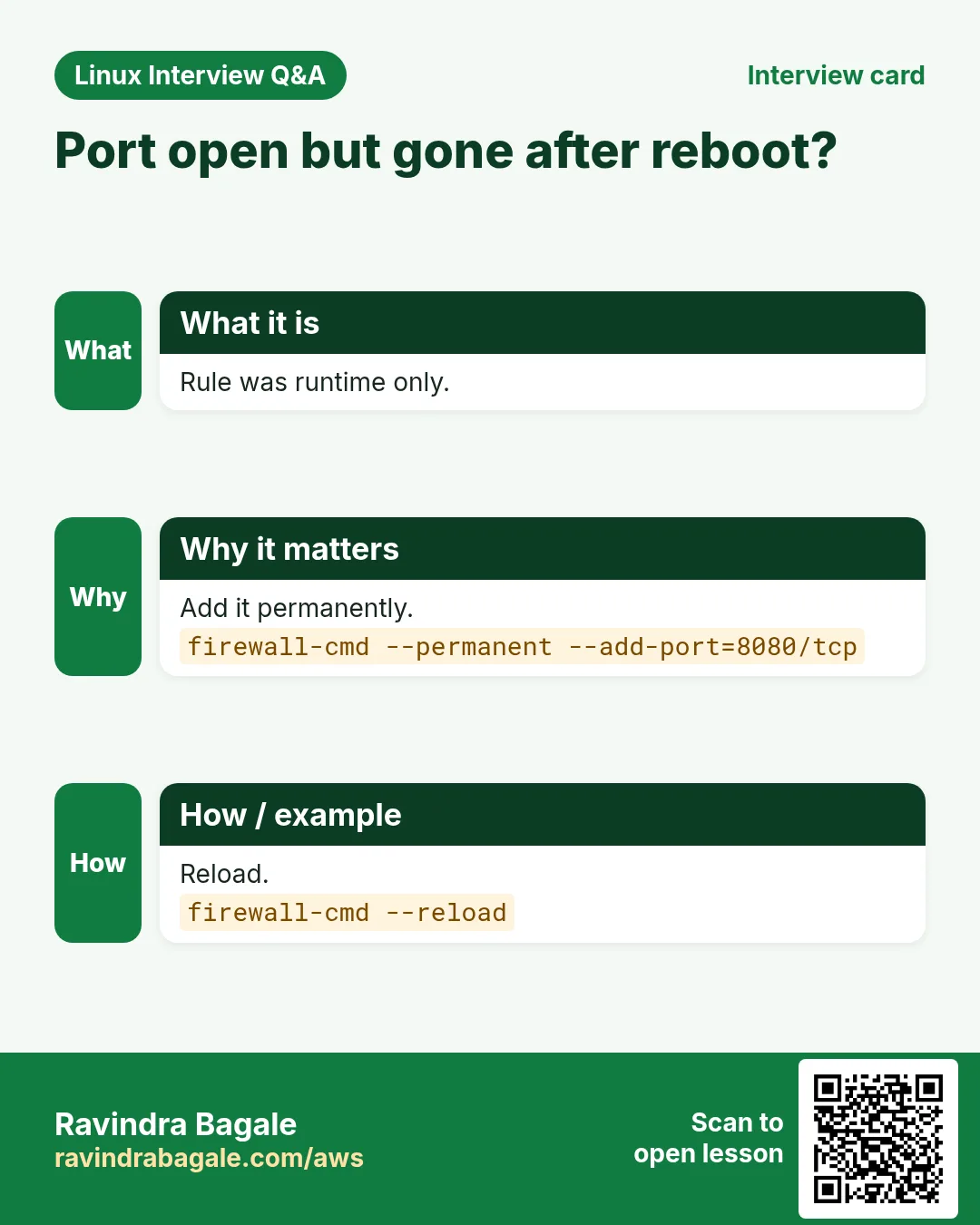
firewall-cmd talks to the firewalld service. Rules are grouped into zones (public, internal, trusted). A rule without --permanent is lost on reload; with --permanent it is saved but needs --reload to apply. Use both, or --runtime-to-permanent.
Common options
| Option | What it does |
|---|---|
--state | Is firewalld running? |
--get-active-zones | Zones in use. |
--list-all | Rules of the default zone. |
--add-service=http | Allow a known service. |
--add-port=8080/tcp | Allow a port. |
--remove-port=8080/tcp | Close a port. |
--permanent | Save the rule. |
--reload | Load saved rules. |
How to do it (step by step)
- Check it runs.
sudo firewall-cmd --stateOutput:
runningWhat it means: firewalld is active.
- See the rules.
sudo firewall-cmd --list-allOutput:
public (active)
  interfaces: eth0
  services: cockpit dhcpv6-client ssh
  ports:
What it means: Only ssh, cockpit and dhcpv6 are open.
- Open HTTP and HTTPS for good.
sudo firewall-cmd --permanent --add-service={http,https}Output:
successWhat it means: Saved, not yet live.
- Apply.
sudo firewall-cmd --reloadOutput:
successWhat it means: Saved rules are now live.
- Confirm.
sudo firewall-cmd --list-servicesOutput:
cockpit dhcpv6-client http https sshWhat it means: http and https are open.
- Allow a port only from one network.
sudo firewall-cmd --permanent --add-rich-rule='rule family=ipv4 source address=10.0.0.0/16 port port=5432 protocol=tcp accept'Output:
successWhat it means: PostgreSQL only from the internal network.
Practise this in the tasks below: Practice tasks
Real use: A Yerawada insurance company allows port 5432 only from the app subnet using a rich rule, as auditors require.
13. free: Show memory and swap use
free in depth: how much memory is really free?
Why do we need this?
An app is slow or was killed, and you need to know if the server ran out of RAM. free gives the answer in one line, if you read the right column.
What is it?
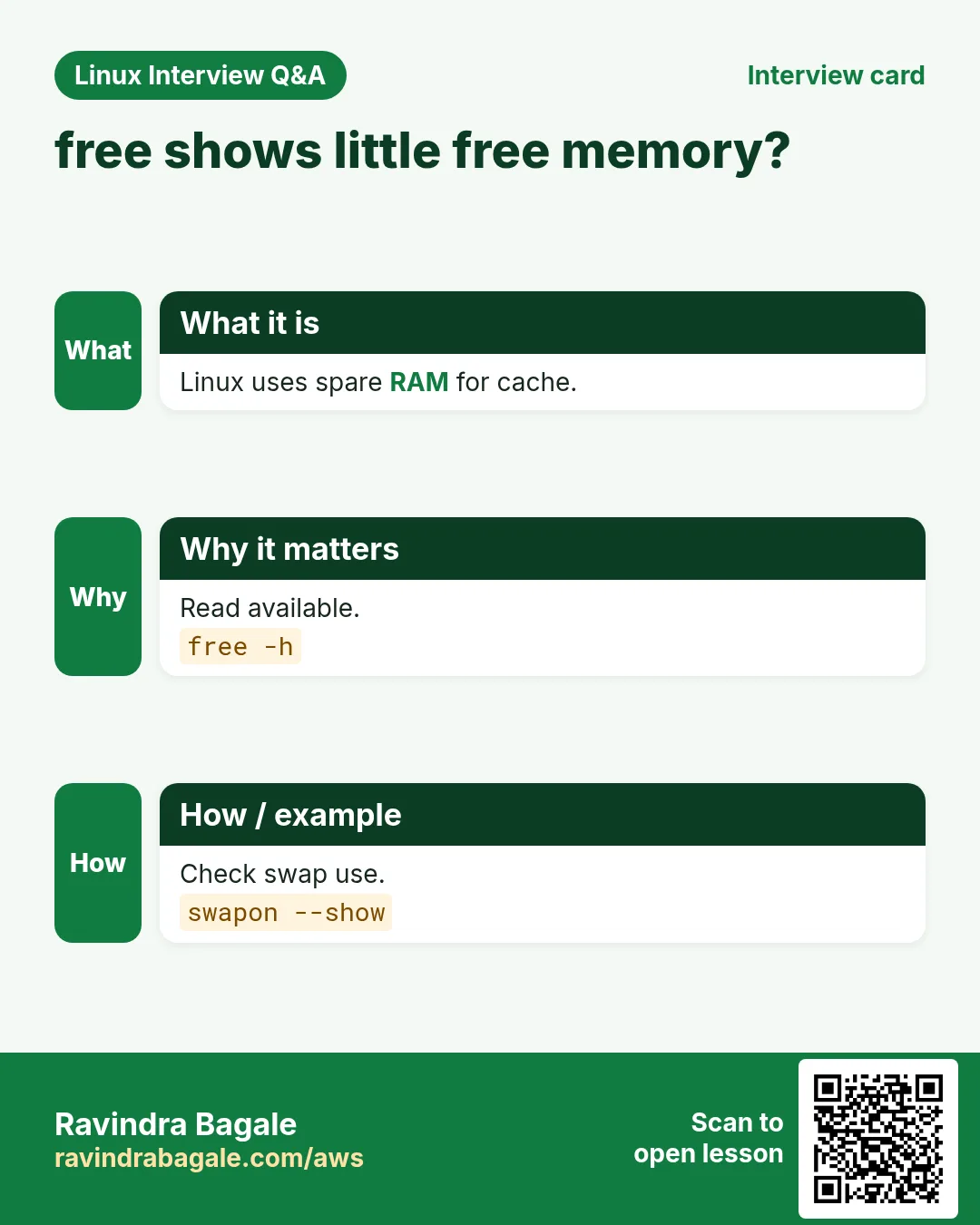
free reads /proc/meminfo and shows total, used, free, shared, buff/cache and available memory, plus swap. Linux uses spare RAM for cache, so "free" looks small; "available" is what new programs can really get.
Common options
| Option | What it does |
|---|---|
free -h | Human sizes. |
free -m | In MiB. |
free -s 2 | Repeat every 2 seconds. |
free -t | Add a total line. |
free -w | Wide: buffers and cache separate. |
How to do it (step by step)
- Read memory.
free -hOutput:
               total        used        free      shared  buff/cache   available
Mem:           7.6Gi       2.1Gi       320Mi        12Mi       5.2Gi       5.3Gi
Swap:          2.0Gi          0B       2.0Gi
What it means: Free is 320 Mi, but 5.3 Gi is available because cache can be dropped.
- Only the available number.
free -m | awk '/^Mem:/{print $7}'Output:
5427What it means: Good for monitoring scripts.
- Watch it during a load test.
free -h -s 5Output:
(prints every 5 seconds)What it means: See if available keeps falling.
- Was something killed?
sudo dmesg -T | grep -i "out of memory"Output:
[Mon Oct 26 00:12:03 2026] Out of memory: Killed process 3120 (java)What it means: The kernel OOM killer stopped java.
Practise this in the tasks below: Practice tasks
Real use: A Wakad e-learning site alerts when available memory drops under 10% during live exams.
14. fsck: Check and repair a filesystem
fsck in depth: check and repair a filesystem
Why do we need this?
After a power cut or a crash, a filesystem can have broken links, and the server may drop into emergency mode at boot. fsck checks and repairs it.
What is it?
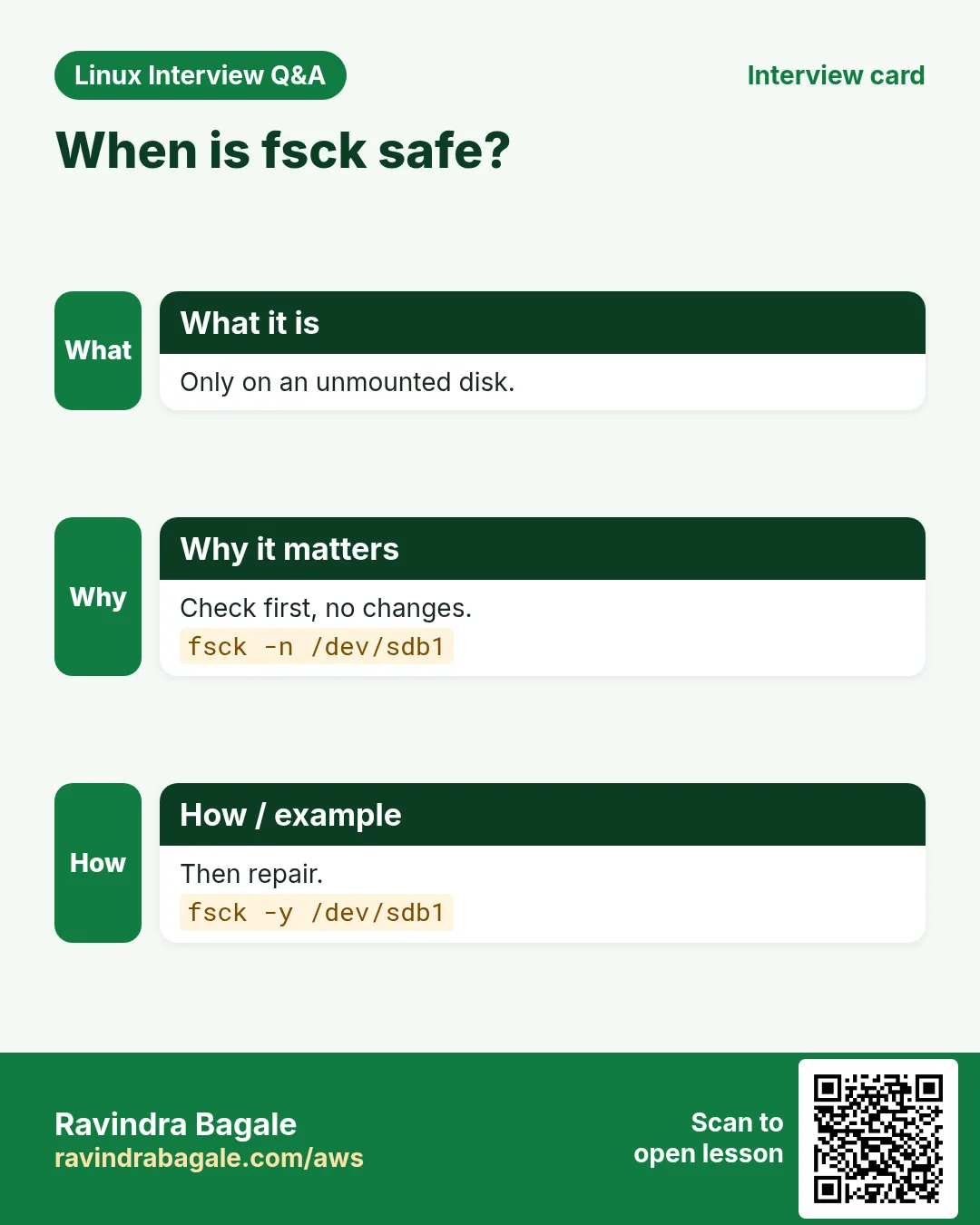
fsck is a front end that calls the right checker, like e2fsck for ext4. Run it only on an unmounted filesystem or you can cause damage. XFS uses xfs_repair instead; fsck on XFS does nothing.
Common options
| Option | What it does |
|---|---|
fsck /dev/sdb1 | Check (asks before each fix). |
fsck -n /dev/sdb1 | Check only, change nothing. |
fsck -y /dev/sdb1 | Fix everything without asking. |
fsck -f | Force a check even if marked clean. |
xfs_repair /dev/sdb1 | The XFS repair tool. |
How to do it (step by step)
- Find the filesystem type.
lsblk -f /dev/nvme1n1Output:
NAME      FSTYPE MOUNTPOINT
nvme1n1p1 ext4   /data
What it means: ext4, mounted on /data.
- Unmount first.
sudo umount /dataWhat it means: fsck must not run on a mounted filesystem.
- Dry run.
sudo fsck -n /dev/nvme1n1p1Output:
e2fsck 1.46.5
/dev/nvme1n1p1: clean, 11/3276800 files, 251161/13107200 blocks
What it means: -n only reports. Clean means no damage.
- Force a full check and repair.
sudo fsck -fy /dev/nvme1n1p1Output:
Pass 1: Checking inodes, blocks, and sizes
...
Pass 5: Checking group summary information
What it means: Five passes; -y fixes anything found.
- Mount again.
sudo mount /data && df -h /dataOutput:
/dev/nvme1n1p1 49G 24K 47G 1% /dataWhat it means: Back in service.
Practise this in the tasks below: Practice tasks
Real use: A Pimpri factory server dropped to emergency mode after a power cut; the admin ran fsck -y on /data and it booted.
15. fuser: Show which process uses a file or port
fuser in depth: who is using this file or port?
Why do we need this?
umount says "target is busy", or a port is already in use and the new service will not start. You need to know which process holds it. fuser tells you in one line.
What is it?
fuser prints the PIDs of processes using a file, a folder, a mount or a network port. Letters after the PID show how it is used: c current folder, f open file, e running program, m mapped file. It can also kill those processes.
Common options
| Option | What it does |
|---|---|
fuser -v file | Verbose: user, PID, access, command. |
fuser -m /mnt | Everything using that mount. |
fuser 80/tcp | Who uses TCP port 80. |
fuser -k | Kill those processes. |
fuser -ki | Ask before each kill. |
How to do it (step by step)
- Unmount fails.
sudo umount /dataOutput:
umount: /data: target is busy.What it means: Something still uses /data.
- Find who.
sudo fuser -vm /dataOutput:
                     USER        PID ACCESS COMMAND
/data:               ravi       2210 ..c.. bash
What it means: User ravi has a shell sitting in /data.
- Who holds port 80?
sudo fuser -v 80/tcpOutput:
                     USER        PID ACCESS COMMAND
80/tcp:              root       1043 F.... nginx
What it means: nginx already listens on 80.
- Ask, then kill.
sudo fuser -kim /dataOutput:
/data: 2210c
Kill process 2210 ? (y/N) y
What it means: After that umount works.
Practise this in the tasks below: Practice tasks
Real use: A Bavdhan media firm uses fuser -vm before unmounting the edit storage so editors are warned, not cut off.
16. getent: Look up users, groups, hosts
getent in depth: look up users, groups and hosts the system way
Why do we need this?
On servers joined to LDAP or Active Directory, users are not in /etc/passwd, so grep finds nothing. getent asks the same sources the system uses for logins and name lookups.
What is it?
getent reads databases through NSS, as set in /etc/nsswitch.conf: passwd, group, hosts, services and more. It returns lines in the classic file format, from files, SSSD, LDAP or DNS.
Common options
| Option | What it does |
|---|---|
getent passwd ravi | One user. |
getent group wheel | One group and members. |
getent hosts name | Resolve like apps do. |
getent services 443 | Port name. |
getent ahosts name | All addresses, IPv4 and IPv6. |
How to do it (step by step)
- Check a user.
getent passwd raviOutput:
ravi:x:1001:1001:Ravi:/home/ravi:/bin/bashWhat it means: Name, UID, GID, comment, home, shell.
- A domain user grep cannot see.
getent passwd priya@corp.example.inOutput:
priya@corp.example.in:*:1855001104:1855000513:Priya:/home/priya:/bin/bashWhat it means: Came from SSSD, not /etc/passwd.
- Group members.
getent group wheelOutput:
wheel:x:10:ravi,priyaWhat it means: ravi and priya can use sudo.
- Resolve the way apps do.
getent hosts db.internalOutput:
10.0.2.15 db.internalWhat it means: Uses /etc/hosts and DNS in nsswitch order.
Practise this in the tasks below: Practice tasks
Real use: A Kalyani Nagar IT team checks AD logins with getent passwd before blaming SSH.
17. getfacl: Show ACL permissions
getfacl in depth: read extra permissions (ACLs)
Why do we need this?
Normal permissions allow only one owner and one group. When an auditor or a second team needs access, admins add ACLs. If you only look at ls -l you will miss them.
What is it?
getfacl prints the access control list of a file or folder: owner, group, named users, named groups, the mask and default ACLs for new files. A + at the end of the ls -l mode means an ACL exists. Change ACLs with setfacl.
Common options
| Option | What it does |
|---|---|
getfacl file | Show the ACL. |
getfacl -R dir | Whole folder tree. |
getfacl -R dir > acl.bak | Back up ACLs. |
setfacl --restore=acl.bak | Restore them. |
setfacl -m u:name:rx dir | Give one user read and enter. |
How to do it (step by step)
- Spot the plus sign.
ls -ld /srv/reportsOutput:
drwxrwx---+ 2 app finance 4096 Oct 26 01:00 /srv/reportsWhat it means: + means extra ACL entries.
- Read them.
getfacl /srv/reportsOutput:
# file: srv/reports
# owner: app
# group: finance
user::rwx
user:auditor:r-x
group::rwx
mask::rwx
other::---
What it means: User auditor can read and enter.
- Add access for one more user.
sudo setfacl -m u:priya:rx /srv/reportsWhat it means: priya now has read and enter.
- Back up before changes.
getfacl -R /srv/reports > /root/reports.aclWhat it means: Restore with setfacl --restore if something goes wrong.
Practise this in the tasks below: Practice tasks
Real use: A Camp-area CA firm gives auditors read-only ACL access to client folders during audit season.
18. grep: Search text for patterns
grep deep dive: search text like a pro
Why do we need this?
Most admin work is finding a line: an error in a log, a setting in a config, an IP in access logs, a user in a list. grep is the tool you will use more than any other, and the most common Linux interview command after ls.
What is it?
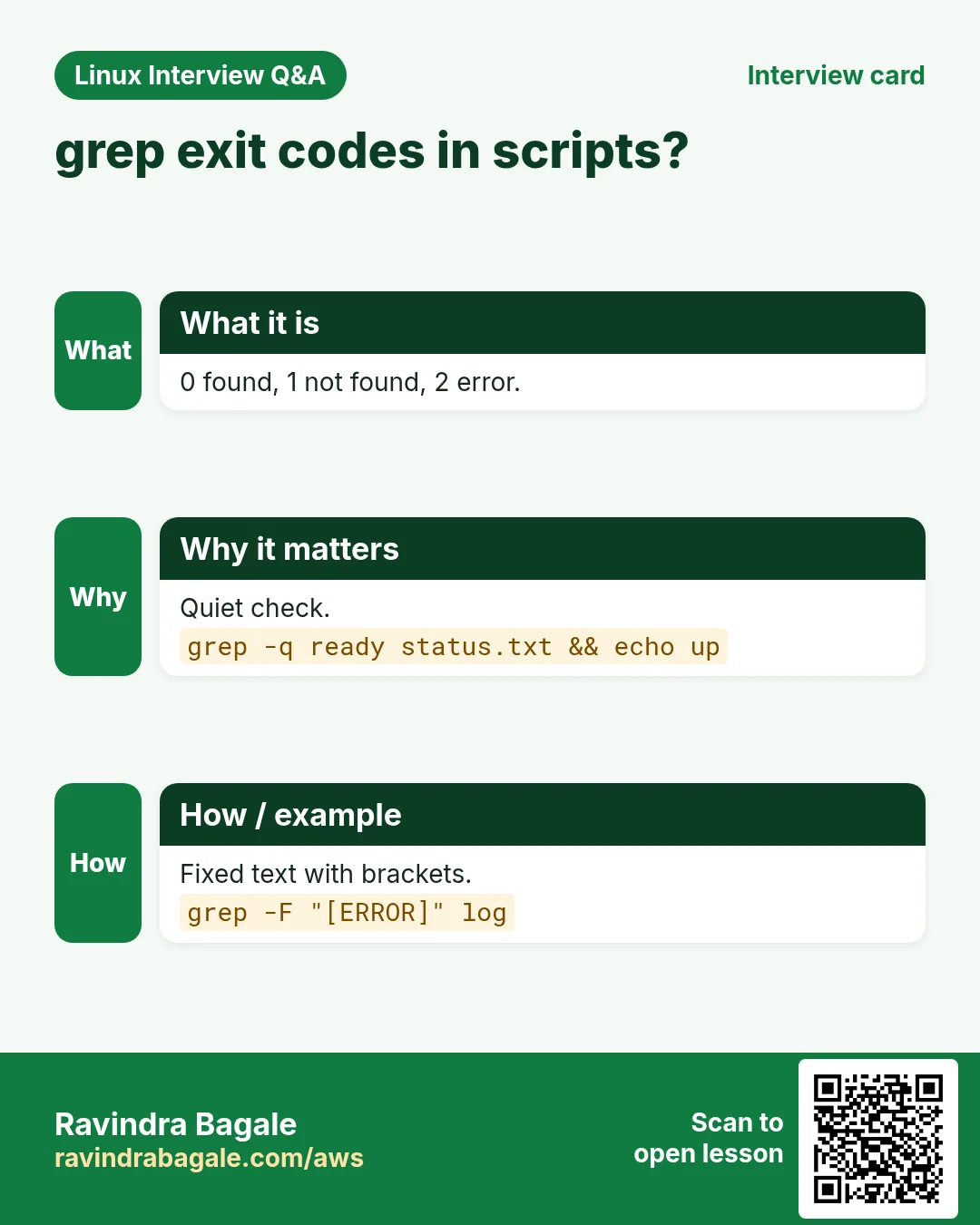
grep reads files or input line by line and prints lines that match a pattern. The pattern is a regular expression: basic by default, extended with -E, fixed text with -F, Perl style with -P. Options control case, counting, context lines, file names and recursion. Exit code 0 means found, 1 not found, 2 error, which makes grep perfect for scripts.
Common options
| Option | What it does |
|---|---|
-i | Ignore case. |
-v | Lines that do NOT match. |
-n | Show line numbers. |
-c | Count matching lines. |
-l / -L | Only file names that match / do not. |
-r / -R | Search folders (R follows links). |
-w | Whole words only. |
-x | Whole line must match. |
-E | Extended regex: | + ? {}. |
-F | Fixed text, no regex. |
-o | Print only the matched part. |
-A / -B / -C n | Lines after / before / around. |
-q | Quiet: only the exit code. |
--include="*.conf" | Only these files when recursive. |
--color=auto | Highlight matches. |
How to do it (step by step)
- Find errors in a log.
grep ERROR /var/log/app/app.logOutput:
2026-10-26 00:41:10 ERROR payment timeout id=7781
2026-10-26 00:52:33 ERROR db connection refused
What it means: Every line containing ERROR, exactly as written.
- Ignore case and show line numbers.
grep -in "timeout" /var/log/app/app.logOutput:
118:2026-10-26 00:41:10 ERROR payment timeout id=7781
240:2026-10-26 01:02:09 WARN Timeout retry 2
What it means: Matches Timeout and timeout; the number is the line in the file.
- Count them.
grep -c ERROR /var/log/app/app.logOutput:
37What it means: 37 lines contain ERROR.
- See context around an error.
grep -B2 -A3 "db connection refused" /var/log/app/app.logOutput:
(2 lines before, the match, 3 lines after)What it means: Context shows what happened just before the failure.
- Hide comments and blank lines in a config.
grep -Ev "^\s*(#|$)" /etc/ssh/sshd_configOutput:
Include /etc/ssh/sshd_config.d/*.conf
PermitRootLogin no
PasswordAuthentication no
What it means: -v inverts, -E allows (a|b); ^ start, $ end.
- Two patterns at once.
grep -E "ERROR|FATAL" app.log | tail -2Output:
2026-10-26 01:10:00 FATAL out of memory
2026-10-26 01:12:41 ERROR worker crashed
What it means: | means OR in extended regex.
- Whole words only.
grep -w "root" /etc/passwdOutput:
root:x:0:0:root:/root:/bin/bashWhat it means: Does not match chroot or rootless.
- Pull out only the IPs.
grep -oE "([0-9]{1,3}\.){3}[0-9]{1,3}" access.log | sort | uniq -c | sort -rn | head -3Output:
  942 49.36.12.8
  311 103.21.5.90
   87 10.0.1.5
What it means: -o prints only the matched part; then count per IP.
- Search a whole folder, only config files.
grep -rn --include="*.conf" "listen" /etc/nginx/Output:
/etc/nginx/conf.d/shop.conf:3: listen 443 ssl;What it means: -r walks folders; --include limits the files.
- Which files mention a hostname?
grep -rl "db-old.internal" /srv/app/configOutput:
/srv/app/config/prod.yml
/srv/app/config/batch.yml
What it means: Only file names: the list to update before a migration.
- Search for text with dots or brackets as is.
grep -F "[10.0.1.5]" haproxy.log | head -1Output:
Oct 26 01:01:02 lb1 haproxy[812]: [10.0.1.5] backend upWhat it means: -F turns off regex, so [ and . are normal characters.
- Use grep in a script.
if grep -q "^PermitRootLogin no" /etc/ssh/sshd_config; then echo SAFE; else echo FIX; fiOutput:
SAFEWhat it means: -q prints nothing; the exit code drives the if.
- Filter command output.
ps aux | grep "[n]ginx"Output:
root  1043  0.0  0.1 nginx: master process
nginx 1044  0.0  0.2 nginx: worker process
What it means: [n] trick: the grep line itself does not match.
- Search compressed logs.
zgrep -c "ERROR" /var/log/app/app.log.1.gzOutput:
52What it means: zgrep reads .gz files without unpacking.
Practise this in the tasks below: Practice tasks
Real use: A Kharadi payments team greps for "declined" across 30 days of zipped logs with zgrep and counts per bank, in seconds, during every RBI audit.
19. groupadd: Create a group
groupadd in depth: create a team group
Why do we need this?
Permissions are easier to manage per team than per person. Create a group like devs or finance, add people to it, and give the group access to folders.
What is it?
groupadd adds a line to /etc/group (and /etc/gshadow) with a new group name and GID. Members are added later with usermod -aG or gpasswd -a. groupdel removes a group; groupmod renames it.
Common options
| Option | What it does |
|---|---|
groupadd devs | Create a group. |
groupadd -g 3000 devs | Pick the GID. |
groupadd -r svc | System group (low GID). |
gpasswd -a ravi devs | Add a member. |
groupdel devs | Delete the group. |
How to do it (step by step)
- Create the group.
sudo groupadd -g 3000 devsWhat it means: No output means success.
- Check it.
getent group devsOutput:
devs:x:3000:What it means: GID 3000, no members yet.
- Add two people.
sudo usermod -aG devs ravi; sudo usermod -aG devs priya; getent group devsOutput:
devs:x:3000:ravi,priyaWhat it means: -a keeps their other groups. Never forget it.
- Give the group a shared folder.
sudo mkdir /srv/devs && sudo chgrp devs /srv/devs && sudo chmod 2770 /srv/devsWhat it means: 2 (setgid) makes new files belong to devs.
Practise this in the tasks below: Practice tasks
Real use: A Model Colony architecture firm has groups design, accounts and print, each with its own shared folder.
20. groups: Show groups of a user
groups in depth: which groups am I in?
Why do we need this?
You were added to the docker or wheel group but still get permission denied. The first check is: which groups does this session really have?
What is it?
groups prints the groups of the current user, or of a named user. For your own shell it shows the groups the session started with; groups added later need a new login or newgrp. id shows the same with numbers.
Common options
| Option | What it does |
|---|---|
groups | My groups. |
groups ravi | Another user. |
id -nG | Same, from id. |
newgrp docker | Start a shell with a new group. |
su - $USER | Fresh login to load groups. |
How to do it (step by step)
- Check yourself.
groupsOutput:
ravi wheel devsWhat it means: You are in ravi, wheel and devs.
- After being added to docker.
groups raviOutput:
ravi : ravi wheel devs dockerWhat it means: The account has docker...
- ...but this shell does not.
groupsOutput:
ravi wheel devsWhat it means: The session started before the change.
- Load it.
newgrp docker; docker psOutput:
CONTAINER ID IMAGE COMMAND STATUSWhat it means: Now docker works without sudo.
Practise this in the tasks below: Practice tasks
Real use: A Sangvi startup's onboarding doc says: after joining docker, log out and in, then check with groups.
21. gunzip: Uncompress .gz files
gunzip in depth: unpack .gz files
Why do we need this?
Logs are rotated as .gz, database dumps are shipped as .sql.gz, and downloads arrive as .gz. You need them back as normal files, or read them without unpacking.
What is it?
gunzip is gzip -d. It replaces file.gz with file and keeps the time stamp. -k keeps the .gz too, -c writes to the screen so you can pipe. zcat, zless and zgrep read .gz files directly.
Common options
| Option | What it does |
|---|---|
gunzip f.gz | Unpack and remove .gz. |
gunzip -k f.gz | Keep the .gz. |
gunzip -c f.gz | To standard output. |
gunzip -t f.gz | Test the archive. |
zcat f.gz | Read without unpacking. |
How to do it (step by step)
- Test first.
gunzip -t dump.sql.gz && echo OKOutput:
OKWhat it means: The archive is not damaged.
- Unpack and keep the original.
gunzip -k dump.sql.gz; ls -lh dump.sql*Output:
-rw-r--r-- 1 ravi ravi 1.9G Oct 26 01:00 dump.sql
-rw-r--r-- 1 ravi ravi 210M Oct 26 01:00 dump.sql.gz
What it means: About 9 times smaller when packed.
- Restore a DB without writing the big file.
gunzip -c dump.sql.gz | mysql shopdbWhat it means: Saves 1.9 GB of disk.
- Read an old log.
zcat /var/log/nginx/access.log.2.gz | tail -1Output:
49.36.12.8 - - [24/Oct/2026:23:59:58 +0530] "GET / HTTP/1.1" 200What it means: No file is created.
Practise this in the tasks below: Practice tasks
Real use: A Hadapsar e-commerce DBA restores nightly .sql.gz dumps to a test server with gunzip -c piped into mysql.
22. gzip: Compress files with gzip
gzip in depth: compress files to save space
Why do we need this?
Text logs and CSV exports shrink 5 to 10 times when compressed. That saves disk, backup time and transfer cost. gzip is everywhere and fast.
What is it?
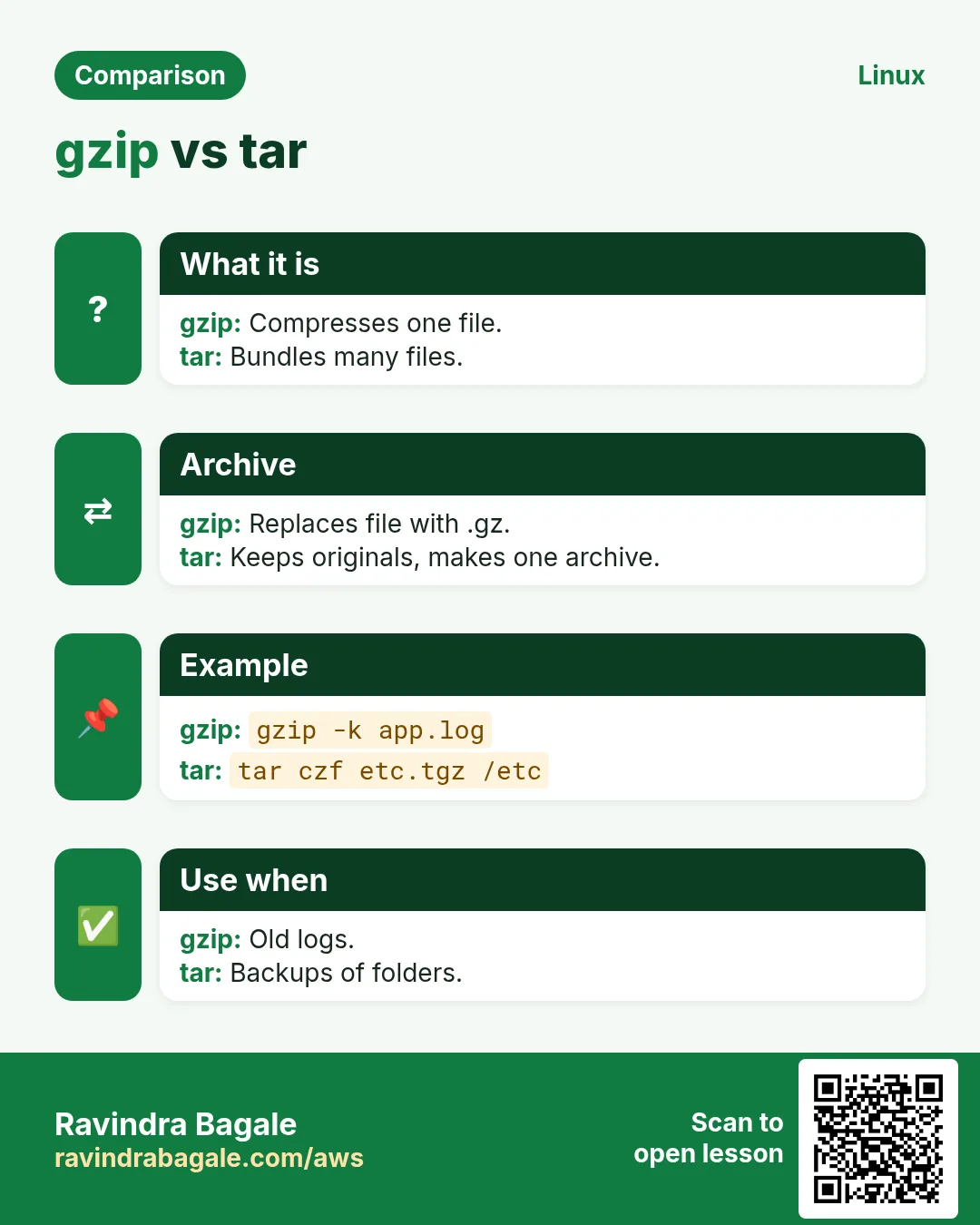
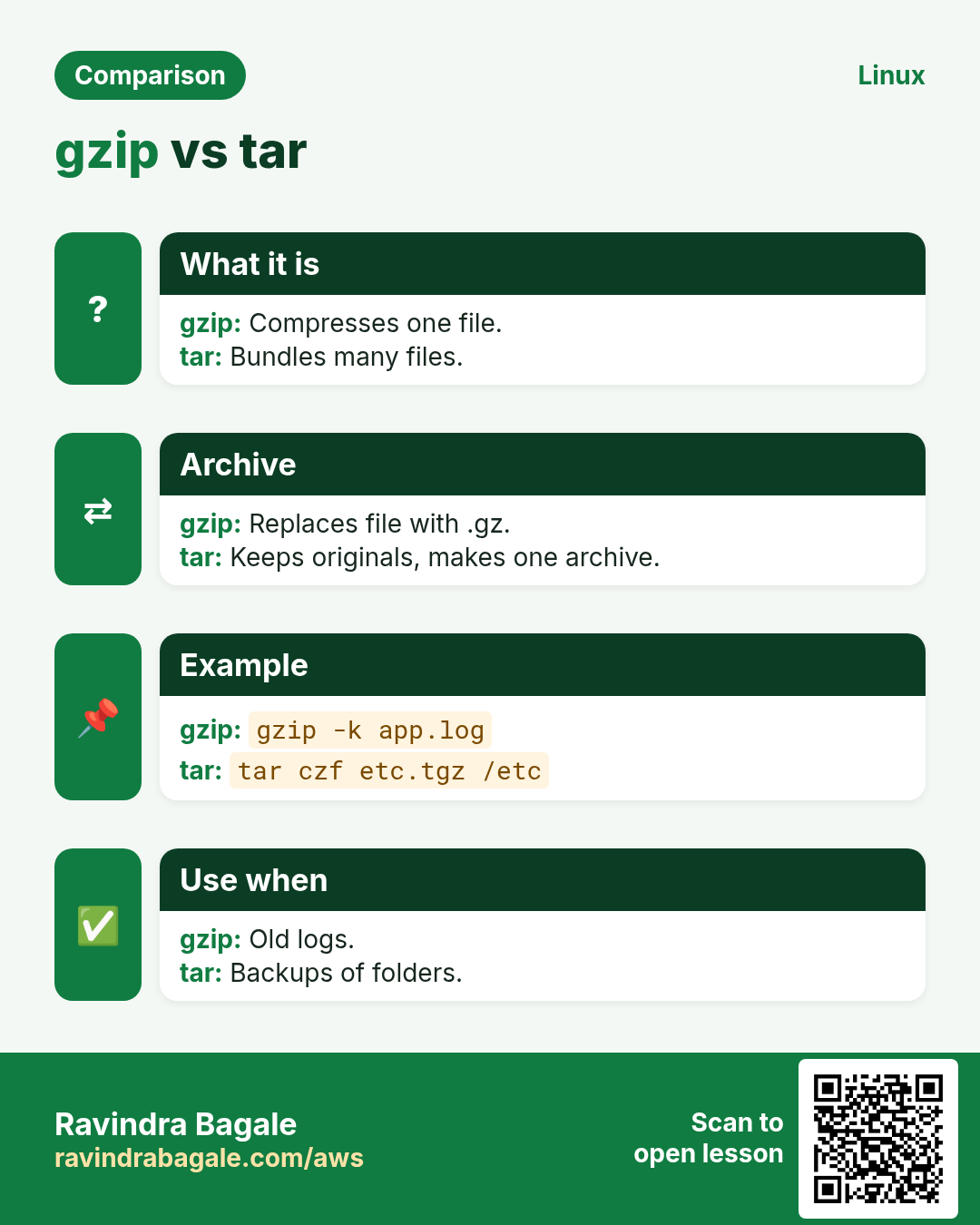
gzip compresses one file at a time and replaces it with file.gz. It does not bundle folders; use tar -czf for that. Levels go from -1 (fast) to -9 (small). Already-compressed files like JPG or MP4 barely shrink.
Common options
| Option | What it does |
|---|---|
gzip f | Compress, replace f. |
gzip -k f | Keep the original. |
gzip -9 f | Best compression. |
gzip -l f.gz | Show ratio. |
gzip -r dir | Each file in a folder. |
gzip -d f.gz | Unpack (same as gunzip). |
How to do it (step by step)
- Compress a big log.
ls -lh app.log; gzip app.log; ls -lh app.log.gzOutput:
-rw-r--r-- 1 app app 820M app.log
-rw-r--r-- 1 app app  61M app.log.gz
What it means: 820 MB down to 61 MB.
- See the ratio.
gzip -l app.log.gzOutput:
  compressed        uncompressed  ratio uncompressed_name
    63963136           859832320  92.6% app.log
What it means: 92.6% smaller.
- Keep the original for now.
gzip -k -9 export.csv; ls export.csv*Output:
export.csv export.csv.gzWhat it means: Both files remain.
- Compress on the fly.
mysqldump shopdb | gzip > shopdb-$(date +%F).sql.gzWhat it means: The dump never sits uncompressed on disk.
Practise this in the tasks below: Practice tasks
Real use: A Baner analytics company gzips daily CSV exports before uploading to S3 and cuts its transfer bill by 85%.
23. halt: Stop the system
halt in depth: stop the system (and how it differs from poweroff)
Why do we need this?
Before moving a physical server or after a failed disk, you must stop it cleanly so filesystems are not damaged. Knowing halt, poweroff and shutdown avoids a server that is "off" but still drawing power, or a remote box you cannot start again.
What is it?
On systemd systems halt stops all services and the kernel but may not cut power; poweroff also turns the machine off. On a cloud VM both stop the instance. shutdown adds a delay and a warning to logged-in users.
Common options
| Option | What it does |
|---|---|
halt | Stop the system. |
halt -p | Halt and power off. |
poweroff | Stop and cut power. |
shutdown -h +10 "msg" | Halt in 10 minutes with a warning. |
shutdown -c | Cancel a planned shutdown. |
How to do it (step by step)
- Warn users and schedule.
sudo shutdown -h +10 "Disk swap in 10 min, save work"Output:
Shutdown scheduled for Mon 2026-10-26 01:50:00 IST, use 'shutdown -c' to cancel.What it means: Logged-in users see the message.
- Change your mind.
sudo shutdown -cWhat it means: The plan is cancelled.
- Turn off now.
sudo poweroffOutput:
Connection to 10.0.1.5 closed by remote host.What it means: Services stop, disks sync, power goes off.
- Check last shutdowns later.
last -x shutdown | head -2Output:
shutdown system down 5.14.0-427 Mon Oct 26 01:51 - 02:30 (00:39)What it means: Records who and when.
Practise this in the tasks below: Practice tasks
Real use: A Bhosari data room supervisor uses shutdown -h +15 with a message before UPS maintenance, so engineers can save work.
24. head: Show the first lines
head in depth: see the first lines of a file
Why do we need this?
A 3 GB CSV or log is too big to open. You just want to see its columns, the first records, or the start of an output. head shows only that.
What is it?
head prints the first 10 lines by default, or a number you choose with -n, or bytes with -c. With a minus number it prints all but the last N lines. It stops reading early, so it is instant on huge files.
Common options
| Option | What it does |
|---|---|
head f | First 10 lines. |
head -n 3 f | First 3 lines. |
head -n -5 f | All except the last 5. |
head -c 100 f | First 100 bytes. |
head -q a b | Many files, no name headers. |
How to do it (step by step)
- See the CSV columns.
head -n 1 sales.csvOutput:
date,region,store,amountWhat it means: Header row only.
- Columns plus two records.
head -n 3 sales.csvOutput:
date,region,store,amount
2026-10-01,West,Pune-FC,48210
2026-10-01,West,Nashik,22050
What it means: Enough to understand the format.
- Top 5 memory users.
ps aux --sort=-%mem | head -n 6Output:
USER  PID %CPU %MEM COMMAND
mysql 811  3.1 41.0 /usr/sbin/mysqld
...
What it means: Header plus five processes.
- Peek at a binary file type.
head -c 4 backup.img | od -cOutput:
0000000 177 E L FWhat it means: \177ELF is the magic for a Linux program.
Practise this in the tasks below: Practice tasks
Real use: A Pune retail chain's data analyst runs head -n 5 on every incoming store file to check the column order before loading.
25. history: Show past commands
history in depth: find and reuse past commands
Why do we need this?
You ran a long working command last week and need it again, or you must explain what was changed on a server. history keeps a list of the commands you typed.
What is it?
history is a bash builtin. Commands are kept in memory and saved to ~/.bash_history when the shell exits. HISTSIZE and HISTFILESIZE set how many; HISTTIMEFORMAT adds dates. It is per user and can be edited, so it is not an audit log.
Common options
| Option | What it does |
|---|---|
history | Show the list. |
history 20 | Last 20. |
!123 | Run command number 123. |
!! | Run the last command again. |
Ctrl+R | Search backwards as you type. |
history -d 123 | Delete one entry. |
history -a | Write to the file now. |
How to do it (step by step)
- Add dates.
export HISTTIMEFORMAT='%F %T '; history 3Output:
  981  2026-10-26 01:20:11 df -h
  982  2026-10-26 01:21:40 sudo systemctl restart nginx
  983  2026-10-26 01:22:02 history 3
What it means: Now you know when each ran.
- Find a past command.
history | grep rsyncOutput:
640 rsync -avz /srv/app/ backup01:/backup/app/What it means: Number 640 is the one you want.
- Run it again.
!640Output:
rsync -avz /srv/app/ backup01:/backup/app/
sending incremental file list
What it means: Bash prints the command, then runs it.
- Forgot sudo?
sudo !!Output:
sudo systemctl restart nginxWhat it means: !! is the last command.
- Remove a typed password.
history -d 981; history -wWhat it means: Never type secrets on the command line; delete them if you did.
Practise this in the tasks below: Practice tasks
Real use: A Kondhwa MSP sets HISTTIMEFORMAT and a large HISTSIZE on all client servers so night shift handovers are clear.
26. host: Simple DNS lookup
host in depth: quick DNS lookups
Why do we need this?
After a DNS change you want a quick yes or no: does this name point to the new IP? host gives a short, readable answer without the long dig output.
What is it?
host is a simple DNS lookup tool from the bind-utils (RHEL) or bind9-host (Ubuntu) package. It looks up A, AAAA and MX records by default, reverse lookups for IPs, any record type with -t, and can ask a chosen server.
Common options
| Option | What it does |
|---|---|
host name | A, AAAA and MX. |
host IP | Reverse lookup. |
host -t mx name | One record type. |
host name 8.8.8.8 | Ask a chosen server. |
host -a name | Everything, verbose. |
How to do it (step by step)
- Simple lookup.
host example.comOutput:
example.com has address 93.184.215.14
example.com has IPv6 address 2606:2800:21f:cb07:6820:80da:af6b:8b2c
What it means: IPv4 and IPv6 addresses.
- Mail servers.
host -t mx gmail.comOutput:
gmail.com mail is handled by 5 gmail-smtp-in.l.google.com.What it means: Lower number means preferred.
- Reverse lookup.
host 8.8.8.8Output:
8.8.8.8.in-addr.arpa domain name pointer dns.google.What it means: The PTR name for the IP.
- Ask a public server after a change.
host shop.example.in 1.1.1.1Output:
Using domain server:
Address: 1.1.1.1#53

shop.example.in has address 13.235.10.20
What it means: The new IP is already visible from outside.
Practise this in the tasks below: Practice tasks
Real use: A Shivajinagar web agency checks every client DNS cutover with host name 8.8.8.8 and host name 1.1.1.1 before telling the client it is live.
27. Real examples from many industries
Why do we need this?
The same Linux skill shows up in every kind of company. Seeing it in many places helps you remember it.
What is it?
Each row is a made-up team. It shows who uses this and how.
How to do it (step by step)
| Team and city | How they use it | Command |
|---|---|---|
| Pooja, e-commerce, Hinjewadi | Counts payment errors per minute in the deploy pipeline | grep -c "PAYMENT FAILED" app.log |
| Rahul, hosting, Kharadi | Opens ports for new client sites | firewall-cmd --permanent --add-service=https |
| Meera, hospital IT, Shivajinagar | Cleans old scans by age | find /scans -mtime +90 -name "*.dcm" |
| Sagar, logistics, Chakan | Compresses depot logs nightly | gzip -9 /var/log/depot/*.log.1 |
| Neha, bank, Camp | Checks ACLs on audit folders | getfacl /audit |
| Vikram, SaaS, Baner | Checks memory before scaling | free -m |
28. Common errors and how to fix them
Why do we need this?
Everyone hits these errors. Knowing the cause saves hours.
What is it?
Read the exact message first. Then match it to a row below.
How to do it (step by step)
| Error you see | Why it happens | How to fix |
|---|---|---|
echo $PATH prints nothing in a script | Variable set in another shell or not exported | export it or source the file.export APP_ENV=prod |
expr: syntax error | Missing spaces or unescaped * | Put spaces around operators and escape *.expr 6 \* 7 |
find: paths must precede expression | Unquoted wildcard expanded by the shell | Quote the pattern.find . -name "*.log" |
Error: INVALID_PORT | Port written without /tcp or /udp | Add the protocol.firewall-cmd --add-port=8080/tcp |
Port open with firewall-cmd but gone after reboot | Rule added without --permanent | Add --permanent and reload.firewall-cmd --permanent --add-port=8080/tcp; firewall-cmd --reload |
fsck: /dev/sda1 is mounted. | Running fsck on a mounted filesystem | Unmount first, or use rescue mode.umount /data; fsck -n /dev/sdb1 |
grep: warning: recursive search of stdin | -r given with no folder | Give the folder.grep -rn ERROR /var/log/app |
grep: Unmatched [, [^, [:, [., or [= | Special character treated as regex | Use -F for fixed text.grep -F "[ERROR]" app.log |
gzip: app.log: unexpected end of file | File was cut while copying or still being written | Copy again; test with gzip -t.gzip -t app.log.gz |
groupadd: group 'developers' already exists | Group is already there | Check with getent first.getent group developers |
fuser: command not found | psmisc not installed | Install psmisc.dnf install -y psmisc |
Host db.internal not found: 3(NXDOMAIN) | Name not in DNS or wrong search domain | Check the record and resolv.conf.cat /etc/resolv.conf |
29. Troubleshooting step by step
Why do we need this?
When a Part 3 command does not do what you expect, go through these steps.
What is it?
Go top to bottom. Stop at the first step that shows the problem.
How to do it (step by step)
- Is the command installed?
command -v fuser htop || echo missing- Is a variable set and exported?
env | grep APP_- Is the pattern quoted?
grep -n "a b" file- Is it a permanent or runtime firewall rule?
firewall-cmd --list-all --permanent- Is the disk mounted before fsck?
findmnt /dev/sdb1- Which DNS server answered?
host -v db.internal | grep -i server30. Lab 1: Search logs like a support engineer
Why do we need this?
Make a sample log and answer real questions with grep, head and gzip.
What is it?
A full hands-on lab. Run every step on a test Linux machine (an EC2 instance, a VM, or WSL).
How to do it (step by step)
- Make a sample log.
printf "INFO start\nERROR db timeout\nINFO retry\nERROR db timeout\nWARN slow\n" > /tmp/lab.log- Count errors.
grep -c ERROR /tmp/lab.logOutput:
2- Show with line numbers.
grep -n ERROR /tmp/lab.logOutput:
2:ERROR db timeout
4:ERROR db timeout- ERROR or WARN.
grep -E "ERROR|WARN" /tmp/lab.log | wc -lOutput:
3- Compress and search inside.
gzip /tmp/lab.log && zgrep -c ERROR /tmp/lab.log.gzOutput:
231. Lab 2: Open a port and find what uses it
Why do we need this?
Start a tiny web server, open its port in firewalld, and check memory and the process.
What is it?
A full hands-on lab. Run every step on a test Linux machine (an EC2 instance, a VM, or WSL).
How to do it (step by step)
- Start a server in the background.
python3 -m http.server 8099 &Output:
[1] 6120- Open the port for now.
sudo firewall-cmd --add-port=8099/tcpOutput:
success- Who holds the port?
sudo fuser -v 8099/tcpOutput:
8099/tcp: ravi 6120 F.... python3- Memory left.
free -h | grep MemOutput:
Mem: 1.8Gi 610Mi 900Mi- Clean up.
kill %1; sudo firewall-cmd --remove-port=8099/tcpOutput:
successRavindra Bagale's Tip
Learn grep options one at a time: today -n and -i, tomorrow -r and -l, then -E and -w, then -A and -B. In two weeks you will search logs faster than anyone on your team.
Ravindra Bagale's Tip – मराठी
grep options एक एक करून शिका: आज -n आणि -i, उद्या -r आणि -l, मग -E आणि -w, मग -A आणि -B. दोन आठवड्यात तुम्ही team मधे सगळ्यांपेक्षा जलद logs search कराल.
Ravindra Bagale's Tip – हिंदी
grep के options एक-एक करके सीखें: आज -n और -i, कल -r और -l, फिर -E और -w, फिर -A और -B. दो हफ्ते में आप टीम में सबसे तेज़ logs search करेंगे.
32. Frequently asked questions
Q. grep or find?
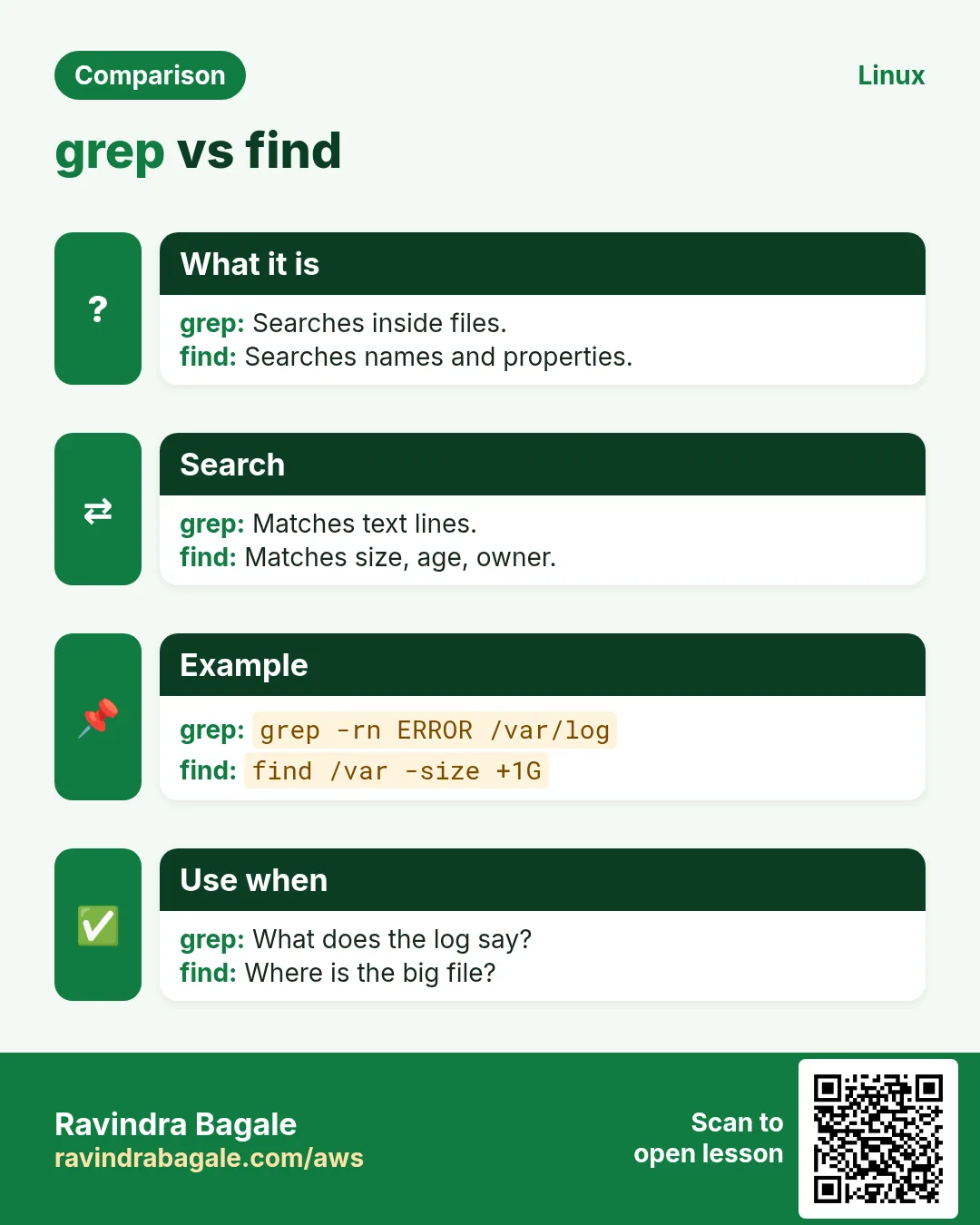
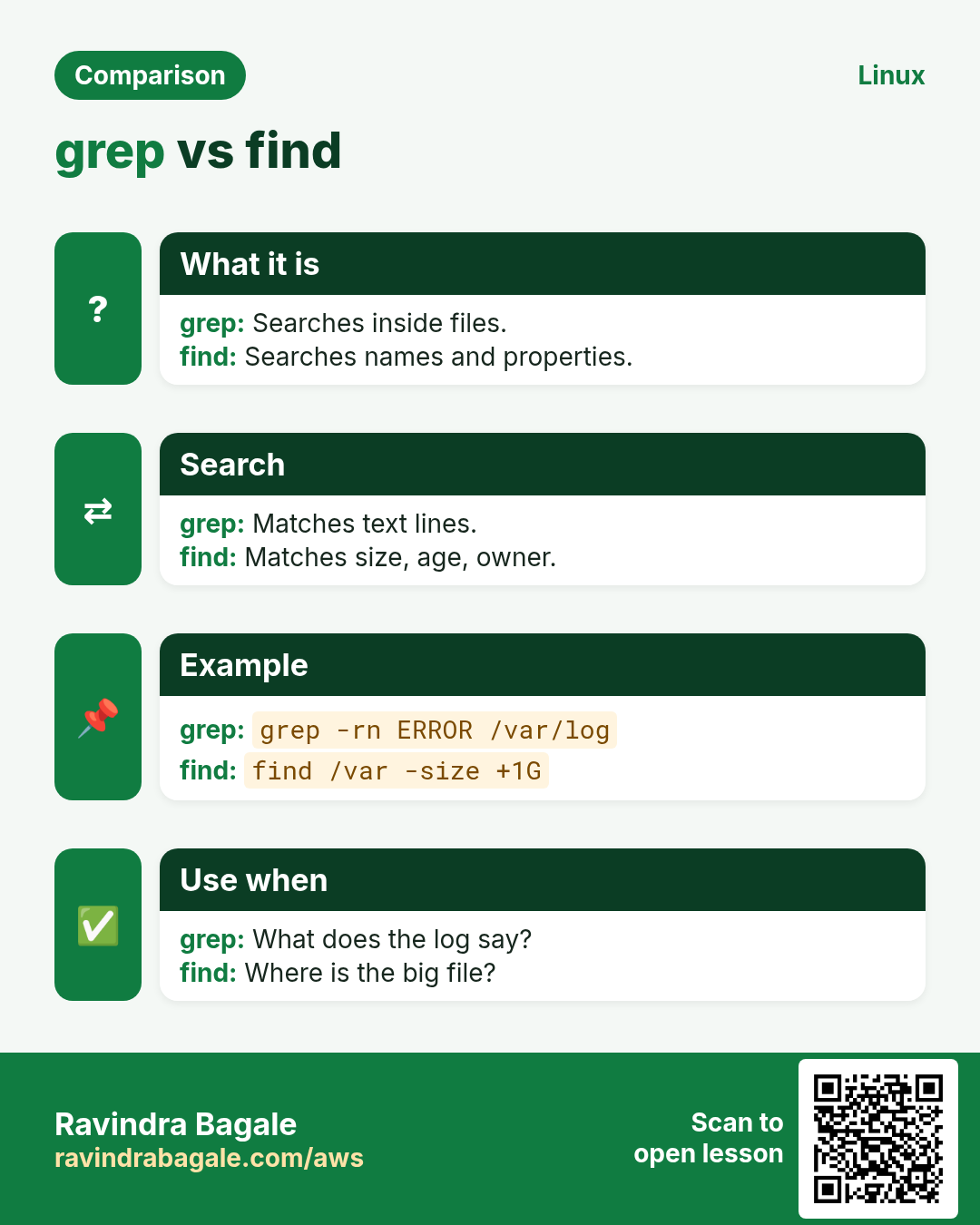
grep searches inside files; find searches file names and properties.
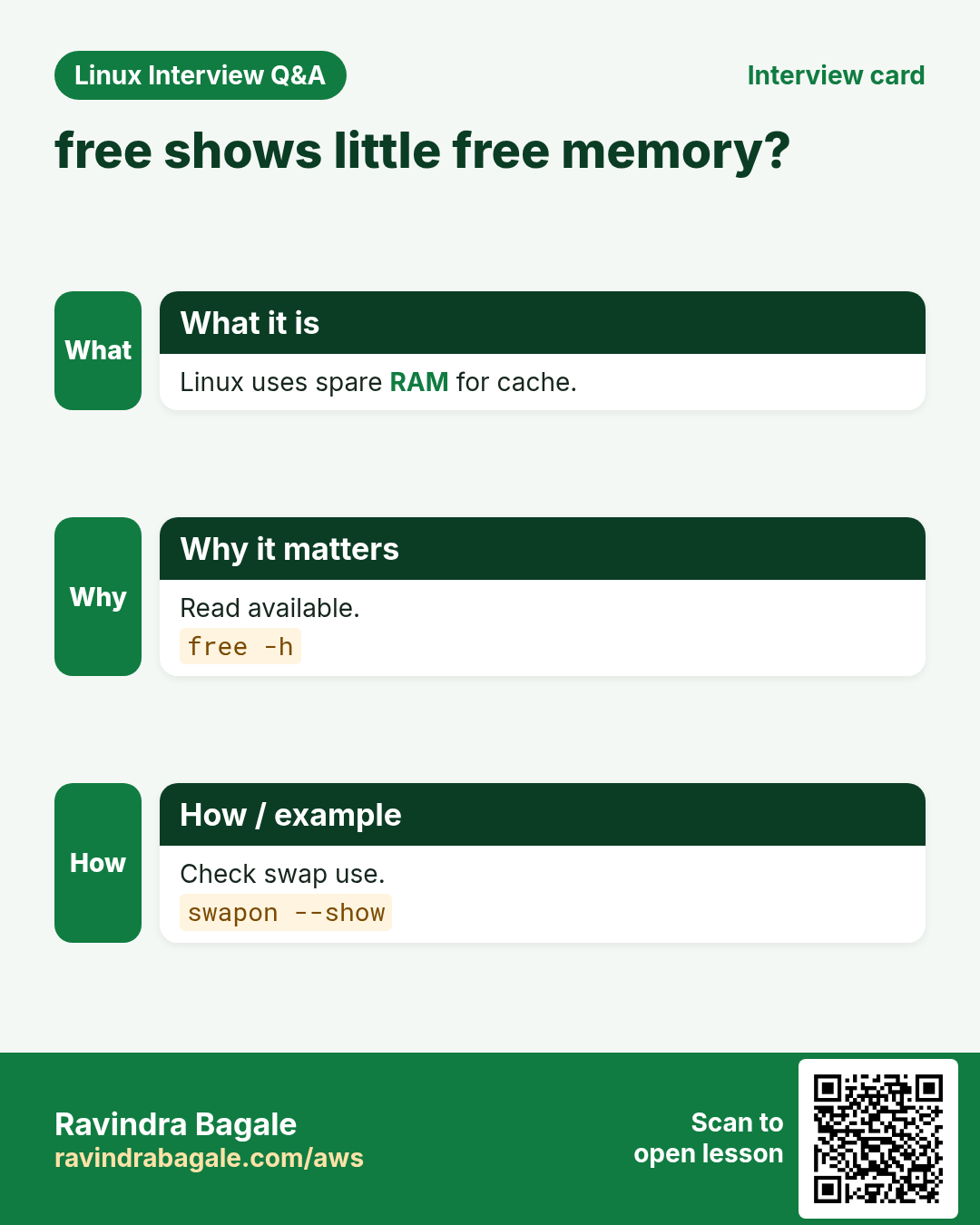
Q. Why does free show little free memory?
Linux uses spare memory for cache. Look at the available column.
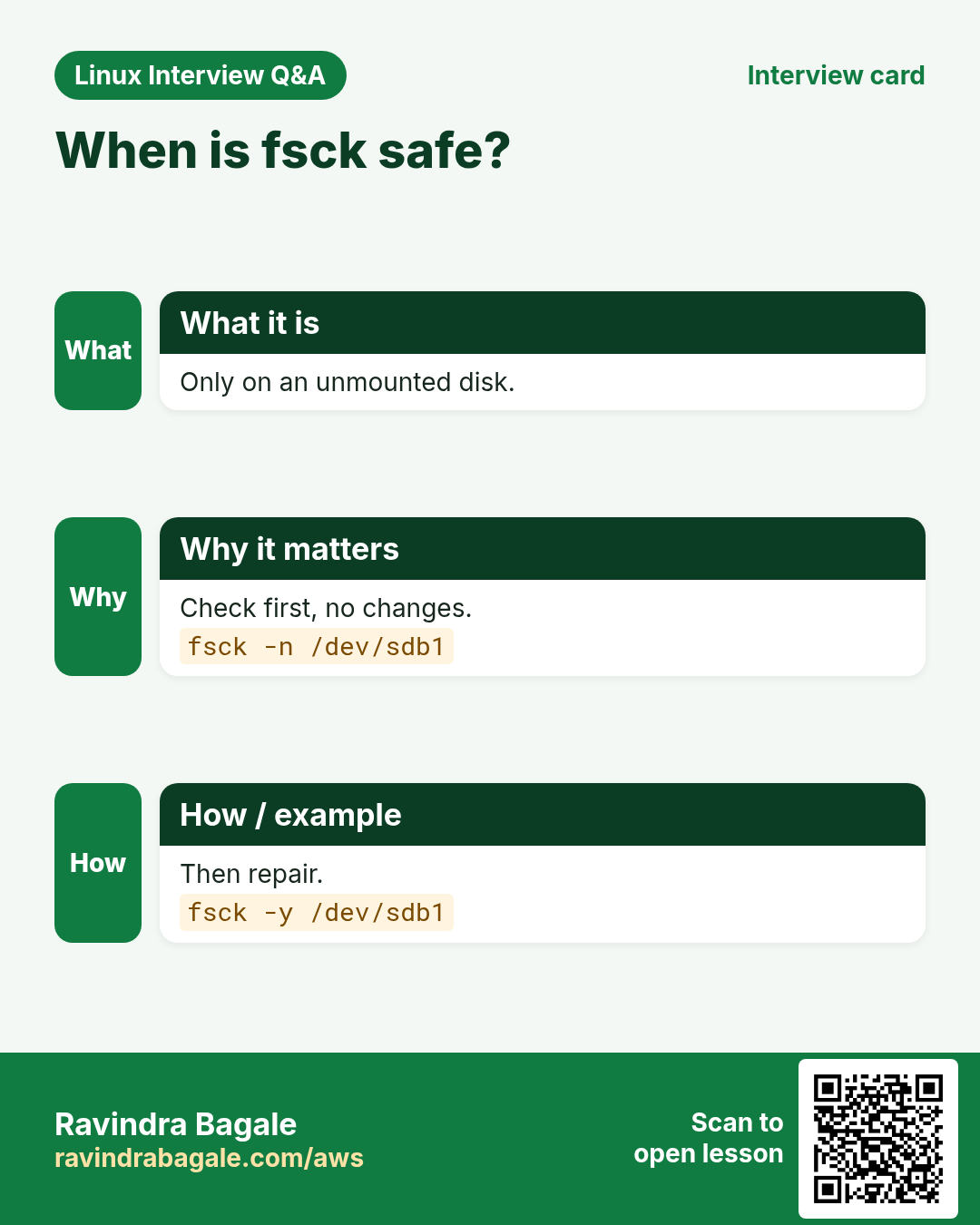
Q. Is fsck safe?
Only on an unmounted filesystem. Use -n first to just check.
Q. export or not?
Export only what child programs need.
Q. firewall-cmd vs iptables?
On RHEL use firewall-cmd; iptables is lower level and covered in Part 4.
Q. gzip deletes my file?
Yes, it replaces it with .gz. Use -k to keep it.
33. Interview questions and answers
Beginner level
Q. How do you search a word ignoring case?
grep -i word file.
Q. How do you see free memory?
free -h, and read the available column.
Q. How do you print the first 10 lines?
head file, or head -n 20 for 20.
Q. What does echo $? show?
The exit code of the last command.
Mid level level
Q. Find files over 1 GB on root only.
find / -xdev -size +1G.
Q. Show 3 lines after each match.
grep -A3 pattern file.
Q. Open HTTPS permanently.
firewall-cmd --permanent --add-service=https then --reload.
Q. Who is using /data so it will not unmount?
fuser -vm /data.
Senior level
Q. A log has 2 million lines. Find the top 5 error messages.
grep ERROR app.log | sort | uniq -c | sort -rn | head -5.
Q. A filesystem will not mount after a crash. Steps?
Boot rescue, fsck -n to check, back up, then fsck -y, then mount.
Q. How do you check a user exists in LDAP and local files?
getent passwd user.
Q. A script works in your shell but not in cron. Why?
Variables not exported or PATH differs; check with env.
Try at home
- Make a 100-line test log and practise every grep option in the table.
- Find every file in your home bigger than 50 MB.
- Compress a log with gzip -k and compare sizes with ls -lh.
- Run host on three websites and note their IPs.
Practice Tasks
Maple Leaf Books is a bookselling business in Toronto. Emily Tremblay looks after its IT and cloud work. They count money in CAD and run their AWS resources in the ca-central-1 Region. In the tasks below you do real jobs for them using what this lesson teaches. All names, account IDs, IP addresses and numbers are made up for practice.
0 / 23
Easy Print without newline
Why: BIZ runs Linux servers and uses commands from echo to host daily.
What to do: Print the word ready without a trailing newline.
- Find the Linux command that does this job.
- Add the options (like -r or -h) the task needs.
- Add the file names, folders or users in the right order.
- Use sudo if the job changes system files or users. Click Check answer.
Easy Export a variable
Why: BIZ runs Linux servers and uses commands from echo to host daily.
What to do: Export REGION with the value ap-south-1.
- Find the Linux command that does this job.
- Add the options (like -r or -h) the task needs.
- Add the file names, folders or users in the right order.
- Use sudo if the job changes system files or users. Click Check answer.
Easy Calculate
Why: BIZ runs Linux servers and uses commands from echo to host daily.
What to do: Use expr to add 17 and 25.
- Find the Linux command that does this job.
- Add the options (like -r or -h) the task needs.
- Add the file names, folders or users in the right order.
- Use sudo if the job changes system files or users. Click Check answer.
Easy Find by name
Why: BIZ runs Linux servers and uses commands from echo to host daily.
What to do: Find files named config.yaml under /opt.
- Find the Linux command that does this job.
- Add the options (like -r or -h) the task needs.
- Add the file names, folders or users in the right order.
- Use sudo if the job changes system files or users. Click Check answer.
Easy What type of file
Why: BIZ runs Linux servers and uses commands from echo to host daily.
What to do: Show what type /bin/ls is (binary, script or text).
- Find the Linux command that does this job.
- Add the options (like -r or -h) the task needs.
- Add the file names, folders or users in the right order.
- Use sudo if the job changes system files or users. Click Check answer.
Easy Memory in MB
Why: BIZ runs Linux servers and uses commands from echo to host daily.
What to do: Show memory in megabytes, refreshing every 3 seconds.
- Find the Linux command that does this job.
- Add the options (like -r or -h) the task needs.
- Add the file names, folders or users in the right order.
- Use sudo if the job changes system files or users. Click Check answer.
Easy Ignore case
Why: BIZ runs Linux servers and uses commands from echo to host daily.
What to do: Search for the word timeout in server.log ignoring case.
- Find the Linux command that does this job.
- Add the options (like -r or -h) the task needs.
- Add the file names, folders or users in the right order.
- Use sudo if the job changes system files or users. Click Check answer.
Easy Count matches
Why: BIZ runs Linux servers and uses commands from echo to host daily.
What to do: Count lines with WARN in server.log.
- Find the Linux command that does this job.
- Add the options (like -r or -h) the task needs.
- Add the file names, folders or users in the right order.
- Use sudo if the job changes system files or users. Click Check answer.
Easy First lines
Why: BIZ runs Linux servers and uses commands from echo to host daily.
What to do: Show the first 3 lines of orders.csv.
- Find the Linux command that does this job.
- Add the options (like -r or -h) the task needs.
- Add the file names, folders or users in the right order.
- Use sudo if the job changes system files or users. Click Check answer.
Easy DNS lookup
Why: BIZ runs Linux servers and uses commands from echo to host daily.
What to do: Look up the mail servers of example.net with host.
- Find the Linux command that does this job.
- Add the options (like -r or -h) the task needs.
- Add the file names, folders or users in the right order.
- Use sudo if the job changes system files or users. Click Check answer.
Medium Run without a variable
Why: BIZ runs Linux servers and uses commands from echo to host daily.
What to do: Run the command printenv with the variable LANG removed.
- Find the Linux command that does this job.
- Add the options (like -r or -h) the task needs.
- Add the file names, folders or users in the right order.
- Use sudo if the job changes system files or users. Click Check answer.
Medium Find by size
Why: BIZ runs Linux servers and uses commands from echo to host daily.
What to do: Find files bigger than 500 MB under /srv.
- Find the Linux command that does this job.
- Add the options (like -r or -h) the task needs.
- Add the file names, folders or users in the right order.
- Use sudo if the job changes system files or users. Click Check answer.
Medium Find by age
Why: BIZ runs Linux servers and uses commands from echo to host daily.
What to do: Find files under /backup changed more than 30 days ago.
- Find the Linux command that does this job.
- Add the options (like -r or -h) the task needs.
- Add the file names, folders or users in the right order.
- Use sudo if the job changes system files or users. Click Check answer.
Medium Open a service
Why: BIZ runs Linux servers and uses commands from echo to host daily.
What to do: Permanently allow the service mysql in firewalld.
- Find the Linux command that does this job.
- Add the options (like -r or -h) the task needs.
- Add the file names, folders or users in the right order.
- Use sudo if the job changes system files or users. Click Check answer.
Medium Search a folder
Why: BIZ runs Linux servers and uses commands from echo to host daily.
What to do: Search for password recursively in /etc/myapp with line numbers.
- Find the Linux command that does this job.
- Add the options (like -r or -h) the task needs.
- Add the file names, folders or users in the right order.
- Use sudo if the job changes system files or users. Click Check answer.
Medium Only file names
Why: BIZ runs Linux servers and uses commands from echo to host daily.
What to do: List only the names of files under /var/www that contain eval.
- Find the Linux command that does this job.
- Add the options (like -r or -h) the task needs.
- Add the file names, folders or users in the right order.
- Use sudo if the job changes system files or users. Click Check answer.
Medium Hide comments
Why: BIZ runs Linux servers and uses commands from echo to host daily.
What to do: Show lines of nginx.conf that do not start with a hash sign.
- Find the Linux command that does this job.
- Add the options (like -r or -h) the task needs.
- Add the file names, folders or users in the right order.
- Use sudo if the job changes system files or users. Click Check answer.
Medium Compress and keep
Why: BIZ runs Linux servers and uses commands from echo to host daily.
What to do: Compress access.log but keep the original file.
- Find the Linux command that does this job.
- Add the options (like -r or -h) the task needs.
- Add the file names, folders or users in the right order.
- Use sudo if the job changes system files or users. Click Check answer.
Medium Look up a group
Why: BIZ runs Linux servers and uses commands from echo to host daily.
What to do: Show the entry for the group docker from all sources.
- Find the Linux command that does this job.
- Add the options (like -r or -h) the task needs.
- Add the file names, folders or users in the right order.
- Use sudo if the job changes system files or users. Click Check answer.
Hard Find by owner
Why: BIZ runs Linux servers and uses commands from echo to host daily.
What to do: Find files under /home owned by the user sneha.
- Find the Linux command that does this job.
- Add the options (like -r or -h) the task needs.
- Add the file names, folders or users in the right order.
- Use sudo if the job changes system files or users. Click Check answer.
Hard Check only
Why: BIZ runs Linux servers and uses commands from echo to host daily.
What to do: Check /dev/sdc1 without changing anything.
- Find the Linux command that does this job.
- Add the options (like -r or -h) the task needs.
- Add the file names, folders or users in the right order.
- Use sudo if the job changes system files or users. Click Check answer.
Hard Whole word and context
Why: BIZ runs Linux servers and uses commands from echo to host daily.
What to do: Show whole word fail matches in job.log with 2 lines after each.
- Find the Linux command that does this job.
- Add the options (like -r or -h) the task needs.
- Add the file names, folders or users in the right order.
- Use sudo if the job changes system files or users. Click Check answer.
Hard Two words
Why: BIZ runs Linux servers and uses commands from echo to host daily.
What to do: Show lines in job.log with either OOM or panic, extended regex.
- Find the Linux command that does this job.
- Add the options (like -r or -h) the task needs.
- Add the file names, folders or users in the right order.
- Use sudo if the job changes system files or users. Click Check answer.
34. Related chapters
- Linux Commands A-Z Index
- Linux Ops Refresh for DevOps
- Bash Scripting for Automation
- Linux grep and find Commands with Examples
- How to Set Up Passwordless SSH Between Linux Servers
In short
- echo, env, export, expr, exit: script basics.
- find: names, sizes, times; quote patterns.
- grep: -i -n -r -l -c -v -w -E -F -A -B -o -q.
- firewall-cmd: --permanent then --reload.
- free: read available.
- fsck only on unmounted disks.
Revision, comparison and interview cards
Revise this lesson in a few minutes. Save the cards on your phone or download them as PNG files. The QR code on each card opens this lesson.
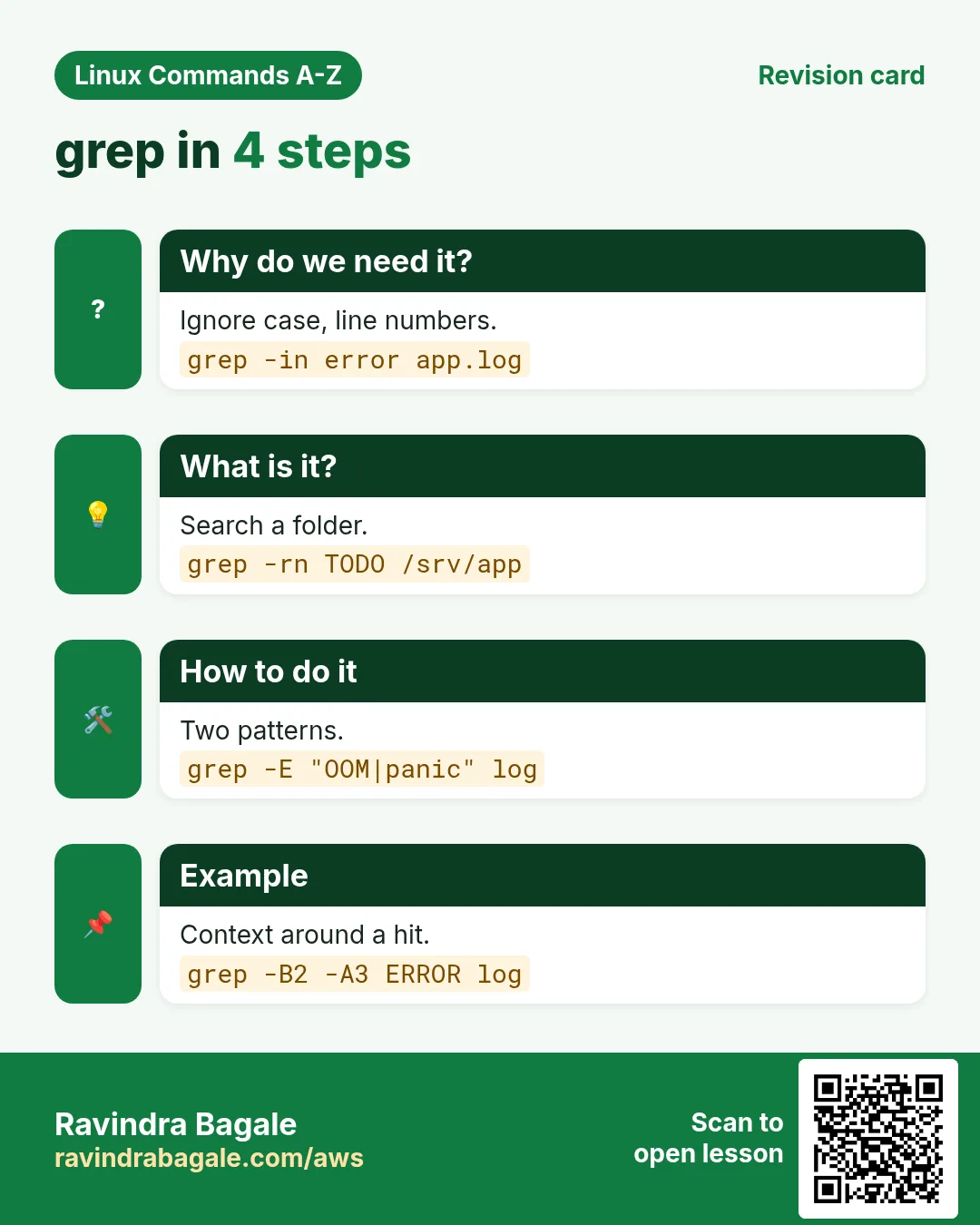
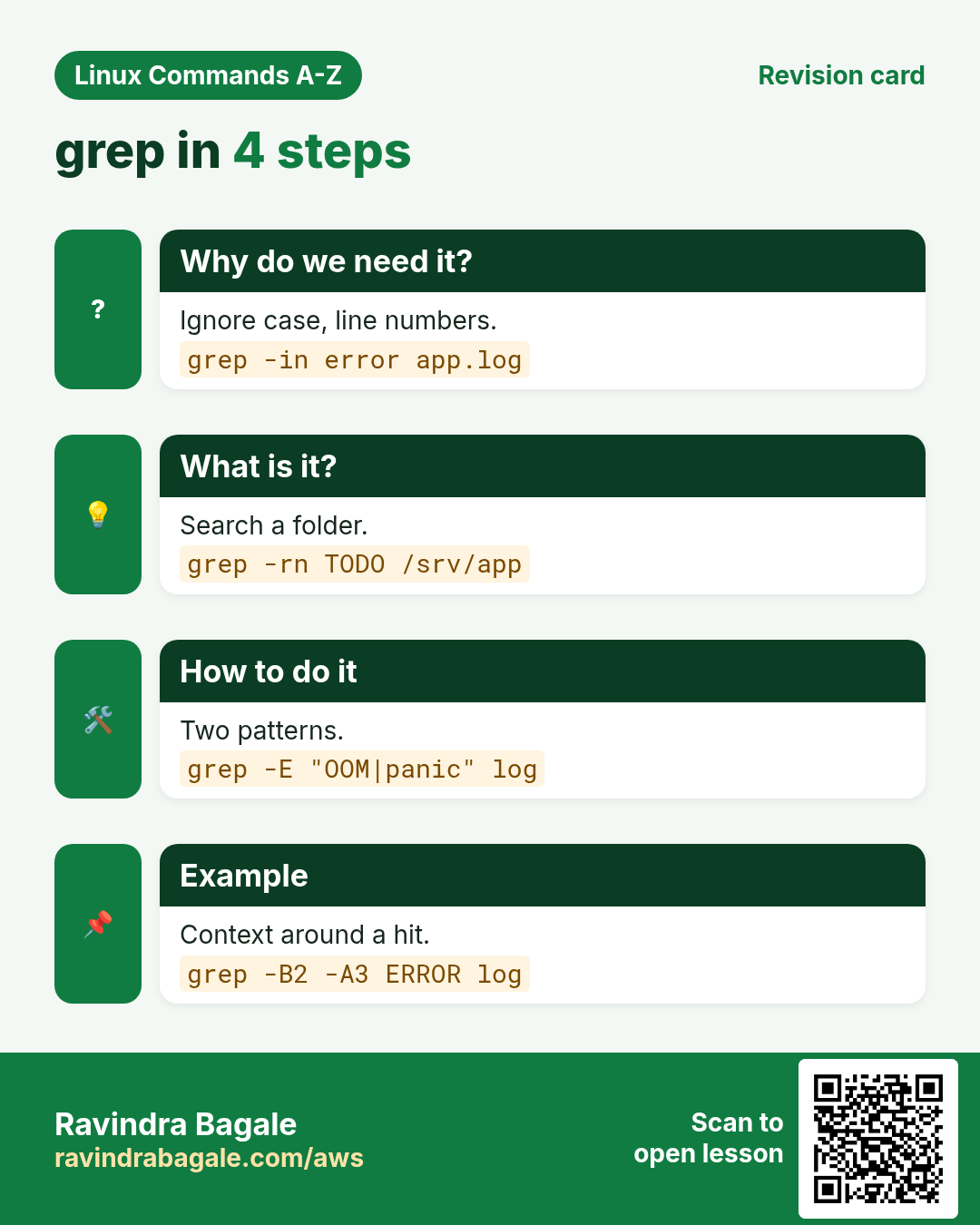
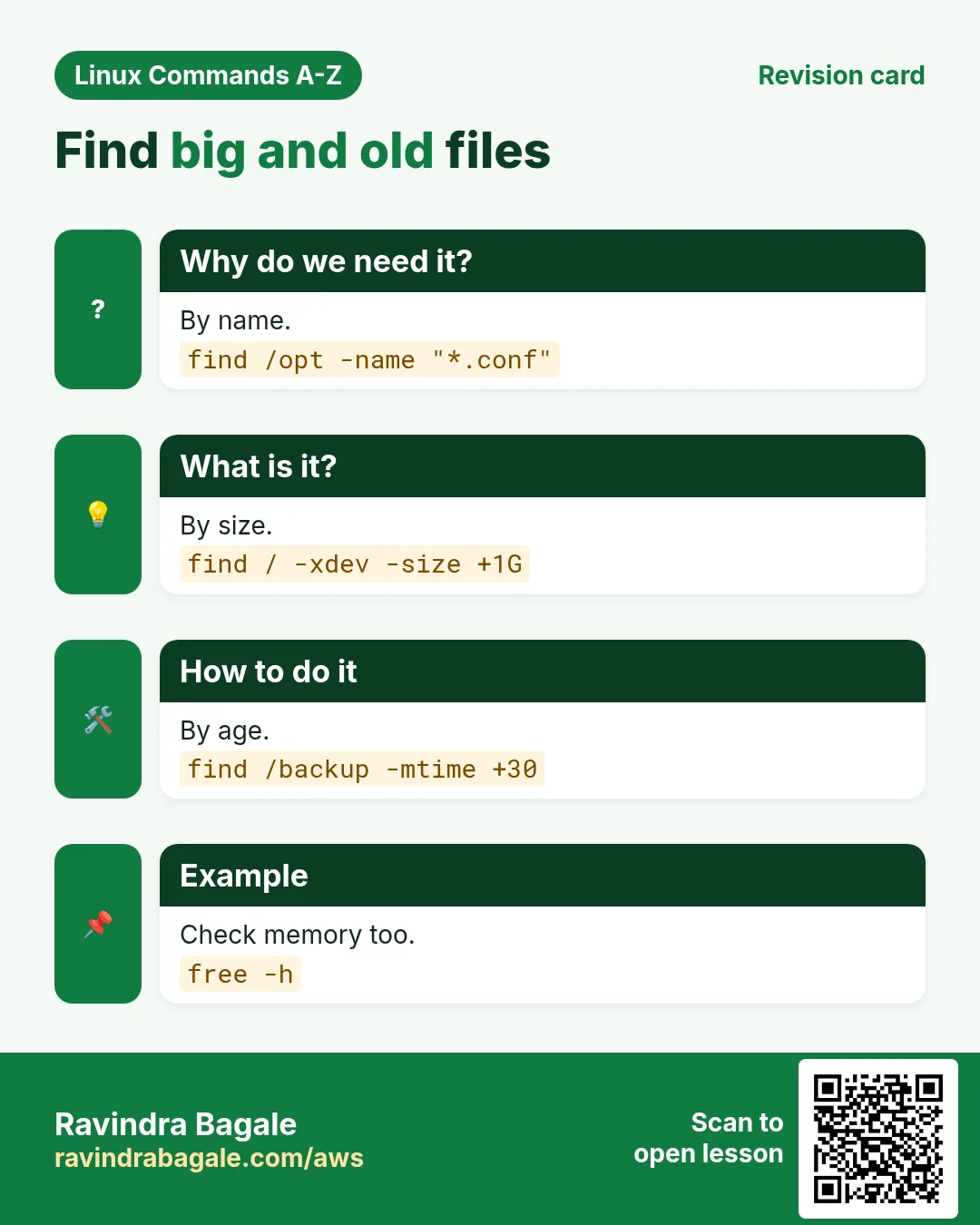
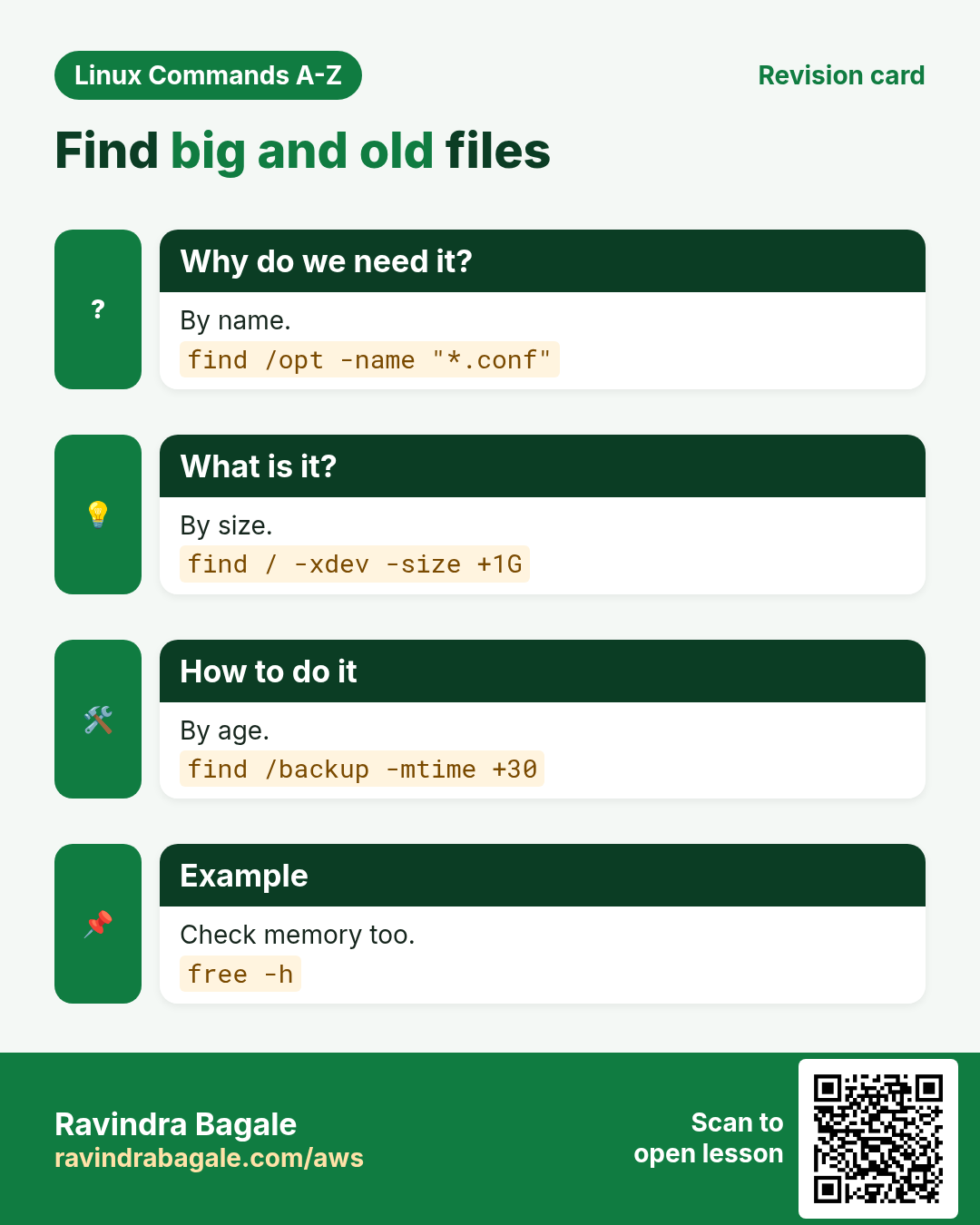
More cards: Ravi Sir's Cards.