AWS SDK DynamoDB Examples: CRUD, Query, Batch and Conditional Writes (Python, PHP, Node.js)
DynamoDB is a fast key-value database that you only reach through the API, so the SDK is how you use it. We build an orders table for Fatima's spice shop in Hyderabad and Tom's coffee bar in Bristol: create the table, put, get, update and delete items, query by customer, batch-write and use conditional writes to stop double bookings.
What you'll learn in this chapter
- Create a table with a partition and sort key
- Put, get, update and delete items
- Query by partition key
- Batch write many items
- Conditional writes and atomic counters
1. The big picture: a ledger with tabs
Why do we need this?
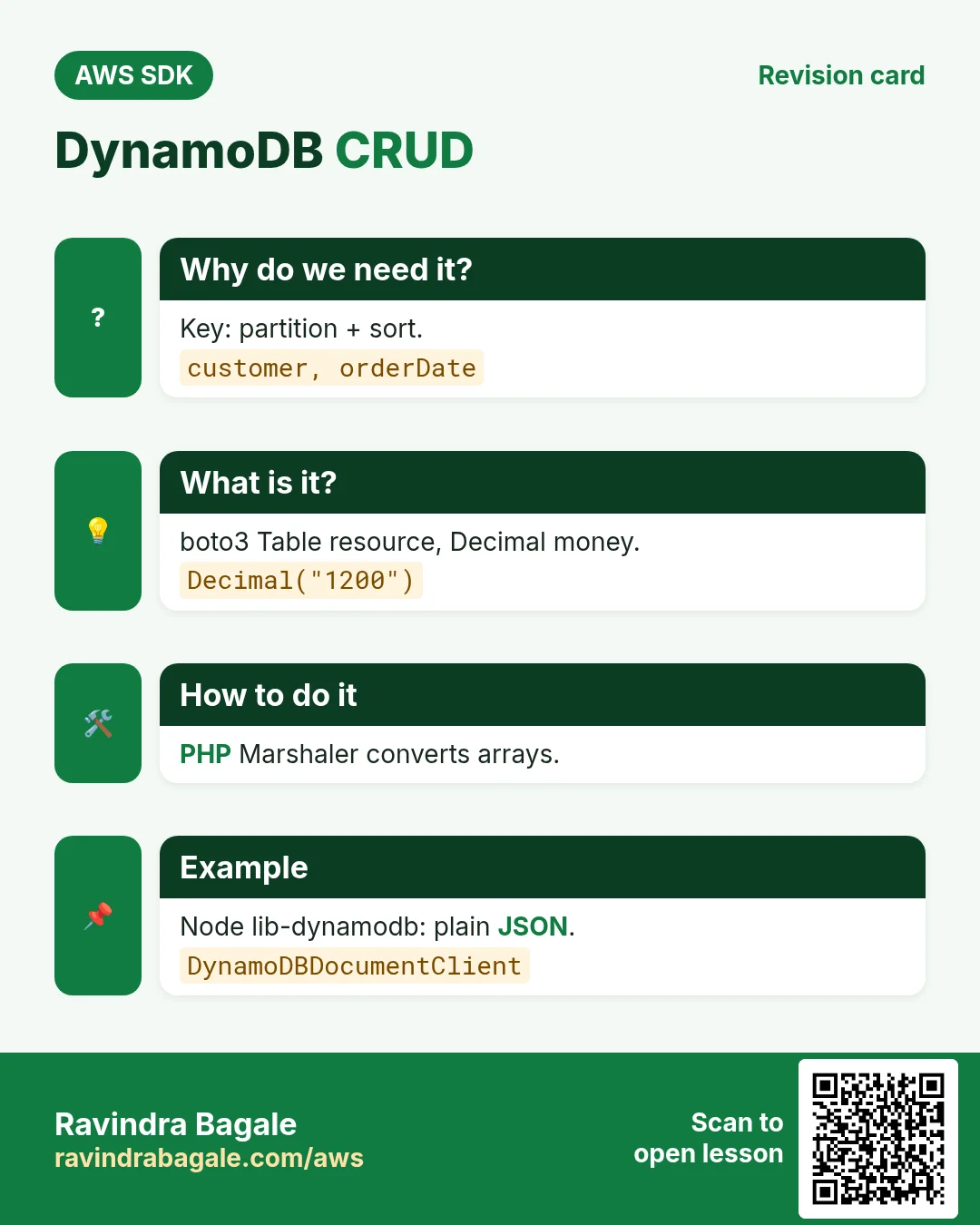
A shopkeeper keeps a ledger with one tab per customer (partition key) and lines sorted by date inside each tab (sort key). Finding "all of Tom's orders in October" is instant because you open one tab and read a range of dates.
What is it?
boto3 has a friendly Table resource that uses plain Python types. PHP has a Marshaler to convert arrays. Node has @aws-sdk/lib-dynamodb (DynamoDBDocumentClient) so you write plain JSON instead of {"S": "..."} types.
How to do it (step by step)
2. Create the table
Why do we need this?
Every order needs a home, and on-demand billing means no capacity planning for a small shop.
What is it?
Define the key attributes only (customer as HASH, orderDate as RANGE). Other attributes are schemaless.
How to do it (step by step)
- Python: create and wait.
import boto3

ddb = boto3.resource("dynamodb", region_name="ap-south-1")
t = ddb.create_table(
    TableName="ShopOrders",
    KeySchema=[{"AttributeName": "customer", "KeyType": "HASH"}, {"AttributeName": "orderDate", "KeyType": "RANGE"}],
    AttributeDefinitions=[{"AttributeName": "customer", "AttributeType": "S"}, {"AttributeName": "orderDate", "AttributeType": "S"}],
    BillingMode="PAY_PER_REQUEST",
)
t.wait_until_exists()
print(t.table_status)
Expected output:
ACTIVE- Verify.
aws dynamodb describe-table --table-name ShopOrders --query "Table.[TableStatus,BillingModeSummary.BillingMode]" --output textExpected output:
ACTIVE PAY_PER_REQUEST3. Put, get, update, delete
Why do we need this?
Fatima takes an order for 2 kg of biryani masala at ₹1,200; Tom sells a £3.40 flat white. Then quantities change and some orders are cancelled.
What is it?
PutItem writes a whole item; GetItem reads by full key; UpdateItem changes some attributes with an UpdateExpression; DeleteItem removes it. Use Decimal in Python for numbers.
How to do it (step by step)
- Python: CRUD with the Table resource.
import boto3
from decimal import Decimal

t = boto3.resource("dynamodb", region_name="ap-south-1").Table("ShopOrders")
t.put_item(Item={"customer": "fatima-hyd", "orderDate": "2026-10-24#001", "item": "biryani masala", "kg": 2, "amount": Decimal("1200"), "currency": "INR"})
print(t.get_item(Key={"customer": "fatima-hyd", "orderDate": "2026-10-24#001"})["Item"]["item"])
r = t.update_item(Key={"customer": "fatima-hyd", "orderDate": "2026-10-24#001"},
    UpdateExpression="SET kg = :k, amount = :a", ExpressionAttributeValues={":k": 3, ":a": Decimal("1800")}, ReturnValues="UPDATED_NEW")
print(r["Attributes"])
Expected output:
biryani masala
{'kg': Decimal('3'), 'amount': Decimal('1800')}- PHP: Marshaler converts arrays to DynamoDB types.
<?php
require "vendor/autoload.php";
use Aws\DynamoDb\DynamoDbClient;
use Aws\DynamoDb\Marshaler;

$ddb = new DynamoDbClient(["region" => "ap-south-1"]);
$m = new Marshaler();
$key = $m->marshalItem(["customer" => "tom-bristol", "orderDate" => "2026-10-24#014"]);
$ddb->putItem(["TableName" => "ShopOrders", "Item" => $m->marshalItem(["customer" => "tom-bristol", "orderDate" => "2026-10-24#014", "item" => "flat white", "amount" => 3.40, "currency" => "GBP"])]);
$it = $m->unmarshalItem($ddb->getItem(["TableName" => "ShopOrders", "Key" => $key])["Item"]);
echo $it["item"], " £", $it["amount"], PHP_EOL;
$ddb->deleteItem(["TableName" => "ShopOrders", "Key" => $key]);
echo "deleted", PHP_EOL;
Expected output:
flat white £3.4
deleted- Node.js: DynamoDBDocumentClient with plain JSON.
// npm install @aws-sdk/client-dynamodb @aws-sdk/lib-dynamodb
import { DynamoDBClient } from "@aws-sdk/client-dynamodb";
import { DynamoDBDocumentClient, PutCommand, GetCommand, UpdateCommand } from "@aws-sdk/lib-dynamodb";

const doc = DynamoDBDocumentClient.from(new DynamoDBClient({ region: "ap-south-1" }));
const Key = { customer: "lucas-paris", orderDate: "2026-10-24#007" };
await doc.send(new PutCommand({ TableName: "ShopOrders", Item: { ...Key, item: "croissant box", amount: 18.5, currency: "EUR" } }));
const { Item } = await doc.send(new GetCommand({ TableName: "ShopOrders", Key }));
console.log(Item.item, Item.amount);
const u = await doc.send(new UpdateCommand({ TableName: "ShopOrders", Key, UpdateExpression: "SET #s = :s", ExpressionAttributeNames: { "#s": "status" }, ExpressionAttributeValues: { ":s": "PAID" }, ReturnValues: "ALL_NEW" }));
console.log(u.Attributes.status);
Expected output:
croissant box 18.5
PAID- Verify: read the item with the CLI.
aws dynamodb get-item --table-name ShopOrders --key '{"customer":{"S":"fatima-hyd"},"orderDate":{"S":"2026-10-24#001"}}' --query Item.kg.N --output textExpected output:
34. Query and batch write
Why do we need this?
At month end Fatima needs all her October orders, and loading 500 old orders one by one would be slow.
What is it?
Query needs the partition key and can filter the sort key with begins_with or BETWEEN. BatchWriteItem takes up to 25 items; boto3 batch_writer and Node retries of UnprocessedItems handle the rest.
How to do it (step by step)
- Python: batch_writer then query.
import boto3
from boto3.dynamodb.conditions import Key
from decimal import Decimal

t = boto3.resource("dynamodb", region_name="ap-south-1").Table("ShopOrders")
with t.batch_writer() as bw:
    for n in range(1, 101):
        bw.put_item(Item={"customer": "fatima-hyd", "orderDate": f"2026-10-{(n % 28) + 1:02d}#{n:03d}", "amount": Decimal(n * 50)})
r = t.query(KeyConditionExpression=Key("customer").eq("fatima-hyd") & Key("orderDate").begins_with("2026-10"))
print("October orders:", r["Count"])
Expected output:
October orders: 101- PHP: query with ExpressionAttributeValues.
<?php
require "vendor/autoload.php";
$ddb = new Aws\DynamoDb\DynamoDbClient(["region" => "ap-south-1"]);
$r = $ddb->query([
    "TableName" => "ShopOrders",
    "KeyConditionExpression" => "customer = :c AND begins_with(orderDate, :m)",
    "ExpressionAttributeValues" => [":c" => ["S" => "fatima-hyd"], ":m" => ["S" => "2026-10"]],
    "Select" => "COUNT",
]);
echo "October orders: ", $r["Count"], PHP_EOL;
Expected output:
October orders: 101- Node.js: BatchWriteCommand in chunks of 25.
import { DynamoDBClient } from "@aws-sdk/client-dynamodb";
import { DynamoDBDocumentClient, BatchWriteCommand, QueryCommand } from "@aws-sdk/lib-dynamodb";

const doc = DynamoDBDocumentClient.from(new DynamoDBClient({ region: "ap-south-1" }));
const items = Array.from({ length: 60 }, (_, i) => ({ customer: "tom-bristol", orderDate: `2026-10-${String(i % 28 + 1).padStart(2, "0")}#${i}`, amount: 3.4 }));
for (let i = 0; i < items.length; i += 25) {
  let req = { ShopOrders: items.slice(i, i + 25).map(Item => ({ PutRequest: { Item } })) };
  while (req && Object.keys(req).length) {
    const r = await doc.send(new BatchWriteCommand({ RequestItems: req }));
    req = r.UnprocessedItems;
  }
}
const q = await doc.send(new QueryCommand({ TableName: "ShopOrders", KeyConditionExpression: "customer = :c", ExpressionAttributeValues: { ":c": "tom-bristol" }, Select: "COUNT" }));
console.log("Tom orders:", q.Count);
Expected output:
Tom orders: 60- Verify: count with the CLI.
aws dynamodb query --table-name ShopOrders --key-condition-expression "customer = :c" --expression-attribute-values '{":c":{"S":"tom-bristol"}}' --select COUNT --query CountExpected output:
605. Conditional writes and counters
Why do we need this?
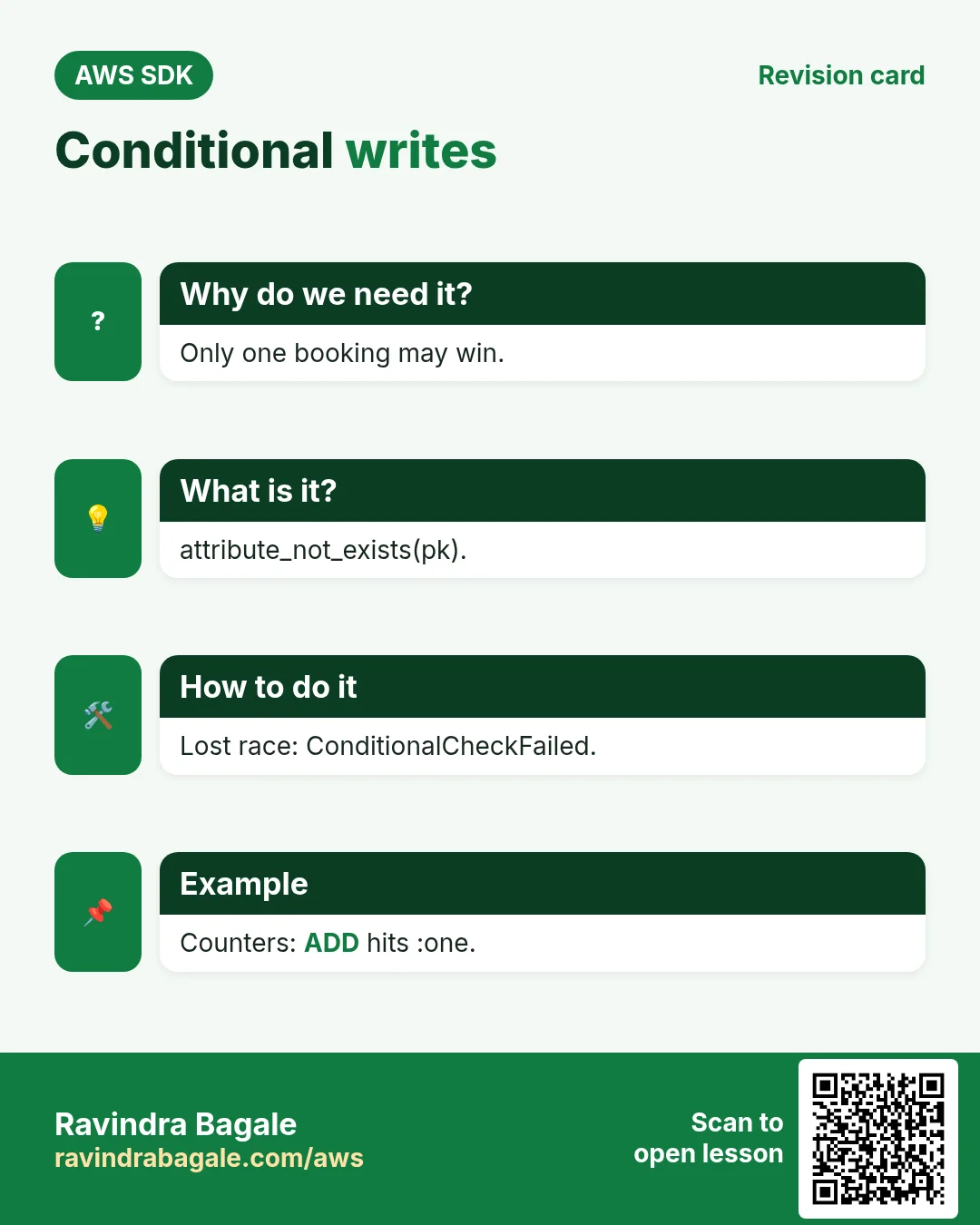
Two people book the last table at Sofia's restaurant in Rome at the same second. Only one must win. And a page-view counter must never lose updates.
What is it?
ConditionExpression makes the write succeed only if a rule holds, such as attribute_not_exists(customer). If it fails you get ConditionalCheckFailedException. ADD increments a number atomically.
How to do it (step by step)
- Python: book only if not already booked.
import boto3
from botocore.exceptions import ClientError

t = boto3.resource("dynamodb", region_name="ap-south-1").Table("ShopOrders")
for who in ["giulia", "marco"]:
    try:
        t.put_item(Item={"customer": "sofia-rome-table7", "orderDate": "2026-10-31T20:00", "bookedBy": who},
                   ConditionExpression="attribute_not_exists(customer)")
        print(who, "booked")
    except ClientError as e:
        if e.response["Error"]["Code"] == "ConditionalCheckFailedException":
            print(who, "too late")
Expected output:
giulia booked
marco too late- PHP: atomic counter with ADD.
<?php
require "vendor/autoload.php";
$ddb = new Aws\DynamoDb\DynamoDbClient(["region" => "ap-south-1"]);
for ($i = 0; $i < 3; $i++) {
    $r = $ddb->updateItem([
        "TableName" => "ShopOrders",
        "Key" => ["customer" => ["S" => "stats"], "orderDate" => ["S" => "views"]],
        "UpdateExpression" => "ADD hits :one",
        "ExpressionAttributeValues" => [":one" => ["N" => "1"]],
        "ReturnValues" => "UPDATED_NEW",
    ]);
}
echo "hits: ", $r["Attributes"]["hits"]["N"], PHP_EOL;
Expected output:
hits: 3- Node.js: optimistic locking with a version number.
import { DynamoDBClient } from "@aws-sdk/client-dynamodb";
import { DynamoDBDocumentClient, UpdateCommand } from "@aws-sdk/lib-dynamodb";

const doc = DynamoDBDocumentClient.from(new DynamoDBClient({ region: "ap-south-1" }));
try {
  await doc.send(new UpdateCommand({
    TableName: "ShopOrders", Key: { customer: "lucas-paris", orderDate: "2026-10-24#007" },
    UpdateExpression: "SET amount = :a, ver = :new", ConditionExpression: "attribute_not_exists(ver) OR ver = :old",
    ExpressionAttributeValues: { ":a": 20, ":new": 2, ":old": 1 },
  }));
  console.log("updated");
} catch (e) {
  console.log(e.name);
}
Expected output:
updated- Verify: only Giulia holds table 7.
aws dynamodb get-item --table-name ShopOrders --key '{"customer":{"S":"sofia-rome-table7"},"orderDate":{"S":"2026-10-31T20:00"}}' --query Item.bookedBy.S --output textExpected output:
giulia6. The same call in Java, Go, .NET and the CLI
Why do we need this?
Teams often mix languages. Once you know the call in Python, PHP and Node.js, the other SDKs are the same API with different syntax.
What is it?
All of them call the PutItem API. Use the CLI line to test it quickly from a terminal.
How to do it (step by step)
| Stack | Code |
|---|---|
| AWS CLI | aws dynamodb put-item --table-name ShopOrders --item '{"customer":{"S":"a"},"orderDate":{"S":"b"}}' |
| Java v2 | DynamoDbTable<Order> t = enhanced.table("ShopOrders", TableSchema.fromBean(Order.class)); |
| Go v2 | item, _ := attributevalue.MarshalMap(order) |
| .NET | var ctx = new DynamoDBContext(client); |
7. Clean up so nothing keeps costing
Why do we need this?
Lab resources left running cost money and can be a security risk.
What is it?
Delete in reverse order: children first, then parents.
How to do it (step by step)
- Delete the table.
aws dynamodb delete-table --table-name ShopOrders --query TableDescription.TableStatus --output text
aws dynamodb wait table-not-exists --table-name ShopOrders
Expected output:
DELETINGRavindra Bagale's Tip
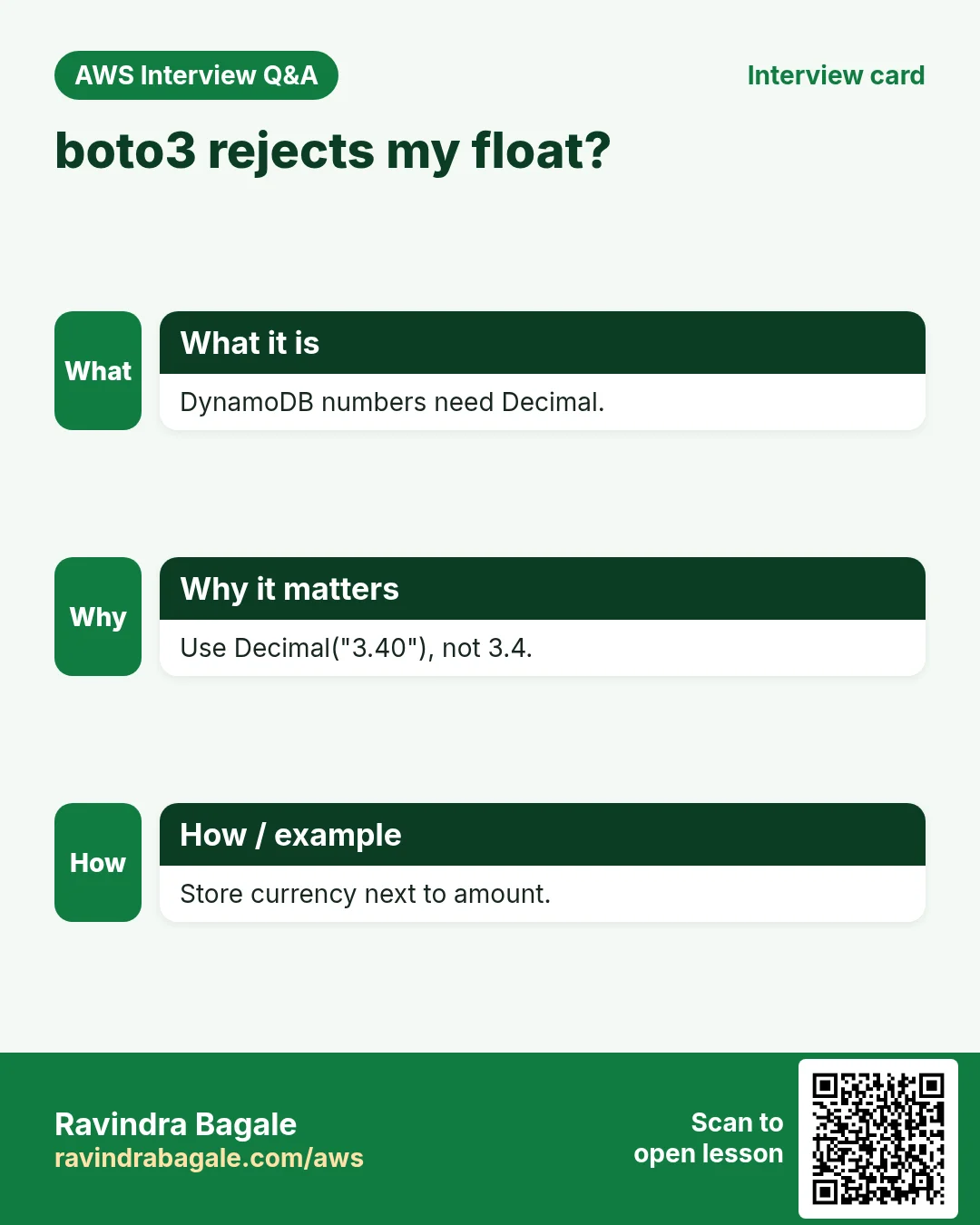
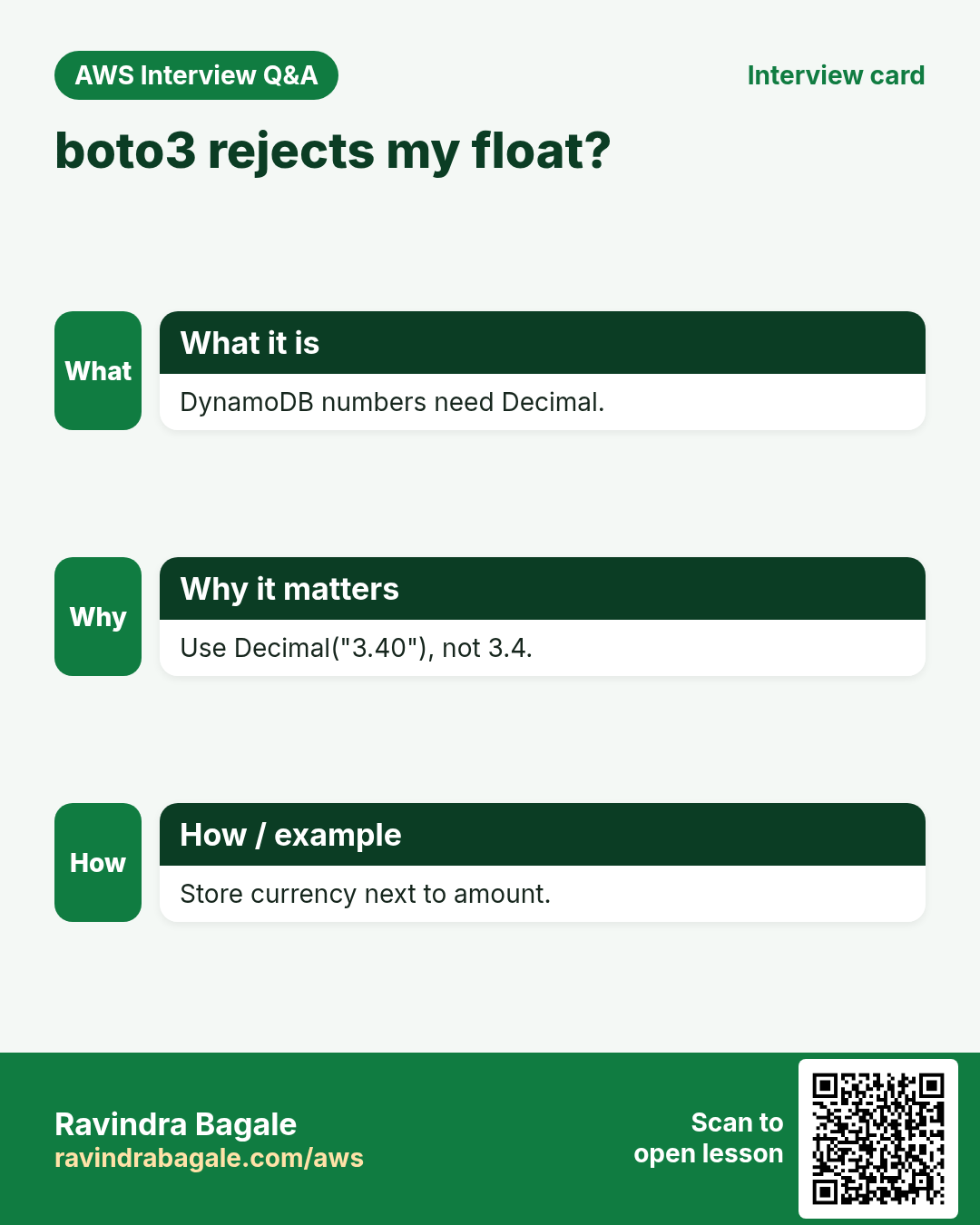
Python floats are rejected by boto3 for DynamoDB. Always use Decimal("12.50") for money — and store the currency next to the amount.
8. Interview questions and answers
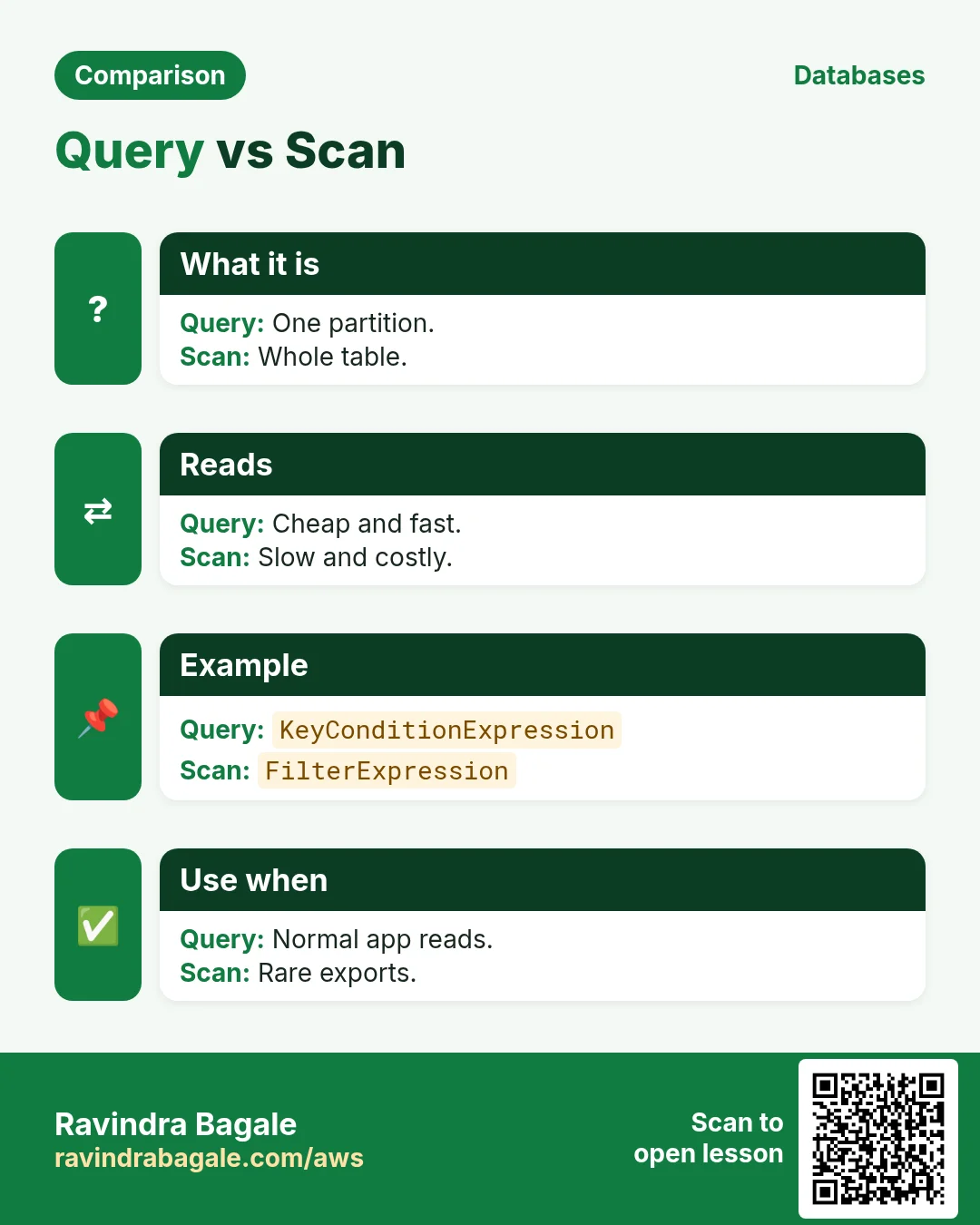
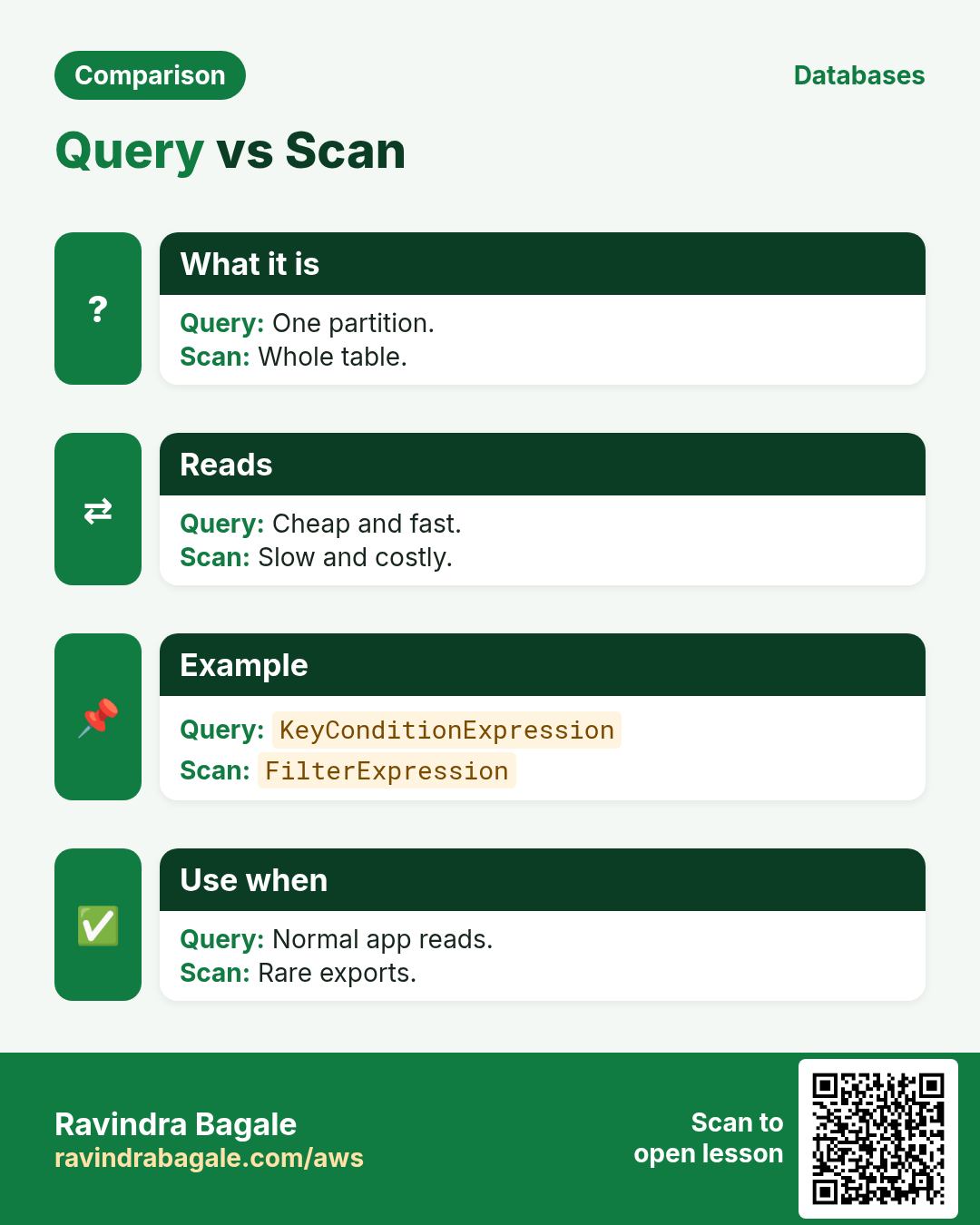
Q. Query vs Scan?
Query reads one partition by key and is cheap; Scan reads every item in the table.
Q. What does lib-dynamodb give you in Node?
DynamoDBDocumentClient, which marshals plain JS objects to DynamoDB types and back.
Q. How do you prevent overwriting an existing item?
PutItem with ConditionExpression attribute_not_exists(pk).
Q. How many items fit in one BatchWriteItem?
25, and you must retry UnprocessedItems.
Q. What is an atomic counter?
UpdateItem with ADD or SET x = x + :n, done server-side so no update is lost.
Try at home
- Add a GSI on status and query all PAID orders in each language.
- Write a "last seat" booking demo that two terminals run at the same time.
In short
- Keys: partition + sort.
- Put/Get/Update/Delete by full key.
- Query, not Scan.
- Batch 25 at a time, retry unprocessed.
- Conditions stop double writes.
Practice Tasks
Bavaria Motors is a automobile business in Munich. Lukas Becker looks after its IT and cloud work. They count money in EUR and run their AWS resources in the eu-central-1 Region. In the tasks below you do real jobs for them using what this lesson teaches. All names, account IDs, IP addresses and numbers are made up for practice.
0 / 11
Easy Describe a table
Why: See the keys, indexes, item count and status of a table.
What to do: Describe table bavariamotors-orders.
- Read the task and decide which AWS service it is about.
- Write aws, then the service name, then the operation (the action word).
- Add each needed flag (--name) followed by its value from the task.
- Flags can be in any order. Click Check answer.
Easy Scan a small table
Why: Scan is fine for tiny tables or one-off checks; avoid it on big ones.
What to do: Scan the table bavariamotors-settings.
- Read the task and decide which AWS service it is about.
- Write aws, then the service name, then the operation (the action word).
- Add each needed flag (--name) followed by its value from the task.
- Flags can be in any order. Click Check answer.
Medium Get one item by key
Why: GetItem is the fastest read: one item by its full key.
What to do: Get the item with orderId "o-101" from bavariamotors-orders.
- Read the task and decide which AWS service it is about.
- Write aws, then the service name, then the operation (the action word).
- Add each needed flag (--name) followed by its value from the task.
- Flags can be in any order. Click Check answer.
Medium Put an item
Why: DynamoDB JSON shows the type of each value: S for string, N for number.
What to do: Put an item into bavariamotors-orders with orderId "o-101" (string) and amount 2500 (number).
- Read the task and decide which AWS service it is about.
- Write aws, then the service name, then the operation (the action word).
- Add each needed flag (--name) followed by its value from the task.
- Flags can be in any order. Click Check answer.
Medium CloudFormation: on-demand table
Why: On-demand tables need no capacity planning.
What to do: Template with a DynamoDB table bavariamotors-orders, partition key orderId (String), billing mode PAY_PER_REQUEST.
- Start from the top-level keys the task names.
- Indent child keys with 2 spaces (no tabs).
- Fill in each property with the value from the task.
- Click Check answer. Key order does not matter.
Medium Lambda access to one table
Why: The function only needs to read and write items in its own table.
What to do: Allow dynamodb:GetItem, dynamodb:PutItem, dynamodb:Query on arn:aws:dynamodb:eu-central-1:106249807804:table/bavariamotors-orders only.
- Start with { "Version": "2012-10-17", "Statement": [ ... ] }.
- In each statement write Effect, Action and Resource.
- Give only what the task needs (least privilege).
- Use double quotes and commas correctly. Click Check answer.
Medium Delete one item
Why: Delete by the full primary key.
What to do: Delete the item with orderId "o-099" from bavariamotors-orders.
- Read the task and decide which AWS service it is about.
- Write aws, then the service name, then the operation (the action word).
- Add each needed flag (--name) followed by its value from the task.
- Flags can be in any order. Click Check answer.
Hard Read capacity units
Why: Provisioned tables need the right RCU.
What to do: Strongly consistent reads of 6 KB items, 10 reads per second. How many RCUs?
- Write down the numbers the task gives you.
- Work it out step by step on paper.
- Type only the final answer in the box.
- Click Check answer.
Hard Create a DynamoDB table
Why: On-demand billing means you pay per request, with no capacity to plan.
What to do: Create table bavariamotors-orders with partition key orderId (string), on-demand billing.
- Read the task and decide which AWS service it is about.
- Write aws, then the service name, then the operation (the action word).
- Add each needed flag (--name) followed by its value from the task.
- Flags can be in any order. Click Check answer.
Hard Query by partition key
Why: Query reads only matching items, unlike Scan which reads the whole table.
What to do: Query table bavariamotors-payments for customerId = "c-77" using the expression customerId = :c.
- Read the task and decide which AWS service it is about.
- Write aws, then the service name, then the operation (the action word).
- Add each needed flag (--name) followed by its value from the task.
- Flags can be in any order. Click Check answer.
Hard Turn on TTL
Why: TTL deletes expired items for free, e.g. OTPs or sessions.
What to do: Enable TTL on table bavariamotors-otp using the attribute expiresAt.
- Read the task and decide which AWS service it is about.
- Write aws, then the service name, then the operation (the action word).
- Add each needed flag (--name) followed by its value from the task.
- Flags can be in any order. Click Check answer.
Revision, comparison and interview cards
Revise this lesson in a few minutes. Save the cards on your phone or download them as PNG files. The QR code on each card opens this lesson.
More cards: Ravi Sir's Cards.