AWS CLI ELB Commands: Create an Application Load Balancer
We build an Application Load Balancer from the terminal: target group, health checks, listener, path rules and HTTPS. Then we delete it in order.
What you'll learn in this chapter
- Create a target group with health checks
- Register and check targets
- Create the ALB and a listener
- Path rules and HTTPS
- Delete in the right order
1. The big picture: one front door, many counters
Why do we need this?
A bank has one entrance with a token machine. It sends each customer to a free counter and skips a closed counter. That is a load balancer.
What is it?
ALB commands use aws elbv2: create-target-group, register-targets, create-load-balancer, create-listener, create-rule, describe-target-health.
How to do it (step by step)
2. Create a target group
Why do we need this?
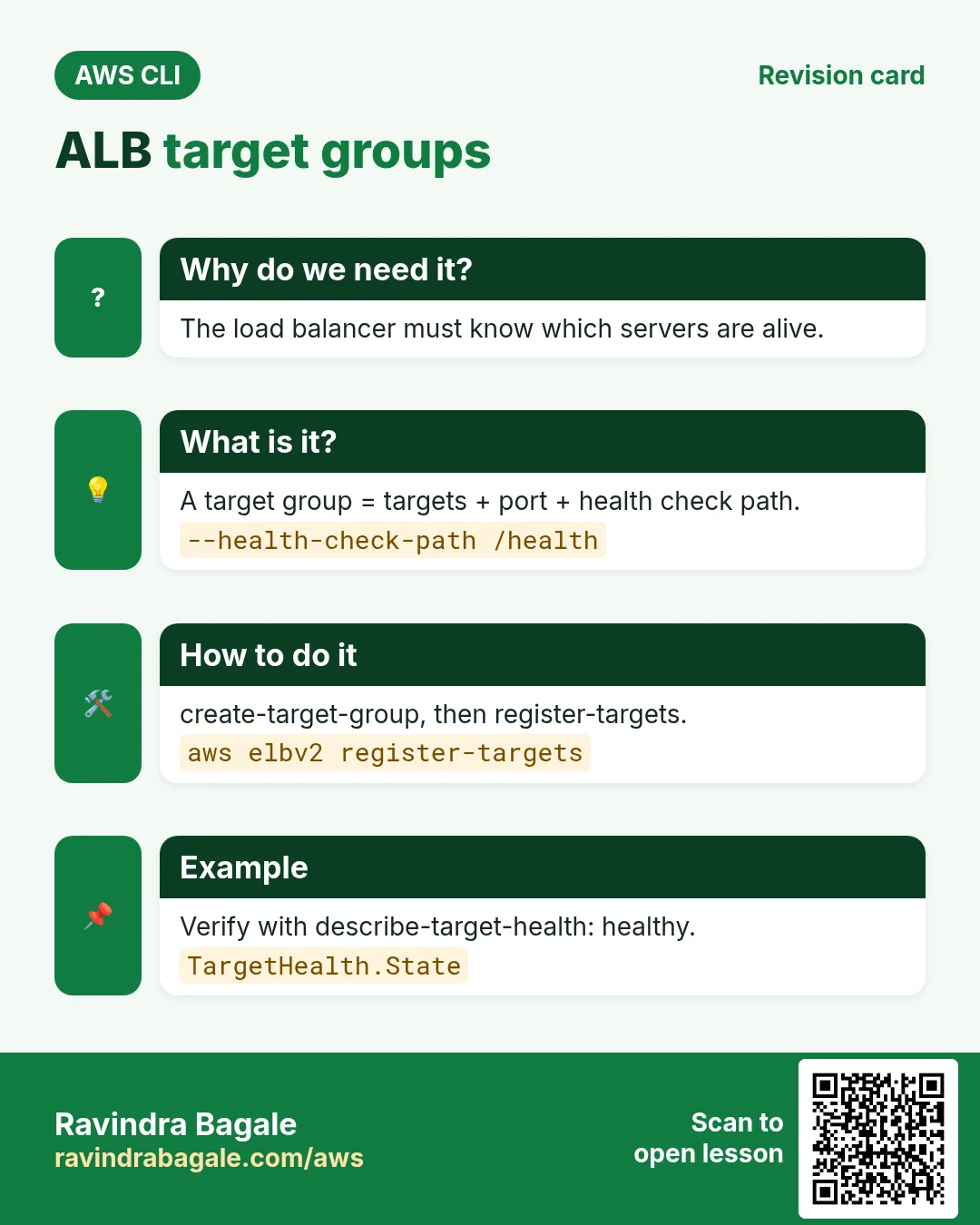
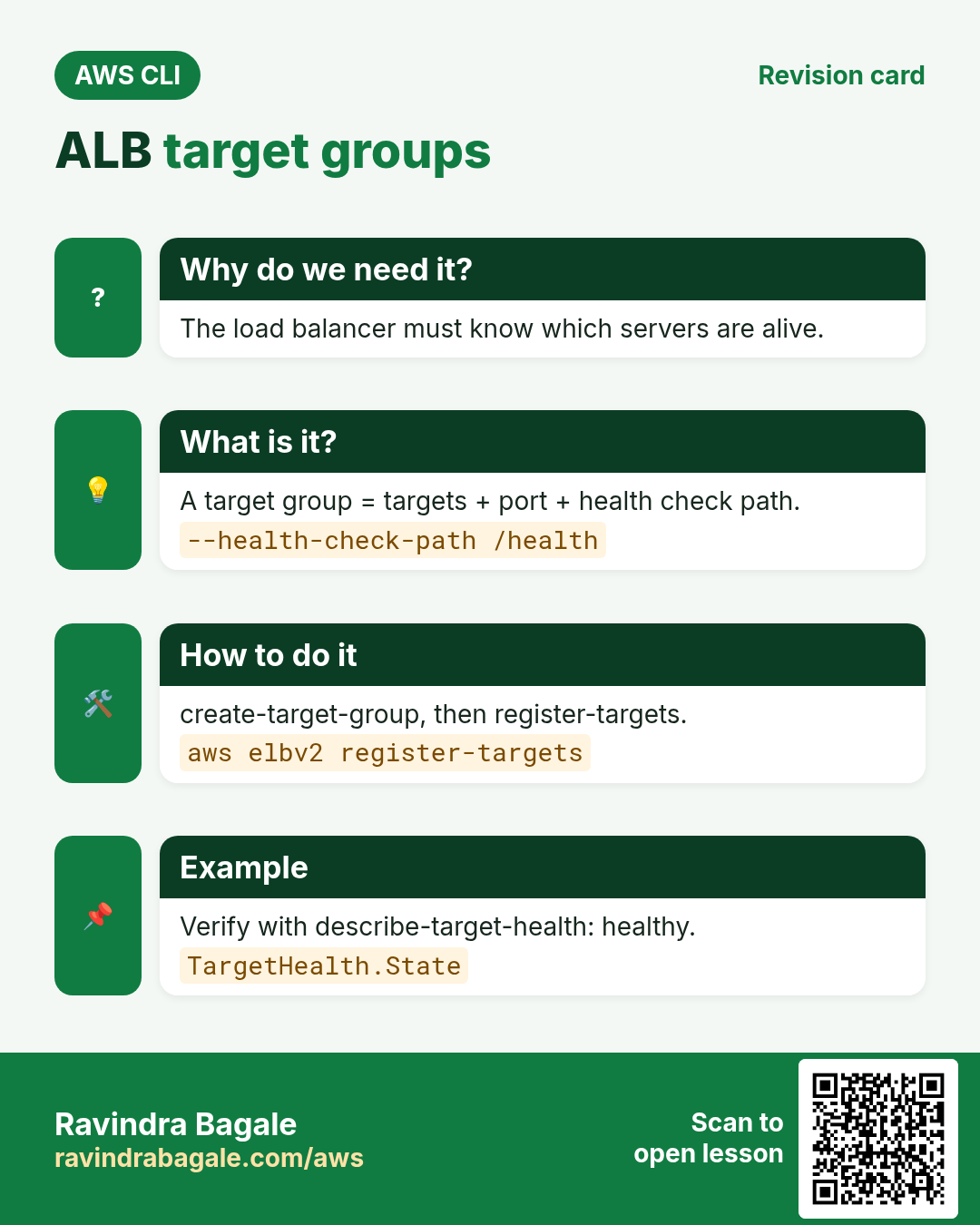
The load balancer must know which servers to send traffic to and how to test them.
What is it?
A target group is a list of targets (instances, IPs or Lambda) with a port and a health check path.
How to do it (step by step)
- Create it.
TG=$(aws elbv2 create-target-group --name cli-web-tg --protocol HTTP --port 80 --vpc-id $VPC --health-check-path /health --health-check-interval-seconds 15 --query "TargetGroups[0].TargetGroupArn" --output text)
echo $TG
Expected output:
arn:aws:elasticloadbalancing:ap-south-1:111122223333:targetgroup/cli-web-tg/abc123- Register two instances.
aws elbv2 register-targets --target-group-arn $TG --targets Id=$I1 Id=$I2Expected output:
(no output means success)- Check health.
aws elbv2 describe-target-health --target-group-arn $TG --query "TargetHealthDescriptions[].[Target.Id,TargetHealth.State]" --output textExpected output:
i-0aaa...  healthy
i-0bbb...  healthy
3. Create the ALB and a listener
Why do we need this?
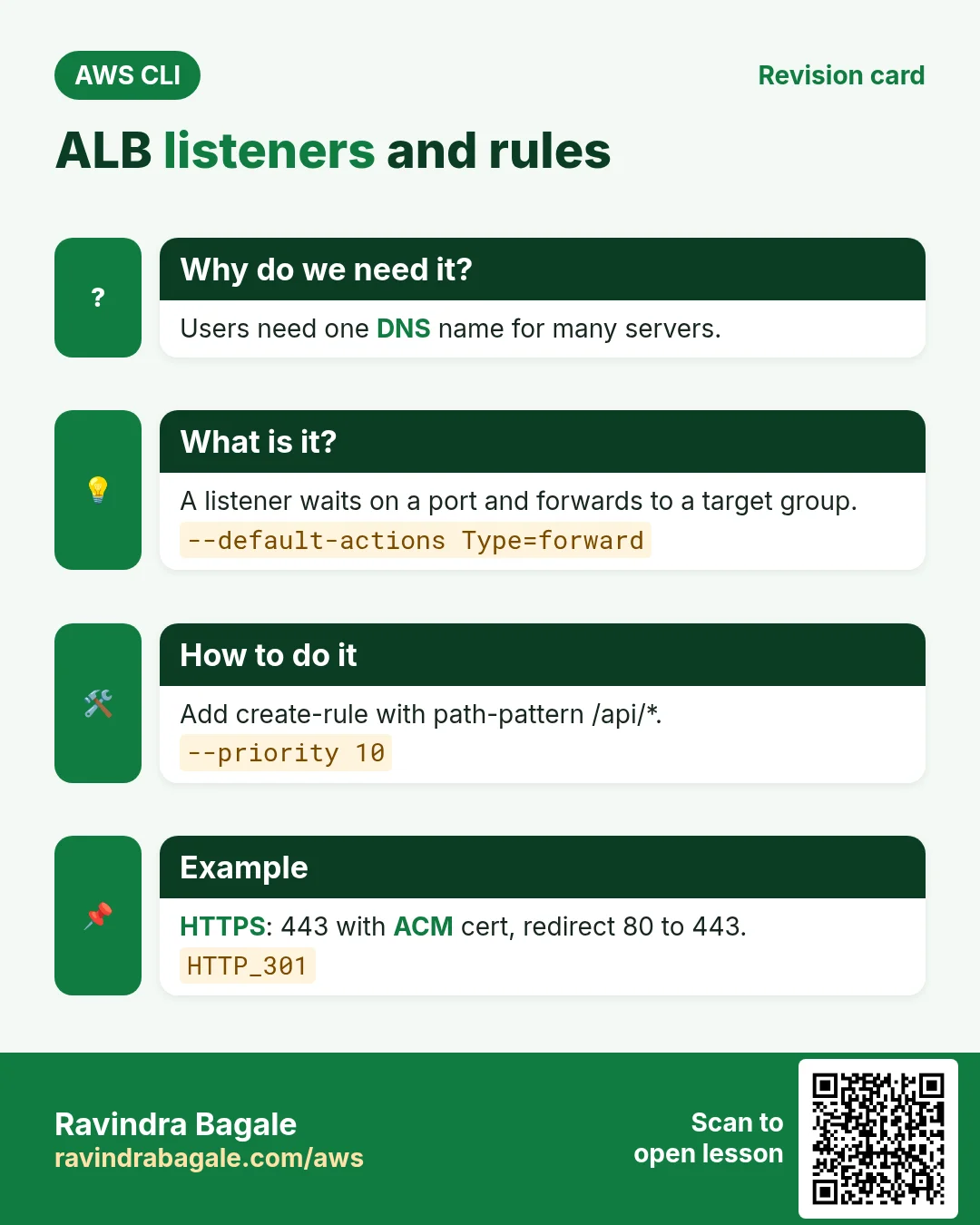
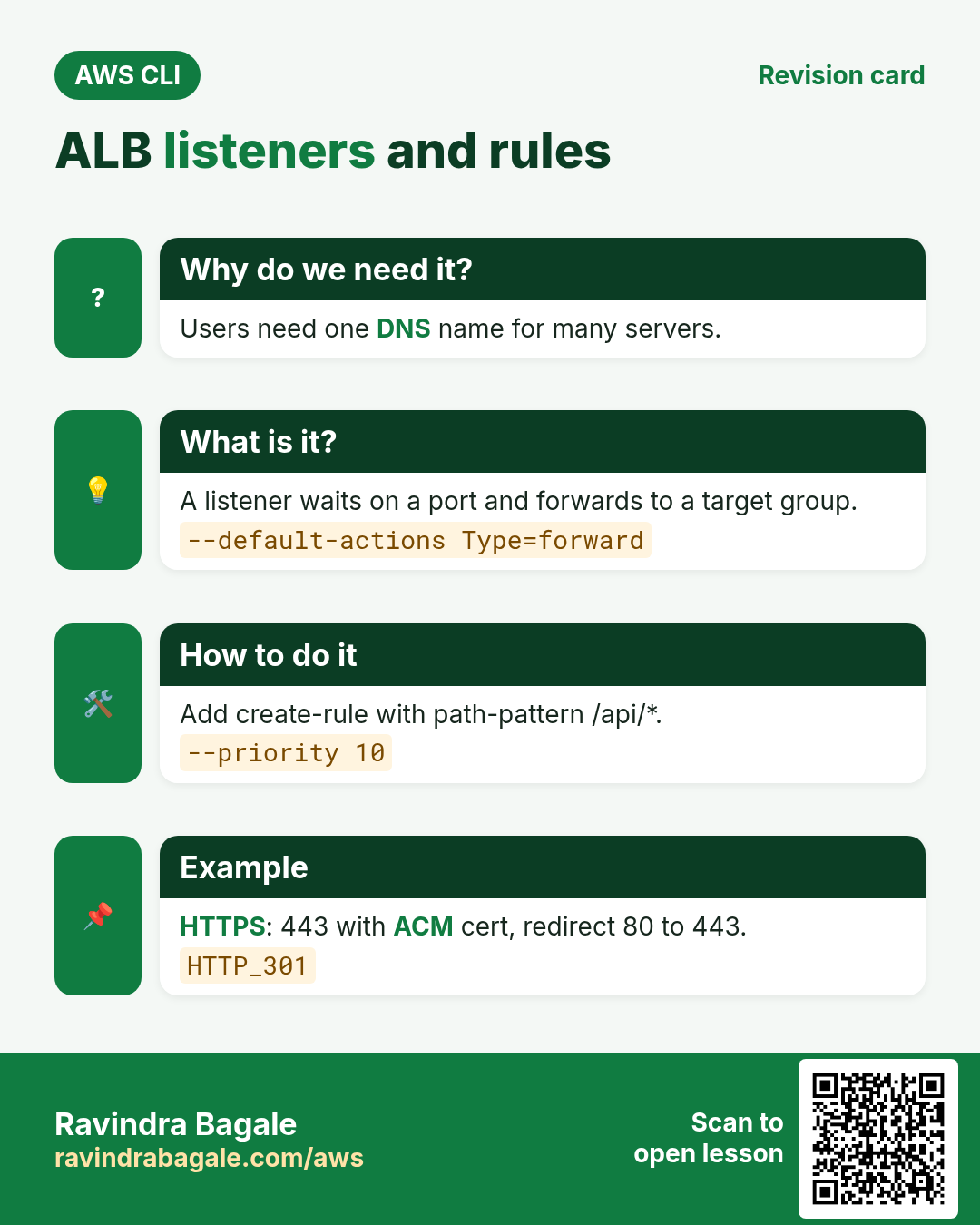
Users need one stable DNS name, not the IP of each server.
What is it?
The ALB lives in public subnets with a security group. A listener waits on a port and forwards to a target group.
How to do it (step by step)
- Create the ALB.
ALB=$(aws elbv2 create-load-balancer --name cli-alb --type application --subnets $PUB1 $PUB2 --security-groups $ALBSG --query "LoadBalancers[0].LoadBalancerArn" --output text)
aws elbv2 wait load-balancer-available --load-balancer-arns $ALB && echo ready
Expected output:
ready- Add an HTTP listener.
L80=$(aws elbv2 create-listener --load-balancer-arn $ALB --protocol HTTP --port 80 --default-actions Type=forward,TargetGroupArn=$TG --query "Listeners[0].ListenerArn" --output text)Expected output:
(no output means success)- Get the DNS name and test.
DNS=$(aws elbv2 describe-load-balancers --load-balancer-arns $ALB --query "LoadBalancers[0].DNSName" --output text)
curl -s http://$DNS/health
Expected output:
OK4. Path rules
Why do we need this?
/api should go to API servers and everything else to web servers.
What is it?
A rule has a priority, a condition (path or host) and an action (forward, redirect, fixed response).
How to do it (step by step)
- Forward /api/* to the API group.
aws elbv2 create-rule --listener-arn $L80 --priority 10 --conditions Field=path-pattern,Values="/api/*" --actions Type=forward,TargetGroupArn=$APITG --query "Rules[0].Priority" --output textExpected output:
10- List rules.
aws elbv2 describe-rules --listener-arn $L80 --query "Rules[].[Priority,Conditions[0].Values[0]]" --output textExpected output:
10       /api/*
default  None
5. HTTPS with an ACM certificate
Why do we need this?
Passwords and cookies must not travel in plain text.
What is it?
An HTTPS listener on 443 uses an ACM certificate. The port 80 listener can redirect to 443.
How to do it (step by step)
- Create the 443 listener.
aws elbv2 create-listener --load-balancer-arn $ALB --protocol HTTPS --port 443 --certificates CertificateArn=$CERT --ssl-policy ELBSecurityPolicy-TLS13-1-2-2021-06 --default-actions Type=forward,TargetGroupArn=$TG --query "Listeners[0].Port"Expected output:
443- Redirect 80 to 443.
aws elbv2 modify-listener --listener-arn $L80 --default-actions "Type=redirect,RedirectConfig={Protocol=HTTPS,Port=443,StatusCode=HTTP_301}" --query "Listeners[0].DefaultActions[0].Type" --output textExpected output:
redirect- Verify.
curl -sI http://$DNS/ | head -2Expected output:
HTTP/1.1 301 Moved Permanently
Location: https://...:443/
6. Same action in Python, Node.js, Java, Go, .NET and PHP
Why do we need this?
Scripts start in the CLI. Apps call the same API through an SDK. Knowing both helps you move a tested command into real code.
What is it?
Each CLI command maps to one API call. For example aws elbv2 create-load-balancer --name web --subnets s1 s2 maps to the CreateLoadBalancer API.
How to do it (step by step)
Same action (CreateLoadBalancer) from code. Every SDK reads the same profile, region and credentials as the CLI.
| Stack | Code |
|---|---|
| Python (boto3) | boto3.client("elbv2").create_load_balancer(Name="web",Subnets=["s1","s2"]) |
| Node.js (v3) | await elb.send(new CreateLoadBalancerCommand({Name:"web",Subnets:["s1","s2"]})); |
| Java (v2) | elb.createLoadBalancer(r -> r.name("web").subnets("s1","s2")); |
| Go (v2) | c.CreateLoadBalancer(ctx, &elasticloadbalancingv2.CreateLoadBalancerInput{Name: aws.String("web"), Subnets: []string{"s1","s2"}}) |
| .NET | await elb.CreateLoadBalancerAsync(new CreateLoadBalancerRequest{Name="web",Subnets=new(){"s1","s2"}}); |
| PHP | $elb->createLoadBalancer(["Name"=>"web","Subnets"=>["s1","s2"]]); |
7. Clean up so nothing keeps costing
Why do we need this?
Lab resources left running cost money and can be a security risk.
What is it?
Delete in reverse order: children first, then parents.
How to do it (step by step)
- Delete the load balancer (listeners and rules go with it).
aws elbv2 delete-load-balancer --load-balancer-arn $ALB
aws elbv2 wait load-balancers-deleted --load-balancer-arns $ALB
Expected output:
(no output means success)- Delete target groups.
aws elbv2 delete-target-group --target-group-arn $TG
aws elbv2 delete-target-group --target-group-arn $APITG
Expected output:
(no output means success)- Verify.
aws elbv2 describe-load-balancers --names cli-albExpected output:
An error occurred (LoadBalancerNotFound) ...Ravindra Bagale's Tip
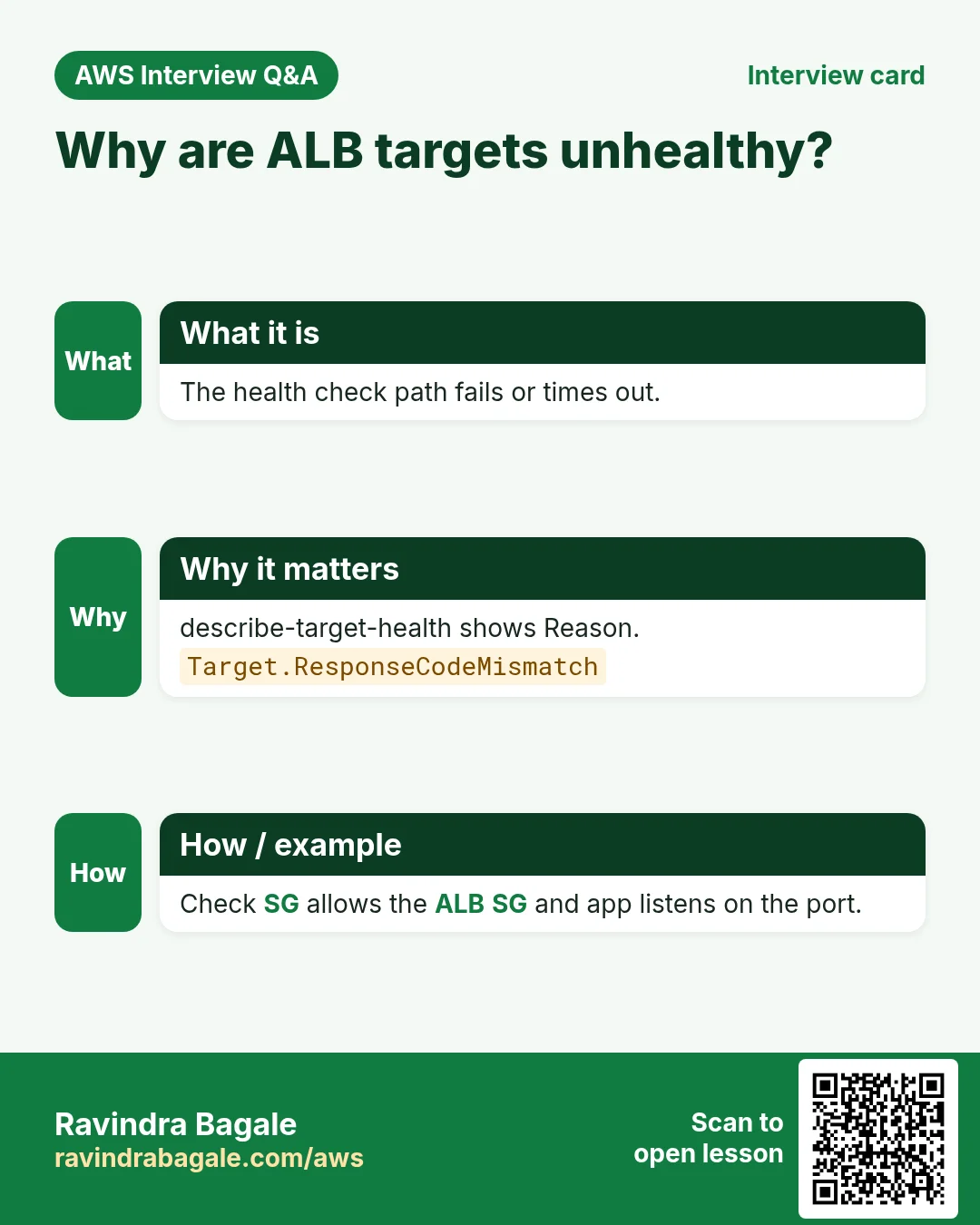
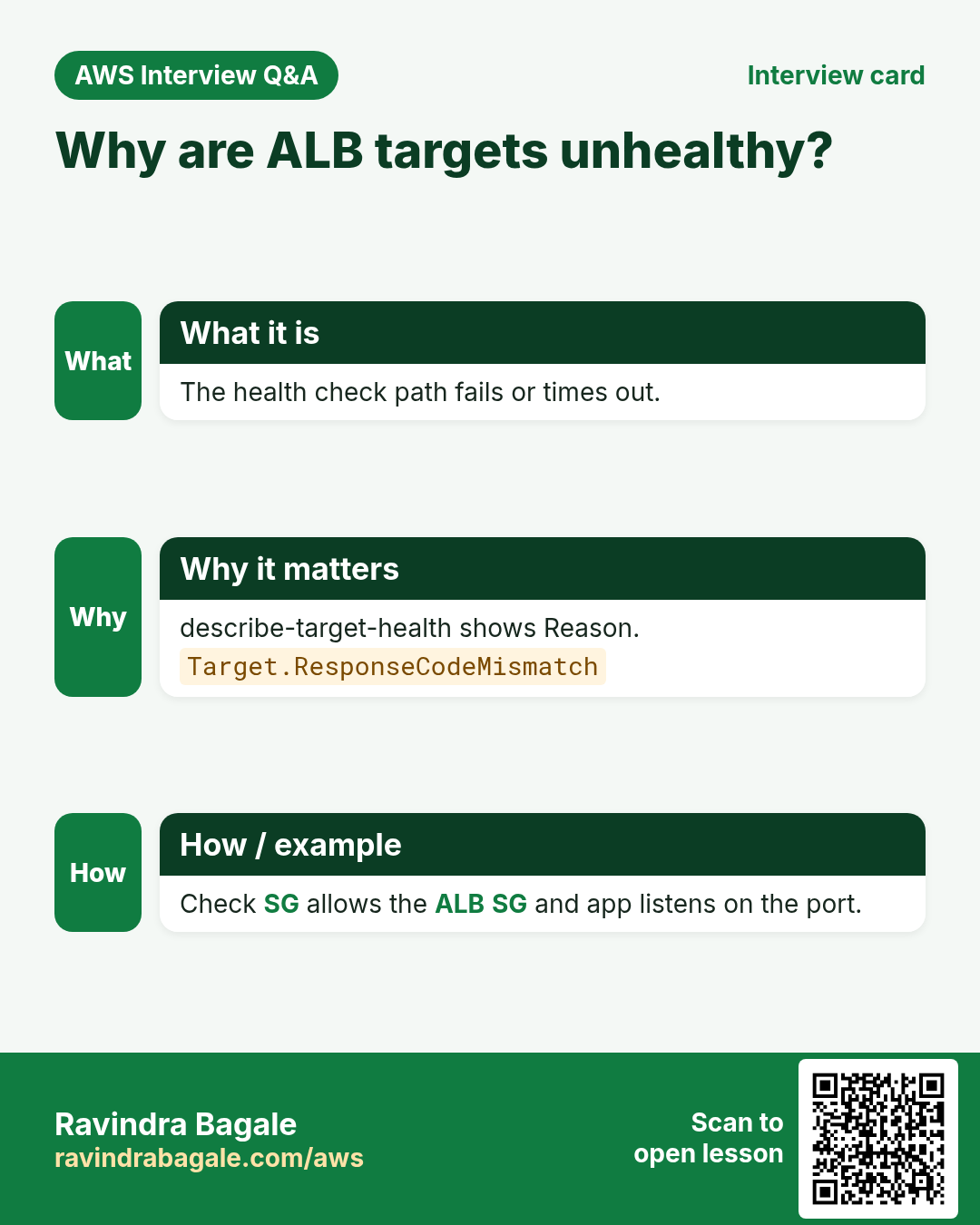
If targets stay unhealthy, check three things: the instance security group allows the ALB security group, the app listens on the port, and /health returns 200.
8. Interview questions and answers
Q. ALB vs NLB?
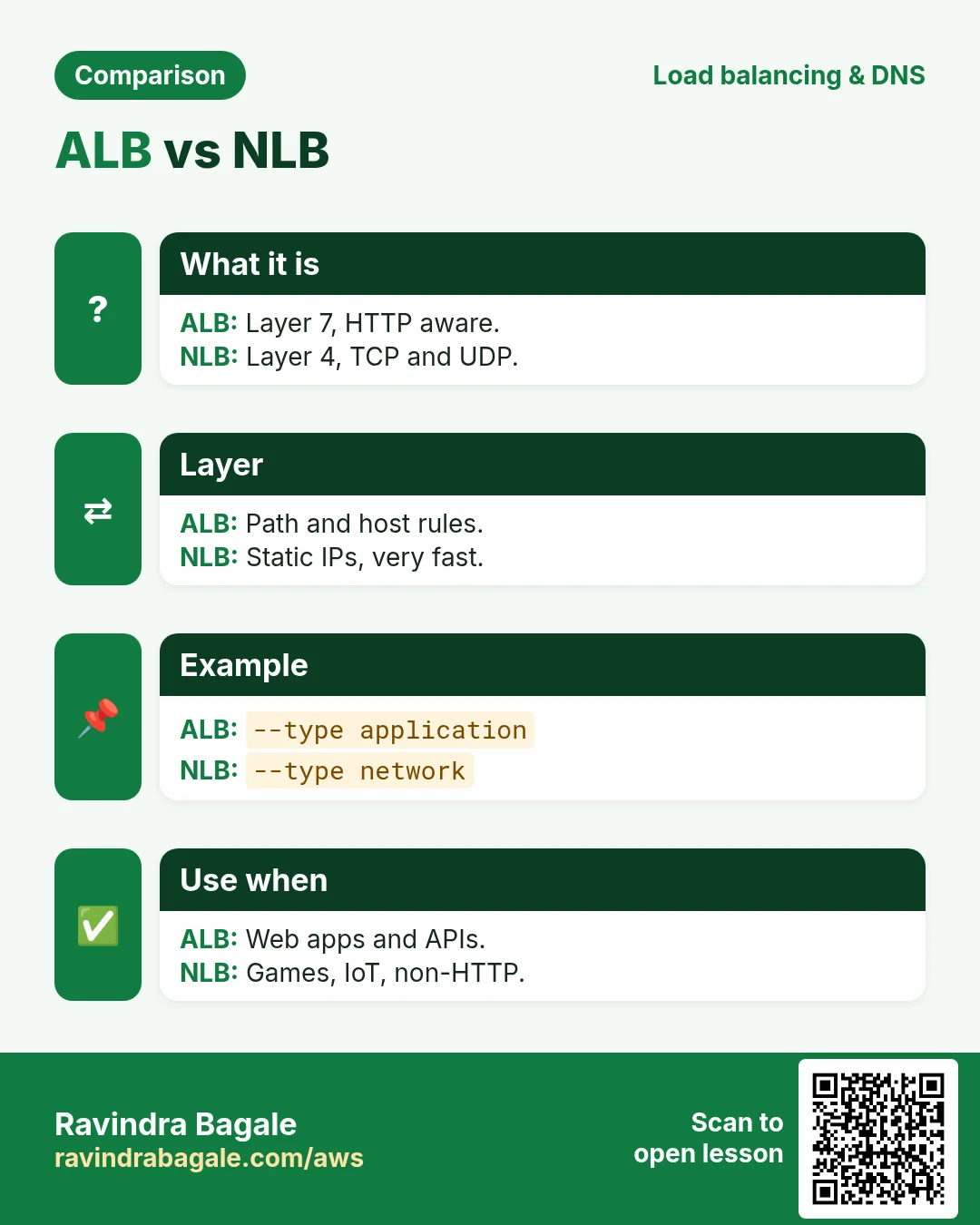
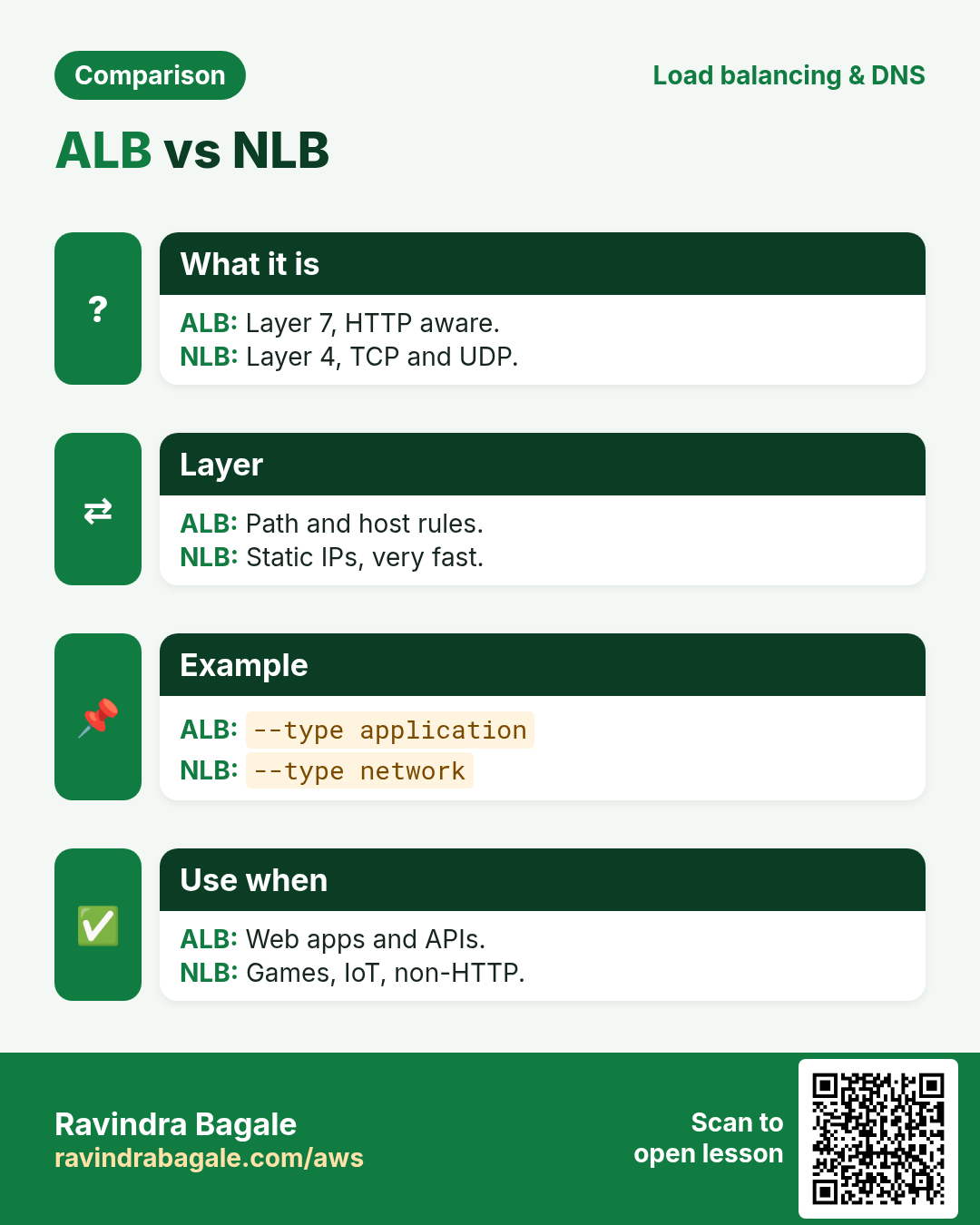
ALB is layer 7 (HTTP paths, hosts). NLB is layer 4 (TCP/UDP, static IPs, very fast).
Q. What is a target group?
A set of targets with a port and health check that a listener forwards to.
Q. Why two subnets?
An ALB must span at least two AZs for high availability.
Q. How do you see why a target is unhealthy?
describe-target-health shows State and Reason, like Target.ResponseCodeMismatch.
Q. How do you force HTTPS?
A port 80 listener with a redirect action to 443.
Try at home
- Put two EC2 web servers behind an ALB and refresh to see both host names.
- Stop one server and watch its target become unhealthy.
In short
- Target group first.
- ALB needs two AZ subnets.
- Listener forwards to TG.
- Rules by path or host.
- Delete ALB, then TGs.
Practice Tasks
Mumbai Dabba Express is a food delivery business in Mumbai. Tukaram Gaikwad looks after its IT and cloud work. They count money in INR and run their AWS resources in the ap-south-1 Region. In the tasks below you do real jobs for them using what this lesson teaches. All names, account IDs, IP addresses and numbers are made up for practice.
0 / 10
Easy List hosted zones
Why: You need the zone ID to change records.
What to do: List all hosted zones in the account.
- Read the task and decide which AWS service it is about.
- Write aws, then the service name, then the operation (the action word).
- Add each needed flag (--name) followed by its value from the task.
- Flags can be in any order. Click Check answer.
Medium Check target health
Why: If targets are unhealthy the site shows 502/503 errors.
What to do: Show the health of the targets in arn:aws:elasticloadbalancing:ap-south-1:117031344167:targetgroup/mumbaidabba-tg/6d0ecf831eec9f09.
- Read the task and decide which AWS service it is about.
- Write aws, then the service name, then the operation (the action word).
- Add each needed flag (--name) followed by its value from the task.
- Flags can be in any order. Click Check answer.
Medium Register servers in the target group
Why: Only registered and healthy targets receive traffic.
What to do: Register instance i-0ba1443130b111a2b in target group arn:aws:elasticloadbalancing:ap-south-1:117031344167:targetgroup/mumbaidabba-tg/6d0ecf831eec9f09.
- Read the task and decide which AWS service it is about.
- Write aws, then the service name, then the operation (the action word).
- Add each needed flag (--name) followed by its value from the task.
- Flags can be in any order. Click Check answer.
Medium Create a target group
Why: A target group is the list of servers the load balancer sends traffic to.
What to do: Create target group mumbaidabba-tg for HTTP on port 80 in vpc-00313441cadeadbee.
- Read the task and decide which AWS service it is about.
- Write aws, then the service name, then the operation (the action word).
- Add each needed flag (--name) followed by its value from the task.
- Flags can be in any order. Click Check answer.
Medium Kubernetes LoadBalancer Service
Why: A Service of type LoadBalancer gets an AWS load balancer.
What to do: Write a Service of type LoadBalancer selecting app: web, port 80 to targetPort 8080.
- Start from the top-level keys the task names.
- Indent child keys with 2 spaces (no tabs).
- Fill in each property with the value from the task.
- Click Check answer. Key order does not matter.
Medium Create a hosted zone
Why: A hosted zone holds all DNS records for your domain.
What to do: Create a public hosted zone for mumbaidabba.in, with caller reference mumbaidabba-2026-01.
- Read the task and decide which AWS service it is about.
- Write aws, then the service name, then the operation (the action word).
- Add each needed flag (--name) followed by its value from the task.
- Flags can be in any order. Click Check answer.
Hard Create an Application Load Balancer
Why: An ALB needs at least two subnets in different AZs for high availability.
What to do: Create an ALB named mumbaidabba-alb in subnets subnet-01b0313441abbb1 and subnet-0b0313441abbb2 with security group sg-01a03134416a4c3b2.
- Read the task and decide which AWS service it is about.
- Write aws, then the service name, then the operation (the action word).
- Add each needed flag (--name) followed by its value from the task.
- Flags can be in any order. Click Check answer.
Hard Add an HTTP listener
Why: The listener is what accepts traffic on a port and forwards it to a target group.
What to do: On load balancer arn:aws:elasticloadbalancing:ap-south-1:117031344167:loadbalancer/app/mumbaidabba-alb/50dc6c495c0c9188, create an HTTP listener on port 80 that forwards to arn:aws:elasticloadbalancing:ap-south-1:117031344167:targetgroup/mumbaidabba-tg/6d0ecf831eec9f09.
- Read the task and decide which AWS service it is about.
- Write aws, then the service name, then the operation (the action word).
- Add each needed flag (--name) followed by its value from the task.
- Flags can be in any order. Click Check answer.
Hard Create a Network Load Balancer
Why: An NLB works at layer 4 (TCP/UDP) and handles huge traffic with a static IP per AZ.
What to do: Create a network load balancer named mumbaidabba-nlb in subnets subnet-01b0313441abbb1 and subnet-0b0313441abbb2.
- Read the task and decide which AWS service it is about.
- Write aws, then the service name, then the operation (the action word).
- Add each needed flag (--name) followed by its value from the task.
- Flags can be in any order. Click Check answer.
Hard Create or update a DNS record
Why: UPSERT creates the record or updates it if it already exists.
What to do: Apply the record changes in change.json to hosted zone Z0123456789ABCDEFGHIJ.
- Read the task and decide which AWS service it is about.
- Write aws, then the service name, then the operation (the action word).
- Add each needed flag (--name) followed by its value from the task.
- Flags can be in any order. Click Check answer.
Revision, comparison and interview cards
Revise this lesson in a few minutes. Save the cards on your phone or download them as PNG files. The QR code on each card opens this lesson.
More cards: Ravi Sir's Cards.