Security Group vs NACL in AWS
The previous chapter carved a VPC into subnets and made one of them public with an internet gateway and a route table, How to Create Public and Private Subnets in AWS VPC. This chapter puts that to work. It compares the default VPC with a custom one, shows what a VPC costs, builds a custom VPC for a web, app and database tier, follows one request from a phone to the web server, and then explains the two firewalls on that path: the security group and the network ACL (NACL). You will see why one is stateful and the other stateless, what ephemeral ports are, how NACL rule numbers decide who gets in, how the public Nginx hands .php requests to a private app server, and how PHP reaches a database on a private IP. It ends with a puzzle: how do you install anything on a server that has no internet?
What you'll learn in this class
- Default VPC vs custom VPC
- What a VPC costs and what is free
- A custom VPC for three tiers: one public, two private subnets
- The path of one request into the web server
- Security group vs NACL
- Stateful vs stateless, and ephemeral ports
- NACL rules: rule numbers, order, and gaps
- Nginx sending
.phprequests to a private app server - PHP connecting to a database on a private IP
- Building it in the console
1. Why a custom VPC
Why: a real application has three tiers: web, app and database. Only the web tier should face the internet. The app and database servers hold the code and the data, so nobody outside should be able to reach them at all.
What: a custom VPC is a VPC you design yourself: your own CIDR, your own subnets, and your own decision about which subnet is public. AWS also gives every account a default VPC, and the two behave very differently.
Classroom line
If AWS feels complex to someone from the very start, they will leave AWS.
Class मधलं वाक्य
जर कुणाला सुरुवातीपासूनच AWS complex वाटायला लागलं, तर तो AWS सोडून देईल.
Classroom line – हिंदी
"Agar kisi user ko pehle se hi AWS complex lagne lagega to wo AWS chhod dega."
2. Default VPC vs custom VPC
Why the default VPC exists: so that a beginner can launch a server in the first minute, without knowing anything about networks.
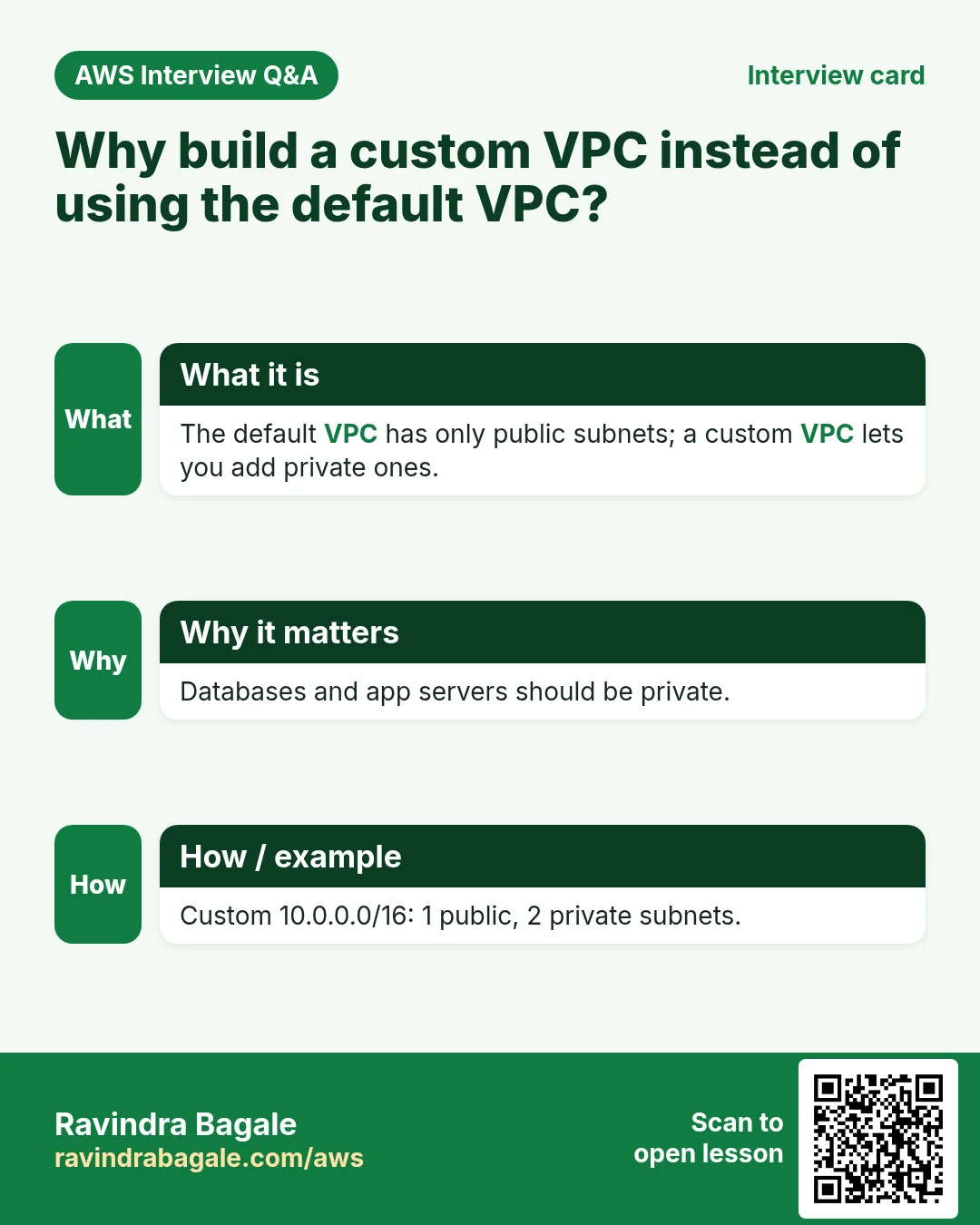
- AWS makes one default VPC in every Region, with CIDR
172.31.0.0/16. - It has a default
/20subnet in every Availability Zone. - An internet gateway is already attached.
- Its main route table already has
0.0.0.0/0→ internet gateway, so every default subnet is public.
A custom VPC starts empty:
- No subnets until you create them.
- No internet gateway until you attach one.
- Its main route table has only the
localroute, so everything is private until you add a route.
Rule: the default VPC is for learning and quick tests. For production, build a custom VPC, so that only the subnets you choose are public.
Classroom line
In the default VPC, the main route table is a public route table by default.
Class मधलं वाक्य
"Default VPC madhe jo main route table aahe, to by default public route table rahil."
Default VPC मध्ये जो main route table आहे, तो by default public route table राहील.
Classroom line
In the default VPC, the main route table is a public route table by default.
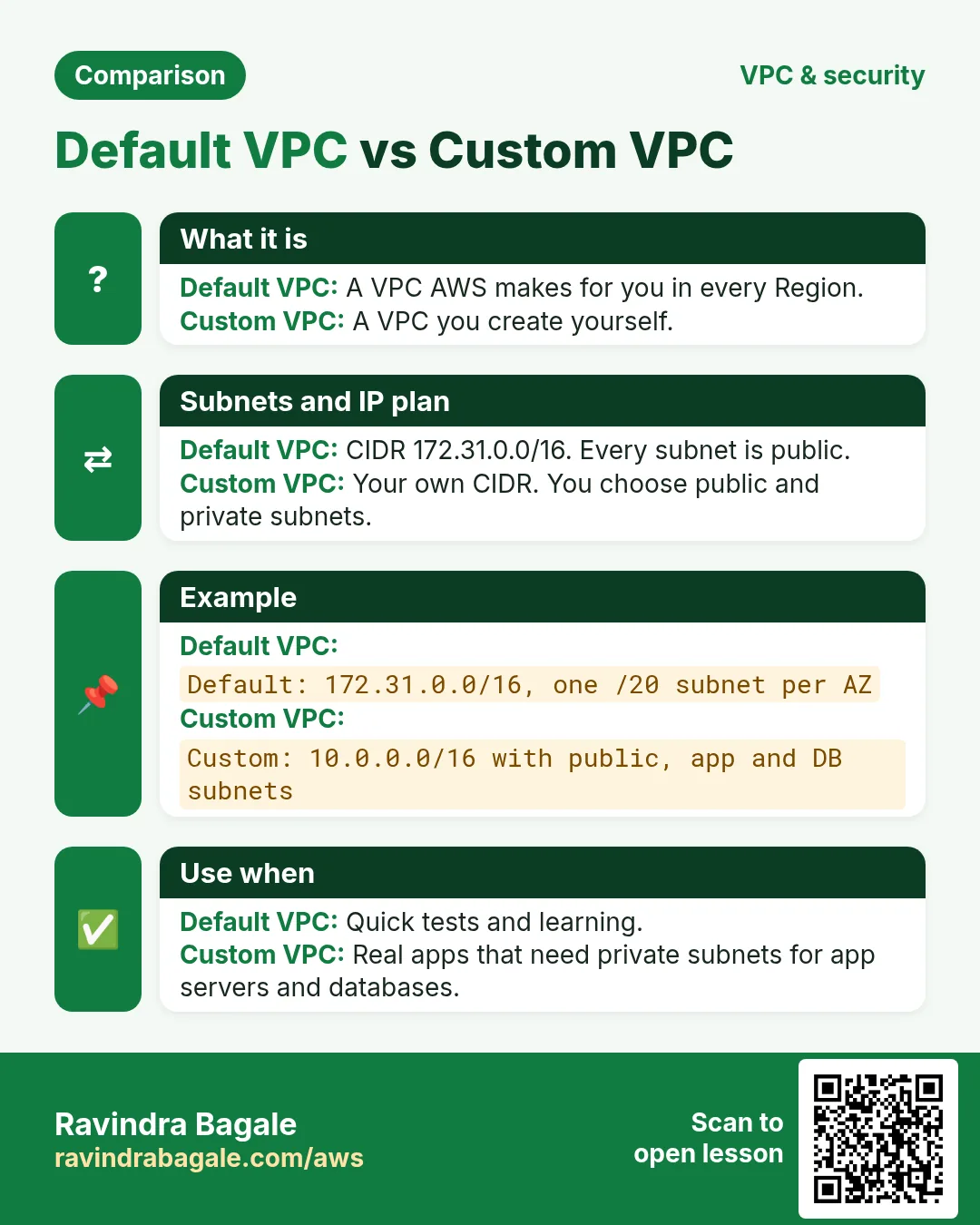
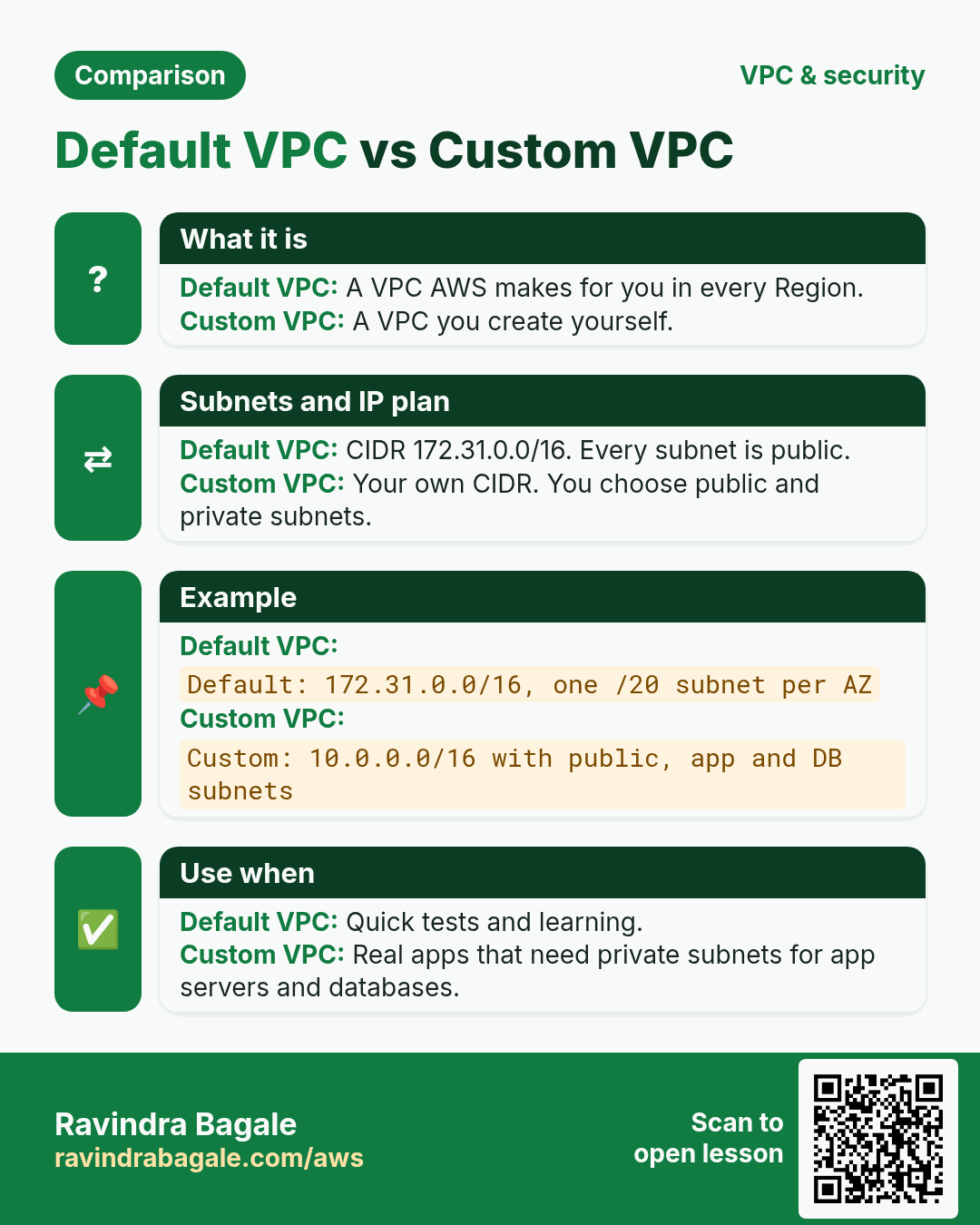
Figure 1. The default VPC (172.31.0.0/16) comes with a subnet in every AZ, an internet gateway and a public main route table, so every default subnet is public. A custom VPC starts with nothing and stays private until you add a route.
3. Route tables: a quick reminder
A route table has two columns, read left to right: Destination (a CIDR) and Target (where to send it). The details are in Route tables: Destination and Target. For this chapter you need three facts:
- Every route table has
10.0.0.0/16→local, so all subnets of the VPC can talk to each other. - The public route table adds
0.0.0.0/0→igw-.... The private route table does not. - A subnet without an explicit association uses the main route table.
4. What a VPC costs
Why it matters: students leave things running and get a bill. Know which parts are free.
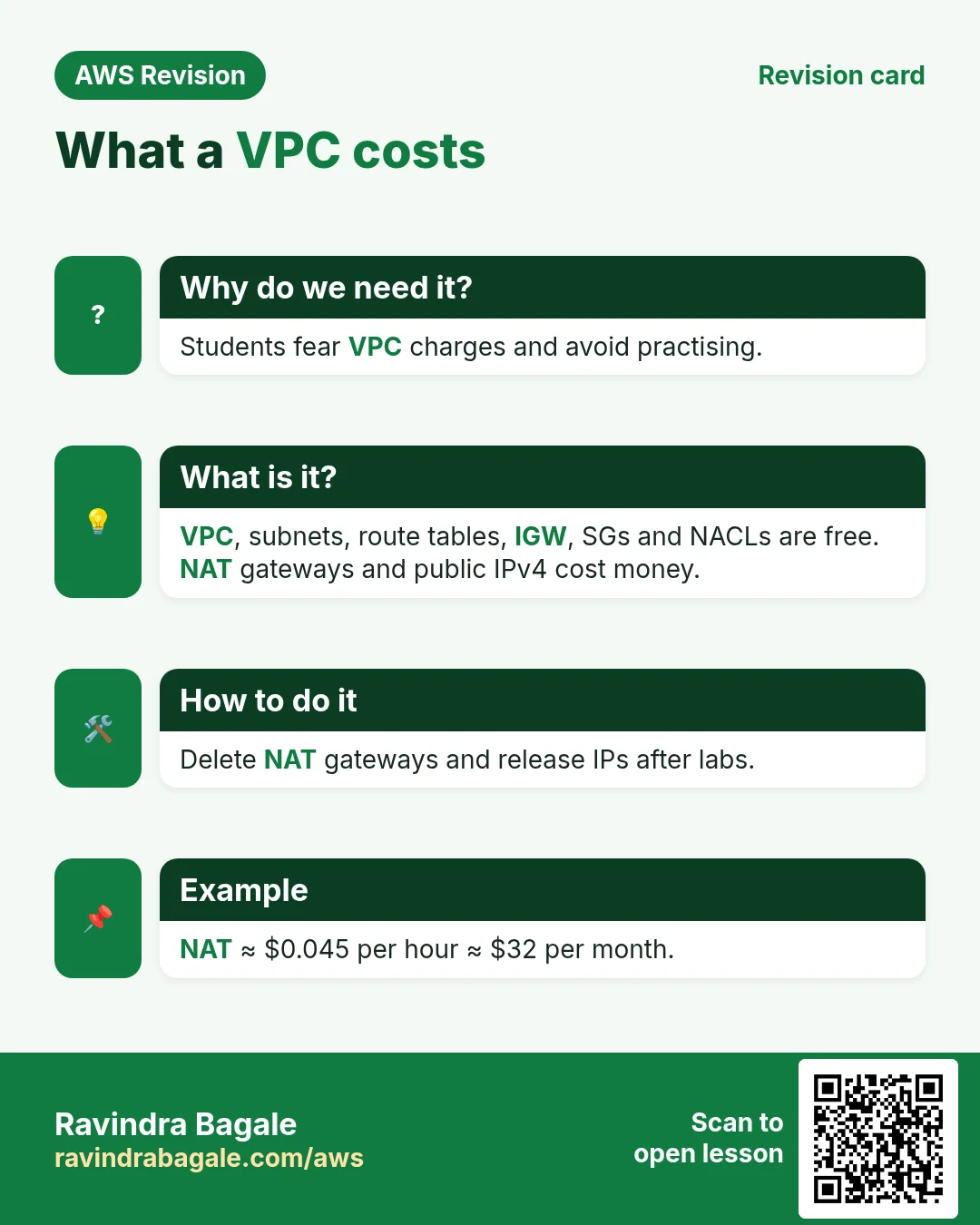
Free:
- The VPC itself, subnets and route tables.
- The internet gateway.
- Security groups and network ACLs.
You pay for:
- Data going out of AWS to the internet. The first 100 GB per month are free; after that it is charged per GB.
- Public IPv4 addresses, charged by the hour for every public IP, used or not.
- NAT gateways, charged per hour and per GB of data they process.
5. A custom VPC for three tiers
The plan (VPC 10.0.0.0/16, one /20 per tier):
- Public subnet
10.0.0.0/20: the web server with Nginx and the HTML pages, such assignup.html. - Private subnet
10.0.16.0/20: the app server with PHP. - Private subnet
10.0.32.0/20: the database server with MySQL (MariaDB). - Public route table:
10.0.0.0/16→localand0.0.0.0/0→ internet gateway. Associate only the web subnet. - Private route table:
10.0.0.0/16→localonly. The app and DB subnets use it.
The app and DB servers have no route to the internet and no public IP, so nobody outside can reach them. They can still talk to the web server through the local route.
Figure 2. Custom VPC 10.0.0.0/16: a public web subnet 10.0.0.0/20 (Nginx), a private app subnet 10.0.16.0/20 (PHP) and a private DB subnet 10.0.32.0/20 (MySQL). Only the public route table has 0.0.0.0/0 to the internet gateway.
6. The path of one request
Suppose we are Instagram, hosted in the Mumbai Region (ap-south-1), and a user opens the signup page on a phone. The request travels:
- Phone → mobile tower → internet.
- Internet → AWS Mumbai Region.
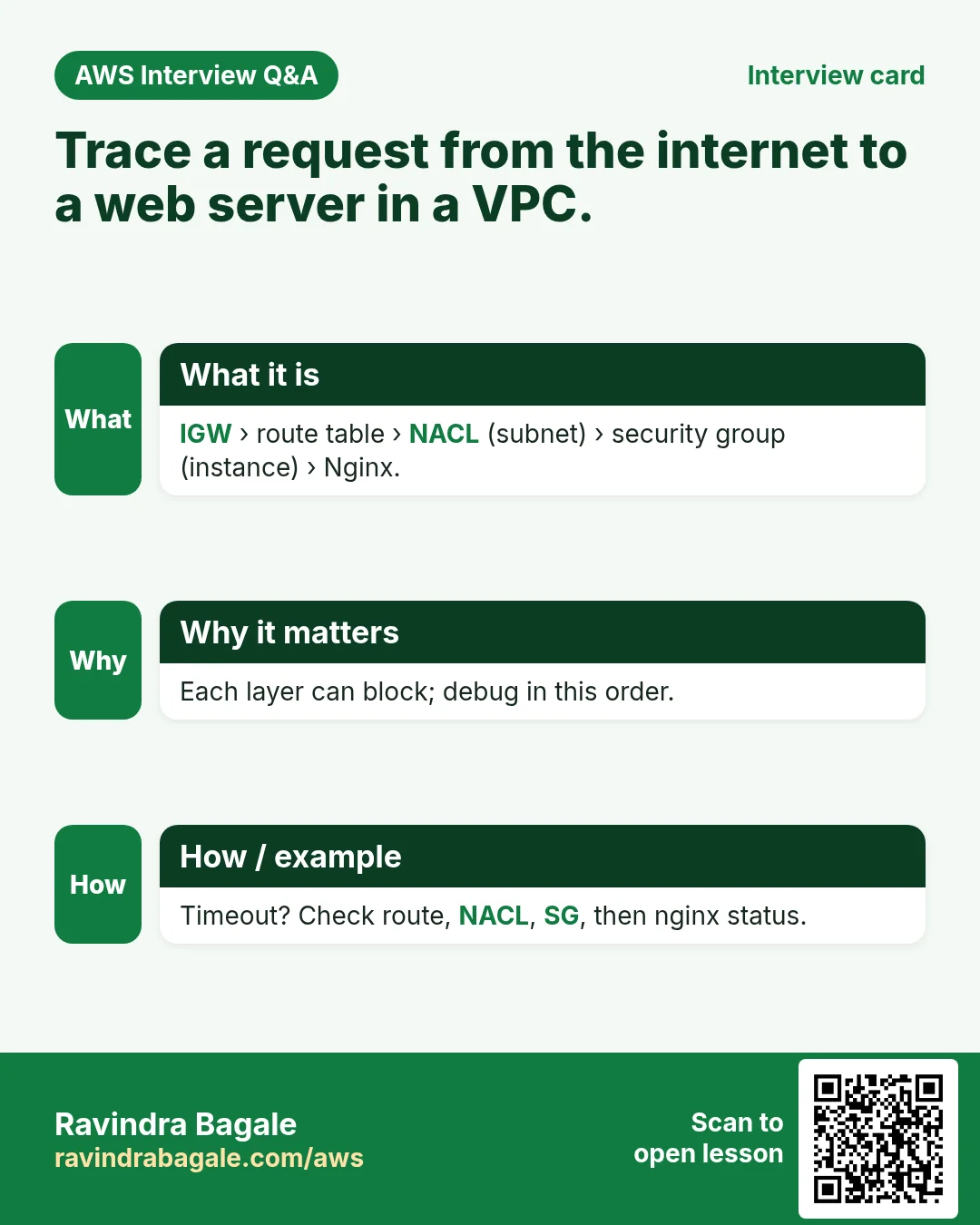
- Internet gateway: the door of the VPC.
- Route table: sends it to the web subnet.
- NACL: the firewall of the subnet.
- Security group: the firewall of the server.
- Nginx on the web server answers.
So a request passes two firewalls: first the NACL at the subnet door, then the security group at the server door.
Classroom line
Got it? See whether you follow this path.
Class मधलं वाक्य
"Kalta ka? He kalta ka bagha rasta."
कळतं का? हा रस्ता कळतो का बघा.
Classroom line
Got it? See whether you follow this path.
Figure 3. Animation: phone, tower, internet, AWS Mumbai; then inside the VPC the internet gateway, the route table, the NACL (subnet door), the security group (server door), and finally Nginx.
7. Security group vs NACL
Security group: a firewall on the instance (on its network card). You met it in Security groups chained tier by tier.
NACL (network access control list): a firewall on the subnet. Every server in the subnet is behind it.
Why have both: suppose one IP is attacking us. A /20 subnet can hold 4,091 servers. With security groups only, you would have to touch the rules of every server, and the bad traffic would still reach each server. One deny rule in the NACL stops it at the subnet door, before it reaches any server.
Classroom line
Why are you putting that load on the server?
Class मधलं वाक्य
Server वर load का टाकताय तुम्ही?
Classroom line – हिंदी
"Kyu server pe load de rahe ho tum?"
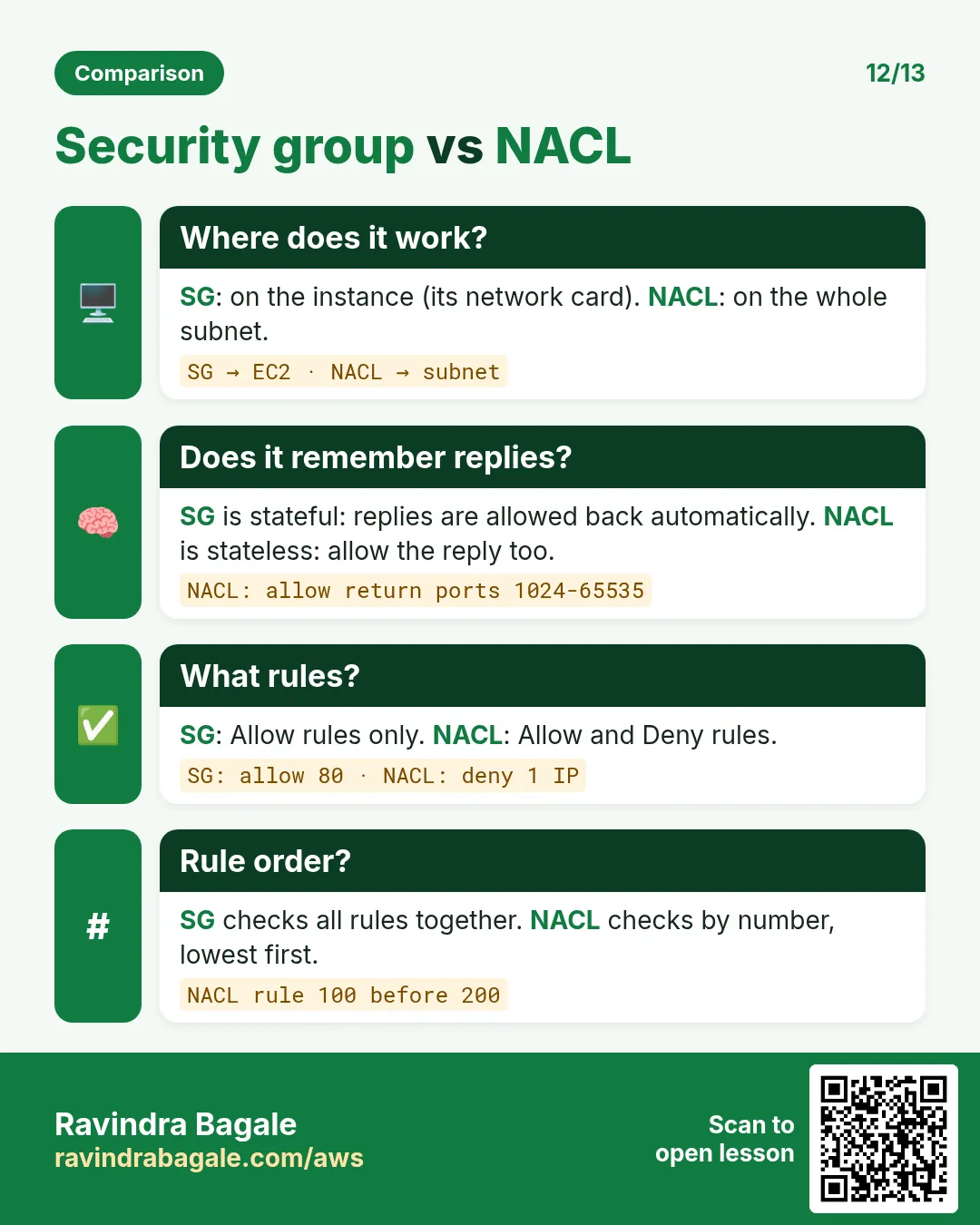
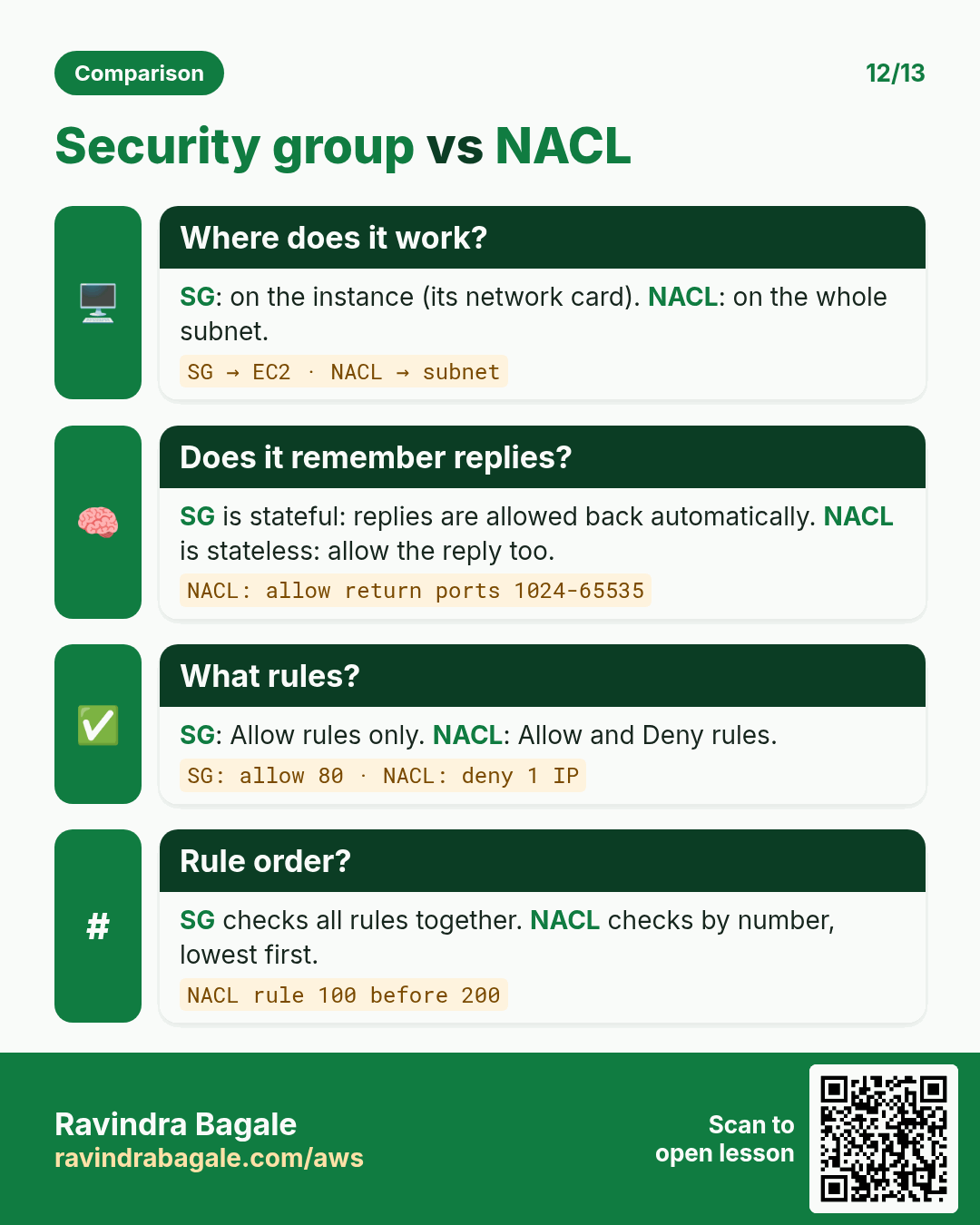
Figure 4. Security group: instance level, allow rules only, stateful, all rules checked together. NACL: subnet level, allow and deny, stateless, lowest rule number first. Only a NACL can block one IP.
More comparisons are in Security group vs NACL.
8. Stateful vs stateless
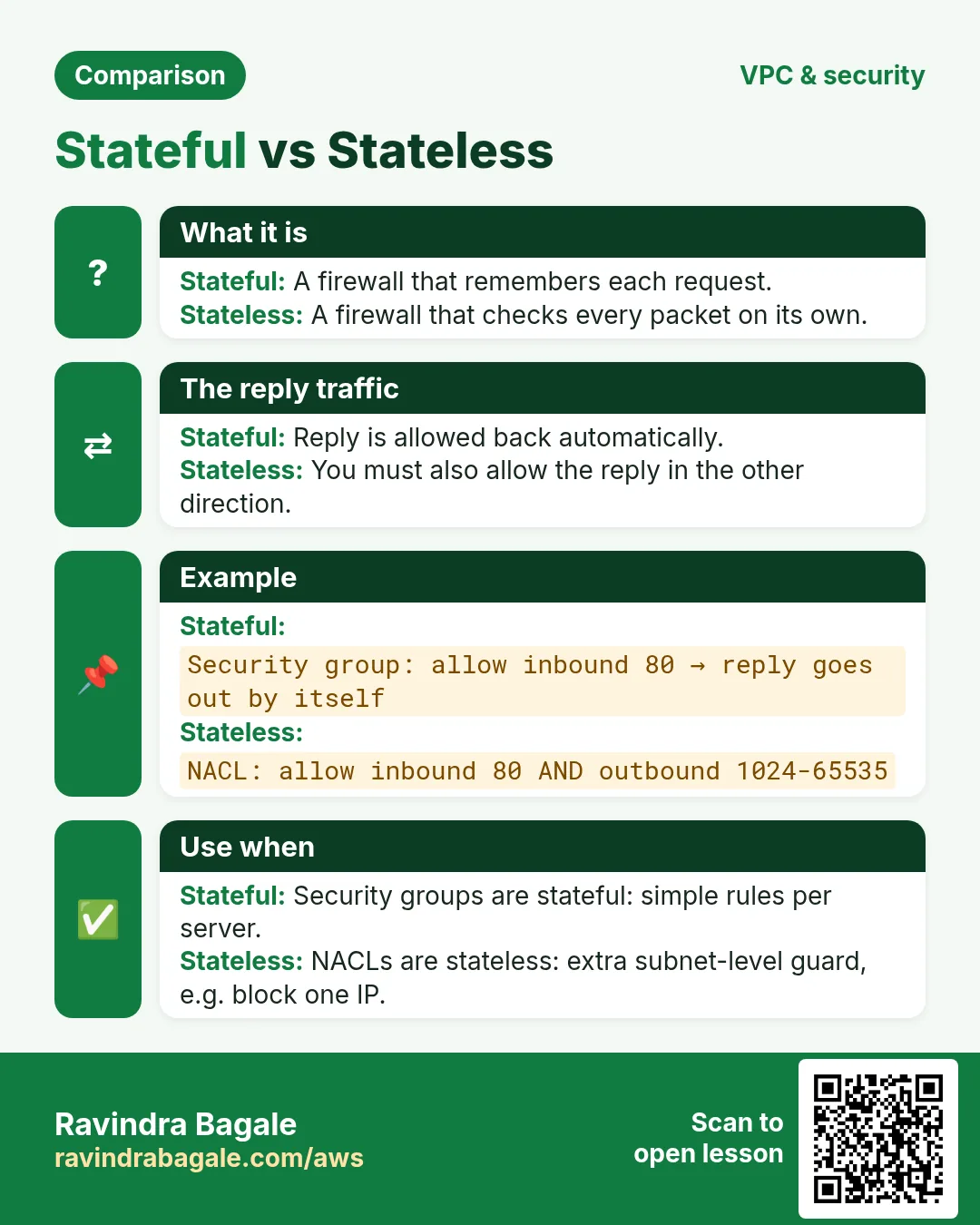
Stateful (security group): it remembers each connection. If a request was allowed in, its reply is allowed out automatically. You write the inbound rule only.
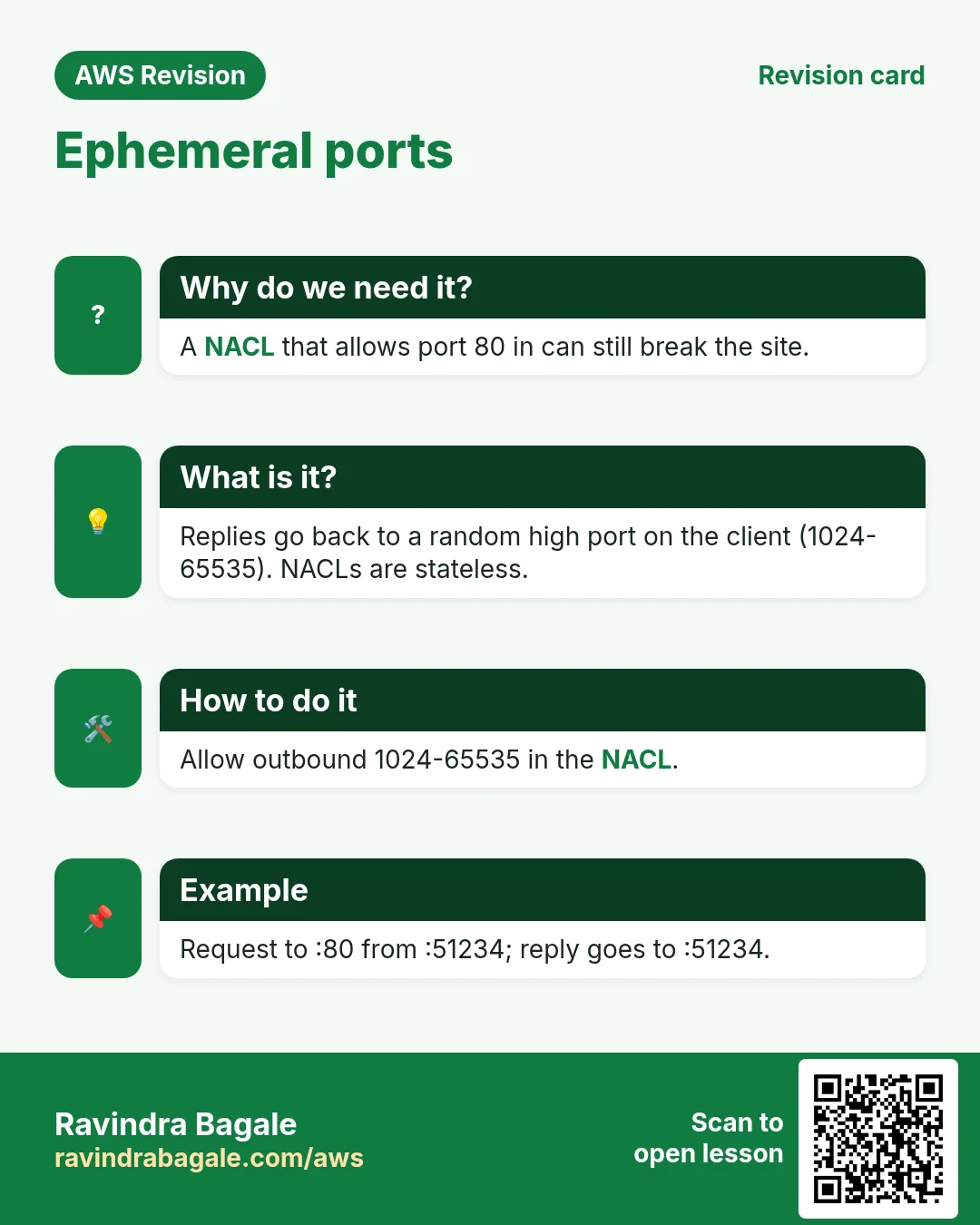
Stateless (NACL): it remembers nothing. The request coming in and the reply going out are checked separately, so you need an inbound rule for the request and an outbound rule for the reply.
Classroom line
This is exactly what they ask in interviews.
Class मधलं वाक्य
Interview मध्ये हेच विचारतात.
Classroom line – हिंदी
"Interview mein yehi puchte hai."
9. Ephemeral ports: where the reply goes
Why it matters: if you write the NACL outbound rule for the wrong port, the page never loads.
Worked example: a phone opens https:// on our web server.
- The phone picks a random high port for this connection, for example
41296. This is an ephemeral (short-lived) port. - The request goes from phone port
41296to server port443. - The server replies from its own port 443 to the phone's port
41296. The server does not switch to another port. - Security group: stateful, so the reply is allowed automatically.
- NACL: stateless, so the reply needs an outbound rule. The phone's port is random, so allow the whole ephemeral range: outbound 1024-65535 to
0.0.0.0/0.
The other direction: when the server itself makes a call, for example sudo yum install nginx -y, the server is the client. It picks the ephemeral port, and the replies come back to it. So the NACL inbound rules must also allow 1024-65535.
Figure 5. Animation: the request goes from port 41296 to 443; the security group lets the reply from 443 back to 41296 automatically; the NACL needs an outbound rule for 1024-65535.
10. The defaults
- Security group: all inbound denied, all outbound allowed. You add allow rules only; there is no deny rule.
- Default NACL (made together with the VPC): allows all traffic in and out. Every new subnet uses it until you choose another one.
- A NACL you create: denies all traffic in and out until you add rules.
So to block one IP, a security group can't help: it has no deny. You need a NACL deny rule.
Classroom line
In a security group we don't block, we only allow.
Class मधलं वाक्य
Security group मध्ये आपण block करत नाही, आपण allow करतो.
Classroom line – हिंदी
"Security group ke andar hum log block nahi karte, hum log allow karte hai."
11. NACL rules: the lowest number wins
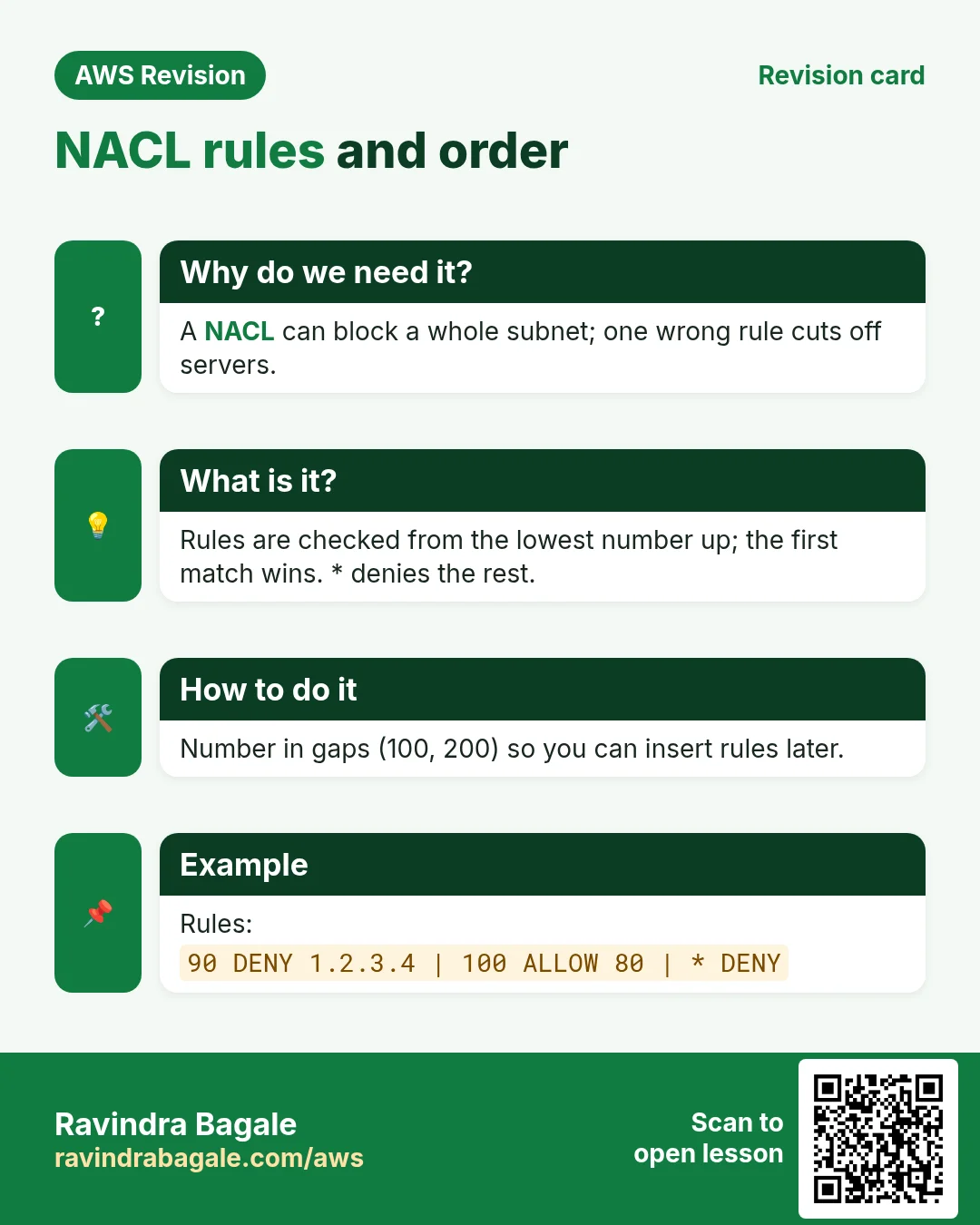
Each NACL rule has: Rule number, Type, Protocol, Port range, Source (inbound) or Destination (outbound), and Allow or Deny.
How a NACL decides:
- It checks the rules from the lowest rule number up.
- The first rule that matches decides. The rest are not read.
- The last rule,
*, denies everything that matched nothing. You can't delete it.
Worked example. Suppose we are Instagram. Attacker 3.3.3.3 is flooding port 80; a normal user is 7.7.7.7.
Wrong order:
- Rule 1: allow HTTP 80 from
0.0.0.0/0. - Rule 2: deny HTTP 80 from
3.3.3.3/32. - The attacker's request matches rule 1 first: allowed. Rule 2 is never read.
Right order:
- Rule 1: deny HTTP 80 from
3.3.3.3/32. - Rule 2: allow HTTP 80 from
0.0.0.0/0. 3.3.3.3matches rule 1: denied.7.7.7.7doesn't match rule 1, matches rule 2: allowed.
Rule: the deny rule must get a smaller number than the allow rule it should beat.
Classroom line
The smaller the rule number, the higher its priority.
Class मधलं वाक्य
Rule number जितका लहान, तितकी त्याला जास्त priority.
Classroom line – हिंदी
"Jitna rule number chhota rahega, usko highest priority milegi."
Figure 6. Animation: with allow as rule 1, the attacker 3.3.3.3 gets in because rule 2 is never read. With the deny as rule 1, 3.3.3.3 is denied and 7.7.7.7 is allowed by rule 2.
12. Leave gaps between rule numbers
Why: the site is live. Next week the attacker moves to 4.4.4.4. If your rules are 1, 2, 3 there is no room for a new deny above the allow rule, and renumbering live rules is risky.
How: number rules in steps, for example 10, 20 ... 100.
- Live rules: 10 deny
3.3.3.3/32, 100 allow0.0.0.0/0,*deny. - The attacker moves to
4.4.4.4: add rule 20 deny HTTP 80 from4.4.4.4/32. - Rule 20 fits between 10 and 100. No live rule changes.
Limits: rule numbers go from 1 to 32766. A NACL can have 20 inbound and 20 outbound rules by default; AWS can raise that to 40 each. Rules can be edited or deleted any time.
Classroom line
Once the website is live, changing rule numbers later is a big problem.
Class मधलं वाक्य
Website live झाल्यावर नंतर rule numbers बदलायला गेलात तर मोठा problem आहे.
Classroom line – हिंदी
"Website live ho gaya, baad me rule number change karoge to bada problem hai."
Figure 7. Live rules 10 (deny 3.3.3.3) and 100 (allow all). When the attacker moves to 4.4.4.4, rule 20 fits into the gap and nothing is renumbered.
13. One public server: send .php to the app server
Why: in this design the web server is the only server the internet can reach. HTML, images and CSS can be served from it directly. But the PHP code lives on the private app server.
Classroom line
That is the only server that is public.
Class मधलं वाक्य
तोच एक server आहे जो public आहे.
Classroom line – हिंदी
"Wahi ek server hai jo public hai."
Suppose we are Instagram: the page asks for /get_reels.php. The public Nginx must hand that request to the app server and send the answer back to the browser. This is a reverse proxy, as in Put Nginx in front as the reverse proxy.
How (on the web server):
- Open the config:
sudo nano /etc/nginx/nginx.conf. -
Inside the
server { ... }block, add:location ~ \.php$ { proxy_pass http://10.0.16.7; } -
~means "the next part is a regular expression".\.php$means "the path ends with.php" (\.is a real dot,$is the end). 10.0.16.7is the app server's private IP. Use the IP of your own app server; it must be inside the app subnet10.0.16.0/20.- Test the config:
sudo nginx -t. - Reload:
sudo service nginx reload.
Now /signup.html is served by the web server itself, and /get_reels.php goes to the app server.
14. The app server answers the request too
The request reaches the app server over HTTP, so the app server also needs a web server to receive it: its own private Nginx with php-fpm, set up as in The server: Nginx, php-fpm and MariaDB. That Nginx passes the .php file to php-fpm, PHP builds the HTML, and the answer goes back through the public Nginx to the browser.
Classroom line
On the PHP server, who will handle the request and the response?
Class मधलं वाक्य
"PHP chya server madhe kon request-response handle karel?"
PHP च्या server मध्ये request-response कोण handle करेल?
Classroom line
On the PHP server, who will handle the request and the response?
Security group of the app server: allow HTTP 80 with the source = web server's security group. Nobody else can call it.
15. PHP connects to the database on a private IP
PHP needs four values to connect: server name, username, password, database name (The four connection values). When the database is on the same server, the server name is localhost. Now it is on its own server, so only the server name changes, to the DB server's private IP:
$servername = "10.0.32.10";         // DB server's private IP (example)
$username   = "appuser";
$password   = "YOUR_APP_PASSWORD";
$database   = "insta";
10.0.32.10 is an example inside the DB subnet 10.0.32.0/20; use your own DB server's private IP.
Classroom line
Where will the query run? On this MySQL server.
Class मधलं वाक्य
"Query kuthe fire hoil? Ya MySQL var."
Query कुठे fire होईल? या MySQL वर.
Classroom line
Where will the query run? On this MySQL server.
Three must-dos on the DB server:
- Listen on the network. In
/etc/my.cnf.d/mariadb-server.cnf,bind-addressmust not be127.0.0.1(remove that line or setbind-address=0.0.0.0). Thensudo service mariadb restart. -
A user for the app server's IPs, not for
localhost:CREATE USER 'appuser'@'10.0.16.%' IDENTIFIED BY 'YOUR_APP_PASSWORD'; GRANT ALL PRIVILEGES ON insta.* TO 'appuser'@'10.0.16.%';10.0.16.%means "any IP that starts with 10.0.16.", that is, from the app subnet. 3. Security group of the DB server: allow MySQL/Aurora 3306 with the source = app server's security group.
The chain: web SG allows 80/443 from 0.0.0.0/0 → app SG allows 80 from the web SG only → DB SG allows 3306 from the app SG only.
Figure 8. /signup.html is served by the public Nginx; /get_reels.php ends with .php, so it is proxied to the app server 10.0.16.7 (Nginx + php-fpm), whose PHP connects to MariaDB on the DB server's private IP. Security groups are chained web → app → DB.
16. Build it in the console
Part A: the network (as in Build it in the console)
- VPC > Your VPCs > Create VPC, VPC only, name
my-vpc, IPv4 CIDR10.0.0.0/16. - Create subnets
web-a(10.0.0.0/20,ap-south-1a),app-b(10.0.16.0/20,ap-south-1b),db-c(10.0.32.0/20,ap-south-1c). - Create and attach the internet gateway
my-igw. - Create
public-rt: add0.0.0.0/0→my-igw, associateweb-aonly. - Leave
app-banddb-con the main route table, which haslocalonly.
Part B: security groups (EC2 > Security Groups > Create security group, VPC my-vpc)
web-sg: inbound HTTP 80 and HTTPS 443 from0.0.0.0/0, SSH 22 from My IP.app-sg: inbound HTTP 80, sourceweb-sg.db-sg: inbound MySQL/Aurora 3306, sourceapp-sg.
Part C: servers
- Launch the web server in
web-awithweb-sg, Auto-assign public IP: Enable. - Launch the app server in
app-bwithapp-sg, Auto-assign public IP: Disable. - Launch the DB server in
db-cwithdb-sg, Auto-assign public IP: Disable.
Part D: a NACL deny rule
- VPC > Network ACLs, select the NACL associated with
web-a(the default one). It has rule 100 allowing all traffic, and*denying. - Inbound rules > Edit inbound rules > Add new rule: Rule number
10, Type HTTP (80), Source3.3.3.3/32, Deny. Save changes. - Rule 10 is smaller than 100, so it is checked first.
More on NACL rules: Network ACL: inbound and outbound rules.
17. When something goes wrong
- The page loads nothing after you created your own NACL: a new NACL denies everything. Add inbound 80/443 and outbound 1024-65535.
sudo yum installhangs on the web server with a custom NACL: the replies come back to ephemeral ports. Allow inbound 1024-65535.- The blocked IP still gets in: its deny rule has a bigger number than an allow rule that matches first.
.phppages give 502 Bad Gateway: the app server is not answering on port 80. Check its Nginx and php-fpm, and thatapp-sgallows 80 fromweb-sg.- PHP can't connect to the database: check the private IP in
$servername,bind-address, the user'appuser'@'10.0.16.%', and thatdb-sgallows 3306 fromapp-sg. nginx -tfails: a missing;or}in thelocationblock.
Ravindra Bagale's Tip
Use security groups for "who may talk to this server" and keep NACLs simple: the default allow-all, plus deny rules for the IPs you want to block, numbered in steps of 10. When something stops working, check in the same order a request travels: route table, NACL, security group, then the service on the server.
18. Puzzle: PHP on a private server
The web server was easy:
- SSH from the laptop to its public IP.
sudo yum install nginx -ysudo service nginx start- Copy the HTML files with
scp.
Now install PHP on the app server. Two things block you:
- No public IP: you can't SSH to it from your laptop.
- No route to the internet: even inside it,
sudo yum install php -ycan't download anything.
Classroom line
That PHP server has no public IP.
Class मधलं वाक्य
"Tya PHP chya server la public IP nahiye."
त्या PHP च्या server ला public IP नाहीये.
Classroom line
That PHP server has no public IP.
Classroom line
It has no internet at all, so where will it install from?
Class मधलं वाक्य
"Internet ch nahiye tyachya madhe, install kuthun honar?"
Internet च नाहीये त्याच्यामध्ये, install कुठून होणार?
Classroom line
It has no internet at all, so where will it install from?
Figure 9. The public web server installs Nginx without trouble. The private app server has no public IP (no SSH from the laptop) and no route to the internet (yum can't download), so sudo yum install php -y can't work yet.
Think about it before you read on: how would you reach that server, and how would it download packages without becoming public? The answer, a bastion host and a NAT gateway, is the next chapter: How to Access a Private EC2 with a Bastion Host and NAT Gateway.
Classroom line
Switch on the light bulb in your brain.
Class मधलं वाक्य
डोक्यातला bulb लावा.
Classroom line – हिंदी
"Dimag ki batti jalao."
19. The whole class on one page
- Default VPC:
172.31.0.0/16, a subnet in every AZ, IGW attached, public main route table. Custom VPC: empty and private until you build it. - Free: VPC, subnets, route tables, IGW, SGs, NACLs. Paid: data out after 100 GB/month, public IPv4, NAT gateways.
- Three tiers: web in a public subnet, app and DB in private subnets on a
local-only route table. - Request path: internet → IGW → route table → NACL (subnet) → SG (instance) → server.
- SG: instance level, allow only, stateful. NACL: subnet level, allow and deny, stateless.
- Replies go from the server's port (443) to the client's ephemeral port; NACLs need 1024-65535 allowed for replies.
- Defaults: SG denies all in, allows all out; default NACL allows all; a new NACL denies all.
- NACL: lowest rule number first, first match wins,
*denies the rest. Put denies before allows, and number in steps. - Rule numbers 1-32766; 20 inbound + 20 outbound rules by default.
- Public Nginx:
location ~ \.php$ { proxy_pass http://<app private IP>; }, thensudo nginx -tand reload. - PHP's
$servernamebecomes the DB's private IP; the DB must listen on the network and have a user for10.0.16.%; SGs chained web → app → DB.
20. Try at home
Try at home
Task 1: on paper
- Write the NACL inbound rules that block
5.5.5.5and6.6.6.6from port 80 and allow everyone else. Leave gaps. - A phone connects from port
50123to your server's port 443. Write the source and destination ports of the reply.
Task 2: in the console
- Build
my-vpcwithweb-a,app-banddb-c, the IGW andpublic-rt(section 16). - Create
web-sg,app-sganddb-sgwith the chained sources. - Launch a web server in
web-a, install Nginx, and open its public IP in the browser.
Task 3: prove the NACL
- Add inbound rule 10 denying HTTP 80 from your own public IP (
curl ifconfig.meon your laptop shows it). Reload the page: it fails. - Change the rule number to 200 and save. Reload: the page loads, because rule 100 allows first.
- Delete the rule. Clean up: terminate the servers, delete the security groups, subnets, route table, IGW and VPC.
Recap
In short
- The default VPC is public everywhere; a custom VPC is private until you open it.
- Only the web subnet gets a route to the internet gateway; app and DB stay private.
- A request meets the NACL at the subnet, then the security group at the server.
- Security groups are stateful and allow-only; NACLs are stateless and can deny.
- The lowest NACL rule number wins; leave gaps for later rules.
- Public Nginx proxies
.phpto the private app server, and PHP reaches the DB by its private IP.
Practice Tasks
Maple Leaf Books is a bookselling business in Toronto. Emily Tremblay looks after its IT and cloud work. They count money in CAD and run their AWS resources in the ca-central-1 Region. In the tasks below you do real jobs for them using what this lesson teaches. All names, account IDs, IP addresses and numbers are made up for practice.
0 / 12
Easy How many addresses in a /16?
Why: Picking a VPC size needs this count.
What to do: Maple Leaf Books plans the VPC 10.131.0.0/16. How many IP addresses does it hold in total?
- Write down the numbers the task gives you.
- Work it out step by step on paper.
- Type only the final answer in the box.
- Click Check answer.
Easy Create a VPC
Why: A VPC is your own private network in AWS. Everything else lives inside it.
What to do: Create a VPC with the CIDR block 10.5.0.0/16.
- Read the task and decide which AWS service it is about.
- Write aws, then the service name, then the operation (the action word).
- Add each needed flag (--name) followed by its value from the task.
- Flags can be in any order. Click Check answer.
Easy Create an internet gateway
Why: Without an internet gateway, nothing in the VPC can reach the internet.
What to do: Create a new internet gateway.
- Read the task and decide which AWS service it is about.
- Write aws, then the service name, then the operation (the action word).
- Add each needed flag (--name) followed by its value from the task.
- Flags can be in any order. Click Check answer.
Medium Create a subnet in one AZ
Why: Subnets split the VPC range and each one lives in exactly one AZ.
What to do: In vpc-0e32412000deadbee, create subnet 10.5.1.0/24 in ca-central-1a.
- Read the task and decide which AWS service it is about.
- Write aws, then the service name, then the operation (the action word).
- Add each needed flag (--name) followed by its value from the task.
- Flags can be in any order. Click Check answer.
Medium Add the internet route
Why: A subnet is "public" only when its route table sends 0.0.0.0/0 to an internet gateway.
What to do: In route table rtb-002d32412000bb22, send all internet traffic (0.0.0.0/0) to igw-02d32412000aa11.
- Read the task and decide which AWS service it is about.
- Write aws, then the service name, then the operation (the action word).
- Add each needed flag (--name) followed by its value from the task.
- Flags can be in any order. Click Check answer.
Medium Find the VPC router address
Why: AWS reserves base+1 for the router.
What to do: Which address does AWS reserve for the VPC router in subnet 10.131.4.0/24?
- Write down the numbers the task gives you.
- Work it out step by step on paper.
- Type only the final answer in the box.
- Click Check answer.
Medium Usable IPs in an AWS /24 subnet
Why: AWS keeps 5 addresses in every subnet.
What to do: How many addresses can Maple Leaf Books use for servers in subnet 10.131.1.0/24 on AWS?
- Write down the numbers the task gives you.
- Work it out step by step on paper.
- Type only the final answer in the box.
- Click Check answer.
Medium Link a subnet to a route table
Why: Until you associate it, a subnet uses the main route table.
What to do: Associate subnet subnet-002d32412000bb1 with route table rtb-002d32412000bb22.
- Read the task and decide which AWS service it is about.
- Write aws, then the service name, then the operation (the action word).
- Add each needed flag (--name) followed by its value from the task.
- Flags can be in any order. Click Check answer.
Medium Attach the internet gateway
Why: A gateway does nothing until it is attached to a VPC.
What to do: Attach igw-02d32412000aa11 to vpc-0e32412000deadbee.
- Read the task and decide which AWS service it is about.
- Write aws, then the service name, then the operation (the action word).
- Add each needed flag (--name) followed by its value from the task.
- Flags can be in any order. Click Check answer.
Medium First usable IP for a server
Why: The first 4 addresses are reserved by AWS.
What to do: What is the first IP address a server can get in 10.131.20.0/24 on AWS?
- Write down the numbers the task gives you.
- Work it out step by step on paper.
- Type only the final answer in the box.
- Click Check answer.
Hard Pick the smallest prefix
Why: Right-sizing saves address space.
What to do: A subnet must hold 100 servers on AWS. What is the largest prefix number (smallest subnet) that fits? Answer like /25.
- Write down the numbers the task gives you.
- Work it out step by step on paper.
- Type only the final answer in the box.
- Click Check answer.
Hard Split a /24 into two
Why: Public and private subnets often split one block.
What to do: Split 10.131.8.0/24 into two equal subnets. Write both CIDRs separated by a comma.
- Write down the numbers the task gives you.
- Work it out step by step on paper.
- Type only the final answer in the box.
- Click Check answer.
Quick revision cards
Revise this chapter in two minutes. Save the cards on your phone or download them as PNG files. The QR code on each card opens its lesson.
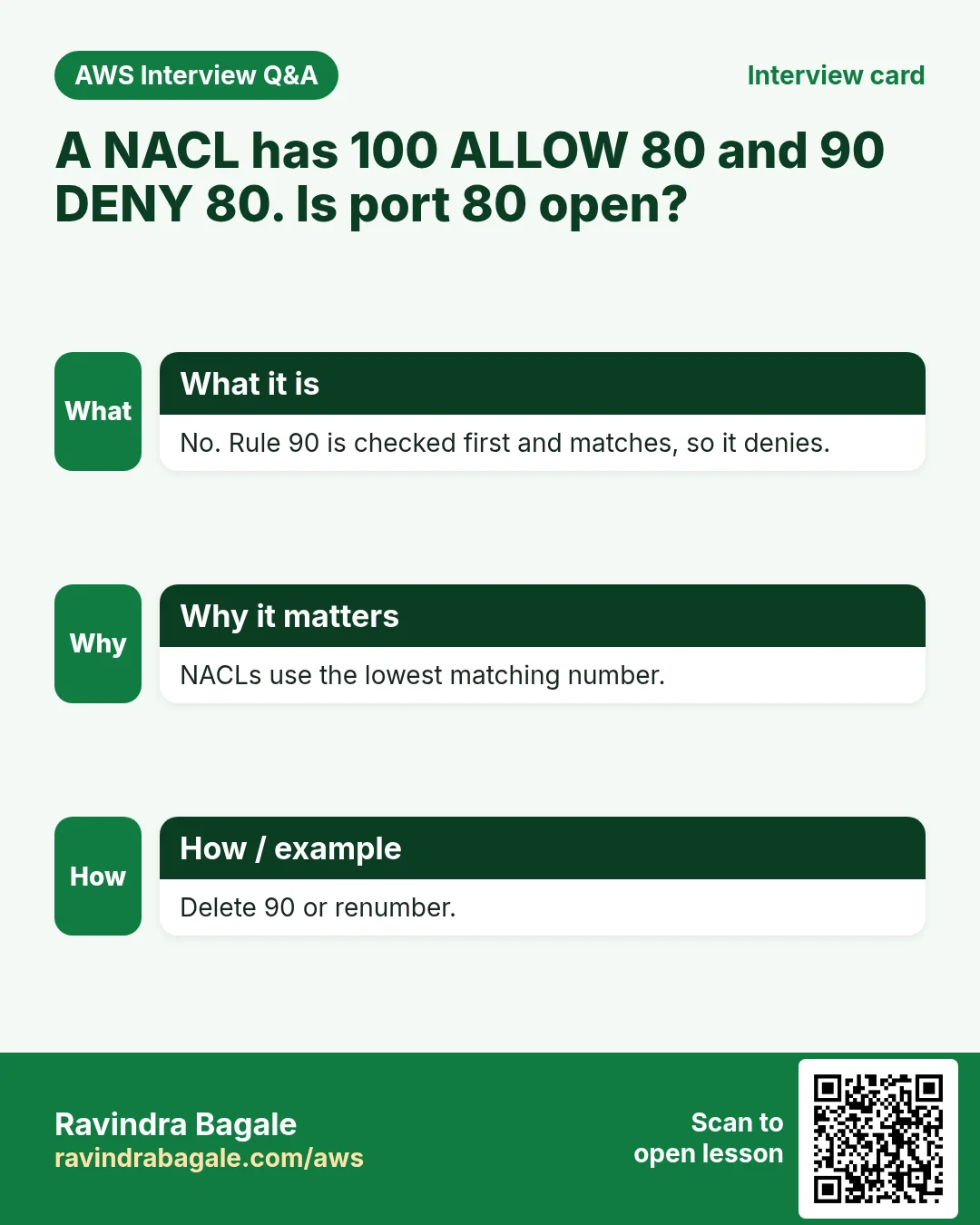
More cards: Ravi Sir's Cards: AWS VPC and Subnets.