SQL ALTER TABLE Command with Examples
Tables are never finished. A month after launch someone asks for a phone number, a city column needs a better name, and two users with the same name turn out to be impossible to tell apart. In this chapter we change a table that already holds data with ALTER TABLE, add rules such as NOT NULL, DEFAULT and UNIQUE, give every row a safe identity with a primary key and AUTO_INCREMENT, and learn the three ways to remove data: DELETE, TRUNCATE and DROP.
What you'll learn in this class
UPDATE(changes data) versusALTER TABLE(changes structure)- Safe update mode:
SELECT @@SQL_SAFE_UPDATES,SET SQL_SAFE_UPDATES = 1 / 0, andERROR 1175 ALTER TABLE ... ADD COLUMN,MODIFY COLUMN,DROP COLUMN,RENAME COLUMNandRENAME TO- Why a phone number is
VARCHAR, why some type changes fail, and the real limit ofINT NOT NULL(ERROR 1364),DEFAULT, and removing a rule by writing the column again- Primary key versus unique key: duplicates,
NULL, and how many per table AUTO_INCREMENT: choosing your own id,ERROR 1062, and why ids have gaps- Adding
UNIQUEto a column that already exists DELETEversusTRUNCATEversusDROP, for a table and for a database
1. Practice data
Why: every command below shows its result. If you load the same five rows, you get the same answers and can check yourself.
How:
- Log in with
mysql -u root -p. -
Start with a fresh
instagramdatabase. If you still have one from the first SQL chapter, this removes it:DROP DATABASE IF EXISTS instagram; CREATE DATABASE instagram; USE instagram; -
Create the
userstable without any rules yet:CREATE TABLE users (id INT, name VARCHAR(50), city VARCHAR(50), age INT); -
Load five rows. Row 3 is typed twice on purpose:
INSERT INTO users VALUES (1, 'amit', 'pune', 25), (2, 'neha', 'mumbai', 30), (3, 'rahul', 'nashik', 28), (3, 'rahul', 'nashik', 28), (4, 'sneha', NULL, NULL); -
SELECT * FROM users;shows the five rows.
Notice two things we will use later: two rows are exactly the same (3, rahul, nashik, 28), and sneha has no city and no age.
The screenshots in this chapter were taken on a table with more rows, so their row counts differ from yours. The commands and the messages are the same.
2. UPDATE versus ALTER TABLE
Why: both words sound like "change", and interviewers like to ask the difference.
What:
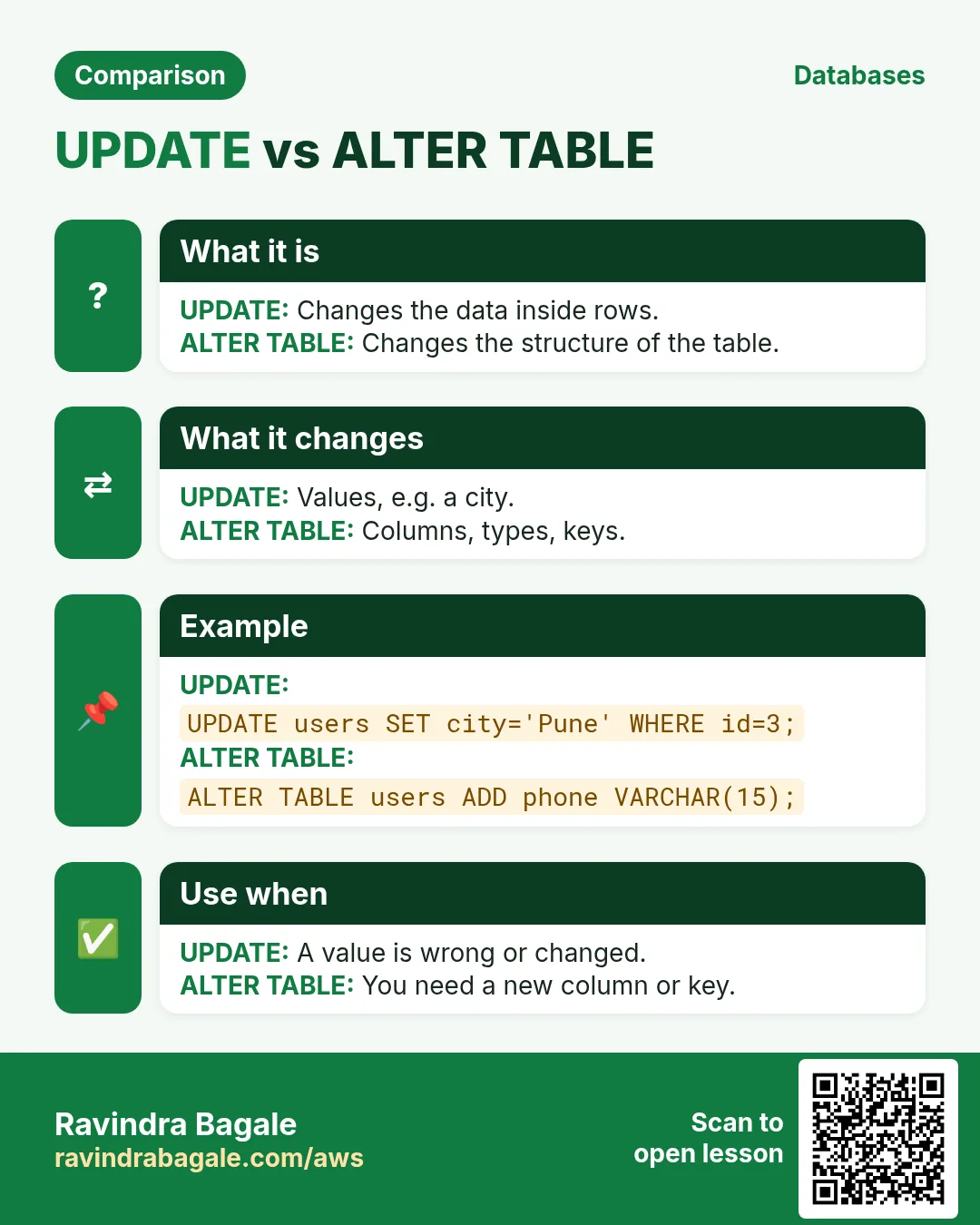
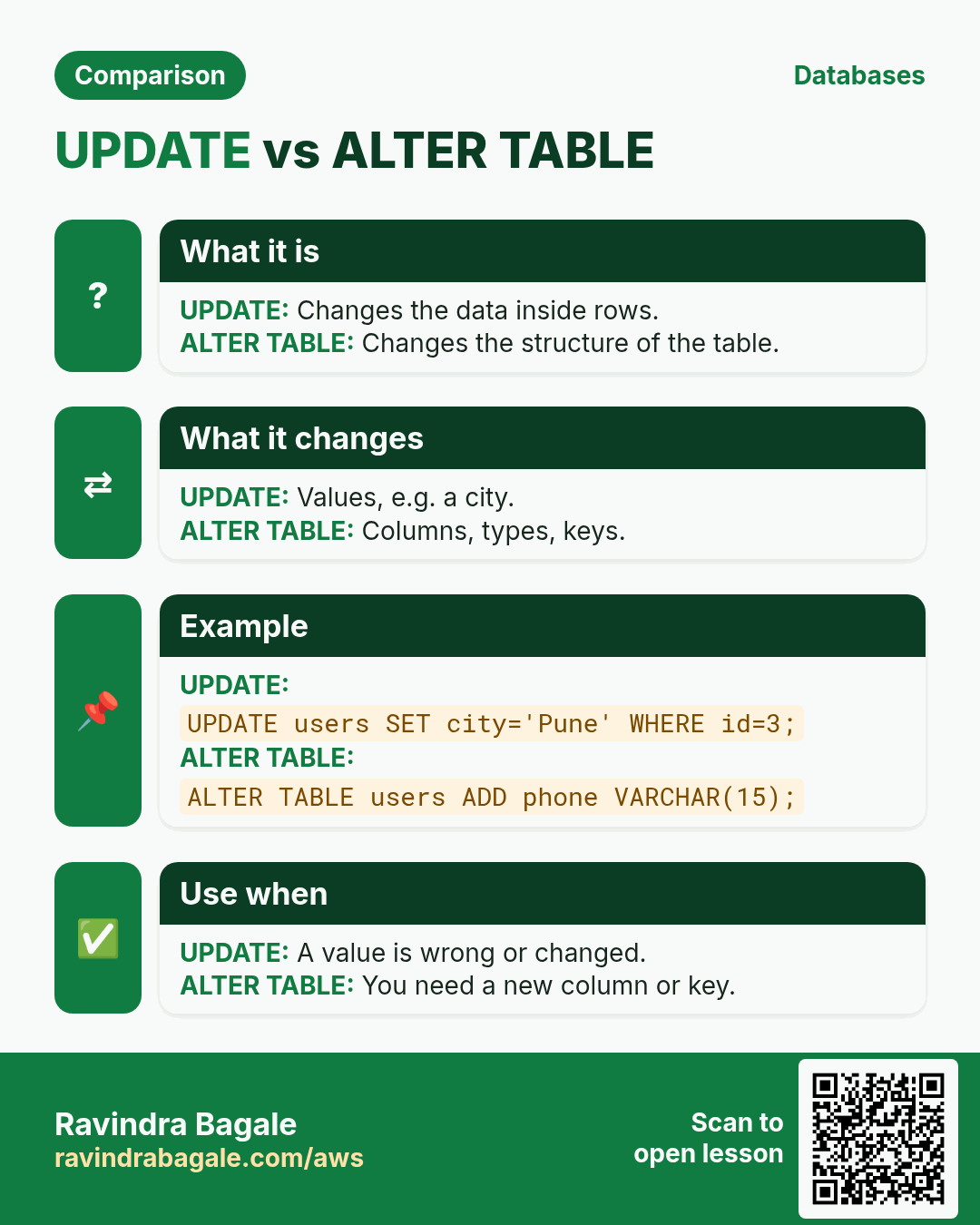
UPDATEchanges the data: the values inside rows. The columns stay the same.ALTER TABLEchanges the structure: which columns exist, their types, their names and their rules. The rows stay.
Classroom line
To change the table itself, the query is ALTER TABLE.
Class मधलं वाक्य
Table मध्येच बदल करायचा असेल, तर query ALTER TABLE.
Classroom line – हिंदी
"Table me modification karna hai, to query aayega ALTER TABLE."
How: just read these two examples; we run real ones from section 3 on.
UPDATE users SET age = 26 WHERE id = 1;would change one value in one row.ALTER TABLE users ADD COLUMN phone VARCHAR(15);would add a column to every row at once.- A quick test: if the question is about values, use
UPDATE; if it is about columns, useALTER TABLE.
3. Safe update mode
Why: UPDATE or DELETE without WHERE changes or deletes every row. One forgotten line can wipe a whole column. Safe update mode is a seat belt against that mistake.
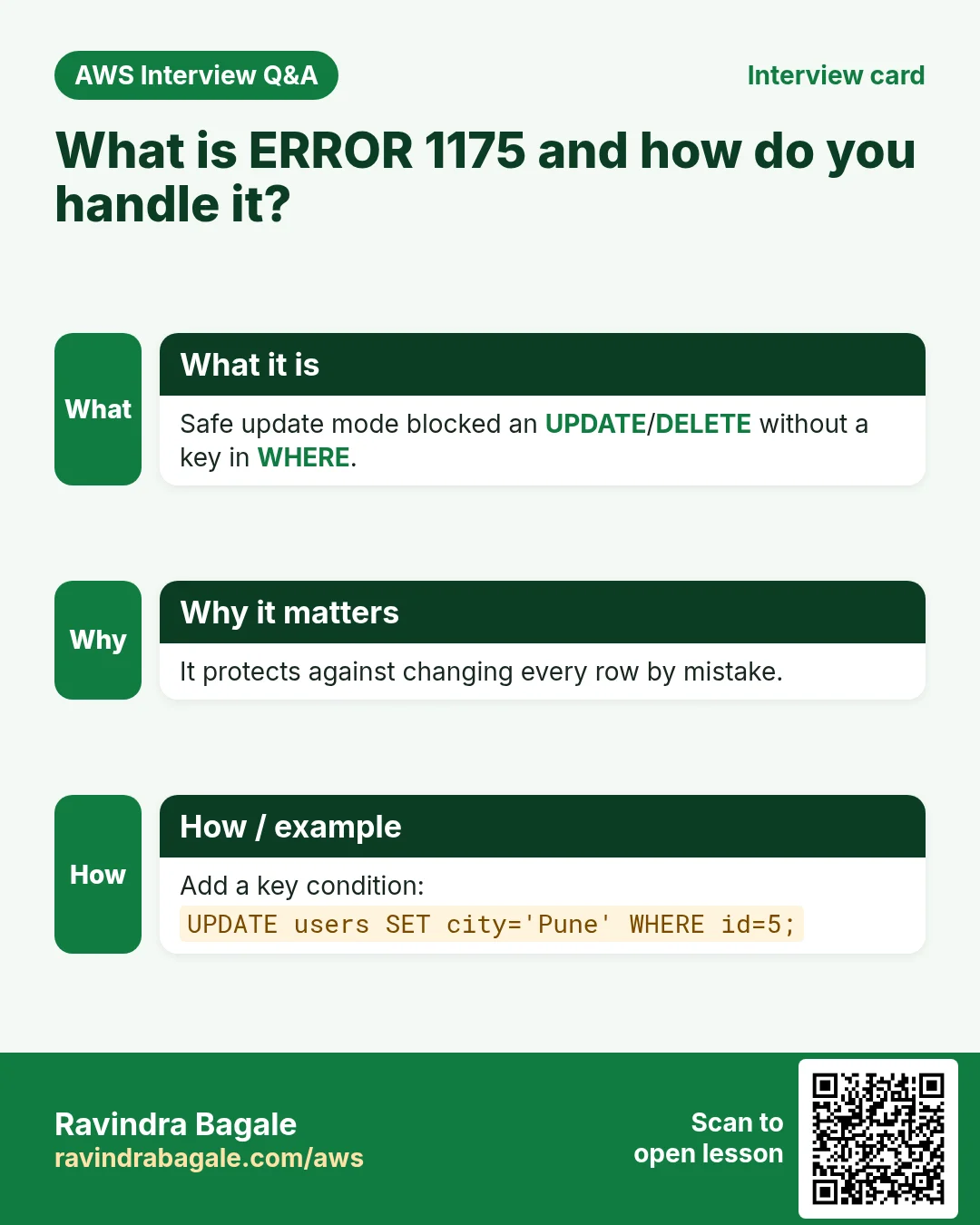
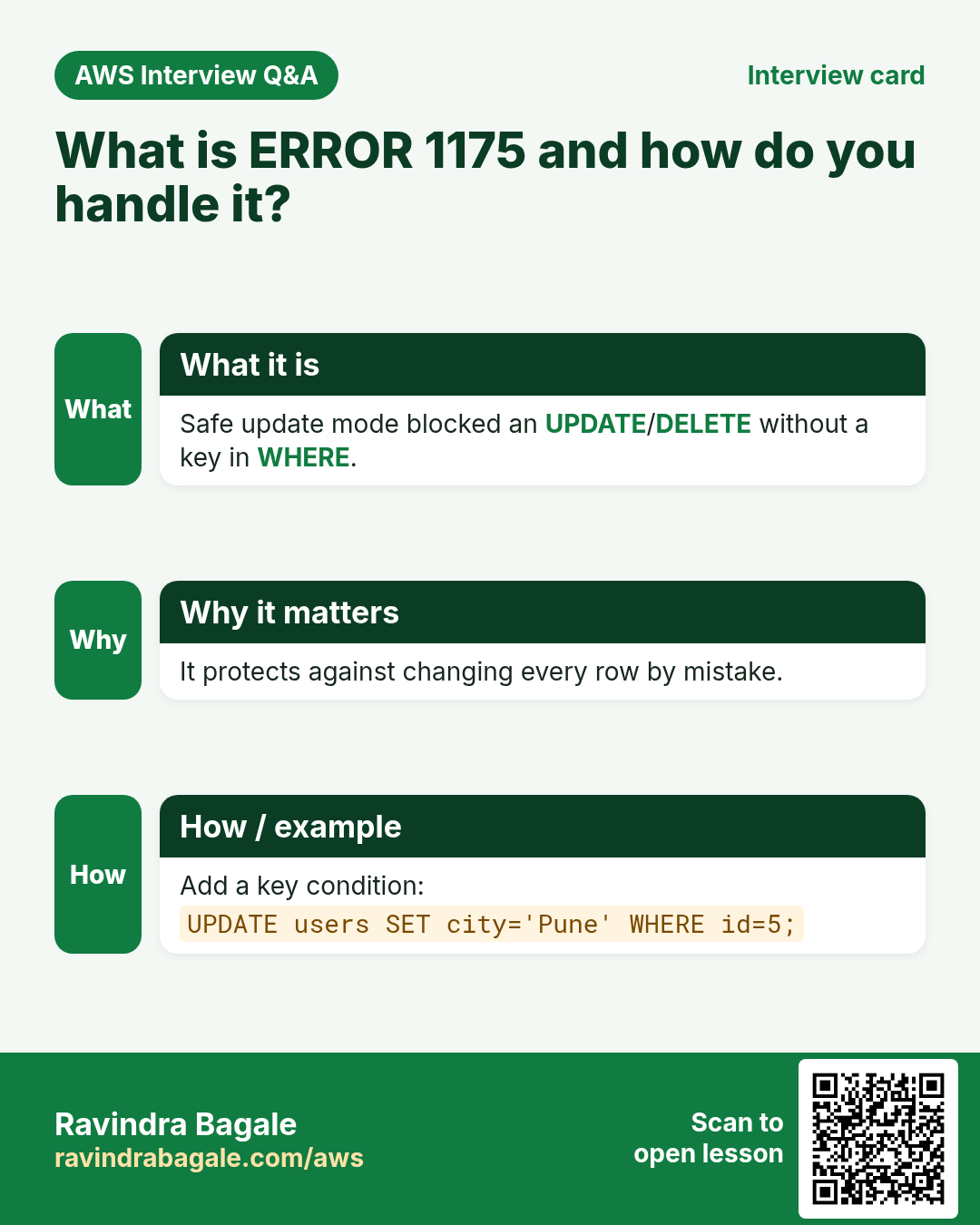
What: with safe update mode on, MariaDB refuses an UPDATE or DELETE unless its WHERE uses a key column (such as a primary key), or the statement has a LIMIT. The setting is called SQL_SAFE_UPDATES and it belongs to your session: a new login starts again with the server default.
Classroom line
Even if we forget the WHERE condition by mistake, that query won't run.
Class मधलं वाक्य
चुकून जरी आपण WHERE condition लिहिली नाही, तरी ती query चालणार नाही.
Classroom line – हिंदी
"Galti se bhi agar humne WHERE condition nahi likha to wo query fire nahi hoga."
How:
- See the current value:
SELECT @@SQL_SAFE_UPDATES;On a fresh login it shows0, which means off. - Turn it on for this session:
SET SQL_SAFE_UPDATES = 1; -
Try an update with no
WHERE:UPDATE users SET city = 'pune'; -
MariaDB refuses:
ERROR 1175 (HY000): You are using safe update mode and you tried to update a table without a WHERE that uses a KEY column - A
WHEREon an ordinary column is refused too, becausecityis not a key column.DELETE FROM users WHERE city = 'nashik';gives the sameERROR 1175. - A
LIMITis accepted, because it caps the damage:UPDATE users SET city = 'delhi' WHERE name = 'sneha' LIMIT 1;answersQuery OK, 1 row affected. - Once
idis a primary key (section 12),WHERE id = 2is accepted as well. - Turn it off again:
SET SQL_SAFE_UPDATES = 0;The rest of this chapter runs with it off. SELECT,INSERTandALTER TABLEare never blocked by this setting.
Classroom line
Remember this; it is asked in interviews.
Class मधलं वाक्य
"He lakshat theva, interview madhe vichartat."
हे लक्षात ठेवा, interview मध्ये विचारतात.
Classroom line
Remember this; it is asked in interviews.
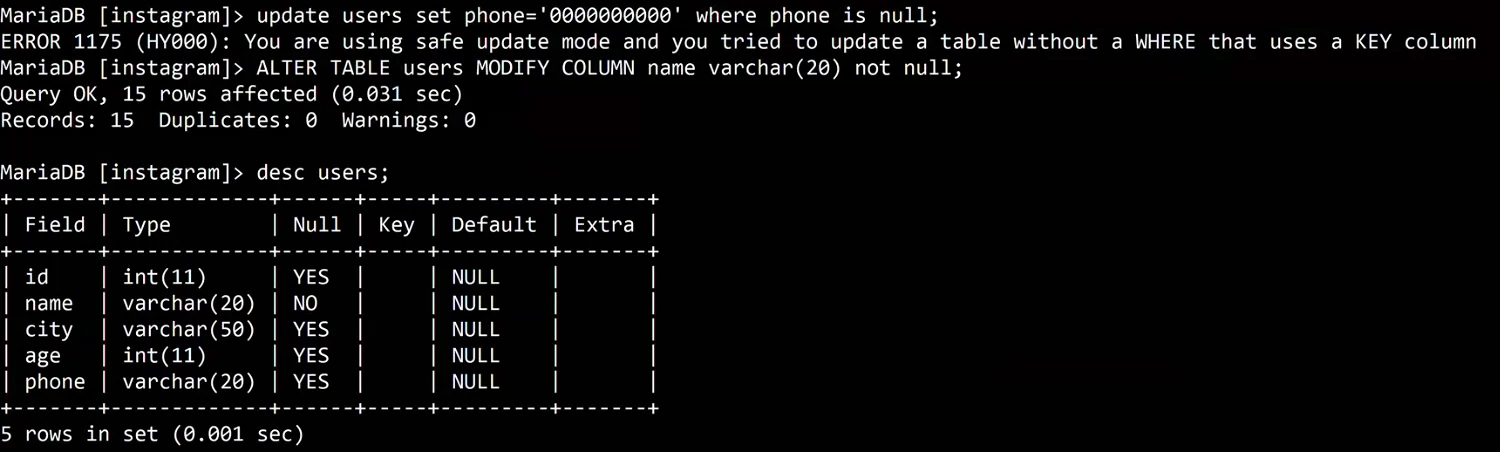
Whiteboard: Safe update mode refuses an UPDATE whose WHERE does not use a key column (ERROR 1175). The next command makes name NOT NULL, and DESC shows Null = NO for name.
Figure 1. Safe update mode: no WHERE, or a WHERE on a non-key column, gives ERROR 1175; a LIMIT or a WHERE on the primary key is accepted. The setting lasts for your session only.
4. ADD COLUMN: a new column for every row
Why: the app now needs each user's phone number. You don't create a new table; you add a column to the one you have.
What: ALTER TABLE ... ADD COLUMN adds a column at the end. Every existing row gets NULL in it, because nobody has given a value yet. The word COLUMN is optional: ADD phone INT works too.
How:
-
Add the column:
ALTER TABLE users ADD COLUMN phone INT; -
MariaDB answers
Query OK, 0 rows affected. No row was added or removed. DESC users;now listsphonewith typeint(11).SELECT * FROM users;showsNULLinphonefor all five rows.- Fill a value with
UPDATE, as usual:UPDATE users SET phone = ... WHERE id = 1;
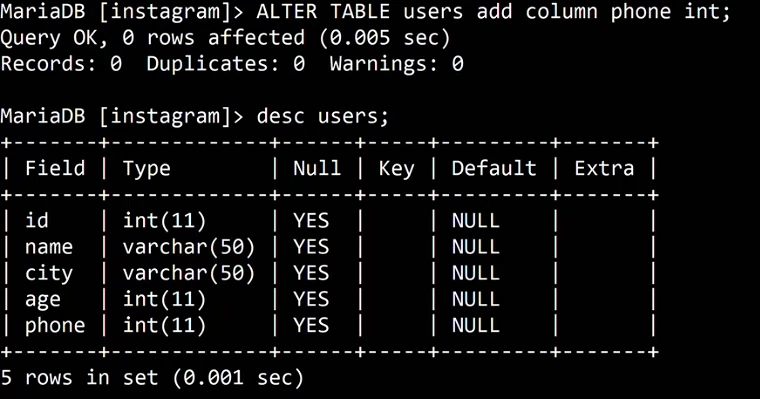
Whiteboard: ALTER TABLE users ADD COLUMN phone INT, and DESC shows the new phone column at the end.
5. MODIFY COLUMN: change the type or the size
Why: an INT phone column is a mistake, as you find out the moment you store a real number.
What: MODIFY COLUMN gives a column a new type, size or set of rules. You write the whole column definition again. MariaDB converts every existing value; the change works only if every value fits the new type.
How:
-
Try a real mobile number in the
INTcolumn:UPDATE users SET phone = 9876543210 WHERE id = 1; -
It fails:
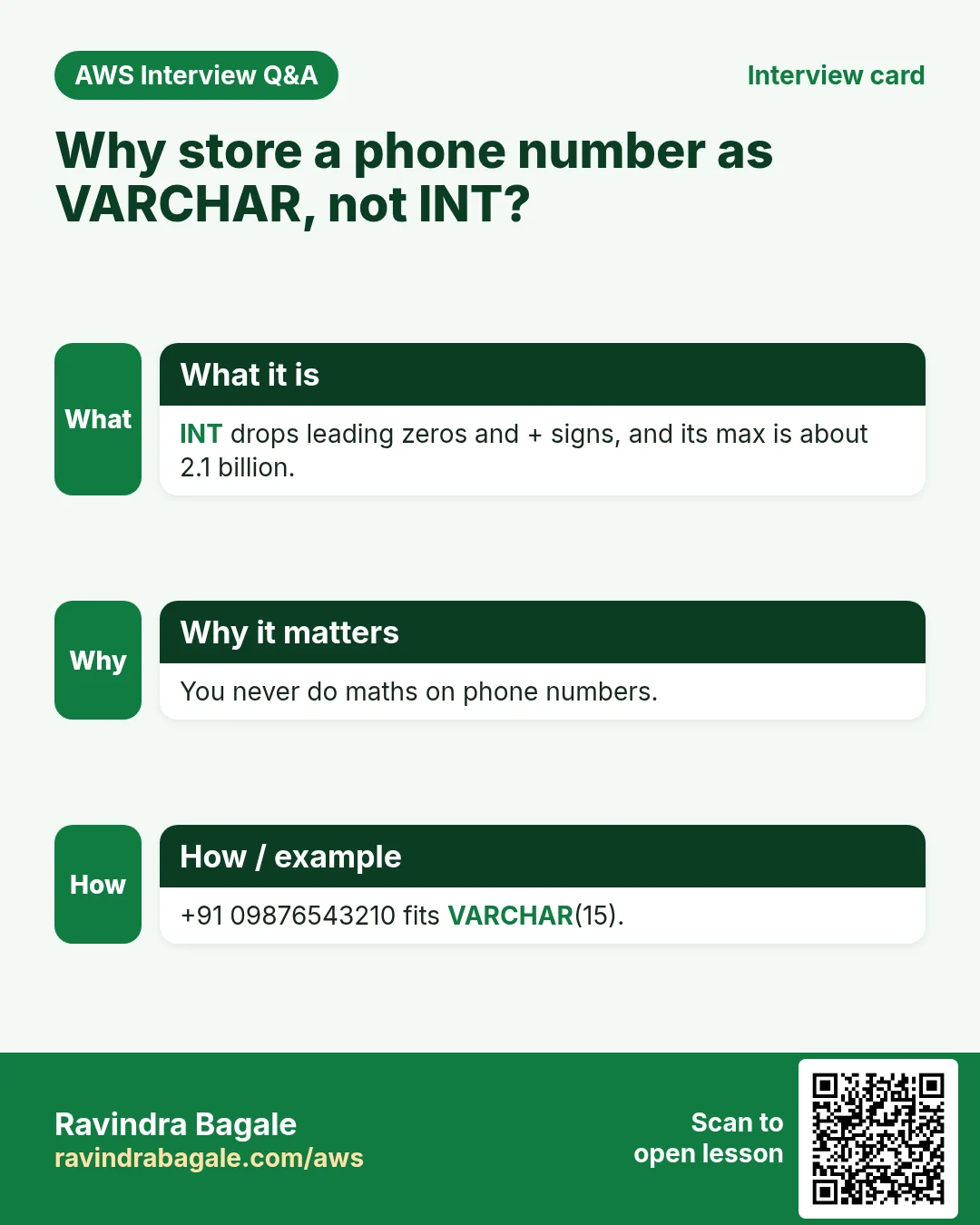
ERROR 1264 (22003): Out of range value for column 'phone' at row 1. The largestINTis 2,147,483,647, and a 10-digit mobile number like 9876543210 is bigger. - The
11inint(11)is only a display width. It does not mean "11 digits", and it does not change the limit. - A number column has a second problem: it keeps only the value. A
+in front and a leading0(as in020...landline numbers) are lost. -
So a phone number is text. Change the type:
ALTER TABLE users MODIFY COLUMN phone VARCHAR(15); -
DESC users;now showsphone varchar(15). -
Now the full number fits, plus sign and all:
UPDATE users SET phone = '+919876543210' WHERE id = 1; UPDATE users SET phone = '02025501234' WHERE id = 2; -
Making a column bigger is always safe:
ALTER TABLE users MODIFY COLUMN phone VARCHAR(20);works. - Making it smaller fails if a value does not fit:
MODIFY COLUMN phone VARCHAR(10)givesERROR 1265 (01000): Data truncated for column 'phone' at row 1, because+919876543210has 13 characters. - Going back from
VARCHARtoINTfails too:MODIFY COLUMN phone INTgivesERROR 1264 ... Out of range value for column 'phone', because 919876543210 is bigger than theINTlimit. - The rule to remember: small to large is safe; large to small, or to a stricter type, works only when every existing value fits.
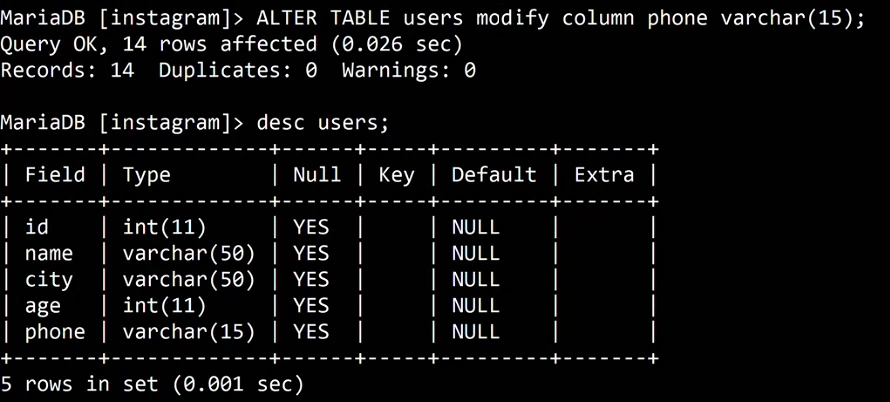
Whiteboard: ALTER TABLE users MODIFY COLUMN phone VARCHAR(15) converts the existing rows, and DESC shows phone as varchar(15).
Figure 2. MODIFY COLUMN works only if every existing value fits: INT to VARCHAR and VARCHAR(15) to VARCHAR(20) are safe; VARCHAR(20) to VARCHAR(10) or to INT fail when a value does not fit. Why a phone number is VARCHAR.
6. NOT NULL: make a value compulsory
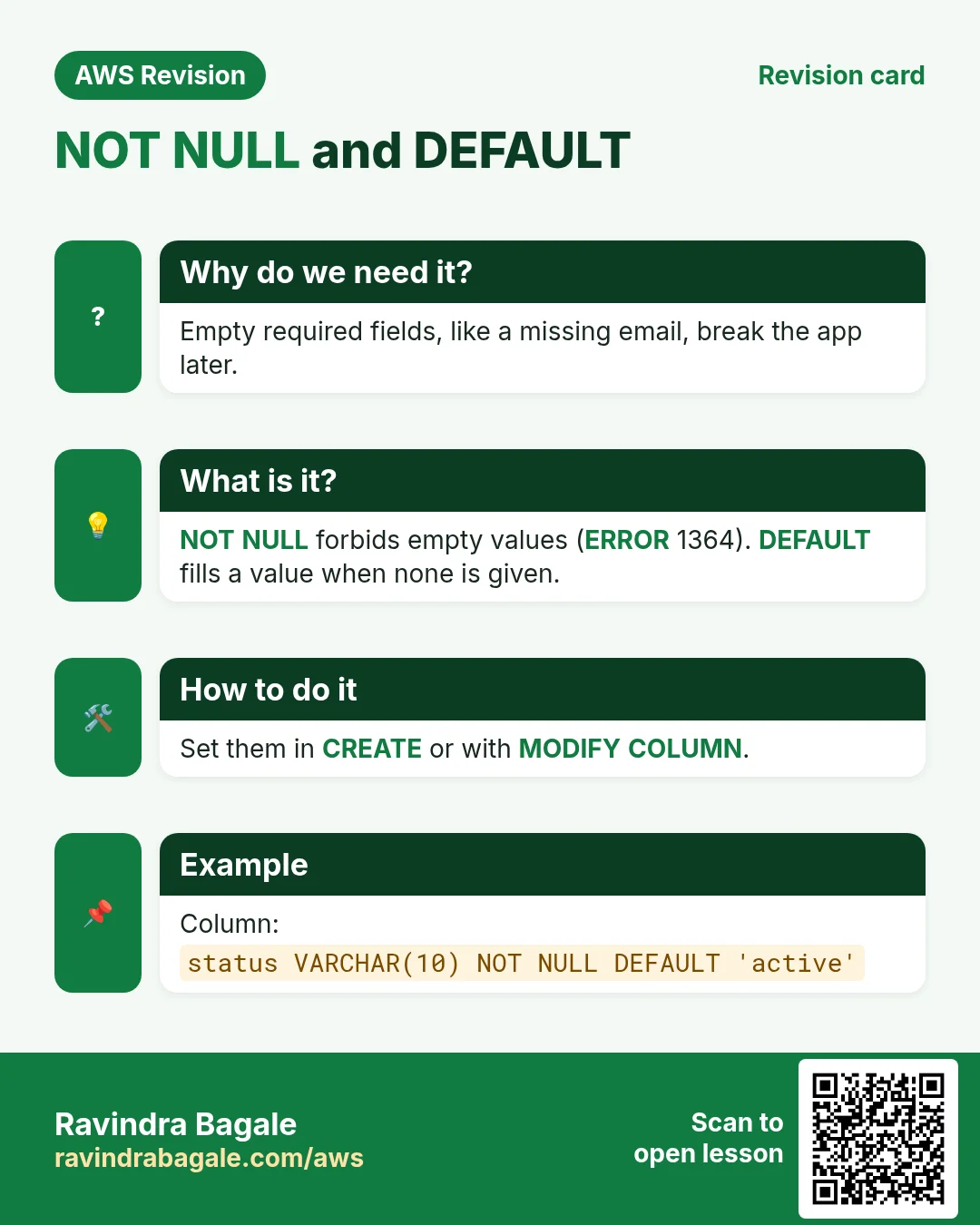
Why: a user without a name makes no sense in our app. You want the database itself to refuse such a row, whatever the app sends.
What: NOT NULL means the column must always have a value. An INSERT that leaves it out, or sends NULL, is rejected.
How:
-
Make
namecompulsory:ALTER TABLE users MODIFY COLUMN name VARCHAR(20) NOT NULL; -
DESC users;showsNOin theNullcolumn forname. -
Insert a user without a name:
INSERT INTO users (id, city) VALUES (5, 'goa'); -
It fails:
ERROR 1364 (HY000): Field 'name' doesn't have a default value. - Sending
NULLon purpose fails too:INSERT INTO users (id, name, city) VALUES (5, NULL, 'goa');givesERROR 1048 (23000): Column 'name' cannot be null. - A column that already holds
NULLvalues cannot becomeNOT NULL.MODIFY COLUMN phone VARCHAR(20) NOT NULLgivesERROR 1265 (01000): Data truncated for column 'phone' at row 3, because three rows have no phone. MariaDB's default strict mode refuses rather than silently filling in something. - Fix those rows first with
UPDATE, then addNOT NULL.
Classroom line
Remember one thing: if the column already holds NULLs and you try to make it NOT NULL, it won't work.
Class मधलं वाक्य
"Ek gosht lakshat ghya. Column madhe agodar null asel aani tumhi tyala not null karayla gelat, tar nahi honar."
एक गोष्ट लक्षात घ्या. Column मध्ये आधीच null असेल आणि तुम्ही त्याला not null करायला गेलात, तर नाही होणार.
Classroom line
Remember one thing: if the column already holds NULLs and you try to make it NOT NULL, it won't work.
7. DEFAULT: a value when none is given
Why: sometimes a missing value has a sensible answer. A user who signs up without a name can be shown as "unknown", like an anonymous account.
What: DEFAULT is the value MariaDB stores when an INSERT does not mention the column. It works with or without NOT NULL.
How:
-
Keep
NOT NULLand add a default:ALTER TABLE users MODIFY COLUMN name VARCHAR(20) NOT NULL DEFAULT 'unknown'; -
Run the insert that failed before:
INSERT INTO users (id, city) VALUES (5, 'goa'); -
Now it works, and row 5 has the name
unknown. - Give
agea default of 18, withoutNOT NULL:ALTER TABLE users MODIFY COLUMN age INT DEFAULT 18;
Classroom line
If someone doesn't insert an age, 18 should go there.
Class मधलं वाक्य
कोणी age insert केली नाही, तर तिथे 18 यायला पाहिजे.
Classroom line – हिंदी
"Agar kisi ne age insert nahi kiya, toh waha pe 18 aana chahiye."
-
Insert a user without an age:
INSERT INTO users (id, name, city) VALUES (6, 'kiran', 'solapur'); -
SELECT * FROM users;shows6 | kiran | solapur | 18. - A default fills only new rows that skip the column. Old rows keep their
NULL: sneha's age is stillNULL. DESC users;showsunknownand18in theDefaultcolumn.
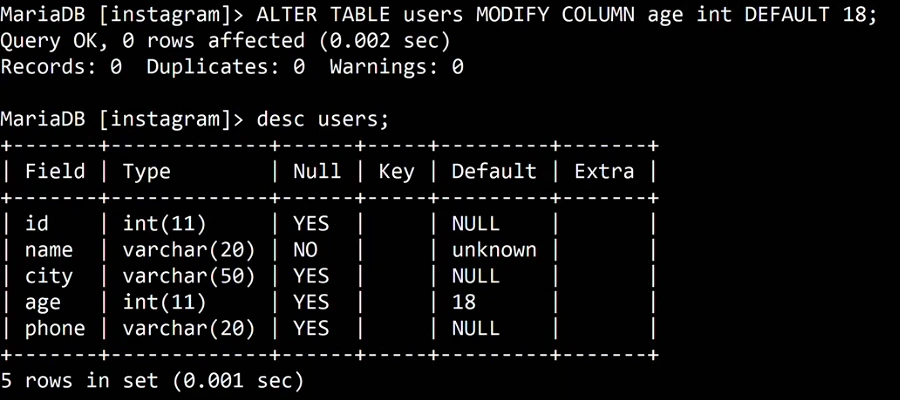
Whiteboard: ALTER TABLE users MODIFY COLUMN age INT DEFAULT 18; DESC shows Default 18 for age and unknown for name.
Figure 3. Animation: with name NOT NULL an insert without a name fails with ERROR 1364; with NOT NULL DEFAULT 'unknown' the same insert works; age INT DEFAULT 18 fills in 18 when the age is skipped.
8. Remove a rule: write the column again without it
Why: rules change. Maybe name should be optional again.
What: there is no "remove NOT NULL" command. MODIFY COLUMN replaces the whole column definition, so whatever you leave out is removed.
Classroom line
To add something, write it in the query; to remove it, write the query without it.
Class मधलं वाक्य
"Kahitari add karaycha tar query madhe lihaycha, kadhun takaycha tar tyachya shivay lihaycha."
काहीतरी add करायचं तर query मध्ये लिहायचं, काढून टाकायचं तर त्याच्याशिवाय लिहायचं.
Classroom line
To add something, write it in the query; to remove it, write the query without it.
How:
-
Remove
NOT NULLbut keep the default:ALTER TABLE users MODIFY COLUMN name VARCHAR(20) DEFAULT 'unknown'; -
DESC users;showsNull = YESandDefault = unknown.
Classroom line
Write DEFAULT directly, without NOT NULL.
Class मधलं वाक्य
Not null शिवाय थेट default लिहा.
Classroom line – हिंदी
"Bina not null directly default likh do."
-
Remove the default too:
ALTER TABLE users MODIFY COLUMN name VARCHAR(20); -
DESC users;showsNull = YESandDefault = NULL. - The other side of the same rule: when you change only the size, write the rules again too, or you lose them by accident.
MODIFY COLUMN name VARCHAR(30)on aNOT NULL DEFAULT 'unknown'column removes both rules.
Figure 4. MODIFY replaces the whole column definition: leave out NOT NULL and it is gone; leave out DEFAULT and it is gone.
9. DROP COLUMN, RENAME COLUMN and RENAME TO
Why: columns that nobody uses should go, and names should say what a column holds.
What:
DROP COLUMNremoves a column and all its data.RENAME COLUMN old TO newkeeps the data and changes only the name.RENAME TOrenames the whole table.
How:
-
Remove the phone column:
ALTER TABLE users DROP COLUMN phone; -
Rename
city, because it will hold full addresses:ALTER TABLE users RENAME COLUMN city TO address; -
DESC users;now listsid,name,address,age. -
Rename the table:
ALTER TABLE users RENAME TO people; -
SHOW TABLES;listspeople. Rename it back withALTER TABLE people RENAME TO users;(RENAME TABLE people TO users;does the same). RENAME COLUMNneeds MariaDB 10.5 or newer. On an older server, useCHANGE, which takes the old name, the new name and the full type:ALTER TABLE users CHANGE city address VARCHAR(50);
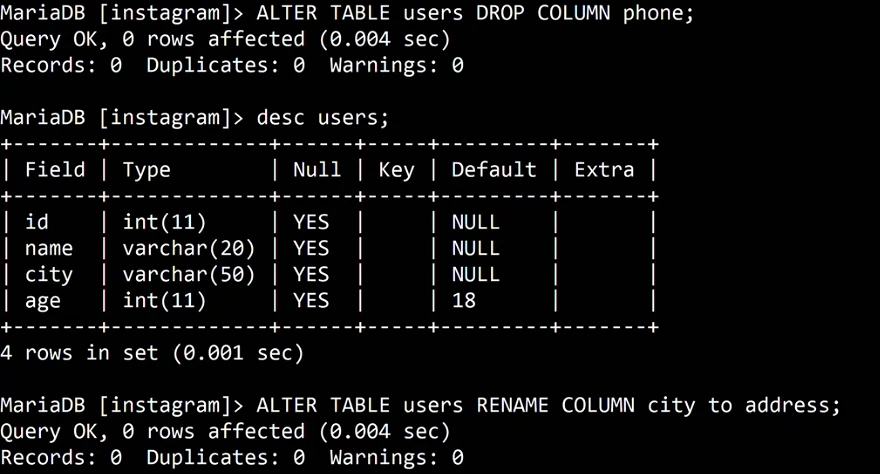
Whiteboard: ALTER TABLE users DROP COLUMN phone, DESC without phone, then ALTER TABLE users RENAME COLUMN city TO address.
Figure 5. Animation: ADD COLUMN phone INT, MODIFY COLUMN phone VARCHAR(15), then DROP COLUMN phone and RENAME COLUMN city TO address, with DESC after each step.
10. Why tables need keys
Why: look at the two identical rahul rows. Say one of them should be renamed.
How:
-
Try it by name:
UPDATE users SET name = 'rahul k' WHERE name = 'rahul'; -
MariaDB answers
Rows matched: 2 Changed: 2. Both rows changed. WHERE id = 3would also match both, because both have id 3.- No query can pick exactly one of two identical rows. The table needs a column whose value is different in every row, and never empty.
Classroom line
A column whose values are all unique, and never empty, is what we call the primary key.
Class मधलं वाक्य
"Jya column madhe saglya values unique astat tyala primary key mhanto."
ज्या column मध्ये सगळ्या values unique असतात, आणि कधीच रिकाम्या नसतात, त्याला primary key म्हणतो.
Classroom line
A column whose values are all unique, and never empty, is what we call the primary key.
What: a key is a rule the database enforces on a column. This chapter covers two: the primary key and the unique key. The third, the foreign key, links two tables and comes in the next SQL chapter.
11. Primary key versus unique key
Why: this is the interviewer's favourite SQL question, and the answer decides how you design every table.
Classroom line
The favourite interview question: the difference between a primary key and a unique key.
Class मधलं वाक्य
"Interview madhe favorite question: difference between primary key and unique key."
Interview मधला आवडता प्रश्न: primary key आणि unique key मधला फरक.
Classroom line
The favourite interview question: the difference between a primary key and a unique key.
What:
- Both refuse duplicates.
- A primary key never allows
NULL. Making a column the primary key makes itNOT NULL. - A unique key allows
NULL, even in many rows, becauseNULLmeans "unknown" and is not equal to anything. - A table has only one primary key. Declaring two gives
ERROR 1068 (42000): Multiple primary key defined. The one primary key may span several columns, for examplePRIMARY KEY (a, b). - A table can have many unique keys: email, phone, username, each one unique.
DESCshowsPRIfor the primary key andUNIfor a unique key.- Almost any column type can be a primary key:
INT,VARCHAR(10), evenDATE. A short number is the usual choice, because it is small, fast and never needs to change.
Classroom line
A table has only one primary key, but it can have many unique key columns.
Class मधलं वाक्य
"Ekach table la ekach primary key cha column asel, multiple unique key che column asu shaktat."
एका table ला एकच primary key चा column असेल, multiple unique key चे columns असू शकतात.
Classroom line
A table has only one primary key, but it can have many unique key columns.
Classroom line
With a primary key, duplicates cannot be added.
Class मधलं वाक्य
Primary key वापरला तर duplicates add होणार नाहीत.
Classroom line – हिंदी
"Primary key use karne se duplicates add nahi honge."
How: make id the primary key of users.
-
Try it straight away:
ALTER TABLE users MODIFY COLUMN id INT PRIMARY KEY; -
It fails:
ERROR 1062 (23000): Duplicate entry '3' for key 'PRIMARY'. The tworahul krows still share id 3. (An id that isNULLwould block it too.) -
Clean the data first. Remove one of the two identical rows:
DELETE FROM users WHERE id = 3 LIMIT 1; -
Now ids 1 to 6 are all different, so the
ALTER TABLEfrom step 1 would work. Don't run it yet: in the next section we makeidthe primary key and addAUTO_INCREMENTin one command. - Best practice: give every table a primary key. SQL does not force you; a table without one is allowed. But then two identical rows can never be told apart, as you saw above.
Figure 6. Primary key versus unique key: both refuse duplicates; a primary key never allows NULL and there is only one per table; a unique key allows NULL and a table can have many.
12. AUTO_INCREMENT: let MariaDB pick the id
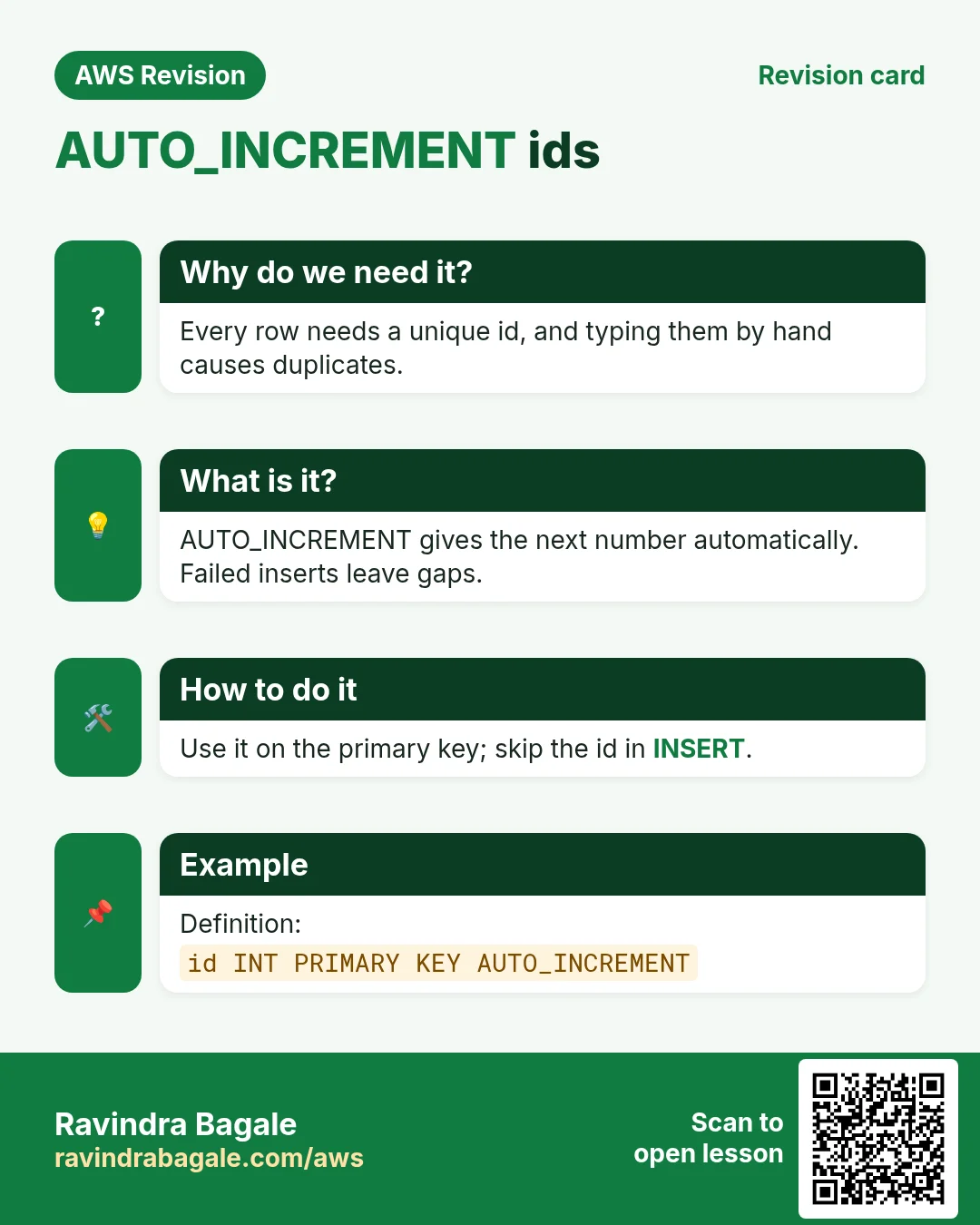
Why: when people type ids by hand (1, 5, 500 ...), nobody knows which id the next user should get, and two people may pick the same one.
Classroom line
If IDs are typed in randomly, you can't tell what ID to write for a new record.
Class मधलं वाक्य
वाटेल ते ID टाकले, तर नवीन record साठी कोणता ID लिहायचा ते समजत नाही.
Classroom line – हिंदी
"Aade tede kahi pan ID dal diye, to ab new record ke liye samajh nahi aata ID kya likhu."
What: AUTO_INCREMENT gives each new row the next number automatically: the highest id so far, plus 1. The column must have a key on it, normally the primary key.
How:
- Without a key, MariaDB refuses:
ALTER TABLE users MODIFY COLUMN id INT AUTO_INCREMENT;givesERROR 1075 (42000): Incorrect table definition; there can be only one auto column and it must be defined as a key. -
Do both in one command:
ALTER TABLE users MODIFY COLUMN id INT PRIMARY KEY AUTO_INCREMENT; -
DESC users;showsid int(11),Null NO,Key PRI,Extra auto_increment. -
Insert without an id:
INSERT INTO users (name, address) VALUES ('pooja', 'satara'); -
pooja gets id 7: the highest id was 6.
Classroom line
If you use auto_increment, you needn't write the id; it increases the id by itself.
Class मधलं वाक्य
Auto_increment वापरत असाल तर id लिहायची गरज नाही, तो आपोआप id वाढवेल.
Classroom line – हिंदी
"Auto_increment use kar rahe hain to id likhne ki zarurat nahi, wo apne aap id badhayega."
-
You may still give an id yourself, if it is free. A taken id is refused:
INSERT INTO users (id, name, address) VALUES (1, 'meera', 'kolhapur'); -
That gives
ERROR 1062 (23000): Duplicate entry '1' for key 'PRIMARY'. - A free id works:
INSERT INTO users (id, name, address) VALUES (10, 'meera', 'kolhapur'); - The counter jumps past it. The next insert without an id,
('arjun', 'pune'), gets 11, not 8. Ids 8 and 9 are simply never used.
13. Why AUTO_INCREMENT leaves gaps
Why: interviewers ask this too: "I deleted the last row; why didn't the next row get its id back?"
Classroom line
Once an insert is rejected, that id is used up.
Class मधलं वाक्य
"Reject zala ki ti id waste jaate."
Reject झाला की ती id waste जाते.
Classroom line
Once an insert is rejected, that id is used up.
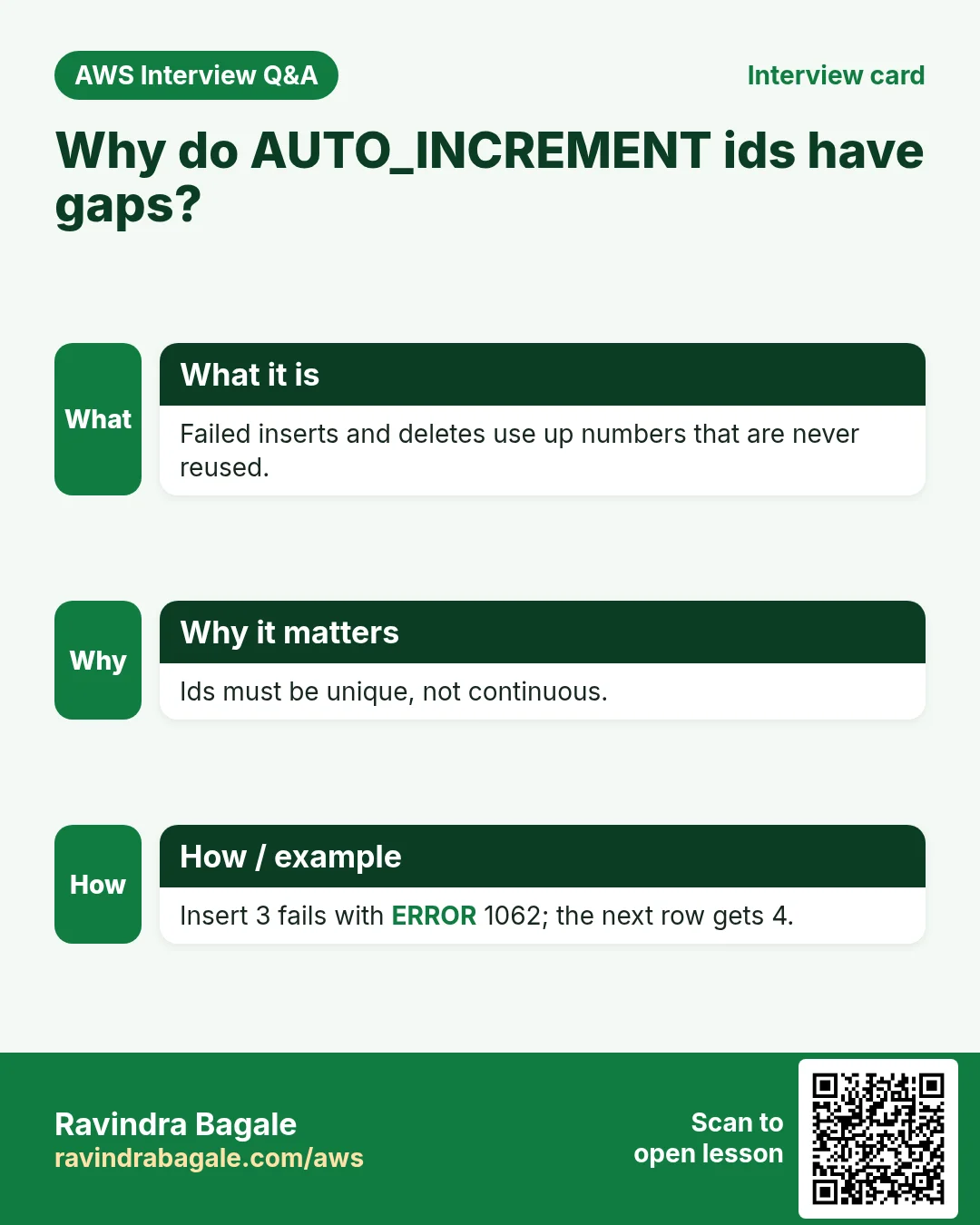
What: the table keeps a counter that only moves forward. An id handed out once is never handed out again, even if its row is deleted or its insert fails. This is by design: many sessions can insert at the same moment, and each gets its own number without waiting for the others. Going back to reuse numbers would make them clash.
How:
- Delete arjun:
DELETE FROM users WHERE id = 11; - Insert arjun again:
INSERT INTO users (name, address) VALUES ('arjun', 'pune'); - He gets 12, not 11.
- A failed insert also uses up a number. In section 14 an insert of a duplicate name fails; the next successful insert skips one number.
- So never assume ids have no gaps, and never use them to count rows. Use
SELECT COUNT(*) FROM users;for that. INTstops at 2,147,483,647. For a table that may grow beyond that, useBIGINTfor the id.
Figure 7. Animation: the AUTO_INCREMENT counter gives 7 (highest + 1) and refuses a taken id; a chosen id of 10 makes the counter jump to 11; after deleting 11 and a failed insert that uses 13, the new rows get 12 and 14.
Ravindra Bagale's Tip
Treat an id like a roll number that is never reissued: it only identifies the row. Don't show it to users as a count, don't fill the gaps by hand, and don't change it once other data refers to it. If you need a number that people see, such as an order number, keep it in its own column.
14. Add UNIQUE to an existing column
Why: in a real app, an email or a username must belong to one person only. Here we practise on name.
Classroom line
Names usually aren't unique, but right now we just want to try it out.
Class मधलं वाक्य
साधारणपणे name unique नसतं, पण आत्ता practical करून बघायचं आहे.
Classroom line – हिंदी
"Generally name unique nahi rehta, lekin abhi practical karke dekhna hai."
How:
-
Add the rule:
ALTER TABLE users MODIFY COLUMN name VARCHAR(20) UNIQUE; -
It works because no two rows share a name. If two did, it would fail with
ERROR 1062until you fixed them. DESC users;showsUNIforname, next toPRIandauto_incrementforid.-
Insert a second amit:
INSERT INTO users (name, address) VALUES ('amit', 'mumbai'); -
It fails:
ERROR 1062 (23000): Duplicate entry 'amit' for key 'name'. A unique key is named after its column. - Insert someone new:
INSERT INTO users (name, address) VALUES ('isha', 'nagpur');isha gets id 14: the failed amit insert used up 13. NULLis allowed, even twice:INSERT INTO users (name, address) VALUES (NULL, 'pune'), (NULL, 'nashik');works.- Remove them again with
DELETE FROM users WHERE name IS NULL; - For a brand-new column, write the rule when you add it:
ALTER TABLE users ADD COLUMN email VARCHAR(100) UNIQUE;
Classroom line
What does unique mean? The name must not repeat.
Class मधलं वाक्य
"Unique cha matlab kay aahe, name repeat nahi zala pahije."
Unique चा मतलब काय आहे, name repeat नाही झालं पाहिजे.
Classroom line
What does unique mean? The name must not repeat.
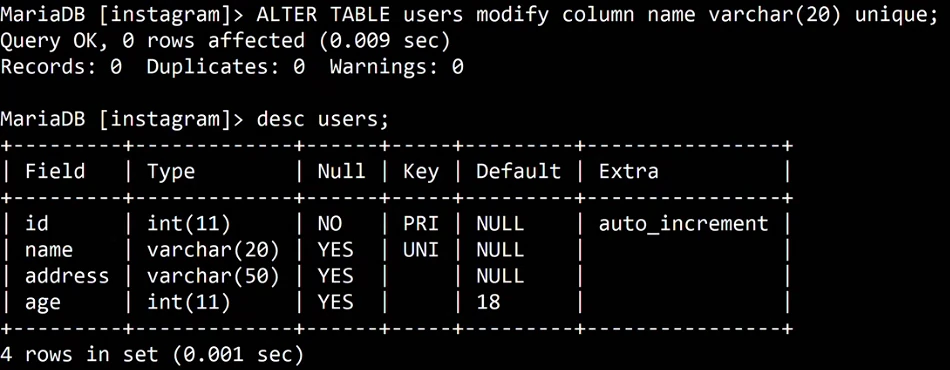
Whiteboard: ALTER TABLE users MODIFY COLUMN name VARCHAR(20) UNIQUE; DESC shows id as PRI with auto_increment and name as UNI.
15. DELETE versus TRUNCATE versus DROP
Why: all three "remove" something, and the difference is a classic interview question. Picking the wrong one can cost you a table.
What:
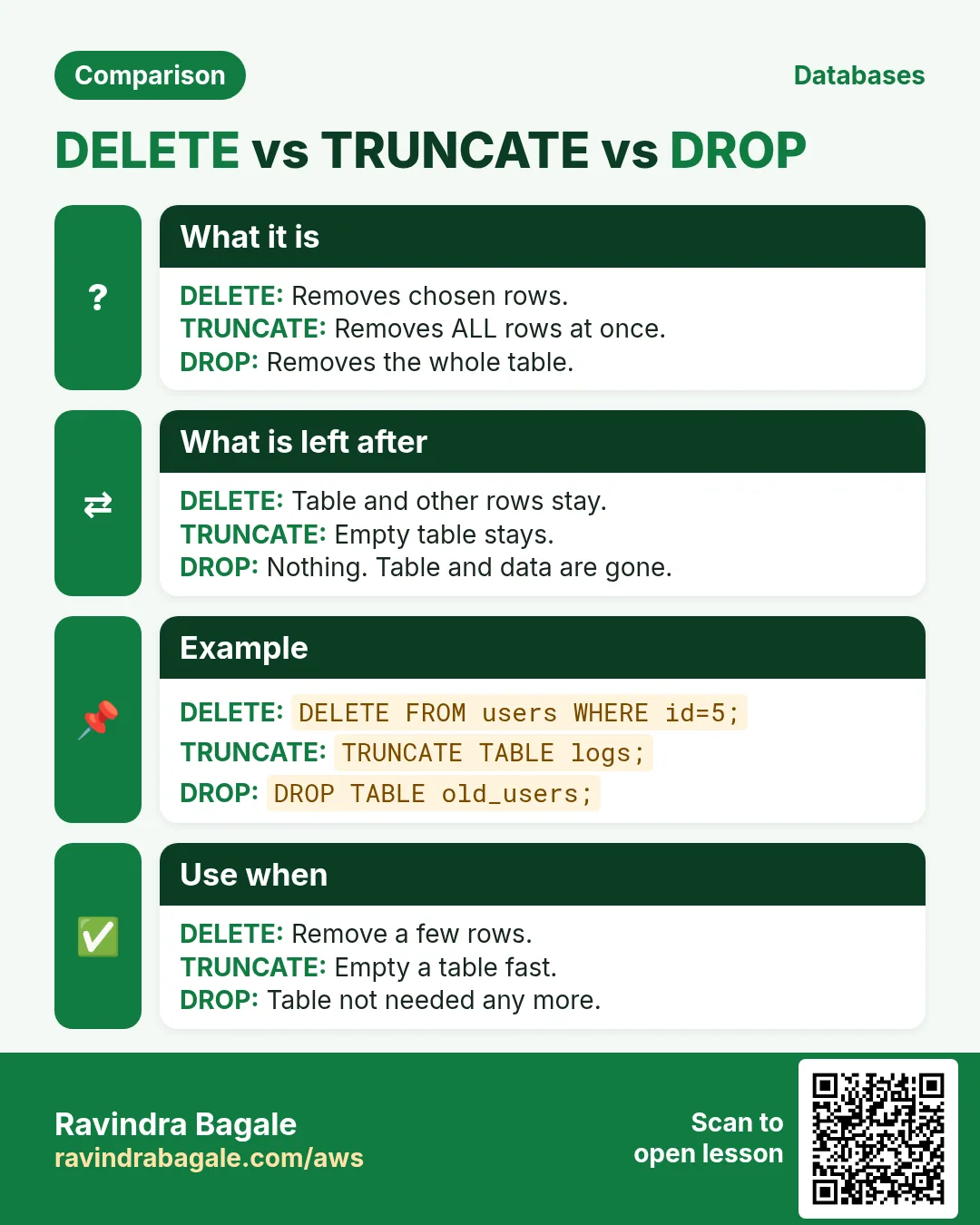
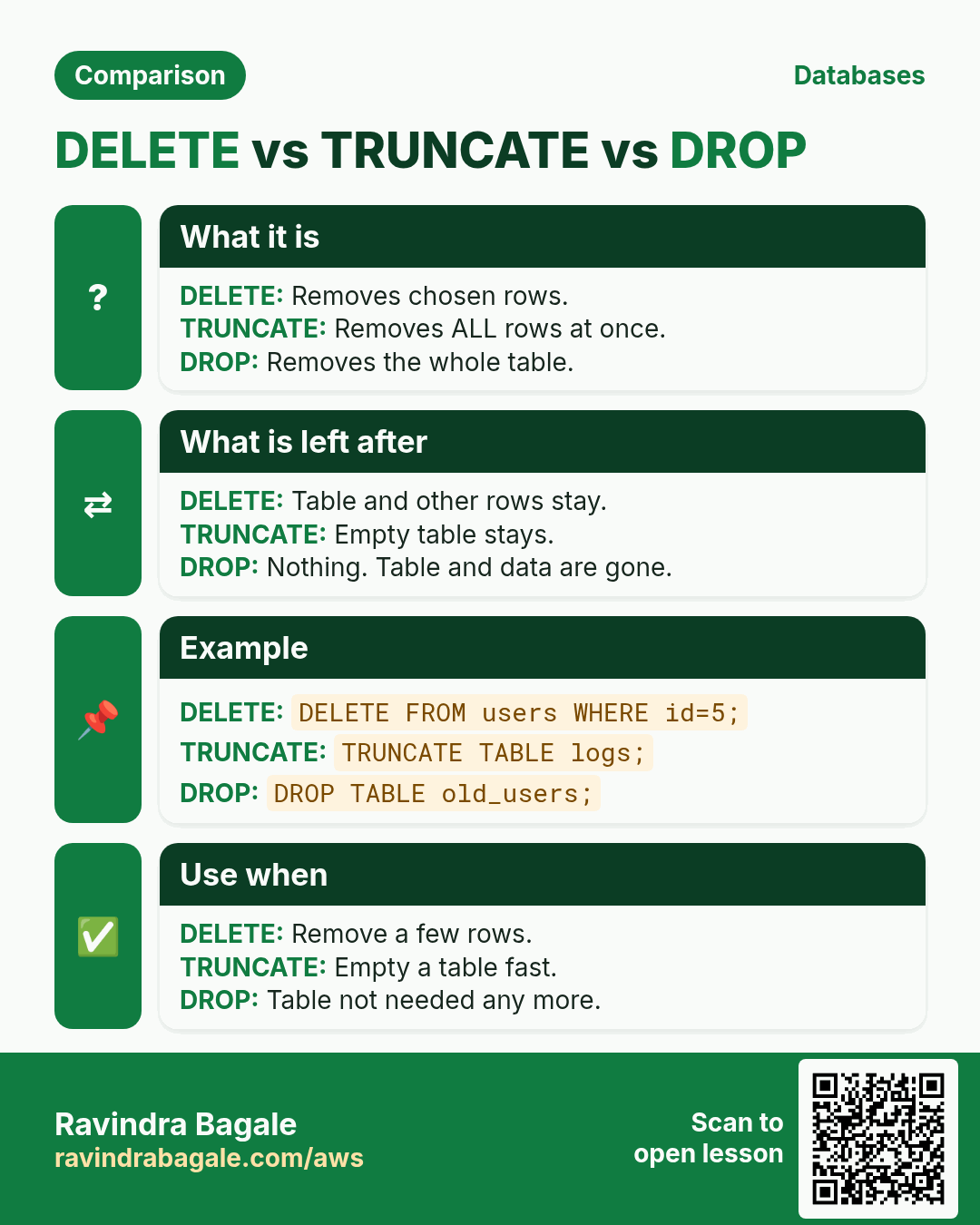
DELETEremoves the rows you choose withWHERE, one by one; withoutWHEREit removes every row. The table stays, and theAUTO_INCREMENTcounter keeps counting. Safe update mode applies to it.TRUNCATE TABLEempties the whole table in one go. It has noWHERE. The structure stays, and the counter starts again at 1. It is fast even on a huge table.DROP TABLEremoves the table itself: structure and data.DROP DATABASEremoves a database with every table inside it.
Classroom line
With DELETE, rows are deleted one by one; with TRUNCATE, all the data is deleted.
Class मधलं वाक्य
"Delete ne one by one row delete hotil, truncate ne purna data delete hoil."
Delete ने one by one row delete होतील, truncate ने पूर्ण data delete होईल.
Classroom line
With DELETE, rows are deleted one by one; with TRUNCATE, all the data is deleted.
How:
- Delete the rows you choose:
DELETE FROM users WHERE id = 4; - Delete every row:
DELETE FROM users;answersQuery OK, 9 rows affected. - Insert a row:
INSERT INTO users (name) VALUES ('test');It gets id 17:DELETEdid not reset the counter. - Empty the table with
TRUNCATE:TRUNCATE TABLE users;
Classroom line
Delete everything inside the table, only the data, but not the table's structure.
Class मधलं वाक्य
"Table chya aat je kahi aahe te sagla delete karaycha, fakt data, pan table cha structure delete nahi karaycha."
Table च्या आत जे काही आहे ते सगळं delete करायचं, फक्त data, पण table चं structure delete नाही करायचं.
Classroom line
Delete everything inside the table, only the data, but not the table's structure.
- Insert the same row again. Now it gets id 1:
TRUNCATEreset the counter. DESC users;still shows all four columns with their keys. Only the data went.- Remove the table:
DROP TABLE users; DESC users;now givesERROR 1146 (42S02): Table 'instagram.users' doesn't exist.- Remove the whole practice database:
DROP DATABASE instagram;The prompt changes toMariaDB [(none)]>. SHOW DATABASES;no longer listsinstagram.- None of these can be undone in the client. Before a
DELETE, run the sameWHEREwithSELECT; beforeTRUNCATEorDROPon real data, keep a backup.
![MariaDB terminal: drop table users; Query OK. desc users; ERROR 1146 (42S02): Table 'instagram.users' doesn't exist. drop database instagram; Query OK, 1 row affected. The prompt becomes MariaDB [(none)]. show databases; lists amazon, information_schema, insta, mysql, performance_schema, wordpressdb.](../../assets/img/aws/sql-alter-table-primary-key-unique-auto-increment-07-mariadb-drop-table-and-database.webp)
Whiteboard: DROP TABLE users, then DESC users fails with ERROR 1146; DROP DATABASE instagram, and SHOW DATABASES no longer lists it.
Figure 8. DELETE removes chosen rows and keeps the table and the id counter; TRUNCATE empties the table and restarts the counter at 1; DROP removes the table, or a whole database.
When you're done practising, type exit; and stop the EC2 instance.
16. The whole class on one page
UPDATEchanges data;ALTER TABLEchanges structure.SELECT @@SQL_SAFE_UPDATES;SET SQL_SAFE_UPDATES = 1;blocksUPDATE/DELETEwithout a key column inWHEREor aLIMIT(ERROR 1175), for this session.ALTER TABLE t ADD COLUMN c type;new column,NULLin old rows.ALTER TABLE t MODIFY COLUMN c newtype;small to large is safe; large to small works only if every value fits (ERROR 1265,ERROR 1264).- Phone numbers are
VARCHAR;INTstops at 2,147,483,647, andint(11)is only a display width. NOT NULLmakes a value compulsory (ERROR 1364); fix existingNULLs first.DEFAULT xfills a skipped column in new rows.- To remove a rule,
MODIFYthe column without it. DROP COLUMN c,RENAME COLUMN a TO b,RENAME TO newname.- Primary key: no duplicates, no
NULL, one per table. Unique: no duplicates,NULLallowed, many per table. INT PRIMARY KEY AUTO_INCREMENT: highest + 1; a taken id givesERROR 1062; gaps after deletes and failed inserts are normal.DELETEchosen rows (counter continues);TRUNCATEall rows (counter restarts);DROPthe table or database.
17. Hands-on lab: change a table's structure safely
Why this lab. Apps change, so tables change. This lab adds and changes columns, adds rules and keys, and shows each error you will meet, on a small table you can throw away.
- Make a small table
- Command:
CREATE TABLE staff (id INT, name VARCHAR(20), city VARCHAR(20)); INSERT INTO staff VALUES (1,'ravi','pune'),(2,'neha','mumbai'),(3,'amit','nashik'); - You should see:
Query OK, 0 rows affected, thenQuery OK, 3 rows affected. - Check:
SELECT * FROM staff;→ 3 rows. - Why: A separate table keeps your real practice data safe while you experiment with structure.
- Command:
- Add a column
- Command:
ALTER TABLE staff ADD COLUMN phone VARCHAR(15); - You should see:
Query OK, 0 rows affectedandRecords: 0 Duplicates: 0 Warnings: 0. - Check:
SELECT * FROM staff;showsphoneasNULLfor all 3 rows. - Why:
ALTER TABLEchanges structure, not data, so no row is "affected".VARCHAR, notINT, because phone numbers can start with 0 or a+.
- Command:
- Make name compulsory
- Command:
ALTER TABLE staff MODIFY COLUMN name VARCHAR(30) NOT NULL; - You should see:
Query OKandDuplicates: 0 Warnings: 0. - Check:
INSERT INTO staff (id, city) VALUES (4, 'goa');→ERROR 1364 (HY000): Field 'name' doesn't have a default value - Why: The database itself now refuses a nameless row, whatever the app forgets to check.
MODIFYrewrites the whole column, so the type is written again.
- Command:
- Add a primary key
- Command:
ALTER TABLE staff ADD PRIMARY KEY (id); - You should see:
Query OKandDuplicates: 0 Warnings: 0. - Check:
INSERT INTO staff (id, name) VALUES (1, 'raj');→ERROR 1062 (23000): Duplicate entry '1' for key 'PRIMARY' - Why: A primary key makes every row findable by one unique, non-NULL value. Without it, two identical rows can't be told apart.
- Command:
- Let MariaDB pick ids
- Command:
ALTER TABLE staff MODIFY COLUMN id INT AUTO_INCREMENT; INSERT INTO staff (name, city) VALUES ('raj', 'goa'); - You should see:
Query OKtwice. - Check:
SELECT id, name FROM staff WHERE name = 'raj';→4 | raj - Why: Nobody has to remember the last id; MariaDB uses the next number. The primary key stays, because
MODIFYon a key column keeps the key.
- Command:
- Turn on safe updates
- Command:
SET SQL_SAFE_UPDATES = 1; UPDATE staff SET city = 'pune'; - You should see:
ERROR 1175 (HY000): You are using safe update mode and you tried to update a table without a WHERE that uses a KEY column - Check: No row changed:
SELECT city FROM staff;still shows four different cities. - Why: Safe mode is a seat belt: it blocks
UPDATEandDELETEwithout a key in theWHERE. It lasts for this session only.
- Command:
- Update one row by its key
- Command:
UPDATE staff SET city = 'solapur' WHERE id = 4; - You should see:
Query OK, 1 row affected - Check:
SELECT city FROM staff WHERE id = 4;→solapur - Why: The primary key in
WHEREguarantees exactly one row changes, so safe mode allows it.
- Command:
- See the gap after a delete
- Command:
DELETE FROM staff WHERE id = 4; INSERT INTO staff (name, city) VALUES ('sara', 'goa'); - You should see:
Query OK, 1 row affectedtwice. - Check:
SELECT id, name FROM staff;shows ids1, 2, 3, 5. - Why:
AUTO_INCREMENTnever reuses a number, so a deleted id stays a gap. Reusing it could mix up old and new records.
- Command:
- Empty it, then remove it
- Command:
TRUNCATE TABLE staff; DROP TABLE staff; - You should see:
Query OK, 0 rows affectedtwice. - Check:
DESC staff;→ERROR 1146 (42S02): Table 'instagram.staff' doesn't exist(your database name may differ). - Why:
TRUNCATEempties the table and resets the counter;DROPremoves the table itself. Neither has an undo, so keep them for practice tables.
- Command:
18. Try at home
Try at home
Task 1: safe updates
- Check
@@SQL_SAFE_UPDATES, then turn it on. - Try an
UPDATEwithoutWHEREand read the error. - Make it run with a
LIMIT. Then log out, log in again and check the setting once more.
Task 2: change a table
- Create a
productstable withid INT,name VARCHAR(20)andprice INT, and add three rows. - Add a
codecolumn, then change it fromINTtoVARCHAR(10). - Make
nameNOT NULL DEFAULT 'no name', and insert a row without a name. - Remove the
NOT NULLbut keep the default. Check each step withDESC. - Rename
pricetomrp, then rename the table toitems.
Task 3: keys
- Make
idthePRIMARY KEY AUTO_INCREMENT. If it fails, find and fix the duplicate first. - Insert two rows without an id and note their ids.
- Delete the last row, insert again, and explain the new id.
- Add a
UNIQUEemail column and insert the same email twice. Then insertNULLtwice.
Task 4: remove data
DELETEall rows, insert one, and note its id.TRUNCATEthe table, insert one, and compare the id.DROPthe table and confirm withDESC.
Recap
In short
UPDATEchanges the values in rows;ALTER TABLEchanges the columns, types, names and rules.- Safe update mode (
SQL_SAFE_UPDATES = 1) refusesUPDATEandDELETEwithout a key column inWHEREor aLIMIT, withERROR 1175; it lasts for your session. ADD COLUMNadds a column withNULLin existing rows;MODIFY COLUMNchanges its type or size and works only if every value fits.- Store phone numbers as
VARCHAR:INTstops at 2,147,483,647 and loses a leading+or0. NOT NULLmakes a value compulsory (ERROR 1364);DEFAULTfills it in when it is skipped; to remove a rule, write the column again without it.DROP COLUMNdeletes a column and its data;RENAME COLUMNandRENAME TOonly change names.- A primary key allows no duplicates and no
NULL, one per table; a unique key allows no duplicates but allowsNULL, many per table. Give every table a primary key. AUTO_INCREMENTneeds a key and gives highest + 1; the counter only moves forward, so gaps are normal.DELETEremoves chosen rows and keeps the counter;TRUNCATEempties the table and restarts it;DROPremoves the table or the database.
Practice Tasks
Sangli Turmeric Traders is a spice trading business in Sangli. Dattatray Chavan looks after its IT and cloud work. They count money in INR and run their AWS resources in the ap-south-1 Region. In the tasks below you do real jobs for them using what this lesson teaches. All names, account IDs, IP addresses and numbers are made up for practice.
0 / 10
Easy Biggest orders first
Why: Querying the database is daily work after you set up RDS.
What to do: Show order id and amount, biggest amount first.
Tables: customers(id, name, city) and orders(id, customer_id, amount, odate).
- Find the table the task is about (see the table list above the box).
- Write the SQL statement step by step: what, from where, which rows.
- End the statement with ;
- Click Check answer. Your query runs on a practice copy of the table.
Easy Filter customers by city
Why: Querying the database is daily work after you set up RDS.
What to do: List the names of customers in Pune.
Tables: customers(id, name, city) and orders(id, customer_id, amount, odate).
- Find the table the task is about (see the table list above the box).
- Write the SQL statement step by step: what, from where, which rows.
- End the statement with ;
- Click Check answer. Your query runs on a practice copy of the table.
Easy Log in to MariaDB
Why: The mysql client lets you run SQL on the database server.
What to do: Open the MariaDB client as user root and ask for the password.
- Find the Linux command that does this job.
- Add the options (like -r or -h) the task needs.
- Add the file names, folders or users in the right order.
- Use sudo if the job changes system files or users. Click Check answer.
Medium Total sales
Why: Querying the database is daily work after you set up RDS.
What to do: Show the total of all order amounts as one number.
Tables: customers(id, name, city) and orders(id, customer_id, amount, odate).
- Find the table the task is about (see the table list above the box).
- Write the SQL statement step by step: what, from where, which rows.
- End the statement with ;
- Click Check answer. Your query runs on a practice copy of the table.
Medium Orders with customer names
Why: Querying the database is daily work after you set up RDS.
What to do: Show each customer name with each order amount.
Tables: customers(id, name, city) and orders(id, customer_id, amount, odate).
- Find the table the task is about (see the table list above the box).
- Write the SQL statement step by step: what, from where, which rows.
- End the statement with ;
- Click Check answer. Your query runs on a practice copy of the table.
Medium Remove small orders
Why: Querying the database is daily work after you set up RDS.
What to do: Delete orders with amount below 200.
Tables: customers(id, name, city) and orders(id, customer_id, amount, odate).
- Find the table the task is about (see the table list above the box).
- Write the SQL statement step by step: what, from where, which rows.
- End the statement with ;
- Click Check answer. Your query runs on a practice copy of the table.
Medium Fix a city
Why: Querying the database is daily work after you set up RDS.
What to do: Customer 5 moved to Rome. Update the record.
Tables: customers(id, name, city) and orders(id, customer_id, amount, odate).
- Find the table the task is about (see the table list above the box).
- Write the SQL statement step by step: what, from where, which rows.
- End the statement with ;
- Click Check answer. Your query runs on a practice copy of the table.
Hard Sales per customer
Why: Querying the database is daily work after you set up RDS.
What to do: Show customer_id and total amount per customer, only where total is above 1000.
Tables: customers(id, name, city) and orders(id, customer_id, amount, odate).
- Find the table the task is about (see the table list above the box).
- Write the SQL statement step by step: what, from where, which rows.
- End the statement with ;
- Click Check answer. Your query runs on a practice copy of the table.
Hard Customers with no orders
Why: Querying the database is daily work after you set up RDS.
What to do: List names of customers who have never ordered.
Tables: customers(id, name, city) and orders(id, customer_id, amount, odate).
- Find the table the task is about (see the table list above the box).
- Write the SQL statement step by step: what, from where, which rows.
- End the statement with ;
- Click Check answer. Your query runs on a practice copy of the table.
Hard Back up a database to a file
Why: mysqldump writes the whole database as SQL. Save it before big changes.
What to do: Dump the database sanglihaldi_wp as user root (ask for password) into sanglihaldi_wp.sql.
- Find the Linux command that does this job.
- Add the options (like -r or -h) the task needs.
- Add the file names, folders or users in the right order.
- Use sudo if the job changes system files or users. Click Check answer.
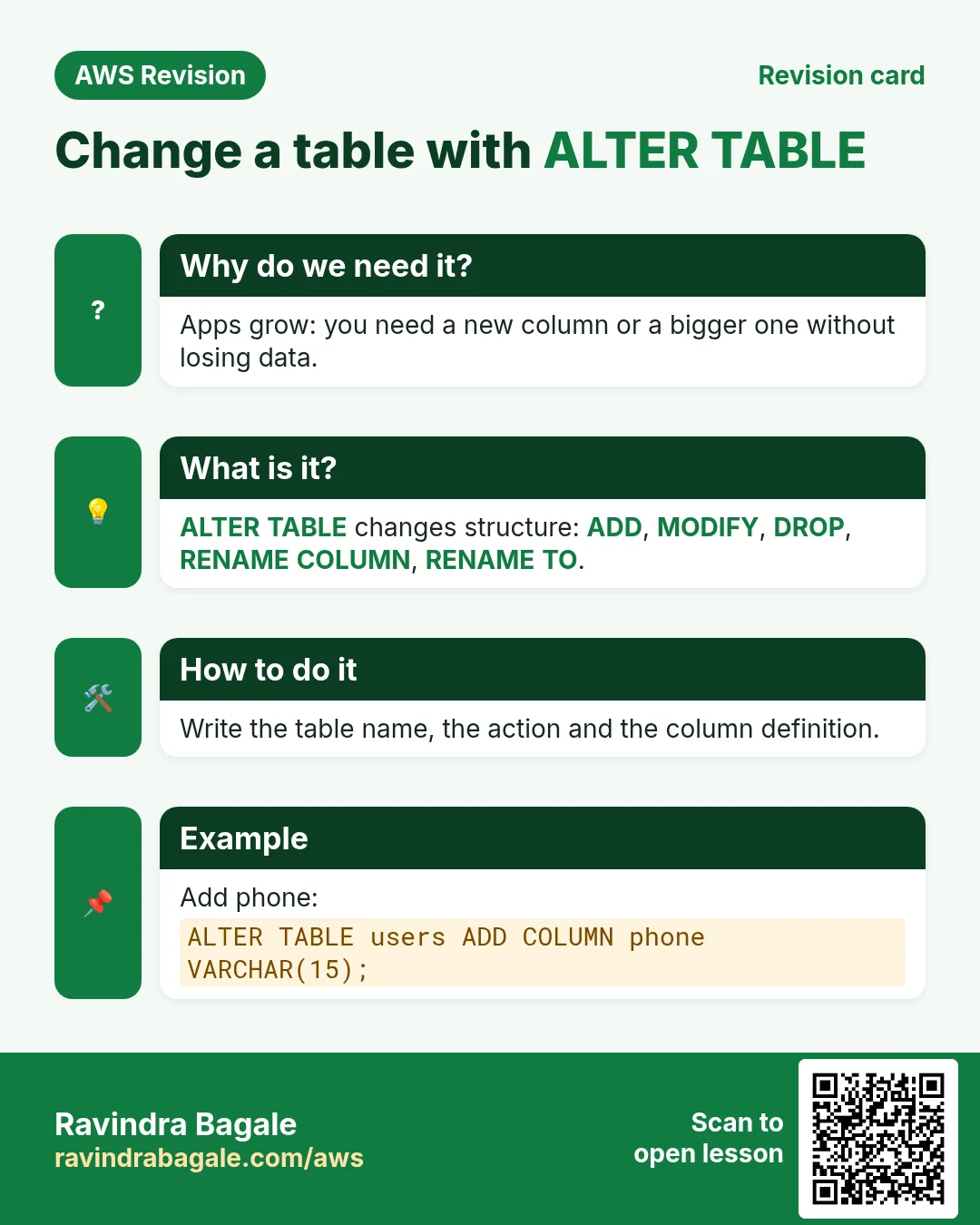
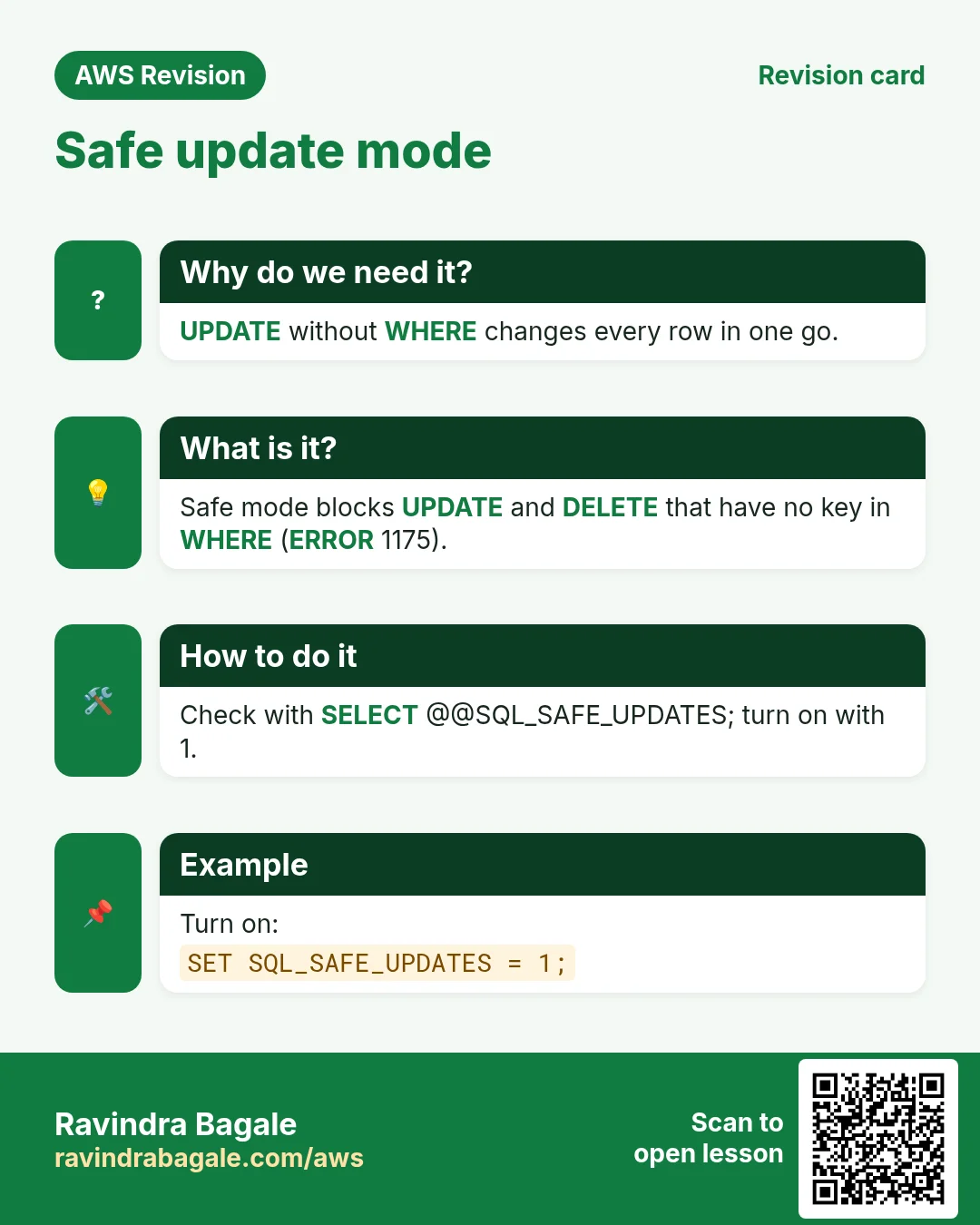
Quick revision cards
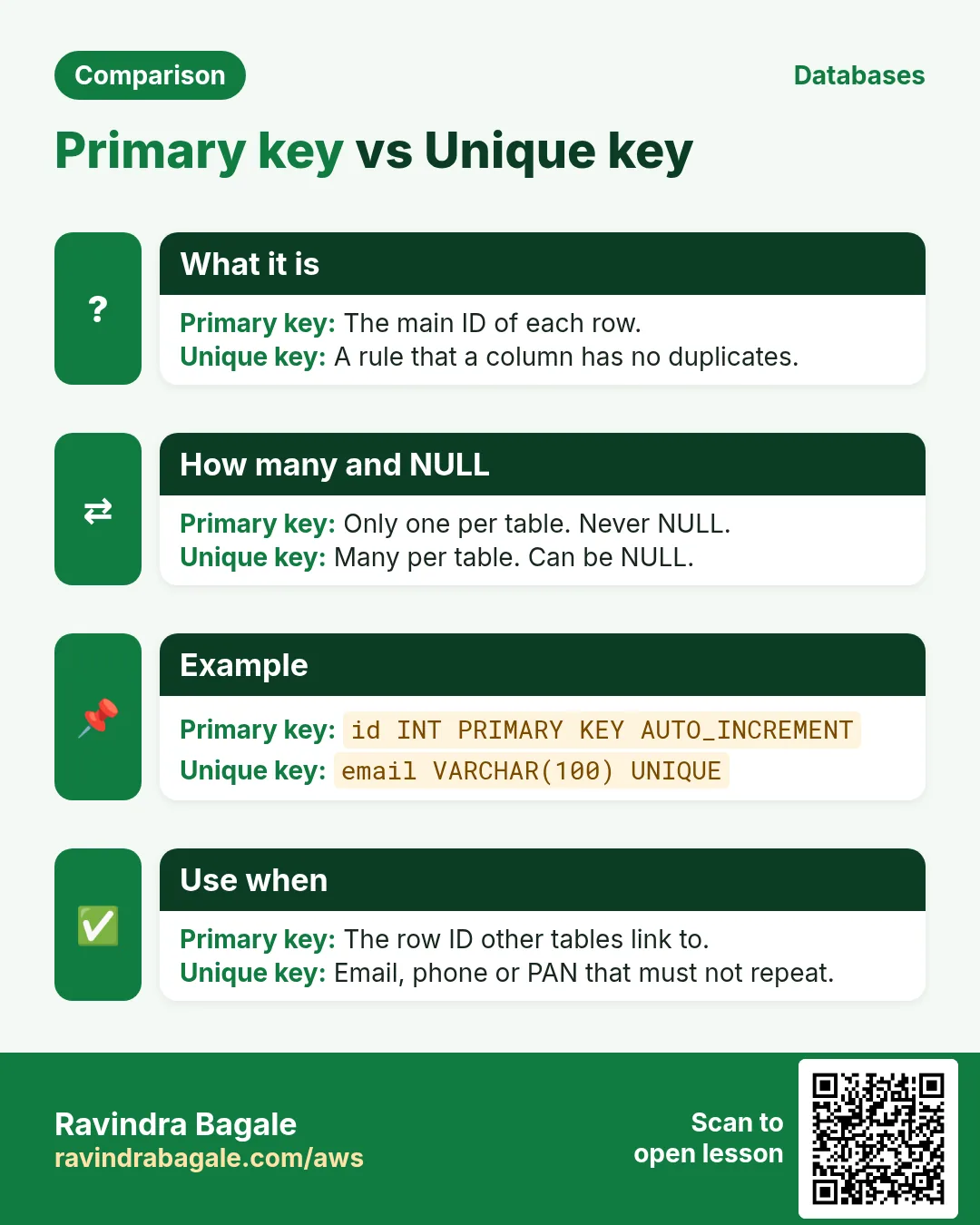
Revise this lesson in two minutes. Save the cards on your phone or download them as PNG files. The QR code on each card opens its lesson.
More cards: Ravi Sir's Cards.