AWS CLI Auto Scaling Commands: Launch Templates and Groups
We make servers grow and shrink by themselves: a launch template, an Auto Scaling group behind a load balancer, a target tracking policy and an instance refresh.
What you'll learn in this chapter
- Create a launch template and versions
- Create an Auto Scaling group
- Add a target tracking policy
- Roll out a new version with instance refresh
- Scale to zero and delete
1. The big picture: staff that matches the crowd
Why do we need this?
A restaurant calls extra waiters at lunch time and sends them home at night. A recipe card tells every new waiter the same rules.
What is it?
The recipe is a launch template (aws ec2 create-launch-template). The manager is the Auto Scaling group (aws autoscaling create-auto-scaling-group).
How to do it (step by step)
2. Create a launch template
Why do we need this?
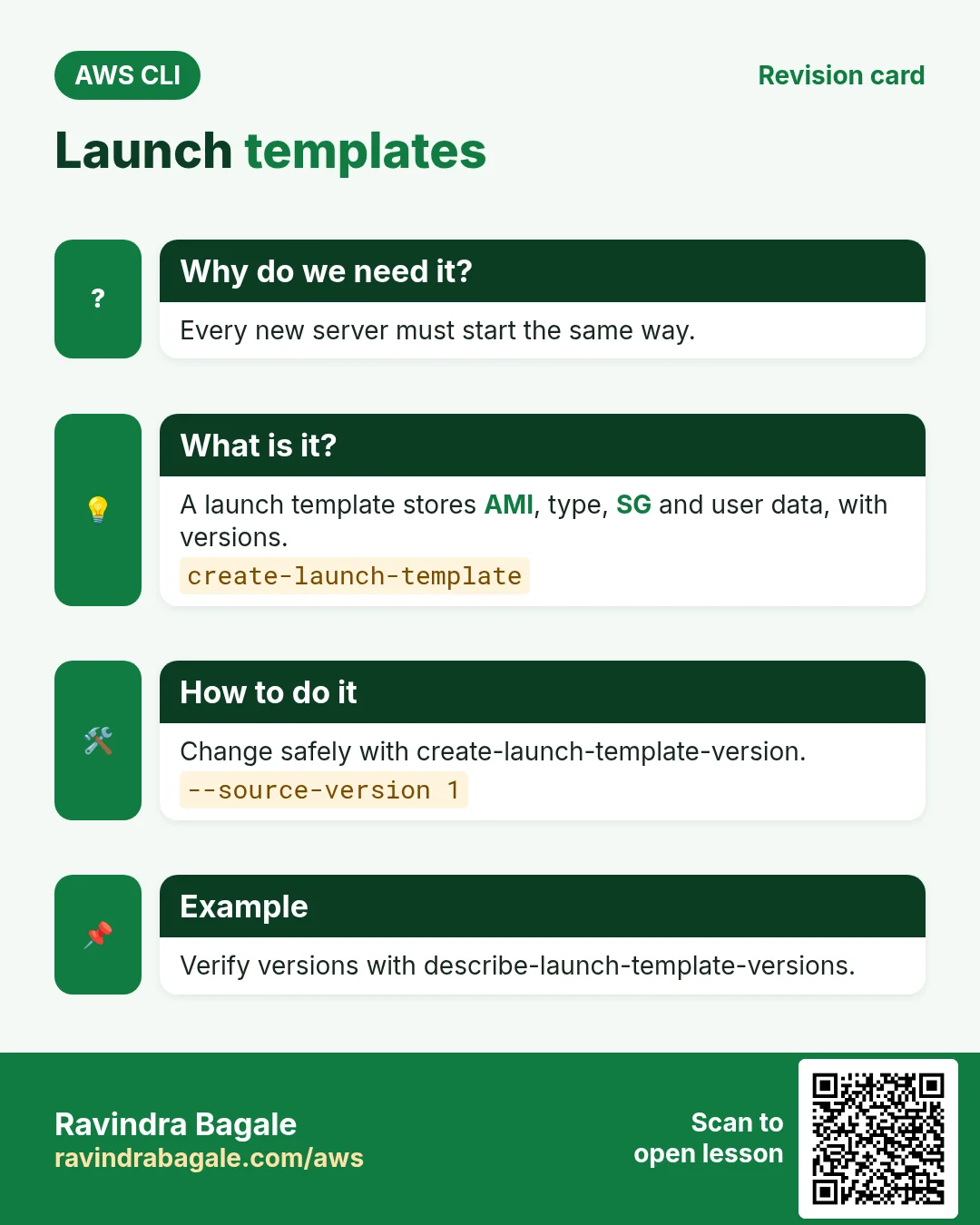
Every new server must start with the same AMI, type, security group and startup script.
What is it?
A launch template stores launch settings. It has numbered versions so you can change it safely.
How to do it (step by step)
- Create version 1.
UD=$(base64 -w0 userdata.sh)
aws ec2 create-launch-template --launch-template-name cli-web-lt --launch-template-data "{\"ImageId\":\"$AMI\",\"InstanceType\":\"t3.micro\",\"SecurityGroupIds\":[\"$WSG\"],\"UserData\":\"$UD\"}" --query "LaunchTemplate.LatestVersionNumber"
Expected output:
1- Create version 2 with a bigger type.
aws ec2 create-launch-template-version --launch-template-name cli-web-lt --source-version 1 --launch-template-data "{\"InstanceType\":\"t3.small\"}" --query "LaunchTemplateVersion.VersionNumber"Expected output:
2- Verify.
aws ec2 describe-launch-template-versions --launch-template-name cli-web-lt --query "LaunchTemplateVersions[].[VersionNumber,LaunchTemplateData.InstanceType]" --output textExpected output:
2  t3.small
1  t3.micro
3. Create the Auto Scaling group
Why do we need this?
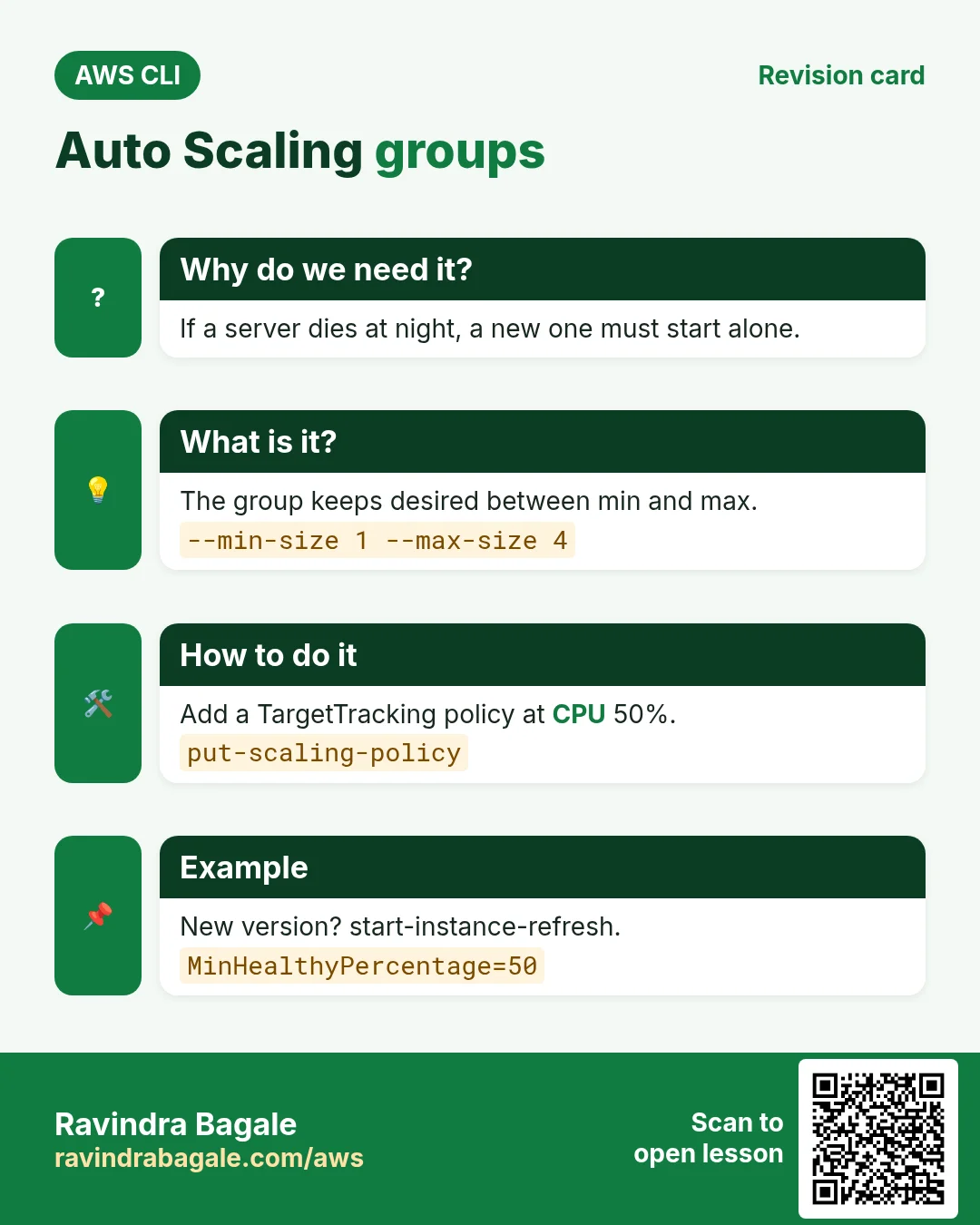
If a server dies at night, a new one must start without you.
What is it?
The group uses the template, spreads servers across subnets, registers them in the target group and replaces unhealthy ones.
How to do it (step by step)
- Create the group.
aws autoscaling create-auto-scaling-group --auto-scaling-group-name cli-asg --launch-template LaunchTemplateName=cli-web-lt,Version='$Latest' --min-size 1 --max-size 4 --desired-capacity 2 --vpc-zone-identifier "$PRI1,$PRI2" --target-group-arns $TG --health-check-type ELB --health-check-grace-period 120Expected output:
(no output means success)- Check instances.
aws autoscaling describe-auto-scaling-groups --auto-scaling-group-names cli-asg --query "AutoScalingGroups[0].Instances[].[InstanceId,AvailabilityZone,LifecycleState,HealthStatus]" --output textExpected output:
i-0aaa  ap-south-1a  InService  Healthy
i-0bbb ap-south-1b InService Healthy- Change desired capacity by hand.
aws autoscaling set-desired-capacity --auto-scaling-group-name cli-asg --desired-capacity 3Expected output:
(no output means success)4. Target tracking scaling policy
Why do we need this?
You do not want to watch CPU graphs all day.
What is it?
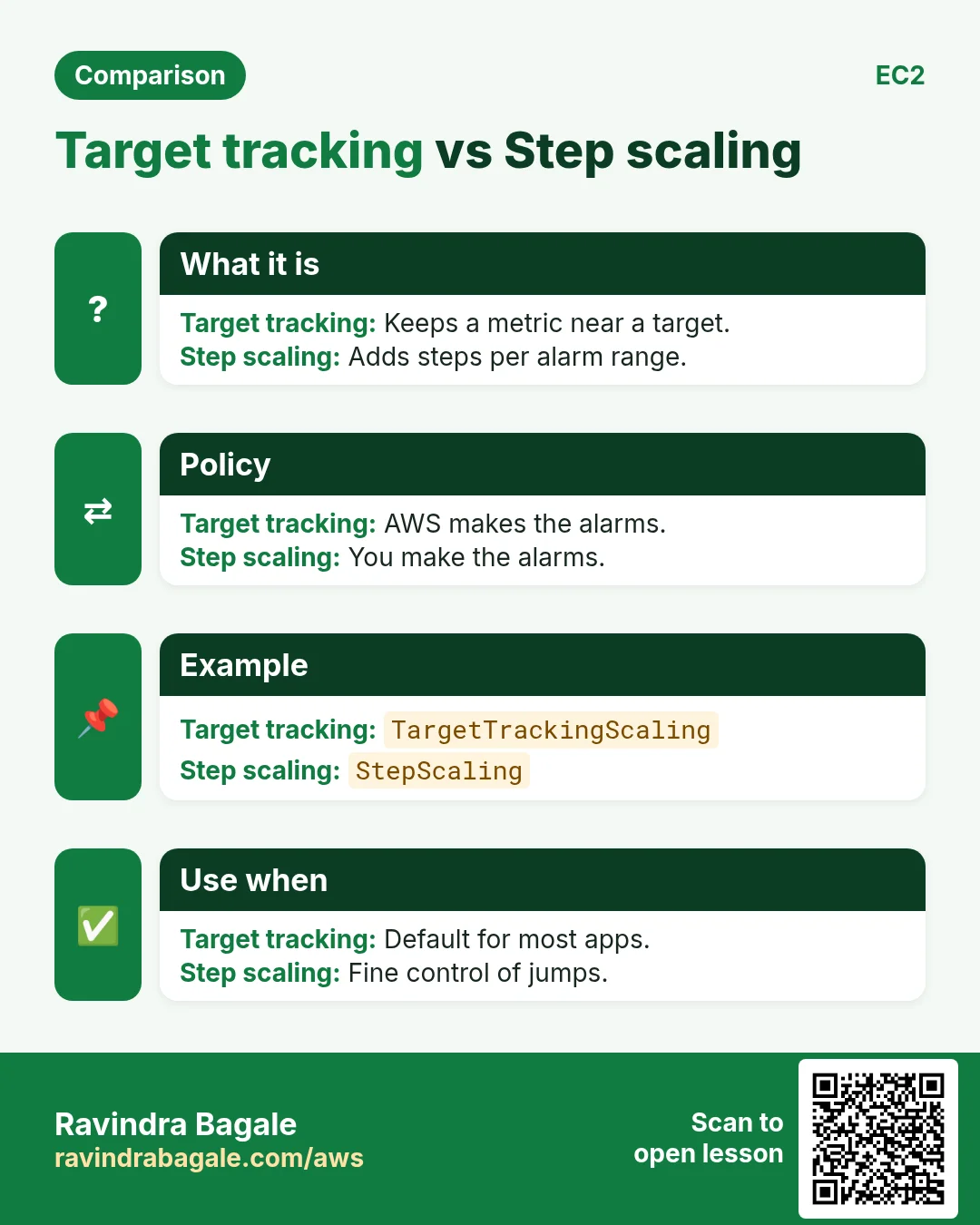
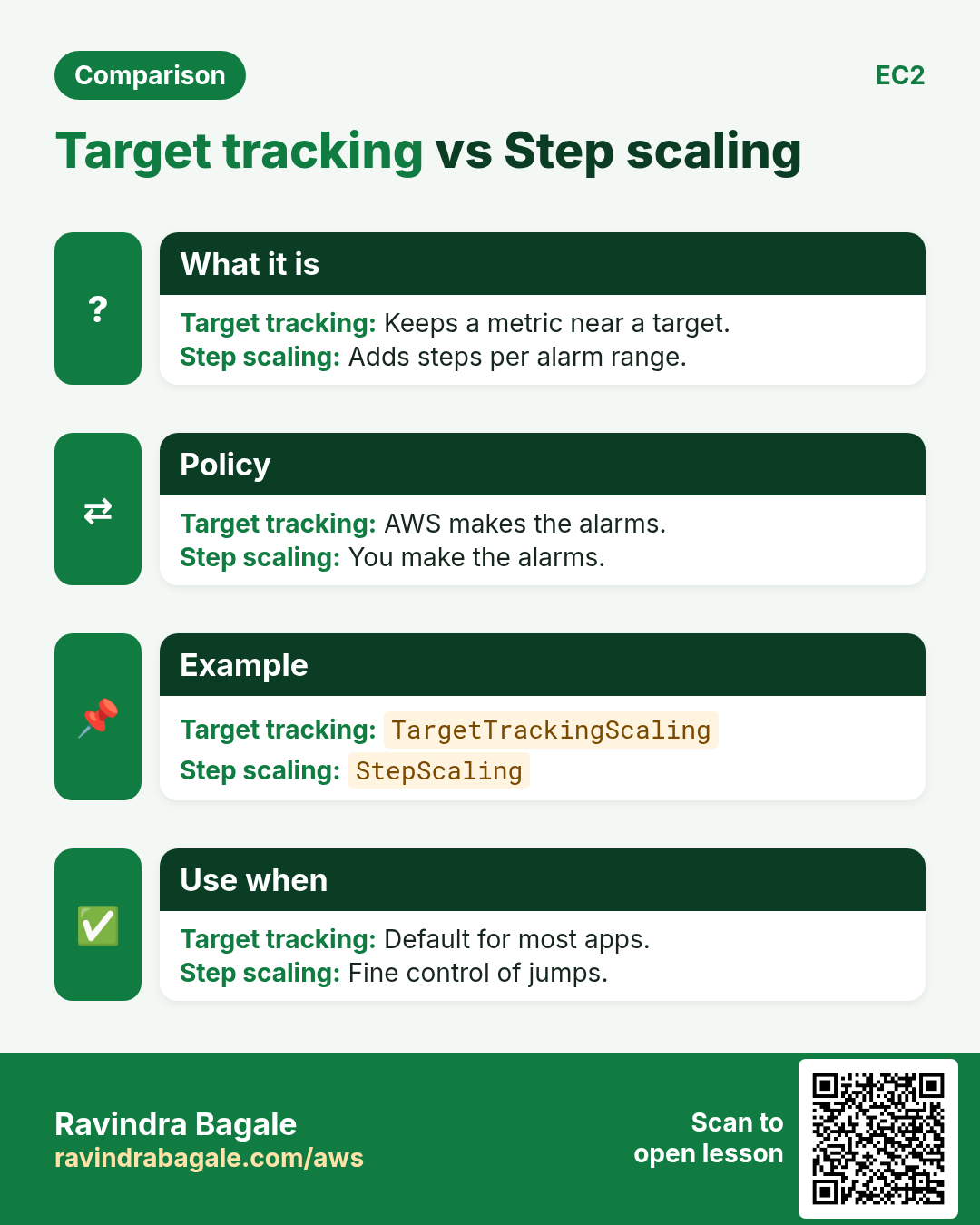
Target tracking keeps a metric near a target, like average CPU 50%. AWS creates the alarms for you.
How to do it (step by step)
- Add the policy.
aws autoscaling put-scaling-policy --auto-scaling-group-name cli-asg --policy-name cpu50 --policy-type TargetTrackingScaling --target-tracking-configuration "{\"PredefinedMetricSpecification\":{\"PredefinedMetricType\":\"ASGAverageCPUUtilization\"},\"TargetValue\":50}" --query "Alarms[].AlarmName" --output textExpected output:
TargetTracking-cli-asg-AlarmHigh-... TargetTracking-cli-asg-AlarmLow-...- See scaling history.
aws autoscaling describe-scaling-activities --auto-scaling-group-name cli-asg --max-items 3 --query "Activities[].[StatusCode,Description]" --output textExpected output:
Successful Launching a new EC2 instance: i-0ccc...5. Instance refresh for a new version
Why do we need this?
You changed the template. Old servers still run the old version.
What is it?
Instance refresh replaces instances in batches while keeping a minimum healthy percentage.
How to do it (step by step)
- Start it.
aws autoscaling start-instance-refresh --auto-scaling-group-name cli-asg --preferences MinHealthyPercentage=50,InstanceWarmup=60Expected output:
{ "InstanceRefreshId": "08b9..." }- Track progress.
aws autoscaling describe-instance-refreshes --auto-scaling-group-name cli-asg --query "InstanceRefreshes[0].[Status,PercentageComplete]" --output textExpected output:
InProgress 506. Same action in Python, Node.js, Java, Go, .NET and PHP
Why do we need this?
Scripts start in the CLI. Apps call the same API through an SDK. Knowing both helps you move a tested command into real code.
What is it?
Each CLI command maps to one API call. For example aws autoscaling create-auto-scaling-group --auto-scaling-group-name web maps to the CreateAutoScalingGroup API.
How to do it (step by step)
Same action (CreateAutoScalingGroup) from code. Every SDK reads the same profile, region and credentials as the CLI.
| Stack | Code |
|---|---|
| Python (boto3) | boto3.client("autoscaling").create_auto_scaling_group(AutoScalingGroupName="web",MinSize=1,MaxSize=4,LaunchTemplate={"LaunchTemplateName":"lt"},VPCZoneIdentifier="s1,s2") |
| Node.js (v3) | await asg.send(new CreateAutoScalingGroupCommand({AutoScalingGroupName:"web",MinSize:1,MaxSize:4,LaunchTemplate:{LaunchTemplateName:"lt"},VPCZoneIdentifier:"s1,s2"})); |
| Java (v2) | asg.createAutoScalingGroup(r -> r.autoScalingGroupName("web").minSize(1).maxSize(4).launchTemplate(t -> t.launchTemplateName("lt")).vpcZoneIdentifier("s1,s2")); |
| Go (v2) | c.CreateAutoScalingGroup(ctx, &autoscaling.CreateAutoScalingGroupInput{AutoScalingGroupName: aws.String("web"), MinSize: aws.Int32(1), MaxSize: aws.Int32(4)}) |
| .NET | await asg.CreateAutoScalingGroupAsync(new CreateAutoScalingGroupRequest{AutoScalingGroupName="web",MinSize=1,MaxSize=4}); |
| PHP | $asg->createAutoScalingGroup(["AutoScalingGroupName"=>"web","MinSize"=>1,"MaxSize"=>4]); |
7. Clean up so nothing keeps costing
Why do we need this?
Lab resources left running cost money and can be a security risk.
What is it?
Delete in reverse order: children first, then parents.
How to do it (step by step)
- Scale to zero.
aws autoscaling update-auto-scaling-group --auto-scaling-group-name cli-asg --min-size 0 --desired-capacity 0Expected output:
(no output means success)- Delete the group and its instances.
aws autoscaling delete-auto-scaling-group --auto-scaling-group-name cli-asg --force-deleteExpected output:
(no output means success)- Delete the launch template.
aws ec2 delete-launch-template --launch-template-name cli-web-lt --query "LaunchTemplate.LaunchTemplateName" --output textExpected output:
cli-web-lt- Verify.
aws autoscaling describe-auto-scaling-groups --auto-scaling-group-names cli-asg --query "length(AutoScalingGroups)"Expected output:
0Ravindra Bagale's Tip
If you terminate an instance by hand, the group starts a new one. To really reduce servers, change desired capacity instead.
8. Interview questions and answers
Q. Launch template vs launch configuration?
Templates have versions and newer features. Launch configurations are legacy.
Q. What do min, max and desired mean?
Desired is the current target. It always stays between min and max.
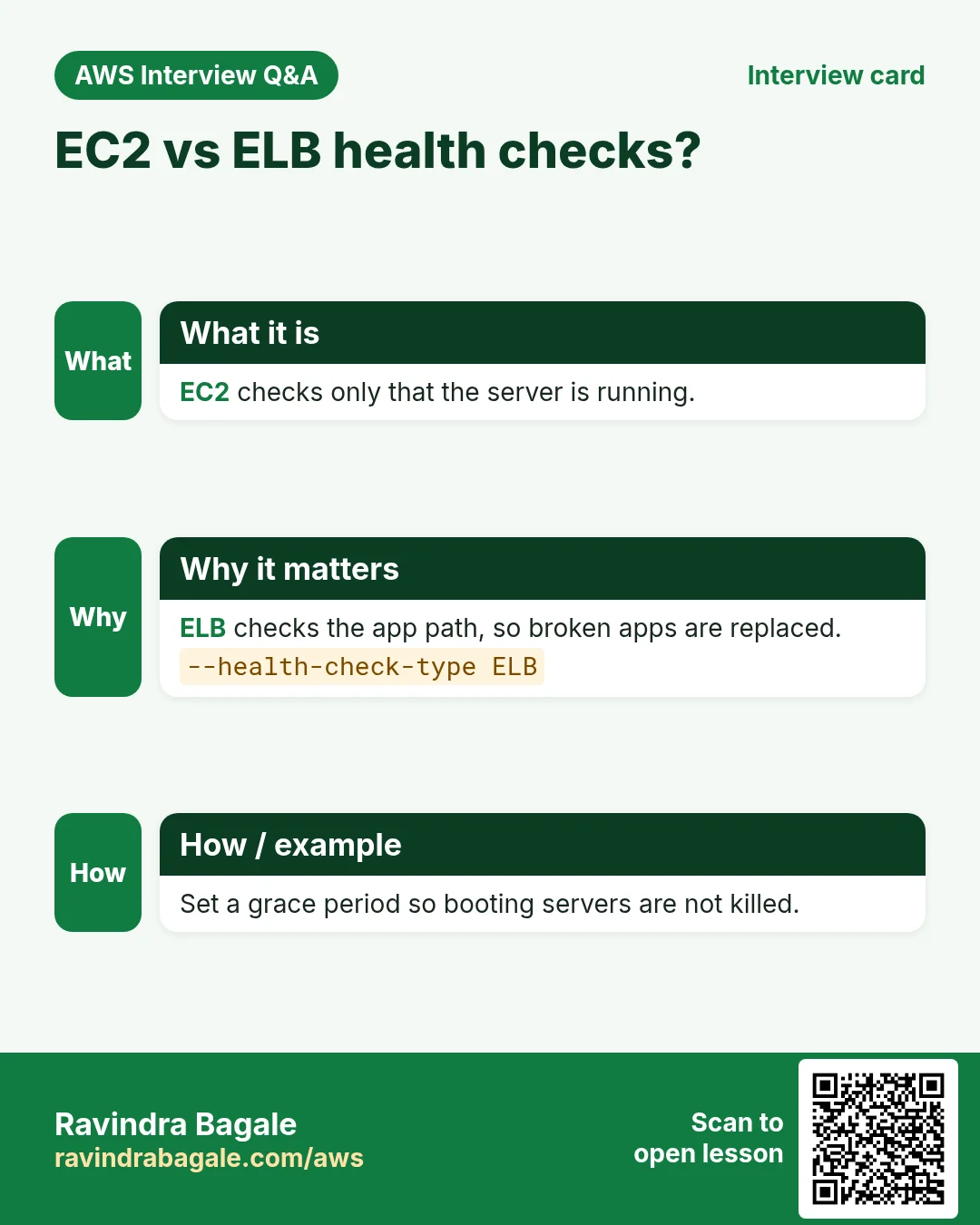
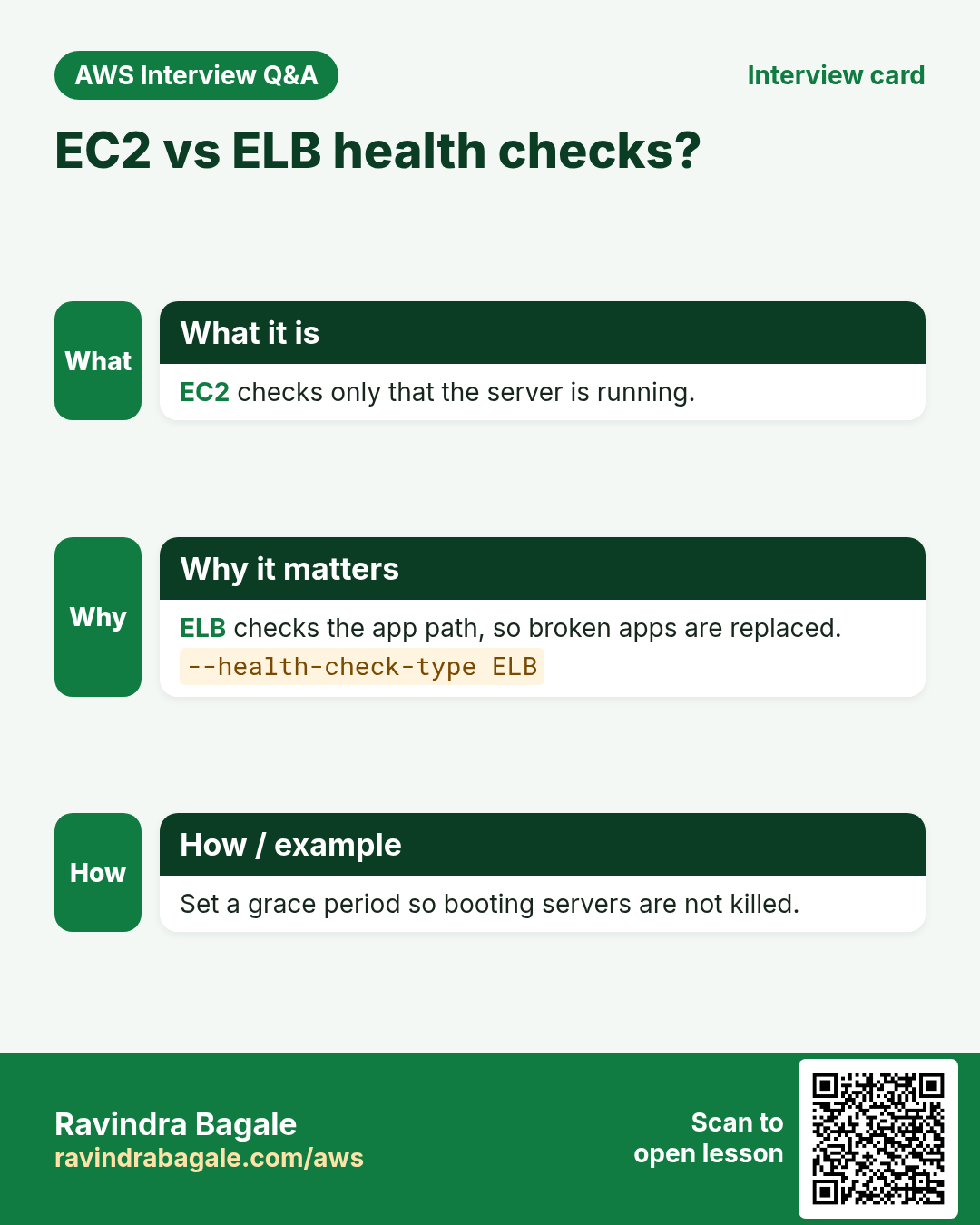
Q. EC2 vs ELB health check type?
ELB uses the load balancer health check, so a broken app is replaced, not just a dead server.
Q. How do you deploy a new AMI to the group?
New template version, then start-instance-refresh.
Q. What is target tracking?
A policy that keeps a metric near a target value, like a thermostat.
Try at home
- Create the group with desired 2, terminate one instance and watch a new one start.
- Run stress on one server and watch the policy add a server.
In short
- Launch template = recipe.
- ASG keeps desired between min and max.
- ELB health check replaces broken apps.
- Target tracking like a thermostat.
- Instance refresh rolls out versions.
Practice Tasks
Cape Town Safaris is a tourism business in Cape Town. Thabo Nkosi looks after its IT and cloud work. They count money in ZAR and run their AWS resources in the af-south-1 Region. In the tasks below you do real jobs for them using what this lesson teaches. All names, account IDs, IP addresses and numbers are made up for practice.
0 / 10
Easy Describe an Auto Scaling group
Why: See current instances and sizes of the group.
What to do: Describe the Auto Scaling group capetownsafari-asg.
- Read the task and decide which AWS service it is about.
- Write aws, then the service name, then the operation (the action word).
- Add each needed flag (--name) followed by its value from the task.
- Flags can be in any order. Click Check answer.
Medium Change desired capacity
Why: Before a big sale, raise desired capacity so servers are ready in time.
What to do: Set the desired capacity of capetownsafari-asg to 4.
- Read the task and decide which AWS service it is about.
- Write aws, then the service name, then the operation (the action word).
- Add each needed flag (--name) followed by its value from the task.
- Flags can be in any order. Click Check answer.
Medium Change min and max size
Why: Max protects your bill; min keeps the site up.
What to do: Update capetownsafari-asg to min 1 and max 10.
- Read the task and decide which AWS service it is about.
- Write aws, then the service name, then the operation (the action word).
- Add each needed flag (--name) followed by its value from the task.
- Flags can be in any order. Click Check answer.
Medium Check target health
Why: If targets are unhealthy the site shows 502/503 errors.
What to do: Show the health of the targets in arn:aws:elasticloadbalancing:af-south-1:122836786824:targetgroup/capetownsafari-tg/6d0ecf831eec9f09.
- Read the task and decide which AWS service it is about.
- Write aws, then the service name, then the operation (the action word).
- Add each needed flag (--name) followed by its value from the task.
- Flags can be in any order. Click Check answer.
Medium Kubernetes LoadBalancer Service
Why: A Service of type LoadBalancer gets an AWS load balancer.
What to do: Write a Service of type LoadBalancer selecting app: web, port 80 to targetPort 8080.
- Start from the top-level keys the task names.
- Indent child keys with 2 spaces (no tabs).
- Fill in each property with the value from the task.
- Click Check answer. Key order does not matter.
Hard Create an Auto Scaling group
Why: Min, max and desired decide how many servers run; the group replaces unhealthy ones.
What to do: Create ASG capetownsafari-asg from launch template capetownsafari-lt with min 2, max 6, desired 2, in subnets subnet-022c3abcac24bb1,subnet-02c3abcac24bb2.
- Read the task and decide which AWS service it is about.
- Write aws, then the service name, then the operation (the action word).
- Add each needed flag (--name) followed by its value from the task.
- Flags can be in any order. Click Check answer.
Hard Create a launch template
Why: The launch template is the recipe Auto Scaling uses to build each new server.
What to do: Create launch template capetownsafari-lt using the settings in lt.json.
- Read the task and decide which AWS service it is about.
- Write aws, then the service name, then the operation (the action word).
- Add each needed flag (--name) followed by its value from the task.
- Flags can be in any order. Click Check answer.
Hard Roll out a new AMI with instance refresh
Why: Instance refresh replaces servers a few at a time, so the site stays up.
What to do: Start an instance refresh on capetownsafari-asg.
- Read the task and decide which AWS service it is about.
- Write aws, then the service name, then the operation (the action word).
- Add each needed flag (--name) followed by its value from the task.
- Flags can be in any order. Click Check answer.
Hard Create an Application Load Balancer
Why: An ALB needs at least two subnets in different AZs for high availability.
What to do: Create an ALB named capetownsafari-alb in subnets subnet-022c3abcac24bb1 and subnet-02c3abcac24bb2 with security group sg-022b36ab6b244c3b2.
- Read the task and decide which AWS service it is about.
- Write aws, then the service name, then the operation (the action word).
- Add each needed flag (--name) followed by its value from the task.
- Flags can be in any order. Click Check answer.
Hard Add an HTTP listener
Why: The listener is what accepts traffic on a port and forwards it to a target group.
What to do: On load balancer arn:aws:elasticloadbalancing:af-south-1:122836786824:loadbalancer/app/capetownsafari-alb/50dc6c495c0c9188, create an HTTP listener on port 80 that forwards to arn:aws:elasticloadbalancing:af-south-1:122836786824:targetgroup/capetownsafari-tg/6d0ecf831eec9f09.
- Read the task and decide which AWS service it is about.
- Write aws, then the service name, then the operation (the action word).
- Add each needed flag (--name) followed by its value from the task.
- Flags can be in any order. Click Check answer.
Revision, comparison and interview cards
Revise this lesson in a few minutes. Save the cards on your phone or download them as PNG files. The QR code on each card opens this lesson.
More cards: Ravi Sir's Cards.