AWS CLI Auto Scaling Commands: Launch Templates आणि Groups
Servers आपोआप वाढतील आणि कमी होतील: launch template, load balancer मागे Auto Scaling group, target tracking policy आणि instance refresh.
या chapter मध्ये तुम्ही काय शिकाल
- Launch template आणि versions
- Auto Scaling group बनवा
- Target tracking policy
- Instance refresh ने नवीन version
- Zero ला scale आणि delete
1. मोठं चित्र: गर्दीनुसार staff
हे का लागतं?
Restaurant lunch ला जास्त waiters बोलावतं, रात्री घरी पाठवतं. Recipe card प्रत्येक नवीन waiter ला सारखे नियम सांगतं.
हे काय आहे?
Recipe = launch template (aws ec2 create-launch-template). Manager = Auto Scaling group (aws autoscaling create-auto-scaling-group).
कसं करायचं (step by step)
2. Launch template बनवा
हे का लागतं?
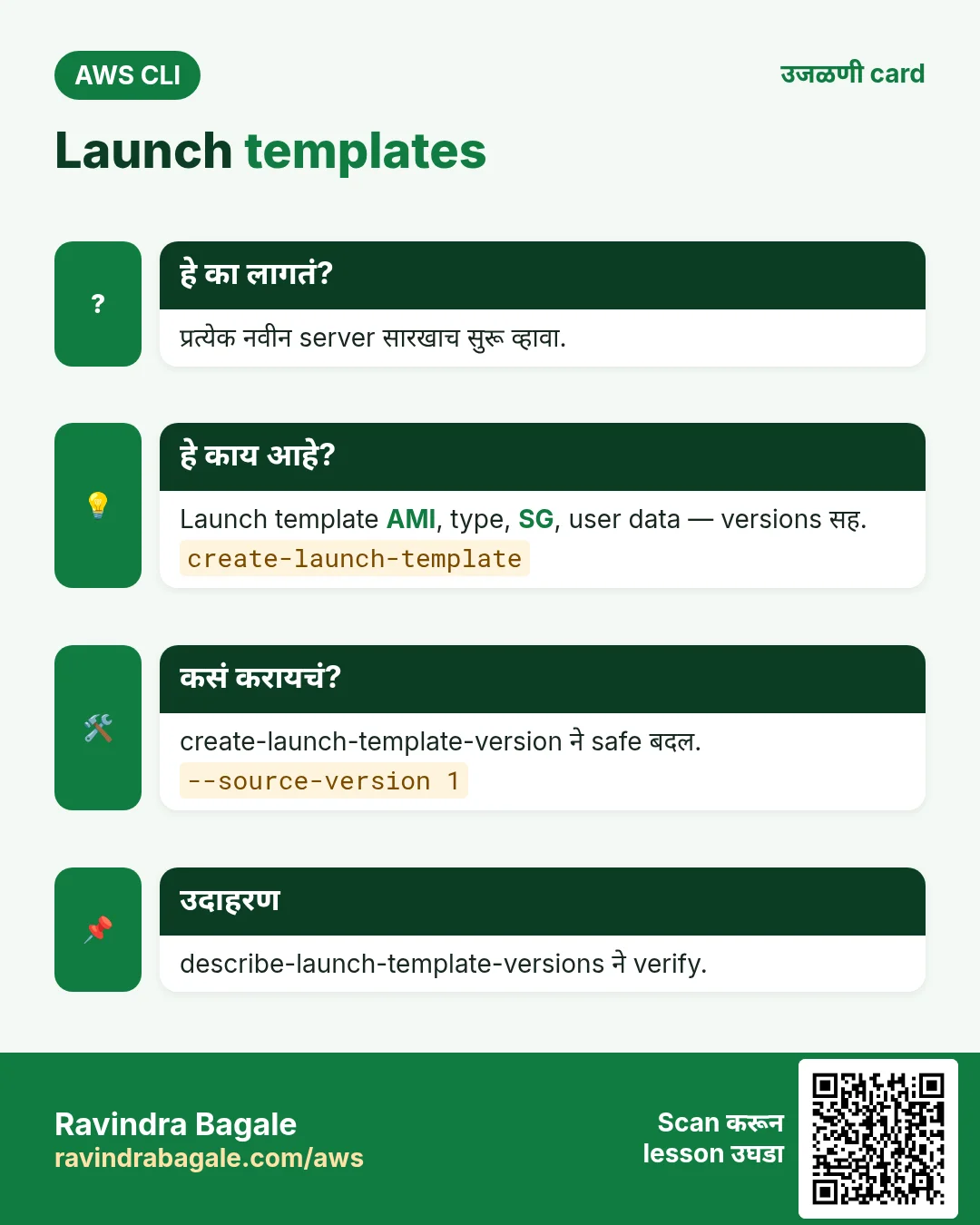
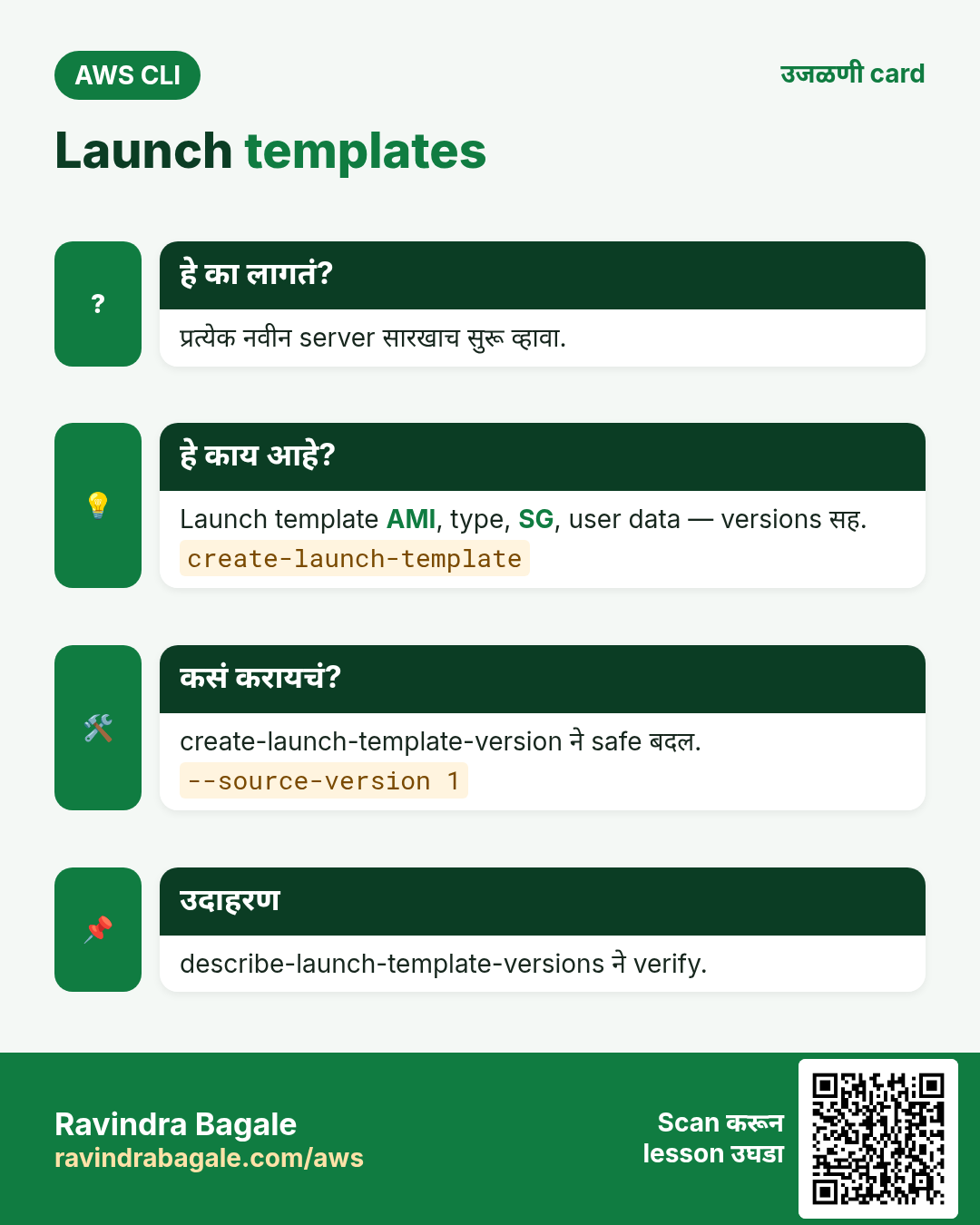
प्रत्येक नवीन server तोच AMI, type, SG आणि startup script घेऊन सुरू व्हावा.
हे काय आहे?
Launch template launch settings ठेवतो. त्याला numbered versions असतात, म्हणून safe बदल.
कसं करायचं (step by step)
- Version 1.
UD=$(base64 -w0 userdata.sh)
aws ec2 create-launch-template --launch-template-name cli-web-lt --launch-template-data "{\"ImageId\":\"$AMI\",\"InstanceType\":\"t3.micro\",\"SecurityGroupIds\":[\"$WSG\"],\"UserData\":\"$UD\"}" --query "LaunchTemplate.LatestVersionNumber"
अपेक्षित output:
1- मोठ्या type सह version 2.
aws ec2 create-launch-template-version --launch-template-name cli-web-lt --source-version 1 --launch-template-data "{\"InstanceType\":\"t3.small\"}" --query "LaunchTemplateVersion.VersionNumber"अपेक्षित output:
2- Verify.
aws ec2 describe-launch-template-versions --launch-template-name cli-web-lt --query "LaunchTemplateVersions[].[VersionNumber,LaunchTemplateData.InstanceType]" --output textअपेक्षित output:
2  t3.small
1  t3.micro
3. Auto Scaling group बनवा
हे का लागतं?
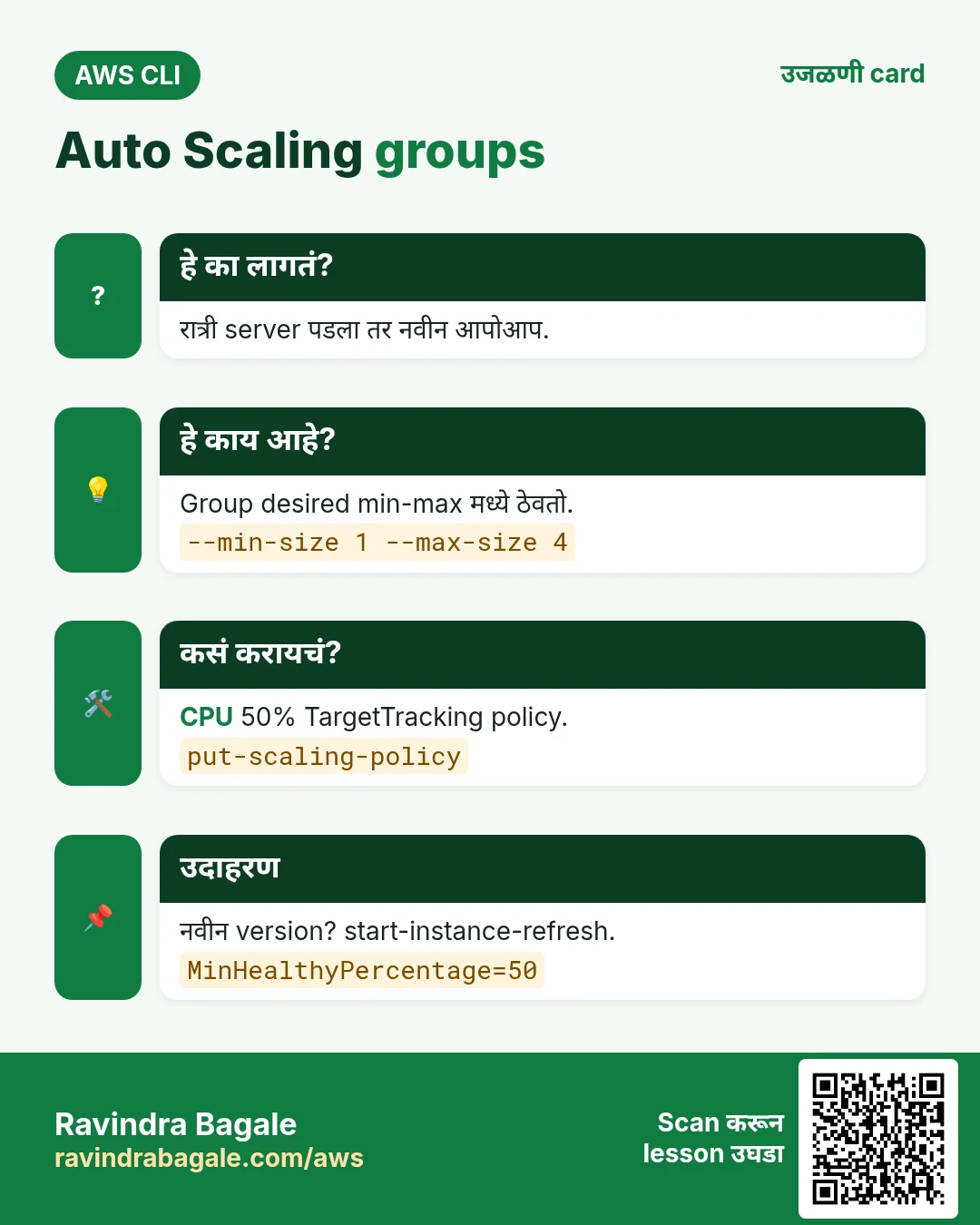
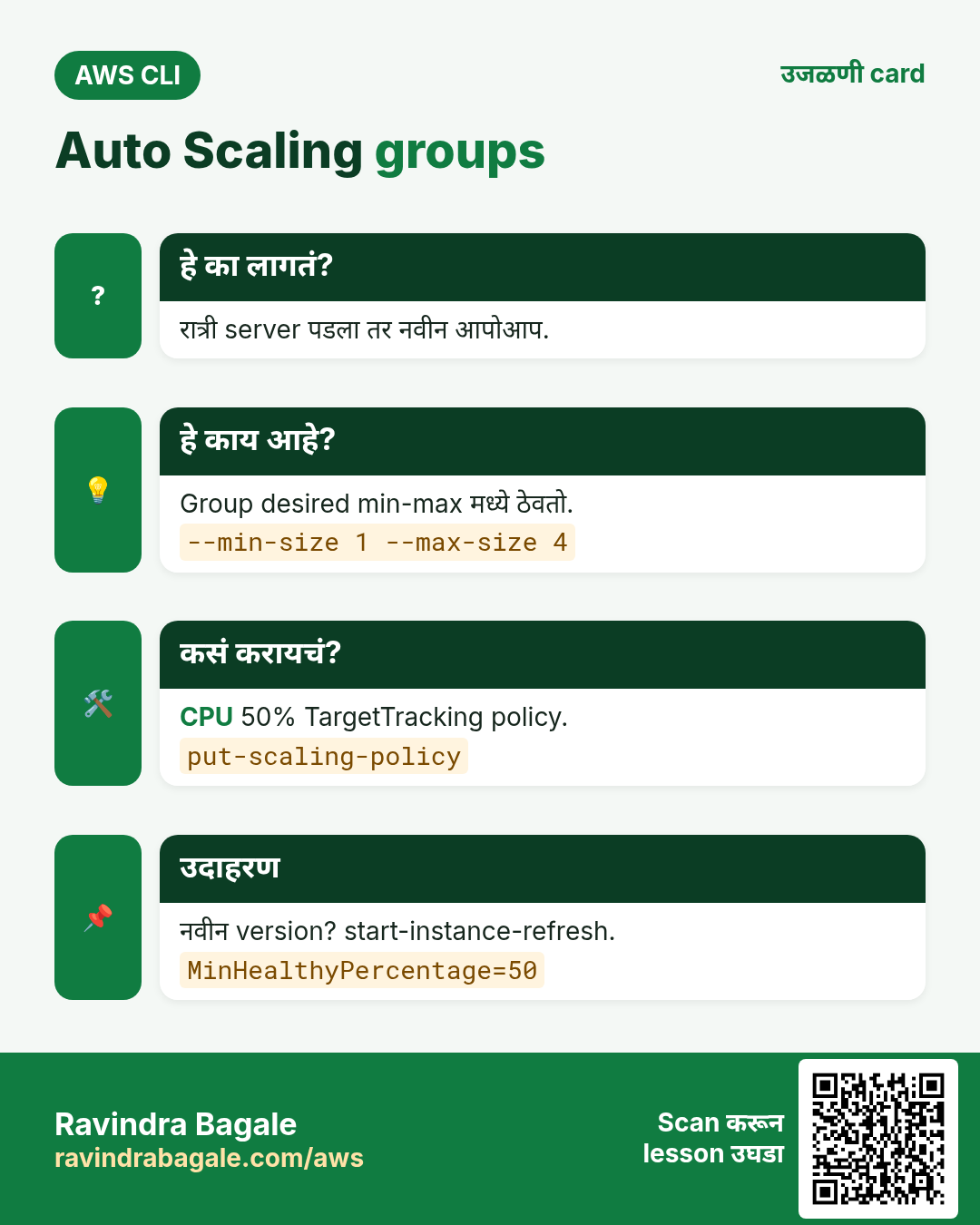
रात्री server पडला तर तुमच्याशिवाय नवीन सुरू व्हावा.
हे काय आहे?
Group template वापरतो, subnets मध्ये servers पसरवतो, target group मध्ये register करतो, unhealthy बदलतो.
कसं करायचं (step by step)
- Group बनवा.
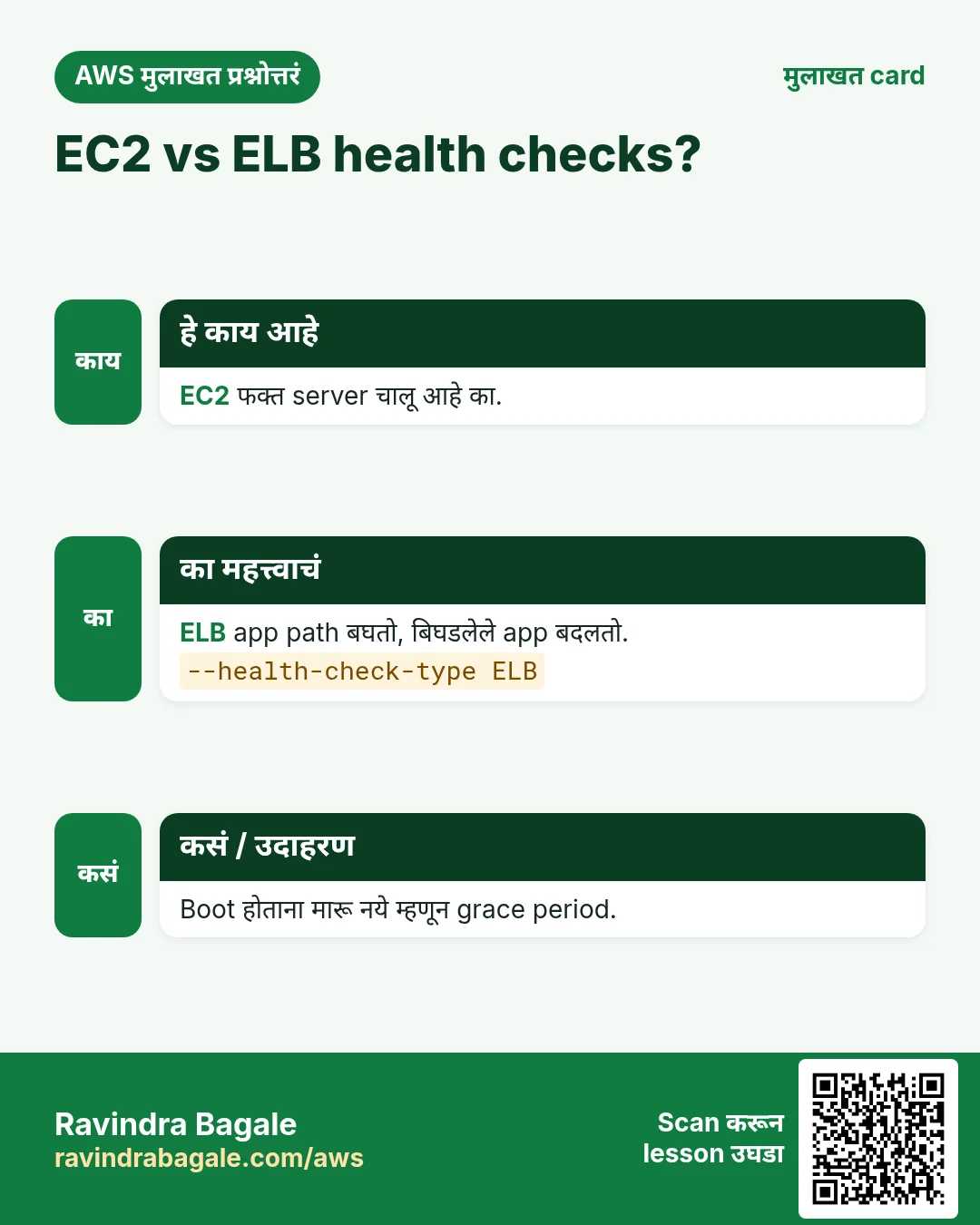
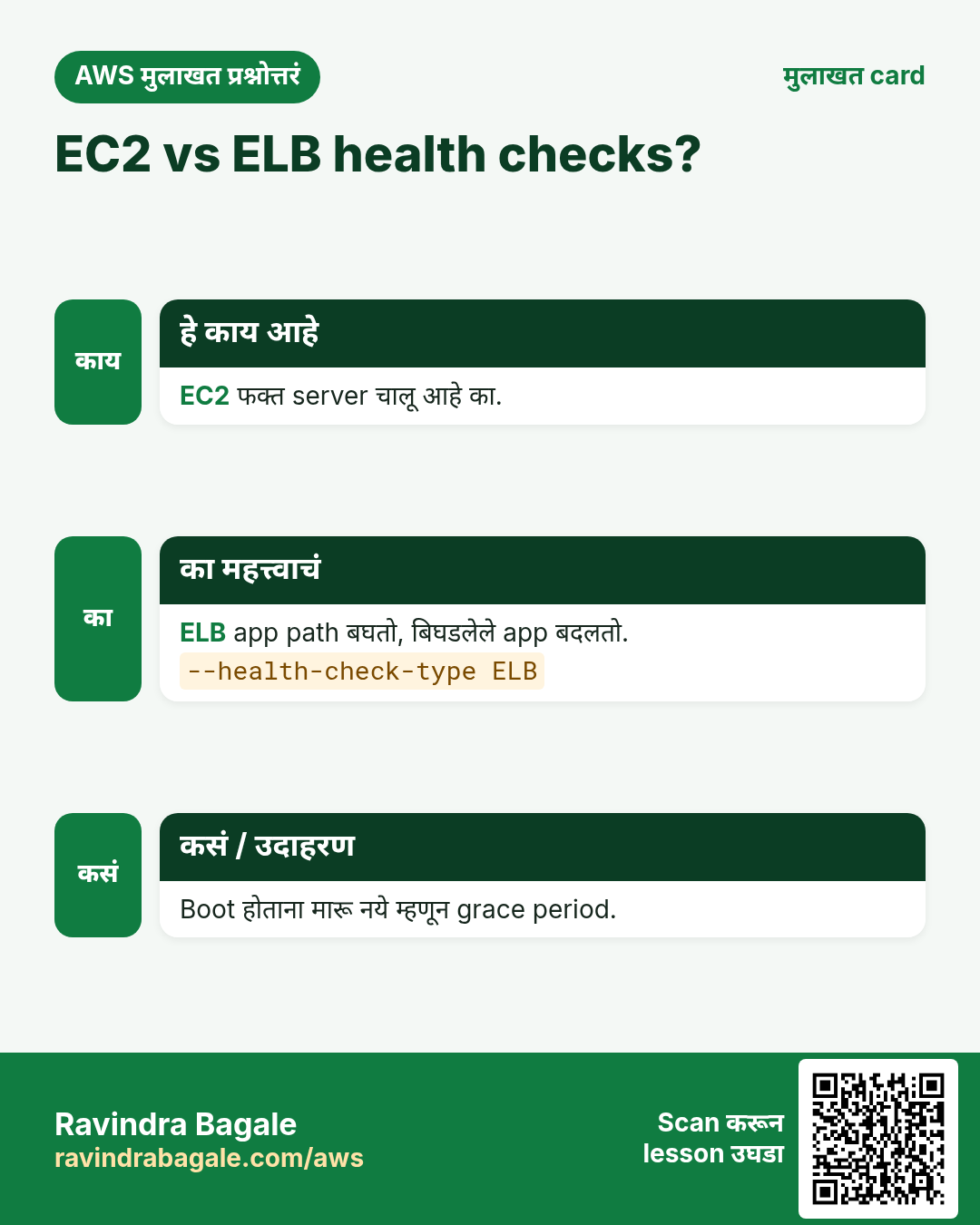
aws autoscaling create-auto-scaling-group --auto-scaling-group-name cli-asg --launch-template LaunchTemplateName=cli-web-lt,Version='$Latest' --min-size 1 --max-size 4 --desired-capacity 2 --vpc-zone-identifier "$PRI1,$PRI2" --target-group-arns $TG --health-check-type ELB --health-check-grace-period 120अपेक्षित output:
(no output means success)- Instances बघा.
aws autoscaling describe-auto-scaling-groups --auto-scaling-group-names cli-asg --query "AutoScalingGroups[0].Instances[].[InstanceId,AvailabilityZone,LifecycleState,HealthStatus]" --output textअपेक्षित output:
i-0aaa  ap-south-1a  InService  Healthy
i-0bbb ap-south-1b InService Healthy- Desired हाताने बदला.
aws autoscaling set-desired-capacity --auto-scaling-group-name cli-asg --desired-capacity 3अपेक्षित output:
(no output means success)4. Target tracking scaling policy
हे का लागतं?
दिवसभर CPU graphs बघायचे नाहीत.
हे काय आहे?
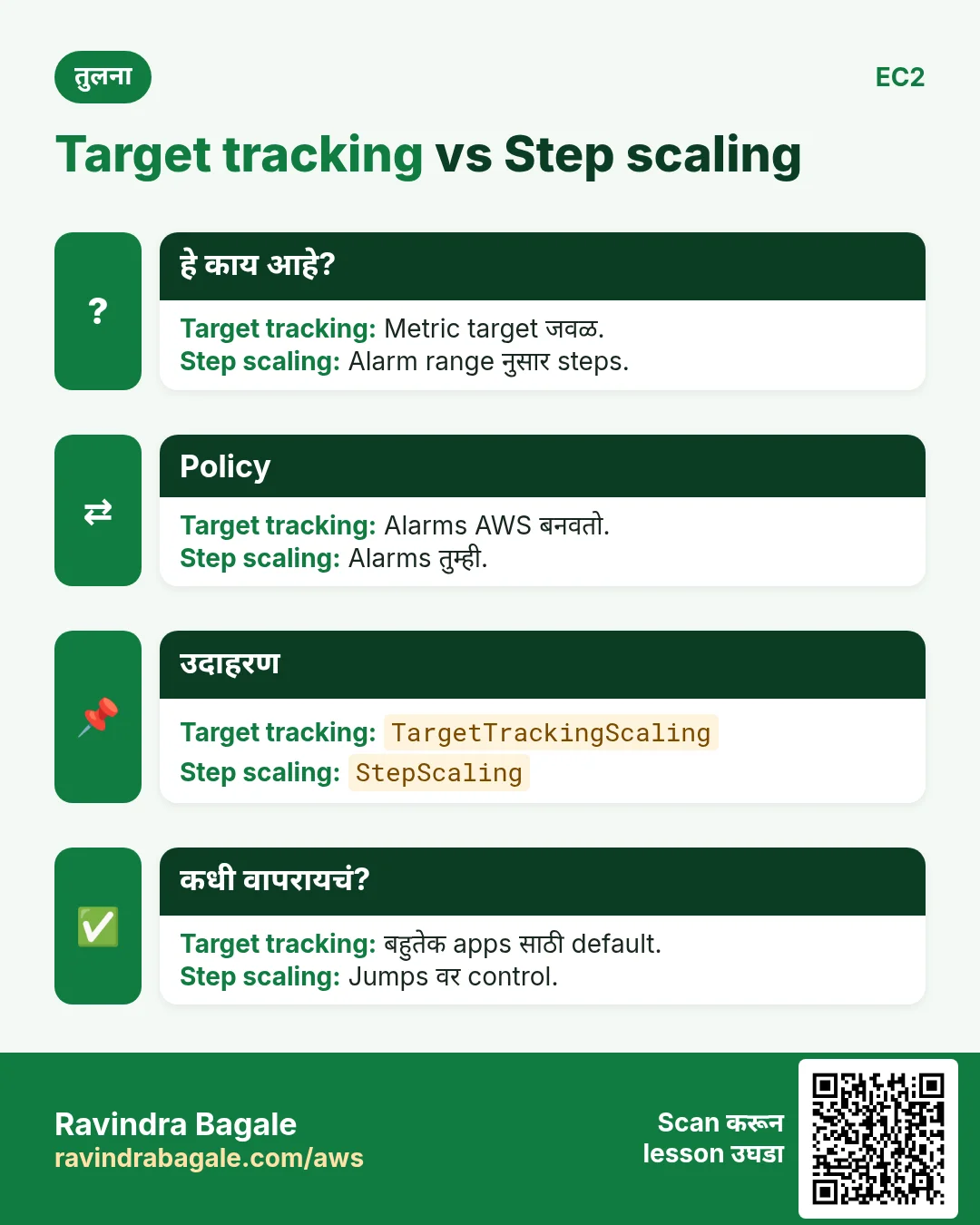
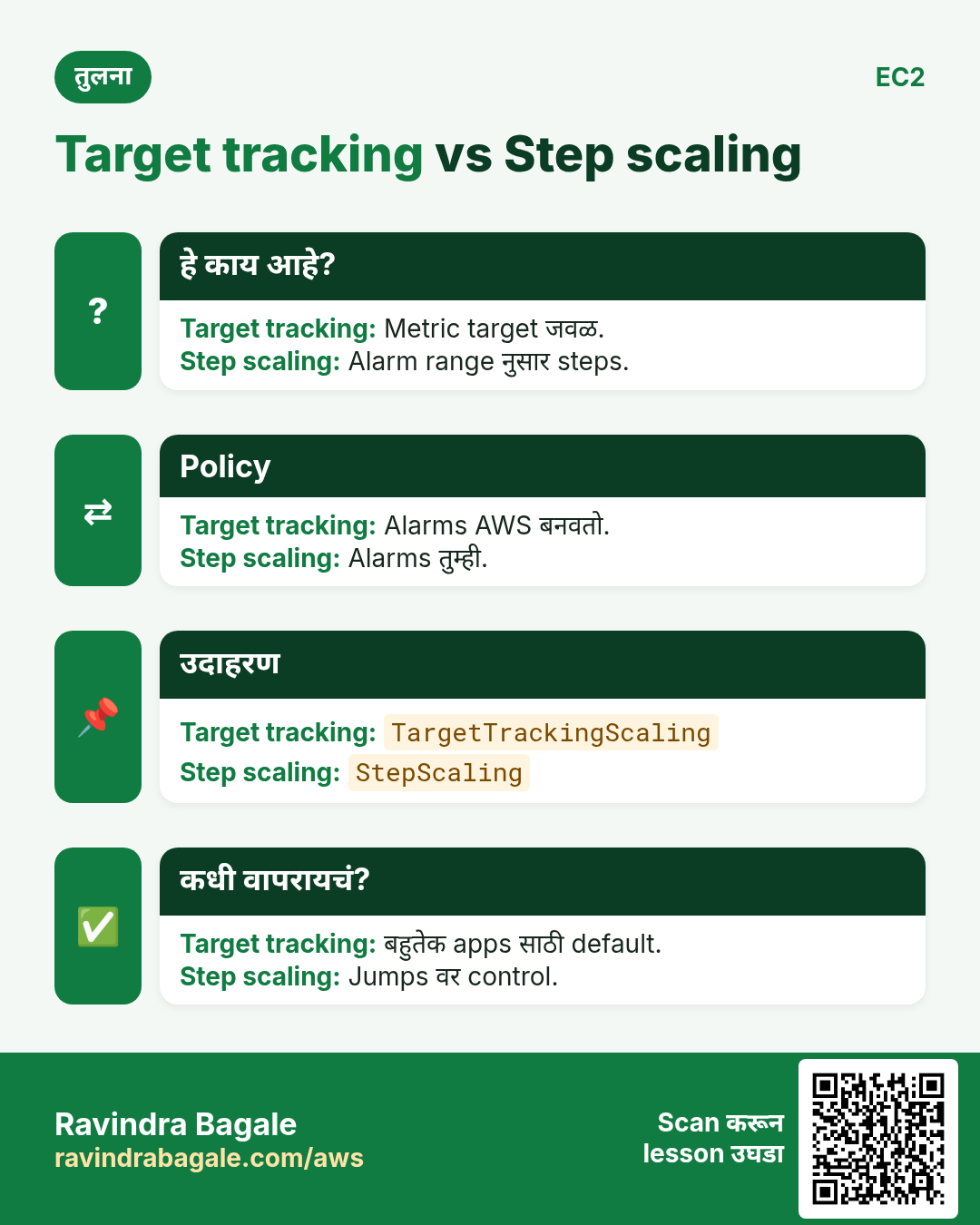
Target tracking metric target जवळ ठेवतो, उदा. average CPU 50%. Alarms AWS बनवतो.
कसं करायचं (step by step)
- Policy जोडा.
aws autoscaling put-scaling-policy --auto-scaling-group-name cli-asg --policy-name cpu50 --policy-type TargetTrackingScaling --target-tracking-configuration "{\"PredefinedMetricSpecification\":{\"PredefinedMetricType\":\"ASGAverageCPUUtilization\"},\"TargetValue\":50}" --query "Alarms[].AlarmName" --output textअपेक्षित output:
TargetTracking-cli-asg-AlarmHigh-... TargetTracking-cli-asg-AlarmLow-...- Scaling history.
aws autoscaling describe-scaling-activities --auto-scaling-group-name cli-asg --max-items 3 --query "Activities[].[StatusCode,Description]" --output textअपेक्षित output:
Successful Launching a new EC2 instance: i-0ccc...5. नवीन version साठी instance refresh
हे का लागतं?
Template बदलला. जुने servers अजून जुनं version चालवतात.
हे काय आहे?
Instance refresh minimum healthy percentage ठेवून batches मध्ये instances बदलतो.
कसं करायचं (step by step)
- सुरू करा.
aws autoscaling start-instance-refresh --auto-scaling-group-name cli-asg --preferences MinHealthyPercentage=50,InstanceWarmup=60अपेक्षित output:
{ "InstanceRefreshId": "08b9..." }- Progress.
aws autoscaling describe-instance-refreshes --auto-scaling-group-name cli-asg --query "InstanceRefreshes[0].[Status,PercentageComplete]" --output textअपेक्षित output:
InProgress 506. हीच action Python, Node.js, Java, Go, .NET आणि PHP मध्ये
हे का लागतं?
Scripts CLI मध्ये सुरू होतात. Apps तोच API SDK मधून call करतात. दोन्ही माहीत असले की test केलेली command थेट code मध्ये नेता येते.
हे काय आहे?
प्रत्येक CLI command म्हणजे एक API call. उदा. aws autoscaling create-auto-scaling-group --auto-scaling-group-name web म्हणजे CreateAutoScalingGroup API.
कसं करायचं (step by step)
हीच action (CreateAutoScalingGroup) code मधून. प्रत्येक SDK CLI सारखेच profile, region आणि credentials वाचतो.
| Stack | Code |
|---|---|
| Python (boto3) | boto3.client("autoscaling").create_auto_scaling_group(AutoScalingGroupName="web",MinSize=1,MaxSize=4,LaunchTemplate={"LaunchTemplateName":"lt"},VPCZoneIdentifier="s1,s2") |
| Node.js (v3) | await asg.send(new CreateAutoScalingGroupCommand({AutoScalingGroupName:"web",MinSize:1,MaxSize:4,LaunchTemplate:{LaunchTemplateName:"lt"},VPCZoneIdentifier:"s1,s2"})); |
| Java (v2) | asg.createAutoScalingGroup(r -> r.autoScalingGroupName("web").minSize(1).maxSize(4).launchTemplate(t -> t.launchTemplateName("lt")).vpcZoneIdentifier("s1,s2")); |
| Go (v2) | c.CreateAutoScalingGroup(ctx, &autoscaling.CreateAutoScalingGroupInput{AutoScalingGroupName: aws.String("web"), MinSize: aws.Int32(1), MaxSize: aws.Int32(4)}) |
| .NET | await asg.CreateAutoScalingGroupAsync(new CreateAutoScalingGroupRequest{AutoScalingGroupName="web",MinSize=1,MaxSize=4}); |
| PHP | $asg->createAutoScalingGroup(["AutoScalingGroupName"=>"web","MinSize"=>1,"MaxSize"=>4]); |
7. काहीही खर्च चालू राहू नये म्हणून cleanup
हे का लागतं?
चालू ठेवलेले lab resources पैसे खातात आणि security risk बनतात.
हे काय आहे?
उलट्या क्रमाने delete करा: आधी children, मग parents.
कसं करायचं (step by step)
- Zero ला scale.
aws autoscaling update-auto-scaling-group --auto-scaling-group-name cli-asg --min-size 0 --desired-capacity 0अपेक्षित output:
(no output means success)- Group आणि instances delete.
aws autoscaling delete-auto-scaling-group --auto-scaling-group-name cli-asg --force-deleteअपेक्षित output:
(no output means success)- Launch template delete.
aws ec2 delete-launch-template --launch-template-name cli-web-lt --query "LaunchTemplate.LaunchTemplateName" --output textअपेक्षित output:
cli-web-lt- Verify.
aws autoscaling describe-auto-scaling-groups --auto-scaling-group-names cli-asg --query "length(AutoScalingGroups)"अपेक्षित output:
0Ravindra Bagale's Tip
Instance हाताने terminate केला तर group नवीन सुरू करतो. खरंच कमी करायचे तर desired capacity बदला.
8. मुलाखत प्रश्न आणि उत्तरं
प्र. Launch template vs launch configuration?
Templates ला versions; configurations legacy.
प्र. min, max, desired म्हणजे?
Desired current target, min-max मध्ये.
प्र. EC2 vs ELB health check?
ELB app बिघडला तरी बदलतो.
प्र. नवीन AMI group ला कसा?
नवीन version, मग instance refresh.
प्र. Target tracking काय?
Thermostat सारखा metric target जवळ.
घरी करून बघा
- Desired 2 ने group बनवा, एक instance terminate करा, नवीन सुरू होताना बघा.
- एका server वर stress चालवा, policy server वाढवताना बघा.
थोडक्यात सांगायचं तर
- Launch template = recipe.
- ASG desired min-max मध्ये.
- ELB health check broken app बदलतो.
- Target tracking thermostat सारखं.
- Instance refresh versions rollout.
सराव Tasks
Cape Town Safaris हा केप टाऊन मधला पर्यटन व्यवसाय आहे. Thabo Nkosi त्यांचं IT व cloud काम पाहतात. त्यांचे पैसे ZAR मध्ये मोजले जातात आणि AWS resources af-south-1 Region मध्ये चालतात. खालच्या tasks मध्ये तुम्ही या lesson मध्ये शिकलेलं वापरून त्यांची खरी कामं करता. सगळी नावं, account IDs, IP addresses व numbers सरावासाठी काल्पनिक आहेत.
0 / 10
सोपं Auto Scaling group describe करा
का: Group चे सध्याचे instances व sizes पाहा.
काय करायचं: capetownsafari-asg Auto Scaling group describe करा.
- Task वाचा आणि ते कोणत्या AWS service बद्दल आहे ते ठरवा.
- aws लिहा, मग service चं नाव, मग operation (action शब्द).
- प्रत्येक आवश्यक flag (--name) व त्यापुढे task मधली value लिहा.
- Flags कोणत्याही क्रमाने चालतात. Check answer दाबा.
मध्यम Desired capacity बदला
का: मोठ्या sale आधी desired capacity वाढवा.
काय करायचं: capetownsafari-asg ची desired capacity 4 करा.
- Task वाचा आणि ते कोणत्या AWS service बद्दल आहे ते ठरवा.
- aws लिहा, मग service चं नाव, मग operation (action शब्द).
- प्रत्येक आवश्यक flag (--name) व त्यापुढे task मधली value लिहा.
- Flags कोणत्याही क्रमाने चालतात. Check answer दाबा.
मध्यम Min व max size बदला
का: Max bill वाचवतो; min site चालू ठेवतो.
काय करायचं: capetownsafari-asg चे min 1 व max 10 करा.
- Task वाचा आणि ते कोणत्या AWS service बद्दल आहे ते ठरवा.
- aws लिहा, मग service चं नाव, मग operation (action शब्द).
- प्रत्येक आवश्यक flag (--name) व त्यापुढे task मधली value लिहा.
- Flags कोणत्याही क्रमाने चालतात. Check answer दाबा.
मध्यम Target health तपासा
का: Targets unhealthy असल्यास site 502/503 errors दाखवते.
काय करायचं: arn:aws:elasticloadbalancing:af-south-1:122836786824:targetgroup/capetownsafari-tg/6d0ecf831eec9f09 मधल्या targets चं health दाखवा.
- Task वाचा आणि ते कोणत्या AWS service बद्दल आहे ते ठरवा.
- aws लिहा, मग service चं नाव, मग operation (action शब्द).
- प्रत्येक आवश्यक flag (--name) व त्यापुढे task मधली value लिहा.
- Flags कोणत्याही क्रमाने चालतात. Check answer दाबा.
मध्यम Kubernetes LoadBalancer Service
का: LoadBalancer Service ला AWS load balancer मिळतो.
काय करायचं: app: web select करणारी LoadBalancer Service, port 80 → targetPort 8080.
- Task मधल्या top-level keys पासून सुरू करा.
- Child keys 2 spaces ने indent करा (tabs नकोत).
- प्रत्येक property मध्ये task मधली value भरा.
- Check answer दाबा. Keys चा क्रम महत्त्वाचा नाही.
अवघड Auto Scaling group बनवा
का: Min, max व desired किती servers चालतील ते ठरवतात.
काय करायचं: Launch template capetownsafari-lt पासून capetownsafari-asg बनवा: min 2, max 6, desired 2, subnets subnet-022c3abcac24bb1,subnet-02c3abcac24bb2.
- Task वाचा आणि ते कोणत्या AWS service बद्दल आहे ते ठरवा.
- aws लिहा, मग service चं नाव, मग operation (action शब्द).
- प्रत्येक आवश्यक flag (--name) व त्यापुढे task मधली value लिहा.
- Flags कोणत्याही क्रमाने चालतात. Check answer दाबा.
अवघड Launch template बनवा
का: Launch template म्हणजे Auto Scaling प्रत्येक नवा server बनवण्यासाठी वापरते ती recipe.
काय करायचं: lt.json मधल्या settings वापरून capetownsafari-lt launch template बनवा.
- Task वाचा आणि ते कोणत्या AWS service बद्दल आहे ते ठरवा.
- aws लिहा, मग service चं नाव, मग operation (action शब्द).
- प्रत्येक आवश्यक flag (--name) व त्यापुढे task मधली value लिहा.
- Flags कोणत्याही क्रमाने चालतात. Check answer दाबा.
अवघड Instance refresh ने नवी AMI आणा
का: Instance refresh servers थोडे-थोडे बदलतो, site चालू राहते.
काय करायचं: capetownsafari-asg वर instance refresh सुरू करा.
- Task वाचा आणि ते कोणत्या AWS service बद्दल आहे ते ठरवा.
- aws लिहा, मग service चं नाव, मग operation (action शब्द).
- प्रत्येक आवश्यक flag (--name) व त्यापुढे task मधली value लिहा.
- Flags कोणत्याही क्रमाने चालतात. Check answer दाबा.
अवघड Application Load Balancer बनवा
का: High availability साठी ALB ला वेगवेगळ्या AZs मधले किमान दोन subnets लागतात.
काय करायचं: capetownsafari-alb नावाचा ALB subnets subnet-022c3abcac24bb1 व subnet-02c3abcac24bb2 मध्ये security group sg-022b36ab6b244c3b2 सह बनवा.
- Task वाचा आणि ते कोणत्या AWS service बद्दल आहे ते ठरवा.
- aws लिहा, मग service चं नाव, मग operation (action शब्द).
- प्रत्येक आवश्यक flag (--name) व त्यापुढे task मधली value लिहा.
- Flags कोणत्याही क्रमाने चालतात. Check answer दाबा.
अवघड HTTP listener जोडा
का: Listener port वर traffic स्वीकारतो व target group कडे पाठवतो.
काय करायचं: Load balancer arn:aws:elasticloadbalancing:af-south-1:122836786824:loadbalancer/app/capetownsafari-alb/50dc6c495c0c9188 वर port 80 चा HTTP listener बनवा जो arn:aws:elasticloadbalancing:af-south-1:122836786824:targetgroup/capetownsafari-tg/6d0ecf831eec9f09 कडे forward करेल.
- Task वाचा आणि ते कोणत्या AWS service बद्दल आहे ते ठरवा.
- aws लिहा, मग service चं नाव, मग operation (action शब्द).
- प्रत्येक आवश्यक flag (--name) व त्यापुढे task मधली value लिहा.
- Flags कोणत्याही क्रमाने चालतात. Check answer दाबा.
उजळणी, तुलना आणि मुलाखत cards
हा lesson काही मिनिटांत revise करा. Cards phone वर save करा किंवा PNG download करा. प्रत्येक card वरचा QR हा lesson उघडतो.
अजून cards: Ravi Sir's Cards.