Linux Commands A-Z Part 6: rsync, sed, semanage, sort, ss, ssh, stat आणि अजून, Examples सह
हा Linux Commands A-Z reference चा Part 6 आहे: reboot ते stat. Servers restart करायला, priorities बदलायला, SELinux rules fix आणि set करायला, packages query करायला, rsync ने copy आणि backup करायला, screen ने sessions जिवंत ठेवायला, sed ने text edit करायला, number lists बनवायला, ACLs ने जास्तीचा access द्यायला, file hashes तपासायला, shutdowns plan करायला, scripts थांबवायला, output sort करायला, settings load करायला, मोठ्या files split करायला, sockets बघायला, SSH ने login करायला, keys बनवायला आणि file details वाचायला या commands वापरतात. sed ला सोळा options आणि चौदा worked steps सह पूर्ण deep dive आहे, कारण config files बदलणं आणि data साफ करणं एका line मधे त्यानेच होतं. प्रत्येक command ला why, what, options table आणि खऱ्या output आणि अर्थासह step-by-step examples आहेत.
या chapter मध्ये तुम्ही काय शिकाल
- reboot आणि shutdown ने servers safely restart आणि बंद करा
- renice ने priority बदला आणि sleep ने scripts थांबवा
- sestatus, restorecon आणि semanage ने SELinux सोबत काम करा
- rpm ने packages query करा आणि sha256sum आणि stat ने files verify करा
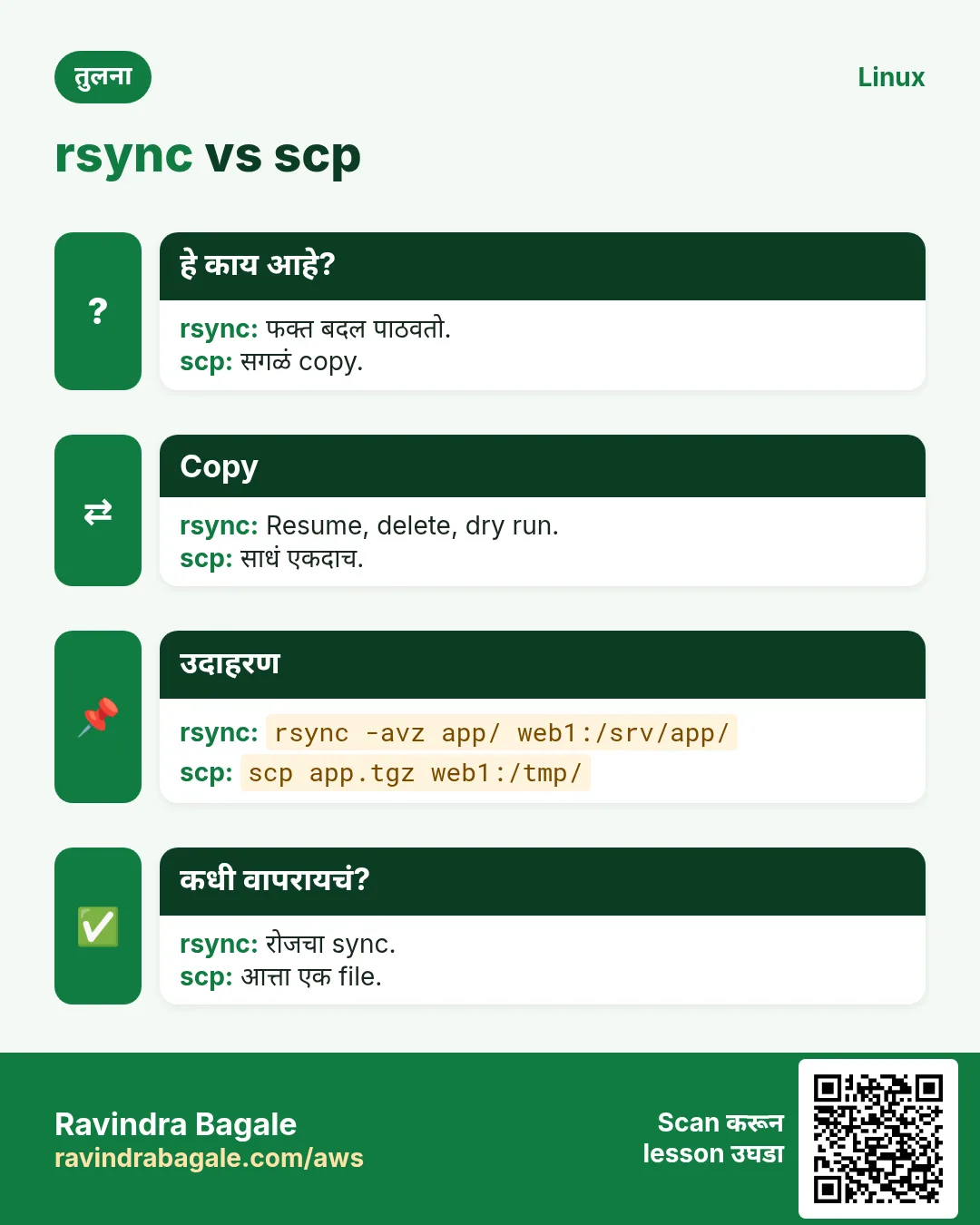
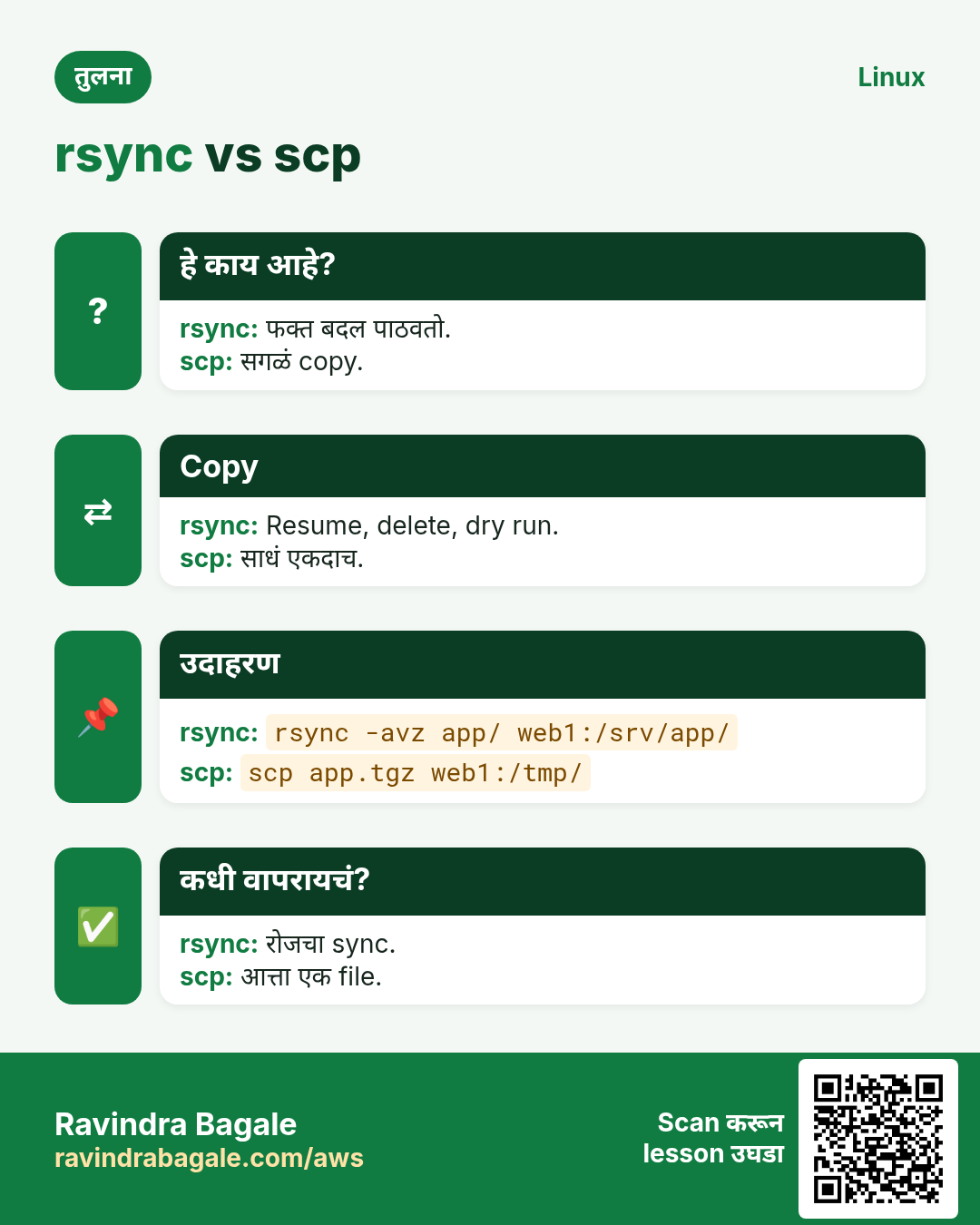
- rsync ने copy आणि backup करा, आणि मोठ्या files split करा
- sed ने text आणि config files edit करा: replace, delete, print, insert आणि in-place edits
- Remote कामासाठी ssh, ssh-keygen, ss आणि screen वापरा
- Script helpers: seq, sort, source आणि setfacl
1. रोजचं उदाहरण: रात्रीचा Pune वृत्तपत्र printing press
हे का लागतं?
मध्यरात्री press editor प्रत्येक page मधला एक चुकीचा शब्द दुरुस्त करतो, pages sort करतो, print run दोन machines मधे split करतो, front page ला top priority देतो, files Nashik press ला copy करतो, plates खराब झाल्या नाहीत ते तपासतो, ink सुकायची वाट बघतो, आणि पहाटे 4 ला पुढच्या edition साठी machines restart करतो.
हे काय आहे?
sed म्हणजे प्रत्येक page वरचा शब्द दुरुस्त करणं. sort म्हणजे pages क्रमाने. split म्हणजे run वाटणं. renice म्हणजे priority. rsync म्हणजे Nashik ला copy. sha256sum म्हणजे plate check. sleep म्हणजे सुकायची वाट. reboot म्हणजे पहाटे 4 चा restart.
कसं करायचं (step by step)
2. Part 6 commands वापरून पाच minute चा config बदल
हे का लागतं?
Deep dives आधी, web server वर port बदलताना या commands एकत्र कशा चालतात ते बघा.
हे काय आहे?
sed ने backup आणि edit, SELinux मधे port allow, socket तपासा, verify.
| प्रश्न | Command |
|---|---|
| Port बदला | sed -i.bak "s/listen 80;/listen 8443;/" nginx.conf |
| SELinux मधे allow | semanage port -a -t http_port_t -p tcp 8443 |
| Listen करतंय का? | ss -tlnp | grep 8443 |
| File कधी बदलली? | stat -c %y nginx.conf |
| पुढच्या server ला copy | rsync -av nginx.conf web02:/etc/nginx/ |
कसं करायचं (step by step)
- बदल चालवा.
sudo sed -i.bak "s/listen 80;/listen 8443;/" /etc/nginx/nginx.conf; sudo nginx -t; sudo systemctl reload nginx; sudo ss -tlnp | grep 8443Output:
nginx: configuration file /etc/nginx/nginx.conf test is successful
LISTEN 0 511 0.0.0.0:8443 0.0.0.0:* users:(("nginx",pid=901,fd=6))
याचा अर्थ: Edit, test, reload आणि listening.
- लागल्यास rollback.
sudo cp /etc/nginx/nginx.conf.bak /etc/nginx/nginx.conf; sudo systemctl reload nginxयाचा अर्थ: sed चा .bak म्हणजे तुमचा undo.
3. reboot: System restart
reboot सविस्तर: server safe restart करा
हे का लागतं?
Kernel updates, अडकलेले drivers आणि काही config बदलांना restart लागतो. चुकीच्या server चा बेफिकीर reboot outage आणतो, म्हणून आधी तपासा आणि नीट reboot करा.
हे काय आहे?
reboot systemd ला services क्रमाने बंद करून, filesystems unmount करून restart करायला सांगतो. systemctl reboot सारखंच. Reboot लागेल का ते needs-restarting -r (RHEL) किंवा /var/run/reboot-required (Ubuntu) सांगतात.
नेहमीचे options
| Option | काय करतो |
|---|---|
sudo reboot | आत्ता restart. |
systemctl reboot | तेच. |
shutdown -r +10 | 10 minutes नी, warning सह. |
needs-restarting -r | लागेल का? (RHEL) |
last reboot | कधी reboot झाला. |
कसं करायचं (step by step)
- Reboot लागेल का?
sudo needs-restarting -rOutput:
Core libraries or services have been updated since boot-up:
  * kernel
Reboot is required to fully utilize these updates.
याचा अर्थ: नवा kernel वाट बघतोय.
- आधी host तपासा.
hostname; uptimeOutput:
web02
 20:51:02 up 41 days,  2 users
याचा अर्थ: बरोबर server; दुसऱ्या user ला सांगा.
- Reboot.
sudo rebootOutput:
Connection to web02 closed by remote host.याचा अर्थ: SSH तुटतो; minute नी परत connect.
- Confirm.
uname -r; uptimeOutput:
5.14.0-503.el9.x86_64
 20:52:40 up 1 min
याचा अर्थ: नवा kernel चालू.
खालच्या tasks मधे सराव करा: सराव tasks
खरा वापर: Hinjewadi मधली telecom web servers जोड्यांनी patch करते: एक load balancer मधून काढा, reboot, check, मग पुढचा.
4. renice: चालू process ची priority बदला
renice सविस्तर: चालू process ची priority बदला
हे का लागतं?
Report job आधीच चालतोय आणि app slow करतोय. Kill करायचा नाही, फक्त मागे ठेवायचाय. renice त्याची priority live बदलतो.
हे काय आहे?
renice PIDs, users (-u) किंवा groups (-g) साठी नवी niceness (-20 ते 19) set करतो. Users फक्त स्वतःच्या processes ची niceness वाढवू (priority कमी) शकतात; root काहीही.
नेहमीचे options
| Option | काय करतो |
|---|---|
renice -n 15 -p PID | एक process. |
renice -n 10 -u user | User चे सगळे. |
sudo renice -n -5 -p PID | Boost (root). |
ps -o pid,ni,cmd | तपासा. |
ionice -c3 -p PID | Disk priority पण. |
कसं करायचं (step by step)
- Hog शोधा.
ps -eo pid,ni,%cpu,cmd --sort=-%cpu | head -2Output:
  PID  NI %CPU CMD
 8120   0 98.0 python3 monthly_report.py
याचा अर्थ: Normal priority वर.
- कमी करा.
renice -n 19 -p 8120Output:
8120 (process ID) old priority 0, new priority 19याचा अर्थ: आता app ला आधी CPU.
- Disk पण कमी.
sudo ionice -c3 -p 8120याचा अर्थ: Idle disk class.
- User म्हणून परत वाढवता येत नाही.
renice -n 0 -p 8120Output:
renice: failed to set priority for 8120 (process ID): Permission deniedयाचा अर्थ: Niceness परत कमी फक्त root.
खालच्या tasks मधे सराव करा: सराव tasks
खरा वापर: Magarpatta मधली analytics team business hours मधे ad hoc Spark drivers 15 ला renice करते.
5. restorecon: SELinux labels परत लावा
restorecon सविस्तर: SELinux labels fix करा
हे का लागतं?
Web files home folder मधून /var/www मधे हलवल्या आणि nginx आता 403 देतो. Permissions बरोबर दिसतात. SELinux label चुकीचा, आणि restorecon तो fix करतो.
हे काय आहे?
restorecon file labels त्या path साठी policy सांगते तसे reset करतो (semanage fcontext rules मधून). mv जुना label ठेवतो; cp नवा बनवतो. -R recursive, -v बदल दाखवतो, -n dry-run.
नेहमीचे options
| Option | काय करतो |
|---|---|
restorecon -Rv DIR | Fix करून दाखवा. |
-n | Dry run. |
-F | पूर्ण context force. |
ls -Z | Labels बघा. |
matchpathcon PATH | अपेक्षित label. |
कसं करायचं (step by step)
- चुकीचा label.
ls -Z /var/www/html/index.htmlOutput:
unconfined_u:object_r:user_home_t:s0 /var/www/html/index.htmlयाचा अर्थ: user_home_t home मधून mv सोबत आला.
- Dry run.
sudo restorecon -Rnv /var/www/htmlOutput:
Would relabel /var/www/html/index.html from user_home_t to httpd_sys_content_tयाचा अर्थ: काय करेल ते दाखवतो.
- Fix.
sudo restorecon -Rv /var/www/htmlOutput:
Relabeled /var/www/html/index.html from unconfined_u:object_r:user_home_t:s0 to unconfined_u:object_r:httpd_sys_content_t:s0याचा अर्थ: nginx आता वाचू शकतो.
- Confirm.
curl -s -o /dev/null -w "%{http_code}\n" http://localhost/Output:
200याचा अर्थ: 403 गेला.
खालच्या tasks मधे सराव करा: सराव tasks
खरा वापर: Baner मधली hosting company pipeline च्या शेवटच्या step म्हणून प्रत्येक deploy folder वर restorecon -R चालवते.
6. rpm: RPM packages query/install
rpm सविस्तर: RPM packages query आणि verify करा
हे का लागतं?
ही file कोणत्या package ची? कोणतं version installed? कोणी package file बदलली का? dnf install करतो, पण rpm ही उत्तरं देतो.
हे काय आहे?
rpm RHEL, Rocky, Fedora आणि SUSE वरचा low-level package tool. -q queries: -qa सगळे, -qi info, -ql files, -qf file चा owner, -qc config files. -V package शी files verify करतो. Dependencies साठी rpm -i नाही, dnf ने install.
नेहमीचे options
| Option | काय करतो |
|---|---|
rpm -qa | सगळे installed. |
rpm -q pkg | Version. |
rpm -qi pkg | Details. |
rpm -ql pkg | Files. |
rpm -qf /path | कोणता package. |
rpm -qc pkg | Config files. |
rpm -V pkg | Verify. |
rpm -qa --last | अलीकडे installed. |
कसं करायचं (step by step)
- Version.
rpm -q opensslOutput:
openssl-3.0.7-27.el9.x86_64याचा अर्थ: Security advisories साठी.
- ही file कोणाची?
rpm -qf /usr/sbin/sshdOutput:
openssh-server-8.7p1-38.el9.x86_64याचा अर्थ: openssh-server.
- Config files.
rpm -qc nginx | head -3Output:
/etc/nginx/nginx.conf
/etc/nginx/mime.types
/etc/logrotate.d/nginx
याचा अर्थ: कुठे बघायचं.
- बदललेल्या files.
sudo rpm -V openssh-serverOutput:
S.5....T. c /etc/ssh/sshd_configयाचा अर्थ: Config file चे size, md5 आणि time बदलले: hardening नंतर अपेक्षित.
- अलीकडे काय installed?
rpm -qa --last | head -2Output:
kernel-5.14.0-503.el9.x86_64   Mon 26 Oct 2026 02:01:10 AM IST
nginx-1.20.1-20.el9.x86_64     Sun 25 Oct 2026 11:30:02 PM IST
याचा अर्थ: Incident नंतर मदत.
खालच्या tasks मधे सराव करा: सराव tasks
खरा वापर: Swargate bank audit दर महिन्याला rpm -Va चालवतो आणि प्रत्येक बदललेल्या binary ची चौकशी करतो.
7. rsync: Files आणि folders fast sync
rsync सविस्तर: जलद, resumable copies आणि backups
हे का लागतं?
दर रात्री 200 GB परत copy करणं तासन् तास वाया. rsync फक्त बदललेलं पाठवतो, break नंतर resume करतो, आणि local किंवा SSH वर चालतो.
हे काय आहे?
rsync source आणि destination compare करून फरक पाठवतो. -a permissions, times, links ठेवतो; -v verbose; -z compress; -P progress आणि resume; --delete source मधून गेलेल्या files काढतो; -n dry-run. Source च्या शेवटी slash म्हणजे "आतलं".
नेहमीचे options
| Option | काय करतो |
|---|---|
-a | Archive mode. |
-v | Verbose. |
-z | Compress. |
-P | Progress, partial. |
--delete | Deletes mirror. |
-n | Dry run. |
--exclude=PAT | Skip. |
-e "ssh -p 2222" | SSH options. |
--bwlimit=5M | Speed limit. |
कसं करायचं (step by step)
- Folder server ला copy.
rsync -avzP /srv/media/ backup01:/backup/media/Output:
sending incremental file list
video1.mp4
  1.21G 100%  98.20MB/s    0:00:12
sent 1.21G  received 35 bytes
याचा अर्थ: शेवटचा slash आतलं copy करतो.
- परत चालवा.
rsync -avzP /srv/media/ backup01:/backup/media/Output:
sending incremental file list
sent 1.20K  received 19 bytes
याचा अर्थ: काही बदललं नाही, काही पाठवलं नाही.
- Mirror preview.
rsync -avn --delete /srv/media/ backup01:/backup/media/Output:
deleting old/promo.mp4याचा अर्थ: Dry run: काय delete होईल ते बघा.
- Skip आणि limit.
rsync -az --exclude="*.tmp" --bwlimit=5M /srv/app/ dr01:/srv/app/याचा अर्थ: Users साठी bandwidth राहतो.
- Slash चा फरक.
rsync -a src dst/; ls dstOutput:
srcयाचा अर्थ: Slash नाही: folder स्वतः dst मधे copy.
खालच्या tasks मधे सराव करा: सराव tasks
खरा वापर: Pimpri मधला video studio rsync -aP --bwlimit ने रोज रात्री 2 TB footage DR site ला sync करतो.
8. screen: Terminal sessions जिवंत ठेवा
screen सविस्तर: disconnect नंतरही टिकणारे sessions
हे का लागतं?
SSH वरचं लांब migration network गेल्यावर मरू नये, आणि परत येऊन बघायचंय. screen server वर terminal चालू ठेवतो.
हे काय आहे?
screen session सुरू करतो जो detach (Ctrl+A मग d) किंवा connection गेल्यावरही चालू राहतो. screen -ls list, -r reattach, -S नाव. tmux (Part 7) हा modern पर्याय.
नेहमीचे options
| Option | काय करतो |
|---|---|
screen -S name | नवं नाव असलेलं session. |
Ctrl+A d | Detach. |
screen -ls | List. |
screen -r name | Reattach. |
screen -dr name | दुसरीकडून घ्या. |
Ctrl+A c / n | नवी window / पुढची. |
screen -L | Output log. |
कसं करायचं (step by step)
- सुरू.
screen -S migrateOutput:
(a new shell inside screen)याचा अर्थ: लांब job इथे चालवा.
- Detach आणि list.
Ctrl+A d ; screen -lsOutput:
There is a screen on:
        7310.migrate    (Detached)
याचा अर्थ: अजून चालू.
- नंतर reattach.
screen -r migrateOutput:
(back in the session, output intact)याचा अर्थ: काही गमावलं नाही.
- दुसरीकडे attached.
screen -r migrateOutput:
There is a screen on: 7310.migrate (Attached)
There is no screen to be resumed matching migrate.
याचा अर्थ: घ्यायला -dr.
खालच्या tasks मधे सराव करा: सराव tasks
खरा वापर: Chinchwad मधली ERP team प्रत्येक database upgrade audit साठी -L logging सह screen मधे चालवते.
9. sed: Text streams मधे find आणि replace
sed सविस्तर: streams आणि files मधे text शोधा, replace आणि edit करा
हे का लागतं?
40 config files मधे port बदलणं, CSV साफ करणं, comment lines delete करणं, किंवा मोठ्या log च्या 100 ते 120 lines print करणं: हाताने तासन् तास, sed ने एक line. प्रत्येक Linux आणि प्रत्येक interview मधे असतो.
हे काय आहे?
sed हा stream editor: input line by line वाचतो, commands लावतो आणि result print करतो. सगळ्यात जास्त वापरला जाणारा command s/old/new/flags (g सगळे matches, i case ignore, N Nवा). Addresses lines निवडतात: number, 5,10 range, /regex/, किंवा शेवटच्या line साठी $. इतर commands: d delete, p print (-n सह), i आधी insert, a नंतर append, c change. -i file मधेच edit करतो (-i.bak backup ठेवतो), -E extended regex, आणि | सारखा वेगळा delimiter slashes escape टाळतो. Groups ( ) आणि \1 match झालेला text परत वापरतात.
नेहमीचे options
| Option | काय करतो |
|---|---|
s/a/b/ | प्रत्येक line मधे पहिला replace. |
s/a/b/g | सगळे replace. |
s/a/b/I | Case ignore (GNU). |
-n "5,10p" | Range print. |
"/regex/d" | Matching lines delete. |
"/^#/d; /^$/d" | Comments आणि blanks काढा. |
-i | File मधेच edit. |
-i.bak | Backup सह in place. |
-E | Extended regex. |
s|/old|/new| | दुसरा delimiter. |
"3i text" | Line 3 आधी insert. |
"/x/a text" | Match नंतर append. |
"/x/c text" | पूर्ण line replace. |
"$d" | शेवटची line delete. |
-e a -e b | अनेक commands. |
\1 \2 | Back references. |
कसं करायचं (step by step)
- आधी screen वर replace.
echo "port=8080 port=8080" | sed "s/8080/9090/"Output:
port=9090 port=8080याचा अर्थ: प्रत्येक line मधे फक्त पहिला match.
- सगळे matches.
echo "port=8080 port=8080" | sed "s/8080/9090/g"Output:
port=9090 port=9090याचा अर्थ: g म्हणजे global.
- Backup सह file edit.
sed -i.bak "s/^Listen 80$/Listen 8080/" httpd.conf; diff httpd.conf.bak httpd.confOutput:
< Listen 80
---
> Listen 8080
याचा अर्थ: Anchors ^ आणि $ मुळे "Listen 8000" match होत नाही.
- Line range print.
sed -n "100,103p" app.logOutput:
2026-10-27 20:10:01 INFO ...
2026-10-27 20:10:02 WARN slow query
2026-10-27 20:10:02 INFO ...
2026-10-27 20:10:03 ERROR timeout
याचा अर्थ: -n normal printing थांबवतो; p फक्त range print.
- दोन patterns मधल्या lines.
sed -n "/BEGIN CERT/,/END CERT/p" bundle.pem | head -2Output:
-----BEGIN CERTIFICATE-----
MIIDdzCCAl+gAwIBAgIE...
याचा अर्थ: Regex ranges files मधून blocks कापतात.
- स्वच्छ config view.
sed -e "/^\s*#/d" -e "/^\s*$/d" /etc/ssh/sshd_config | head -3Output:
Include /etc/ssh/sshd_config.d/*.conf
AuthorizedKeysFile .ssh/authorized_keys
Subsystem sftp /usr/libexec/openssh/sftp-server
याचा अर्थ: Comments आणि blank lines काढल्या.
- दुसऱ्या delimiter सह paths.
echo "root=/var/www/old" | sed "s|/var/www/old|/srv/www/new|"Output:
root=/srv/www/newयाचा अर्थ: प्रत्येक slash escape करायची गरज नाही.
- Groups ने क्रम बदला.
echo "2026-10-27" | sed -E "s/([0-9]{4})-([0-9]{2})-([0-9]{2})/\3\/\2\/\1/"Output:
27/10/2026याचा अर्थ: \1 \2 \3 पकडलेले भाग.
- फक्त matching lines बदला.
sed "/^env=/s/dev/prod/" app.iniOutput:
name=dev-tools
env=prod
याचा अर्थ: Address replace ला env= lines पुरतं ठेवतो.
- Insert आणि append.
sed -e "1i # managed by ansible" -e "/^\[mysqld\]/a max_connections=500" my.cnf | head -3Output:
# managed by ansible
[mysqld]
max_connections=500
याचा अर्थ: Editor न उघडता lines जोडतो.
- पूर्ण line replace.
sed "/^PermitRootLogin/c PermitRootLogin no" sshd_config | grep PermitRootLoginOutput:
PermitRootLogin noयाचा अर्थ: c पूर्ण line बदलतो, जुनी value काहीही असो.
- CSV चा header delete.
sed "1d" sales.csv | head -2Output:
2026-10-01,Pune,18200
2026-10-01,Nashik,9100
याचा अर्थ: Line 1 काढली.
- अनेक files एकदम.
grep -rl "db-old.internal" /etc/myapp | xargs sed -i.bak "s/db-old.internal/db-new.internal/g"; grep -rc db-new /etc/myappOutput:
/etc/myapp/api.conf:1
/etc/myapp/worker.conf:2
याचा अर्थ: grep files शोधतो, sed edit करतो, प्रत्येकी .bak सह.
- Spaces trim.
printf " web01 \n" | sed -E "s/^\s+|\s+$//g" | cat -AOutput:
web01$याचा अर्थ: सुरुवातीचे आणि शेवटचे spaces गेले.
खालच्या tasks मधे सराव करा: सराव tasks
खरा वापर: Hinjewadi मधल्या payments team ने grep -rl आणि sed -i.bak ने एका Ansible task मधे 12 servers वरच्या 60 config files मधला database host बदलला, आणि rollback साठी .bak files ठेवल्या.
10. semanage: Persistent SELinux settings
semanage सविस्तर: SELinux rules कायमचे बदला
हे का लागतं?
nginx port 8443 वर हवा किंवा web files /srv/www खाली. Policy ला सांगेपर्यंत SELinux दोन्ही block करतो. semanage, chcon विपरीत, बदल कायमचा करतो.
हे काय आहे?
semanage local SELinux policy edit करतो. port -a type (http_port_t) ला port जोडतो, fcontext -a path rule जोडतो (मग restorecon लागू करतो), boolean -l booleans list. policycoreutils-python-utils मधे.
नेहमीचे options
| Option | काय करतो |
|---|---|
port -l | Port types list. |
port -a -t http_port_t -p tcp 8443 | Port allow. |
fcontext -a -t TYPE "/srv/www(/.*)?" | Path rule. |
fcontext -l -C | Local बदल. |
boolean -l | Booleans. |
setsebool -P name on | Boolean set. |
कसं करायचं (step by step)
- नव्या port वर nginx fail.
sudo journalctl -u nginx -n 2 --no-pagerOutput:
nginx: [emerg] bind() to 0.0.0.0:8443 failed (13: Permission denied)याचा अर्थ: bind वर Permission denied: SELinux.
- Port allow.
sudo semanage port -a -t http_port_t -p tcp 8443; sudo semanage port -l | grep ^http_port_tOutput:
http_port_t tcp 8443, 80, 81, 443, 488, 8008, 8009, 8443, 9000याचा अर्थ: 8443 आता web port.
- नव्या web folder चा rule.
sudo semanage fcontext -a -t httpd_sys_content_t "/srv/www(/.*)?"; sudo restorecon -Rv /srv/wwwOutput:
Relabeled /srv/www/index.html from var_t to httpd_sys_content_tयाचा अर्थ: पूर्ण relabel नंतरही टिकतो.
- App backend ला call करतं.
sudo setsebool -P httpd_can_network_connect onयाचा अर्थ: nginx ला upstream apps ला proxy करू देतो.
खालच्या tasks मधे सराव करा: सराव tasks
खरा वापर: Kalyani Nagar मधली SaaS team प्रत्येक semanage command Ansible role मधे ठेवते म्हणजे नवे servers जुन्यांसारखे.
11. seq: Number sequences
seq सविस्तर: loops साठी number sequences
हे का लागतं?
50 test users बनवा, web01 ते web20 हे 20 hosts ping करा, किंवा dated folders बनवा: numbers ची list लागते. seq ती print करतो.
हे काय आहे?
seq FIRST STEP LAST numbers print करतो. -w zeros ने समान width, -s separator, -f printf format. Fixed ranges साठी Bash {1..10} तेच करतो.
नेहमीचे options
| Option | काय करतो |
|---|---|
seq 5 | 1 ते 5. |
seq 2 2 10 | Step 2. |
-w | Zero pad. |
-s , | Separator. |
-f "web%02g" | Format. |
{1..5} | Bash range. |
कसं करायचं (step by step)
- साधं.
seq 3Output:
1
2
3
याचा अर्थ: प्रत्येकी एक line.
- Padded hosts.
seq -f "web%02g" 1 3Output:
web01
web02
web03
याचा अर्थ: Loop साठी नावं.
- Loop.
for h in $(seq -f "web%02g" 1 3); do ping -c1 -W1 $h >/dev/null && echo "$h up"; doneOutput:
web01 up
web02 up
web03 up
याचा अर्थ: Hosts ची range तपासा.
- Comma list.
seq -s, 1 5Output:
1,2,3,4,5याचा अर्थ: CSV किंवा URLs साठी.
खालच्या tasks मधे सराव करा: सराव tasks
खरा वापर: Nigdi मधली QA team seq आणि useradd ने एका loop मधे 100 load-test accounts बनवते.
12. setfacl: ACL permissions set
setfacl सविस्तर: एका जास्तीच्या user ला access द्या
हे का लागतं?
Auditor ला /srv/finance वर read access हवाय, पण owner किंवा group बदलता येत नाही. ACLs normal permissions वर per-user rights जोडतात.
हे काय आहे?
setfacl Access Control List entries set करतो. -m modify (u:user:rwx, g:group:rx), -x एक काढा, -b सगळे काढा, -R recursive, -d नव्या files ना मिळणारे defaults. getfacl (Part 3) वाचतो. ls -l permissions नंतर + म्हणजे ACL आहे.
नेहमीचे options
| Option | काय करतो |
|---|---|
-m u:name:rx | User entry. |
-m g:grp:rwx | Group entry. |
-R | Recursive. |
-d -m u:name:rx | नव्या files साठी default. |
-x u:name | Entry काढा. |
-b | सगळे ACLs काढा. |
कसं करायचं (step by step)
- एका user ला read.
sudo setfacl -R -m u:auditor:rX /srv/financeयाचा अर्थ: Capital X फक्त folders ला execute.
- नव्या files ला पण.
sudo setfacl -d -m u:auditor:rX /srv/financeयाचा अर्थ: Default ACL inherit होतो.
- तपासा.
getfacl -p /srv/finance | grep auditor; ls -ld /srv/financeOutput:
user:auditor:r-x
default:user:auditor:r-x
drwxrwx---+ 4 root finance 4096 Oct 27 /srv/finance
याचा अर्थ: + ACL दाखवतो.
- Audit नंतर काढा.
sudo setfacl -R -x u:auditor /srv/finance; sudo setfacl -R -x d:u:auditor /srv/financeयाचा अर्थ: Access संपतो.
खालच्या tasks मधे सराव करा: सराव tasks
खरा वापर: Shivajinagar मधलं CA office प्रत्येक auditor ला फक्त audit काळासाठी एका client folder वर setfacl ने read देतं.
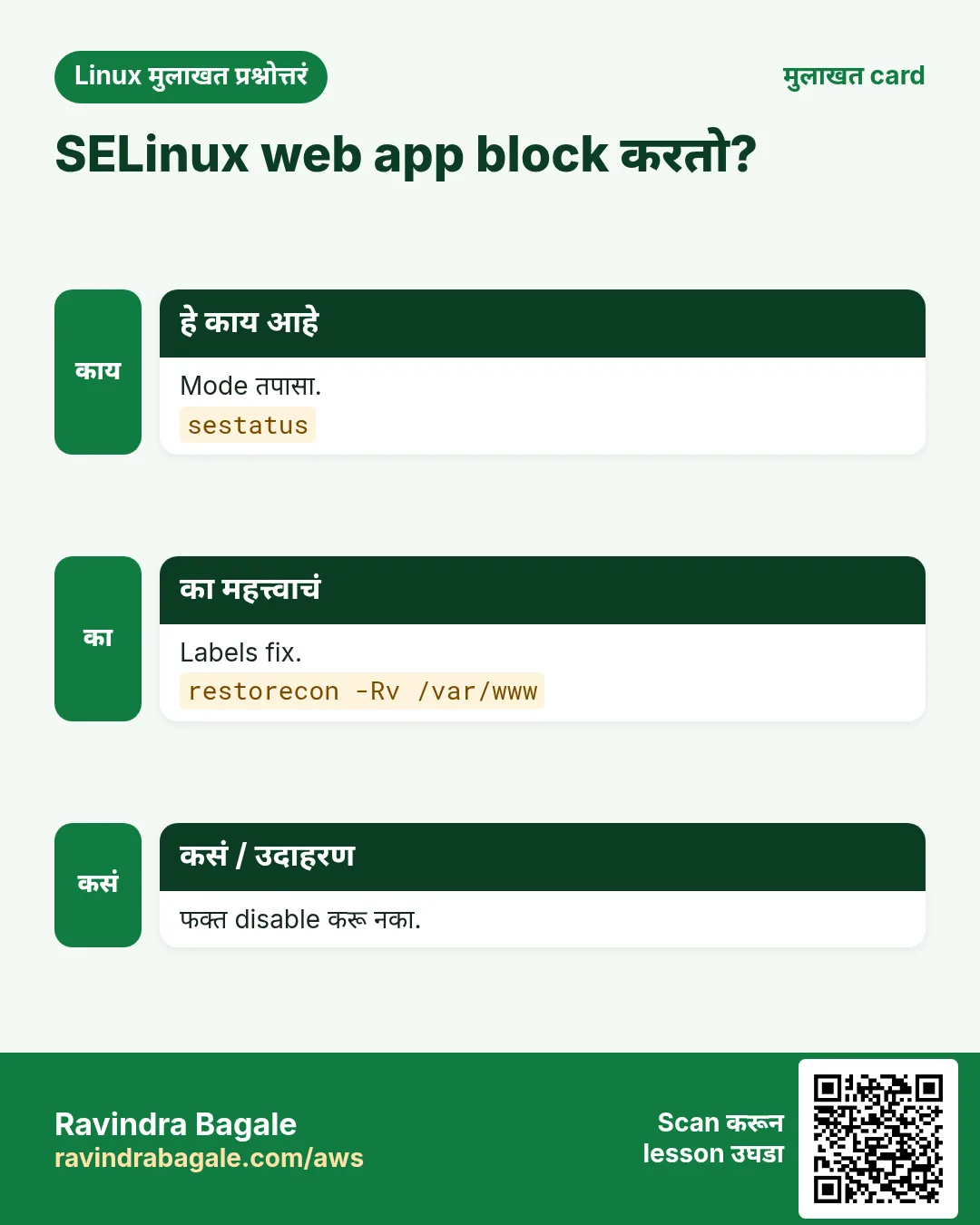
13. sestatus: SELinux status
sestatus सविस्तर: SELinux चालू आहे का?
हे का लागतं?
विचित्र "Permission denied" debug करण्याआधी SELinux enforcing आहे का ते बघा. sestatus mode आणि policy एका नजरेत दाखवतो.
हे काय आहे?
sestatus SELinux status, current mode (enforcing, permissive, disabled), config मधला mode, आणि policy print करतो. getenforce फक्त mode; setenforce 0 testing साठी reboot पर्यंत permissive. -b booleans list.
नेहमीचे options
| Option | काय करतो |
|---|---|
sestatus | पूर्ण status. |
sestatus -b | Booleans सह. |
getenforce | फक्त mode. |
setenforce 0 / 1 | आत्ता permissive / enforcing. |
/etc/selinux/config | Boot वेळचा mode. |
कसं करायचं (step by step)
- तपासा.
sestatusOutput:
SELinux status:                 enabled
Loaded policy name:             targeted
Current mode:                   enforcing
Mode from config file:          enforcing
याचा अर्थ: Targeted policy सह enforcing.
- पटकन check.
getenforceOutput:
Enforcingयाचा अर्थ: Scripts साठी एक शब्द.
- SELinux कारण आहे का test.
sudo setenforce 0; curl -s -o /dev/null -w "%{http_code}\n" localhost; sudo setenforce 1Output:
200याचा अर्थ: Permissive मधे चालतं: label किंवा port fix करा, मग परत enforcing.
- Denial शोधा.
sudo ausearch -m avc -ts recent | tail -1Output:
type=AVC msg=audit(...): avc: denied { read } for comm="nginx" name="index.html" scontext=system_u:system_r:httpd_t:s0 tcontext=unconfined_u:object_r:user_home_t:s0याचा अर्थ: चुकीचा file label.
खालच्या tasks मधे सराव करा: सराव tasks
खरा वापर: Bund Garden मधलं government portal compliance scan मधे getenforce तपासतं आणि enforcing नसलेला server fail करतं.
14. sha256sum: SHA-256 checksum
sha256sum सविस्तर: file integrity verify करा
हे का लागतं?
Download केलेला ISO, release artifact किंवा backup अगदी जसा हवा तसाच असायला हवा. sha256sum fingerprint देतो जो published शी compare करता येतो.
हे काय आहे?
sha256sum 64-hex SHA-256 hash आणि file name print करतो. -c checksum file वाचून OK किंवा FAILED सांगतो. md5sum (Part 5) विपरीत, SHA-256 मुद्दाम केलेल्या छेडछाडीविरुद्ध safe.
नेहमीचे options
| Option | काय करतो |
|---|---|
sha256sum file | Hash. |
-c SUMS | List verify. |
--quiet | फक्त failures. |
--ignore-missing | नसलेल्या files skip. |
sha512sum | मोठा hash. |
कसं करायचं (step by step)
- Hash.
sha256sum release.tar.gzOutput:
9f2c1e7a...4b10 release.tar.gzयाचा अर्थ: Deploy team ला हा द्या.
- Checksum file बनवा.
sha256sum *.tar.gz > SHA256SUMS; cat SHA256SUMSOutput:
9f2c1e7a...4b10  release.tar.gz
77ad03b1...e2c9  config.tar.gz
याचा अर्थ: Files सोबत पाठवा.
- Verify.
sha256sum -c SHA256SUMSOutput:
release.tar.gz: OK
config.tar.gz: OK
याचा अर्थ: सारखं.
- खराब copy.
sha256sum -c SHA256SUMSOutput:
release.tar.gz: FAILED
sha256sum: WARNING: 1 computed checksum did NOT match
याचा अर्थ: परत download; deploy करू नका.
खालच्या tasks मधे सराव करा: सराव tasks
खरा वापर: Hadapsar मधला firmware maker प्रत्येक release सह SHA256SUMS publish करतो आणि field engineers flash करण्याआधी verify करतात.
15. shutdown: सुरक्षित power off/reboot
shutdown सविस्तर: planned power off किंवा restart
हे का लागतं?
रात्री 11 चा maintenance window: users ना warning आणि server वेळेवर बंद, आणि cancel करता यायला हवं. shutdown schedule करतो.
हे काय आहे?
shutdown -h power off, -r reboot, वेळेवर (now, +15, 23:00), logged-in users ना optional message सह. shutdown -c cancel. 5 minutes आधी logins बंद.
नेहमीचे options
| Option | काय करतो |
|---|---|
-h now | आत्ता power off. |
-r +15 "msg" | 15 min नी reboot. |
-r 23:00 | वेळेवर. |
-c | Cancel. |
poweroff | Power off. |
कसं करायचं (step by step)
- Schedule.
sudo shutdown -r 23:00 "Kernel patch, back by 23:10"Output:
Reboot scheduled for Tue 2026-10-27 23:00:00 IST, use 'shutdown -c' to cancel.याचा अर्थ: Users ना message.
- Cancel.
sudo shutdown -cयाचा अर्थ: Plan बदलला.
- Test box power off.
sudo shutdown -h nowOutput:
Connection to test01 closed by remote host.याचा अर्थ: बंद. EC2 वर stop EBS ठेवतो.
- Users ना दिसतं.
(on another terminal)Output:
Broadcast message from root@web02:
Kernel patch, back by 23:10
The system will reboot at Tue 2026-10-27 23:00:00 IST!
याचा अर्थ: स्पष्ट warning.
खालच्या tasks मधे सराव करा: सराव tasks
खरा वापर: Yerawada call-centre live calls कट होऊ नयेत म्हणून 2 AM ला shutdown -r schedule करतं.
16. sleep: काही वेळ थांबा
sleep सविस्तर: scripts मधे थांबा
हे का लागतं?
API दर 10 seconds ने retry, service सुरू व्हायची वाट, किंवा requests मधे अंतर: scripts ना pauses लागतात.
हे काय आहे?
sleep वेळेसाठी थांबतो: default seconds, किंवा s, m, h, d suffixes; 0.5 सारखे decimals चालतात. timeout (Part 7) उलट: command किती वेळ चालेल ते मर्यादित.
नेहमीचे options
| Option | काय करतो |
|---|---|
sleep 5 | 5 seconds. |
sleep 0.5 | अर्धा second. |
sleep 2m | 2 minutes. |
sleep 1h | 1 तास. |
sleep infinity | कायम (containers). |
कसं करायचं (step by step)
- Retry loop.
for i in 1 2 3; do curl -sf localhost:8080/health && break; echo "try $i failed"; sleep 5; doneOutput:
try 1 failed
OK
याचा अर्थ: App ला सुरू व्हायला वेळ.
- Rate limit.
for id in 101 102; do curl -s api/orders/$id >/dev/null; sleep 0.5; doneयाचा अर्थ: जास्तीत जास्त दोन requests per second.
- Time बघा.
time sleep 2Output:
real 0m2.003sयाचा अर्थ: बरोबर दोन seconds.
- Container जिवंत ठेवा.
docker run -d alpine sleep infinityOutput:
3f1c2a9e0b7dयाचा अर्थ: Debugging साठी उपयोगी.
खालच्या tasks मधे सराव करा: सराव tasks
खरा वापर: Kondhwa मधली logistics script rate limit आत राहायला calls मधे sleep 30 ठेवून GPS vendor API poll करते.
17. sort: Lines sort
sort सविस्तर: lines क्रमाने लावा
हे का लागतं?
Top IPs, सर्वात मोठे folders, sorted CSVs, आणि sorted input लागणारा uniq (Part 8): sort pipelines मधे सगळीकडे.
हे काय आहे?
sort default alphabetically लावतो. -n numeric, -h human sizes (2K, 1G), -r reverse, -k column, -t separator, -u duplicates काढा, -V version क्रम. -n शिवाय 10, 9 च्या आधी.
नेहमीचे options
| Option | काय करतो |
|---|---|
-n | Numbers. |
-r | उलट. |
-h | Human sizes. |
-k 3 | Column 3 प्रमाणे. |
-t , | CSV separator. |
-u | Unique. |
-V | Versions. |
-o file | File मधे लिहा. |
कसं करायचं (step by step)
- Numeric trap.
printf "9\n10\n2\n" | sort; printf "9\n10\n2\n" | sort -nOutput:
10
2
9
2
9
10
याचा अर्थ: Numbers साठी -n.
- सर्वात मोठे folders.
du -sh /var/* 2>/dev/null | sort -rh | head -3Output:
4.1G /var/log
2.3G /var/lib
120M /var/cache
याचा अर्थ: -h G आणि M समजतो.
- Amount प्रमाणे CSV.
sort -t, -k3 -nr sales.csv | head -2Output:
2026-10-01,Pune,18200
2026-10-01,Nashik,9100
याचा अर्थ: Column 3, numeric, उतरता.
- Versions.
printf "v1.10\nv1.9\nv1.2\n" | sort -VOutput:
v1.2
v1.9
v1.10
याचा अर्थ: बरोबर release क्रम.
खालच्या tasks मधे सराव करा: सराव tasks
खरा वापर: Camp मधला electronics retailer managers ना top 10 products पाठवायला daily sales CSV amount प्रमाणे sort करतो.
18. source: Current shell मधे file चालवा
source सविस्तर: current shell मधे file चालवा
हे का लागतं?
~/.bashrc edit केला आणि नवा alias आत्ता हवा, किंवा app चालवण्याआधी file मधून env variables load करायचे. File script म्हणून चालवल्याने ते टिकत नाहीत; source टिकवतो.
हे काय आहे?
source FILE (किंवा . FILE) commands current shell मधे वाचून चालवतो, म्हणून variables, functions, aliases आणि cd टिकतात. ./script.sh child shell मधे चालतो, म्हणून बदल नाहीसे. Python venvs source venv/bin/activate वापरतात.
नेहमीचे options
| Option | काय करतो |
|---|---|
source file | Current shell. |
. file | तेच, POSIX. |
source ~/.bashrc | Settings reload. |
set -a; source .env; set +a | सगळे export. |
source venv/bin/activate | Python venv. |
कसं करायचं (step by step)
- bashrc reload.
echo "alias k=kubectl" >> ~/.bashrc; source ~/.bashrc; type kOutput:
k is aliased to `kubectl'याचा अर्थ: आत्ता उपलब्ध.
- Script vs source.
echo "export STAGE=prod" > env.sh; bash env.sh; echo "[$STAGE]"; source env.sh; echo "[$STAGE]"Output:
[]
[prod]
याचा अर्थ: फक्त source variable ठेवतो.
- .env load.
set -a; source .env; set +a; env | grep DB_HOSTOutput:
DB_HOST=db01.internalयाचा अर्थ: Child processes साठी export.
- Python venv.
source venv/bin/activate; which pythonOutput:
/home/ravi/app/venv/bin/pythonयाचा अर्थ: venv चा python पहिला.
खालच्या tasks मधे सराव करा: सराव tasks
खरा वापर: Aundh मधली data science lab प्रत्येक notebook server start-up script source venv/bin/activate ने सुरू करते.
19. split: मोठी file parts मधे
split सविस्तर: मोठ्या files चे भाग करा
हे का लागतं?
Email limit 25 MB, upload API 100 MB parts घेतो, किंवा 1 कोटी lines चा CSV batches मधे load करायचा. split files size किंवा lines प्रमाणे कापतो.
हे काय आहे?
split -b bytes (100M), -l lines, -n N समान भाग. -d numeric suffixes, --additional-suffix .csv जोडतो. cat parts* > file ने परत जोडा आणि sha256sum ने तपासा.
नेहमीचे options
| Option | काय करतो |
|---|---|
-b 100M | Size प्रमाणे. |
-l 100000 | Lines प्रमाणे. |
-n 4 | चार भाग. |
-d | Numeric suffix. |
--additional-suffix=.csv | Extension. |
cat part* > f | जोडा. |
कसं करायचं (step by step)
- Size प्रमाणे.
split -b 100M -d backup.tar.gz backup.part.; lsOutput:
backup.part.00 backup.part.01 backup.part.02याचा अर्थ: तीन भाग.
- जोडा आणि verify.
cat backup.part.* > restored.tar.gz; sha256sum backup.tar.gz restored.tar.gzOutput:
ab12...  backup.tar.gz
ab12...  restored.tar.gz
याचा अर्थ: सारखा hash.
- Lines प्रमाणे.
tail -n +2 big.csv | split -l 500000 -d --additional-suffix=.csv - chunk_; ls chunk_* | head -2Output:
chunk_00.csv
chunk_01.csv
याचा अर्थ: आधी header काढला, loading साठी batches.
- समान भाग.
split -n l/4 urls.txt part_; wc -l part_*Output:
2500 part_aa
2500 part_ab
2500 part_ac
2500 part_ad
10000 total
याचा अर्थ: चार workers, प्रत्येकी एक.
खालच्या tasks मधे सराव करा: सराव tasks
खरा वापर: Bhosari मधली auto parts company nightly ERP export lines प्रमाणे split करते म्हणजे warehouse database batches मधे load करतो.
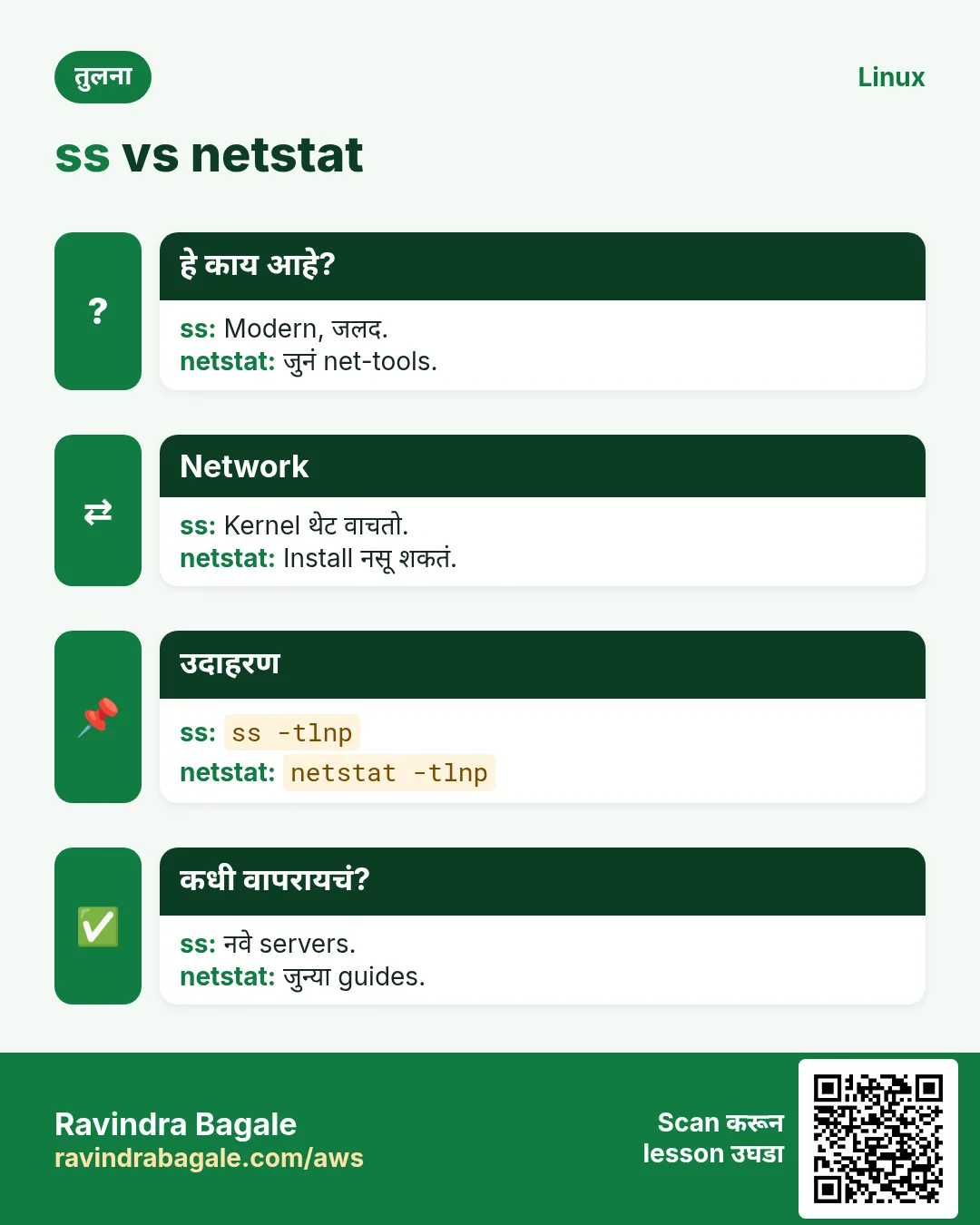
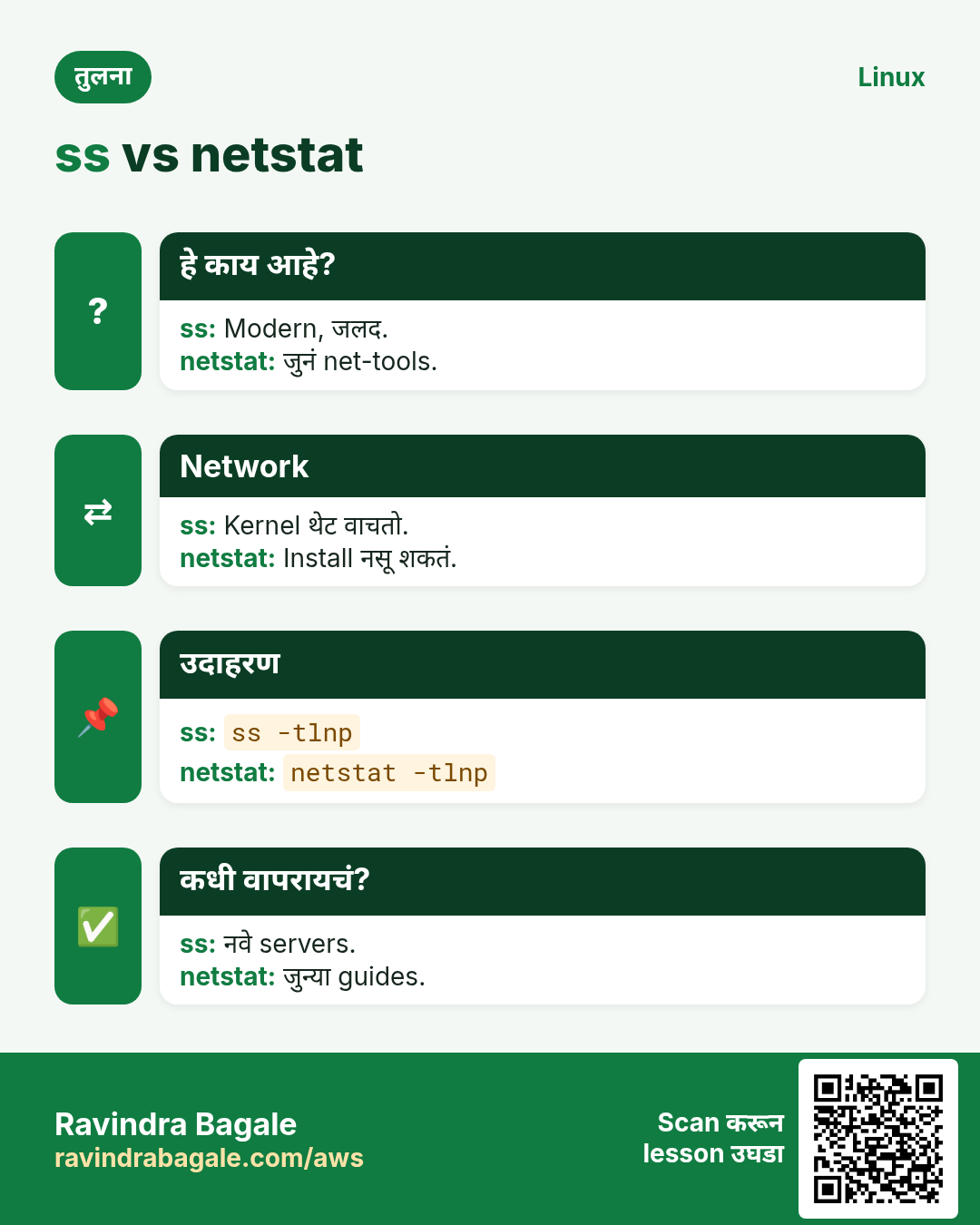
20. ss: Sockets आणि listening ports
ss सविस्तर: sockets आणि listening ports
हे का लागतं?
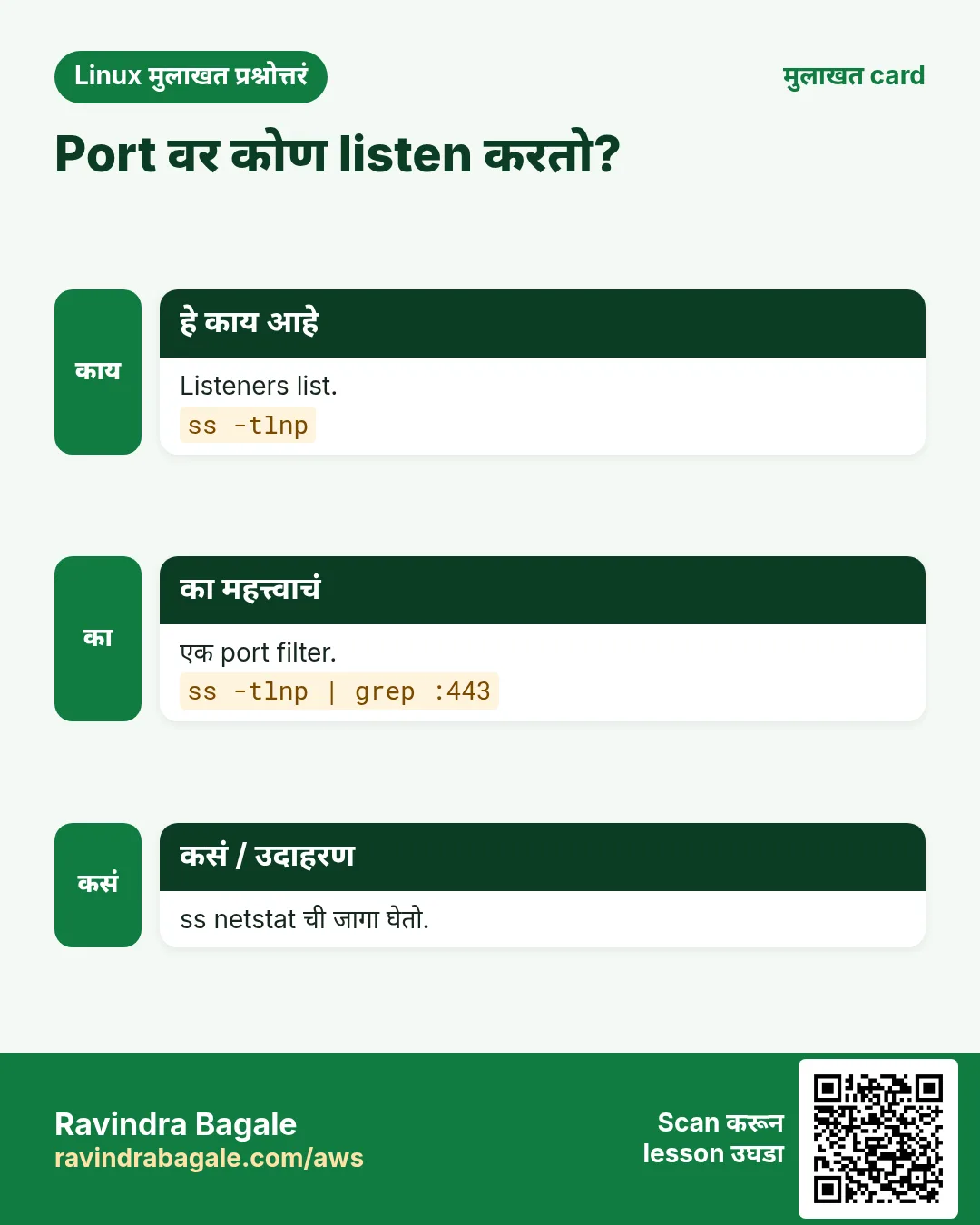
माझं app listen करतंय का? कोणत्या port आणि address वर? कोण connected? ss netstat (Part 5) ची जागा घेतो आणि busy servers वर जलद.
हे काय आहे?
ss sockets list करतो. -t TCP, -u UDP, -l listening, -n numbers, -p process. -s summary. state established किंवा dport = :443 सारखे filters list कमी करतात.
नेहमीचे options
| Option | काय करतो |
|---|---|
-tlnp | Process सह listening TCP. |
-ulnp | Listening UDP. |
-tn state established | Live connections. |
-s | Summary. |
'( dport = :5432 )' | Port ला. |
-o | Timers. |
कसं करायचं (step by step)
- कोण listen करतं.
sudo ss -tlnpOutput:
State  Recv-Q Send-Q Local Address:Port  Peer Address:Port Process
LISTEN 0      511    0.0.0.0:80          0.0.0.0:*     users:(("nginx",pid=901,fd=6))
LISTEN 0      128    127.0.0.1:8080      0.0.0.0:*     users:(("java",pid=4388,fd=12))
याचा अर्थ: java फक्त localhost वर.
- DB ला connections.
ss -tn state established "( dport = :5432 )" | wc -lOutput:
41याचा अर्थ: 40 connections आणि header.
- Summary.
ss -sOutput:
Total: 612
TCP:   488 (estab 402, closed 60, orphaned 0, timewait 58)
याचा अर्थ: पटकन health view.
- Port आधीच वापरात.
sudo ss -tlnp | grep :8080Output:
LISTEN 0 128 *:8080 *:* users:(("node",pid=7712,fd=19))याचा अर्थ: जुना node process धरून आहे.
खालच्या tasks मधे सराव करा: सराव tasks
खरा वापर: Baner मधली fintech load tests दरम्यान database connections मोजायला ss -tn state established वापरते.
21. ssh: Remote server वर login
ssh सविस्तर: secure remote login आणि commands
हे का लागतं?
प्रत्येक Linux server SSH वरून manage होतो. Login, 20 servers वर एक command, किंवा bastion मधून jump: ssh सगळं करतो.
हे काय आहे?
ssh user@host encrypted shell उघडतो. -i key, -p port, -J jump host, -v debug. ssh host "cmd" एक command चालवतो. ~/.ssh/config hosts save करतो. Keys, agents आणि tunnels SSH chapter मधे सविस्तर.
नेहमीचे options
| Option | काय करतो |
|---|---|
ssh user@host | Login. |
-i key.pem | Key. |
-p 2222 | Port. |
-J bastion | Jump host. |
ssh host "cmd" | एक command. |
-v | Debug. |
-L 5432:db:5432 | Local tunnel. |
कसं करायचं (step by step)
- Key ने login.
ssh -i ~/.ssh/prod.pem ec2-user@15.0.0.10Output:
[ec2-user@ip-10-0-1-11 ~]$याचा अर्थ: तुम्ही server वर.
- अनेकांवर एक command.
for h in web01 web02; do ssh $h "uptime"; doneOutput:
10:01 up 41 days, load average: 0.20
10:01 up 12 days, load average: 0.31
याचा अर्थ: पटकन fleet check.
- Bastion मधून.
ssh -J ravi@bastion.example.in ravi@10.0.2.15Output:
[ravi@db01 ~]$याचा अर्थ: db01 ला public IP नको.
- Failure debug.
ssh -v app01 2>&1 | grep -i "permission\|offering"Output:
debug1: Offering public key: /home/ravi/.ssh/id_ed25519
ravi@app01: Permission denied (publickey).
याचा अर्थ: Server कडे ही key नाही.
खालच्या tasks मधे सराव करा: सराव tasks
खरा वापर: Hinjewadi मधला MSP 300 client servers फक्त bastion मधून ssh -J आणि per-client keys ने manage करतो.
22. ssh-keygen: SSH keys बनवा
ssh-keygen सविस्तर: SSH keys बनवा आणि manage करा
हे का लागतं?
SSH वरचे passwords brute-force होतात. Keys जास्त safe आणि automation शक्य. ssh-keygen त्या बनवतो आणि fingerprints दाखवतो आणि जुन्या host entries काढतो.
हे काय आहे?
ssh-keygen -t ed25519 key pair बनवतो: private (गुप्त, chmod 600) आणि .pub (share). -C comment, -f file name, -l -f fingerprint, -R host जुनी known_hosts entry काढतो, -p passphrase बदलतो.
नेहमीचे options
| Option | काय करतो |
|---|---|
-t ed25519 | Modern key. |
-C "comment" | Label. |
-f path | File. |
-l -f key.pub | Fingerprint. |
-R host | Known host काढा. |
-p -f key | Passphrase बदला. |
ssh-copy-id host | Public key install. |
कसं करायचं (step by step)
- बनवा.
ssh-keygen -t ed25519 -C "ravi@laptop" -f ~/.ssh/id_ed25519Output:
Your identification has been saved in /home/ravi/.ssh/id_ed25519
Your public key has been saved in /home/ravi/.ssh/id_ed25519.pub
याचा अर्थ: दोन files: private safe ठेवा.
- Install करा.
ssh-copy-id -i ~/.ssh/id_ed25519.pub ravi@app01Output:
Number of key(s) added: 1याचा अर्थ: आता password शिवाय login.
- Fingerprint.
ssh-keygen -l -f ~/.ssh/id_ed25519.pubOutput:
256 SHA256:Xk3...Q9 ravi@laptop (ED25519)याचा अर्थ: Server logs शी compare.
- Host key बदलली.
ssh-keygen -R app01Output:
# Host app01 found: line 12
/home/ravi/.ssh/known_hosts updated.
याचा अर्थ: Server rebuild झाल्याची खात्री झाल्यावरच.
खालच्या tasks मधे सराव करा: सराव tasks
खरा वापर: Kharadi मधलं startup प्रत्येक नव्या engineer ला checklist देतं: passphrase सह ssh-keygen -t ed25519, मग फक्त .pub पाठवा.
23. stat: File details आणि times
stat सविस्तर: file ची प्रत्येक माहिती
हे का लागतं?
ही config शेवटची कधी बदलली? Exact permissions numbers मधे? Symlink आहे का? ls लपवतं ते सगळं stat दाखवतो.
हे काय आहे?
stat size, blocks, inode, links, permissions (octal आणि text), owner, SELinux context, आणि तीन वेळा दाखवतो: Access, Modify (content), Change (metadata). -c custom format; -f filesystem info.
नेहमीचे options
| Option | काय करतो |
|---|---|
stat file | पूर्ण details. |
-c "%a %U %n" | Octal, owner, name. |
-c %y | Modify time. |
-c %s | Bytes मधे size. |
-f / | Filesystem. |
-L | Symlinks follow. |
कसं करायचं (step by step)
- Details.
stat /etc/nginx/nginx.confOutput:
  File: /etc/nginx/nginx.conf
  Size: 2334      Blocks: 8   IO Block: 4096 regular file
Access: (0644/-rw-r--r--)  Uid: (0/root)  Gid: (0/root)
Modify: 2026-10-27 18:02:11 +0530
Change: 2026-10-27 18:02:11 +0530
याचा अर्थ: आज 18:02 ला बदलली.
- Octal permissions.
stat -c "%a %U:%G %n" ~/.ssh/id_ed25519Output:
600 ravi:ravi /home/ravi/.ssh/id_ed25519याचा अर्थ: Private key साठी बरोबर.
- Script साठी size.
[ $(stat -c %s app.log) -gt 104857600 ] && echo "rotate"Output:
rotateयाचा अर्थ: 100 MB पेक्षा जास्त.
- Symlink.
stat -c "%F %N" /opt/app/currentOutput:
symbolic link '/opt/app/current' -> '/opt/app/releases/v42'याचा अर्थ: v42 कडे.
खालच्या tasks मधे सराव करा: सराव tasks
खरा वापर: Deccan मधला insurance auditor policy config files शेवटच्या कधी बदलल्या ते सिद्ध करायला stat -c %y वापरतो.
24. या range मधल्या commands ज्या आधीच सविस्तर covered आहेत
हे का लागतं?
या commands चा पूर्ण why, what आणि how section आधीच्या chapter मधे आहे. इथे परत लिहिलं तर फक्त page लांब होईल.
हे काय आहे?
प्रत्येक link options, examples आणि output असलेला नेमका section उघडतो.
कसं करायचं (step by step)
25. अनेक industries मधली खरी उदाहरणं
हे का लागतं?
तेच Linux skill प्रत्येक प्रकारच्या company मध्ये लागतं. वेगवेगळ्या ठिकाणी पाहिलं की लक्षात राहतं.
हे काय आहे?
प्रत्येक row म्हणजे एक काल्पनिक team. कोण हे वापरतं आणि कसं ते दाखवते.
कसं करायचं (step by step)
| Team आणि शहर | ते कसं वापरतात | Command |
|---|---|---|
| Sneha, payments, Hinjewadi | अनेक configs मधे DB hosts बदलते | sed -i.bak "s/db-old/db-new/g" |
| Rahul, media, Pimpri | Nightly DR sync | rsync -aP --bwlimit=20M |
| Kavita, hosting, Baner | Web labels fix करते | restorecon -Rv /var/www |
| Ajay, bank, Swargate | Packages audit | rpm -Va |
| Pallavi, CA office, Shivajinagar | Auditors ना access | setfacl -m u:auditor:rX |
| Nikhil, MSP, Hinjewadi | Bastion मधून jump | ssh -J bastion host |
26. नेहमीच्या errors आणि त्यांचे fixes
हे का लागतं?
हे errors सगळ्यांना येतात. कारण माहीत असलं की तास वाचतात.
हे काय आहे?
आधी नेमका message वाचा. मग खालच्या row शी जुळवा.
कसं करायचं (step by step)
| दिसणारा error | का होतं | Fix कसा करायचा |
|---|---|---|
sed: -e expression #1, char 12: unknown option to `s' | Pattern मधला / s command लवकर संपवतो | | सारखा दुसरा delimiter.sed "s|/a/b|/c/d|" file |
sed -i on macOS: invalid command code | BSD sed ला -i ला argument लागतो | -i.bak वापरा, दोन्हीकडे चालतो.sed -i.bak "s/a/b/" f |
sed changed nothing | Pattern match नाही: case, spaces किंवा regex | आधी grep ने test, मग -i शिवाय sed.grep -n "Listen 80" httpd.conf |
sed: couldn't open temporary file ./sedXyz: Permission denied | Folder मधे write permission नाही | sudo ने चालवा किंवा folder rights fix.sudo sed -i.bak "s/a/b/" /etc/f |
rsync: connection unexpectedly closed (code 12) | Remote वर rsync नाही किंवा SSH fail | दोन्ही बाजूंना rsync install; ssh test.ssh host "which rsync" |
rsync --delete removed the wrong files | Trailing slash नाही किंवा जास्त | नेहमी आधी -n ने dry-run.rsync -avn --delete src/ dst/ |
ValueError: Port tcp/8443 already defined | Port आधीच SELinux type मधे | -a ऐवजी -m.semanage port -m -t http_port_t -p tcp 8443 |
ssh: Permission denied (publickey) | Server कडे तुमची key नाही, किंवा चुकीचा user | User तपासा आणि ssh -v.ssh -v ec2-user@host |
WARNING: REMOTE HOST IDENTIFICATION HAS CHANGED! | Server rebuild किंवा खरा attack | Admin कडून confirm, मग ssh-keygen -R.ssh-keygen -R host |
Permissions 0644 for 'key.pem' are too open | Private key इतरांना readable | Key ला chmod 600.chmod 600 key.pem |
sort: numbers in wrong order | -n नाही | -n किंवा -h.sort -n file |
There is no screen to be resumed | Session दुसरीकडे attached किंवा संपलं | screen -ls; -dr वापरा.screen -dr name |
27. Troubleshooting step by step
हे का लागतं?
Part 6 ची command अपेक्षेप्रमाणे वागत नसेल तर या steps.
हे काय आहे?
वरून खाली जा. ज्या step ला problem दिसतो तिथे थांबा.
कसं करायचं (step by step)
- -i शिवाय sed test.
sed "s/a/b/" file | diff file -- rsync dry-run.
rsync -avn src/ dst/- SELinux कारण आहे का?
getenforce; ausearch -m avc -ts recent- Key permissions तपासा.
stat -c %a ~/.ssh/id_ed25519- Listen करतंय का?
ss -tlnp- कोणत्या package ची?
rpm -qf /usr/sbin/sshd28. Lab 1: sed ने pro सारखे configs edit करा
हे का लागतं?
Sample config बनवा आणि sed ने safely बदला.
हे काय आहे?
पूर्ण hands-on lab. प्रत्येक step test Linux machine वर करा (EC2 instance, VM किंवा WSL).
कसं करायचं (step by step)
- Config बनवा.
printf "# app config\nport=8080\nenv=dev\n\nhost=db-old\n" > /tmp/app.ini- बदल preview.
sed "s/8080/9090/" /tmp/app.ini | grep portOutput:
port=9090- Backup सह edit.
sed -i.bak "s/db-old/db-new/" /tmp/app.ini; grep host /tmp/app.iniOutput:
host=db-new- स्वच्छ view.
sed -e "/^#/d" -e "/^$/d" /tmp/app.iniOutput:
port=8080
env=dev
host=db-new- फक्त env बदला.
sed -i "/^env=/s/dev/prod/" /tmp/app.ini; grep env /tmp/app.iniOutput:
env=prod29. Lab 2: Backup, verify आणि sort
हे का लागतं?
rsync ने folder copy, archive split आणि verify, आणि sizes sort करा.
हे काय आहे?
पूर्ण hands-on lab. प्रत्येक step test Linux machine वर करा (EC2 instance, VM किंवा WSL).
कसं करायचं (step by step)
- Copy.
mkdir -p /tmp/src && seq 1 1000 > /tmp/src/n.txt && rsync -a /tmp/src/ /tmp/dst/ && ls /tmp/dstOutput:
n.txt- Archive आणि hash.
tar czf /tmp/a.tgz -C /tmp src && sha256sum /tmp/a.tgz > /tmp/a.sum- Split आणि join.
split -b 1K /tmp/a.tgz /tmp/p_ && cat /tmp/p_* > /tmp/a.tgz.new && cmp /tmp/a.tgz /tmp/a.tgz.new && echo sameOutput:
same- Sort.
du -sh /tmp/* 2>/dev/null | sort -rh | head -3Output:
(biggest first)- Details.
stat -c "%a %s %n" /tmp/a.tgzOutput:
644 4123 /tmp/a.tgzRavindra Bagale's Tip
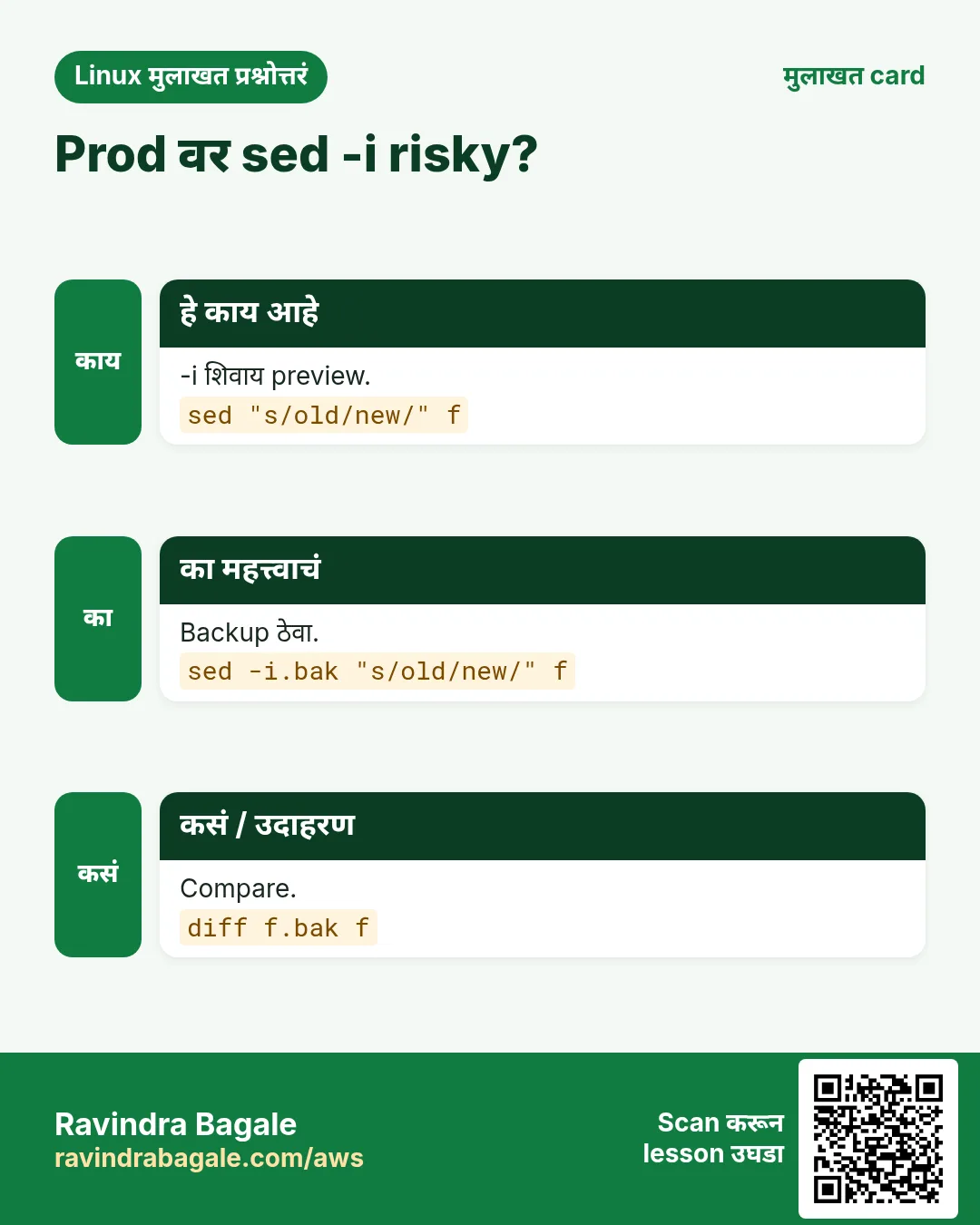
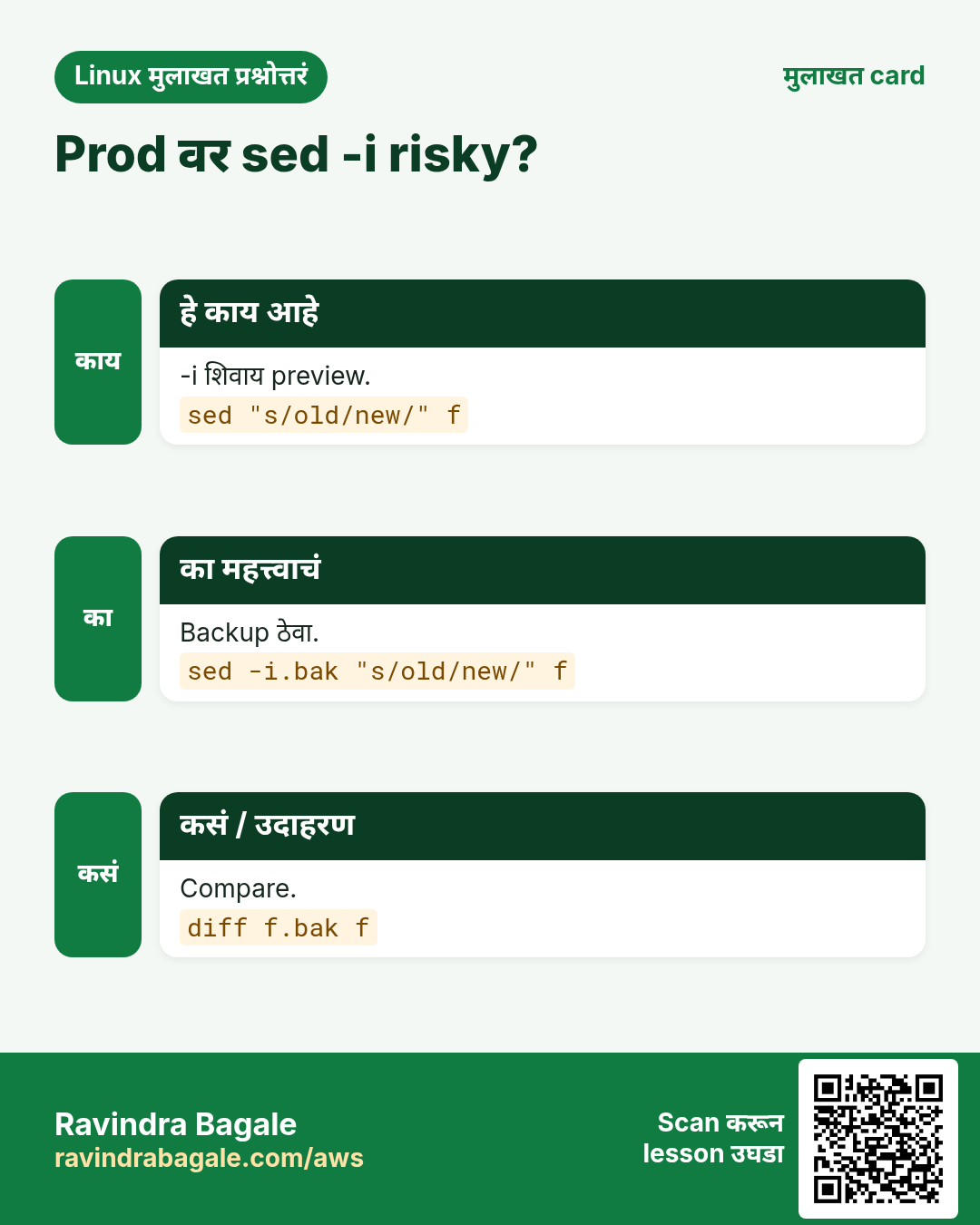
Never run sed -i first. Run the same sed without -i and read the output, then add -i.bak. Keep the .bak until the change is tested. This one habit prevents most config disasters.
Ravindra Bagale's Tip – मराठी
sed -i कधीच आधी चालवू नका. तोच sed -i शिवाय चालवून output वाचा, मग -i.bak जोडा. बदल test होईपर्यंत .bak ठेवा. ही एक सवय बहुतेक config disasters टाळते.
Ravindra Bagale's Tip – हिंदी
sed -i कभी पहले न चलाएं. वही sed बिना -i चलाकर output पढ़ें, फिर -i.bak जोड़ें. बदलाव test होने तक .bak रखें. यह एक आदत ज़्यादातर config disasters रोकती है.
30. नेहमी विचारले जाणारे प्रश्न
प्र. sed की awk?
Replace, delete आणि lines print साठी sed; columns आणि calculations साठी awk.
प्र. sed की vim?
हाताने एका file साठी vim; अनेक files किंवा scripts साठी sed.
प्र. rsync की scp?
rsync resume करतो आणि फक्त बदल पाठवतो; scp साधी one-off copy.
प्र. ss की netstat?
ss current आणि जलद.
प्र. screen की tmux?
दोन्ही चालतात; tmux चे panes चांगले. Part 7 बघा.
प्र. SELinux disable करायचा का?
नाही. Test साठी थोडा वेळ permissive, मग label किंवा port fix.
31. मुलाखत प्रश्न आणि उत्तरं
Beginner level
प्र. File मधला शब्द कसा replace कराल?
sed -i "s/old/new/g" file.
प्र. Numbers कसे sort कराल?
sort -n.
प्र. Server वर login कसं कराल?
ssh user@host.
प्र. SELinux mode कसा तपासाल?
getenforce किंवा sestatus.
Mid level level
प्र. 10 ते 20 lines print.
sed -n "10,20p" file.
प्र. Comment आणि blank lines delete.
sed -e "/^#/d" -e "/^$/d" file.
प्र. Folder backup ला mirror.
rsync -a --delete src/ dst/.
प्र. 8080 वर कोणता process?
ss -tlnp | grep 8080.
Senior level
प्र. 12 servers वरच्या 60 files मधे DB host safely बदला.
शोधायला grep -rl, Ansible ने sed -i.bak, verify, .bak ठेवा.
प्र. Files हलवल्यानंतर nginx 403. Steps?
ls -Z, restorecon -Rv, ausearch तपासा.
प्र. WAN वर 2 TB चा nightly backup?
rsync -aP --bwlimit, checksums ने verify, failure वर alert.
प्र. YYYY-MM-DD ला DD/MM/YYYY.
तीन groups आणि \3/\2/\1 सह sed -E.
घरी करून बघा
- 20 lines चा config बनवा आणि table मधला प्रत्येक sed option practise करा.
- Folder दोनदा rsync करा आणि दुसऱ्या run ला काही पाठवलं जात नाही ते बघा.
- ed25519 key बनवा आणि fingerprint बघा.
- तुमच्या home folder चा du output sort करा.
सराव Tasks
Vidarbha Cotton Mills हा नागपूर मधला वस्त्रोद्योग व्यवसाय आहे. Ganesh Wankhede त्यांचं IT व cloud काम पाहतात. त्यांचे पैसे INR मध्ये मोजले जातात आणि AWS resources ap-south-1 Region मध्ये चालतात. खालच्या tasks मध्ये तुम्ही या lesson मध्ये शिकलेलं वापरून त्यांची खरी कामं करता. सगळी नावं, account IDs, IP addresses व numbers सरावासाठी काल्पनिक आहेत.
0 / 26
सोपं 5 minutes नी reboot
का: BIZ Linux servers चालवतो आणि reboot ते stat commands रोज वापरतो.
काय करायचं: shutdown ने 5 minutes नी reboot schedule करा.
- हे काम करणारा Linux command शोधा.
- Task ला लागणारे options (उदा. -r, -h) जोडा.
- File नावं, folders किंवा users योग्य क्रमाने लिहा.
- System files/users बदलत असाल तर sudo वापरा. Check answer दाबा.
सोपं Owner package
का: BIZ Linux servers चालवतो आणि reboot ते stat commands रोज वापरतो.
काय करायचं: /etc/chrony.conf कोणत्या package ची ते शोधा.
- हे काम करणारा Linux command शोधा.
- Task ला लागणारे options (उदा. -r, -h) जोडा.
- File नावं, folders किंवा users योग्य क्रमाने लिहा.
- System files/users बदलत असाल तर sudo वापरा. Check answer दाबा.
सोपं नाव असलेलं screen
का: BIZ Linux servers चालवतो आणि reboot ते stat commands रोज वापरतो.
काय करायचं: nightly नावाचं screen session सुरू करा.
- हे काम करणारा Linux command शोधा.
- Task ला लागणारे options (उदा. -r, -h) जोडा.
- File नावं, folders किंवा users योग्य क्रमाने लिहा.
- System files/users बदलत असाल तर sudo वापरा. Check answer दाबा.
सोपं सगळे replace
का: BIZ Linux servers चालवतो आणि reboot ते stat commands रोज वापरतो.
काय करायचं: sed वापरून deploy.cfg मधले सगळे staging live ने replace करून result print करा.
- हे काम करणारा Linux command शोधा.
- Task ला लागणारे options (उदा. -r, -h) जोडा.
- File नावं, folders किंवा users योग्य क्रमाने लिहा.
- System files/users बदलत असाल तर sudo वापरा. Check answer दाबा.
सोपं Padded sequence
का: BIZ Linux servers चालवतो आणि reboot ते stat commands रोज वापरतो.
काय करायचं: seq ने 1 ते 12 numbers समान width ने print करा.
- हे काम करणारा Linux command शोधा.
- Task ला लागणारे options (उदा. -r, -h) जोडा.
- File नावं, folders किंवा users योग्य क्रमाने लिहा.
- System files/users बदलत असाल तर sudo वापरा. Check answer दाबा.
सोपं SELinux mode
का: BIZ Linux servers चालवतो आणि reboot ते stat commands रोज वापरतो.
काय करायचं: SELinux boolean httpd_can_sendmail ची value दाखवा.
- हे काम करणारा Linux command शोधा.
- Task ला लागणारे options (उदा. -r, -h) जोडा.
- File नावं, folders किंवा users योग्य क्रमाने लिहा.
- System files/users बदलत असाल तर sudo वापरा. Check answer दाबा.
सोपं Shutdown cancel
का: BIZ Linux servers चालवतो आणि reboot ते stat commands रोज वापरतो.
काय करायचं: shutdown ने 22:30 ला server power off करा.
- हे काम करणारा Linux command शोधा.
- Task ला लागणारे options (उदा. -r, -h) जोडा.
- File नावं, folders किंवा users योग्य क्रमाने लिहा.
- System files/users बदलत असाल तर sudo वापरा. Check answer दाबा.
सोपं 90 seconds थांबा
का: BIZ Linux servers चालवतो आणि reboot ते stat commands रोज वापरतो.
काय करायचं: 90 seconds थांबा.
- हे काम करणारा Linux command शोधा.
- Task ला लागणारे options (उदा. -r, -h) जोडा.
- File नावं, folders किंवा users योग्य क्रमाने लिहा.
- System files/users बदलत असाल तर sudo वापरा. Check answer दाबा.
सोपं File load
का: BIZ Linux servers चालवतो आणि reboot ते stat commands रोज वापरतो.
काय करायचं: ./vars.sh मधले variables dot form ने current shell मधे load करा.
- हे काम करणारा Linux command शोधा.
- Task ला लागणारे options (उदा. -r, -h) जोडा.
- File नावं, folders किंवा users योग्य क्रमाने लिहा.
- System files/users बदलत असाल तर sudo वापरा. Check answer दाबा.
मध्यम PID renice
का: BIZ Linux servers चालवतो आणि reboot ते stat commands रोज वापरतो.
काय करायचं: PID 3344 ची niceness 12 करा.
- हे काम करणारा Linux command शोधा.
- Task ला लागणारे options (उदा. -r, -h) जोडा.
- File नावं, folders किंवा users योग्य क्रमाने लिहा.
- System files/users बदलत असाल तर sudo वापरा. Check answer दाबा.
मध्यम Labels restore
का: BIZ Linux servers चालवतो आणि reboot ते stat commands रोज वापरतो.
काय करायचं: /srv/portal वर SELinux labels recursive आणि verbose restore करा.
- हे काम करणारा Linux command शोधा.
- Task ला लागणारे options (उदा. -r, -h) जोडा.
- File नावं, folders किंवा users योग्य क्रमाने लिहा.
- System files/users बदलत असाल तर sudo वापरा. Check answer दाबा.
मध्यम Package files list
का: BIZ Linux servers चालवतो आणि reboot ते stat commands रोज वापरतो.
काय करायचं: chrony package च्या files list करा.
- हे काम करणारा Linux command शोधा.
- Task ला लागणारे options (उदा. -r, -h) जोडा.
- File नावं, folders किंवा users योग्य क्रमाने लिहा.
- System files/users बदलत असाल तर sudo वापरा. Check answer दाबा.
मध्यम Delete सह mirror
का: BIZ Linux servers चालवतो आणि reboot ते stat commands रोज वापरतो.
काय करायचं: /data/www/ ला /mnt/bk/www/ वर archive mode मधे mirror करा, source मधून गेलेल्या files delete करा.
- हे काम करणारा Linux command शोधा.
- Task ला लागणारे options (उदा. -r, -h) जोडा.
- File नावं, folders किंवा users योग्य क्रमाने लिहा.
- System files/users बदलत असाल तर sudo वापरा. Check answer दाबा.
मध्यम Range print
का: BIZ Linux servers चालवतो आणि reboot ते stat commands रोज वापरतो.
काय करायचं: sed ने server.log च्या फक्त 40 ते 45 lines print करा.
- हे काम करणारा Linux command शोधा.
- Task ला लागणारे options (उदा. -r, -h) जोडा.
- File नावं, folders किंवा users योग्य क्रमाने लिहा.
- System files/users बदलत असाल तर sudo वापरा. Check answer दाबा.
मध्यम Matching delete
का: BIZ Linux servers चालवतो आणि reboot ते stat commands रोज वापरतो.
काय करायचं: sed वापरून trace.txt मधली DEBUG असलेली प्रत्येक line delete करून बाकी print करा.
- हे काम करणारा Linux command शोधा.
- Task ला लागणारे options (उदा. -r, -h) जोडा.
- File नावं, folders किंवा users योग्य क्रमाने लिहा.
- System files/users बदलत असाल तर sudo वापरा. Check answer दाबा.
मध्यम Write द्या
का: BIZ Linux servers चालवतो आणि reboot ते stat commands रोज वापरतो.
काय करायचं: ACL ने kiran user ला report.xlsx वर read आणि write द्या.
- हे काम करणारा Linux command शोधा.
- Task ला लागणारे options (उदा. -r, -h) जोडा.
- File नावं, folders किंवा users योग्य क्रमाने लिहा.
- System files/users बदलत असाल तर sudo वापरा. Check answer दाबा.
मध्यम List verify
का: BIZ Linux servers चालवतो आणि reboot ते stat commands रोज वापरतो.
काय करायचं: release.sha256 मधल्या सगळ्या files verify करा.
- हे काम करणारा Linux command शोधा.
- Task ला लागणारे options (उदा. -r, -h) जोडा.
- File नावं, folders किंवा users योग्य क्रमाने लिहा.
- System files/users बदलत असाल तर sudo वापरा. Check answer दाबा.
मध्यम CSV column sort
का: BIZ Linux servers चालवतो आणि reboot ते stat commands रोज वापरतो.
काय करायचं: marks.csv दुसऱ्या comma-separated column प्रमाणे numerically, सर्वात जास्त आधी sort करा.
- हे काम करणारा Linux command शोधा.
- Task ला लागणारे options (उदा. -r, -h) जोडा.
- File नावं, folders किंवा users योग्य क्रमाने लिहा.
- System files/users बदलत असाल तर sudo वापरा. Check answer दाबा.
मध्यम Lines ने split
का: BIZ Linux servers चालवतो आणि reboot ते stat commands रोज वापरतो.
काय करायचं: leads.csv numeric suffixes सह प्रत्येकी 2000 lines च्या files मधे split करा.
- हे काम करणारा Linux command शोधा.
- Task ला लागणारे options (उदा. -r, -h) जोडा.
- File नावं, folders किंवा users योग्य क्रमाने लिहा.
- System files/users बदलत असाल तर sudo वापरा. Check answer दाबा.
मध्यम UDP listeners
का: BIZ Linux servers चालवतो आणि reboot ते stat commands रोज वापरतो.
काय करायचं: ss ने listening UDP sockets numbers आणि processes सह दाखवा.
- हे काम करणारा Linux command शोधा.
- Task ला लागणारे options (उदा. -r, -h) जोडा.
- File नावं, folders किंवा users योग्य क्रमाने लिहा.
- System files/users बदलत असाल तर sudo वापरा. Check answer दाबा.
मध्यम नवी key file
का: BIZ Linux servers चालवतो आणि reboot ते stat commands रोज वापरतो.
काय करायचं: ~/.ssh/ci_key म्हणून ed25519 key बनवा.
- हे काम करणारा Linux command शोधा.
- Task ला लागणारे options (उदा. -r, -h) जोडा.
- File नावं, folders किंवा users योग्य क्रमाने लिहा.
- System files/users बदलत असाल तर sudo वापरा. Check answer दाबा.
मध्यम Octal permissions
का: BIZ Linux servers चालवतो आणि reboot ते stat commands रोज वापरतो.
काय करायचं: stat ने /etc/sudoers च्या फक्त octal permissions print करा.
- हे काम करणारा Linux command शोधा.
- Task ला लागणारे options (उदा. -r, -h) जोडा.
- File नावं, folders किंवा users योग्य क्रमाने लिहा.
- System files/users बदलत असाल तर sudo वापरा. Check answer दाबा.
अवघड Backup सह in place
का: BIZ Linux servers चालवतो आणि reboot ते stat commands रोज वापरतो.
काय करायचं: hosts.ini in place edit करा, hosts.ini.orig ठेवा, सगळीकडे 10.1.1.5 ऐवजी 10.1.1.9.
- हे काम करणारा Linux command शोधा.
- Task ला लागणारे options (उदा. -r, -h) जोडा.
- File नावं, folders किंवा users योग्य क्रमाने लिहा.
- System files/users बदलत असाल तर sudo वापरा. Check answer दाबा.
अवघड शेवटची line delete
का: BIZ Linux servers चालवतो आणि reboot ते stat commands रोज वापरतो.
काय करायचं: sed वापरून footer.txt शेवटच्या line शिवाय print करा.
- हे काम करणारा Linux command शोधा.
- Task ला लागणारे options (उदा. -r, -h) जोडा.
- File नावं, folders किंवा users योग्य क्रमाने लिहा.
- System files/users बदलत असाल तर sudo वापरा. Check answer दाबा.
अवघड Port allow
का: BIZ Linux servers चालवतो आणि reboot ते stat commands रोज वापरतो.
काय करायचं: TCP port 8181 SELinux type http_port_t मधे जोडा.
- हे काम करणारा Linux command शोधा.
- Task ला लागणारे options (उदा. -r, -h) जोडा.
- File नावं, folders किंवा users योग्य क्रमाने लिहा.
- System files/users बदलत असाल तर sudo वापरा. Check answer दाबा.
अवघड Jump host मधून
का: BIZ Linux servers चालवतो आणि reboot ते stat commands रोज वापरतो.
काय करायचं: gw.example.org jump host मधून ops@10.20.0.7 ला SSH करा.
- हे काम करणारा Linux command शोधा.
- Task ला लागणारे options (उदा. -r, -h) जोडा.
- File नावं, folders किंवा users योग्य क्रमाने लिहा.
- System files/users बदलत असाल तर sudo वापरा. Check answer दाबा.
32. संबंधित chapters
- Linux Commands A-Z Index
- DevOps साठी Linux Ops Refresh
- Automation साठी Bash Scripting
- Linux grep आणि find Commands Examples सह
- Linux Servers मध्ये Passwordless SSH
थोडक्यात सांगायचं तर
- reboot, shutdown: restarts plan करा.
- sed: s///g, -n p, d, i, a, c, -i.bak, -E, groups.
- rsync: -a, -n, --delete, trailing slash.
- SELinux: sestatus, restorecon, semanage.
- ssh, ssh-keygen, ss, screen: remote work.
- sort, seq, split, source, stat, sha256sum: helpers.
उजळणी, तुलना आणि मुलाखत cards
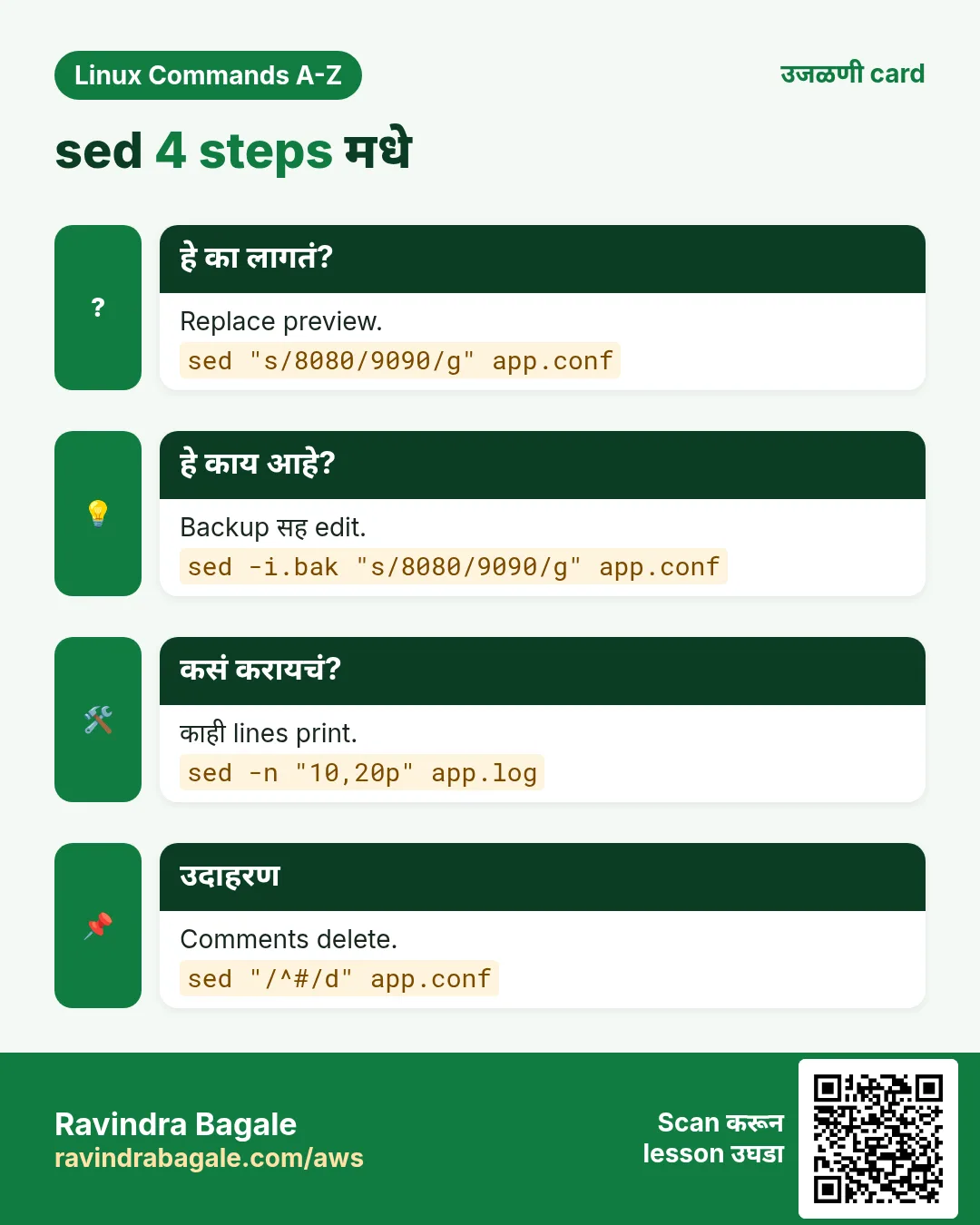
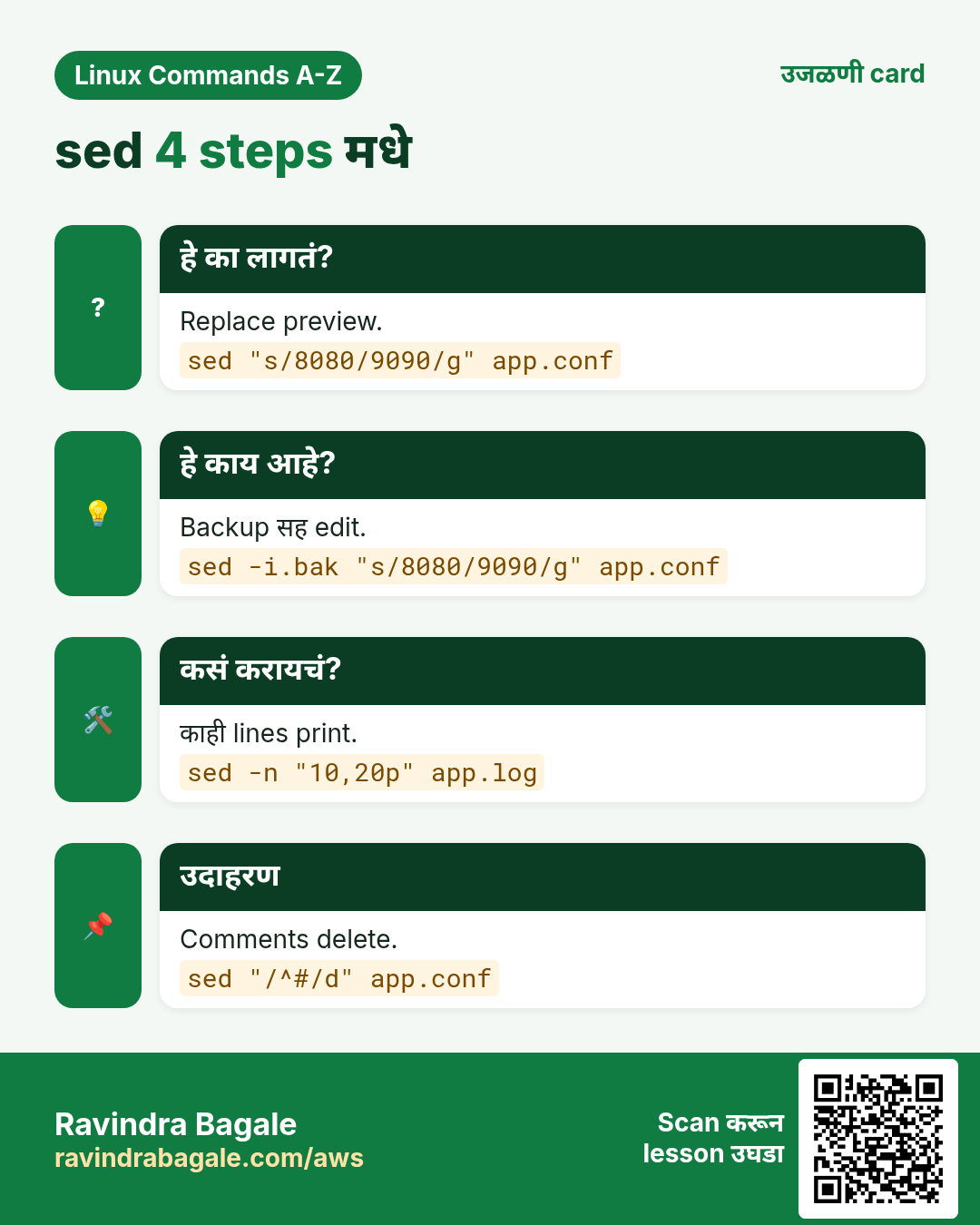
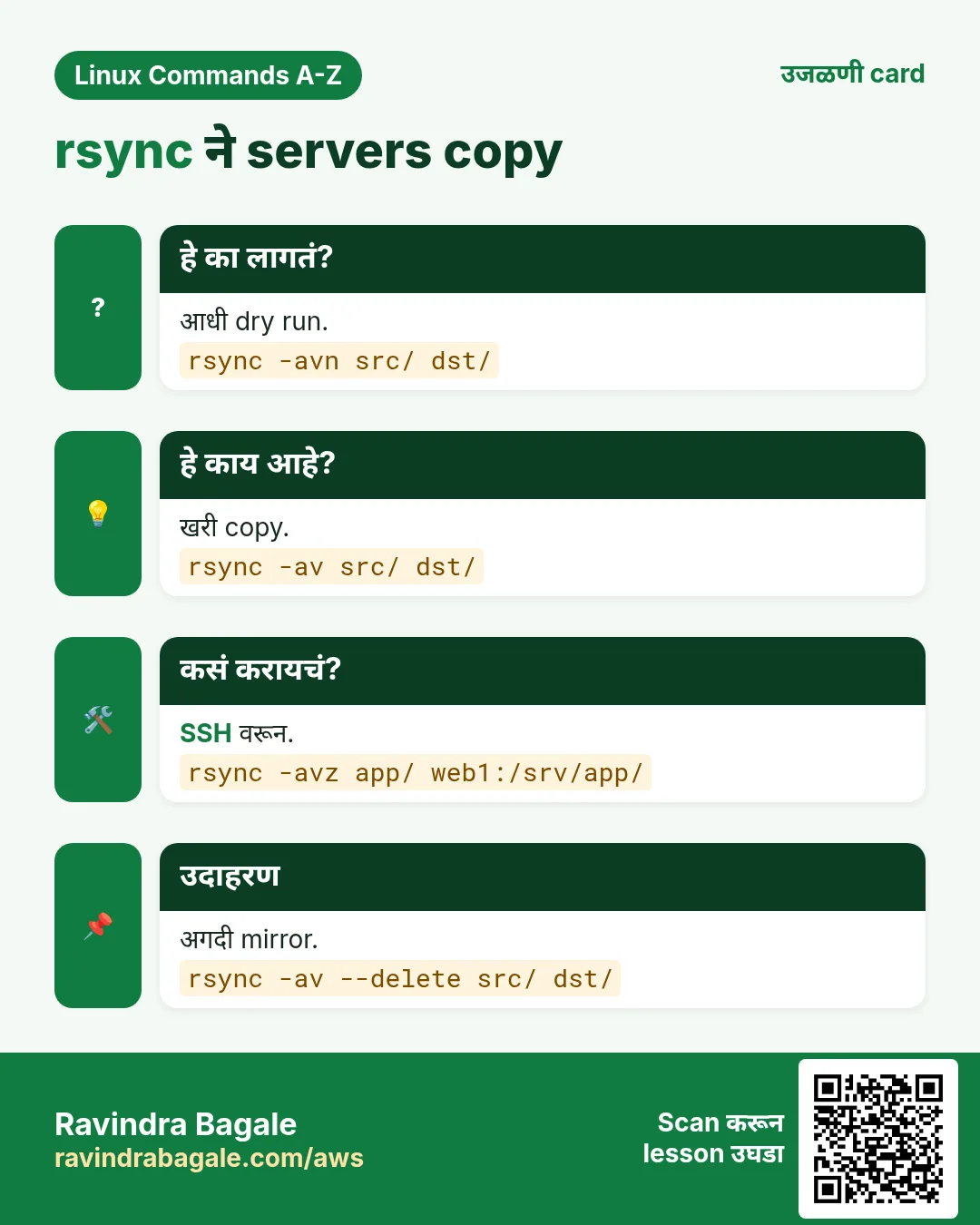
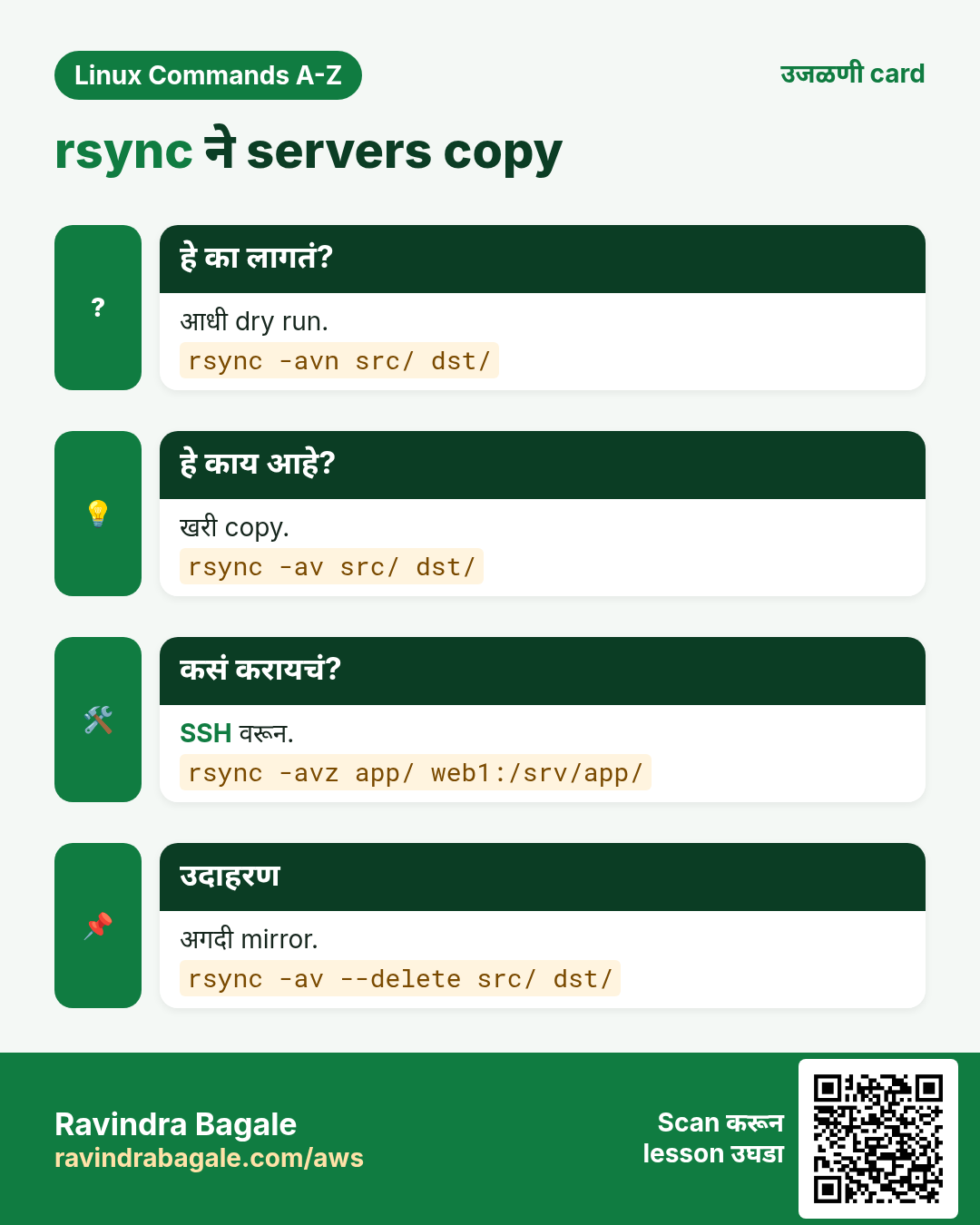
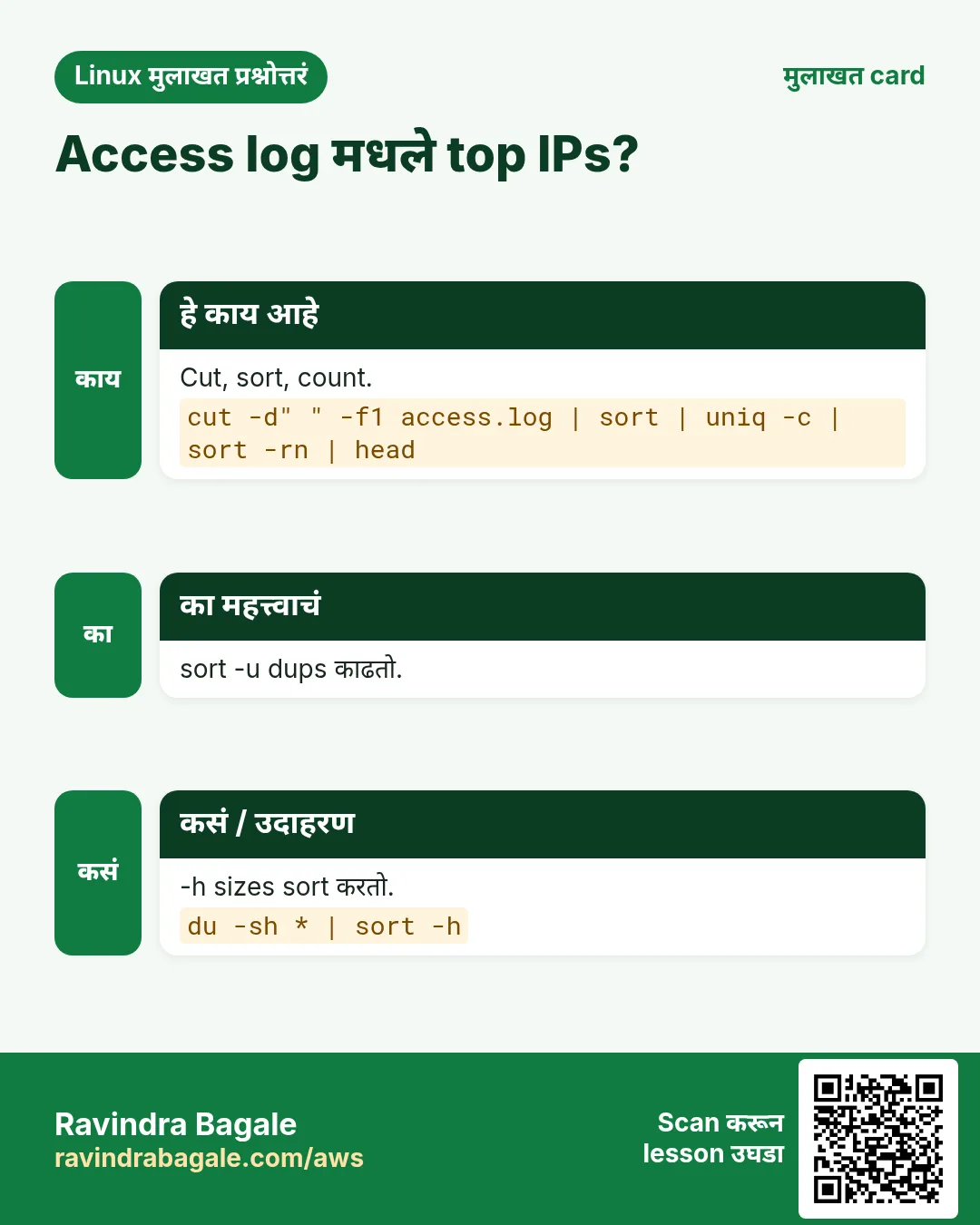
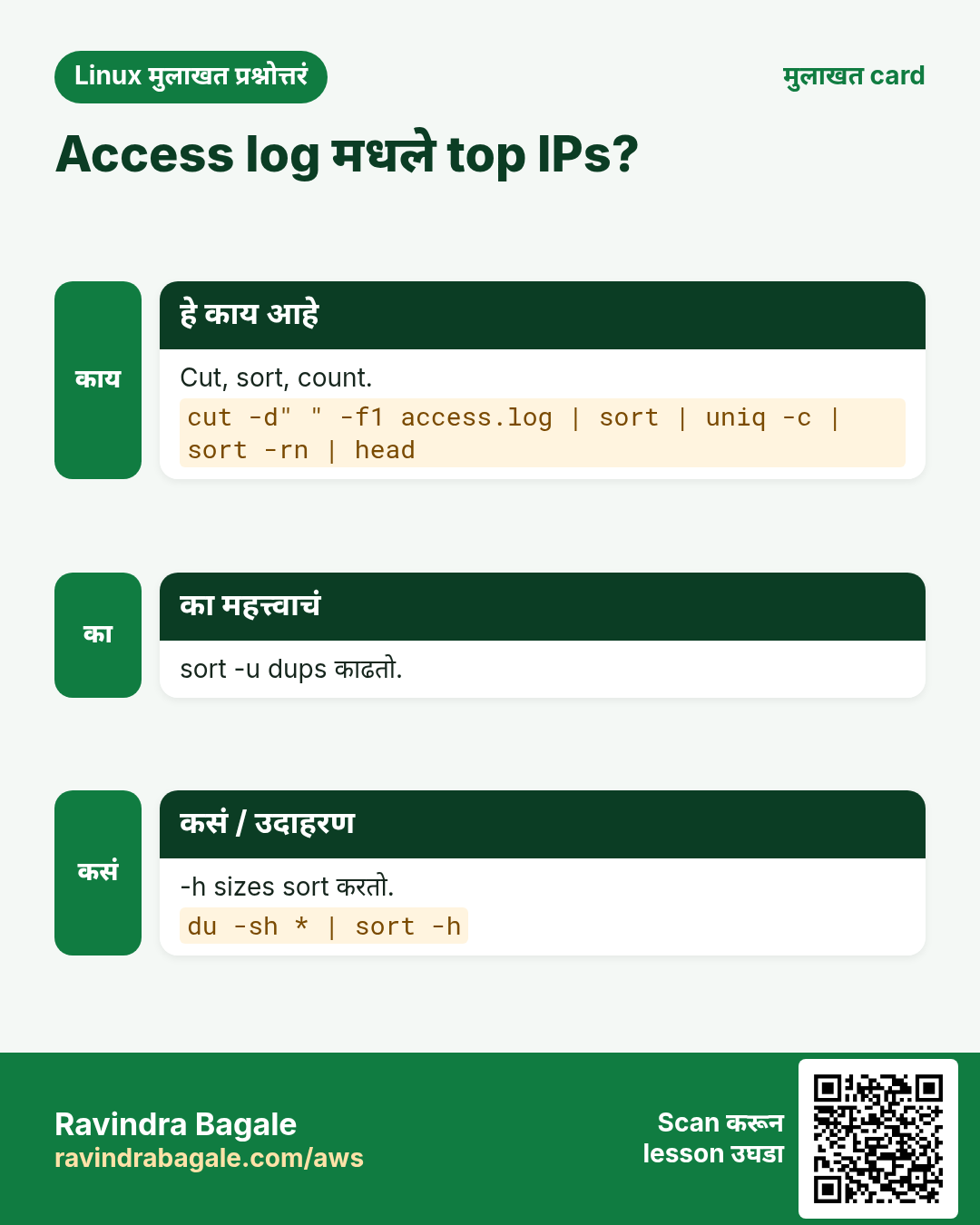
हा lesson काही मिनिटांत revise करा. Cards phone वर save करा किंवा PNG download करा. प्रत्येक card वरचा QR हा lesson उघडतो.
अजून cards: Ravi Sir's Cards.