Linux Commands A-Z Part 1: alias, apt, awk, bc, cat, chattr आणि अजून, Examples सह
हा Linux Commands A-Z reference चा Part 1 आहे. यात alias पासून chown पर्यंत प्रत्येक command आहे. प्रत्येक command ला स्वतःचा section: ती का लागते, ती काय आहे, खरंच वापरले जाणारे options चा table, आणि command, दिसणारा output आणि त्या output चा अर्थ सह step-by-step examples. आधीच्या chapters मधे सविस्तर समजावलेल्या commands (cd, chmod, chown आणि redirects सह cat) link केल्या आहेत, परत लिहिल्या नाहीत. awk ला बारा worked examples सह पूर्ण deep dive आहे.
या chapter मध्ये तुम्ही काय शिकाल
- alias, apropos आणि man -k वापरून जलद काम करा आणि commands शोधा
- apt ने software install आणि patch करा आणि at ने एकदाचे jobs schedule करा
- awk ने columns, sums आणि group-by reports
- base64 आणि bc ने data encode आणि decimal maths
- bg, blkid, bzip2 आणि bunzip2 ने jobs, disks आणि compression
- chage, chattr आणि chgrp ने password ageing, file attributes आणि groups
1. रोजचं उदाहरण: Pune मधल्या garage मधली tool box
हे का लागतं?
गणेशचं स्वारगेट जवळ two-wheeler garage आहे. त्याच्या tool box मधे प्रत्येक tool साठी A ते Z label असलेला drawer आहे. नवा mechanic आला की गणेश सगळं एकदम सांगत नाही. एक drawer उघडतो, tool का लागतं, ते काय आहे, महत्त्वाच्या settings, आणि मग नवा mechanic बघत असताना खऱ्या bike वर ते वापरून दाखवतो.
हे काय आहे?
प्रत्येक Linux command म्हणजे एक drawer. Why म्हणजे ते कोणतं काम सोडवतं. What म्हणजे tool स्वतः. Options table म्हणजे settings. Step-by-step examples म्हणजे खरी bike दुरुस्त करणे, दिसायला हवा तो output सह.
कसं करायचं (step by step)
2. हा A-Z part कसा वापरायचा
हे का लागतं?
Reference तेव्हाच उपयोगी जेव्हा command पटकन सापडते आणि examples वर विश्वास ठेवता येतो.
हे काय आहे?
Commands alphabetical क्रमाने आहेत. प्रत्येकाला #cmd-awk सारखा anchor आहे, म्हणजे एक command bookmark किंवा share करता येते. A-Z index page सगळ्या 183 commands links सह list करते.
| Section | काय मिळतं |
|---|---|
| Why | ही command कोणता खरा problem सोडवते |
| What | सोप्या शब्दात ती कशी चालते |
| Options | खऱ्या कामात वापरले जाणारे options |
| Steps | Command, output आणि अर्थ |
कसं करायचं (step by step)
- कोणत्याही command चा help उघडा.
awk --help | head -3Output:
Usage: awk [POSIX or GNU style options] -f progfile [--] file ...याचा अर्थ: --help झटपट; man पूर्ण.
- man मधे search.
man awk # then type /NF and press nयाचा अर्थ: man मधे /word search करतो आणि q बाहेर पडतो.
3. man, --help आणि type: विश्वास ठेवण्याआधी तपासा
हे का लागतं?
Ubuntu, RHEL आणि macOS मधे versions वेगळी असतात. Local manual तपासलं की आश्चर्य टळतं.
हे काय आहे?
man manual दाखवतो, --help छोटा summary print करतो, आणि type नाव builtin आहे, alias आहे की file ते सांगतो.
कसं करायचं (step by step)
- Builtin की program?
type bg alias atOutput:
bg is a shell builtin
alias is a shell builtin
at is /usr/bin/at
याचा अर्थ: Builtins help मधे, programs man मधे documented.
- Builtin चा help वाचा.
help bg | head -2Output:
bg: bg [job_spec ...]
    Move jobs to the background.
याचा अर्थ: help म्हणजे bash builtins चं man page.
4. alias: लांब command साठी छोटं नाव
alias सविस्तर: छोटी नावं, list आणि काढणे
हे का लागतं?
रोज तेच लांब commands type करावे लागतात, जसं ls -lah किंवा लांब ssh line. Alias त्यांना छोट्या शब्दात बदलतो, त्यामुळे कमी type करावं लागतं आणि typing चुका कमी होतात.
हे काय आहे?
alias हा shell builtin आहे. तो एका नावाला command text जोडतो. चालवण्याआधी shell ते नाव text ने बदलतो. ~/.bashrc मधे save केलं नाही तर alias फक्त current shell पुरता राहतो.
नेहमीचे options
| Option | काय करतो |
|---|---|
alias | आत्ता defined सगळे aliases list. |
alias ll='ls -lah' | ll नावाचा alias बनवा. |
alias ll | एक alias दाखवा. |
unalias ll | एक alias काढा. |
unalias -a | या shell मधले सगळे aliases काढा. |
\ls | Alias skip करून खरी command चालवा. |
कसं करायचं (step by step)
- Long listing साठी alias बनवा.
alias ll='ls -lah'याचा अर्थ: काही print होत नाही. आतापासून ll म्हणजे ls -lah.
- ते कशाला point करतं ते तपासा.
alias llOutput:
alias ll='ls -lah'याचा अर्थ: Shell साठवलेला text दाखवतो.
- Shell त्या नावाला कसं बघतो ते शोधा.
type llOutput:
ll is aliased to `ls -lah'याचा अर्थ: type सांगतो की ll हा alias आहे, disk वरची file नाही.
- कायमचं करा.
echo "alias ll='ls -lah'" >> ~/.bashrc && source ~/.bashrcयाचा अर्थ: Alias save होतो आणि प्रत्येक नव्या shell मधे load होतो.
- rm साठी safety alias जोडा.
alias rm='rm -i'याचा अर्थ: आता rm प्रत्येक file delete करण्याआधी विचारतो. बऱ्याच RHEL root accounts मधे हे आधीच असतं.
- परत काढा.
unalias rmयाचा अर्थ: या shell मधे rm परत normal.
खालच्या tasks मधे सराव करा: सराव tasks
खरा वापर: Hinjewadi IT park मधला support engineer alias k=kubectl आणि alias prodssh set करून रोज शेकडो keystrokes वाचवतो.
5. apropos: Keyword ने man pages शोधा
apropos सविस्तर: नाव विसरलात तर command शोधा
हे का लागतं?
काय करायचं ते माहीत आहे, जसं "compress" किंवा "partition", पण command नाव आठवत नाही. apropos त्या शब्दासाठी man page summaries शोधतो.
हे काय आहे?
apropos म्हणजेच man -k. तो man page database (mandb ने बनलेला) वाचतो आणि प्रत्येक जुळणारं page section number आणि एका line च्या summary सह print करतो.
नेहमीचे options
| Option | काय करतो |
|---|---|
apropos word | Names आणि summaries मधे word शोधा. |
apropos -e word | फक्त exact word match. |
apropos -s 8 word | फक्त section 8 (admin commands). |
apropos -a w1 w2 | सगळ्या words जुळणारी pages. |
man -k word | apropos सारखंच. |
mandb | Database परत build (root म्हणून). |
कसं करायचं (step by step)
- Compression tools शोधा.
apropos compressOutput:
bzip2 (1)  - a block-sorting file compressor
gzip (1)   - compress or expand files
xz (1)     - Compress or decompress .xz and .lzma files
याचा अर्थ: प्रत्येक line म्हणजे command, त्याचा man section आणि तो काय करतो.
- Partitions बद्दल फक्त admin commands.
apropos -s 8 partitionOutput:
fdisk (8)  - manipulate disk partition table
parted (8) - a partition manipulation program
याचा अर्थ: Section 8 मधे system admin commands असतात.
- "nothing appropriate" आलं तर database build करा.
sudo mandbOutput:
Processing manual pages under /usr/share/man...याचा अर्थ: Fresh cloud images वर database बऱ्याचदा रिकामा असतो.
- दोन words एकत्र.
apropos -a copy fileOutput:
cp (1) - copy files and directoriesयाचा अर्थ: -a म्हणजे सगळे words जुळले पाहिजेत.
खालच्या tasks मधे सराव करा: सराव tasks
खरा वापर: Baner मधल्या startup मधला fresher पहिल्याच दिवशी apropos user वापरून useradd, usermod आणि userdel शोधतो.
6. apt: Debian आणि Ubuntu वर packages install
apt सविस्तर: Ubuntu वर update, install, remove आणि search
हे का लागतं?
Cloud चा मोठा भाग Ubuntu आणि Debian servers वर चालतो. Software install करणं, security fixes लावणं आणि जुने packages सुरक्षित काढणं लागतं.
हे काय आहे?
apt हा Debian package system (dpkg) चा सोपा front end आहे. तो /etc/apt/sources.list आणि /etc/apt/sources.list.d/ मधल्या repositories मधून .deb packages download करतो आणि dependencies पण आणतो.
नेहमीचे options
| Option | काय करतो |
|---|---|
apt update | Package lists refresh (upgrade करत नाही). |
apt upgrade | Installed packages upgrade. |
apt install pkg | Package install. |
apt install -y pkg | yes/no प्रश्नाशिवाय install. |
apt remove pkg | Remove, config files ठेवा. |
apt purge pkg | Config files सह remove. |
apt autoremove | न वापरलेल्या dependencies काढा. |
apt search word | Packages शोधा. |
apt show pkg | Package चे details. |
apt list --installed | Installed packages list. |
कसं करायचं (step by step)
- आधी lists refresh.
sudo apt updateOutput:
Hit:1 http://archive.ubuntu.com/ubuntu jammy InRelease
...
12 packages can be upgraded.
याचा अर्थ: आता apt ला latest versions माहीत आहेत. अजून काही install झालं नाही.
- nginx install करा.
sudo apt install -y nginxOutput:
Setting up nginx (1.18.0-6ubuntu14) ...याचा अर्थ: nginx आणि dependencies install होतात आणि service सुरू होते.
- कोणतं version मिळालं ते तपासा.
apt show nginx | head -3Output:
Package: nginx
Version: 1.18.0-6ubuntu14
Priority: optional
याचा अर्थ: apt show package details वाचतो.
- सगळे security आणि bug fixes लावा.
sudo apt upgrade -yOutput:
12 upgraded, 0 newly installed, 0 to removeयाचा अर्थ: Installed packages latest versions ला जातात.
- न वापरलेले packages साफ.
sudo apt autoremove -yOutput:
Removing linux-image-5.15.0-91-generic ...याचा अर्थ: जुने kernels आणि orphan libraries काढून disk मोकळी होते.
खालच्या tasks मधे सराव करा: सराव tasks
खरा वापर: Kharadi मधली fintech दर मंगळवारी maintenance window मधे apt update आणि apt upgrade ने 40 Ubuntu servers patch करते.
7. at: नंतरच्या वेळी command एकदा चालवा
at सविस्तर: नंतर एकदाच job चालवा
हे का लागतं?
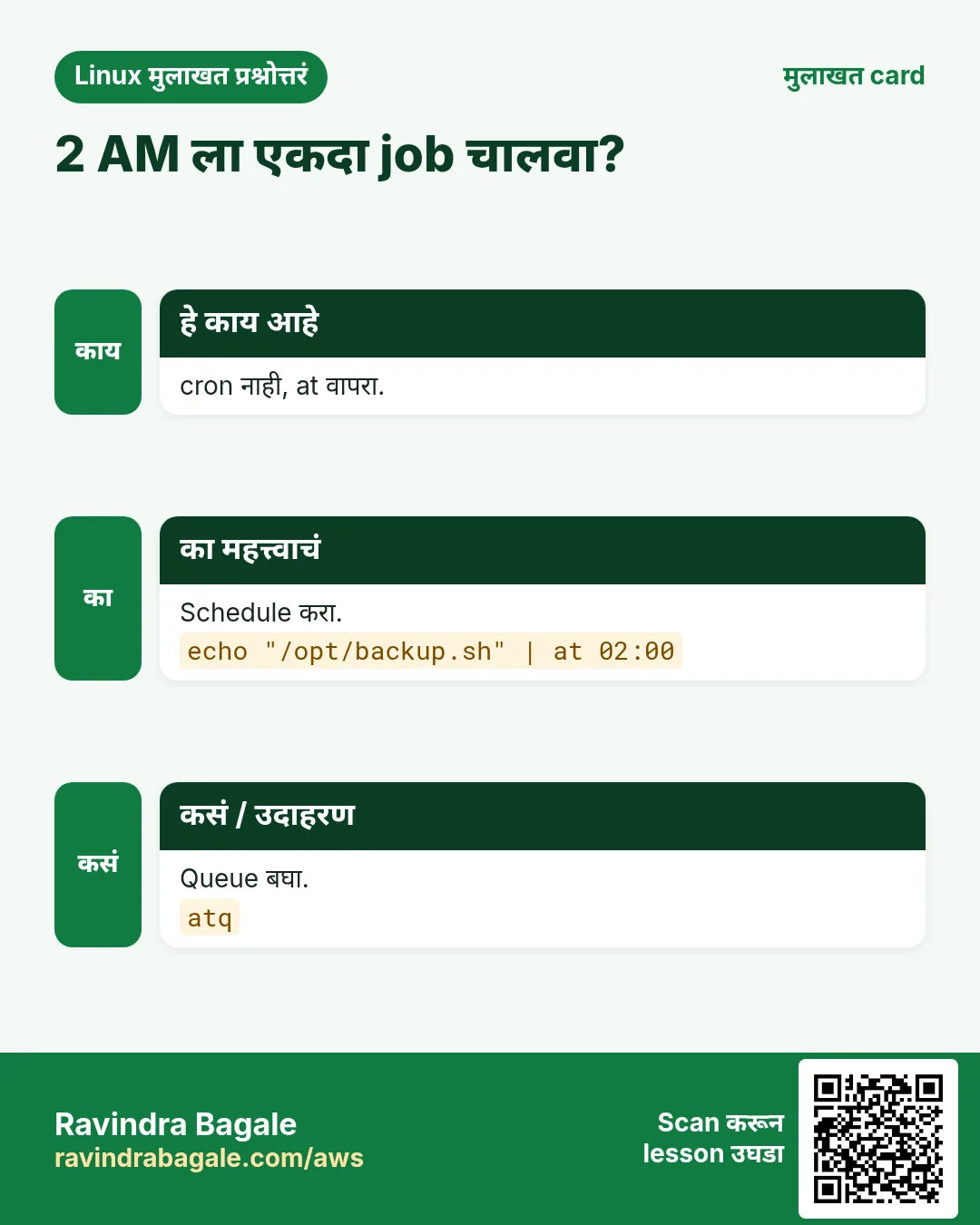
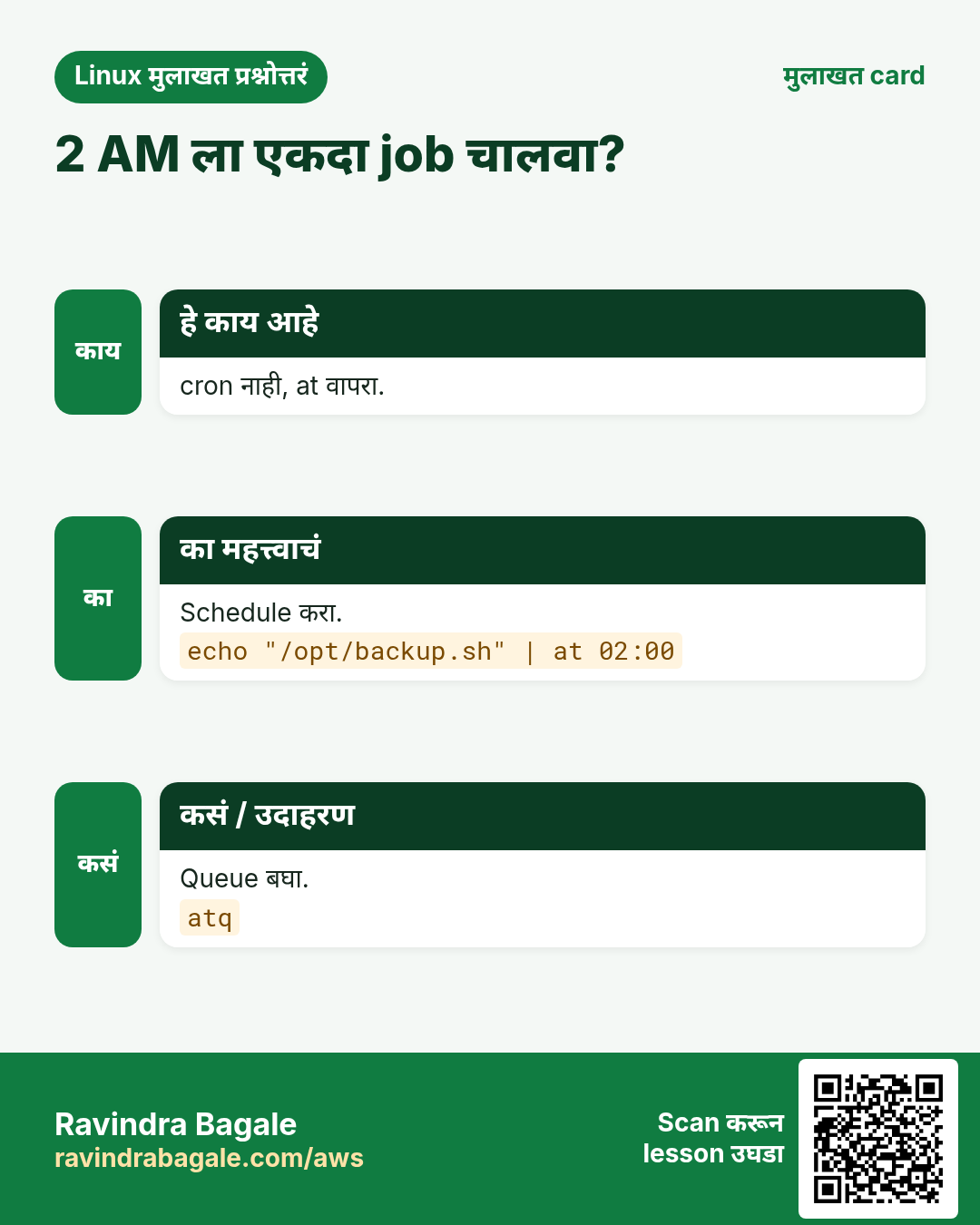
कधी कधी task एकदाच ठराविक वेळी चालवायचा असतो, जसं रात्री 2 ला restart किंवा उद्या temporary access काढणे. cron repeating jobs साठी; at एकदाच होणाऱ्या jobs साठी.
हे काय आहे?
at keyboard किंवा file मधून commands वाचतो आणि queue करतो. atd service दिलेल्या वेळी ते चालवते. Output user ला mail होतो, mail नसेल तर file मधे redirect करा.
नेहमीचे options
| Option | काय करतो |
|---|---|
at 02:00 | रात्री 2 ला (आज किंवा उद्या). |
at now + 30 minutes | 30 minutes नंतर. |
at -f job.sh 18:00 | File मधून commands. |
atq | Queue मधले jobs list. |
atrm 3 | Job number 3 काढा. |
at -c 3 | पूर्ण job script दाखवा. |
कसं करायचं (step by step)
- atd चालू आहे का बघा.
sudo systemctl enable --now atdयाचा अर्थ: at daemon चालू आहे आणि boot वर सुरू होतो.
- एकदाचा job queue करा.
echo 'systemctl restart nginx' | sudo at 02:00Output:
job 4 at Tue Oct 27 02:00:00 2026याचा अर्थ: Job ला number 4 आणि चालण्याची वेळ मिळते.
- Queue बघा.
sudo atqOutput:
4 Tue Oct 27 02:00:00 2026 a rootयाचा अर्थ: Job 4 queue a मधे root user साठी थांबलाय.
- Cancel करा.
sudo atrm 4याचा अर्थ: Job 4 गेला. atq काही दाखवत नाही.
- स्वतःहून निघणारा temporary access द्या.
echo 'gpasswd -d vendor wheel' | sudo at now + 4 hoursOutput:
job 5 at Mon Oct 26 05:10:00 2026याचा अर्थ: चार तासांनी vendor चे sudo rights आपोआप जातात.
खालच्या tasks मधे सराव करा: सराव tasks
खरा वापर: Deccan मधली hospital IT team कोणत्याही doctor ला त्रास होऊ नये म्हणून at ने रात्री 3 ला एकदाचा database restart schedule करते.
8. awk: Text मधले columns, sums आणि reports
awk deep dive: fields, patterns, sums, groups आणि reports
हे का लागतं?
Logs, CSV files आणि command outputs म्हणजे columns मधला text. awk ने columns निवडता येतात, rows filter करता येतात, numbers add करता येतात आणि reports print करता येतात, एका line मधे, Excel उघडता किंवा Python script न लिहिता. Linux interviews मधे सगळ्यात जास्त विचारल्या जाणाऱ्या commands पैकी ही एक.
हे काय आहे?
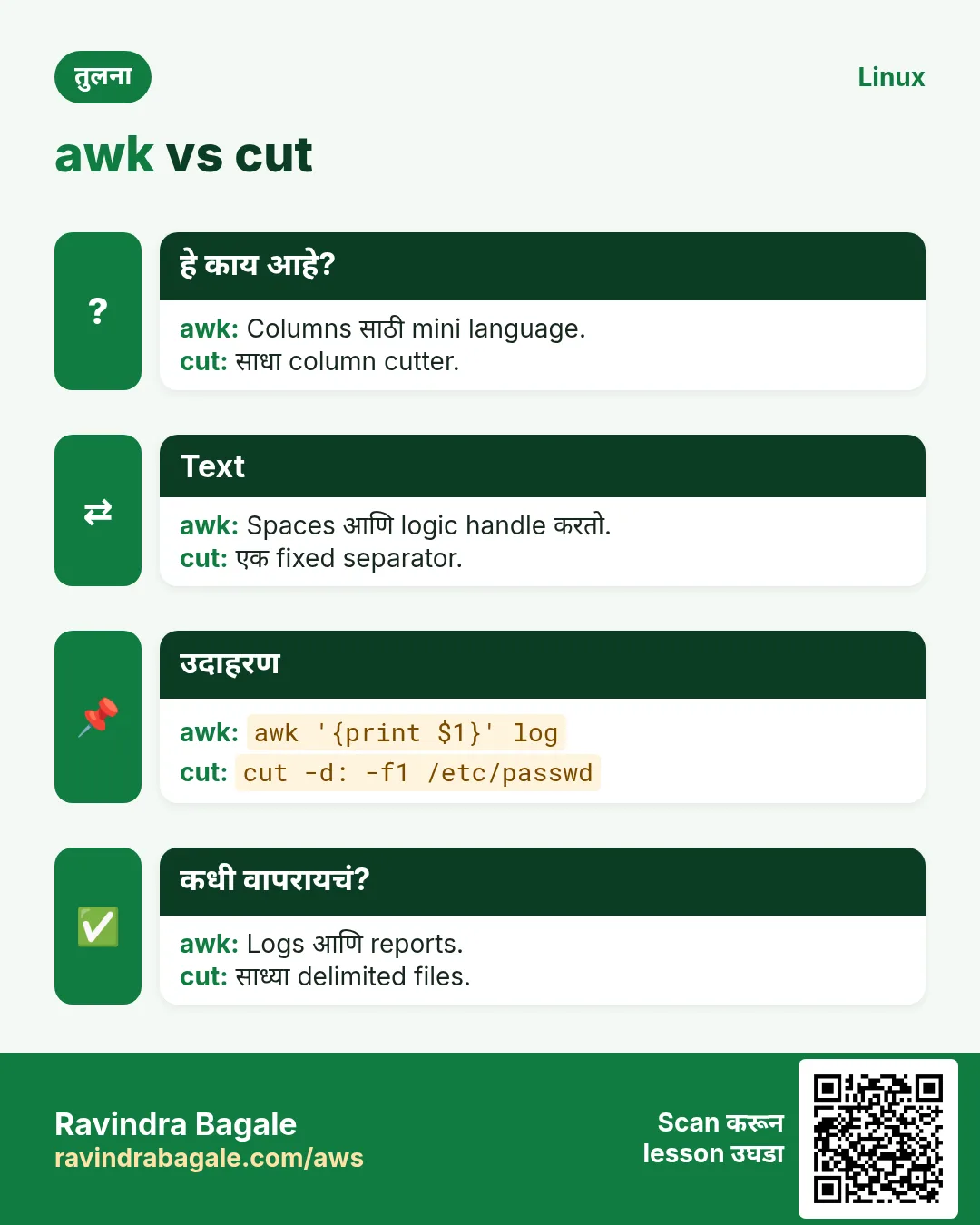
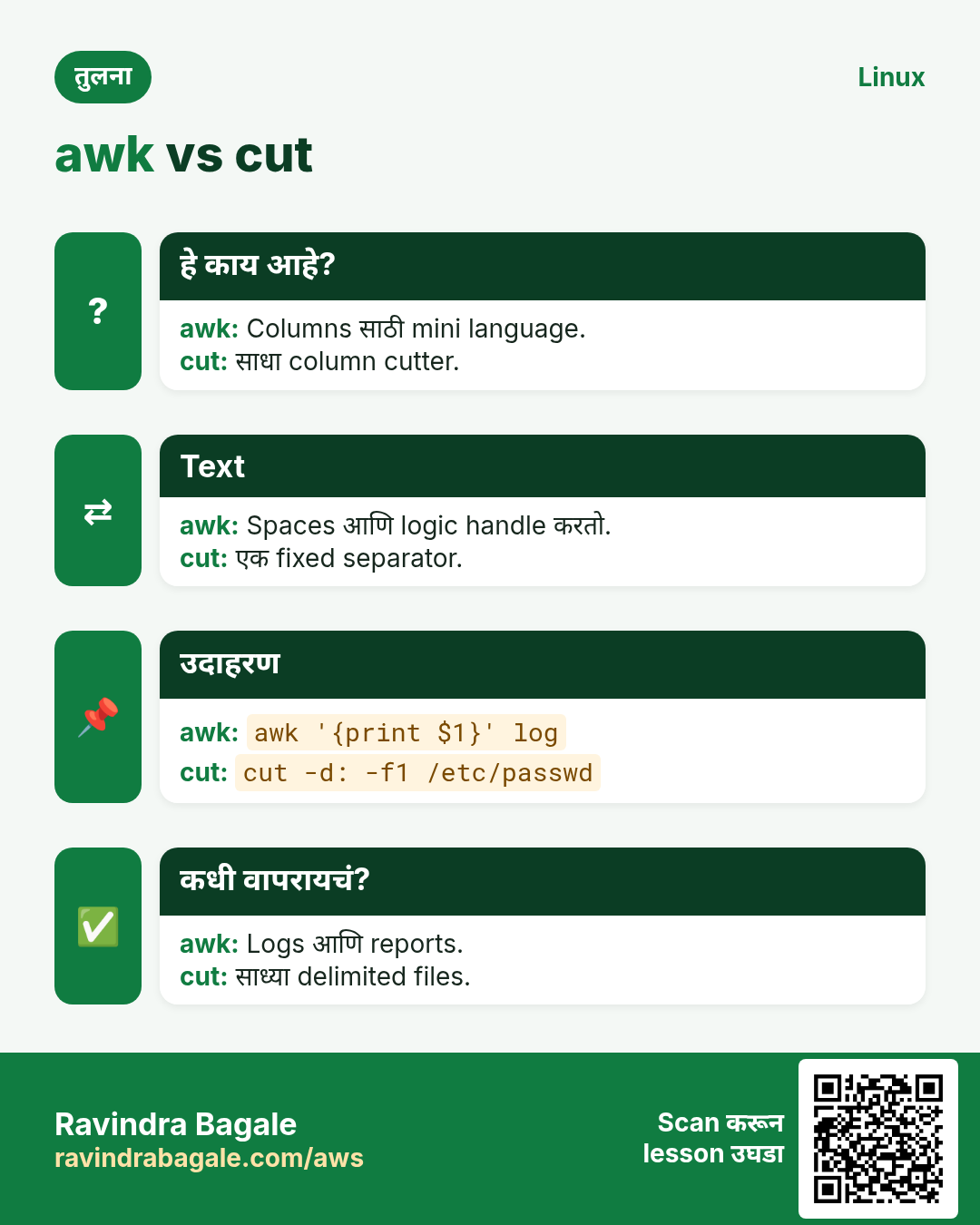
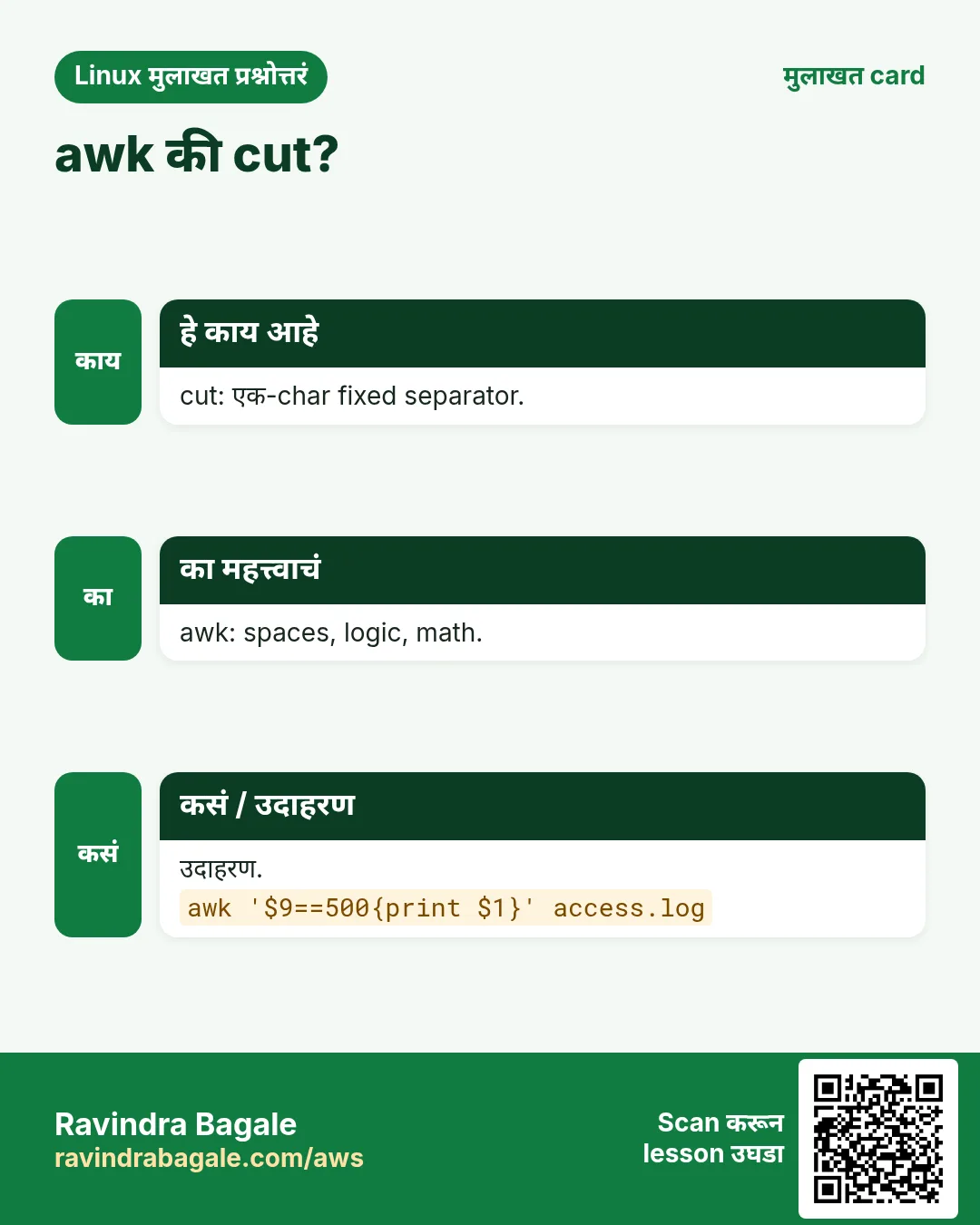
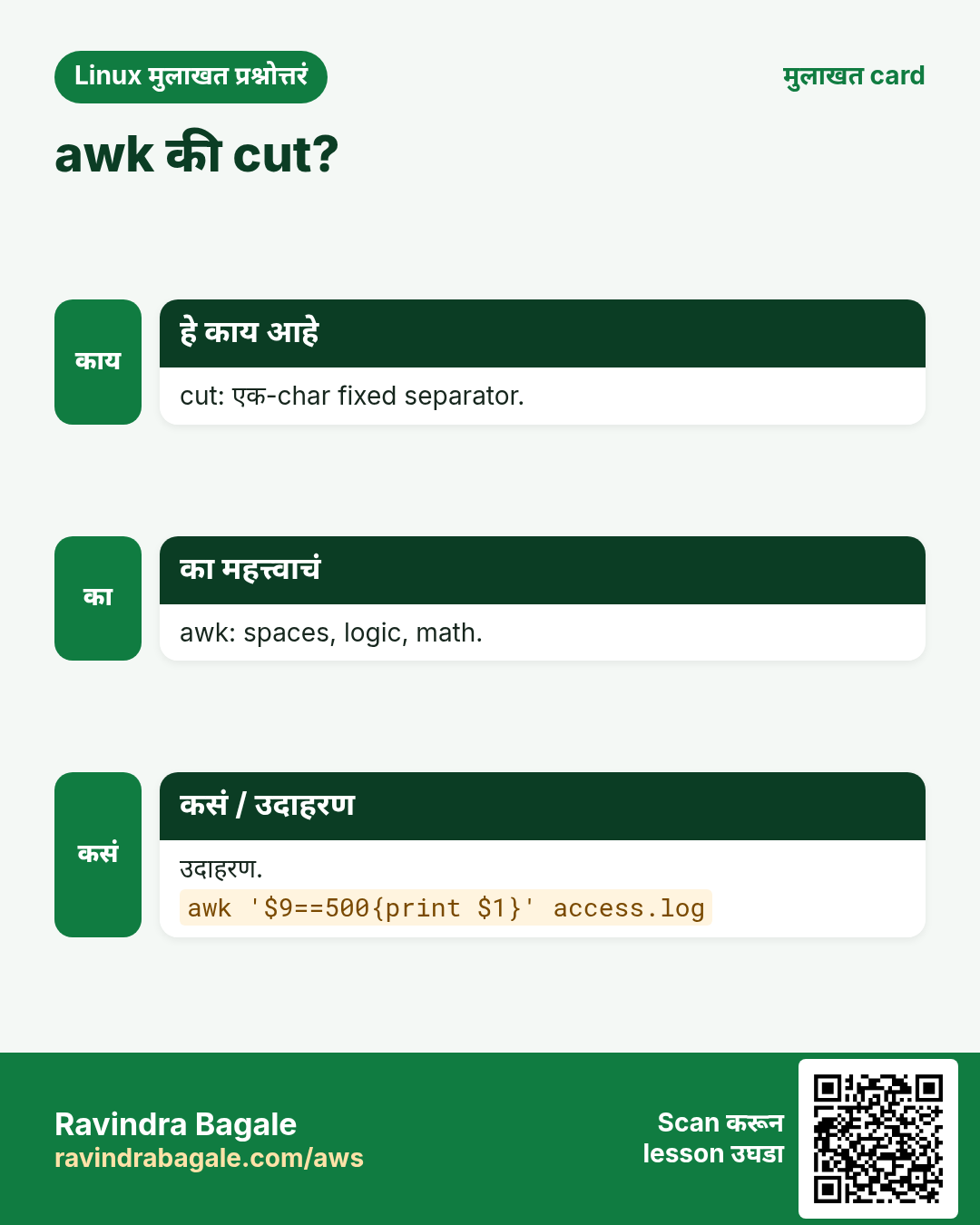
awk ही text साठी छोटी programming language आहे. ती input line by line वाचते. प्रत्येक line म्हणजे एक record ($0). Default ला spaces ने, किंवा -F ने दिलेल्या separator ने, line fields $1, $2 ... मधे तोडते. Program म्हणजे pattern { action }. Pattern जुळला की action चालते. BEGIN पहिल्या line आधी आणि END शेवटच्या line नंतर चालतो. NR म्हणजे line number, NF म्हणजे fields ची संख्या.
नेहमीचे options
| Option | काय करतो |
|---|---|
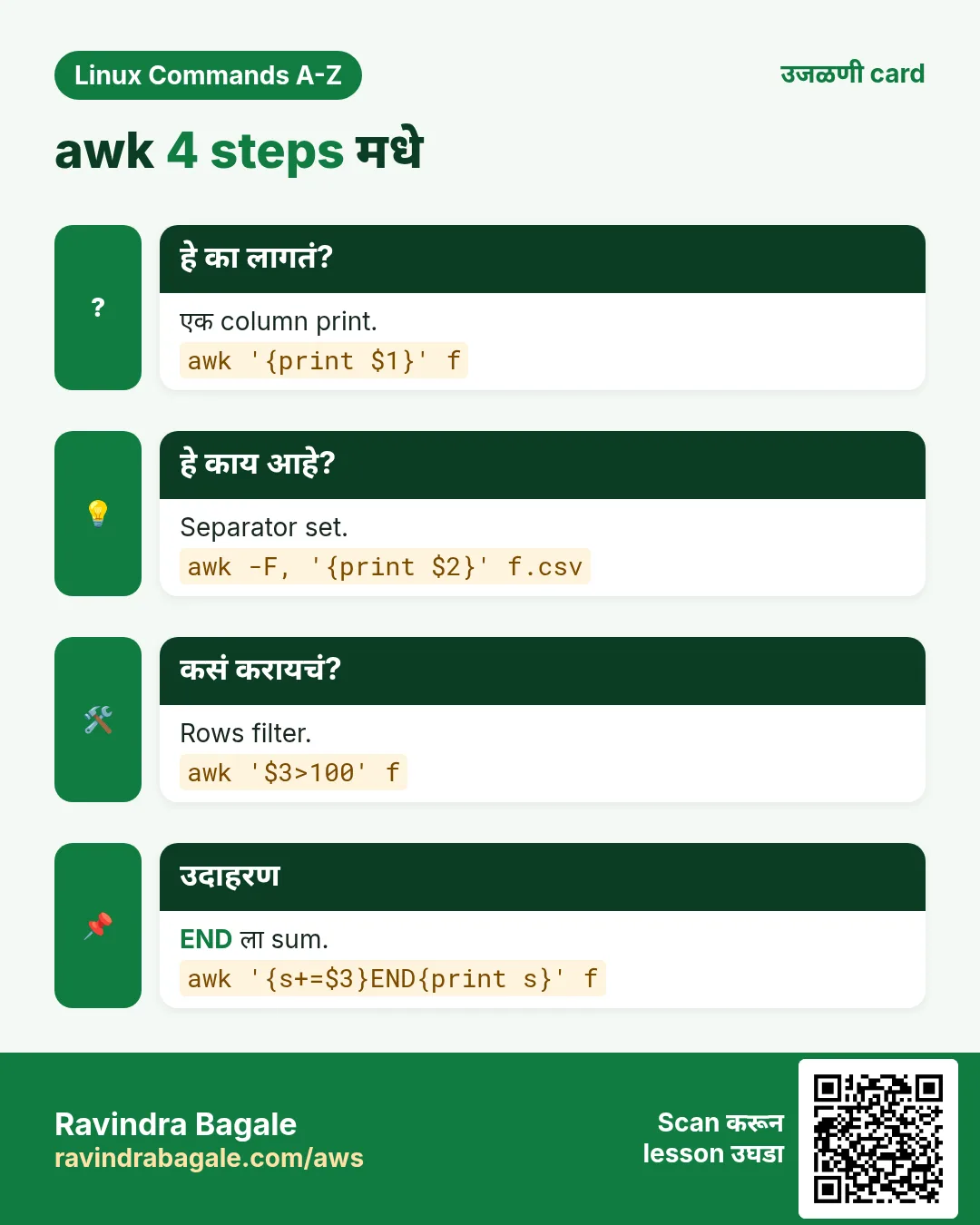
awk '{print $1}' | प्रत्येक line चा पहिला field print. |
awk -F: '{print $1}' | : हा field separator. |
awk -F, -v OFS=, '...' | CSV साठी input आणि output separators. |
awk '$3 > 100' | Field 3, 100 पेक्षा जास्त असलेल्या lines. |
awk '/ERROR/' | Regex जुळणाऱ्या lines. |
awk 'NR==5' | फक्त line 5. |
awk '{print NF}' | Fields ची संख्या. |
awk '{print $NF}' | शेवटचा field. |
awk '{s+=$2} END{print s}' | Column ची बेरीज. |
awk '{c[$1]++} END{for(k in c) print k,c[k]}' | Key नुसार count (group by). |
awk -v t=80 '$5+0>t' | Shell value awk मधे. |
awk 'BEGIN{printf "%.2f\n", 10/3}' | Decimal maths आणि formatted print. |
awk '!seen[$0]++' | Order ठेवून duplicate lines काढा. |
awk -f report.awk file | File मधून program चालवा. |
कसं करायचं (step by step)
- /etc/passwd मधून user नावं print करा.
awk -F: '{print $1}' /etc/passwd | head -3Output:
root
bin
daemon
याचा अर्थ: -F: colons वर तोडतो. $1 म्हणजे user नाव.
- फक्त खऱ्या login users साठी नाव आणि shell.
awk -F: '$3>=1000 {print $1, $7}' /etc/passwdOutput:
arjun /bin/bash
priya /bin/bash
याचा अर्थ: $3 म्हणजे UID. बहुतेक distros वर normal users 1000 पासून.
- 80 टक्क्यांपेक्षा जास्त भरलेले filesystems.
df -h | awk 'NR>1 && $5+0>80 {print $6, $5}'Output:
/var 91%याचा अर्थ: NR>1 header skip करतो. $5+0 91% ला 91 number मधे बदलतो.
- Web log मधे प्रत्येक IP चे requests मोजा.
awk '{c[$1]++} END{for(ip in c) print c[ip], ip}' access.log | sort -rn | head -3Output:
812 10.0.4.17
310 10.0.4.22
95 10.0.9.3
याचा अर्थ: c हा IP key असलेला array. END totals print करतो; sort rank लावतो.
- CSV column चा total आणि average.
awk -F, 'NR>1 {s+=$3; n++} END{printf "total=%d avg=%.2f\n", s, s/n}' sales.csvOutput:
total=48200 avg=1606.67याचा अर्थ: Header skip, column 3 add, rows मोजा, मग printf ने print.
- प्रत्येक city ची sales बेरीज (group by).
awk -F, 'NR>1 {t[$2]+=$3} END{for(k in t) print k, t[k]}' sales.csvOutput:
Pune 21000
Nashik 9800
Nagpur 17400
याचा अर्थ: t[city] प्रत्येक city साठी चालू बेरीज ठेवतो.
- प्रत्येक line चा शेवटचा field.
echo 'a b c d' | awk '{print $NF, NF}'Output:
d 4याचा अर्थ: $NF म्हणजे शेवटचा field; नुसता NF म्हणजे count.
- दोन markers मधल्या lines.
awk '/BEGIN CERT/,/END CERT/' bundle.pem | wc -lOutput:
30याचा अर्थ: Range pattern पहिल्या match पासून दुसऱ्या पर्यंत print करतो.
- Shell variable सुरक्षित पास करा.
limit=500; awk -v l="$limit" '$2>l' orders.txtOutput:
ORD-9 750
ORD-14 1200
याचा अर्थ: -v awk variable set करतो. Shell variables quotes मधे चिकटवू नका.
- Order ठेवून duplicate lines काढा, पहिली ठेवा.
awk '!seen[$0]++' emails.txtOutput:
a@x.com
b@y.com
याचा अर्थ: seen प्रत्येक line मोजतो. फक्त पहिल्यांदा (0, म्हणजे false, मग !) print होतं.
- CSV column बदला आणि commas ठेवा.
awk -F, -v OFS=, 'NR>1 {$3=$3*1.18} 1' sales.csv | head -2Output:
date,city,amount
2026-10-01,Pune,1180
याचा अर्थ: OFS output मधे commas ठेवतो. एकटा 1 म्हणजे प्रत्येक line print.
- शेवटच्या field मधे response time असलेल्या log मधून slow requests.
awk '$NF>2.0 {print $7, $NF}' access.log | head -2Output:
/api/report 3.41
/api/export 2.77
याचा अर्थ: Numbers numbers सारखे compare होतात, त्यामुळे 3.41 > 2.0 चालतं.
खालच्या tasks मधे सराव करा: सराव tasks
खरा वापर: Pune मधली e-commerce ops team दर सकाळी nginx logs मधून प्रत्येक API path चे 5xx errors मोजायला एक awk line चालवते, आणि सदाशिव पेठेतली CA firm CSV exports मधले GST columns awk ने total करते.
9. base64: Data base64 text मधे encode/decode
base64 सविस्तर: encode, decode आणि Kubernetes secrets
हे का लागतं?
काही systems फक्त plain text घेतात, जसं JSON, YAML, email किंवा HTTP headers. base64 कोणतेही bytes सुरक्षित text मधे आणि परत बदलतो. Kubernetes secrets, basic auth आणि certificates मधे हे दिसतं.
हे काय आहे?
base64 म्हणजे encoding, encryption नाही. कोणीही decode करू शकतो. तो 64 safe characters (A-Z, a-z, 0-9, + आणि /) आणि padding साठी = वापरतो. Output साधारण एक तृतीयांश वाढतो.
नेहमीचे options
| Option | काय करतो |
|---|---|
base64 file | File encode. |
base64 -d | Decode. |
base64 -w 0 | Line wrapping नाही (एक लांब line). |
echo -n text | base64 | Newline शिवाय text encode. |
base64 -i | Decode करताना garbage ignore. |
कसं करायचं (step by step)
- Kubernetes secret साठी password encode.
echo -n 'Pune@2026' | base64Output:
UHVuZUAyMDI2याचा अर्थ: -n echo ला newline जोडू देत नाही, नाहीतर result बदलतो.
- परत decode.
echo 'UHVuZUAyMDI2' | base64 -dOutput:
Pune@2026याचा अर्थ: -d decode करतो. म्हणूनच base64 म्हणजे security नाही.
- छोटी file एका line वर encode.
base64 -w 0 logo.png | head -c 40Output:
iVBORw0KGgoAAAANSUhEUgAAAEAAAABACAYAAACयाचा अर्थ: -w 0 एक line देतो, JSON मधे paste करायला सोपं.
- Cluster मधून secret वाचा.
kubectl get secret db -o jsonpath='{.data.password}' | base64 -dOutput:
S3cret!याचा अर्थ: Kubernetes secret values base64 मधे ठेवतो.
खालच्या tasks मधे सराव करा: सराव tasks
खरा वापर: Magarpatta मधला DevOps engineer login failure debug करताना Kubernetes secrets base64 -d ने decode करतो.
10. basename: Path मधून file नाव
basename सविस्तर: path मधून file नाव
हे का लागतं?
Scripts ला बऱ्याचदा पूर्ण path मिळतो पण फक्त file नाव हवं असतं, उदा. backup किंवा log line ला नाव द्यायला.
हे काय आहे?
basename शेवटच्या slash पर्यंतचं सगळं काढतो. .log सारखा suffix पण काढू शकतो. File आहे का ते तपासत नाही; फक्त text वर काम करतो.
नेहमीचे options
| Option | काय करतो |
|---|---|
basename PATH | शेवटचा भाग print. |
basename PATH .ext | Suffix पण काढा. |
basename -s .ext a b | अनेक paths मधून suffix काढा. |
basename -a p1 p2 | अनेक paths. |
${p##*/} | Pure bash पद्धत, नवी process नाही. |
कसं करायचं (step by step)
- File नाव मिळवा.
basename /var/log/nginx/access.logOutput:
access.logयाचा अर्थ: शेवटच्या slash आधीचं सगळं गेलं.
- Extension पण काढा.
basename /var/log/nginx/access.log .logOutput:
accessयाचा अर्थ: दुसरा argument म्हणजे कापायचा suffix.
- एकाच वेळी अनेक files.
basename -s .csv /data/jan.csv /data/feb.csvOutput:
jan
feb
याचा अर्थ: -s दिलेल्या प्रत्येक path वर चालतो.
- Backup script मधे वापरा.
f=/srv/app/config.yml; cp "$f" "/backup/$(basename "$f").$(date +%F)"याचा अर्थ: Copy चं नाव config.yml.2026-10-26 होतं.
खालच्या tasks मधे सराव करा: सराव tasks
खरा वापर: Aundh मधली media company loop मधे basename वापरून हजारो uploaded videos rename करते.
11. bc: Decimals सह calculator
bc सविस्तर: shell मधे decimal maths
हे का लागतं?
Bash maths $(( )) फक्त पूर्ण numbers वर चालतो. GST, percentages, averages किंवा disk sizes साठी decimals लागतात. bc अचूक decimal maths देतो.
हे काय आहे?
bc ही arbitrary-precision calculator language आहे. ती input मधून expressions वाचते. scale decimal places ठरवतो. -l maths library load करतो आणि scale 20 करतो.
नेहमीचे options
| Option | काय करतो |
|---|---|
echo '5/2' | bc | पूर्ण number result (scale 0). |
echo 'scale=2; 5/2' | bc | दोन decimal places. |
bc -l | Maths library, sqrt, s(), l(). |
echo '2^10' | bc | Power. |
echo 'obase=2; 10' | bc | Binary मधे बदला. |
echo '1.5 > 1.2' | bc | Compare: true असेल तर 1. |
कसं करायचं (step by step)
- Bash का पुरत नाही ते बघा.
echo $((10/3))Output:
3याचा अर्थ: Decimals गेले.
- bc ने करा.
echo 'scale=3; 10/3' | bcOutput:
3.333याचा अर्थ: scale=3 तीन decimals ठेवतो.
- 18 टक्के GST जोडा.
echo 'scale=2; 1499*1.18' | bcOutput:
1768.82याचा अर्थ: अचूक पैशाचं maths.
- Script मधे decimals compare.
load=2.75; if (( $(echo "$load > 2.0" | bc) )); then echo high; fiOutput:
highयाचा अर्थ: bc 1 किंवा 0 print करतो, जे bash (( )) तपासू शकतो.
- Number binary मधे.
echo 'obase=2; 192' | bcOutput:
11000000याचा अर्थ: Subnet masks साठी उपयोगी.
खालच्या tasks मधे सराव करा: सराव tasks
खरा वापर: Chakan मधल्या auto-parts supplier ची billing script प्रत्येक invoice line ला bc ने GST जोडते.
12. bg: Stopped job background मधे चालू
bg सविस्तर: थांबलेला job background मधे चालू
हे का लागतं?
लांब copy सुरू केली आणि & विसरलात. Kill करून परत सुरू करण्याऐवजी, pause करून background ला ढकलू शकता.
हे काय आहे?
bg हा job control साठी shell builtin आहे. Ctrl+Z SIGTSTP पाठवतो आणि foreground job थांबवतो. bg SIGCONT पाठवतो आणि तो background मधे चालू देतो. Job अजून तुमच्या shell चाच असतो.
नेहमीचे options
| Option | काय करतो |
|---|---|
Ctrl+Z | Foreground job थांबवा. |
bg | शेवटचा stopped job background मधे. |
bg %2 | Job 2 resume. |
jobs -l | PIDs सह jobs list. |
disown %1 | Job 1 shell पासून वेगळा. |
कसं करायचं (step by step)
- & शिवाय लांब job सुरू.
rsync -a /data/ /backup/data/याचा अर्थ: Terminal busy आहे.
- Pause करा.
Ctrl+ZOutput:
[1]+ Stopped rsync -a /data/ /backup/data/याचा अर्थ: Job 1 थांबला, kill झाला नाही.
- Background ला पाठवा.
bgOutput:
[1]+ rsync -a /data/ /backup/data/ &याचा अर्थ: तो परत चालतो, आणि prompt परत मिळतो.
- तपासा.
jobs -lOutput:
[1]+ 41822 Running rsync -a /data/ /backup/data/ &याचा अर्थ: PID 41822 सह background मधे चालू.
- Logout नंतर जिवंत ठेवा.
disown %1याचा अर्थ: Logout करताना shell त्याला SIGHUP पाठवणार नाही.
खालच्या tasks मधे सराव करा: सराव tasks
खरा वापर: Pimpri plant मधला admin लांब log compression Ctrl+Z ने थांबवतो, bg चालवतो, आणि त्याच SSH session मधे live alert तपासतो.
13. blkid: Disks आणि partitions चे UUID आणि type
blkid सविस्तर: UUIDs आणि filesystem types
हे का लागतं?
/dev/sdb सारखी device नावं reboot नंतर किंवा disks जोडल्यावर बदलू शकतात. /etc/fstab मधे UUIDs वापरावेत. blkid प्रत्येक partition चा UUID आणि type सांगतो.
हे काय आहे?
blkid block devices चा metadata वाचतो आणि UUID, TYPE (xfs, ext4, swap, LVM2_member), LABEL आणि PARTUUID सारखे attributes print करतो. पूर्ण, fresh results साठी root म्हणून चालवा.
नेहमीचे options
| Option | काय करतो |
|---|---|
blkid | सगळे devices. |
blkid /dev/sdb1 | एक device. |
blkid -s UUID -o value DEV | फक्त UUID value. |
blkid -t TYPE=xfs | दिलेल्या type चे devices. |
blkid -o list | Table output (जुनी versions). |
lsblk -f | Tree स्वरूपात तसाच view. |
कसं करायचं (step by step)
- सगळं list.
sudo blkidOutput:
/dev/nvme0n1p1: UUID="9c1e..." TYPE="xfs"
/dev/nvme1n1: UUID="4a7d..." TYPE="ext4"
याचा अर्थ: प्रत्येक device त्याच्या UUID आणि filesystem type सह.
- fstab साठी फक्त UUID.
sudo blkid -s UUID -o value /dev/nvme1n1Output:
4a7d6f2b-1c3e-4d8a-9b0f-2e5c7a1d3f60याचा अर्थ: स्वच्छ value, paste करायला तयार.
- fstab line लिहा.
echo "UUID=$(sudo blkid -s UUID -o value /dev/nvme1n1) /data ext4 defaults,nofail 0 2" | sudo tee -a /etc/fstabOutput:
UUID=4a7d... /data ext4 defaults,nofail 0 2याचा अर्थ: Disk नसली तर nofail boot failure थांबवतो.
- सगळे swap areas.
sudo blkid -t TYPE=swapOutput:
/dev/vdb2: UUID="e2f..." TYPE="swap"याचा अर्थ: Type नुसार filter.
खालच्या tasks मधे सराव करा: सराव tasks
खरा वापर: Viman Nagar मधली cloud team EBS volume जोडते आणि reboots नंतर mount टिकावा म्हणून blkid ने त्याचा UUID fstab मधे टाकते.
14. bunzip2: .bz2 files uncompress
bunzip2 सविस्तर: .bz2 files unpack
हे का लागतं?
जुने log archives, source code आणि data dumps बऱ्याचदा .bz2 मधे येतात. ते सुरक्षित उघडावे लागतात, कधी original ठेवून.
हे काय आहे?
bunzip2 म्हणजे bzip2 -d. Original ठेवायला सांगितलं नाही तर तो file.bz2 ला uncompressed file ने बदलतो.
नेहमीचे options
| Option | काय करतो |
|---|---|
bunzip2 f.bz2 | Uncompress आणि .bz2 काढा. |
bunzip2 -k f.bz2 | .bz2 ठेवा. |
bunzip2 -c f.bz2 | Standard output वर. |
bunzip2 -t f.bz2 | फक्त file test. |
bzcat f.bz2 | Unpack न करता वाचा. |
tar xjf a.tar.bz2 | .tar.bz2 extract. |
कसं करायचं (step by step)
- उघडण्याआधी test.
bunzip2 -tv dump.sql.bz2Output:
dump.sql.bz2: okयाचा अर्थ: Archive corrupt नाही.
- Original ठेवून unpack.
bunzip2 -k dump.sql.bz2 && ls dump.sql*Output:
dump.sql dump.sql.bz2याचा अर्थ: आता दोन्ही files आहेत.
- Unpack न करता पहिल्या lines.
bzcat app-2025.log.bz2 | head -2Output:
2025-01-01 00:00:01 INFO start
2025-01-01 00:00:02 INFO ready
याचा अर्थ: मोठ्या archives साठी उपयोगी.
- tar.bz2 extract.
tar xjf source.tar.bz2 && lsOutput:
source source.tar.bz2याचा अर्थ: j tar ला bzip2 वापरायला सांगतो.
खालच्या tasks मधे सराव करा: सराव tasks
खरा वापर: Pashan मधल्या institute ची research lab checksums साठी original राहावा म्हणून .bz2 genome data bunzip2 -k ने unpack करते.
15. bzip2: bzip2 ने files compress
bzip2 सविस्तर: gzip पेक्षा चांगल्या ratio ने compress
हे का लागतं?
Disk आणि bandwidth ला पैसे लागतात. bzip2 logs आणि SQL dumps सारख्या text files बऱ्याच छोट्या करतो, साधारण gzip पेक्षा छोट्या, पण CPU वेळ जास्त लागतो.
हे काय आहे?
bzip2 एका वेळी एक file compress करतो आणि .bz2 जोडतो. Default ला original काढतो. Levels -1 ते -9 block size ठरवतात; -9 default. Folders साठी tar सोबत j वापरा.
नेहमीचे options
| Option | काय करतो |
|---|---|
bzip2 f | f ला f.bz2 मधे. |
bzip2 -k f | Original ठेवा. |
bzip2 -d f.bz2 | Decompress. |
bzip2 -9 f | सगळ्यात चांगलं compression. |
bzip2 -v f | Ratio दाखवा. |
tar cjf a.tar.bz2 dir | bzip2 सह folder archive. |
कसं करायचं (step by step)
- Log compress करा आणि ठेवा.
bzip2 -kv app.logOutput:
app.log: 9.812:1, 0.815 bits/byte, 89.81% savedयाचा अर्थ: File साधारण दहा पट छोटी.
- Sizes compare.
ls -lh app.log app.log.bz2Output:
-rw-r--r-- 1 arjun arjun 120M app.log
-rw-r--r-- 1 arjun arjun  13M app.log.bz2
याचा अर्थ: 120 MB चे 13 MB झाले.
- Folder archive.
tar cjf reports.tar.bz2 reports/ && ls -lh reports.tar.bz2Output:
-rw-r--r-- 1 arjun arjun 2.1M reports.tar.bz2याचा अर्थ: c create, j bzip2, f file नाव.
- नंतर decompress.
bzip2 -d app.log.bz2याचा अर्थ: app.log परत आली (app.log आधीच असेल तर error).
खालच्या tasks मधे सराव करा: सराव tasks
खरा वापर: Yerawada मधली telecom billing team storage वाचवायला वर्षभराच्या CDR files .bz2 मधे ठेवते.
16. cal: Calendar दाखवा
cal सविस्तर: terminal मधे झटपट calendar
हे का लागतं?
Maintenance windows किंवा cron schedules plan करताना कोणती date रविवार आहे किंवा महिन्याचा शेवटचा दिवस कोणता, हे server न सोडता माहीत हवं.
हे काय आहे?
cal default ला current महिन्याचं calendar print करतो. महिना, वर्ष किंवा आजच्या आसपासचे तीन महिने मागू शकता. काही systems वर ते ncal किंवा util-linux मधून येतं.
नेहमीचे options
| Option | काय करतो |
|---|---|
cal | हा महिना. |
cal 2027 | पूर्ण वर्ष. |
cal 2 2027 | February 2027. |
cal -3 | मागचा, हा आणि पुढचा महिना. |
cal -m | आठवडा सोमवारपासून. |
cal -j | वर्षातला दिवस number. |
कसं करायचं (step by step)
- हा महिना.
calOutput:
    October 2026
Su Mo Tu We Th Fr Sa
             1  2  3
...
25 26 27 28 29 30 31
याचा अर्थ: बहुतेक terminals वर आज highlight असतो.
- रविवारची window plan.
cal 11 2026Output:
   November 2026
Su Mo Tu We Th Fr Sa
 1  2  3  4  5  6  7
याचा अर्थ: रविवार पहिला column.
- सोमवारपासूनचा view.
cal -m 11 2026Output:
   November 2026
Mo Tu We Th Fr Sa Su
                   1
याचा अर्थ: Indian office आठवड्याशी जुळतो.
- तीन महिने एकत्र.
cal -3याचा अर्थ: Release planning साठी चांगलं.
खालच्या tasks मधे सराव करा: सराव tasks
खरा वापर: Kothrud मधला school ERP admin exam-week server freeze schedule करण्याआधी cal बघतो.
17. cat: Files print आणि join
cat सविस्तर: print, number, join आणि hidden characters शोधा
हे का लागतं?
cat ही छोटी file बघण्याची, parts एका file मधे जोडण्याची, किंवा scripts तोडणारे hidden Windows line endings शोधण्याची सगळ्यात जलद पद्धत.
हे काय आहे?
cat म्हणजे concatenate. तो files क्रमाने वाचतो आणि standard output वर लिहितो. File नसेल तर keyboard वाचतो. मोठ्या files साठी less वापरा. > आणि >> ने लिहिणं खाली link केलेल्या redirect section मधे आहे.
नेहमीचे options
| Option | काय करतो |
|---|---|
cat f | File print. |
cat a b | आधी a मग b. |
cat -n f | सगळ्या lines ना number. |
cat -b f | रिकाम्या नसलेल्या lines ना number. |
cat -A f | Tabs (^I), line ends ($) आणि ^M दाखवा. |
cat -s f | सलग blank lines एक करा. |
tac f | Lines उलट्या क्रमाने. |
कसं करायचं (step by step)
- Line numbers सह config.
cat -n /etc/hostnameOutput:
1 web01याचा अर्थ: "line 12 बघा" म्हटलं की line numbers मदत करतात.
- Windows line endings शोधा.
cat -A deploy.sh | head -2Output:
#!/bin/bash^M$
echo start^M$
याचा अर्थ: $ आधी ^M म्हणजे CRLF. Bash $'\r': command not found देऊन fail होईल.
- Split parts जोडा.
cat backup.part* > backup.tar && ls -lh backup.tarOutput:
-rw-r--r-- 1 arjun arjun 3.0G backup.tarयाचा अर्थ: Parts नावाच्या क्रमाने जुळतात.
- Newest आधी बघायला log उलटा.
tac app.log | head -1Output:
2026-10-26 00:50:12 INFO doneयाचा अर्थ: tac म्हणजे उलटा cat.
खालच्या tasks मधे सराव करा: सराव tasks
खरा वापर: Camp मधला bank support desk payment config file तोडणारा hidden tab cat -A ने शोधतो.
18. chage: Password ageing rules set करा
chage सविस्तर: password expiry आणि account ageing
हे का लागतं?
Audits (ISO 27001, PCI, banks साठी RBI rules) passwords expire व्हावेत आणि contractor accounts एका date ला संपावेत असं मागतात. chage हे rules प्रत्येक user साठी set करतो.
हे काय आहे?
chage /etc/shadow मधले ageing fields बदलतो: last change, minimum आणि maximum days, warning days, inactive days आणि account expiry. नव्या users चे defaults /etc/login.defs मधून येतात.
नेहमीचे options
| Option | काय करतो |
|---|---|
chage -l user | Rules list. |
chage -M 90 user | Changes मधे max 90 दिवस. |
chage -m 1 user | Changes मधे min 1 दिवस. |
chage -W 7 user | 7 दिवस आधी warning. |
chage -E 2026-12-31 user | Date ला account expire. |
chage -d 0 user | पुढच्या login ला change भाग पाडा. |
chage -I 10 user | Expiry नंतर 10 दिवसांनी lock. |
कसं करायचं (step by step)
- सध्याचे rules.
sudo chage -l priyaOutput:
Last password change			: Oct 20, 2026
Password expires			: never
Account expires				: never
याचा अर्थ: अजून expiry set नाही.
- 7 दिवस warning सह 90 दिवसांची policy.
sudo chage -M 90 -W 7 priyaयाचा अर्थ: Priya ला दर 90 दिवसांनी password बदलावा लागेल.
- Contractor account संपवा.
sudo chage -E 2026-12-31 vendor1याचा अर्थ: त्या date नंतर vendor1 login करू शकणार नाही.
- पहिल्या login ला नवा password.
sudo chage -d 0 newjoinयाचा अर्थ: Login करताना user ला स्वतःचा password set करावा लागतो.
- परत तपासा.
sudo chage -l vendor1 | grep AccountOutput:
Account expires : Dec 31, 2026याचा अर्थ: Rule /etc/shadow मधे save झाला.
खालच्या tasks मधे सराव करा: सराव tasks
खरा वापर: शिवाजीनगर मधली cooperative bank RBI IT audit pass करायला प्रत्येक vendor account वर chage -E set करते.
19. chattr: Immutable सारखे special file attributes
chattr सविस्तर: immutable आणि append-only files
हे का लागतं?
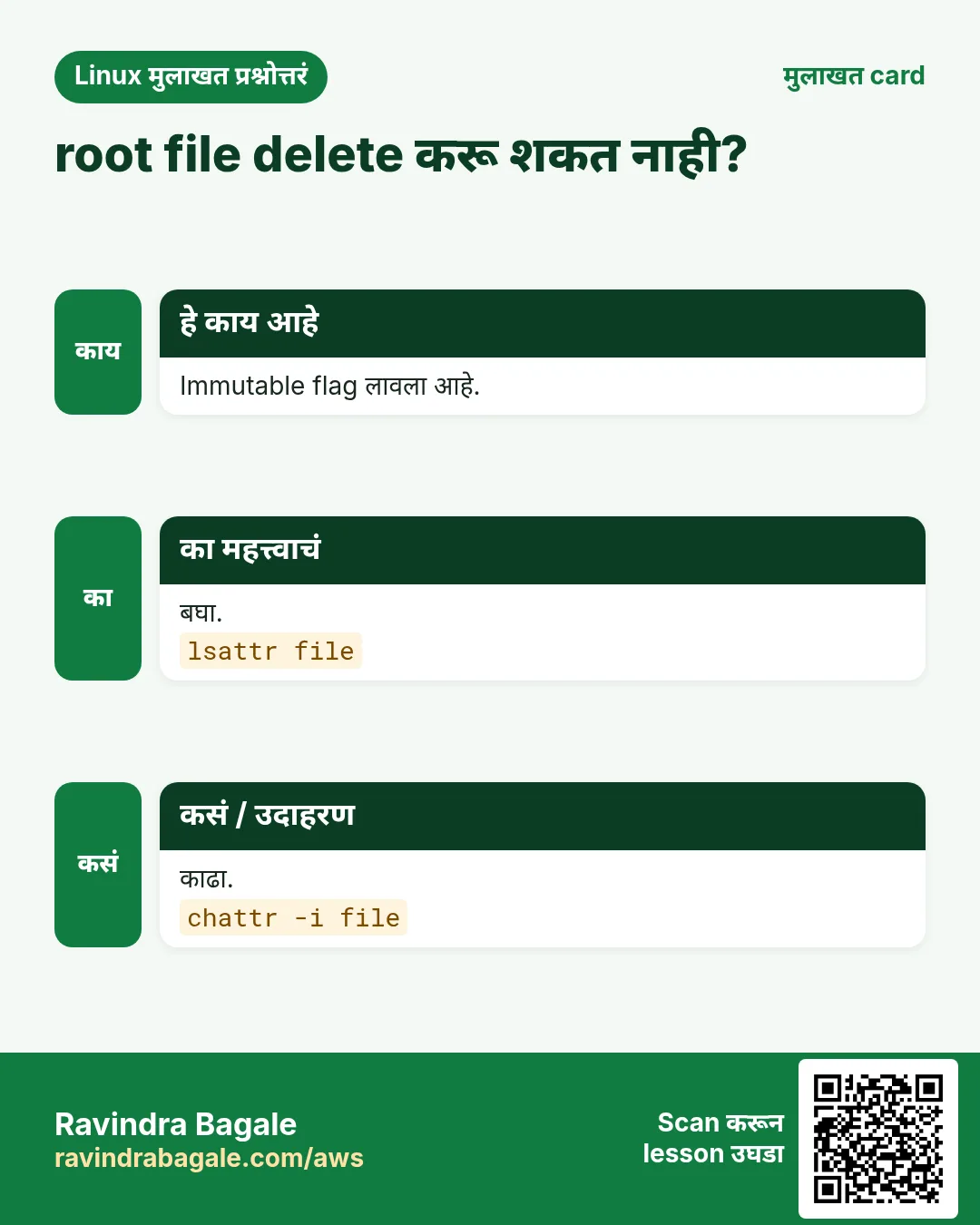
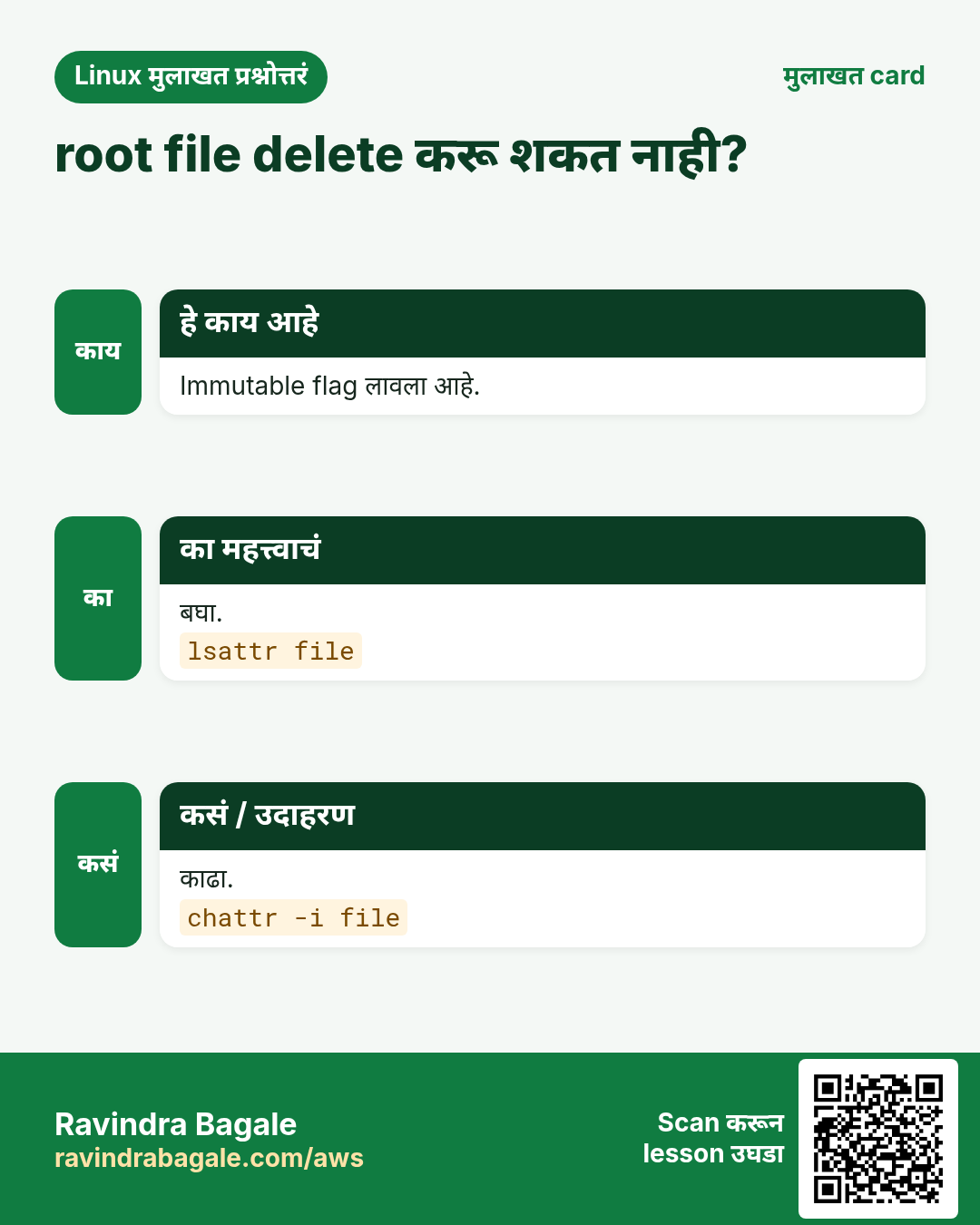
Root पण चुकून files delete करू शकतो, आणि attackers ना logs किंवा /etc/resolv.conf edit करायला आवडतं. chattr file lock करू शकतो, lock काढेपर्यंत कोणीही, root सुद्धा, बदलू किंवा delete करू शकत नाही.
हे काय आहे?
chattr ext4 आणि xfs वर filesystem attributes set करतो. +i file immutable करतो. +a फक्त append करू देतो, logs साठी चांगलं. lsattr attributes दाखवतो. i आणि a फक्त root set करू शकतो.
नेहमीचे options
| Option | काय करतो |
|---|---|
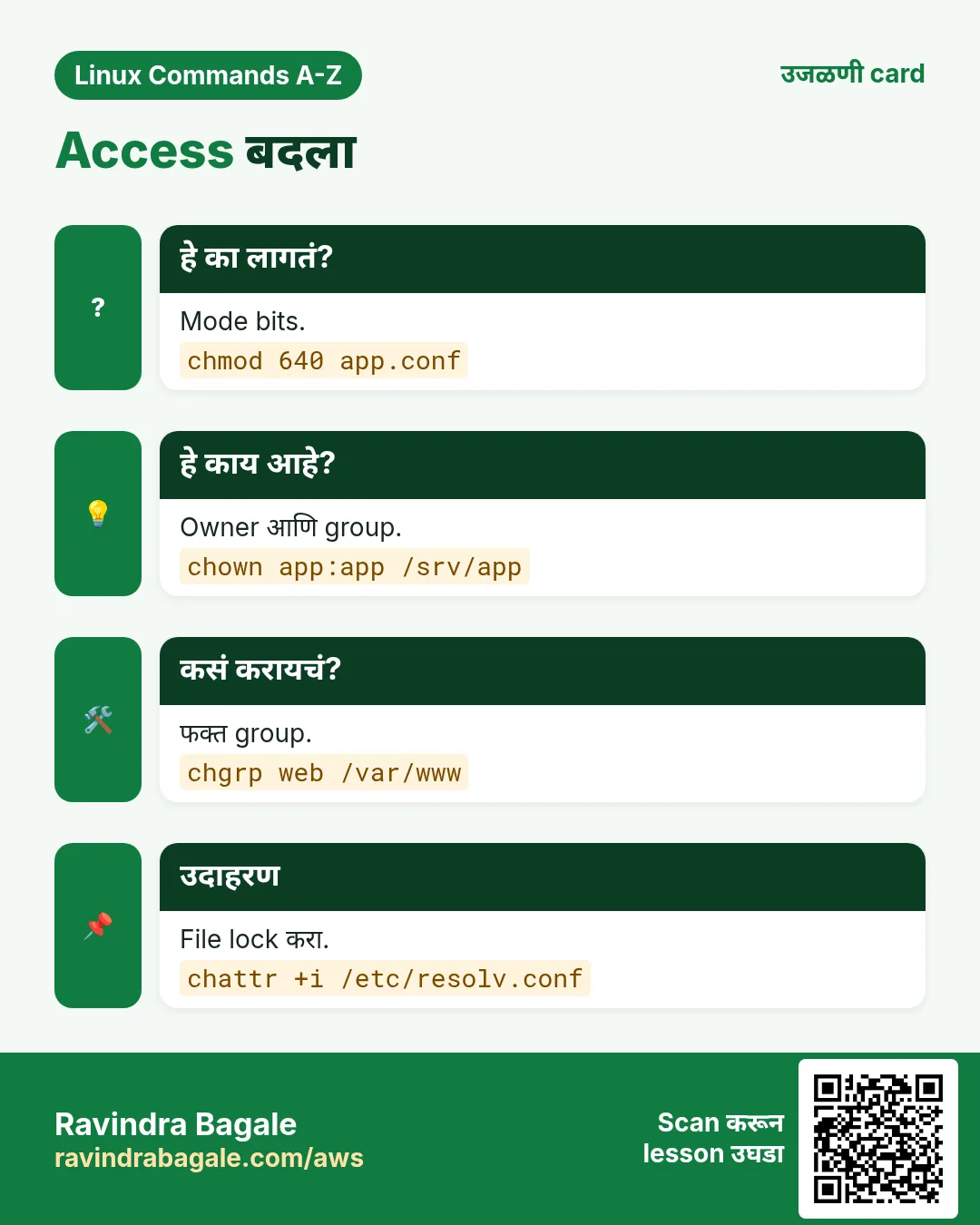
chattr +i f | Immutable करा. |
chattr -i f | Immutable काढा. |
chattr +a f | फक्त append. |
chattr -R +i dir | Recursively लावा. |
lsattr f | Attributes दाखवा. |
lsattr -d dir | Folder चे स्वतःचे attributes. |
कसं करायचं (step by step)
- DNS settings lock.
sudo chattr +i /etc/resolv.confयाचा अर्थ: आता ही file कोणी overwrite करू शकत नाही.
- तपासा.
lsattr /etc/resolv.confOutput:
----i---------e------- /etc/resolv.confयाचा अर्थ: i flag set आहे. ext4 वर e normal (extents).
- Root म्हणून delete करून बघा.
sudo rm /etc/resolv.confOutput:
rm: cannot remove '/etc/resolv.conf': Operation not permittedयाचा अर्थ: Root पण blocked.
- खरंच edit करायचं असेल तेव्हा unlock.
sudo chattr -i /etc/resolv.confयाचा अर्थ: परत normal.
- Audit log append-only.
sudo chattr +a /var/log/app-audit.log && echo 'x' | sudo tee /var/log/app-audit.logOutput:
tee: /var/log/app-audit.log: Operation not permittedयाचा अर्थ: Overwrite fail होतं; tee -a ने append अजून चालतं.
खालच्या tasks मधे सराव करा: सराव tasks
खरा वापर: Baner मधली payment gateway team audit logs वर chattr +a लावते, म्हणजे कोणी गुपचूप history बदलू शकत नाही.
20. chgrp: File चा group बदला
chgrp सविस्तर: फक्त group बदला
हे का लागतं?
Team च्या shared folders ला योग्य group हवा, म्हणजे प्रत्येक member files वर काम करू शकतो. chgrp owner ला न हात लावता group बदलतो.
हे काय आहे?
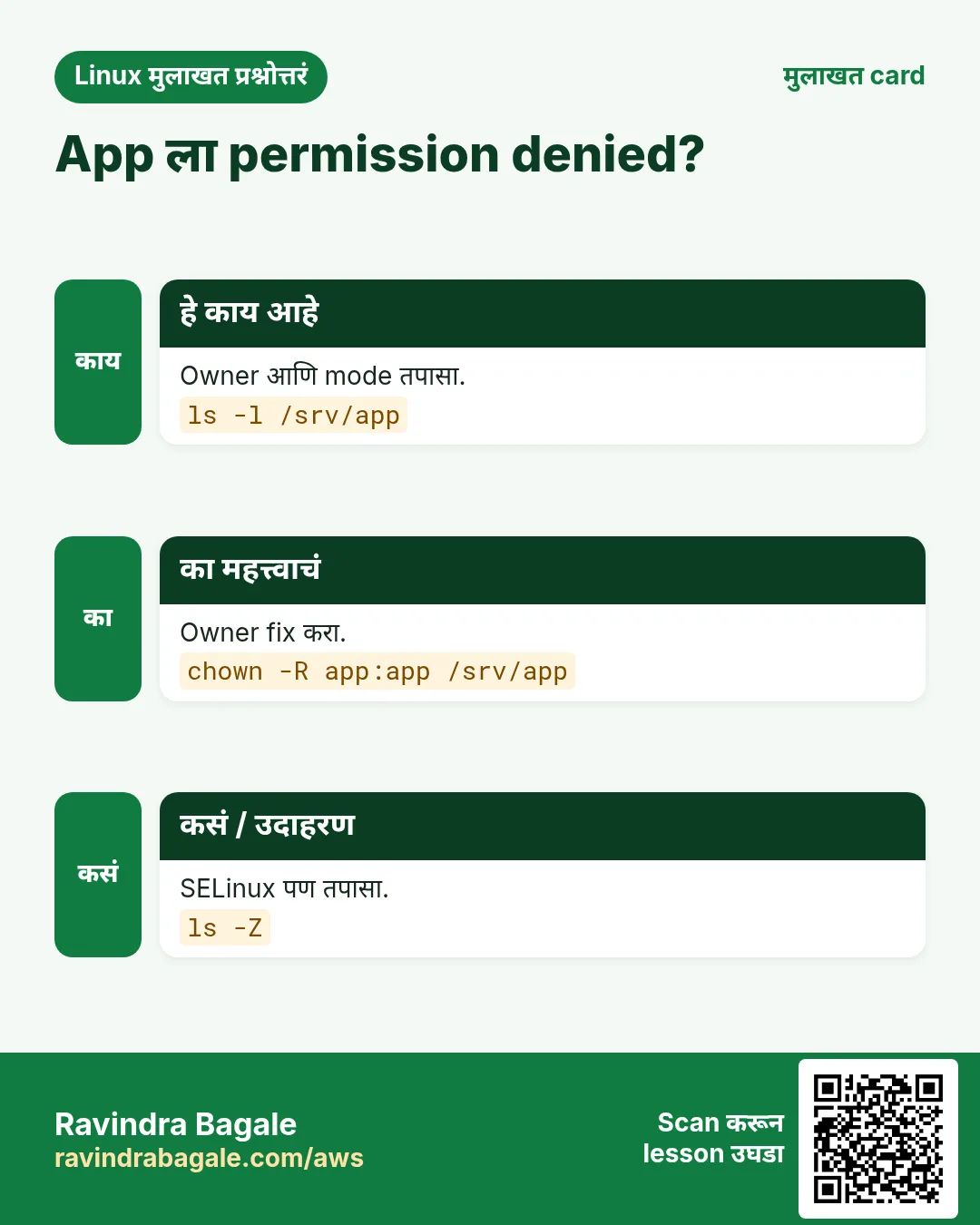
chgrp files आणि folders चा group owner set करतो. Normal user फक्त स्वतः असलेल्या group मधेच बदलू शकतो. -R पूर्ण tree वर चालतो. chown :group तेच काम करतो.
नेहमीचे options
| Option | काय करतो |
|---|---|
chgrp grp f | f चा group set. |
chgrp -R grp dir | Recursive. |
chgrp -v grp f | Verbose. |
chgrp -c grp f | फक्त changes report. |
chgrp --reference=a b | a चा group b ला. |
chgrp -h grp link | Symlink स्वतःचा बदला. |
कसं करायचं (step by step)
- Team folder बनवा.
sudo mkdir /srv/finance && sudo groupadd financeयाचा अर्थ: Folder आणि group तयार.
- Group ला द्या.
sudo chgrp -R finance /srv/financeयाचा अर्थ: आतल्या प्रत्येक file चा group finance.
- तपासा.
ls -ld /srv/financeOutput:
drwxr-xr-x. 2 root finance 6 Oct 26 01:10 /srv/financeयाचा अर्थ: Owner root च राहतो, group finance.
- Group writing आणि नव्या files वर group टिकवा.
sudo chmod 2775 /srv/financeयाचा अर्थ: 2 (setgid) मुळे नव्या files finance group inherit करतात.
- फक्त काय बदललं.
sudo chgrp -c finance /srv/finance/*Output:
changed group of '/srv/finance/q3.xlsx' from root to financeयाचा अर्थ: -c फक्त खरे changes print करतो.
खालच्या tasks मधे सराव करा: सराव tasks
खरा वापर: Hadapsar मधल्या manufacturing firm ची accounts team chgrp आणि setgid ने set केलेल्या folder मधून month-end files share करते.
21. या range मधल्या commands ज्या आधीच सविस्तर covered आहेत
हे का लागतं?
या commands चा पूर्ण why, what आणि how section आधीच्या chapter मधे आहे. इथे परत लिहिलं तर फक्त page लांब होईल.
हे काय आहे?
प्रत्येक link options, examples आणि output असलेला नेमका section उघडतो.
कसं करायचं (step by step)
cd: Current folder बदला: cd ~, cd - आणि cd ..chmod: Permissions बदला: numeric vs symbolicchown: Owner आणि group बदला: user:group आणि -Rcat-redirect: cat सोबत > आणि >>: overwrite vs append
22. अनेक industries मधली खरी उदाहरणं
हे का लागतं?
तेच Linux skill प्रत्येक प्रकारच्या company मध्ये लागतं. वेगवेगळ्या ठिकाणी पाहिलं की लक्षात राहतं.
हे काय आहे?
प्रत्येक row म्हणजे एक काल्पनिक team. कोण हे वापरतं आणि कसं ते दाखवते.
कसं करायचं (step by step)
| Team आणि शहर | ते कसं वापरतात | Command |
|---|---|---|
| Sneha, SaaS support, Hinjewadi | alias k=kubectl आणि awk ने प्रत्येक tenant चे errors मोजते | awk '{c[$4]++} END{for(t in c) print t,c[t]}' app.log |
| Rahul, bank IT, Shivajinagar | Audit साठी vendor accounts वर chage expiry | chage -E 2026-12-31 vendor1 |
| Meera, hospital IT, Erandwane | at ने एकदाचे DB restarts schedule करते | echo 'systemctl restart postgresql' | at 03:00 |
| Imran, cloud ops, Viman Nagar | blkid ने EBS UUIDs fstab मधे | blkid -s UUID -o value /dev/nvme1n1 |
| Pooja, CA firm, Sadashiv Peth | Billing scripts मधे bc ने GST | echo 'scale=2; 2500*1.18' | bc |
| Kunal, payments, Baner | chattr +a ने audit logs सुरक्षित | chattr +a /var/log/pay-audit.log |
23. नेहमीच्या errors आणि त्यांचे fixes
हे का लागतं?
हे errors सगळ्यांना येतात. कारण माहीत असलं की तास वाचतात.
हे काय आहे?
आधी नेमका message वाचा. मग खालच्या row शी जुळवा.
कसं करायचं (step by step)
| दिसणारा error | का होतं | Fix कसा करायचा |
|---|---|---|
alias: ll: not found | Alias दुसऱ्या shell मधे set केला किंवा save नाही | ~/.bashrc मधे टाका आणि source करा.source ~/.bashrc |
nothing appropriate. | man database रिकामा | Root म्हणून एकदा build करा.mandb |
E: Unable to locate package nginx | Package lists जुन्या | आधी lists refresh करा.apt update |
Can't open /var/run/atd.pid to signal atd. No atd running? | atd service बंद | Start आणि enable करा.systemctl enable --now atd |
awk: cmd. line:1: unexpected newline or end of string | Quotes किंवा braces बंद नाहीत | Program single quotes मधे ठेवा आणि प्रत्येक brace बंद करा.awk '{print $1}' f |
base64: invalid input | Text मधे extra characters किंवा padding नाही | Spaces काढा किंवा -i वापरा.base64 -di |
(standard_in) 1: syntax error | bc ला 5% किंवा comma सारखा shell text | फक्त साधे numbers द्या.echo '5*1.05' | bc |
bash: bg: no current job | या shell मधे काहीही stopped नाही | आधी Ctrl+Z ने job थांबवा.jobs -l |
rm: cannot remove 'x': Operation not permitted (as root) | File ला immutable attribute | Attribute तपासा आणि काढा.lsattr x; chattr -i x |
chgrp: changing group of 'f': Operation not permitted | तुम्ही त्या group मधे नाही आणि root नाही | sudo वापरा किंवा group join करा.sudo chgrp finance f |
24. Troubleshooting step by step
हे का लागतं?
या part मधली command दाखवल्याप्रमाणे वागत नसेल, तर हे क्रमाने तपासा.
हे काय आहे?
वरून खाली जा. ज्या step ला problem दिसतो तिथे थांबा.
कसं करायचं (step by step)
- Command installed आहे का आणि कोणती चालते?
type -a awk- कोणतं version?
awk --version | head -1- लागणारी service चालू आहे का (atd)?
systemctl is-active atd- Permission आहे का?
id; sudo -l | head -3- Input मधे hidden characters आहेत का?
cat -A input.txt | head -3- नेमक्या option साठी manual वाचा.
man chage25. Lab 1: awk, bc आणि column ने sales report
हे का लागतं?
छोटी CSV बनवा आणि totals आणि GST सह city-wise report नीट format करून बनवा.
हे काय आहे?
पूर्ण hands-on lab. प्रत्येक step test Linux machine वर करा (EC2 instance, VM किंवा WSL).
कसं करायचं (step by step)
- CSV बनवा.
printf 'date,city,amount\n2026-10-01,Pune,1000\n2026-10-01,Nashik,450\n2026-10-02,Pune,700\n' > s.csv- प्रत्येक city चा total.
awk -F, 'NR>1{t[$2]+=$3} END{for(c in t) print c, t[c]}' s.csvOutput:
Pune 1700
Nashik 450- Grand total.
awk -F, 'NR>1{s+=$3} END{print s}' s.csvOutput:
2150- bc ने 18% GST.
echo 'scale=2; 2150*1.18' | bcOutput:
2537.00- Table format.
awk -F, 'NR>1{t[$2]+=$3} END{for(c in t) print c, t[c]}' s.csv | column -tOutput:
Pune    1700
Nashik 450- bzip2 ने dated copy save.
cp s.csv "s-$(date +%F).csv" && bzip2 -k s-*.csv && ls s-*Output:
s-2026-10-26.csv s-2026-10-26.csv.bz226. Lab 2: Contractor account आणि config file सुरक्षित करा
हे का लागतं?
End date सह contractor user, team group folder, locked config आणि एकदाचा cleanup job बनवा.
हे काय आहे?
पूर्ण hands-on lab. प्रत्येक step test Linux machine वर करा (EC2 instance, VM किंवा WSL).
कसं करायचं (step by step)
- User आणि group बनवा.
sudo useradd vendor9 && sudo groupadd ops9- Account end date set.
sudo chage -E 2026-12-31 vendor9 && sudo chage -l vendor9 | grep AccountOutput:
Account expires : Dec 31, 2026- Group folder.
sudo mkdir /srv/ops9 && sudo chgrp ops9 /srv/ops9 && sudo chmod 2770 /srv/ops9 && ls -ld /srv/ops9Output:
drwxrws---. 2 root ops9 6 Oct 26 /srv/ops9- Config lock.
sudo cp /etc/hosts /srv/ops9/hosts.ref && sudo chattr +i /srv/ops9/hosts.ref && lsattr /srv/ops9/hosts.refOutput:
----i---------e------- /srv/ops9/hosts.ref- 2 तासांनी cleanup queue.
echo 'chattr -i /srv/ops9/hosts.ref' | sudo at now + 2 hoursOutput:
job 7 at ...- Queue तपासा.
sudo atqOutput:
7 Mon Oct 26 03:40:00 2026 a rootRavindra Bagale's Tip
Do not try to memorise all 183 commands. Learn one drawer at a time: run every example in this part on a test machine, then close the page and do the practice tasks from memory. awk alone can replace many small Python scripts in daily ops work, so spend extra time on it.
Ravindra Bagale's Tip – मराठी
सगळ्या 183 commands पाठ करायचा प्रयत्न करू नका. एका वेळी एक drawer शिका: या part मधला प्रत्येक example test machine वर चालवा, मग page बंद करून practice tasks आठवणीने करा. फक्त awk सुद्धा रोजच्या ops कामातल्या बऱ्याच छोट्या Python scripts ची जागा घेऊ शकतो, म्हणून त्यावर जास्त वेळ द्या.
Ravindra Bagale's Tip – हिंदी
सभी 183 commands रटने की कोशिश मत कीजिए। एक बार में एक drawer सीखिए: इस part का हर example test machine पर चलाइए, फिर page बंद करके practice tasks याद से कीजिए। अकेला awk भी रोज़ के ops काम की कई छोटी Python scripts की जगह ले सकता है, इसलिए उस पर ज़्यादा समय दीजिए।
27. नेहमी विचारले जाणारे प्रश्न
प्र. cd, chmod आणि chown इथे का नाहीत?
आधीच्या chapters मधे त्यांचे options आणि examples सह पूर्ण sections आहेत. Links थेट तिथे नेतात.
प्र. Python असताना awk शिकावा का?
हो. Servers वरच्या एका line च्या column कामासाठी awk लिहायला जलद आणि सगळीकडे installed.
प्र. apt की dnf: कोणता शिकावा?
दोन्ही. Ubuntu आणि Debian साठी apt, RHEL, Rocky आणि Amazon Linux 2023 साठी dnf. dnf Part 2 मधे.
प्र. Passwords साठी base64 safe आहे का?
नाही. ते encoding आहे, encryption नाही. कोणीही decode करू शकतो.
प्र. at की cron?
एकदा साठी at, repeating jobs साठी cron किंवा systemd timers.
प्र. chattr +i root ला थांबवू शकतो का?
Root chattr -i ने flag काढेपर्यंत बदल थांबवतो. हा safety lock आहे, पूर्ण protection नाही.
प्र. bc decimals का print करत नाही?
Default scale 0. scale=2 set करा किंवा bc -l वापरा.
प्र. Commands ची पूर्ण list कुठे?
Linux Commands A-Z Index page वर, Related chapters खाली link आहे.
28. मुलाखत प्रश्न आणि उत्तरं
Beginner level
प्र. alias काय करतो?
Shell मधे लांब command ला छोटं नाव देतो.
प्र. Command नाव विसरलात तर कशी शोधाल?
apropos keyword किंवा man -k keyword.
प्र. apt update vs apt upgrade?
update lists refresh करतो; upgrade नवी versions install करतो.
प्र. awk ने पहिला column कसा print कराल?
awk '{print $1}' file.
Mid level level
प्र. awk मधे column ची बेरीज कशी?
awk '{s+=$3} END{print s}' file.
प्र. fstab साठी blkid का?
Device नावं बदलली तरी UUIDs बदलत नाहीत.
प्र. पुढच्या login ला password change कसा भाग पाडाल?
chage -d 0 user.
प्र. chattr +a काय करतो?
फक्त append करू देतो, logs साठी चांगलं.
Senior level
प्र. sort शिवाय एका pass मधे group by आणि count?
awk '{c[$1]++} END{for(k in c) print k,c[k]}' associative array वापरतो.
प्र. Vendor ला time-limited sudo कसा द्याल?
Group मधे add करा, मग at now + N hours त्यांना काढतो; backstop म्हणून chage -E.
प्र. Program मधे shell vars चिकटवण्यापेक्षा awk -v का चांगला?
Quoting bugs आणि data मधून code injection टळतं.
घरी करून बघा
- खरंच वापराल असे तीन aliases बनवा आणि ~/.bashrc मधे save करा.
- कोणतीही public CSV download करा आणि awk ने total आणि एका column नुसार top 3 rows काढा.
- Test VM वर /etc/hosts च्या copy वर chattr +i लावा आणि root म्हणून edit करून बघा.
सराव Tasks
Vidarbha Cotton Mills हा नागपूर मधला वस्त्रोद्योग व्यवसाय आहे. Ganesh Wankhede त्यांचं IT व cloud काम पाहतात. त्यांचे पैसे INR मध्ये मोजले जातात आणि AWS resources ap-south-1 Region मध्ये चालतात. खालच्या tasks मध्ये तुम्ही या lesson मध्ये शिकलेलं वापरून त्यांची खरी कामं करता. सगळी नावं, account IDs, IP addresses व numbers सरावासाठी काल्पनिक आहेत.
0 / 23
सोपं Alias काढा
का: BIZ Linux servers चालवतो आणि alias ते chown commands रोज वापरतो.
काय करायचं: या shell मधून gs नावाचा alias काढा.
- हे काम करणारा Linux command शोधा.
- Task ला लागणारे options (उदा. -r, -h) जोडा.
- File नावं, folders किंवा users योग्य क्रमाने लिहा.
- System files/users बदलत असाल तर sudo वापरा. Check answer दाबा.
सोपं Safety alias
का: BIZ Linux servers चालवतो आणि alias ते chown commands रोज वापरतो.
काय करायचं: mv interactive mode मधे चालवणारा mvi alias बनवा.
- हे काम करणारा Linux command शोधा.
- Task ला लागणारे options (उदा. -r, -h) जोडा.
- File नावं, folders किंवा users योग्य क्रमाने लिहा.
- System files/users बदलत असाल तर sudo वापरा. Check answer दाबा.
सोपं at job delete
का: BIZ Linux servers चालवतो आणि alias ते chown commands रोज वापरतो.
काय करायचं: Queue मधला at job number 12 delete करा.
- हे काम करणारा Linux command शोधा.
- Task ला लागणारे options (उदा. -r, -h) जोडा.
- File नावं, folders किंवा users योग्य क्रमाने लिहा.
- System files/users बदलत असाल तर sudo वापरा. Check answer दाबा.
सोपं File encode
का: BIZ Linux servers चालवतो आणि alias ते chown commands रोज वापरतो.
काय करायचं: cert.pem line wrapping शिवाय base64-encode करा.
- हे काम करणारा Linux command शोधा.
- Task ला लागणारे options (उदा. -r, -h) जोडा.
- File नावं, folders किंवा users योग्य क्रमाने लिहा.
- System files/users बदलत असाल तर sudo वापरा. Check answer दाबा.
सोपं Suffix काढा
का: BIZ Linux servers चालवतो आणि alias ते chown commands रोज वापरतो.
काय करायचं: /srv/app/run.py चं नाव .py शिवाय print करा.
- हे काम करणारा Linux command शोधा.
- Task ला लागणारे options (उदा. -r, -h) जोडा.
- File नावं, folders किंवा users योग्य क्रमाने लिहा.
- System files/users बदलत असाल तर sudo वापरा. Check answer दाबा.
सोपं Background job 2
का: BIZ Linux servers चालवतो आणि alias ते chown commands रोज वापरतो.
काय करायचं: थांबलेला job number 3 background मधे resume करा.
- हे काम करणारा Linux command शोधा.
- Task ला लागणारे options (उदा. -r, -h) जोडा.
- File नावं, folders किंवा users योग्य क्रमाने लिहा.
- System files/users बदलत असाल तर sudo वापरा. Check answer दाबा.
सोपं वर्षाचं calendar
का: BIZ Linux servers चालवतो आणि alias ते chown commands रोज वापरतो.
काय करायचं: 2028 चं पूर्ण calendar दाखवा.
- हे काम करणारा Linux command शोधा.
- Task ला लागणारे options (उदा. -r, -h) जोडा.
- File नावं, folders किंवा users योग्य क्रमाने लिहा.
- System files/users बदलत असाल तर sudo वापरा. Check answer दाबा.
सोपं Lines number
का: BIZ Linux servers चालवतो आणि alias ते chown commands रोज वापरतो.
काय करायचं: फक्त non-blank lines वर line numbers सह build.log दाखवा.
- हे काम करणारा Linux command शोधा.
- Task ला लागणारे options (उदा. -r, -h) जोडा.
- File नावं, folders किंवा users योग्य क्रमाने लिहा.
- System files/users बदलत असाल तर sudo वापरा. Check answer दाबा.
मध्यम Package purge
का: BIZ Linux servers चालवतो आणि alias ते chown commands रोज वापरतो.
काय करायचं: apache2 package आणि त्याच्या config files न विचारता काढा.
- हे काम करणारा Linux command शोधा.
- Task ला लागणारे options (उदा. -r, -h) जोडा.
- File नावं, folders किंवा users योग्य क्रमाने लिहा.
- System files/users बदलत असाल तर sudo वापरा. Check answer दाबा.
मध्यम Candidate version
का: BIZ Linux servers चालवतो आणि alias ते chown commands रोज वापरतो.
काय करायचं: apt मधून openssl चे installed आणि candidate versions दाखवा.
- हे काम करणारा Linux command शोधा.
- Task ला लागणारे options (उदा. -r, -h) जोडा.
- File नावं, folders किंवा users योग्य क्रमाने लिहा.
- System files/users बदलत असाल तर sudo वापरा. Check answer दाबा.
मध्यम at job बघा
का: BIZ Linux servers चालवतो आणि alias ते chown commands रोज वापरतो.
काय करायचं: at job 12 ची पूर्ण script print करा.
- हे काम करणारा Linux command शोधा.
- Task ला लागणारे options (उदा. -r, -h) जोडा.
- File नावं, folders किंवा users योग्य क्रमाने लिहा.
- System files/users बदलत असाल तर sudo वापरा. Check answer दाबा.
मध्यम शेवटचा field
का: BIZ Linux servers चालवतो आणि alias ते chown commands रोज वापरतो.
काय करायचं: awk ने hosts.txt च्या प्रत्येक line चा शेवटचा field print करा.
- हे काम करणारा Linux command शोधा.
- Task ला लागणारे options (उदा. -r, -h) जोडा.
- File नावं, folders किंवा users योग्य क्रमाने लिहा.
- System files/users बदलत असाल तर sudo वापरा. Check answer दाबा.
मध्यम Square root
का: BIZ Linux servers चालवतो आणि alias ते chown commands रोज वापरतो.
काय करायचं: bc ने 2 चं square root 4 decimal places पर्यंत print करा.
- हे काम करणारा Linux command शोधा.
- Task ला लागणारे options (उदा. -r, -h) जोडा.
- File नावं, folders किंवा users योग्य क्रमाने लिहा.
- System files/users बदलत असाल तर sudo वापरा. Check answer दाबा.
मध्यम Label ने शोधा
का: BIZ Linux servers चालवतो आणि alias ते chown commands रोज वापरतो.
काय करायचं: DATA filesystem label असलेलं device शोधा.
- हे काम करणारा Linux command शोधा.
- Task ला लागणारे options (उदा. -r, -h) जोडा.
- File नावं, folders किंवा users योग्य क्रमाने लिहा.
- System files/users बदलत असाल तर sudo वापरा. Check answer दाबा.
मध्यम Archive test
का: BIZ Linux servers चालवतो आणि alias ते chown commands रोज वापरतो.
काय करायचं: Extract न करता logs.bz2 ची integrity test करा.
- हे काम करणारा Linux command शोधा.
- Task ला लागणारे options (उदा. -r, -h) जोडा.
- File नावं, folders किंवा users योग्य क्रमाने लिहा.
- System files/users बदलत असाल तर sudo वापरा. Check answer दाबा.
मध्यम Extract न करता वाचा
का: BIZ Linux servers चालवतो आणि alias ते chown commands रोज वापरतो.
काय करायचं: File न बनवता logs.bz2 चा content screen वर print करा.
- हे काम करणारा Linux command शोधा.
- Task ला लागणारे options (उदा. -r, -h) जोडा.
- File नावं, folders किंवा users योग्य क्रमाने लिहा.
- System files/users बदलत असाल तर sudo वापरा. Check answer दाबा.
मध्यम Max password days
का: BIZ Linux servers चालवतो आणि alias ते chown commands रोज वापरतो.
काय करायचं: user ravi चं maximum password age 60 days करा.
- हे काम करणारा Linux command शोधा.
- Task ला लागणारे options (उदा. -r, -h) जोडा.
- File नावं, folders किंवा users योग्य क्रमाने लिहा.
- System files/users बदलत असाल तर sudo वापरा. Check answer दाबा.
मध्यम Group recursive
का: BIZ Linux servers चालवतो आणि alias ते chown commands रोज वापरतो.
काय करायचं: /srv/web आणि आतल्या सगळ्याचा group www करा.
- हे काम करणारा Linux command शोधा.
- Task ला लागणारे options (उदा. -r, -h) जोडा.
- File नावं, folders किंवा users योग्य क्रमाने लिहा.
- System files/users बदलत असाल तर sudo वापरा. Check answer दाबा.
अवघड रिकाम्या lines
का: BIZ Linux servers चालवतो आणि alias ते chown commands रोज वापरतो.
काय करायचं: Field count वापरून awk ने app.log मधल्या रिकाम्या lines चे line numbers print करा.
- हे काम करणारा Linux command शोधा.
- Task ला लागणारे options (उदा. -r, -h) जोडा.
- File नावं, folders किंवा users योग्य क्रमाने लिहा.
- System files/users बदलत असाल तर sudo वापरा. Check answer दाबा.
अवघड CSV ते TSV
का: BIZ Linux servers चालवतो आणि alias ते chown commands रोज वापरतो.
काय करायचं: प्रत्येक record परत बनवत awk ने data.csv commas पासून tabs मधे बदला.
- हे काम करणारा Linux command शोधा.
- Task ला लागणारे options (उदा. -r, -h) जोडा.
- File नावं, folders किंवा users योग्य क्रमाने लिहा.
- System files/users बदलत असाल तर sudo वापरा. Check answer दाबा.
अवघड Minimum value
का: BIZ Linux servers चालवतो आणि alias ते chown commands रोज वापरतो.
काय करायचं: पहिल्या line पासून सुरू करून awk ने lat.txt च्या column 2 मधली सगळ्यात लहान value print करा.
- हे काम करणारा Linux command शोधा.
- Task ला लागणारे options (उदा. -r, -h) जोडा.
- File नावं, folders किंवा users योग्य क्रमाने लिहा.
- System files/users बदलत असाल तर sudo वापरा. Check answer दाबा.
अवघड Decimal ते binary
का: BIZ Linux servers चालवतो आणि alias ते chown commands रोज वापरतो.
काय करायचं: bc ने 200 binary मधे बदला.
- हे काम करणारा Linux command शोधा.
- Task ला लागणारे options (उदा. -r, -h) जोडा.
- File नावं, folders किंवा users योग्य क्रमाने लिहा.
- System files/users बदलत असाल तर sudo वापरा. Check answer दाबा.
अवघड फक्त append
का: BIZ Linux servers चालवतो आणि alias ते chown commands रोज वापरतो.
काय करायचं: audit.log append-only करा.
- हे काम करणारा Linux command शोधा.
- Task ला लागणारे options (उदा. -r, -h) जोडा.
- File नावं, folders किंवा users योग्य क्रमाने लिहा.
- System files/users बदलत असाल तर sudo वापरा. Check answer दाबा.
29. संबंधित chapters
- Linux Commands A-Z Index
- DevOps साठी Linux Ops Refresh
- Automation साठी Bash Scripting
- Linux grep आणि find Commands Examples सह
- Linux Servers मध्ये Passwordless SSH
थोडक्यात सांगायचं तर
- प्रत्येक command: why, what, options, steps.
- apropos keyword ने commands शोधतो.
- awk: -F, $N, NR, NF, END, arrays.
- base64 encryption नाही; bc decimals करतो.
- blkid fstab साठी UUIDs देतो.
- chage, chattr आणि chgrp security घट्ट करतात.
उजळणी, तुलना आणि मुलाखत cards
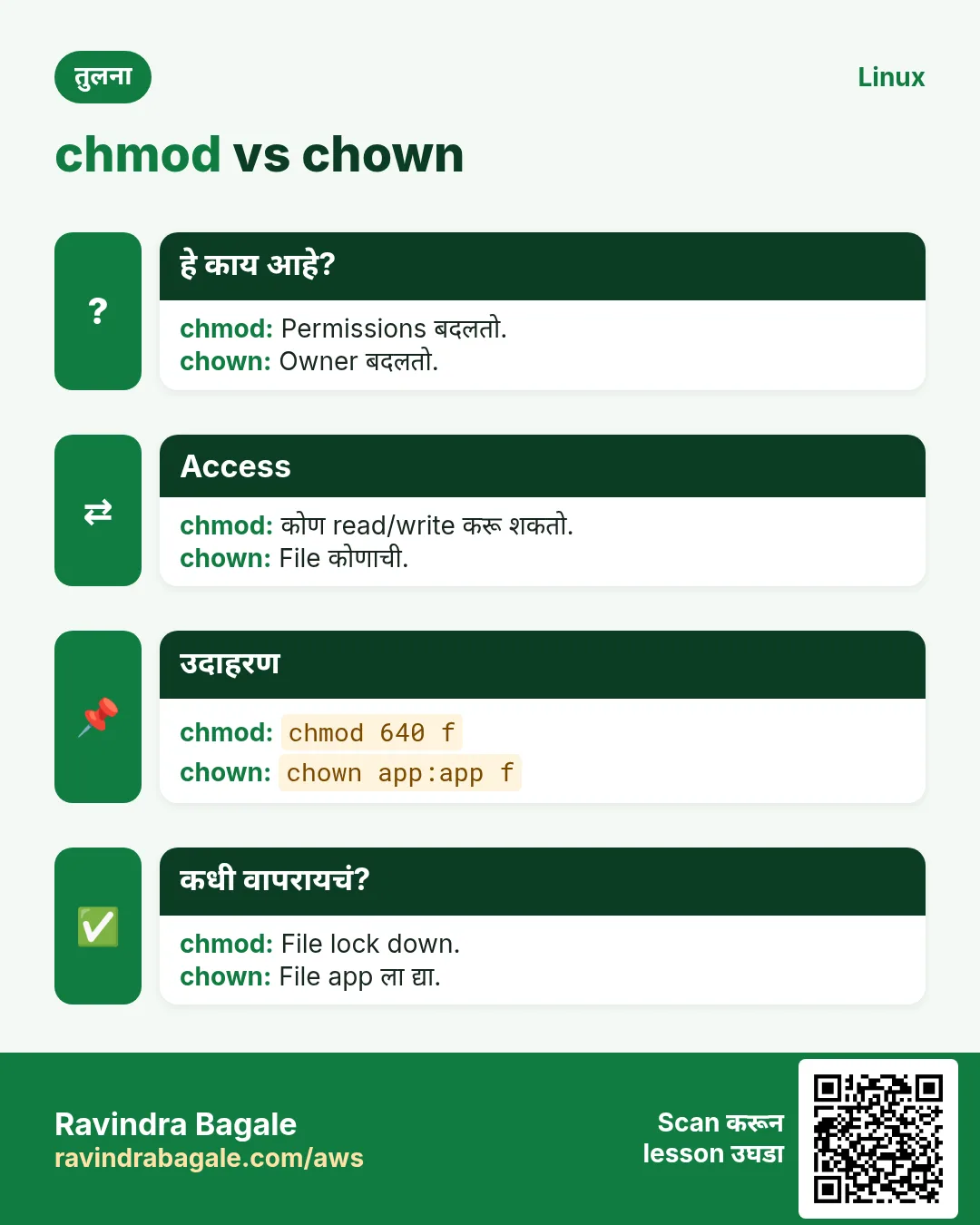
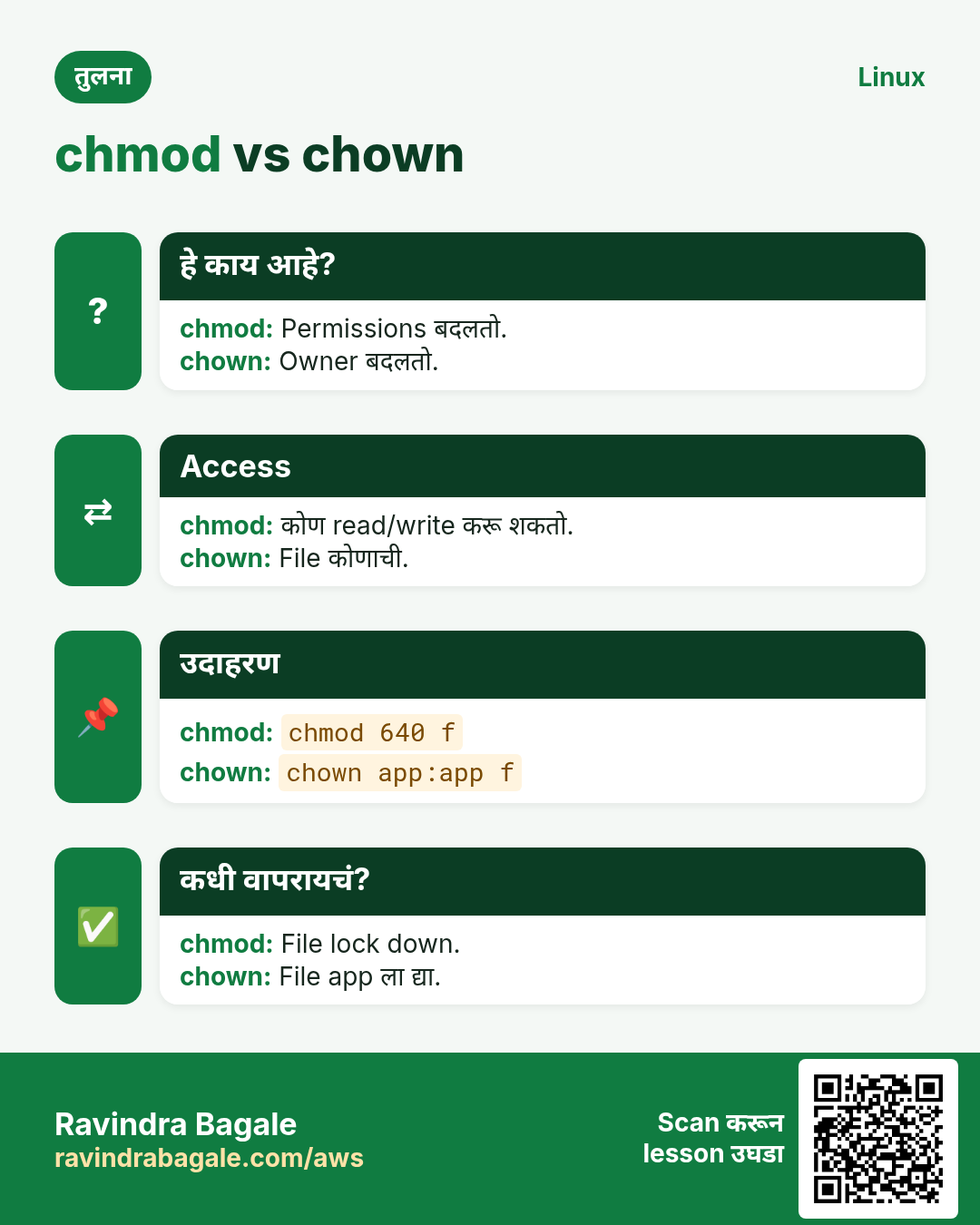
हा lesson काही मिनिटांत revise करा. Cards phone वर save करा किंवा PNG download करा. प्रत्येक card वरचा QR हा lesson उघडतो.
अजून cards: Ravi Sir's Cards.