Linux ACL आणि File Attributes: setfacl, getfacl, chattr आणि lsattr उदाहरणांसह
साध्या permissions एक owner, एक group आणि बाकी सगळ्यांना rights देतात. कधी जास्त हवं: एका extra user ला read, किंवा एकाच folder वर दोन teams ना वेगळे rights. ACLs (Access Control Lists) ते करतात. File attributes (chattr) आणखी एक layer: file immutable करता येते म्हणजे root पण बदलू शकत नाही, किंवा logs साठी append-only.
या chapter मध्ये तुम्ही काय शिकाल
- ACLs कधी लागतात ते ओळखा
- getfacl ने ACLs वाचा आणि ls -l मधला + ओळखा
- setfacl ने ACLs add, बदला, काढा
- Default ACLs आणि mask समजा
- Copy, backup, restore मधे ACLs ठेवा
- lsattr आणि chattr +i / +a
1. रोजचं उदाहरण: society चा notice room
हे का लागतं?
कोथरूडच्या society मधे office room secretary आणि committee ची. Plumber ला मंगळवारी आत जायचं असतं, पण तो committee मधे नाही. त्याला committee मधे घालण्याऐवजी secretary दारावरच्या special list वर त्याचं नाव लिहितो: 'Plumber: आत येऊ शकतो, files ला हात नाही'. Society rule book laminate करून काचेत lock: काच उघडेपर्यंत कोणीही, secretary पण, बदलू शकत नाही. Visitor register मधे फक्त नव्या lines; जुन्या lines खोडता येत नाहीत.
हे काय आहे?
Owner आणि group = secretary आणि committee. दारावरची special list = ACL. 'आत येऊ शकतो, हात नाही' = एका user ला r-x. Lock काच = chattr +i (immutable). Visitor register = chattr +a (append-only).
कसं करायचं (step by step)
2. ACLs का: owner/group/other च्या मर्यादा
हे का लागतं?
File ला एकच group. Finance ला read आणि audit ला read-write एकाच folder वर हवं असेल तर साध्या bits ने गोंधळाच्या groups शिवाय जमत नाही.
हे काय आहे?
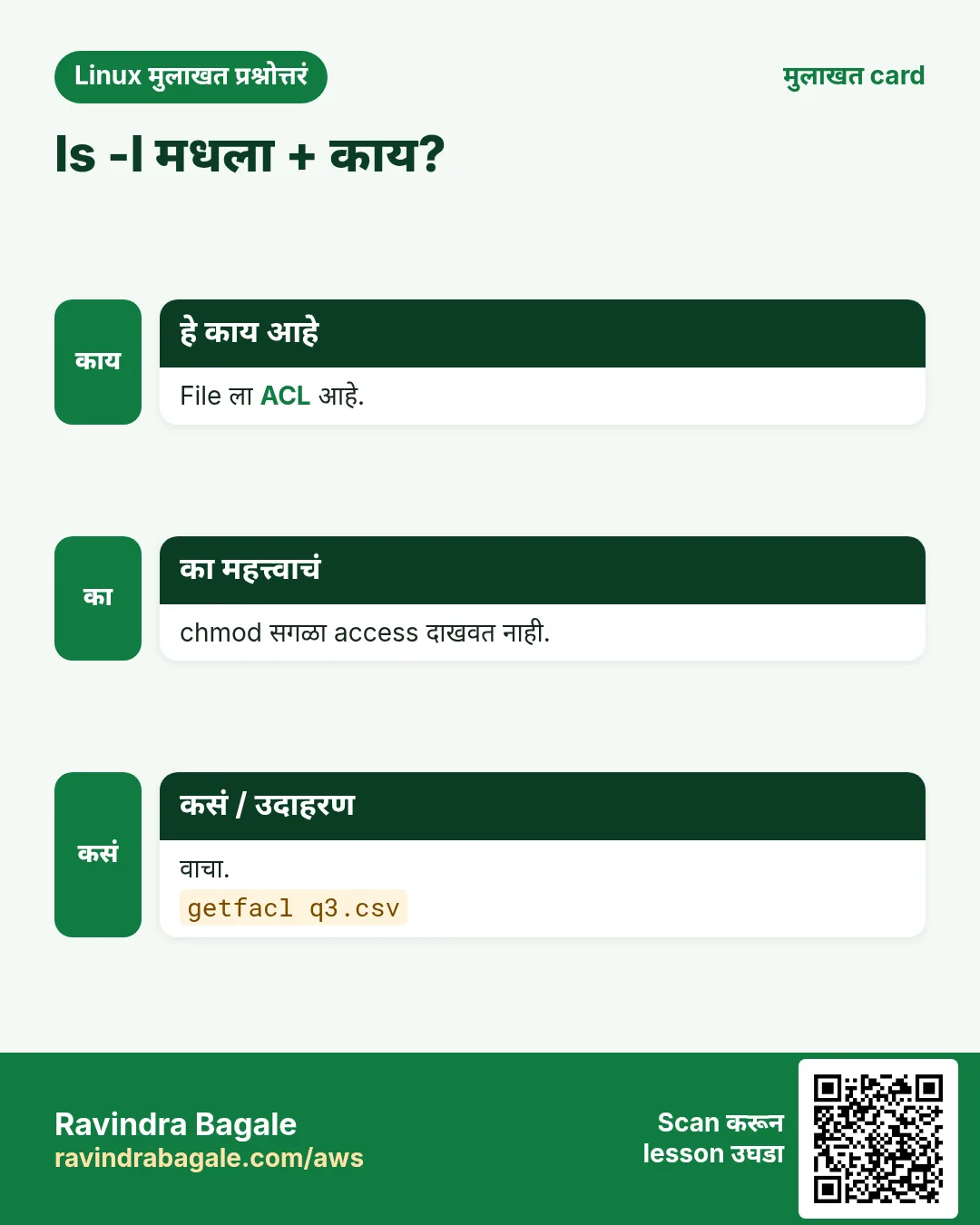
ACLs extra entries जोडतात: user:NAME:rwx आणि group:NAME:rwx, आणि mask आणि नव्या files साठी defaults. ext4, XFS आणि बहुतेक modern file systems वर चालतात (acl ने mount, जो default). ls -l mode च्या शेवटी + म्हणजे ACL आहे.
कसं करायचं (step by step)
- ACL ओळखा.
ls -ld /srv/reportsOutput:
drwxrwx---+ 2 ravi finance 4096 Oct 25 /srv/reportsयाचा अर्थ: + म्हणजे 9 bits पेक्षा जास्त आहे.
- Tool install आहे का?
command -v setfacl getfacl || sudo dnf install -y aclOutput:
/usr/bin/setfacl
/usr/bin/getfacl
याचा अर्थ: Package नाव acl.
3. getfacl: ACL वाचा
हे का लागतं?
Access बदलण्या किंवा debug करण्याआधी mask सह प्रत्येक entry बघायला हवी.
हे काय आहे?
getfacl FILE owner, group, मग user::, user:NAME:, group::, group:NAME:, mask::, other::, आणि folders साठी default: lines. '#effective:' mask ने कापलेले rights. -R tree. -c header लपवतो.
कसं करायचं (step by step)
- Folder ACL वाचा.
getfacl /srv/reportsOutput:
# file: srv/reports
# owner: ravi
# group: finance
user::rwx
user:priya:r-x
group::rwx
group:audit:rwx
mask::rwx
other::---
याचा अर्थ: priya वाचू शकते, audit लिहू शकतो.
- Header शिवाय.
getfacl -c /srv/reports/q3.csvOutput:
user::rw-
user:priya:r--
group::r--
mask::r--
other::---
याचा अर्थ: छोटं, compare सोपं.
- Mask ने कापलेला right.
getfacl -c data.csv | grep effectiveOutput:
user:sam:rw- #effective:r--याचा अर्थ: sam चा w mask ने block.
4. setfacl -m: entry add किंवा बदला
हे का लागतं?
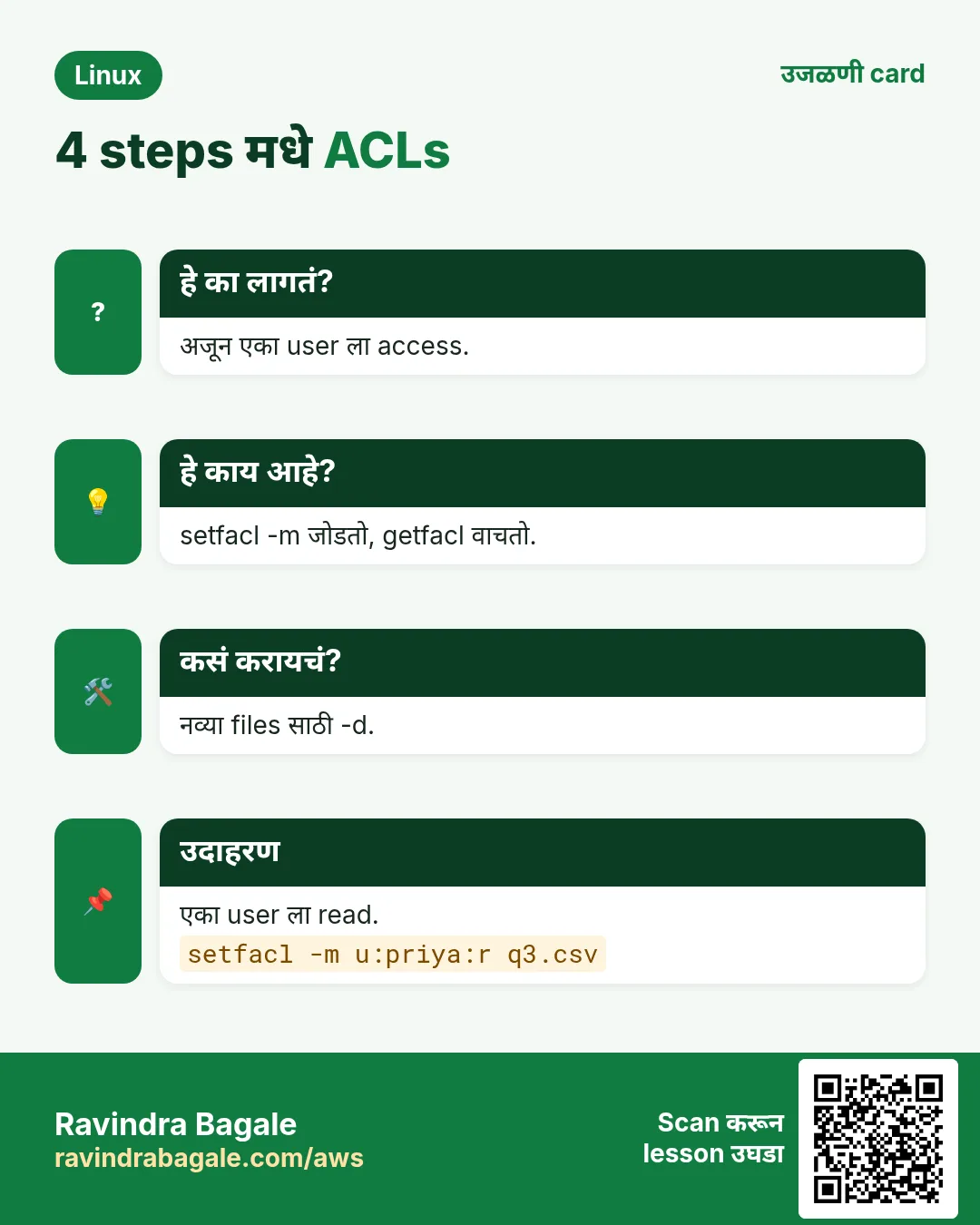
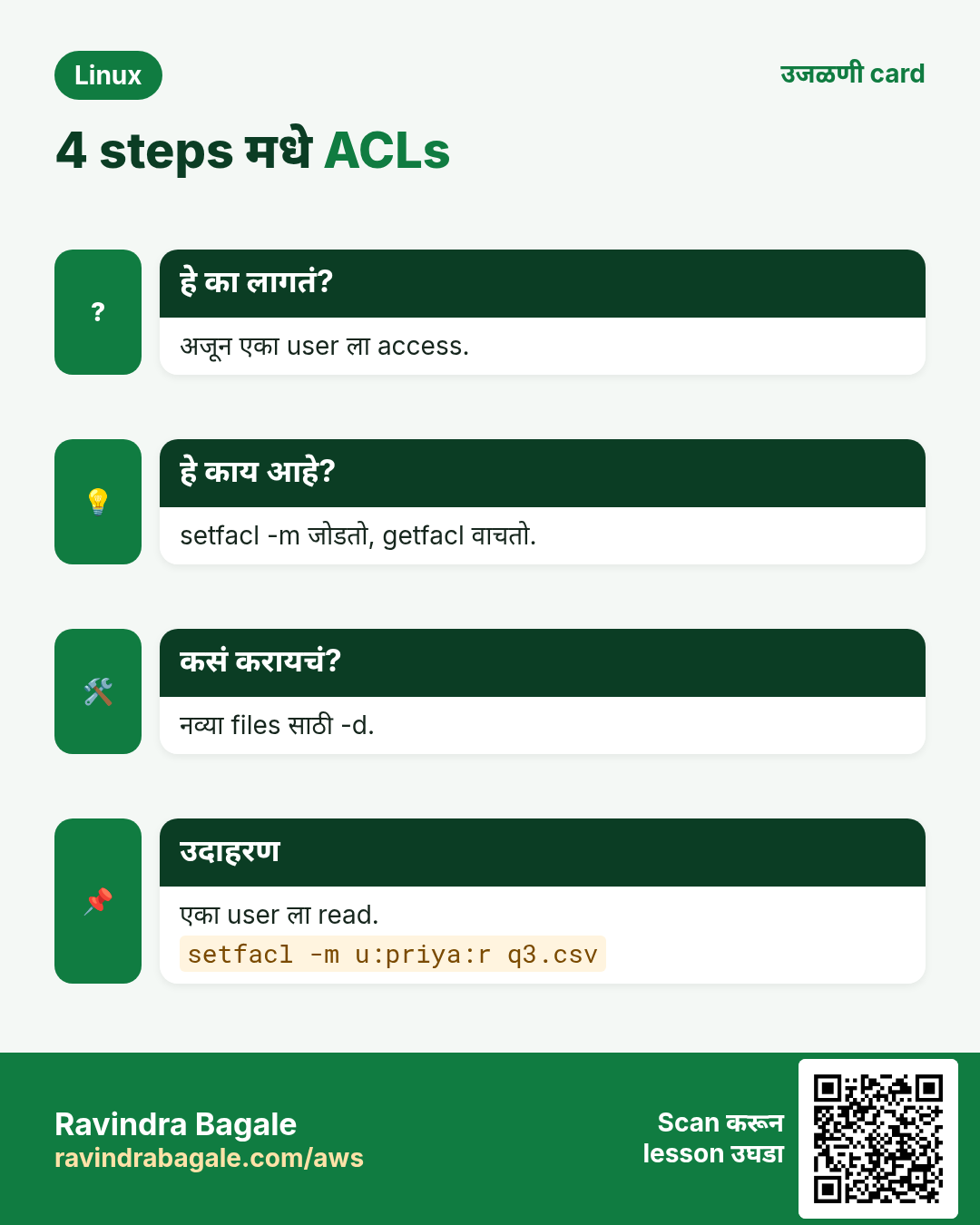
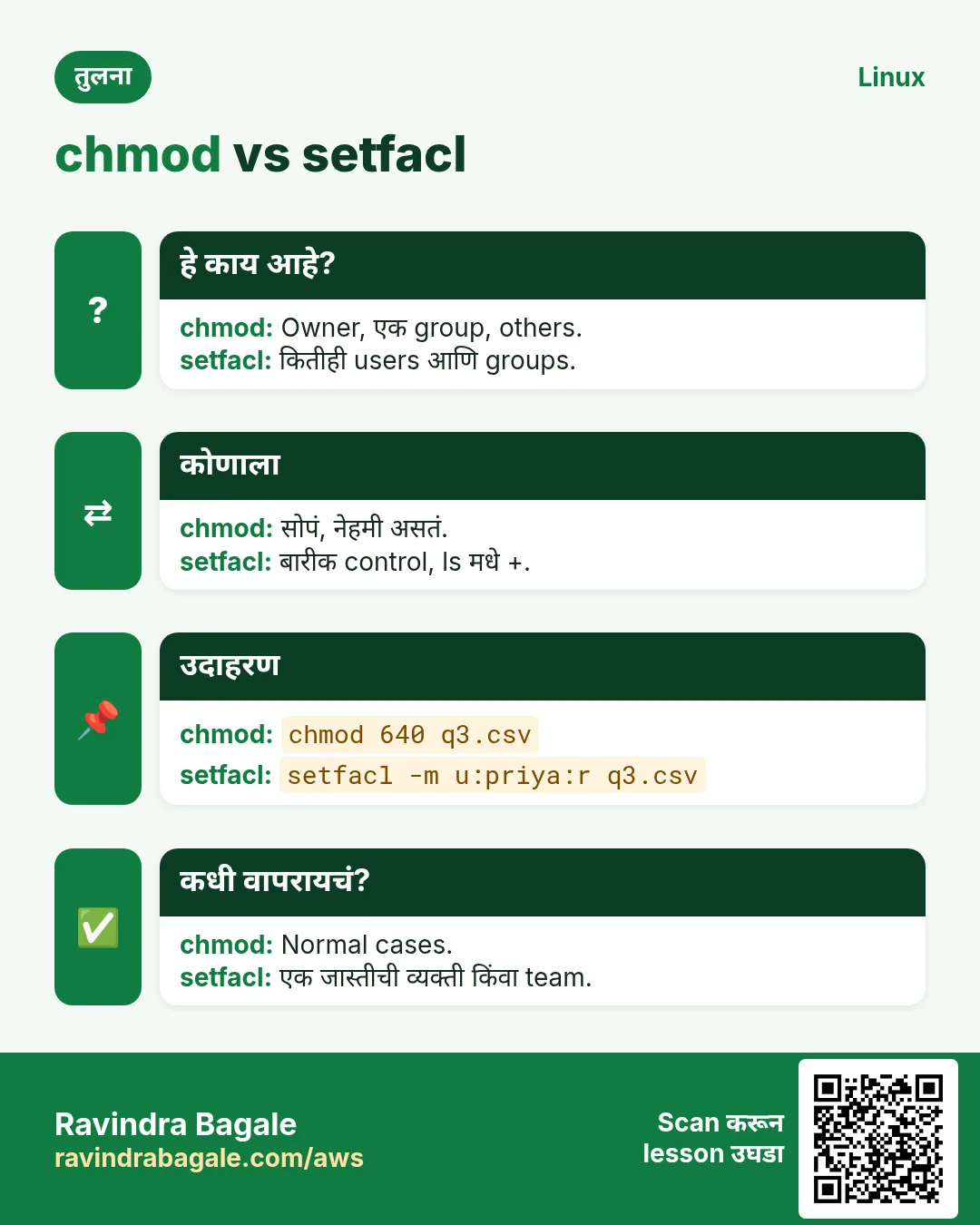
Owner, group किंवा other bits न बदलता आणखी एका व्यक्ती किंवा team ला access.
हे काय आहे?
User साठी setfacl -m u:NAME:rwx FILE, group साठी -m g:NAME:rx, others साठी -m o::-. Commas ने एकदम अनेक. Tree साठी -R (फक्त folders ला x साठी X). Mask आपोआप update.
कसं करायचं (step by step)
- priya ला एक file वाचू द्या.
setfacl -m u:priya:r q3.csv && getfacl -c q3.csv | grep priyaOutput:
user:priya:r--याचा अर्थ: Group बदल नको.
- Audit team ला write.
setfacl -m g:audit:rw q3.csv && ls -l q3.csvOutput:
-rw-rw----+ 1 ravi finance 9K Oct 25 q3.csvयाचा अर्थ: दिसणारे group bits आता mask.
- पूर्ण tree, folders ना x.
setfacl -R -m g:audit:rX /srv/reportsOutput:
(no output)याचा अर्थ: Files r, folders r-x.
- nginx ला home folder मधून जाऊ द्या.
setfacl -m u:nginx:x /home/raviOutput:
(no output)याचा अर्थ: फक्त x: public_html पर्यंत, home list नाही.
5. Default ACLs: नव्या files साठी rules
हे का लागतं?
Defaults शिवाय shared folder मधल्या नव्या files ना ACL नाही आणि extra team चा access जातो.
हे काय आहे?
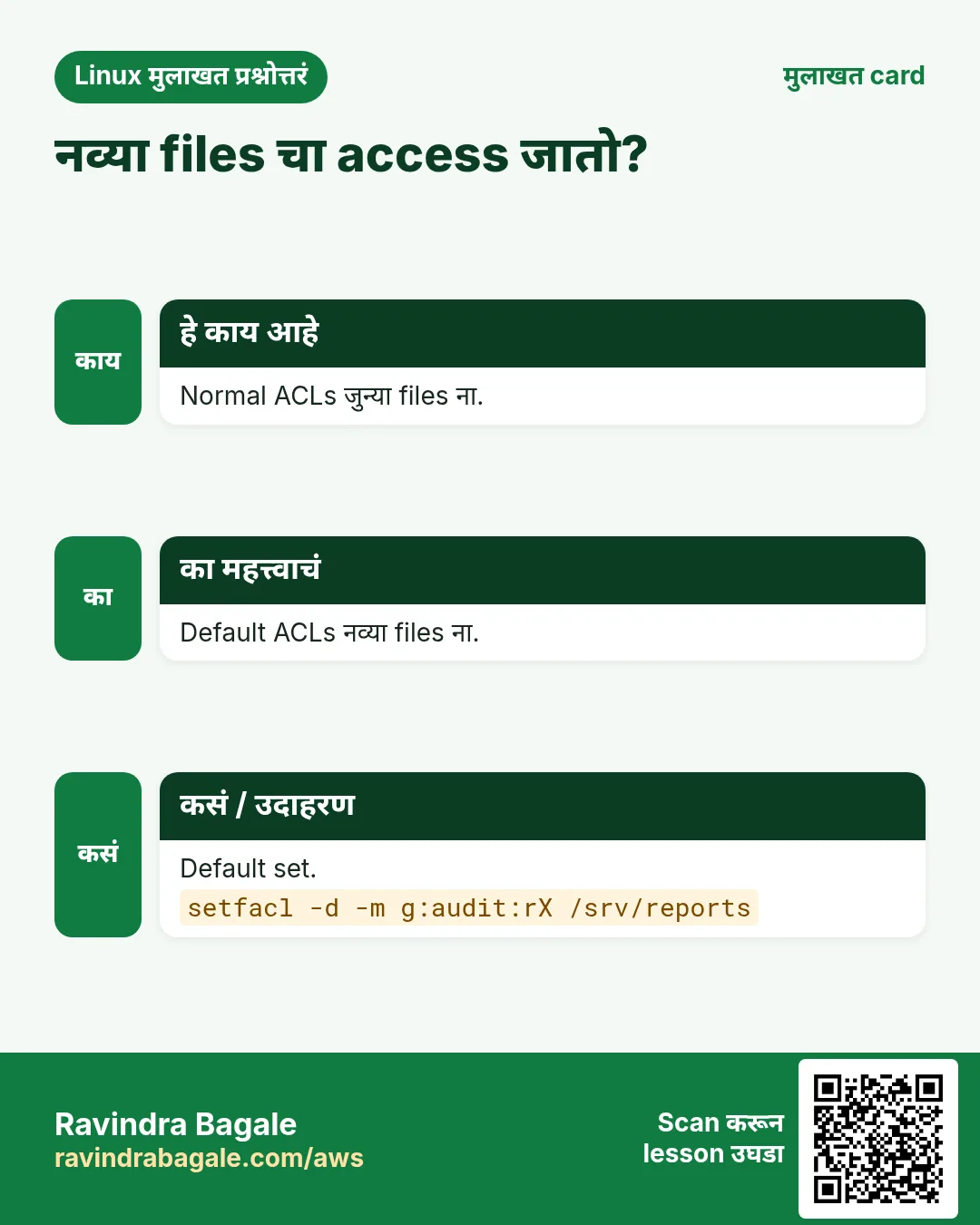
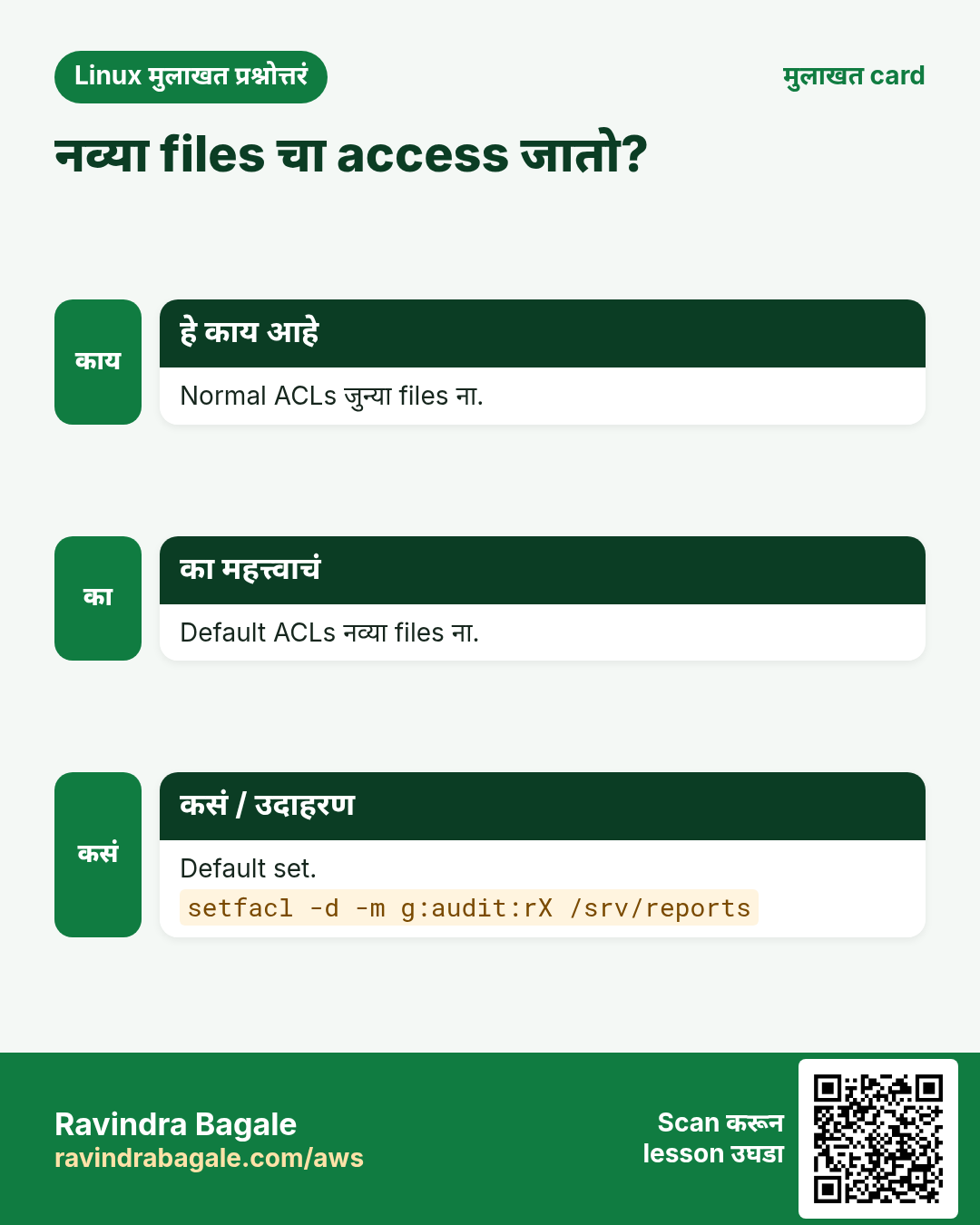
Folder वरची default ACL (setfacl -d -m किंवा -m d:...) आत बनणाऱ्या नव्या files आणि sub-folders ना copy होते. जुन्या files बदलत नाही, म्हणून त्यांच्यासाठी -R -m सोबत. Defaults फक्त folders ना.
कसं करायचं (step by step)
- Audit साठी default.
setfacl -d -m g:audit:rX /srv/reports && getfacl -c /srv/reports | grep defaultOutput:
default:user::rwx
default:group::rwx
default:group:audit:r-x
default:mask::rwx
default:other::---
याचा अर्थ: पुढच्या files ना audit access.
- नवी file तपासा.
touch /srv/reports/q4.csv && getfacl -c /srv/reports/q4.csv | grep auditOutput:
group:audit:r-x #effective:r--याचा अर्थ: Inherited; files ना x नाही.
- जुनं आणि पुढचं, दोन steps.
setfacl -R -m g:audit:rX /srv/reports && setfacl -R -d -m g:audit:rX /srv/reportsOutput:
(no output)याचा अर्थ: Shared folders चा नेहमीचा pattern.
6. ACL mask
हे का लागतं?
लोक user ला rw देतात तरी fail. सहसा mask कमी, बहुतेक chmod नंतर.
हे काय आहे?
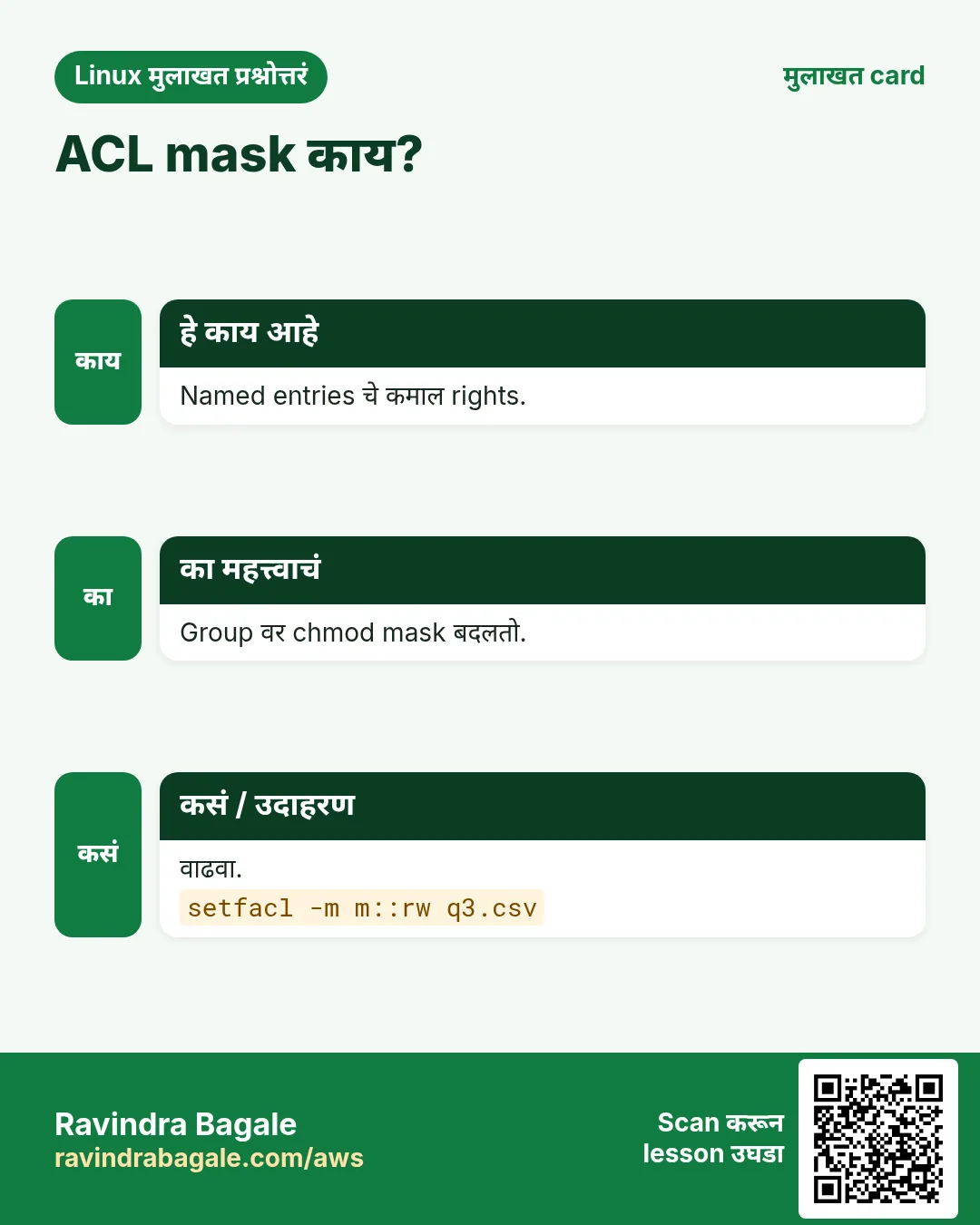
mask:: म्हणजे named users, named groups आणि owning group साठी जास्तीत जास्त right. File ला ACL असेल तर chmod g=... group नाही, mask बदलतो. setfacl -m m::rwx set करतो. setfacl -n आपोआप mask recalculation थांबवतो.
कसं करायचं (step by step)
- chmod mask कमी करतो.
chmod 640 q3.csv && getfacl -c q3.csv | grep -E 'audit|mask'Output:
group:audit:rw-		#effective:r--
mask::r--
याचा अर्थ: audit चा write गेला.
- Mask परत.
setfacl -m m::rw q3.csv && getfacl -c q3.csv | grep maskOutput:
mask::rw-याचा अर्थ: audit परत लिहू शकतो.
7. setfacl -x आणि -b: entries काढा
हे का लागतं?
Contractor गेला किंवा test संपली की extra access स्वच्छ काढा.
हे काय आहे?
setfacl -x u:NAME FILE एक user entry काढतो, -x g:NAME group entry. -k सगळ्या default entries काढतो. -b पूर्ण ACL काढतो, फक्त साधे bits ठेवतो. Trees साठी -R.
कसं करायचं (step by step)
- priya काढा.
setfacl -x u:priya q3.csv && getfacl -c q3.csv | grep -c priyaOutput:
0याचा अर्थ: तिचा extra access गेला.
- फक्त defaults काढा.
setfacl -k /srv/reportsOutput:
(no output)याचा अर्थ: जुन्या entries राहतात.
- Tree मधून सगळे ACLs.
setfacl -R -b /srv/old && ls -ld /srv/oldOutput:
drwxrwx--- 2 ravi finance 4096 /srv/oldयाचा अर्थ: + गेला.
8. ACLs copy, backup, restore
हे का लागतं?
साधा cp किंवा tar ACLs गुपचूप सोडू शकतो, आणि restore नंतर लोकांचा access जातो.
हे काय आहे?
cp -a (किंवा --preserve=all) ACLs ठेवतो. rsync -aAX ACLs आणि xattrs ठेवतो. tar --acls --xattrs create आणि extract दोन्हीला. getfacl -R > file save; setfacl --restore=file परत. एका file ची ACL दुसरीला: getfacl a | setfacl --set-file=- b.
कसं करायचं (step by step)
- Tree चे ACLs save.
getfacl -R /srv/reports > /root/reports.acl && wc -l /root/reports.aclOutput:
58 /root/reports.aclयाचा अर्थ: Rights चा text backup.
- परत लावा.
cd / && setfacl --restore=/root/reports.aclOutput:
(no output)याचा अर्थ: Paths / पासून relative.
- ACLs सह rsync.
rsync -aAX /srv/reports/ backup:/srv/reports/Output:
(no output)याचा अर्थ: A = ACLs, X = xattrs.
- ACLs सह tar.
tar --acls --xattrs -czf reports.tgz /srv/reportsOutput:
(no output)याचा अर्थ: Extract करताना पण --acls.
9. lsattr: file attributes list
हे का लागतं?
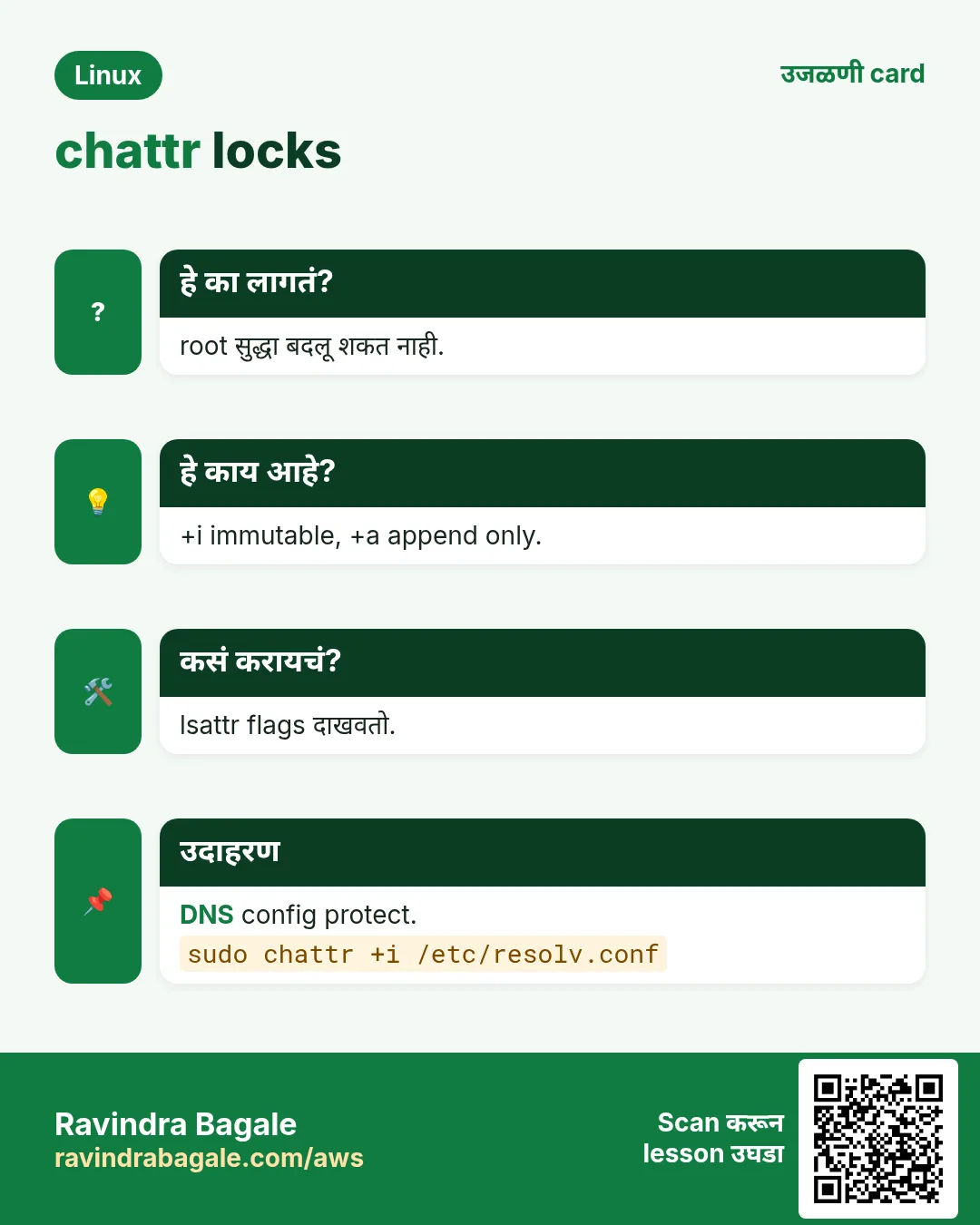
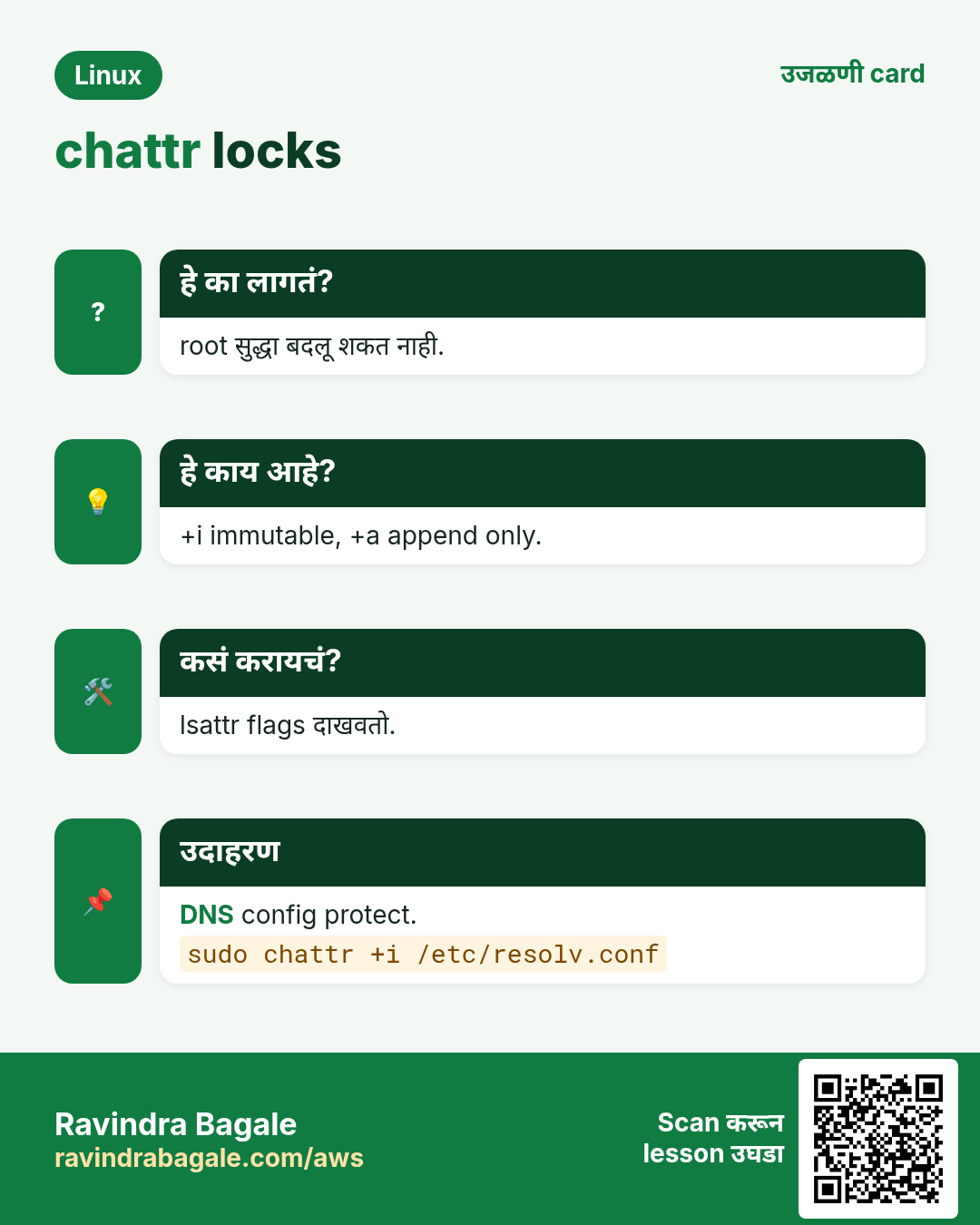
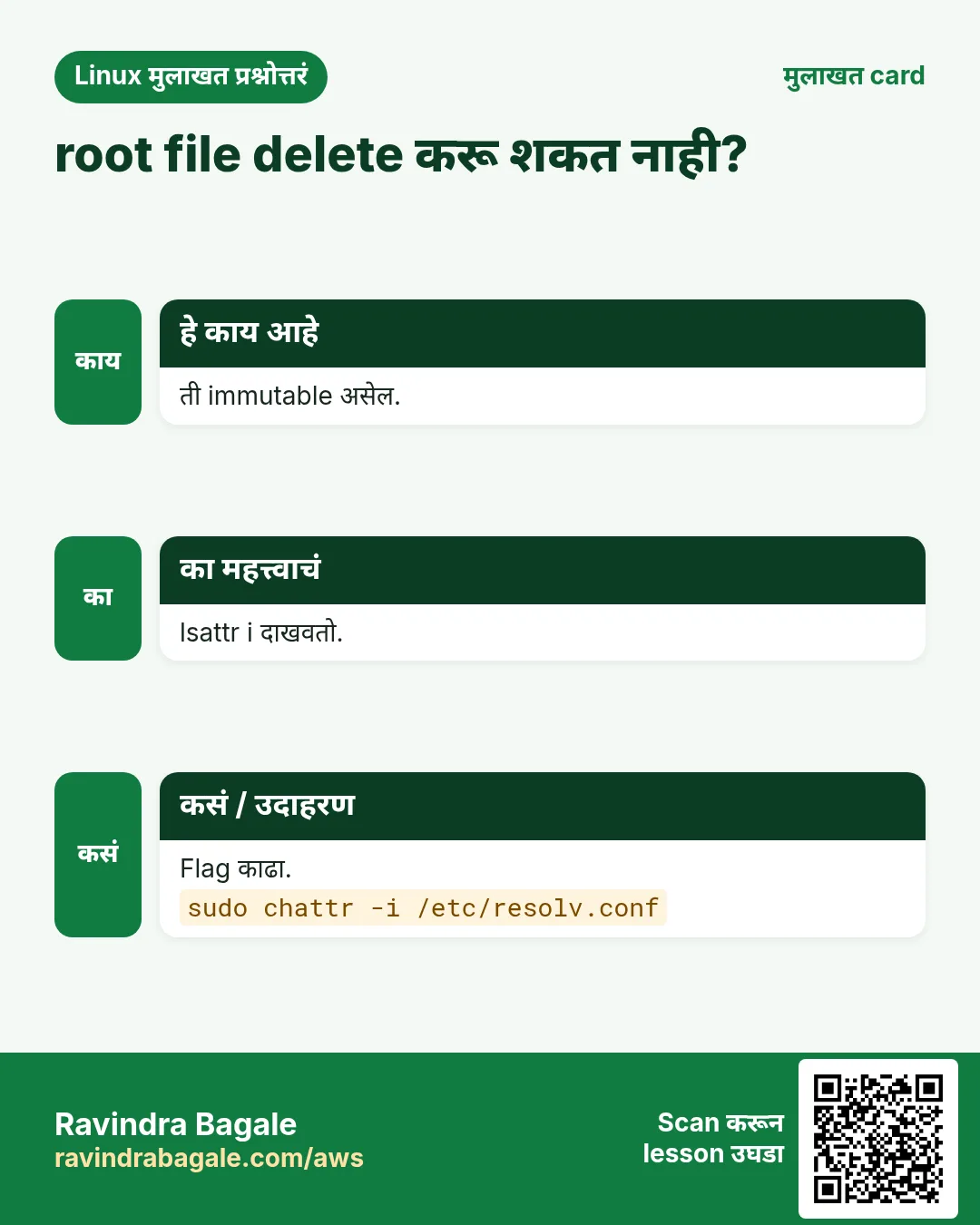
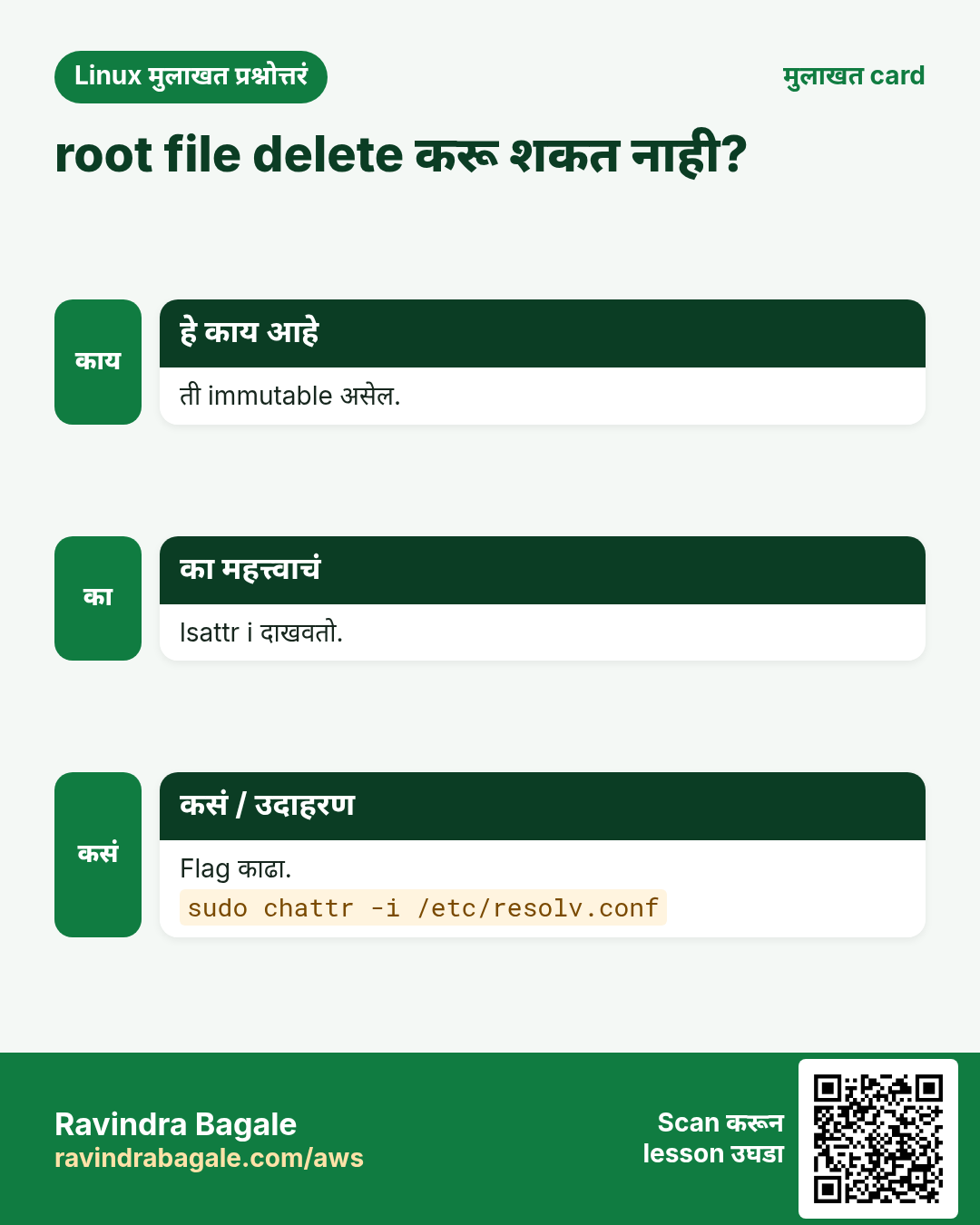
Root पण delete करू शकत नाही अशी file सहसा immutable. lsattr दाखवतो.
हे काय आहे?
lsattr FILE attribute letters: i immutable, a append-only, e extents (ext4 वर normal), A atime update नाही, d dump नाही. Folder साठी lsattr -d FOLDER, -R recursive. ext4 वर सर्वात चांगलं; XFS i आणि a.
कसं करायचं (step by step)
- साधी file.
lsattr notes.txtOutput:
--------------e------- notes.txtयाचा अर्थ: फक्त e: साधी ext4 file.
- Immutable file.
lsattr /etc/resolv.confOutput:
----i---------e------- /etc/resolv.confयाचा अर्थ: कोणीतरी lock केली.
- /etc मधल्या सगळ्या immutable files.
sudo lsattr -R /etc 2>/dev/null | grep -- '-i-'Output:
----i---------e------- /etc/resolv.confयाचा अर्थ: 'cannot modify' errors नंतर उपयोगी.
10. chattr +i: file immutable
हे का लागतं?
Critical file मधले अपघाती किंवा automatic बदल थांबवा (उदा. tool ने overwrite केलेली DNS config).
हे काय आहे?
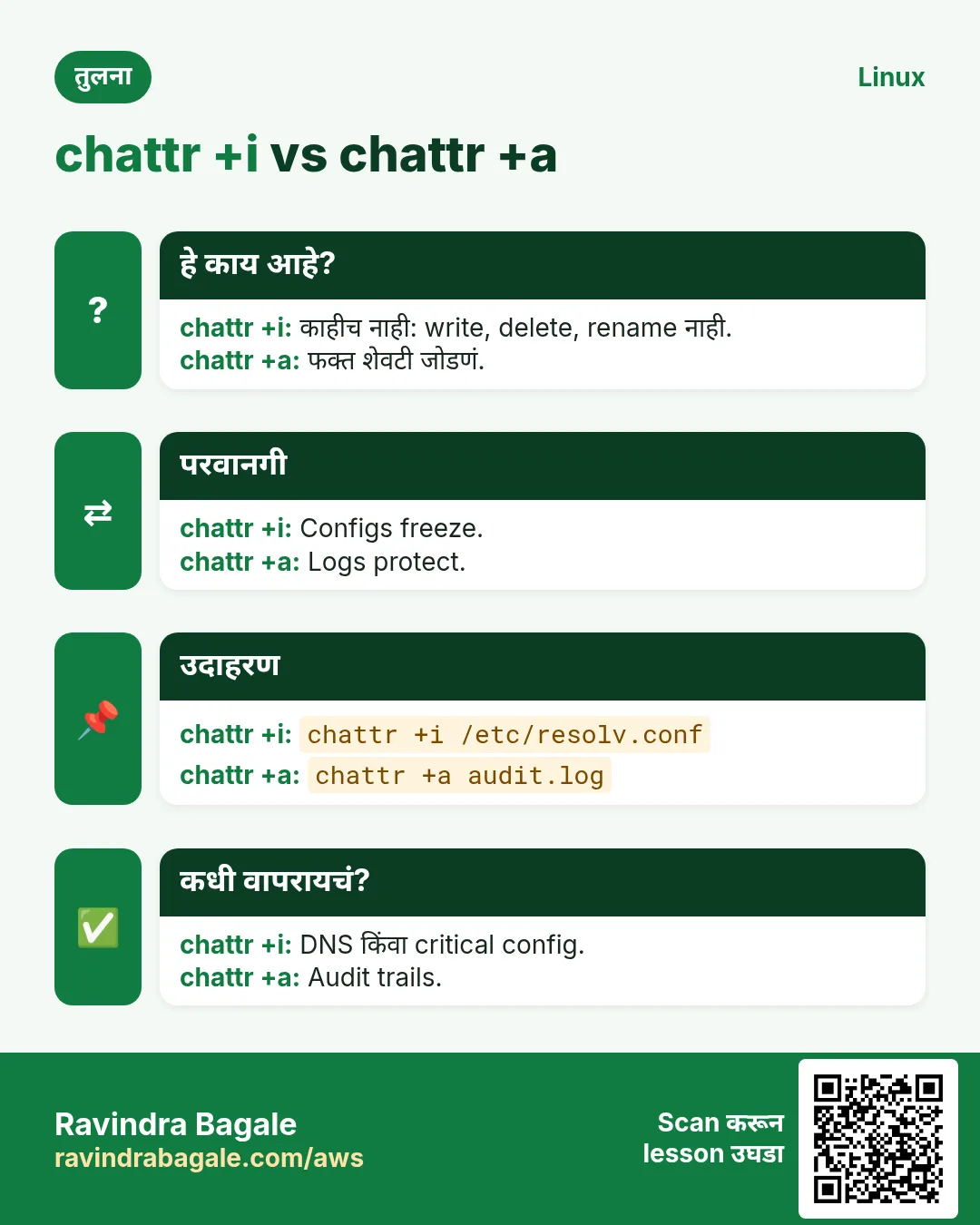
sudo chattr +i FILE: chattr -i होईपर्यंत root सह कोणीही लिहू, delete, rename, link करू शकत नाही. फक्त root (CAP_LINUX_IMMUTABLE) set किंवा clear करू शकतो. Folder वर असेल तर आत files add किंवा remove नाहीत.
कसं करायचं (step by step)
- File lock.
sudo chattr +i /etc/resolv.conf && lsattr /etc/resolv.confOutput:
----i---------e------- /etc/resolv.confयाचा अर्थ: Lock.
- root पण नाकारला.
sudo rm /etc/resolv.confOutput:
rm: cannot remove '/etc/resolv.conf': Operation not permittedयाचा अर्थ: Permissions ठीक; attribute थांबवतो.
- Edit साठी unlock.
sudo chattr -i /etc/resolv.conf && sudo vi /etc/resolv.confOutput:
(editor opens)याचा अर्थ: Edit नंतर परत lock.
11. chattr +a: append-only
हे का लागतं?
Logs वाढले पाहिजेत पण कधी edit किंवा truncate नाही, service account मिळवलेल्या attacker कडूनही.
हे काय आहे?
sudo chattr +a FILE: फक्त शेवटी data जोडता येतो (>>). Overwrite (>), truncate आणि delete fail. Log rotation ने आधी clear (chattr -a) करावं किंवा postrotate step.
कसं करायचं (step by step)
- Log append-only.
sudo chattr +a /var/log/audit-trail.log && lsattr /var/log/audit-trail.logOutput:
-----a--------e------- /var/log/audit-trail.logयाचा अर्थ: a set.
- Append चालतं.
echo 'login ravi' | sudo tee -a /var/log/audit-trail.logOutput:
login raviयाचा अर्थ: नवी line.
- Overwrite fail.
echo x | sudo tee /var/log/audit-trail.logOutput:
tee: /var/log/audit-trail.log: Operation not permittedयाचा अर्थ: History safe.
12. अनेक industries मधली खरी उदाहरणं
हे का लागतं?
तेच Linux skill प्रत्येक प्रकारच्या company मध्ये लागतं. वेगवेगळ्या ठिकाणी पाहिलं की लक्षात राहतं.
हे काय आहे?
प्रत्येक row म्हणजे एक काल्पनिक team. कोण हे वापरतं आणि कसं ते दाखवते.
कसं करायचं (step by step)
| Team आणि शहर | ते कसं वापरतात | Command |
|---|---|---|
| Pooja, CA firm, Pune | एका auditor ला client folder read | setfacl -R -m u:auditor:rX /srv/clients/acme |
| Lars, media house, Stockholm | नव्या videos ना editors चा access | setfacl -d -m g:editors:rwX /srv/media |
| Fatima, hospital, Dubai | Append-only access log | chattr +a /var/log/emr-access.log |
| Diego, ISP, Mexico City | resolv.conf DHCP overwrite पासून lock | chattr +i /etc/resolv.conf |
| Arjun, backup admin, Chennai | Nightly rsync मधे ACLs | rsync -aAX /srv/ nas:/backup/srv/ |
| Mia, web host, Sydney | nginx ला home list न करता enter | setfacl -m u:nginx:x /home/mia |
13. नेहमीच्या errors आणि त्यांचे fixes
हे का लागतं?
हे errors सगळ्यांना येतात. कारण माहीत असलं की तास वाचतात.
हे काय आहे?
आधी नेमका message वाचा. मग खालच्या row शी जुळवा.
कसं करायचं (step by step)
| दिसणारा error | का होतं | Fix कसा करायचा |
|---|---|---|
setfacl: command not found | acl package नाही | acl install.sudo dnf install -y acl |
setfacl: q3.csv: Operation not supported | ACL support नसलेलं file system | Supported fs किंवा acl mount option.findmnt -no FSTYPE,OPTIONS --target q3.csv |
setfacl: Option -m: Invalid argument near character 3 | चुकीचा syntax, उदा. u-priya:r | u:NAME:PERMS वापरा.setfacl -m u:priya:r q3.csv |
setfacl: Option -m: Invalid argument near character 3 (unknown user) | User नाव अस्तित्वात नाही | id ने check.id priya |
User has ACL rw but still cannot write (#effective:r--) | Mask कमी, बहुतेक chmod ने | Mask वाढवा.setfacl -m m::rw q3.csv |
New files in shared folder lack team access | Default ACL नाही | Default ACL जोडा.setfacl -d -m g:audit:rX /srv/reports |
ACLs lost after copy or restore | ACL options शिवाय cp/tar | cp -a, rsync -aAX, tar --acls.rsync -aAX src/ dst/ |
rm: cannot remove 'x': Operation not permitted (as root) | File immutable | Attribute तपासा आणि clear.lsattr x && sudo chattr -i x |
logrotate: error renaming /var/log/app.log: Operation not permitted | Append-only किंवा immutable log | Rotation आधी +a काढा, नंतर परत.sudo chattr -a /var/log/app.log |
chattr: Operation not permitted while setting flags | root नाही, किंवा capability नसलेला container | Host वर root म्हणून.sudo chattr +i file |
14. Troubleshooting step by step
हे का लागतं?
Access विचित्र असेल तर साधे bits, मग ACL आणि mask, मग attributes, मग SELinux.
हे काय आहे?
वरून खाली जा. ज्या step ला problem दिसतो तिथे थांबा.
कसं करायचं (step by step)
- Bits आणि +.
ls -l file- पूर्ण ACL आणि effective rights.
getfacl file- Parent folders पण.
namei -l /path/to/file- i किंवा a attributes.
lsattr file- File system ACLs support.
findmnt -T file- शेवटी SELinux.
ls -Z file15. Lab 1: दोन teams, एक folder
हे का लागतं?
/srv/reports finance चा; audit ला जुन्या आणि पुढच्या files वर read-only; एका contractor ला तात्पुरता read.
हे काय आहे?
पूर्ण hands-on lab. प्रत्येक step test Linux machine वर करा (EC2 instance, VM किंवा WSL).
कसं करायचं (step by step)
- Groups आणि folder.
sudo groupadd -f finance; sudo groupadd -f audit; sudo useradd -m -G audit aud1; sudo useradd -m contr1; sudo mkdir -p /srv/reports && sudo chgrp finance /srv/reports && sudo chmod 2770 /srv/reportsOutput:
(no output)- Audit ला आत्ता आणि पुढे read.
sudo setfacl -R -m g:audit:rX /srv/reports && sudo setfacl -d -m g:audit:rX /srv/reportsOutput:
(no output)- File बनवा आणि audit test.
echo total=100 | sudo tee /srv/reports/q4.txt >/dev/null && sudo -u aud1 cat /srv/reports/q4.txt && sudo -u aud1 sh -c 'echo x >> /srv/reports/q4.txt'Output:
total=100
sh: /srv/reports/q4.txt: Permission denied- Contractor ला read.
sudo setfacl -m u:contr1:rx /srv/reports && sudo setfacl -m u:contr1:r /srv/reports/q4.txt && sudo -u contr1 cat /srv/reports/q4.txtOutput:
total=100- Contractor काढा.
sudo setfacl -x u:contr1 /srv/reports /srv/reports/q4.txt && sudo -u contr1 ls /srv/reportsOutput:
ls: cannot open directory '/srv/reports': Permission denied16. Lab 2: chattr ने files protect
हे का लागतं?
एक file immutable आणि एक log append-only, सिद्ध करा, मग undo.
हे काय आहे?
पूर्ण hands-on lab. प्रत्येक step test Linux machine वर करा (EC2 instance, VM किंवा WSL).
कसं करायचं (step by step)
- Test files.
sudo mkdir -p /srv/lab16 && echo v1 | sudo tee /srv/lab16/conf >/dev/null && echo start | sudo tee /srv/lab16/log >/dev/nullOutput:
(no output)- Attributes set.
sudo chattr +i /srv/lab16/conf && sudo chattr +a /srv/lab16/log && lsattr /srv/lab16Output:
----i---------e------- /srv/lab16/conf
-----a--------e------- /srv/lab16/log- conf बदलून बघा.
echo v2 | sudo tee /srv/lab16/confOutput:
tee: /srv/lab16/conf: Operation not permitted- log append आणि overwrite.
echo line2 | sudo tee -a /srv/lab16/log; echo wipe | sudo tee /srv/lab16/logOutput:
line2
tee: /srv/lab16/log: Operation not permitted- Undo आणि साफ.
sudo chattr -i /srv/lab16/conf && sudo chattr -a /srv/lab16/log && sudo rm -r /srv/lab16Output:
(no output)Ravindra Bagale's Tip
When you add an ACL to a shared folder, always add the same rule as a default ACL too (-d), and check '#effective' in getfacl. Most 'ACL does not work' cases are a missing default or a low mask.
Ravindra Bagale's Tip – मराठी
Shared folder ला ACL देताना तोच rule default ACL (-d) म्हणूनही द्या, आणि getfacl मधे '#effective' बघा. बहुतेक 'ACL चालत नाही' cases मधे default नसतो किंवा mask कमी असतो.
Ravindra Bagale's Tip – हिंदी
Shared folder पर ACL देते समय वही rule default ACL (-d) के रूप में भी दें, और getfacl में '#effective' देखें. ज़्यादातर 'ACL काम नहीं करता' cases में default नहीं होता या mask कम होता है.
17. नेहमी विचारले जाणारे प्रश्न
प्र. ls -l मधे + म्हणजे?
File ला ACL आहे.
प्र. ACLs साध्या permissions बदलतात का?
नाही, त्यात भर घालतात. Owner आणि other bits लागू राहतात.
प्र. chmod ने ACL का तुटतो?
ACL असलेल्या file वर chmod चा group digit mask set करतो, जो named entries कापू शकतो.
प्र. root chattr +i bypass करू शकतो का?
आधी chattr -i ने attribute काढल्याशिवाय नाही.
प्र. NFS आणि containers मधे ACLs?
NFSv4 चे स्वतःचे ACLs (nfs4_setfacl); container bind mounts host fs चे ACLs ठेवतात.
प्र. Windows सारखा deny आहे का?
POSIX ACLs मधे नाही. कमी rights द्या, उदा. u:sam:---.
प्र. XFS वर काही letters ला chattr fail का?
XFS फक्त काही flags (i, a). बाकी ext4-only.
प्र. ACLs backup कसा?
getfacl -R > file, किंवा rsync -aAX, किंवा tar --acls.
18. मुलाखत प्रश्न आणि उत्तरं
Beginner level
प्र. ACL म्हणजे?
owner/group/other पलीकडे file वर user आणि group rights ची extra list.
प्र. ACL कसं वाचाल?
getfacl FILE.
प्र. priya ला file वर read.
setfacl -m u:priya:r FILE.
प्र. chattr +i काय करतो?
File immutable, root साठी पण.
Mid level level
प्र. Default ACL म्हणजे?
Folder वरची ACL जी आतल्या नव्या files आणि folders inherit करतात.
प्र. ACL mask म्हणजे?
Named users, named groups आणि owning group चे जास्तीत जास्त rights.
प्र. ACLs ठेवून copy कसं?
cp -a, rsync -aAX किंवा tar --acls --xattrs.
प्र. chattr +a vs +i?
+a फक्त append; +i काहीच बदल नाही.
Senior level
प्र. User ला rwx ACL entry आहे पण Permission denied. Debug.
#effective (mask), parent folder चा x, owner entry priority, lsattr flags, SELinux, आणि fs ACLs support करतं का.
प्र. Groups vs ACLs: कधी कोणतं?
स्थिर role-based access साठी groups; exceptions किंवा एकाच tree वर वेगळ्या rights असलेल्या teams साठी ACLs. खूप ACLs audit करायला कठीण.
प्र. root मिळालेला attacker chattr +a logs हरवू शकतो का?
हो, root flag काढू शकतो, म्हणून logs box बाहेरही पाठवा (remote syslog/SIEM).
प्र. सगळे rights ठेवून share migrate कसा?
rsync -aAXH --numeric-ids, दोन्हीकडे सारखे UIDs/GIDs, मग getfacl -R outputs compare.
घरी करून बघा
- Friend user ला कोणत्याही group मधे न घालता वाचता येईल पण लिहिता येणार नाही असा folder बनवा. getfacl आणि write test ने दाखवा.
- File immutable करा, root म्हणून delete करून बघा, मग unlock करून delete.
सराव Tasks
Amravati Agro Market हा अमरावती मधला शेती व्यवसाय आहे. Anjali Thakre त्यांचं IT व cloud काम पाहतात. त्यांचे पैसे INR मध्ये मोजले जातात आणि AWS resources ap-south-1 Region मध्ये चालतात. खालच्या tasks मध्ये तुम्ही या lesson मध्ये शिकलेलं वापरून त्यांची खरी कामं करता. सगळी नावं, account IDs, IP addresses व numbers सरावासाठी काल्पनिक आहेत.
0 / 17
सोपं ACL वाचा
का: ls मधे + दिसतो.
काय करायचं: /srv/ledger ची ACL.
- हे काम करणारा Linux command शोधा.
- Task ला लागणारे options (उदा. -r, -h) जोडा.
- File नावं, folders किंवा users योग्य क्रमाने लिहा.
- System files/users बदलत असाल तर sudo वापरा. Check answer दाबा.
सोपं User ला read
का: BIZ मधे auditor.
काय करायचं: ACL ने kavya ला q4.csv वर read.
- हे काम करणारा Linux command शोधा.
- Task ला लागणारे options (उदा. -r, -h) जोडा.
- File नावं, folders किंवा users योग्य क्रमाने लिहा.
- System files/users बदलत असाल तर sudo वापरा. Check answer दाबा.
सोपं Attributes बघा
का: root file delete करू शकत नाही.
काय करायचं: /etc/hostname चे attributes list.
- हे काम करणारा Linux command शोधा.
- Task ला लागणारे options (उदा. -r, -h) जोडा.
- File नावं, folders किंवा users योग्य क्रमाने लिहा.
- System files/users बदलत असाल तर sudo वापरा. Check answer दाबा.
मध्यम Header शिवाय ACL
का: दोन files compare सोपं.
काय करायचं: q4.csv ची ACL comment header शिवाय.
- हे काम करणारा Linux command शोधा.
- Task ला लागणारे options (उदा. -r, -h) जोडा.
- File नावं, folders किंवा users योग्य क्रमाने लिहा.
- System files/users बदलत असाल तर sudo वापरा. Check answer दाबा.
मध्यम Group ला write
का: Audit team file edit.
काय करायचं: ACL ने compliance group ला q4.csv वर read आणि write.
- हे काम करणारा Linux command शोधा.
- Task ला लागणारे options (उदा. -r, -h) जोडा.
- File नावं, folders किंवा users योग्य क्रमाने लिहा.
- System files/users बदलत असाल तर sudo वापरा. Check answer दाबा.
मध्यम पूर्ण tree, folders ना x
का: जुन्या files ना access.
काय करायचं: /srv/ledger वर compliance group ला recursively rX.
- हे काम करणारा Linux command शोधा.
- Task ला लागणारे options (उदा. -r, -h) जोडा.
- File नावं, folders किंवा users योग्य क्रमाने लिहा.
- System files/users बदलत असाल तर sudo वापरा. Check answer दाबा.
मध्यम नव्या files साठी default ACL
का: नव्या files ना access राहायला हवा.
काय करायचं: /srv/ledger वर compliance group ला rX देणारी default ACL.
- हे काम करणारा Linux command शोधा.
- Task ला लागणारे options (उदा. -r, -h) जोडा.
- File नावं, folders किंवा users योग्य क्रमाने लिहा.
- System files/users बदलत असाल तर sudo वापरा. Check answer दाबा.
मध्यम एक user काढा
का: Contractor ने BIZ सोडलं.
काय करायचं: q3.csv वरून contr1 user ची ACL entry काढा.
- हे काम करणारा Linux command शोधा.
- Task ला लागणारे options (उदा. -r, -h) जोडा.
- File नावं, folders किंवा users योग्य क्रमाने लिहा.
- System files/users बदलत असाल तर sudo वापरा. Check answer दाबा.
मध्यम सगळे ACLs काढा
का: Folder reset.
काय करायचं: old.txt वरून सगळ्या ACL entries काढा.
- हे काम करणारा Linux command शोधा.
- Task ला लागणारे options (उदा. -r, -h) जोडा.
- File नावं, folders किंवा users योग्य क्रमाने लिहा.
- System files/users बदलत असाल तर sudo वापरा. Check answer दाबा.
मध्यम ACLs सह copy
का: BIZ चा nightly backup.
काय करायचं: ACLs आणि xattrs ठेवून rsync ने /srv/data/ ते /backup/data/ (archive mode).
- हे काम करणारा Linux command शोधा.
- Task ला लागणारे options (उदा. -r, -h) जोडा.
- File नावं, folders किंवा users योग्य क्रमाने लिहा.
- System files/users बदलत असाल तर sudo वापरा. Check answer दाबा.
मध्यम Immutable करा
का: Tools DNS config overwrite करू नयेत.
काय करायचं: /etc/hostname immutable करा.
- हे काम करणारा Linux command शोधा.
- Task ला लागणारे options (उदा. -r, -h) जोडा.
- File नावं, folders किंवा users योग्य क्रमाने लिहा.
- System files/users बदलत असाल तर sudo वापरा. Check answer दाबा.
मध्यम Immutable file unlock
का: आता edit करायची आहे.
काय करायचं: /etc/hostname वरचा immutable attribute काढा.
- हे काम करणारा Linux command शोधा.
- Task ला लागणारे options (उदा. -r, -h) जोडा.
- File नावं, folders किंवा users योग्य क्रमाने लिहा.
- System files/users बदलत असाल तर sudo वापरा. Check answer दाबा.
मध्यम Append-only log
का: Audit trail edit होऊ नये.
काय करायचं: /var/log/payments.log append-only करा.
- हे काम करणारा Linux command शोधा.
- Task ला लागणारे options (उदा. -r, -h) जोडा.
- File नावं, folders किंवा users योग्य क्रमाने लिहा.
- System files/users बदलत असाल तर sudo वापरा. Check answer दाबा.
अवघड Mask वाढवा
का: chmod नंतर #effective r--.
काय करायचं: q4.csv चा ACL mask rw.
- हे काम करणारा Linux command शोधा.
- Task ला लागणारे options (उदा. -r, -h) जोडा.
- File नावं, folders किंवा users योग्य क्रमाने लिहा.
- System files/users बदलत असाल तर sudo वापरा. Check answer दाबा.
अवघड फक्त default ACLs काढा
का: जुन्या entries राहाव्यात.
काय करायचं: /srv/ledger ची फक्त default ACL काढा.
- हे काम करणारा Linux command शोधा.
- Task ला लागणारे options (उदा. -r, -h) जोडा.
- File नावं, folders किंवा users योग्य क्रमाने लिहा.
- System files/users बदलत असाल तर sudo वापरा. Check answer दाबा.
अवघड ACLs text मधे backup
का: Migration आधी.
काय करायचं: /srv/reports चे ACLs recursively reports.acl मधे save.
- हे काम करणारा Linux command शोधा.
- Task ला लागणारे options (उदा. -r, -h) जोडा.
- File नावं, folders किंवा users योग्य क्रमाने लिहा.
- System files/users बदलत असाल तर sudo वापरा. Check answer दाबा.
अवघड caddy ला home मधून जाऊ द्या
का: home न उघडता ~/public_html.
काय करायचं: ACL ने caddy user ला /home/meera वर फक्त execute.
- हे काम करणारा Linux command शोधा.
- Task ला लागणारे options (उदा. -r, -h) जोडा.
- File नावं, folders किंवा users योग्य क्रमाने लिहा.
- System files/users बदलत असाल तर sudo वापरा. Check answer दाबा.
19. संबंधित chapters
- DevOps साठी Linux Ops Refresh
- Automation साठी Bash Scripting
- Linux grep आणि find Commands Examples सह
- Linux Servers मध्ये Passwordless SSH
थोडक्यात सांगायचं तर
- ls -l मधला + म्हणजे ACL.
- getfacl वाचतो, setfacl -m जोडतो, -x/-b काढतो.
- नव्या files साठी default ACLs (-d).
- Mask named entries ला मर्यादा; chmod बदलू शकतो.
- cp -a, rsync -aAX, tar --acls ने ACLs ठेवा.
- lsattr दाखवतो; chattr +i lock, +a append-only.
उजळणी, तुलना आणि मुलाखत cards
हा lesson काही मिनिटांत revise करा. Cards phone वर save करा किंवा PNG download करा. प्रत्येक card वरचा QR हा lesson उघडतो.
अजून cards: Ravi Sir's Cards.