AWS CLI DynamoDB Commands: Tables, Put, Get, Query आणि Scan
Terminal मधून DynamoDB वापरू: table बनवा, put, get, update, delete items, key ने query, scan, batch writes, TTL आणि backups.
या chapter मध्ये तुम्ही काय शिकाल
- On-demand table बनवा
- Items put, get, update, delete
- Query vs scan
- Batch writes आणि TTL
- Backups आणि delete
1. मोठं चित्र: key-value register
हे का लागतं?
School register: roll number (partition key) ने student पटकन सापडतो, मग तारीख (sort key). प्रत्येक पान शोधणं (scan) slow.
हे काय आहे?
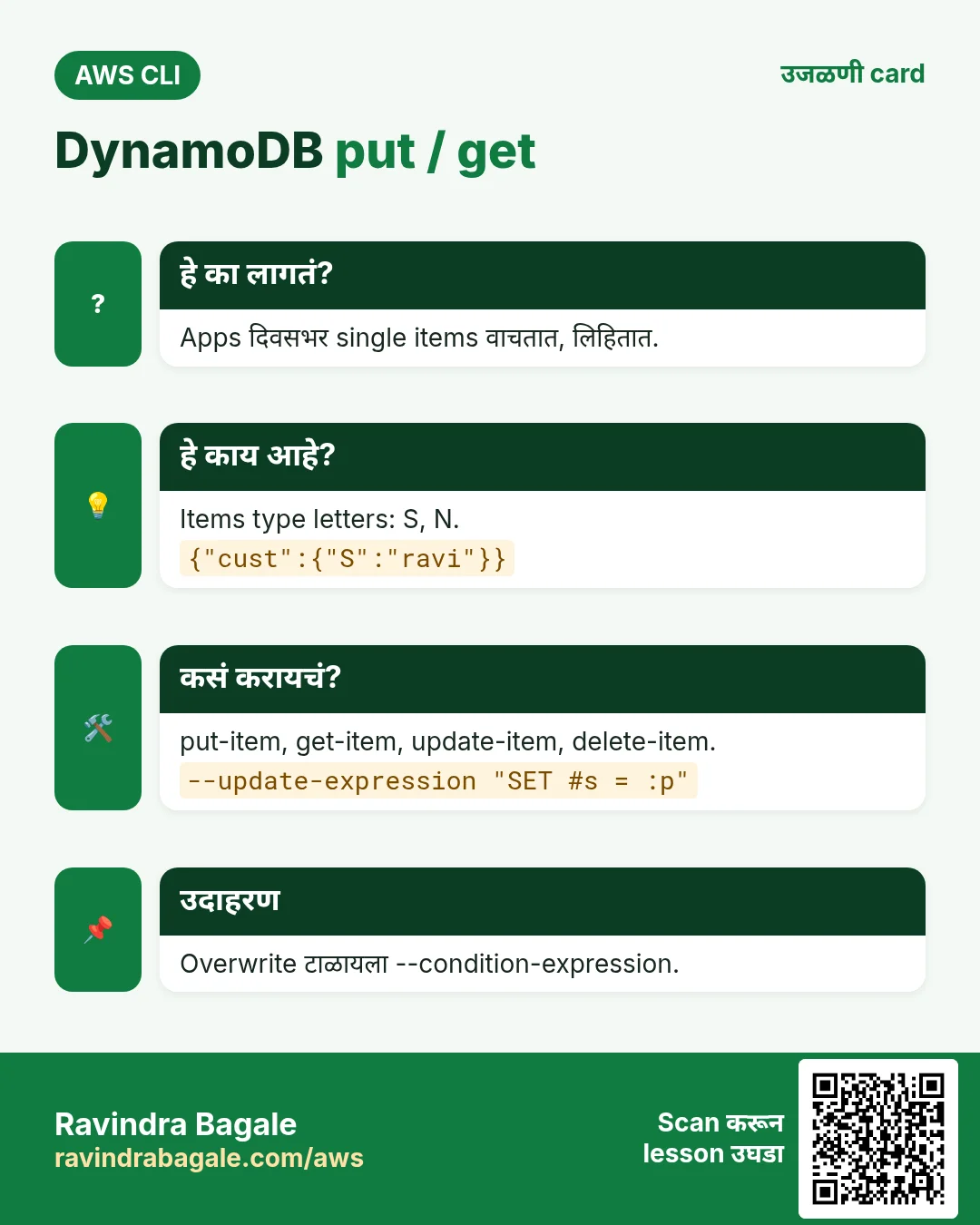
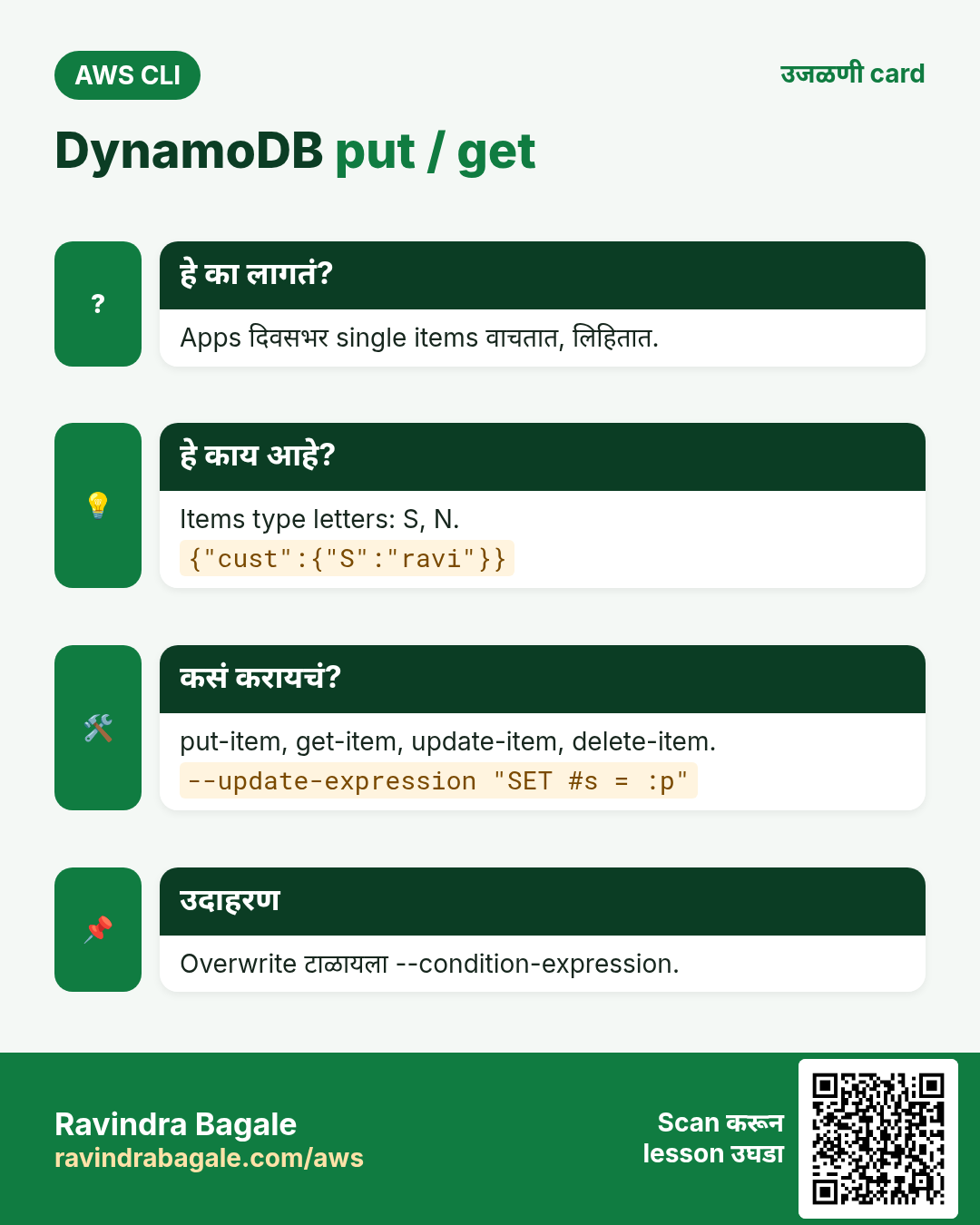
Commands aws dynamodb मध्ये. Values type letters: S string, N number, BOOL, L, M.
कसं करायचं (step by step)
2. Table बनवा
हे का लागतं?
Servers शिवाय scale होणारा fast database हवा.
हे काय आहे?
Table ला partition key आणि optional sort key. PAY_PER_REQUEST = request नुसार पैसे, capacity planning नाही.
कसं करायचं (step by step)
- customer आणि date keys सह Orders.
aws dynamodb create-table --table-name Orders --attribute-definitions AttributeName=cust,AttributeType=S AttributeName=odate,AttributeType=S --key-schema AttributeName=cust,KeyType=HASH AttributeName=odate,KeyType=RANGE --billing-mode PAY_PER_REQUEST --query TableDescription.TableStatus --output textअपेक्षित output:
CREATING- Wait आणि verify.
aws dynamodb wait table-exists --table-name Orders
aws dynamodb describe-table --table-name Orders --query "Table.[TableStatus,BillingModeSummary.BillingMode]" --output text
अपेक्षित output:
ACTIVE PAY_PER_REQUEST3. Put, get, update, delete
हे का लागतं?
प्रत्येक app दिवसभर हेच चार करतं.
हे काय आहे?
put-item पूर्ण item लिहितो. get-item पूर्ण key ने वाचतो. update-item काही attributes बदलतो. delete-item एक item काढतो.
कसं करायचं (step by step)
- Item put.
aws dynamodb put-item --table-name Orders --item '{"cust":{"S":"ravi"},"odate":{"S":"2026-10-24"},"total":{"N":"499"},"status":{"S":"NEW"}}'अपेक्षित output:
(no output means success)- Get.
aws dynamodb get-item --table-name Orders --key '{"cust":{"S":"ravi"},"odate":{"S":"2026-10-24"}}' --query "Item.total.N" --output textअपेक्षित output:
499- Condition सह update.
aws dynamodb update-item --table-name Orders --key '{"cust":{"S":"ravi"},"odate":{"S":"2026-10-24"}}' --update-expression "SET #s = :p" --condition-expression "#s = :n" --expression-attribute-names '{"#s":"status"}' --expression-attribute-values '{":p":{"S":"PAID"},":n":{"S":"NEW"}}' --return-values UPDATED_NEWअपेक्षित output:
{ "Attributes": { "status": { "S": "PAID" } } }- Delete.
aws dynamodb delete-item --table-name Orders --key '{"cust":{"S":"ravi"},"odate":{"S":"2026-10-24"}}'अपेक्षित output:
(no output means success)4. Query vs scan
हे का लागतं?
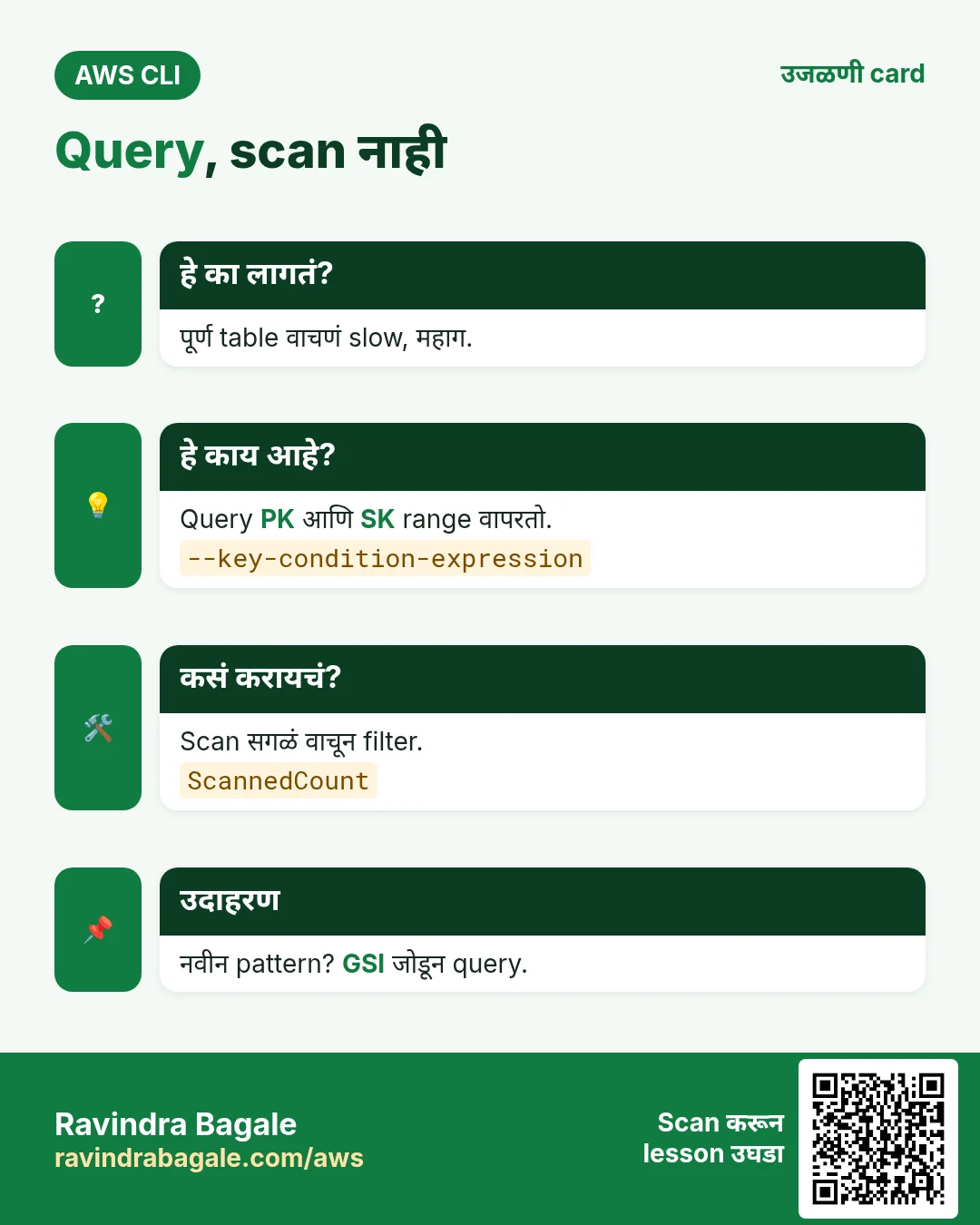
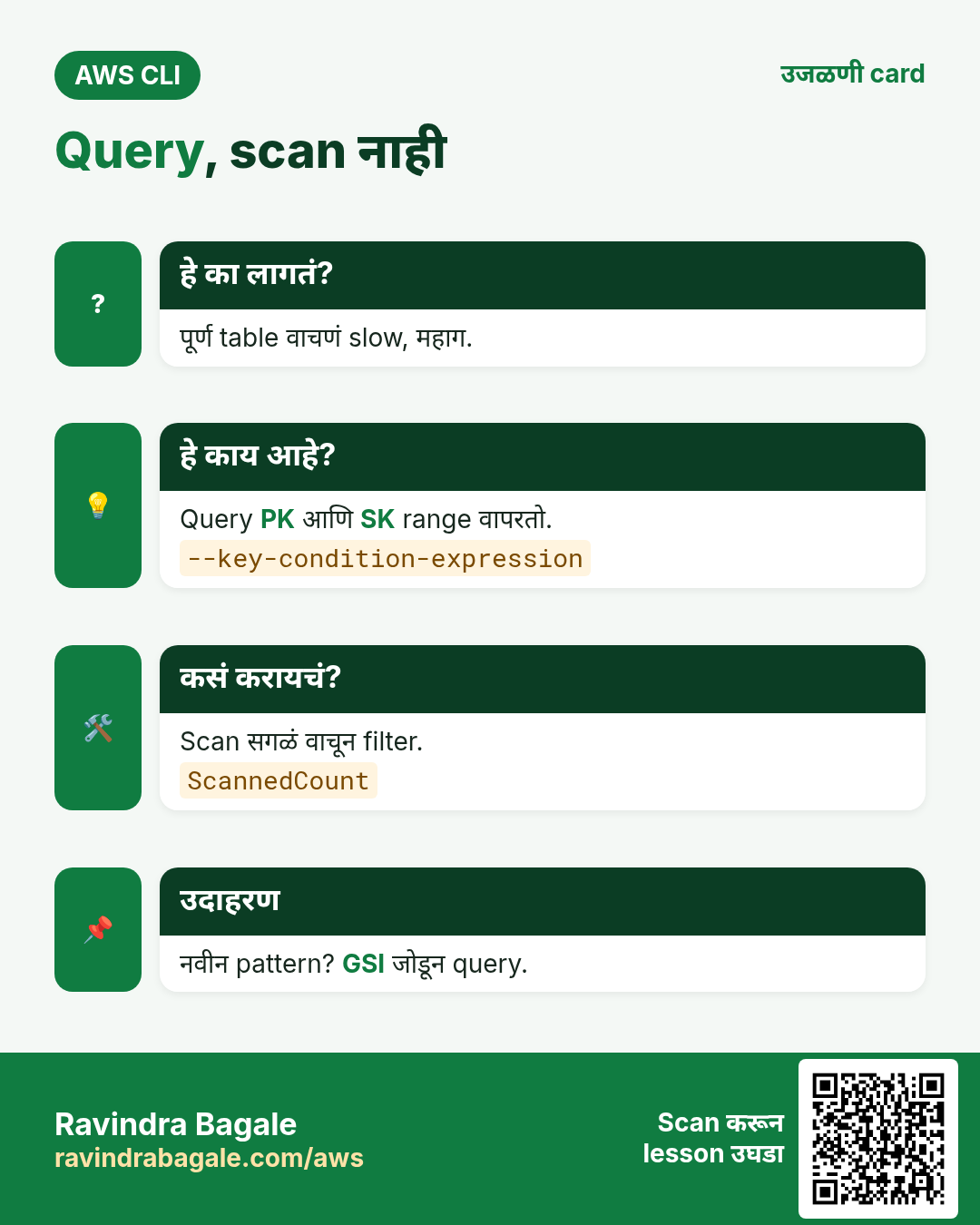
चुकीच्या पद्धतीने वाचणं slow आणि महाग.
हे काय आहे?
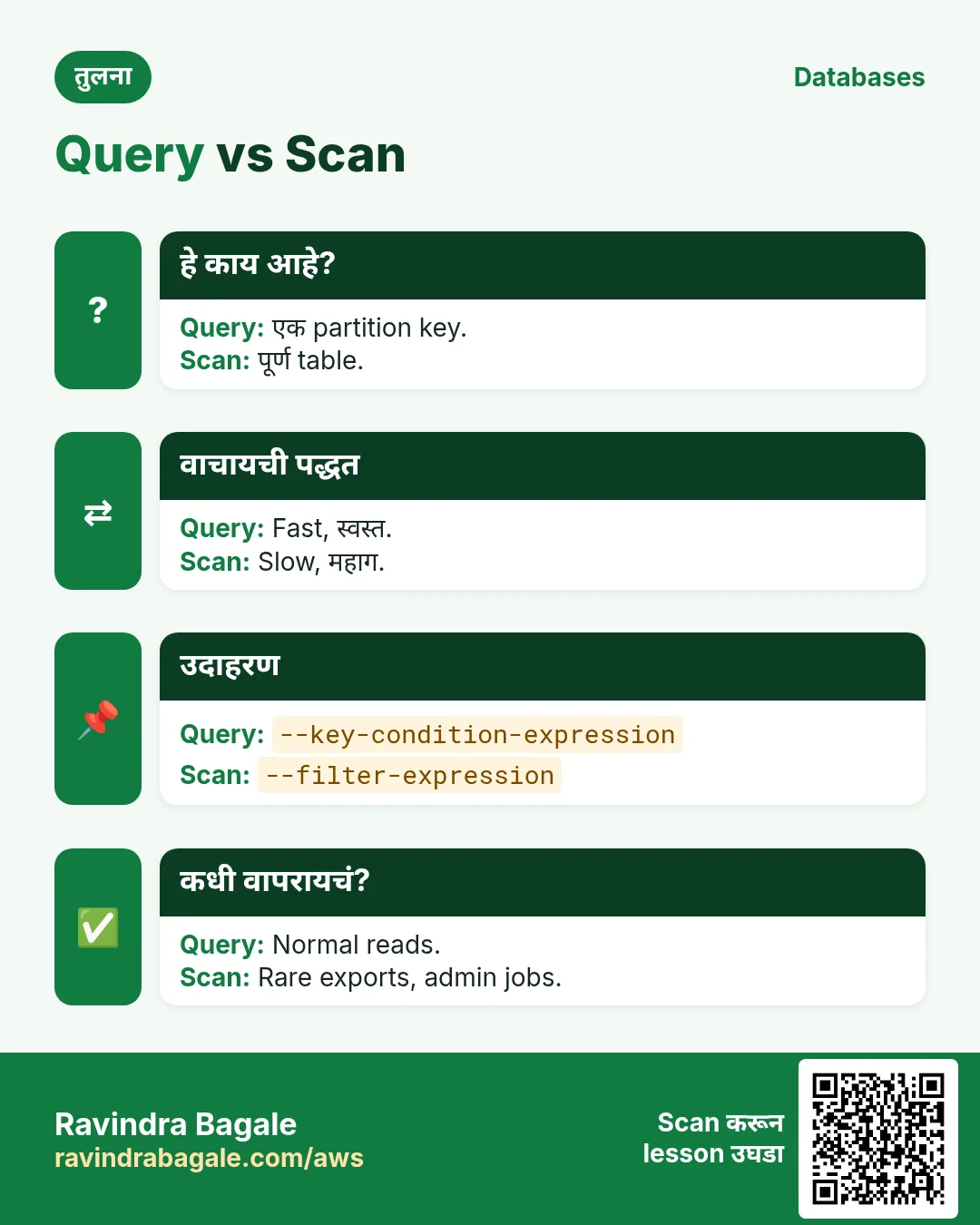
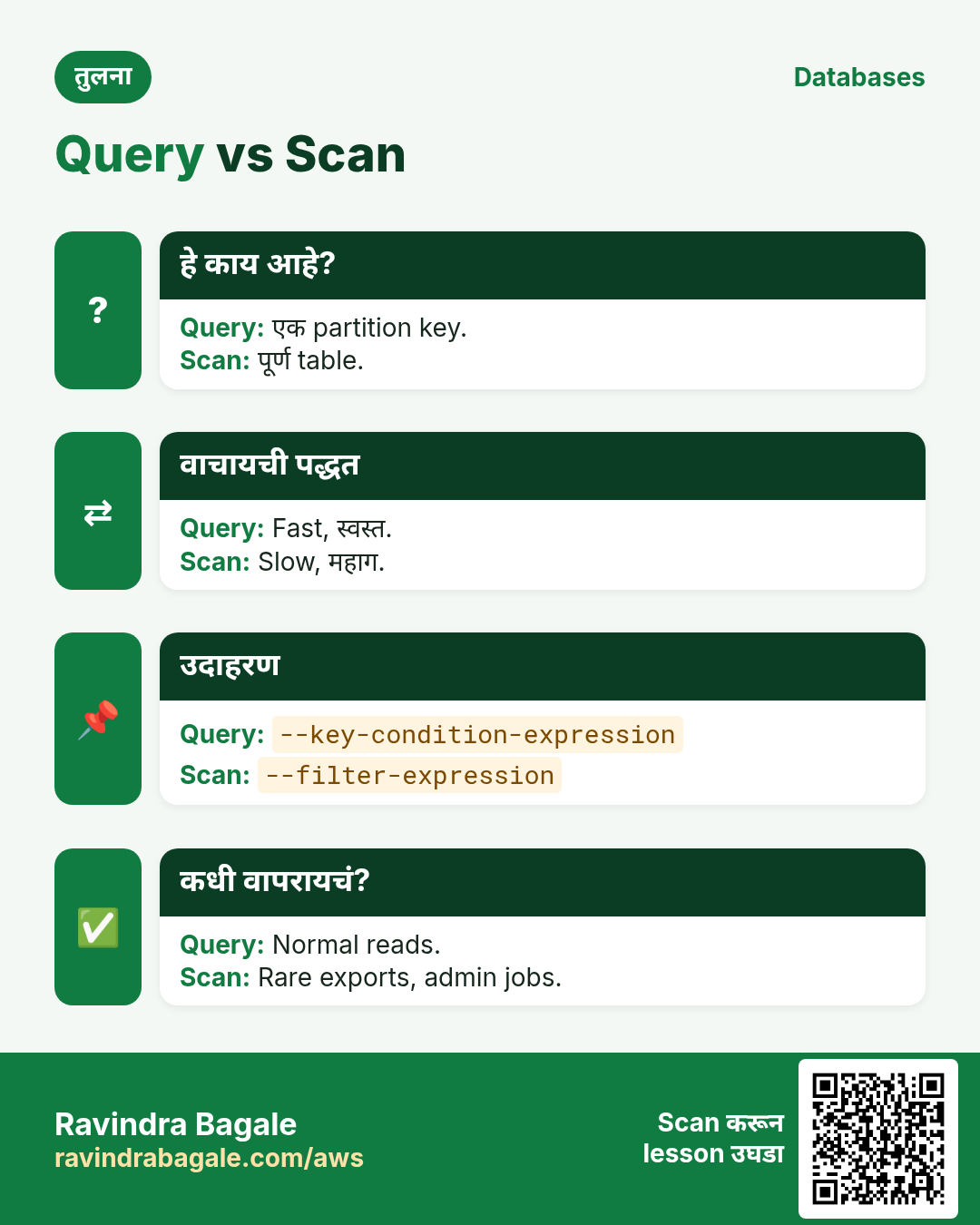
Query एक partition key वाचतो, sort key range सह. Scan पूर्ण table वाचून मग filter.
कसं करायचं (step by step)
- ravi च्या October orders.
aws dynamodb query --table-name Orders --key-condition-expression "cust = :c AND begins_with(odate, :m)" --expression-attribute-values '{":c":{"S":"ravi"},":m":{"S":"2026-10"}}' --query "Count"अपेक्षित output:
3- Filter सह scan (सगळं वाचतो).
aws dynamodb scan --table-name Orders --filter-expression "total > :t" --expression-attribute-values '{":t":{"N":"1000"}}' --query "[Count,ScannedCount]" --output textअपेक्षित output:
2 2505. Batch writes आणि TTL
हे का लागतं?
एक एक items load करणं slow. जुना data आपोआप जावा.
हे काय आहे?
batch-write-item एका call मध्ये 25 items. TTL attribute मधल्या epoch time नंतर items delete करतो.
कसं करायचं (step by step)
- File मधून batch load.
aws dynamodb batch-write-item --request-items file://orders.json --query "length(UnprocessedItems)"अपेक्षित output:
0- expires वर TTL.
aws dynamodb update-time-to-live --table-name Orders --time-to-live-specification Enabled=true,AttributeName=expires --query "TimeToLiveSpecification.Enabled"अपेक्षित output:
true- On-demand backup.
aws dynamodb create-backup --table-name Orders --backup-name orders-1 --query "BackupDetails.BackupStatus" --output textअपेक्षित output:
CREATING6. हीच action Python, Node.js, Java, Go, .NET आणि PHP मध्ये
हे का लागतं?
Scripts CLI मध्ये सुरू होतात. Apps तोच API SDK मधून call करतात. दोन्ही माहीत असले की test केलेली command थेट code मध्ये नेता येते.
हे काय आहे?
प्रत्येक CLI command म्हणजे एक API call. उदा. aws dynamodb put-item --table-name Orders --item ... म्हणजे PutItem API.
कसं करायचं (step by step)
हीच action (PutItem) code मधून. प्रत्येक SDK CLI सारखेच profile, region आणि credentials वाचतो.
| Stack | Code |
|---|---|
| Python (boto3) | boto3.resource("dynamodb").Table("Orders").put_item(Item={"cust":"ravi","odate":"2026-10-24"}) |
| Node.js (v3) | await doc.send(new PutCommand({TableName:"Orders",Item:{cust:"ravi",odate:"2026-10-24"}})); |
| Java (v2) | ddb.putItem(r -> r.tableName("Orders").item(Map.of("cust",AttributeValue.fromS("ravi"),"odate",AttributeValue.fromS("2026-10-24")))); |
| Go (v2) | c.PutItem(ctx, &dynamodb.PutItemInput{TableName: aws.String("Orders"), Item: item}) |
| .NET | await ddb.PutItemAsync("Orders", new(){{"cust",new AttributeValue("ravi")},{"odate",new AttributeValue("2026-10-24")}}); |
| PHP | $ddb->putItem(["TableName"=>"Orders","Item"=>["cust"=>["S"=>"ravi"],"odate"=>["S"=>"2026-10-24"]]]); |
7. काहीही खर्च चालू राहू नये म्हणून cleanup
हे का लागतं?
चालू ठेवलेले lab resources पैसे खातात आणि security risk बनतात.
हे काय आहे?
उलट्या क्रमाने delete करा: आधी children, मग parents.
कसं करायचं (step by step)
- Backup delete.
ARN=$(aws dynamodb list-backups --table-name Orders --query "BackupSummaries[0].BackupArn" --output text)
aws dynamodb delete-backup --backup-arn $ARN
अपेक्षित output:
(no output means success)- Table delete.
aws dynamodb delete-table --table-name Orders
aws dynamodb wait table-not-exists --table-name Orders && echo gone
अपेक्षित output:
goneRavindra Bagale's Tip
App code मध्ये scan असेल तर बहुतेक key किंवा GSI कमी आहे. त्या access pattern साठी Global Secondary Index जोडून query करा.
8. मुलाखत प्रश्न आणि उत्तरं
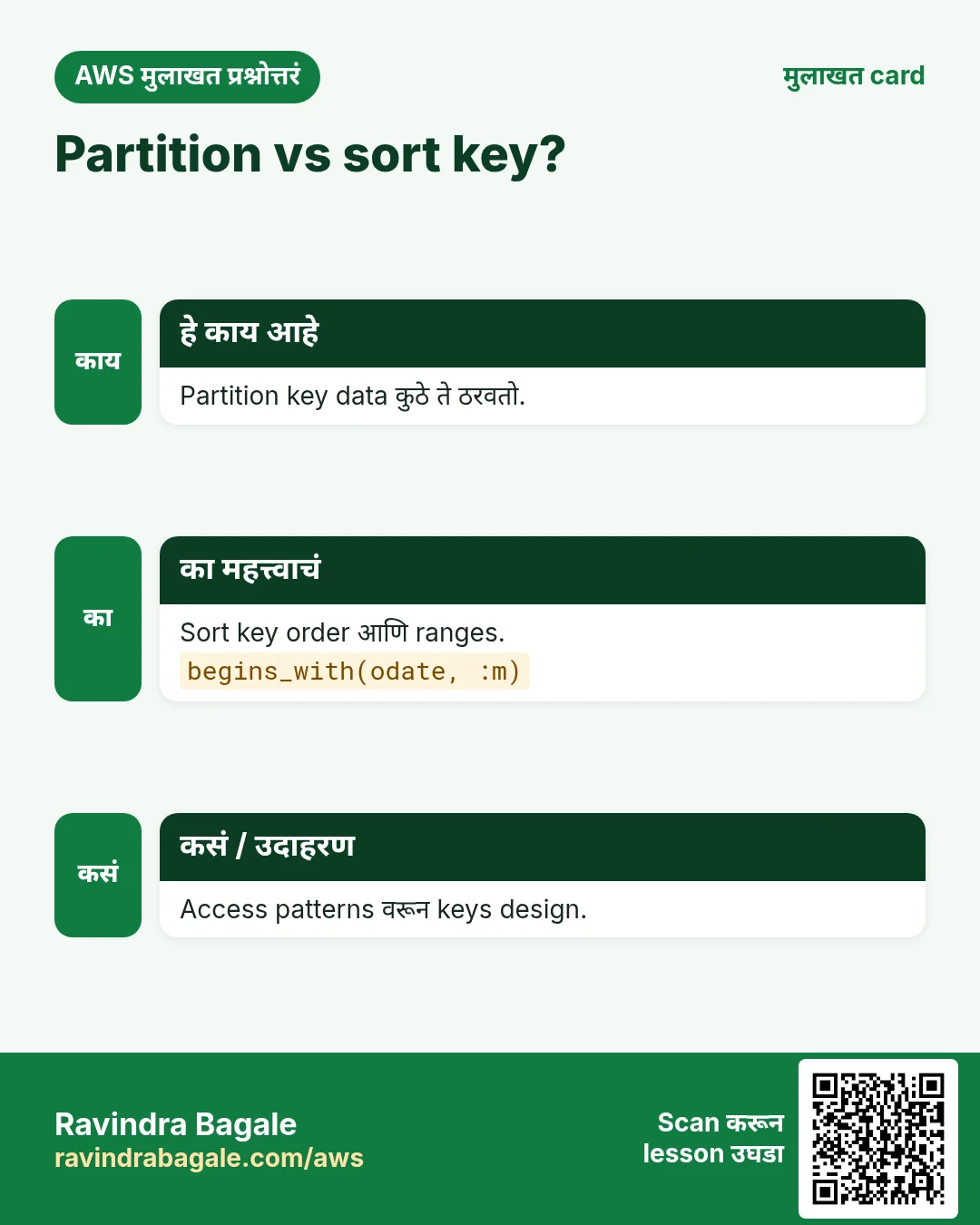
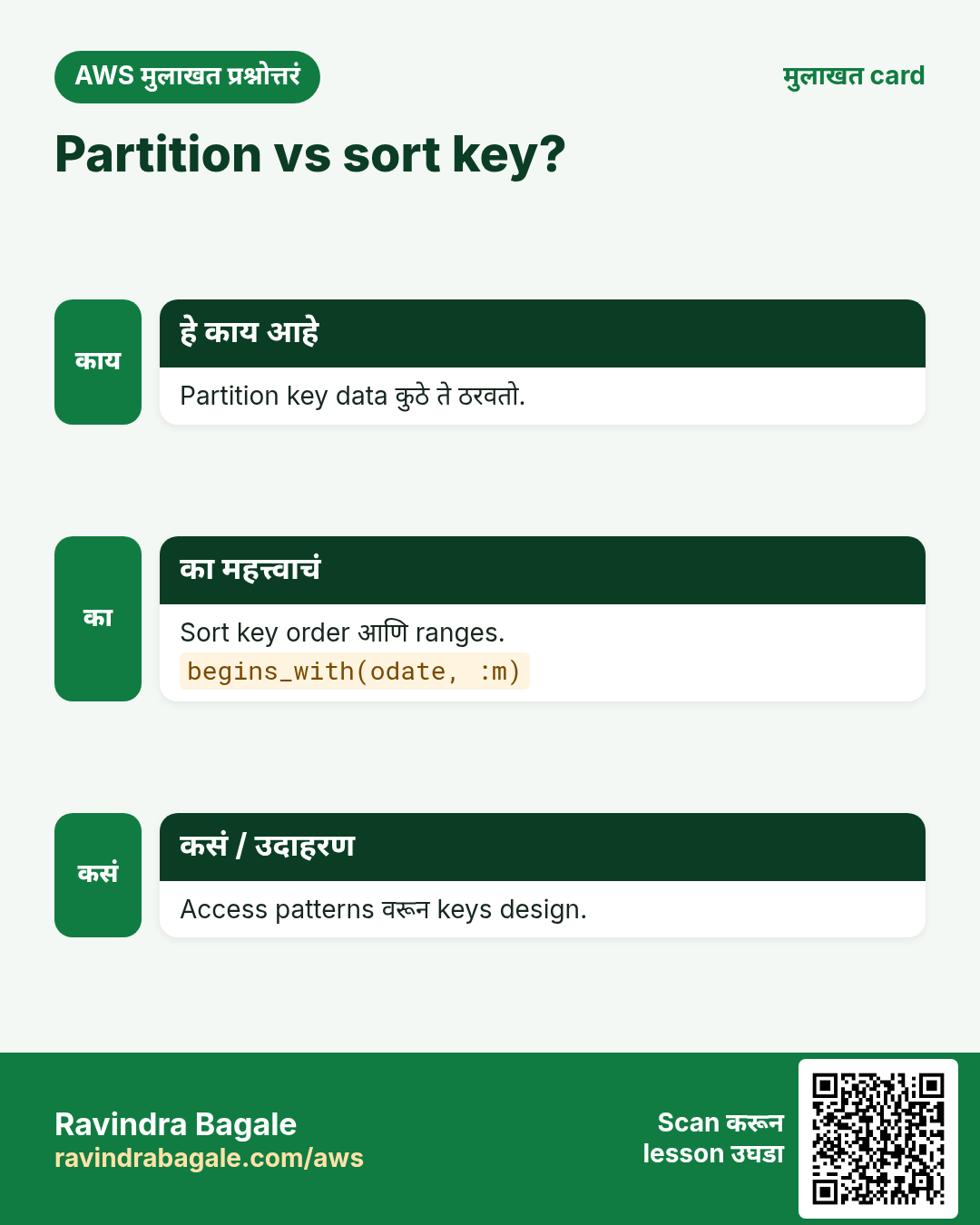
प्र. Partition key vs sort key?
PK partition; SK order आणि range.
प्र. Query vs scan?
Query keys ने; scan पूर्ण table.
प्र. Condition expression काय?
Condition खरी असेल तरच write.
प्र. On-demand vs provisioned?
Request नुसार vs capacity units.
प्र. TTL कसं चालतं?
Epoch time गेलेले items background मध्ये delete.
घरी करून बघा
- user आणि created keys सह Notes table, 5 notes add करून एका user ची query.
- Filter scan मध्ये Count आणि ScannedCount compare करा.
थोडक्यात सांगायचं तर
- Queries साठी keys.
- S, N, BOOL.
- Query, scan नाही.
- 25 एका वेळी.
- TTL आपोआप delete.
सराव Tasks
Lisboa Tiles हा लिस्बन मधला सिरॅमिक टाइल्स व्यवसाय आहे. João Silva त्यांचं IT व cloud काम पाहतात. त्यांचे पैसे EUR मध्ये मोजले जातात आणि AWS resources eu-west-1 Region मध्ये चालतात. खालच्या tasks मध्ये तुम्ही या lesson मध्ये शिकलेलं वापरून त्यांची खरी कामं करता. सगळी नावं, account IDs, IP addresses व numbers सरावासाठी काल्पनिक आहेत.
0 / 11
सोपं Table describe करा
का: Table चे keys, indexes, item count व status पाहा.
काय करायचं: lisboatiles-orders table describe करा.
- Task वाचा आणि ते कोणत्या AWS service बद्दल आहे ते ठरवा.
- aws लिहा, मग service चं नाव, मग operation (action शब्द).
- प्रत्येक आवश्यक flag (--name) व त्यापुढे task मधली value लिहा.
- Flags कोणत्याही क्रमाने चालतात. Check answer दाबा.
सोपं लहान table scan करा
का: Scan लहान tables साठी ठीक; मोठ्यांवर टाळा.
काय करायचं: lisboatiles-settings table scan करा.
- Task वाचा आणि ते कोणत्या AWS service बद्दल आहे ते ठरवा.
- aws लिहा, मग service चं नाव, मग operation (action शब्द).
- प्रत्येक आवश्यक flag (--name) व त्यापुढे task मधली value लिहा.
- Flags कोणत्याही क्रमाने चालतात. Check answer दाबा.
मध्यम Key ने एक item घ्या
का: GetItem सर्वात जलद read: पूर्ण key ने एक item.
काय करायचं: lisboatiles-orders मधून orderId "o-101" असलेला item घ्या.
- Task वाचा आणि ते कोणत्या AWS service बद्दल आहे ते ठरवा.
- aws लिहा, मग service चं नाव, मग operation (action शब्द).
- प्रत्येक आवश्यक flag (--name) व त्यापुढे task मधली value लिहा.
- Flags कोणत्याही क्रमाने चालतात. Check answer दाबा.
मध्यम Item टाका
का: DynamoDB JSON प्रत्येक value चा type दाखवतो: S string, N number.
काय करायचं: lisboatiles-orders मध्ये orderId "o-101" (string) व amount 2500 (number) असलेला item टाका.
- Task वाचा आणि ते कोणत्या AWS service बद्दल आहे ते ठरवा.
- aws लिहा, मग service चं नाव, मग operation (action शब्द).
- प्रत्येक आवश्यक flag (--name) व त्यापुढे task मधली value लिहा.
- Flags कोणत्याही क्रमाने चालतात. Check answer दाबा.
मध्यम CloudFormation: on-demand table
का: On-demand tables ला capacity planning नको.
काय करायचं: DynamoDB table lisboatiles-orders, partition key orderId (String), PAY_PER_REQUEST.
- Task मधल्या top-level keys पासून सुरू करा.
- Child keys 2 spaces ने indent करा (tabs नकोत).
- प्रत्येक property मध्ये task मधली value भरा.
- Check answer दाबा. Keys चा क्रम महत्त्वाचा नाही.
मध्यम एका table ला Lambda access
का: Function ला फक्त स्वतःच्या table मध्ये वाचणं/लिहिणं लागतं.
काय करायचं: फक्त arn:aws:dynamodb:eu-west-1:101273714098:table/lisboatiles-orders वर dynamodb:GetItem, dynamodb:PutItem, dynamodb:Query allow करा.
- { "Version": "2012-10-17", "Statement": [ ... ] } ने सुरू करा.
- प्रत्येक statement मध्ये Effect, Action व Resource लिहा.
- Task ला लागेल तेवढंच द्या (least privilege).
- Double quotes व commas नीट वापरा. Check answer दाबा.
मध्यम एक item delete करा
का: पूर्ण primary key ने delete करा.
काय करायचं: lisboatiles-orders मधून orderId "o-099" item delete करा.
- Task वाचा आणि ते कोणत्या AWS service बद्दल आहे ते ठरवा.
- aws लिहा, मग service चं नाव, मग operation (action शब्द).
- प्रत्येक आवश्यक flag (--name) व त्यापुढे task मधली value लिहा.
- Flags कोणत्याही क्रमाने चालतात. Check answer दाबा.
अवघड Read capacity units
का: Provisioned tables ला योग्य RCU लागतो.
काय करायचं: 6 KB items चे strongly consistent reads, 10/sec. किती RCU?
- Task मधले numbers लिहून घ्या.
- कागदावर step by step काढा.
- Box मध्ये फक्त final उत्तर लिहा.
- Check answer दाबा.
अवघड DynamoDB table बनवा
का: On-demand billing म्हणजे per request पैसे, capacity planning नाही.
काय करायचं: lisboatiles-orders table बनवा, partition key orderId (string), on-demand billing.
- Task वाचा आणि ते कोणत्या AWS service बद्दल आहे ते ठरवा.
- aws लिहा, मग service चं नाव, मग operation (action शब्द).
- प्रत्येक आवश्यक flag (--name) व त्यापुढे task मधली value लिहा.
- Flags कोणत्याही क्रमाने चालतात. Check answer दाबा.
अवघड Partition key ने query करा
का: Query फक्त जुळणारे items वाचतो, Scan पूर्ण table वाचतो.
काय करायचं: lisboatiles-payments table मध्ये customerId = "c-77" ची query, expression customerId = :c वापरून.
- Task वाचा आणि ते कोणत्या AWS service बद्दल आहे ते ठरवा.
- aws लिहा, मग service चं नाव, मग operation (action शब्द).
- प्रत्येक आवश्यक flag (--name) व त्यापुढे task मधली value लिहा.
- Flags कोणत्याही क्रमाने चालतात. Check answer दाबा.
अवघड TTL सुरू करा
का: TTL expired items free मध्ये delete करतो, उदा. OTPs किंवा sessions.
काय करायचं: lisboatiles-otp table वर expiresAt attribute वापरून TTL enable करा.
- Task वाचा आणि ते कोणत्या AWS service बद्दल आहे ते ठरवा.
- aws लिहा, मग service चं नाव, मग operation (action शब्द).
- प्रत्येक आवश्यक flag (--name) व त्यापुढे task मधली value लिहा.
- Flags कोणत्याही क्रमाने चालतात. Check answer दाबा.
उजळणी, तुलना आणि मुलाखत cards
हा lesson काही मिनिटांत revise करा. Cards phone वर save करा किंवा PNG download करा. प्रत्येक card वरचा QR हा lesson उघडतो.
अजून cards: Ravi Sir's Cards.