AWS SDK SES Examples: Email पाठवा, Templates आणि Attachments (Python, PHP, Node.js)
Amazon SES तुमच्या app मधून email पाठवतं: receipts, password resets, invoices. Sender verify करू, plain आणि HTML email पाठवू, प्रत्येक customer च्या data सह stored template वापरू, आणि PDF attachment पाठवू — SES v2 API ने Python, PHP आणि Node.js मधून. Example: Madrid मधली Sofia आणि हैदराबादची Priya यांच्या design studio चे invoices.
या chapter मध्ये तुम्ही काय शिकाल
- Email/domain identity verify
- Simple HTML email
- Templates बनवून वापरा
- Raw MIME ने attachments
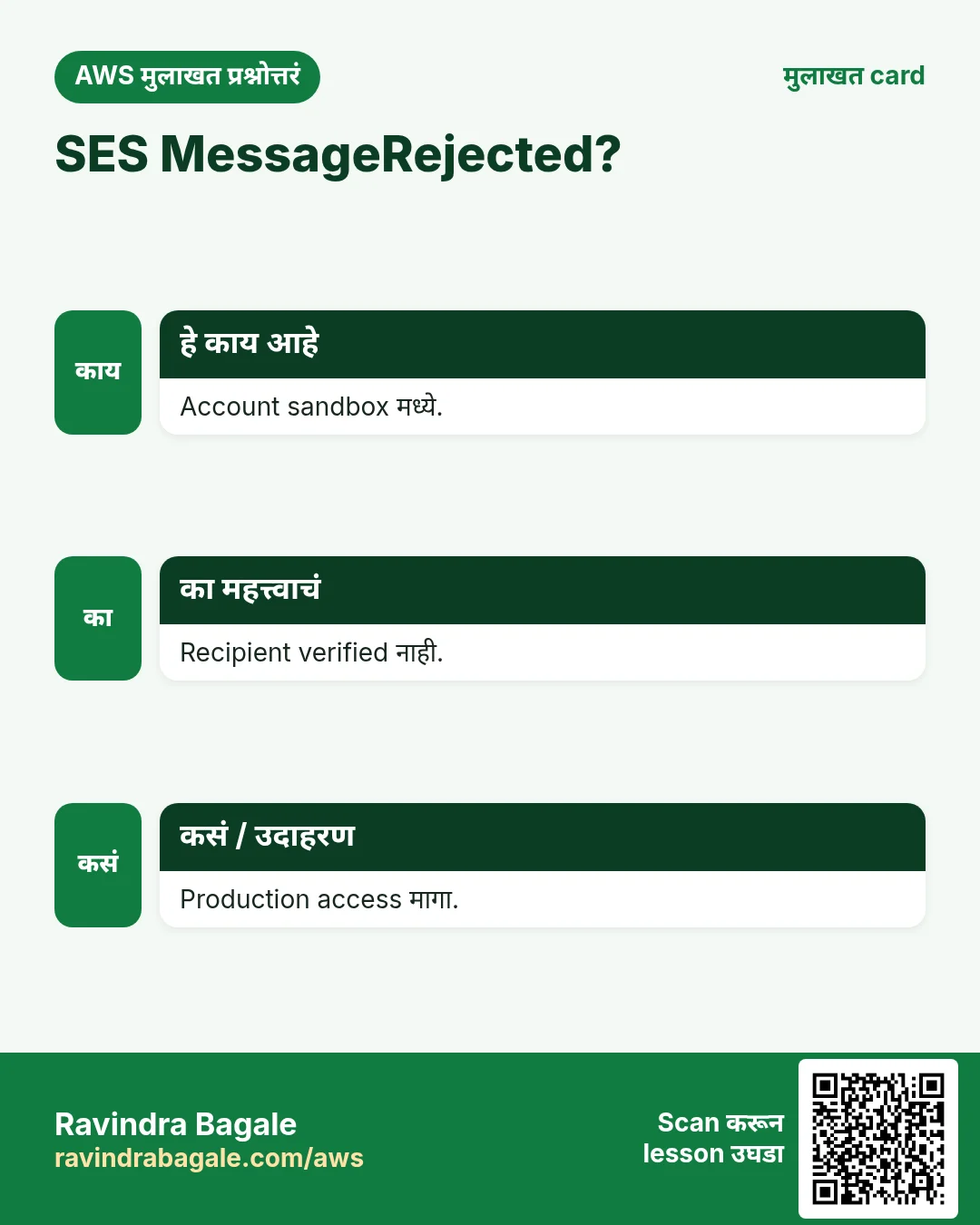
- Sandbox व quotas
1. मोठं चित्र: post office counter
हे का लागतं?
Post office तुमच्या company नावाने पत्र पाठवण्याआधी ते नाव तुमचंच आहे का ते तपासतं. मग daily limit पर्यंत stamp करून पाठवतं. SES असंच: identity verify, मग quota मध्ये send.
हे काय आहे?
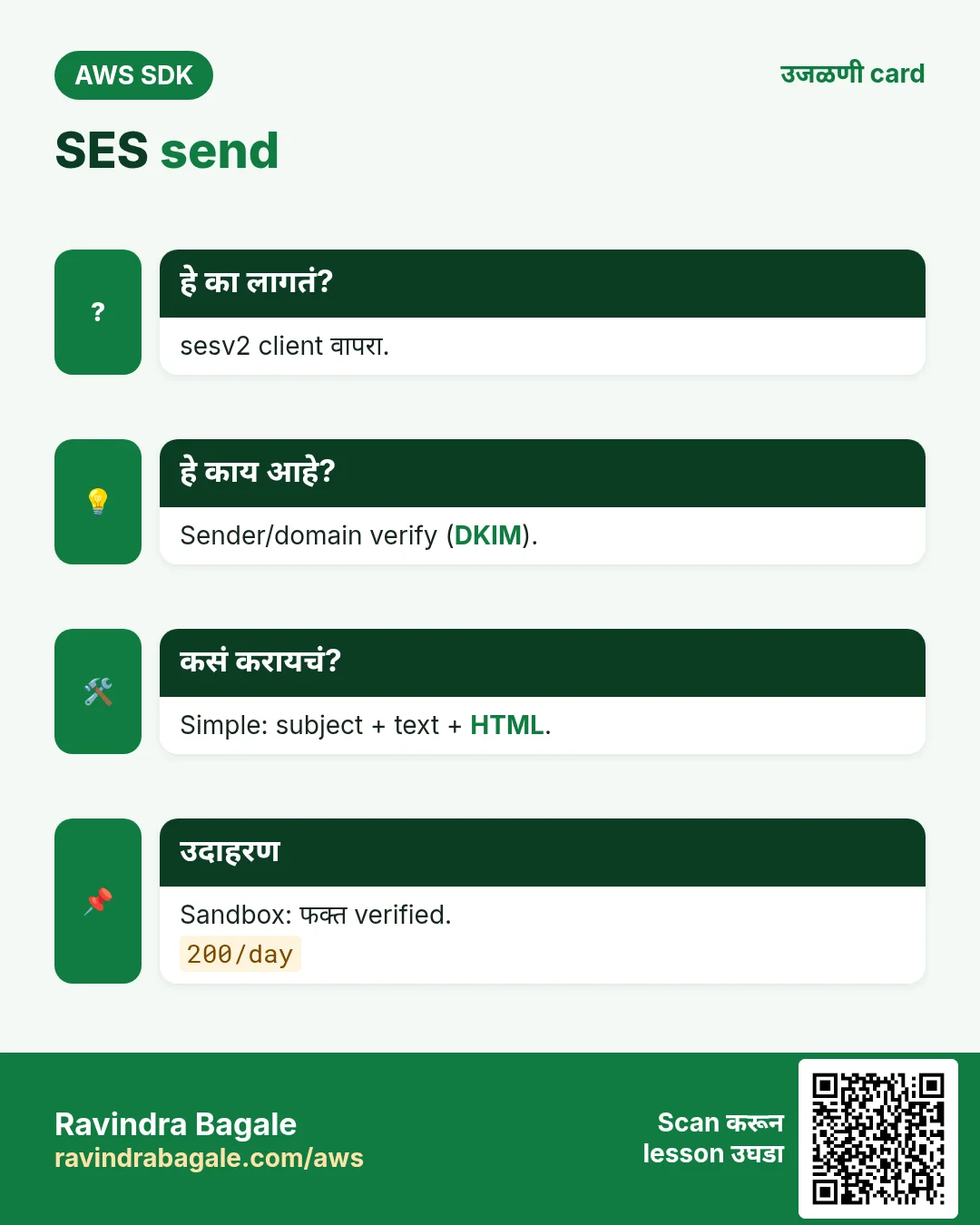
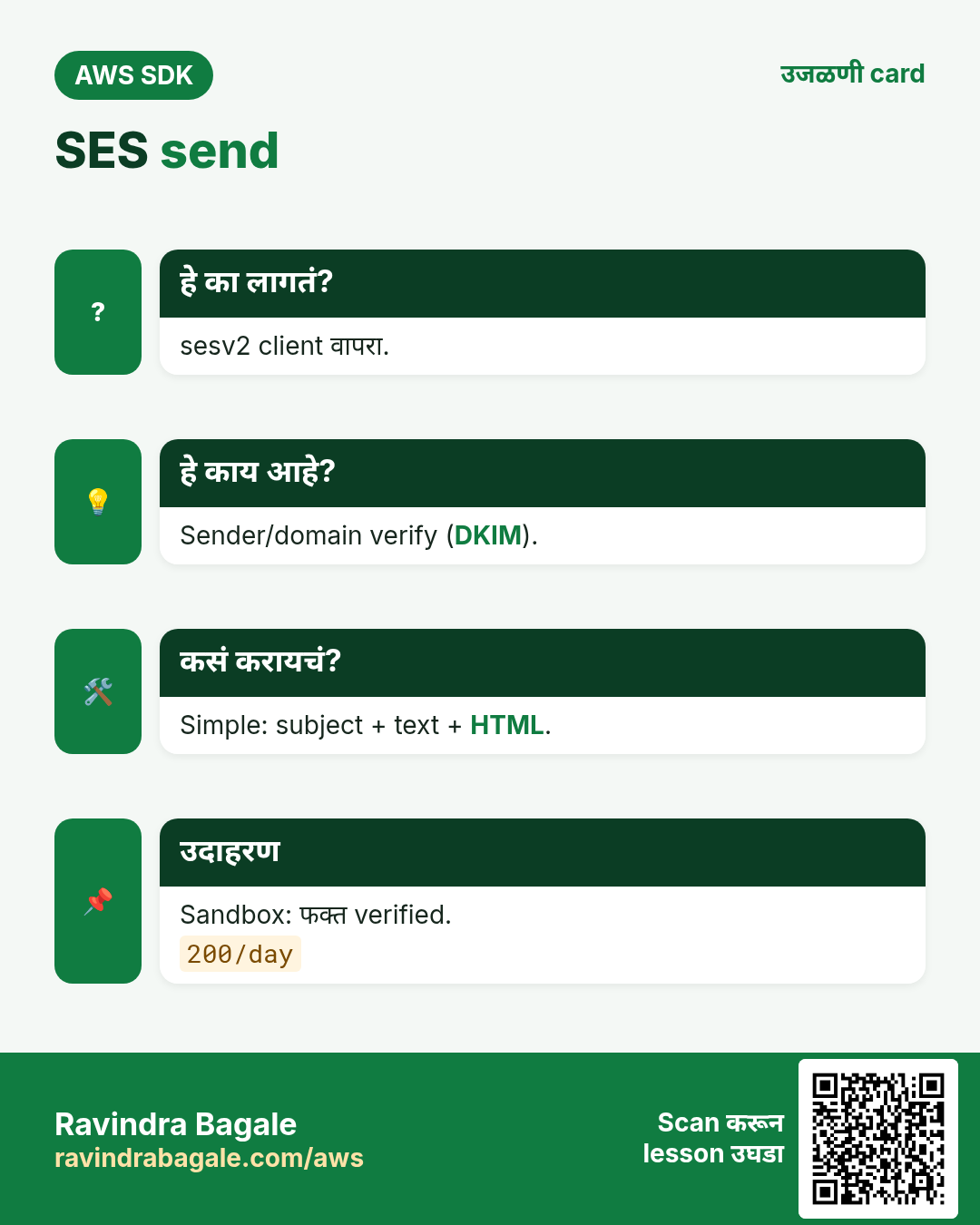
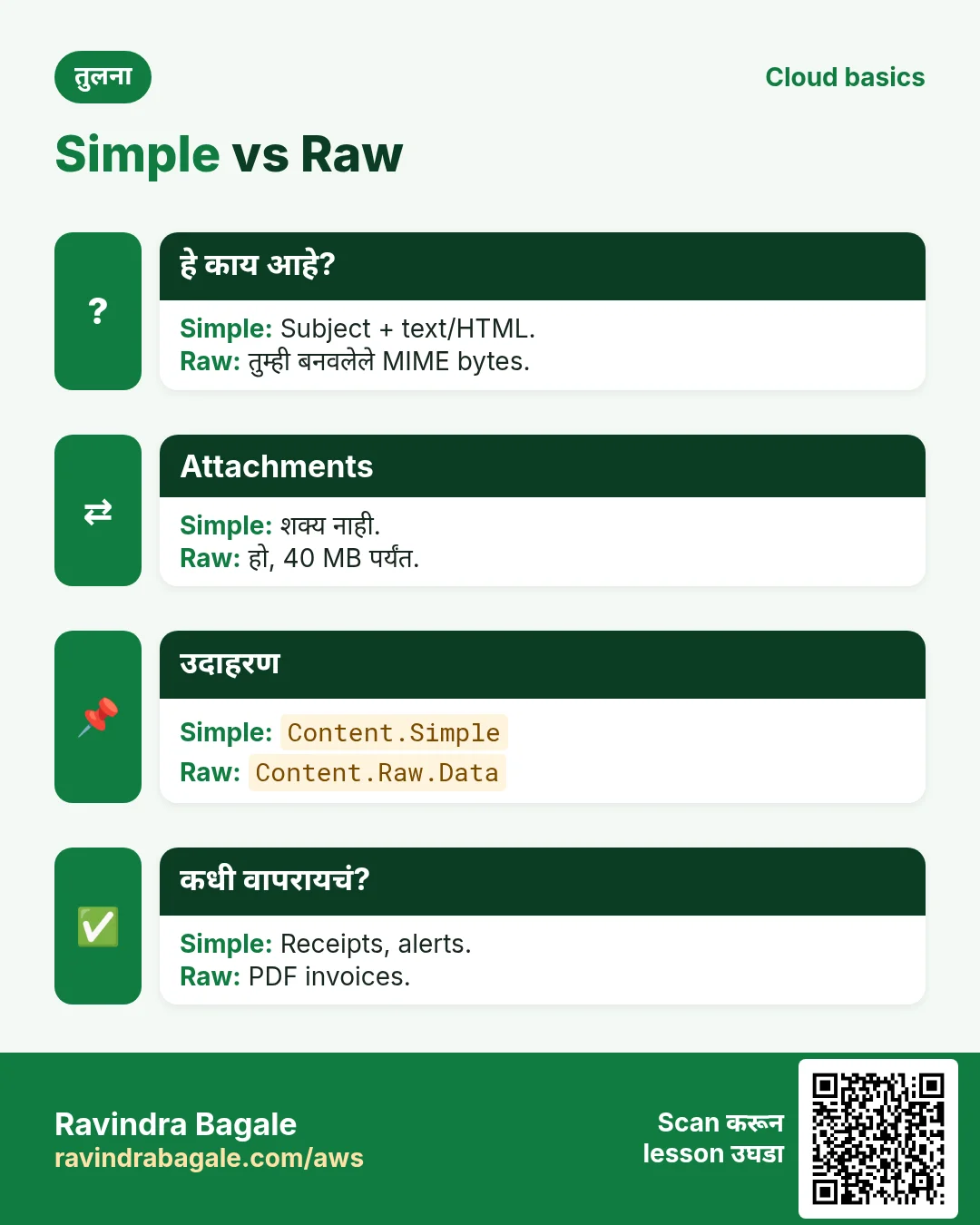
sesv2 client आणि SendEmail वापरा. Content Simple (subject + body), Template (name + data) किंवा Raw (पूर्ण MIME, attachments साठी). नवीन accounts sandbox मध्ये: फक्त verified addresses ना पाठवता येतं.
कसं करायचं (step by step)
2. Sender verify करा
हे का लागतं?
Sofia billing@studio.example.es वरून invoices पाठवते; ते address studio चं आहे हे SES ला माहीत हवं.
हे काय आहे?
Email address साठी SES link पाठवतं. Domain साठी CNAME records म्हणून लावायचे DKIM tokens देतं.
कसं करायचं (step by step)
- Python: email address verify.
import boto3
ses = boto3.client("sesv2", region_name="eu-west-1")
ses.create_email_identity(EmailIdentity="billing@studio.example.es")
print(ses.get_email_identity(EmailIdentity="billing@studio.example.es")["VerifiedForSendingStatus"])
अपेक्षित output:
False (True after Sofia clicks the link)- Node.js: पूर्ण domain verify.
import { SESv2Client, CreateEmailIdentityCommand } from "@aws-sdk/client-sesv2";
const ses = new SESv2Client({ region: "ap-south-1" });
const r = await ses.send(new CreateEmailIdentityCommand({ EmailIdentity: "studio.example.in" }));
for (const t of r.DkimAttributes.Tokens) console.log(`${t}._domainkey CNAME ${t}.dkim.amazonses.com`);
अपेक्षित output:
abc123._domainkey CNAME abc123.dkim.amazonses.com
(3 lines)- PHP: account sending quota.
<?php
require "vendor/autoload.php";
$ses = new Aws\SesV2\SesV2Client(["region" => "eu-west-1"]);
$a = $ses->getAccount();
printf("sandbox=%s max24h=%d rate=%d/s\n", $a["ProductionAccessEnabled"] ? "no" : "yes",
  $a["SendQuota"]["Max24HourSend"], $a["SendQuota"]["MaxSendRate"]);
अपेक्षित output:
sandbox=yes max24h=200 rate=1/s- Verify: identities list.
aws sesv2 list-email-identities --region eu-west-1 --query "EmailIdentities[].[IdentityName,SendingEnabled]" --output textअपेक्षित output:
billing@studio.example.es True3. Simple HTML email
हे का लागतं?
Sofia Berlin च्या client ला €1,200 चं invoice summary email करते.
हे काय आहे?
Simple content मध्ये Subject आणि Text व Html parts सह Body. HTML block करणाऱ्या clients साठी text part नेहमी द्या.
कसं करायचं (step by step)
- Python.
r = ses.send_email(
    FromEmailAddress="Studio Billing <billing@studio.example.es>",
    Destination={"ToAddresses": ["lukas@client.example.de"]},
    Content={"Simple": {
        "Subject": {"Data": "Invoice INV-2041: €1,200.00"},
        "Body": {"Text": {"Data": "Amount due: €1,200.00 by 30 Nov."},
                 "Html": {"Data": "<h2>Invoice INV-2041</h2><p>Amount due: <b>€1,200.00</b></p>"}}}})
print(r["MessageId"])
अपेक्षित output:
0102018f2a...-000000- Node.js.
import { SendEmailCommand } from "@aws-sdk/client-sesv2";
const r = await ses.send(new SendEmailCommand({
  FromEmailAddress: "billing@studio.example.in",
  Destination: { ToAddresses: ["ravi@client.example.in"] },
  Content: { Simple: { Subject: { Data: "Invoice INV-88: ₹45,000" },
    Body: { Text: { Data: "Amount due: ₹45,000 incl. GST." } } } },
}));
console.log(r.MessageId);
अपेक्षित output:
0109018f2b...-000000- PHP.
<?php
$r = $ses->sendEmail([
  "FromEmailAddress" => "billing@studio.example.es",
  "Destination" => ["ToAddresses" => ["amy@client.example.com"]],
  "Content" => ["Simple" => [
    "Subject" => ["Data" => "Invoice INV-2042: $950.00"],
    "Body" => ["Text" => ["Data" => "Amount due: $950.00"]]]]]);
echo $r["MessageId"], PHP_EOL;
अपेक्षित output:
0102018f2c...-000000- Verify: mailbox simulator ने sandbox test.
aws sesv2 send-email --from-email-address billing@studio.example.es --destination ToAddresses=success@simulator.amazonses.com --content '{"Simple":{"Subject":{"Data":"t"},"Body":{"Text":{"Data":"t"}}}}' --query MessageId --output textअपेक्षित output:
0102018f2d...-0000004. अनेक customers साठी templates
हे का लागतं?
Priya 300 monthly statements पाठवते; फक्त नाव आणि amount बदलतात.
हे काय आहे?
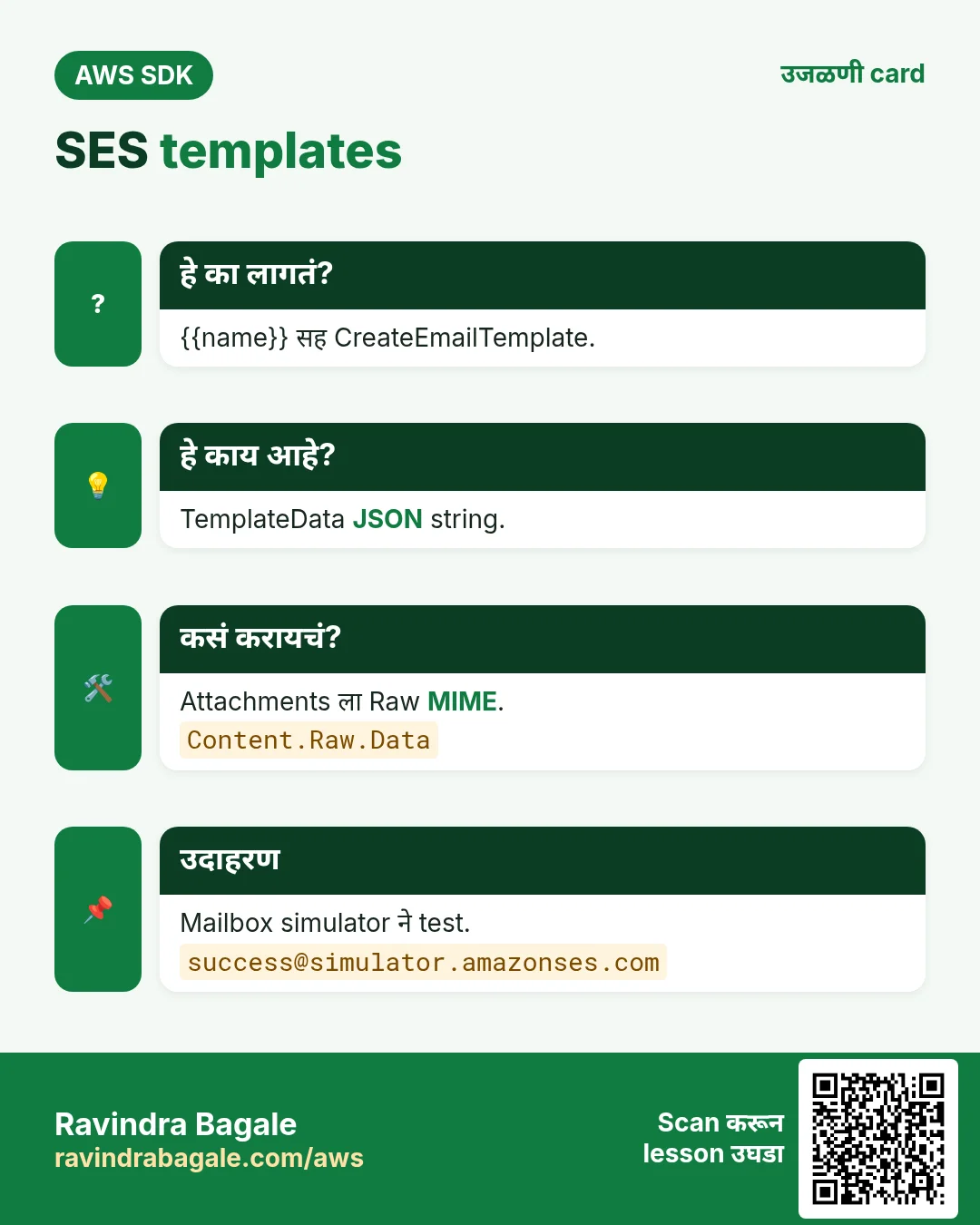
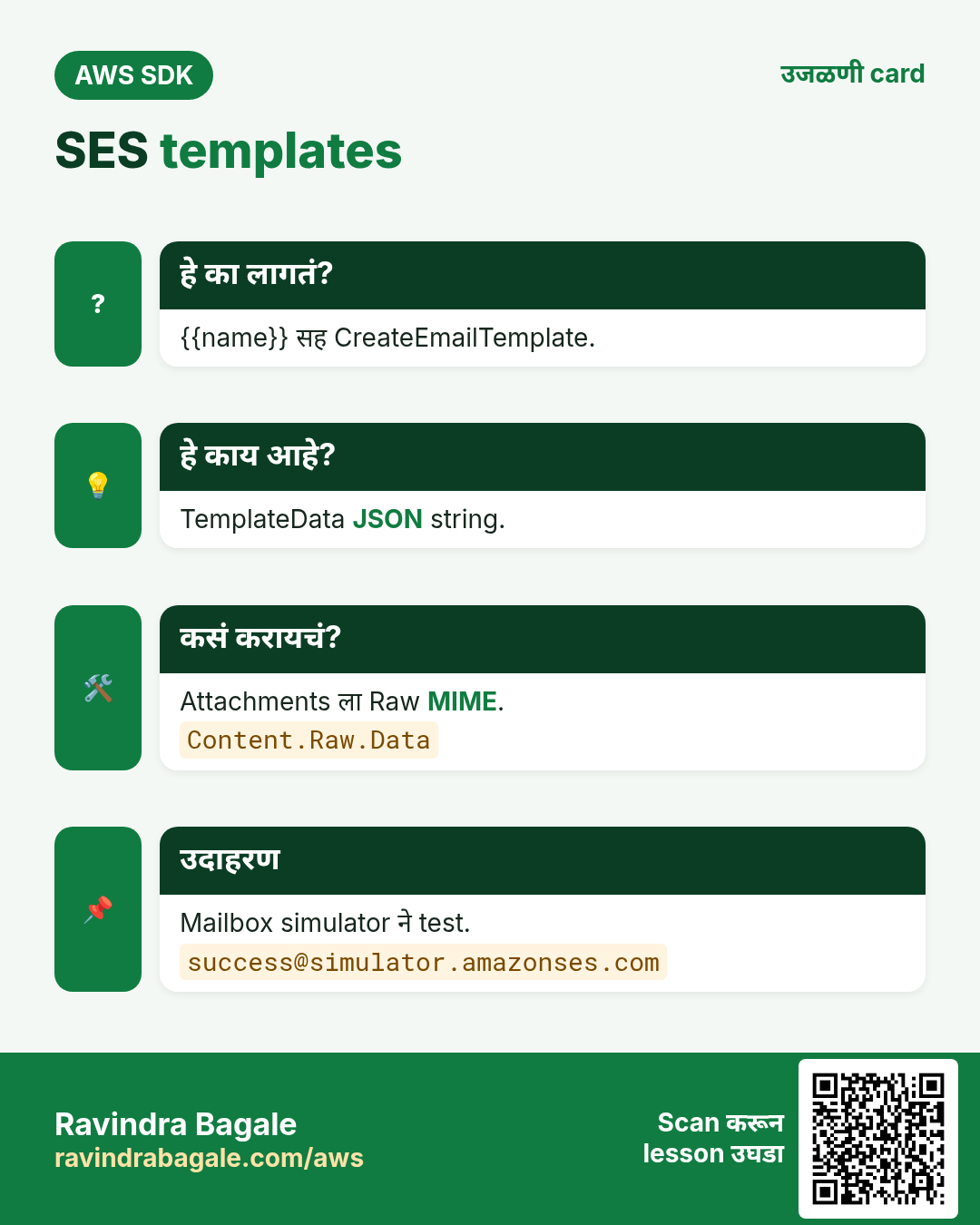
CreateEmailTemplate {{placeholders}} सह subject, text, HTML साठवतो. Template content असलेल्या SendEmail मध्ये TemplateData JSON string.
कसं करायचं (step by step)
- Python: template बनवा.
ses.create_email_template(TemplateName="statement", TemplateContent={
    "Subject": "Your statement, {{name}}",
    "Text": "Hi {{name}}, your balance is {{amount}}.",
    "Html": "<p>Hi {{name}},</p><p>Your balance is <b>{{amount}}</b>.</p>"})
print("template ok")
अपेक्षित output:
template ok- Node.js: template data सह send.
const r = await ses.send(new SendEmailCommand({
  FromEmailAddress: "billing@studio.example.in",
  Destination: { ToAddresses: ["kavya@example.in"] },
  Content: { Template: { TemplateName: "statement",
    TemplateData: JSON.stringify({ name: "Kavya", amount: "₹12,300" }) } },
}));
console.log(r.MessageId);
अपेक्षित output:
0109018f2e...-000000- PHP: preview साठी template render.
<?php
$r = $ses->testRenderEmailTemplate(["TemplateName" => "statement",
  "TemplateData" => json_encode(["name" => "Oliver", "amount" => "£310.00"])]);
echo strtok($r["RenderedTemplate"], "\n"), PHP_EOL;
अपेक्षित output:
Subject: Your statement, Oliver- Verify: templates list.
aws sesv2 list-email-templates --region eu-west-1 --query "TemplatesMetadata[].TemplateName" --output textअपेक्षित output:
statement5. Raw MIME ने attachments
हे का लागतं?
Madrid च्या client ला link नको, PDF invoice attach हवं.
हे काय आहे?
भाषेच्या library ने MIME message बनवा आणि bytes Content.Raw.Data म्हणून द्या. एकूण limit 40 MB.
कसं करायचं (step by step)
- Python email.message सह.
from email.message import EmailMessage
m = EmailMessage()
m["Subject"], m["From"], m["To"] = "INV-2041 PDF", "billing@studio.example.es", "lukas@client.example.de"
m.set_content("Invoice attached.")
m.add_attachment(open("INV-2041.pdf", "rb").read(), maintype="application", subtype="pdf", filename="INV-2041.pdf")
r = ses.send_email(Content={"Raw": {"Data": m.as_bytes()}})
print(r["MessageId"])
अपेक्षित output:
0102018f2f...-000000- Node.js nodemailer MailComposer सह.
import MailComposer from "nodemailer/lib/mail-composer/index.js";
const raw = await new MailComposer({ from: "billing@studio.example.in", to: "ravi@client.example.in",
  subject: "INV-88 PDF", text: "Attached.", attachments: [{ path: "INV-88.pdf" }] }).compile().build();
const r = await ses.send(new SendEmailCommand({ Content: { Raw: { Data: raw } } }));
console.log(r.MessageId);
अपेक्षित output:
0109018f30...-000000- PHP: PHPMailer ने MIME.
<?php
$mail = new PHPMailer\PHPMailer\PHPMailer();
$mail->setFrom("billing@studio.example.es"); $mail->addAddress("amy@client.example.com");
$mail->Subject = "INV-2042 PDF"; $mail->Body = "Attached.";
$mail->addAttachment("INV-2042.pdf"); $mail->preSend();
$r = $ses->sendEmail(["Content" => ["Raw" => ["Data" => $mail->getSentMIMEMessage()]]]);
echo $r["MessageId"], PHP_EOL;
अपेक्षित output:
0102018f31...-000000- Verify: suppression list रिकामी आहे का.
aws sesv2 list-suppressed-destinations --region eu-west-1 --query "length(SuppressedDestinationSummaries)"अपेक्षित output:
06. हाच call Java, Go, .NET आणि CLI मध्ये
हे का लागतं?
Teams अनेकदा भाषा मिसळतात. Python, PHP आणि Node.js मध्ये call समजला की बाकीचे SDKs म्हणजे तोच API, फक्त syntax वेगळा.
हे काय आहे?
सगळे SendEmail API call करतात. Terminal मधून पटकन test करायला CLI ओळ वापरा.
कसं करायचं (step by step)
| Stack | Code |
|---|---|
| AWS CLI | aws sesv2 send-email --from-email-address billing@studio.example.es --destination ToAddresses=lukas@client.example.de --content file://email.json |
| Java v2 | ses.sendEmail(b -> b.fromEmailAddress(from).destination(d -> d.toAddresses(to)).content(c -> c.simple(m -> m.subject(s -> s.data("Invoice")).body(bd -> bd.text(t -> t.data("Due")))))); |
| Go v2 | client.SendEmail(ctx, &sesv2.SendEmailInput{FromEmailAddress: aws.String(from), Destination: &types.Destination{ToAddresses: []string{to}}, Content: content}) |
| .NET | await ses.SendEmailAsync(new SendEmailRequest { FromEmailAddress = from, Destination = new Destination { ToAddresses = { to } }, Content = content }); |
7. काहीही खर्च चालू राहू नये म्हणून cleanup
हे का लागतं?
चालू ठेवलेले lab resources पैसे खातात आणि security risk बनतात.
हे काय आहे?
उलट्या क्रमाने delete करा: आधी children, मग parents.
कसं करायचं (step by step)
- Template व identities delete.
aws sesv2 delete-email-template --template-name statement --region eu-west-1
aws sesv2 delete-email-identity --email-identity billing@studio.example.es --region eu-west-1
अपेक्षित output:
(no output means success)Ravindra Bagale's Tip
Tests मध्ये mailbox simulator addresses (success@, bounce@, complaint@simulator.amazonses.com) वापरा, sender reputation बिघडत नाही.
8. मुलाखत प्रश्न आणि उत्तरं
प्र. SES sandbox म्हणजे?
फक्त verified addresses, 200/day.
प्र. Attachment कसं पाठवायचं?
MIME बनवून Raw content.
प्र. DKIM का?
Mail sign होतो, विश्वास वाढतो.
प्र. Template placeholders कसे भरतात?
TemplateData JSON string.
प्र. कोणता client?
sesv2.
घरी करून बघा
- PHP मधून sendBulkEmail ने तीन लोकांना statement template पाठवा.
- bounce@simulator.amazonses.com ला पाठवून bounce पाहा.
थोडक्यात सांगायचं तर
- आधी identity verify.
- SendEmail Simple.
- Template + TemplateData.
- Attachments साठी Raw MIME.
- Sandbox → production access.
सराव Tasks
Jakarta Batik हा जकार्ता मधला हस्तकला व्यवसाय आहे. Siti Rahmawati त्यांचं IT व cloud काम पाहतात. त्यांचे पैसे IDR मध्ये मोजले जातात आणि AWS resources ap-southeast-3 Region मध्ये चालतात. खालच्या tasks मध्ये तुम्ही या lesson मध्ये शिकलेलं वापरून त्यांची खरी कामं करता. सगळी नावं, account IDs, IP addresses व numbers सरावासाठी काल्पनिक आहेत.
0 / 12
सोपं Sender email verify करा
का: SES फक्त verified addresses/domains वरून पाठवतो.
काय करायचं: noreply@jakartabatik.id sender address verify करा.
- Task वाचा आणि ते कोणत्या AWS service बद्दल आहे ते ठरवा.
- aws लिहा, मग service चं नाव, मग operation (action शब्द).
- प्रत्येक आवश्यक flag (--name) व त्यापुढे task मधली value लिहा.
- Flags कोणत्याही क्रमाने चालतात. Check answer दाबा.
सोपं CloudFormation: versioned bucket
का: IaC मुळे setup पुन्हा करता येतं.
काय करायचं: jakartabatik-docs नावाचा, versioning Enabled असलेला एक S3 bucket CloudFormation YAML मध्ये लिहा.
- Task मधल्या top-level keys पासून सुरू करा.
- Child keys 2 spaces ने indent करा (tabs नकोत).
- प्रत्येक property मध्ये task मधली value भरा.
- Check answer दाबा. Keys चा क्रम महत्त्वाचा नाही.
सोपं S3 वर file upload करा
का: aws s3 cp Linux cp सारखं, फक्त एक बाजू S3.
काय करायचं: report.pdf ला s3://jakartabatik-invoices-2026/reports/report.pdf वर upload करा.
- Task वाचा आणि ते कोणत्या AWS service बद्दल आहे ते ठरवा.
- aws लिहा, मग service चं नाव, मग operation (action शब्द).
- प्रत्येक आवश्यक flag (--name) व त्यापुढे task मधली value लिहा.
- Flags कोणत्याही क्रमाने चालतात. Check answer दाबा.
सोपं Bucket folder मधल्या files दाखवा
का: Upload झालं का व files चे sizes पाहा.
काय करायचं: s3://jakartabatik-invoices-2026/reports/ खालचे objects दाखवा.
- Task वाचा आणि ते कोणत्या AWS service बद्दल आहे ते ठरवा.
- aws लिहा, मग service चं नाव, मग operation (action शब्द).
- प्रत्येक आवश्यक flag (--name) व त्यापुढे task मधली value लिहा.
- Flags कोणत्याही क्रमाने चालतात. Check answer दाबा.
सोपं Bucket बनवा
का: Bucket म्हणजे S3 मधल्या files चा मुख्य container.
काय करायचं: ap-southeast-3 मध्ये jakartabatik-invoices-2026 bucket बनवा.
- Task वाचा आणि ते कोणत्या AWS service बद्दल आहे ते ठरवा.
- aws लिहा, मग service चं नाव, मग operation (action शब्द).
- प्रत्येक आवश्यक flag (--name) व त्यापुढे task मधली value लिहा.
- Flags कोणत्याही क्रमाने चालतात. Check answer दाबा.
मध्यम Storage खर्च
का: Storage per GB-month.
काय करायचं: S3 Standard मध्ये 500 GB, USD 0.023 per GB-month. Monthly खर्च USD?
- Task मधले numbers लिहून घ्या.
- कागदावर step by step काढा.
- Box मध्ये फक्त final उत्तर लिहा.
- Check answer दाबा.
मध्यम Public website साठी bucket policy
का: Static website bucket ने सगळ्यांना files वाचू द्याव्या.
काय करायचं: jakartabatik-site मधल्या प्रत्येक object वर कोणालाही (*) s3:GetObject करू देणारी bucket policy लिहा.
- { "Version": "2012-10-17", "Statement": [ ... ] } ने सुरू करा.
- प्रत्येक statement मध्ये Effect, Action व Resource लिहा.
- Task ला लागेल तेवढंच द्या (least privilege).
- Double quotes व commas नीट वापरा. Check answer दाबा.
मध्यम एका folder मध्ये फक्त upload
का: Field staff files टाकू शकतात पण वाचू/delete करू शकत नाहीत.
काय करायचं: jakartabatik-data मध्ये फक्त uploads/ prefix खाली s3:PutObject allow करा.
- { "Version": "2012-10-17", "Statement": [ ... ] } ने सुरू करा.
- प्रत्येक statement मध्ये Effect, Action व Resource लिहा.
- Task ला लागेल तेवढंच द्या (least privilege).
- Double quotes व commas नीट वापरा. Check answer दाबा.
मध्यम स्वस्त storage class मध्ये upload करा
का: क्वचित वापरल्या जाणाऱ्या files Standard-IA मध्ये स्वस्त.
काय करायचं: archive-2025.zip ला s3://jakartabatik-archive/ वर STANDARD_IA storage class ने upload करा.
- Task वाचा आणि ते कोणत्या AWS service बद्दल आहे ते ठरवा.
- aws लिहा, मग service चं नाव, मग operation (action शब्द).
- प्रत्येक आवश्यक flag (--name) व त्यापुढे task मधली value लिहा.
- Flags कोणत्याही क्रमाने चालतात. Check answer दाबा.
अवघड Test email पाठवा
का: Code लिहिण्याआधी CLI send ने SES setup तपासतो.
काय करायचं: noreply@jakartabatik.id वरून siti@example.com ला subject "Receipt" व text body "Thank you" असा email पाठवा.
- Task वाचा आणि ते कोणत्या AWS service बद्दल आहे ते ठरवा.
- aws लिहा, मग service चं नाव, मग operation (action शब्द).
- प्रत्येक आवश्यक flag (--name) व त्यापुढे task मधली value लिहा.
- Flags कोणत्याही क्रमाने चालतात. Check answer दाबा.
अवघड HTTPS शिवाय requests deny
का: aws:SecureTransport false म्हणजे साधं HTTP; ते deny करा.
काय करायचं: Bucket policy: aws:SecureTransport false असेल तेव्हा jakartabatik-data व objects वर (*) ला s3:* deny.
- { "Version": "2012-10-17", "Statement": [ ... ] } ने सुरू करा.
- प्रत्येक statement मध्ये Effect, Action व Resource लिहा.
- Task ला लागेल तेवढंच द्या (least privilege).
- Double quotes व commas नीट वापरा. Check answer दाबा.
अवघड S3 lifecycle rule (JSON)
का: जुन्या files आपोआप स्वस्त storage मध्ये.
काय करायचं: Lifecycle JSON: एक Enabled rule, prefix logs/, 90 दिवसांनी GLACIER.
- Task मधल्या top-level keys पासून सुरू करा.
- Child keys 2 spaces ने indent करा (tabs नकोत).
- प्रत्येक property मध्ये task मधली value भरा.
- Check answer दाबा. Keys चा क्रम महत्त्वाचा नाही.
उजळणी, तुलना आणि मुलाखत cards
हा lesson काही मिनिटांत revise करा. Cards phone वर save करा किंवा PNG download करा. प्रत्येक card वरचा QR हा lesson उघडतो.
अजून cards: Ravi Sir's Cards.