AWS SDK App बनवा व Mocks ने Test करा (moto, aws-sdk-client-mock, MockHandler) आणि Best Practices
आता सगळं एकत्र करू. S3 ला file, DynamoDB ला row आणि SQS ला job save करणारं छोटं receipts app Python, PHP आणि Node.js मध्ये बनवू. मग AWS ला हात न लावता test करू: Python साठी moto, Node.js साठी aws-sdk-client-mock आणि PHP साठी MockHandler. शेवटी SDK code safe, fast व स्वस्त ठेवणाऱ्या best practices. Example: Sydney मधली Olivia आणि नागपूरचा Siddharth वापरतात ते expense app.
या chapter मध्ये तुम्ही काय शिकाल
- S3 + DynamoDB + SQS flow
- Testing साठी clients inject
- तीनही भाषांत AWS mock
- LocalStack वर चालवा
- Best practices वापरा
1. मोठं चित्र: practice kitchen
हे का लागतं?
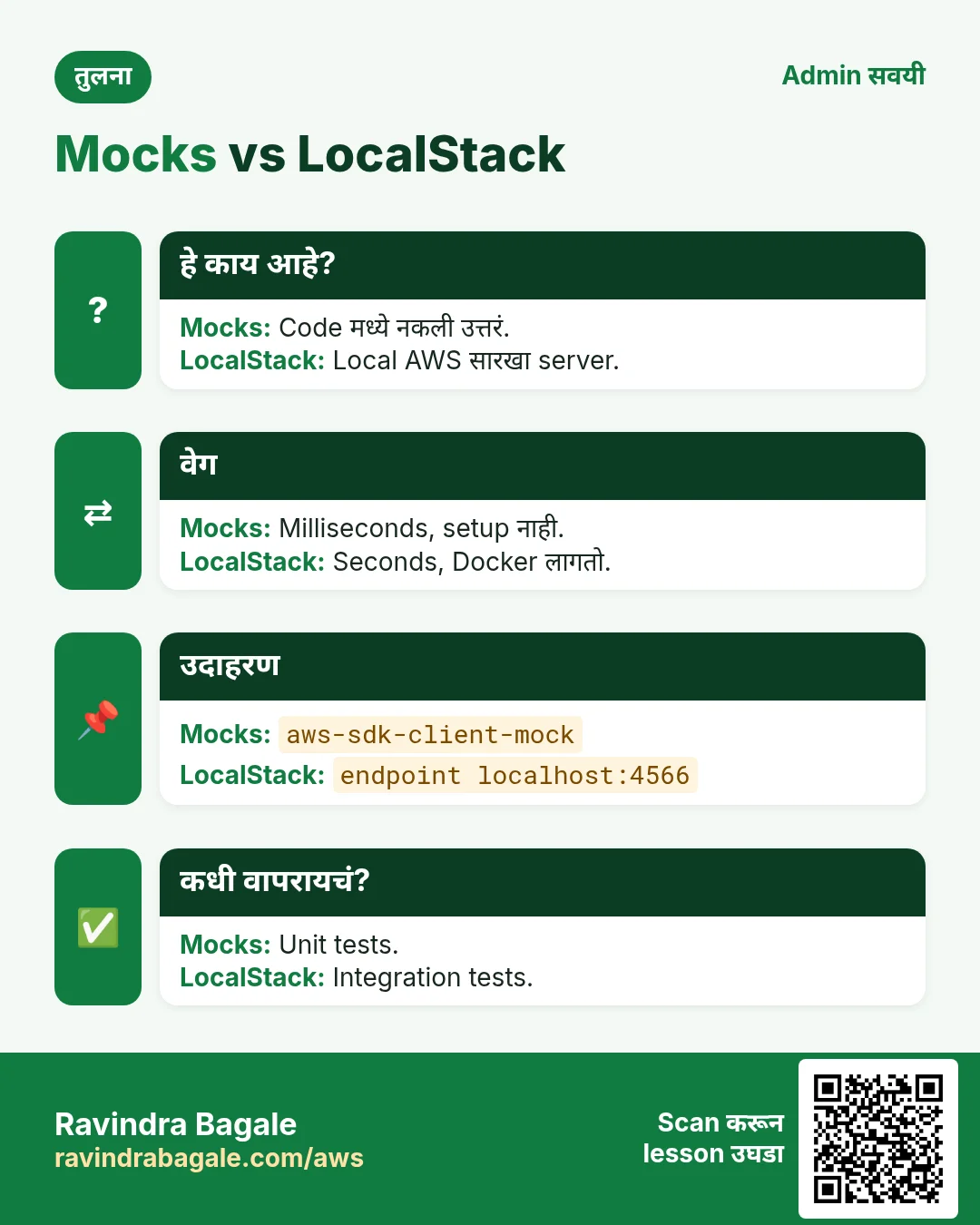
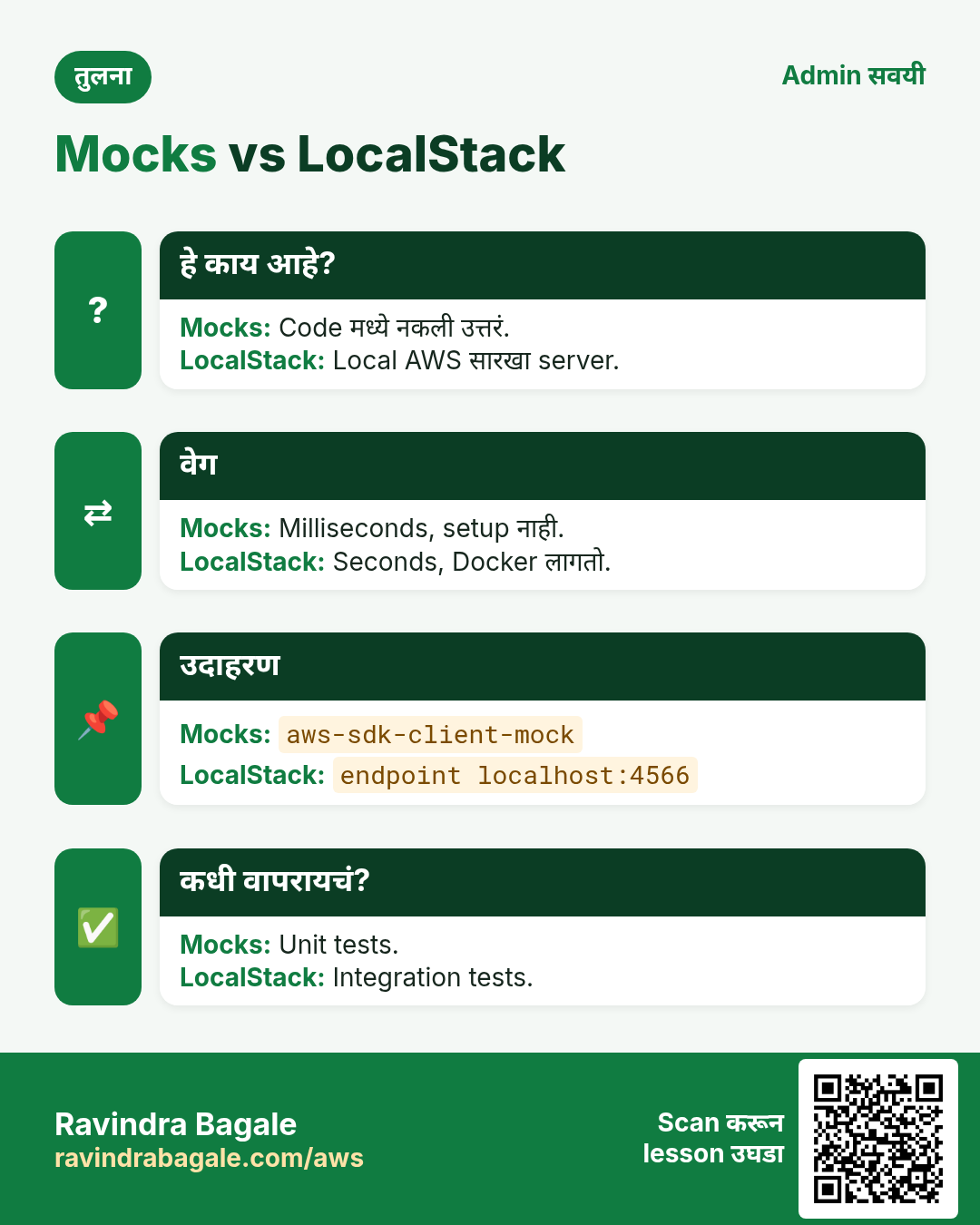
पैसे देणाऱ्या पाहुण्यांसाठी शिजवण्याआधी chef test kitchen मध्ये नकली साहित्याने नवीन dish करून पाहतो. Mocks म्हणजे ते test kitchen: तुमचा code "AWS call" करतो, पण नकली उत्तर लगेच येतं, खर्च शून्य, खरा data सुरक्षित.
हे काय आहे?
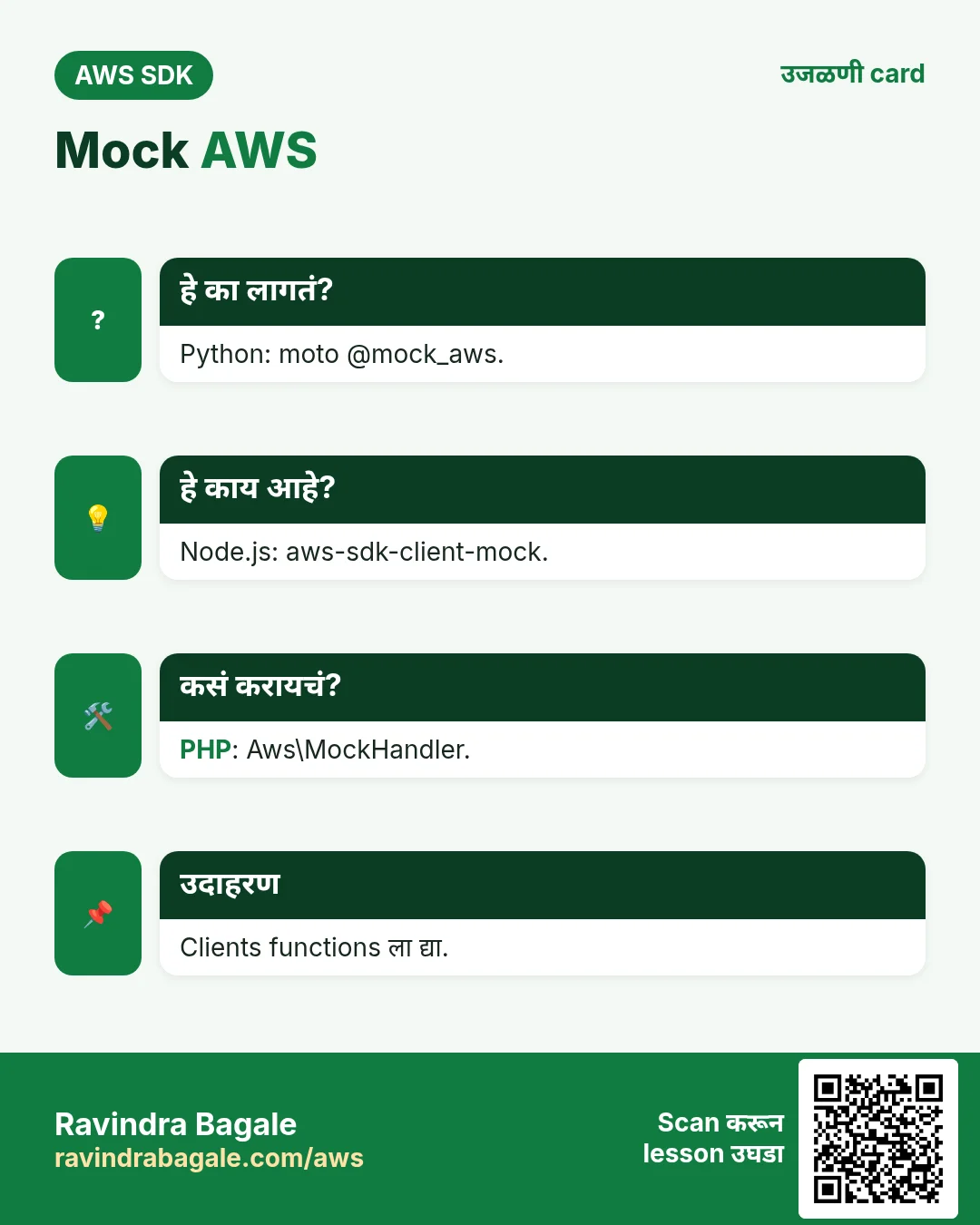
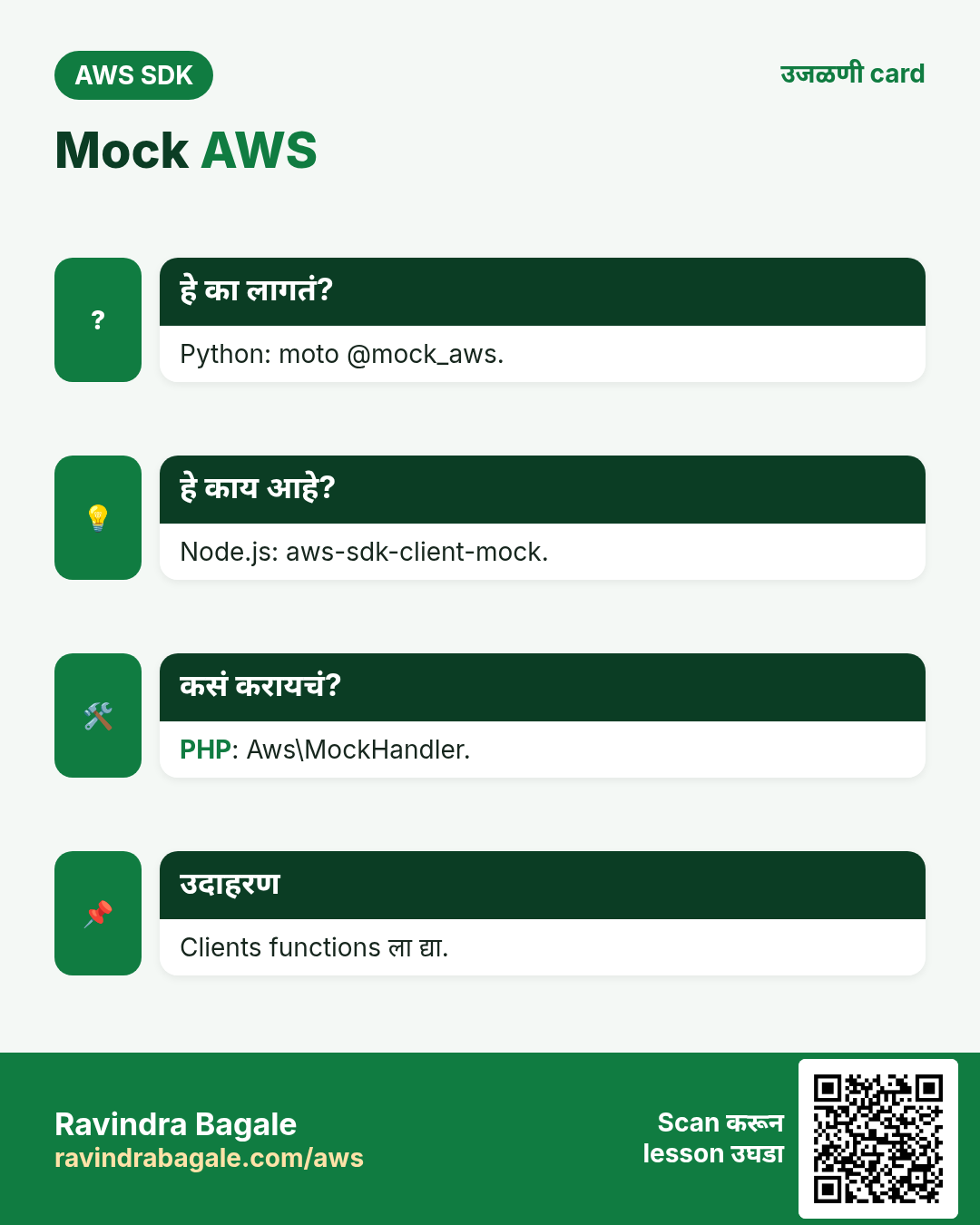
Client parameter म्हणून घेणारं function लिहा. Production मध्ये खरा client, tests मध्ये mocked client. moto memory मध्ये AWS नक्कल करतो, aws-sdk-client-mock प्रत्येक Command साठी send() stub करतो, PHP MockHandler नकली Result objects queue करतो.
कसं करायचं (step by step)
2. Receipts flow बनवा
हे का लागतं?
Olivia A$42.50 च्या taxi receipt चा photo काढते. App ने image store, expense record आणि text reading queue करायला हवं.
हे काय आहे?
एक function, तीन calls, clients बाहेरून. प्रत्येक भाषेत तोच आकार, म्हणून test सोपं.
कसं करायचं (step by step)
- Python.
import uuid, json
def save_receipt(s3, ddb, sqs, user, amount, body):
    rid = "r-" + uuid.uuid4().hex[:6]
    s3.put_object(Bucket="receipts-syd", Key=f"{user}/{rid}.jpg", Body=body)
    ddb.put_item(TableName="Expenses", Item={"pk": {"S": user}, "sk": {"S": rid},
        "amount": {"N": str(amount)}})
    sqs.send_message(QueueUrl=QUEUE_URL, MessageBody=json.dumps({"rid": rid}))
    return rid
print(save_receipt(s3, ddb, sqs, "olivia", 42.50, b"jpg")[:2])
अपेक्षित output:
r-- Node.js.
import { PutObjectCommand } from "@aws-sdk/client-s3";
import { PutItemCommand } from "@aws-sdk/client-dynamodb";
import { SendMessageCommand } from "@aws-sdk/client-sqs";
export async function saveReceipt({ s3, ddb, sqs }, user, amount, body) {
  const rid = "r-" + Math.random().toString(16).slice(2, 8);
  await s3.send(new PutObjectCommand({ Bucket: "receipts-ngp", Key: `${user}/${rid}.jpg`, Body: body }));
  await ddb.send(new PutItemCommand({ TableName: "Expenses",
    Item: { pk: { S: user }, sk: { S: rid }, amount: { N: String(amount) } } }));
  await sqs.send(new SendMessageCommand({ QueueUrl: process.env.QUEUE_URL, MessageBody: JSON.stringify({ rid }) }));
  return rid;
}
console.log((await saveReceipt(clients, "siddharth", 780, Buffer.from("jpg"))).length);
अपेक्षित output:
8- PHP.
<?php
function saveReceipt($s3, $ddb, $sqs, string $user, float $amount, string $body): string {
  $rid = "r-" . bin2hex(random_bytes(3));
  $s3->putObject(["Bucket" => "receipts-ldn", "Key" => "$user/$rid.jpg", "Body" => $body]);
  $ddb->putItem(["TableName" => "Expenses", "Item" => ["pk" => ["S" => $user],
    "sk" => ["S" => $rid], "amount" => ["N" => (string)$amount]]]);
  $sqs->sendMessage(["QueueUrl" => getenv("QUEUE_URL"), "MessageBody" => json_encode(["rid" => $rid])]);
  return $rid;
}
echo strlen(saveReceipt($s3, $ddb, $sqs, "amelia", 18.20, "jpg")), PHP_EOL;
अपेक्षित output:
8- CLI ने verify.
aws dynamodb query --table-name Expenses --key-condition-expression "pk = :u" --expression-attribute-values '{":u":{"S":"olivia"}}' --query Countअपेक्षित output:
13. moto ने Python test
हे का लागतं?
Siddharth ला tests प्रत्येक commit वर, offline, दोन seconds मध्ये, ₹0 मध्ये हवेत.
हे काय आहे?
pip install "moto[s3,dynamodb,sqs]" pytest. @mock_aws decorator (moto 5) सगळ्या services नक्कल करतो; bucket, table व queue test मध्येच बनवा.
कसं करायचं (step by step)
- Python test.
import boto3
from moto import mock_aws
from app import save_receipt
import app
@mock_aws
def test_save_receipt():
    kw = dict(region_name="ap-southeast-2")
    s3, ddb, sqs = boto3.client("s3", **kw), boto3.client("dynamodb", **kw), boto3.client("sqs", **kw)
    s3.create_bucket(Bucket="receipts-syd", CreateBucketConfiguration={"LocationConstraint": "ap-southeast-2"})
    ddb.create_table(TableName="Expenses", BillingMode="PAY_PER_REQUEST",
        KeySchema=[{"AttributeName": "pk", "KeyType": "HASH"}, {"AttributeName": "sk", "KeyType": "RANGE"}],
        AttributeDefinitions=[{"AttributeName": "pk", "AttributeType": "S"}, {"AttributeName": "sk", "AttributeType": "S"}])
    app.QUEUE_URL = sqs.create_queue(QueueName="ocr")["QueueUrl"]
    rid = save_receipt(s3, ddb, sqs, "olivia", 42.50, b"jpg")
    assert s3.get_object(Bucket="receipts-syd", Key=f"olivia/{rid}.jpg")["Body"].read() == b"jpg"
    assert ddb.get_item(TableName="Expenses", Key={"pk": {"S": "olivia"}, "sk": {"S": rid}})["Item"]["amount"]["N"] == "42.5"
अपेक्षित output:
(no output; test passes)- Node.js: कोणत्याही भाषेसाठी moto server.
// terminal: moto_server -p 5000
import { S3Client, ListBucketsCommand } from "@aws-sdk/client-s3";
const s3 = new S3Client({ region: "us-east-1", endpoint: "http://localhost:5000", forcePathStyle: true,
  credentials: { accessKeyId: "test", secretAccessKey: "test" } });
console.log((await s3.send(new ListBucketsCommand({}))).Buckets.length);
अपेक्षित output:
0- PHP: तोच server.
$s3 = new Aws\S3\S3Client(["region" => "us-east-1", "endpoint" => "http://localhost:5000",
  "use_path_style_endpoint" => true, "credentials" => ["key" => "test", "secret" => "test"]]);
echo count($s3->listBuckets()["Buckets"]), PHP_EOL;
अपेक्षित output:
0- Verify: pytest चालवा.
pytest -q test_app.pyअपेक्षित output:
1 passed in 1.84s4. Node.js व PHP mock
हे का लागतं?
London ची Amelia (£18.20 lunch) ला AWS ला काय पाठवलं तेही तपासणाऱ्या unit tests हव्यात.
हे काय आहे?
npm i -D aws-sdk-client-mock. mockClient(S3Client) सगळे instances stub करतो; .on(Command).resolves({...}); commandCalls() काय पाठवलं ते देतो. PHP मध्ये Result objects MockHandler मध्ये push करून "handler" म्हणून द्या.
कसं करायचं (step by step)
- Python: botocore Stubber ने एक error.
from botocore.stub import Stubber
s3 = boto3.client("s3", region_name="ap-southeast-2")
with Stubber(s3) as st:
    st.add_client_error("put_object", "AccessDenied")
    try: s3.put_object(Bucket="receipts-syd", Key="x", Body=b"1")
    except s3.exceptions.ClientError as e: print(e.response["Error"]["Code"])
अपेक्षित output:
AccessDenied- Node.js test (node:test).
import { test } from "node:test";
import assert from "node:assert";
import { mockClient } from "aws-sdk-client-mock";
import { S3Client, PutObjectCommand } from "@aws-sdk/client-s3";
import { DynamoDBClient, PutItemCommand } from "@aws-sdk/client-dynamodb";
import { SQSClient, SendMessageCommand } from "@aws-sdk/client-sqs";
import { saveReceipt } from "./app.mjs";
const s3m = mockClient(S3Client), ddbm = mockClient(DynamoDBClient), sqsm = mockClient(SQSClient);
s3m.on(PutObjectCommand).resolves({}); ddbm.on(PutItemCommand).resolves({});
sqsm.on(SendMessageCommand).resolves({ MessageId: "m-1" });
test("saves receipt", async () => {
  await saveReceipt({ s3: new S3Client({}), ddb: new DynamoDBClient({}), sqs: new SQSClient({}) }, "siddharth", 780, "jpg");
  assert.equal(ddbm.commandCalls(PutItemCommand)[0].args[0].input.Item.amount.N, "780");
});
अपेक्षित output:
✔ saves receipt- PHP: MockHandler.
use Aws\MockHandler; use Aws\Result;
$mock = new MockHandler();
$mock->append(new Result([]));                      // putObject
$mock->append(new Result([]));                      // putItem
$mock->append(new Result(["MessageId" => "m-9"]));  // sendMessage
$cfg = ["region" => "eu-west-2", "handler" => $mock, "credentials" => ["key" => "k", "secret" => "s"]];
$rid = saveReceipt(new Aws\S3\S3Client($cfg), new Aws\DynamoDb\DynamoDbClient($cfg), new Aws\Sqs\SqsClient($cfg), "amelia", 18.20, "jpg");
echo count($mock), " left, rid ", strlen($rid), PHP_EOL;
अपेक्षित output:
0 left, rid 8- Verify: tests चालवा.
node --test && vendor/bin/phpunit testsअपेक्षित output:
# pass 1
OK (1 test, 2 assertions)
5. Best practices
हे का लागतं?
App दिवसाला 50 वरून 50,000 receipts पर्यंत वाढतं, Sydney, नागपूर व London मध्ये. आताच्या छोट्या सवयी नंतर पैसे व outages वाचवतात.
हे काय आहे?
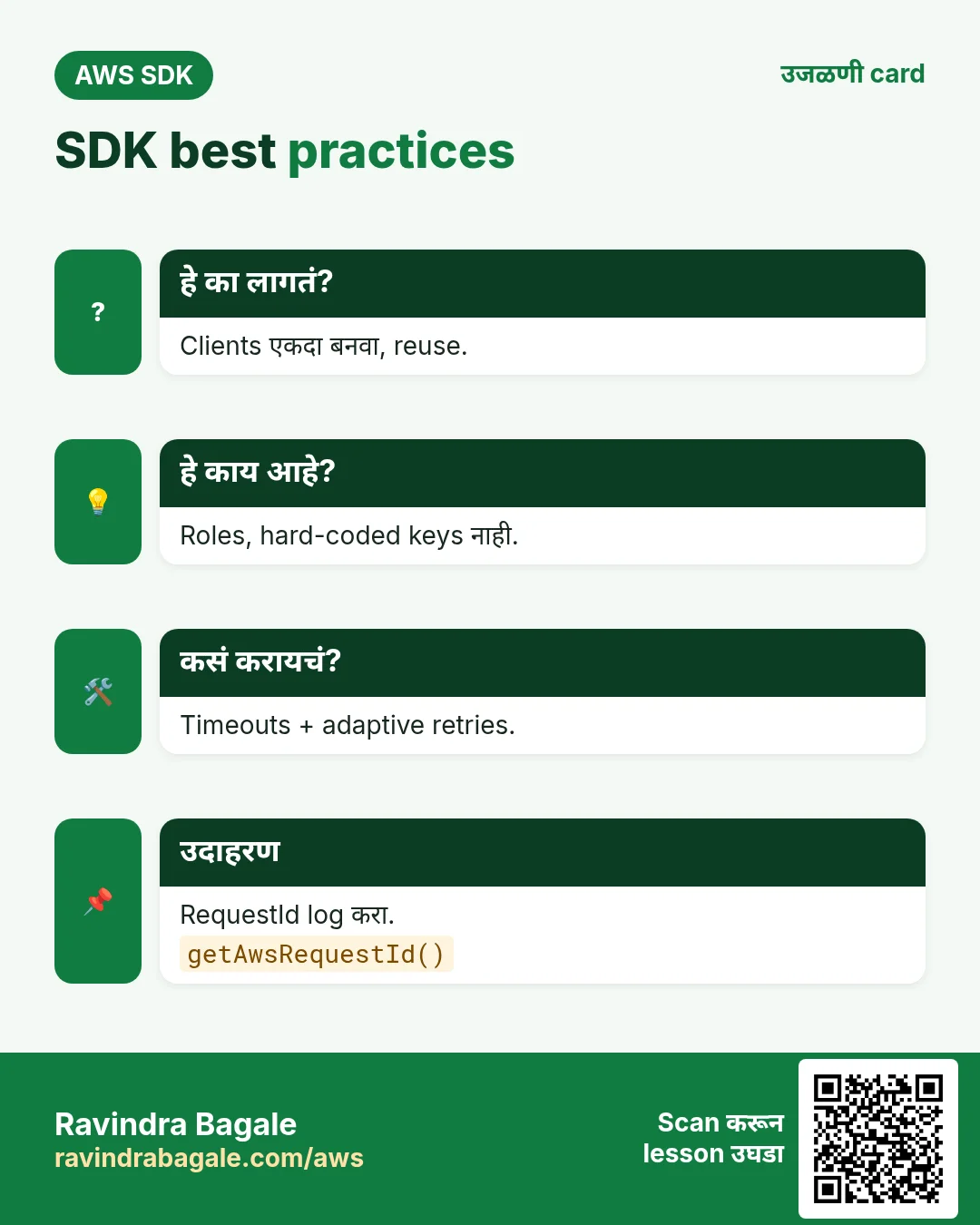
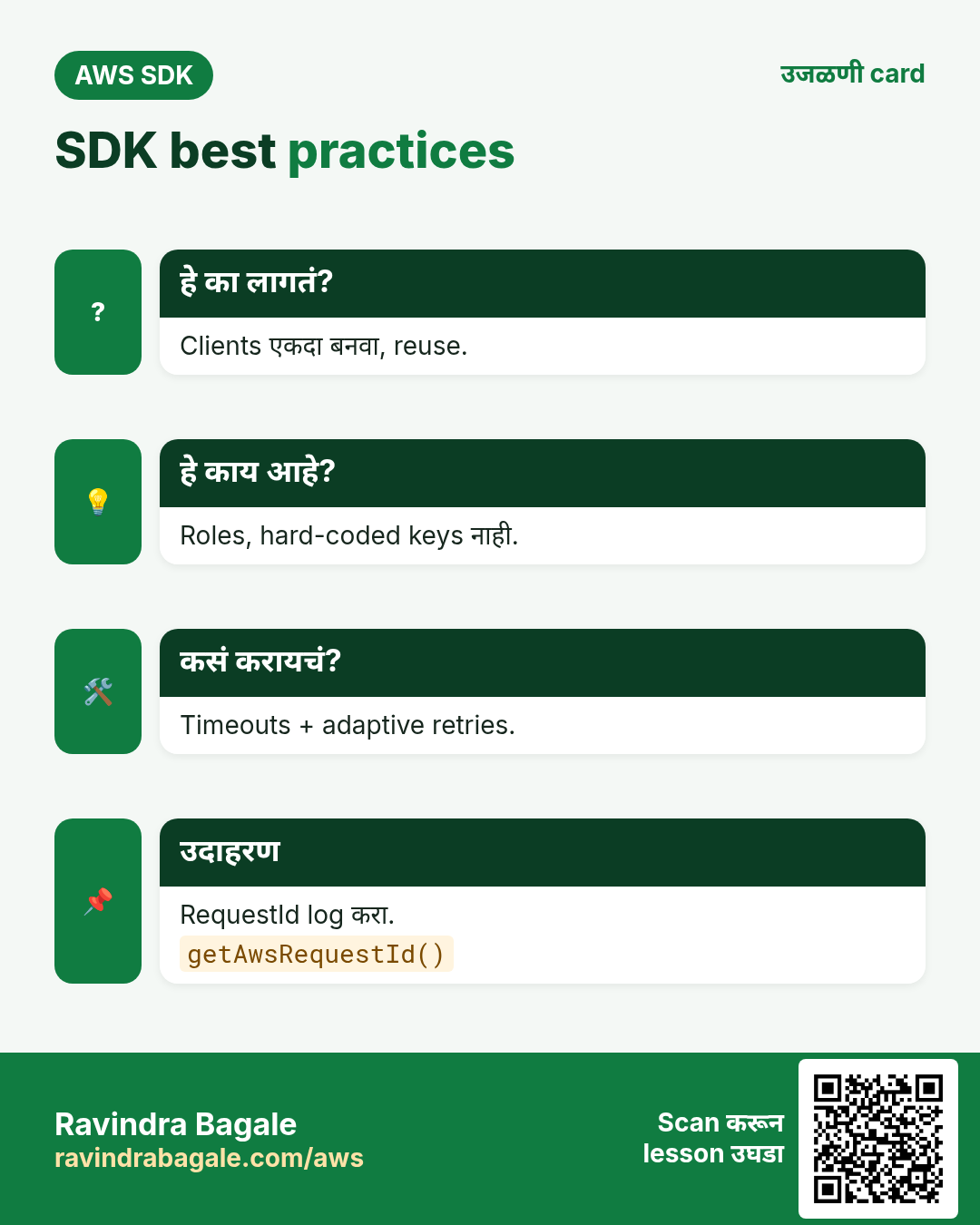
Clients एकदाच बनवा व reuse करा. Keys hard-code करू नका; roles व default credential chain वापरा. Timeouts व adaptive retries ठेवा. Paginators वापरा. Errors वर RequestId log करा. Least-privilege IAM.
कसं करायचं (step by step)
- Python: timeouts व retries.
from botocore.config import Config
cfg = Config(connect_timeout=3, read_timeout=10, retries={"mode": "adaptive", "max_attempts": 5})
s3 = boto3.client("s3", region_name="ap-southeast-2", config=cfg)   # create once, reuse
print(s3.meta.config.retries["mode"])
अपेक्षित output:
adaptive- Node.js: client handler बाहेर reuse.
import { S3Client } from "@aws-sdk/client-s3";
import { NodeHttpHandler } from "@smithy/node-http-handler";
const s3 = new S3Client({ region: "ap-south-1", maxAttempts: 5, retryMode: "adaptive",
  requestHandler: new NodeHttpHandler({ connectionTimeout: 3000, requestTimeout: 10000 }) });
export const handler = async () => ({ ok: true });   // s3 reused across invocations
console.log(await s3.config.retryMode());
अपेक्षित output:
adaptive- PHP: failure वर request id log.
try {
  $s3->getObject(["Bucket" => "receipts-ldn", "Key" => "missing.jpg"]);
} catch (Aws\S3\Exception\S3Exception $e) {
  error_log($e->getAwsErrorCode() . " " . $e->getAwsRequestId());
  echo $e->getAwsErrorCode(), PHP_EOL;
}
अपेक्षित output:
NoSuchKey- Code कोणती identity वापरतो ते verify.
aws sts get-caller-identity --query Arn --output textअपेक्षित output:
arn:aws:sts::111122223333:assumed-role/receipts-app/i-0abc6. हीच action Python, Node.js, Java, Go, .NET आणि PHP मध्ये
हे का लागतं?
Scripts CLI मध्ये सुरू होतात. Apps तोच API SDK मधून call करतात. दोन्ही माहीत असले की test केलेली command थेट code मध्ये नेता येते.
हे काय आहे?
प्रत्येक CLI command म्हणजे एक API call. उदा. aws s3api put-object ... म्हणजे PutObject API.
कसं करायचं (step by step)
हीच action (SendMessage) code मधून. प्रत्येक SDK CLI सारखेच profile, region आणि credentials वाचतो.
| Stack | Code |
|---|---|
| AWS CLI | aws s3api put-object --bucket receipts-syd --key olivia/r-1.jpg --body r.jpg |
| Java v2 | s3.putObject(b -> b.bucket("receipts-syd").key("olivia/r-1.jpg"), RequestBody.fromBytes(bytes)); |
| Go v2 | client.PutObject(ctx, &s3.PutObjectInput{Bucket: aws.String("receipts-syd"), Key: aws.String(key), Body: r}) |
| .NET | await s3.PutObjectAsync(new PutObjectRequest { BucketName = "receipts-syd", Key = key, InputStream = stream }); |
7. काहीही खर्च चालू राहू नये म्हणून cleanup
हे का लागतं?
चालू ठेवलेले lab resources पैसे खातात आणि security risk बनतात.
हे काय आहे?
उलट्या क्रमाने delete करा: आधी children, मग parents.
कसं करायचं (step by step)
- Test bucket, table व queue delete (mocks ला cleanup नाही).
aws s3 rb s3://receipts-syd --force
aws dynamodb delete-table --table-name Expenses
aws sqs delete-queue --queue-url $QUEUE_URL
अपेक्षित output:
(no output means success)Ravindra Bagale's Tip
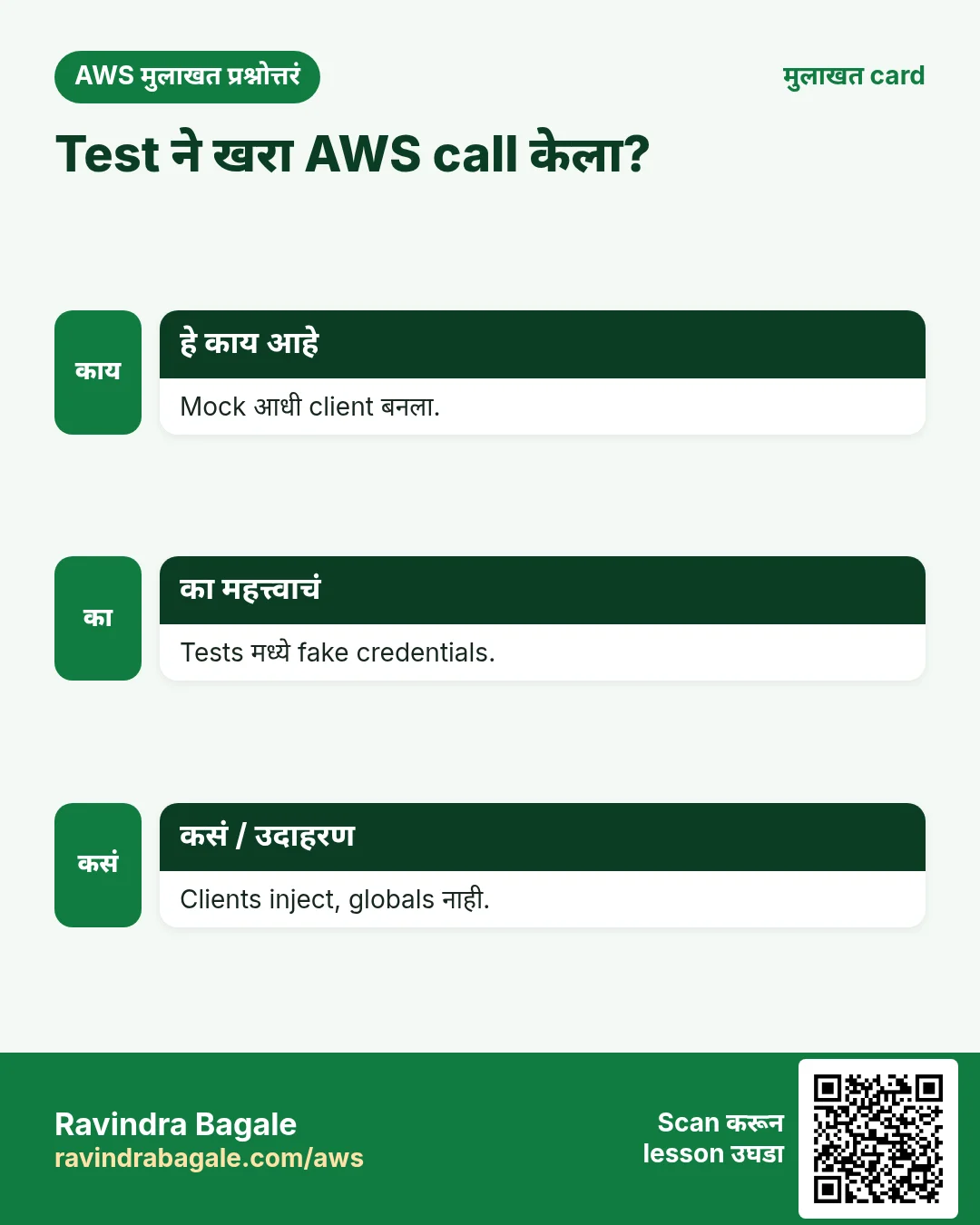
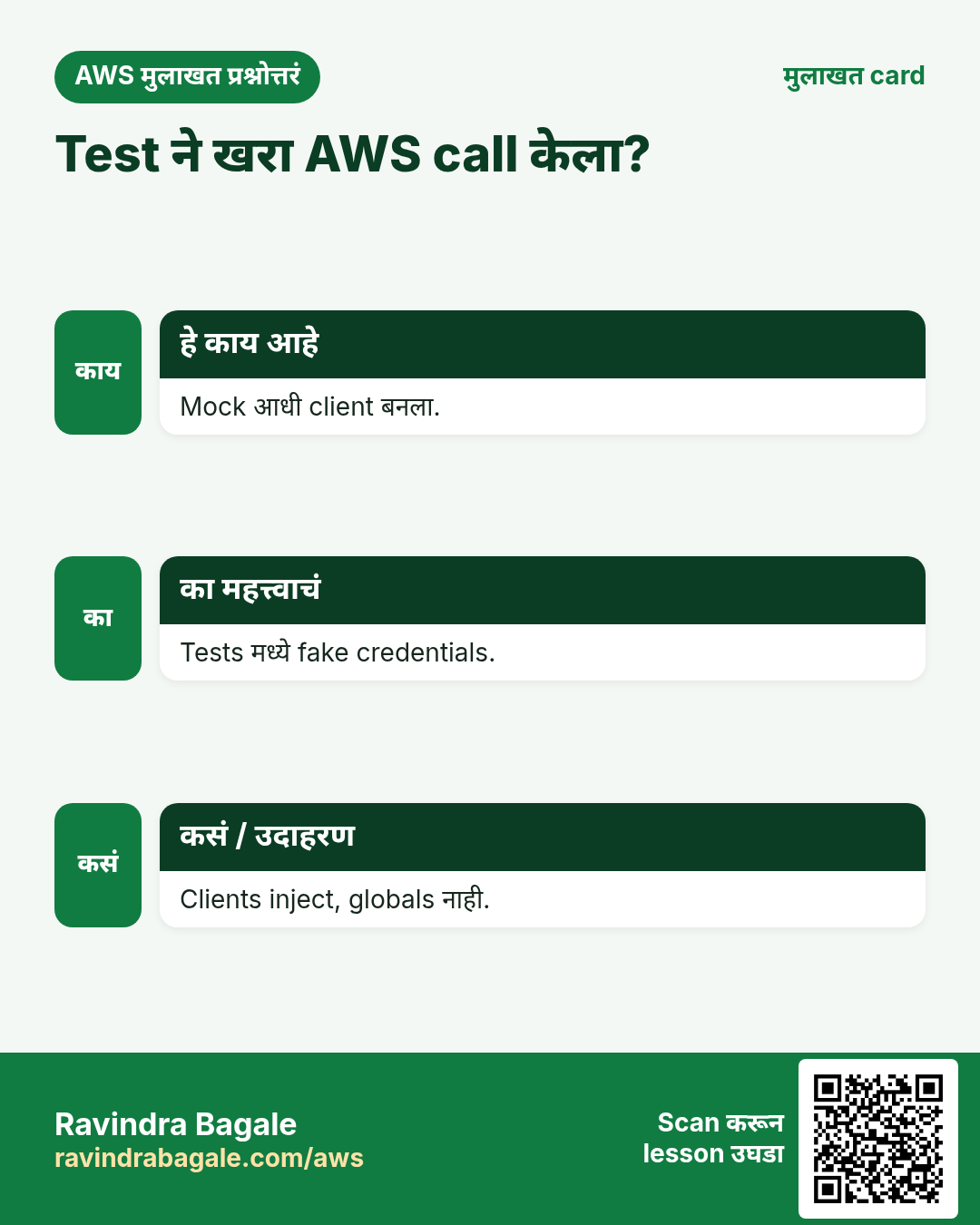
Functions आत clients बनवण्याऐवजी बाहेरून द्या. ही एक सवय प्रत्येक भाषेतील प्रत्येक test सोपी करते.
8. मुलाखत प्रश्न आणि उत्तरं
प्र. Python mocking library?
moto किंवा Stubber.
प्र. Node.js v3 mocking?
aws-sdk-client-mock.
प्र. PHP mocking?
Aws\MockHandler.
प्र. Lambda मध्ये clients कुठे?
Handler बाहेर.
प्र. RequestId का log?
AWS Support trace करू शकतो.
घरी करून बघा
- SQS message body मध्ये receipt id आहे हे तपासणारी moto test जोडा.
- PHP मध्ये MockHandler ने AccessDenied error द्या आणि code friendly message दाखवतो हे assert करा.
थोडक्यात सांगायचं तर
- Clients inject करा.
- Python साठी moto.
- Node.js साठी aws-sdk-client-mock.
- PHP साठी MockHandler.
- Clients reuse, retries, least privilege.
सराव Tasks
Konkan Cashews हा रत्नागिरी मधला अन्न निर्यात व्यवसाय आहे. Prakash Sawant त्यांचं IT व cloud काम पाहतात. त्यांचे पैसे INR मध्ये मोजले जातात आणि AWS resources ap-south-1 Region मध्ये चालतात. खालच्या tasks मध्ये तुम्ही या lesson मध्ये शिकलेलं वापरून त्यांची खरी कामं करता. सगळी नावं, account IDs, IP addresses व numbers सरावासाठी काल्पनिक आहेत.
0 / 12
सोपं एक function invoke
का: Caller ने फक्त लागणारा function invoke करावा.
काय करायचं: फक्त arn:aws:lambda:ap-south-1:103761760951:function:konkancashew-orders-fn वर lambda:InvokeFunction allow करा.
- { "Version": "2012-10-17", "Statement": [ ... ] } ने सुरू करा.
- प्रत्येक statement मध्ये Effect, Action व Resource लिहा.
- Task ला लागेल तेवढंच द्या (least privilege).
- Double quotes व commas नीट वापरा. Check answer दाबा.
सोपं Table describe करा
का: Table चे keys, indexes, item count व status पाहा.
काय करायचं: konkancashew-orders table describe करा.
- Task वाचा आणि ते कोणत्या AWS service बद्दल आहे ते ठरवा.
- aws लिहा, मग service चं नाव, मग operation (action शब्द).
- प्रत्येक आवश्यक flag (--name) व त्यापुढे task मधली value लिहा.
- Flags कोणत्याही क्रमाने चालतात. Check answer दाबा.
मध्यम एका table ला Lambda access
का: Function ला फक्त स्वतःच्या table मध्ये वाचणं/लिहिणं लागतं.
काय करायचं: फक्त arn:aws:dynamodb:ap-south-1:103761760951:table/konkancashew-orders वर dynamodb:GetItem, dynamodb:PutItem, dynamodb:Query allow करा.
- { "Version": "2012-10-17", "Statement": [ ... ] } ने सुरू करा.
- प्रत्येक statement मध्ये Effect, Action व Resource लिहा.
- Task ला लागेल तेवढंच द्या (least privilege).
- Double quotes व commas नीट वापरा. Check answer दाबा.
मध्यम एक Bedrock model allow
का: Apps ना approved model पुरतं मर्यादित ठेवा.
काय करायचं: फक्त arn:aws:bedrock:ap-south-1::foundation-model/amazon.nova-lite-v1:0 वर bedrock:InvokeModel allow करा.
- { "Version": "2012-10-17", "Statement": [ ... ] } ने सुरू करा.
- प्रत्येक statement मध्ये Effect, Action व Resource लिहा.
- Task ला लागेल तेवढंच द्या (least privilege).
- Double quotes व commas नीट वापरा. Check answer दाबा.
मध्यम फक्त servers start/stop
का: Night operator servers start/stop करू शकतो पण terminate नाही.
काय करायचं: Account 103761760951, Region ap-south-1 मधल्या सगळ्या instances वर ec2:StartInstances व ec2:StopInstances, व * वर ec2:DescribeInstances allow करा.
- { "Version": "2012-10-17", "Statement": [ ... ] } ने सुरू करा.
- प्रत्येक statement मध्ये Effect, Action व Resource लिहा.
- Task ला लागेल तेवढंच द्या (least privilege).
- Double quotes व commas नीट वापरा. Check answer दाबा.
मध्यम एका repository मधून images pull
का: CI/servers ने फक्त चालवायच्या images pull कराव्या.
काय करायचं: arn:aws:ecr:ap-south-1:103761760951:repository/konkancashew/web वर ecr:BatchGetImage व ecr:GetDownloadUrlForLayer, आणि * वर ecr:GetAuthorizationToken allow करा.
- { "Version": "2012-10-17", "Statement": [ ... ] } ने सुरू करा.
- प्रत्येक statement मध्ये Effect, Action व Resource लिहा.
- Task ला लागेल तेवढंच द्या (least privilege).
- Double quotes व commas नीट वापरा. Check answer दाबा.
मध्यम Function ला logs लिहू द्या
का: या actions शिवाय Lambda logs CloudWatch मध्ये दिसत नाहीत.
काय करायचं: फक्त arn:aws:logs:*:*:* वर logs:CreateLogGroup, logs:CreateLogStream, logs:PutLogEvents allow करा.
- { "Version": "2012-10-17", "Statement": [ ... ] } ने सुरू करा.
- प्रत्येक statement मध्ये Effect, Action व Resource लिहा.
- Task ला लागेल तेवढंच द्या (least privilege).
- Double quotes व commas नीट वापरा. Check answer दाबा.
मध्यम CloudFormation: on-demand table
का: On-demand tables ला capacity planning नको.
काय करायचं: DynamoDB table konkancashew-orders, partition key orderId (String), PAY_PER_REQUEST.
- Task मधल्या top-level keys पासून सुरू करा.
- Child keys 2 spaces ने indent करा (tabs नकोत).
- प्रत्येक property मध्ये task मधली value भरा.
- Check answer दाबा. Keys चा क्रम महत्त्वाचा नाही.
अवघड Office बाहेरून access deny
का: aws:SourceIp सह explicit Deny इतर ठिकाणांहून keys वापर रोखतो.
काय करायचं: एक Deny statement: source IP 203.0.113.0/24 मध्ये नसेल तेव्हा * resources वर * actions deny.
- { "Version": "2012-10-17", "Statement": [ ... ] } ने सुरू करा.
- प्रत्येक statement मध्ये Effect, Action व Resource लिहा.
- Task ला लागेल तेवढंच द्या (least privilege).
- Double quotes व commas नीट वापरा. Check answer दाबा.
अवघड Key वापरा, manage नाही
का: Apps ना Encrypt/Decrypt; keys फक्त admins बदलतात.
काय करायचं: फक्त arn:aws:kms:ap-south-1:103761760951:key/1234abcd-12ab-34cd-56ef-1234567890ab वर kms:Encrypt, kms:Decrypt, kms:GenerateDataKey allow करा.
- { "Version": "2012-10-17", "Statement": [ ... ] } ने सुरू करा.
- प्रत्येक statement मध्ये Effect, Action व Resource लिहा.
- Task ला लागेल तेवढंच द्या (least privilege).
- Double quotes व commas नीट वापरा. Check answer दाबा.
अवघड एका role साठी PassRole allow
का: Role सह EC2 launch करायला त्या role वर iam:PassRole लागतं.
काय करायचं: फक्त arn:aws:iam::103761760951:role/konkancashew-ec2-role वर iam:PassRole allow करा.
- { "Version": "2012-10-17", "Statement": [ ... ] } ने सुरू करा.
- प्रत्येक statement मध्ये Effect, Action व Resource लिहा.
- Task ला लागेल तेवढंच द्या (least privilege).
- Double quotes व commas नीट वापरा. Check answer दाबा.
अवघड DynamoDB table बनवा
का: On-demand billing म्हणजे per request पैसे, capacity planning नाही.
काय करायचं: konkancashew-orders table बनवा, partition key orderId (string), on-demand billing.
- Task वाचा आणि ते कोणत्या AWS service बद्दल आहे ते ठरवा.
- aws लिहा, मग service चं नाव, मग operation (action शब्द).
- प्रत्येक आवश्यक flag (--name) व त्यापुढे task मधली value लिहा.
- Flags कोणत्याही क्रमाने चालतात. Check answer दाबा.
उजळणी, तुलना आणि मुलाखत cards
हा lesson काही मिनिटांत revise करा. Cards phone वर save करा किंवा PNG download करा. प्रत्येक card वरचा QR हा lesson उघडतो.
अजून cards: Ravi Sir's Cards.