AWS CLI v2 Install आणि Configure कसं करायचं: Profiles, SSO आणि Regions
AWS CLI म्हणजे छोट्या commands टाइप करून AWS चालवणं. या chapter मध्ये install करू, safe login करू आणि CLI account व region कसं निवडतं ते बघू.
या chapter मध्ये तुम्ही काय शिकाल
- Linux, macOS, Windows वर AWS CLI v2 install
- aws configure ने profiles
- aws sso login ने login
- Credentials कोणत्या क्रमाने वाचले जातात
- Region set आणि override करणं
1. मोठं चित्र: AWS CLI म्हणजे काय?
हे का लागतं?
TV चा remote आठवा. TV जवळ जाऊन buttons दाबता येतात (Console). किंवा sofa वरून remote वापरता येतो (CLI). Remote fast असतो आणि रोज तेच button परत दाबता येतं.
हे काय आहे?
AWS CLI म्हणजे aws नावाचा एक program. तुम्ही aws <service> <action> --options टाइप करता. तो API call बनवतो, तुमच्या keys ने sign करतो आणि reply दाखवतो.
कसं करायचं (step by step)
2. AWS CLI v2 install करा
हे का लागतं?
Machine वर CLI नसेल तर एकही command चालणार नाही. Version 1 जुनं आहे. Version 2 मध्ये SSO login आणि चांगलं output आहे.
हे काय आहे?
AWS v2 एकाच installer मध्ये देतं, आत स्वतःचा Python असतो. pip लागत नाही. AWS CloudShell मध्ये आधीच असतं.
कसं करायचं (step by step)
- Linux: download, unzip, install.
curl "https://awscli.amazonaws.com/awscli-exe-linux-x86_64.zip" -o awscliv2.zip
unzip -q awscliv2.zip
sudo ./aws/install
अपेक्षित output:
You can now run: /usr/local/bin/aws --version- macOS: pkg download करून install.
curl "https://awscli.amazonaws.com/AWSCLIV2.pkg" -o AWSCLIV2.pkg
sudo installer -pkg AWSCLIV2.pkg -target /
अपेक्षित output:
installer: The install was successful.- Windows (PowerShell admin): MSI चालवा.
msiexec.exe /i https://awscli.amazonaws.com/AWSCLIV2.msiअपेक्षित output:
(no output means success)- Install verify करा.
aws --versionअपेक्षित output:
aws-cli/2.x.x Python/3.x.x Linux/... exe/x86_64- bash मध्ये auto-complete (optional).
complete -C '/usr/local/bin/aws_completer' aws
aws ec2 desc<TAB>
अपेक्षित output:
aws ec2 describe-3. Access keys ने profile configure करा
हे का लागतं?
CLI ला तुम्ही कोण आणि कोणता region हे कळायला हवं. नाहीतर "Unable to locate credentials" येतो.
हे काय आहे?
Profile म्हणजे settings चा नावाचा set. दोन files: ~/.aws/credentials (keys) आणि ~/.aws/config (region, output). --profile नसेल तर default वापरला जातो.
कसं करायचं (step by step)
- default profile बनवा. फक्त lab IAM user च्या keys.
aws configureअपेक्षित output:
AWS Access Key ID [None]: AKIA...
AWS Secret Access Key [None]: ****
Default region name [None]: ap-south-1
Default output format [None]: json- दुसरा named profile.
aws configure --profile devअपेक्षित output:
(no output means success)- लिहिलेल्या files बघा.
cat ~/.aws/configअपेक्षित output:
[default]
region = ap-south-1
output = json
[profile dev]
region = ap-south-1- सगळे profiles list करा.
aws configure list-profilesअपेक्षित output:
default
dev- आत्ता CLI काय वापरेल ते बघा.
aws configure list --profile devअपेक्षित output:
      Name      Value          Type    Location
   profile        dev        manual   --profile
access_key ****ABCD shared-credentials-file
region ap-south-1 config-file ~/.aws/config- Login verify करा.
aws sts get-caller-identity --profile devअपेक्षित output:
{
  "UserId": "AIDA...",
  "Account": "111122223333",
  "Arn": "arn:aws:iam::111122223333:user/dev-user"
}
4. IAM Identity Center ने login (aws sso login)
हे का लागतं?
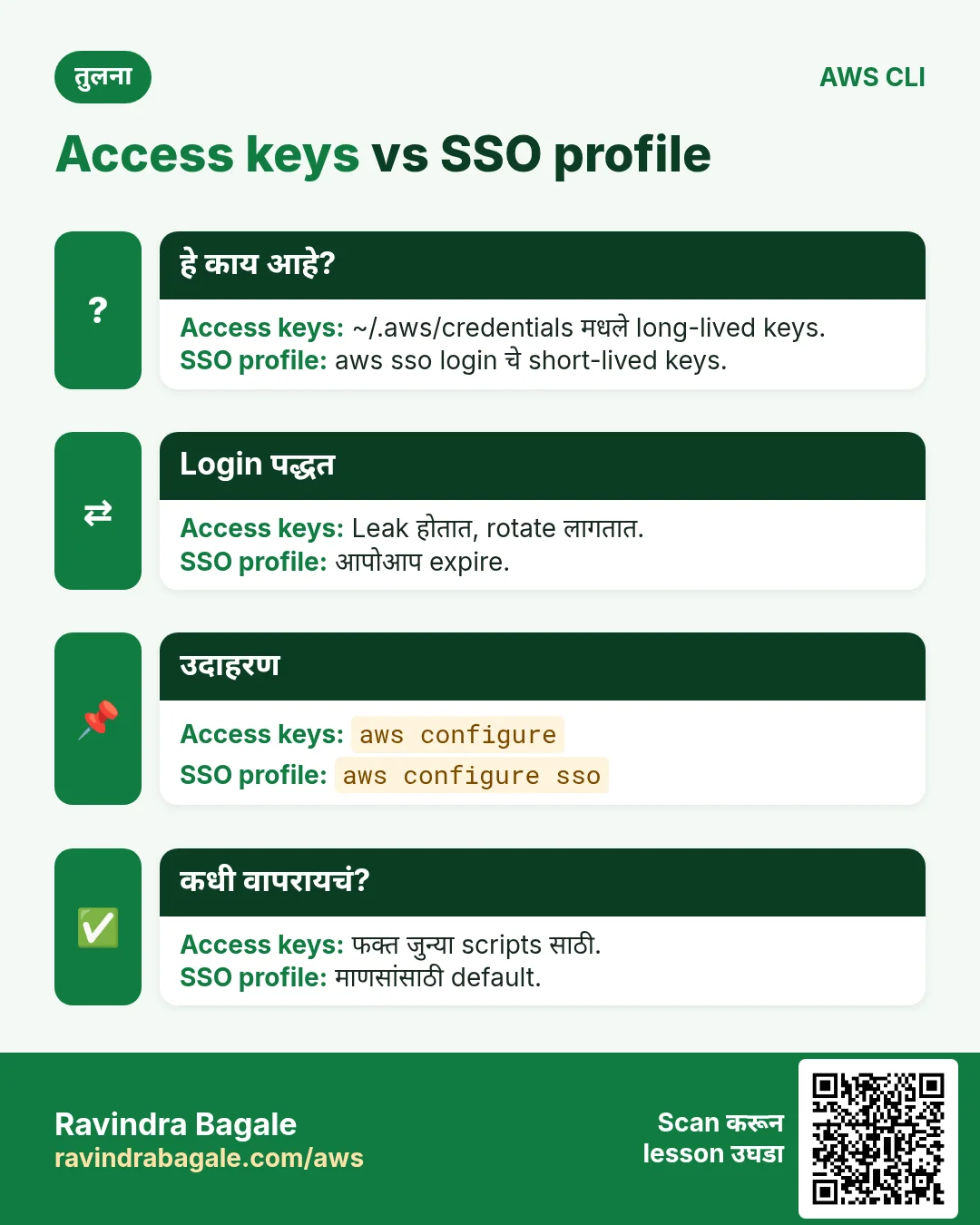
Laptop वरच्या long-lived keys leak होऊ शकतात. SSO short-lived keys देतो, त्या आपोआप expire होतात.
हे काय आहे?
aws configure sso SSO session आणि profile save करतो. aws sso login browser उघडतो, approve केलं की CLI temporary keys cache करतो.
कसं करायचं (step by step)
- SSO wizard सुरू करा. तुमची portal URL.
aws configure ssoअपेक्षित output:
SSO session name: my-sso
SSO start URL: https://d-xxxx.awsapps.com/start
SSO region: ap-south-1
There are 2 AWS accounts available to you.
CLI default client Region: ap-south-1
CLI profile name: sso-dev- Login (रोज).
aws sso login --profile sso-devअपेक्षित output:
Attempting to automatically open the SSO authorization page...
Successfully logged into Start URL: https://d-xxxx.awsapps.com/start- Identity role आहे, user नाही ते verify.
aws sts get-caller-identity --profile sso-devअपेक्षित output:
"Arn": "arn:aws:sts::111122223333:assumed-role/AWSReservedSSO_Dev_abc/ravi"- काम झालं की logout.
aws sso logoutअपेक्षित output:
(no output means success)5. Credentials precedence: कोण जिंकतं?
हे का लागतं?
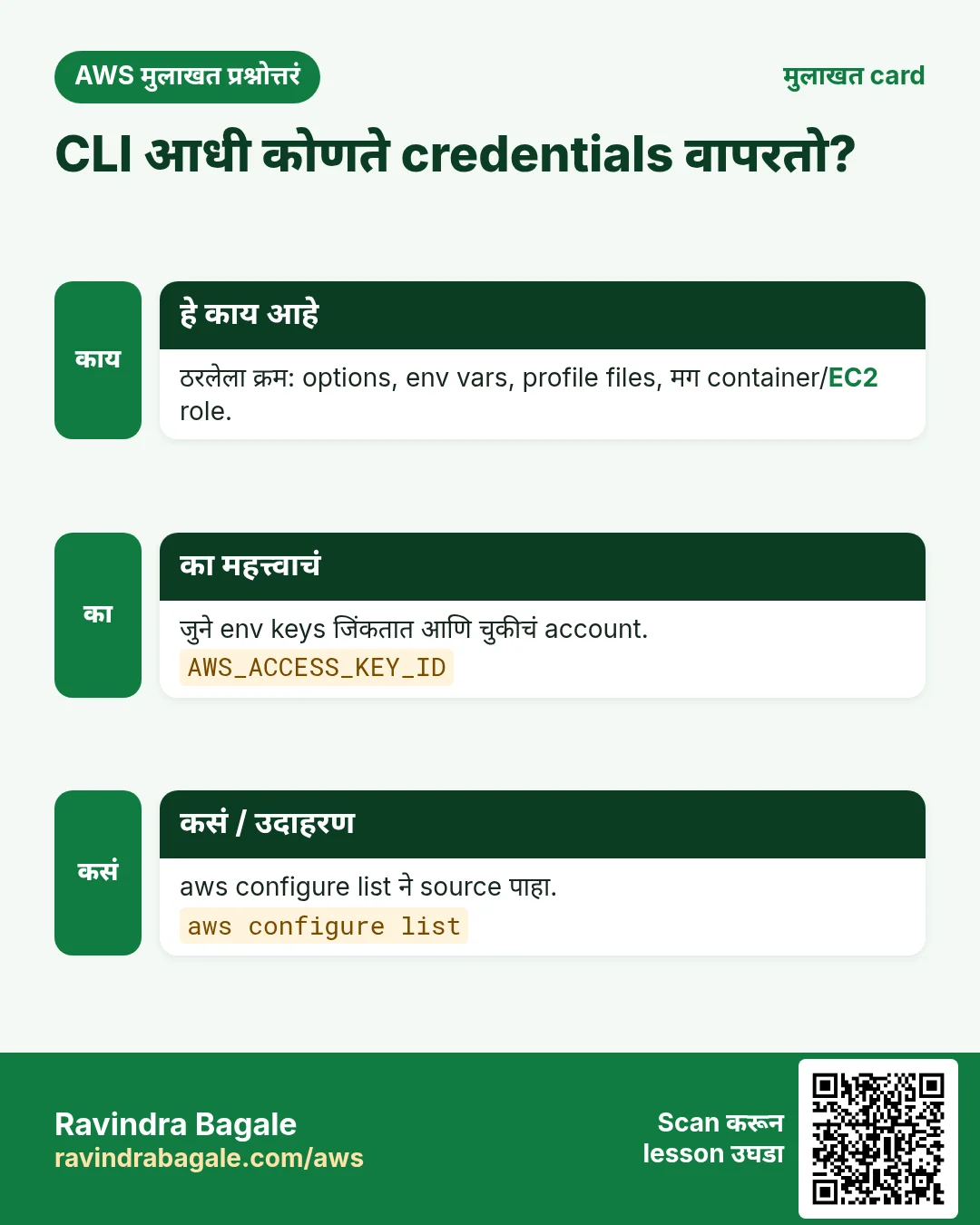
"Wrong account" चुका बहुतेक वेळा जुन्या env variable मुळे होतात, तो profile ला गुपचूप मागे टाकतो.
हे काय आहे?
CLI ठरलेल्या क्रमाने sources तपासतो आणि पहिला सापडला की थांबतो.
| क्रम | Source | उदाहरण |
|---|---|---|
| 1 | Command line options | --profile dev, --region |
| 2 | Environment variables | AWS_ACCESS_KEY_ID, AWS_PROFILE |
| 3 | Web identity token | AWS_WEB_IDENTITY_TOKEN_FILE (EKS, GitHub OIDC) |
| 4 | Shared files | ~/.aws/credentials, ~/.aws/config (incl. SSO) |
| 5 | Container credentials | ECS task role |
| 6 | EC2 instance metadata | Instance profile role |
कसं करायचं (step by step)
- Env keys set आहेत का बघा.
env | grep ^AWS_अपेक्षित output:
AWS_ACCESS_KEY_ID=AKIA...OLD- ते काढा.
unset AWS_ACCESS_KEY_ID AWS_SECRET_ACCESS_KEY AWS_SESSION_TOKENअपेक्षित output:
(no output means success)- पूर्ण shell साठी profile निवडा.
export AWS_PROFILE=devअपेक्षित output:
(no output means success)- आता कोण आहात verify करा.
aws sts get-caller-identity --query Arn --output textअपेक्षित output:
arn:aws:iam::111122223333:user/dev-user6. Regions: set, override आणि list
हे का लागतं?
Resources एका region मध्ये असतात. CLI चुकीच्या region मध्ये बघत असेल तर server चालू असूनही "काही नाही" दाखवतो.
हे काय आहे?
Region क्रम: --region flag, मग AWS_REGION/AWS_DEFAULT_REGION, मग profile region.
कसं करायचं (step by step)
- वापरात असलेला region.
aws configure get regionअपेक्षित output:
ap-south-1- एक command दुसऱ्या region मध्ये.
aws ec2 describe-instances --region us-east-1 --query "length(Reservations)"अपेक्षित output:
0- Profile default बदला.
aws configure set region ap-south-1 --profile devअपेक्षित output:
(no output means success)- Account साठी enabled regions.
aws ec2 describe-regions --query "Regions[].RegionName" --output textअपेक्षित output:
ap-south-1 eu-north-1 us-east-1 ...7. हीच action Python, Node.js, Java, Go, .NET आणि PHP मध्ये
हे का लागतं?
Scripts CLI मध्ये सुरू होतात. Apps तोच API SDK मधून call करतात. दोन्ही माहीत असले की test केलेली command थेट code मध्ये नेता येते.
हे काय आहे?
प्रत्येक CLI command म्हणजे एक API call. उदा. aws sts get-caller-identity म्हणजे GetCallerIdentity API.
कसं करायचं (step by step)
हीच action (GetCallerIdentity) code मधून. प्रत्येक SDK CLI सारखेच profile, region आणि credentials वाचतो.
| Stack | Code |
|---|---|
| Python (boto3) | import boto3 |
| Node.js (v3) | import { STSClient, GetCallerIdentityCommand } from "@aws-sdk/client-sts"; |
| Java (v2) | StsClient sts = StsClient.create(); |
| Go (v2) | cfg, _ := config.LoadDefaultConfig(ctx, config.WithSharedConfigProfile("dev")) |
| .NET | var sts = new AmazonSecurityTokenServiceClient(); |
| PHP | $sts = new Aws\Sts\StsClient(["region"=>"ap-south-1","version"=>"latest","profile"=>"dev"]); |
8. काहीही खर्च चालू राहू नये म्हणून cleanup
हे का लागतं?
चालू ठेवलेले lab resources पैसे खातात आणि security risk बनतात.
हे काय आहे?
उलट्या क्रमाने delete करा: आधी children, मग parents.
कसं करायचं (step by step)
- IAM user साठी बनवलेल्या lab keys delete करा.
aws iam list-access-keys --user-name dev-user
aws iam delete-access-key --user-name dev-user --access-key-id AKIA...
अपेक्षित output:
(no output means success)- गरज नसेल तर ~/.aws/credentials मधल्या profile lines काढा.
nano ~/.aws/credentialsअपेक्षित output:
(no output means success)Ravindra Bagale's Tip
रोज पहिली command aws sts get-caller-identity ठेवा. काही बदलण्याआधी account आणि identity कळते.
9. मुलाखत प्रश्न आणि उत्तरं
प्र. aws configure कोणत्या files लिहितो?
Keys ~/.aws/credentials मध्ये, region/output/SSO ~/.aws/config मध्ये.
प्र. Env vars की profile, कोण जिंकतो?
Env vars shared files वर जिंकतात. Command line options दोघांवर.
प्र. aws sso login का?
Short-lived role creds मिळतात. Laptop वर long-lived keys नाहीत.
प्र. एक command दुसऱ्या region मध्ये कशी?
त्याच command ला --region us-east-1 द्या.
प्र. "Unable to locate credentials" म्हणजे?
Chain मध्ये कुठेच keys नाहीत. aws configure किंवा aws sso login करा.
घरी करून बघा
- CLI install करा, दोन profiles बनवा, दोघांचा Arn get-caller-identity ने print करा.
- env मध्ये चुकीचा AWS_ACCESS_KEY_ID set करून error बघा. मग unset करा.
थोडक्यात सांगायचं तर
- aws --version ने install prove.
- Profiles ~/.aws मध्ये.
- aws sso login = short-lived keys.
- Flags > env vars > files.
- आधी region आणि identity तपासा.
सराव Tasks
Konkan Cashews हा रत्नागिरी मधला अन्न निर्यात व्यवसाय आहे. Prakash Sawant त्यांचं IT व cloud काम पाहतात. त्यांचे पैसे INR मध्ये मोजले जातात आणि AWS resources ap-south-1 Region मध्ये चालतात. खालच्या tasks मध्ये तुम्ही या lesson मध्ये शिकलेलं वापरून त्यांची खरी कामं करता. सगळी नावं, account IDs, IP addresses व numbers सरावासाठी काल्पनिक आहेत.
0 / 12
सोपं Named profile configure करा
का: Profiles वेगवेगळ्या accounts च्या keys वेगळ्या ठेवतात.
काय करायचं: konkancashew-prod नावाच्या profile साठी interactive setup सुरू करा.
- Task वाचा आणि ते कोणत्या AWS service बद्दल आहे ते ठरवा.
- aws लिहा, मग service चं नाव, मग operation (action शब्द).
- प्रत्येक आवश्यक flag (--name) व त्यापुढे task मधली value लिहा.
- Flags कोणत्याही क्रमाने चालतात. Check answer दाबा.
सोपं तुम्ही कोण म्हणून login आहात ते पाहा
का: बदल करण्याआधी account व identity नेहमी तपासा.
काय करायचं: तुमचा CLI वापरत असलेल्या identity चा account ID व ARN दाखवा.
- Task वाचा आणि ते कोणत्या AWS service बद्दल आहे ते ठरवा.
- aws लिहा, मग service चं नाव, मग operation (action शब्द).
- प्रत्येक आवश्यक flag (--name) व त्यापुढे task मधली value लिहा.
- Flags कोणत्याही क्रमाने चालतात. Check answer दाबा.
मध्यम Identity Center instances दाखवा
का: SSO admin commands ना instance ARN व identity store ID लागतात.
काय करायचं: IAM Identity Center instances दाखवा.
- Task वाचा आणि ते कोणत्या AWS service बद्दल आहे ते ठरवा.
- aws लिहा, मग service चं नाव, मग operation (action शब्द).
- प्रत्येक आवश्यक flag (--name) व त्यापुढे task मधली value लिहा.
- Flags कोणत्याही क्रमाने चालतात. Check answer दाबा.
मध्यम SSO ने login करा
का: SSO अल्पकालीन keys देतो.
काय करायचं: Profile konkancashew-dev साठी IAM Identity Center ने login करा.
- Task वाचा आणि ते कोणत्या AWS service बद्दल आहे ते ठरवा.
- aws लिहा, मग service चं नाव, मग operation (action शब्द).
- प्रत्येक आवश्यक flag (--name) व त्यापुढे task मधली value लिहा.
- Flags कोणत्याही क्रमाने चालतात. Check answer दाबा.
मध्यम Profile चा default Region ठरवा
का: Profile मध्ये region ठेवल्यास प्रत्येक वेळी --region लिहावं लागत नाही.
काय करायचं: aws configure set वापरून profile konkancashew-prod चा region ap-south-1 करा.
- Task वाचा आणि ते कोणत्या AWS service बद्दल आहे ते ठरवा.
- aws लिहा, मग service चं नाव, मग operation (action शब्द).
- प्रत्येक आवश्यक flag (--name) व त्यापुढे task मधली value लिहा.
- Flags कोणत्याही क्रमाने चालतात. Check answer दाबा.
मध्यम User साठी access keys बनवा
का: Access keys मुळे user AWS CLI चालवू शकतो. सुरक्षित ठेवा व rotate करा.
काय करायचं: prakash user साठी access key बनवा.
- Task वाचा आणि ते कोणत्या AWS service बद्दल आहे ते ठरवा.
- aws लिहा, मग service चं नाव, मग operation (action शब्द).
- प्रत्येक आवश्यक flag (--name) व त्यापुढे task मधली value लिहा.
- Flags कोणत्याही क्रमाने चालतात. Check answer दाबा.
मध्यम Output table मध्ये दाखवा
का: --output table screen वर वाचायला सोपं.
काय करायचं: s3api ने सगळे S3 buckets दाखवा व result table मध्ये.
- Task वाचा आणि ते कोणत्या AWS service बद्दल आहे ते ठरवा.
- aws लिहा, मग service चं नाव, मग operation (action शब्द).
- प्रत्येक आवश्यक flag (--name) व त्यापुढे task मधली value लिहा.
- Flags कोणत्याही क्रमाने चालतात. Check answer दाबा.
मध्यम किती items येतील ते मर्यादित करा
का: --max-items मोठी listing पहिल्या N नंतर थांबवतो.
काय करायचं: s3api ने konkancashew-logs bucket मधले objects, कमाल 50 items.
- Task वाचा आणि ते कोणत्या AWS service बद्दल आहे ते ठरवा.
- aws लिहा, मग service चं नाव, मग operation (action शब्द).
- प्रत्येक आवश्यक flag (--name) व त्यापुढे task मधली value लिहा.
- Flags कोणत्याही क्रमाने चालतात. Check answer दाबा.
अवघड Permission set बनवा
का: Permission set म्हणजे role template.
काय करायचं: Instance arn:aws:sso:::instance/ssoins-1234567890abcdef मध्ये ReadOnly-konkancashew permission set session duration PT8H सह बनवा.
- Task वाचा आणि ते कोणत्या AWS service बद्दल आहे ते ठरवा.
- aws लिहा, मग service चं नाव, मग operation (action शब्द).
- प्रत्येक आवश्यक flag (--name) व त्यापुढे task मधली value लिहा.
- Flags कोणत्याही क्रमाने चालतात. Check answer दाबा.
अवघड फक्त running instances दाखवा
का: Filters मुळे AWS फक्त हवं तेच पाठवतं.
काय करायचं: फक्त state running असलेल्या instances describe करा.
- Task वाचा आणि ते कोणत्या AWS service बद्दल आहे ते ठरवा.
- aws लिहा, मग service चं नाव, मग operation (action शब्द).
- प्रत्येक आवश्यक flag (--name) व त्यापुढे task मधली value लिहा.
- Flags कोणत्याही क्रमाने चालतात. Check answer दाबा.
अवघड --query ने fields निवडा
का: JMESPath --query फक्त हवं ते दाखवतो.
काय करायचं: Instances describe करा पण फक्त instance IDs दाखवा: query Reservations[].Instances[].InstanceId व text output.
- Task वाचा आणि ते कोणत्या AWS service बद्दल आहे ते ठरवा.
- aws लिहा, मग service चं नाव, मग operation (action शब्द).
- प्रत्येक आवश्यक flag (--name) व त्यापुढे task मधली value लिहा.
- Flags कोणत्याही क्रमाने चालतात. Check answer दाबा.
अवघड Instance running होईपर्यंत थांबा
का: Waiters तुमचा script हवं ते state येईपर्यंत थांबवतात.
काय करायचं: Instance i-015d0ab1ab3011a2b running होईपर्यंत थांबा.
- Task वाचा आणि ते कोणत्या AWS service बद्दल आहे ते ठरवा.
- aws लिहा, मग service चं नाव, मग operation (action शब्द).
- प्रत्येक आवश्यक flag (--name) व त्यापुढे task मधली value लिहा.
- Flags कोणत्याही क्रमाने चालतात. Check answer दाबा.
उजळणी, तुलना आणि मुलाखत cards
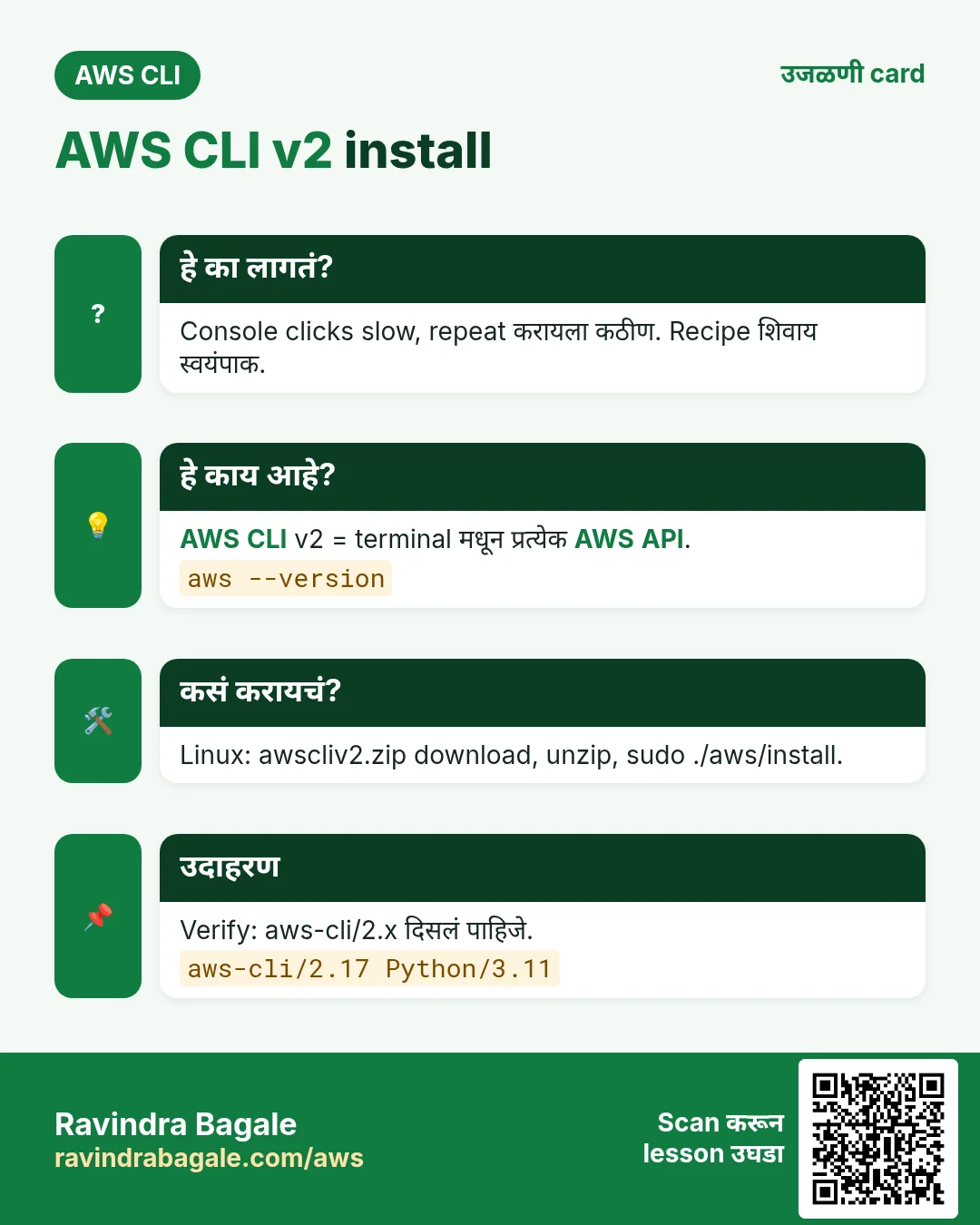
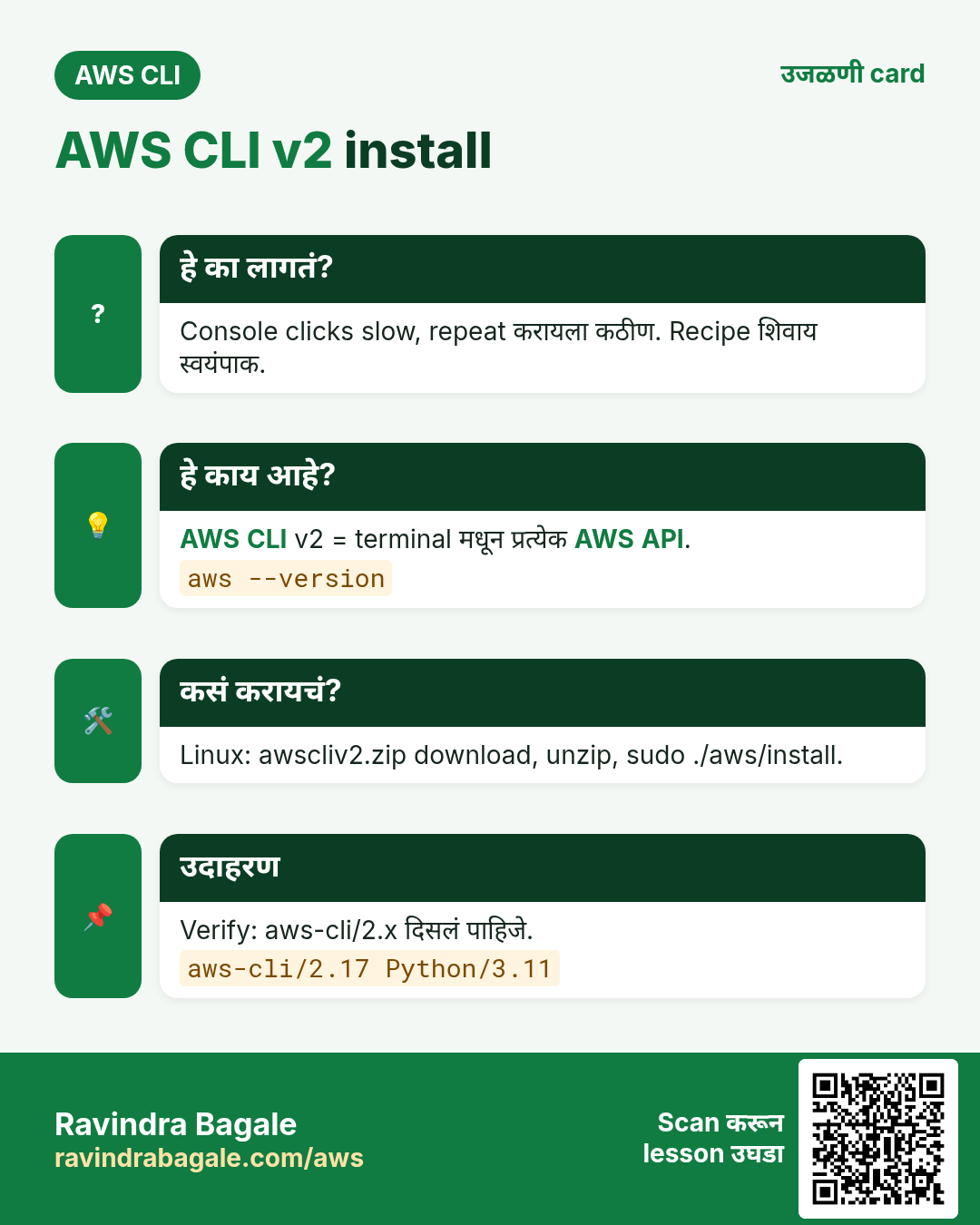
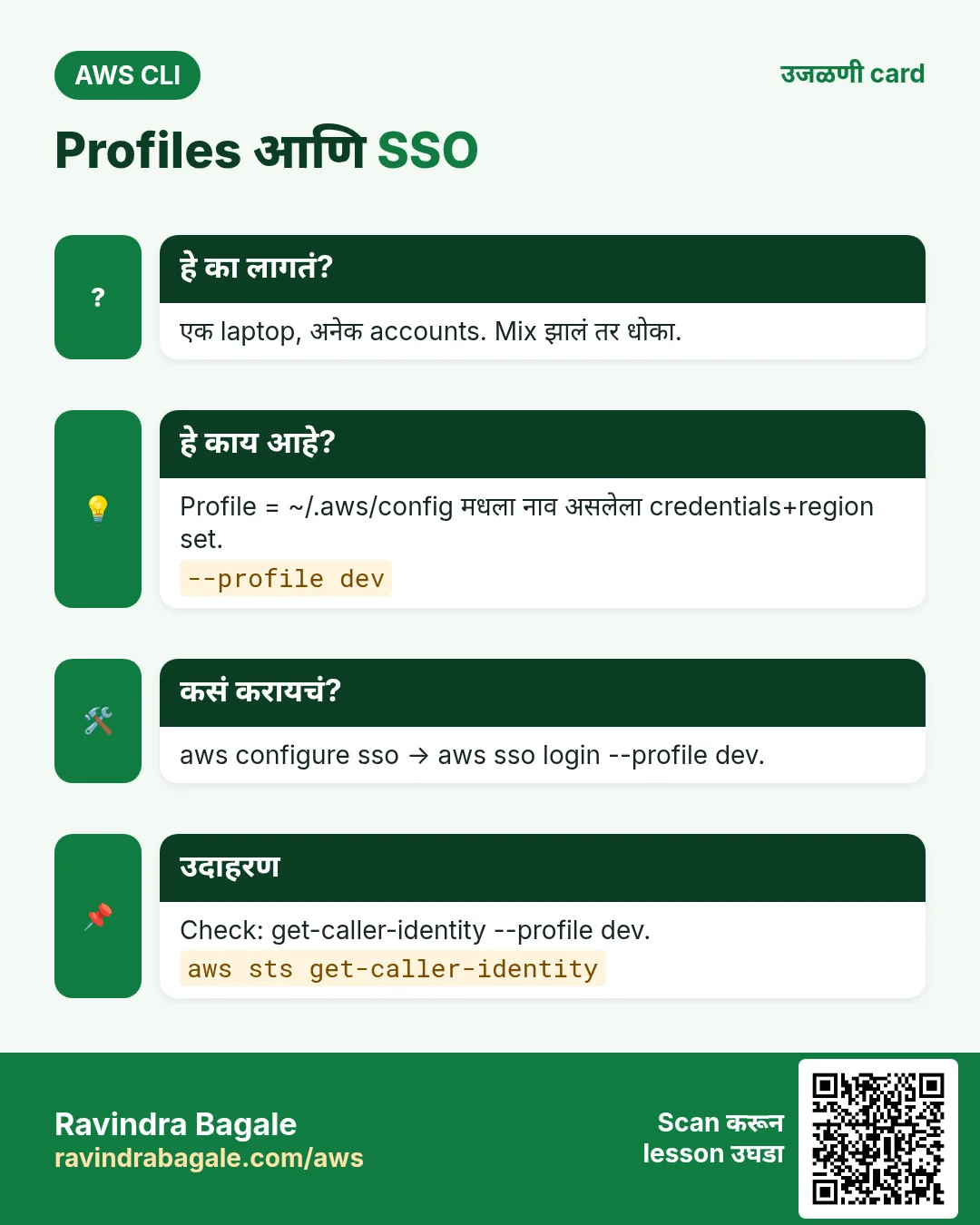
हा lesson काही मिनिटांत revise करा. Cards phone वर save करा किंवा PNG download करा. प्रत्येक card वरचा QR हा lesson उघडतो.
अजून cards: Ravi Sir's Cards.