AWS CLI IAM Commands: Users, Groups, Roles आणि Policies
CLI मधून IAM: users, groups, roles, policies बनवा, attach करा, आणि काय allowed ते test करा. Admins रोज याच commands वापरतात.
या chapter मध्ये तुम्ही काय शिकाल
- Users आणि groups
- Policies बनवा आणि attach
- Trust policy सोबत role
- Permissions simulate
- Audit आणि cleanup
1. मोठं चित्र: commands ने IAM
हे का लागतं?
Office मध्ये HR ID card देतं (user), team मध्ये टाकतं (group), team ला door access (policy). Visitors ना day pass (role).
हे काय आहे?
सगळ्या commands aws iam खाली. IAM global आहे, --region लागत नाही.
कसं करायचं (step by step)
2. Users आणि groups
हे का लागतं?
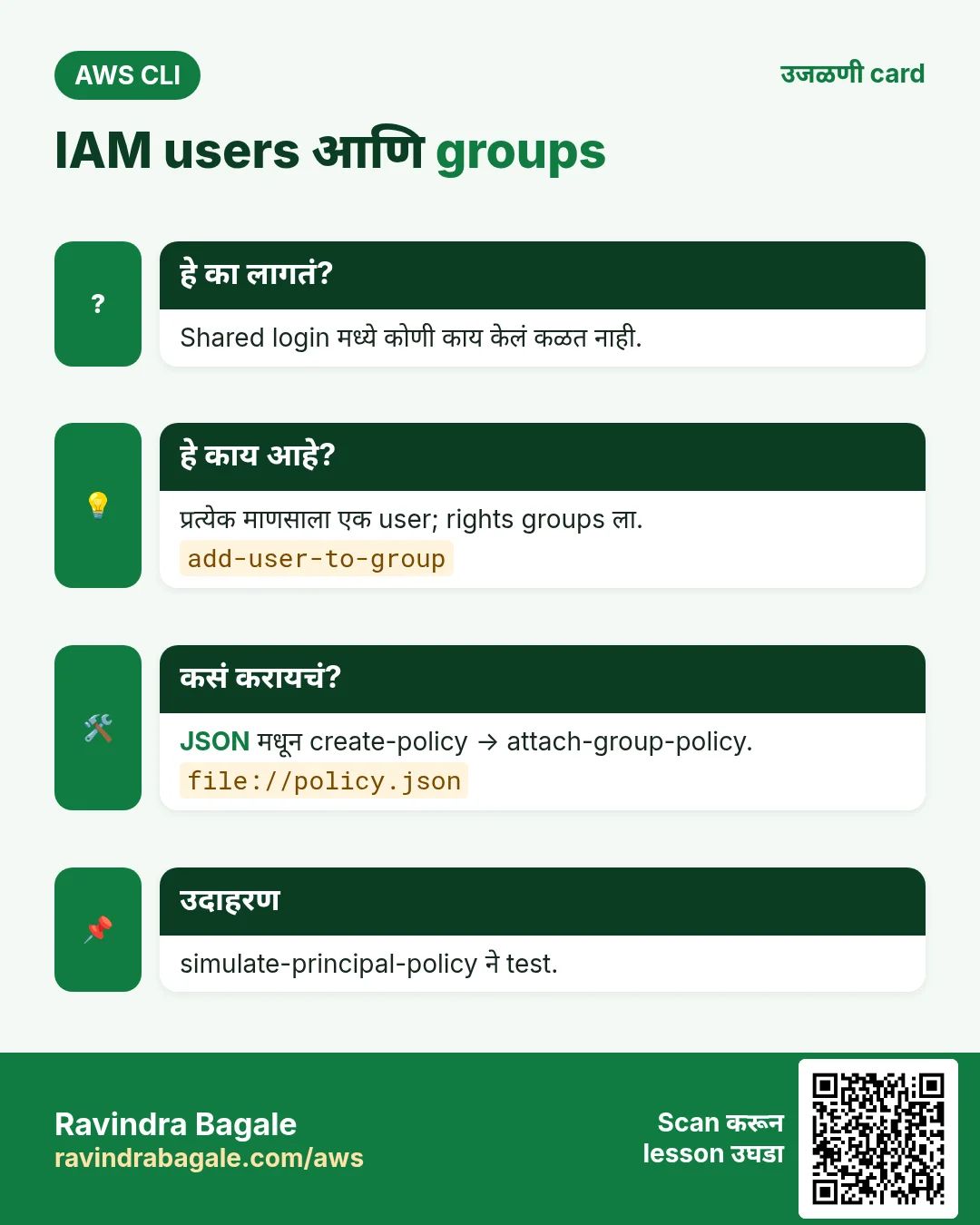
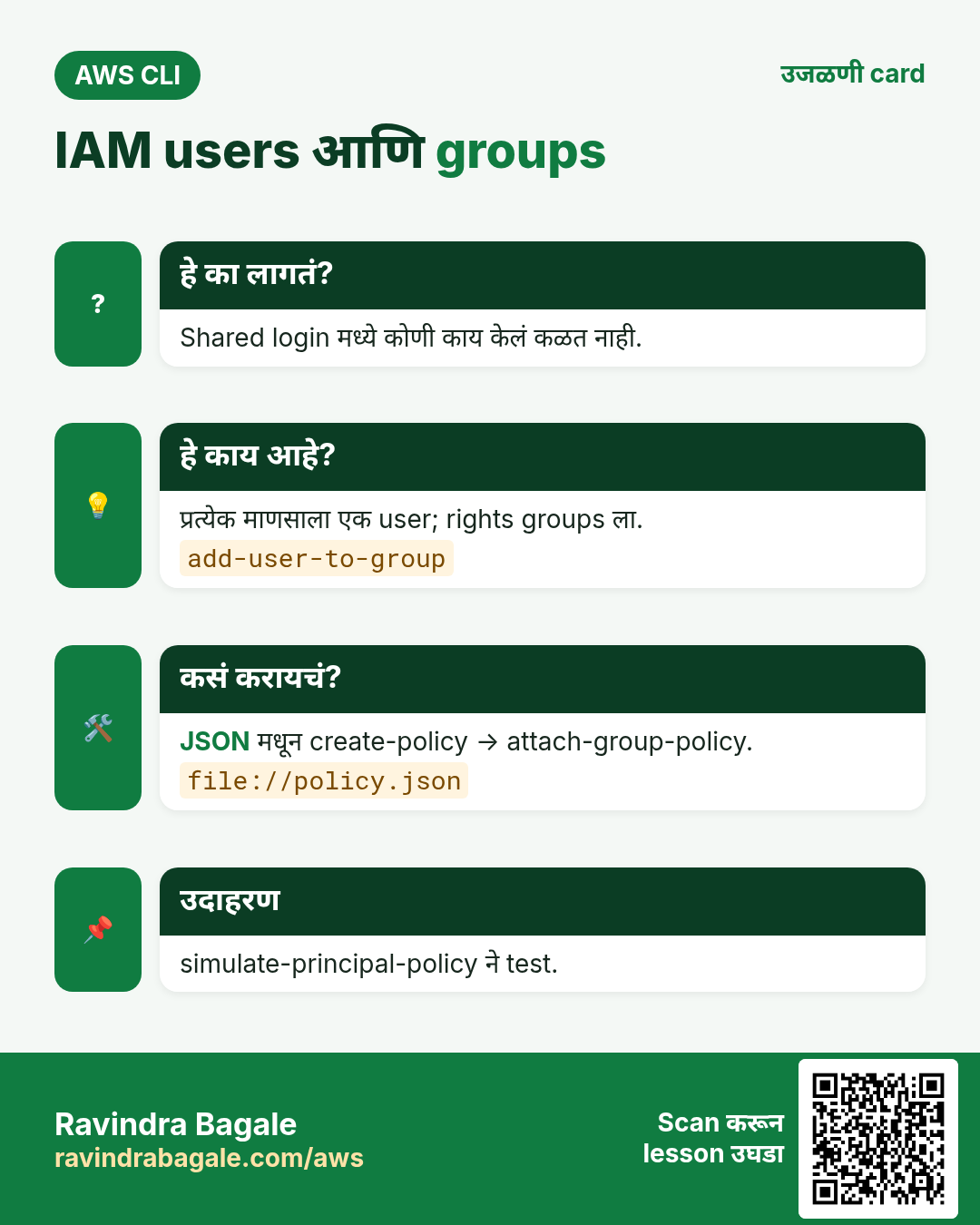
प्रत्येक माणसाला स्वतःची identity हवी, म्हणजे actions trace होतात.
हे काय आहे?
create-user, create-group, add-user-to-group, create-login-profile.
कसं करायचं (step by step)
- Group बनवा.
aws iam create-group --group-name cli-readersअपेक्षित output:
{ "Group": { "GroupName": "cli-readers", "Arn": "arn:aws:iam::111122223333:group/cli-readers" } }- User बनवा.
aws iam create-user --user-name asha --tags Key=Team,Value=dataअपेक्षित output:
{ "User": { "UserName": "asha", "Arn": "arn:aws:iam::111122223333:user/asha" } }- User group मध्ये.
aws iam add-user-to-group --user-name asha --group-name cli-readersअपेक्षित output:
(no output means success)- Reset करावा लागणारा console password.
aws iam create-login-profile --user-name asha --password 'Temp#2026pass' --password-reset-requiredअपेक्षित output:
{ "LoginProfile": { "UserName": "asha", "PasswordResetRequired": true } }- Group members verify.
aws iam get-group --group-name cli-readers --query "Users[].UserName" --output textअपेक्षित output:
asha3. Policies: बनवा आणि attach
हे का लागतं?
Policy नसलेला user काहीच करू शकत नाही. Policy ठरवते काय allowed.
हे काय आहे?
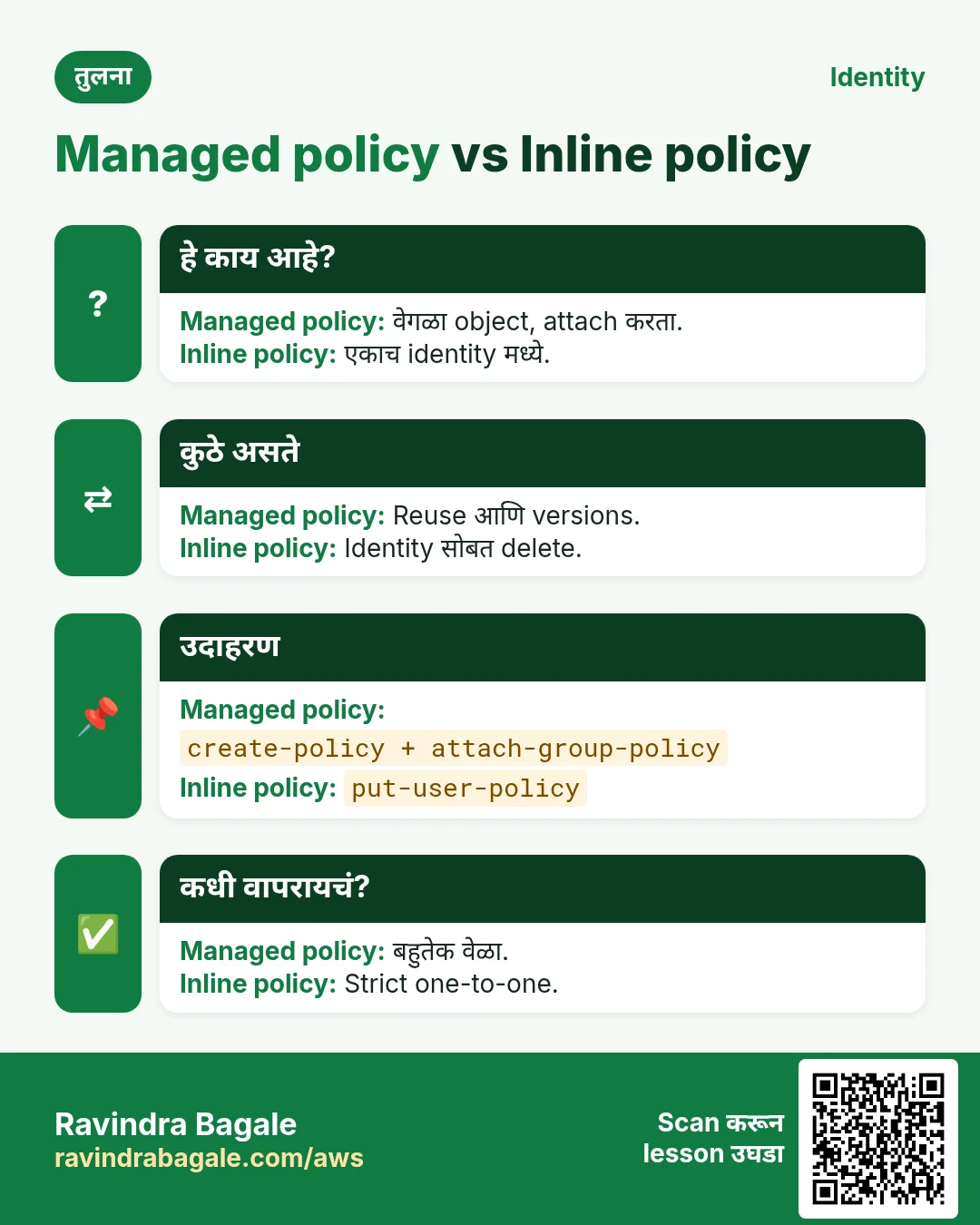
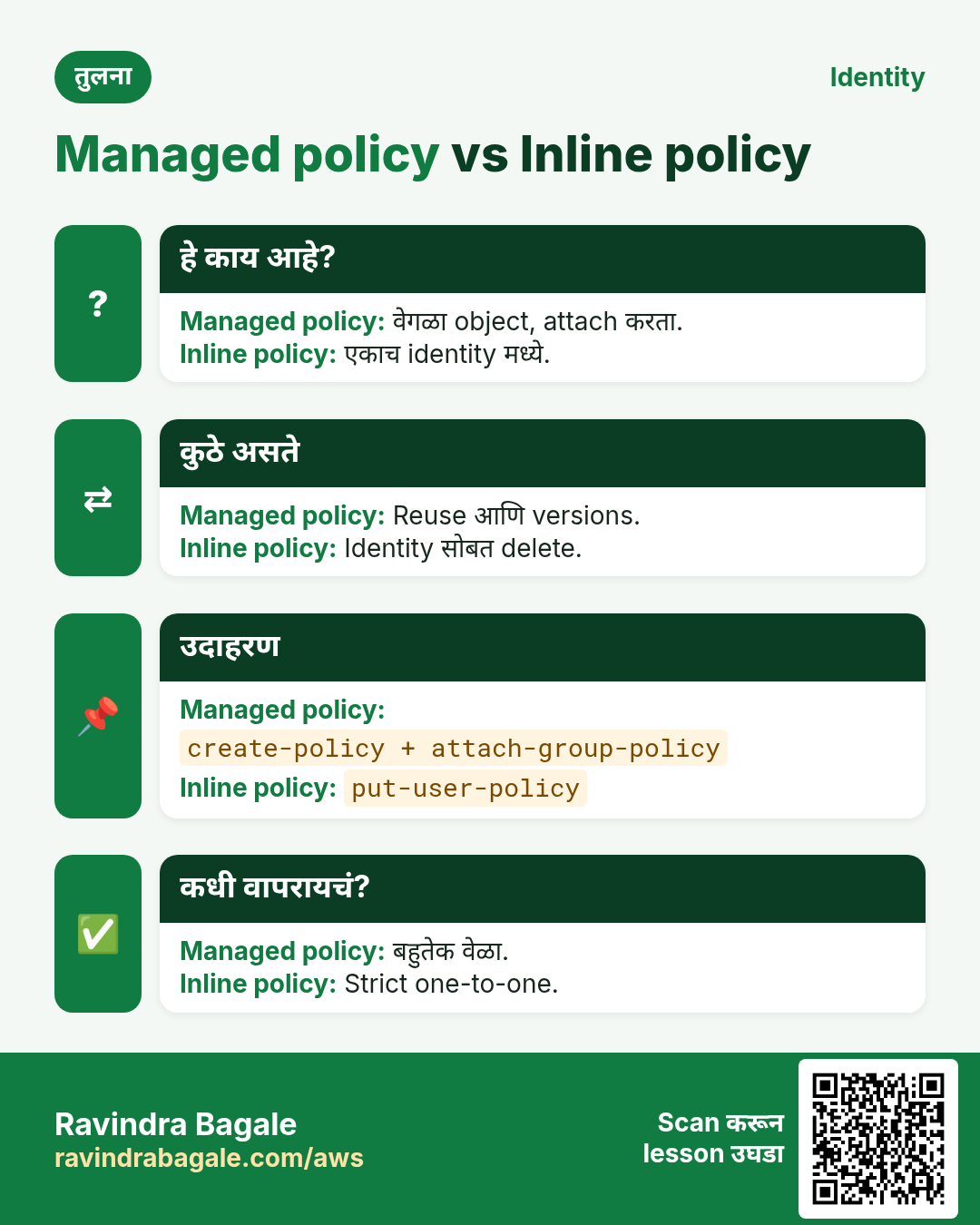
create-policy JSON मधून customer managed policy. attach-*-policy attach. put-user-policy inline.
कसं करायचं (step by step)
- JSON लिहा.
cat > s3read.json <<'J'
{"Version":"2012-10-17","Statement":[{"Effect":"Allow","Action":["s3:ListBucket","s3:GetObject"],"Resource":["arn:aws:s3:::ravi-cli-lab","arn:aws:s3:::ravi-cli-lab/*"]}]}
J
अपेक्षित output:
(no output means success)- Policy बनवा.
POL=$(aws iam create-policy --policy-name cli-s3read --policy-document file://s3read.json --query Policy.Arn --output text)
echo $POL
अपेक्षित output:
arn:aws:iam::111122223333:policy/cli-s3read- Group ला attach.
aws iam attach-group-policy --group-name cli-readers --policy-arn $POLअपेक्षित output:
(no output means success)- Verify.
aws iam list-attached-group-policies --group-name cli-readers --query "AttachedPolicies[].PolicyName" --output textअपेक्षित output:
cli-s3read- AWS managed policy ARN शोधा.
aws iam list-policies --scope AWS --query "Policies[?PolicyName=='ReadOnlyAccess'].Arn" --output textअपेक्षित output:
arn:aws:iam::aws:policy/ReadOnlyAccess- नवीन policy version (edit).
aws iam create-policy-version --policy-arn $POL --policy-document file://s3read.json --set-as-defaultअपेक्षित output:
{ "PolicyVersion": { "VersionId": "v2", "IsDefaultVersion": true } }4. Trust policy सोबत roles
हे का लागतं?
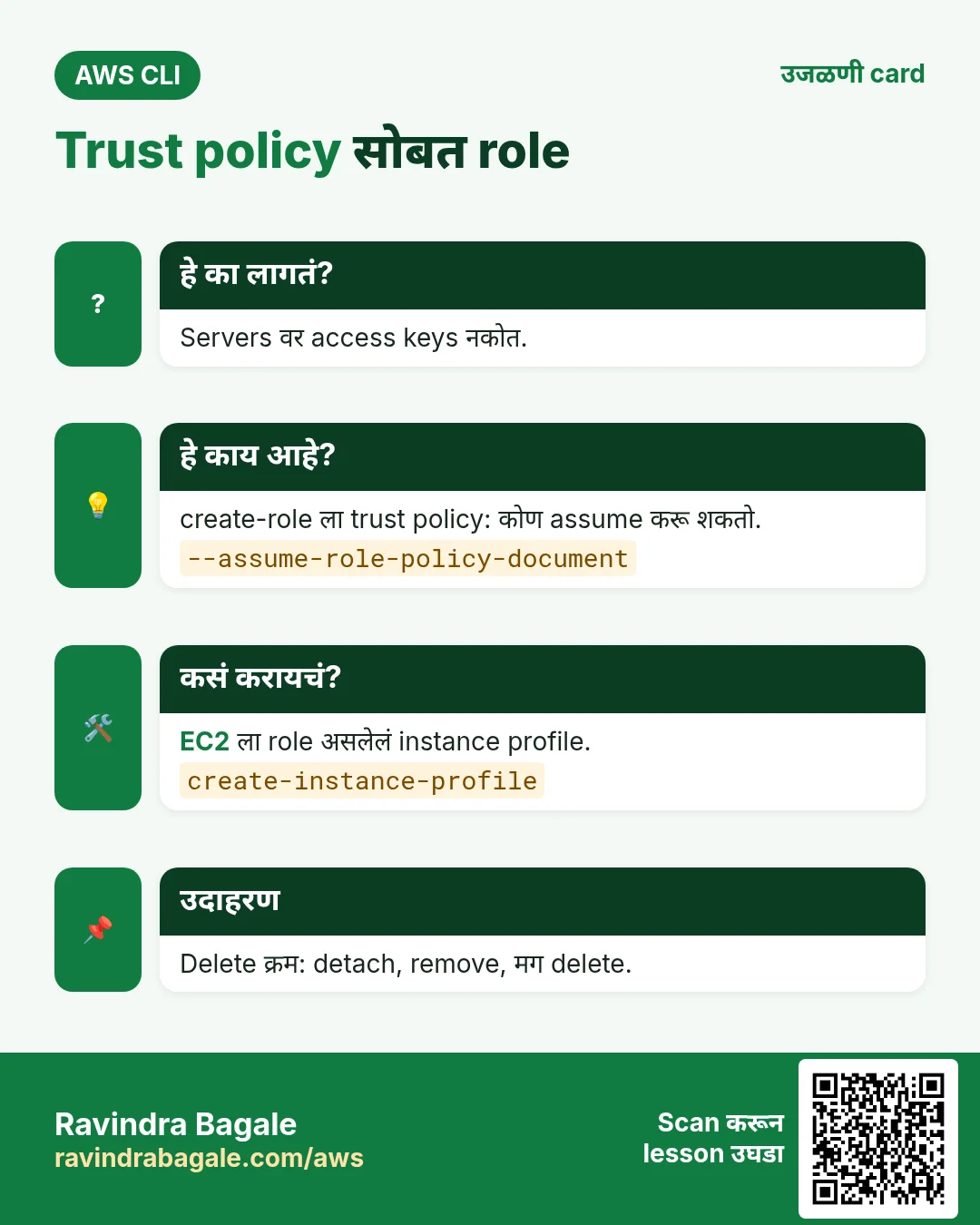
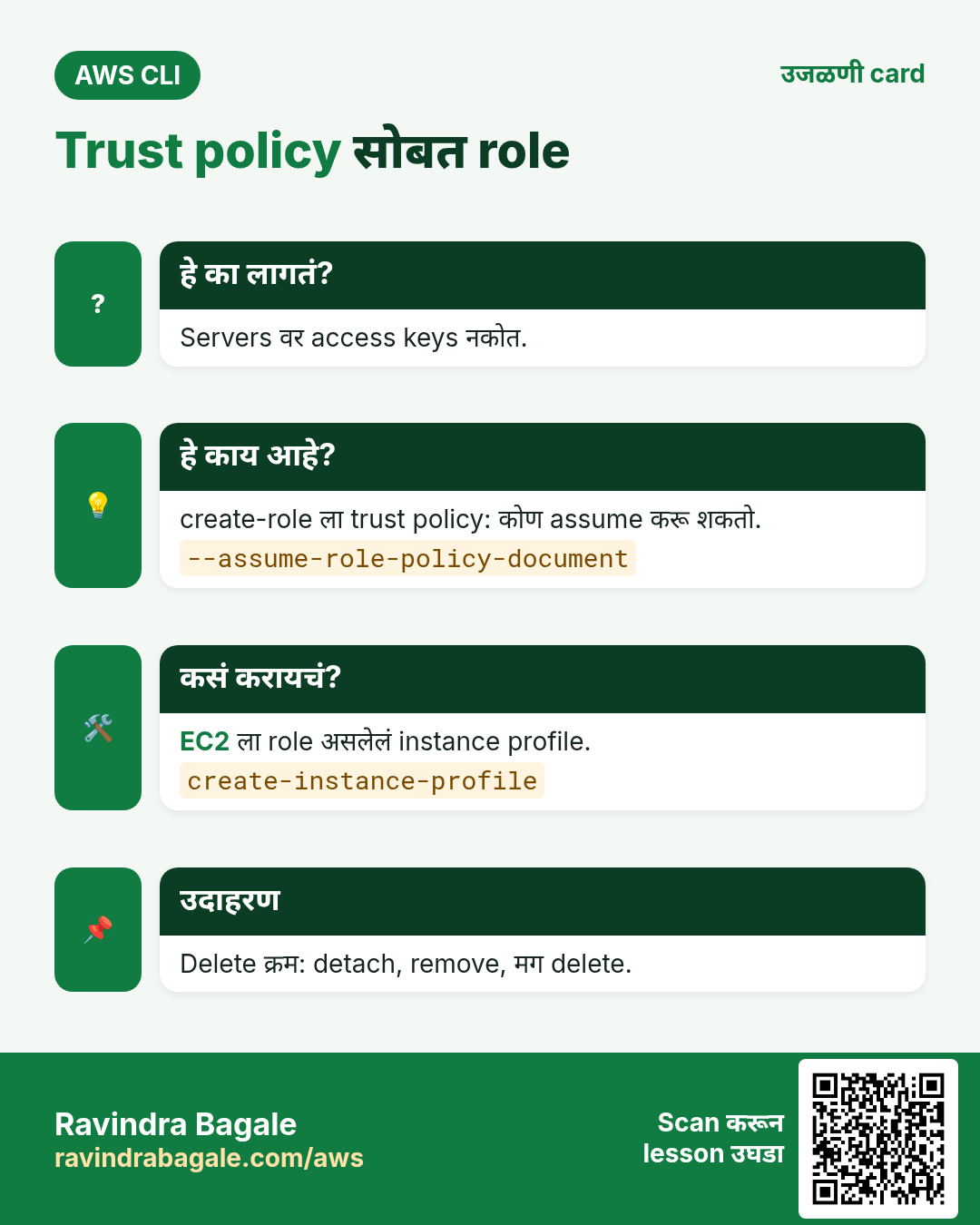
Servers आणि Lambda कडे keys नकोत. ते role assume करतात.
हे काय आहे?
create-role ला trust policy (कोण assume करू शकतो). EC2 ला instance profile.
कसं करायचं (step by step)
- EC2 trust.
cat > trust.json <<'J'
{"Version":"2012-10-17","Statement":[{"Effect":"Allow","Principal":{"Service":"ec2.amazonaws.com"},"Action":"sts:AssumeRole"}]}
J
अपेक्षित output:
(no output means success)- Role बनवून attach.
aws iam create-role --role-name cli-ec2-s3 --assume-role-policy-document file://trust.json --query Role.Arn --output text
aws iam attach-role-policy --role-name cli-ec2-s3 --policy-arn $POL
अपेक्षित output:
arn:aws:iam::111122223333:role/cli-ec2-s3- Instance profile.
aws iam create-instance-profile --instance-profile-name cli-ec2-s3
aws iam add-role-to-instance-profile --instance-profile-name cli-ec2-s3 --role-name cli-ec2-s3
अपेक्षित output:
(no output means success)- Running instance ला attach.
aws ec2 associate-iam-instance-profile --instance-id i-0abc1234def567890 --iam-instance-profile Name=cli-ec2-s3अपेक्षित output:
{ "IamInstanceProfileAssociation": { "State": "associating" } }5. Permissions test आणि audit
हे का लागतं?
Permissions चा अंदाज = outage किंवा leak. देण्याआधी test करा.
हे काय आहे?
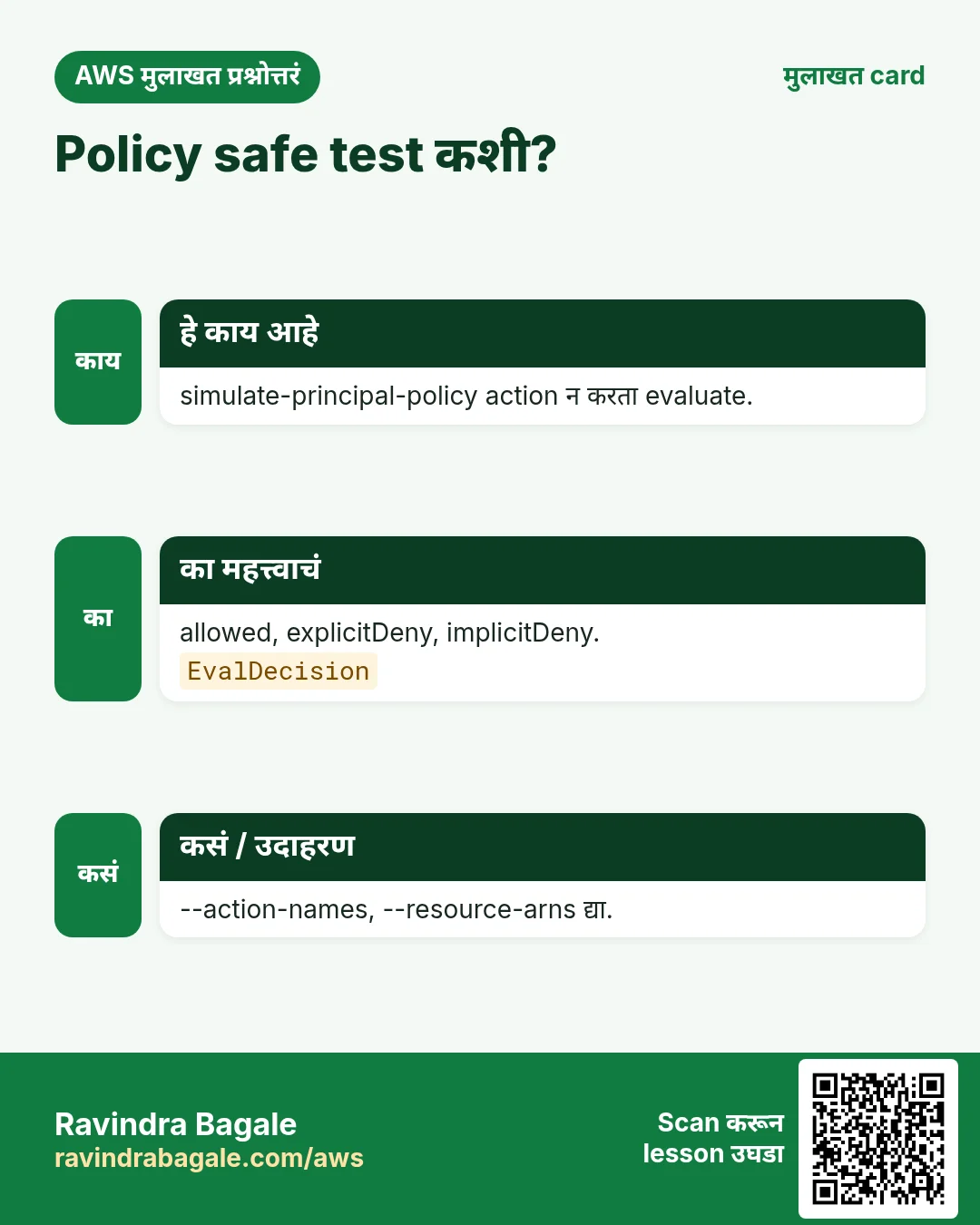
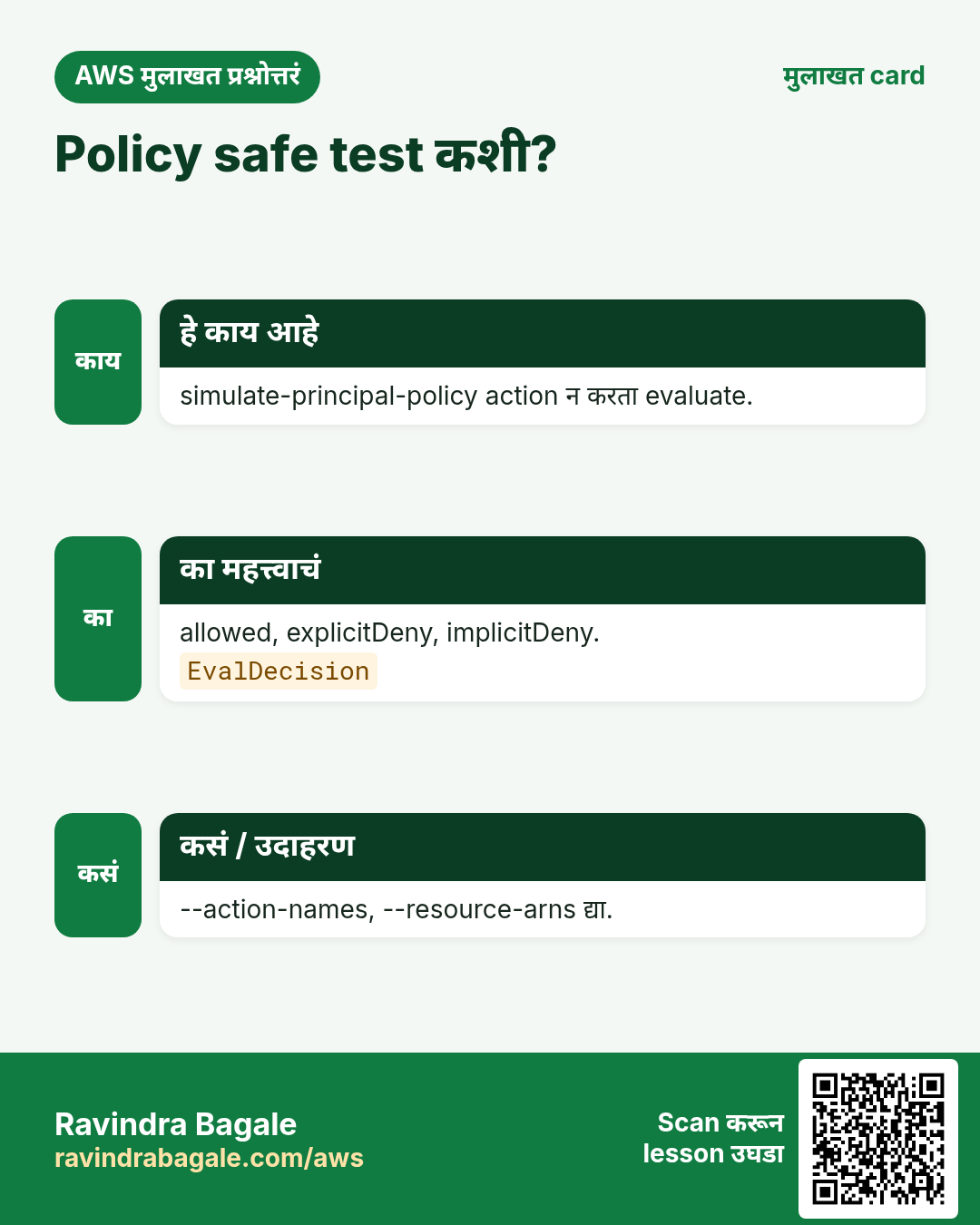
simulate-principal-policy allowed/denied सांगतो. Credential report जुन्या keys दाखवतो.
कसं करायचं (step by step)
- Simulate.
aws iam simulate-principal-policy --policy-source-arn arn:aws:iam::111122223333:user/asha --action-names s3:GetObject s3:DeleteObject --resource-arns "arn:aws:s3:::ravi-cli-lab/*" --query "EvaluationResults[].[EvalActionName,EvalDecision]" --output textअपेक्षित output:
s3:GetObject     allowed
s3:DeleteObject implicitDeny- Credential report.
aws iam generate-credential-report
aws iam get-credential-report --query Content --output text | base64 -d | cut -d, -f1,4,9 | head -3
अपेक्षित output:
user,password_enabled,access_key_1_active
<root_account>,not_supported,false
asha,true,false- Account summary.
aws iam get-account-summary --query "SummaryMap.[Users,Roles,Policies]"अपेक्षित output:
[ 5, 18, 7 ]6. हीच action Python, Node.js, Java, Go, .NET आणि PHP मध्ये
हे का लागतं?
Scripts CLI मध्ये सुरू होतात. Apps तोच API SDK मधून call करतात. दोन्ही माहीत असले की test केलेली command थेट code मध्ये नेता येते.
हे काय आहे?
प्रत्येक CLI command म्हणजे एक API call. उदा. aws iam create-user --user-name asha म्हणजे CreateUser API.
कसं करायचं (step by step)
हीच action (CreateUser) code मधून. प्रत्येक SDK CLI सारखेच profile, region आणि credentials वाचतो.
| Stack | Code |
|---|---|
| Python (boto3) | boto3.client("iam").create_user(UserName="asha") |
| Node.js (v3) | await iam.send(new CreateUserCommand({UserName:"asha"})); |
| Java (v2) | iam.createUser(r -> r.userName("asha")); |
| Go (v2) | c.CreateUser(ctx, &iam.CreateUserInput{UserName: aws.String("asha")}) |
| .NET | await iam.CreateUserAsync(new CreateUserRequest{UserName="asha"}); |
| PHP | $iam->createUser(["UserName"=>"asha"]); |
7. काहीही खर्च चालू राहू नये म्हणून cleanup
हे का लागतं?
चालू ठेवलेले lab resources पैसे खातात आणि security risk बनतात.
हे काय आहे?
उलट्या क्रमाने delete करा: आधी children, मग parents.
कसं करायचं (step by step)
- Instance profile मधून काढा.
aws iam remove-role-from-instance-profile --instance-profile-name cli-ec2-s3 --role-name cli-ec2-s3
aws iam delete-instance-profile --instance-profile-name cli-ec2-s3
aws iam detach-role-policy --role-name cli-ec2-s3 --policy-arn $POL
aws iam delete-role --role-name cli-ec2-s3
अपेक्षित output:
(no output means success)- User काढा.
aws iam delete-login-profile --user-name asha
aws iam remove-user-from-group --user-name asha --group-name cli-readers
aws iam delete-user --user-name asha
अपेक्षित output:
(no output means success)- Group आणि policy (आधी जुने versions).
aws iam detach-group-policy --group-name cli-readers --policy-arn $POL
aws iam delete-group --group-name cli-readers
aws iam delete-policy-version --policy-arn $POL --version-id v1
aws iam delete-policy --policy-arn $POL
अपेक्षित output:
(no output means success)- Verify.
aws iam get-user --user-name ashaअपेक्षित output:
An error occurred (NoSuchEntity) ... The user with name asha cannot be found.Ravindra Bagale's Tip
काही attached असेल तर IAM delete fail होतो. आधी detach, मग delete. Error message मध्ये काय attached आहे ते दिसतं.
8. मुलाखत प्रश्न आणि उत्तरं
प्र. IAM ला region का नाही?
IAM global service आहे.
प्र. Managed vs inline?
Managed वेगळा, अनेकांना attach. Inline एकाच identity मध्ये.
प्र. Role शिवाय EC2 ला काय लागतं?
Role असलेलं instance profile.
प्र. Policy safe test कशी?
simulate-principal-policy.
प्र. delete-policy fail का?
Attached आहे किंवा जुने versions आहेत.
घरी करून बघा
- ReadOnlyAccess group, user add, ec2:TerminateInstances simulate करा.
- Credential report ने 90 दिवसांहून जुन्या keys list करा.
थोडक्यात सांगायचं तर
- create-user, create-group, add-user-to-group.
- create-policy मग attach.
- create-role ला trust policy.
- share आधी simulate.
- delete आधी detach.
सराव Tasks
Sangli Turmeric Traders हा सांगली मधला मसाले व्यापार व्यवसाय आहे. Dattatray Chavan त्यांचं IT व cloud काम पाहतात. त्यांचे पैसे INR मध्ये मोजले जातात आणि AWS resources ap-south-1 Region मध्ये चालतात. खालच्या tasks मध्ये तुम्ही या lesson मध्ये शिकलेलं वापरून त्यांची खरी कामं करता. सगळी नावं, account IDs, IP addresses व numbers सरावासाठी काल्पनिक आहेत.
0 / 12
सोपं User ला group मध्ये जोडा
का: User ला group च्या सगळ्या permissions एकदम मिळतात.
काय करायचं: dattatray ला Developers group मध्ये जोडा.
- Task वाचा आणि ते कोणत्या AWS service बद्दल आहे ते ठरवा.
- aws लिहा, मग service चं नाव, मग operation (action शब्द).
- प्रत्येक आवश्यक flag (--name) व त्यापुढे task मधली value लिहा.
- Flags कोणत्याही क्रमाने चालतात. Check answer दाबा.
सोपं Group बनवा
का: Permissions groups ला द्या, मग लोकांना groups मध्ये जोडा.
काय करायचं: Developers नावाचा IAM group बनवा.
- Task वाचा आणि ते कोणत्या AWS service बद्दल आहे ते ठरवा.
- aws लिहा, मग service चं नाव, मग operation (action शब्द).
- प्रत्येक आवश्यक flag (--name) व त्यापुढे task मधली value लिहा.
- Flags कोणत्याही क्रमाने चालतात. Check answer दाबा.
मध्यम Group ला managed policy लावा
का: AWS managed policies तयार असतात व AWS त्या update ठेवतो.
काय करायचं: AWS managed policy arn:aws:iam::aws:policy/ReadOnlyAccess ला Auditors group ला attach करा.
- Task वाचा आणि ते कोणत्या AWS service बद्दल आहे ते ठरवा.
- aws लिहा, मग service चं नाव, मग operation (action शब्द).
- प्रत्येक आवश्यक flag (--name) व त्यापुढे task मधली value लिहा.
- Flags कोणत्याही क्रमाने चालतात. Check answer दाबा.
मध्यम Role ला policy लावा
का: Role ला permissions हव्यात: काय करू शकतो ते policy ने सांगा.
काय करायचं: arn:aws:iam::aws:policy/AmazonS3ReadOnlyAccess ला role sanglihaldi-ec2-role ला attach करा.
- Task वाचा आणि ते कोणत्या AWS service बद्दल आहे ते ठरवा.
- aws लिहा, मग service चं नाव, मग operation (action शब्द).
- प्रत्येक आवश्यक flag (--name) व त्यापुढे task मधली value लिहा.
- Flags कोणत्याही क्रमाने चालतात. Check answer दाबा.
मध्यम Customer managed policy बनवा
का: स्वतःची managed policy अनेक users, groups व roles वर वापरता येते.
काय करायचं: policy.json मधल्या document पासून sanglihaldi-s3-read नावाची policy बनवा.
- Task वाचा आणि ते कोणत्या AWS service बद्दल आहे ते ठरवा.
- aws लिहा, मग service चं नाव, मग operation (action शब्द).
- प्रत्येक आवश्यक flag (--name) व त्यापुढे task मधली value लिहा.
- Flags कोणत्याही क्रमाने चालतात. Check answer दाबा.
मध्यम User साठी access keys बनवा
का: Access keys मुळे user AWS CLI चालवू शकतो. सुरक्षित ठेवा व rotate करा.
काय करायचं: dattatray user साठी access key बनवा.
- Task वाचा आणि ते कोणत्या AWS service बद्दल आहे ते ठरवा.
- aws लिहा, मग service चं नाव, मग operation (action शब्द).
- प्रत्येक आवश्यक flag (--name) व त्यापुढे task मधली value लिहा.
- Flags कोणत्याही क्रमाने चालतात. Check answer दाबा.
मध्यम एक Bedrock model allow
का: Apps ना approved model पुरतं मर्यादित ठेवा.
काय करायचं: फक्त arn:aws:bedrock:ap-south-1::foundation-model/amazon.nova-lite-v1:0 वर bedrock:InvokeModel allow करा.
- { "Version": "2012-10-17", "Statement": [ ... ] } ने सुरू करा.
- प्रत्येक statement मध्ये Effect, Action व Resource लिहा.
- Task ला लागेल तेवढंच द्या (least privilege).
- Double quotes व commas नीट वापरा. Check answer दाबा.
मध्यम एका table ला Lambda access
का: Function ला फक्त स्वतःच्या table मध्ये वाचणं/लिहिणं लागतं.
काय करायचं: फक्त arn:aws:dynamodb:ap-south-1:126983531579:table/sanglihaldi-orders वर dynamodb:GetItem, dynamodb:PutItem, dynamodb:Query allow करा.
- { "Version": "2012-10-17", "Statement": [ ... ] } ने सुरू करा.
- प्रत्येक statement मध्ये Effect, Action व Resource लिहा.
- Task ला लागेल तेवढंच द्या (least privilege).
- Double quotes व commas नीट वापरा. Check answer दाबा.
मध्यम फक्त servers start/stop
का: Night operator servers start/stop करू शकतो पण terminate नाही.
काय करायचं: Account 126983531579, Region ap-south-1 मधल्या सगळ्या instances वर ec2:StartInstances व ec2:StopInstances, व * वर ec2:DescribeInstances allow करा.
- { "Version": "2012-10-17", "Statement": [ ... ] } ने सुरू करा.
- प्रत्येक statement मध्ये Effect, Action व Resource लिहा.
- Task ला लागेल तेवढंच द्या (least privilege).
- Double quotes व commas नीट वापरा. Check answer दाबा.
अवघड Role instance profile मध्ये टाका
का: Role जोडेपर्यंत profile रिकामं असतं.
काय करायचं: Role sanglihaldi-ec2-role ला instance profile sanglihaldi-ec2-profile मध्ये जोडा.
- Task वाचा आणि ते कोणत्या AWS service बद्दल आहे ते ठरवा.
- aws लिहा, मग service चं नाव, मग operation (action शब्द).
- प्रत्येक आवश्यक flag (--name) व त्यापुढे task मधली value लिहा.
- Flags कोणत्याही क्रमाने चालतात. Check answer दाबा.
अवघड User ला inline policy द्या
का: Inline policy एकाच identity मध्ये राहते व तिच्यासोबत delete होते.
काय करायचं: User dattatray वर billing.json मधून billing-view नावाची inline policy टाका.
- Task वाचा आणि ते कोणत्या AWS service बद्दल आहे ते ठरवा.
- aws लिहा, मग service चं नाव, मग operation (action शब्द).
- प्रत्येक आवश्यक flag (--name) व त्यापुढे task मधली value लिहा.
- Flags कोणत्याही क्रमाने चालतात. Check answer दाबा.
अवघड Instance profile बनवा
का: EC2 role ला instance profile मधून वापरतो.
काय करायचं: sanglihaldi-ec2-profile नावाचं instance profile बनवा.
- Task वाचा आणि ते कोणत्या AWS service बद्दल आहे ते ठरवा.
- aws लिहा, मग service चं नाव, मग operation (action शब्द).
- प्रत्येक आवश्यक flag (--name) व त्यापुढे task मधली value लिहा.
- Flags कोणत्याही क्रमाने चालतात. Check answer दाबा.
उजळणी, तुलना आणि मुलाखत cards
हा lesson काही मिनिटांत revise करा. Cards phone वर save करा किंवा PNG download करा. प्रत्येक card वरचा QR हा lesson उघडतो.
अजून cards: Ravi Sir's Cards.