Linux tar, gzip, zip आणि xz: Files archive आणि compress करा उदाहरणांसह
Backups, log shipping, code releases आणि file transfers ला दोन गोष्टी लागतात: अनेक files एका file मधे (archive) आणि ती लहान (compress). tar पहिलं करतो. gzip, bzip2, xz आणि zstd दुसरं. zip दोन्ही करतो आणि Windows वर उघडतो. प्रत्येक command आणि key option एक-एक करून, प्रत्येक step साठी safe सवयीसह शिकू.
या chapter मध्ये तुम्ही काय शिकाल
- tar archives create, list आणि extract
- -z, -j, -J आणि zstd ने compress
- -C, --exclude आणि --strip-components वापरा
- gzip, gunzip, zcat आणि -k वापरा
- xz, bzip2 आणि zstd वापरून योग्य निवडा
- zip आणि unzip वापरा, आणि archives verify
1. रोजचं उदाहरण: घर बदलताना packing
हे का लागतं?
कुटुंब पुण्याहून बंगळुरूला जातं तेव्हा अनेक छोट्या वस्तू एका carton मधे भरून tape लावतात. मग कपडे vacuum bags मधे दाबतात म्हणजे carton मधे जास्त मावतं. वर list चिकटवतात म्हणजे न उघडता आत काय ते कळतं.
हे काय आहे?
Carton = tar archive. Vacuum bag = compression (gzip, xz). वरची list = tar -t. नव्या घरात योग्य खोलीत unpack = tar -x -C /target.
कसं करायचं (step by step)
2. tar -c: archive बनवा
हे का लागतं?
हजारो ऐवजी copy, upload किंवा backup साठी एक file हवी.
हे काय आहे?
tar -c create. -f NAME archive file नाव (नावाच्या लगेच आधी). -v जाताना files list. Add करायचे folders किंवा files द्या. Relative paths म्हणजे cleanly extract.
कसं करायचं (step by step)
- Folder pack.
tar -cvf site.tar www/Output:
www/
www/index.html
www/css/app.css
याचा अर्थ: एक file, अजून compressed नाही.
- Parent folder मधून.
cd /var && sudo tar -cf /tmp/www.tar www && ls -lh /tmp/www.tarOutput:
-rw-r--r--. 1 root root 51M Oct 25 13:30 /tmp/www.tarयाचा अर्थ: Paths www/ पासून.
3. tar -t: extract न करता list
हे का लागतं?
आत काय आहे ते तपासायचं, आणि unpack आधी विचित्र paths वर लिहिणार नाही याची खात्री.
हे काय आहे?
tar -tf FILE entries list. Sizes, owners, dates साठी -v. Compressed files ना पण (वाचताना tar compression ओळखतो).
कसं करायचं (step by step)
- List.
tar -tf site.tar | head -3Output:
www/
www/index.html
www/css/app.css
याचा अर्थ: Safe, relative paths.
- Long list.
tar -tvf site.tar | head -2Output:
drwxr-xr-x ravi/ravi    0 2026-10-25 13:20 www/
-rw-r--r-- ravi/ravi 2140 2026-10-25 13:20 www/index.html
याचा अर्थ: ls -l सारखं.
4. tar -x आणि -C: extract, आणि कुठे ते निवडा
हे का लागतं?
चुकीच्या folder मधे extract केल्याने files home मधे मिसळू शकतात किंवा overwrite.
हे काय आहे?
tar -xf FILE सध्याच्या folder मधे. -C DIR DIR मधे (तो असायला हवा). Archive नंतर path दिला तर फक्त ती file किंवा folder. -k (--keep-old-files) overwrite नाकारतो.
कसं करायचं (step by step)
- नव्या folder मधे extract.
mkdir -p /tmp/restore && tar -xf site.tar -C /tmp/restore && ls /tmp/restoreOutput:
wwwयाचा अर्थ: Contained आणि नीट.
- फक्त एक file.
tar -xf site.tar -C /tmp/restore www/index.htmlOutput:
(no output)याचा अर्थ: एका page चा पटकन restore.
- Overwrite नको.
tar -xkf site.tar -C /tmp/restoreOutput:
tar: www/index.html: Cannot open: File existsयाचा अर्थ: तुमची नवी copy ठेवतो.
5. tar -z: gzip compression (.tar.gz, .tgz)
हे का लागतं?
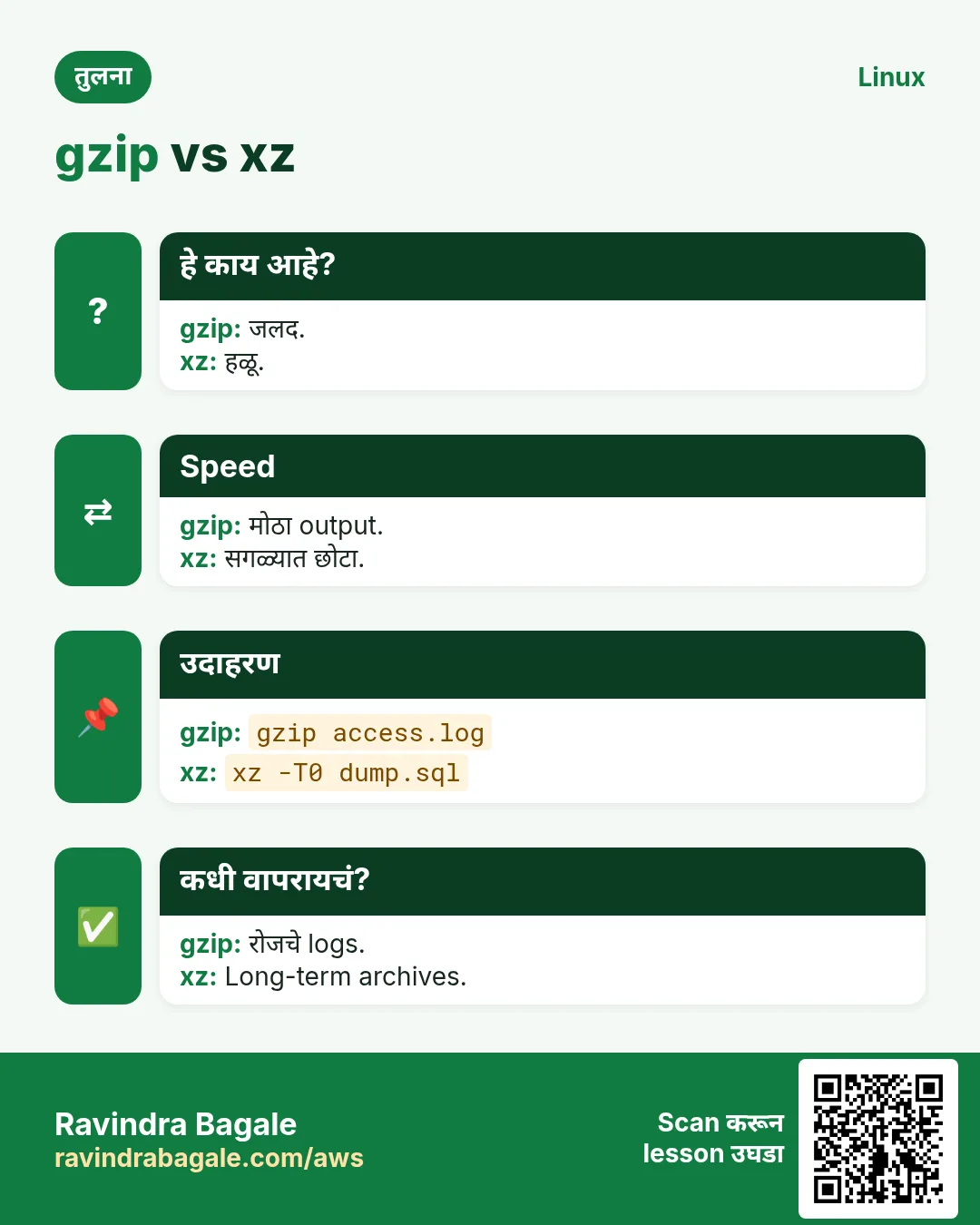
Logs आणि text 5 ते 10 पट compress. gzip fast आणि सगळीकडे उघडतो.
हे काय आहे?
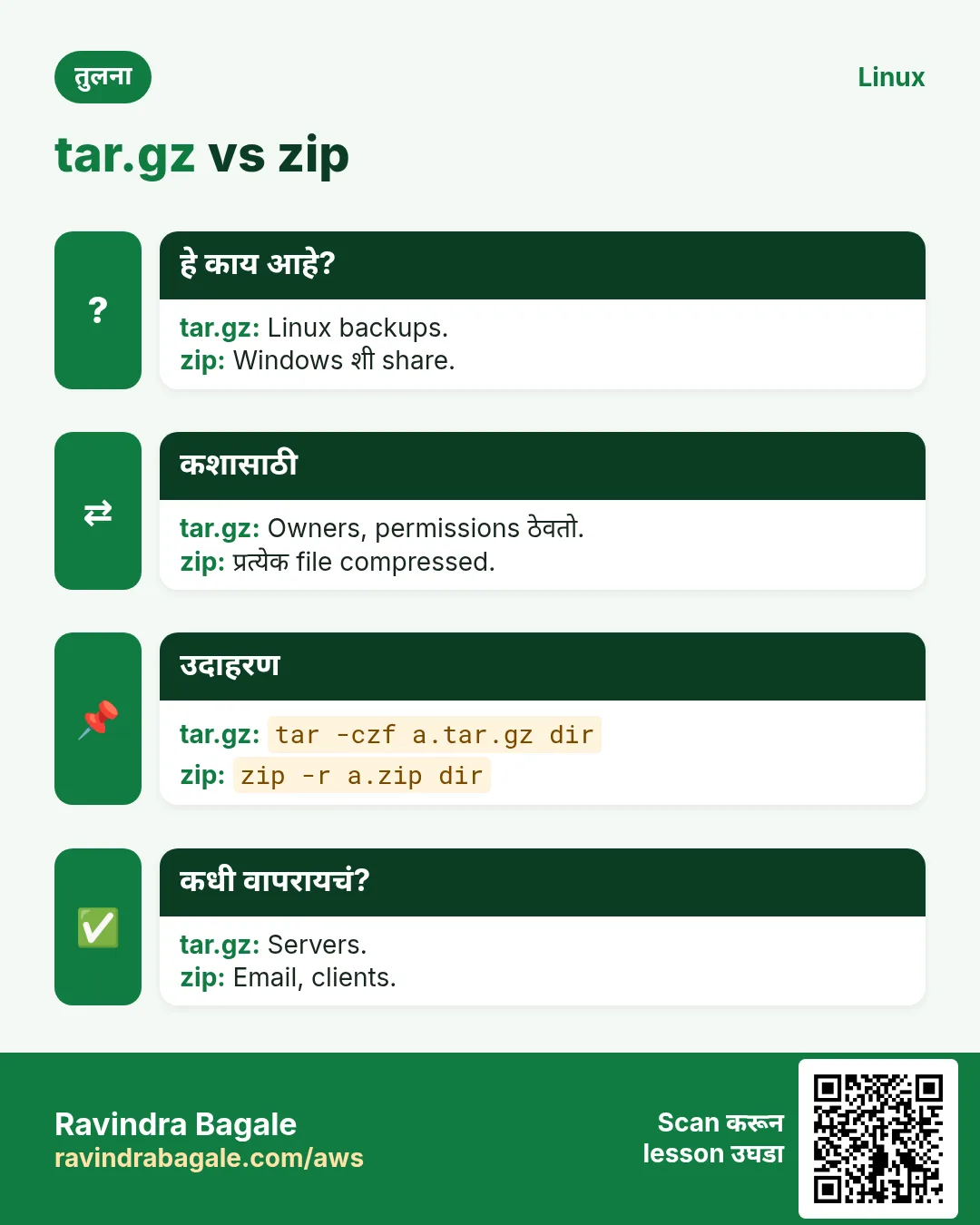
-z जोडा .tar.gz create किंवा extract साठी. ओळखीचे short forms: tar -czf (create), tar -tzf (list), tar -xzf (extract). Modern tar extract ला compression ओळखतो, म्हणून -xf पण चालतो.
कसं करायचं (step by step)
- tar.gz बनवा.
tar -czf logs-2026-10-25.tar.gz /var/log/shop/ 2>/dev/null; ls -lh logs-2026-10-25.tar.gzOutput:
-rw-r--r--. 1 ravi ravi 6.2M Oct 25 13:35 logs-2026-10-25.tar.gzयाचा अर्थ: 48 MB वरून 6.2 MB.
- Extract.
tar -xzf logs-2026-10-25.tar.gz -C /tmp/restoreOutput:
(no output)याचा अर्थ: बनवताना सुरुवातीचा / काढला.
6. tar -J आणि -j: xz आणि bzip2
हे का लागतं?
खूप वेळ ठेवायच्या किंवा अनेकदा download होणाऱ्या files साठी speed पेक्षा लहान size महत्त्वाची.
हे काय आहे?
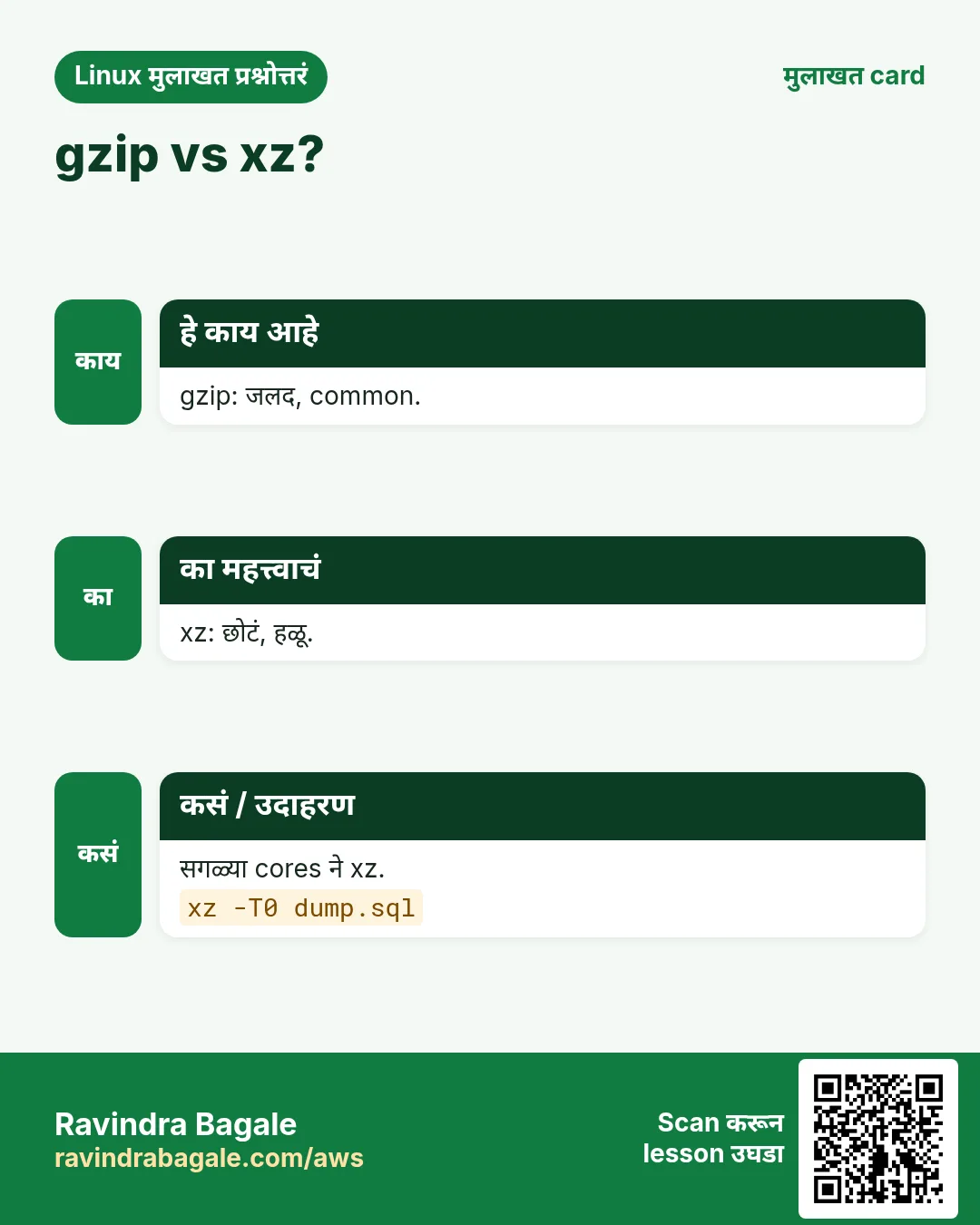
-J xz (.tar.xz): सर्वात लहान, सर्वात slow. -j bzip2 (.tar.bz2): जुना, मधला. XZ_OPT=-9 ने level किंवा सगळ्या CPU cores साठी -I 'xz -T0'.
कसं करायचं (step by step)
- xz archive.
tar -cJf release.tar.xz build/ && ls -lh release.tar.xzOutput:
-rw-r--r--. 1 ravi ravi 3.9M Oct 25 13:40 release.tar.xzयाचा अर्थ: gzip च्या 6.2M पेक्षा लहान.
- सगळे cores.
tar -I 'xz -T0' -cf release.tar.xz build/Output:
(no output)याचा अर्थ: मोठ्या servers वर खूप fast.
- bzip2.
tar -cjf old.tar.bz2 build/Output:
(no output)याचा अर्थ: कोणी .bz2 मागितलं तरच.
7. tar सह zstd: fast आणि लहान
हे का लागतं?
Backups आणि CI caches साठी gzip जवळची speed आणि xz जवळची size हवी. zstd दोन्ही देतो.
हे काय आहे?
tar --zstd -cf FILE.tar.zst (GNU tar 1.31+). Level आणि threads साठी -I 'zstd -T0 -19'. एकच file decompress साठी zstd -d FILE.zst.
कसं करायचं (step by step)
- tar.zst बनवा.
tar --zstd -cf cache.tar.zst node_modules/ && ls -lh cache.tar.zstOutput:
-rw-r--r--. 1 ravi ravi 41M Oct 25 13:45 cache.tar.zstयाचा अर्थ: पटकन बनतं आणि उघडतं.
- Extract.
tar --zstd -xf cache.tar.zstOutput:
(no output)याचा अर्थ: नेहमीचाच -x.
8. --exclude आणि --exclude-from
हे का लागतं?
Backup किंवा release मधे node_modules, .git, caches किंवा secrets नको.
हे काय आहे?
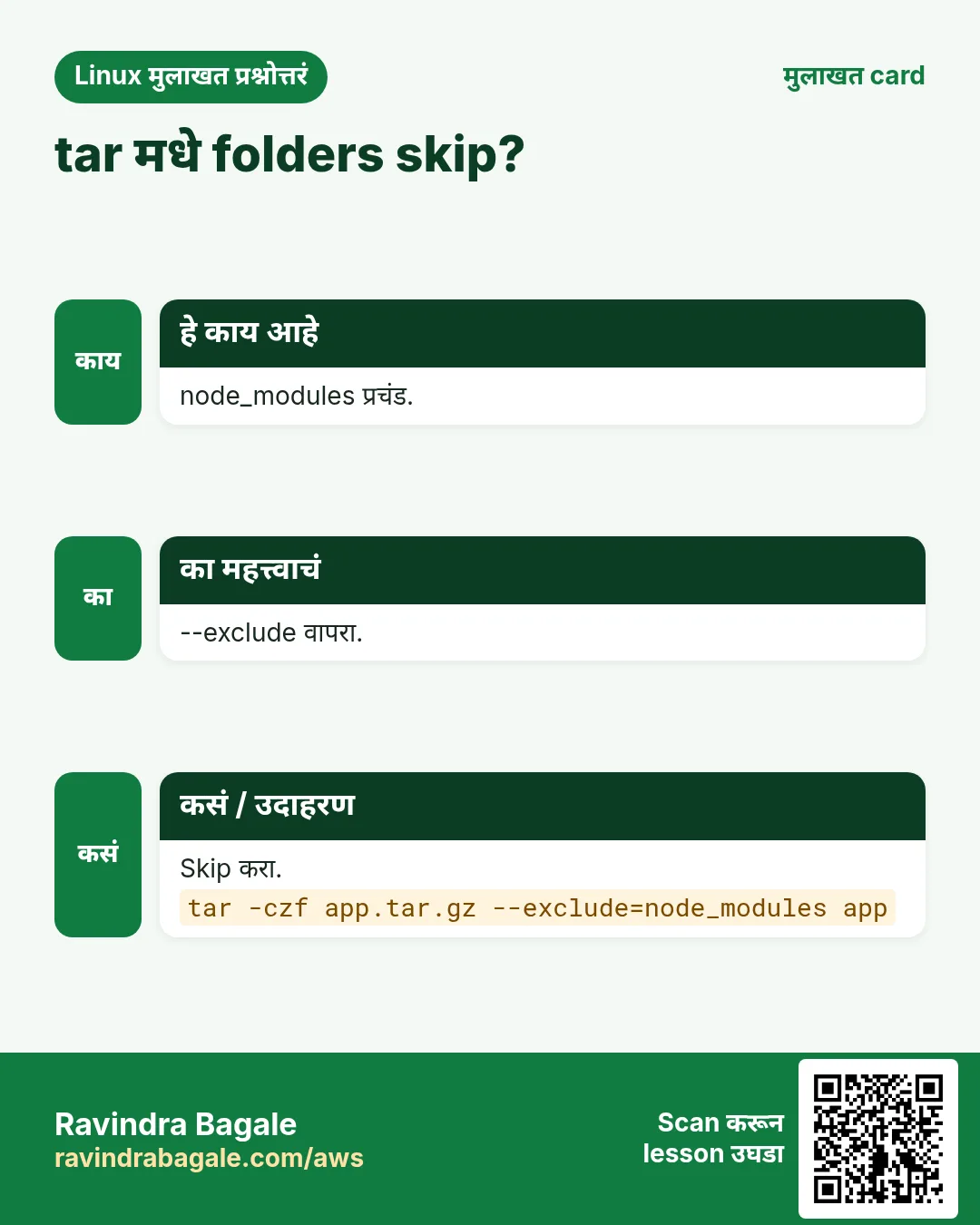
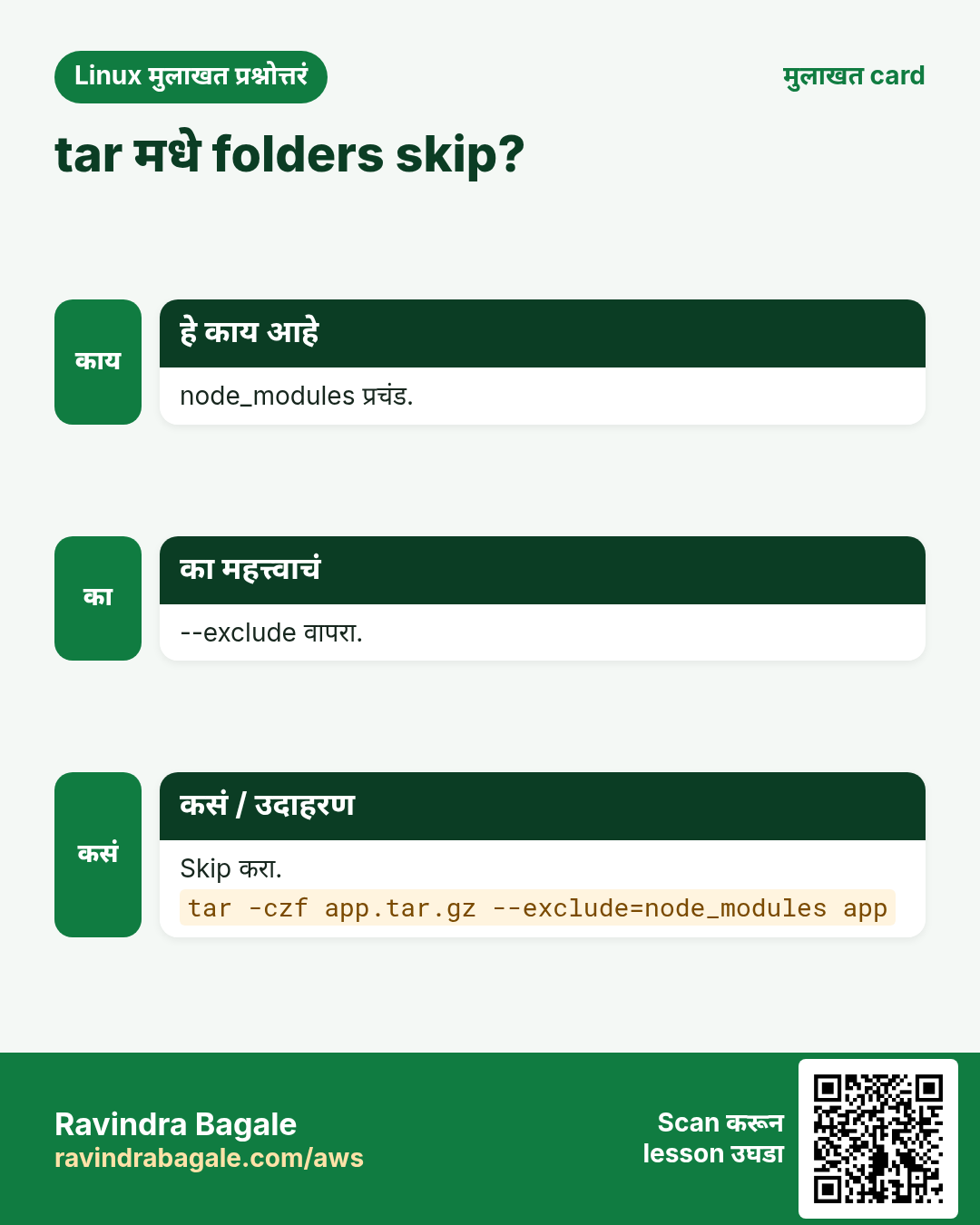
--exclude=PATTERN जुळणारे skip (folder नावांच्या आधी द्या). परत द्या, किंवा -X FILE (--exclude-from) ने file मधे patterns. --exclude-vcs .git वगैरे skip.
कसं करायचं (step by step)
- Junk शिवाय release.
tar --exclude=node_modules --exclude='*.log' --exclude-vcs -czf app.tgz app/Output:
(no output)याचा अर्थ: लहान आणि स्वच्छ.
- File मधून.
printf '.env\n*.pem\ntmp/\n' > .tarignore && tar -X .tarignore -czf app.tgz app/Output:
(no output)याचा अर्थ: Secrets बाहेर जात नाहीत.
- काही leak नाही ना.
tar -tzf app.tgz | grep -E '\.env|\.pem' || echo noneOutput:
noneयाचा अर्थ: नेहमी तपासा.
9. --strip-components, -p आणि --same-owner
हे का लागतं?
Downloaded releases मधे app-1.2.3/ सारखा top folder असतो जो नको. Backups ला permissions हव्या.
हे काय आहे?
--strip-components=1 extract ला पहिला path भाग काढतो. -p permissions ठेवतो (root ला default). --same-owner owners restore (root ला default). Systems मधे हलवताना --numeric-owner नावं नाही, IDs.
कसं करायचं (step by step)
- Version folder काढा.
tar -xzf node-v22.10.0-linux-x64.tar.gz -C /opt/node --strip-components=1 && ls /opt/nodeOutput:
bin include lib shareयाचा अर्थ: bin थेट /opt/node मधे.
- Owners सह backup.
sudo tar -cpzf etc-backup.tgz --numeric-owner /etcOutput:
tar: Removing leading `/' from member namesयाचा अर्थ: Warning normal.
10. gzip आणि gunzip: एक file
हे का लागतं?
जुने logs आणि SQL dumps single files; फक्त लहान करायच्या.
हे काय आहे?
gzip FILE FILE ला FILE.gz ने replace. -k original ठेवतो. -d किंवा gunzip decompress. -1 fastest, -9 smallest (default 6). -l ratio. -r folder मधली प्रत्येक file. gzip files वर, folders वर नाही (folders साठी tar).
कसं करायचं (step by step)
- Compress करा, original ठेवा.
gzip -k -9 dump.sql && ls -lh dump.sql*Output:
-rw-r--r--. 1 ravi ravi 210M Oct 25 13:50 dump.sql
-rw-r--r--. 1 ravi ravi  31M Oct 25 13:50 dump.sql.gz
याचा अर्थ: दोन्ही ठेवल्या.
- Ratio.
gzip -l dump.sql.gzOutput:
  compressed        uncompressed  ratio uncompressed_name
    32505111           220200960  85.2% dump.sql
याचा अर्थ: 85% बचत.
- Decompress.
gunzip -k dump.sql.gzOutput:
gzip: dump.sql already exists; do you wish to overwrite (y or n)?याचा अर्थ: -k आणि आधीची file: विचारतो.
11. zcat, zless आणि zgrep: unpack न करता वाचा
हे का लागतं?
Rotated logs .gz असतात. सगळे unpack करणं disk आणि वेळ वाया.
हे काय आहे?
zcat FILE.gz text print. zless pages. zgrep PATTERN FILE.gz search. xzcat, bzcat, zstdcat इतर formats साठी तेच.
कसं करायचं (step by step)
- जुने logs शोधा.
sudo zgrep -c ' 500 ' /var/log/nginx/access.log.2.gzOutput:
37याचा अर्थ: त्या दिवशी 37 server errors.
- पहिल्या lines.
zcat dump.sql.gz | head -n 2Output:
-- PostgreSQL database dump
-- Dumped from database version 16.4
याचा अर्थ: File लिहिली नाही.
12. Single files वर xz, bzip2 आणि zstd
हे का लागतं?
प्रत्येक tool चा pattern सारखा, gzip माहीत असलं की सगळे माहीत.
हे काय आहे?
xz FILE / unxz FILE.xz / xz -k -T0 -9. bzip2 FILE / bunzip2. zstd FILE (default original ठेवतो) / zstd -d / unzstd. सगळे -k आणि -d support. -c stdout ला.
| Tool | Speed | Size | कशासाठी |
|---|---|---|---|
| gzip | Fast | मध्यम | Logs, web, सगळीकडे |
| bzip2 | Slow | लहान | जुन्या systems |
| xz | सर्वात slow | सर्वात लहान | Releases, archives |
| zstd | खूप fast | लहान | Backups, CI, streaming |
कसं करायचं (step by step)
- सगळ्या cores सह xz.
xz -k -T0 dump.sql && ls -lh dump.sql.xzOutput:
-rw-r--r--. 1 ravi ravi 22M Oct 25 13:55 dump.sql.xzयाचा अर्थ: 22M vs gzip 31M.
- zstd.
zstd -T0 dump.sqlOutput:
dump.sql : 13.10% (210 MiB => 27.5 MiB, dump.sql.zst)याचा अर्थ: Fast, original ठेवली.
- Dump थेट compressed file मधे.
pg_dump shopdb | zstd -T0 > shopdb.sql.zstOutput:
(no output)याचा अर्थ: मोठी temp file नाही.
13. zip आणि unzip
हे का लागतं?
Windows आणि Mac users, emails आणि अनेक web uploads .zip मागतात.
हे काय आहे?
zip -r OUT.zip FOLDER folder जोडतो. -q quiet. -x 'pattern' exclude. -e password विचारतो (कमकुवत, अवलंबू नका). unzip FILE.zip extract; -d DIR folder मधे; -l list; -o न विचारता overwrite; -q quiet.
कसं करायचं (step by step)
- Report folder zip.
zip -rq reports-oct.zip reports/ -x '*.tmp' && ls -lh reports-oct.zipOutput:
-rw-r--r--. 1 ravi ravi 2.4M Oct 25 14:00 reports-oct.zipयाचा अर्थ: Email साठी तयार.
- List.
unzip -l reports-oct.zip | tail -n 3Output:
     8120  2026-10-25 13:58   reports/gst.csv
---------                     -------
  9921040                     14 files
याचा अर्थ: आत 14 files.
- Folder मधे extract.
unzip -q reports-oct.zip -d /tmp/rep && ls /tmp/repOutput:
reportsयाचा अर्थ: Contained.
zip सविस्तर: -r, -e, -u आणि -9
हे का लागतं?
Windows आणि Mac वाले .zip double click ने उघडतात. Client, CA किंवा teacher ला files पाठवायच्या असतील तर zip हा सगळ्यात safe format.
हे काय आहे?
zip अनेक files एका .zip मधे भरतो आणि त्याच वेळी compress करतो. आधी zip चं नाव, मग add करायच्या files किंवा folders.
नेहमीचे options
| Option | काय करतो |
|---|---|
-r | Recursive: folder आणि आतलं सगळं add. |
-e | Encrypt: password विचारतो आणि zip lock करतो. |
-u | Update: existing zip मधे फक्त नव्या किंवा बदललेल्या files. |
-9 | सर्वोत्तम (हळू) compression. -1 सर्वात fast. Default 6. |
-q | Quiet: प्रत्येक file चं नाव print नाही. |
-x | Pattern जुळणाऱ्या files वगळा. |
कसं करायचं (step by step)
- -r ने आख्खा folder zip.
zip -r gst-2026.zip gst-2026Output:
  adding: gst-2026/ (stored 0%)
  adding: gst-2026/april.csv (deflated 71%)
याचा अर्थ: -r नसेल तर फक्त रिकाम्या folder ची entry मिळते.
- -e ने password लावा.
zip -er salary-slips.zip slipsOutput:
Enter password:
Verify password:
  adding: slips/ (stored 0%)
याचा अर्थ: Password शिवाय zip उघडत नाही. Type करताना password दिसत नाही.
- -u ने बदललेली file add.
zip -u gst-2026.zip gst-2026/may.csvOutput:
updating: gst-2026/may.csv (deflated 70%)याचा अर्थ: फक्त नवी किंवा नवीन file आत जाते. बाकी तशाच राहतात.
- -9 ने जास्त compress.
zip -9 -r photos-best.zip photos && ls -lh photos-best.zipOutput:
-rw-r--r-- 1 asha asha 41M Oct 25 10:12 photos-best.zipयाचा अर्थ: -9 थोडा लहान पण हळू. Photos आधीच compressed असतात, म्हणून फायदा कमी.
खालच्या tasks मधे सराव करा: सराव tasks
unzip सविस्तर: -l, -d, -o, -t आणि एक file
हे का लागतं?
लोक email आणि links ने zips पाठवतात. उघडण्याआधी आत बघणं, योग्य folder मधे उघडणं आणि file खराब नाही ना ते तपासणं गरजेचं.
हे काय आहे?
unzip .zip उघडतो. Option नसेल तर सगळं current folder मधे extract. Zip नंतर file नावं दिली तर फक्त त्याच extract.
नेहमीचे options
| Option | काय करतो |
|---|---|
-l | आतल्या files list, extract नाही. |
-d DIR | DIR folder मधे extract (गरज असेल तर बनतो). |
-o | Existing files न विचारता overwrite. |
-n | Existing files कधीच overwrite नाही. |
-t | Zip खराब आहे का test, extract नाही. |
-q | Quiet output. |
zip file1 | Zip मधून फक्त file1 extract. |
कसं करायचं (step by step)
- आधी -l ने आत बघा.
unzip -l vendor-kyc.zipOutput:
  Length      Date    Time    Name
---------  ---------- -----   ----
   182044  2026-10-20 09:14   pan.pdf
    90211  2026-10-20 09:15   aadhaar.pdf
---------                     -------
   272255                     2 files
याचा अर्थ: आत दोन PDFs आहेत. Disk वर काहीच लिहिलं नाही.
- -d ने ठरलेल्या folder मधे.
unzip vendor-kyc.zip -d /srv/kyc/v102Output:
Archive:  vendor-kyc.zip
  inflating: /srv/kyc/v102/pan.pdf
  inflating: /srv/kyc/v102/aadhaar.pdf
याचा अर्थ: Files current folder ऐवजी /srv/kyc/v102 मधे.
- -o ने जुन्या copies बदला.
unzip -o plugin-v2.zip -d wp-content/pluginsOutput:
inflating: wp-content/plugins/seo/seo.phpयाचा अर्थ: "replace? [y]es, [n]o" प्रश्न नाही. Scripts साठी चांगलं.
- -t ने खराबी test.
unzip -t backup-sept.zipOutput:
testing: db.sql   OK
No errors detected in compressed data of backup-sept.zip.
याचा अर्थ: Zip वापरायला safe. खराब zip "bad CRC" किंवा "End-of-central-directory signature not found" दाखवतो.
- फक्त एक file काढा.
unzip vendor-kyc.zip pan.pdfOutput:
inflating: pan.pdfयाचा अर्थ: फक्त pan.pdf extract. Pattern साठी quotes, उदा. "*.pdf".
खालच्या tasks मधे सराव करा: सराव tasks
14. Archives verify: -t, -d, --test आणि checksums
हे का लागतं?
Restore न होणारा backup हा backup नाही. Test केलं नाही तर corrupt archives गरजेच्या वेळीच सापडतात.
हे काय आहे?
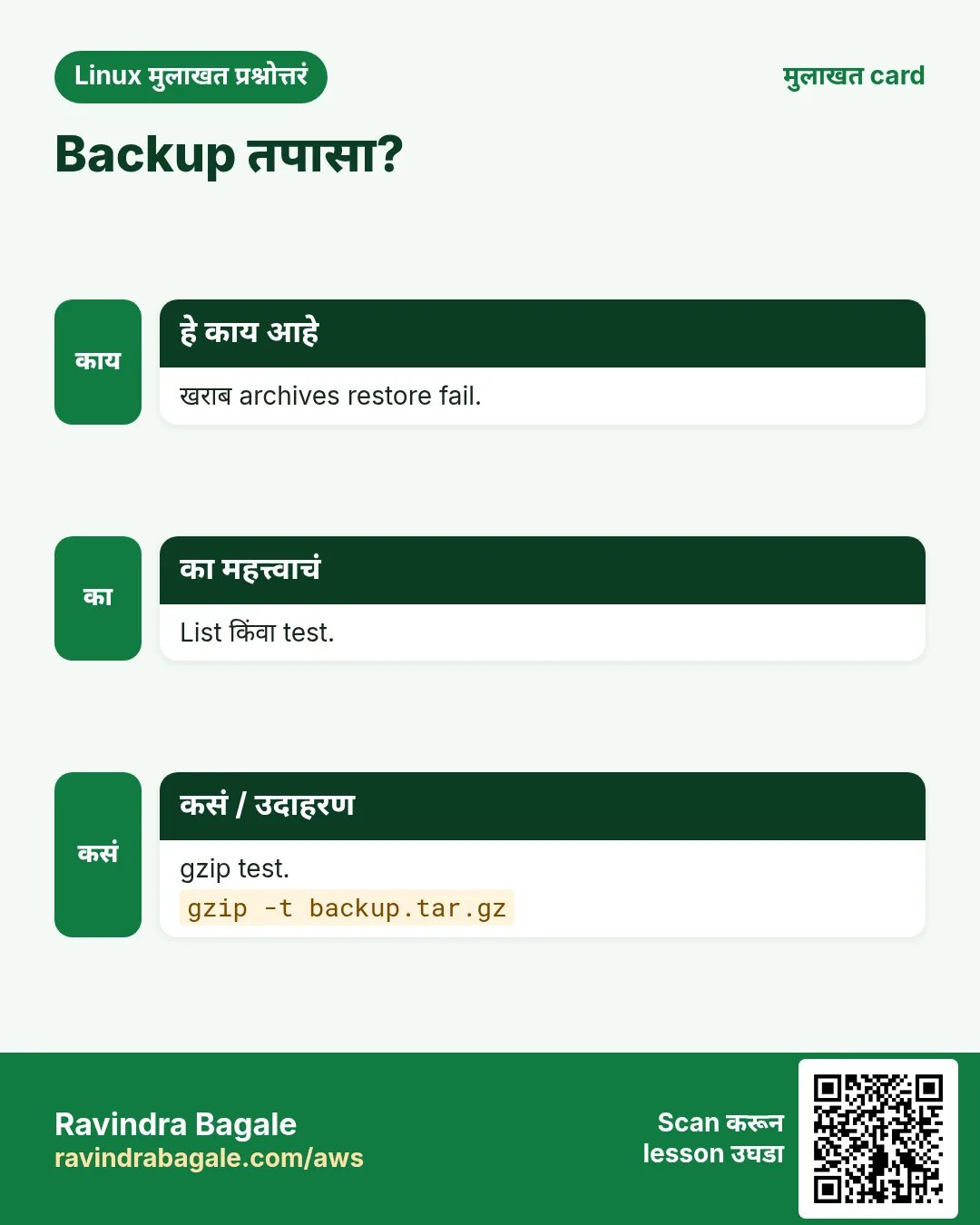
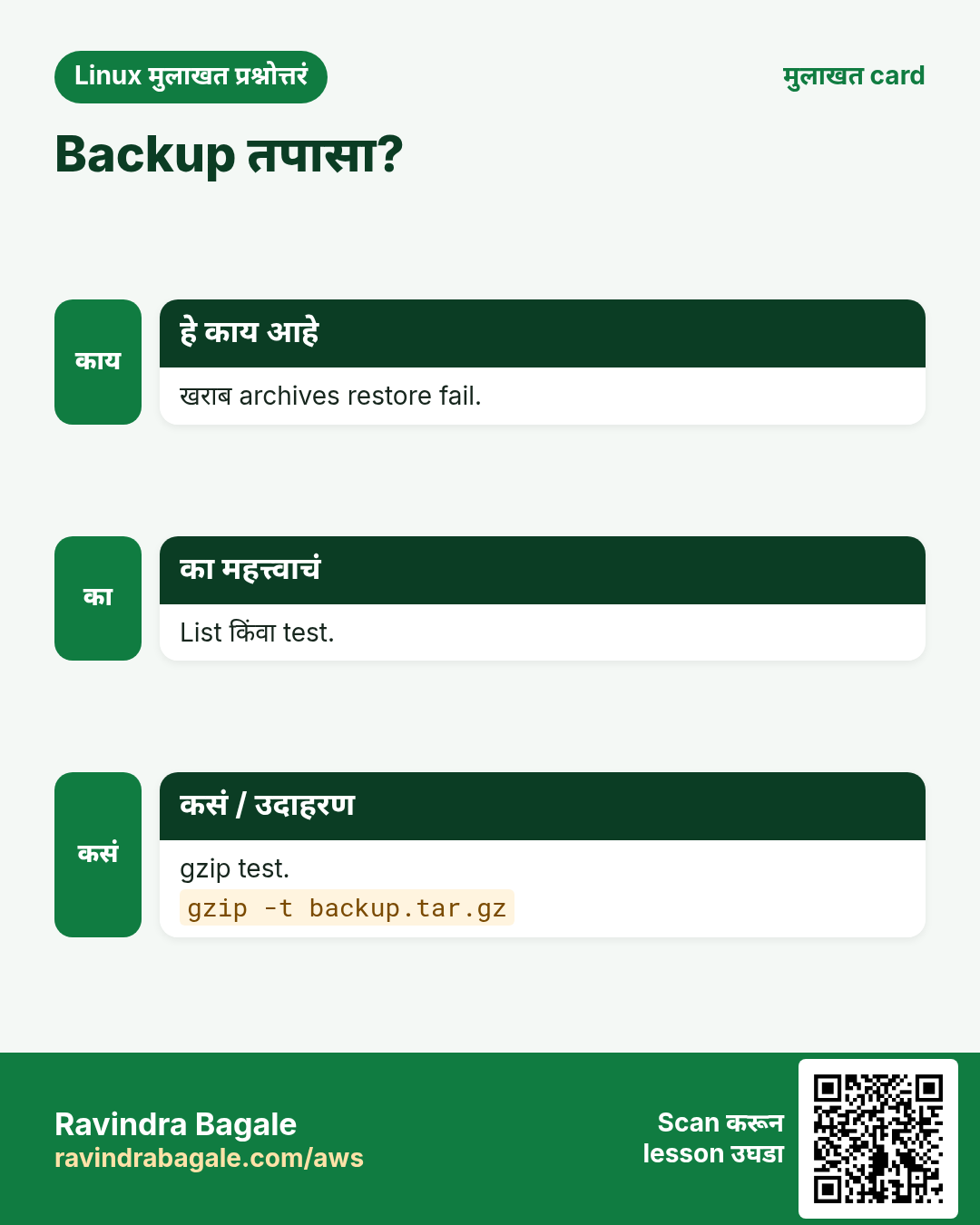
gzip -t FILE.gz test. xz -t, zstd -t, unzip -t तेच. tar -tzf FILE > /dev/null पूर्ण वाचतो. tar -d (--compare) disk शी तुलना. sha256sum FILE > FILE.sha256, मग copy नंतर sha256sum -c.
कसं करायचं (step by step)
- gzip test.
gzip -t logs-2026-10-25.tar.gz && echo OKOutput:
OKयाचा अर्थ: gzip कडून output नाही = चांगलं.
- Zip test.
unzip -tq reports-oct.zipOutput:
No errors detected in compressed data of reports-oct.zip.याचा अर्थ: पाठवायला safe.
- Upload नंतर checksum.
sha256sum app.tgz > app.tgz.sha256 && sha256sum -c app.tgz.sha256Output:
app.tgz: OKयाचा अर्थ: दोन्ही बाजूंना सारखे bytes.
15. अनेक industries मधली खरी उदाहरणं
हे का लागतं?
तेच Linux skill प्रत्येक प्रकारच्या company मध्ये लागतं. वेगवेगळ्या ठिकाणी पाहिलं की लक्षात राहतं.
हे काय आहे?
प्रत्येक row म्हणजे एक काल्पनिक team. कोण हे वापरतं आणि कसं ते दाखवते.
कसं करायचं (step by step)
| Team आणि शहर | ते कसं वापरतात | Command |
|---|---|---|
| Amit, CA office, Pune | Clients साठी monthly GST reports zip | zip -r gst-oct.zip gst/ |
| Hannah, SaaS, Berlin | Releases .tar.xz म्हणून | tar -cJf app.tar.xz build/ |
| Omar, bank, Riyadh | Nightly DB dump zstd ला stream | pg_dump db | zstd > db.zst |
| Yuki, gaming, Tokyo | जुन्या rotated logs मधे zgrep | zgrep 'match_id=91' access.log.3.gz |
| Diego, media, Lima | Owners सह /etc backup | tar -cpzf etc.tgz /etc |
| Kavya, hospital, Nashik | प्रत्येक backup archive verify | gzip -t backup.tgz |
16. नेहमीच्या errors आणि त्यांचे fixes
हे का लागतं?
हे errors सगळ्यांना येतात. कारण माहीत असलं की तास वाचतात.
हे काय आहे?
आधी नेमका message वाचा. मग खालच्या row शी जुळवा.
कसं करायचं (step by step)
| दिसणारा error | का होतं | Fix कसा करायचा |
|---|---|---|
tar: Cowardly refusing to create an empty archive | -f NAME नंतर files दिल्या नाहीत | Pack करायचा folder द्या.tar -czf out.tgz folder/ |
tar: Removing leading `/' from member names | Absolute path दिला; tar safe करतो | Normal; किंवा relative path सह -C /.tar -czf etc.tgz -C / etc |
gzip: stdin: not in gzip format | File gzip नाही (plain tar किंवा xz) | file ने तपासा, योग्य flag.file archive.tgz |
tar: Error is not recoverable: exiting now | Archive अपूर्ण किंवा corrupt | परत download; checksum verify.sha256sum -c app.tgz.sha256 |
tar: f: Cannot open: No such file or directory | Option order: -fcz मधे c file नाव | f नावाच्या लगेच आधी.tar -czf out.tgz dir/ |
tar: /target: Cannot open: No such file or directory (with -C) | Target folder नाही | आधी बनवा.mkdir -p /target |
gzip: dump.sql.gz already exists; do you wish to overwrite (y or n)? | Output आधीच आहे | काढा किंवा -f.gzip -f dump.sql |
zip warning: name not matched: reports | Path चुकीचा किंवा या folder मधे नाही | Path तपासा.ls -d reports |
unzip: cannot find zipfile directory | zip नाही, किंवा अपूर्ण download | file आणि size ने तपासा.file reports.zip |
No space left on device during tar | त्याच भरलेल्या disk वर archive | दुसऱ्या disk वर किंवा stream करून बाहेर.tar -czf - dir | ssh backup 'cat > dir.tgz' |
17. Troubleshooting step by step
हे का लागतं?
Archive उघडत नसेल तर खरा type शोधा, test करा, मग रिकाम्या folder मधे extract.
हे काय आहे?
वरून खाली जा. ज्या step ला problem दिसतो तिथे थांबा.
कसं करायचं (step by step)
- खरं काय आहे?
file backup.tgz- Size ठीक?
ls -lh backup.tgz- Compression layer test.
gzip -t backup.tgz- tar layer list.
tar -tzf backup.tgz | head- Source शी checksum.
sha256sum backup.tgz- रिकाम्या folder मधे extract.
mkdir -p /tmp/x && tar -xzf backup.tgz -C /tmp/x18. Lab 1: Project backup आणि restore
हे का लागतं?
Project बनवा, junk शिवाय backup, verify, delete करून restore.
हे काय आहे?
पूर्ण hands-on lab. प्रत्येक step test Linux machine वर करा (EC2 instance, VM किंवा WSL).
कसं करायचं (step by step)
- Files बनवा.
mkdir -p proj/src proj/node_modules && echo app > proj/src/app.js && echo secret > proj/.env && echo dep > proj/node_modules/x.jsOutput:
(no output)- Excludes सह backup.
tar --exclude=node_modules --exclude=.env -czf proj.tgz proj/Output:
(no output)- Contents तपासा.
tar -tzf proj.tgzOutput:
proj/
proj/src/
proj/src/app.js- Verify आणि checksum.
gzip -t proj.tgz && sha256sum proj.tgz > proj.tgz.sha256 && sha256sum -c proj.tgz.sha256Output:
proj.tgz: OK- Delete आणि restore.
rm -rf proj && tar -xzf proj.tgz && cat proj/src/app.jsOutput:
app19. Lab 2: gzip, xz, zstd आणि zip तुलना
हे का लागतं?
एकच file प्रत्येक tool ने compress, size आणि time तुलना, आणि एक unpack न करता वाचा.
हे काय आहे?
पूर्ण hands-on lab. प्रत्येक step test Linux machine वर करा (EC2 instance, VM किंवा WSL).
कसं करायचं (step by step)
- मोठी text file.
seq 1 3000000 > nums.txt && ls -lh nums.txtOutput:
-rw-r--r--. 1 ravi ravi 21M Oct 25 14:10 nums.txt- gzip आणि xz.
time gzip -k nums.txt; time xz -k -T0 nums.txtOutput:
real 0m0.9s
real 0m2.8s- zstd आणि zip.
zstd -q nums.txt; zip -q nums.zip nums.txtOutput:
(no output)- तुलना.
ls -lh nums.txt.* nums.zip | awk '{print $5, $9}'Output:
6.3M nums.txt.gz
1.5M nums.txt.xz
2.9M nums.txt.zst
6.3M nums.zip- Unpack न करता वाचा.
zcat nums.txt.gz | tail -n1Output:
3000000Ravindra Bagale's Tip
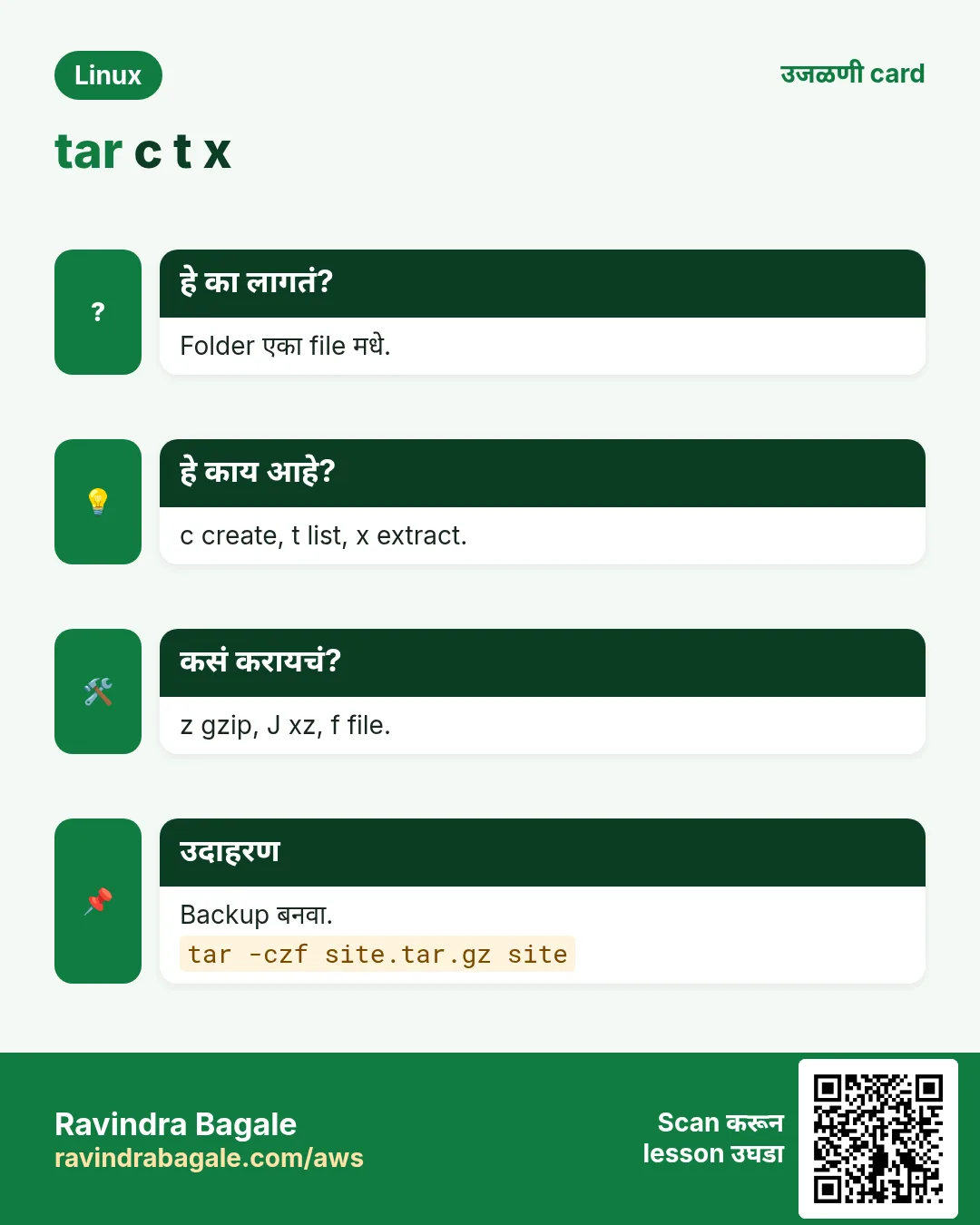
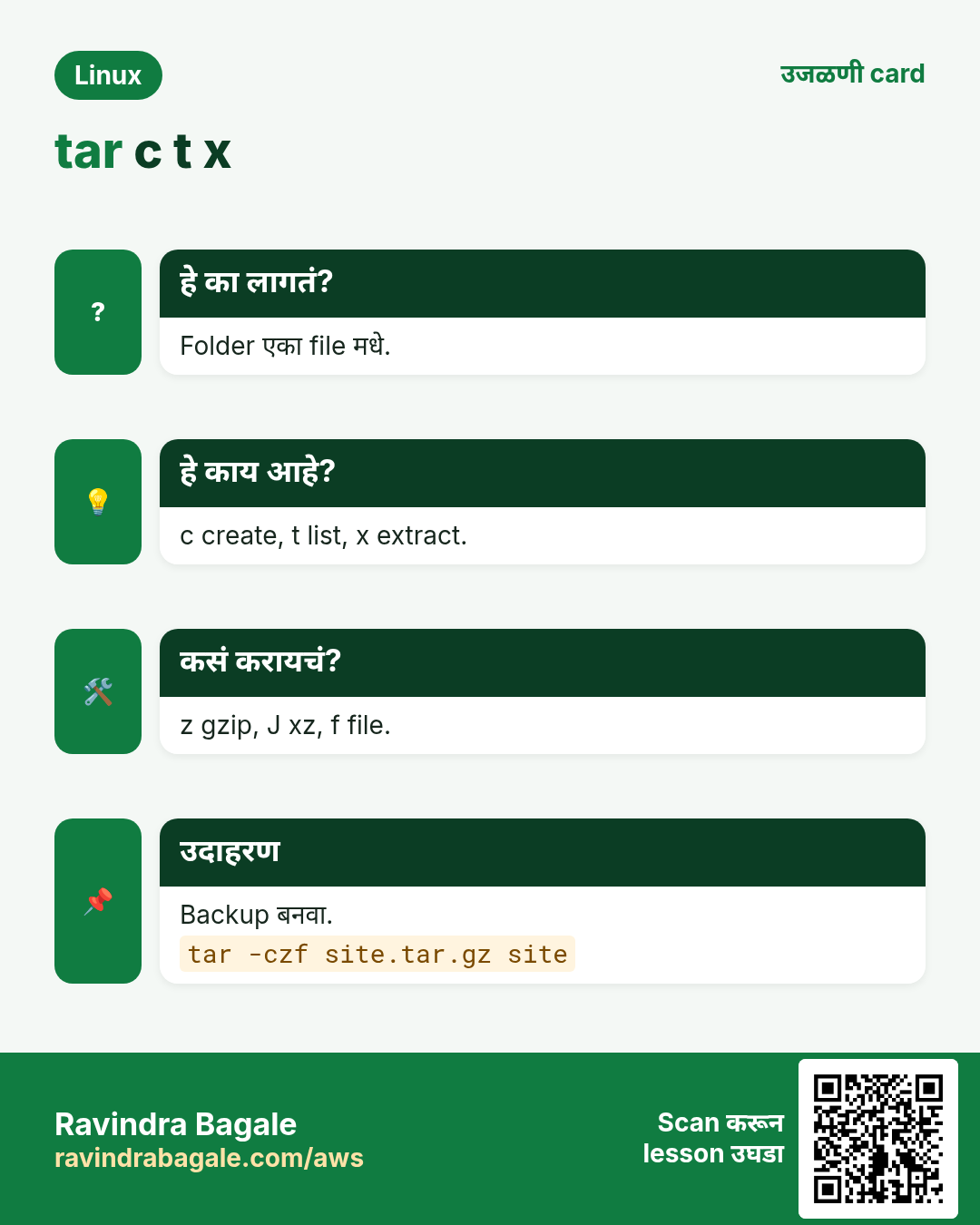
Remember tar as c-x-t: Create, eXtract, lisT, and keep f last because the name follows it. Before trusting any backup, test it (gzip -t) and restore it once into an empty folder.
Ravindra Bagale's Tip – मराठी
tar c-x-t म्हणून लक्षात ठेवा: Create, eXtract, lisT, आणि f शेवटी कारण नाव त्याच्या नंतर येतं. कोणत्याही backup वर विश्वास ठेवण्याआधी test करा (gzip -t) आणि एकदा रिकाम्या folder मधे restore करा.
Ravindra Bagale's Tip – हिंदी
tar को c-x-t याद रखें: Create, eXtract, lisT, और f आखिर में क्योंकि नाम उसके बाद आता है. किसी भी backup पर भरोसा करने से पहले test करें (gzip -t) और एक बार खाली folder में restore करें.
20. नेहमी विचारले जाणारे प्रश्न
प्र. Archive vs compress?
Archive = अनेक files एकात (tar). Compress = लहान (gzip). .tar.gz दोन्ही.
प्र. .tgz vs .tar.gz?
एकच.
प्र. कोणता format?
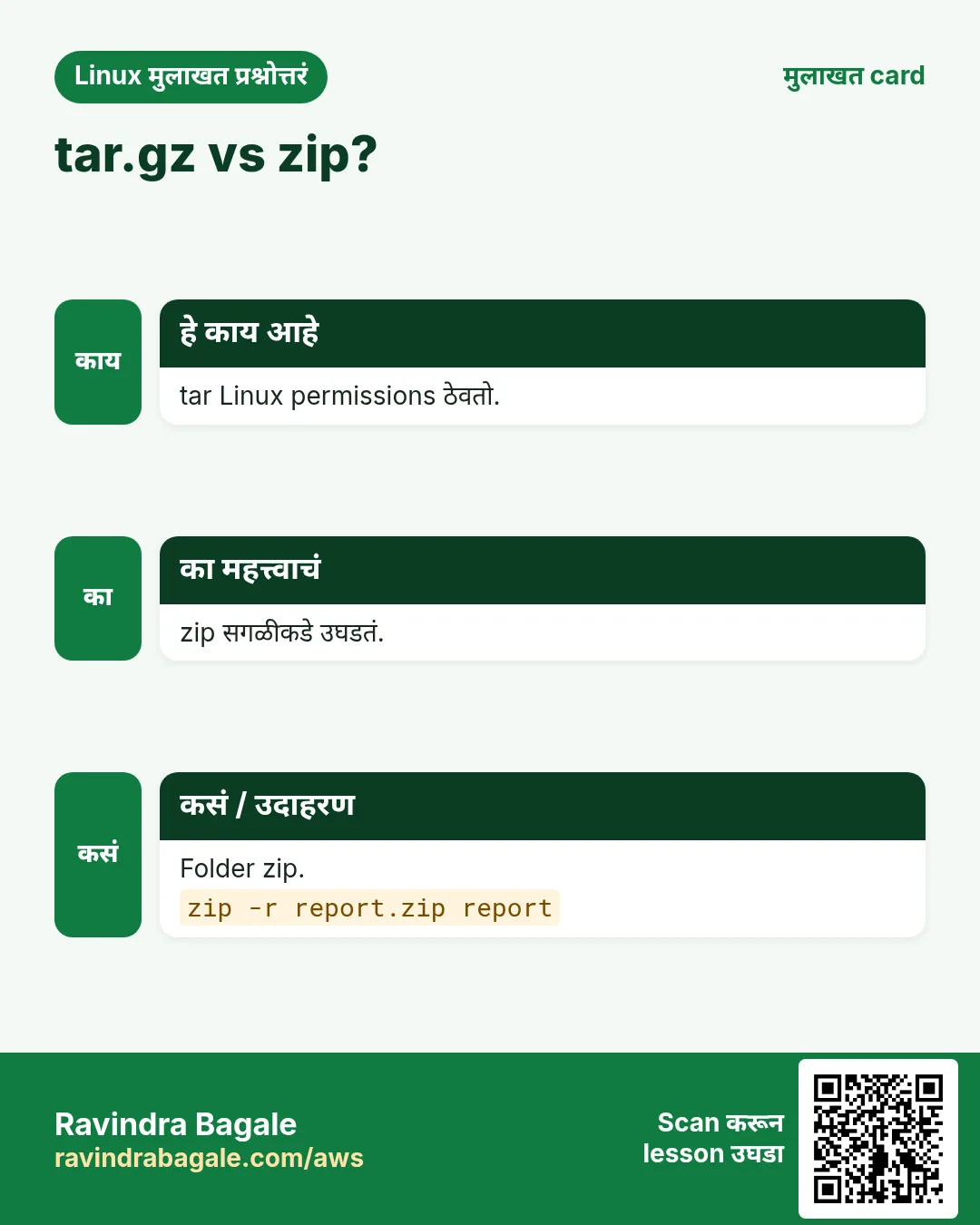
Compatibility साठी gzip, speed साठी zstd, सर्वात लहान साठी xz, Windows users साठी zip.
प्र. tar permissions ठेवतो?
हो, store करतो; owners restore ला root लागतो.
प्र. gzip folder compress करतो?
नाही, आधी tar, किंवा gzip -r प्रत्येक file वेगळी.
प्र. माझी .gz लहान का नाही?
आधीच compressed data (jpg, mp4, zip) लहान होत नाही.
प्र. zip -e safe?
जुनं zip encryption कमकुवत. Secrets साठी gpg किंवा 7z AES.
प्र. Temp files शिवाय folder दुसऱ्या server ला?
tar -czf - dir | ssh host 'tar -xzf - -C /dest'.
21. मुलाखत प्रश्न आणि उत्तरं
Beginner level
प्र. app folder चं .tar.gz?
tar -czf app.tgz app/.
प्र. Extract न करता tar.gz list?
tar -tzf app.tgz.
प्र. /opt मधे extract?
tar -xzf app.tgz -C /opt.
प्र. gzip ने original ठेवायची?
gzip -k FILE.
Mid level level
प्र. tar मधून node_modules exclude?
Folder आधी --exclude=node_modules.
प्र. Extract ला top folder काढायचा?
--strip-components=1.
प्र. .gz log मधे search?
zgrep PATTERN FILE.gz.
प्र. gzip vs xz vs zstd?
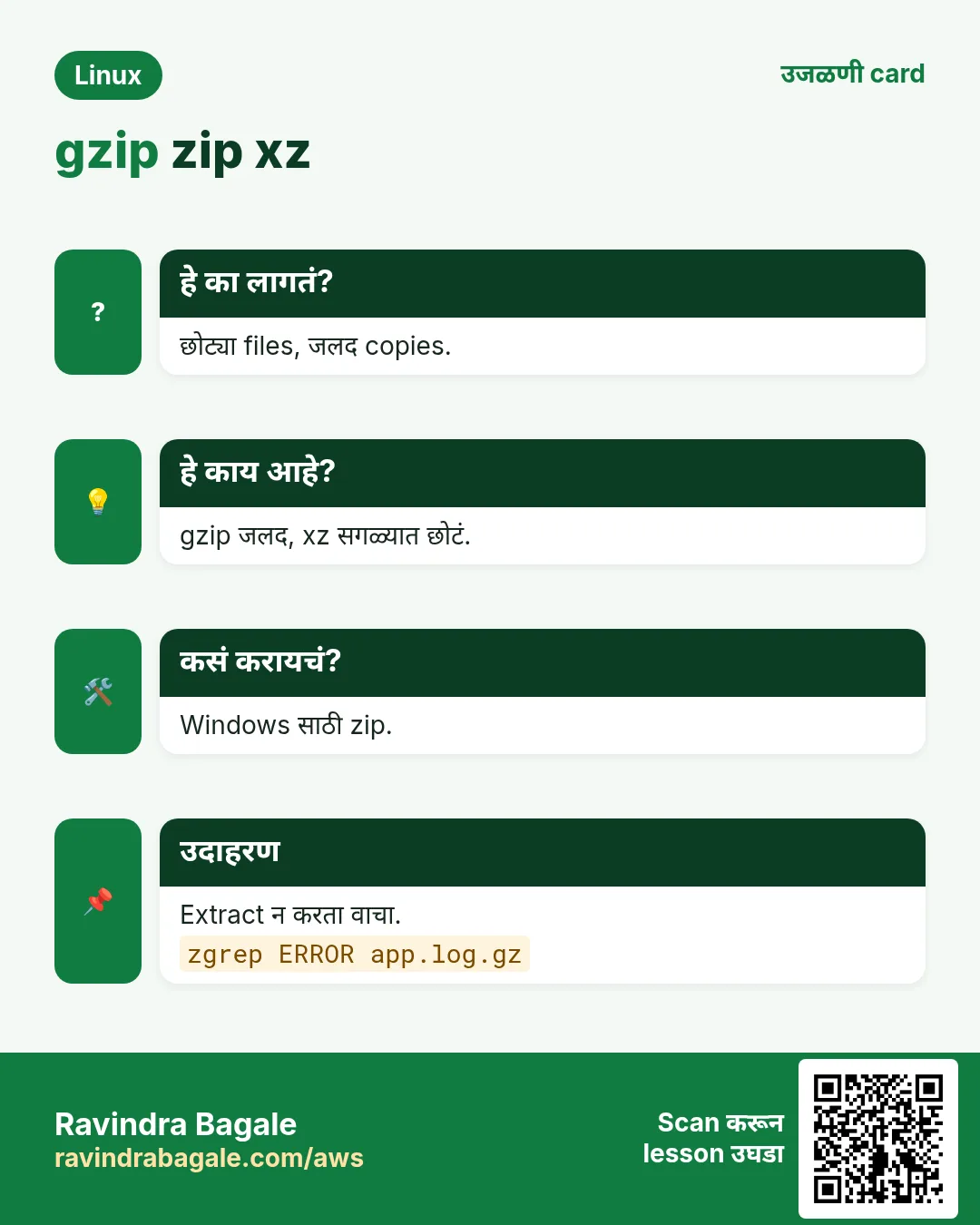
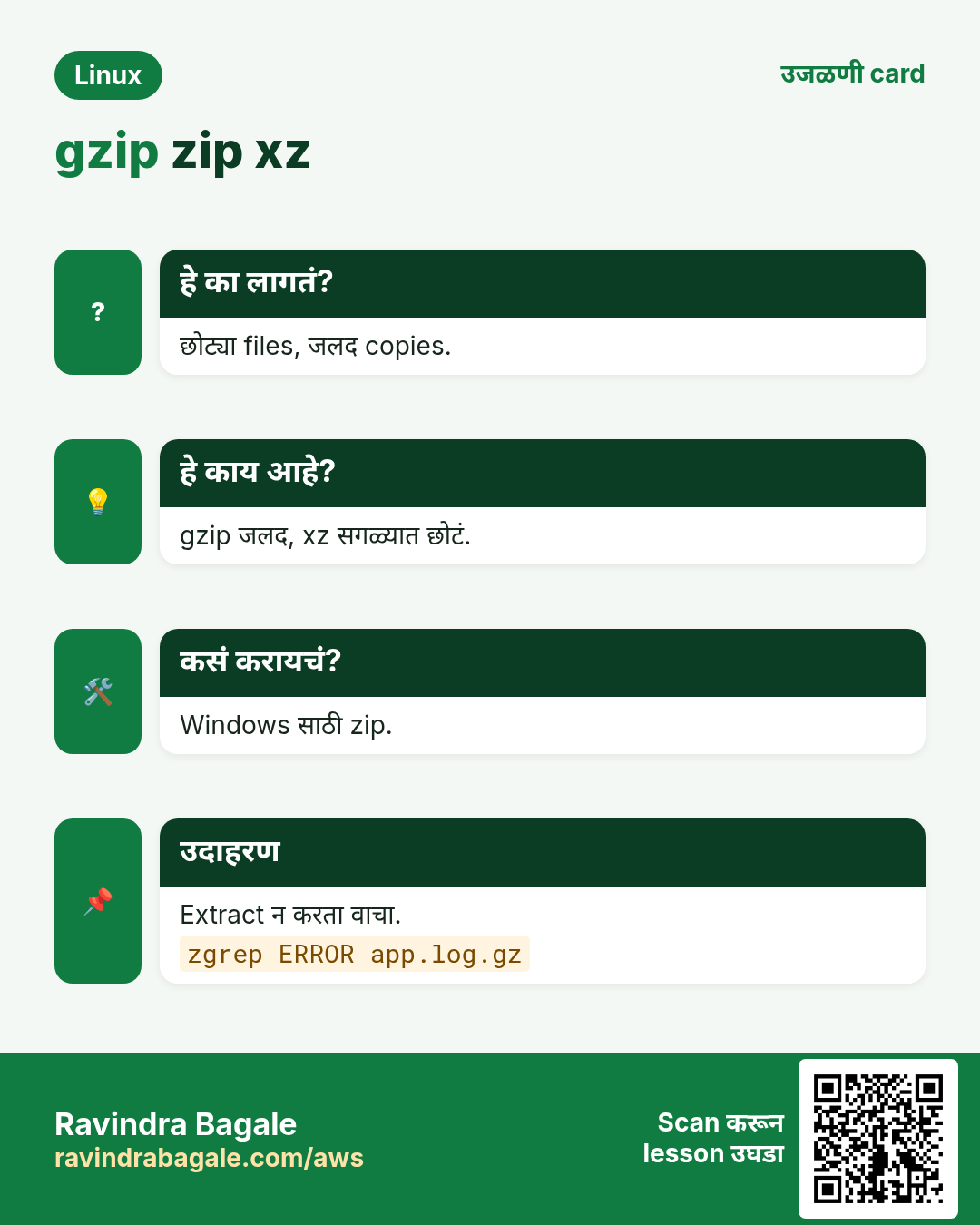
Speed vs size: gzip balanced, xz सर्वात लहान, zstd चांगल्या size सह fastest.
Senior level
प्र. विश्वासाचा backup design.
Consistent snapshot किंवा dump, zstd compress, checksum, offsite copy, नियमित test restore, monitor.
प्र. Tar bomb म्हणजे काय आणि कसं टाळायचं?
Top folder नसलेलं किंवा ../ paths असलेलं archive; आधी list करून रिकाम्या folder मधे extract.
प्र. 2 TB servers मधे पटकन?
tar | zstd -T0 | ssh किंवा mbuffer, किंवा resumable साठी rsync.
प्र. System backups साठी --numeric-owner का?
Restore host वर user नावं वेगळ्या IDs ला असू शकतात.
घरी करून बघा
- Home मधले Documents tar आणि zstd ने backup, *.iso exclude. Test करा आणि /tmp/check मधे restore.
- एक log file घ्या, gzip, xz आणि zstd ने compress करा, आणि size आणि time चा table लिहा.
सराव Tasks
Milan Furniture हा मिलान मधला फर्निचर व्यवसाय आहे. Giulia Rossi त्यांचं IT व cloud काम पाहतात. त्यांचे पैसे EUR मध्ये मोजले जातात आणि AWS resources eu-south-1 Region मध्ये चालतात. खालच्या tasks मध्ये तुम्ही या lesson मध्ये शिकलेलं वापरून त्यांची खरी कामं करता. सगळी नावं, account IDs, IP addresses व numbers सरावासाठी काल्पनिक आहेत.
0 / 22
सोपं tar.gz बनवा
का: Backups आणि transfers ला archives.
काय करायचं: site folder मधून site.tar.gz.
- हे काम करणारा Linux command शोधा.
- Task ला लागणारे options (उदा. -r, -h) जोडा.
- File नावं, folders किंवा users योग्य क्रमाने लिहा.
- System files/users बदलत असाल तर sudo वापरा. Check answer दाबा.
सोपं Archive list
का: Backups आणि transfers ला archives.
काय करायचं: site.tar.gz मधलं list.
- हे काम करणारा Linux command शोधा.
- Task ला लागणारे options (उदा. -r, -h) जोडा.
- File नावं, folders किंवा users योग्य क्रमाने लिहा.
- System files/users बदलत असाल तर sudo वापरा. Check answer दाबा.
सोपं Extract
का: Backups आणि transfers ला archives.
काय करायचं: site.tar.gz इथे extract.
- हे काम करणारा Linux command शोधा.
- Task ला लागणारे options (उदा. -r, -h) जोडा.
- File नावं, folders किंवा users योग्य क्रमाने लिहा.
- System files/users बदलत असाल तर sudo वापरा. Check answer दाबा.
सोपं सर्वोत्तम gzip compression
का: Backups आणि transfers ला archives.
काय करायचं: error.log gzip ने maximum level 9.
- हे काम करणारा Linux command शोधा.
- Task ला लागणारे options (उदा. -r, -h) जोडा.
- File नावं, folders किंवा users योग्य क्रमाने लिहा.
- System files/users बदलत असाल तर sudo वापरा. Check answer दाबा.
सोपं Uncompress
का: Backups आणि transfers ला archives.
काय करायचं: access.log.gz uncompress.
- हे काम करणारा Linux command शोधा.
- Task ला लागणारे options (उदा. -r, -h) जोडा.
- File नावं, folders किंवा users योग्य क्रमाने लिहा.
- System files/users बदलत असाल तर sudo वापरा. Check answer दाबा.
सोपं zip बनवा
का: Backups आणि transfers ला archives.
काय करायचं: report folder report.zip मधे.
- हे काम करणारा Linux command शोधा.
- Task ला लागणारे options (उदा. -r, -h) जोडा.
- File नावं, folders किंवा users योग्य क्रमाने लिहा.
- System files/users बदलत असाल तर sudo वापरा. Check answer दाबा.
सोपं zip list
का: Backups आणि transfers ला archives.
काय करायचं: Extract न करता report.zip list.
- हे काम करणारा Linux command शोधा.
- Task ला लागणारे options (उदा. -r, -h) जोडा.
- File नावं, folders किंवा users योग्य क्रमाने लिहा.
- System files/users बदलत असाल तर sudo वापरा. Check answer दाबा.
सोपं xz uncompress
का: Backups आणि transfers ला archives.
काय करायचं: dump.sql.xz uncompress.
- हे काम करणारा Linux command शोधा.
- Task ला लागणारे options (उदा. -r, -h) जोडा.
- File नावं, folders किंवा users योग्य क्रमाने लिहा.
- System files/users बदलत असाल तर sudo वापरा. Check answer दाबा.
सोपं Max zip compression
का: Backups आणि transfers ला archives.
काय करायचं: logs folder logs.zip मधे best compression level ने.
- हे काम करणारा Linux command शोधा.
- Task ला लागणारे options (उदा. -r, -h) जोडा.
- File नावं, folders किंवा users योग्य क्रमाने लिहा.
- System files/users बदलत असाल तर sudo वापरा. Check answer दाबा.
सोपं zip check
का: Backups आणि transfers ला archives.
काय करायचं: invoices.zip extract न करता खराबी check.
- हे काम करणारा Linux command शोधा.
- Task ला लागणारे options (उदा. -r, -h) जोडा.
- File नावं, folders किंवा users योग्य क्रमाने लिहा.
- System files/users बदलत असाल तर sudo वापरा. Check answer दाबा.
मध्यम दुसरीकडे extract
का: Backups आणि transfers ला archives.
काय करायचं: site.tar.gz /srv/www मधे.
- हे काम करणारा Linux command शोधा.
- Task ला लागणारे options (उदा. -r, -h) जोडा.
- File नावं, folders किंवा users योग्य क्रमाने लिहा.
- System files/users बदलत असाल तर sudo वापरा. Check answer दाबा.
मध्यम xz archive
का: Backups आणि transfers ला archives.
काय करायचं: logs folder मधून logs.tar.xz.
- हे काम करणारा Linux command शोधा.
- Task ला लागणारे options (उदा. -r, -h) जोडा.
- File नावं, folders किंवा users योग्य क्रमाने लिहा.
- System files/users बदलत असाल तर sudo वापरा. Check answer दाबा.
मध्यम Original ठेवा
का: Backups आणि transfers ला archives.
काय करायचं: access.log gzip पण original ठेवा.
- हे काम करणारा Linux command शोधा.
- Task ला लागणारे options (उदा. -r, -h) जोडा.
- File नावं, folders किंवा users योग्य क्रमाने लिहा.
- System files/users बदलत असाल तर sudo वापरा. Check answer दाबा.
मध्यम Extract न करता वाचा
का: Backups आणि transfers ला archives.
काय करायचं: Extract न करता app.log.gz मधे ERROR.
- हे काम करणारा Linux command शोधा.
- Task ला लागणारे options (उदा. -r, -h) जोडा.
- File नावं, folders किंवा users योग्य क्रमाने लिहा.
- System files/users बदलत असाल तर sudo वापरा. Check answer दाबा.
मध्यम दुसरीकडे unzip
का: Backups आणि transfers ला archives.
काय करायचं: report.zip /tmp/r मधे.
- हे काम करणारा Linux command शोधा.
- Task ला लागणारे options (उदा. -r, -h) जोडा.
- File नावं, folders किंवा users योग्य क्रमाने लिहा.
- System files/users बदलत असाल तर sudo वापरा. Check answer दाबा.
मध्यम File xz
का: Backups आणि transfers ला archives.
काय करायचं: सगळ्या CPU cores ने dump.sql xz.
- हे काम करणारा Linux command शोधा.
- Task ला लागणारे options (उदा. -r, -h) जोडा.
- File नावं, folders किंवा users योग्य क्रमाने लिहा.
- System files/users बदलत असाल तर sudo वापरा. Check answer दाबा.
मध्यम Password zip
का: Backups आणि transfers ला archives.
काय करायचं: payroll folder payroll.zip मधे password lock सह.
- हे काम करणारा Linux command शोधा.
- Task ला लागणारे options (उदा. -r, -h) जोडा.
- File नावं, folders किंवा users योग्य क्रमाने लिहा.
- System files/users बदलत असाल तर sudo वापरा. Check answer दाबा.
मध्यम zip update
का: Backups आणि transfers ला archives.
काय करायचं: Existing site.zip मधे फक्त बदललेली index.html.
- हे काम करणारा Linux command शोधा.
- Task ला लागणारे options (उदा. -r, -h) जोडा.
- File नावं, folders किंवा users योग्य क्रमाने लिहा.
- System files/users बदलत असाल तर sudo वापरा. Check answer दाबा.
मध्यम न विचारता unzip
का: Backups आणि transfers ला archives.
काय करायचं: theme.zip इथे extract, existing files न विचारता replace.
- हे काम करणारा Linux command शोधा.
- Task ला लागणारे options (उदा. -r, -h) जोडा.
- File नावं, folders किंवा users योग्य क्रमाने लिहा.
- System files/users बदलत असाल तर sudo वापरा. Check answer दाबा.
मध्यम zip मधून एक file
का: Backups आणि transfers ला archives.
काय करायचं: photos.zip मधून फक्त cover.jpg.
- हे काम करणारा Linux command शोधा.
- Task ला लागणारे options (उदा. -r, -h) जोडा.
- File नावं, folders किंवा users योग्य क्रमाने लिहा.
- System files/users बदलत असाल तर sudo वापरा. Check answer दाबा.
अवघड Files exclude
का: Backups आणि transfers ला archives.
काय करायचं: app चं app.tar.gz पण node_modules skip.
- हे काम करणारा Linux command शोधा.
- Task ला लागणारे options (उदा. -r, -h) जोडा.
- File नावं, folders किंवा users योग्य क्रमाने लिहा.
- System files/users बदलत असाल तर sudo वापरा. Check answer दाबा.
अवघड Integrity test
का: Backups आणि transfers ला archives.
काय करायचं: backup.tar.gz खराब आहे का test.
- हे काम करणारा Linux command शोधा.
- Task ला लागणारे options (उदा. -r, -h) जोडा.
- File नावं, folders किंवा users योग्य क्रमाने लिहा.
- System files/users बदलत असाल तर sudo वापरा. Check answer दाबा.
22. संबंधित chapters
- DevOps साठी Linux Ops Refresh
- Automation साठी Bash Scripting
- Linux grep आणि find Commands Examples सह
- Linux Servers मध्ये Passwordless SSH
थोडक्यात सांगायचं तर
- tar -c create, -t list, -x extract, नावाआधी f.
- -z gzip, -J xz, -j bzip2, --zstd zstd.
- -C, --exclude, --strip-components result ठरवतात.
- Single files साठी gzip/gunzip -k, zcat आणि zgrep.
- Windows-friendly archives साठी zip -r आणि unzip -d.
- -t आणि checksums ने test; खात्रीसाठी एकदा restore.
उजळणी, तुलना आणि मुलाखत cards
हा lesson काही मिनिटांत revise करा. Cards phone वर save करा किंवा PNG download करा. प्रत्येक card वरचा QR हा lesson उघडतो.
अजून cards: Ravi Sir's Cards.