AWS CLI Bash Scripting आणि Cheat Sheet: AWS Automate करा
Commands चे safe scripts: strict bash settings, regions व resources वर loops, waiters, pagination, error handling, retries, dry runs, आणि या series चा एक पानी cheat sheet.
या chapter मध्ये तुम्ही काय शिकाल
- Safe scripts लिहा
- Regions, resources वर loop
- Waiters आणि pagination
- Errors, retries, dry runs
- Cheat sheet वापरा
1. मोठं चित्र: recipe card
हे का लागतं?
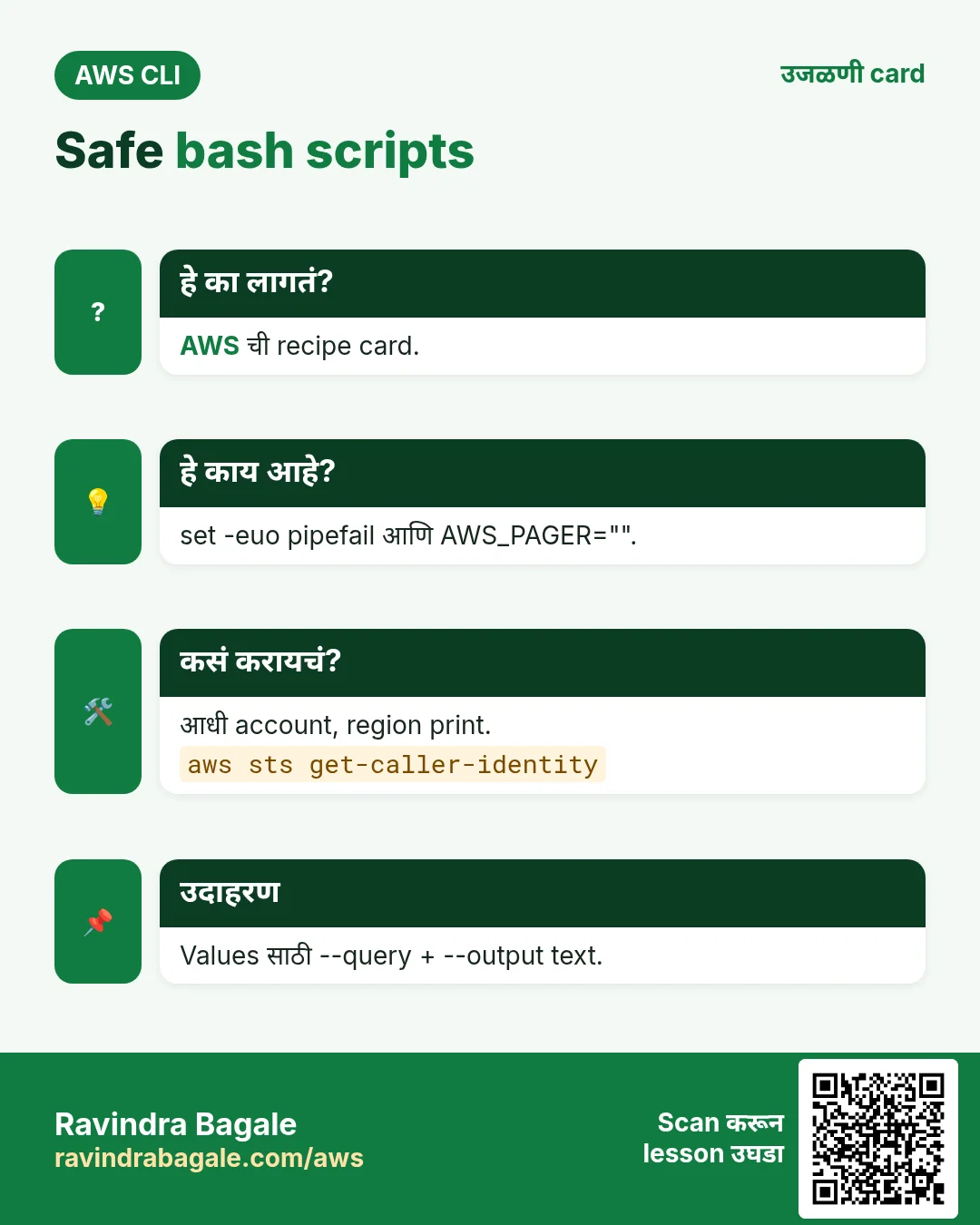
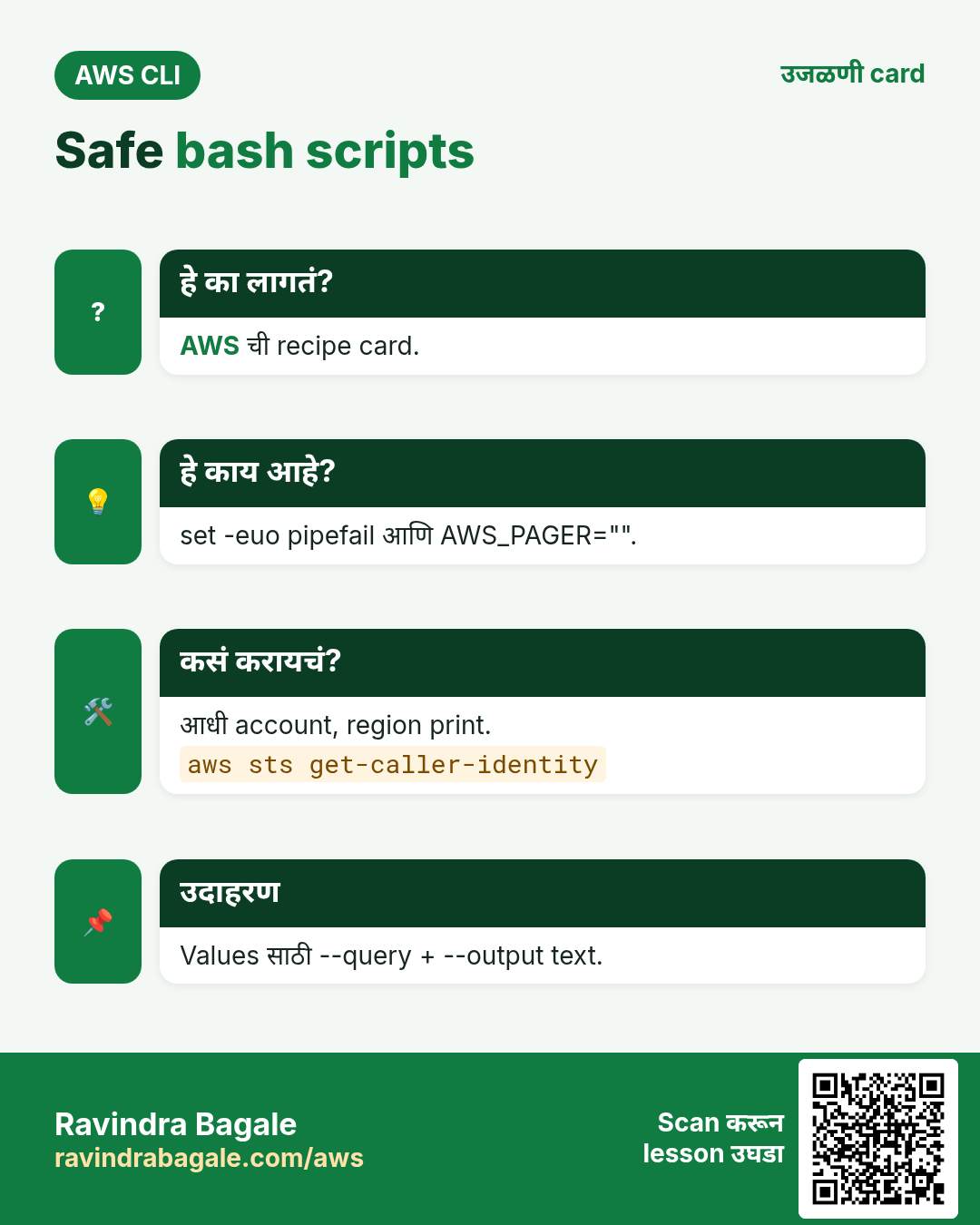
आजी recipe card लिहिते म्हणजे कोणीही तोच पदार्थ बनवतो. Script म्हणजे AWS ची recipe card: तेच steps, तोच क्रम, मीठ विसरत नाही.
हे काय आहे?
चांगले scripts clean values साठी --query, --output text, sleep ऐवजी aws ... wait, आणि पहिल्या error ला थांबतात.
कसं करायचं (step by step)
2. Safe script header
हे का लागतं?
Error नंतर चालू राहणारा script चुकीचं delete करू शकतो.
हे काय आहे?
set -euo pipefail errors, unset variables, failed pipes वर थांबतो. AWS_PAGER="" pager बंद. Action आधी account check.
कसं करायचं (step by step)
- Header लिहा.
cat > tag-report.sh <<'B'
#!/usr/bin/env bash
set -euo pipefail
export AWS_PAGER=""
REGION=${REGION:-ap-south-1}
ACCT=$(aws sts get-caller-identity --query Account --output text)
echo "account=$ACCT region=$REGION"
B
chmod +x tag-report.sh && ./tag-report.sh
अपेक्षित output:
account=111122223333 region=ap-south-13. Regions आणि resources वर loops
हे का लागतं?
प्रत्येक region मधले running servers एकदाच हवेत.
हे काय आहे?
describe-regions region names देतो. --output text tab-separated values, for किंवा while read loop साठी.
कसं करायचं (step by step)
- Region नुसार running instances.
for r in $(aws ec2 describe-regions --query "Regions[].RegionName" --output text); do
  n=$(aws ec2 describe-instances --region $r --filters Name=instance-state-name,Values=running --query "length(Reservations[].Instances[])")
  [ "$n" != "0" ] && echo "$r $n"
done
अपेक्षित output:
ap-south-1 3
us-east-1 1- while read ने rows.
aws ec2 describe-instances --query "Reservations[].Instances[].[InstanceId,InstanceType,Tags[?Key=='Name']|[0].Value]" --output text |
while read -r id type name; do echo "$name ($type) -> $id"; done
अपेक्षित output:
web (t3.micro) -> i-0abc123def45678904. Waiters आणि pagination
हे का लागतं?
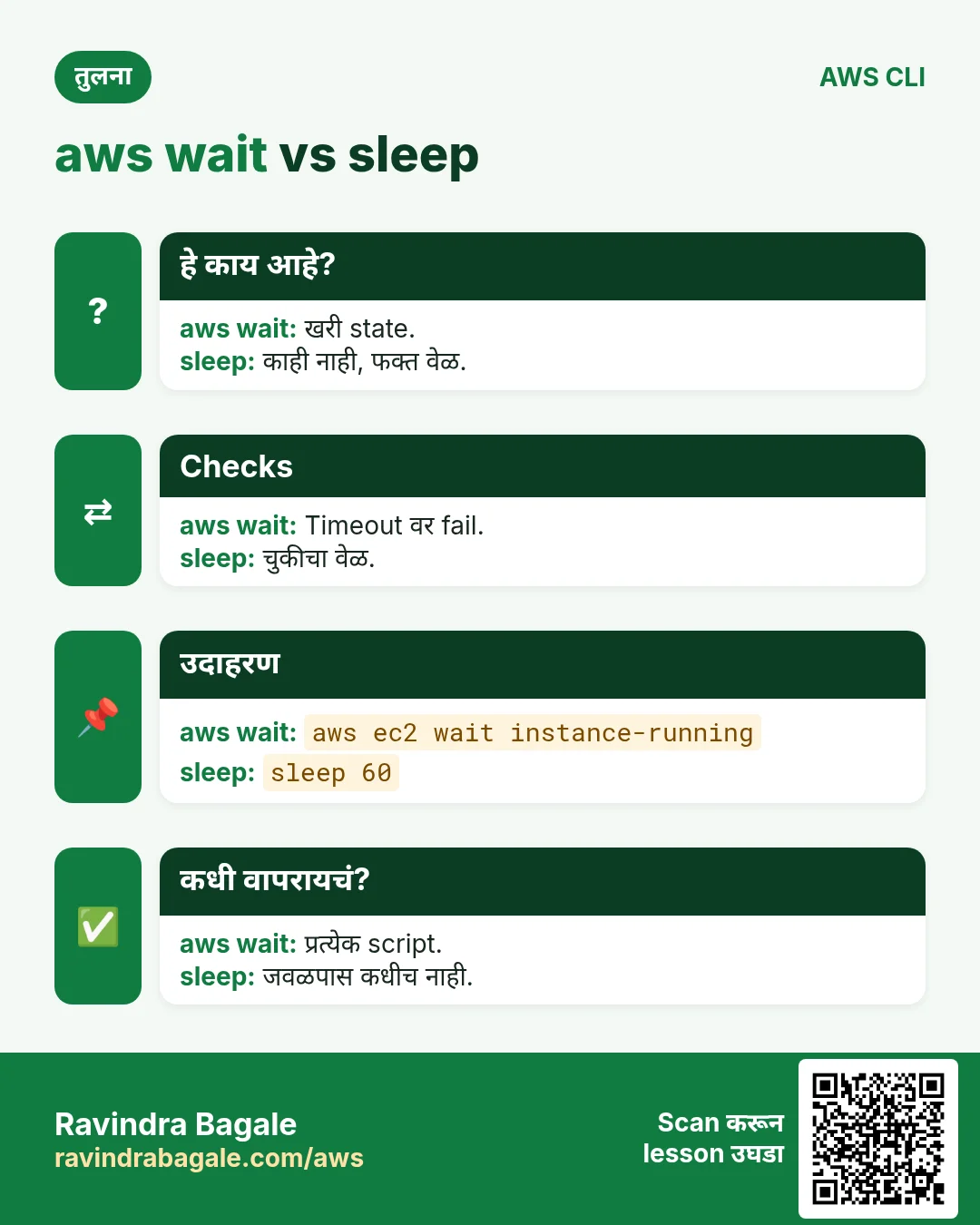
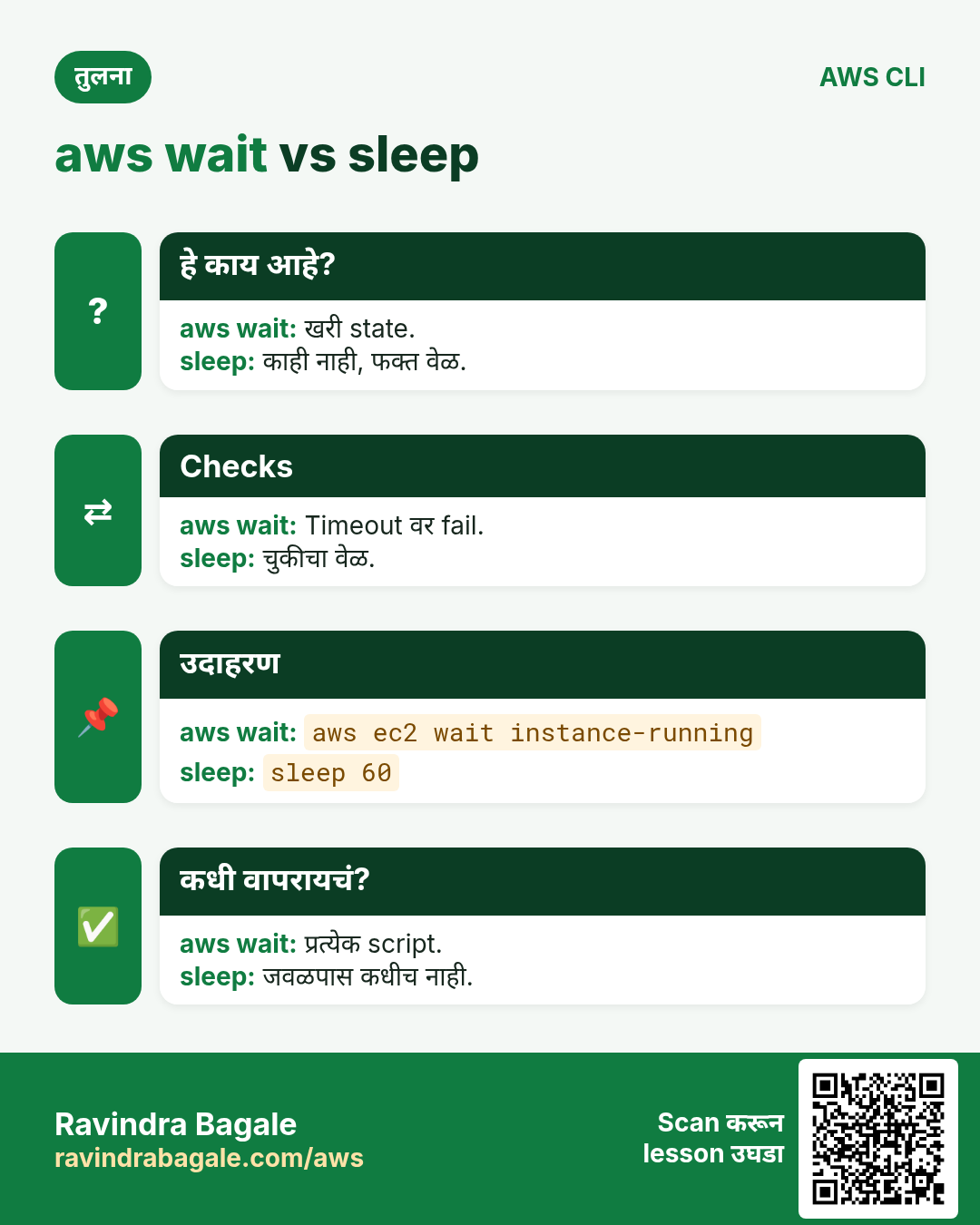
sleep 60 कधी कमी, कधी वाया; मोठ्या lists pages मध्ये येतात.
हे काय आहे?
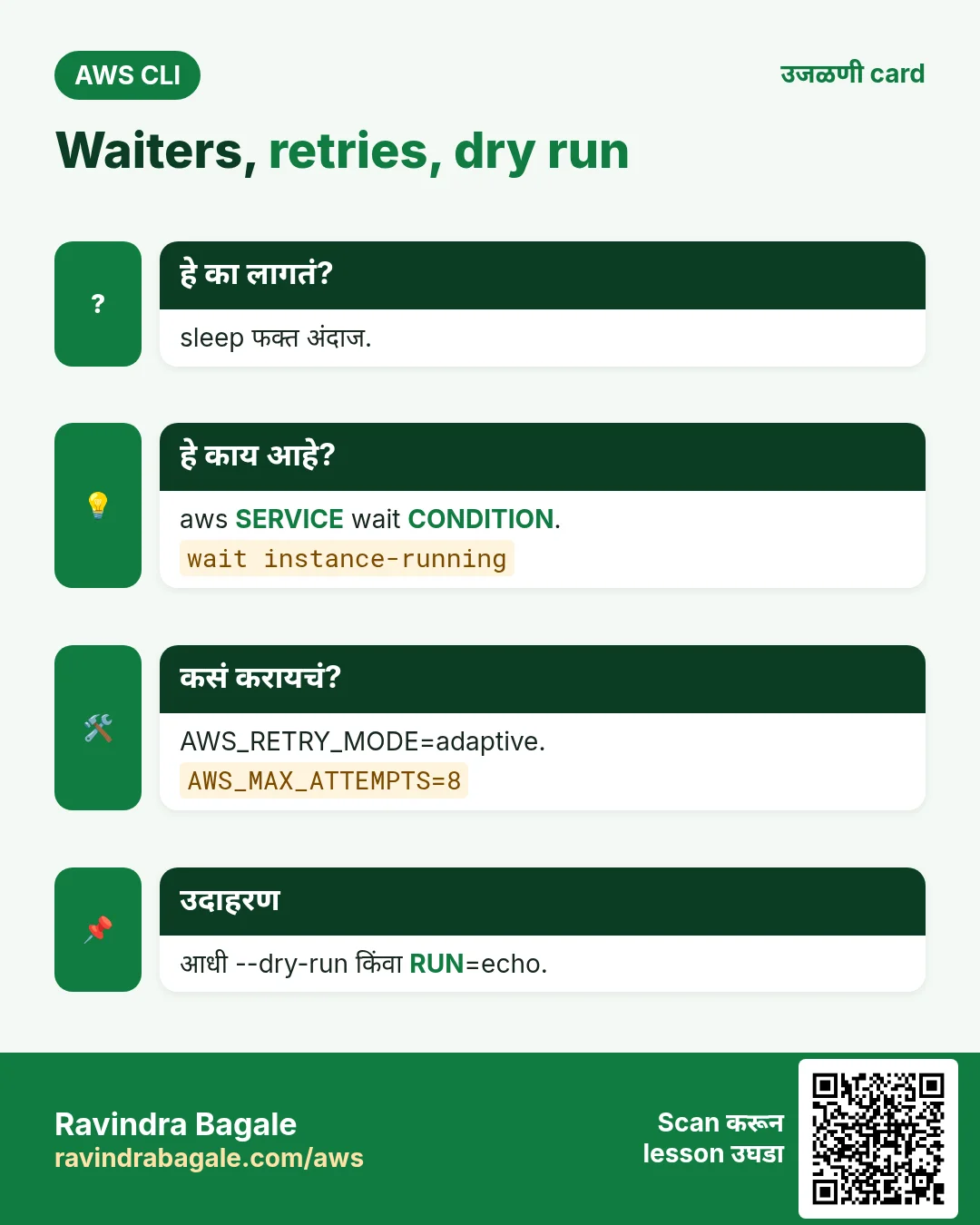
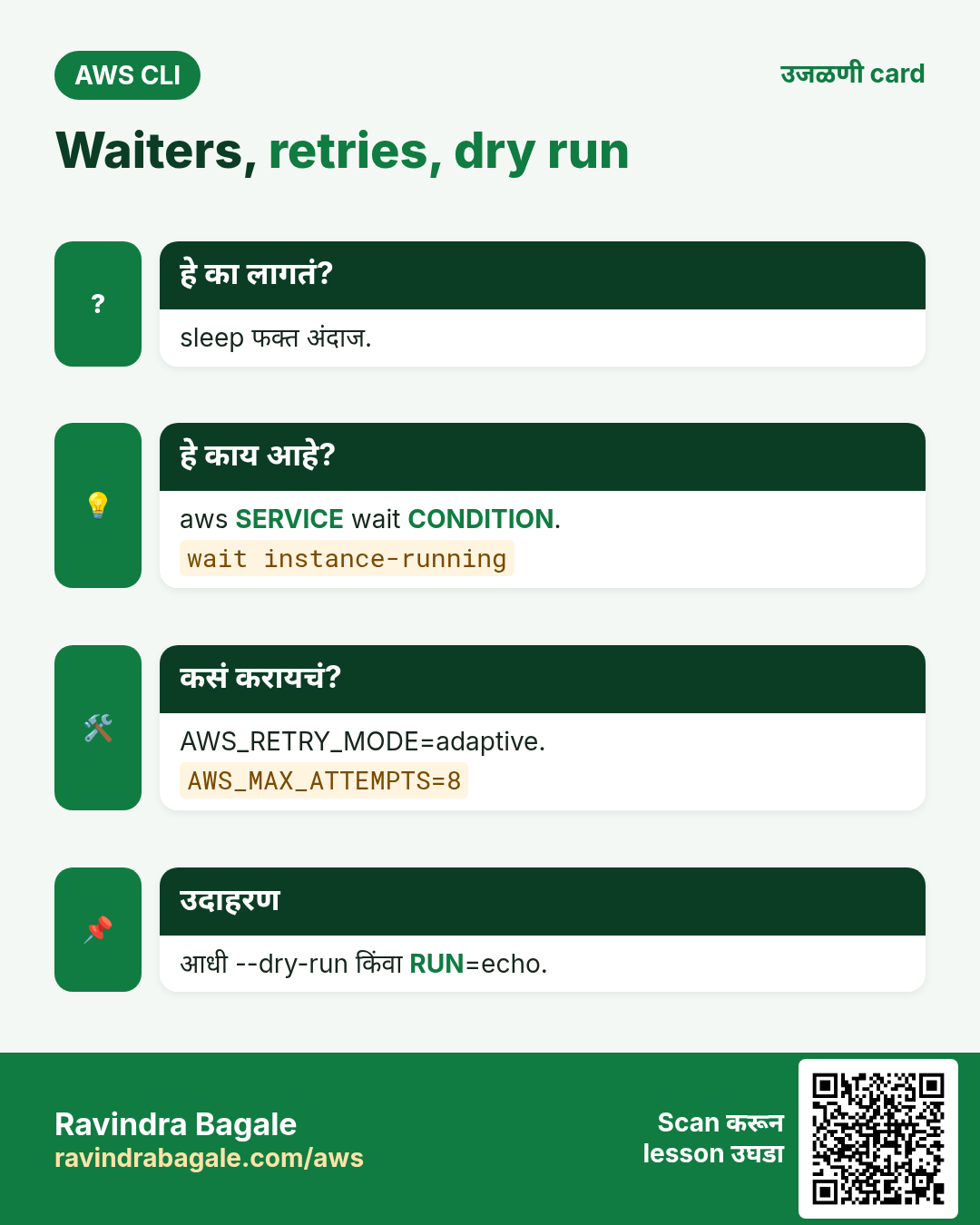
aws SERVICE wait CONDITION ready होईपर्यंत poll. CLI auto-paginate करतो; --max-items, --starting-token हाताने pages; --page-size छोटे calls.
कसं करायचं (step by step)
- Launch करून नीट wait.
ID=$(aws ec2 run-instances --image-id resolve:ssm:/aws/service/ami-amazon-linux-latest/al2023-ami-kernel-default-x86_64 --instance-type t3.micro --query "Instances[0].InstanceId" --output text)
aws ec2 wait instance-running --instance-ids $ID && echo "ready $ID"
अपेक्षित output:
ready i-0def456abc7890123- हाताने pages.
aws s3api list-objects-v2 --bucket my-bucket --max-items 2 --query "{keys:Contents[].Key,next:NextToken}"अपेक्षित output:
{"keys": ["a.txt", "b.txt"], "next": "eyJDb250aW51YXRpb25Ub2tlbiI6..."}5. Errors, retries आणि dry runs
हे का लागतं?
Load वर APIs throttle होतात; delete script न delete करता test करायचा.
हे काय आहे?
AWS_RETRY_MODE=adaptive आणि AWS_MAX_ATTEMPTS retry करतात. Exit code 0 = success; if ने तपासा. EC2 ला --dry-run; इतरांसाठी run ऐवजी print.
कसं करायचं (step by step)
- Smart retries.
export AWS_RETRY_MODE=adaptive AWS_MAX_ATTEMPTS=8
aws configure list | grep -i region
अपेक्षित output:
region ap-south-1 config-file ~/.aws/config- नसलेला resource handle.
if aws s3api head-bucket --bucket maybe-missing 2>/dev/null; then echo exists; else echo "missing, creating"; fiअपेक्षित output:
missing, creating- EC2 delete dry run.
aws ec2 terminate-instances --instance-ids $ID --dry-runअपेक्षित output:
An error occurred (DryRunOperation) ... Request would have succeeded, but DryRun flag is set.- इतर services साठी echo-mode.
RUN=${RUN:-echo}
for b in $(aws s3api list-buckets --query "Buckets[?starts_with(Name,'cli-tmp')].Name" --output text); do $RUN aws s3 rb s3://$b --force; done
अपेक्षित output:
aws s3 rb s3://cli-tmp-1 --force6. एक पानी cheat sheet
हे का लागतं?
Outage मध्ये योग्य command काही seconds मध्ये हवी.
हे काय आहे?
सर्व 25 chapters मधल्या सर्वात जास्त वापरल्या जाणाऱ्या commands, service नुसार.
कसं करायचं (step by step)
- Setup आणि identity.
aws configure sso
aws sts get-caller-identity
aws configure list-profiles
aws ec2 describe-regions --output table
अपेक्षित output:
(no output means success)- Compute आणि storage.
aws ec2 describe-instances --filters Name=instance-state-name,Values=running
aws ec2 start-instances / stop-instances --instance-ids i-...
aws s3 sync ./site s3://bucket --delete
aws s3 presign s3://bucket/file --expires-in 3600
aws ec2 create-snapshot --volume-id vol-...
अपेक्षित output:
(no output means success)- Network, load balancing, scaling.
aws ec2 describe-vpcs / describe-subnets / describe-security-groups
aws ec2 authorize-security-group-ingress --group-id sg-... --protocol tcp --port 443 --cidr 0.0.0.0/0
aws elbv2 describe-target-health --target-group-arn ...
aws autoscaling set-desired-capacity --auto-scaling-group-name asg --desired-capacity 3
अपेक्षित output:
(no output means success)- Databases आणि serverless.
aws rds describe-db-instances --query "DBInstances[].[DBInstanceIdentifier,DBInstanceStatus]"
aws dynamodb query --table-name t --key-condition-expression "pk=:p" --expression-attribute-values '{":p":{"S":"u1"}}'
aws lambda invoke --function-name f --cli-binary-format raw-in-base64-out --payload '{}' out.json
aws apigatewayv2 get-apis
अपेक्षित output:
(no output means success)- Messaging, DNS, containers.
aws sns publish --topic-arn ... --message hi
aws sqs receive-message --queue-url ... --wait-time-seconds 20
aws route53 change-resource-record-sets --hosted-zone-id Z... --change-batch file://c.json
aws ecr get-login-password | docker login --username AWS --password-stdin ACCT.dkr.ecr.REGION.amazonaws.com
aws ecs update-service --cluster c --service s --force-new-deployment
aws eks update-kubeconfig --name cluster
अपेक्षित output:
(no output means success)- Ops, security, delivery.
aws logs tail /aws/lambda/f --follow
aws cloudwatch describe-alarms --state-value ALARM
aws cloudformation deploy --stack-name s --template-file t.yaml
aws secretsmanager get-secret-value --secret-id name
aws ssm start-session --target i-...
aws kms encrypt --key-id alias/k --plaintext fileb://f
aws cloudfront create-invalidation --distribution-id E... --paths "/*"
अपेक्षित output:
(no output means success)7. हीच action Python, Node.js, Java, Go, .NET आणि PHP मध्ये
हे का लागतं?
Scripts CLI मध्ये सुरू होतात. Apps तोच API SDK मधून call करतात. दोन्ही माहीत असले की test केलेली command थेट code मध्ये नेता येते.
हे काय आहे?
प्रत्येक CLI command म्हणजे एक API call. उदा. aws sts get-caller-identity म्हणजे Who am I API.
कसं करायचं (step by step)
हीच action (मी कोण) code मधून. प्रत्येक SDK CLI सारखेच profile, region आणि credentials वाचतो.
| Stack | Code |
|---|---|
| Python (boto3) | boto3.client("sts").get_caller_identity()["Account"] |
| Node.js (v3) | await sts.send(new GetCallerIdentityCommand({})); |
| Java (v2) | sts.getCallerIdentity().account(); |
| Go (v2) | c.GetCallerIdentity(ctx, &sts.GetCallerIdentityInput{}) |
| .NET | await sts.GetCallerIdentityAsync(new GetCallerIdentityRequest()); |
| PHP | $sts->getCallerIdentity()["Account"]; |
8. काहीही खर्च चालू राहू नये म्हणून cleanup
हे का लागतं?
चालू ठेवलेले lab resources पैसे खातात आणि security risk बनतात.
हे काय आहे?
उलट्या क्रमाने delete करा: आधी children, मग parents.
कसं करायचं (step by step)
- Test instance terminate.
aws ec2 terminate-instances --instance-ids $ID --query "TerminatingInstances[0].CurrentState.Name" --output text
aws ec2 wait instance-terminated --instance-ids $ID
अपेक्षित output:
shutting-down- Script files काढा.
rm -f tag-report.shअपेक्षित output:
(no output means success)- काही चालू नाही ना verify.
aws ec2 describe-instances --filters Name=instance-state-name,Values=running --query "length(Reservations[].Instances[])"अपेक्षित output:
0Ravindra Bagale's Tip
कोणत्याही delete loop आधी RUN=echo ने एकदा चालवा, प्रत्येक line वाचा. मग RUN= (रिकामं) ने execute.
9. मुलाखत प्रश्न आणि उत्तरं
प्र. set -euo pipefail का?
Errors वर थांबणं.
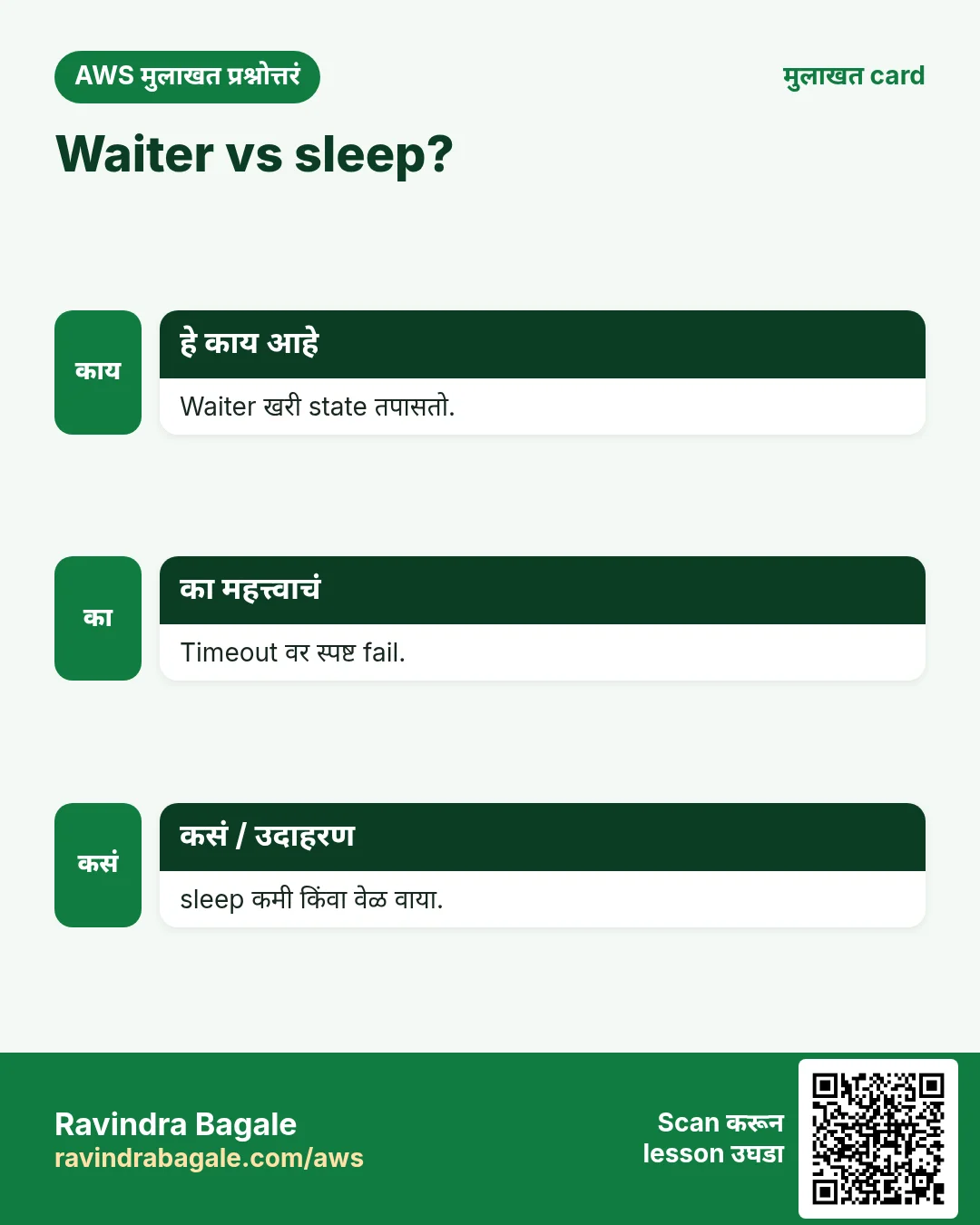
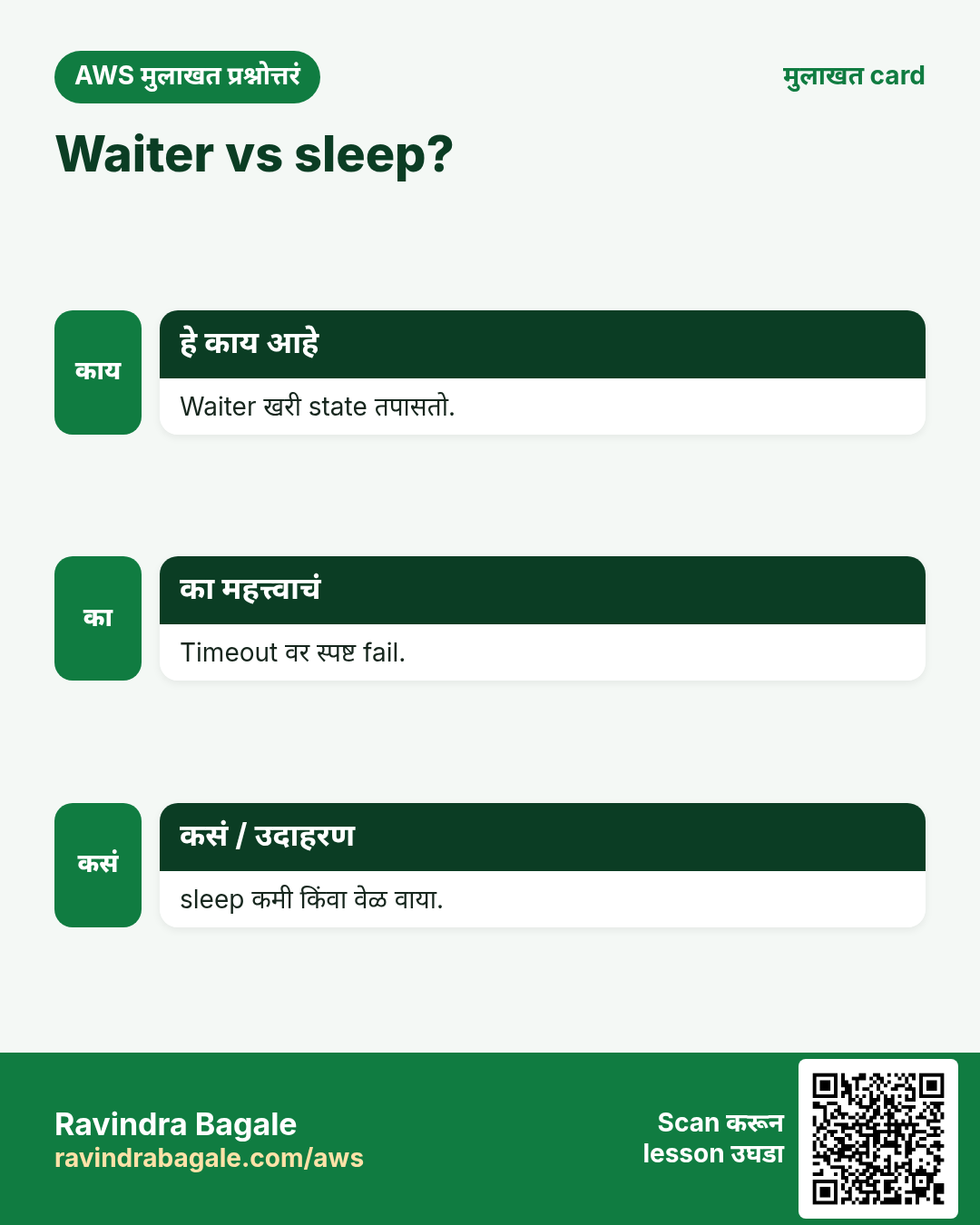
प्र. Waiter vs sleep?
खरी state vs अंदाज.
प्र. CLI pagination?
Auto; --max-items, --starting-token.
प्र. Throttling handle कसं?
adaptive retry mode.
प्र. Destructive scripts test कसे?
--dry-run आणि echo-mode.
घरी करून बघा
- प्रत्येक S3 bucket region सह CSV मध्ये लिहिणारा script.
- सर्व regions मधले env=dev instances stop करणारा stop-dev-servers.sh, आधी RUN=echo.
थोडक्यात सांगायचं तर
- set -euo pipefail.
- --query + --output text.
- sleep नाही, wait.
- adaptive retries.
- आधी dry run.
सराव Tasks
Shivneri Schools हा जुन्नर मधला शिक्षण व्यवसाय आहे. Kavita Shinde त्यांचं IT व cloud काम पाहतात. त्यांचे पैसे INR मध्ये मोजले जातात आणि AWS resources ap-south-1 Region मध्ये चालतात. खालच्या tasks मध्ये तुम्ही या lesson मध्ये शिकलेलं वापरून त्यांची खरी कामं करता. सगळी नावं, account IDs, IP addresses व numbers सरावासाठी काल्पनिक आहेत.
0 / 12
सोपं EC2 instances ची list पाहा
का: काही बदलण्याआधी काय चालू आहे व कोणत्या state मध्ये ते पाहा.
काय करायचं: Shivneri Schools च्या ap-south-1 मधल्या सगळ्या EC2 instances चे details दाखवा.
- Task वाचा आणि ते कोणत्या AWS service बद्दल आहे ते ठरवा.
- aws लिहा, मग service चं नाव, मग operation (action शब्द).
- प्रत्येक आवश्यक flag (--name) व त्यापुढे task मधली value लिहा.
- Flags कोणत्याही क्रमाने चालतात. Check answer दाबा.
सोपं Bucket folder मधल्या files दाखवा
का: Upload झालं का व files चे sizes पाहा.
काय करायचं: s3://shivnerischool-invoices-2026/reports/ खालचे objects दाखवा.
- Task वाचा आणि ते कोणत्या AWS service बद्दल आहे ते ठरवा.
- aws लिहा, मग service चं नाव, मग operation (action शब्द).
- प्रत्येक आवश्यक flag (--name) व त्यापुढे task मधली value लिहा.
- Flags कोणत्याही क्रमाने चालतात. Check answer दाबा.
सोपं Bucket बनवा
का: Bucket म्हणजे S3 मधल्या files चा मुख्य container.
काय करायचं: ap-south-1 मध्ये shivnerischool-invoices-2026 bucket बनवा.
- Task वाचा आणि ते कोणत्या AWS service बद्दल आहे ते ठरवा.
- aws लिहा, मग service चं नाव, मग operation (action शब्द).
- प्रत्येक आवश्यक flag (--name) व त्यापुढे task मधली value लिहा.
- Flags कोणत्याही क्रमाने चालतात. Check answer दाबा.
सोपं तुम्ही कोण म्हणून login आहात ते पाहा
का: बदल करण्याआधी account व identity नेहमी तपासा.
काय करायचं: तुमचा CLI वापरत असलेल्या identity चा account ID व ARN दाखवा.
- Task वाचा आणि ते कोणत्या AWS service बद्दल आहे ते ठरवा.
- aws लिहा, मग service चं नाव, मग operation (action शब्द).
- प्रत्येक आवश्यक flag (--name) व त्यापुढे task मधली value लिहा.
- Flags कोणत्याही क्रमाने चालतात. Check answer दाबा.
सोपं Config file वाचा
का: Screen वर file वाचणं हा settings तपासण्याचा सर्वात जलद मार्ग.
काय करायचं: /etc/shivnerischool/app.conf ही पूर्ण file screen वर दाखवा.
- हे काम करणारा Linux command शोधा.
- Task ला लागणारे options (उदा. -r, -h) जोडा.
- File नावं, folders किंवा users योग्य क्रमाने लिहा.
- System files/users बदलत असाल तर sudo वापरा. Check answer दाबा.
सोपं सर्व files details सह दाखवा
का: Hidden files (उदा. .env), sizes व owners योग्य options नेच दिसतात.
काय करायचं: /var/www/shivnerischool मधल्या hidden files सह सगळ्या files ची long listing दाखवा.
- हे काम करणारा Linux command शोधा.
- Task ला लागणारे options (उदा. -r, -h) जोडा.
- File नावं, folders किंवा users योग्य क्रमाने लिहा.
- System files/users बदलत असाल तर sudo वापरा. Check answer दाबा.
सोपं रिकामी file बनवा
का: काही apps ना लिहिण्याआधी file अस्तित्वात असावी लागते.
काय करायचं: सध्याच्या folder मध्ये orders-inr.csv नावाची रिकामी file बनवा.
- हे काम करणारा Linux command शोधा.
- Task ला लागणारे options (उदा. -r, -h) जोडा.
- File नावं, folders किंवा users योग्य क्रमाने लिहा.
- System files/users बदलत असाल तर sudo वापरा. Check answer दाबा.
मध्यम किती items येतील ते मर्यादित करा
का: --max-items मोठी listing पहिल्या N नंतर थांबवतो.
काय करायचं: s3api ने shivnerischool-logs bucket मधले objects, कमाल 50 items.
- Task वाचा आणि ते कोणत्या AWS service बद्दल आहे ते ठरवा.
- aws लिहा, मग service चं नाव, मग operation (action शब्द).
- प्रत्येक आवश्यक flag (--name) व त्यापुढे task मधली value लिहा.
- Flags कोणत्याही क्रमाने चालतात. Check answer दाबा.
मध्यम Output table मध्ये दाखवा
का: --output table screen वर वाचायला सोपं.
काय करायचं: s3api ने सगळे S3 buckets दाखवा व result table मध्ये.
- Task वाचा आणि ते कोणत्या AWS service बद्दल आहे ते ठरवा.
- aws लिहा, मग service चं नाव, मग operation (action शब्द).
- प्रत्येक आवश्यक flag (--name) व त्यापुढे task मधली value लिहा.
- Flags कोणत्याही क्रमाने चालतात. Check answer दाबा.
अवघड फक्त running instances दाखवा
का: Filters मुळे AWS फक्त हवं तेच पाठवतं.
काय करायचं: फक्त state running असलेल्या instances describe करा.
- Task वाचा आणि ते कोणत्या AWS service बद्दल आहे ते ठरवा.
- aws लिहा, मग service चं नाव, मग operation (action शब्द).
- प्रत्येक आवश्यक flag (--name) व त्यापुढे task मधली value लिहा.
- Flags कोणत्याही क्रमाने चालतात. Check answer दाबा.
अवघड --query ने fields निवडा
का: JMESPath --query फक्त हवं ते दाखवतो.
काय करायचं: Instances describe करा पण फक्त instance IDs दाखवा: query Reservations[].Instances[].InstanceId व text output.
- Task वाचा आणि ते कोणत्या AWS service बद्दल आहे ते ठरवा.
- aws लिहा, मग service चं नाव, मग operation (action शब्द).
- प्रत्येक आवश्यक flag (--name) व त्यापुढे task मधली value लिहा.
- Flags कोणत्याही क्रमाने चालतात. Check answer दाबा.
अवघड Instance running होईपर्यंत थांबा
का: Waiters तुमचा script हवं ते state येईपर्यंत थांबवतात.
काय करायचं: Instance i-0d55255ad30111a2b running होईपर्यंत थांबा.
- Task वाचा आणि ते कोणत्या AWS service बद्दल आहे ते ठरवा.
- aws लिहा, मग service चं नाव, मग operation (action शब्द).
- प्रत्येक आवश्यक flag (--name) व त्यापुढे task मधली value लिहा.
- Flags कोणत्याही क्रमाने चालतात. Check answer दाबा.
उजळणी, तुलना आणि मुलाखत cards
हा lesson काही मिनिटांत revise करा. Cards phone वर save करा किंवा PNG download करा. प्रत्येक card वरचा QR हा lesson उघडतो.
अजून cards: Ravi Sir's Cards.