Linux Process Management: ps, top, htop, pgrep, jobs, bg, fg, nohup, nice आणि renice
चालू असलेला प्रत्येक program एक process: number (PID), owner, parent आणि state सह. या chapter मधे processes list करणं (ps, pstree, pgrep), live बघणं (top, htop), background मधे चालवून परत आणणं (&, jobs, bg, fg, nohup, disown), priority बदलणं (nice, renice), आणि आत बघणं (/proc, lsof) शिकाल.
या chapter मध्ये तुम्ही काय शिकाल
- ps, pgrep आणि pstree ने processes list आणि filter
- top आणि htop वाचा: load, CPU, memory, states
- jobs, &, Ctrl+Z, bg, fg वापरा
- nohup आणि disown ने logout नंतर jobs चालू
- nice आणि renice ने priority
- /proc आणि lsof ने process तपासा
1. रोजचं उदाहरण: गजबजलेलं वाड्याचं स्वयंपाकघर
हे का लागतं?
गणपतीत सदाशिव पेठेतल्या वाड्यात स्वयंपाकघरात एकदम अनेक कामं: एका stove वर भात, modak वाफवणं, pressure cooker, आणि कोणीतरी चिरतंय. आजी प्रत्येक भांड्यावर number आणि स्वयंपाक्याचं नाव असलेला token ठेवते. काही कामं cooker च्या शिट्टीची वाट बघतात. स्वयंपाकी बाहेर गेला तरी modak वाफवत राहतात. पाहुणे आले की आजी सांगते 'आधी भात, गोड थांबू शकतं'.
हे काय आहे?
प्रत्येक भांडं = process. Token number = PID. स्वयंपाक्याचं नाव = user. कोणी सुरू केलं = parent (PPID). शिट्टीची वाट = sleeping state. स्वयंपाकी बाहेर असताना वाफ = nohup सह background job. 'आधी भात' = nice/renice priority. सगळं बघणारी आजी = top.
कसं करायचं (step by step)
2. ps aux: सगळे processes, BSD style
हे का लागतं?
Server slow किंवा app 'अडकलं' की पहिला प्रश्न: काय चालू आहे, कोणाच्या नावाने, किती वापरतंय?
हे काय आहे?
ps aux सगळे processes USER, PID, %CPU, %MEM, VSZ, RSS (खरी memory, KB), TTY, STAT, START, TIME आणि COMMAND सह. STAT letters: R running, S sleeping, D uninterruptible (disk), T stopped, Z zombie; + foreground, s session leader, < high priority, N low priority.
| STAT | अर्थ |
|---|---|
| R | चालू किंवा तयार |
| S | Event ची वाट |
| D | Disk/IO ची वाट, kill होत नाही |
| T | थांबवलेलं |
| Z | Zombie, संपलं पण reap नाही |
कसं करायचं (step by step)
- सगळे processes, पहिल्या lines.
ps aux | head -3Output:
USER  PID %CPU %MEM    VSZ   RSS TTY STAT START TIME COMMAND
root    1  0.0  0.1 171820 13200 ?   Ss   09:01 0:02 /usr/lib/systemd/systemd
root    2  0.0  0.0      0     0 ?   S    09:01 0:00 [kthreadd]
याचा अर्थ: PID 1 systemd; [brackets] म्हणजे kernel threads.
- सर्वात जास्त memory.
ps aux --sort=-rss | head -4Output:
USER   PID %CPU %MEM ... RSS ... COMMAND
mysql 1420  3.1 24.0 ... 1960000 ... /usr/sbin/mysqld
ravi  8812 40.2 12.5 ... 1020000 ... python train.py
याचा अर्थ: mysqld सुमारे 1.9 GB.
- एक program शोधा.
ps aux | grep [n]ginxOutput:
root   980 0.0 0.0 ... nginx: master process
nginx  981 0.0 0.1 ... nginx: worker process
याचा अर्थ: [n] मुळे grep स्वतःला match करत नाही.
3. ps -ef आणि ps -o: parents आणि custom columns
हे का लागतं?
Process कोणी सुरू केला ते कळायला, किंवा script ला लागणारे columns च print करायला.
हे काय आहे?
ps -ef UID, PID, PPID, C, STIME, TTY, TIME, CMD. ps -o pid,ppid,user,stat,%cpu,%mem,etime,cmd columns निवडतो. एका process साठी -p PID, user साठी -u USER, नावाने -C NAME, tree साठी --forest, scripts साठी --no-headers.
कसं करायचं (step by step)
- Parent बघा.
ps -ef | grep [g]unicornOutput:
app  2201     1  0 09:05 ?  00:00:03 gunicorn master
app  2210  2201  1 09:05 ?  00:00:40 gunicorn worker
याचा अर्थ: Workers चा PPID master.
- एका PID साठी custom columns.
ps -o pid,ppid,user,stat,etime,cmd -p 2201Output:
  PID  PPID USER STAT     ELAPSED CMD
 2201     1 app  Ss    3-02:11:09 gunicorn master
याचा अर्थ: 3 दिवस 2 तास चालू.
- एका user चे processes.
ps -u postgres -o pid,%cpu,cmd --sort=-%cpu | head -3Output:
  PID %CPU CMD
 3310 22.0 postgres: app shop 10.0.1.5 SELECT
 1500  0.3 postgres: checkpointer
याचा अर्थ: एक query busy.
- Scripts साठी नावाने.
ps -C sshd -o pid= | wc -lOutput:
3याचा अर्थ: Header नाही, count सोपं.
4. pstree: family tree
हे का लागतं?
Tree कोणत्या service चे कोणते workers आणि विचित्र process कोणी spawn केला ते दाखवतो.
हे काय आहे?
pstree systemd पासून tree. -p PIDs, -u user बदल, -a arguments. pstree -p PID एक branch. pstree -s PID PID 1 पर्यंत parents.
कसं करायचं (step by step)
- एका service ची branch.
pstree -p 980Output:
nginx(980)─┬─nginx(981)
           └─nginx(982)
याचा अर्थ: Master आणि दोन workers.
- हे कोणी सुरू केलं?
pstree -s -p 8812Output:
systemd(1)───sshd(800)───sshd(8700)───bash(8701)───python(8812)याचा अर्थ: SSH session मधून.
- Users पण.
pstree -u | head -3Output:
systemd─┬─NetworkManager───2*[{NetworkManager}]
        ├─chronyd(chrony)
        ├─mysqld(mysql)───38*[{mysqld}]
याचा अर्थ: (name) user बदल; {} threads.
5. pgrep आणि pidof: नावाने PIDs
हे का लागतं?
Scripts ला ps output parse न करता signals साठी किंवा चालू आहे का बघायला PID लागतो.
हे काय आहे?
pgrep NAME matching PIDs. -l नावं, -a पूर्ण command, -u USER filter, -f पूर्ण command line match, -x exact नाव, -c count, -n newest, -o oldest. pidof PROGRAM exact program नावाचे PIDs. Exit code 1 म्हणजे सापडलं नाही.
कसं करायचं (step by step)
- नावांसह PIDs.
pgrep -l nginxOutput:
980 nginx
981 nginx
याचा अर्थ: जलद आणि स्वच्छ.
- पूर्ण command line match.
pgrep -af 'python.*train'Output:
8812 python train.py --epochs 50याचा अर्थ: -f arguments पण बघतो.
- User चे processes count.
pgrep -c -u deployOutput:
27याचा अर्थ: साधं monitoring.
- Exact binary साठी pidof.
pidof sshdOutput:
8700 800याचा अर्थ: अनेक init scripts मधे.
- Exit code वापरा.
pgrep -x redis-server >/dev/null || echo 'redis is down'Output:
redis is downयाचा अर्थ: Health checks साठी.
6. top: live view
हे का लागतं?
आत्ता CPU आणि memory काय वापरतंय, आणि system किती loaded ते बघायला.
हे काय आहे?
Header uptime, users, load average (1, 5, 15 min), task states, CPU (us user, sy system, wa IO wait, st steal), आणि memory. Keys: P CPU ने sort, M memory ने, 1 per-CPU, c पूर्ण command, u user filter, k kill, r renice, q quit. Scripts साठी top -b -n 1 एकदा print.
| Field | काय बघा |
|---|---|
| load average | CPU count पेक्षा जास्त बराच वेळ = overloaded |
| wa | जास्त = disk ची वाट |
| st | जास्त = cloud वर noisy neighbour |
| avail Mem | कमी = memory pressure |
कसं करायचं (step by step)
- Header.
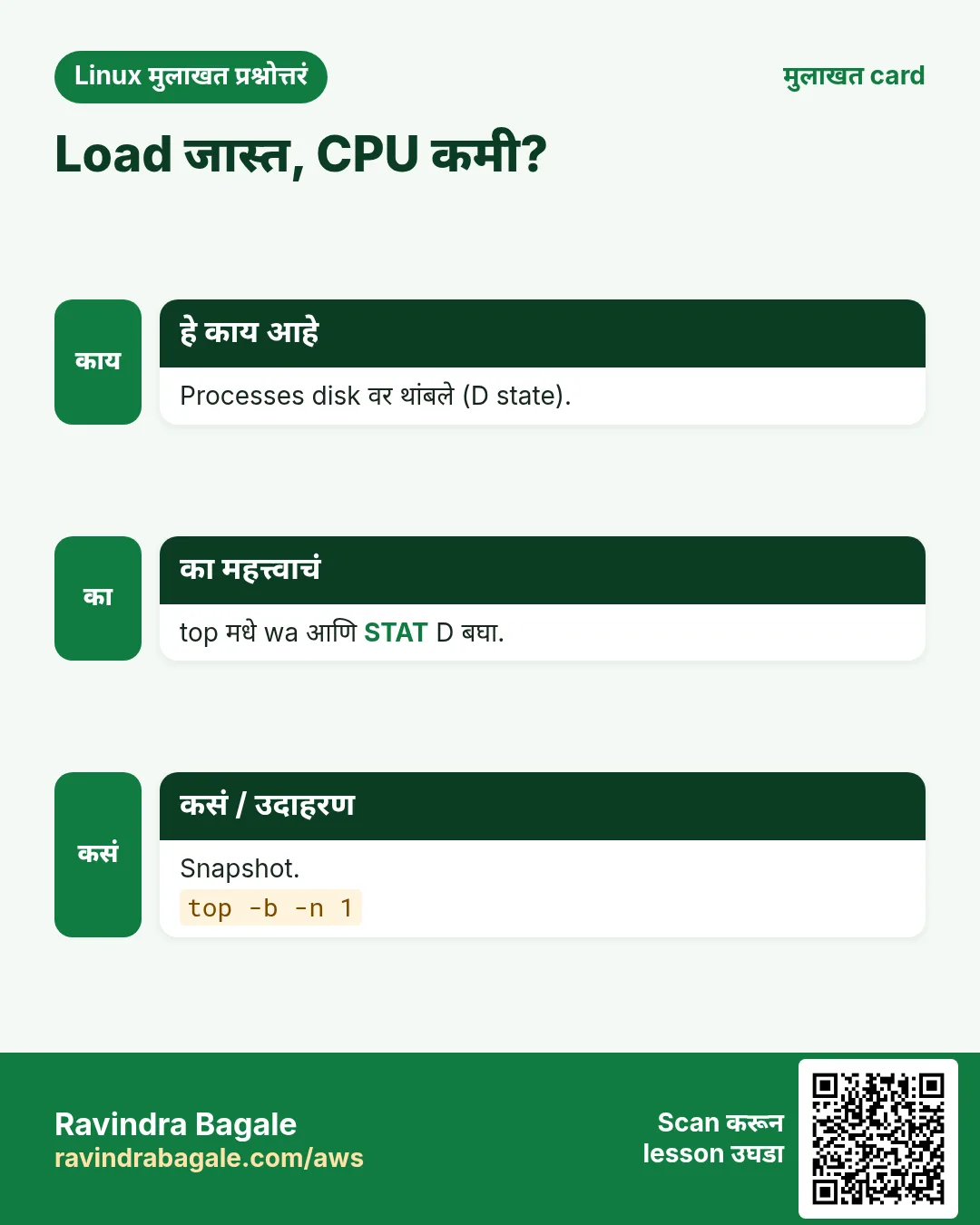
top -b -n 1 | head -5Output:
top - 11:20:01 up 3 days,  2 users,  load average: 3.92, 2.10, 1.05
Tasks: 212 total,   3 running, 209 sleeping,   0 stopped,   0 zombie
%Cpu(s): 88.0 us,  6.0 sy,  0.0 ni,  5.0 id,  0.5 wa,  0.0 hi,  0.5 si,  0.0 st
MiB Mem :   7820.0 total,    410.2 free,   5200.1 used,   2209.7 buff/cache
MiB Swap:   2048.0 total,   2048.0 free,      0.0 used.   2310.5 avail Mem
याचा अर्थ: 4 CPUs वर load 3.9: जवळजवळ पूर्ण, CPU bound.
- Batch mode मधे CPU ने top 3.
top -b -n 1 -o %CPU | sed -n '8,10p'Output:
8812 ravi  20 0 2.1g 1.0g  9m R 380.0 12.5 python
1420 mysql 20 0 3.0g 1.9g 20m S  12.0 24.0 mysqld
 980 root  20 0  12m  4m  3m S   0.3  0.1 nginx
याचा अर्थ: 380% = जवळजवळ 4 cores.
- एक user बघा.
top -u postgresOutput:
(interactive view)याचा अर्थ: q ने बाहेर.
7. htop: सोपा top
हे का लागतं?
Colours, प्रत्येक CPU ची bar, mouse, tree view आणि सोपं kill ने triage जलद.
हे काय आहे?
dnf/apt install htop. F2 setup, F3 search, F4 filter, F5 tree, F6 sort, F7/F8 nice कमी/जास्त, F9 kill, F10 quit, Space tag. htop -u USER, htop -p PID1,PID2.
कसं करायचं (step by step)
- Install आणि चालवा.
sudo dnf install -y htop && htopOutput:
(full-screen view with CPU bars)याचा अर्थ: Green = user, red = kernel time.
- काही PIDs च.
htop -p 980,981,982Output:
(only nginx processes)याचा अर्थ: एका service वर लक्ष.
- Tree view.
htop # then press F5Output:
(processes shown as a tree)याचा अर्थ: pstree सारखं, पण live.
8. & आणि jobs: background मधे
हे का लागतं?
मोठी कामं (backup, download) terminal block करू नयेत.
हे काय आहे?
CMD & background मधे सुरू करून [job] PID print करतो. jobs या shell चे jobs (-l PIDs). $! शेवटच्या background job चा PID. wait background jobs ची वाट बघतो. Jobs shell चे: logout ला त्यांना SIGHUP.
कसं करायचं (step by step)
- Background मधे backup.
tar czf /tmp/etc.tgz /etc 2>/dev/null &Output:
[1] 9120याचा अर्थ: Job 1, PID 9120. Prompt free.
- Jobs list.
jobs -lOutput:
[1]+ 9120 Running tar czf /tmp/etc.tgz /etc 2> /dev/null &याचा अर्थ: + म्हणजे current job.
- दोन चालवा आणि वाट.
sleep 3 & sleep 5 & wait; echo all doneOutput:
[1] 9201
[2] 9202
all done
याचा अर्थ: दोन्ही संपेपर्यंत wait थांबतो.
- PID save.
./server.sh & echo $! > server.pid; cat server.pidOutput:
9310याचा अर्थ: नंतर थांबवायला.
9. Ctrl+Z, bg आणि fg: jobs pause आणि हलवा
हे का लागतं?
मोठा command foreground मधे सुरू केला आणि kill न करता prompt परत हवा.
हे काय आहे?
Ctrl+Z foreground job थांबवतो (pause, SIGTSTP). bg background मधे परत चालू. fg foreground मधे आणतो. Job N साठी %N: fg %2, bg %1. bg किंवा fg पर्यंत stopped job चालत नाही.
कसं करायचं (step by step)
- चालू copy pause.
rsync -a /data/ /backup/ # press Ctrl+ZOutput:
^Z
[1]+  Stopped    rsync -a /data/ /backup/
याचा अर्थ: Pause, मेलं नाही.
- Background मधे चालू.
bg %1Output:
[1]+ rsync -a /data/ /backup/ &याचा अर्थ: आता prompt मागे चालू.
- परत आणा.
fg %1Output:
rsync -a /data/ /backup/याचा अर्थ: गरज असेल तर Ctrl+C.
10. nohup आणि disown: logout नंतर टिकवा
हे का लागतं?
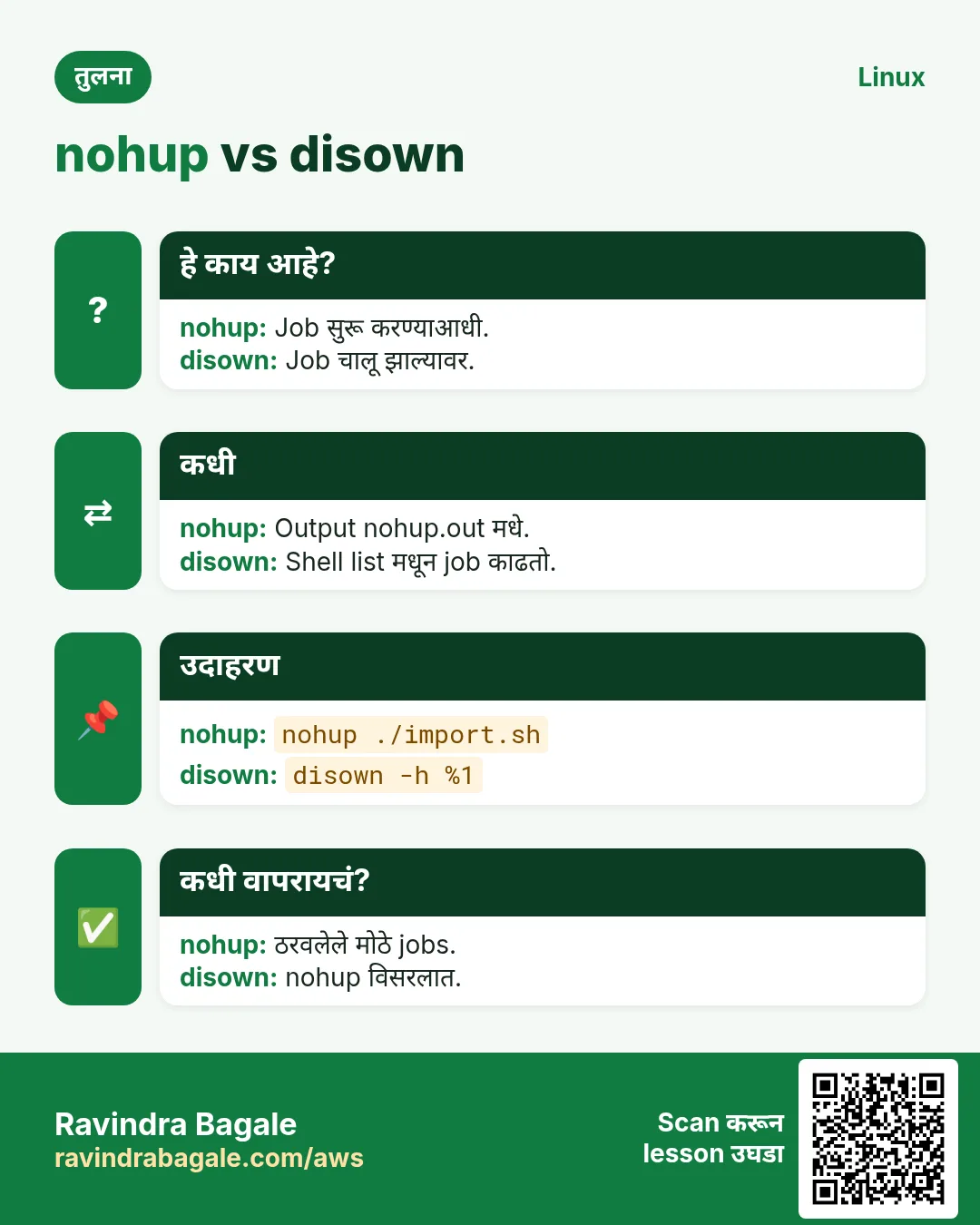
SSH तुटलं तर background jobs ना SIGHUP आणि ते मरतात. 3 तासांचा import टिकला पाहिजे.
हे काय आहे?
nohup CMD & SIGHUP ignore करतो आणि output nohup.out मधे (स्वतः redirect करा). disown -h %1 आधीच चालू job ला SIGHUP न पाठवायला shell ला सांगतो. मोठ्या किंवा महत्त्वाच्या कामासाठी tmux/screen किंवा systemd service (systemd-run).
कसं करायचं (step by step)
- Logout नंतर टिकणारा import.
nohup ./import.sh > import.log 2>&1 &Output:
[1] 9400याचा अर्थ: Terminal बंद करणं safe.
- nohup विसरलेला job वाचवा.
jobs; disown -h %1Output:
[1]+ Running ./reindex.sh &याचा अर्थ: आता SIGHUP नाही.
- चांगलं: transient systemd unit.
sudo systemd-run --unit=reindex /usr/local/bin/reindex.sh && systemctl status reindex --no-pager | head -3Output:
Running as unit: reindex.service
● reindex.service - /usr/local/bin/reindex.sh
     Active: active (running)
याचा अर्थ: Logs journalctl -u reindex मधे.
11. nice: कमी किंवा जास्त priority ने सुरू
हे का लागतं?
Backup किंवा compile ने त्याच server वरचं web app slow होऊ नये.
हे काय आहे?
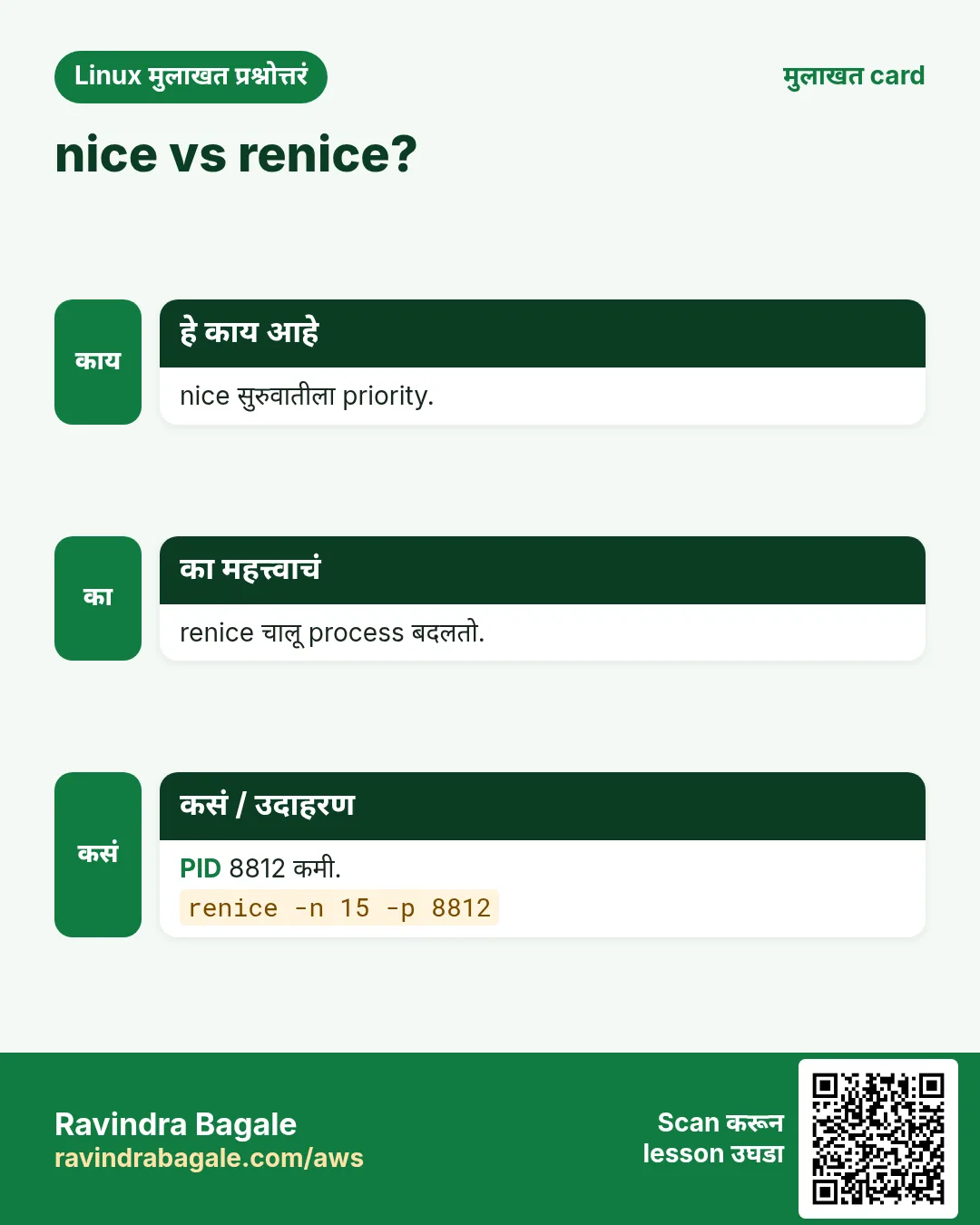
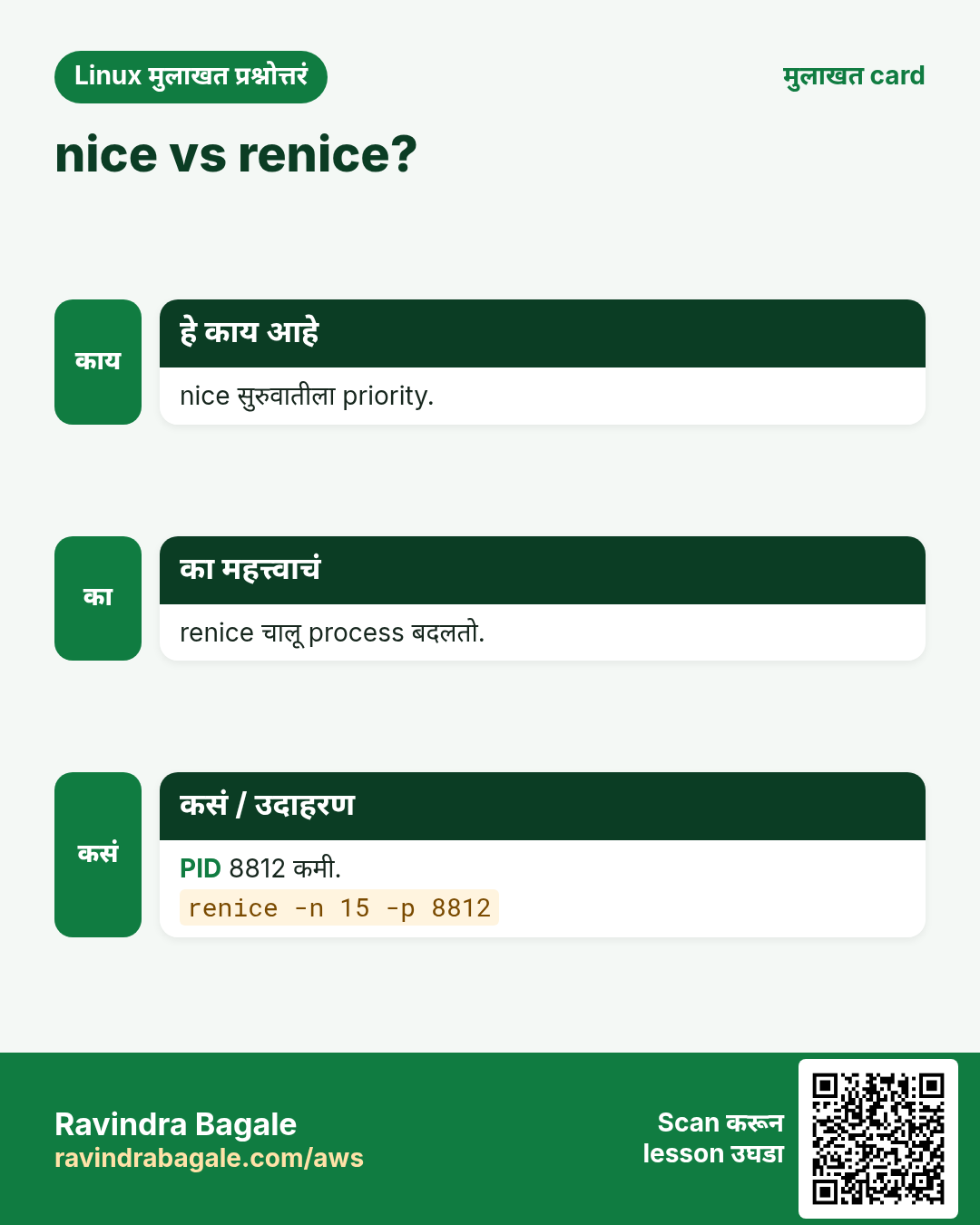
Nice values -20 (सर्वात जास्त CPU priority) ते 19 (सर्वात कमी). Default 0. nice -n 10 CMD कमी priority ने. Negative फक्त root. top आणि ps -o ni मधे NI. Disk priority साठी ionice -c3.
कसं करायचं (step by step)
- Backup हळुवार.
nice -n 19 tar czf /backup/www.tgz /srv/www &Output:
[1] 9500याचा अर्थ: इतरांना CPU नको असेल तेव्हाच वापरतो.
- Value तपासा.
ps -o pid,ni,cmd -p 9500Output:
  PID  NI CMD
 9500  19 tar czf /backup/www.tgz /srv/www
याचा अर्थ: NI 19.
- Normal user negative नाही.
nice -n -5 ./job.shOutput:
nice: cannot set niceness: Permission deniedयाचा अर्थ: sudo लागतो.
- CPU आणि disk दोन्ही हळुवार.
nice -n 15 ionice -c3 rsync -a /data/ /backup/Output:
(no output)याचा अर्थ: ionice class 3 = idle IO.
12. renice: चालू process ची priority बदला
हे का लागतं?
Report job आधीच CPU खातोय आणि users तक्रार करतात. न थांबवता कमी करा.
हे काय आहे?
renice -n 10 -p PID एक process बदलतो. -u USER user चे सगळे. -g PGID process group. Normal users फक्त स्वतःचे वाढवू (nicer) शकतात; root काहीही.
कसं करायचं (step by step)
- Busy job कमी.
renice -n 15 -p 8812Output:
8812 (process ID) old priority 0, new priority 15याचा अर्थ: आता web app ला आधी CPU.
- Critical वाढवा.
sudo renice -n -5 -p 1420Output:
1420 (process ID) old priority 0, new priority -5याचा अर्थ: फक्त root.
- User चे सगळे jobs.
sudo renice -n 10 -u batchOutput:
1003 (user ID) old priority 0, new priority 10याचा अर्थ: batch चे सगळे processes.
13. /proc/PID: process च्या आत
हे का लागतं?
Tools नसतात (containers) किंवा नेमके details हवे: command line, environment, limits, open files, memory.
हे काय आहे?
प्रत्येक process चा folder /proc/PID: cmdline (arguments, NUL-separated), status (state, memory, threads), environ, cwd आणि exe (links), fd/ (open files), limits, io. /proc/loadavg, /proc/meminfo आणि /proc/cpuinfo system-wide numbers.
कसं करायचं (step by step)
- पूर्ण command line.
tr '\0' ' ' < /proc/2201/cmdline; echoOutput:
/usr/bin/python3 /srv/app/venv/bin/gunicorn -w 4 app:serverयाचा अर्थ: नेमके arguments.
- State आणि memory.
grep -E 'State|VmRSS|Threads' /proc/2201/statusOutput:
State:	S (sleeping)
VmRSS:	  182340 kB
Threads:	5
याचा अर्थ: सुमारे 178 MB खरी memory.
- कुठून चालतंय?
sudo ls -l /proc/2201/cwd /proc/2201/exeOutput:
/proc/2201/cwd -> /srv/app
/proc/2201/exe -> /usr/bin/python3.11
याचा अर्थ: Folder आणि binary.
- किती open files?
sudo ls /proc/2201/fd | wc -l; grep 'open files' /proc/2201/limitsOutput:
812
Max open files            1024                 1024                 files
याचा अर्थ: Limit जवळ: 'Too many open files' धोका.
14. lsof: open files, ports आणि deleted files
हे का लागतं?
'Port already in use', 'disk full पण du कमी दाखवतो', 'cannot unmount: busy': lsof मागचा process शोधतो.
हे काय आहे?
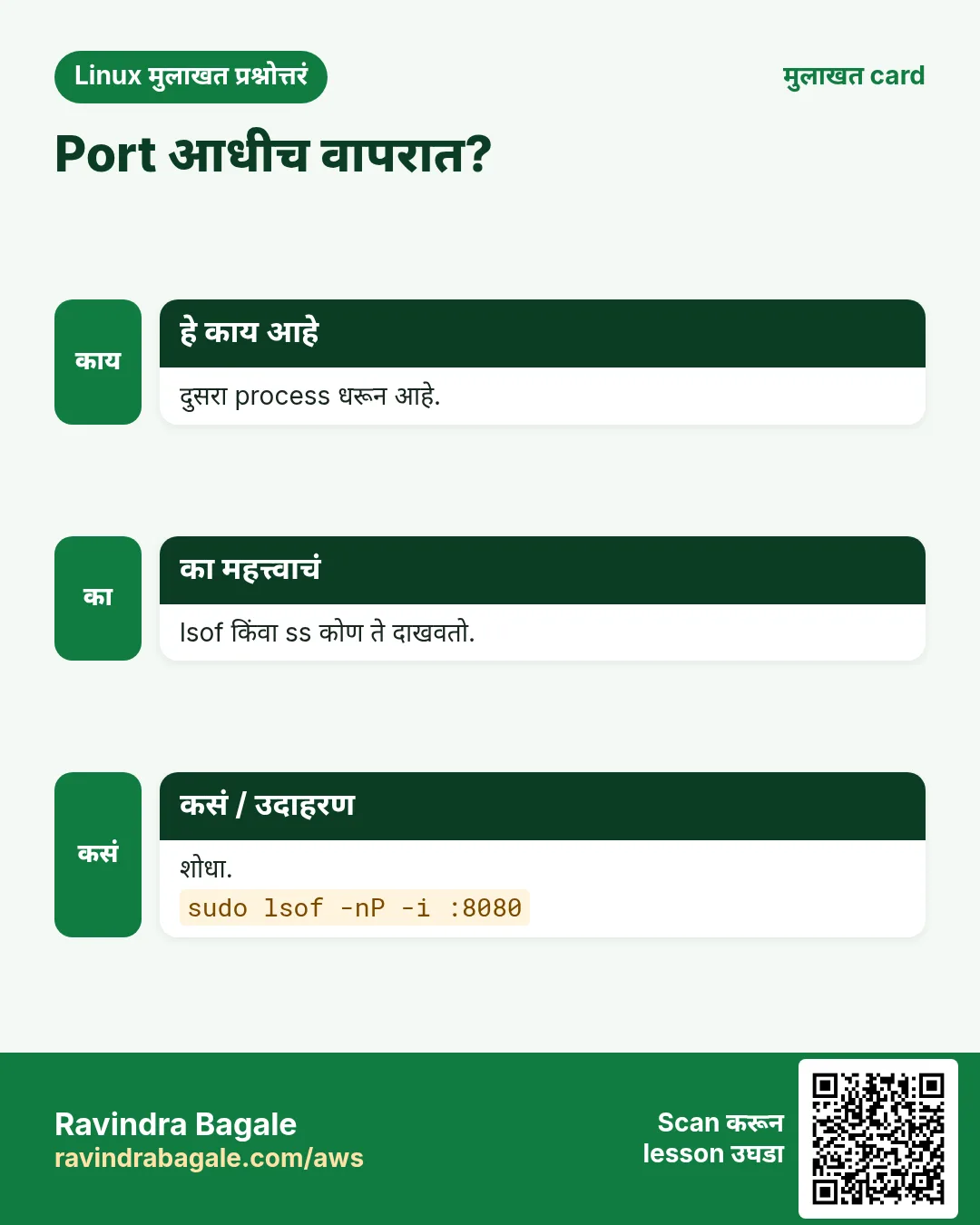
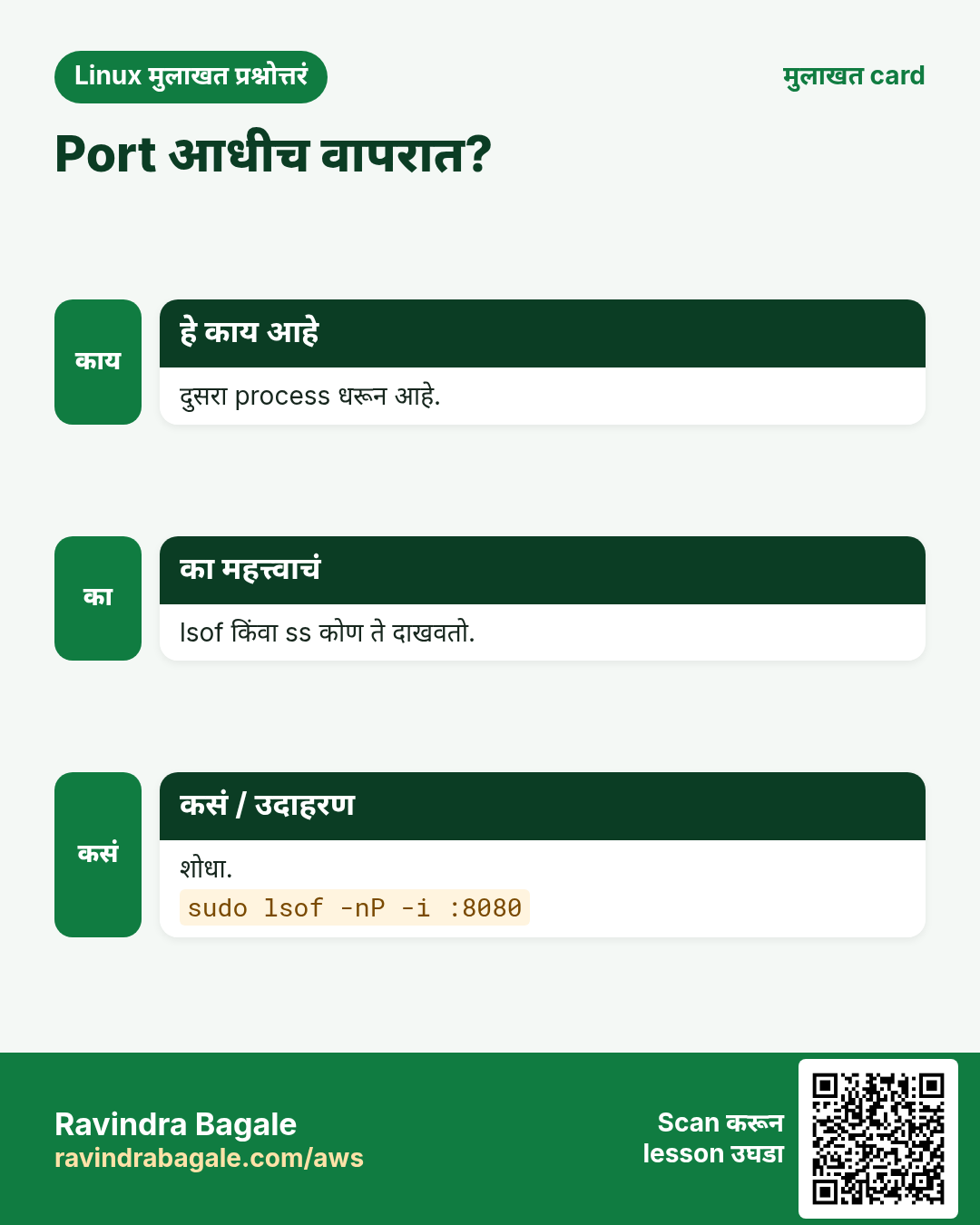
lsof -p PID एका process च्या files. lsof -i :PORT port कोण वापरतो. lsof -u USER user नुसार. lsof +D DIR folder खाली open files. lsof +L1 deleted पण अजून open files (space free नाही). -n -P DNS आणि port names वगळा (जलद). पर्याय ss -ltnp आणि fuser.
कसं करायचं (step by step)
- Port 8080 कोण?
sudo lsof -nP -i :8080Output:
COMMAND  PID USER FD TYPE DEVICE NODE NAME
java    7710 app  45u IPv6  9921  TCP *:8080 (LISTEN)
याचा अर्थ: जुना java अजून चालू.
- Deleted files अजून disk वापरतात.
sudo lsof -nP +L1 | head -3Output:
COMMAND  PID USER FD TYPE SIZE/OFF NLINK NAME
java    7710 app   3w REG  9.8G       0 /var/log/app.log (deleted)
याचा अर्थ: java restart किंवा fd truncate झाल्यावरच 9.8 GB free.
- Unmount का होत नाही?
sudo lsof +D /mnt/usb | head -2Output:
COMMAND PID USER FD TYPE NAME
bash   9020 ravi cwd DIR  /mnt/usb
याचा अर्थ: एक shell folder मधे.
- fuser ने.
sudo fuser -vm /mnt/usbOutput:
USER PID ACCESS COMMAND
/mnt/usb: ravi 9020 ..c.. bash
याचा अर्थ: c = current directory.
15. अनेक industries मधली खरी उदाहरणं
हे का लागतं?
तेच Linux skill प्रत्येक प्रकारच्या company मध्ये लागतं. वेगवेगळ्या ठिकाणी पाहिलं की लक्षात राहतं.
हे काय आहे?
प्रत्येक row म्हणजे एक काल्पनिक team. कोण हे वापरतं आणि कसं ते दाखवते.
कसं करायचं (step by step)
| Team आणि शहर | ते कसं वापरतात | Command |
|---|---|---|
| Sameer, e-commerce SRE, Pune | Sale मधे CPU खाणारा PHP worker | ps aux --sort=-%cpu | head |
| Ingrid, research lab, Oslo | Logout नंतर टिकणारी 10 तासांची simulation | nohup ./sim > sim.log 2>&1 & |
| Kwame, telecom, Accra | Nightly reports ची priority कमी | renice -n 15 -u reports |
| Yuki, game backend, Osaka | Port 7777 कोण | lsof -nP -i :7777 |
| Priyanka, bank ops, Mumbai | Deleted log ने धरलेली disk | lsof +L1 |
| Mateo, startup, Buenos Aires | Load tests मधे htop ने memory | htop -u app |
16. नेहमीच्या errors आणि त्यांचे fixes
हे का लागतं?
हे errors सगळ्यांना येतात. कारण माहीत असलं की तास वाचतात.
हे काय आहे?
आधी नेमका message वाचा. मग खालच्या row शी जुळवा.
कसं करायचं (step by step)
| दिसणारा error | का होतं | Fix कसा करायचा |
|---|---|---|
bash: fg: current: no such job | या shell मधे job नाही | ps/pgrep ने शोधा.pgrep -af import |
nohup: ignoring input and appending output to 'nohup.out' | Normal message, output nohup.out मधे | Output स्वतः redirect.nohup ./job.sh > job.log 2>&1 & |
Background job died after SSH disconnect | SIGHUP मिळाला | nohup, disown, tmux किंवा systemd-run.tmux new -s work |
nice: cannot set niceness: Permission denied | Negative ला root | sudo किंवा positive value.sudo nice -n -5 ./job.sh |
renice: failed to set priority for 1420: Permission denied | तुमचा process नाही किंवा value कमी | sudo.sudo renice -n 5 -p 1420 |
Error: listen EADDRINUSE: address already in use :::3000 | दुसऱ्या process कडे port | शोधा आणि थांबवा.sudo lsof -nP -i :3000 |
Too many open files | Process fd limit ला पोचला | /proc/PID/limits आणि LimitNOFILE वाढवा.grep 'open files' /proc/PID/limits |
umount: /mnt/usb: target is busy | Process folder वापरतो | lsof/fuser ने शोधा.sudo fuser -vm /mnt/usb |
df shows full disk but du shows much less | Deleted files अजून open | Holder शोधा आणि restart.sudo lsof +L1 |
High load but low CPU in top | D state मधे disk/NFS ची वाट | wa आणि D processes बघा.ps -eo pid,stat,cmd | awk '$2 ~ /D/' |
17. Troubleshooting step by step
हे का लागतं?
Slow server साठी: load मोजा, top process शोधा, तो कशाची वाट बघतो ते बघा, मग action (renice, restart, किंवा fix).
हे काय आहे?
वरून खाली जा. ज्या step ला problem दिसतो तिथे थांबा.
कसं करायचं (step by step)
- किती loaded, किती CPUs?
uptime; nproc- Top CPU आणि memory users.
ps aux --sort=-%cpu | head -5- D-state किंवा zombies?
ps -eo pid,stat,cmd | awk '$2 ~ /^(D|Z)/'- IO wait आहे का?
top -b -n 1 | sed -n 3p- कोणत्या files आणि ports?
sudo lsof -p PID | head- Priority कमी किंवा service restart.
sudo renice -n 15 -p PID18. Lab 1: CPU hog शोधा आणि आवरा
हे का लागतं?
CPU-heavy job सुरू करा, तीन प्रकारे शोधा, priority कमी करा, मग थांबवा.
हे काय आहे?
पूर्ण hands-on lab. प्रत्येक step test Linux machine वर करा (EC2 instance, VM किंवा WSL).
कसं करायचं (step by step)
- खोटा hog.
yes > /dev/null & echo $!Output:
[1] 9601
9601- ps ने.
ps -o pid,ni,%cpu,cmd -p 9601Output:
  PID  NI %CPU CMD
9601 0 99.5 yes- pgrep आणि top ने.
pgrep -l yes; top -b -n 1 -o %CPU | sed -n 8pOutput:
9601 yes
9601 ravi 20 0 8m 1m 1m R 99.7 0.0 yes- Priority कमी.
renice -n 19 -p 9601 && ps -o ni= -p 9601Output:
9601 (process ID) old priority 0, new priority 19
19- थांबवा.
kill %1; jobsOutput:
[1]+ Terminated yes > /dev/null19. Lab 2: Jobs, logout survival आणि lsof
हे का लागतं?
Job foreground-background मधे हलवा, एक logout नंतर टिकवा, आणि space धरणारी deleted file शोधा.
हे काय आहे?
पूर्ण hands-on lab. प्रत्येक step test Linux machine वर करा (EC2 instance, VM किंवा WSL).
कसं करायचं (step by step)
- Foreground मधे सुरू आणि pause.
sleep 300 # press Ctrl+ZOutput:
^Z
[1]+ Stopped sleep 300- Background, मग foreground.
bg %1; jobs; fg %1 # then Ctrl+COutput:
[1]+ sleep 300 &
[1]+ Running sleep 300 &- Logout नंतर टिका.
nohup sleep 600 > /dev/null 2>&1 & echo $!Output:
9705- Deleted file open धरा.
python3 -c 'import time;f=open("/tmp/big","w");f.write("x"*50000000);f.flush();time.sleep(600)' & sleep 1; rm /tmp/bigOutput:
[2] 9710- शोधा आणि साफ.
sudo lsof -nP +L1 | grep /tmp/big; kill 9710 9705Output:
python3 9710 ravi 3w REG 50000000 0 /tmp/big (deleted)Ravindra Bagale's Tip
When you are about to start anything that takes more than a few minutes on a remote server, run it inside tmux (or with systemd-run). An SSH drop will then never kill your work.
Ravindra Bagale's Tip – मराठी
Remote server वर काही मिनिटांपेक्षा जास्त चालणारं काहीही सुरू करण्याआधी ते tmux मधे (किंवा systemd-run ने) चालवा. मग SSH तुटलं तरी तुमचं काम मरणार नाही.
Ravindra Bagale's Tip – हिंदी
Remote server पर कुछ मिनटों से ज़्यादा चलने वाला कुछ भी शुरू करने से पहले उसे tmux में (या systemd-run से) चलाएँ. फिर SSH टूटने पर भी आपका काम नहीं मरेगा.
20. नेहमी विचारले जाणारे प्रश्न
प्र. PID म्हणजे?
चालू process चा unique number.
प्र. ps aux की ps -ef?
दोन्ही सगळं. aux %CPU/%MEM; -ef PPID. नेमकं हवं तर -o.
प्र. Load average म्हणजे?
1, 5, 15 मिनिटांत चालू किंवा वाट बघणाऱ्या (R आणि D) processes ची सरासरी. CPU count शी compare.
प्र. %CPU 100 पेक्षा जास्त का?
Multi-threaded processes अनेक cores वापरतात; 400% = 4 cores.
प्र. Zombie म्हणजे?
संपलेला process ज्याचा exit code parent ने वाचला नाही. CPU, memory नाही, फक्त PID slot.
प्र. nohup की tmux?
एकाच fire-and-forget command साठी nohup; परत attach करून live बघायचं असेल तर tmux.
प्र. nice disk speed वर परिणाम करतो का?
नाही, nice CPU साठी. Disk साठी ionice.
प्र. ps | grep मधे grep का दिसतो?
grep स्वतः तोच शब्द असलेला process. pgrep किंवा grep [n]ame.
21. मुलाखत प्रश्न आणि उत्तरं
Beginner level
प्र. सगळे processes कसे list?
ps aux किंवा ps -ef.
प्र. Command background मधे कसा?
शेवटी &.
प्र. Ctrl+Z काय करतो?
Foreground job pause (stop).
प्र. nginx चा PID कसा?
pgrep nginx किंवा pidof nginx.
Mid level level
प्र. 4-core box वर load 8, CPU idle 70%. काय चाललंय?
अनेक processes D state मधे disk किंवा NFS ची वाट; wa आणि ps मधे D बघा.
प्र. Logout नंतर job कसा चालू ठेवाल?
nohup CMD &, disown -h, tmux/screen, किंवा systemd-run.
प्र. चालू PID 4000 ची priority कमी.
renice -n 10 -p 4000.
प्र. Port 5432 कोणता process?
sudo lsof -nP -i :5432 किंवा ss -ltnp | grep 5432.
Senior level
प्र. df 100% पण du फक्त 40%. Explain आणि fix.
Process deleted files open धरतो. lsof +L1 ने शोधा, मग restart, किंवा /proc/PID/fd/N ने truncate; log rotation fix (copytruncate किंवा reopen signal).
प्र. fork आणि exec समजवा.
fork parent ची copy नवा process; exec त्या copy चा program बदलतो. Shell प्रत्येक command साठी दोन्ही करतो.
प्र. Zombies वाढतच आहेत. काय कराल?
Zombies parent reap करतो; PPID (ps -o ppid=) शोधा, parent fix किंवा restart; zombies ला kill करून काही होत नाही.
प्र. ps नसलेल्या minimal container मधे process कसा तपासाल?
/proc: ls /proc/[0-9]*, /proc/PID/cmdline, status, fd, environ वाचा; किंवा host वरून nsenter.
घरी करून बघा
- तीन sleep commands background मधे, jobs ने list, दुसरा foreground मधे, Ctrl+Z ने stop, मग bg ने परत चालू.
- कोणतीही चालू service घ्या आणि फक्त ps, /proc आणि lsof वापरून तिचा PID, PPID, user, memory (VmRSS), open file count आणि listening port लिहा.
सराव Tasks
Milan Furniture हा मिलान मधला फर्निचर व्यवसाय आहे. Giulia Rossi त्यांचं IT व cloud काम पाहतात. त्यांचे पैसे EUR मध्ये मोजले जातात आणि AWS resources eu-south-1 Region मध्ये चालतात. खालच्या tasks मध्ये तुम्ही या lesson मध्ये शिकलेलं वापरून त्यांची खरी कामं करता. सगळी नावं, account IDs, IP addresses व numbers सरावासाठी काल्पनिक आहेत.
0 / 17
सोपं सगळे processes
का: BIZ चा server slow.
काय करायचं: User, CPU आणि memory सह सगळे processes (BSD style), जास्त एकूण CPU time आधी.
- हे काम करणारा Linux command शोधा.
- Task ला लागणारे options (उदा. -r, -h) जोडा.
- File नावं, folders किंवा users योग्य क्रमाने लिहा.
- System files/users बदलत असाल तर sudo वापरा. Check answer दाबा.
सोपं Parents सह processes
का: कोणी सुरू केलं?
काय करायचं: PPID दाखवणाऱ्या full format मधे kavya user चे processes.
- हे काम करणारा Linux command शोधा.
- Task ला लागणारे options (उदा. -r, -h) जोडा.
- File नावं, folders किंवा users योग्य क्रमाने लिहा.
- System files/users बदलत असाल तर sudo वापरा. Check answer दाबा.
सोपं नावाने PIDs
का: redis PIDs हवे.
काय करायचं: redis match होणाऱ्या processes चे PIDs आणि नावं.
- हे काम करणारा Linux command शोधा.
- Task ला लागणारे options (उदा. -r, -h) जोडा.
- File नावं, folders किंवा users योग्य क्रमाने लिहा.
- System files/users बदलत असाल तर sudo वापरा. Check answer दाबा.
सोपं Job background मधे resume
का: Ctrl+Z ने pause केलं.
काय करायचं: Job number 3 background मधे continue.
- हे काम करणारा Linux command शोधा.
- Task ला लागणारे options (उदा. -r, -h) जोडा.
- File नावं, folders किंवा users योग्य क्रमाने लिहा.
- System files/users बदलत असाल तर sudo वापरा. Check answer दाबा.
सोपं फक्त job PIDs
का: कोणते jobs चालू?
काय करायचं: या shell च्या jobs चे फक्त PIDs.
- हे काम करणारा Linux command शोधा.
- Task ला लागणारे options (उदा. -r, -h) जोडा.
- File नावं, folders किंवा users योग्य क्रमाने लिहा.
- System files/users बदलत असाल तर sudo वापरा. Check answer दाबा.
सोपं Job 2 पुढे
का: त्यावर Ctrl+C हवं.
काय करायचं: Job number 4 foreground मधे.
- हे काम करणारा Linux command शोधा.
- Task ला लागणारे options (उदा. -r, -h) जोडा.
- File नावं, folders किंवा users योग्य क्रमाने लिहा.
- System files/users बदलत असाल तर sudo वापरा. Check answer दाबा.
मध्यम सर्वात जास्त memory
का: Memory alert आला.
काय करायचं: सगळे processes BSD style, VSZ ने, सर्वात जास्त आधी.
- हे काम करणारा Linux command शोधा.
- Task ला लागणारे options (उदा. -r, -h) जोडा.
- File नावं, folders किंवा users योग्य क्रमाने लिहा.
- System files/users बदलत असाल तर sudo वापरा. Check answer दाबा.
मध्यम Custom columns
का: Scripts ना नेमके fields.
काय करायचं: PID 2201 साठी pid, ppid, user आणि cmd.
- हे काम करणारा Linux command शोधा.
- Task ला लागणारे options (उदा. -r, -h) जोडा.
- File नावं, folders किंवा users योग्य क्रमाने लिहा.
- System files/users बदलत असाल तर sudo वापरा. Check answer दाबा.
मध्यम PIDs सह tree
का: Master खालचे workers.
काय करायचं: kavya user चं PIDs सह process tree.
- हे काम करणारा Linux command शोधा.
- Task ला लागणारे options (उदा. -r, -h) जोडा.
- File नावं, folders किंवा users योग्य क्रमाने लिहा.
- System files/users बदलत असाल तर sudo वापरा. Check answer दाबा.
मध्यम पूर्ण command line match
का: अनेक python processes.
काय करायचं: Command line मधे train.py असणाऱ्या processes चे PID आणि पूर्ण command.
- हे काम करणारा Linux command शोधा.
- Task ला लागणारे options (उदा. -r, -h) जोडा.
- File नावं, folders किंवा users योग्य क्रमाने लिहा.
- System files/users बदलत असाल तर sudo वापरा. Check answer दाबा.
मध्यम Script साठी एकदा top
का: cron मधे snapshot.
काय करायचं: top batch mode मधे तीन iterations.
- हे काम करणारा Linux command शोधा.
- Task ला लागणारे options (उदा. -r, -h) जोडा.
- File नावं, folders किंवा users योग्य क्रमाने लिहा.
- System files/users बदलत असाल तर sudo वापरा. Check answer दाबा.
मध्यम Logout नंतर टिका
का: SSH तुटू शकतं.
काय करायचं: ./reindex.sh hangup signal ignore करेल असं चालवा, output nohup.out मधे.
- हे काम करणारा Linux command शोधा.
- Task ला लागणारे options (उदा. -r, -h) जोडा.
- File नावं, folders किंवा users योग्य क्रमाने लिहा.
- System files/users बदलत असाल तर sudo वापरा. Check answer दाबा.
मध्यम कमी priority ने
का: Backup ने site slow होऊ नये.
काय करायचं: tar czf www.tgz /srv/www nice value 19 ने सुरू.
- हे काम करणारा Linux command शोधा.
- Task ला लागणारे options (उदा. -r, -h) जोडा.
- File नावं, folders किंवा users योग्य क्रमाने लिहा.
- System files/users बदलत असाल तर sudo वापरा. Check answer दाबा.
मध्यम चालू process कमी
का: Report CPU खातो.
काय करायचं: PID 6634 ची nice value 15.
- हे काम करणारा Linux command शोधा.
- Task ला लागणारे options (उदा. -r, -h) जोडा.
- File नावं, folders किंवा users योग्य क्रमाने लिहा.
- System files/users बदलत असाल तर sudo वापरा. Check answer दाबा.
मध्यम Port कोणाकडे
का: 9090 वर EADDRINUSE.
काय करायचं: lsof ने TCP port 9090 वापरणारा process, name lookups नाही.
- हे काम करणारा Linux command शोधा.
- Task ला लागणारे options (उदा. -r, -h) जोडा.
- File नावं, folders किंवा users योग्य क्रमाने लिहा.
- System files/users बदलत असाल तर sudo वापरा. Check answer दाबा.
अवघड /proc मधून memory
का: Container मधे ps नाही.
काय करायचं: /proc/2201/status मधली VmRSS line.
- हे काम करणारा Linux command शोधा.
- Task ला लागणारे options (उदा. -r, -h) जोडा.
- File नावं, folders किंवा users योग्य क्रमाने लिहा.
- System files/users बदलत असाल तर sudo वापरा. Check answer दाबा.
अवघड Deleted files disk वापरतात
का: df full, du नाही.
काय करायचं: lsof ने delete झालेल्या पण open files (link count 1 पेक्षा कमी), फक्त /var file system वर.
- हे काम करणारा Linux command शोधा.
- Task ला लागणारे options (उदा. -r, -h) जोडा.
- File नावं, folders किंवा users योग्य क्रमाने लिहा.
- System files/users बदलत असाल तर sudo वापरा. Check answer दाबा.
22. संबंधित chapters
- DevOps साठी Linux Ops Refresh
- Automation साठी Bash Scripting
- Linux grep आणि find Commands Examples सह
- Linux Servers मध्ये Passwordless SSH
थोडक्यात सांगायचं तर
- ps aux / ps -ef / ps -o; STAT R S D T Z.
- Families साठी pstree; PIDs साठी pgrep/pidof.
- top/htop: load vs CPUs, wa, memory.
- &, jobs, Ctrl+Z, bg, fg; nohup, disown, tmux.
- कमी priority ने सुरू nice -n 19; बदलायला renice.
- /proc/PID आणि lsof files, ports आणि deleted files.
उजळणी, तुलना आणि मुलाखत cards
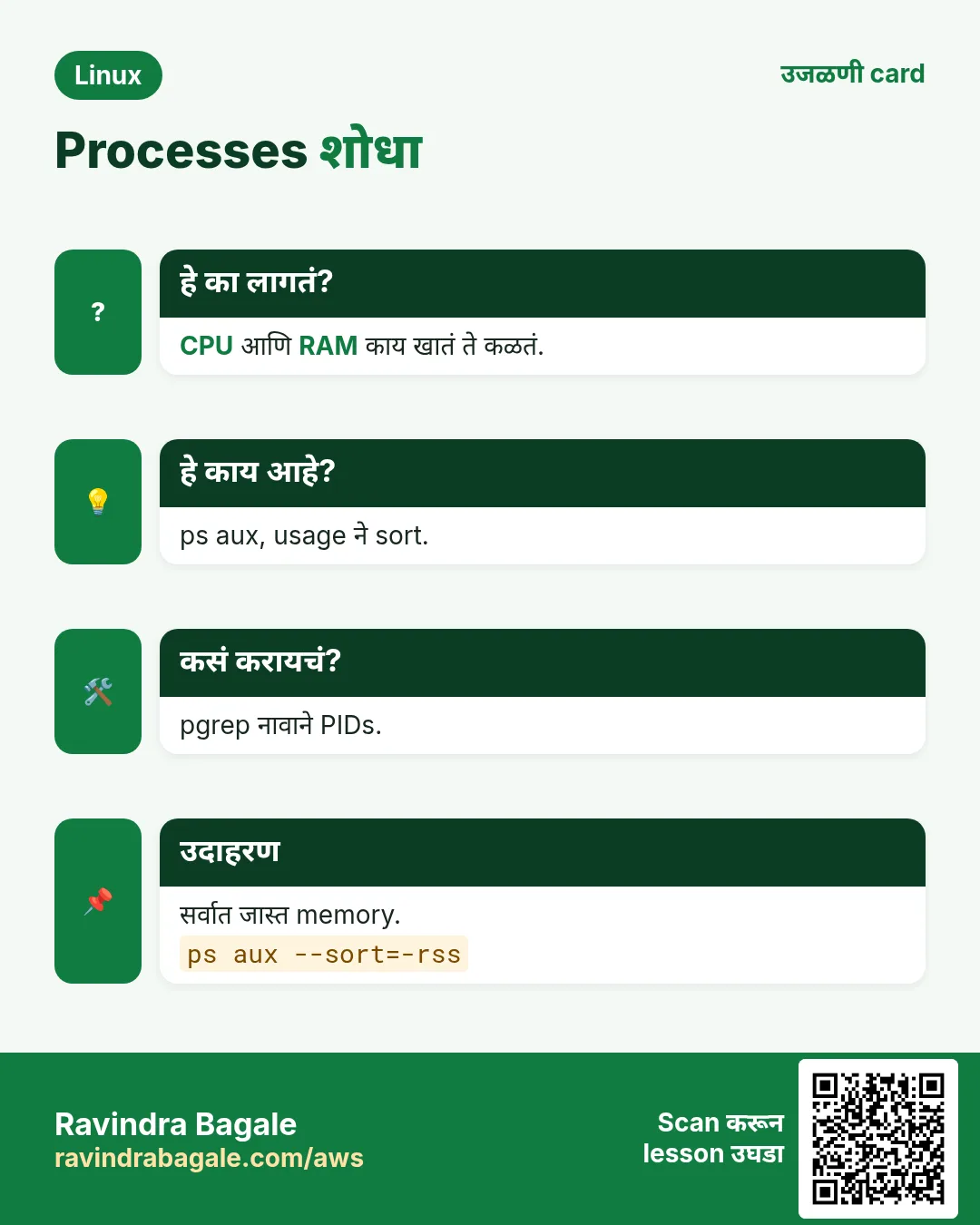
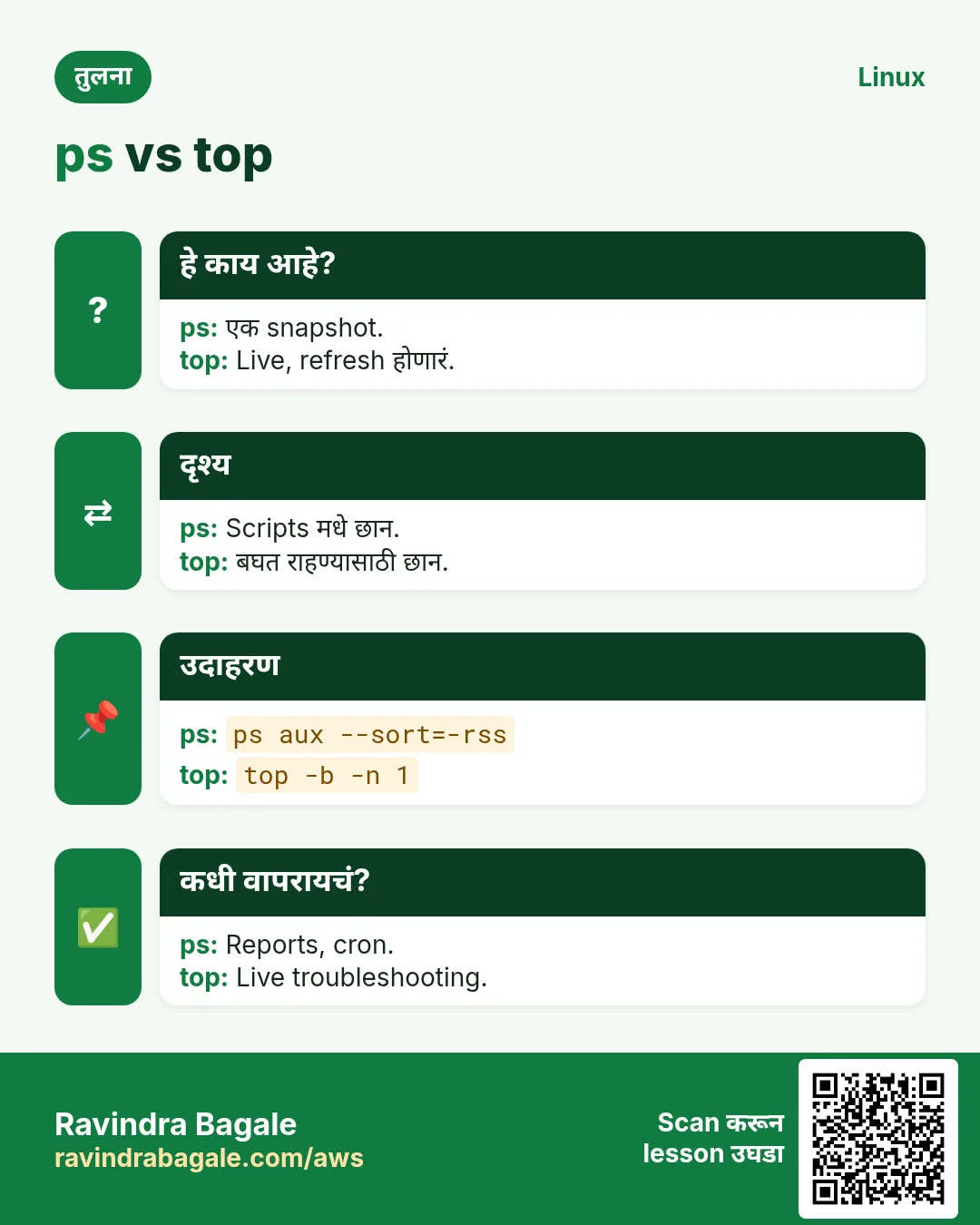
हा lesson काही मिनिटांत revise करा. Cards phone वर save करा किंवा PNG download करा. प्रत्येक card वरचा QR हा lesson उघडतो.




अजून cards: Ravi Sir's Cards.