Linux Security Hardening: firewalld, ufw, iptables, nftables, fail2ban, SELinux, AppArmor आणि auditd
Internet वरचा server काही minutes मधे attack होतो: bots SSH passwords try करतात, ports scan करतात आणि जुनं software शोधतात. Hardening म्हणजे गरज नसलेलं प्रत्येक दार बंद करणं आणि ठेवलेल्यांवर लक्ष ठेवणं. हा chapter host firewalls (firewalld, ufw, iptables, nftables), brute force block करायला fail2ban, SSH hardening, hack झालेलं app काय करू शकतं ते मर्यादित करायला SELinux आणि AppArmor, आणि कोणी काय बदललं ते record करायला auditd शिकवतो.
या chapter मध्ये तुम्ही काय शिकाल
- firewalld किंवा ufw ने फक्त गरजेचे ports
- iptables आणि nftables rules वाचा आणि लिहा
- fail2ban ने brute force block
- SSH आणि updates harden
- SELinux आणि AppArmor denials safely fix
- auditd ने file changes audit
1. रोजचं उदाहरण: housing society सुरक्षित करणं
हे का लागतं?
Kothrud मधल्या तुमच्या society ला watchman सह एक main gate, visitors साठी register, delivery boys ground floor च्या वर जाऊ शकत नाहीत असा नियम, आणि lift record करणारा CCTV आहे. कोणी सतत चुकीचे flat numbers सांगत असेल तर watchman त्याला दिवसभर आत सोडत नाही.
हे काय आहे?
Main gate = firewall (फक्त गरजेचे ports). सतत चुकणाऱ्याला block करणारा watchman = fail2ban. Delivery-boy floor नियम = SELinux/AppArmor (app फक्त स्वतःच्या files). CCTV = auditd. Visitor register = logs.
कसं करायचं (step by step)
2. Updates आणि attack surface
हे का लागतं?
बहुतेक break-ins जुने, माहीत bugs वापरतात. कमी services = कमी दारं.
हे काय आहे?
नियमित update: dnf upgrade --security किंवा apt upgrade. Automatic security updates enable (dnf-automatic, unattended-upgrades). ss -tulpn ने listening ports बघा आणि न वापरलेल्या services बंद.
कसं करायचं (step by step)
- Security updates.
sudo dnf upgrade --security -yOutput:
Upgraded: openssl-3.0.8-2 ...याचा अर्थ: Patched.
- Ubuntu वर auto.
sudo apt install -y unattended-upgrades && sudo dpkg-reconfigure -plow unattended-upgradesOutput:
Automatically download and install stable updates? Yesयाचा अर्थ: रोज patches.
- Service काढा.
sudo systemctl disable --now rpcbindOutput:
Removed ... rpcbind.serviceयाचा अर्थ: एक दार बंद.
3. firewalld (RHEL, Amazon Linux, Fedora)
हे का लागतं?
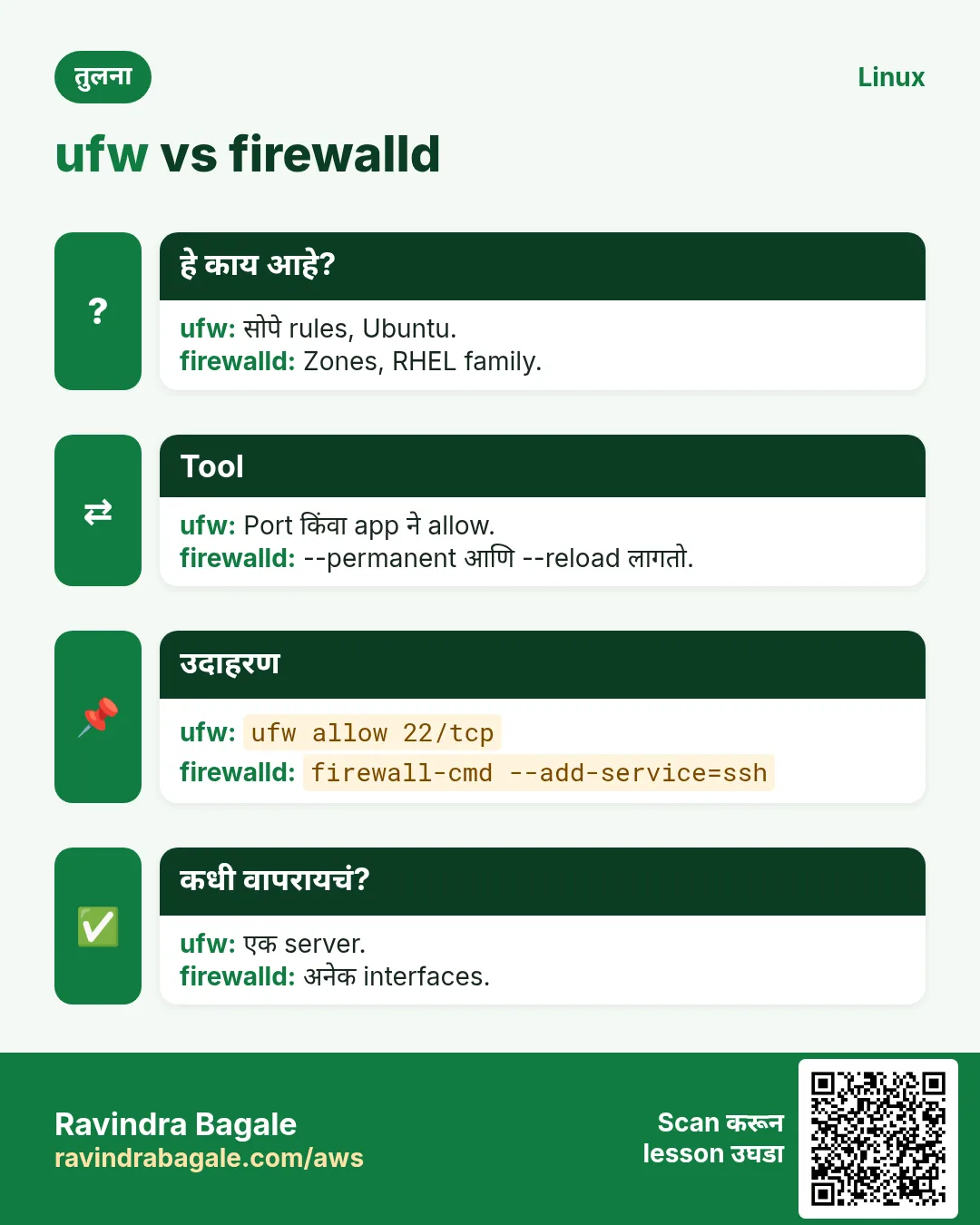
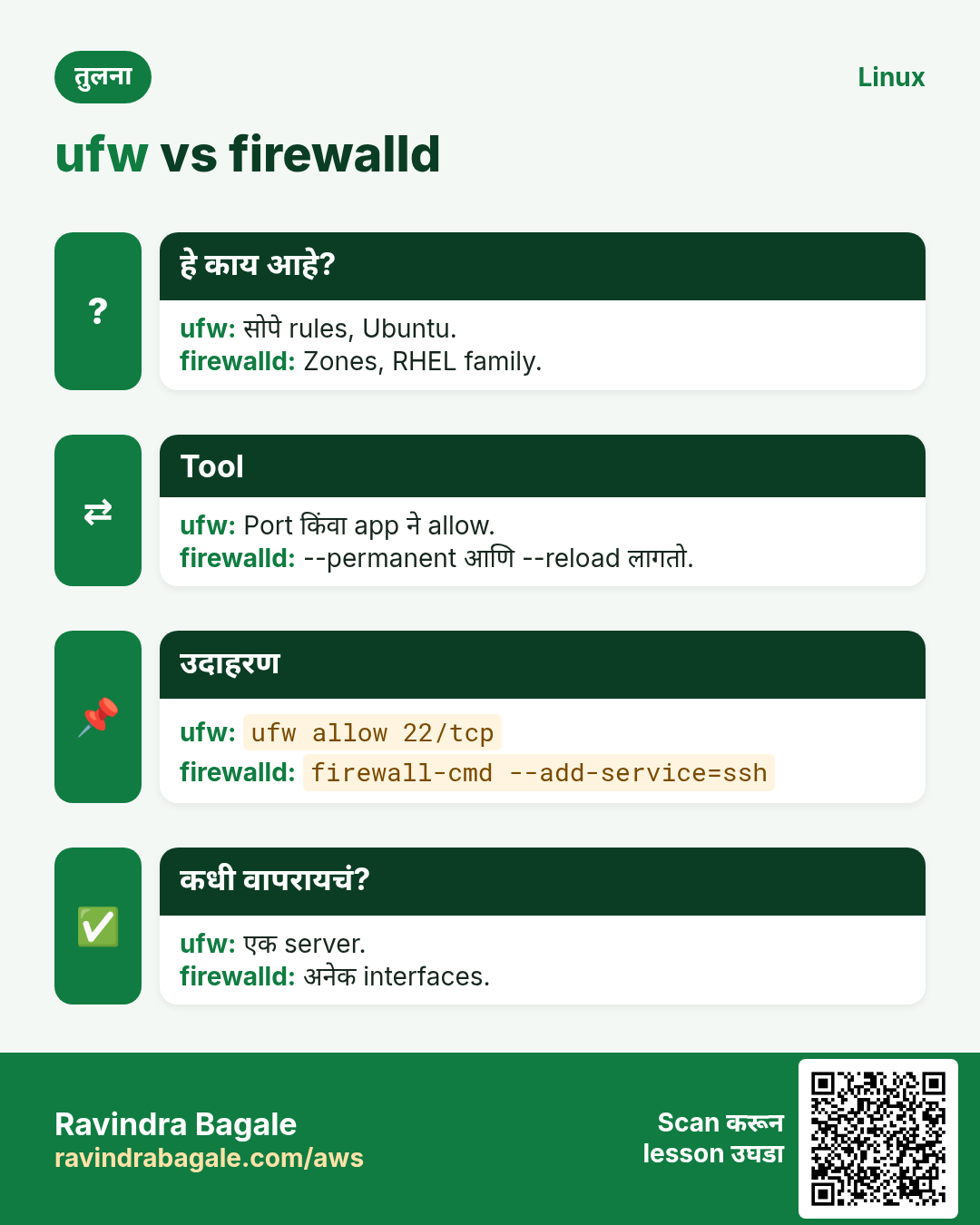
Red Hat family वर firewalld default host firewall.
हे काय आहे?
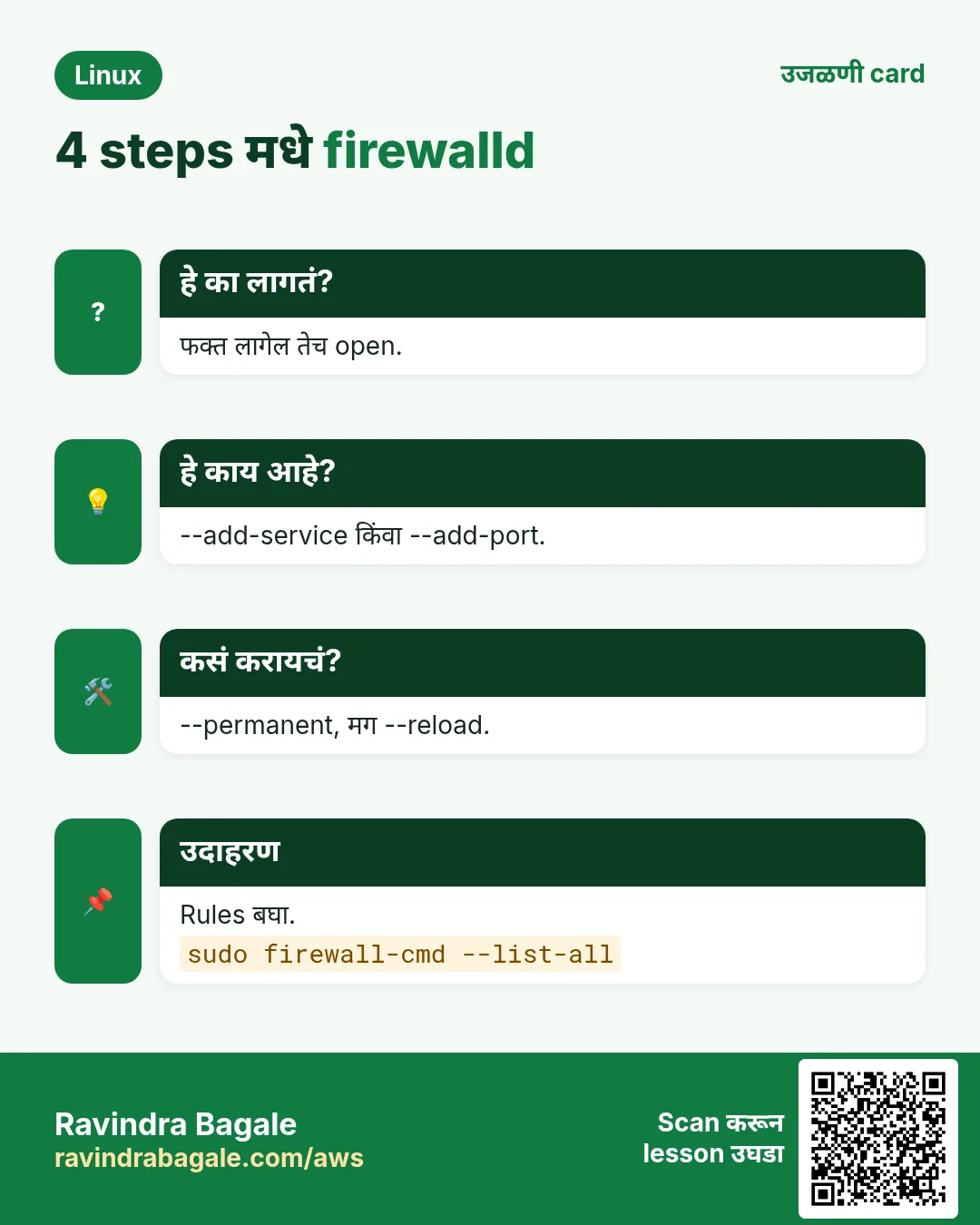
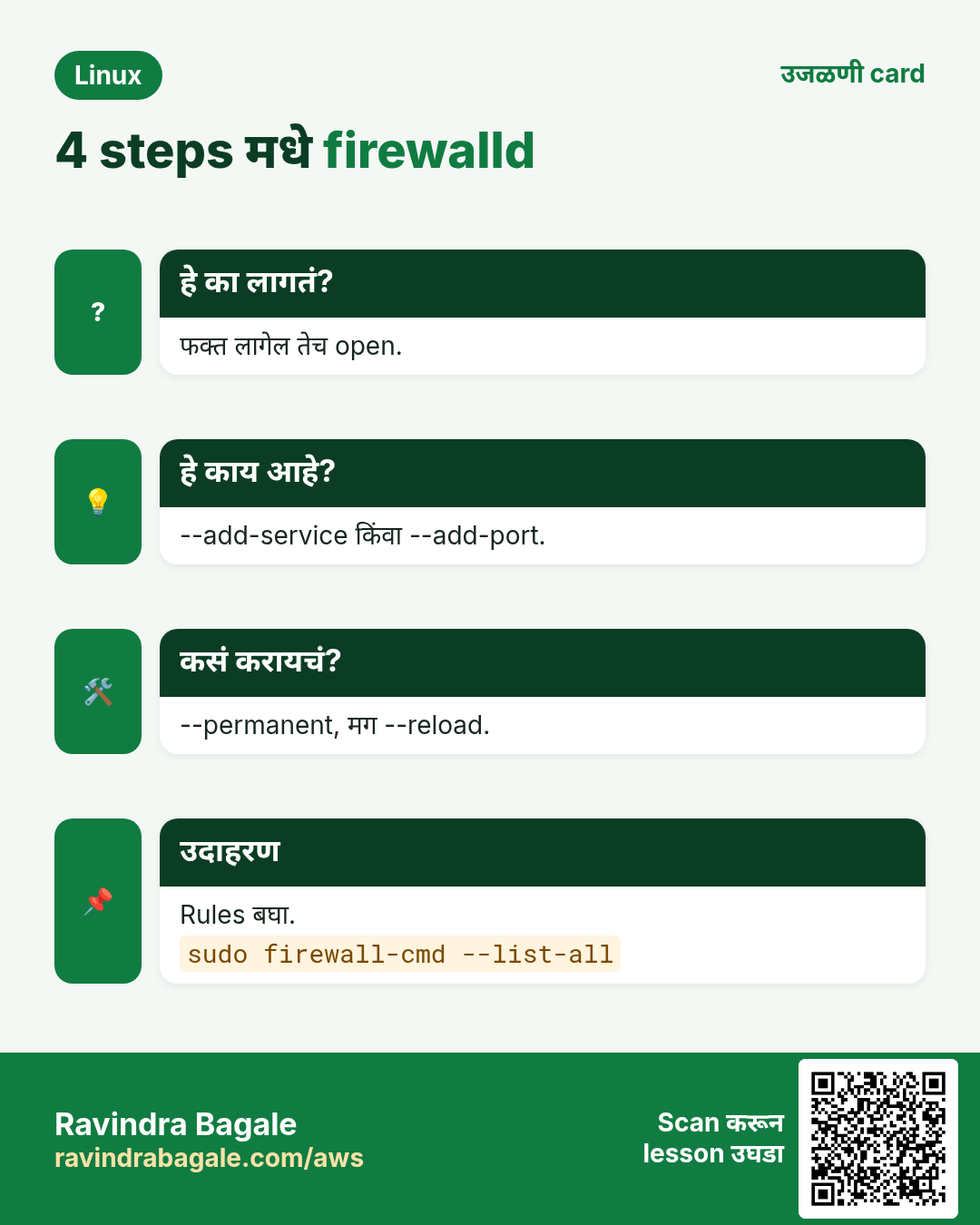
Zones rules गटात; public default. --add-service=http किंवा --add-port=8443/tcp. --permanent disk वर लिहितो; मग --reload. --list-all zone दाखवतो. Rich rules एका IP कडूनच port. --remove-service परत बंद.
कसं करायचं (step by step)
- State.
sudo firewall-cmd --state && sudo firewall-cmd --get-active-zonesOutput:
running
public
  interfaces: ens5
याचा अर्थ: चालू.
- Web allow.
sudo firewall-cmd --permanent --add-service=http --add-service=https && sudo firewall-cmd --reloadOutput:
success
success
याचा अर्थ: 80 आणि 443 open.
- SSH फक्त office IP.
sudo firewall-cmd --permanent --add-rich-rule='rule family=ipv4 source address=203.0.113.10 service name=ssh accept' && sudo firewall-cmd --permanent --remove-service=ssh && sudo firewall-cmd --reloadOutput:
successयाचा अर्थ: एका IP कडून SSH.
4. ufw (Ubuntu)
हे का लागतं?
Ubuntu आणि Debian वर ufw सोपा firewall front end.
हे काय आहे?
Enable आधी SSH allow, नाहीतर तुम्हीच बाहेर. ufw allow OpenSSH, ufw allow 443/tcp, ufw allow from IP to any port 5432. ufw enable, ufw status numbered, ufw delete N. Default: incoming deny, outgoing allow.
कसं करायचं (step by step)
- Safe start.
sudo ufw allow OpenSSH && sudo ufw enableOutput:
Rules updated
Firewall is active and enabled on system startup
याचा अर्थ: SSH राहिलं.
- DB फक्त app कडून.
sudo ufw allow from 10.0.2.15 to any port 5432 proto tcpOutput:
Rule addedयाचा अर्थ: कमीत कमी access.
- Review.
sudo ufw status numberedOutput:
[ 1] OpenSSH ALLOW IN Anywhere
[ 2] 5432/tcp ALLOW IN 10.0.2.15
याचा अर्थ: Number ने delete.
5. iptables: classic rules
हे का लागतं?
अनेक जुन्या scripts, Docker आणि Kubernetes अजून iptables वापरतात, म्हणून वाचता आलं पाहिजे.
हे काय आहे?
Tables (filter, nat) मधे chains (INPUT, OUTPUT, FORWARD). Rules वरून खाली; पहिला match जिंकतो. -A शेवटी, -I वर, -D delete. -j ACCEPT/DROP/REJECT. iptables-save ने save; iptables-restore ने restore.
कसं करायचं (step by step)
- Numbers सह वाचा.
sudo iptables -L INPUT -n --line-numbersOutput:
1 ACCEPT tcp -- 0.0.0.0/0 0.0.0.0/0 tcp dpt:22
2 DROP   all -- 0.0.0.0/0 0.0.0.0/0
याचा अर्थ: Order महत्त्वाचा.
- Attacker block.
sudo iptables -I INPUT -s 198.51.100.7 -j DROPOutput:
(no output)याचा अर्थ: Chain च्या वर.
- Save.
sudo iptables-save | sudo tee /etc/sysconfig/iptablesOutput:
*filter
:INPUT ACCEPT ...
याचा अर्थ: Reboot नंतर (iptables-services सह).
6. nftables: modern replacement
हे का लागतं?
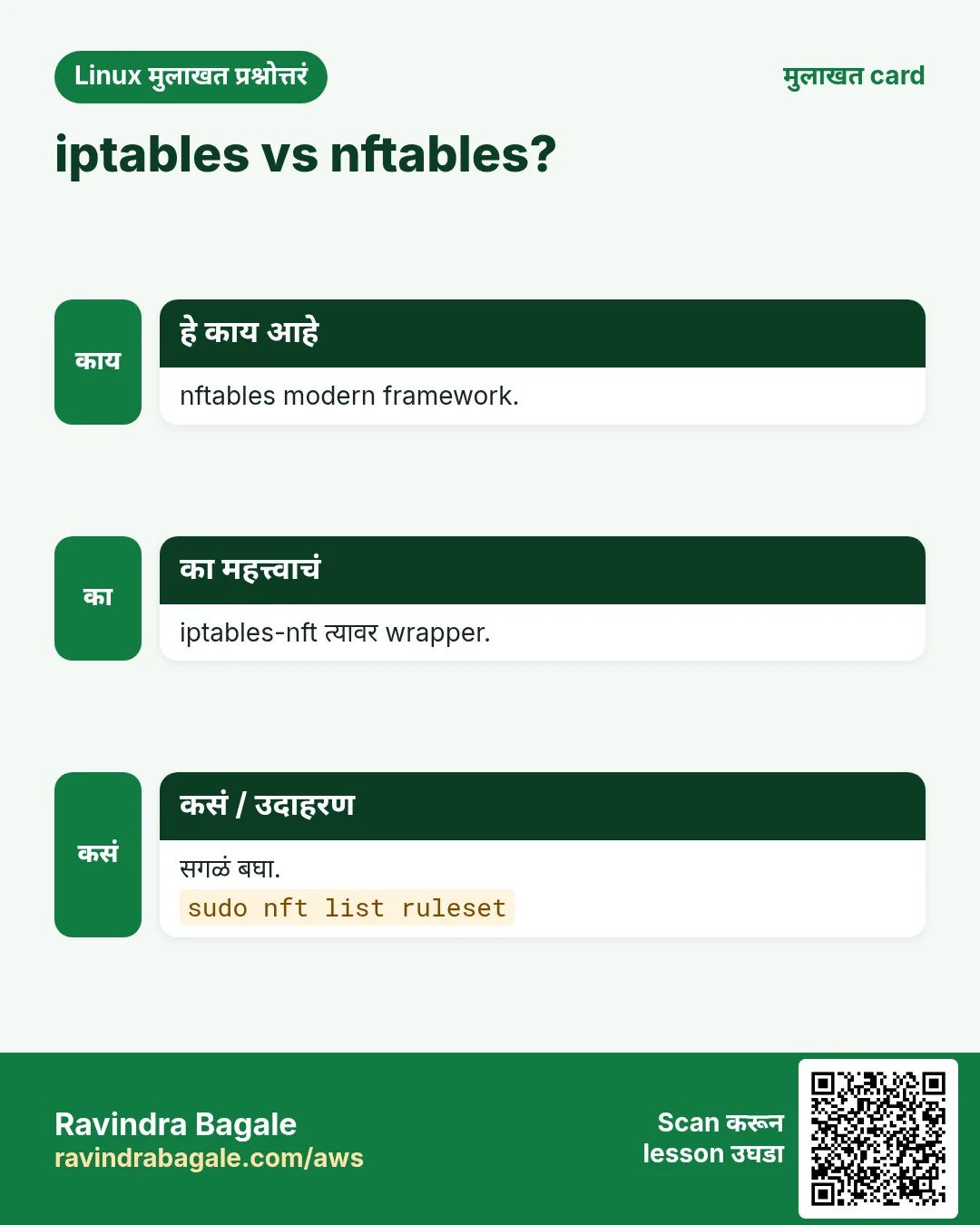
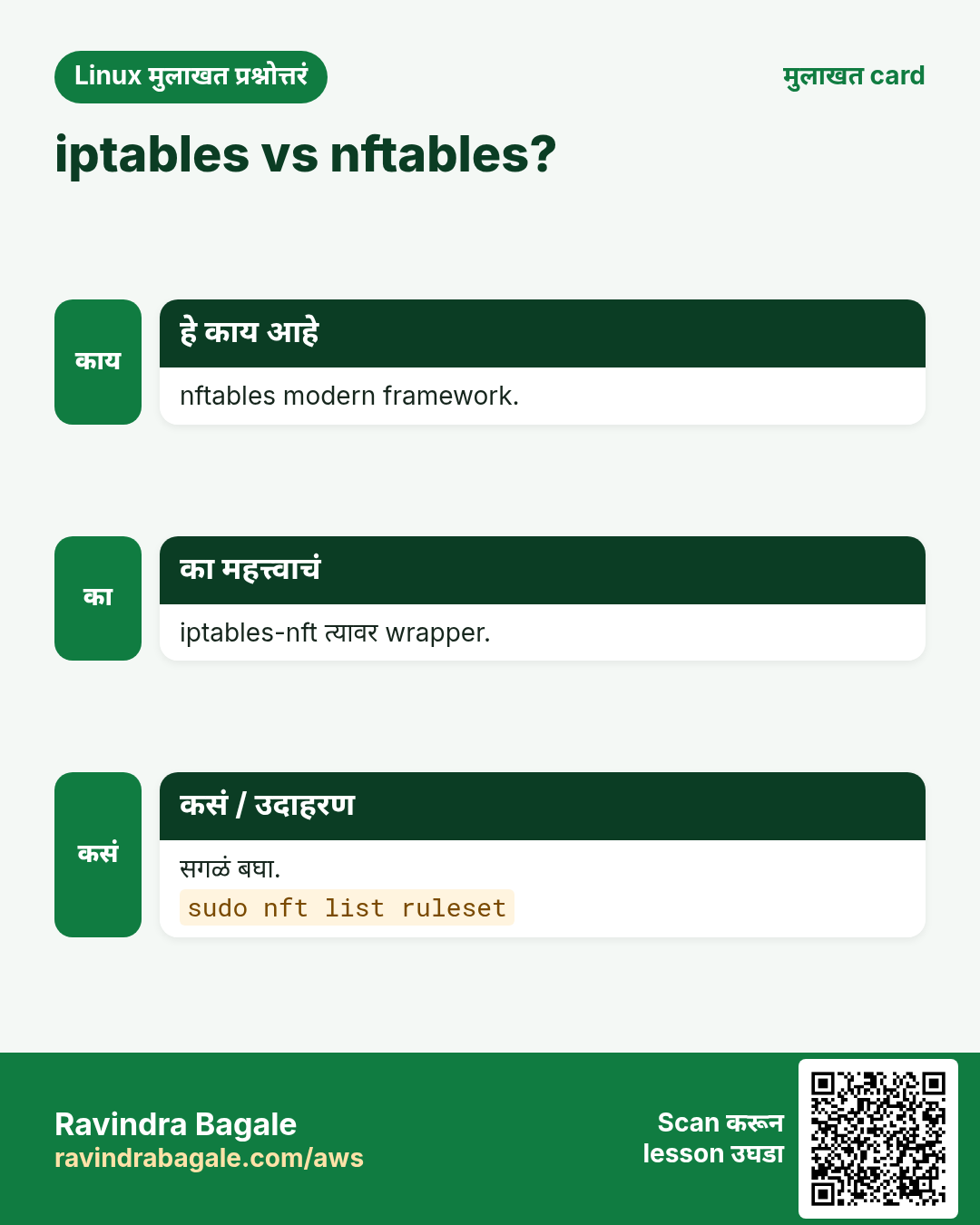
नवे distros firewalld आणि iptables-nft खाली nftables वापरतात.
हे काय आहे?
IPv4 आणि IPv6 साठी एक tool, nft. Family च्या tables (inet = दोन्ही), hook आणि policy सह chains, आणि rules. nft list ruleset सगळं दाखवतो. Config /etc/nftables.conf; nft -f ने load. Sets ने एका rule ने अनेक IPs.
कसं करायचं (step by step)
- Table आणि chain.
sudo nft add table inet web && sudo nft add chain inet web input '{ type filter hook input priority 0; policy accept; }'Output:
(no output)याचा अर्थ: Rules साठी तयार.
- 443 allow.
sudo nft add rule inet web input tcp dport 443 acceptOutput:
(no output)याचा अर्थ: जोडलं.
- Blocklist set.
sudo nft add set inet web bad '{ type ipv4_addr; }' && sudo nft add element inet web bad '{ 198.51.100.7 }' && sudo nft insert rule inet web input ip saddr @bad dropOutput:
(no output)याचा अर्थ: एक rule, अनेक IPs.
7. SSH hardening
हे का लागतं?
कोणत्याही Linux server वर SSH सगळ्यात जास्त attack होणारा port.
हे काय आहे?
/etc/ssh/sshd_config.d/10-hard.conf मधे: PermitRootLogin no, PasswordAuthentication no, KbdInteractiveAuthentication no, MaxAuthTries 3, AllowUsers deploy, ClientAliveInterval 300. sshd -t ने test, मग reload. Test करताना दुसरं session उघडं ठेवा.
कसं करायचं (step by step)
- Config test.
sudo sshd -t && echo OKOutput:
OKयाचा अर्थ: Syntax errors नाहीत.
- Effective values.
sudo sshd -T | grep -E 'permitrootlogin|passwordauthentication'Output:
permitrootlogin no
passwordauthentication no
याचा अर्थ: लागू.
- Reload.
sudo systemctl reload sshdOutput:
(no output)याचा अर्थ: चालू sessions राहतात.
8. fail2ban: brute force block
हे का लागतं?
रोज हजारो failed SSH logins logs भरतात आणि कमकुवत accounts ला धोका.
हे काय आहे?
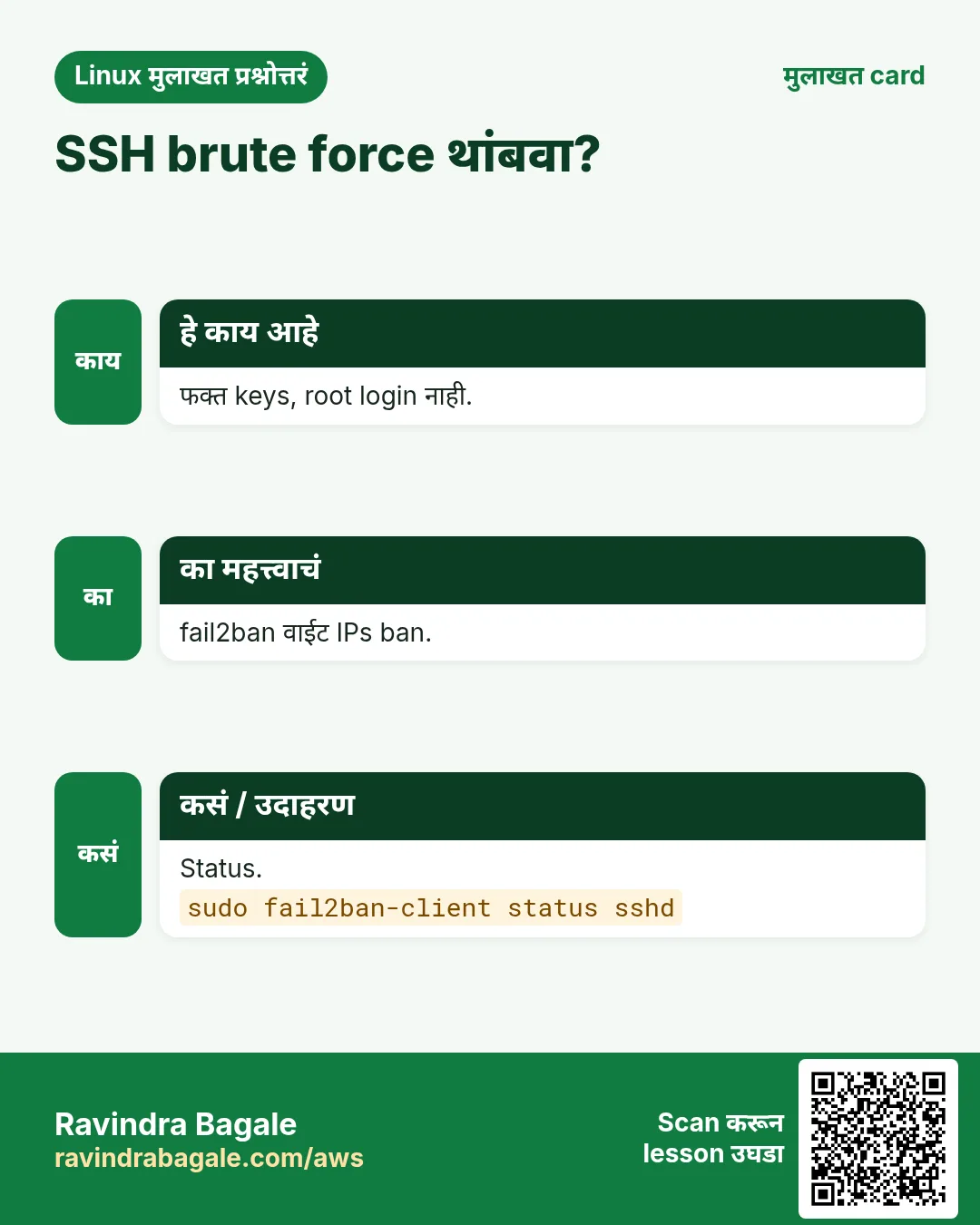
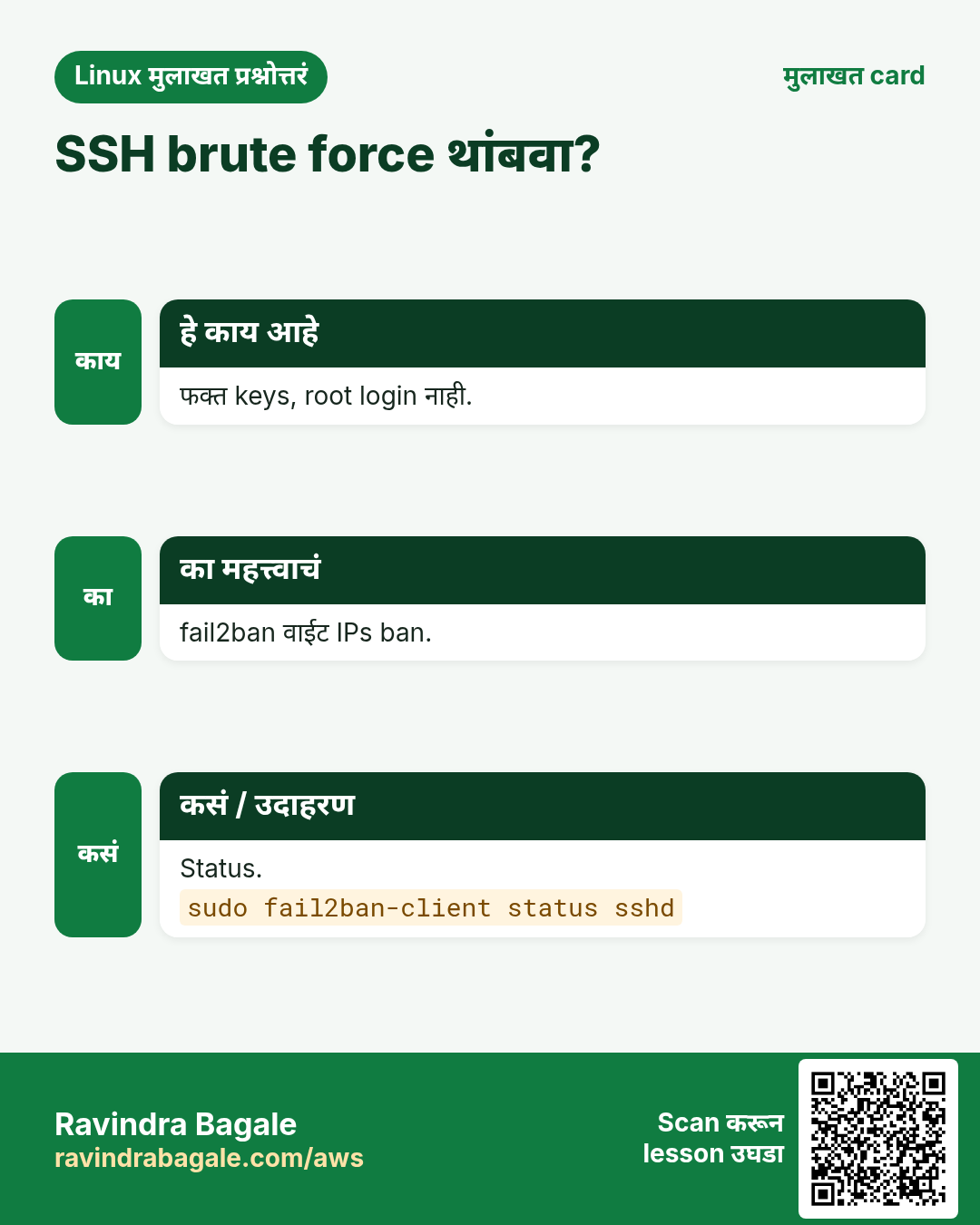
fail2ban logs वाचतो, IP नुसार failures मोजतो आणि firewall ban टाकतो. /etc/fail2ban/jail.local मधे configure (jail.conf कधी edit नाही): [sshd] enabled = true, maxretry = 5, findtime = 10m, bantime = 1h. fail2ban-client status sshd bans दाखवतो; set sshd unbanip IP एक काढतो.
कसं करायचं (step by step)
- Install.
sudo dnf install -y fail2ban && sudo systemctl enable --now fail2banOutput:
Created symlink ... fail2ban.serviceयाचा अर्थ: चालू.
- Jail status.
sudo fail2ban-client status sshdOutput:
Currently failed: 3
Total banned: 41
Banned IP list: 198.51.100.7 ...
याचा अर्थ: काम करतं.
- स्वतःला unban.
sudo fail2ban-client set sshd unbanip 203.0.113.10Output:
1याचा अर्थ: काढलं.
9. SELinux: modes, labels, booleans
हे का लागतं?
SELinux hack झालेल्या web server ला /etc/shadow वाचू देत नाही, पण चुकीचे setups पण block करतो. बंद नाही, fix करायला शिका.
हे काय आहे?
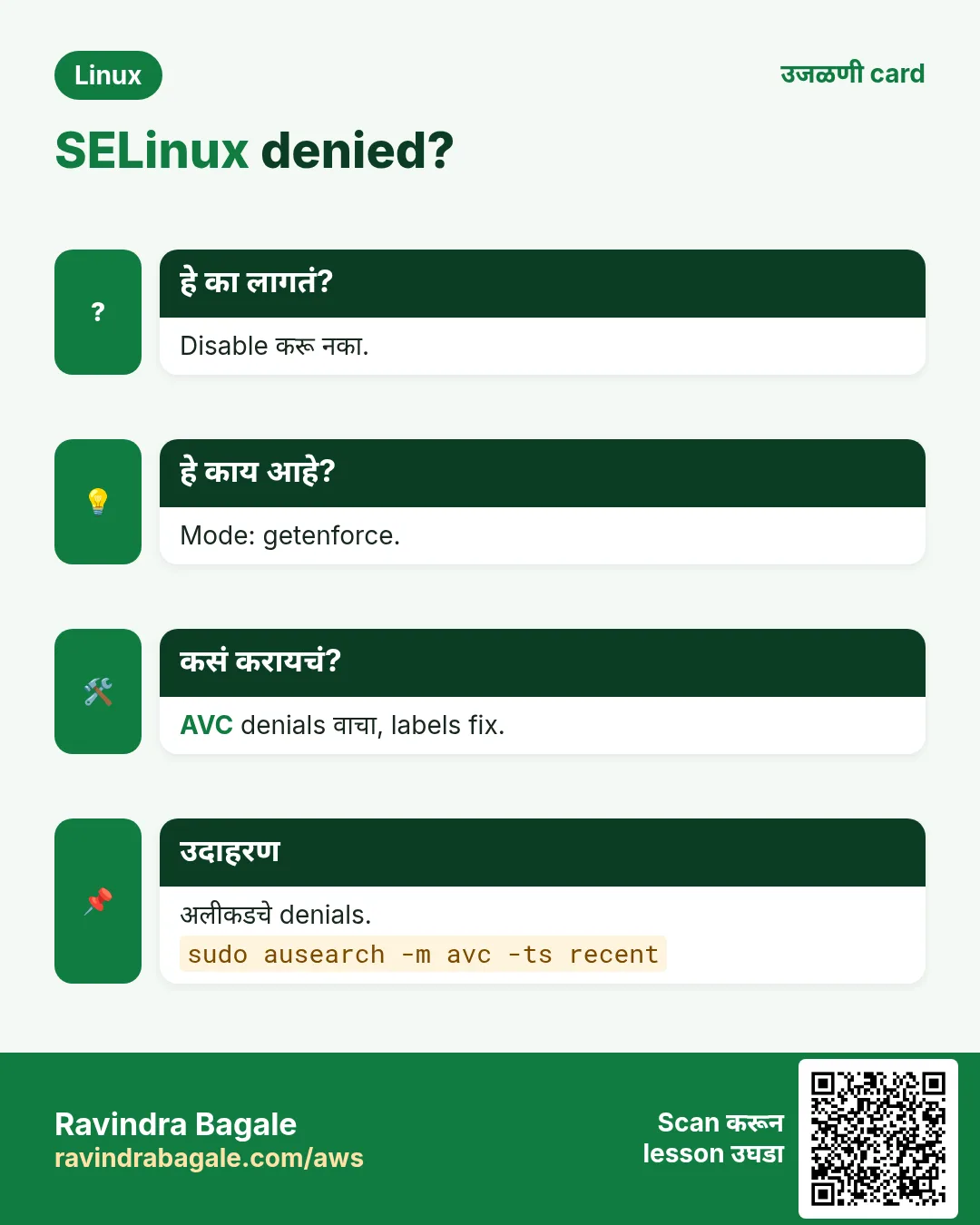
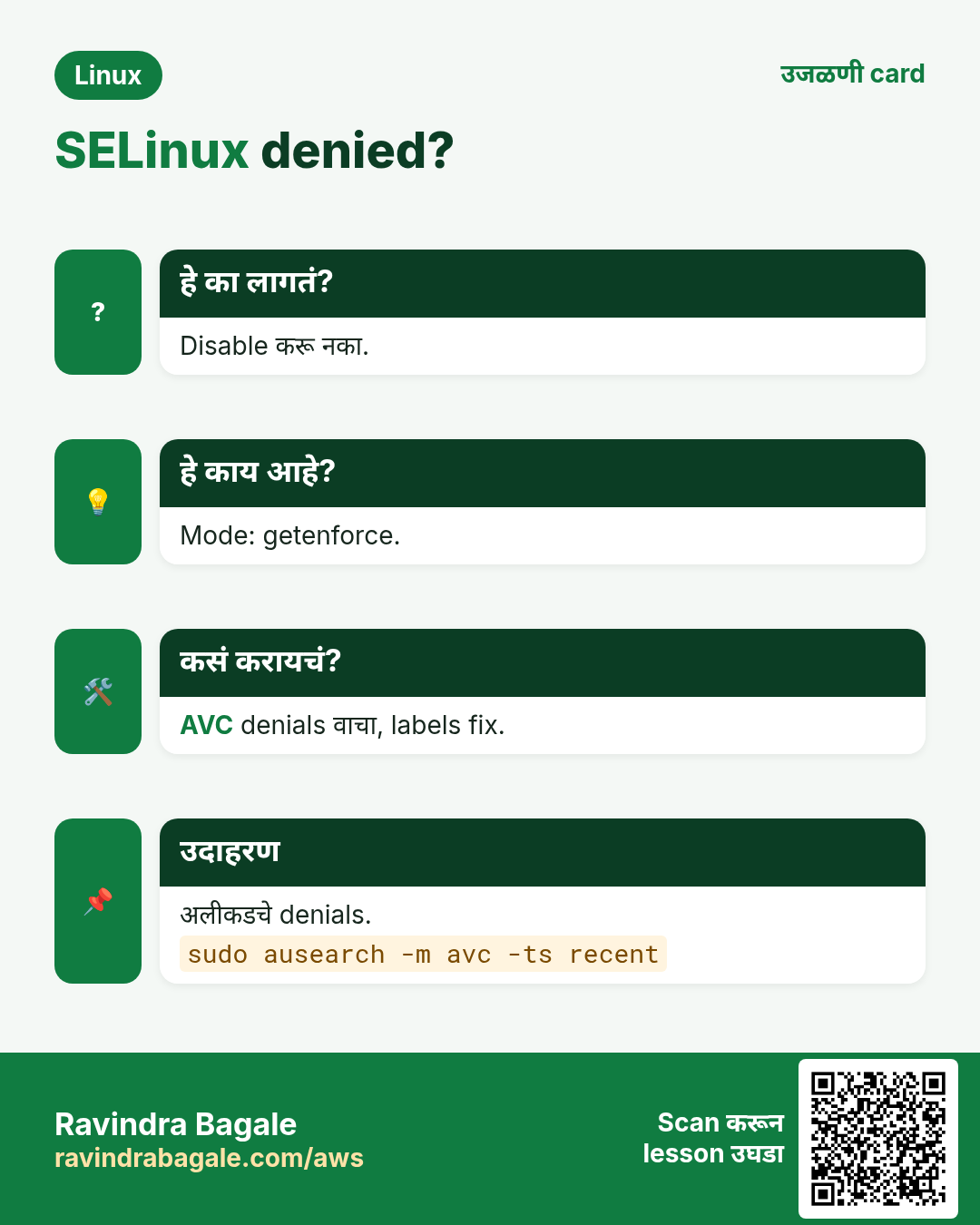
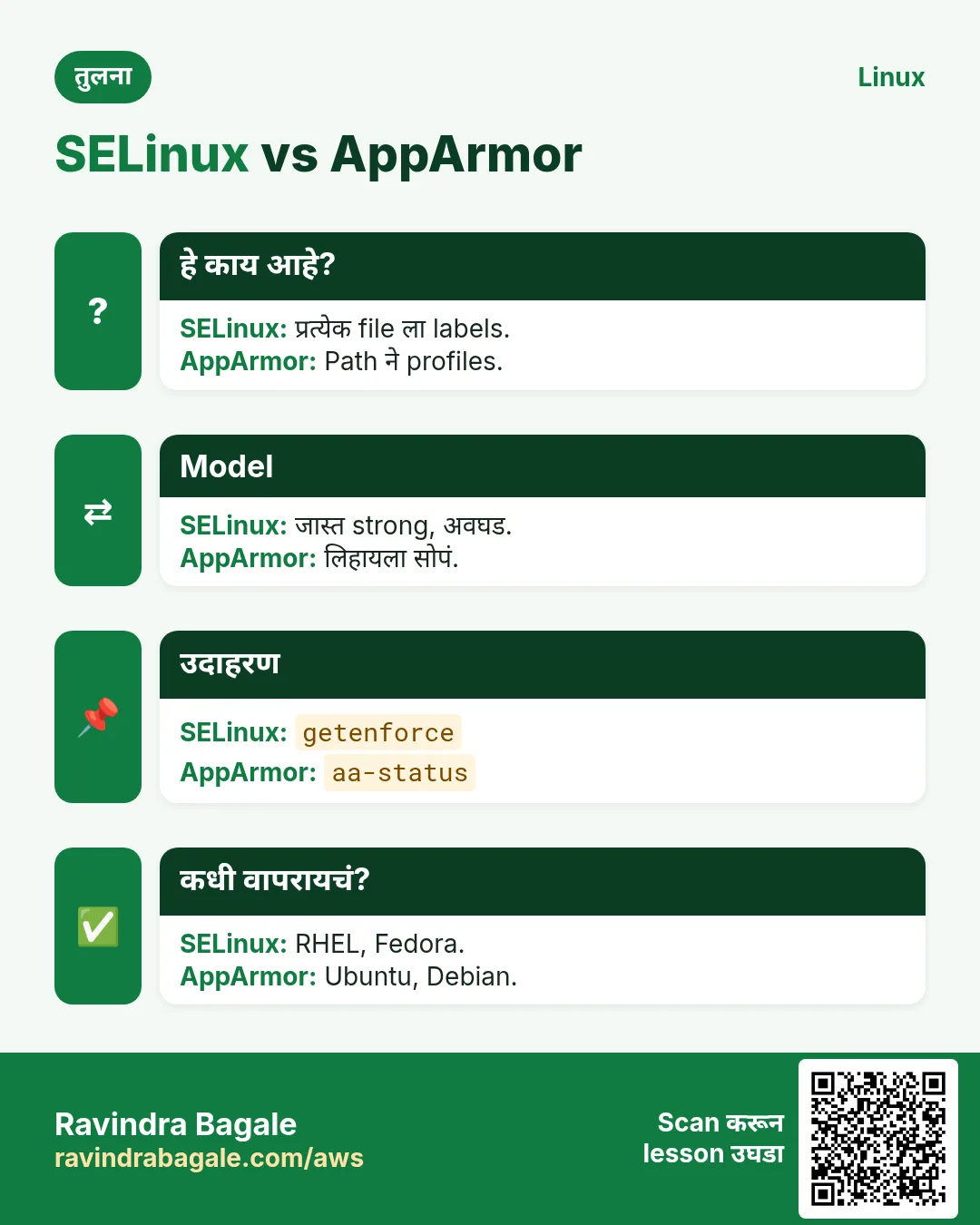
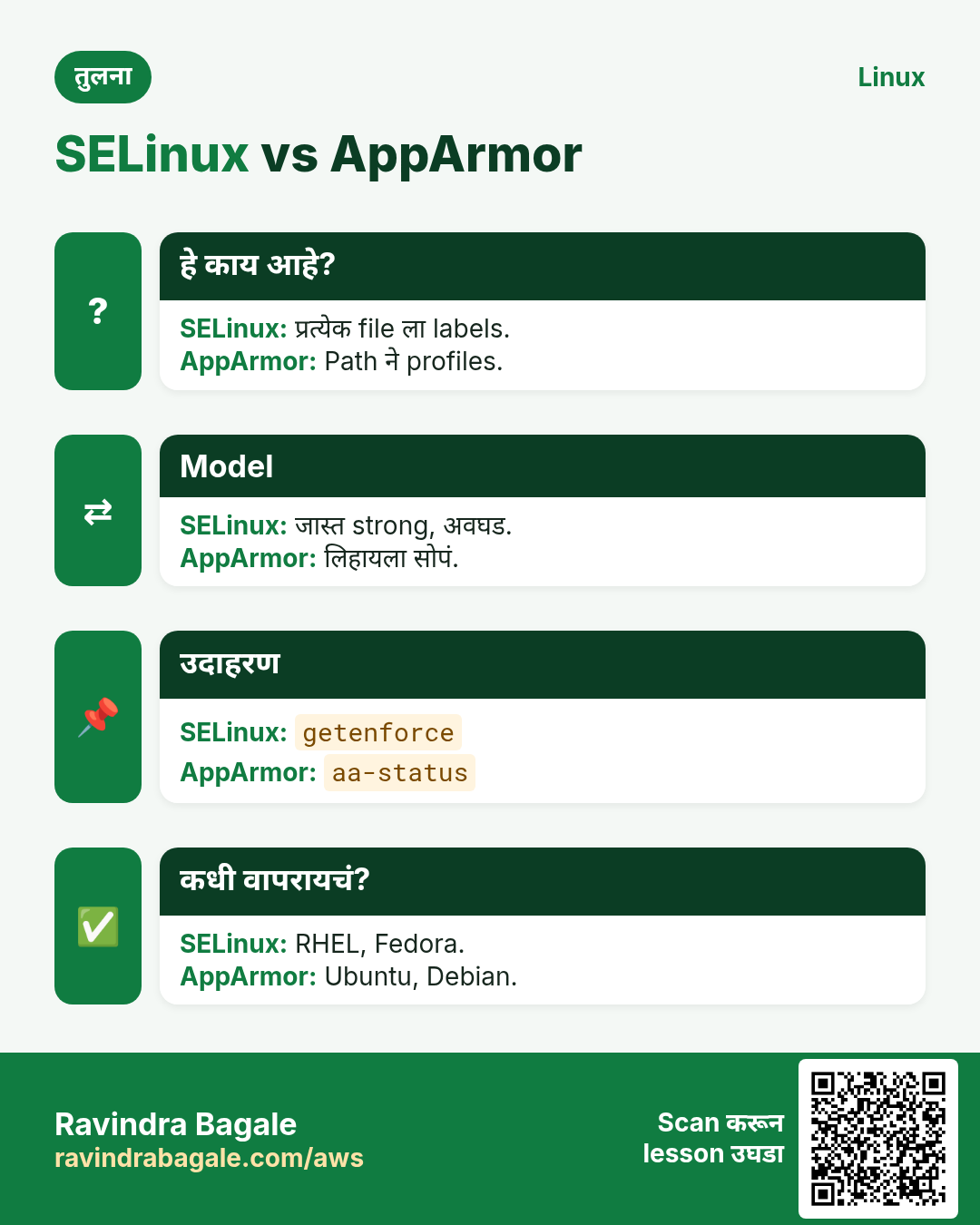
getenforce Enforcing, Permissive किंवा Disabled. प्रत्येक file आणि process ला label (ls -Z, ps -Z). Denial /var/log/audit/audit.log मधे AVC. Fixes: restorecon -Rv PATH (labels reset), semanage fcontext rule, setsebool -P boolean चालू, नव्या port साठी semanage port -a. ausearch -m avc -ts recent आणि audit2why denials समजावतात.
कसं करायचं (step by step)
- Mode.
getenforceOutput:
Enforcingयाचा अर्थ: चांगलं.
- 403 का?
sudo ausearch -m avc -ts recent | audit2whyOutput:
type=AVC ... comm="nginx" name="index.html" scontext=httpd_t tcontext=user_home_t
 Was caused by: Missing type enforcement
याचा अर्थ: चुकीचा label.
- नव्या web folder ला label.
sudo semanage fcontext -a -t httpd_sys_content_t '/srv/www(/.*)?' && sudo restorecon -Rv /srv/wwwOutput:
Relabeled /srv/www/index.html from default_t to httpd_sys_content_tयाचा अर्थ: कायमचं fix.
- App ला network.
sudo setsebool -P httpd_can_network_connect onOutput:
(no output)याचा अर्थ: Backend proxy चालतं.
10. AppArmor (Ubuntu, SUSE)
हे का लागतं?
Ubuntu SELinux labels ऐवजी प्रत्येक program ला AppArmor profiles वापरतो.
हे काय आहे?
aa-status enforce किंवा complain mode मधले profiles. Profiles /etc/apparmor.d मधे. Denials journalctl -k मधे apparmor="DENIED". Test साठी aa-complain PROFILE block न करता log; aa-enforce परत blocking. Profile edit, मग apparmor_parser -r FILE.
कसं करायचं (step by step)
- Status.
sudo aa-status | head -4Output:
apparmor module is loaded.
41 profiles are loaded.
37 profiles are in enforce mode.
याचा अर्थ: चालू.
- Denials शोधा.
sudo journalctl -k | grep 'apparmor="DENIED"' | tail -2Output:
apparmor="DENIED" operation="open" profile="/usr/sbin/mysqld" name="/data/mysql/"याचा अर्थ: नवी data dir.
- Profile reload.
sudo apparmor_parser -r /etc/apparmor.d/usr.sbin.mysqldOutput:
(no output)याचा अर्थ: /data/mysql/ rules नंतर.
11. auditd: कोणी काय बदललं
हे का लागतं?
Compliance (PCI, ISO, banks) आणि incident review ला महत्त्वाच्या files च्या बदलांचा record हवा.
हे काय आहे?
auditctl -w FILE -p wa -k KEY writes आणि attribute changes watch. /etc/audit/rules.d/*.rules मधे persist आणि augenrules --load. ausearch -k KEY events; aureport summaries. Logs /var/log/audit/audit.log.
कसं करायचं (step by step)
- sudoers watch.
sudo auditctl -w /etc/sudoers -p wa -k sudoersOutput:
(no output)याचा अर्थ: Live rule.
- कोणी बदललं?
sudo ausearch -k sudoers -i | tail -3Output:
type=SYSCALL ... auid=ravi uid=root comm="vim" name="/etc/sudoers"याचा अर्थ: auid = खरा login user.
- Persist.
echo '-w /etc/ssh/sshd_config -p wa -k sshcfg' | sudo tee /etc/audit/rules.d/ssh.rules && sudo augenrules --loadOutput:
No rules
enabled 1
याचा अर्थ: Boot ला load.
- Summary.
sudo aureport --login --failed | head -5Output:
Failed Login Report
1. 10/25/26 21:02 root 198.51.100.7 ssh no
याचा अर्थ: Failed logins.
12. Users, sudo आणि file permissions checks
हे का लागतं?
कमकुवत accounts आणि world-writable files इतर hardening वाया घालवतात.
हे काय आहे?
UID 0 users: awk -F: '$3==0' /etc/passwd. न वापरलेले accounts usermod -L ने lock. SUID files: find / -xdev -perm -4000. World-writable: find / -xdev -type f -perm -0002. last आणि lastb ने शेवटचे logins.
कसं करायचं (step by step)
- Extra root?
awk -F: '$3==0' /etc/passwdOutput:
root:x:0:0:root:/root:/bin/bashयाचा अर्थ: फक्त root: चांगलं.
- SUID list.
sudo find / -xdev -perm -4000 -type f 2>/dev/null | head -4Output:
/usr/bin/passwd
/usr/bin/sudo
/usr/bin/su
याचा अर्थ: Known list शी तुलना.
- Bad logins.
sudo lastb | head -3Output:
admin ssh:notty 198.51.100.7 Sun Oct 25 21:01याचा अर्थ: Bots.
13. अनेक industries मधली खरी उदाहरणं
हे का लागतं?
तेच Linux skill प्रत्येक प्रकारच्या company मध्ये लागतं. वेगवेगळ्या ठिकाणी पाहिलं की लक्षात राहतं.
हे काय आहे?
प्रत्येक row म्हणजे एक काल्पनिक team. कोण हे वापरतं आणि कसं ते दाखवते.
कसं करायचं (step by step)
| Team आणि शहर | ते कसं वापरतात | Command |
|---|---|---|
| Sameer, fintech, Pune | RBI audit साठी auditd rules | auditctl -w /etc/sudoers -p wa |
| Olivia, SaaS, Toronto | प्रत्येक bastion वर fail2ban | fail2ban-client status sshd |
| Ahmed, telecom, Riyadh | Blocklists साठी nftables sets | nft add element |
| Mei, e-commerce, Shanghai | nginx proxy साठी SELinux booleans | setsebool -P httpd_can_network_connect on |
| Tom, university, Melbourne | Lab servers वर ufw | ufw allow OpenSSH |
| Neha, hospital, Nashik | MySQL data dir साठी AppArmor | aa-status |
14. नेहमीच्या errors आणि त्यांचे fixes
हे का लागतं?
हे errors सगळ्यांना येतात. कारण माहीत असलं की तास वाचतात.
हे काय आहे?
आधी नेमका message वाचा. मग खालच्या row शी जुळवा.
कसं करायचं (step by step)
| दिसणारा error | का होतं | Fix कसा करायचा |
|---|---|---|
ERROR: Could not load logfile ... fail2ban | चुकीचा backend किंवा log path | journald systems साठी backend = systemd.sudo fail2ban-client -d |
Locked out after ufw enable | आधी SSH allow नाही | Cloud console; ufw allow OpenSSH.sudo ufw allow OpenSSH |
firewall-cmd rule gone after reboot | --permanent शिवाय | --permanent आणि reload.sudo firewall-cmd --runtime-to-permanent |
nginx 403 with correct permissions | SELinux label चुकीचा | restorecon किंवा semanage fcontext.ls -Z /srv/www |
nginx 502: connect() failed (13: Permission denied) | SELinux network connect block | Boolean चालू.sudo setsebool -P httpd_can_network_connect on |
ValueError: Port tcp/8081 already defined | Port आधीच label | -m ने modify.sudo semanage port -m -t http_port_t -p tcp 8081 |
apparmor="DENIED" in logs | Profile path allow करत नाही | Path जोडा आणि profile reload.sudo aa-complain /usr/sbin/mysqld |
iptables: No chain/target/match by that name | Typo किंवा module नाही | Chain नाव आणि case.sudo iptables -L -n |
Permission denied (publickey) after hardening | Passwords बंद पण key नाही | Console ने key, मग retry.sudo sshd -T | grep pubkey |
auditctl: Error sending add rule request (Operation not permitted) | Rules locked (-e 2) | rules.d edit आणि reboot.sudo auditctl -s |
15. Troubleshooting step by step
हे का लागतं?
काहीतरी block झालं तर कोणत्या layer ने ते विचारा.
हे काय आहे?
वरून खाली जा. ज्या step ला problem दिसतो तिथे थांबा.
कसं करायचं (step by step)
- Host firewall मधे port open?
sudo firewall-cmd --list-all- fail2ban ने ban?
sudo fail2ban-client status sshd- SELinux denial?
sudo ausearch -m avc -ts recent- AppArmor denial?
sudo journalctl -k | grep DENIED- SSH config?
sudo sshd -T- Cloud security group?
aws ec2 describe-security-groups16. Lab 1: Firewall आणि fail2ban
हे का लागतं?
फक्त web ports open आणि brute-force IP ban.
हे काय आहे?
पूर्ण hands-on lab. प्रत्येक step test Linux machine वर करा (EC2 instance, VM किंवा WSL).
कसं करायचं (step by step)
- Web allow.
sudo firewall-cmd --permanent --add-service=https && sudo firewall-cmd --reloadOutput:
success- fail2ban install.
sudo dnf install -y fail2banOutput:
Complete!- Jail.
printf '[sshd]\nenabled = true\nmaxretry = 3\nbantime = 15m\n' | sudo tee /etc/fail2ban/jail.localOutput:
[sshd] ...- Start.
sudo systemctl enable --now fail2banOutput:
Created symlink- Test IP ban.
sudo fail2ban-client set sshd banip 198.51.100.99 && sudo fail2ban-client status sshdOutput:
Banned IP list: 198.51.100.9917. Lab 2: SELinux denial fix
हे का लागतं?
SELinux enforcing ठेवून /srv/site मधून site serve.
हे काय आहे?
पूर्ण hands-on lab. प्रत्येक step test Linux machine वर करा (EC2 instance, VM किंवा WSL).
कसं करायचं (step by step)
- Content.
sudo mkdir -p /srv/site && echo hi | sudo tee /srv/site/index.htmlOutput:
hi- nginx root /srv/site आणि reload.
sudo systemctl reload nginx && curl -s -o /dev/null -w '%{http_code}\n' localhostOutput:
403- Denial वाचा.
sudo ausearch -m avc -ts recent | audit2whyOutput:
Missing type enforcement- Label fix.
sudo semanage fcontext -a -t httpd_sys_content_t '/srv/site(/.*)?' && sudo restorecon -Rv /srv/siteOutput:
Relabeled- Test.
curl -s localhostOutput:
hiRavindra Bagale's Tip
Before you enable any firewall or change sshd, keep a second SSH session open and test a new login from a third window. If the new login fails, fix it from the open session. This one habit prevents most lock-outs.
Ravindra Bagale's Tip – मराठी
कोणताही firewall enable किंवा sshd बदलण्याआधी दुसरं SSH session उघडं ठेवा आणि तिसऱ्या window मधून नवं login test करा. नवं login fail झालं तर उघड्या session मधून fix करा. ही एक सवय बहुतेक lock-outs टाळते.
Ravindra Bagale's Tip – हिंदी
कोई भी firewall enable करने या sshd बदलने से पहले दूसरा SSH session खुला रखिए और तीसरी window से नया login test कीजिए. नया login fail हो तो खुले session से ठीक कीजिए. यह एक आदत ज़्यादातर lock-outs रोकती है.
18. नेहमी विचारले जाणारे प्रश्न
प्र. firewalld की ufw?
Distro जे देतो ते: RHEL वर firewalld, Ubuntu वर ufw.
प्र. Cloud मधे host firewall हवा?
हो, security groups ला दुसरा layer.
प्र. iptables की nftables?
नव्या कामाला nftables; जुन्यासाठी iptables वाचा.
प्र. SELinux बंद करू?
नाही; debug साठी थोडा वेळ permissive, मग fix.
प्र. fail2ban keys ची जागा घेतो?
नाही; keys आणि fail2ban एकत्र.
प्र. SSH port बदलू?
Noise कमी, खरी security नाही.
प्र. Audit logs मधे auid?
sudo नंतरही मूळ login user.
प्र. Patch किती वेळा?
Security updates weekly किंवा automatic.
19. मुलाखत प्रश्न आणि उत्तरं
Beginner level
प्र. SELinux mode?
getenforce.
प्र. ufw मधे HTTPS?
ufw allow 443/tcp.
प्र. Root SSH login बंद?
PermitRootLogin no.
प्र. fail2ban काय?
Failed logins नंतर IPs ban.
Mid level level
प्र. Reboot नंतर firewalld rule गेला?
--permanent मग --reload.
प्र. SELinux सह नव्या folder वर nginx 403?
semanage fcontext + restorecon.
प्र. iptables ने एक IP block?
iptables -I INPUT -s IP -j DROP.
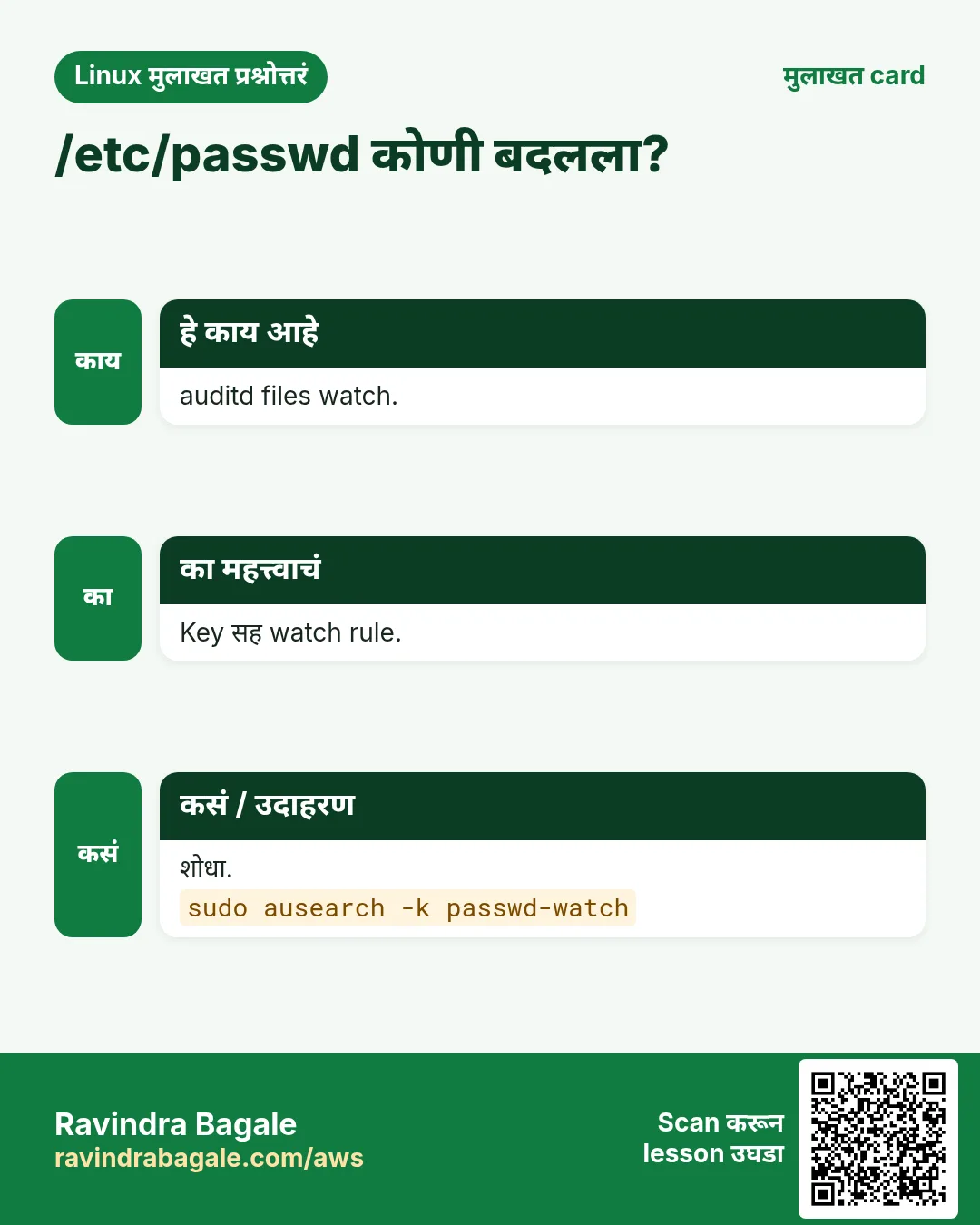
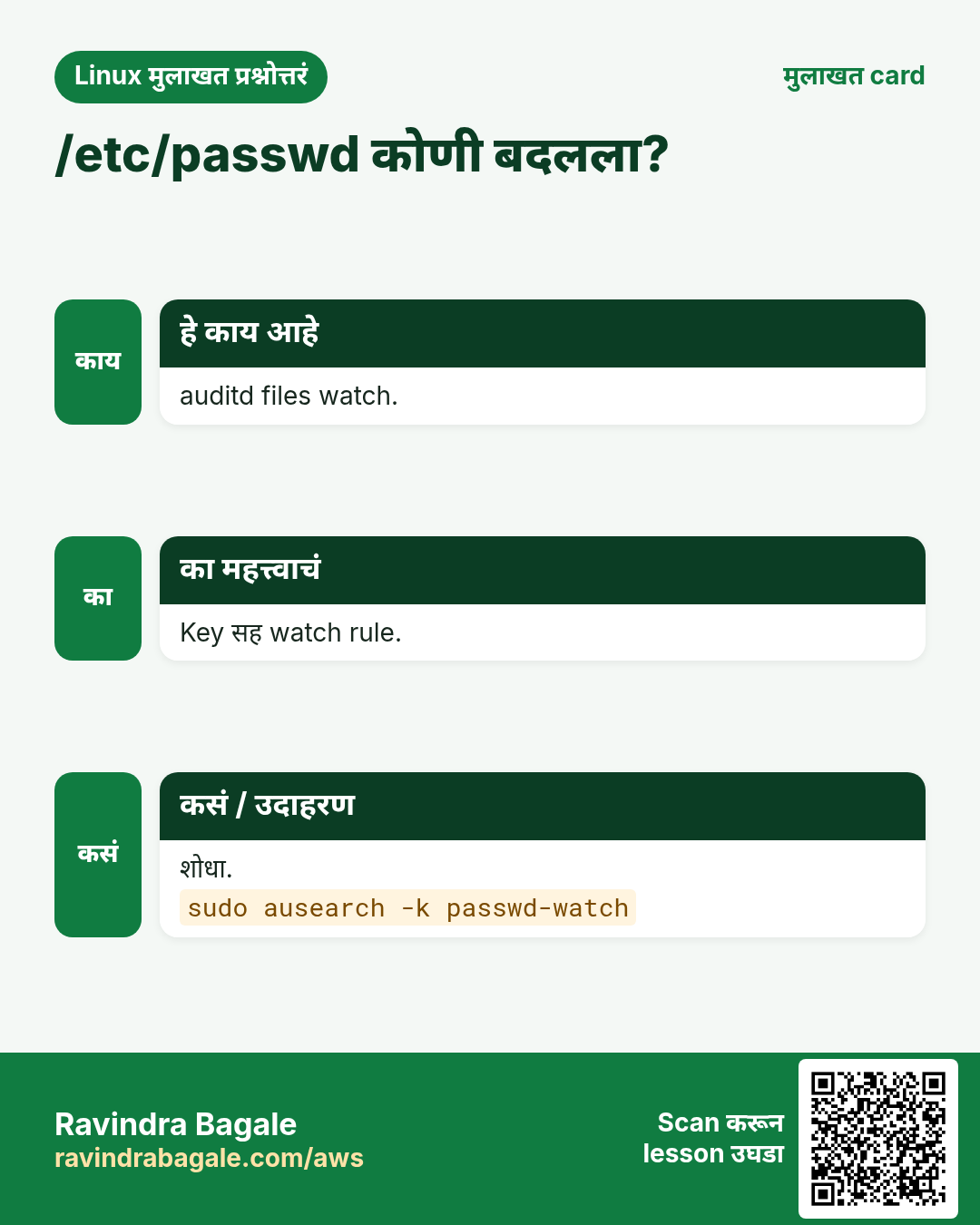
प्र. auditd ने file watch?
auditctl -w FILE -p wa -k KEY.
Senior level
प्र. नवा internet server harden: plan?
Patch, sudo user, फक्त keys, firewall 22/80/443, fail2ban, SELinux enforcing, auditd, monitoring.
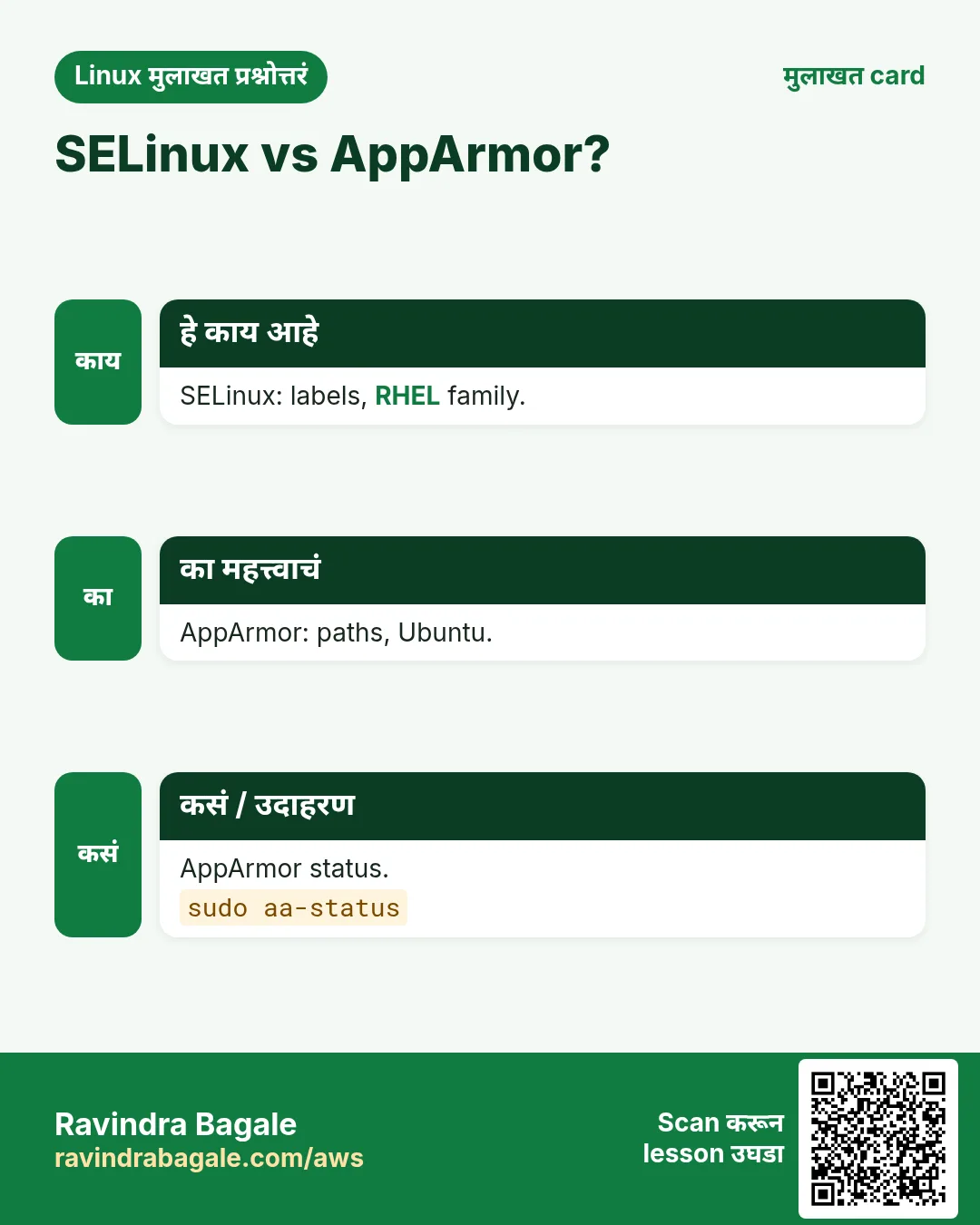
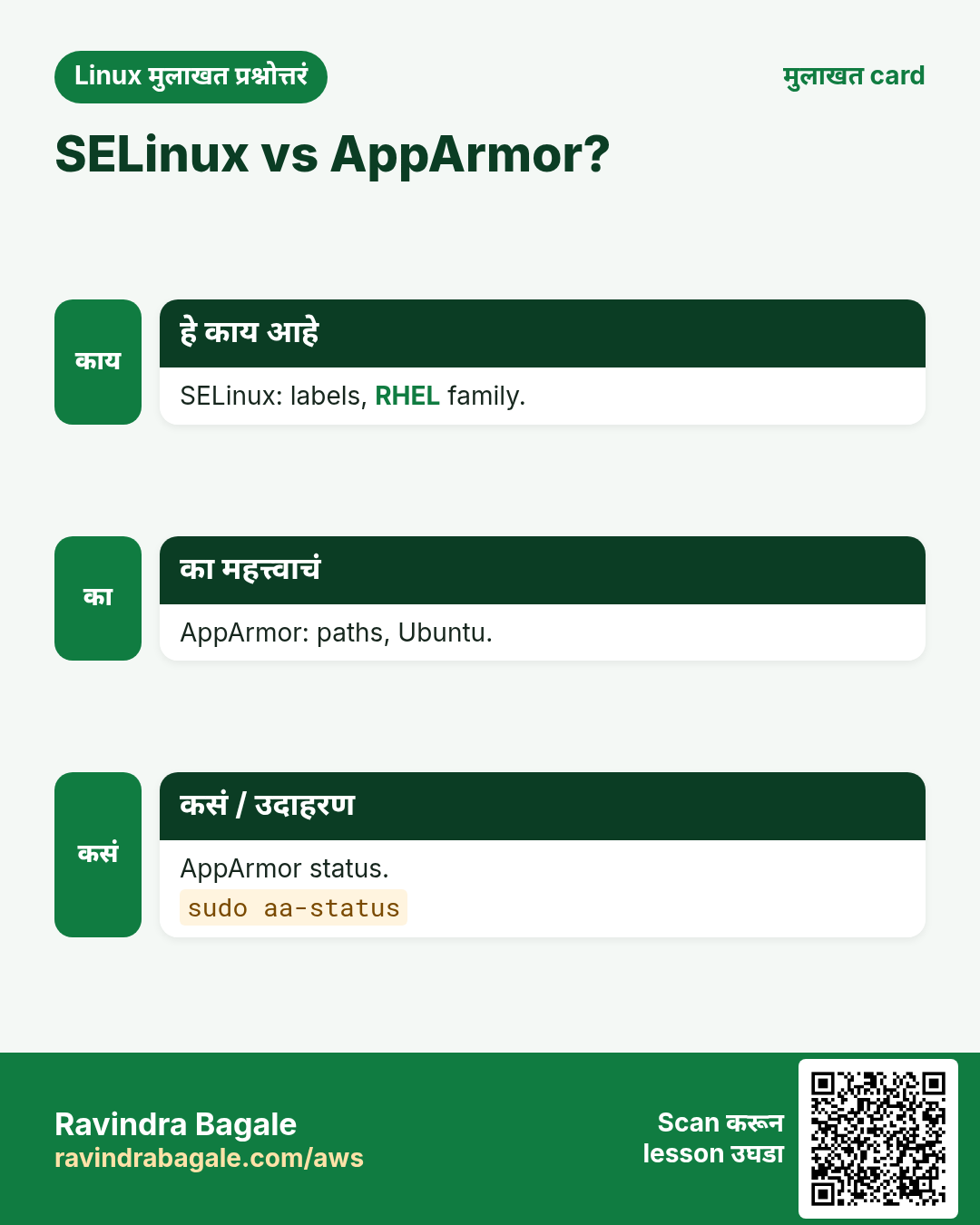
प्र. SELinux vs AppArmor?
SELinux प्रत्येक object label; AppArmor program नुसार path profiles.
प्र. AWS वर defense in depth?
SG, NACL, host firewall, IAM, SELinux, patching, logging.
प्र. sshd_config कोणी edit केलं हे सिद्ध?
auditd watch key; ausearch -k auid आणि वेळ.
घरी करून बघा
- Test VM वर सहा-step hardening flow लावा आणि प्रत्येक command लिहा.
- /etc/passwd वर auditd watch, user जोडा, आणि ausearch ने event शोधा.
सराव Tasks
Vidarbha Cotton Mills हा नागपूर मधला वस्त्रोद्योग व्यवसाय आहे. Ganesh Wankhede त्यांचं IT व cloud काम पाहतात. त्यांचे पैसे INR मध्ये मोजले जातात आणि AWS resources ap-south-1 Region मध्ये चालतात. खालच्या tasks मध्ये तुम्ही या lesson मध्ये शिकलेलं वापरून त्यांची खरी कामं करता. सगळी नावं, account IDs, IP addresses व numbers सरावासाठी काल्पनिक आहेत.
0 / 20
सोपं Zone rules
का: BIZ server चं प्रत्येक उघडं दार attack होतं.
काय करायचं: public zone चे सगळे rules, zone नाव देऊन.
- हे काम करणारा Linux command शोधा.
- Task ला लागणारे options (उदा. -r, -h) जोडा.
- File नावं, folders किंवा users योग्य क्रमाने लिहा.
- System files/users बदलत असाल तर sudo वापरा. Check answer दाबा.
सोपं firewalld reload
का: BIZ server चं प्रत्येक उघडं दार attack होतं.
काय करायचं: firewalld पूर्ण reload, connection state सह.
- हे काम करणारा Linux command शोधा.
- Task ला लागणारे options (उदा. -r, -h) जोडा.
- File नावं, folders किंवा users योग्य क्रमाने लिहा.
- System files/users बदलत असाल तर sudo वापरा. Check answer दाबा.
सोपं ufw मधे HTTP
का: BIZ server चं प्रत्येक उघडं दार attack होतं.
काय करायचं: ufw ने TCP port 80 allow.
- हे काम करणारा Linux command शोधा.
- Task ला लागणारे options (उदा. -r, -h) जोडा.
- File नावं, folders किंवा users योग्य क्रमाने लिहा.
- System files/users बदलत असाल तर sudo वापरा. Check answer दाबा.
सोपं INPUT list
का: BIZ server चं प्रत्येक उघडं दार attack होतं.
काय करायचं: INPUT rules numeric, line numbers, verbose.
- हे काम करणारा Linux command शोधा.
- Task ला लागणारे options (उदा. -r, -h) जोडा.
- File नावं, folders किंवा users योग्य क्रमाने लिहा.
- System files/users बदलत असाल तर sudo वापरा. Check answer दाबा.
सोपं nft ruleset
का: BIZ server चं प्रत्येक उघडं दार attack होतं.
काय करायचं: पूर्ण nftables ruleset.
- हे काम करणारा Linux command शोधा.
- Task ला लागणारे options (उदा. -r, -h) जोडा.
- File नावं, folders किंवा users योग्य क्रमाने लिहा.
- System files/users बदलत असाल तर sudo वापरा. Check answer दाबा.
सोपं fail2ban overview
का: BIZ server चं प्रत्येक उघडं दार attack होतं.
काय करायचं: nginx-http-auth jail चं fail2ban status.
- हे काम करणारा Linux command शोधा.
- Task ला लागणारे options (उदा. -r, -h) जोडा.
- File नावं, folders किंवा users योग्य क्रमाने लिहा.
- System files/users बदलत असाल तर sudo वापरा. Check answer दाबा.
सोपं SELinux status
का: BIZ server चं प्रत्येक उघडं दार attack होतं.
काय करायचं: SELinux status plus file आणि process contexts.
- हे काम करणारा Linux command शोधा.
- Task ला लागणारे options (उदा. -r, -h) जोडा.
- File नावं, folders किंवा users योग्य क्रमाने लिहा.
- System files/users बदलत असाल तर sudo वापरा. Check answer दाबा.
सोपं Audit key search
का: BIZ server चं प्रत्येक उघडं दार attack होतं.
काय करायचं: key users चे audit events, interpreted.
- हे काम करणारा Linux command शोधा.
- Task ला लागणारे options (उदा. -r, -h) जोडा.
- File नावं, folders किंवा users योग्य क्रमाने लिहा.
- System files/users बदलत असाल तर sudo वापरा. Check answer दाबा.
सोपं sshd test
का: BIZ server चं प्रत्येक उघडं दार attack होतं.
काय करायचं: sshd config file /etc/ssh/sshd_config.new test.
- हे काम करणारा Linux command शोधा.
- Task ला लागणारे options (उदा. -r, -h) जोडा.
- File नावं, folders किंवा users योग्य क्रमाने लिहा.
- System files/users बदलत असाल तर sudo वापरा. Check answer दाबा.
मध्यम 8443 open
का: BIZ server चं प्रत्येक उघडं दार attack होतं.
काय करायचं: firewalld मधे TCP port 8443 permanent open.
- हे काम करणारा Linux command शोधा.
- Task ला लागणारे options (उदा. -r, -h) जोडा.
- File नावं, folders किंवा users योग्य क्रमाने लिहा.
- System files/users बदलत असाल तर sudo वापरा. Check answer दाबा.
मध्यम FTP बंद
का: BIZ server चं प्रत्येक उघडं दार attack होतं.
काय करायचं: ftp service permanent काढा.
- हे काम करणारा Linux command शोधा.
- Task ला लागणारे options (उदा. -r, -h) जोडा.
- File नावं, folders किंवा users योग्य क्रमाने लिहा.
- System files/users बदलत असाल तर sudo वापरा. Check answer दाबा.
मध्यम Rule 3 delete
का: BIZ server चं प्रत्येक उघडं दार attack होतं.
काय करायचं: ufw rule number 3 delete.
- हे काम करणारा Linux command शोधा.
- Task ला लागणारे options (उदा. -r, -h) जोडा.
- File नावं, folders किंवा users योग्य क्रमाने लिहा.
- System files/users बदलत असाल तर sudo वापरा. Check answer दाबा.
मध्यम IP drop
का: BIZ server चं प्रत्येक उघडं दार attack होतं.
काय करायचं: 192.0.2.44 drop करणारा rule वर.
- हे काम करणारा Linux command शोधा.
- Task ला लागणारे options (उदा. -r, -h) जोडा.
- File नावं, folders किंवा users योग्य क्रमाने लिहा.
- System files/users बदलत असाल तर sudo वापरा. Check answer दाबा.
मध्यम IP ban
का: BIZ server चं प्रत्येक उघडं दार attack होतं.
काय करायचं: sshd jail मधे 192.0.2.55 ban.
- हे काम करणारा Linux command शोधा.
- Task ला लागणारे options (उदा. -r, -h) जोडा.
- File नावं, folders किंवा users योग्य क्रमाने लिहा.
- System files/users बदलत असाल तर sudo वापरा. Check answer दाबा.
मध्यम nginx DB allow
का: BIZ server चं प्रत्येक उघडं दार attack होतं.
काय करायचं: httpd ला databases शी permanent connect (httpd_can_network_connect_db).
- हे काम करणारा Linux command शोधा.
- Task ला लागणारे options (उदा. -r, -h) जोडा.
- File नावं, folders किंवा users योग्य क्रमाने लिहा.
- System files/users बदलत असाल तर sudo वापरा. Check answer दाबा.
मध्यम /var/www relabel
का: BIZ server चं प्रत्येक उघडं दार attack होतं.
काय करायचं: /var/www/html वर SELinux labels recursive restore, verbose.
- हे काम करणारा Linux command शोधा.
- Task ला लागणारे options (उदा. -r, -h) जोडा.
- File नावं, folders किंवा users योग्य क्रमाने लिहा.
- System files/users बदलत असाल तर sudo वापरा. Check answer दाबा.
मध्यम passwd watch
का: BIZ server चं प्रत्येक उघडं दार attack होतं.
काय करायचं: /etc/passwd वर writes आणि attributes audit watch, key users.
- हे काम करणारा Linux command शोधा.
- Task ला लागणारे options (उदा. -r, -h) जोडा.
- File नावं, folders किंवा users योग्य क्रमाने लिहा.
- System files/users बदलत असाल तर sudo वापरा. Check answer दाबा.
अवघड App कडून Redis
का: BIZ server चं प्रत्येक उघडं दार attack होतं.
काय करायचं: 10.0.2.20 ला फक्त TCP port 6379.
- हे काम करणारा Linux command शोधा.
- Task ला लागणारे options (उदा. -r, -h) जोडा.
- File नावं, folders किंवा users योग्य क्रमाने लिहा.
- System files/users बदलत असाल तर sudo वापरा. Check answer दाबा.
अवघड Rule 2 delete
का: BIZ server चं प्रत्येक उघडं दार attack होतं.
काय करायचं: INPUT rule number 2 delete.
- हे काम करणारा Linux command शोधा.
- Task ला लागणारे options (उदा. -r, -h) जोडा.
- File नावं, folders किंवा users योग्य क्रमाने लिहा.
- System files/users बदलत असाल तर sudo वापरा. Check answer दाबा.
अवघड Port 8090 label
का: BIZ server चं प्रत्येक उघडं दार attack होतं.
काय करायचं: SELinux port type http_port_t ने httpd ला TCP 8090.
- हे काम करणारा Linux command शोधा.
- Task ला लागणारे options (उदा. -r, -h) जोडा.
- File नावं, folders किंवा users योग्य क्रमाने लिहा.
- System files/users बदलत असाल तर sudo वापरा. Check answer दाबा.
20. संबंधित chapters
- DevOps साठी Linux Ops Refresh
- Automation साठी Bash Scripting
- Linux grep आणि find Commands Examples सह
- Linux Servers मध्ये Passwordless SSH
थोडक्यात सांगायचं तर
- आधी patch आणि न वापरलेल्या services काढा.
- firewalld/ufw: फक्त गरजेचं; --permanent.
- iptables पहिला match जिंकतो; nftables modern tool.
- SSH: फक्त keys, root नाही; brute force साठी fail2ban.
- SELinux/AppArmor: labels आणि profiles fix, कधी बंद नाही.
- auditd महत्त्वाच्या files कोणी बदलल्या ते record.
उजळणी, तुलना आणि मुलाखत cards
हा lesson काही मिनिटांत revise करा. Cards phone वर save करा किंवा PNG download करा. प्रत्येक card वरचा QR हा lesson उघडतो.
अजून cards: Ravi Sir's Cards.