Linux Commands A-Z Index: Why, What आणि How च्या Links सह 180+ Commands
हे page Linux Commands A-Z reference चं master index आहे. यात alias पासून zip पर्यंत 183 commands आहेत, प्रत्येकाचा एका line मधला अर्थ आणि ती का लागते, ती काय आहे आणि step-by-step examples सह कशी वापरायची ते समजावणाऱ्या section ची link. आधीच्या chapters मधे सविस्तर समजावलेल्या commands थेट त्या sections ला link होतात. बाकी आठ A-Z parts मधे publish होतात. उडी मारायला letter bar वापरा.
या chapter मध्ये तुम्ही काय शिकाल
- कोणतीही Linux command letter नुसार काही seconds मधे शोधा
- प्रत्येक command काय करते ते एका line मधे
- तिच्या पूर्ण why, what आणि how section ला उडी
- Task map वापरून कामासाठी योग्य command निवडा
- apropos, man -k आणि type ने माहीत नसलेल्या commands शोधा
- आठ A-Z parts मधे शिकण्याचं plan
1. रोजचं उदाहरण: textbook च्या शेवटचं index
हे का लागतं?
Fergusson College मधे engineering exam चा अभ्यास करताना साई "Ohm's law" शोधायला संपूर्ण पुस्तक वाचत नाही. तो शेवटचं index उघडतो, O शोधतो, आणि थेट page 214 वर जातो.
हे काय आहे?
हे page Linux साठी तेच index आहे. प्रत्येक letter एक heading, प्रत्येक row एक command, आणि Where column म्हणजे page number: नेमक्या section ची link.
कसं करायचं (step by step)
2. आठ A-Z parts
हे का लागतं?
183 पूर्ण commands चं एकच page खूप slow आणि अभ्यासाला खूप लांब होईल.
हे काय आहे?
Commands आठ parts मधे विभागल्या आहेत, प्रत्येकी साधारण 20 ते 24. 13 commands चे पूर्ण sections आधीच्या chapters मधे होते, त्या link केल्या आहेत, परत लिहिल्या नाहीत.
| Part | Range | Status |
|---|---|---|
| Part 1 | alias ते chown | Published |
| Part 2 | chronyc ते du | Published |
| Part 3 | echo ते host | Published |
| Part 4 | hostname ते lvcreate | Published |
| Part 5 | man ते read | Published |
| Part 6 | reboot ते stat | Published |
| Part 7 | strace ते uname | Published |
| Part 8 | uniq ते zip | Published |
कसं करायचं (step by step)
- तुमच्या system वर किती commands आहेत ते मोजा.
compgen -c | sort -u | wc -lOutput:
2143याचा अर्थ: हजारो आहेत, पण साधारण 180 रोजचं जवळपास सगळं admin काम cover करतात.
- Command कुठून येते ते तपासा.
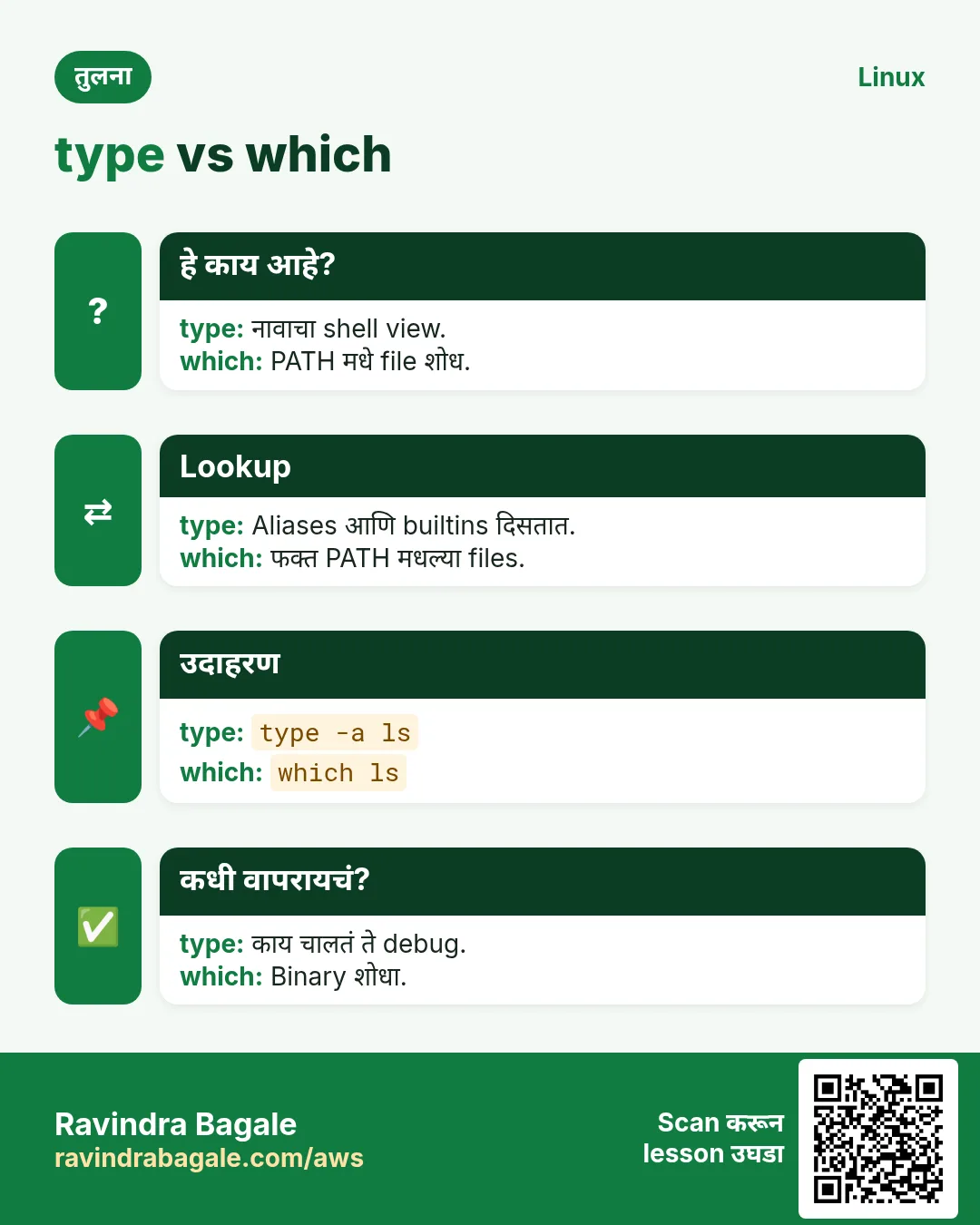
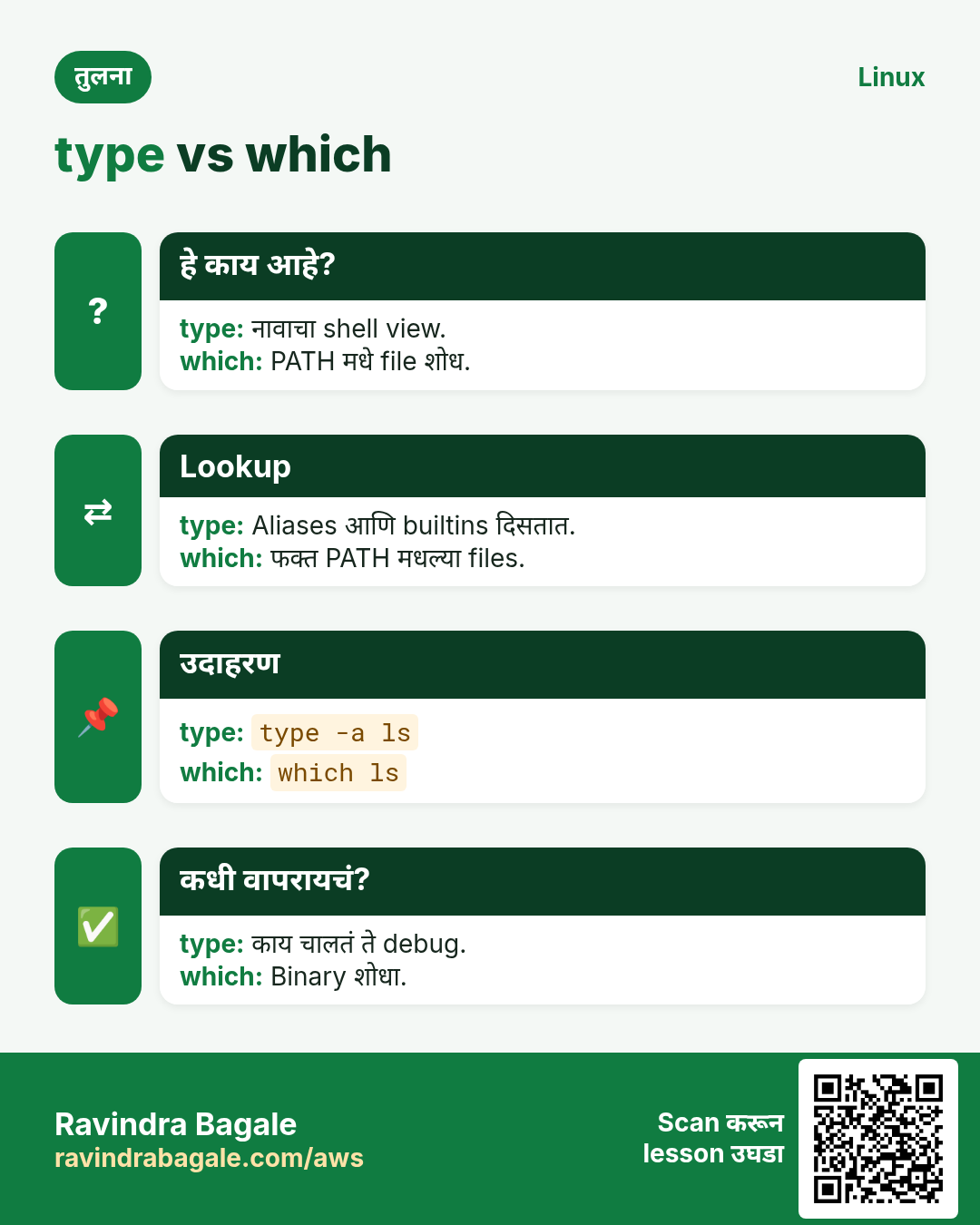
type -a ls; rpm -qf /usr/bin/lsOutput:
ls is aliased to `ls --color=auto'
ls is /usr/bin/ls
coreutils-8.32-35.el9.x86_64
याचा अर्थ: ls म्हणजे coreutils package मधल्या program चा alias.
3. Task map: कोणत्या कामाला कोणती command
हे का लागतं?
बहुतेक वेळा तुम्हाला काम माहीत असतं, command चं नाव नाही.
हे काय आहे?
हा map commands ना त्यांच्या कामानुसार गट करतो. प्रत्येक खालच्या A-Z list मधे आहे.
| काम | Commands |
|---|---|
| Files आणि folders | ls cd cp mv rm mkdir find stat ln |
| Text वाचा आणि filter | cat less head tail grep sed awk cut sort uniq wc tr |
| Users आणि permissions | useradd passwd chage chmod chown chgrp sudo id |
| Processes आणि services | ps top kill nice systemctl journalctl |
| Disk आणि storage | df du lsblk blkid mount fdisk lvcreate |
| Network | ip ss ping dig curl wget nc traceroute |
| Packages | apt dnf rpm |
| Archive आणि compress | tar gzip bzip2 xz zip |
| Schedule | crontab at systemctl list-timers |
कसं करायचं (step by step)
- Keyword ने command शोधा.
apropos -s 1,8 "disk usage"Output:
df (1)  - report file system space usage
du (1)  - estimate file space usage
याचा अर्थ: आता खाली df किंवा du बघा.
4. Linux Commands A-Z list
हे का लागतं?
एक list, प्रत्येक command, details ला एक click.
हे काय आहे?
Coming next लिहिलेल्या rows तो part publish झाल्यावर links होतील.
कसं करायचं (step by step)
Letter वर उडी: A B C D E F G H I J K L M N P R S T U V W X Y Z
A
| Command | काय करतो | कुठे |
|---|---|---|
alias | लांब command साठी छोटं नाव | A-Z Part 1 |
apropos | Keyword ने man pages शोधा | A-Z Part 1 |
apt | Debian आणि Ubuntu वर packages install | A-Z Part 1 |
at | नंतरच्या वेळी command एकदा चालवा | A-Z Part 1 |
awk | Text मधले columns, sums आणि reports | A-Z Part 1 |
B
| Command | काय करतो | कुठे |
|---|---|---|
base64 | Data base64 text मधे encode/decode | A-Z Part 1 |
basename | Path मधून file नाव | A-Z Part 1 |
bc | Decimals सह calculator | A-Z Part 1 |
bg | Stopped job background मधे चालू | A-Z Part 1 |
blkid | Disks आणि partitions चे UUID आणि type | A-Z Part 1 |
bunzip2 | .bz2 files uncompress | A-Z Part 1 |
bzip2 | bzip2 ने files compress | A-Z Part 1 |
C
| Command | काय करतो | कुठे |
|---|---|---|
cal | Calendar दाखवा | A-Z Part 1 |
cat | Files print आणि join | A-Z Part 1 |
cd | Current folder बदला | पूर्ण section (आधीचा chapter) |
chage | Password ageing rules set करा | A-Z Part 1 |
chattr | Immutable सारखे special file attributes | A-Z Part 1 |
chgrp | File चा group बदला | A-Z Part 1 |
chmod | File permissions बदला | पूर्ण section (आधीचा chapter) |
chown | File owner आणि group बदला | पूर्ण section (आधीचा chapter) |
chronyc | Time sync तपासा आणि control करा | A-Z Part 2 |
chroot | दुसऱ्या root folder मधे shell | A-Z Part 2 |
cksum | CRC checksum आणि size | A-Z Part 2 |
clear | Terminal screen साफ | A-Z Part 2 |
cmp | दोन files byte by byte compare | A-Z Part 2 |
column | Text नीट columns मधे | A-Z Part 2 |
comm | दोन sorted files line by line compare | A-Z Part 2 |
cp | Files आणि folders copy | पूर्ण section (आधीचा chapter) |
crontab | Repeating jobs schedule | A-Z Part 2 |
curl | Web servers आणि APIs शी बोला | A-Z Part 2 |
cut | Lines मधून columns किंवा characters काढा | A-Z Part 2 |
D
| Command | काय करतो | कुठे |
|---|---|---|
date | Date आणि time दाखवा किंवा format | A-Z Part 2 |
dd | Raw data block by block copy | A-Z Part 2 |
df | प्रत्येक filesystem ची free disk space | A-Z Part 2 |
diff | Files मधले फरक | A-Z Part 2 |
dig | DNS records query | A-Z Part 2 |
dirname | Path चा folder भाग | A-Z Part 2 |
dmesg | Kernel messages वाचा | A-Z Part 2 |
dnf | RHEL, Fedora, Amazon Linux वर packages | A-Z Part 2 |
du | Folders किती space वापरतात | A-Z Part 2 |
E
| Command | काय करतो | कुठे |
|---|---|---|
echo | Text print | A-Z Part 3 |
env | Command साठी environment दाखवा/set | A-Z Part 3 |
exit | Status code सह shell सोडा | A-Z Part 3 |
export | Variable child programs ना दिसेल असं | A-Z Part 3 |
expr | साधं maths आणि string checks | A-Z Part 3 |
F
| Command | काय करतो | कुठे |
|---|---|---|
fdisk | Disk partitions बनवा आणि list | A-Z Part 3 |
fg | Job foreground ला आणा | A-Z Part 3 |
file | File कोणत्या प्रकारची ते ओळखा | A-Z Part 3 |
find | Name, size, time ने files शोधा | A-Z Part 3 |
firewall-cmd | firewalld rules manage | A-Z Part 3 |
free | Memory आणि swap वापर | A-Z Part 3 |
fsck | Filesystem check आणि repair | A-Z Part 3 |
fuser | File किंवा port कोणती process वापरते | A-Z Part 3 |
G
| Command | काय करतो | कुठे |
|---|---|---|
getent | Users, groups, hosts शोधा | A-Z Part 3 |
getfacl | ACL permissions दाखवा | A-Z Part 3 |
grep | Text मधे patterns शोधा | A-Z Part 3 |
groupadd | Group बनवा | A-Z Part 3 |
groups | User चे groups | A-Z Part 3 |
gunzip | .gz files uncompress | A-Z Part 3 |
gzip | gzip ने files compress | A-Z Part 3 |
H
| Command | काय करतो | कुठे |
|---|---|---|
halt | System थांबवा | A-Z Part 3 |
head | पहिल्या lines | A-Z Part 3 |
history | आधीच्या commands | A-Z Part 3 |
host | साधा DNS lookup | A-Z Part 3 |
hostname | Host name दाखवा/set | A-Z Part 4 |
hostnamectl | systemd ने host name manage | A-Z Part 4 |
htop | Interactive process viewer | A-Z Part 4 |
I
| Command | काय करतो | कुठे |
|---|---|---|
id | User आणि group ids | A-Z Part 4 |
ifconfig | Network interfaces दाखवणारं जुनं tool | A-Z Part 4 |
iostat | Disk I/O stats | A-Z Part 4 |
ip | Addresses आणि routes दाखवा/set | A-Z Part 4 |
iptables | Low-level firewall rules | A-Z Part 4 |
J
| Command | काय करतो | कुठे |
|---|---|---|
jobs | Shell jobs list | A-Z Part 4 |
journalctl | systemd logs वाचा | A-Z Part 4 |
jq | JSON वाचा आणि filter | A-Z Part 4 |
K
| Command | काय करतो | कुठे |
|---|---|---|
kill | Process ला signal पाठवा | A-Z Part 4 |
killall | नावाने processes ला signal | A-Z Part 4 |
L
| Command | काय करतो | कुठे |
|---|---|---|
last | Login history | A-Z Part 4 |
less | File page by page | A-Z Part 4 |
ln | Hard आणि soft links | A-Z Part 4 |
locate | Database मधून files पटकन शोधा | A-Z Part 4 |
logger | System log मधे message | A-Z Part 4 |
logrotate | Logs rotate आणि compress | A-Z Part 4 |
ls | Files list | A-Z Part 4 |
lsblk | Block devices list | A-Z Part 4 |
lscpu | CPU details | A-Z Part 4 |
lsof | Open files list | A-Z Part 4 |
lvcreate | LVM logical volume बनवा | A-Z Part 4 |
M
| Command | काय करतो | कुठे |
|---|---|---|
man | Manual वाचा | A-Z Part 5 |
md5sum | MD5 checksum | A-Z Part 5 |
mkdir | Folders बनवा | पूर्ण section (आधीचा chapter) |
mkfs | Filesystem बनवा | A-Z Part 5 |
mktemp | Safe temp file किंवा folder | A-Z Part 5 |
more | साधा pager | A-Z Part 5 |
mount | Filesystem जोडा | A-Z Part 5 |
mv | Move किंवा rename | पूर्ण section (आधीचा chapter) |
N
| Command | काय करतो | कुठे |
|---|---|---|
nc | Raw TCP/UDP connections | A-Z Part 5 |
netstat | Sockets आणि routes साठी जुनं tool | A-Z Part 5 |
nice | कमी priority ने command सुरू | A-Z Part 5 |
nmcli | NetworkManager control | A-Z Part 5 |
nohup | Logout नंतरही command चालू | A-Z Part 5 |
nslookup | साधी DNS query | A-Z Part 5 |
P
| Command | काय करतो | कुठे |
|---|---|---|
passwd | Password बदला | A-Z Part 5 |
paste | Lines शेजारी जोडा | A-Z Part 5 |
pgrep | नावाने process ids | A-Z Part 5 |
ping | Host उत्तर देतो का | A-Z Part 5 |
pkill | नाव/pattern ने processes ला signal | A-Z Part 5 |
printf | Formatted text print | A-Z Part 5 |
ps | Processes list | A-Z Part 5 |
pvcreate | LVM साठी disk तयार | A-Z Part 5 |
pwd | Current folder print | A-Z Part 5 |
R
| Command | काय करतो | कुठे |
|---|---|---|
read | Input variables मधे वाचा | A-Z Part 5 |
reboot | System restart | A-Z Part 6 |
renice | चालू process ची priority बदला | A-Z Part 6 |
restorecon | SELinux labels परत लावा | A-Z Part 6 |
rm | Files delete | पूर्ण section (आधीचा chapter) |
rmdir | रिकामे folders delete | पूर्ण section (आधीचा chapter) |
rpm | RPM packages query/install | A-Z Part 6 |
rsync | Files आणि folders fast sync | A-Z Part 6 |
S
| Command | काय करतो | कुठे |
|---|---|---|
scp | SSH वरून files copy | पूर्ण section (आधीचा chapter) |
screen | Terminal sessions जिवंत ठेवा | A-Z Part 6 |
sed | Text streams मधे find आणि replace | A-Z Part 6 |
semanage | Persistent SELinux settings | A-Z Part 6 |
seq | Number sequences | A-Z Part 6 |
setfacl | ACL permissions set | A-Z Part 6 |
sestatus | SELinux status | A-Z Part 6 |
sha256sum | SHA-256 checksum | A-Z Part 6 |
shutdown | सुरक्षित power off/reboot | A-Z Part 6 |
sleep | काही वेळ थांबा | A-Z Part 6 |
sort | Lines sort | A-Z Part 6 |
source | Current shell मधे file चालवा | A-Z Part 6 |
split | मोठी file parts मधे | A-Z Part 6 |
ss | Sockets आणि listening ports | A-Z Part 6 |
ssh | Remote server वर login | A-Z Part 6 |
ssh-keygen | SSH keys बनवा | A-Z Part 6 |
stat | File details आणि times | A-Z Part 6 |
strace | System calls trace | A-Z Part 7 |
su | User बदला | A-Z Part 7 |
sudo | दुसऱ्या user म्हणून command | A-Z Part 7 |
swapon | Swap enable आणि दाखवा | A-Z Part 7 |
sysctl | Kernel settings वाचा/set | A-Z Part 7 |
systemctl | Services manage | A-Z Part 7 |
T
| Command | काय करतो | कुठे |
|---|---|---|
tail | शेवटच्या lines किंवा log follow | A-Z Part 7 |
tar | Files archive मधे pack | A-Z Part 7 |
tee | Output screen आणि file दोन्हीकडे | A-Z Part 7 |
test | Files आणि values तपासा | A-Z Part 7 |
time | Command ला किती वेळ लागतो | A-Z Part 7 |
timedatectl | Time आणि time zone manage | A-Z Part 7 |
tmux | Terminal sessions split आणि ठेवा | A-Z Part 7 |
top | Processes चा live view | A-Z Part 7 |
touch | रिकाम्या files किंवा times update | पूर्ण section (आधीचा chapter) |
tr | Characters बदला किंवा काढा | A-Z Part 7 |
traceroute | Host पर्यंतचा network path | A-Z Part 7 |
tree | Folders tree स्वरूपात | A-Z Part 7 |
truncate | File ची size कमी/जास्त | A-Z Part 7 |
type | Command नाव कसं resolve होतं | A-Z Part 7 |
U
| Command | काय करतो | कुठे |
|---|---|---|
ulimit | User limits दाखवा/set | A-Z Part 7 |
umask | Default permission mask | A-Z Part 7 |
umount | Filesystem काढा | A-Z Part 7 |
uname | Kernel आणि system info | A-Z Part 7 |
uniq | Repeat lines काढा किंवा मोजा | A-Z Part 8 |
unzip | zip files extract | पूर्ण section (आधीचा chapter) |
uptime | Uptime आणि load | A-Z Part 8 |
useradd | User बनवा | A-Z Part 8 |
userdel | User delete | A-Z Part 8 |
usermod | User बदला | A-Z Part 8 |
V
| Command | काय करतो | कुठे |
|---|---|---|
vgcreate | LVM volume group बनवा | A-Z Part 8 |
vim | Terminal मधे files edit | A-Z Part 8 |
vmstat | Memory, CPU आणि I/O summary | A-Z Part 8 |
W
| Command | काय करतो | कुठे |
|---|---|---|
w | कोण logged in आणि काय करतोय | A-Z Part 8 |
watch | Command पुन्हा पुन्हा चालवा | A-Z Part 8 |
wc | Lines, words, bytes मोजा | A-Z Part 8 |
wget | Files download | पूर्ण section (आधीचा chapter) |
whereis | Binary, source आणि man page शोधा | A-Z Part 8 |
which | Command चा path | A-Z Part 8 |
who | Logged-in users | A-Z Part 8 |
whoami | तुमचं user नाव | A-Z Part 8 |
X
| Command | काय करतो | कुठे |
|---|---|---|
xargs | Input मधून commands बनवा | A-Z Part 8 |
xz | xz ने files compress | A-Z Part 8 |
Y
| Command | काय करतो | कुठे |
|---|---|---|
yes | एक line पुन्हा पुन्हा | A-Z Part 8 |
yum | RHEL आणि CentOS वरचं जुनं package tool | A-Z Part 8 |
Z
| Command | काय करतो | कुठे |
|---|---|---|
zcat | .gz files unpack न करता वाचा | A-Z Part 8 |
zip | zip files बनवा | पूर्ण section (आधीचा chapter) |
5. अनेक industries मधली खरी उदाहरणं
हे का लागतं?
तेच Linux skill प्रत्येक प्रकारच्या company मध्ये लागतं. वेगवेगळ्या ठिकाणी पाहिलं की लक्षात राहतं.
हे काय आहे?
प्रत्येक row म्हणजे एक काल्पनिक team. कोण हे वापरतं आणि कसं ते दाखवते.
कसं करायचं (step by step)
| Team आणि शहर | ते कसं वापरतात | Command |
|---|---|---|
| Asha, fresher, Hinjewadi | Interviews आधी revise करायला index वापरते | apropos network |
| Vikram, bank ops, Pune | Runbooks मधे #cmd links share करतो | man -k cron |
| Farah, hospital IT, Erandwane | chage सारख्या क्वचित commands बघते | type -a chage |
| Deepak, SaaS, Baner | Missing command कोणता package देतो ते शोधतो | dnf provides */bin/dig |
| Prachi, college lab, Ganeshkhind | Students ना letter list homework म्हणून | compgen -c | grep ^ch |
| Rohan, cloud, Viman Nagar | नाव alias की binary ते तपासतो | type ll |
6. नेहमीच्या errors आणि त्यांचे fixes
हे का लागतं?
हे errors सगळ्यांना येतात. कारण माहीत असलं की तास वाचतात.
हे काय आहे?
आधी नेमका message वाचा. मग खालच्या row शी जुळवा.
कसं करायचं (step by step)
| दिसणारा error | का होतं | Fix कसा करायचा |
|---|---|---|
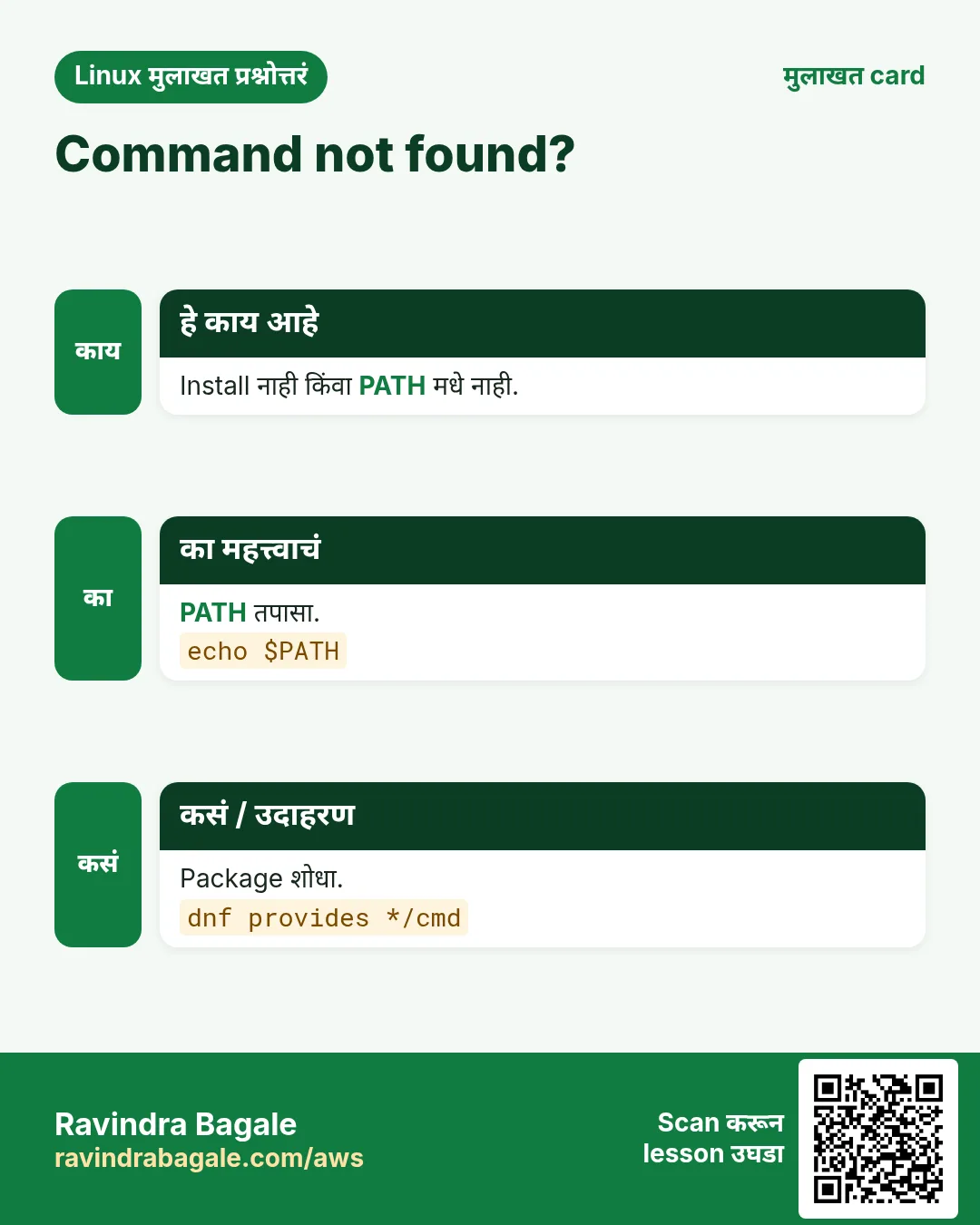
bash: dig: command not found | Package install नाही | शोधा आणि install करा.dnf provides */bin/dig |
No manual entry for chronyc | man page package नाही | man pages install करा.dnf install -y man-pages man-db |
nothing appropriate. | mandb build नाही | Build करा.mandb |
ls: unrecognized option '--colour=always' (on macOS) | BSD tools GNU पेक्षा वेगळे | GNU coreutils वापरा किंवा man तपासा.man ls |
sudo: crontab: command not found | sudo secure PATH वापरतो | Full path वापरा.sudo /usr/bin/crontab -l |
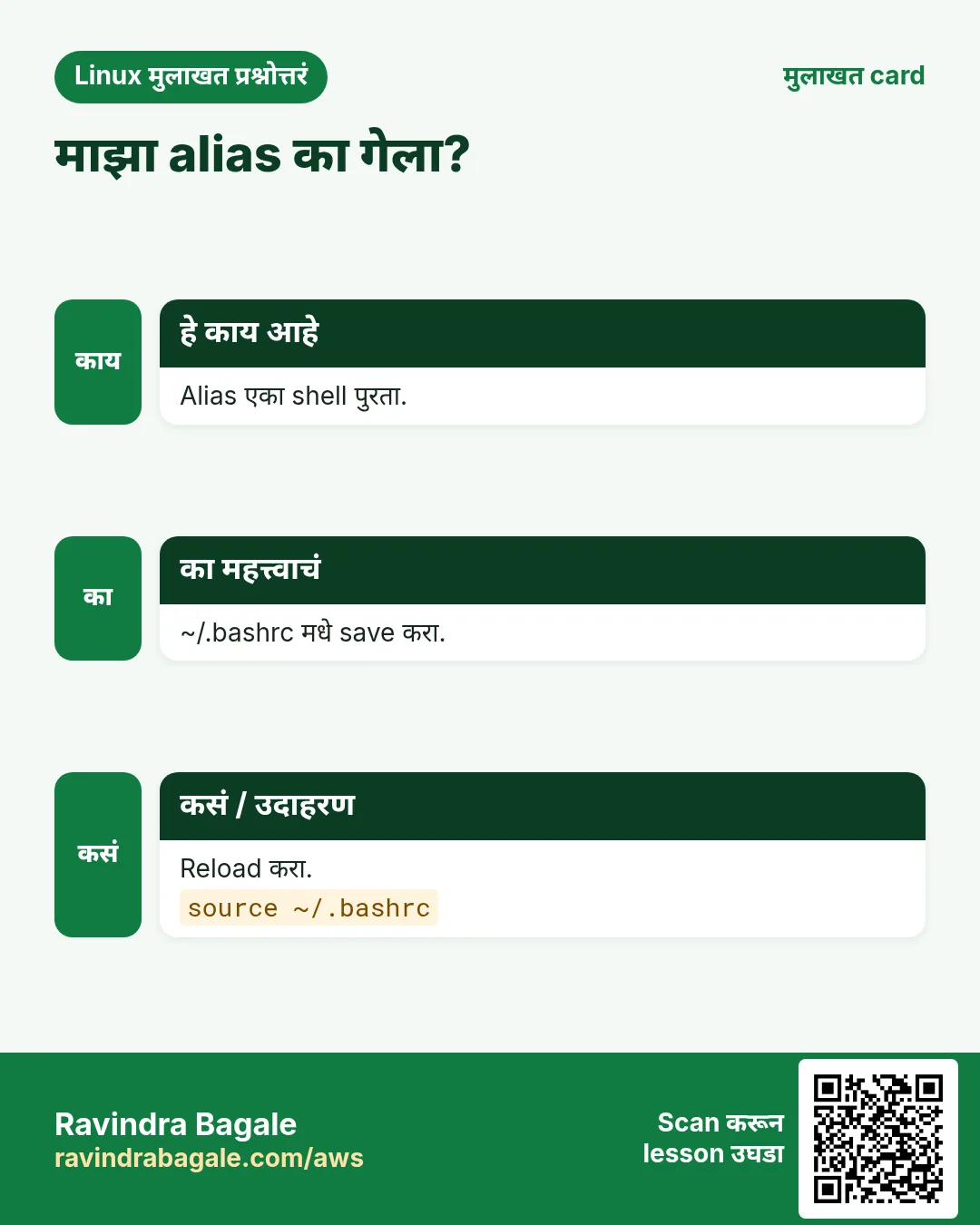
-bash: ll: command not found | ll alias आहे, program नाही | Define करा.alias ll='ls -l' |
Permission denied when running ./tool | Execute bit नाही | जोडा.chmod +x tool |
command not found after install | Shell ने जुना PATH lookup cache केला | Hash clear करा.hash -r |
which: no xyz in (/usr/bin:...) | PATH मधे नाही | PATH तपासा किंवा full path.echo $PATH |
7. Troubleshooting step by step
हे का लागतं?
Command सापडत नसेल किंवा चालत नसेल तर या क्रमाने तपासा.
हे काय आहे?
वरून खाली जा. ज्या step ला problem दिसतो तिथे थांबा.
कसं करायचं (step by step)
- Builtin, alias की file?
type -a name- PATH मधे आहे का?
command -v name || echo missing- कोणता package देतो?
dnf provides */bin/name- man page आहे का?
man -w name- Keyword ने search.
apropos keyword- Shell cache clear.
hash -r8. Lab 1: तुमची स्वतःची command list
हे का लागतं?
तुमच्या system वरच्या सगळ्या commands list करा, या index मधल्या ठेवा, आणि अजून न वापरलेल्या बघा.
हे काय आहे?
पूर्ण hands-on lab. प्रत्येक step test Linux machine वर करा (EC2 instance, VM किंवा WSL).
कसं करायचं (step by step)
- सगळ्या commands.
compgen -c | sort -u > all.txt; wc -l < all.txtOutput:
2143- तुमचा history.
history | awk '{print $2}' | sort -u > used.txt; wc -l < used.txtOutput:
61- A-Z list save (table मधून नावं copy).
nano az.txt- A-Z मधल्या कधीही न वापरलेल्या commands.
comm -23 <(sort az.txt) used.txt | headOutput:
apropos
at
bc- त्यातल्या कोणत्या installed?
for c in $(comm -23 <(sort az.txt) used.txt); do command -v $c >/dev/null && echo $c; done | head -3Output:
apropos
at
bc- पाच निवडा आणि sections उघडा.
9. Lab 2: पाच कामांसाठी योग्य tool
हे का लागतं?
फक्त apropos, man -k आणि हा index वापरून पाच कामांच्या commands शोधा.
हे काय आहे?
पूर्ण hands-on lab. प्रत्येक step test Linux machine वर करा (EC2 instance, VM किंवा WSL).
कसं करायचं (step by step)
- Password expiry बदला.
apropos -s 1,8 "password expiry"Output:
chage (1) - change user password expiry information- दोन sorted files compare.
apropos "compare two sorted"Output:
comm (1) - compare two sorted files line by line- Kernel messages.
apropos -s 1 kernel | grep -i ringOutput:
dmesg (1) - print or control the kernel ring buffer- Block device UUIDs.
apropos -s 8 "block device attributes"Output:
blkid (8) - locate/print block device attributes- base64 encode.
apropos base64 | head -1Output:
base64 (1) - base64 encode/decode data and print to standard outputRavindra Bagale's Tip
Bookmark this page. When you meet a command at work, find it here, open its section, and run one example on a test machine that same day. One command a day is 180 commands in six months.
Ravindra Bagale's Tip – मराठी
हे page bookmark करा. कामावर एखादी command भेटली की इथे शोधा, तिचा section उघडा, आणि त्याच दिवशी test machine वर एक example चालवा. दररोज एक command म्हणजे सहा महिन्यांत 180 commands.
Ravindra Bagale's Tip – हिंदी
इस page को bookmark कीजिए। काम पर कोई command मिले तो यहाँ ढूँढिए, उसका section खोलिए, और उसी दिन test machine पर एक example चलाइए। रोज़ एक command यानी छह महीने में 180 commands।
10. नेहमी विचारले जाणारे प्रश्न
प्र. हे सगळ्या Linux commands आहेत का?
नाही. Linux मधे हजारो आहेत. या admin, DevOps आणि cloud jobs साठी सगळ्यात उपयोगी 183.
प्र. काही rows Coming next का?
तो part अजून publish झाला नाही. झाला की row link होईल.
प्र. grep, sed आणि awk कुठे?
awk Part 1 मधे deep dive सह. grep Part 3 मधे आणि sed Part 6 मधे, दोन्ही deep dives.
प्र. Ubuntu आणि RHEL वर commands सारख्या चालतात का?
बहुतेक. Package tools वेगळे (apt vs dnf) आणि काही options वेगळे.
प्र. macOS वर चालतं का?
बऱ्याच commands आहेत पण BSD options. Mac वर man तपासा.
प्र. अभ्यास कसा करावा?
दर आठवड्याला एक part, प्रत्येक example हाताने, मग tasks.
प्र. एक command link करता येते का?
हो. प्रत्येक section ला #cmd-awk सारखा anchor.
प्र. Quiz आहे का?
हो, या सकट प्रत्येक part च्या शेवटी.
11. मुलाखत प्रश्न आणि उत्तरं
Beginner level
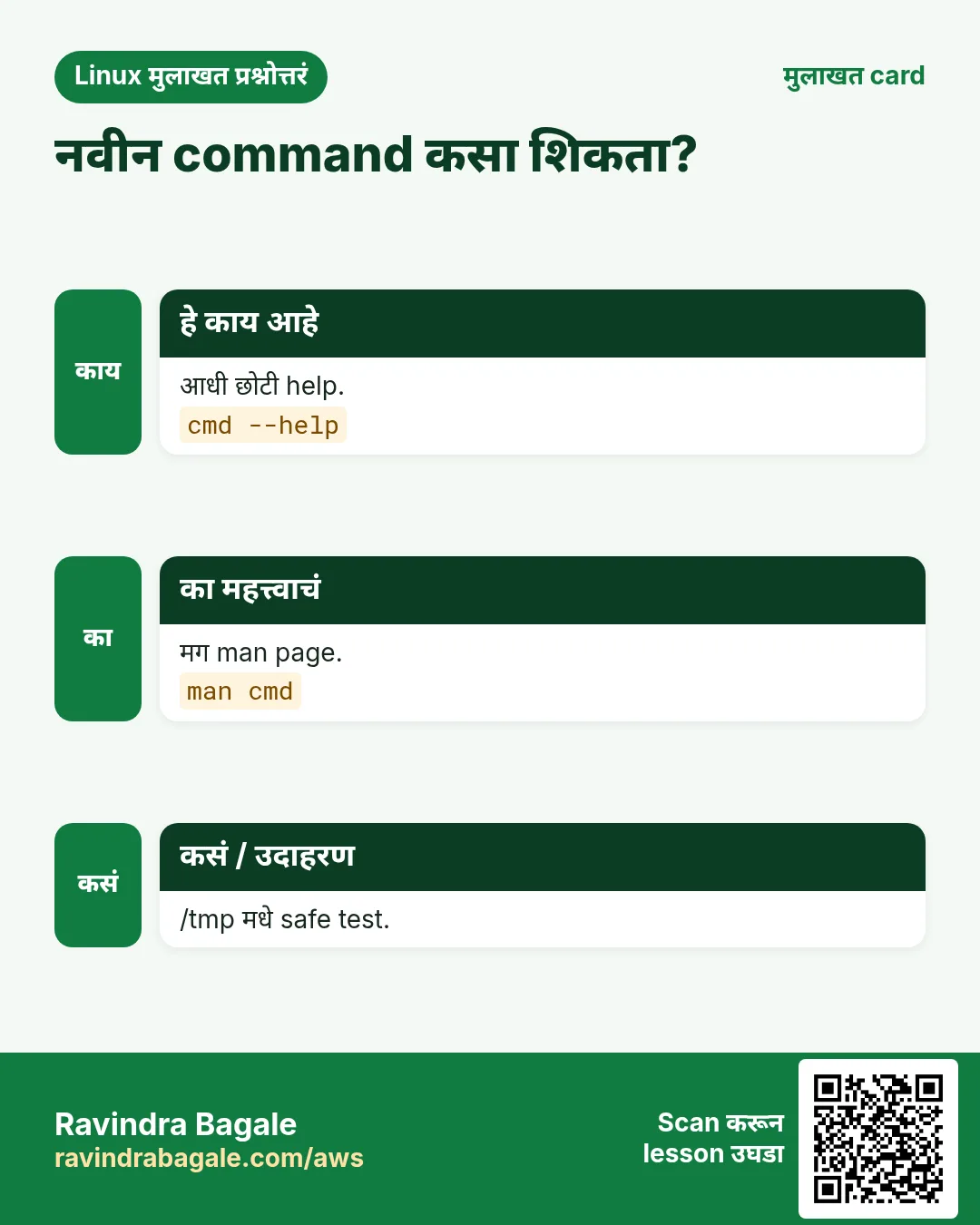
प्र. नाव विसरलेली command कशी शोधाल?
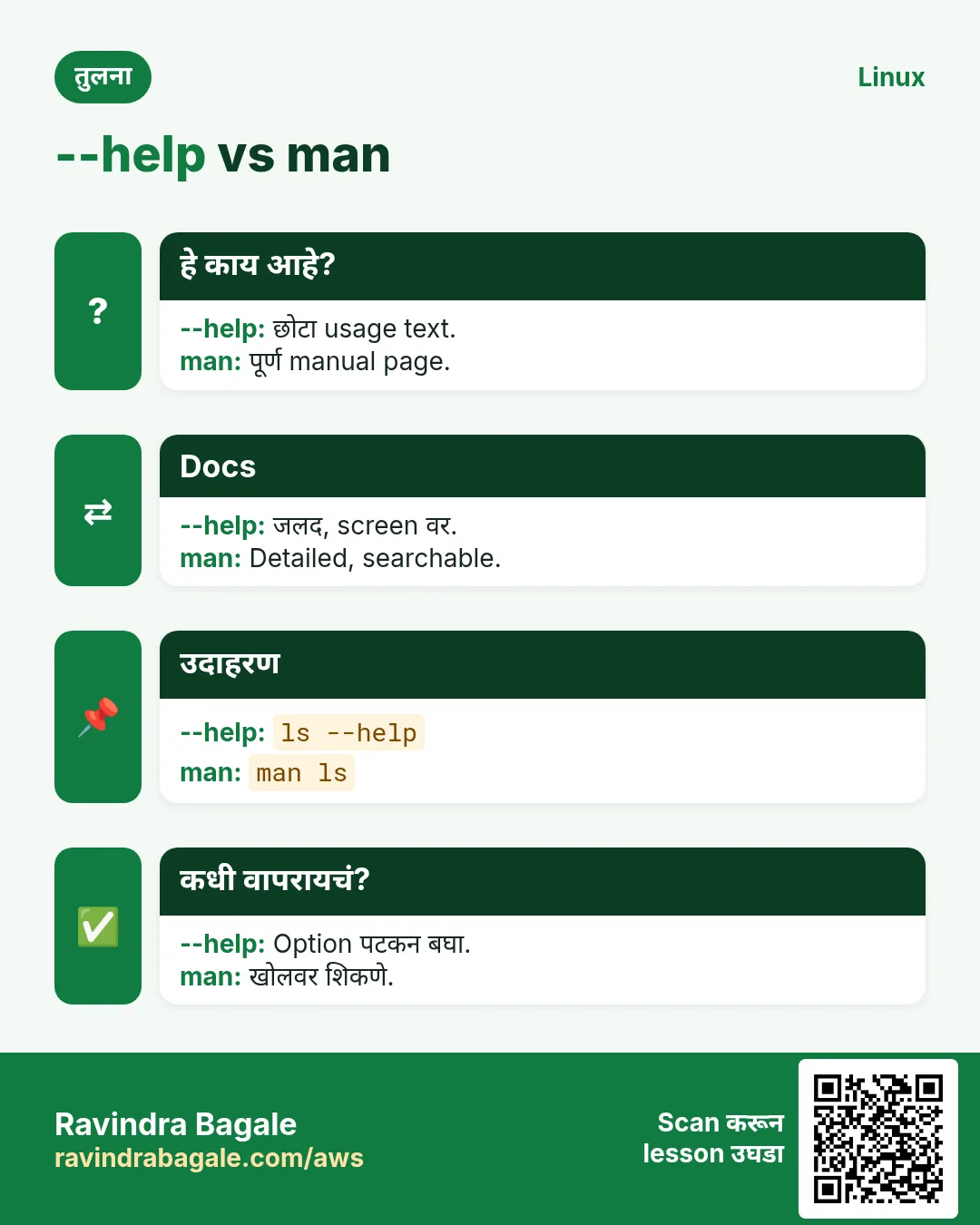
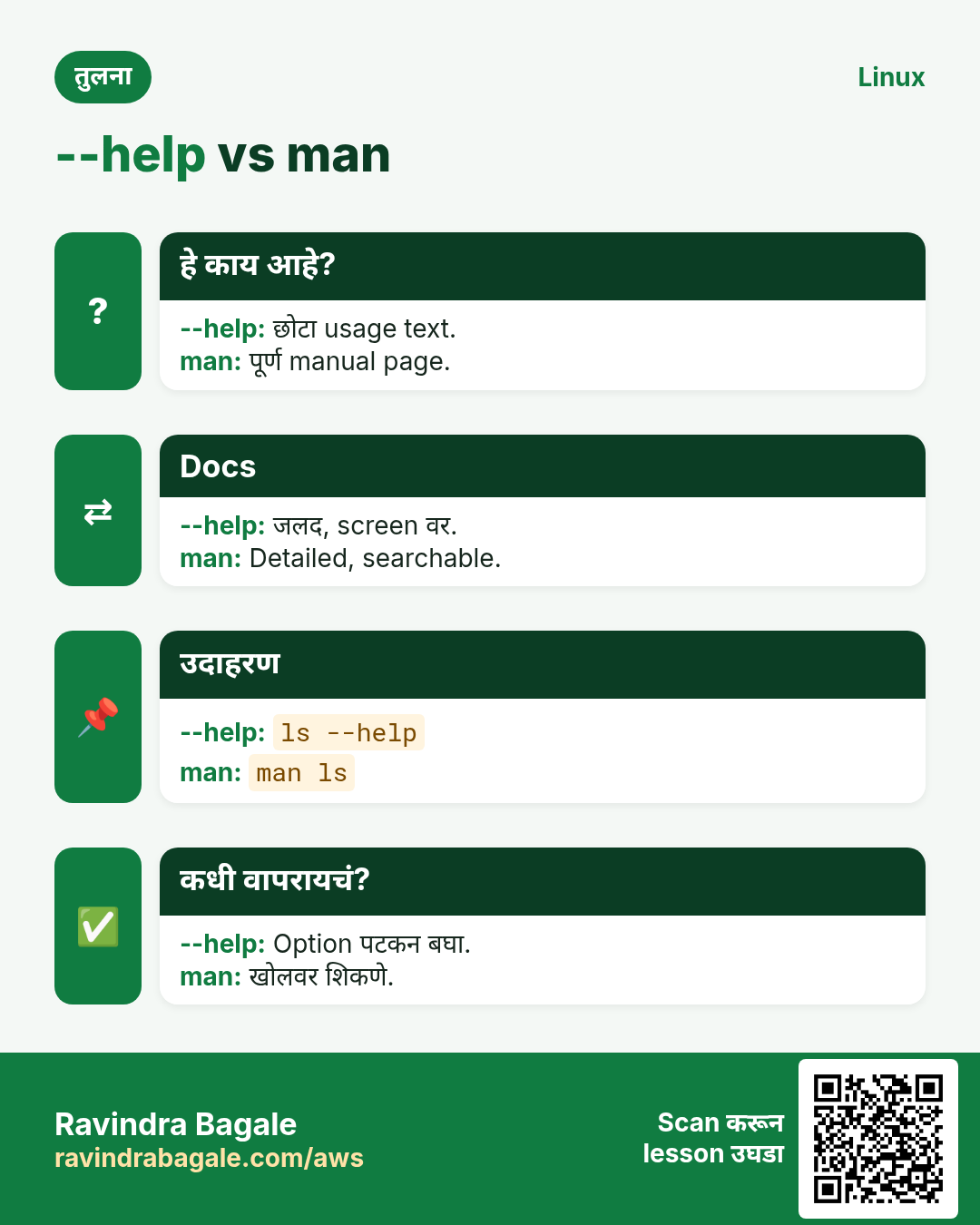
apropos keyword किंवा man -k keyword.
प्र. type काय करतो?
नाव alias, builtin, function की file ते सांगतो.
प्र. Command चे options पटकन कसे?
command --help.
प्र. man sections 1 आणि 8?
1 user commands, 8 admin commands.
Mid level level
प्र. Package installed पण command not found. का?
PATH मधे नाही, sudo secure_path, किंवा hash cache. command -v आणि hash -r.
प्र. File कोणत्या package ची?
rpm -qf किंवा dpkg -S; missing साठी dnf provides.
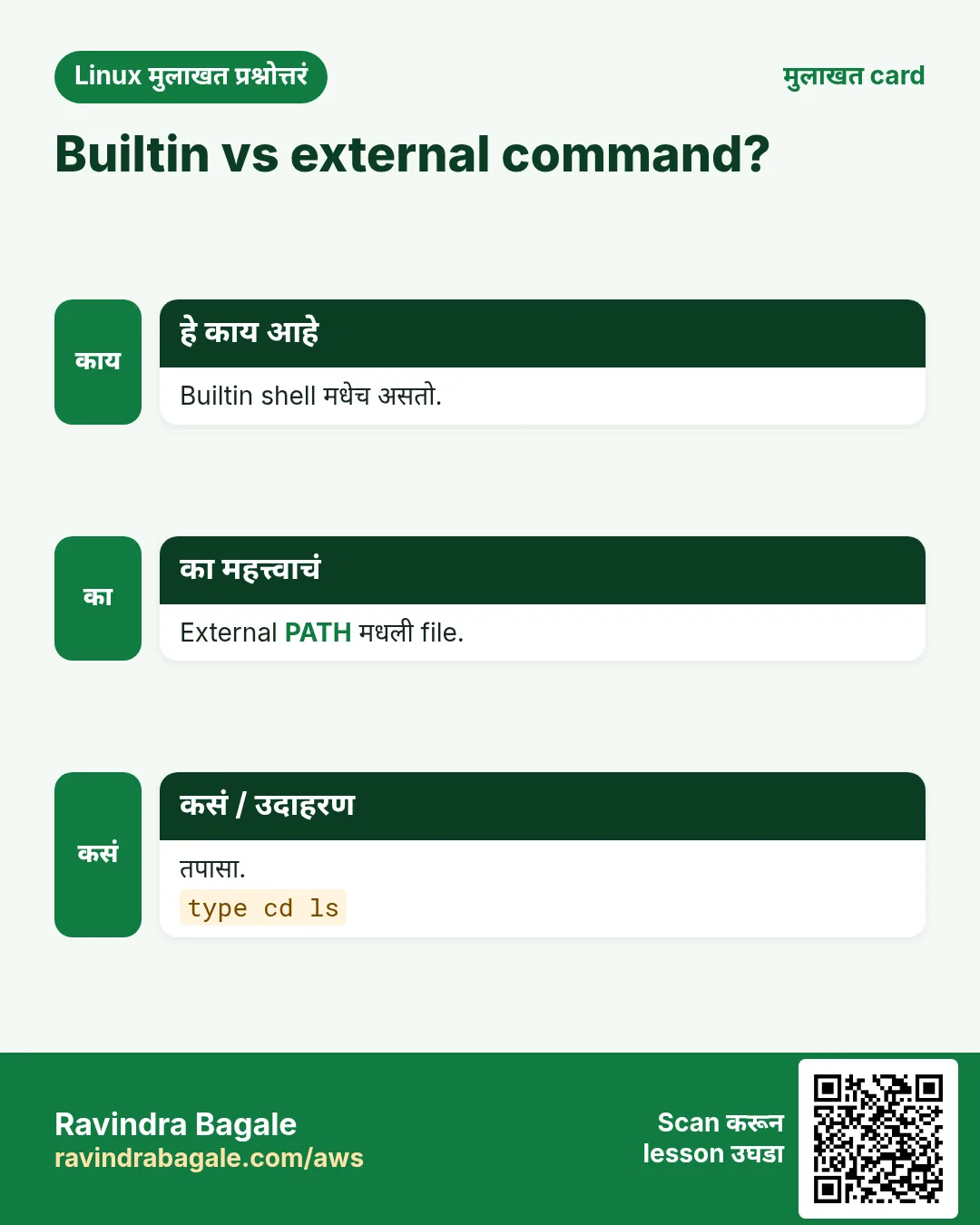
प्र. builtin vs external command?
Builtins shell मधे चालतात (cd, alias); external PATH मधल्या files.
प्र. दोन servers वर ls वेगळं का वागतं?
Aliases, GNU vs BSD, किंवा version फरक.
Senior level
प्र. 500 servers वर tools standard कसे कराल?
Config management मधे base package list, version pinning, आणि command -v output compare करणारा check job.
प्र. नव्या on-call engineer ला आधी कोणत्या 10 commands?
df, du, free, top, ps, ss, journalctl, systemctl, curl, dig.
प्र. Blog वरची command चालवण्याआधी safe आहे का कसं तपासाल?
man वाचा, --help किंवा dry run, VM मधे test, curl ला sudo bash मधे कधीही pipe करू नका.
घरी करून बघा
- दररोज एक letter निवडा आणि त्याखालचे सगळे one-liners वाचा.
- List मधल्या दहा commands वर type -a चालवा आणि कोणते aliases किंवा builtins ते लिहा.
- या list मधे नसलेल्या तीन commands apropos ने शोधा आणि त्यांची man pages वाचा.
सराव Tasks
Maple Leaf Books हा टोरांटो मधला पुस्तक विक्री व्यवसाय आहे. Emily Tremblay त्यांचं IT व cloud काम पाहतात. त्यांचे पैसे CAD मध्ये मोजले जातात आणि AWS resources ca-central-1 Region मध्ये चालतात. खालच्या tasks मध्ये तुम्ही या lesson मध्ये शिकलेलं वापरून त्यांची खरी कामं करता. सगळी नावं, account IDs, IP addresses व numbers सरावासाठी काल्पनिक आहेत.
0 / 21
सोपं Keyword ने admin commands
का: BIZ ला staff ने योग्य Linux command पटकन शोधावी असं वाटतं.
काय करायचं: फक्त manual section 8 मधे partition keyword search करा.
- हे काम करणारा Linux command शोधा.
- Task ला लागणारे options (उदा. -r, -h) जोडा.
- File नावं, folders किंवा users योग्य क्रमाने लिहा.
- System files/users बदलत असाल तर sudo वापरा. Check answer दाबा.
सोपं man k
का: BIZ ला staff ने योग्य Linux command पटकन शोधावी असं वाटतं.
काय करायचं: man k वापरून timezone शब्द search करा.
- हे काम करणारा Linux command शोधा.
- Task ला लागणारे options (उदा. -r, -h) जोडा.
- File नावं, folders किंवा users योग्य क्रमाने लिहा.
- System files/users बदलत असाल तर sudo वापरा. Check answer दाबा.
सोपं ते काय आहे
का: BIZ ला staff ने योग्य Linux command पटकन शोधावी असं वाटतं.
काय करायचं: pwd नावाचे सगळे matches, builtin आणि file, दाखवा.
- हे काम करणारा Linux command शोधा.
- Task ला लागणारे options (उदा. -r, -h) जोडा.
- File नावं, folders किंवा users योग्य क्रमाने लिहा.
- System files/users बदलत असाल तर sudo वापरा. Check answer दाबा.
सोपं Command चा path
का: BIZ ला staff ने योग्य Linux command पटकन शोधावी असं वाटतं.
काय करायचं: Shell tar कसा चालवेल ते छोट्या portable पद्धतीने print करा.
- हे काम करणारा Linux command शोधा.
- Task ला लागणारे options (उदा. -r, -h) जोडा.
- File नावं, folders किंवा users योग्य क्रमाने लिहा.
- System files/users बदलत असाल तर sudo वापरा. Check answer दाबा.
सोपं एक cached path विसरा
का: BIZ ला staff ने योग्य Linux command पटकन शोधावी असं वाटतं.
काय करायचं: Bash ला फक्त tar चं लक्षात ठेवलेलं location विसरायला लावा.
- हे काम करणारा Linux command शोधा.
- Task ला लागणारे options (उदा. -r, -h) जोडा.
- File नावं, folders किंवा users योग्य क्रमाने लिहा.
- System files/users बदलत असाल तर sudo वापरा. Check answer दाबा.
सोपं Builtin help
का: BIZ ला staff ने योग्य Linux command पटकन शोधावी असं वाटतं.
काय करायचं: builtin read चा फक्त usage line सह छोटा help दाखवा.
- हे काम करणारा Linux command शोधा.
- Task ला लागणारे options (उदा. -r, -h) जोडा.
- File नावं, folders किंवा users योग्य क्रमाने लिहा.
- System files/users बदलत असाल तर sudo वापरा. Check answer दाबा.
सोपं Tool version
का: BIZ ला staff ने योग्य Linux command पटकन शोधावी असं वाटतं.
काय करायचं: GNU tar चं version print करा.
- हे काम करणारा Linux command शोधा.
- Task ला लागणारे options (उदा. -r, -h) जोडा.
- File नावं, folders किंवा users योग्य क्रमाने लिहा.
- System files/users बदलत असाल तर sudo वापरा. Check answer दाबा.
सोपं Files कुठे
का: BIZ ला staff ने योग्य Linux command पटकन शोधावी असं वाटतं.
काय करायचं: date command चे binary, source आणि manual locations दाखवा.
- हे काम करणारा Linux command शोधा.
- Task ला लागणारे options (उदा. -r, -h) जोडा.
- File नावं, folders किंवा users योग्य क्रमाने लिहा.
- System files/users बदलत असाल तर sudo वापरा. Check answer दाबा.
सोपं एका line मधला अर्थ
का: BIZ ला staff ने योग्य Linux command पटकन शोधावी असं वाटतं.
काय करायचं: cksum चं एका line मधलं manual description print करा.
- हे काम करणारा Linux command शोधा.
- Task ला लागणारे options (उदा. -r, -h) जोडा.
- File नावं, folders किंवा users योग्य क्रमाने लिहा.
- System files/users बदलत असाल तर sudo वापरा. Check answer दाबा.
सोपं Aliases list
का: BIZ ला staff ने योग्य Linux command पटकन शोधावी असं वाटतं.
काय करायचं: या shell मधले सगळे aliases list करा.
- हे काम करणारा Linux command शोधा.
- Task ला लागणारे options (उदा. -r, -h) जोडा.
- File नावं, folders किंवा users योग्य क्रमाने लिहा.
- System files/users बदलत असाल तर sudo वापरा. Check answer दाबा.
सोपं PATH
का: BIZ ला staff ने योग्य Linux command पटकन शोधावी असं वाटतं.
काय करायचं: PATH मधला प्रत्येक folder वेगळ्या line वर print करा.
- हे काम करणारा Linux command शोधा.
- Task ला लागणारे options (उदा. -r, -h) जोडा.
- File नावं, folders किंवा users योग्य क्रमाने लिहा.
- System files/users बदलत असाल तर sudo वापरा. Check answer दाबा.
मध्यम man file कुठे
का: BIZ ला staff ने योग्य Linux command पटकन शोधावी असं वाटतं.
काय करायचं: crontab section 5 च्या manual file चा path print करा.
- हे काम करणारा Linux command शोधा.
- Task ला लागणारे options (उदा. -r, -h) जोडा.
- File नावं, folders किंवा users योग्य क्रमाने लिहा.
- System files/users बदलत असाल तर sudo वापरा. Check answer दाबा.
मध्यम File format manual
का: BIZ ला staff ने योग्य Linux command पटकन शोधावी असं वाटतं.
काय करायचं: passwd चं section 5 manual page उघडा.
- हे काम करणारा Linux command शोधा.
- Task ला लागणारे options (उदा. -r, -h) जोडा.
- File नावं, folders किंवा users योग्य क्रमाने लिहा.
- System files/users बदलत असाल तर sudo वापरा. Check answer दाबा.
मध्यम ch commands मोजा
का: BIZ ला staff ने योग्य Linux command पटकन शोधावी असं वाटतं.
काय करायचं: ch ने सुरू होणारी किती command names bash ला माहीत आहेत ते मोजा.
- हे काम करणारा Linux command शोधा.
- Task ला लागणारे options (उदा. -r, -h) जोडा.
- File नावं, folders किंवा users योग्य क्रमाने लिहा.
- System files/users बदलत असाल तर sudo वापरा. Check answer दाबा.
मध्यम Owner package
का: BIZ ला staff ने योग्य Linux command पटकन शोधावी असं वाटतं.
काय करायचं: /usr/bin/awk कोणत्या installed RPM package ची ते शोधा.
- हे काम करणारा Linux command शोधा.
- Task ला लागणारे options (उदा. -r, -h) जोडा.
- File नावं, folders किंवा users योग्य क्रमाने लिहा.
- System files/users बदलत असाल तर sudo वापरा. Check answer दाबा.
मध्यम Debian वर owner
का: BIZ ला staff ने योग्य Linux command पटकन शोधावी असं वाटतं.
काय करायचं: /usr/bin/bc कोणत्या Debian package ची ते शोधा.
- हे काम करणारा Linux command शोधा.
- Task ला लागणारे options (उदा. -r, -h) जोडा.
- File नावं, folders किंवा users योग्य क्रमाने लिहा.
- System files/users बदलत असाल तर sudo वापरा. Check answer दाबा.
मध्यम Missing tool चा package
का: BIZ ला staff ने योग्य Linux command पटकन शोधावी असं वाटतं.
काय करायचं: कोणत्या package मधे bin/chronyc ने संपणारा path आहे ते dnf ला विचारा.
- हे काम करणारा Linux command शोधा.
- Task ला लागणारे options (उदा. -r, -h) जोडा.
- File नावं, folders किंवा users योग्य क्रमाने लिहा.
- System files/users बदलत असाल तर sudo वापरा. Check answer दाबा.
मध्यम Builtins list
का: BIZ ला staff ने योग्य Linux command पटकन शोधावी असं वाटतं.
काय करायचं: सगळ्या bash builtin names list करा.
- हे काम करणारा Linux command शोधा.
- Task ला लागणारे options (उदा. -r, -h) जोडा.
- File नावं, folders किंवा users योग्य क्रमाने लिहा.
- System files/users बदलत असाल तर sudo वापरा. Check answer दाबा.
मध्यम Info manual
का: BIZ ला staff ने योग्य Linux command पटकन शोधावी असं वाटतं.
काय करायचं: date साठी coreutils च्या GNU info manual चा node उघडा.
- हे काम करणारा Linux command शोधा.
- Task ला लागणारे options (उदा. -r, -h) जोडा.
- File नावं, folders किंवा users योग्य क्रमाने लिहा.
- System files/users बदलत असाल तर sudo वापरा. Check answer दाबा.
अवघड man index परत build
का: BIZ ला staff ने योग्य Linux command पटकन शोधावी असं वाटतं.
काय करायचं: Root म्हणून manual index शांतपणे परत build करा.
- हे काम करणारा Linux command शोधा.
- Task ला लागणारे options (उदा. -r, -h) जोडा.
- File नावं, folders किंवा users योग्य क्रमाने लिहा.
- System files/users बदलत असाल तर sudo वापरा. Check answer दाबा.
अवघड Regex search
का: BIZ ला staff ने योग्य Linux command पटकन शोधावी असं वाटतं.
काय करायचं: lv ने सुरू होणारी नावं शोधायला regular expression सह apropos वापरा.
- हे काम करणारा Linux command शोधा.
- Task ला लागणारे options (उदा. -r, -h) जोडा.
- File नावं, folders किंवा users योग्य क्रमाने लिहा.
- System files/users बदलत असाल तर sudo वापरा. Check answer दाबा.
12. संबंधित chapters
- Linux Commands A-Z Index
- DevOps साठी Linux Ops Refresh
- Automation साठी Bash Scripting
- Linux grep आणि find Commands Examples सह
- Linux Servers मध्ये Passwordless SSH
थोडक्यात सांगायचं तर
- alias पासून zip पर्यंत 183 commands.
- पूर्ण why, what आणि how सह आठ parts.
- Covered commands आधीच्या chapters ला link.
- फक्त काम माहीत असेल तर apropos.
- type -a आणि command -v काय चालतं ते सांगतात.
- प्रत्येक section ला #cmd anchor.
उजळणी, तुलना आणि मुलाखत cards
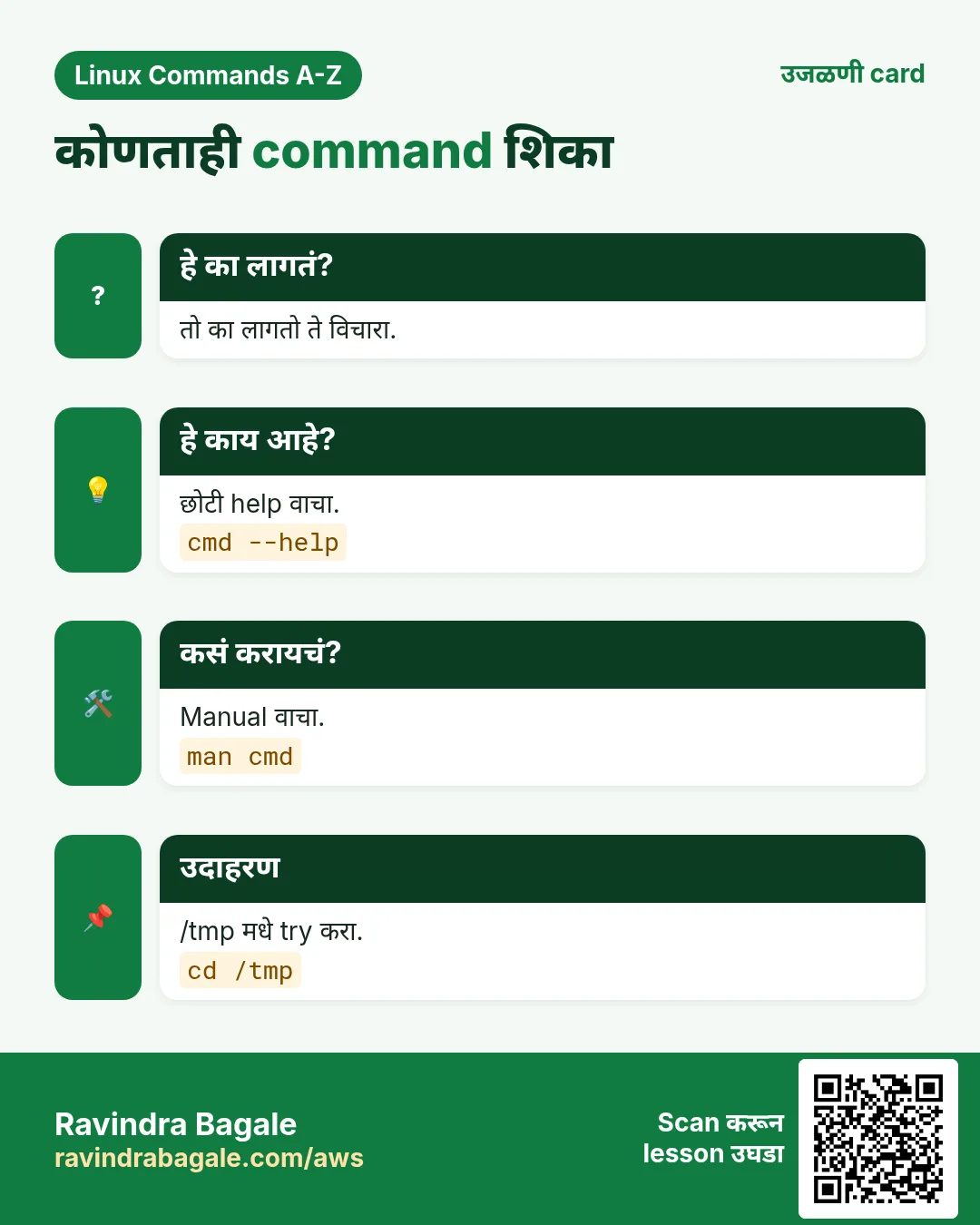
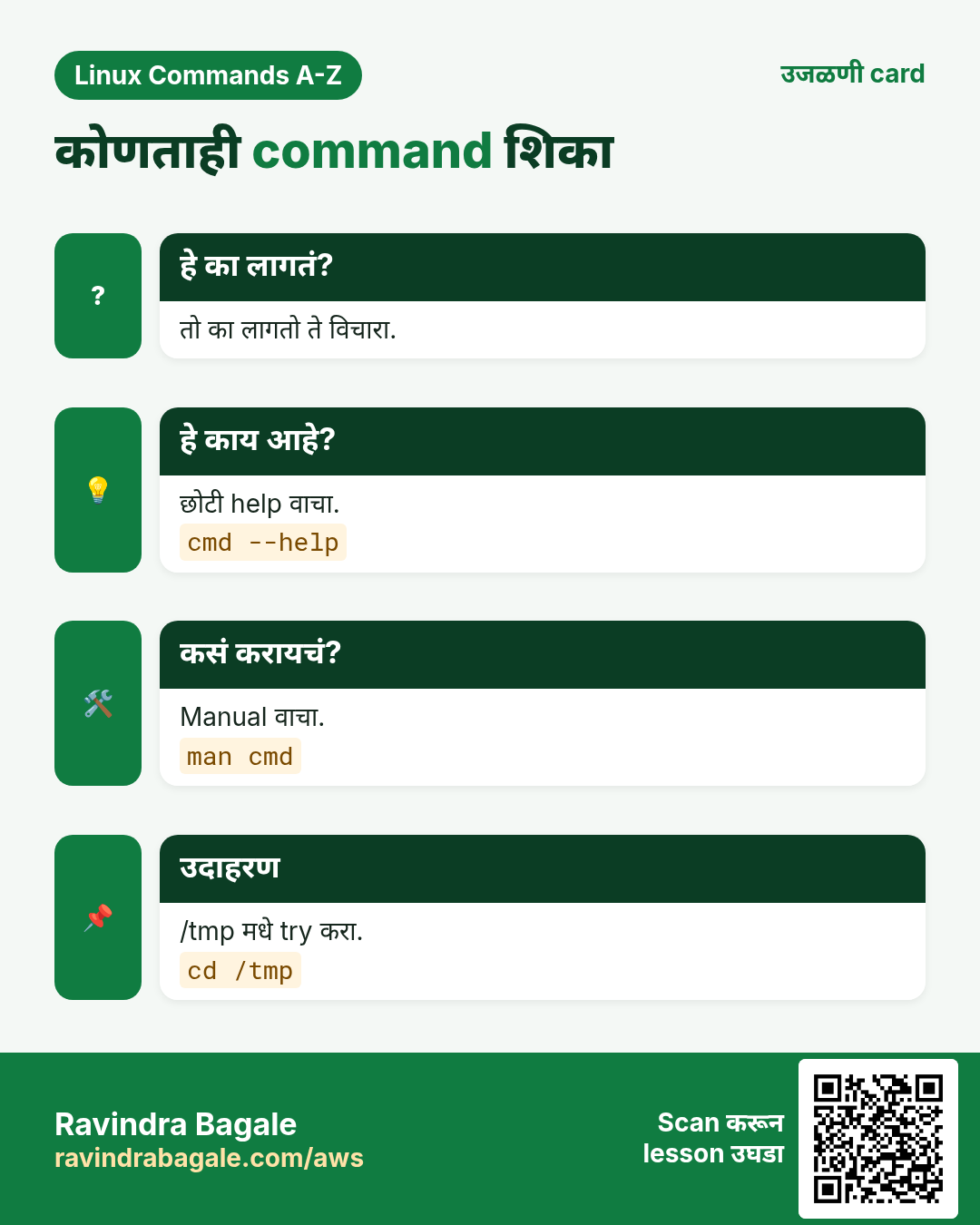
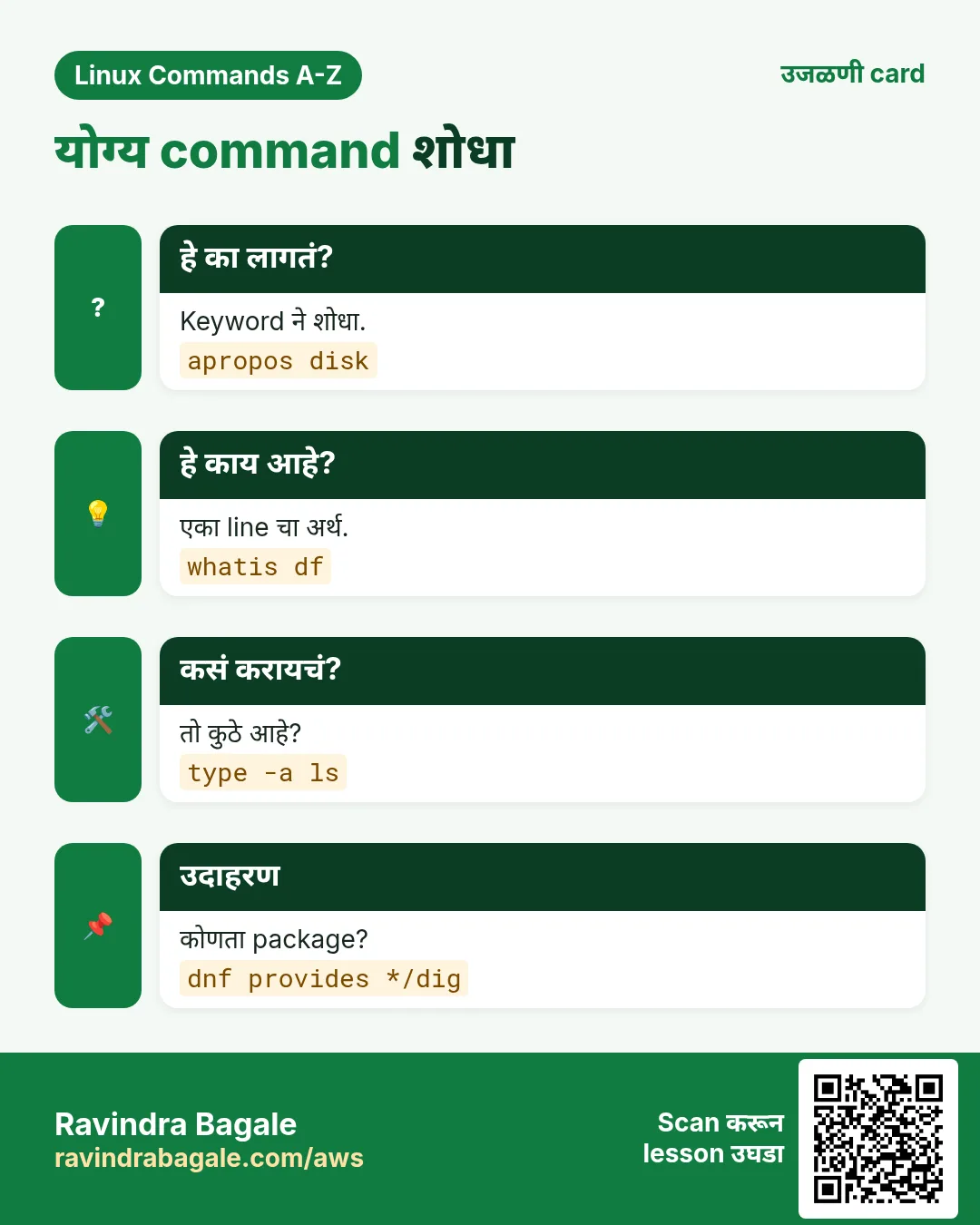
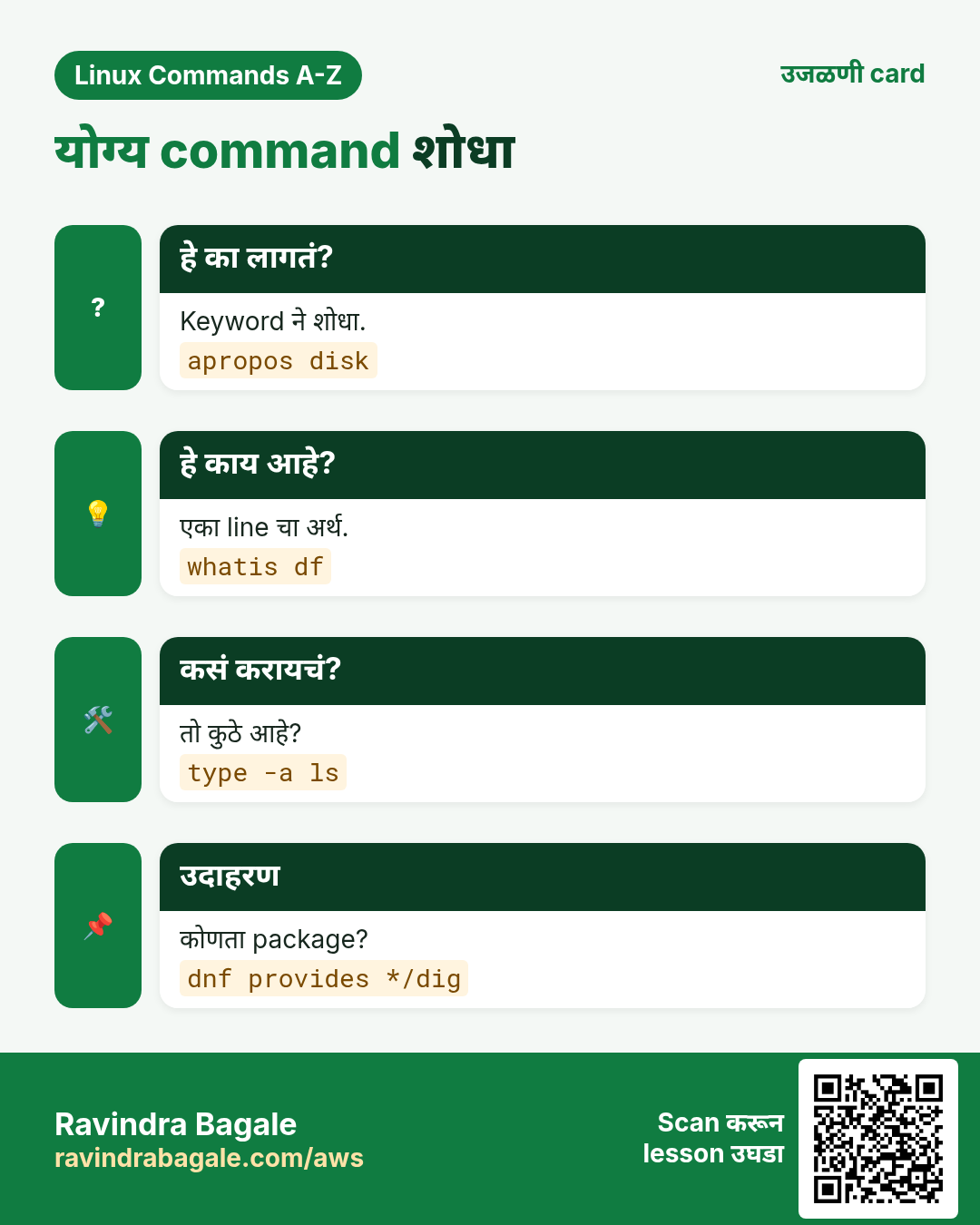
हा lesson काही मिनिटांत revise करा. Cards phone वर save करा किंवा PNG download करा. प्रत्येक card वरचा QR हा lesson उघडतो.
अजून cards: Ravi Sir's Cards.