AWS CLI CloudFormation Commands: Stacks Deploy, Update आणि Delete करा
File मधून infrastructure: template validate, parameters सह stack deploy, change sets ने preview, outputs, events, drift आणि delete.
या chapter मध्ये तुम्ही काय शिकाल
- Template validate
- Stack deploy
- Change sets ने preview
- Outputs, events, drift
- Safe delete
1. मोठं चित्र: घराचा plan
हे का लागतं?
Architect एकदा plan काढतो, builder तेच घर पुन्हा पुन्हा बांधतो. CloudFormation template = plan; stack = त्यावरून बांधलेलं घर.
हे काय आहे?
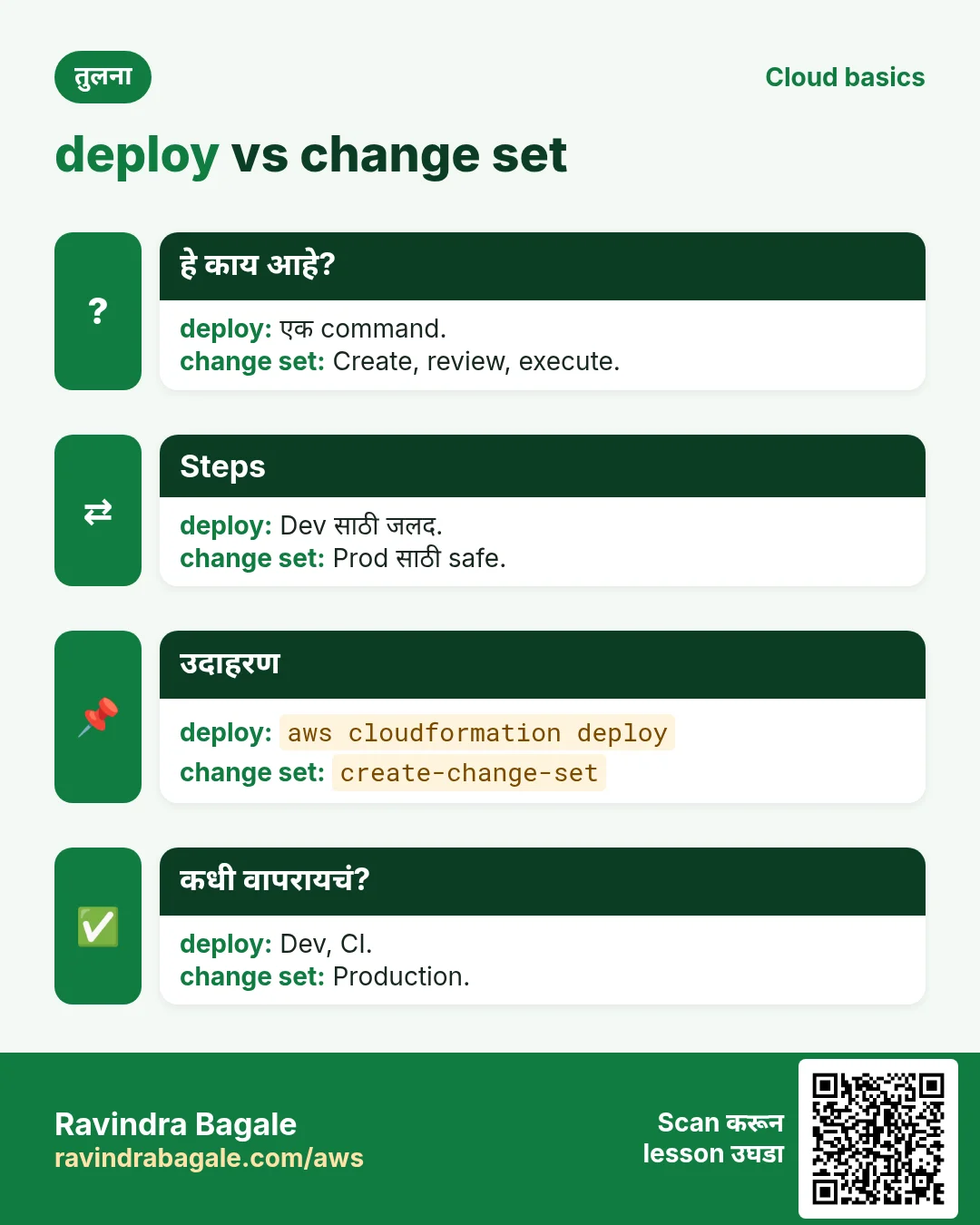
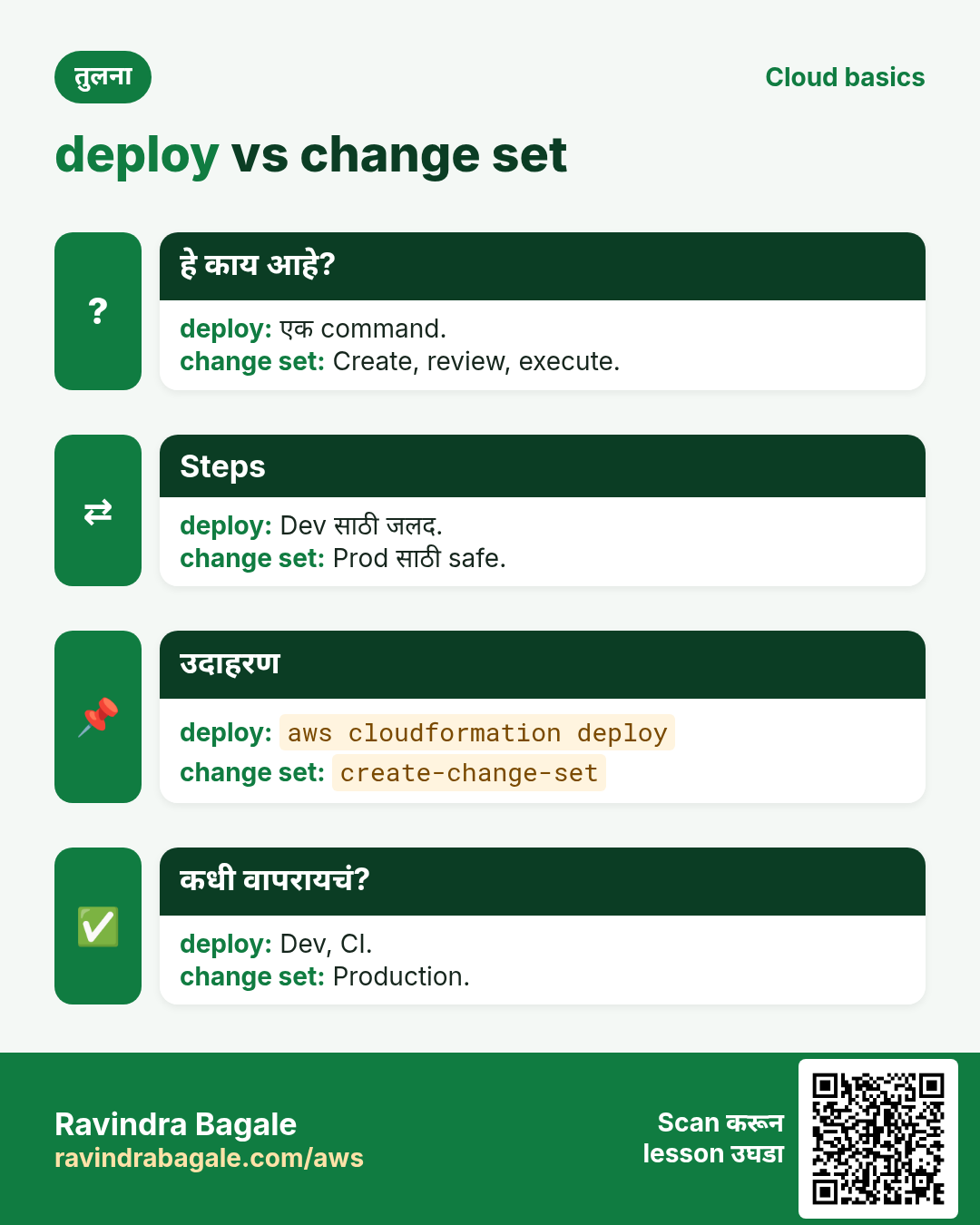
Commands aws cloudformation मध्ये. deploy एका step मध्ये create/update; create-change-set आधी preview.
कसं करायचं (step by step)
2. Template आणि validate
हे का लागतं?
Console clicks repeat किंवा review करता येत नाहीत.
हे काय आहे?
Template मध्ये Parameters, Resources, Outputs. validate-template आधी syntax तपासतो.
कसं करायचं (step by step)
- छोटा template.
cat > s3.yaml <<'Y'
Parameters:
  Env: {Type: String, AllowedValues: [dev, prod], Default: dev}
Resources:
  Bucket:
    Type: AWS::S3::Bucket
    Properties:
      Tags: [{Key: env, Value: !Ref Env}]
Outputs:
  BucketName: {Value: !Ref Bucket}
Y
अपेक्षित output:
(no output means success)- Validate.
aws cloudformation validate-template --template-body file://s3.yaml --query "Parameters[].ParameterKey" --output textअपेक्षित output:
Env3. Deploy
हे का लागतं?
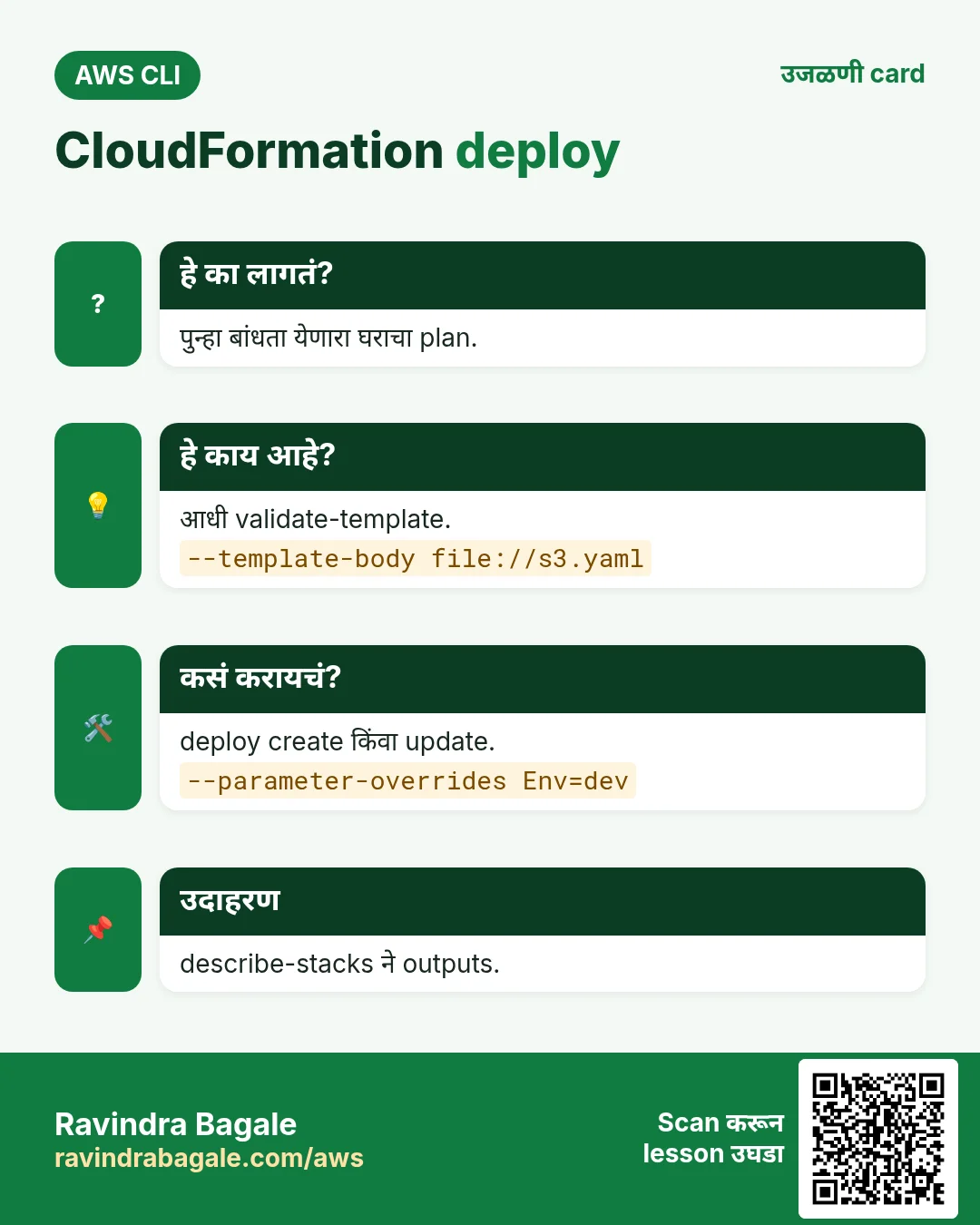
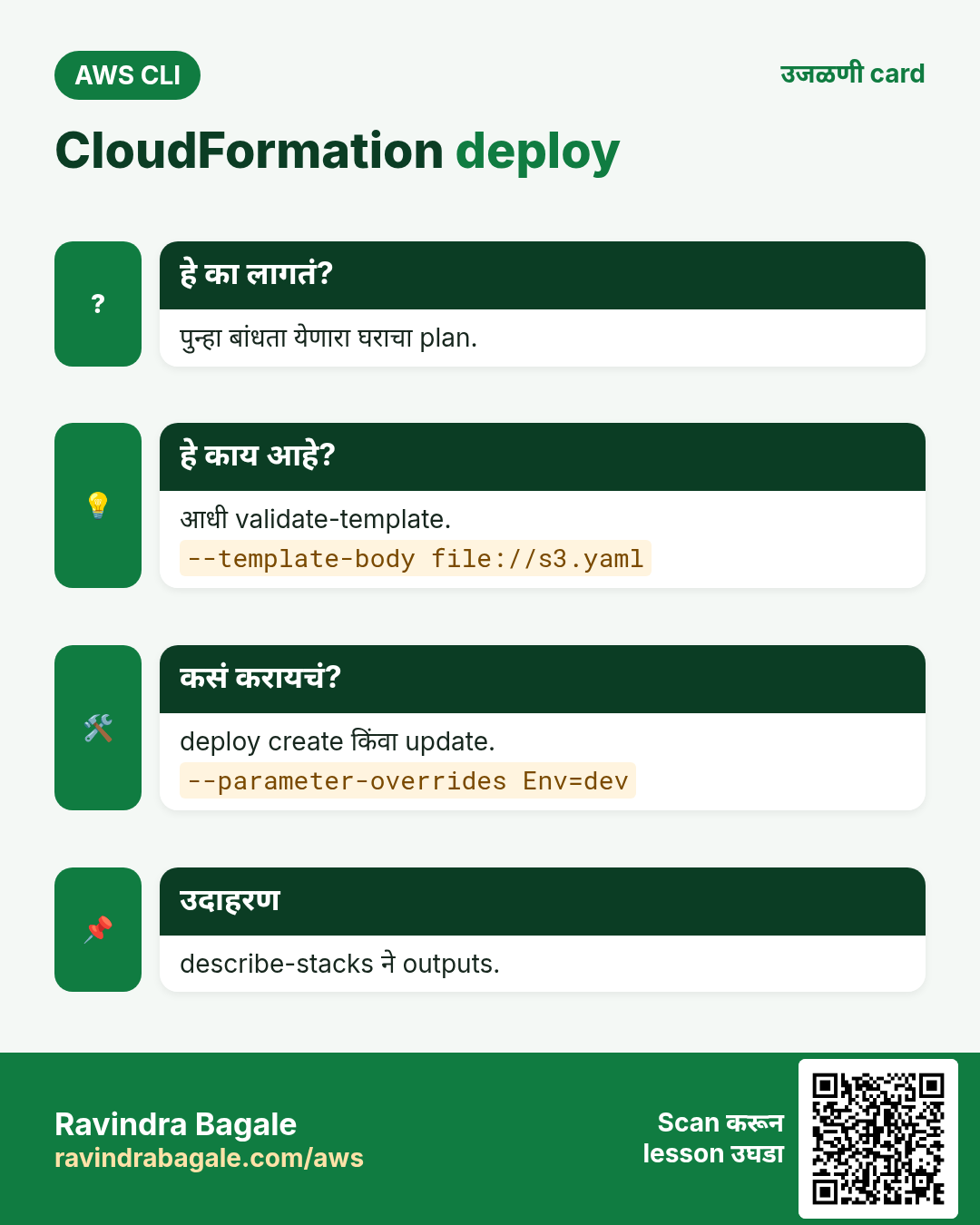
एकच command पहिल्यांदा create, नंतर update.
हे काय आहे?
deploy तुमच्यासाठी change set बनवून चालवतो. --parameter-overrides values. IAM resources साठी --capabilities.
कसं करायचं (step by step)
- Stack deploy.
aws cloudformation deploy --stack-name cli-s3 --template-file s3.yaml --parameter-overrides Env=dev --tags project=cliअपेक्षित output:
Waiting for changeset to be created..
Waiting for stack create/update to complete
Successfully created/updated stack - cli-s3- Outputs वाचा.
aws cloudformation describe-stacks --stack-name cli-s3 --query "Stacks[0].[StackStatus,Outputs[0].OutputValue]" --output textअपेक्षित output:
CREATE_COMPLETE cli-s3-bucket-1a2b3c4d5e6f- बदल न करता परत.
aws cloudformation deploy --stack-name cli-s3 --template-file s3.yaml --parameter-overrides Env=devअपेक्षित output:
No changes to deploy. Stack cli-s3 is up to date4. Change sets
हे का लागतं?
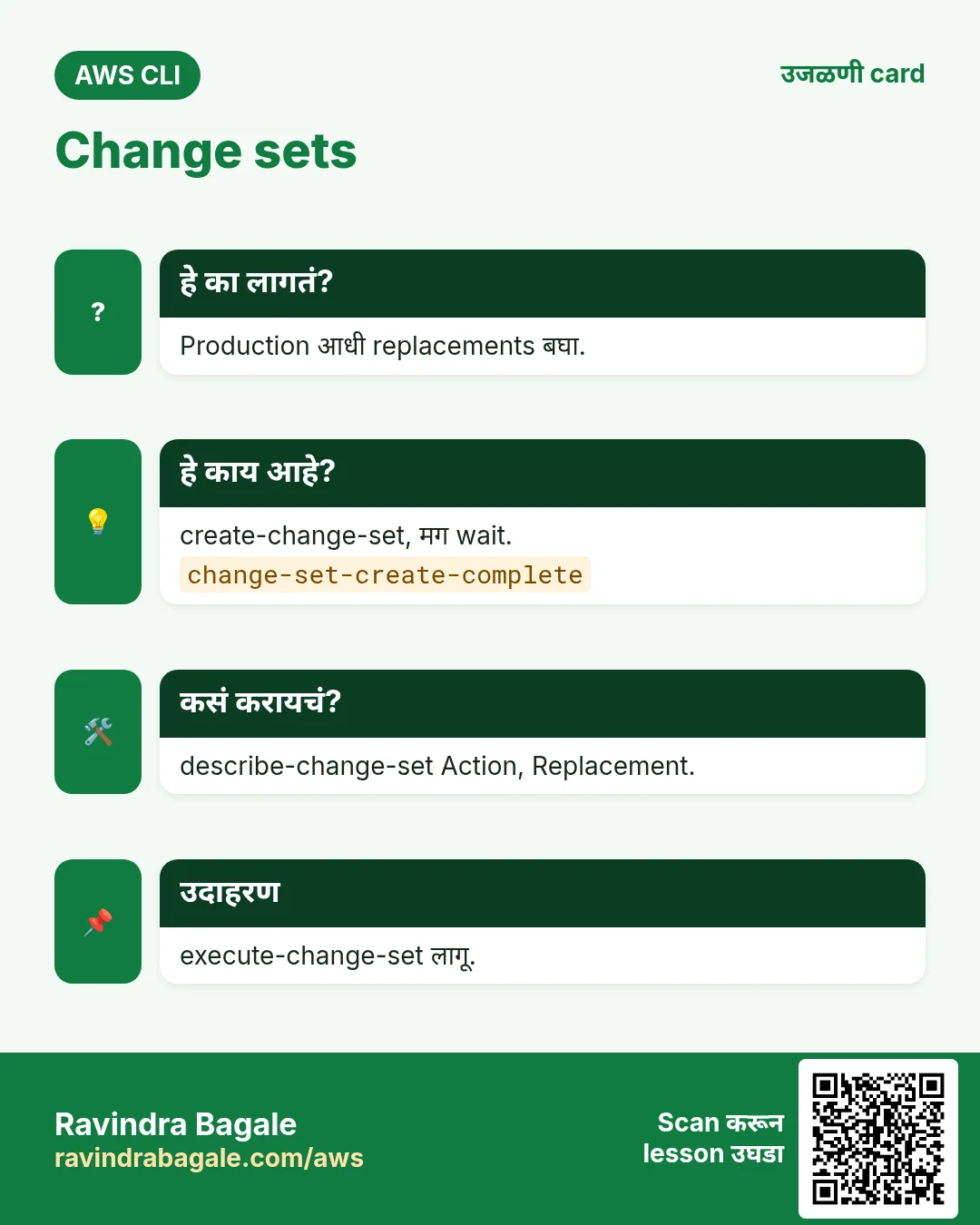
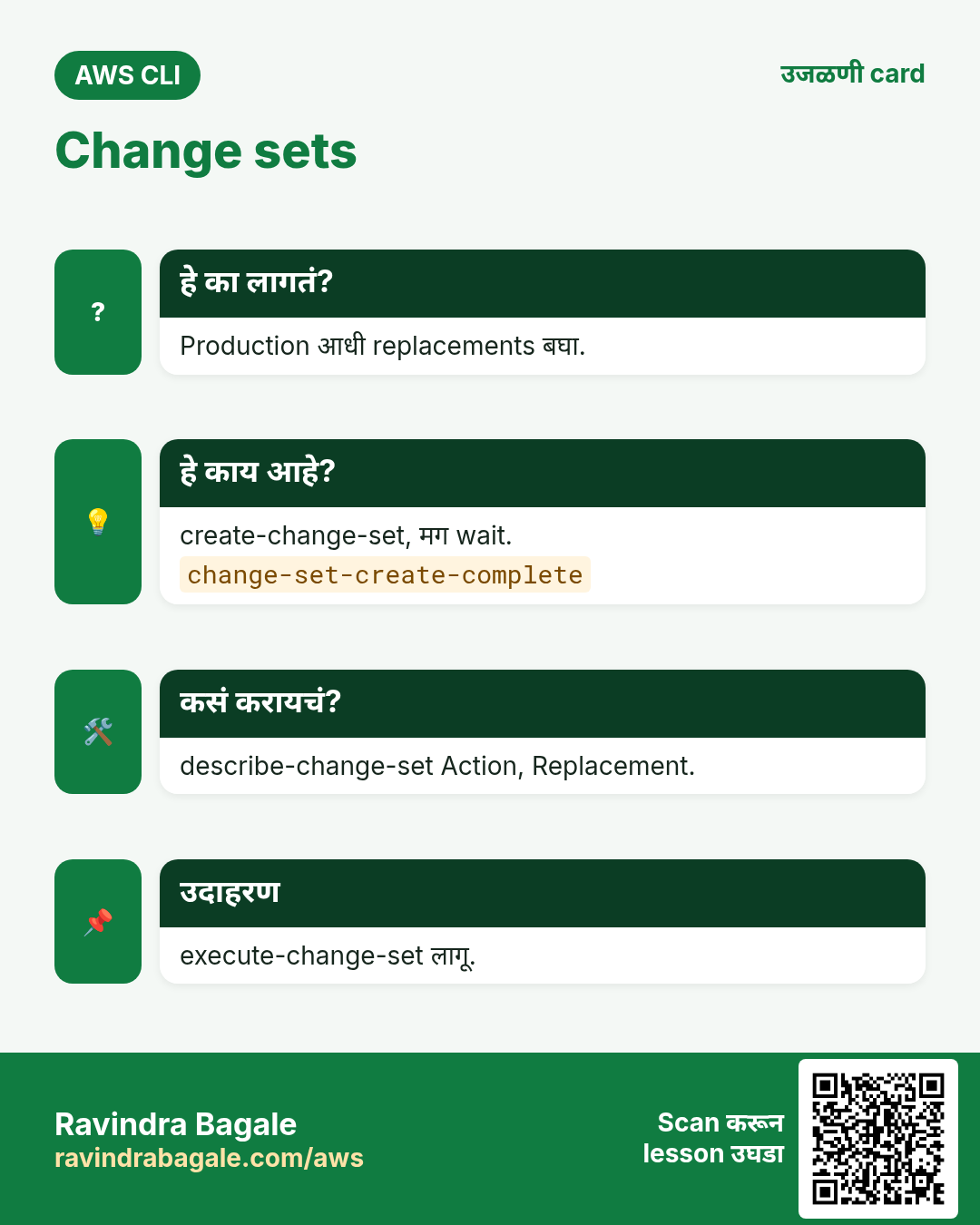
Production मध्ये काय replace होणार ते आधी बघायला हवं.
हे काय आहे?
create-change-set बदल तयार करतो; describe-change-set Add, Modify, Remove, Replacement दाखवतो; execute-change-set लागू करतो.
कसं करायचं (step by step)
- बदल तयार.
aws cloudformation create-change-set --stack-name cli-s3 --change-set-name to-prod --template-body file://s3.yaml --parameters ParameterKey=Env,ParameterValue=prod --query Id --output text
aws cloudformation wait change-set-create-complete --stack-name cli-s3 --change-set-name to-prod
अपेक्षित output:
arn:aws:cloudformation:ap-south-1:111122223333:changeSet/to-prod/...- Preview.
aws cloudformation describe-change-set --stack-name cli-s3 --change-set-name to-prod --query "Changes[].ResourceChange.[Action,LogicalResourceId,Replacement]" --output textअपेक्षित output:
Modify Bucket False- Execute.
aws cloudformation execute-change-set --stack-name cli-s3 --change-set-name to-prod
aws cloudformation wait stack-update-complete --stack-name cli-s3
अपेक्षित output:
(no output means success)5. Events आणि drift
हे का लागतं?
Stack fail झालं तर कारण हवं; कोणी console मध्ये बदललं तर कळायला हवं.
हे काय आहे?
describe-stack-events प्रत्येक step कारणासह. detect-stack-drift खरे resources template शी compare.
कसं करायचं (step by step)
- Failures शोधा.
aws cloudformation describe-stack-events --stack-name cli-s3 --query "StackEvents[?contains(ResourceStatus,'FAILED')].[LogicalResourceId,ResourceStatusReason]" --output textअपेक्षित output:
(empty when healthy)- Drift शोधा.
D=$(aws cloudformation detect-stack-drift --stack-name cli-s3 --query StackDriftDetectionId --output text)
sleep 10; aws cloudformation describe-stack-drift-detection-status --stack-drift-detection-id $D --query StackDriftStatus --output text
अपेक्षित output:
IN_SYNC6. हीच action Python, Node.js, Java, Go, .NET आणि PHP मध्ये
हे का लागतं?
Scripts CLI मध्ये सुरू होतात. Apps तोच API SDK मधून call करतात. दोन्ही माहीत असले की test केलेली command थेट code मध्ये नेता येते.
हे काय आहे?
प्रत्येक CLI command म्हणजे एक API call. उदा. aws cloudformation describe-stacks --stack-name cli-s3 म्हणजे Describe stack API.
कसं करायचं (step by step)
हीच action (Stack describe) code मधून. प्रत्येक SDK CLI सारखेच profile, region आणि credentials वाचतो.
| Stack | Code |
|---|---|
| Python (boto3) | boto3.client("cloudformation").describe_stacks(StackName="cli-s3")["Stacks"][0]["StackStatus"] |
| Node.js (v3) | await cfn.send(new DescribeStacksCommand({StackName:"cli-s3"})); |
| Java (v2) | cfn.describeStacks(r -> r.stackName("cli-s3")).stacks().get(0).stackStatus(); |
| Go (v2) | c.DescribeStacks(ctx, &cloudformation.DescribeStacksInput{StackName: aws.String("cli-s3")}) |
| .NET | await cfn.DescribeStacksAsync(new DescribeStacksRequest{StackName="cli-s3"}); |
| PHP | $cfn->describeStacks(["StackName"=>"cli-s3"]); |
7. काहीही खर्च चालू राहू नये म्हणून cleanup
हे का लागतं?
चालू ठेवलेले lab resources पैसे खातात आणि security risk बनतात.
हे काय आहे?
उलट्या क्रमाने delete करा: आधी children, मग parents.
कसं करायचं (step by step)
- Bucket रिकामा (non-empty bucket delete होत नाही).
B=$(aws cloudformation describe-stacks --stack-name cli-s3 --query "Stacks[0].Outputs[0].OutputValue" --output text)
aws s3 rm s3://$B --recursive
अपेक्षित output:
(no output means success)- Stack delete.
aws cloudformation delete-stack --stack-name cli-s3
aws cloudformation wait stack-delete-complete --stack-name cli-s3
अपेक्षित output:
(no output means success)- Verify.
aws cloudformation describe-stacks --stack-name cli-s3अपेक्षित output:
An error occurred (ValidationError) ... Stack with id cli-s3 does not existRavindra Bagale's Tip
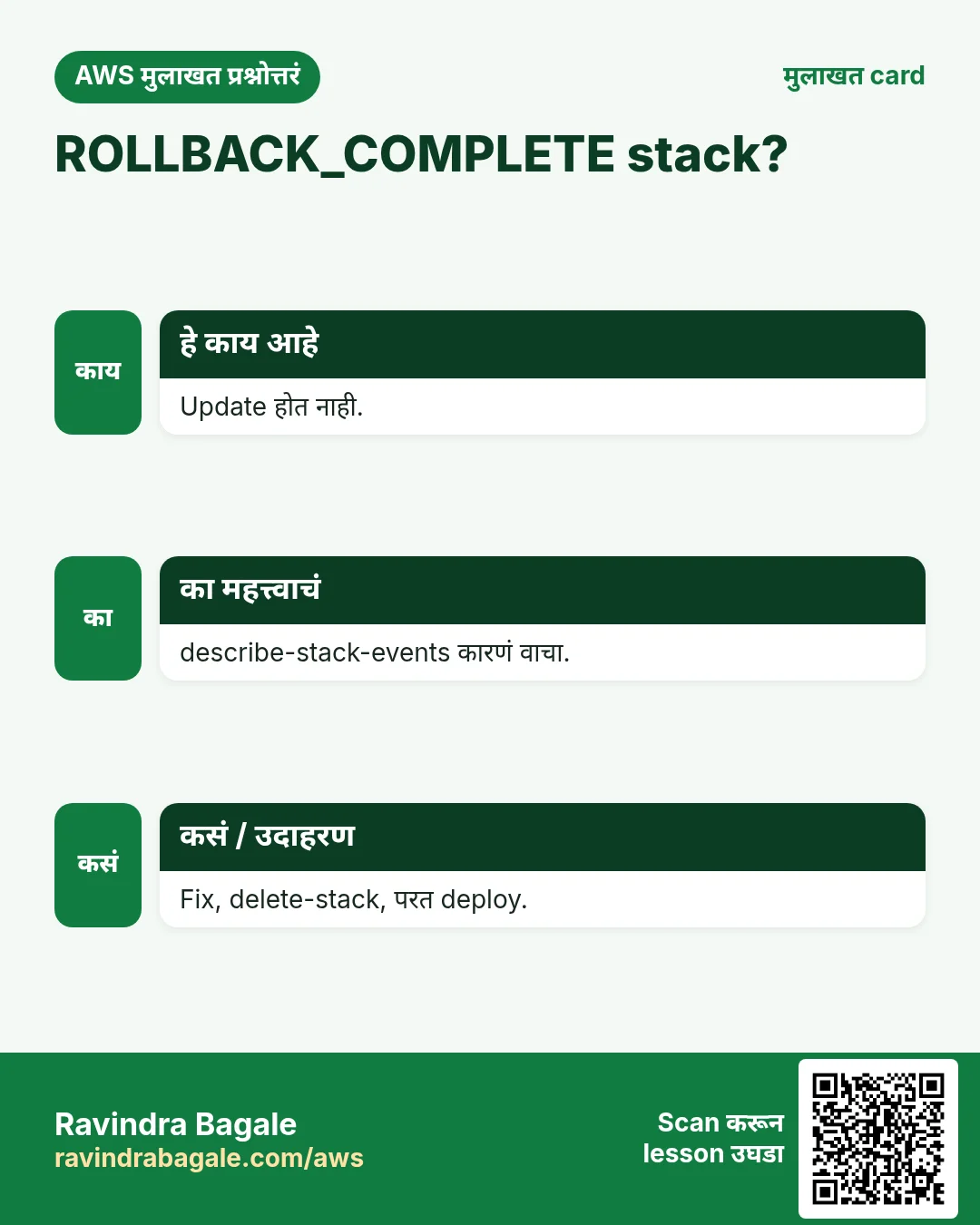
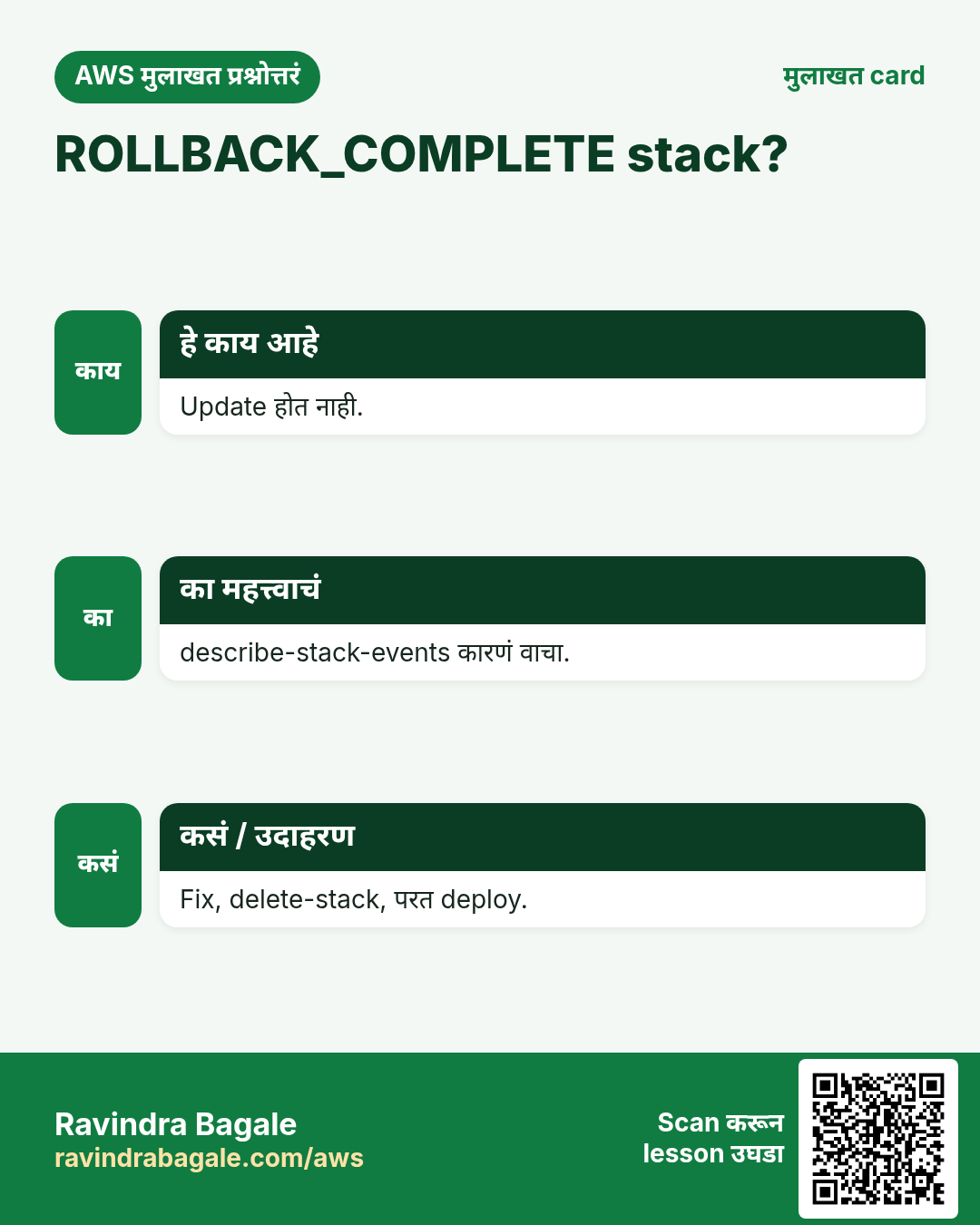
ROLLBACK_COMPLETE stack update होत नाही. Events वाचा, template fix करा, stack delete करून परत deploy.
8. मुलाखत प्रश्न आणि उत्तरं
प्र. Template vs stack?
File vs live resources.
प्र. deploy vs create-stack?
deploy create/update; create-stack फक्त create.
प्र. Change sets का?
आधी preview.
प्र. Drift काय?
Template आणि खऱ्या resource मधला फरक.
प्र. --capabilities कधी?
IAM resources बनवताना.
घरी करून बघा
- Versioning साठी दुसरा parameter जोडून dev आणि prod stacks deploy करा.
- Console मध्ये tag बदलून drift detect करा.
थोडक्यात सांगायचं तर
- validate-template.
- deploy = create/update.
- Change sets preview.
- Events कारणं दाखवतात.
- Delete आधी buckets रिकामे.
सराव Tasks
Amravati Agro Market हा अमरावती मधला शेती व्यवसाय आहे. Anjali Thakre त्यांचं IT व cloud काम पाहतात. त्यांचे पैसे INR मध्ये मोजले जातात आणि AWS resources ap-south-1 Region मध्ये चालतात. खालच्या tasks मध्ये तुम्ही या lesson मध्ये शिकलेलं वापरून त्यांची खरी कामं करता. सगळी नावं, account IDs, IP addresses व numbers सरावासाठी काल्पनिक आहेत.
0 / 12
सोपं Stack delete करा
का: Stack delete केल्यावर त्याने बनवलेले सगळे resources जातात.
काय करायचं: amravatiagro-test stack delete करा.
- Task वाचा आणि ते कोणत्या AWS service बद्दल आहे ते ठरवा.
- aws लिहा, मग service चं नाव, मग operation (action शब्द).
- प्रत्येक आवश्यक flag (--name) व त्यापुढे task मधली value लिहा.
- Flags कोणत्याही क्रमाने चालतात. Check answer दाबा.
सोपं Template validate करा
का: Deploy आधी syntax चुका पकडा.
काय करायचं: template.yaml template file validate करा.
- Task वाचा आणि ते कोणत्या AWS service बद्दल आहे ते ठरवा.
- aws लिहा, मग service चं नाव, मग operation (action शब्द).
- प्रत्येक आवश्यक flag (--name) व त्यापुढे task मधली value लिहा.
- Flags कोणत्याही क्रमाने चालतात. Check answer दाबा.
सोपं CloudFormation: versioned bucket
का: IaC मुळे setup पुन्हा करता येतं.
काय करायचं: amravatiagro-docs नावाचा, versioning Enabled असलेला एक S3 bucket CloudFormation YAML मध्ये लिहा.
- Task मधल्या top-level keys पासून सुरू करा.
- Child keys 2 spaces ने indent करा (tabs नकोत).
- प्रत्येक property मध्ये task मधली value भरा.
- Check answer दाबा. Keys चा क्रम महत्त्वाचा नाही.
मध्यम Stack deploy करा
का: deploy एका command ने stack बनवतो किंवा change set ने update करतो.
काय करायचं: template.yaml ला amravatiagro-net stack म्हणून deploy करा.
- Task वाचा आणि ते कोणत्या AWS service बद्दल आहे ते ठरवा.
- aws लिहा, मग service चं नाव, मग operation (action शब्द).
- प्रत्येक आवश्यक flag (--name) व त्यापुढे task मधली value लिहा.
- Flags कोणत्याही क्रमाने चालतात. Check answer दाबा.
मध्यम Stack outputs वाचा
का: Outputs deploy नंतर VPC ID किंवा URL सारख्या values देतात.
काय करायचं: amravatiagro-net stack describe करा.
- Task वाचा आणि ते कोणत्या AWS service बद्दल आहे ते ठरवा.
- aws लिहा, मग service चं नाव, मग operation (action शब्द).
- प्रत्येक आवश्यक flag (--name) व त्यापुढे task मधली value लिहा.
- Flags कोणत्याही क्रमाने चालतात. Check answer दाबा.
मध्यम CloudFormation: on-demand table
का: On-demand tables ला capacity planning नको.
काय करायचं: DynamoDB table amravatiagro-orders, partition key orderId (String), PAY_PER_REQUEST.
- Task मधल्या top-level keys पासून सुरू करा.
- Child keys 2 spaces ने indent करा (tabs नकोत).
- प्रत्येक property मध्ये task मधली value भरा.
- Check answer दाबा. Keys चा क्रम महत्त्वाचा नाही.
मध्यम CloudFormation: web SG
का: फक्त 443 उघडल्याने server सुरक्षित.
काय करायचं: 0.0.0.0/0 कडून TCP 443 allow करणारा AWS::EC2::SecurityGroup. GroupDescription द्या.
- Task मधल्या top-level keys पासून सुरू करा.
- Child keys 2 spaces ने indent करा (tabs नकोत).
- प्रत्येक property मध्ये task मधली value भरा.
- Check answer दाबा. Keys चा क्रम महत्त्वाचा नाही.
मध्यम CloudFormation: VPC व subnet
का: Template मुळे network दरवेळी सारखं बनतं.
काय करायचं: VPC 10.108.0.0/16 व त्यात subnet 10.108.1.0/24 (VPC साठी !Ref).
- Task मधल्या top-level keys पासून सुरू करा.
- Child keys 2 spaces ने indent करा (tabs नकोत).
- प्रत्येक property मध्ये task मधली value भरा.
- Check answer दाबा. Keys चा क्रम महत्त्वाचा नाही.
मध्यम Stack events पाहा
का: कोणता resource का fail झाला ते events दाखवतात.
काय करायचं: amravatiagro-net stack चे events दाखवा.
- Task वाचा आणि ते कोणत्या AWS service बद्दल आहे ते ठरवा.
- aws लिहा, मग service चं नाव, मग operation (action शब्द).
- प्रत्येक आवश्यक flag (--name) व त्यापुढे task मधली value लिहा.
- Flags कोणत्याही क्रमाने चालतात. Check answer दाबा.
अवघड IAM roles बनवणारा stack deploy करा
का: IAM बदल --capabilities ने मान्य करावे लागतात.
काय करायचं: app.yaml ला amravatiagro-app stack म्हणून deploy करा. तो named IAM roles बनवतो.
- Task वाचा आणि ते कोणत्या AWS service बद्दल आहे ते ठरवा.
- aws लिहा, मग service चं नाव, मग operation (action शब्द).
- प्रत्येक आवश्यक flag (--name) व त्यापुढे task मधली value लिहा.
- Flags कोणत्याही क्रमाने चालतात. Check answer दाबा.
अवघड CloudFormation: parameter + Ref
का: Parameters मुळे एक template dev व prod साठी.
काय करायचं: String parameter EnvName व bucket name मध्ये !Sub ने ${EnvName}-logs.
- Task मधल्या top-level keys पासून सुरू करा.
- Child keys 2 spaces ने indent करा (tabs नकोत).
- प्रत्येक property मध्ये task मधली value भरा.
- Check answer दाबा. Keys चा क्रम महत्त्वाचा नाही.
अवघड Parameter values सह deploy करा
का: Parameters मुळे एक template dev व prod दोन्हीला चालतो.
काय करायचं: template.yaml ला amravatiagro-net म्हणून Env=prod parameter सह deploy करा.
- Task वाचा आणि ते कोणत्या AWS service बद्दल आहे ते ठरवा.
- aws लिहा, मग service चं नाव, मग operation (action शब्द).
- प्रत्येक आवश्यक flag (--name) व त्यापुढे task मधली value लिहा.
- Flags कोणत्याही क्रमाने चालतात. Check answer दाबा.
उजळणी, तुलना आणि मुलाखत cards
हा lesson काही मिनिटांत revise करा. Cards phone वर save करा किंवा PNG download करा. प्रत्येक card वरचा QR हा lesson उघडतो.
अजून cards: Ravi Sir's Cards.