Linux Commands A-Z Part 8: uniq, useradd, usermod, vim, vmstat, xargs, yum, zcat आणि अजून, Examples सह
हा Linux Commands A-Z reference चा Part 8, म्हणजे शेवटचा part आहे: uniq ते zip. या commands data count आणि de-duplicate करतात, uptime आणि load दाखवतात, users बनवतात, बदलतात आणि काढतात, LVM volume groups बनवतात, vim मधे files edit करतात, memory आणि CPU trends बघतात, कोण login आहे ते दाखवतात, timer वर command repeat करतात, lines मोजतात, program कुठे आहे ते शोधतात, xargs ने अनेक files वर commands चालवतात, xz ने compress करतात, yes ने prompts ला उत्तर देतात, yum ने packages install करतात आणि zcat ने compressed logs वाचतात. प्रत्येक command ला why, what, options table आणि खऱ्या output आणि अर्थासह step-by-step examples आहेत. या part ने A-Z reference पूर्ण होतो, आणि index page प्रत्येक command ला त्याच्या section ला किंवा आधीच सविस्तर cover करणाऱ्या chapter ला link करतो.
या chapter मध्ये तुम्ही काय शिकाल
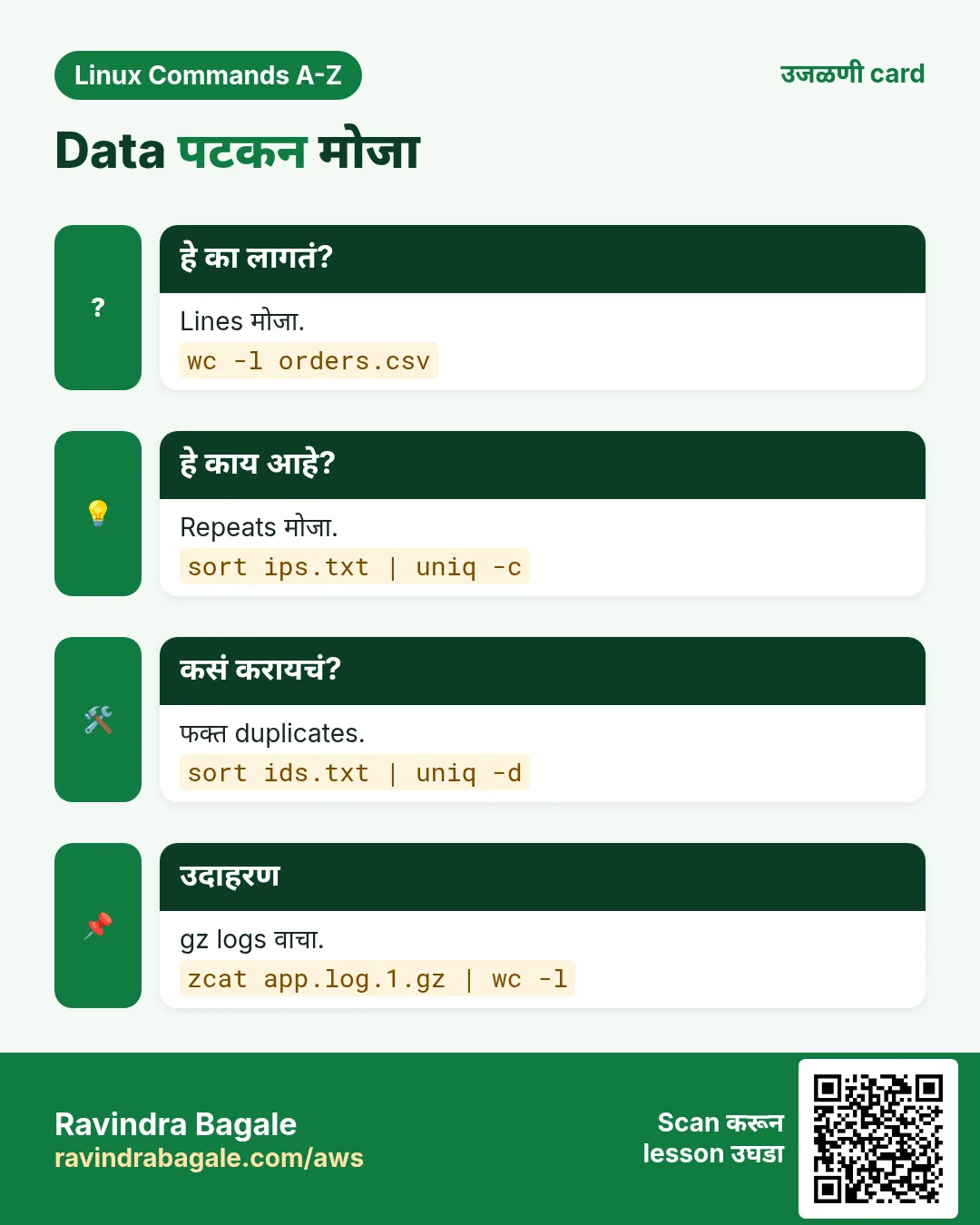
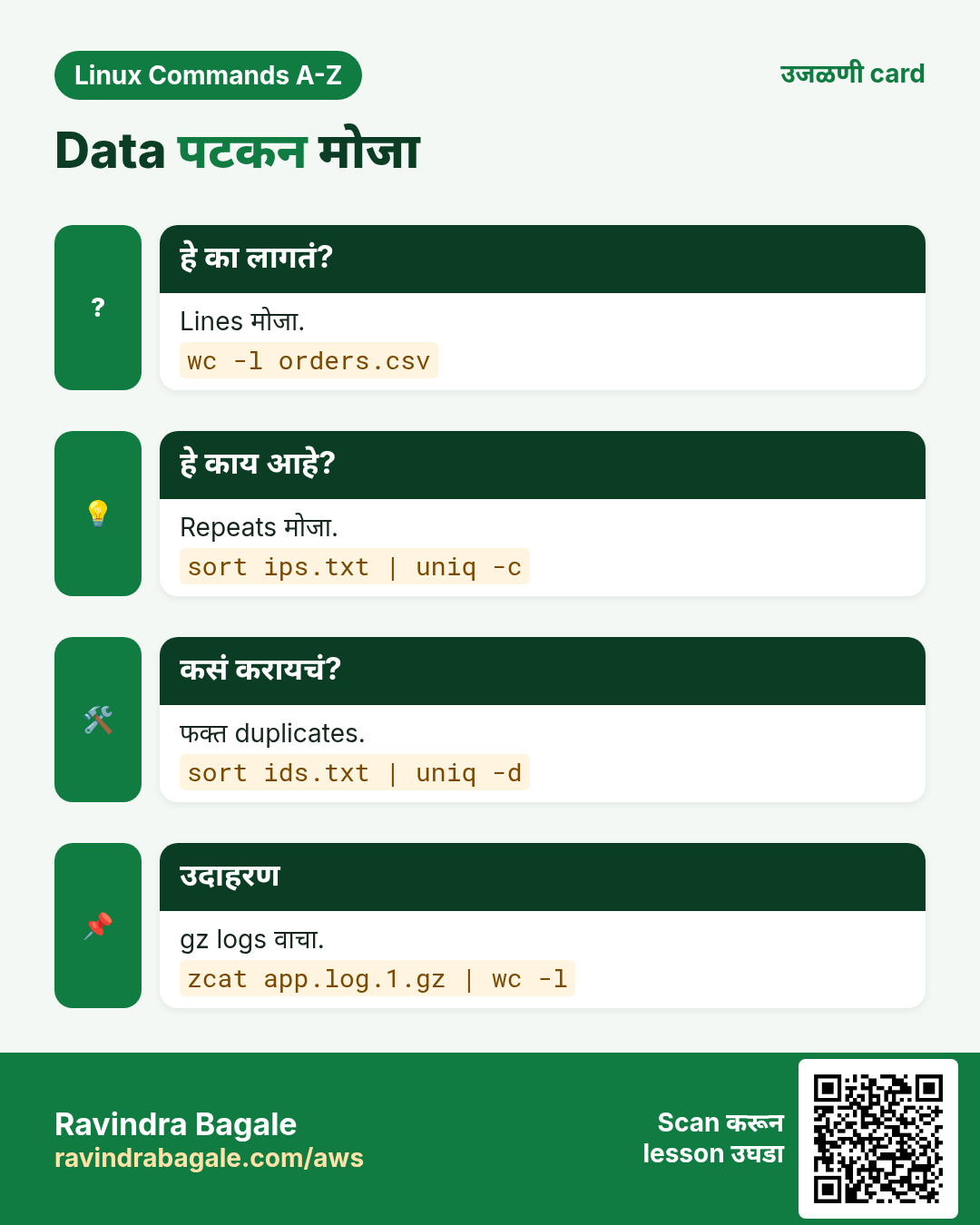
- sort, uniq आणि wc ने data count आणि de-duplicate करा
- uptime, w आणि vmstat ने load वाचा
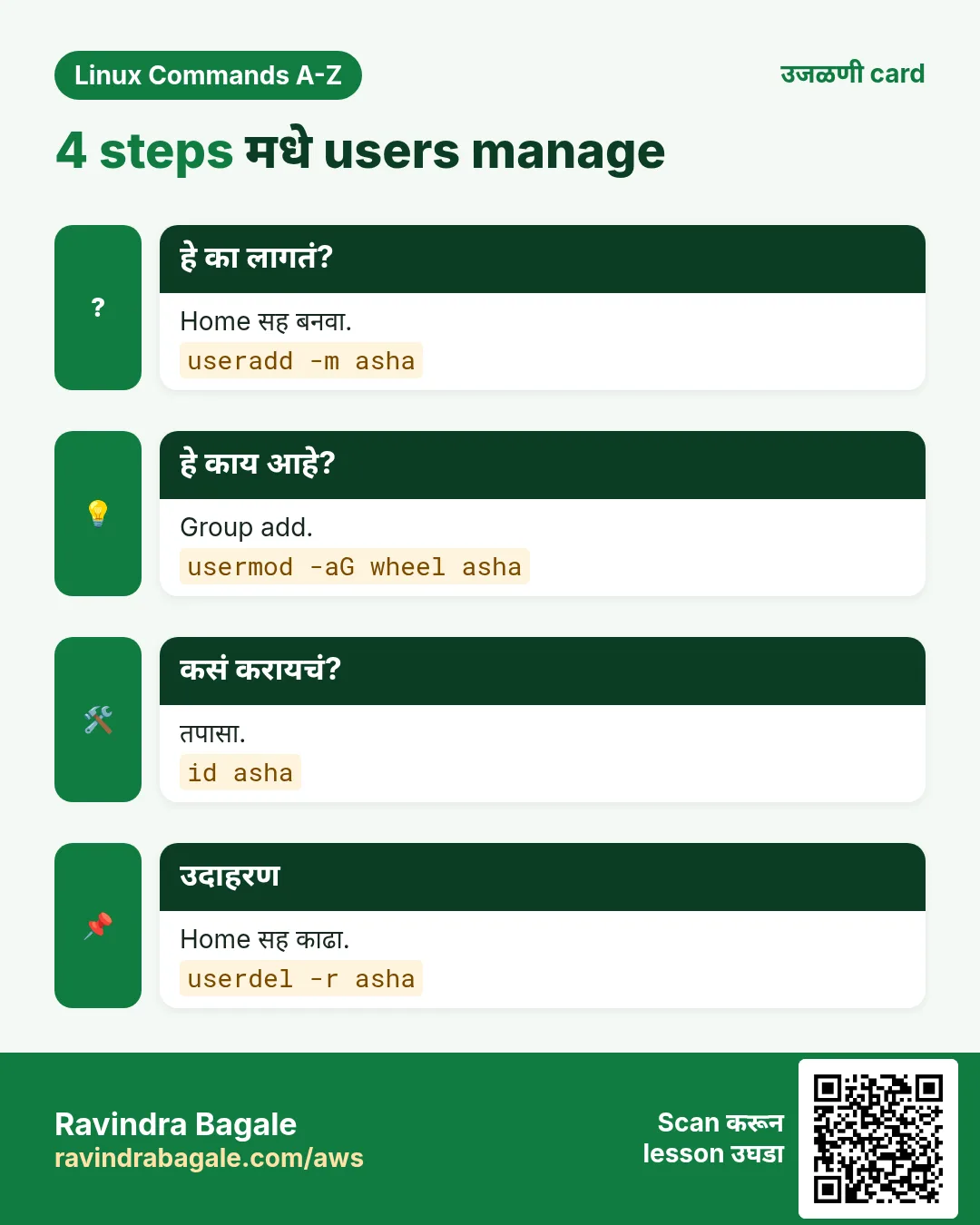
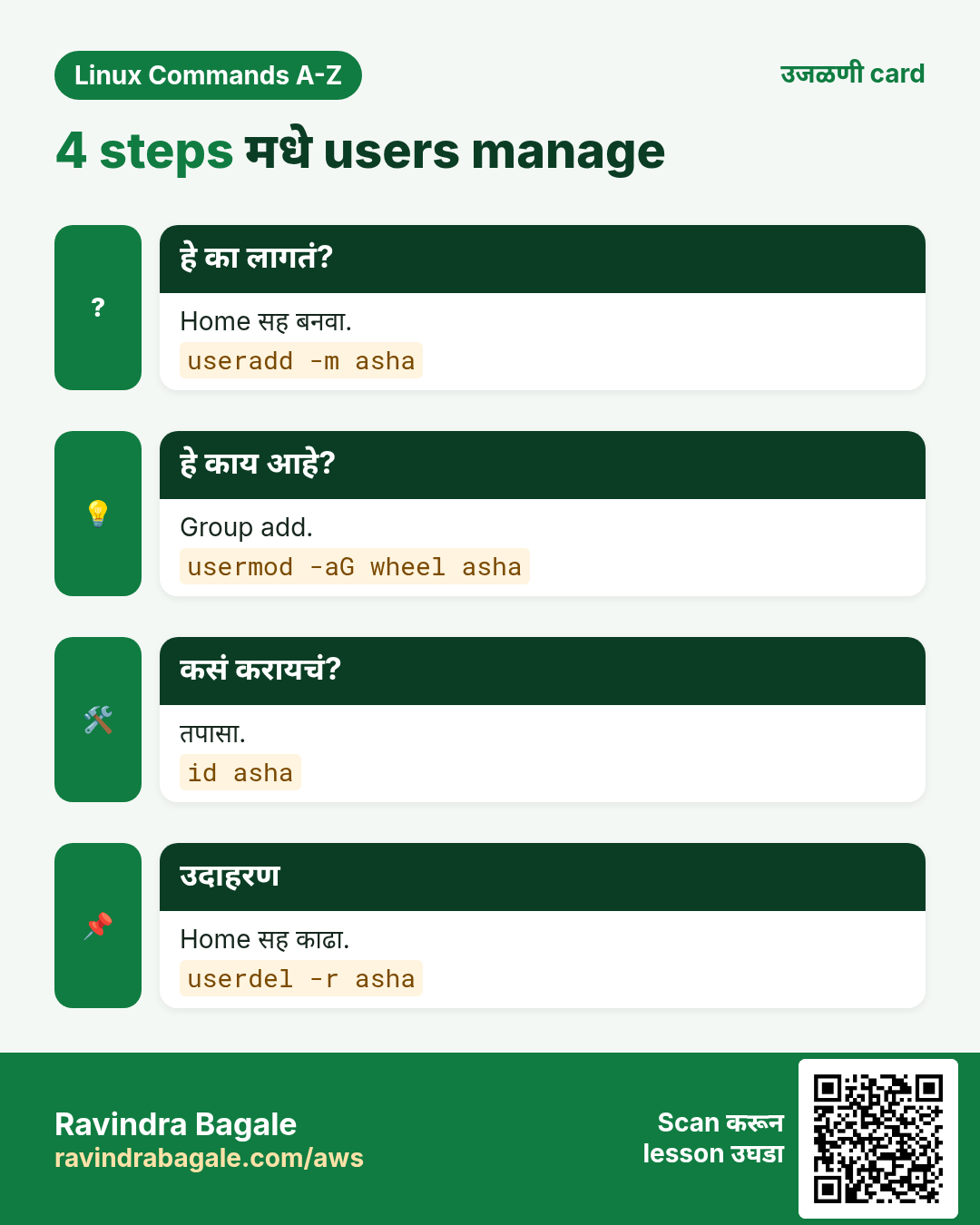
- useradd, usermod आणि userdel ने users manage करा
- vgcreate ने storage बनवा
- vim मधे config files पटकन edit करा
- watch ने checks repeat करा आणि xargs ने batch काम करा
- which, whereis आणि whoami ने programs शोधा
- xz ने compress, zcat ने वाचा, yum ने install करा
1. रोजचं उदाहरण: Pune मधलं housing society office
हे का लागतं?
Secretary visitor book मधली duplicate नावं काढतो, entries मोजतो, lift break न घेता किती वेळ चालली ते बघतो, नवे members add करतो, flat owner बदलतो, flat विकलेल्याला काढतो, दोन parking areas एक करतो, notice board edit करतो, दर तासाला water tank level तपासतो, आत्ता office मधे कोण आहे ते बघतो, आणि जुने registers घट्ट bundles मधे ठेवतो जे तरीही वाचता येतात.
हे काय आहे?
Duplicates म्हणजे uniq, मोजणं म्हणजे wc, lift म्हणजे uptime, members म्हणजे useradd, usermod आणि userdel, जोडलेलं parking म्हणजे vgcreate, notice board म्हणजे vim, दर तासाचा tank check म्हणजे watch आणि vmstat, आत कोण म्हणजे w आणि who, आणि bundles म्हणजे xz आणि zcat.
कसं करायचं (step by step)
2. Part 8 commands वापरून एका line मधे log report
हे का लागतं?
Deep dives आधी, या commands खऱ्या report मधे कशा जोडल्या जातात ते बघा.
हे काय आहे?
Compressed logs वाचा, field निवडा, count, rank.
| Step | Command |
|---|---|
| जुने gz logs वाचा | zcat access.log.*.gz |
| IPs निवडा | cut -d" " -f1 |
| Group | sort |
| Count | uniq -c |
| Rank | sort -rn | head |
कसं करायचं (step by step)
- Report चालवा.
zcat access.log.*.gz | cut -d" " -f1 | sort | uniq -c | sort -rn | head -3Output:
  9120 10.0.4.22
  3311 10.0.4.9
   870 203.0.113.7
याचा अर्थ: 10.0.4.22 ने सर्वात जास्त requests पाठवल्या.
- एकूण lines मोजा.
zcat access.log.*.gz | wc -lOutput:
48211याचा अर्थ: जुन्या logs मधे सुमारे 48 हजार requests.
3. Part 8 commands वापरून user आणि package audit
हे का लागतं?
Banks, hospitals आणि SaaS companies मधल्या security teams दर महिन्याला विचारतात: कोण login करू शकतो, आत्ता कोण login आहे, कोणती tools install आहेत आणि ती कुठे आहेत. हा section फक्त Part 8 commands वापरून याची सगळी उत्तरं देतो, म्हणजे कोणत्याही server वर काही minutes मधे चालवून output audit ticket मधे paste करता येतो.
हे काय आहे?
खरे users मोजा, sessions list करा, tools तपासा, packages तपासा, आणि result मधले बदल watch करा.
| Audit प्रश्न | Command | चांगलं उत्तर कसं दिसतं |
|---|---|---|
| किती login users? | grep -c "/bin/bash$" /etc/passwd | 4 |
| आत्ता कोण आहे? | w -h | ravi pts/0 10.0.4.9 ... |
| मी कोणत्या shell मधे? | whoami; echo $SHELL | ravi /bin/bash |
| Tool कुठे आहे? | which aws; whereis aws | /usr/local/bin/aws |
| Package update आहे का? | yum check-update openssl | no output means current |
| Failed logins मोजा | grep -c "Failed password" /var/log/secure | a small number |
कसं करायचं (step by step)
- Shell users list करून मोजा.
grep "/bin/bash$" /etc/passwd | cut -d: -f1 | sort | uniq | wc -lOutput:
4याचा अर्थ: चार accounts shell उघडू शकतात. HR च्या approved list शी compare करा; जास्तीचं कोणतंही नाव म्हणजे finding.
- Failed login sources rank करा.
grep "Failed password" /var/log/secure | awk '{print $(NF-3)}' | sort | uniq -c | sort -rn | head -3Output:
    312 203.0.113.50
     41 198.51.100.7
      3 10.0.4.9
याचा अर्थ: एका बाहेरच्या IP ने 312 वेळा प्रयत्न केला. Security group मधे block करा आणि output evidence म्हणून ठेवा.
- कोण login आहे आणि काय चालवतंय ते बघा.
wOutput:
 21:10:04 up 41 days,  3:02,  2 users,  load average: 0.31, 0.28, 0.25
USER     TTY      FROM         LOGIN@   IDLE   WHAT
ravi     pts/0    10.0.4.9     20:55    0.00s  w
neha     pts/1    10.0.4.22    19:40    1:10m  vim app.yml
याचा अर्थ: दोन लोक आहेत. Neha vim मधे एक तासापेक्षा जास्त idle आहे; ती edit करत असेल ते restart करण्याआधी विचारा.
- xargs ने loop मधे tools तपासा.
echo aws git docker jq | xargs -n 1 whichOutput:
/usr/local/bin/aws
/usr/bin/git
/usr/bin/docker
/usr/bin/which: no jq in (/usr/local/bin:/usr/bin)
याचा अर्थ: jq नाही. sudo yum install -y jq ने install करून check पुन्हा चालवा.
- Change window मधे session count watch करा.
watch -n 10 "who | wc -l"Output:
Every 10.0s: who | wc -l

2
याचा अर्थ: Screen दर 10 seconds ला refresh होते. Maintenance window मधे number वाढला तर कोणीतरी नवं login झालं आहे, कोण ते तपासा.
4. Part 8 commands सह industry recipes
हे का लागतं?
याच छोट्या commands retail, healthcare, finance, telecom आणि manufacturing मधे खूप वेगळे प्रश्न सोडवतात. खऱ्या settings मधे बघितल्या की interviews आणि on-call रात्रींसाठी लक्षात राहतात.
हे काय आहे?
पाच recipes, प्रत्येकात command, output आणि पुढे काय करायचं.
| Industry | प्रश्न | Command |
|---|---|---|
| Retail | sort orders.csv | uniq -d | duplicate orders |
| Healthcare | zcat hl7.log.gz | wc -l | message count |
| Finance | vmstat 5 3 | batch load |
| Telecom | xz -T0 cdr.log | archive |
| Manufacturing | watch -n 30 ls sensor/ | new files |
कसं करायचं (step by step)
- Retail: duplicate order ids शोधा.
cut -d, -f1 orders.csv | sort | uniq -dOutput:
ORD-88121
ORD-90412
याचा अर्थ: दोन orders दोनदा save झाल्या. Customers ला पुन्हा charge होण्याआधी ids payments team ला पाठवा.
- Healthcare: कालच्या log मधले lab messages मोजा.
zcat hl7-2026-10-26.log.gz | grep -c "^MSH"Output:
18422याचा अर्थ: सुमारे 18 हजार lab messages आले. नेहमी 25 हजार येत असतील तर lab interface team ला काय थांबलं ते विचारा.
- Finance: रात्रीचा batch server तपासा.
vmstat 5 3Output:
procs -----------memory---------- ---swap-- -----io---- -system-- ------cpu-----
 r  b   swpd   free   buff  cache   si   so    bi    bo   in   cs us sy id wa st
 3  4      0 412000  20100 3100000    0    0  9100  4200  900 1500 22  6 30 42  0
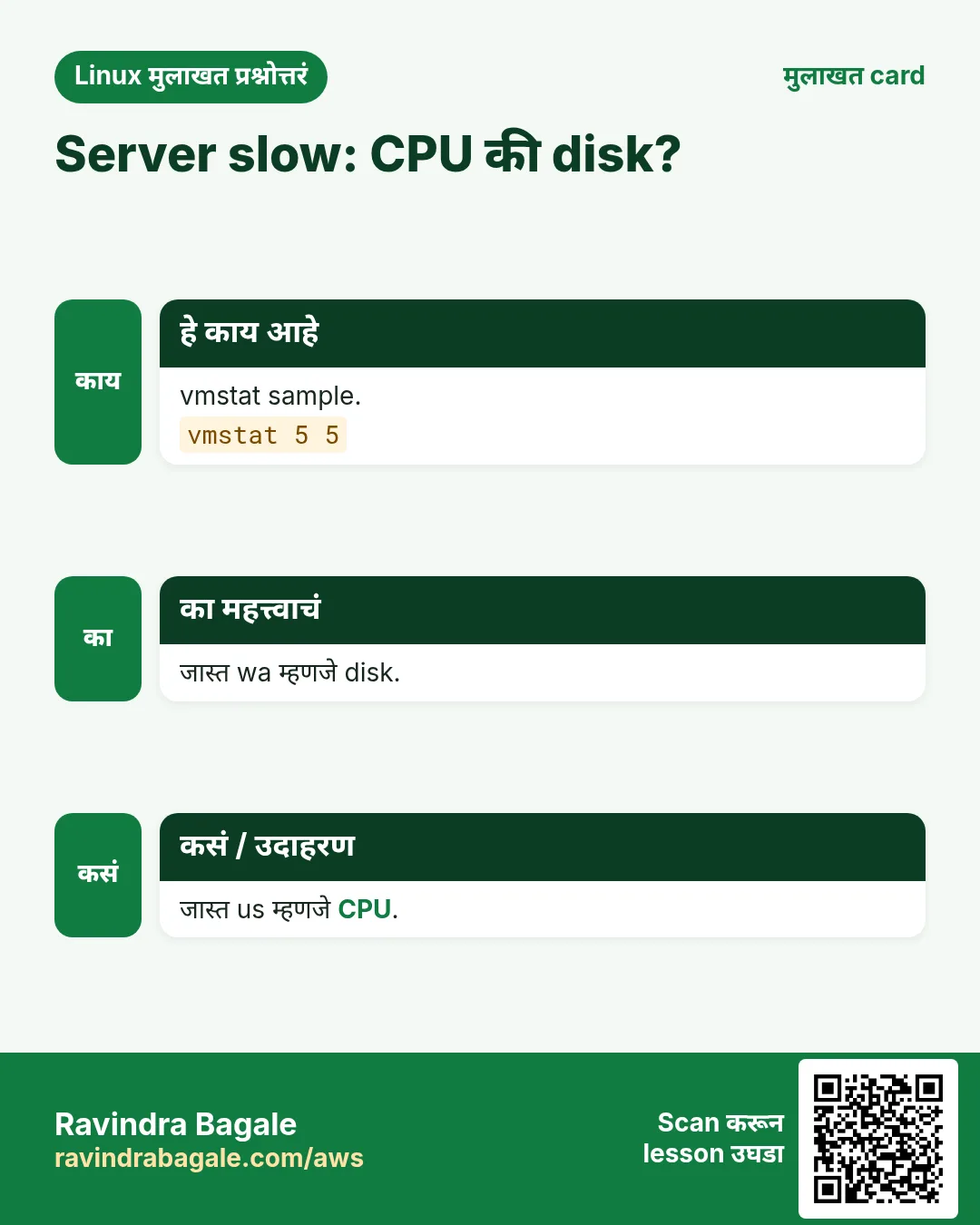
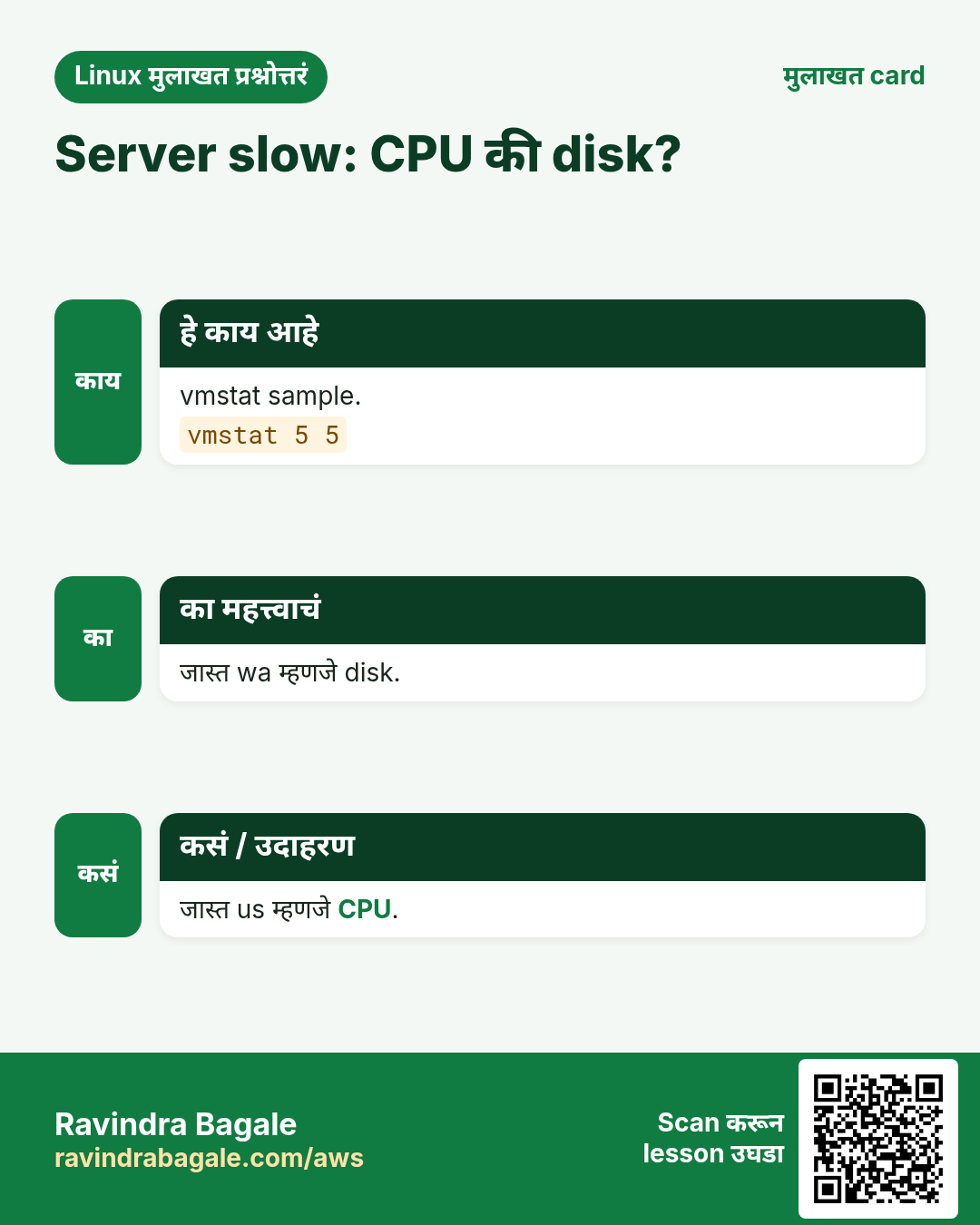
याचा अर्थ: wa 42 आणि b 4: batch CPU नाही तर disk ची वाट बघतोय. जलद storage वर हलवा किंवा jobs विभागा.
- Telecom: सगळे CPUs वापरून call records compress करा.
xz -T0 -k cdr-2026-10.log && ls -lh cdr-2026-10.log*Output:
-rw-r--r-- 1 ops ops 9.8G cdr-2026-10.log
-rw-r--r-- 1 ops ops 610M cdr-2026-10.log.xz
याचा अर्थ: 10 GB चे 610 MB झाले. .xz file upload करून check करेपर्यंत original ठेवा.
- Manufacturing: sensor files ची वाट.
watch -n 30 "ls sensor/ | wc -l"Output:
Every 30.0s: ls sensor/ | wc -l

144
याचा अर्थ: 144 files आल्या. Shift मधे number वाढणं थांबलं तर plant gateway बंद असू शकतो.
5. uniq: Repeat lines काढा किंवा मोजा
uniq सविस्तर: duplicates काढा आणि मोजा
हे का लागतं?
Site ला सर्वात जास्त कोणत्या IP ने hit केलं? प्रत्येक city चे किती orders? कोणता error repeat होतो? Lines sort करा, मग uniq -c मोजतो.
हे काय आहे?
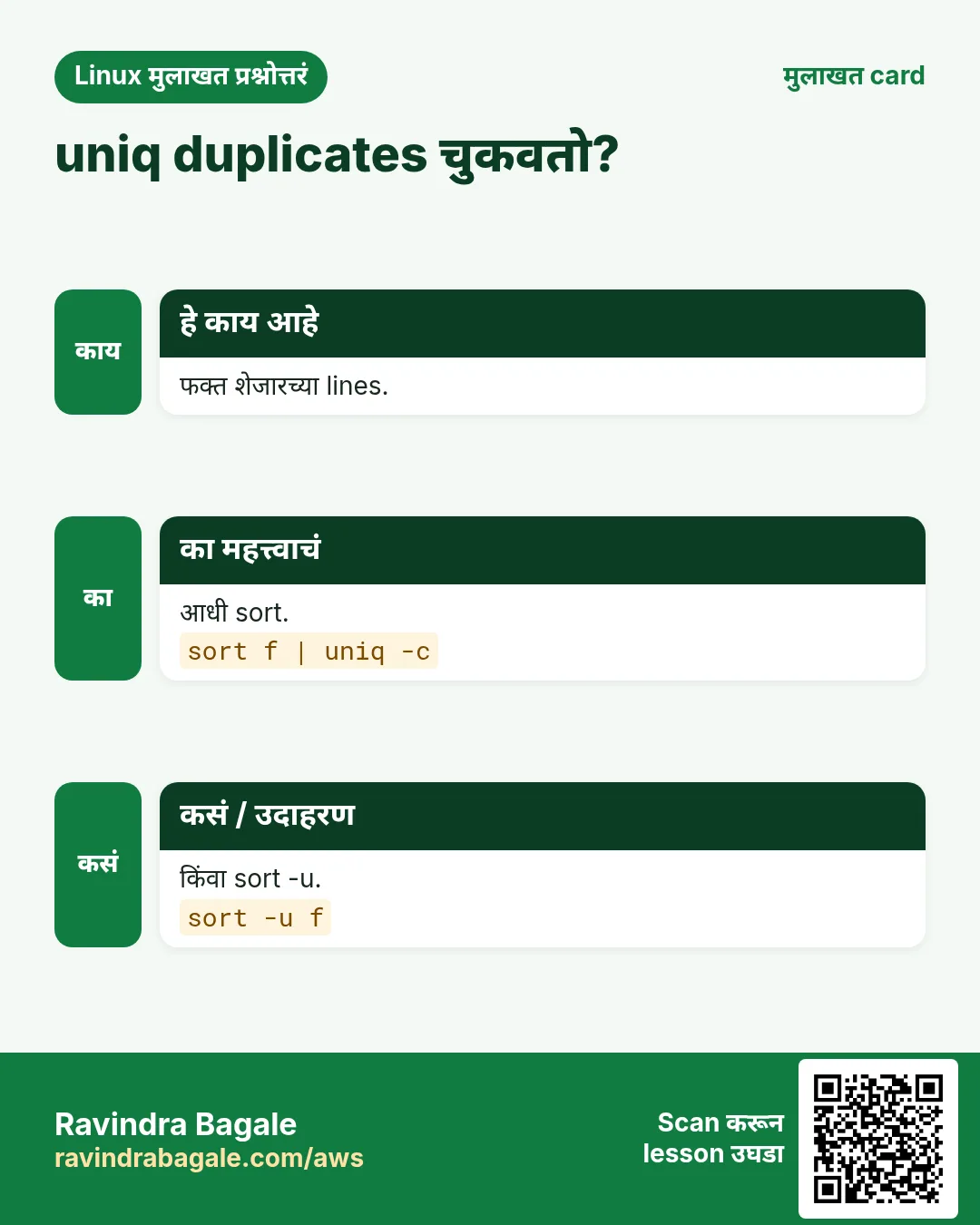
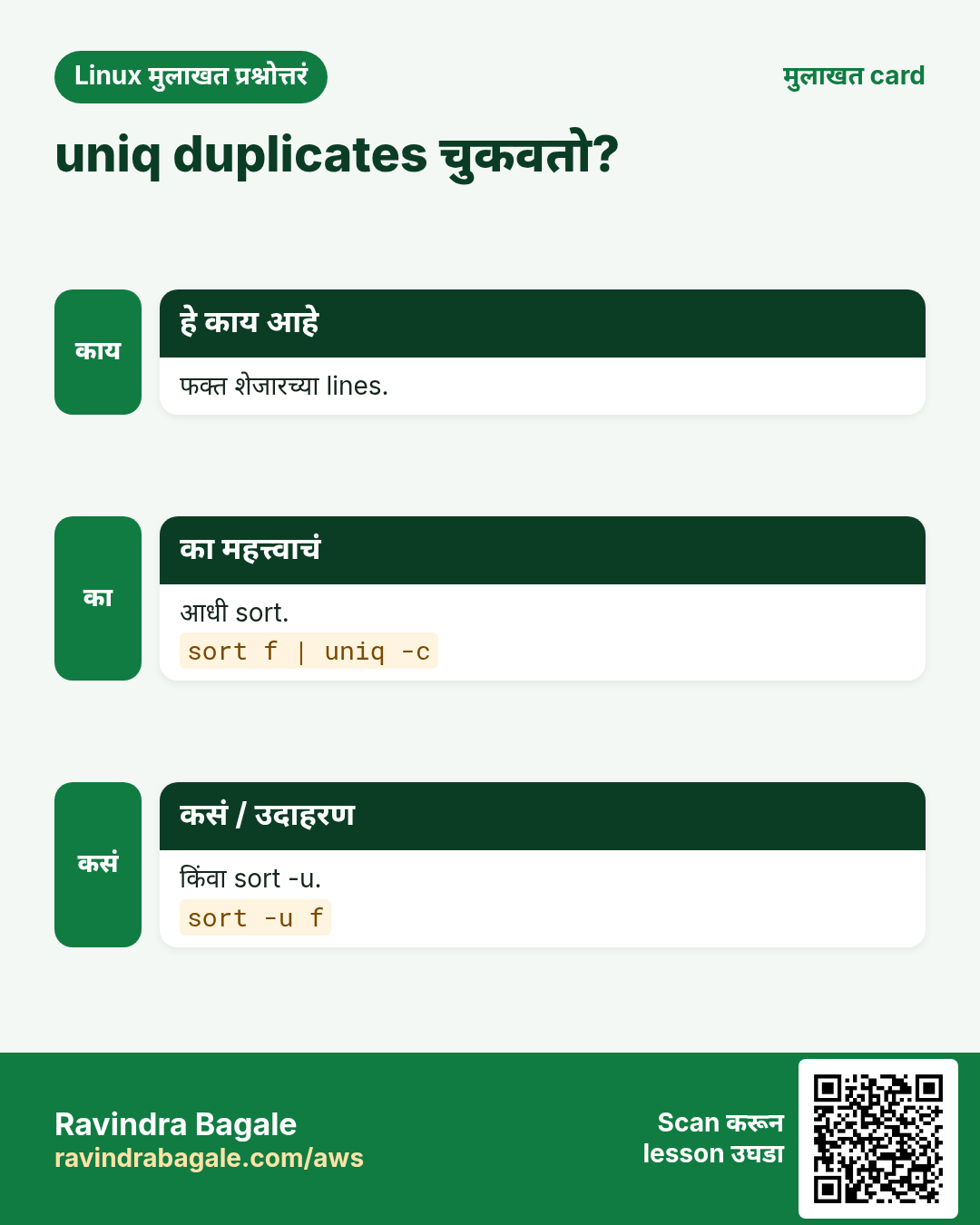
uniq शेजारच्या duplicate lines काढतो, म्हणून input आधी sort करतात. -c counts जोडतो, -d फक्त duplicated lines, -u फक्त unique, -i case ignore, -f N fields skip. फक्त unique lines हव्या असतील तर sort -u shortcut.
नेहमीचे options
| Option | काय करतो |
|---|---|
sort | uniq | Unique lines. |
-c | प्रत्येक मोजा. |
-d | फक्त repeated. |
-u | फक्त एकदा. |
-i | Case ignore. |
कसं करायचं (step by step)
- Top IPs.
cut -d" " -f1 access.log | sort | uniq -c | sort -rn | head -3Output:
   4210 49.36.12.8
    980 103.21.4.7
    120 10.0.1.5
याचा अर्थ: एक IP सर्वात जास्त traffic पाठवतो; bot आहे का तपासा.
- City नुसार orders.
cut -d, -f2 orders.csv | sort | uniq -cOutput:
  310 Mumbai
  452 Pune
याचा अर्थ: Pune पुढे.
- Duplicate user ids.
sort ids.txt | uniq -dOutput:
u1042याचा अर्थ: एक id दोनदा: data bug.
- Sort शिवाय.
printf "a\nb\na\n" | uniqOutput:
a
b
a
याचा अर्थ: शेजारी नाही म्हणून काढलं नाही: आधी sort.
खालच्या tasks मधे सराव करा: सराव tasks
खरा वापर: Laxmi Road मधला सराफ billing export वर sort | uniq -c ने रोजची item नुसार sales मोजतो.
6. uptime: Uptime आणि load
uptime सविस्तर: किती वेळ आणि किती load
हे का लागतं?
Server काल रात्री reboot झाला का? आत्ता overloaded आहे का? uptime एका line मधे उत्तर देतो.
हे काय आहे?
uptime सध्याची वेळ, boot पासून किती वेळ, logged-in users आणि 1, 5, 15 minutes चा load average print करतो. Load CPU count (nproc) शी compare करा: त्यापेक्षा जास्त म्हणजे काम queue मधे. -p pretty format, -s boot time.
नेहमीचे options
| Option | काय करतो |
|---|---|
uptime | एक line. |
-p | Pretty. |
-s | Boot time. |
nproc | CPU count. |
cat /proc/loadavg | Raw values. |
कसं करायचं (step by step)
- तपासा.
uptimeOutput:
11:42:10 up 41 days, 3:10, 2 users, load average: 0.42, 0.51, 0.48याचा अर्थ: Stable, कमी load.
- Reboot झाला?
uptime -sOutput:
2026-10-27 02:13:44याचा अर्थ: 2:13 AM ला restart: का ते शोधा.
- Overloaded?
uptime; nprocOutput:
load average: 9.80, 8.40, 6.10
4
याचा अर्थ: 4 CPUs वर load 9.8: काम queue मधे.
- Pretty.
uptime -pOutput:
up 6 weeks, 2 days, 3 hoursयाचा अर्थ: Report साठी सोपं.
खालच्या tasks मधे सराव करा: सराव tasks
खरा वापर: Kothrud मधली clinic chain billing box चे silent power-cut reboots पकडायला रोज सकाळी uptime -s तपासते.
7. useradd: User बनवा
useradd सविस्तर: users बनवा
हे का लागतं?
नवा developer join होतो, किंवा app ला स्वतःचं service account हवं. Home, shell आणि groups सह नीट बनवा.
हे काय आहे?
useradd account बनवतो. -m home folder बनवतो, -s shell set करतो, -G extra groups जोडतो, -c comment, -u UID, -r system account, -e expiry date. मग passwd ने password set करा किंवा SSH key जोडा.
नेहमीचे options
| Option | काय करतो |
|---|---|
-m | Home बनवा. |
-s /bin/bash | Shell. |
-G wheel,devs | Extra groups. |
-r -s /sbin/nologin | Service account. |
-e 2026-12-31 | Expiry. |
-c "Name" | पूर्ण नाव. |
कसं करायचं (step by step)
- Developer.
sudo useradd -m -s /bin/bash -G devs -c "Sneha Patil" sneha; id snehaOutput:
uid=1005(sneha) gid=1005(sneha) groups=1005(sneha),1002(devs)याचा अर्थ: Home, shell आणि group तयार.
- पहिला password.
sudo passwd snehaOutput:
passwd: all authentication tokens updated successfully.याचा अर्थ: ती login करू शकते.
- Service account.
sudo useradd -r -s /sbin/nologin -d /srv/billing billingयाचा अर्थ: Login shell नाही: जास्त safe.
- Expiry सह contractor.
sudo useradd -m -e 2026-12-31 vendor1; sudo chage -l vendor1 | grep "Account expires"Output:
Account expires : Dec 31, 2026याचा अर्थ: वर्षाअखेरीस आपोआप lock.
खालच्या tasks मधे सराव करा: सराव tasks
खरा वापर: Wakad मधली IT services firm प्रत्येक contractor useradd -e ने बनवते म्हणजे contract संपल्यावर access संपतो.
8. userdel: User delete
userdel सविस्तर: users काढा
हे का लागतं?
कोणी सोडून गेलं की account जायला हवं, पण audit साठी files लागू शकतात. आधी ठरवा, मग काढा.
हे काय आहे?
userdel account काढतो. -r home folder आणि mail spool पण काढतो. User logged in असेल तर नकार देतो; -f force करतो. इतर ठिकाणच्या files फक्त UID owner सह राहतात; find / -nouser ने शोधा. आधी lock (usermod -L) बहुदा जास्त safe.
नेहमीचे options
| Option | काय करतो |
|---|---|
userdel user | Account काढा. |
-r | Home पण. |
-f | Force. |
find / -nouser | Orphan files. |
usermod -L | त्याऐवजी lock. |
कसं करायचं (step by step)
- Home backup.
sudo tar czf /backup/amit-home.tgz /home/amitयाचा अर्थ: Audit साठी ठेवलं.
- Home सह काढा.
sudo userdel -r amitयाचा अर्थ: Account आणि home गेले.
- अजून logged in.
sudo userdel -r rahulOutput:
userdel: user rahul is currently used by process 4410याचा अर्थ: आधी session संपवा.
- उरलेलं शोधा.
sudo find / -xdev -nouser 2>/dev/null | head -2Output:
/srv/reports/q3.xlsx
/tmp/amit-test
याचा अर्थ: यांना नवा owner द्या.
खालच्या tasks मधे सराव करा: सराव tasks
खरा वापर: Viman Nagar मधला BPO agent च्या शेवटच्या दिवशी home folder backup करून userdel -r चालवतो.
9. usermod: User बदला
usermod सविस्तर: users बदला
हे का लागतं?
कोणी DevOps team मधे जातो, docker access हवा, नाव बदलतं किंवा मोठ्या रजेवर जातो. usermod existing account बदलतो.
हे काय आहे?
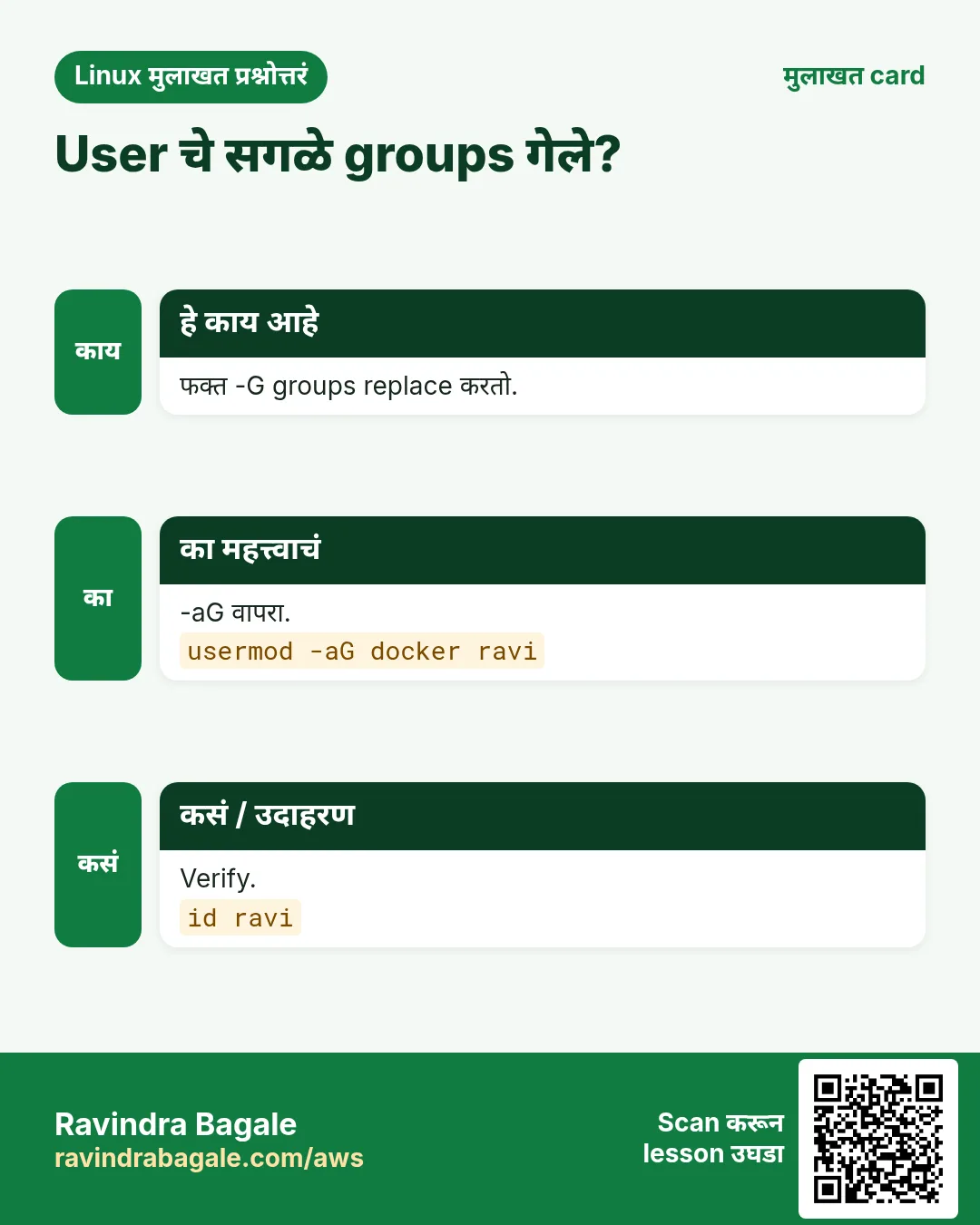
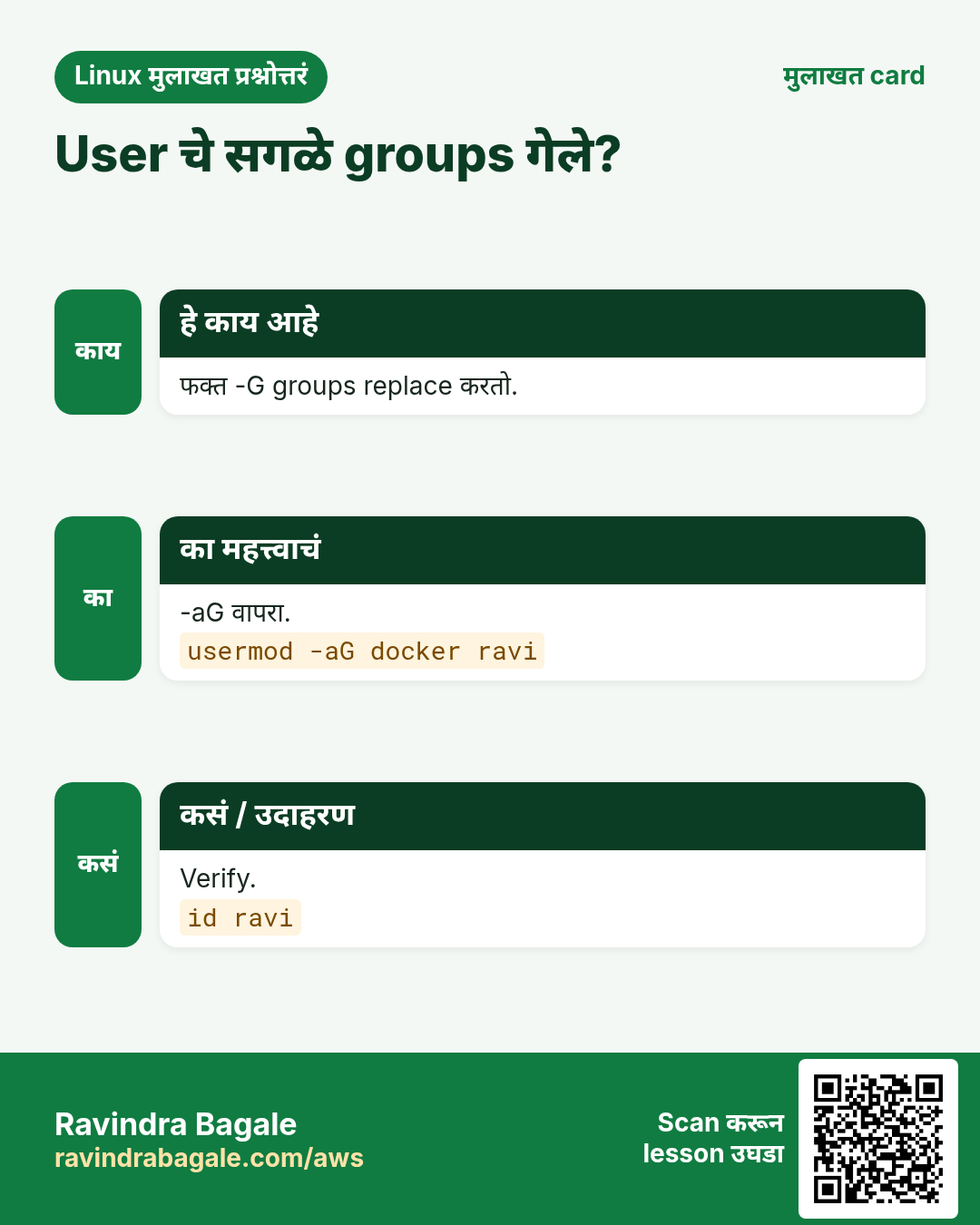
usermod -aG groups जोडतो (-G सोबत नेहमी -a वापरा, नाहीतर इतर groups जातात). -L lock, -U unlock, -s shell बदलतो, -d -m home हलवतो, -l rename, -e expiry. Group बदल पुढच्या login ला लागू.
नेहमीचे options
| Option | काय करतो |
|---|---|
-aG docker user | Group जोडा. |
-L / -U | Lock / unlock. |
-s /sbin/nologin | Login नाही. |
-l new old | Rename. |
-e 2026-11-30 | Expiry. |
कसं करायचं (step by step)
- Docker access द्या.
sudo usermod -aG docker sneha; id -nG snehaOutput:
sneha devs dockerयाचा अर्थ: परत login केल्यावर चालतं.
- -a ची चूक.
sudo usermod -G docker raj; id -nG rajOutput:
raj dockerयाचा अर्थ: devs गेला: नेहमी -aG.
- रजेत lock.
sudo usermod -L priya; sudo passwd -S priyaOutput:
priya LK 2026-10-27 0 99999 7 -1 (Password locked.)याचा अर्थ: Lock, files तशाच.
- परत आल्यावर unlock.
sudo usermod -U priyaयाचा अर्थ: Access परत.
खालच्या tasks मधे सराव करा: सराव tasks
खरा वापर: Magarpatta मधली fintech sabbatical वरच्या employees ची accounts usermod -L ने lock करते आणि परत आल्यावर unlock.
10. vgcreate: LVM volume group बनवा
vgcreate सविस्तर: LVM volume group बनवा
हे का लागतं?
अनेक disks मधून एक मोठा flexible storage pool हवा, म्हणजे नंतर volumes downtime शिवाय वाढतील. तो pool म्हणजे volume group.
हे काय आहे?
vgcreate physical volumes (pvcreate, Part 5) पासून volume group बनवतो. vgs आणि vgdisplay तो दाखवतात, vgextend disk जोडतो, vgreduce काढतो. मग lvcreate (Part 4) त्यातून logical volumes बनवतो.
नेहमीचे options
| Option | काय करतो |
|---|---|
vgcreate vg pv... | बनवा. |
vgs | Summary. |
vgdisplay vg | Detail. |
vgextend vg pv | Disk जोडा. |
vgreduce vg pv | Disk काढा. |
कसं करायचं (step by step)
- Disks तयार.
sudo pvcreate /dev/xvdf /dev/xvdgOutput:
  Physical volume "/dev/xvdf" successfully created.
  Physical volume "/dev/xvdg" successfully created.
याचा अर्थ: दोन PVs.
- Group बनवा.
sudo vgcreate vgdata /dev/xvdf /dev/xvdgOutput:
Volume group "vgdata" successfully createdयाचा अर्थ: 200 GB pool.
- तपासा.
sudo vgsOutput:
  VG     #PV #LV #SN Attr   VSize   VFree
  vgdata   2   0   0 wz--n- 199.99g 199.99g
याचा अर्थ: Volumes साठी सगळं free.
- नंतर वाढवा.
sudo pvcreate /dev/xvdh && sudo vgextend vgdata /dev/xvdhOutput:
Volume group "vgdata" successfully extendedयाचा अर्थ: 300 GB, downtime नाही.
खालच्या tasks मधे सराव करा: सराव tasks
खरा वापर: Hinjewadi मधली analytics firm तीन EBS disks पासून vgdata बनवते आणि data येईल तसा दर quarter वाढवते.
11. vim: Terminal मधे files edit
vim सविस्तर: कोणत्याही server वर files edit करा
हे का लागतं?
प्रत्येक Linux server वर GUI नसतानाही vi किंवा vim असतो. Config उघडणं, line बदलणं, save आणि quit करता यायला हवं.
हे काय आहे?
vim मधे modes असतात. Normal mode मधे move आणि edit (dd line delete, yy copy, p paste, u undo, /text search, gg वर, G खाली). i Insert mode मधे नेतो, Esc परत. Commands : ने सुरू: :w save, :q quit, :wq save आणि quit, :q! save न करता quit, :%s/a/b/g replace, :set number.
नेहमीचे options
| Option | काय करतो |
|---|---|
i / Esc | Insert / normal. |
:wq | Save आणि quit. |
:q! | Quit, बदल टाकून. |
dd / u | Line delete / undo. |
/text | Search. |
:%s/a/b/g | सगळं replace. |
+42 | Line 42 वर उघडा. |
कसं करायचं (step by step)
- Error line वर उघडा.
vim +42 /etc/nginx/nginx.confOutput:
(cursor on line 42)याचा अर्थ: थेट problem वर.
- बदलून save.
i ... Esc :wqOutput:
"/etc/nginx/nginx.conf" 88L, 2410B writtenयाचा अर्थ: Save झालं.
- सगळीकडे port replace.
:%s/8080/9090/gOutput:
3 substitutions on 3 linesयाचा अर्थ: तिन्ही बदलले.
- Read-only file.
:wOutput:
E45: 'readonly' option is set (add ! to override)याचा अर्थ: त्याऐवजी sudo ने उघडा.
खालच्या tasks मधे सराव करा: सराव tasks
खरा वापर: Deccan मधल्या college lab मधे पहिल्याच Linux session मधे vim शिकवतात कारण प्रत्येक exam server ला GUI नाही.
12. vmstat: Memory, CPU आणि I/O summary
vmstat सविस्तर: वेळेनुसार memory, CPU आणि IO
हे का लागतं?
top एक क्षण दाखवतो; vmstat दर काही seconds ला trend दाखवतो, त्यामुळे swapping, IO wait किंवा CPU queues वाढताना दिसतात.
हे काय आहे?
vmstat DELAY COUNT rows print करतो: r runnable processes, b blocked, swpd आणि free memory, si/so swap in/out, bi/bo block IO, us sy id wa st CPU. पहिली row boot पासूनची average. -S M megabytes, -w wide.
नेहमीचे options
| Option | काय करतो |
|---|---|
vmstat 2 5 | 2 s अंतराने 5 rows. |
-S M | Megabytes. |
-w | Wide. |
si / so | Swap in / out. |
r / b | Run queue / blocked. |
कसं करायचं (step by step)
- 10 seconds बघा.
vmstat -S M 2 5Output:
procs ---memory--- --swap-- ---io--- ----cpu----
 r  b swpd free  si  so  bi  bo us sy id wa st
 1  0    0  812   0   0  10  40  8  2 89  1  0
याचा अर्थ: Healthy: wa कमी, swapping नाही.
- Memory pressure.
vmstat 2 3 | tail -1Output:
3 2 1024 60 450 620 900 1200 20 10 30 40 0याचा अर्थ: si/so जास्त: box swapping करतो.
- CPU queue.
vmstat 1 3 | tail -1Output:
14 0 0 2000 0 0 0 5 95 5 0 0 0याचा अर्थ: 4 CPUs वर 14 waiting: CPU वाढवा किंवा hot loop fix.
- Trend log.
vmstat -t 60 60 > vm-hour.logयाचा अर्थ: एक तास, timestamps सह.
खालच्या tasks मधे सराव करा: सराव tasks
खरा वापर: Pimpri मधला ERP vendor month-end close दरम्यान vmstat 60 चालवतो म्हणजे slowdown RAM की disk ते सिद्ध होतं.
13. w: कोण logged in आणि काय करतोय
w सविस्तर: कोण आहे आणि काय चालवतंय
हे का लागतं?
Reboot आधी कोण logged in आहे आणि काय करतंय ते तपासा, म्हणजे सहकाऱ्याचं migration कापलं जाणार नाही.
हे काय आहे?
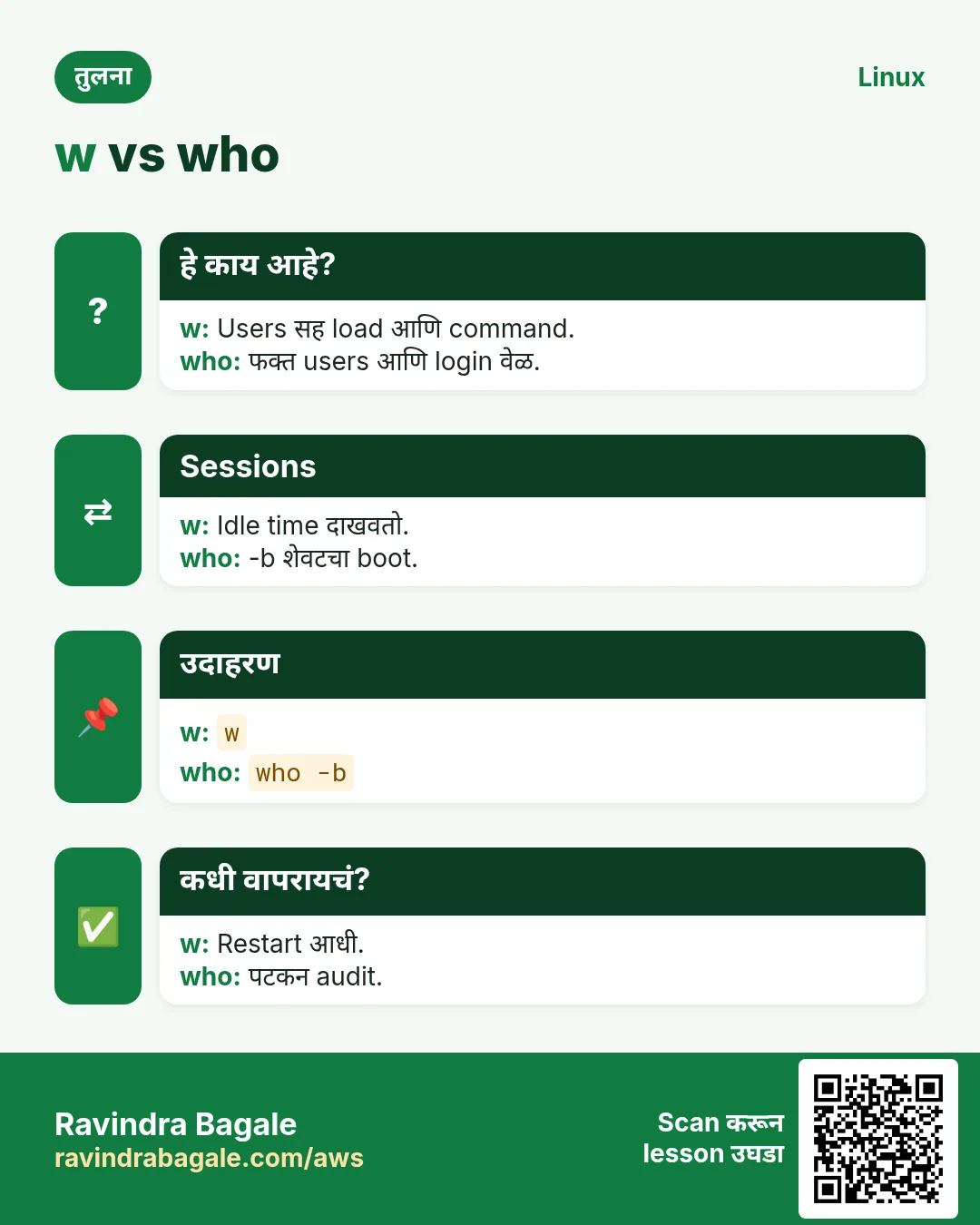
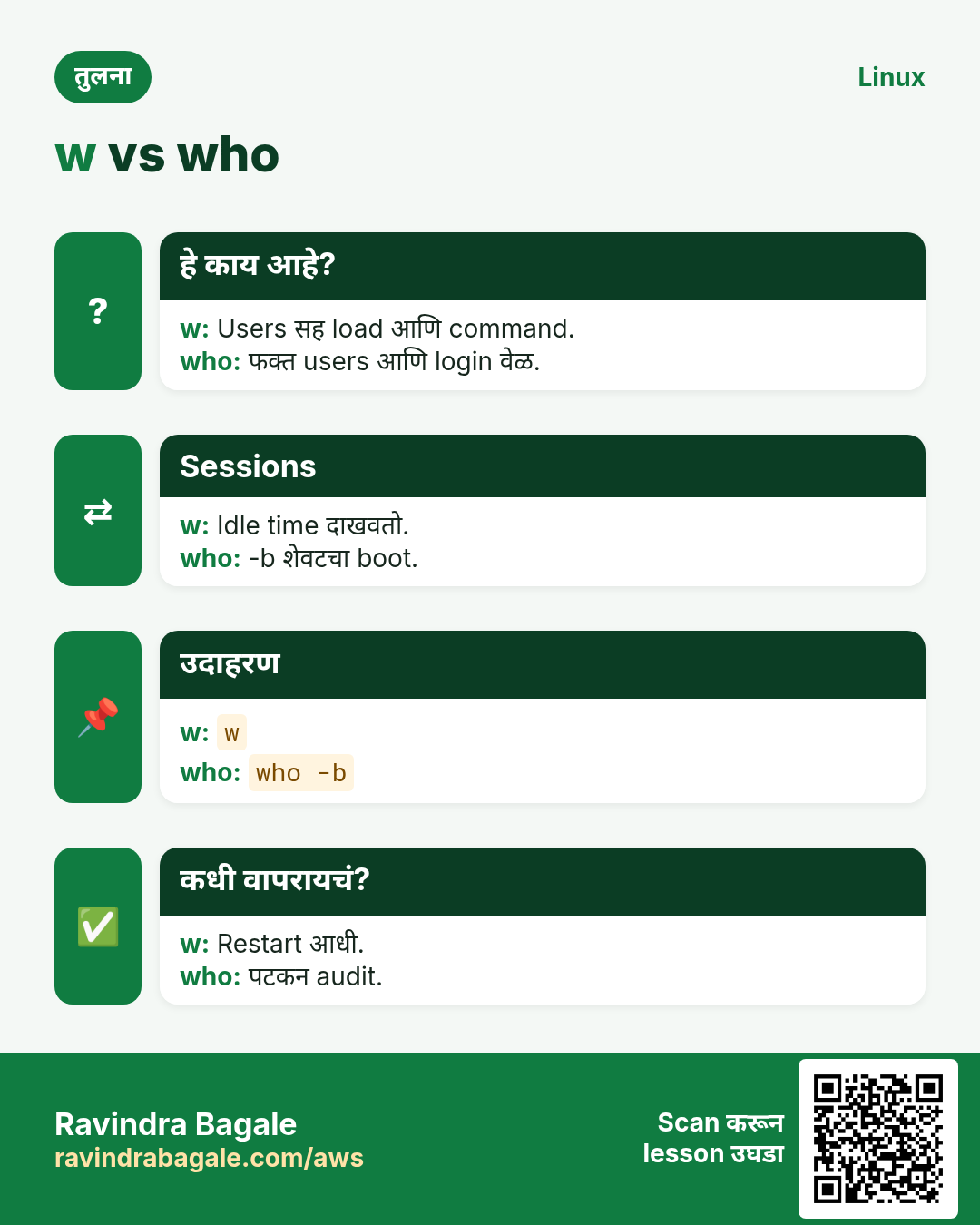
w uptime सारखं uptime आणि load दाखवतो, मग प्रत्येक session ची row: user, TTY, कुठून, login time, idle time आणि सध्याची command. -h header लपवतो, -s short format. who कमी detail देतो; last history दाखवतो.
नेहमीचे options
| Option | काय करतो |
|---|---|
w | सगळे sessions. |
w user | एक user. |
-h | Header नाही. |
-s | Short. |
wall "msg" | सगळ्यांना message. |
कसं करायचं (step by step)
- Reboot आधी.
wOutput:
11:55:02 up 41 days,  2 users,  load average: 0.30, 0.25, 0.20
USER  TTY   FROM        LOGIN@  IDLE  WHAT
ravi  pts/0 10.0.0.12   11:40   0.00s w
meena pts/1 10.0.0.31   10:02   2.00s psql billing
याचा अर्थ: Meena psql मधे आहे: आधी विचारा.
- एक user.
w -h meenaOutput:
meena pts/1 10.0.0.31 10:02 2.00s psql billingयाचा अर्थ: तीच row, header नाही.
- सगळ्यांना warning.
sudo wall "Reboot at 12:30 for kernel patch"Output:
Broadcast message from ravi@web01 (pts/0): Reboot at 12:30 for kernel patchयाचा अर्थ: सगळ्यांना दिसतं.
- Idle sessions.
w -h | awk "\$5 ~ /days/"Output:
test pts/3 10.0.0.9 Mon10 3days -bashयाचा अर्थ: विसरलेला session.
खालच्या tasks मधे सराव करा: सराव tasks
खरा वापर: Swargate मधलं transport office प्रत्येक patch window आधी w चालवतं म्हणजे कोणताही dispatcher session कापला जात नाही.
14. watch: Command पुन्हा पुन्हा चालवा
watch सविस्तर: command repeat करा आणि बदल बघा
हे का लागतं?
Pod Ready होण्याची, disk भरण्याची किंवा queue रिकामी होण्याची वाट? watch command दर काही seconds ला परत चालवतो.
हे काय आहे?
watch command दर 2 seconds ला full screen चालवतो. -n interval ठरवतो, -d differences highlight करतो, -t header लपवतो, -g output बदलला की exit, -e error वर exit. Pipes असलेल्या commands quote करा.
नेहमीचे options
| Option | काय करतो |
|---|---|
-n 5 | दर 5 s. |
-d | बदल highlight. |
-t | Header नाही. |
-g | बदल झाला की थांबा. |
"a | b" | Pipes quote. |
कसं करायचं (step by step)
- Disk बघा.
watch -n 5 df -h /dataOutput:
Every 5.0s: df -h /data
/dev/xvdf  100G  71G  29G  71% /data
याचा अर्थ: Copy चालू असताना live update.
- बदल highlight.
watch -d "ss -tn state established | wc -l"Output:
143याचा अर्थ: Connection count मधले बदल highlight.
- झालं की थांबा.
watch -g -n 10 "kubectl get pod api-0 | tail -1"Output:
api-0 1/1 Runningयाचा अर्थ: Pod ची state बदलली की exit.
- Queue drain.
watch -n 30 "redis-cli llen jobs"Output:
(integer) 1240याचा अर्थ: Workers संपवतात तसा count कमी.
खालच्या tasks मधे सराव करा: सराव tasks
खरा वापर: Hadapsar मधलं fulfilment centre flash sales दरम्यान order queue वर watch -n 30 ठेवतं.
15. wc: Lines, words, bytes मोजा
wc सविस्तर: lines, words आणि bytes मोजा
हे का लागतं?
आज किती errors? CSV मधे किती users? Payload किती मोठा? wc मोजतो.
हे काय आहे?
wc lines, words आणि bytes print करतो. -l फक्त lines, -w words, -c bytes, -m characters (multi-byte aware), -L सर्वात लांब line. अनेक files असल्या तर total जोडतो. Pipe मधून वाचल्यास फक्त number.
नेहमीचे options
| Option | काय करतो |
|---|---|
-l | Lines. |
-w | Words. |
-c | Bytes. |
-m | Characters. |
-L | सर्वात लांब line. |
कसं करायचं (step by step)
- Errors मोजा.
grep -c ERROR app.log; grep ERROR app.log | wc -lOutput:
57
57
याचा अर्थ: दोन मार्गांनी तोच result.
- CSV rows.
wc -l users.csvOutput:
1001 users.csvयाचा अर्थ: 1000 users आणि header.
- अनेक files.
wc -l *.logOutput:
  120 api.log
  340 web.log
  460 total
याचा अर्थ: शेवटी total.
- मराठी text.
echo "पुणे" | wc -c; echo "पुणे" | wc -mOutput:
13
5
याचा अर्थ: Devanagari साठी bytes आणि characters वेगळे.
खालच्या tasks मधे सराव करा: सराव tasks
खरा वापर: Shaniwar Peth मधला publisher print word limit आत राहायला प्रत्येक मराठी article वर wc -w तपासतो.
16. whereis: Binary, source आणि man page शोधा
whereis सविस्तर: binary, source आणि man page
हे का लागतं?
Tool install आहे का, आणि त्याचं man page कुठे? whereis standard system folders मधे शोधतो.
हे काय आहे?
whereis नावासाठी binary, source आणि manual files standard locations मधून list करतो, तुमच्या PATH मधून नाही. -b फक्त binaries, -m फक्त man pages, -s sources. Aliases किंवा functions दिसत नाहीत; त्यासाठी type.
नेहमीचे options
| Option | काय करतो |
|---|---|
whereis name | सगळं. |
-b | Binaries. |
-m | Man pages. |
-s | Sources. |
कसं करायचं (step by step)
- Tool शोधा.
whereis nginxOutput:
nginx: /usr/sbin/nginx /usr/share/nginx /usr/share/man/man8/nginx.8.gzयाचा अर्थ: Binary आणि man page.
- Install नाही.
whereis htopOutput:
htop:याचा अर्थ: काही नाही: install करा.
- फक्त man page.
whereis -m crontabOutput:
crontab: /usr/share/man/man1/crontab.1.gz /usr/share/man/man5/crontab.5.gzयाचा अर्थ: दोन sections आहेत.
- फक्त binary.
whereis -b python3Output:
python3: /usr/bin/python3 /usr/local/bin/python3याचा अर्थ: Disk वर दोन copies.
खालच्या tasks मधे सराव करा: सराव tasks
खरा वापर: Chinchwad मधला support desk agent package install झालं का ते पक्कं करायला customers कडून whereis output मागतो.
17. which: Command चा path
which सविस्तर: PATH कोणती file चालवेल
हे का लागतं?
दोन Java versions install आहेत आणि चुकीची चालते. which PATH वरचा पहिला match दाखवतो.
हे काय आहे?
which PATH आधी resolve करते त्या command चा पूर्ण path print करतो. -a सगळे matches दाखवतो. तो external program आहे, त्यामुळे aliases आणि functions चुकू शकतात; scripts मधे type आणि command -v जास्त अचूक.
नेहमीचे options
| Option | काय करतो |
|---|---|
which name | पहिला match. |
-a | सगळे matches. |
command -v | Builtin check. |
echo $PATH | Search order. |
कसं करायचं (step by step)
- कोणता java?
which javaOutput:
/usr/bin/javaयाचा अर्थ: System Java चालतो.
- सगळे.
which -a javaOutput:
/usr/bin/java
/opt/jdk-21/bin/java
याचा अर्थ: JDK 21 PATH वर नंतर.
- PATH fix.
export PATH=/opt/jdk-21/bin:$PATH; which javaOutput:
/opt/jdk-21/bin/javaयाचा अर्थ: आता JDK 21.
- Script check.
command -v docker >/dev/null || echo "install docker"Output:
install dockerयाचा अर्थ: Missing tool सापडलं.
खालच्या tasks मधे सराव करा: सराव tasks
खरा वापर: Baner मधल्या fintech ची CI image सुरुवातीला which -a java print करते म्हणजे build logs मधे वापरलेला JDK दिसतो.
18. who: Logged-in users
who सविस्तर: logged-in users आणि boot
हे का लागतं?
पटकन check: कोण logged in, कुठून, आणि system कधी boot झाला?
हे काय आहे?
who logged-in sessions terminal, login time आणि source सह list करतो. -b शेवटचा boot time, -r run level, -q नावं आणि count, -H headers. who am i तुमचा स्वतःचा session दाखवतो. w प्रत्येक user काय चालवतो ते जोडतो.
नेहमीचे options
| Option | काय करतो |
|---|---|
who | Sessions. |
-b | Boot time. |
-q | नावं आणि count. |
-H | Headers. |
who am i | माझा session. |
कसं करायचं (step by step)
- कोण आहे?
whoOutput:
ravi   pts/0  2026-10-27 11:40 (10.0.0.12)
meena  pts/1  2026-10-27 10:02 (10.0.0.31)
याचा अर्थ: दोन लोक.
- शेवटचा boot.
who -bOutput:
system boot 2026-09-16 08:31याचा अर्थ: September मध्यापासून चालू.
- Count.
who -qOutput:
ravi meena
# users=2
याचा अर्थ: दोन sessions.
- माझा session.
who am iOutput:
ravi pts/0 2026-10-27 11:40 (10.0.0.12)याचा अर्थ: तुमचा IP दिसतो.
खालच्या tasks मधे सराव करा: सराव tasks
खरा वापर: Kalyani Nagar मधली hotel IT team night-audit window बाहेरचे logins पकडायला दर तासाला who -q log करते.
19. whoami: तुमचं user नाव
whoami सविस्तर: मी कोणता user
हे का लागतं?
sudo, su नंतर किंवा container मधे आपण कोणता user आहोत ते विसरायला होतं. Scripts ना root म्हणून चालायला नकार द्यायचा असतो, किंवा root च हवा असतो.
हे काय आहे?
whoami effective user name print करतो. id -un सारखंच; id UID, groups पण दाखवतो. Scripts मधे root ओळखायला $(id -u) ला 0 शी compare करा.
नेहमीचे options
| Option | काय करतो |
|---|---|
whoami | User name. |
id -un | सारखंच. |
id -u | UID. |
id | पूर्ण identity. |
कसं करायचं (step by step)
- मी कोण?
whoamiOutput:
raviयाचा अर्थ: तुमचा user.
- sudo सह.
sudo whoamiOutput:
rootयाचा अर्थ: Commands root म्हणून.
- Root guard.
[ "$(id -u)" -eq 0 ] || { echo "run as root"; exit 1; }Output:
run as rootयाचा अर्थ: Script लवकर थांबते.
- Container मधे.
docker run --rm alpine whoamiOutput:
rootयाचा अर्थ: Containers बहुदा default root: USER set करा.
खालच्या tasks मधे सराव करा: सराव tasks
खरा वापर: Kharadi मधली security team whoami ला root print करणाऱ्या image चा प्रत्येक Dockerfile flag करते.
20. xargs: Input मधून commands बनवा
xargs सविस्तर: lines ना arguments बनवा
हे का लागतं?
find files ची list देतो आणि प्रत्येक delete, compress किंवा copy करायची असते. xargs ती list command ला batches मधे किंवा parallel देतो.
हे काय आहे?
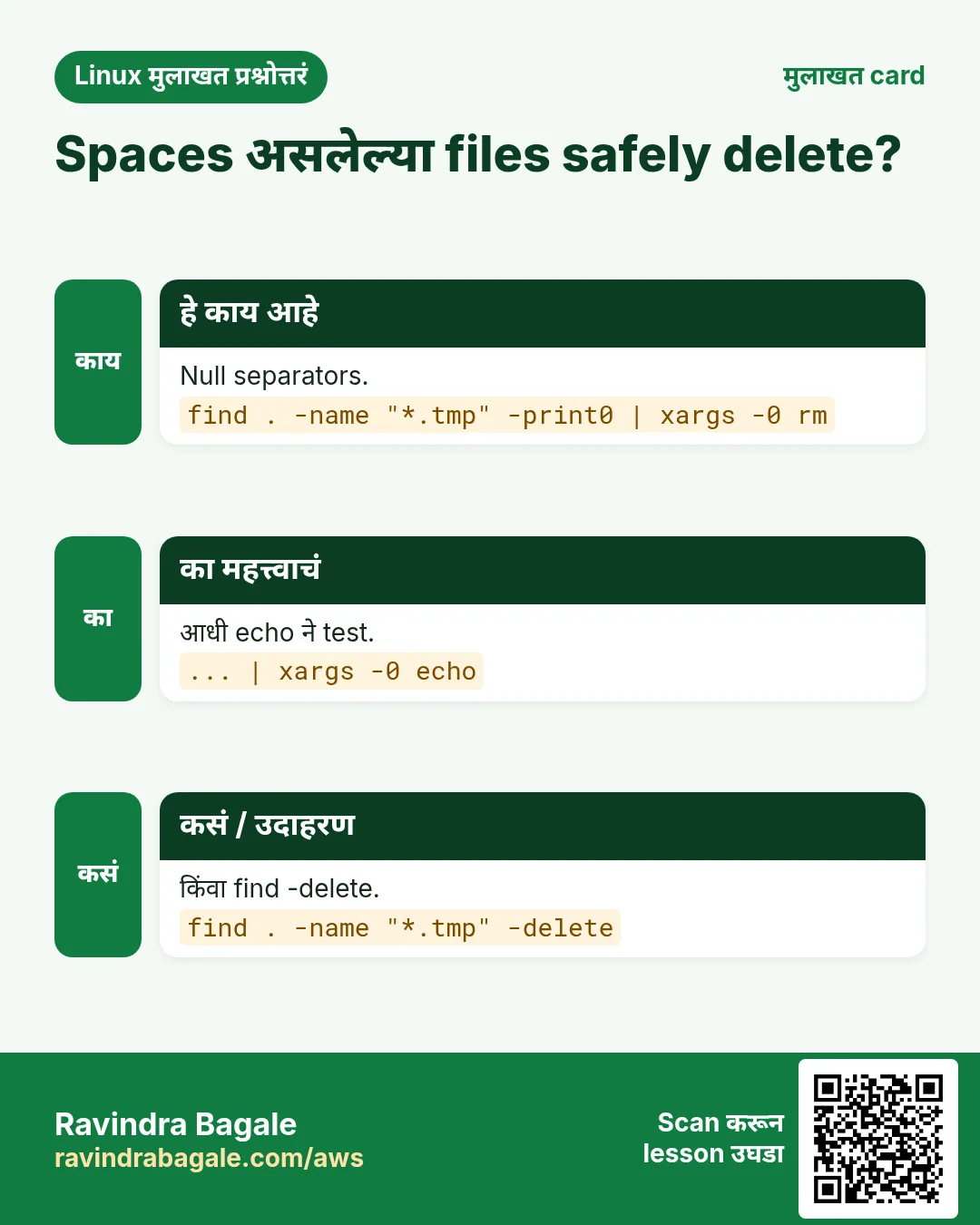
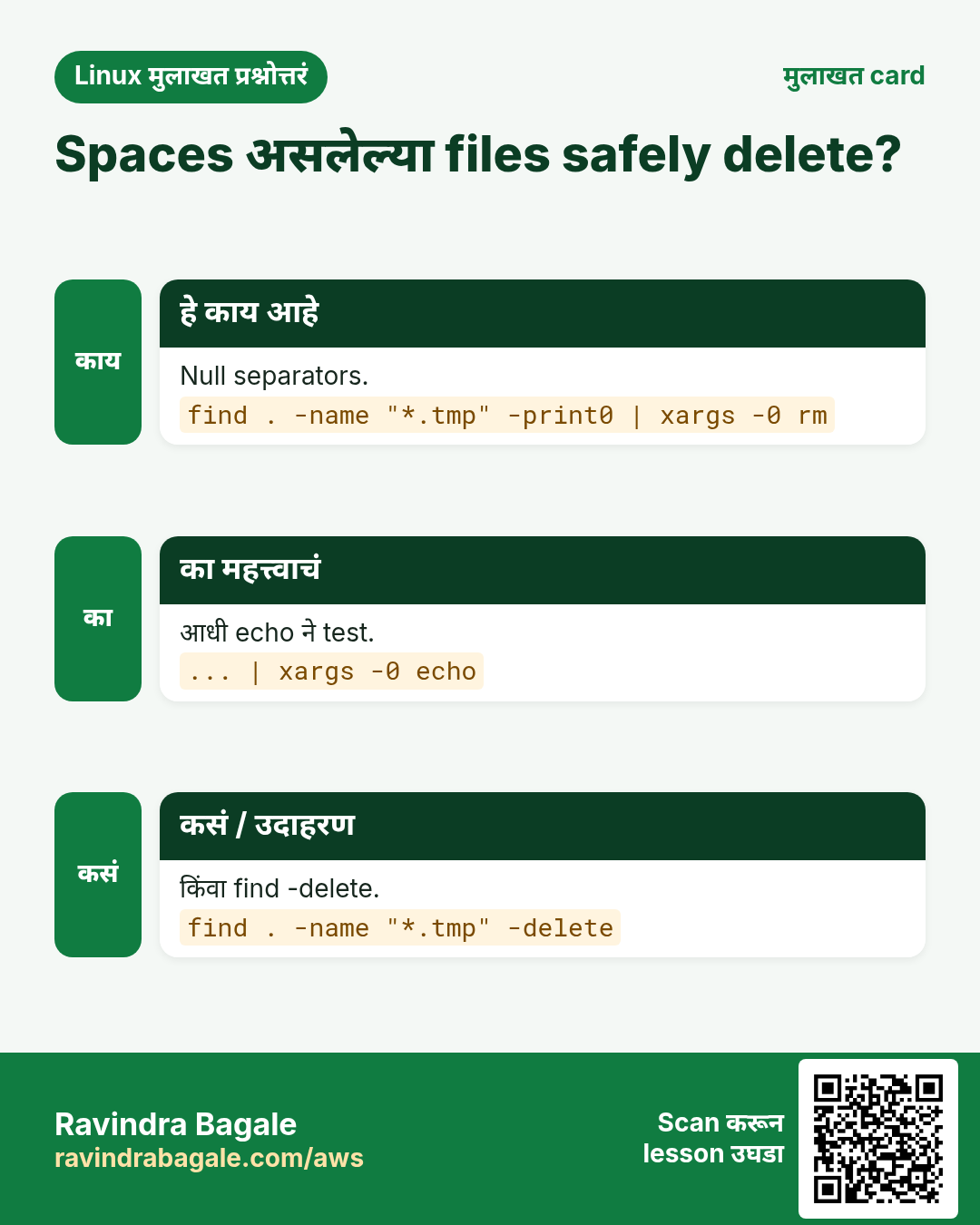
xargs stdin मधून items वाचून त्यांना arguments म्हणून command चालवतो. -0 spaces असलेल्या नावांसाठी find -print0 सोबत, -n प्रत्येक run ला items, -P parallel, -I {} item कुठेही ठेवतो, -r रिकाम्या input वर चालवत नाही, -t प्रत्येक command print करतो.
नेहमीचे options
| Option | काय करतो |
|---|---|
-0 | Null separated. |
-n 1 | एका run ला एक. |
-P 4 | 4 parallel. |
-I {} | Placeholder. |
-r | रिकामं असेल तर skip. |
-t | Commands दाखवा. |
कसं करायचं (step by step)
- जुने logs compress.
find /var/log/app -name "*.log" -mtime +7 -print0 | xargs -0 -r gzip -vOutput:
api-2026-10-12.log: 88.1% -- replaced with api-2026-10-12.log.gzयाचा अर्थ: Spaces सह safe, रिकामं असेल तर काही चालत नाही.
- Parallel pings.
cat hosts.txt | xargs -P 8 -I {} ping -c1 -W1 {}Output:
64 bytes from 10.0.1.5: icmp_seq=1 ttl=64 time=0.4 msयाचा अर्थ: एकावेळी आठ.
- Placeholder.
ls *.csv | xargs -I {} cp {} /backup/{}.bakयाचा अर्थ: प्रत्येक file नव्या नावाने copy.
- काय चालतं ते बघा.
echo a b c | xargs -n 1 -t echoOutput:
echo a
a
echo b
b
echo c
c
याचा अर्थ: प्रत्येक item ला एक run.
खालच्या tasks मधे सराव करा: सराव tasks
खरा वापर: Bhosari मधला CNC workshop दिवसाचे machine logs CSV मधे बदलायला find -print0 | xargs -0 -P 4 वापरतो.
21. xz: xz ने files compress
xz सविस्तर: सर्वात strong common compression
हे का लागतं?
वर्षभराचे logs archive करताना किंवा मोठा release पाठवताना सर्वात लहान file हवी आणि जास्त वेळ चालतो. xz ते देतो.
हे काय आहे?
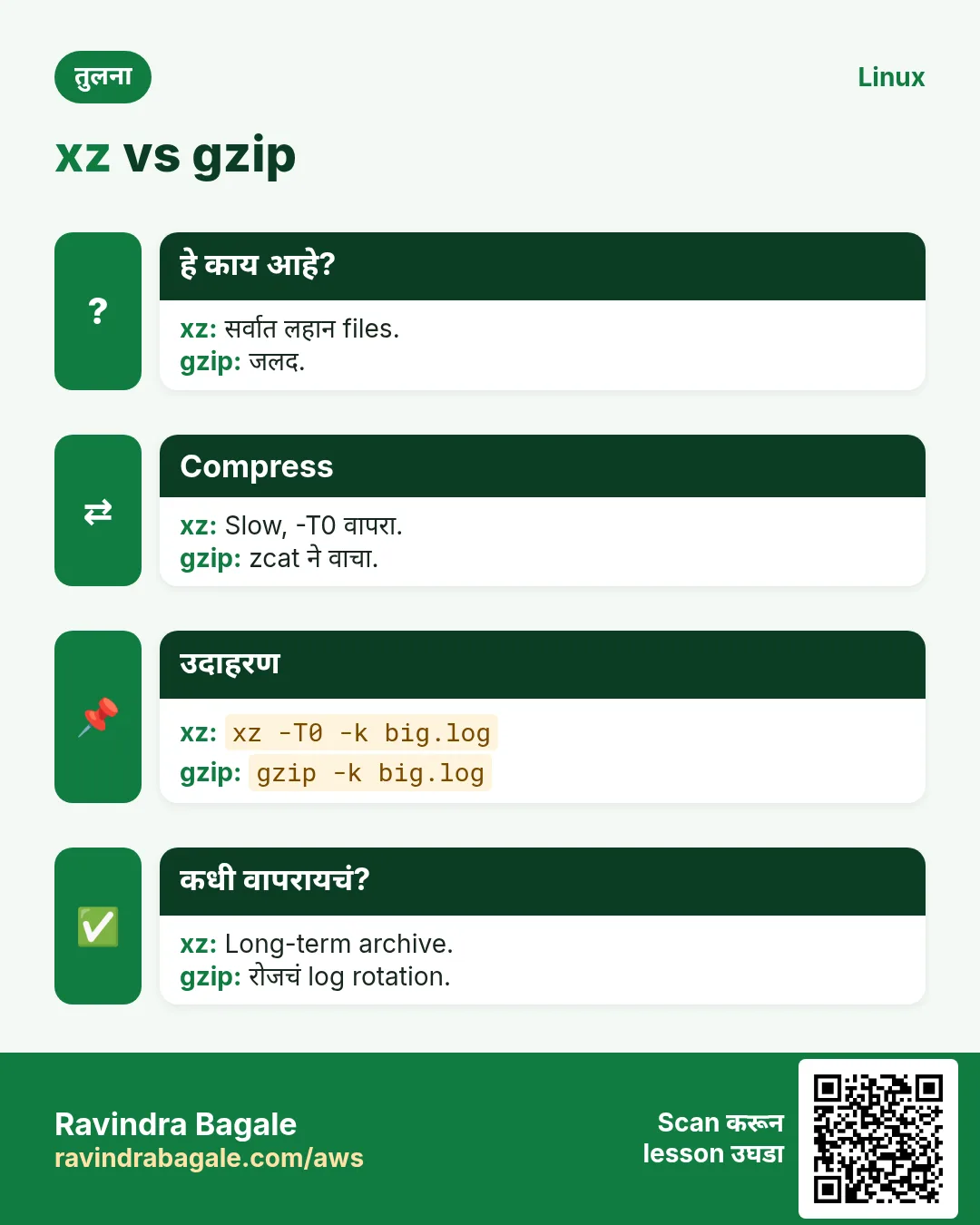
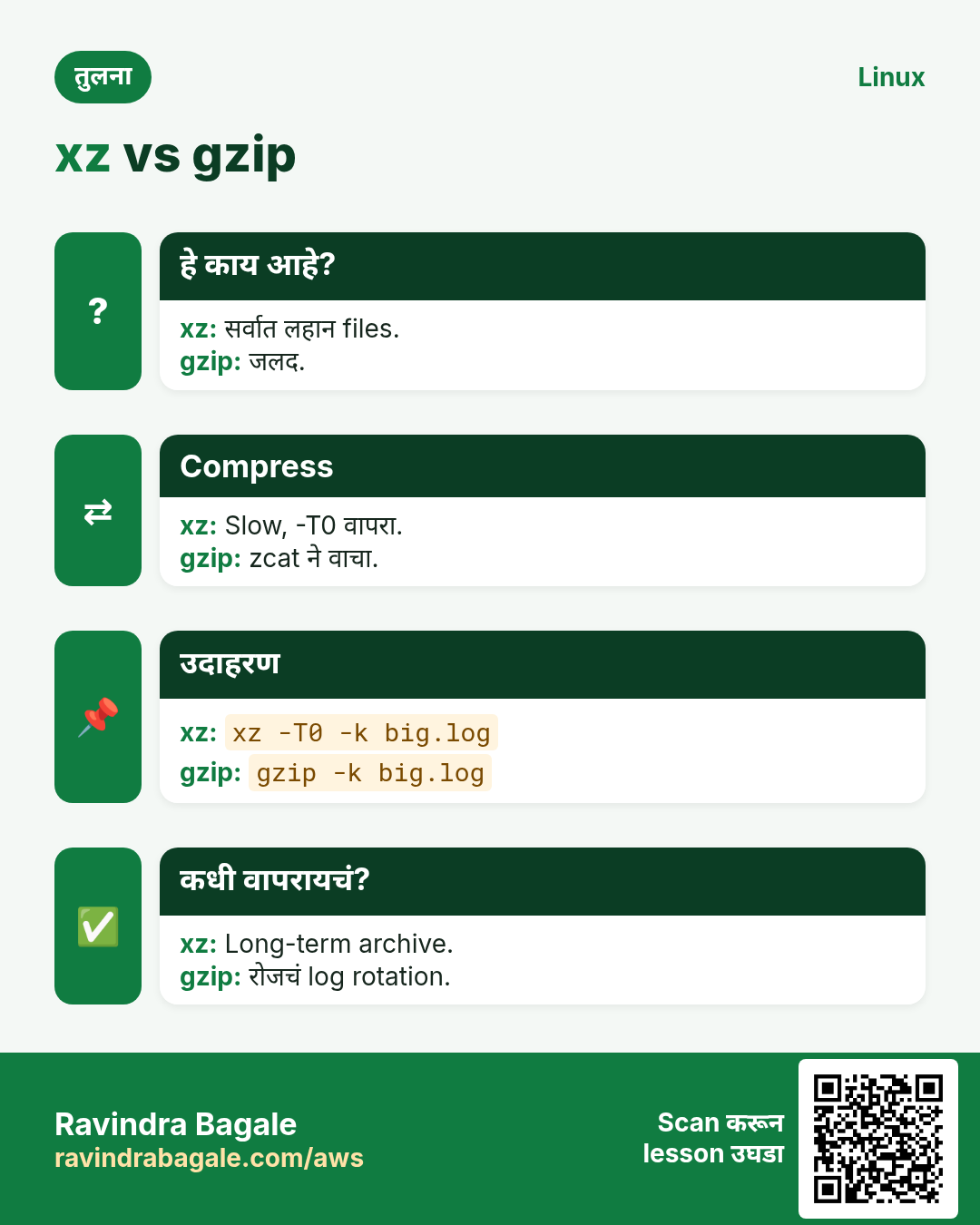
xz file ला .xz मधे compress करून original काढतो; -d किंवा unxz decompress, -k original ठेवतो, -0 ते -9 level, -T0 सगळे CPUs, -l ratio list, xzcat extract न करता वाचतो. tar cJf .tar.xz बनवतो. सविस्तर comparison compression chapter मधे.
नेहमीचे options
| Option | काय करतो |
|---|---|
xz file | Compress. |
-d | Decompress. |
-k | Original ठेवा. |
-9 -T0 | Max, सगळे CPUs. |
-l | Info. |
xzcat | वाचा. |
कसं करायचं (step by step)
- Compress, original ठेवा.
xz -k -T0 audit-2025.log; ls -lh audit-2025.log*Output:
-rw-r--r-- 1 ravi ravi 2.1G audit-2025.log
-rw-r--r-- 1 ravi ravi  96M audit-2025.log.xz
याचा अर्थ: सुमारे 22 पट लहान.
- Ratio.
xz -l audit-2025.log.xz | tail -1Output:
1 1 95.8 MiB 2,048.0 MiB 0.047 CRC64 audit-2025.log.xzयाचा अर्थ: Original च्या 4.7%.
- Extract न करता वाचा.
xzcat audit-2025.log.xz | grep -c "login failed"Output:
3120याचा अर्थ: Compressed archive मधे search.
- xz सह tar.
tar cJf release-4.2.tar.xz release/याचा अर्थ: सर्वात लहान release download.
खालच्या tasks मधे सराव करा: सराव tasks
खरा वापर: Shivajinagar मधलं government office storage budget मधे बसायला सात वर्षांचे audit logs .xz म्हणून ठेवतं.
22. yes: एक line पुन्हा पुन्हा
yes सविस्तर: उत्तर repeat करा किंवा load बनवा
हे का लागतं?
जुना installer सारखं "Continue? [y/N]" विचारतो. yes तुमच्यासाठी उत्तर देतो. Quick test data किंवा CPU load पण बनवू शकतो.
हे काय आहे?
yes थांबवेपर्यंत y (किंवा दिलेला कोणताही text) print करत राहतो. Prompt करणाऱ्या command ला pipe करा, N lines साठी head -n ने कापा, किंवा एक CPU core load करायला चालवा. Tool ला स्वतःचा -y flag असेल तर तोच वापरा.
नेहमीचे options
| Option | काय करतो |
|---|---|
yes | कायम y. |
yes text | Text repeat. |
| head -n 5 | मर्यादा. |
yes > /dev/null & | CPU load. |
-y flag | Tool flag वापरा. |
कसं करायचं (step by step)
- Prompts ला उत्तर.
yes | ./legacy-install.sh | tail -1Output:
Install complete.याचा अर्थ: प्रत्येक prompt ला y.
- Test lines.
yes "order,Pune,100" | head -n 3Output:
order,Pune,100
order,Pune,100
order,Pune,100
याचा अर्थ: Quick test data.
- CPU load.
yes > /dev/null & top -b -n 1 | grep yesOutput:
4512 ravi 20 0 8.3m 1.8m R 99.7 0.0 yesयाचा अर्थ: Alerts test करायला एक core 100%.
- थांबवा.
kill %1Output:
[1]+ Terminated yes > /dev/nullयाचा अर्थ: Load गेला.
खालच्या tasks मधे सराव करा: सराव tasks
खरा वापर: Kharadi मधली monitoring team CPU alerts on-call phone पर्यंत पोहोचतात का ते तपासायला test box वर yes > /dev/null चालवते.
23. yum: RHEL आणि CentOS वरचं जुनं package tool
yum सविस्तर: जुन्या Red Hat systems वर packages
हे का लागतं?
Amazon Linux 2, CentOS 7 आणि RHEL 7 अजून अनेक production servers चालवतात. त्यांचं package tool yum; नव्या systems वर yum हा dnf चा alias.
हे काय आहे?
yum install, remove, update आणि search dependencies सह RPM packages manage करतात; info details दाखवतो, list installed list करतो, provides file कोणत्या package ची ते शोधतो, history transactions दाखवतो आणि undo करतो, -y yes देतो. dnf (Part 2) सारख्याच commands.
नेहमीचे options
| Option | काय करतो |
|---|---|
install -y pkg | Install. |
remove pkg | Remove. |
update | सगळं update. |
search word | Search. |
provides */file | File कोणाची. |
history undo N | Roll back. |
कसं करायचं (step by step)
- Install.
sudo yum install -y httpdOutput:
Installed:
  httpd-2.4.62-1.amzn2.x86_64
Complete!
याचा अर्थ: Apache install.
- File कोणत्या package मधे?
yum provides "*/bin/dig"Output:
bind-utils-9.11.4-26.P2.amzn2.13.x86_64 : Utilities for querying DNS name serversयाचा अर्थ: dig साठी bind-utils.
- History.
sudo yum history | head -4Output:
ID | Command line   | Date and time    | Action(s)
 42 | update         | 2026-10-27 02:00 | Update
याचा अर्थ: काल रात्रीचं update 42.
- Undo.
sudo yum history undo 42 -yOutput:
Complete!याचा अर्थ: Packages आधीसारखे.
खालच्या tasks मधे सराव करा: सराव tasks
खरा वापर: Hinjewadi मधली insurance firm अजूनही रविवारच्या window मधे Amazon Linux 2 claim servers yum update ने patch करते.
24. zcat: .gz files unpack न करता वाचा
zcat सविस्तर: extract न करता gzip files वाचा
हे का लागतं?
Rotated logs .gz असतात. मागच्या आठवड्याचे errors शोधायला आधी gigabytes disk वर extract करायचे नसतात.
हे काय आहे?
zcat .gz files चा decompressed content stdout वर print करतो आणि त्या compressed च ठेवतो. zgrep search, zless page, zdiff compare. -f plain files पण पुढे देतो. xzcat आणि bzcat .xz आणि .bz2 साठी तेच.
नेहमीचे options
| Option | काय करतो |
|---|---|
zcat f.gz | Print. |
zgrep pat f.gz | Search. |
zless f.gz | Page. |
zcat -f * | Plain पण. |
xzcat / bzcat | इतर formats. |
कसं करायचं (step by step)
- Rotated log वाचा.
zcat /var/log/messages-20261020.gz | head -1Output:
Oct 14 00:00:01 web01 systemd[1]: Started Daily rotation of log files.याचा अर्थ: Extract करायची गरज नाही.
- आठवड्याचे errors.
zcat app.log.*.gz | grep -c ERROROutput:
812याचा अर्थ: सगळ्या rotated files मधे.
- थेट search.
zgrep -h "order 5512" app.log.3.gzOutput:
2026-10-24 18:02:11 order 5512 payment timeoutयाचा अर्थ: जुनं incident सापडलं.
- Mixed files.
zcat -f app.log app.log.1.gz | wc -lOutput:
91240याचा अर्थ: Plain आणि gzip एकत्र.
खालच्या tasks मधे सराव करा: सराव tasks
खरा वापर: Viman Nagar मधली airline ops team दोन आठवड्यांच्या compressed booking logs मधून passenger complaint trace करायला zgrep वापरते.
25. या range मधल्या commands ज्या आधीच सविस्तर covered आहेत
हे का लागतं?
या commands चा पूर्ण why, what आणि how section आधीच्या chapter मधे आहे. इथे परत लिहिलं तर फक्त page लांब होईल.
हे काय आहे?
प्रत्येक link options, examples आणि output असलेला नेमका section उघडतो.
कसं करायचं (step by step)
unzip: Zip files extract करा: -l, -d, -o आणि -qwget: Files download करा: -O, -c, -q आणि --mirrorzip: Zip files बनवा: -r, -e, -x आणि -9
26. अनेक industries मधली खरी उदाहरणं
हे का लागतं?
तेच Linux skill प्रत्येक प्रकारच्या company मध्ये लागतं. वेगवेगळ्या ठिकाणी पाहिलं की लक्षात राहतं.
हे काय आहे?
प्रत्येक row म्हणजे एक काल्पनिक team. कोण हे वापरतं आणि कसं ते दाखवते.
कसं करायचं (step by step)
| Team आणि शहर | ते कसं वापरतात | Command |
|---|---|---|
| Neha, telecom, Magarpatta | Call failures मोजते | sort | uniq -c |
| Sagar, bank IT, Baner | Users onboard करतो | useradd -m -G finance |
| Meera, pharma, Bhosari | Batch servers बघते | vmstat 5 |
| Vikram, logistics, Chakan | Storage वाढवतो | vgcreate vgdata /dev/xvdf |
| Pooja, edtech, Aundh | Bulk files rename | find . -name "*.tmp" | xargs rm |
| Nikhil, media, Koregaon Park | Logs archive | xz -T0 big.log |
27. नेहमीच्या errors आणि त्यांचे fixes
हे का लागतं?
हे errors सगळ्यांना येतात. कारण माहीत असलं की तास वाचतात.
हे काय आहे?
आधी नेमका message वाचा. मग खालच्या row शी जुळवा.
कसं करायचं (step by step)
| दिसणारा error | का होतं | Fix कसा करायचा |
|---|---|---|
useradd: user 'ravi' already exists | नाव आधीच आहे | usermod वापरा किंवा दुसरं नाव.id ravi |
usermod: user ravi is currently used by process 2211 | User login आहे | Logout करायला सांगा किंवा process थांबवा.pkill -u ravi |
userdel: user ravi is currently used by process 2211 | User चे processes चालू | Processes थांबवून delete.sudo pkill -u ravi; sudo userdel -r ravi |
usermod: group 'dockr' does not exist | Group नावात typo | getent group ने तपासा.getent group docker |
Device /dev/xvdf excluded by a filter. | Disk वर जुने signatures | wipefs ने तपासा; खात्री असेल तरच साफ.sudo wipefs /dev/xvdf |
E212: Can't open file for writing | vim मधे permission नाही | sudo tee ने save.:w !sudo tee % > /dev/null |
E325: ATTENTION Found a swap file | दुसरा vim उघडा किंवा crash | Recover करा किंवा .swp काढा.vim -r file |
xargs: unmatched single quote; by default quotes are special to xargs unless you use the -0 option | Quote असलेलं filename | find -print0 आणि xargs -0.find . -print0 | xargs -0 ls |
xz: file.xz: File format not recognized | xz file नाही | file ने तपासा.file file.xz |
gzip: stdin: not in gzip format | Non-gzip file वर zcat | xzcat किंवा cat.file app.log.1 |
Error: Unable to find a match: htopp | Package नाव चुकीचं | नाव शोधा.yum search htop |
which: no kubectl in (/usr/local/bin:/usr/bin) | Install नाही किंवा PATH मधे नाही | Install करा किंवा PATH fix.echo $PATH |
28. Troubleshooting step by step
हे का लागतं?
Part 8 ची command अपेक्षेप्रमाणे वागत नसेल तर या steps.
हे काय आहे?
वरून खाली जा. ज्या step ला problem दिसतो तिथे थांबा.
कसं करायचं (step by step)
- Input sorted आहे?
sort file | uniq -c- User आहे?
id ravi; getent passwd ravi- Install आहे?
which tool; rpm -q tool- File type काय?
file archive- Spaces असलेली नावं?
find . -print0 | xargs -0 echo- Box overload?
uptime; vmstat 1 529. Lab 1: User onboard आणि offboard
हे का लागतं?
Group सह user बनवा, तपासा, lock करा, मग home सह काढा.
हे काय आहे?
पूर्ण hands-on lab. प्रत्येक step test Linux machine वर करा (EC2 instance, VM किंवा WSL).
कसं करायचं (step by step)
- बनवा.
sudo groupadd labteam; sudo useradd -m -G labteam -s /bin/bash labuser- तपासा.
id labuserOutput:
uid=1005(labuser) gid=1005(labuser) groups=1005(labuser),1006(labteam)- Lock.
sudo usermod -L labuser; sudo passwd -S labuserOutput:
labuser LK- काढा.
sudo userdel -r labuser; sudo groupdel labteam; id labuserOutput:
id: labuser: no such user30. Lab 2: Logs compress, count आणि watch
हे का लागतं?
Test log बनवा, xz ने compress करा, xzcat आणि wc ने मोजा, आणि size watch करा.
हे काय आहे?
पूर्ण hands-on lab. प्रत्येक step test Linux machine वर करा (EC2 instance, VM किंवा WSL).
कसं करायचं (step by step)
- Log बनवा.
yes "GET /api 200" | head -n 100000 > /tmp/t.log; wc -l /tmp/t.logOutput:
100000 /tmp/t.log- Compress.
xz -k /tmp/t.log; ls -lh /tmp/t.log*- मोजा.
xzcat /tmp/t.log.xz | uniq -cOutput:
100000 GET /api 200- Watch.
watch -n 2 ls -lh /tmp/t.log.xz- साफ.
rm /tmp/t.log /tmp/t.log.xzRavindra Bagale's Tip
Always sort before uniq, test xargs with echo first, and never userdel -r before you back up the home folder. Small checks save big mistakes.
Ravindra Bagale's Tip – मराठी
uniq आधी नेहमी sort, xargs आधी echo ने test, आणि home folder backup केल्याशिवाय कधीही userdel -r नको. छोटे checks मोठ्या चुका वाचवतात.
Ravindra Bagale's Tip – हिंदी
uniq से पहले हमेशा sort, xargs पहले echo से test, और home folder backup किए बिना कभी userdel -r नहीं. छोटे checks बड़ी गलतियाँ बचाते हैं.
31. नेहमी विचारले जाणारे प्रश्न
प्र. uniq duplicates का चुकवतो?
फक्त शेजारच्या lines जोडतो; आधी sort.
प्र. yum की dnf?
नव्या RHEL आणि Amazon Linux 2023 वर yum म्हणजे dnf.
प्र. w की who?
w load आणि प्रत्येक user काय चालवतो तेही दाखवतो.
प्र. xz की gzip?
xz लहान पण slow; gzip जलद.
प्र. vim मधून बाहेर कसं?
Esc मग :q! save न करता, :wq save करून.
प्र. usermod -G की -aG?
-aG add करतो; फक्त -G सगळे groups replace करतो.
32. मुलाखत प्रश्न आणि उत्तरं
Beginner level
प्र. File मधल्या lines?
wc -l file.
प्र. मी कोण?
whoami.
प्र. Package install?
sudo yum install name.
प्र. System uptime?
uptime.
Mid level level
प्र. Top 5 repeated lines?
sort | uniq -c | sort -rn | head -5.
प्र. User ला docker group मधे safely?
usermod -aG docker user.
प्र. अनेक files safely delete?
find -print0 | xargs -0 rm.
प्र. .gz log unzip न करता?
zcat किंवा zgrep.
Senior level
प्र. Box slow; load 20. Steps?
vmstat मधे r, b आणि wa, top, मग disk किंवा CPU owner.
प्र. User offboarding design.
Lock, sessions kill, home tar archive, userdel -r, sudoers audit.
प्र. भरलेल्या LVM ला 500 GB.
pvcreate, vgextend, lvextend -r.
प्र. Logs disk खातात. Plan?
compress सह logrotate, जुने xz, zcat ने वाचा, df watch.
घरी करून बघा
- tr, sort, uniq आणि wc ने text file मधले top 10 शब्द शोधा.
- एका group मधे दोन users बनवा आणि काढा.
- tar backup चालू असताना vmstat 2 10 चालवा आणि wa नोंदवा.
- Log gzip आणि xz ने compress करून sizes compare करा.
सराव Tasks
Vidarbha Cotton Mills हा नागपूर मधला वस्त्रोद्योग व्यवसाय आहे. Ganesh Wankhede त्यांचं IT व cloud काम पाहतात. त्यांचे पैसे INR मध्ये मोजले जातात आणि AWS resources ap-south-1 Region मध्ये चालतात. खालच्या tasks मध्ये तुम्ही या lesson मध्ये शिकलेलं वापरून त्यांची खरी कामं करता. सगळी नावं, account IDs, IP addresses व numbers सरावासाठी काल्पनिक आहेत.
0 / 20
सोपं Line वर उघडा
का: BIZ Linux servers चालवतो आणि uniq ते zip commands रोज वापरतो.
काय करायचं: nginx.conf vim मधे line 40 वर cursor सह उघडा.
- हे काम करणारा Linux command शोधा.
- Task ला लागणारे options (उदा. -r, -h) जोडा.
- File नावं, folders किंवा users योग्य क्रमाने लिहा.
- System files/users बदलत असाल तर sudo वापरा. Check answer दाबा.
सोपं शब्द मोजा
का: BIZ Linux servers चालवतो आणि uniq ते zip commands रोज वापरतो.
काय करायचं: essay.txt मधले शब्द मोजा.
- हे काम करणारा Linux command शोधा.
- Task ला लागणारे options (उदा. -r, -h) जोडा.
- File नावं, folders किंवा users योग्य क्रमाने लिहा.
- System files/users बदलत असाल तर sudo वापरा. Check answer दाबा.
सोपं Binary शोधा
का: BIZ Linux servers चालवतो आणि uniq ते zip commands रोज वापरतो.
काय करायचं: PATH मधून python3 command चा full path दाखवा.
- हे काम करणारा Linux command शोधा.
- Task ला लागणारे options (उदा. -r, -h) जोडा.
- File नावं, folders किंवा users योग्य क्रमाने लिहा.
- System files/users बदलत असाल तर sudo वापरा. Check answer दाबा.
सोपं Binary आणि man page
का: BIZ Linux servers चालवतो आणि uniq ते zip commands रोज वापरतो.
काय करायचं: rsync चा binary आणि manual कुठे आहे ते दाखवा.
- हे काम करणारा Linux command शोधा.
- Task ला लागणारे options (उदा. -r, -h) जोडा.
- File नावं, folders किंवा users योग्य क्रमाने लिहा.
- System files/users बदलत असाल तर sudo वापरा. Check answer दाबा.
सोपं Package install
का: BIZ Linux servers चालवतो आणि uniq ते zip commands रोज वापरतो.
काय करायचं: Confirmation न विचारता tcpdump package install करा.
- हे काम करणारा Linux command शोधा.
- Task ला लागणारे options (उदा. -r, -h) जोडा.
- File नावं, folders किंवा users योग्य क्रमाने लिहा.
- System files/users बदलत असाल तर sudo वापरा. Check answer दाबा.
सोपं gz वाचा
का: BIZ Linux servers चालवतो आणि uniq ते zip commands रोज वापरतो.
काय करायचं: audit.1.gz disk वर unzip न करता contents print करा.
- हे काम करणारा Linux command शोधा.
- Task ला लागणारे options (उदा. -r, -h) जोडा.
- File नावं, folders किंवा users योग्य क्रमाने लिहा.
- System files/users बदलत असाल तर sudo वापरा. Check answer दाबा.
सोपं तीन yes lines
का: BIZ Linux servers चालवतो आणि uniq ते zip commands रोज वापरतो.
काय करायचं: yes वापरून agree शब्द बरोबर 3 वेळा print करा.
- हे काम करणारा Linux command शोधा.
- Task ला लागणारे options (उदा. -r, -h) जोडा.
- File नावं, folders किंवा users योग्य क्रमाने लिहा.
- System files/users बदलत असाल तर sudo वापरा. Check answer दाबा.
सोपं Lines मोजा
का: BIZ Linux servers चालवतो आणि uniq ते zip commands रोज वापरतो.
काय करायचं: vendors.csv मधल्या lines मोजा.
- हे काम करणारा Linux command शोधा.
- Task ला लागणारे options (उदा. -r, -h) जोडा.
- File नावं, folders किंवा users योग्य क्रमाने लिहा.
- System files/users बदलत असाल तर sudo वापरा. Check answer दाबा.
मध्यम Repeats मोजा
का: BIZ Linux servers चालवतो आणि uniq ते zip commands रोज वापरतो.
काय करायचं: cities.txt मधे प्रत्येक line किती वेळा येते ते मोजा (आधी sort).
- हे काम करणारा Linux command शोधा.
- Task ला लागणारे options (उदा. -r, -h) जोडा.
- File नावं, folders किंवा users योग्य क्रमाने लिहा.
- System files/users बदलत असाल तर sudo वापरा. Check answer दाबा.
मध्यम फक्त duplicates
का: BIZ Linux servers चालवतो आणि uniq ते zip commands रोज वापरतो.
काय करायचं: sorted skus.txt मधे repeat होणाऱ्या lines दाखवा.
- हे काम करणारा Linux command शोधा.
- Task ला लागणारे options (उदा. -r, -h) जोडा.
- File नावं, folders किंवा users योग्य क्रमाने लिहा.
- System files/users बदलत असाल तर sudo वापरा. Check answer दाबा.
मध्यम Home सह user
का: BIZ Linux servers चालवतो आणि uniq ते zip commands रोज वापरतो.
काय करायचं: farhan user home folder सह बनवा.
- हे काम करणारा Linux command शोधा.
- Task ला लागणारे options (उदा. -r, -h) जोडा.
- File नावं, folders किंवा users योग्य क्रमाने लिहा.
- System files/users बदलत असाल तर sudo वापरा. Check answer दाबा.
मध्यम User आणि home delete
का: BIZ Linux servers चालवतो आणि uniq ते zip commands रोज वापरतो.
काय करायचं: oldintern user आणि home folder delete करा.
- हे काम करणारा Linux command शोधा.
- Task ला लागणारे options (उदा. -r, -h) जोडा.
- File नावं, folders किंवा users योग्य क्रमाने लिहा.
- System files/users बदलत असाल तर sudo वापरा. Check answer दाबा.
मध्यम Group मधे add
का: BIZ Linux servers चालवतो आणि uniq ते zip commands रोज वापरतो.
काय करायचं: sneha ला इतर groups न काढता auditors group मधे add करा.
- हे काम करणारा Linux command शोधा.
- Task ला लागणारे options (उदा. -r, -h) जोडा.
- File नावं, folders किंवा users योग्य क्रमाने लिहा.
- System files/users बदलत असाल तर sudo वापरा. Check answer दाबा.
मध्यम Shell बदला
का: BIZ Linux servers चालवतो आणि uniq ते zip commands रोज वापरतो.
काय करायचं: ftpbot user चा login shell /sbin/nologin करा.
- हे काम करणारा Linux command शोधा.
- Task ला लागणारे options (उदा. -r, -h) जोडा.
- File नावं, folders किंवा users योग्य क्रमाने लिहा.
- System files/users बदलत असाल तर sudo वापरा. Check answer दाबा.
मध्यम vmstat samples
का: BIZ Linux servers चालवतो आणि uniq ते zip commands रोज वापरतो.
काय करायचं: दर 3 seconds ला 4 वेळा vmstat print करा.
- हे काम करणारा Linux command शोधा.
- Task ला लागणारे options (उदा. -r, -h) जोडा.
- File नावं, folders किंवा users योग्य क्रमाने लिहा.
- System files/users बदलत असाल तर sudo वापरा. Check answer दाबा.
मध्यम Memory watch
का: BIZ Linux servers चालवतो आणि uniq ते zip commands रोज वापरतो.
काय करायचं: watch ने दर 4 seconds ला free -m चालवा.
- हे काम करणारा Linux command शोधा.
- Task ला लागणारे options (उदा. -r, -h) जोडा.
- File नावं, folders किंवा users योग्य क्रमाने लिहा.
- System files/users बदलत असाल तर sudo वापरा. Check answer दाबा.
मध्यम xz decompress
का: BIZ Linux servers चालवतो आणि uniq ते zip commands रोज वापरतो.
काय करायचं: scans.tar.xz decompress करा पण .xz file ठेवा.
- हे काम करणारा Linux command शोधा.
- Task ला लागणारे options (उदा. -r, -h) जोडा.
- File नावं, folders किंवा users योग्य क्रमाने लिहा.
- System files/users बदलत असाल तर sudo वापरा. Check answer दाबा.
मध्यम gz search
का: BIZ Linux servers चालवतो आणि uniq ते zip commands रोज वापरतो.
काय करायचं: app.3.gz unzip न करता ERROR शोधा.
- हे काम करणारा Linux command शोधा.
- Task ला लागणारे options (उदा. -r, -h) जोडा.
- File नावं, folders किंवा users योग्य क्रमाने लिहा.
- System files/users बदलत असाल तर sudo वापरा. Check answer दाबा.
अवघड Volume group बनवा
का: BIZ Linux servers चालवतो आणि uniq ते zip commands रोज वापरतो.
काय करायचं: /dev/nvme2n1 मधून vgmedia volume group बनवा.
- हे काम करणारा Linux command शोधा.
- Task ला लागणारे options (उदा. -r, -h) जोडा.
- File नावं, folders किंवा users योग्य क्रमाने लिहा.
- System files/users बदलत असाल तर sudo वापरा. Check answer दाबा.
अवघड Safe xargs delete
का: BIZ Linux servers चालवतो आणि uniq ते zip commands रोज वापरतो.
काय करायचं: /dl खाली .part ने संपणाऱ्या files शोधा आणि spaces असल्या तरी xargs ने safely काढा.
- हे काम करणारा Linux command शोधा.
- Task ला लागणारे options (उदा. -r, -h) जोडा.
- File नावं, folders किंवा users योग्य क्रमाने लिहा.
- System files/users बदलत असाल तर sudo वापरा. Check answer दाबा.
33. संबंधित chapters
- Linux Commands A-Z Index
- DevOps साठी Linux Ops Refresh
- Automation साठी Bash Scripting
- Linux grep आणि find Commands Examples सह
- Linux Servers मध्ये Passwordless SSH
थोडक्यात सांगायचं तर
- uniq, wc, xargs: count आणि batch.
- uptime, w, who, vmstat, watch: load आणि लोक.
- useradd, usermod, userdel: users.
- vgcreate: storage.
- vim, which, whereis, whoami: tools.
- xz, zcat, yes, yum: packages आणि archives.
उजळणी, तुलना आणि मुलाखत cards
हा lesson काही मिनिटांत revise करा. Cards phone वर save करा किंवा PNG download करा. प्रत्येक card वरचा QR हा lesson उघडतो.
अजून cards: Ravi Sir's Cards.