AWS SDK Error Handling, Retries, Pagination आणि Waiters (Python, PHP, Node.js)
खरे AWS calls कधी कधी fail होतात: bucket नसतो, request throttle होतो, network जातं. इथे Python, PHP आणि Node.js मध्ये errors नीट catch करू, retries व timeouts set करू, मोठ्या lists page-by-page वाचू, waiters ने resources ची वाट पाहू आणि logging चालू करू.
या chapter मध्ये तुम्ही काय शिकाल
- Error code नुसार service errors catch करा
- Retry mode आणि max attempts set करा
- Connect व read timeouts set करा
- Paginators ने pagination
- Waiters आणि debug logging वापरा
1. मोठं चित्र: courier delivery
हे का लागतं?
Madrid मध्ये Carlos ची bakery आहे, तो courier ने cakes पाठवतो. दार कोणी उघडलं नाही तर courier नंतर परत येतो (retry). Address च नसेल तर परत येण्यात अर्थ नाही (खरा error). मोठी order अनेक vans मध्ये जाते (pages). आणि parcel "delivered" दिसेपर्यंत तो customer ला फोन करत नाही (waiter).
हे काय आहे?
प्रत्येक SDK error code (NoSuchBucket, AccessDenied, ThrottlingException) आणि HTTP status सह typed error देतो. Throttling आणि 5xx errors आपोआप retry होतात. AccessDenied सारखे 4xx होत नाहीत.
कसं करायचं (step by step)
2. Code नुसार errors catch करा
हे का लागतं?
User typo असलेल्या bucket नावावर upload करतो. Stack trace नको, स्पष्ट message हवा.
हे काय आहे?
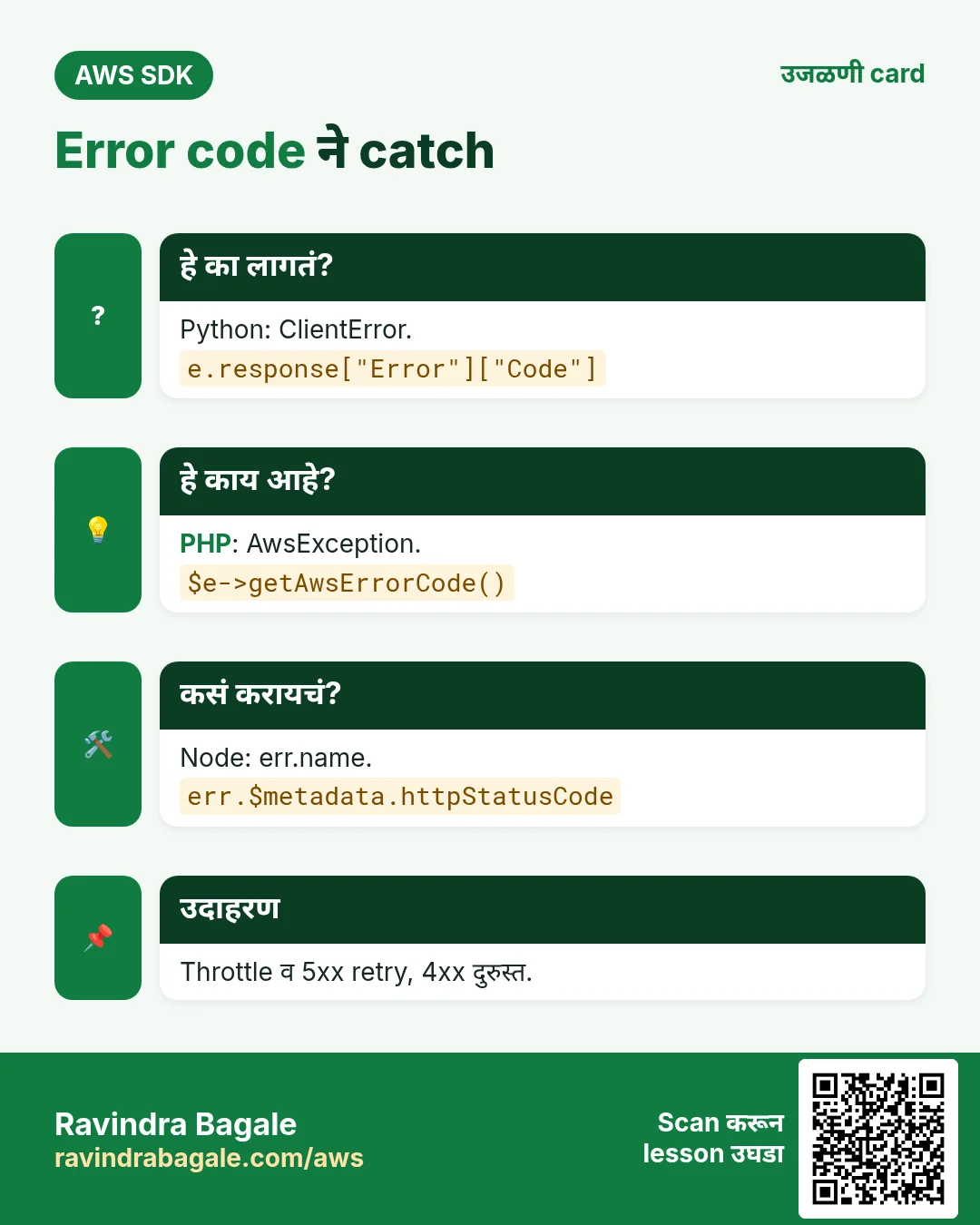
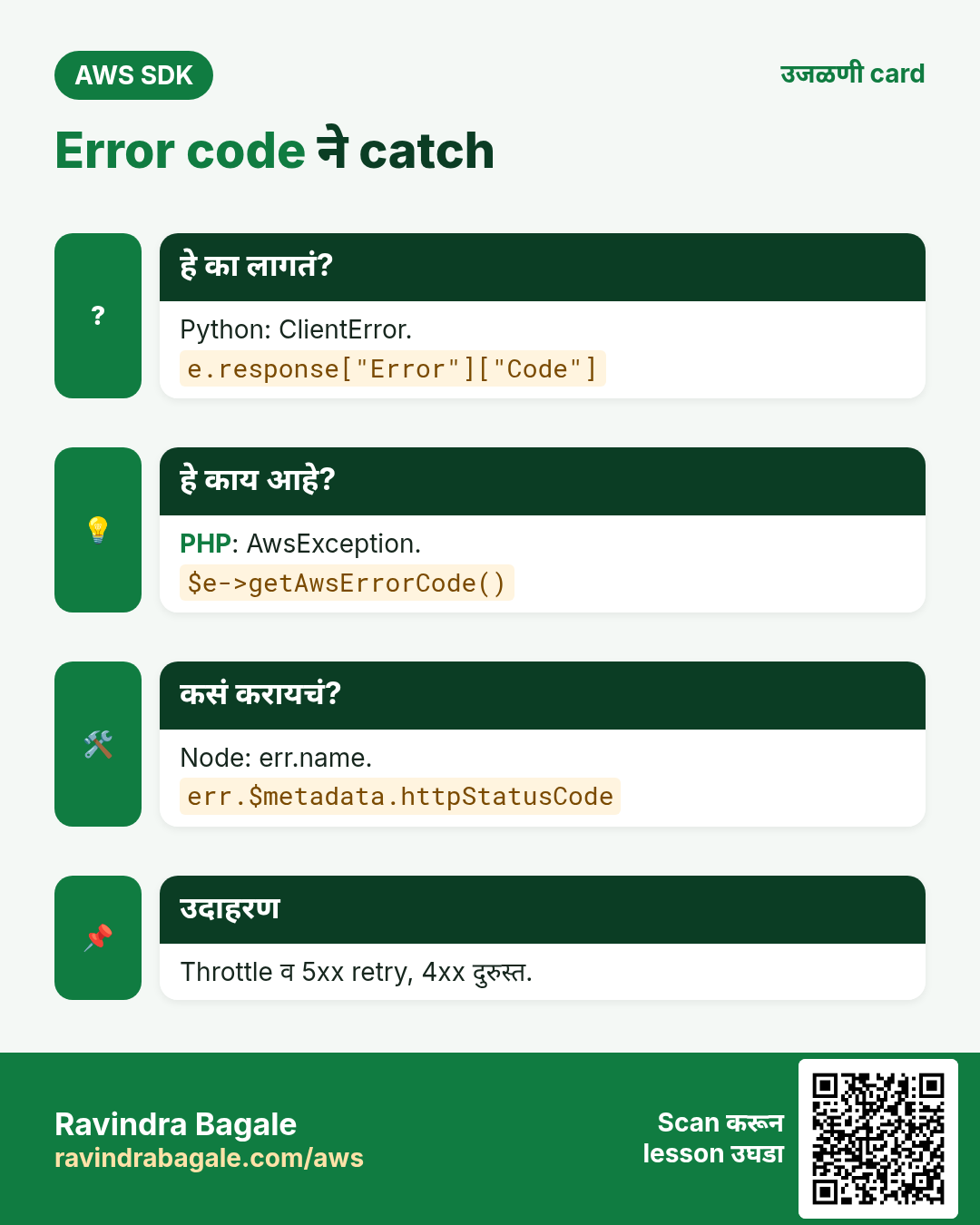
boto3 botocore.exceptions.ClientError देतो; PHP Aws\Exception\AwsException; Node मध्ये error.name = code आणि $metadata.httpStatusCode = status.
कसं करायचं (step by step)
- Python: ClientError catch करून code वाचा.
import boto3
from botocore.exceptions import ClientError

s3 = boto3.client("s3", region_name="eu-west-1")
try:
    s3.head_bucket(Bucket="carlos-bakery-no-such-bucket")
except ClientError as e:
    code = e.response["Error"]["Code"]
    status = e.response["ResponseMetadata"]["HTTPStatusCode"]
    print("Failed:", code, status)
अपेक्षित output:
Failed: 404 404- Python: वेगवेगळे codes वेगळे हाताळा.
import boto3
from botocore.exceptions import ClientError

ddb = boto3.client("dynamodb", region_name="eu-west-1")
try:
    ddb.describe_table(TableName="Orders-Missing")
except ClientError as e:
    if e.response["Error"]["Code"] == "ResourceNotFoundException":
        print("Table not found, create it first")
    else:
        raise
अपेक्षित output:
Table not found, create it first- PHP: AwsException catch करा.
<?php
require "vendor/autoload.php";
use Aws\DynamoDb\DynamoDbClient;
use Aws\Exception\AwsException;

$ddb = new DynamoDbClient(["region" => "eu-west-1"]);
try {
    $ddb->describeTable(["TableName" => "Orders-Missing"]);
} catch (AwsException $e) {
    echo "Failed: ", $e->getAwsErrorCode(), " ", $e->getStatusCode(), PHP_EOL;
}
अपेक्षित output:
Failed: ResourceNotFoundException 400- Node.js: error.name आणि HTTP status तपासा.
import { DynamoDBClient, DescribeTableCommand } from "@aws-sdk/client-dynamodb";

const ddb = new DynamoDBClient({ region: "eu-west-1" });
try {
  await ddb.send(new DescribeTableCommand({ TableName: "Orders-Missing" }));
} catch (err) {
  console.log("Failed:", err.name, err.$metadata?.httpStatusCode);
}
अपेक्षित output:
Failed: ResourceNotFoundException 400- Verify: CLI तोच code दाखवतो.
aws dynamodb describe-table --table-name Orders-Missing --region eu-west-1 2>&1 | head -2अपेक्षित output:
An error occurred (ResourceNotFoundException) when calling the DescribeTable operation: Requested resource not found3. Retries आणि timeouts
हे का लागतं?
Flash sale मध्ये सेकंदाला हजारो writes, काही throttle होतात. Slow network मुळे web request मिनिटभर अडकू नये.
हे काय आहे?
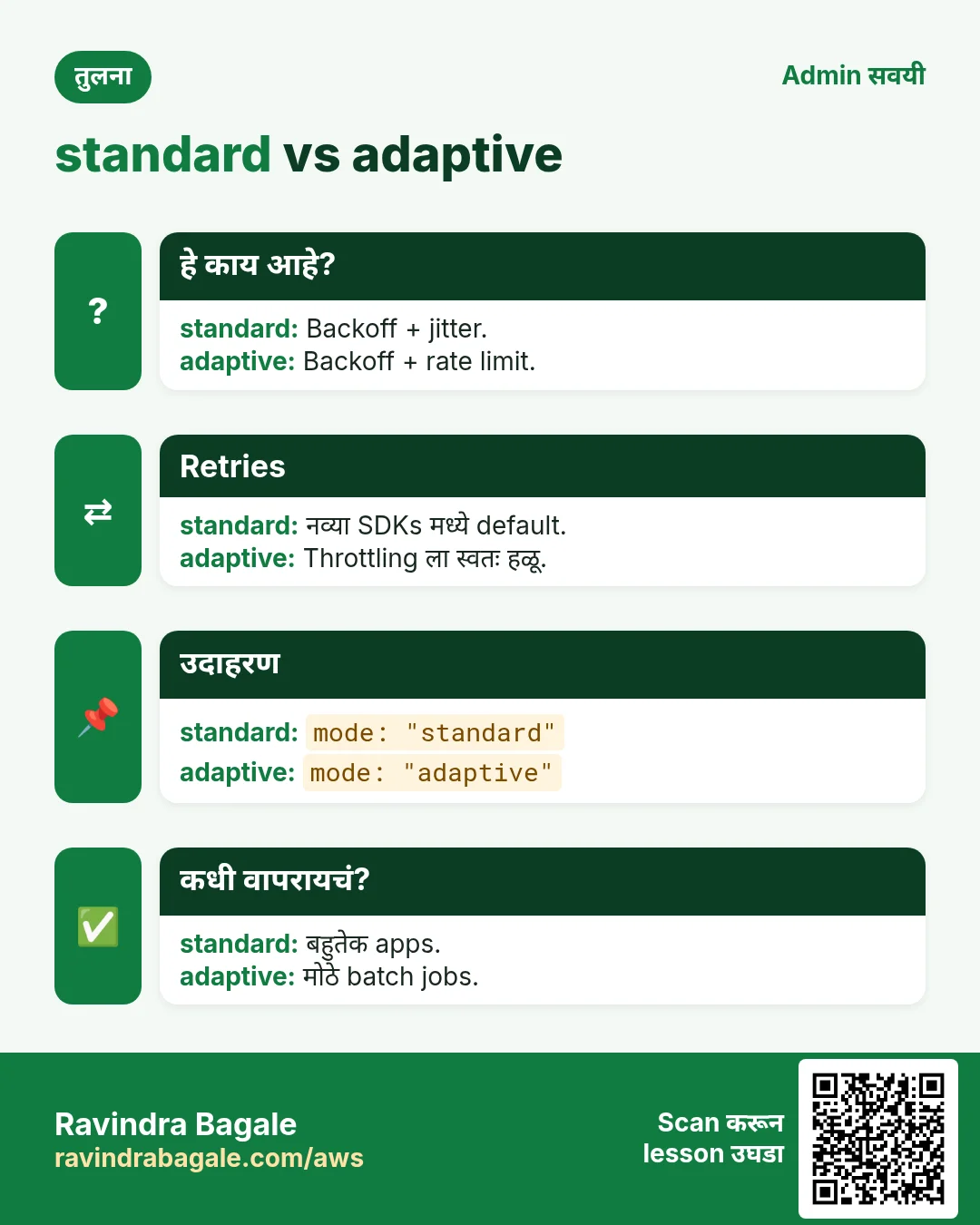
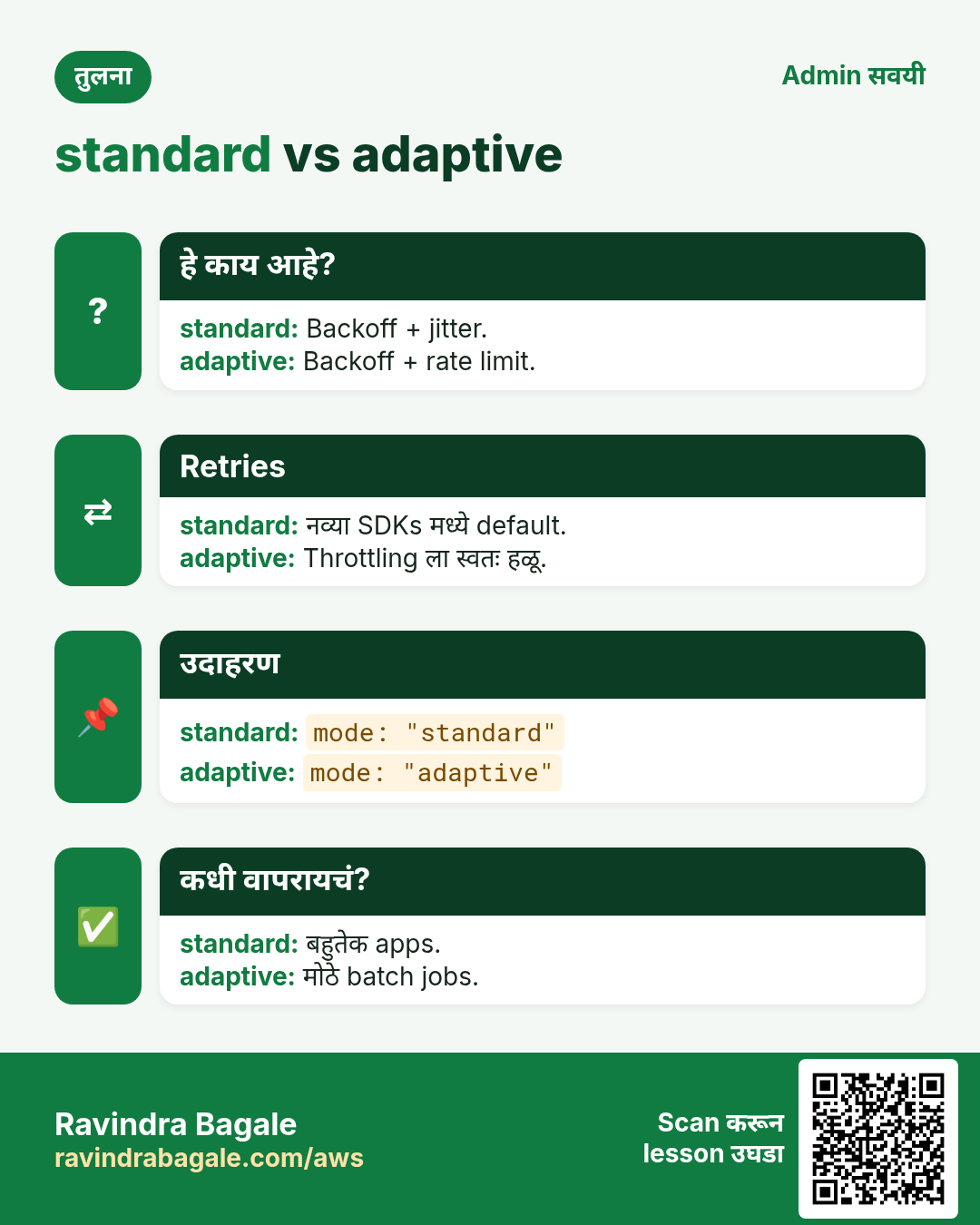
Retry modes: legacy, standard (नव्या SDKs मध्ये default) आणि adaptive (client-side rate limiting). Client वर max attempts आणि connect/read timeouts द्या.
कसं करायचं (step by step)
- Python: botocore Config द्या.
import boto3
from botocore.config import Config

cfg = Config(
    retries={"max_attempts": 5, "mode": "adaptive"},
    connect_timeout=3,
    read_timeout=10,
)
s3 = boto3.client("s3", region_name="us-east-1", config=cfg)
print(s3.meta.config.retries)
अपेक्षित output:
{'max_attempts': 5, 'mode': 'adaptive'}- PHP: retries आणि http timeouts द्या.
<?php
require "vendor/autoload.php";
use Aws\S3\S3Client;

$s3 = new S3Client([
    "region"  => "us-east-1",
    "retries" => ["mode" => "standard", "max_attempts" => 5],
    "http"    => ["connect_timeout" => 3, "timeout" => 10],
]);
echo "Client ready with 5 attempts", PHP_EOL;
अपेक्षित output:
Client ready with 5 attempts- Node.js: maxAttempts, retryMode आणि timeouts सह request handler.
import { S3Client } from "@aws-sdk/client-s3";
import { NodeHttpHandler } from "@smithy/node-http-handler";

const s3 = new S3Client({
  region: "us-east-1",
  maxAttempts: 5,
  retryMode: "adaptive",
  requestHandler: new NodeHttpHandler({ connectionTimeout: 3000, requestTimeout: 10000 }),
});
console.log("maxAttempts:", await s3.config.maxAttempts());
अपेक्षित output:
maxAttempts: 5- किंवा सगळ्या SDKs साठी env vars ने retries.
export AWS_RETRY_MODE=standard
export AWS_MAX_ATTEMPTS=5
python -c "import boto3;print(boto3.client('s3').meta.config.retries)"
अपेक्षित output:
{'mode': 'standard', 'total_max_attempts': 5}- Verify: response मध्ये किती retries झाले ते पाहा.
import boto3
r = boto3.client("s3").list_buckets()
print("Retries:", r["ResponseMetadata"]["RetryAttempts"])
अपेक्षित output:
Retries: 04. Pagination
हे का लागतं?
London मधल्या agency च्या bucket मध्ये 2,500 objects, पण एक ListObjectsV2 call जास्तीत जास्त 1,000 देतो. Pagination नसेल तर data चुपचाप सुटतो.
हे काय आहे?
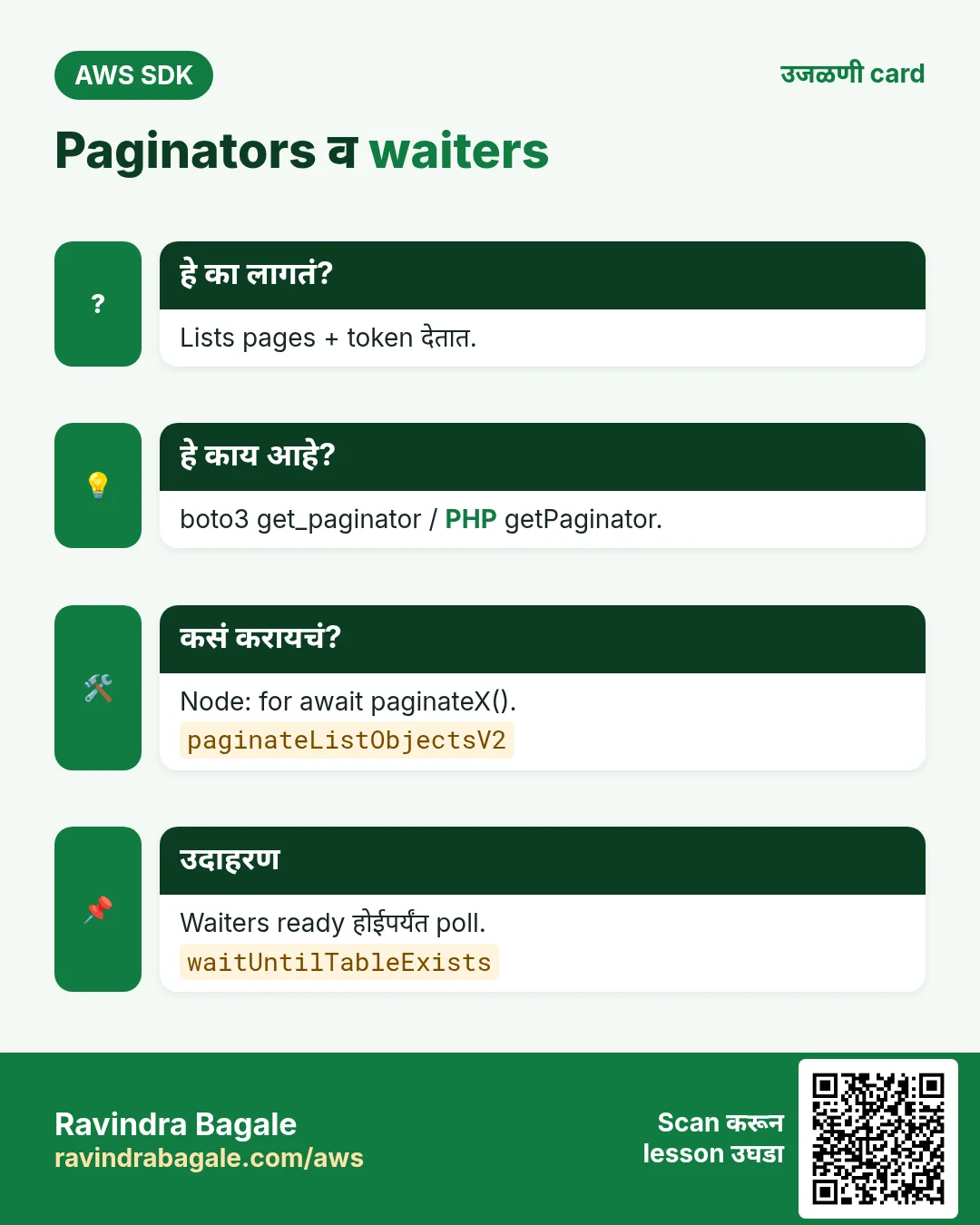
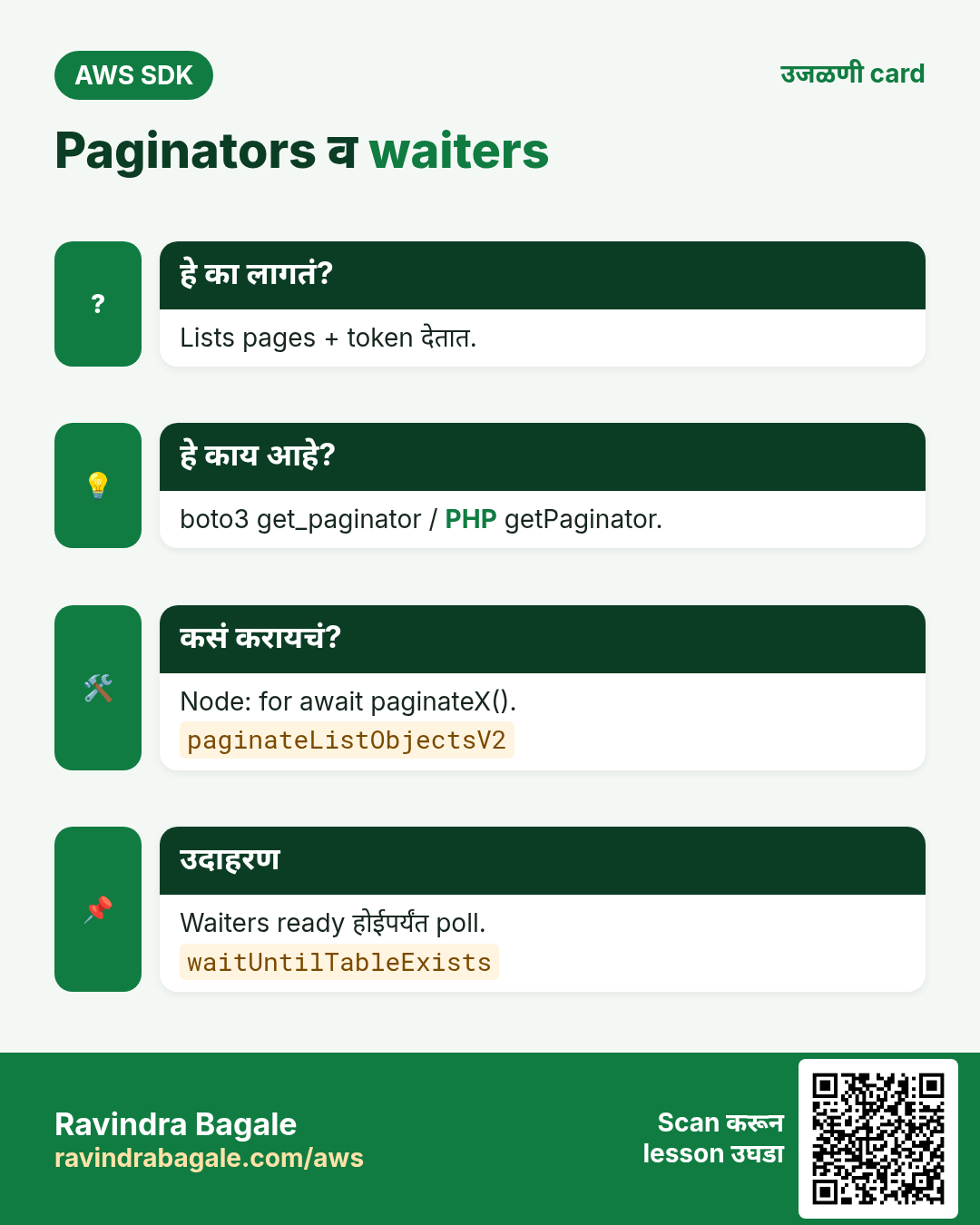
प्रत्येक SDK कडे paginators आहेत जे NextToken / ContinuationToken आपोआप follow करतात: boto3 get_paginator, PHP getPaginator, Node paginateListObjectsV2.
कसं करायचं (step by step)
- Python: paginator ने सगळे objects मोजा.
import boto3

s3 = boto3.client("s3")
pages = s3.get_paginator("list_objects_v2").paginate(Bucket="london-agency-assets")
total = 0
for page in pages:
    total += page.get("KeyCount", 0)
print("Objects:", total)
अपेक्षित output:
Objects: 2500- PHP: getPaginator.
<?php
require "vendor/autoload.php";
$s3 = new Aws\S3\S3Client(["region" => "eu-west-2"]);
$total = 0;
foreach ($s3->getPaginator("ListObjectsV2", ["Bucket" => "london-agency-assets"]) as $page) {
    $total += $page["KeyCount"];
}
echo "Objects: $total", PHP_EOL;
अपेक्षित output:
Objects: 2500- Node.js: paginateListObjectsV2 वर for await.
import { S3Client, paginateListObjectsV2 } from "@aws-sdk/client-s3";

const s3 = new S3Client({ region: "eu-west-2" });
let total = 0;
for await (const page of paginateListObjectsV2({ client: s3 }, { Bucket: "london-agency-assets" })) {
  total += page.KeyCount ?? 0;
}
console.log("Objects:", total);
अपेक्षित output:
Objects: 2500- Verify: CLI count जुळतो.
aws s3api list-objects-v2 --bucket london-agency-assets --query "length(Contents)"अपेक्षित output:
25005. Waiters
हे का लागतं?
DynamoDB table बनवल्यावर किंवा EC2 launch केल्यावर वापरण्याआधी तो ready होईपर्यंत थांबावं लागतं.
हे काय आहे?
Waiter describe call ठराविक delay ने poll करतो, success state येईपर्यंत; नाही आलं तर नीट fail होतो.
कसं करायचं (step by step)
- Python: table exist होईपर्यंत wait.
import boto3

ddb = boto3.client("dynamodb", region_name="eu-west-1")
waiter = ddb.get_waiter("table_exists")
waiter.wait(TableName="Orders", WaiterConfig={"Delay": 5, "MaxAttempts": 24})
print("Orders table is ACTIVE")
अपेक्षित output:
Orders table is ACTIVE- PHP: waitUntil.
<?php
require "vendor/autoload.php";
$ddb = new Aws\DynamoDb\DynamoDbClient(["region" => "eu-west-1"]);
$ddb->waitUntil("TableExists", ["TableName" => "Orders", "@waiter" => ["delay" => 5, "maxAttempts" => 24]]);
echo "Orders table is ACTIVE", PHP_EOL;
अपेक्षित output:
Orders table is ACTIVE- Node.js: waitUntilTableExists.
import { DynamoDBClient, waitUntilTableExists } from "@aws-sdk/client-dynamodb";

const ddb = new DynamoDBClient({ region: "eu-west-1" });
const r = await waitUntilTableExists({ client: ddb, maxWaitTime: 120 }, { TableName: "Orders" });
console.log("Waiter state:", r.state);
अपेक्षित output:
Waiter state: SUCCESS- Verify: status ACTIVE.
aws dynamodb describe-table --table-name Orders --region eu-west-1 --query Table.TableStatus --output textअपेक्षित output:
ACTIVE6. Logging आणि request IDs
हे का लागतं?
AWS Support "request ID काय होता?" विचारतो, किंवा call slow असतो, तेव्हा SDK ने काय पाठवलं ते दिसायला हवं.
हे काय आहे?
boto3 मध्ये set_stream_logger; PHP मध्ये debug option; Node ला console सारखा logger. प्रत्येक response मध्ये RequestId.
कसं करायचं (step by step)
- Python: botocore साठी debug logs.
import boto3, logging

boto3.set_stream_logger("botocore", logging.DEBUG)
r = boto3.client("sts").get_caller_identity()
print("RequestId:", r["ResponseMetadata"]["RequestId"])
अपेक्षित output:
DEBUG - botocore.endpoint - Making request for OperationModel(name=GetCallerIdentity)
...
RequestId: 4c1d7a2e-9b1f-4f5e-a3c2-1d2e3f4a5b6c- PHP: debug option HTTP wire print करतो.
<?php
require "vendor/autoload.php";
$sts = new Aws\Sts\StsClient(["region" => "us-east-1", "debug" => ["logfn" => fn($m) => error_log($m), "http" => true]]);
$r = $sts->getCallerIdentity();
echo "RequestId: ", $r["@metadata"]["headers"]["x-amzn-requestid"], PHP_EOL;
अपेक्षित output:
RequestId: 4c1d7a2e-9b1f-4f5e-a3c2-1d2e3f4a5b6c- Node.js: logger म्हणून console.
import { STSClient, GetCallerIdentityCommand } from "@aws-sdk/client-sts";
const sts = new STSClient({ region: "us-east-1", logger: console });
const r = await sts.send(new GetCallerIdentityCommand({}));
console.log("RequestId:", r.$metadata.requestId);
अपेक्षित output:
{ clientName: 'STSClient', commandName: 'GetCallerIdentityCommand', ... }
RequestId: 4c1d7a2e-9b1f-4f5e-a3c2-1d2e3f4a5b6c
7. हाच call Java, Go, .NET आणि CLI मध्ये
हे का लागतं?
Teams अनेकदा भाषा मिसळतात. Python, PHP आणि Node.js मध्ये call समजला की बाकीचे SDKs म्हणजे तोच API, फक्त syntax वेगळा.
हे काय आहे?
सगळे ListObjectsV2 with pagination API call करतात. Terminal मधून पटकन test करायला CLI ओळ वापरा.
कसं करायचं (step by step)
| Stack | Code |
|---|---|
| AWS CLI | aws s3api list-objects-v2 --bucket b # CLI paginates automatically |
| Java v2 | s3.listObjectsV2Paginator(r -> r.bucket("b")).contents().forEach(o -> System.out.println(o.key())); |
| Go v2 | p := s3.NewListObjectsV2Paginator(client, &s3.ListObjectsV2Input{Bucket: aws.String("b")}) |
| .NET | await foreach (var o in s3.Paginators.ListObjectsV2(new() { BucketName = "b" }).S3Objects) Console.WriteLine(o.Key); |
8. काहीही खर्च चालू राहू नये म्हणून cleanup
हे का लागतं?
चालू ठेवलेले lab resources पैसे खातात आणि security risk बनतात.
हे काय आहे?
उलट्या क्रमाने delete करा: आधी children, मग parents.
कसं करायचं (step by step)
- Retry env vars काढा.
unset AWS_RETRY_MODE AWS_MAX_ATTEMPTS
env | grep -c AWS_MAX_ATTEMPTS
अपेक्षित output:
0Ravindra Bagale's Tip
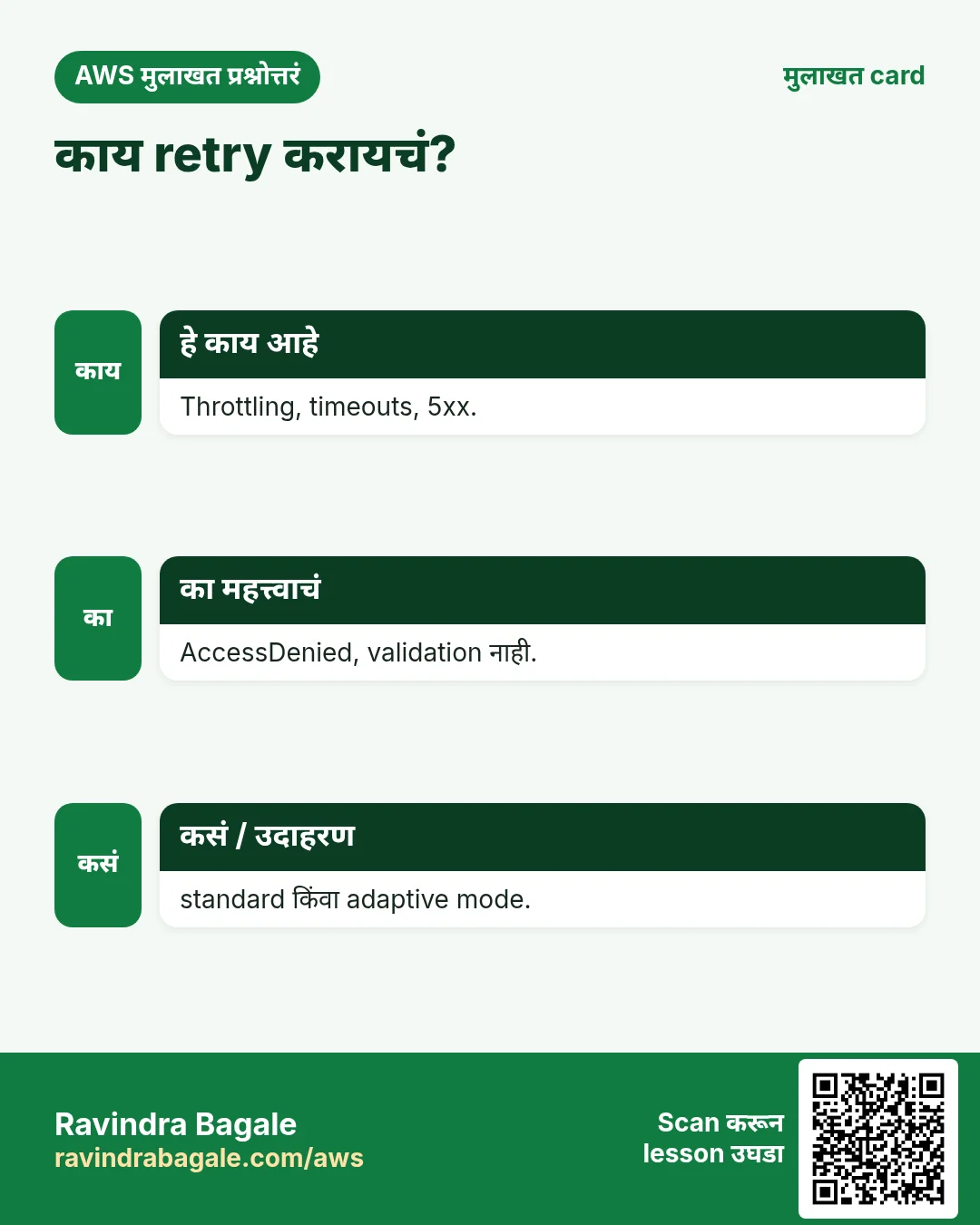
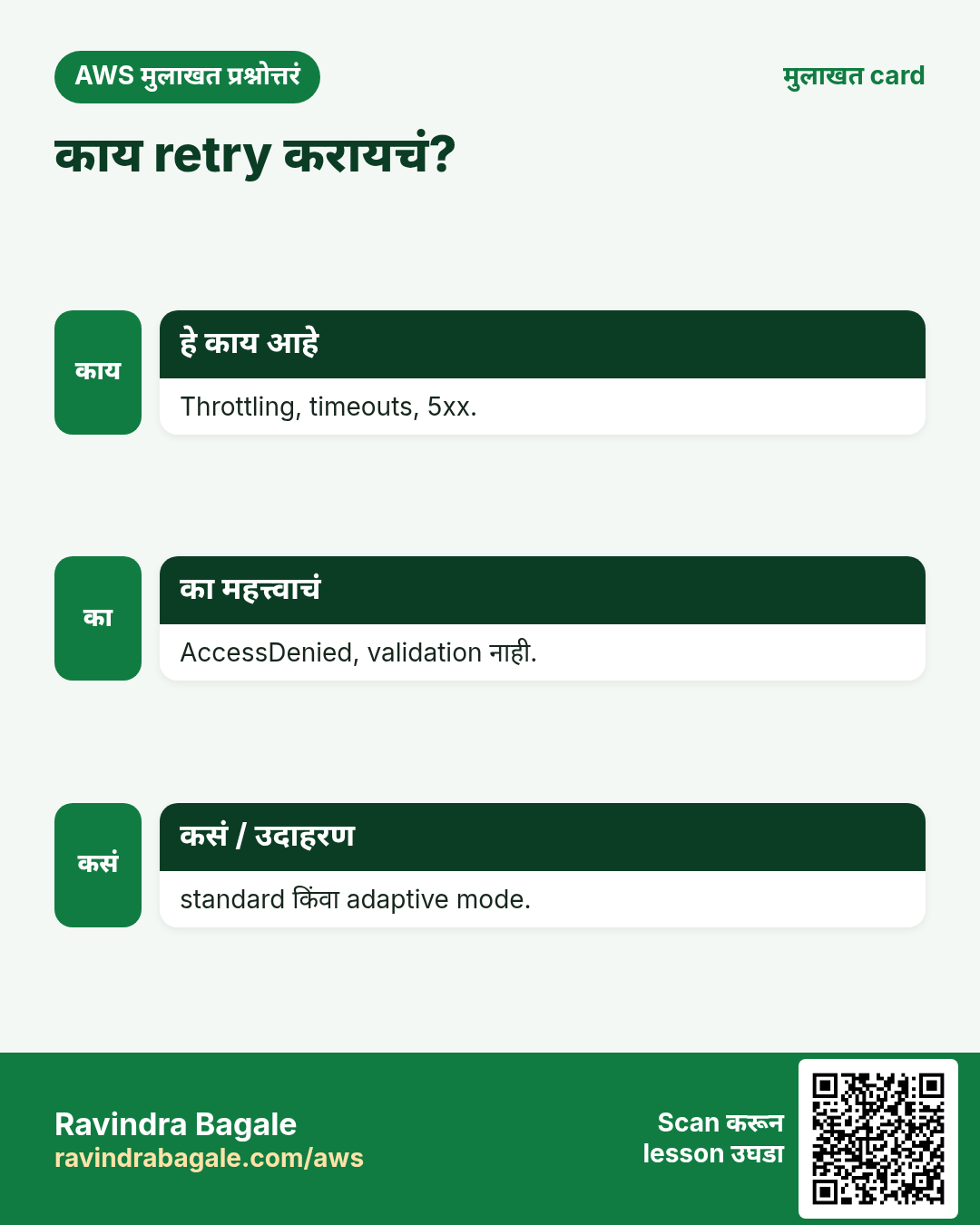
फक्त safe असेल तेच retry करा. Throttling, timeouts, 5xx: हो. AccessDenied, ValidationException, NoSuchKey: कारण दुरुस्त करा.
9. मुलाखत प्रश्न आणि उत्तरं
प्र. SDK कोणते errors आपोआप retry करतो?
Throttling, network, timeouts, 5xx.
प्र. Standard आणि adaptive मध्ये फरक?
Adaptive throttling दिसल्यावर client rate-limit पण करतो.
प्र. Paginators का?
Tokens follow करून सगळे items मिळतात.
प्र. Waiter म्हणजे काय?
Resource ready होईपर्यंत poll करणारा helper.
प्र. प्रत्येक SDK मध्ये error code कसा वाचायचा?
e.response Error Code, getAwsErrorCode(), err.name.
घरी करून बघा
- प्रत्येक भाषेत paginator ने सगळे IAM roles list करून count print करा.
- चुकीच्या region ने call fail करून तिन्ही भाषांत error code print करा.
थोडक्यात सांगायचं तर
- Message नाही, error code ने catch.
- Retries: standard/adaptive, max attempts.
- Timeouts नेहमी set करा.
- Paginators सगळी pages वाचतात.
- Waiters थांबतात; logs मध्ये RequestId.
सराव Tasks
Thane Housing Society हा ठाणे मधला रिअल इस्टेट व्यवसाय आहे. Mahesh Patwardhan त्यांचं IT व cloud काम पाहतात. त्यांचे पैसे INR मध्ये मोजले जातात आणि AWS resources ap-south-1 Region मध्ये चालतात. खालच्या tasks मध्ये तुम्ही या lesson मध्ये शिकलेलं वापरून त्यांची खरी कामं करता. सगळी नावं, account IDs, IP addresses व numbers सरावासाठी काल्पनिक आहेत.
0 / 12
सोपं Route table बनवा
का: Route table subnet मधलं traffic कुठे जाईल ते ठरवतं.
काय करायचं: vpc-000a43afa3deadbee मध्ये route table बनवा.
- Task वाचा आणि ते कोणत्या AWS service बद्दल आहे ते ठरवा.
- aws लिहा, मग service चं नाव, मग operation (action शब्द).
- प्रत्येक आवश्यक flag (--name) व त्यापुढे task मधली value लिहा.
- Flags कोणत्याही क्रमाने चालतात. Check answer दाबा.
सोपं SSH key file सुरक्षित करा
का: इतर users वाचू शकणारी key file SSH वापरत नाही.
काय करायचं: thanehousing-key.pem फक्त owner ला वाचता येईल असं करा (write नाही, इतरांना काहीच नाही).
- हे काम करणारा Linux command शोधा.
- Task ला लागणारे options (उदा. -r, -h) जोडा.
- File नावं, folders किंवा users योग्य क्रमाने लिहा.
- System files/users बदलत असाल तर sudo वापरा. Check answer दाबा.
सोपं EC2 server ला connect करा
का: Key file सह SSH हा Linux EC2 ला login करण्याचा standard मार्ग.
काय करायचं: thanehousing-key.pem key वापरून 13.172.20.5 server वर ec2-user म्हणून login करा.
- हे काम करणारा Linux command शोधा.
- Task ला लागणारे options (उदा. -r, -h) जोडा.
- File नावं, folders किंवा users योग्य क्रमाने लिहा.
- System files/users बदलत असाल तर sudo वापरा. Check answer दाबा.
सोपं SSH चा port
का: Security group rules ला योग्य port हवा.
काय करायचं: SSH साठी security group ने कोणता TCP port उघडावा?
- Task मधले numbers लिहून घ्या.
- कागदावर step by step काढा.
- Box मध्ये फक्त final उत्तर लिहा.
- Check answer दाबा.
मध्यम Subnet route table शी जोडा
का: Associate करेपर्यंत subnet main route table वापरतो.
काय करायचं: Subnet subnet-02200b43bcb3bb1 ला route table rtb-02200b43bcb3bb22 शी associate करा.
- Task वाचा आणि ते कोणत्या AWS service बद्दल आहे ते ठरवा.
- aws लिहा, मग service चं नाव, मग operation (action शब्द).
- प्रत्येक आवश्यक flag (--name) व त्यापुढे task मधली value लिहा.
- Flags कोणत्याही क्रमाने चालतात. Check answer दाबा.
मध्यम Internet route जोडा
का: Route table 0.0.0.0/0 internet gateway ला पाठवत असेल तरच subnet "public".
काय करायचं: Route table rtb-02200b43bcb3bb22 मध्ये सगळं internet traffic (0.0.0.0/0) igw-0200b43bcb3aa11 कडे पाठवा.
- Task वाचा आणि ते कोणत्या AWS service बद्दल आहे ते ठरवा.
- aws लिहा, मग service चं नाव, मग operation (action शब्द).
- प्रत्येक आवश्यक flag (--name) व त्यापुढे task मधली value लिहा.
- Flags कोणत्याही क्रमाने चालतात. Check answer दाबा.
मध्यम Public key दुसऱ्या server वर copy करा
का: यानंतर त्या server ला password शिवाय SSH करता येतं.
काय करायचं: तुमची public key 10.0.7.25 वरच्या ec2-user ला copy करा.
- हे काम करणारा Linux command शोधा.
- Task ला लागणारे options (उदा. -r, -h) जोडा.
- File नावं, folders किंवा users योग्य क्रमाने लिहा.
- System files/users बदलत असाल तर sudo वापरा. Check answer दाबा.
मध्यम SSH key pair बनवा
का: Servers मध्ये passwordless SSH साठी पहिल्या server वर key pair लागते.
काय करायचं: ed25519 प्रकारची नवी SSH key pair बनवा.
- हे काम करणारा Linux command शोधा.
- Task ला लागणारे options (उदा. -r, -h) जोडा.
- File नावं, folders किंवा users योग्य क्रमाने लिहा.
- System files/users बदलत असाल तर sudo वापरा. Check answer दाबा.
मध्यम Server वर file upload करा
का: scp SSH वरून files copy करतो, तोच key व user वापरतो.
काय करायचं: तुमच्या laptop वरून index.html ला 13.172.20.5 वरच्या /home/ec2-user/ मध्ये thanehousing-key.pem वापरून upload करा.
- हे काम करणारा Linux command शोधा.
- Task ला लागणारे options (उदा. -r, -h) जोडा.
- File नावं, folders किंवा users योग्य क्रमाने लिहा.
- System files/users बदलत असाल तर sudo वापरा. Check answer दाबा.
अवघड NAT gateway बनवा
का: Private servers updates download करायला NAT gateway (public subnet मधला) वापरतात.
काय करायचं: Public subnet subnet-02200b43bcb3bb1 मध्ये Elastic IP allocation eipalloc-0200b43bcb3dd44 वापरून NAT gateway बनवा.
- Task वाचा आणि ते कोणत्या AWS service बद्दल आहे ते ठरवा.
- aws लिहा, मग service चं नाव, मग operation (action शब्द).
- प्रत्येक आवश्यक flag (--name) व त्यापुढे task मधली value लिहा.
- Flags कोणत्याही क्रमाने चालतात. Check answer दाबा.
अवघड Private traffic NAT मधून पाठवा
का: Private route table ने 0.0.0.0/0 NAT gateway ला पाठवावं, internet gateway ला नाही.
काय करायचं: Private route table rtb-02200b43bcb3bb22 मध्ये 0.0.0.0/0 NAT gateway nat-000b43bcb3cc33 कडे पाठवा.
- Task वाचा आणि ते कोणत्या AWS service बद्दल आहे ते ठरवा.
- aws लिहा, मग service चं नाव, मग operation (action शब्द).
- प्रत्येक आवश्यक flag (--name) व त्यापुढे task मधली value लिहा.
- Flags कोणत्याही क्रमाने चालतात. Check answer दाबा.
अवघड फक्त office मधून SSH allow करा
का: सगळ्यांना SSH उघडणं धोक्याचं. फक्त office IP (/32) allow करा.
काय करायचं: sg-02200a43aba34c3b2 वर inbound TCP port 22 फक्त office IP 49.36.7.10 कडून allow करा.
- Task वाचा आणि ते कोणत्या AWS service बद्दल आहे ते ठरवा.
- aws लिहा, मग service चं नाव, मग operation (action शब्द).
- प्रत्येक आवश्यक flag (--name) व त्यापुढे task मधली value लिहा.
- Flags कोणत्याही क्रमाने चालतात. Check answer दाबा.
उजळणी, तुलना आणि मुलाखत cards
हा lesson काही मिनिटांत revise करा. Cards phone वर save करा किंवा PNG download करा. प्रत्येक card वरचा QR हा lesson उघडतो.
अजून cards: Ravi Sir's Cards.