Python (boto3), PHP आणि Node.js साठी AWS SDK Setup: Credentials Chain सोप्या भाषेत
आपण तीन AWS SDKs शेजारी-शेजारी setup करू: Python साठी boto3, PHP साठी AWS SDK v3 आणि Node.js साठी JavaScript v3. प्रत्येक install करू, client बनवू, region व profile निवडू, आणि प्रत्येक SDK credentials कुठून शोधतो ते नीट पाहू.
या chapter मध्ये तुम्ही काय शिकाल
- boto3, aws/aws-sdk-php आणि @aws-sdk clients install करा
- Region सह client बनवा
- Named profiles आणि env vars वापरा
- Credentials chain चा क्रम समजून घ्या
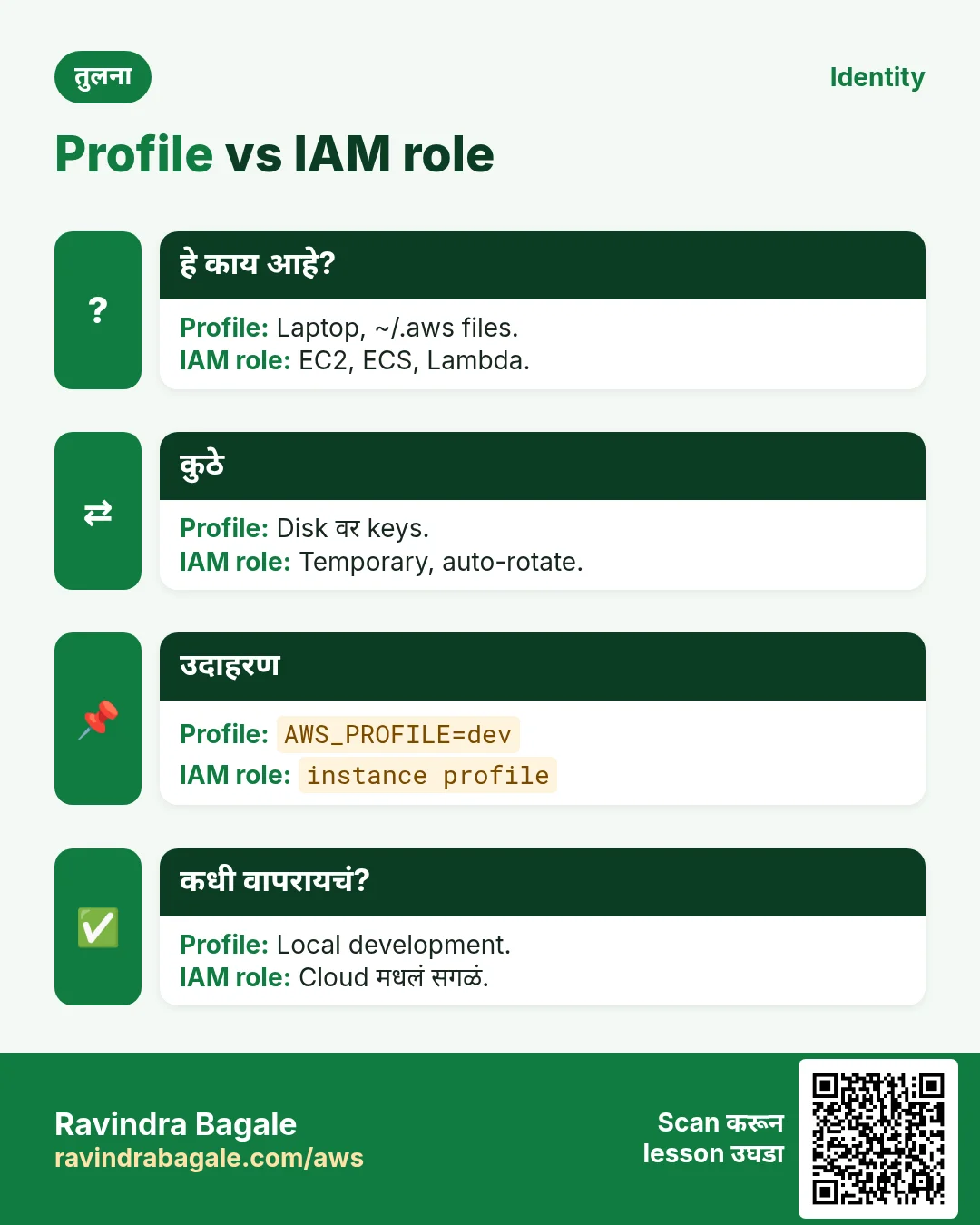
- Keys ऐवजी IAM roles वापरा
1. मोठं चित्र: hotel चं key card
हे का लागतं?
London मधल्या hotel मध्ये Emma check-in करते तेव्हा front desk तिला key card देतो. Master key तिच्याकडे नसते. Card फक्त तिची room उघडते आणि checkout ला expire होते. SDK पण असंच काम करतो: ठरलेल्या क्रमाने खिसे तपासून key card (credentials) शोधतो आणि प्रत्येक request sign करतो.
हे काय आहे?
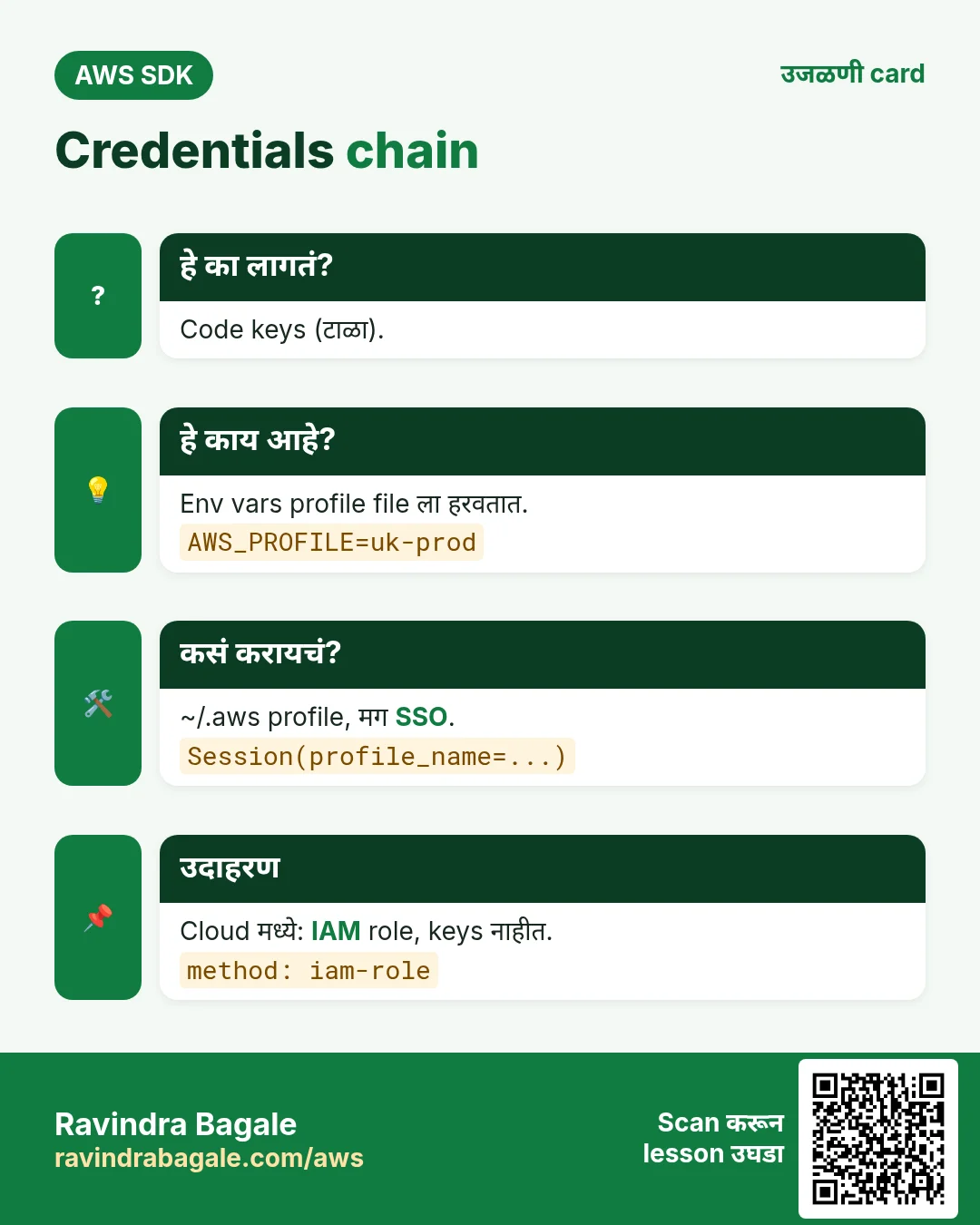
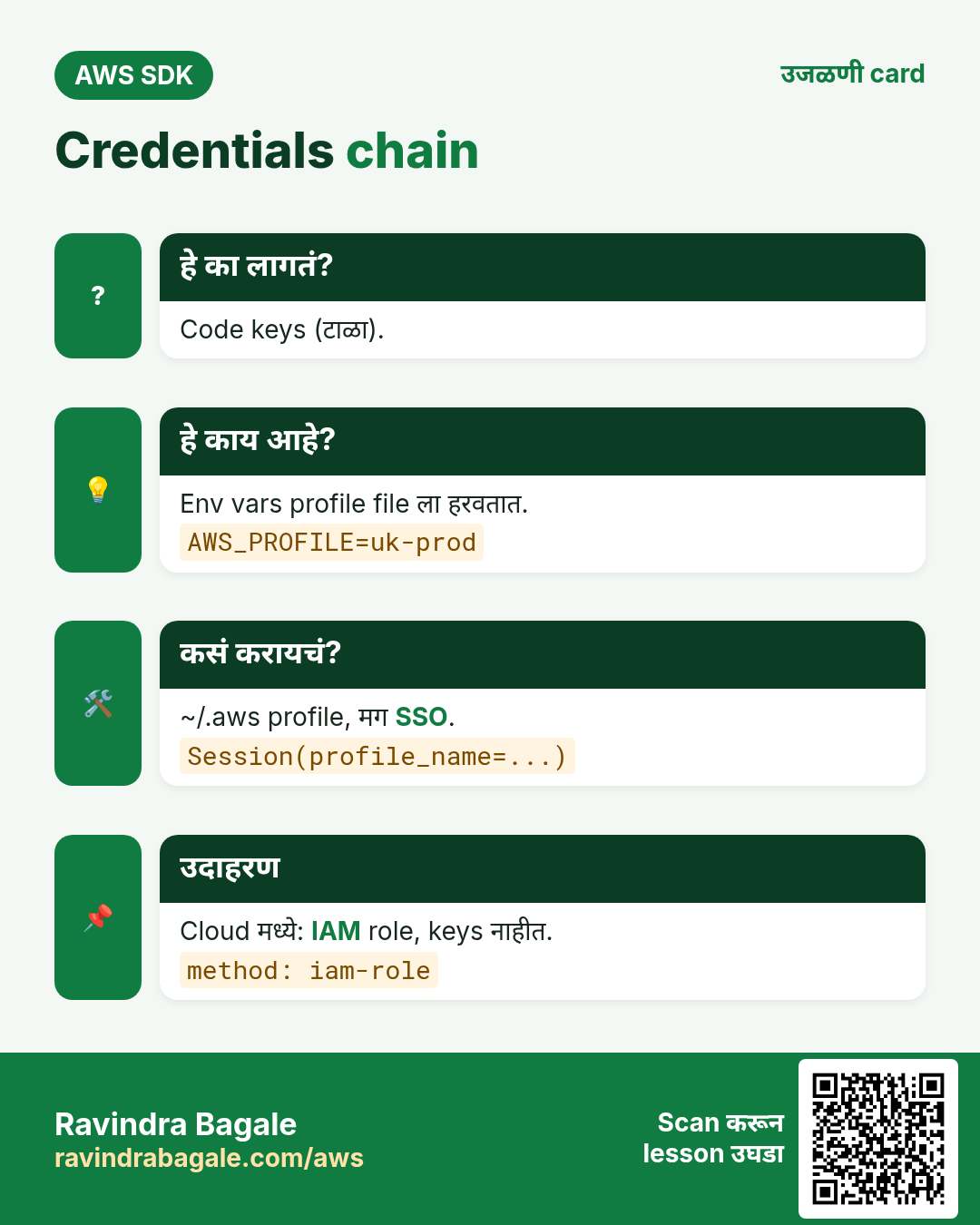
Client म्हणजे एका region मधल्या एका service साठी object, उदा. ap-south-1 मधला S3. Credentials chain म्हणजे SDK तपासत असलेल्या जागांची list: code, environment variables, ~/.aws files (profile), SSO, आणि शेवटी machine चा IAM role (EC2, ECS, Lambda).
कसं करायचं (step by step)
2. तीन SDKs install करा
हे का लागतं?
AWS code ची एक ओळ लिहायच्या आधी library हवी.
हे काय आहे?
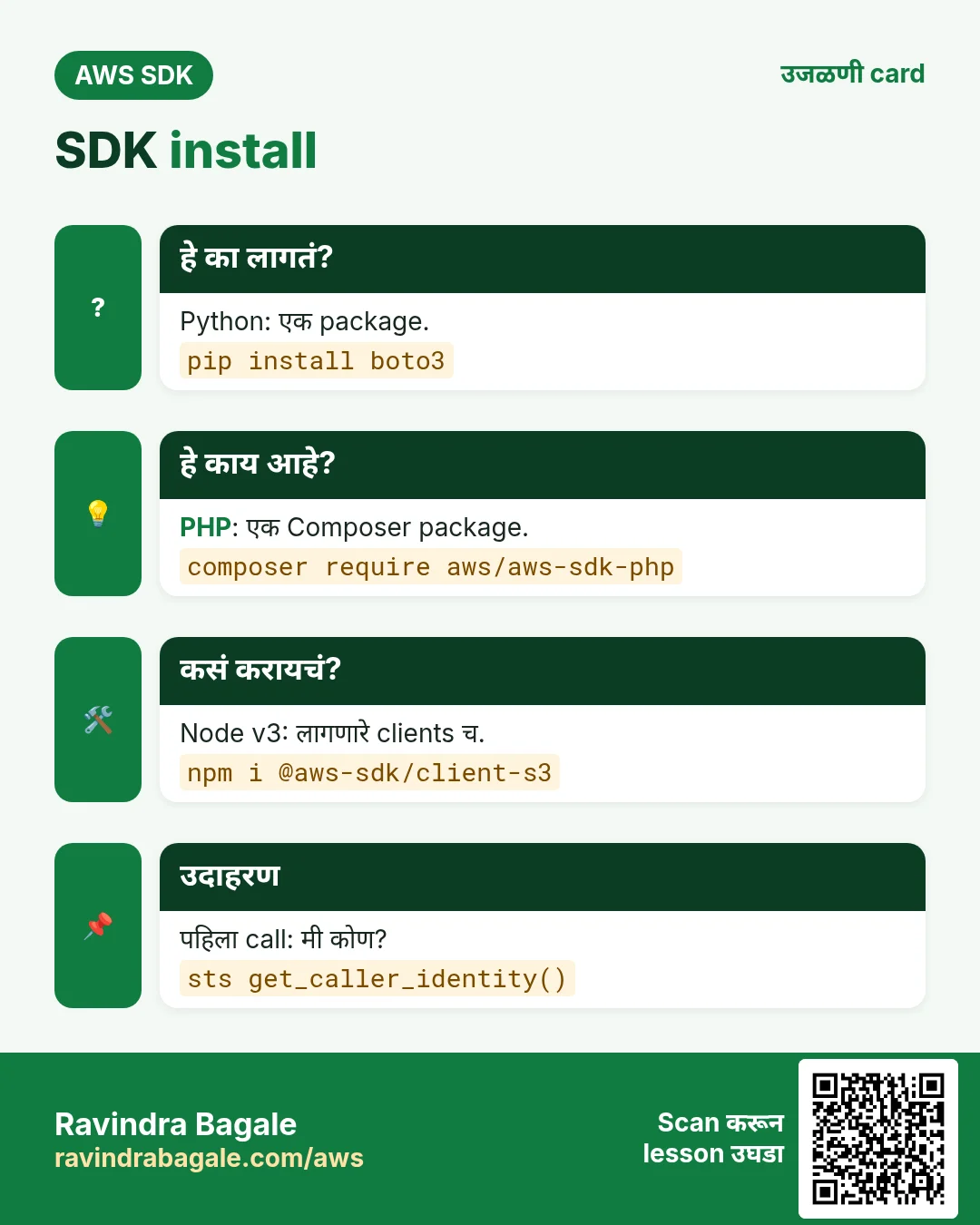
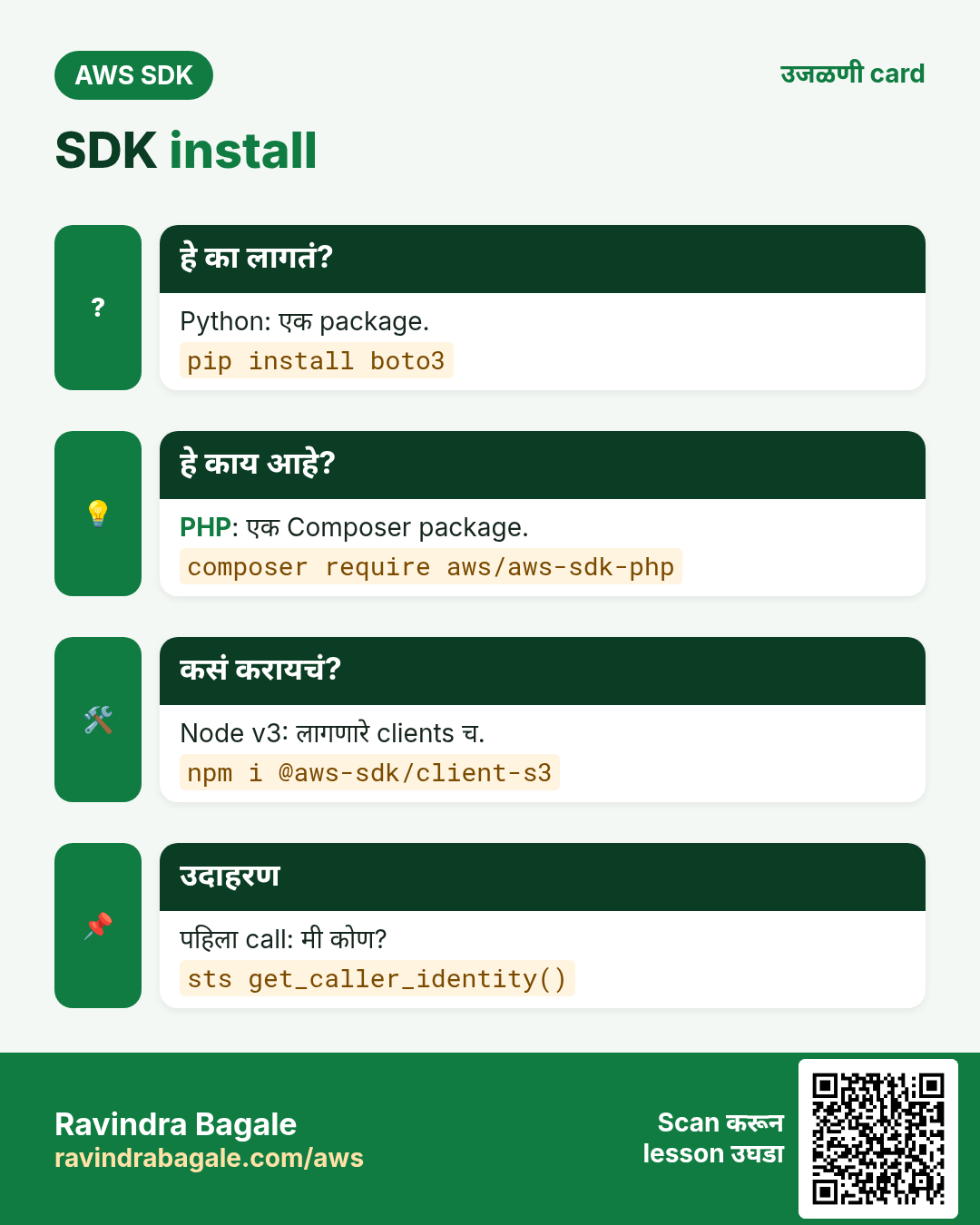
Python ला एक package (boto3). PHP ला एक Composer package (aws/aws-sdk-php). JavaScript v3 modular आहे: फक्त लागणारे clients install करायचे, उदा. @aws-sdk/client-s3.
कसं करायचं (step by step)
- Python: virtual env बनवा आणि boto3 install करा.
python3 -m venv .venv
source .venv/bin/activate
pip install boto3
python -c "import boto3; print(boto3.__version__)"
अपेक्षित output:
1.35.40- PHP: Composer ने SDK install करा.
composer require aws/aws-sdk-php
php -r 'require "vendor/autoload.php"; echo Aws\Sdk::VERSION, PHP_EOL;'
अपेक्षित output:
3.325.2- Node.js: फक्त लागणारे clients install करा.
npm init -y
npm install @aws-sdk/client-sts @aws-sdk/client-s3 @aws-sdk/credential-providers
npm ls @aws-sdk/client-sts
अपेक्षित output:
my-app@1.0.0
└── @aws-sdk/client-sts@3.679.0- Verify: तिन्ही install झाले.
pip show boto3 | head -2
composer show aws/aws-sdk-php | head -3
node -e "console.log(require('@aws-sdk/client-sts/package.json').version)"
अपेक्षित output:
Name: boto3
Version: 1.35.40
name     : aws/aws-sdk-php
versions : * 3.325.2
3.679.0
3. पहिला client: मी कोण?
हे का लागतं?
sts get-caller-identity हा सगळ्यात safe पहिला call. त्याला permissions लागत नाहीत आणि SDK कोणतं account व identity वापरतोय ते सांगतो.
हे काय आहे?
प्रत्येक SDK client बनवतो, GetCallerIdentity call करतो आणि Account, UserId, Arn परत देतो.
कसं करायचं (step by step)
- Python: whoami.py म्हणून save करून चालवा.
# whoami.py
import boto3

sts = boto3.client("sts", region_name="ap-south-1")
me = sts.get_caller_identity()
print("Account:", me["Account"])
print("Arn:", me["Arn"])

# run: python whoami.py
अपेक्षित output:
Account: 111122223333
Arn: arn:aws:iam::111122223333:user/priya-dev- PHP: whoami.php म्हणून save करून चालवा.
<?php
// whoami.php
require "vendor/autoload.php";
use Aws\Sts\StsClient;

$sts = new StsClient(["region" => "ap-south-1"]);
$me = $sts->getCallerIdentity();
echo "Account: ", $me["Account"], PHP_EOL;
echo "Arn: ", $me["Arn"], PHP_EOL;

// run: php whoami.php
अपेक्षित output:
Account: 111122223333
Arn: arn:aws:iam::111122223333:user/priya-dev- Node.js: whoami.mjs म्हणून save करून चालवा.
// whoami.mjs
import { STSClient, GetCallerIdentityCommand } from "@aws-sdk/client-sts";

const sts = new STSClient({ region: "ap-south-1" });
const me = await sts.send(new GetCallerIdentityCommand({}));
console.log("Account:", me.Account);
console.log("Arn:", me.Arn);

// run: node whoami.mjs
अपेक्षित output:
Account: 111122223333
Arn: arn:aws:iam::111122223333:user/priya-dev- Verify: CLI तीच identity दाखवतो.
aws sts get-caller-identity --query Arn --output textअपेक्षित output:
arn:aws:iam::111122223333:user/priya-dev4. Regions आणि named profiles
हे का लागतं?
Manchester मधला Oliver eu-west-2 मधल्या UK account वर आणि us-east-1 मधल्या test account वर काम करतो. Profiles मुळे code न बदलता एकाच laptop वर account बदलता येतं.
हे काय आहे?
Profile म्हणजे ~/.aws/config आणि ~/.aws/credentials मधला नाव दिलेला section. boto3 मध्ये Session(profile_name=...), PHP मध्ये profile option, Node मध्ये fromIni({ profile }).
कसं करायचं (step by step)
- uk-prod नावाचा profile बनवा.
aws configure --profile uk-prod
# AWS Access Key ID: AKIA...
# Default region name: eu-west-2
cat ~/.aws/config
अपेक्षित output:
[default]
region = ap-south-1
[profile uk-prod]
region = eu-west-2- Python: Session ने profile वापरा.
import boto3

session = boto3.Session(profile_name="uk-prod")
print("Region:", session.region_name)
sts = session.client("sts")
print(sts.get_caller_identity()["Account"])
अपेक्षित output:
Region: eu-west-2
444455556666- PHP: client ला profile आणि region द्या.
<?php
require "vendor/autoload.php";
use Aws\Sts\StsClient;

$sts = new StsClient([
    "profile" => "uk-prod",
    "region"  => "eu-west-2",
]);
echo $sts->getCallerIdentity()["Account"], PHP_EOL;
अपेक्षित output:
444455556666- Node.js: fromIni ने profile load करा.
import { STSClient, GetCallerIdentityCommand } from "@aws-sdk/client-sts";
import { fromIni } from "@aws-sdk/credential-providers";

const sts = new STSClient({
  region: "eu-west-2",
  credentials: fromIni({ profile: "uk-prod" }),
});
const me = await sts.send(new GetCallerIdentityCommand({}));
console.log(me.Account);
अपेक्षित output:
444455556666- Verify: एका env var ने profile बदला, code तसाच.
AWS_PROFILE=uk-prod python whoami.py
AWS_PROFILE=uk-prod node whoami.mjs
अपेक्षित output:
Account: 444455556666
Arn: arn:aws:iam::444455556666:user/oliver
Account: 444455556666
Arn: arn:aws:iam::444455556666:user/oliver
5. Environment variables आणि chain चा क्रम
हे का लागतं?
CI servers (GitHub Actions, Jenkins) आणि containers सहसा credentials environment variables ने देतात. दोन जागी set असतील तर कोण जिंकतो ते माहीत हवं.
हे काय आहे?
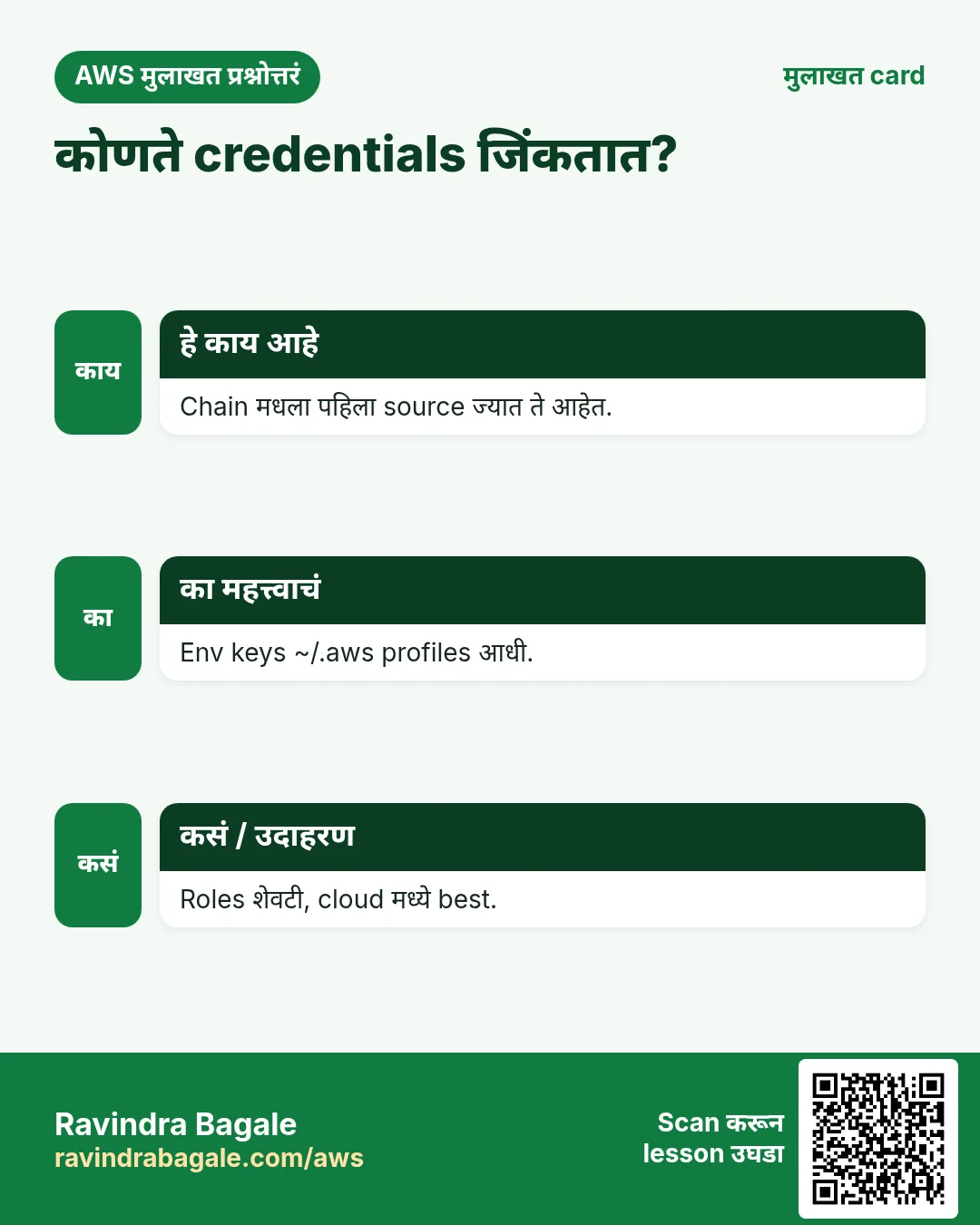
तिन्ही SDKs AWS_ACCESS_KEY_ID, AWS_SECRET_ACCESS_KEY, AWS_SESSION_TOKEN, AWS_REGION आणि AWS_PROFILE वाचतात. Env keys profile file पेक्षा पुढे.
| Variable | कशासाठी |
|---|---|
| AWS_ACCESS_KEY_ID / AWS_SECRET_ACCESS_KEY | Static or temporary keys |
| AWS_SESSION_TOKEN | Needed with temporary keys |
| AWS_REGION / AWS_DEFAULT_REGION | Default region |
| AWS_PROFILE | Which profile in ~/.aws |
| AWS_CONFIG_FILE | Custom config path |
कसं करायचं (step by step)
- Python: boto3 ला credentials कुठे मिळाले ते print करा.
import boto3

creds = boto3.Session().get_credentials()
print("Method:", creds.method)
print("Key starts:", creds.access_key[:4])
अपेक्षित output:
Method: env
Key starts: AKIA- क्रम तपासा: env keys AWS_PROFILE ला हरवतात.
export AWS_ACCESS_KEY_ID=AKIAEXAMPLE1
export AWS_SECRET_ACCESS_KEY=secretExample1
export AWS_PROFILE=uk-prod
python -c "import boto3;print(boto3.Session().get_credentials().method)"
unset AWS_ACCESS_KEY_ID AWS_SECRET_ACCESS_KEY
अपेक्षित output:
env- Node.js: default chain env, ini, SSO आणि roles आपोआप हाताळतो.
import { fromNodeProviderChain } from "@aws-sdk/credential-providers";

const creds = await fromNodeProviderChain()();
console.log("Key starts:", creds.accessKeyId.slice(0, 4));
console.log("Temporary:", Boolean(creds.sessionToken));
अपेक्षित output:
Key starts: ASIA
Temporary: true- PHP: default provider स्पष्टपणे बनवा.
<?php
require "vendor/autoload.php";
use Aws\Credentials\CredentialProvider;

$provider = CredentialProvider::defaultProvider();
$creds = $provider()->wait();
echo "Key starts: ", substr($creds->getAccessKeyId(), 0, 4), PHP_EOL;
अपेक्षित output:
Key starts: AKIA6. IAM roles: keys अजिबात नाहीत
हे का लागतं?
Code मधल्या keys Git मधून leak होतात. EC2, ECS आणि Lambda वर SDK role चे short-lived credentials आपोआप आणतो आणि ते स्वतः rotate होतात.
हे काय आहे?
EC2 ला instance profile (ECS ला task role, Lambda ला execution role) लावा. तुमचा code अगदी तसाच: keys न देता client बनवा.
कसं करायचं (step by step)
- EC2 instance ला role लावा.
aws ec2 associate-iam-instance-profile --instance-id i-0abc1234def567890 --iam-instance-profile Name=app-s3-reader
aws ec2 describe-iam-instance-profile-associations --query "IamInstanceProfileAssociations[0].State" --output text
अपेक्षित output:
associated- त्या instance वर Python: तोच code, keys नाहीत.
import boto3

session = boto3.Session(region_name="ap-south-1")
print(session.get_credentials().method)
print(session.client("sts").get_caller_identity()["Arn"])
अपेक्षित output:
iam-role
arn:aws:sts::111122223333:assumed-role/app-s3-reader/i-0abc1234def567890- त्या instance वर Node.js.
import { STSClient, GetCallerIdentityCommand } from "@aws-sdk/client-sts";
const sts = new STSClient({ region: "ap-south-1" });
console.log((await sts.send(new GetCallerIdentityCommand({}))).Arn);
अपेक्षित output:
arn:aws:sts::111122223333:assumed-role/app-s3-reader/i-0abc1234def567890- त्या instance वर PHP.
<?php
require "vendor/autoload.php";
$sts = new Aws\Sts\StsClient(["region" => "ap-south-1"]);
echo $sts->getCallerIdentity()["Arn"], PHP_EOL;
अपेक्षित output:
arn:aws:sts::111122223333:assumed-role/app-s3-reader/i-0abc1234def567890- Verify: server वर credentials file नाही.
ls ~/.aws/credentials 2>&1
env | grep -c AWS_ACCESS_KEY_ID
अपेक्षित output:
ls: cannot access '/home/ec2-user/.aws/credentials': No such file or directory
0
7. हाच call Java, Go, .NET आणि CLI मध्ये
हे का लागतं?
Teams अनेकदा भाषा मिसळतात. Python, PHP आणि Node.js मध्ये call समजला की बाकीचे SDKs म्हणजे तोच API, फक्त syntax वेगळा.
हे काय आहे?
सगळे GetCallerIdentity API call करतात. Terminal मधून पटकन test करायला CLI ओळ वापरा.
कसं करायचं (step by step)
| Stack | Code |
|---|---|
| AWS CLI | aws sts get-caller-identity |
| Java v2 | StsClient sts = StsClient.create(); |
| Go v2 | cfg, _ := config.LoadDefaultConfig(ctx) |
| .NET | var sts = new AmazonSecurityTokenServiceClient(); |
8. काहीही खर्च चालू राहू नये म्हणून cleanup
हे का लागतं?
चालू ठेवलेले lab resources पैसे खातात आणि security risk बनतात.
हे काय आहे?
उलट्या क्रमाने delete करा: आधी children, मग parents.
कसं करायचं (step by step)
- नको असलेले test profile lines काढा.
aws configure list-profilesअपेक्षित output:
default
uk-prod- Python venv बंद करा.
deactivateअपेक्षित output:
(no output means success)Ravindra Bagale's Tip
Code मध्ये access keys कधीच देऊ नका. Chain ला शोधू द्या: laptop वर profile, cloud मध्ये role. मग तोच code दोन्हीकडे बदल न करता चालतो.
9. मुलाखत प्रश्न आणि उत्तरं
प्र. Credentials provider chain म्हणजे काय?
SDK ज्या क्रमाने credentials शोधतो ती list: code, env, files, SSO, role. पहिला match जिंकतो.
प्र. JavaScript v3 modular का?
फक्त लागणारे clients, म्हणून bundle लहान आणि cold start जलद.
प्र. प्रत्येक SDK मध्ये profile कसा निवडायचा?
Session(profile_name), "profile" option, fromIni — किंवा AWS_PROFILE.
प्र. Permissions शिवाय मी कोण हे कोणता call सांगतो?
STS GetCallerIdentity.
प्र. Access keys पेक्षा IAM roles का?
Temporary, auto-rotate, files किंवा Git मध्ये नसतात.
घरी करून बघा
- दोन profiles (ap-south-1 मध्ये dev, eu-central-1 मध्ये test) बनवून AWS_PROFILE ने तिन्ही भाषांत whoami चालवा.
- env keys सह आणि त्यांच्याशिवाय boto3 मध्ये credential method print करा.
थोडक्यात सांगायचं तर
- boto3, aws/aws-sdk-php, @aws-sdk/client-* install.
- Client = एक service + एक region.
- Chain: code, env, profile, SSO, role.
- AWS_PROFILE ने code न बदलता account बदला.
- Cloud मध्ये roles, hard-coded keys कधीच नाही.
सराव Tasks
Singapore Freight हा सिंगापूर मधला लॉजिस्टिक्स व्यवसाय आहे. Wei Ling Tan त्यांचं IT व cloud काम पाहतात. त्यांचे पैसे SGD मध्ये मोजले जातात आणि AWS resources ap-southeast-1 Region मध्ये चालतात. खालच्या tasks मध्ये तुम्ही या lesson मध्ये शिकलेलं वापरून त्यांची खरी कामं करता. सगळी नावं, account IDs, IP addresses व numbers सरावासाठी काल्पनिक आहेत.
0 / 12
सोपं बदलानंतर service restart करा
का: Config बदल service restart/reload नंतरच लागू होतात.
काय करायचं: nginx service restart करा.
- हे काम करणारा Linux command शोधा.
- Task ला लागणारे options (उदा. -r, -h) जोडा.
- File नावं, folders किंवा users योग्य क्रमाने लिहा.
- System files/users बदलत असाल तर sudo वापरा. Check answer दाबा.
सोपं Service चालू आहे का ते पाहा
का: Site बंद असेल तर आधी web server चालू आहे का ते पाहा.
काय करायचं: httpd service चं status दाखवा.
- हे काम करणारा Linux command शोधा.
- Task ला लागणारे options (उदा. -r, -h) जोडा.
- File नावं, folders किंवा users योग्य क्रमाने लिहा.
- System files/users बदलत असाल तर sudo वापरा. Check answer दाबा.
सोपं तुम्ही कोण म्हणून login आहात ते पाहा
का: बदल करण्याआधी account व identity नेहमी तपासा.
काय करायचं: तुमचा CLI वापरत असलेल्या identity चा account ID व ARN दाखवा.
- Task वाचा आणि ते कोणत्या AWS service बद्दल आहे ते ठरवा.
- aws लिहा, मग service चं नाव, मग operation (action शब्द).
- प्रत्येक आवश्यक flag (--name) व त्यापुढे task मधली value लिहा.
- Flags कोणत्याही क्रमाने चालतात. Check answer दाबा.
सोपं Ubuntu वर package install करा
का: Ubuntu apt वापरतं. Package नावं वेगळी: Ubuntu वर Apache म्हणजे apache2.
काय करायचं: Ubuntu वर apache2 package confirm न विचारता install करा.
- हे काम करणारा Linux command शोधा.
- Task ला लागणारे options (उदा. -r, -h) जोडा.
- File नावं, folders किंवा users योग्य क्रमाने लिहा.
- System files/users बदलत असाल तर sudo वापरा. Check answer दाबा.
सोपं Server वरून website test करा
का: DNS तयार होण्याआधीही web server उत्तर देतो का ते curl दाखवतो.
काय करायचं: http://localhost ला request पाठवा व फक्त response headers दाखवा.
- हे काम करणारा Linux command शोधा.
- Task ला लागणारे options (उदा. -r, -h) जोडा.
- File नावं, folders किंवा users योग्य क्रमाने लिहा.
- System files/users बदलत असाल तर sudo वापरा. Check answer दाबा.
सोपं Amazon Linux वर package install करा
का: Amazon Linux 2023 वर dnf हा package manager. -y आपोआप yes देतो.
काय करायचं: Amazon Linux 2023 वर httpd package confirm न विचारता install करा.
- हे काम करणारा Linux command शोधा.
- Task ला लागणारे options (उदा. -r, -h) जोडा.
- File नावं, folders किंवा users योग्य क्रमाने लिहा.
- System files/users बदलत असाल तर sudo वापरा. Check answer दाबा.
सोपं GitHub वरून code घ्या
का: git clone पूर्ण repository server वर copy करतो.
काय करायचं: https://github.com/sgfreight/website.git सध्याच्या folder मध्ये clone करा.
- हे काम करणारा Linux command शोधा.
- Task ला लागणारे options (उदा. -r, -h) जोडा.
- File नावं, folders किंवा users योग्य क्रमाने लिहा.
- System files/users बदलत असाल तर sudo वापरा. Check answer दाबा.
सोपं Named profile configure करा
का: Profiles वेगवेगळ्या accounts च्या keys वेगळ्या ठेवतात.
काय करायचं: sgfreight-prod नावाच्या profile साठी interactive setup सुरू करा.
- Task वाचा आणि ते कोणत्या AWS service बद्दल आहे ते ठरवा.
- aws लिहा, मग service चं नाव, मग operation (action शब्द).
- प्रत्येक आवश्यक flag (--name) व त्यापुढे task मधली value लिहा.
- Flags कोणत्याही क्रमाने चालतात. Check answer दाबा.
मध्यम Service आत्ता व boot ला सुरू करा
का: enable reboot नंतर सुरू करतो; --now आत्ताच सुरू करतो.
काय करायचं: nginx service enable करा व लगेच सुरू करा, एका command ने.
- हे काम करणारा Linux command शोधा.
- Task ला लागणारे options (उदा. -r, -h) जोडा.
- File नावं, folders किंवा users योग्य क्रमाने लिहा.
- System files/users बदलत असाल तर sudo वापरा. Check answer दाबा.
मध्यम nginx config test करा
का: Restart मुळे site बंद पडण्याआधी test चुका पकडतो.
काय करायचं: nginx configuration files मधल्या चुका तपासा.
- हे काम करणारा Linux command शोधा.
- Task ला लागणारे options (उदा. -r, -h) जोडा.
- File नावं, folders किंवा users योग्य क्रमाने लिहा.
- System files/users बदलत असाल तर sudo वापरा. Check answer दाबा.
मध्यम PM2 ने Node app चालवा
का: PM2 Node.js app चालू ठेवतो व crash झाल्यास restart करतो.
काय करायचं: app.js ला PM2 ने sgfreight-api नावाने सुरू करा.
- हे काम करणारा Linux command शोधा.
- Task ला लागणारे options (उदा. -r, -h) जोडा.
- File नावं, folders किंवा users योग्य क्रमाने लिहा.
- System files/users बदलत असाल तर sudo वापरा. Check answer दाबा.
मध्यम Port 80 सगळ्यांसाठी उघडा
का: Security group HTTP allow करत असेल तरच visitors website पाहू शकतात.
काय करायचं: Security group sg-016201cc52164c3b2 वर 0.0.0.0/0 कडून inbound TCP port 80 allow करा.
- Task वाचा आणि ते कोणत्या AWS service बद्दल आहे ते ठरवा.
- aws लिहा, मग service चं नाव, मग operation (action शब्द).
- प्रत्येक आवश्यक flag (--name) व त्यापुढे task मधली value लिहा.
- Flags कोणत्याही क्रमाने चालतात. Check answer दाबा.
उजळणी, तुलना आणि मुलाखत cards
हा lesson काही मिनिटांत revise करा. Cards phone वर save करा किंवा PNG download करा. प्रत्येक card वरचा QR हा lesson उघडतो.
अजून cards: Ravi Sir's Cards.