Connect Active Directory to AWS IAM Identity Center
Active Directory is where many companies already keep employees. You can connect that directory to IAM Identity Center — but a student laptop lab is not the same as a full on-prem AD join. We stay honest about what you can try tonight.
What you'll learn in this chapter
- Why companies keep AD
- Three AWS paths: Managed AD, AD Connector, external IdP
- Identity Center + AD / Entra ID idea
- What a student can do in a lab
- What needs real org IT
1. Everyday example first
Why do we need this?
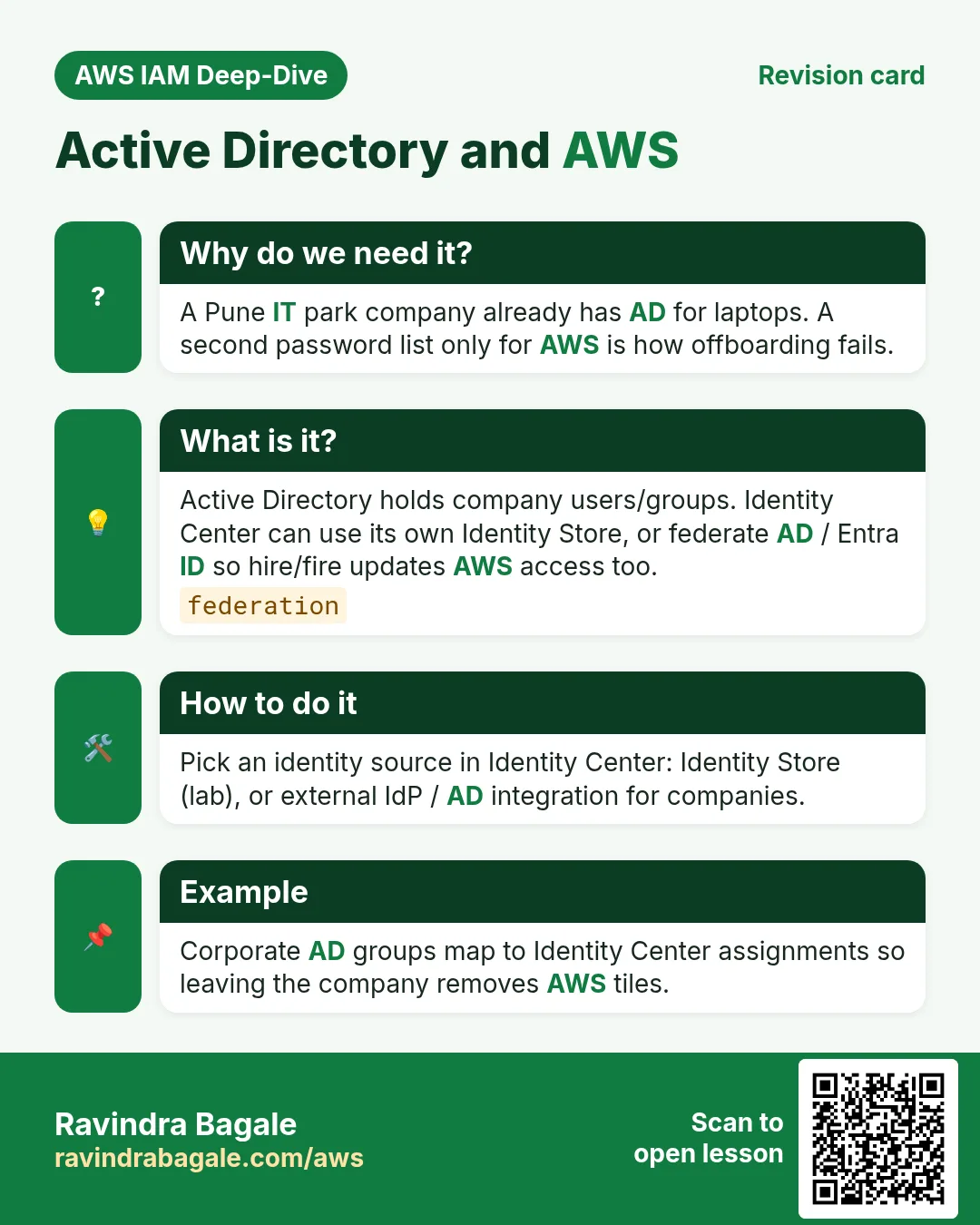
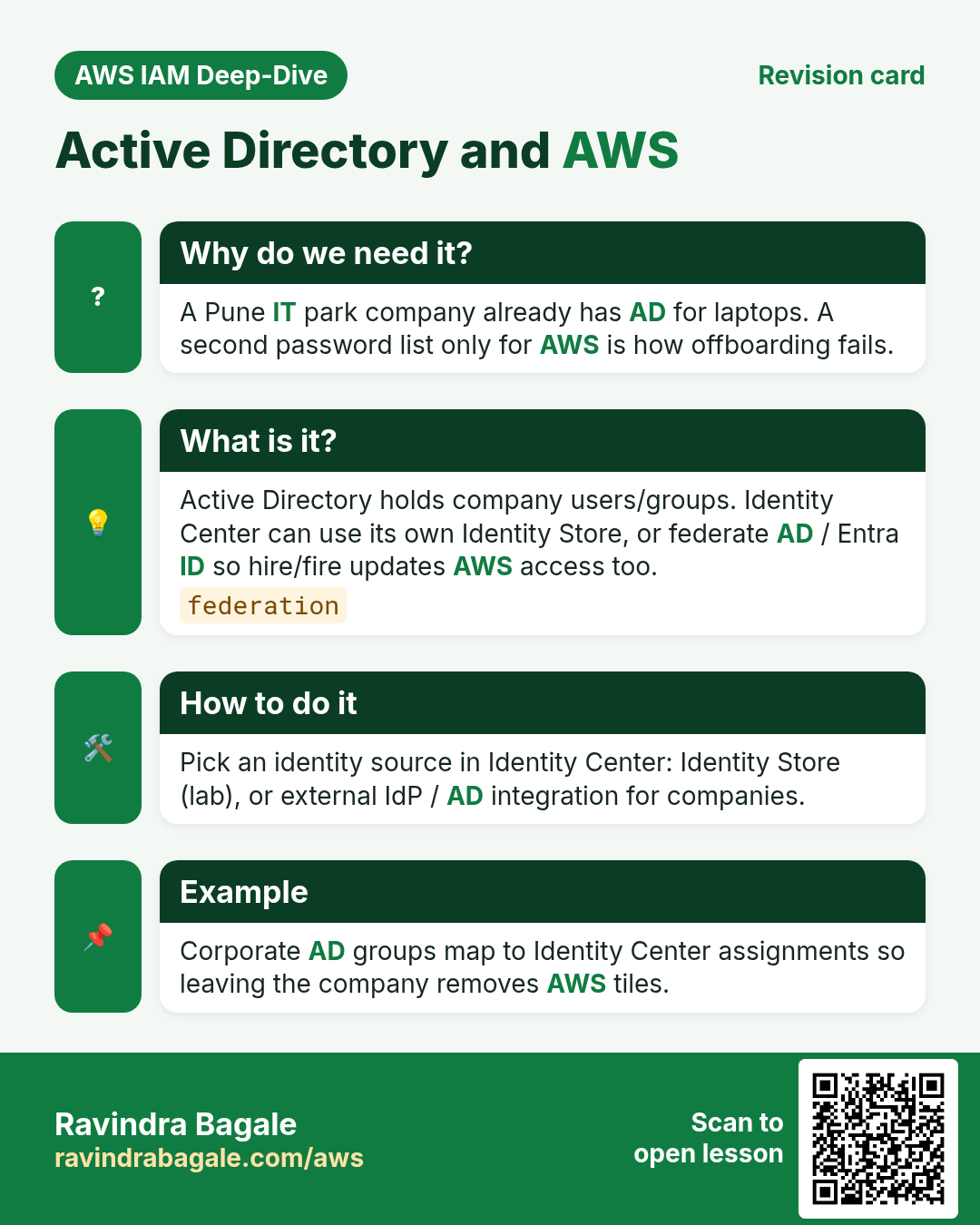
A Pune IT park company already has employee logins in Active Directory for laptops and Wi-Fi. They do not want a second password list only for AWS. Connecting AD (or Entra ID) to Identity Center means one hire / one fire updates AWS access too.
The company is a generic example — not a real client story.
What is it?
Active Directory (AD) is Microsoft’s directory of users and groups. On AWS you meet it in a few different products — do not mix the names.
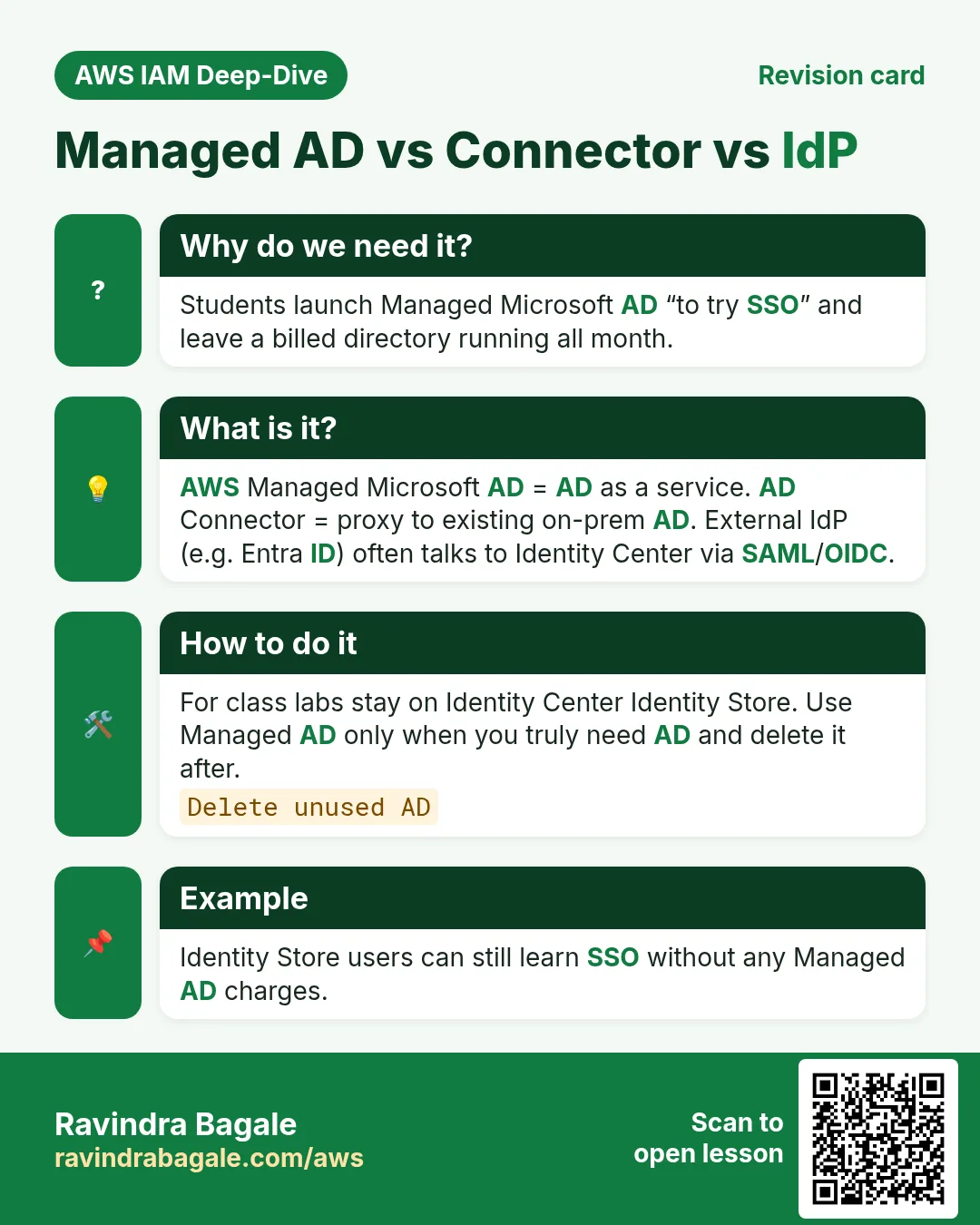
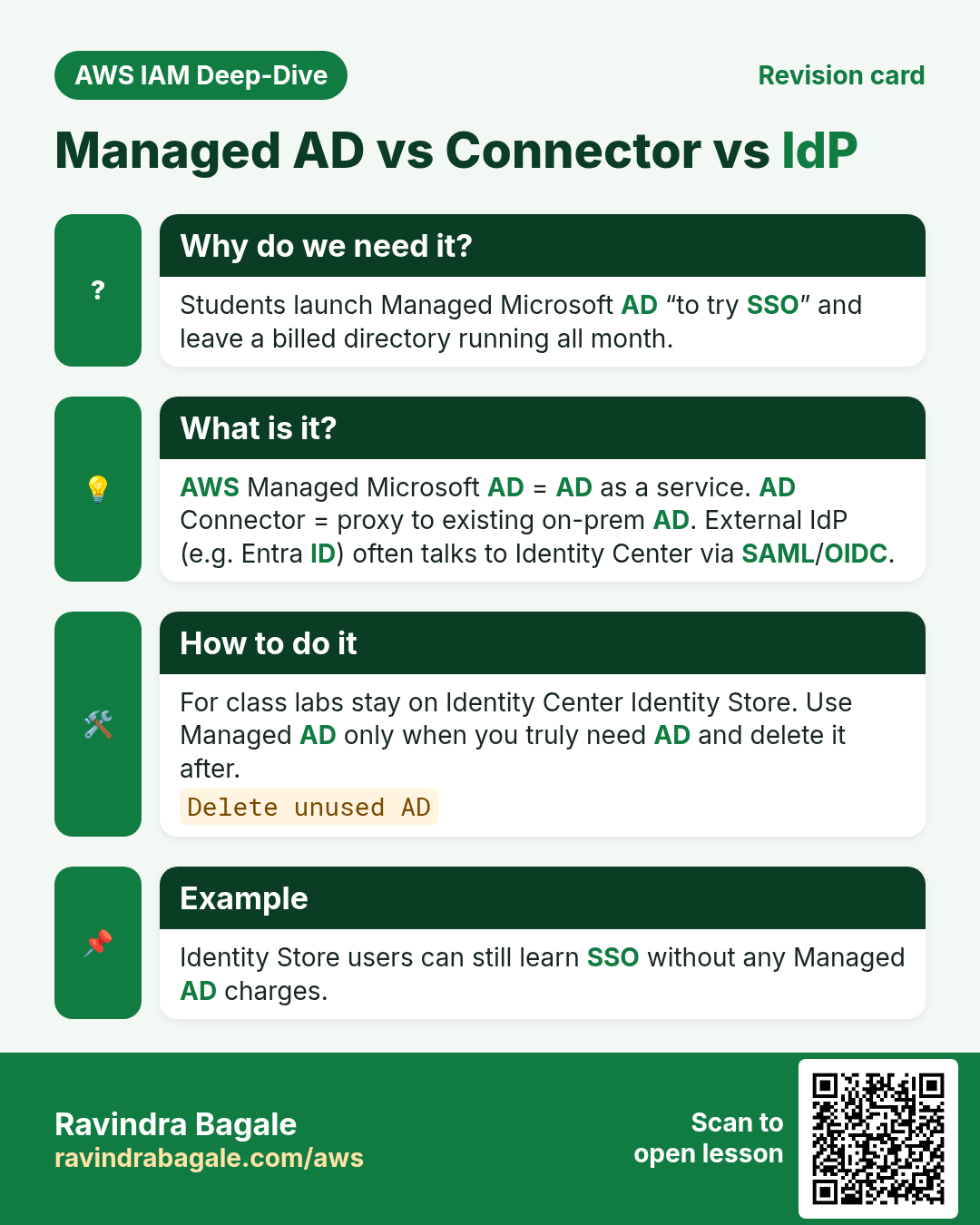
| Option | What it is | Student lab? |
|---|---|---|
| IAM Identity Center Identity Store | Built-in users/groups (no AD) | Yes — previous chapter |
| External IdP (SAML/OIDC) | Okta, Entra ID, Google… federate into Identity Center | Demo IdP possible; needs admin |
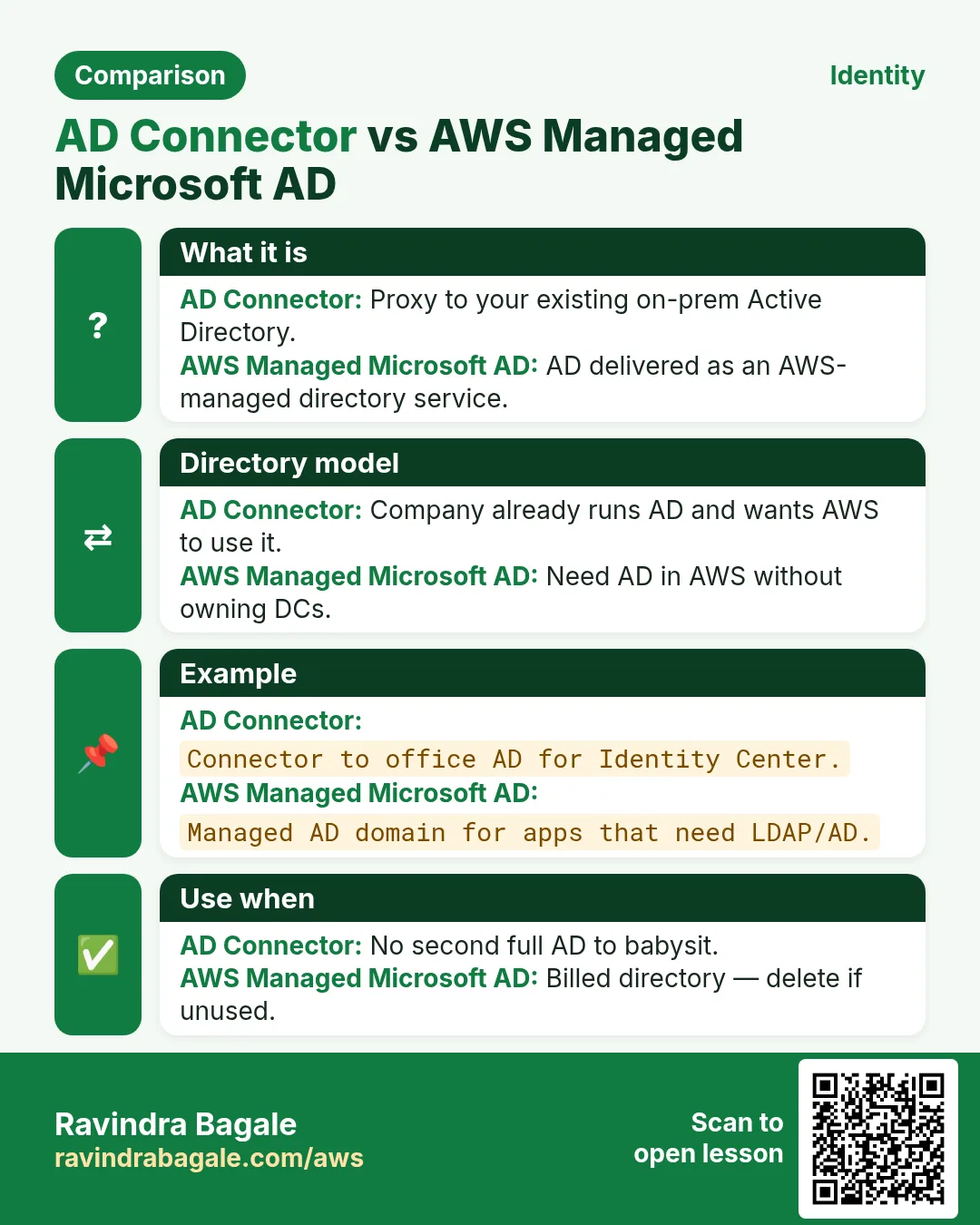
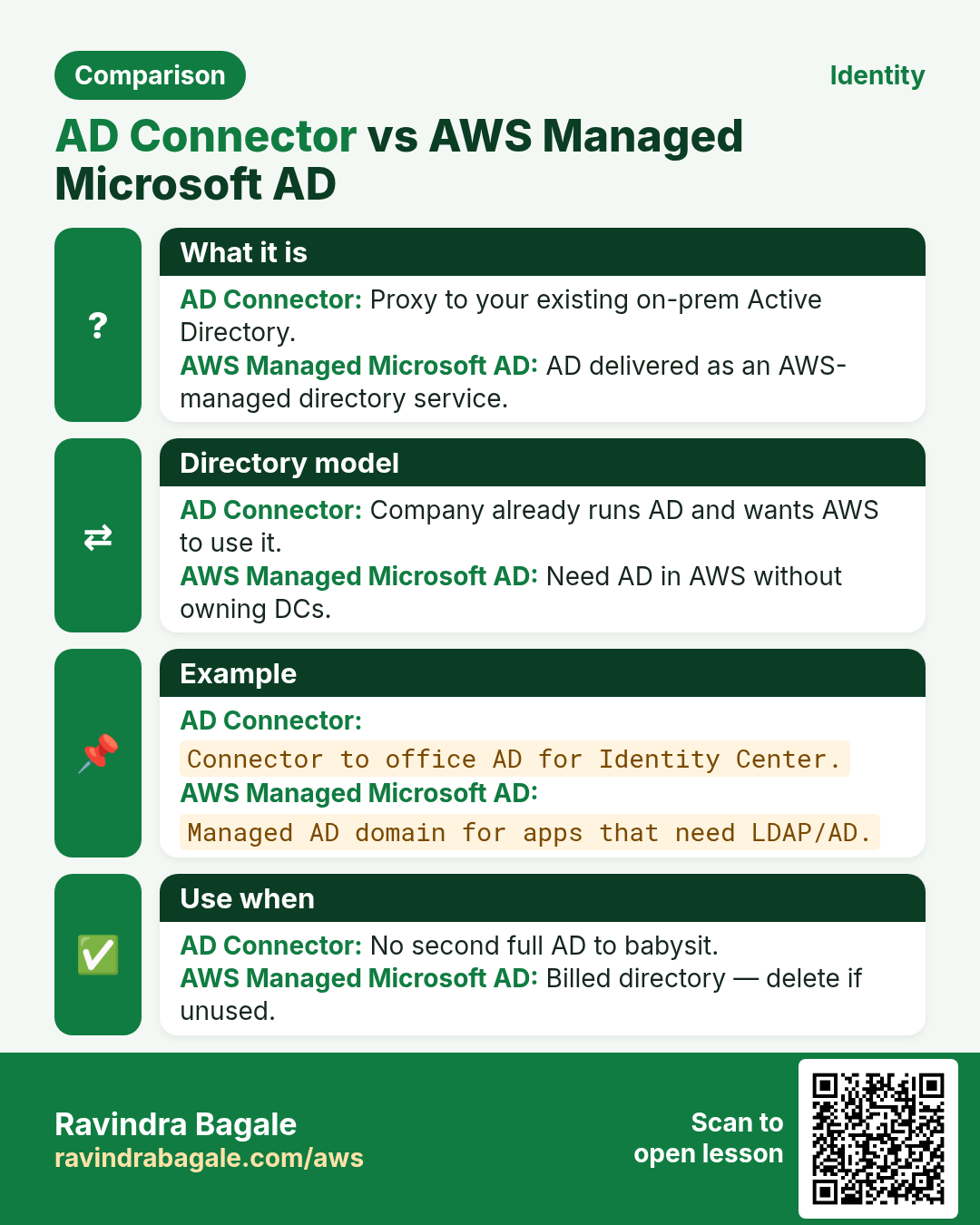
| AWS Managed Microsoft AD | AD Domain Controllers run as AWS service | Costly for class; usually skip |
| AD Connector | Proxy to your existing on-prem AD | Needs real corporate AD |
2. Identity Center + directory
Why do we need this?
Changing the identity source is a one-way door in many orgs — plan before you click.
What is it?
- Default lab: keep Identity Center directory and create users there.
- Company path: set identity source to Active Directory (Managed AD or self-managed via connector/ fort) or to an external IdP like Microsoft Entra ID.
- Users then sign in with company credentials at the AWS access portal; permission sets still control AWS rights.
- SCIM provisioning (where supported) can auto-create/deactivate users from the IdP.
3. Honest student path
- Do tonight: finish Identity Center with the built-in directory (previous lab). Understand AD vocabulary.
- Do with trainer/org: watch an Entra ID or Okta federation demo; do not invent a second production directory.
- Skip unless budgeted: AWS Managed Microsoft AD (Directory Service charges while it runs). Delete unused directories.
Ravindra Bagale's Tip
Students sometimes launch Managed Microsoft AD “just to see” and forget it for a week — that is an expensive surprise. Prefer screenshots from docs or a shared demo account.
4. Interview angles
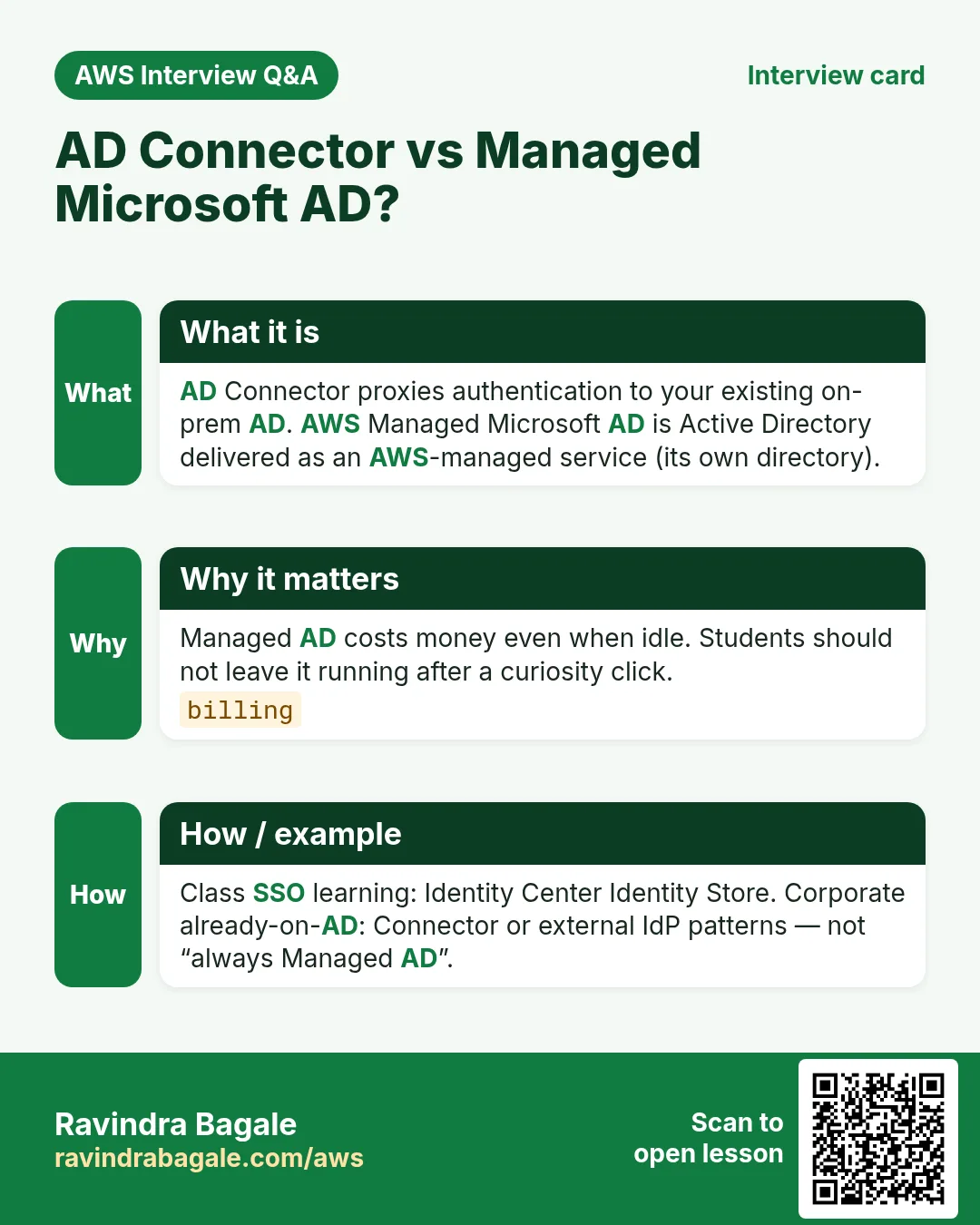
Q. AD Connector vs Managed AD?
Connector proxies to existing AD; Managed AD is AD as an AWS service.
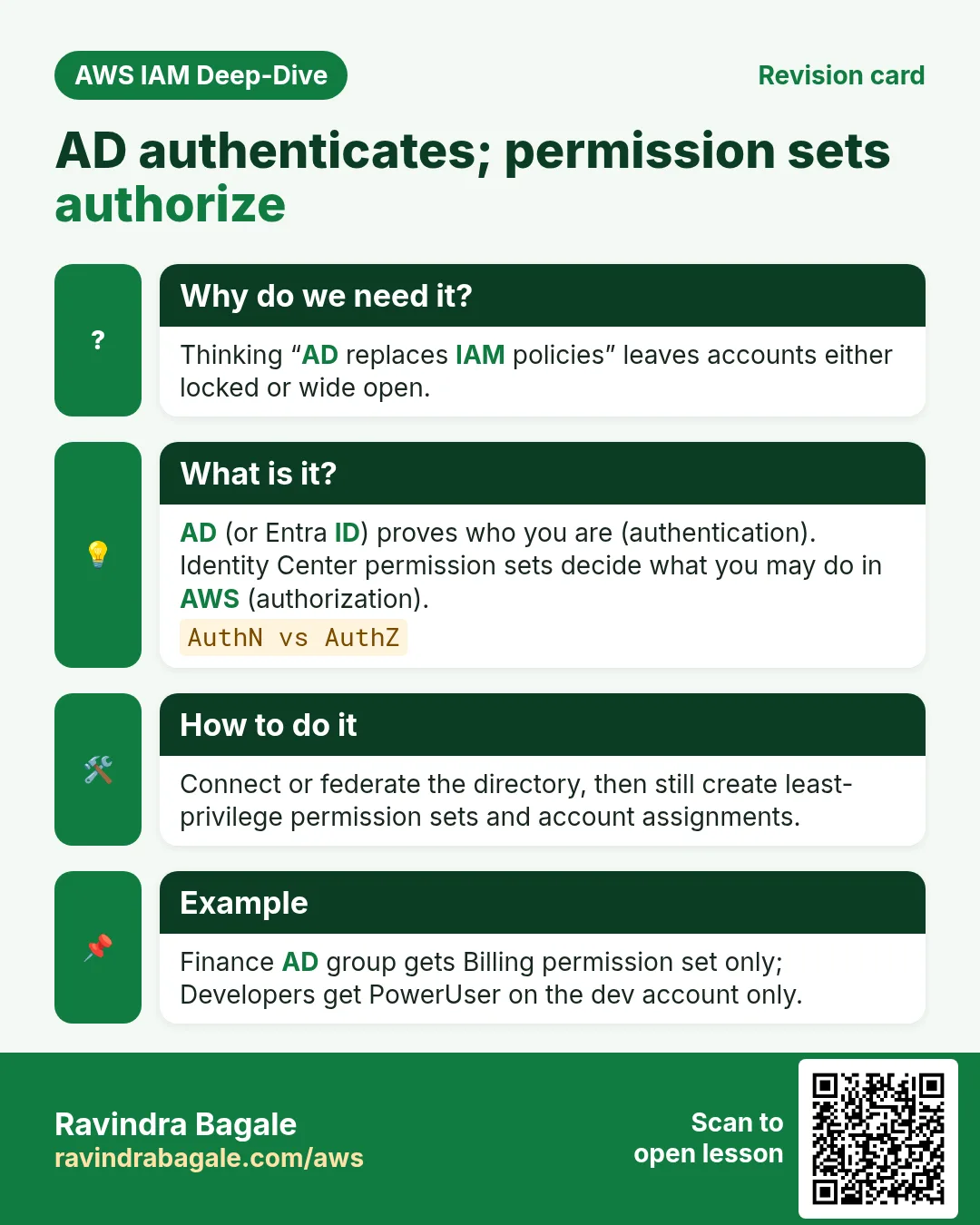
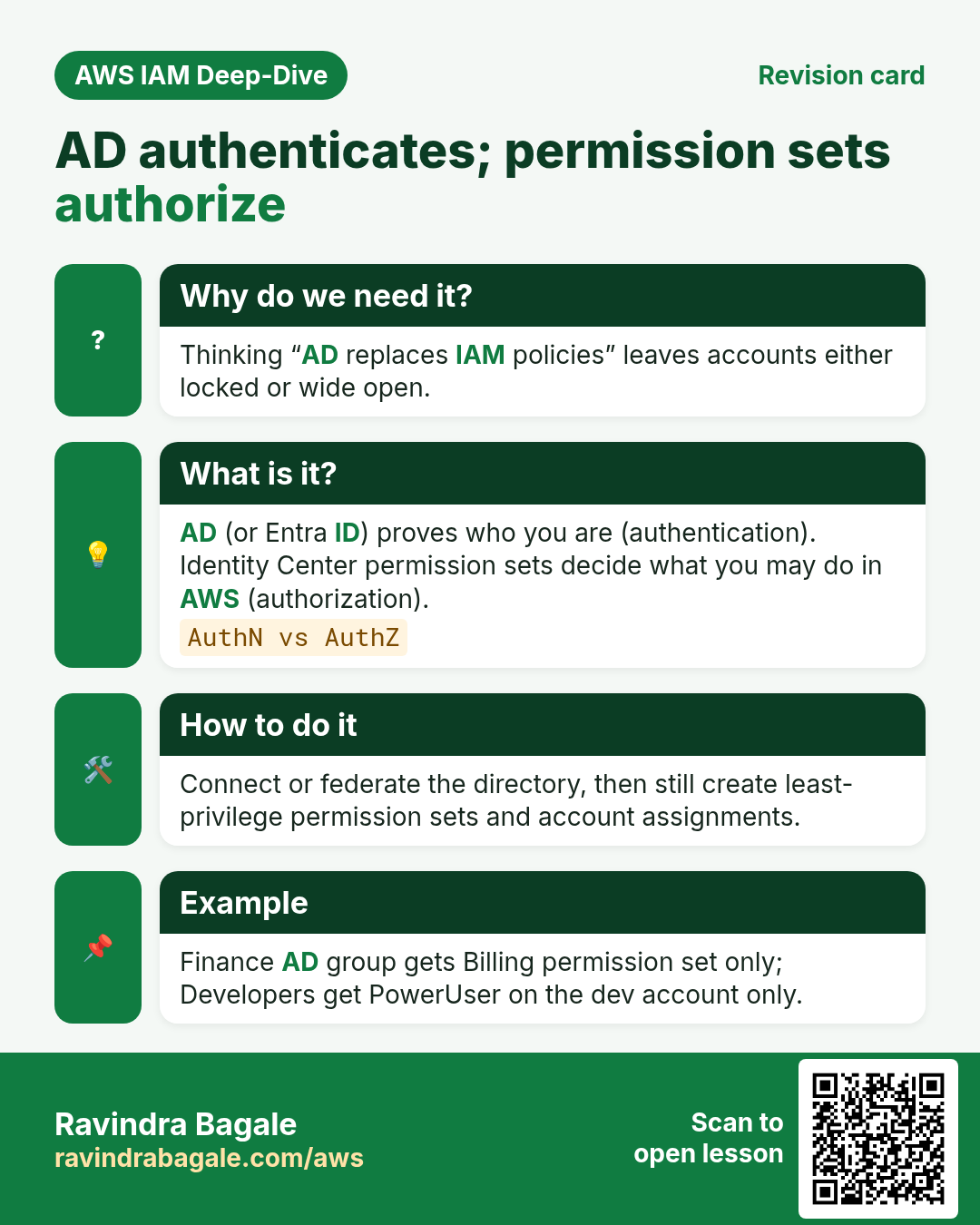
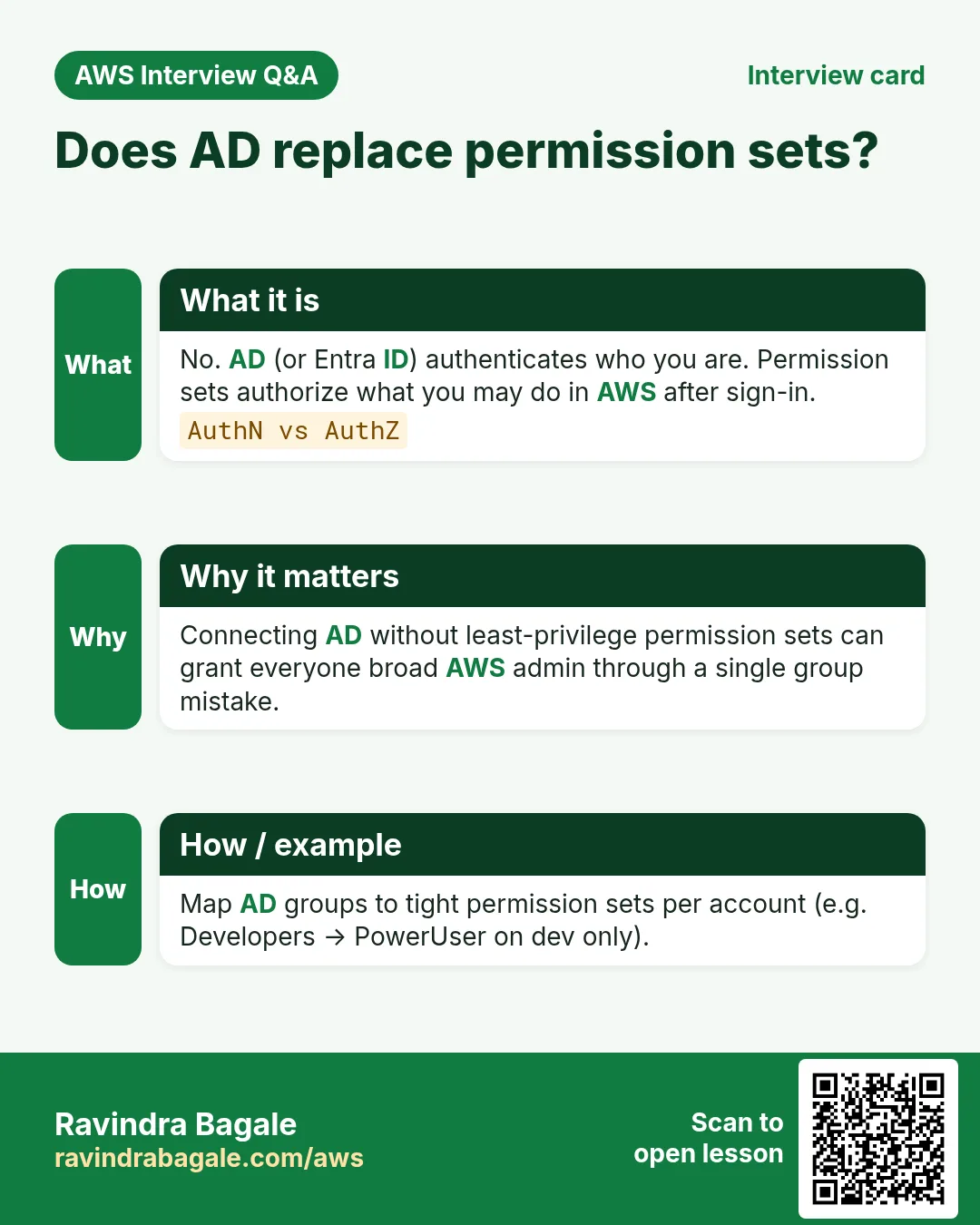
Q. Does AD replace permission sets?
No — AD authenticates who you are; permission sets authorize AWS actions.
Q. Entra ID with AWS?
Common external IdP for Identity Center via SAML/OIDC.
Q. Student without corporate AD?
Use Identity Center Identity Store — still valid SSO learning.
Try at home
- Write 5 lines: authentication (who) vs authorization (what) using AD + permission sets.
- Next: IAM administrator habits — root, MFA, break-glass.
In short
- AD holds company users; Identity Center can federate them.
- Managed AD, AD Connector, external IdP — different tools.
- Student lab = Identity Center directory is enough.
- Do not leave Managed AD running unused.
Practice Tasks
Goa Beach Stays is a hospitality business in Panaji. Rosario Fernandes looks after its IT and cloud work. They count money in INR and run their AWS resources in the ap-south-1 Region. In the tasks below you do real jobs for them using what this lesson teaches. All names, account IDs, IP addresses and numbers are made up for practice.
0 / 10
Easy Configure a named profile
Why: Profiles keep keys for different accounts apart.
What to do: Start the interactive setup for a profile named goabeachstays-prod.
- Read the task and decide which AWS service it is about.
- Write aws, then the service name, then the operation (the action word).
- Add each needed flag (--name) followed by its value from the task.
- Flags can be in any order. Click Check answer.
Easy Check who you are logged in as
Why: Always confirm the account and identity before running changes.
What to do: Show the account ID and ARN of the identity your CLI is using.
- Read the task and decide which AWS service it is about.
- Write aws, then the service name, then the operation (the action word).
- Add each needed flag (--name) followed by its value from the task.
- Flags can be in any order. Click Check answer.
Easy How many addresses in a /16?
Why: Picking a VPC size needs this count.
What to do: Goa Beach Stays plans the VPC 10.12.0.0/16. How many IP addresses does it hold in total?
- Write down the numbers the task gives you.
- Work it out step by step on paper.
- Type only the final answer in the box.
- Click Check answer.
Easy Port for SSH
Why: Security group rules need the right port.
What to do: Which TCP port must the security group open for SSH?
- Write down the numbers the task gives you.
- Work it out step by step on paper.
- Type only the final answer in the box.
- Click Check answer.
Easy Show where you are
Why: Before you copy or delete anything, you must know which folder you are in.
What to do: Rosario Fernandes logged in to the Goa Beach Stays server and is not sure which folder the terminal is in. Print the current folder path.
- Find the Linux command that does this job.
- Add the options (like -r or -h) the task needs.
- Add the file names, folders or users in the right order.
- Use sudo if the job changes system files or users. Click Check answer.
Medium List Identity Center instances
Why: You need the instance ARN and identity store ID for SSO admin commands.
What to do: List the IAM Identity Center instances.
- Read the task and decide which AWS service it is about.
- Write aws, then the service name, then the operation (the action word).
- Add each needed flag (--name) followed by its value from the task.
- Flags can be in any order. Click Check answer.
Medium Log in with SSO
Why: SSO gives short-lived keys, so no long-term access keys sit on your laptop.
What to do: Log in with IAM Identity Center for profile goabeachstays-dev.
- Read the task and decide which AWS service it is about.
- Write aws, then the service name, then the operation (the action word).
- Add each needed flag (--name) followed by its value from the task.
- Flags can be in any order. Click Check answer.
Medium Set the default Region of a profile
Why: Setting region in the profile saves typing --region every time.
What to do: Set region to ap-south-1 for profile goabeachstays-prod using aws configure set.
- Read the task and decide which AWS service it is about.
- Write aws, then the service name, then the operation (the action word).
- Add each needed flag (--name) followed by its value from the task.
- Flags can be in any order. Click Check answer.
Medium Create access keys for a user
Why: Access keys let a user run the AWS CLI. Store them safely and rotate them.
What to do: Create an access key for user rosario.
- Read the task and decide which AWS service it is about.
- Write aws, then the service name, then the operation (the action word).
- Add each needed flag (--name) followed by its value from the task.
- Flags can be in any order. Click Check answer.
Hard Create a permission set
Why: A permission set is a role template that Identity Center creates in each account.
What to do: Create permission set ReadOnly-goabeachstays in instance arn:aws:sso:::instance/ssoins-1234567890abcdef with session duration PT8H.
- Read the task and decide which AWS service it is about.
- Write aws, then the service name, then the operation (the action word).
- Add each needed flag (--name) followed by its value from the task.
- Flags can be in any order. Click Check answer.
Revision, comparison and interview cards
Revise this lesson in a few minutes. Save the cards on your phone or download them as PNG files. The QR code on each card opens this lesson.
More cards: Ravi Sir's Cards.