AWS SDK Secrets Manager and SSM Parameter Store: Read Config Safely (Python, PHP, Node.js)
Passwords and API keys do not belong in code or .env files in git. We store a database password in Secrets Manager and app settings in SSM Parameter Store, read them from Python, PHP and Node.js, rotate a secret, read a whole path of parameters and cache values so you do not call AWS on every request. The example: a payments app for Lucas in São Paulo and Sneha in Chennai.
What you'll learn in this chapter
- Create and read a secret
- Update and rotate
- Store SecureString parameters
- Read parameters by path
- Cache values safely
1. The big picture: the hotel safe
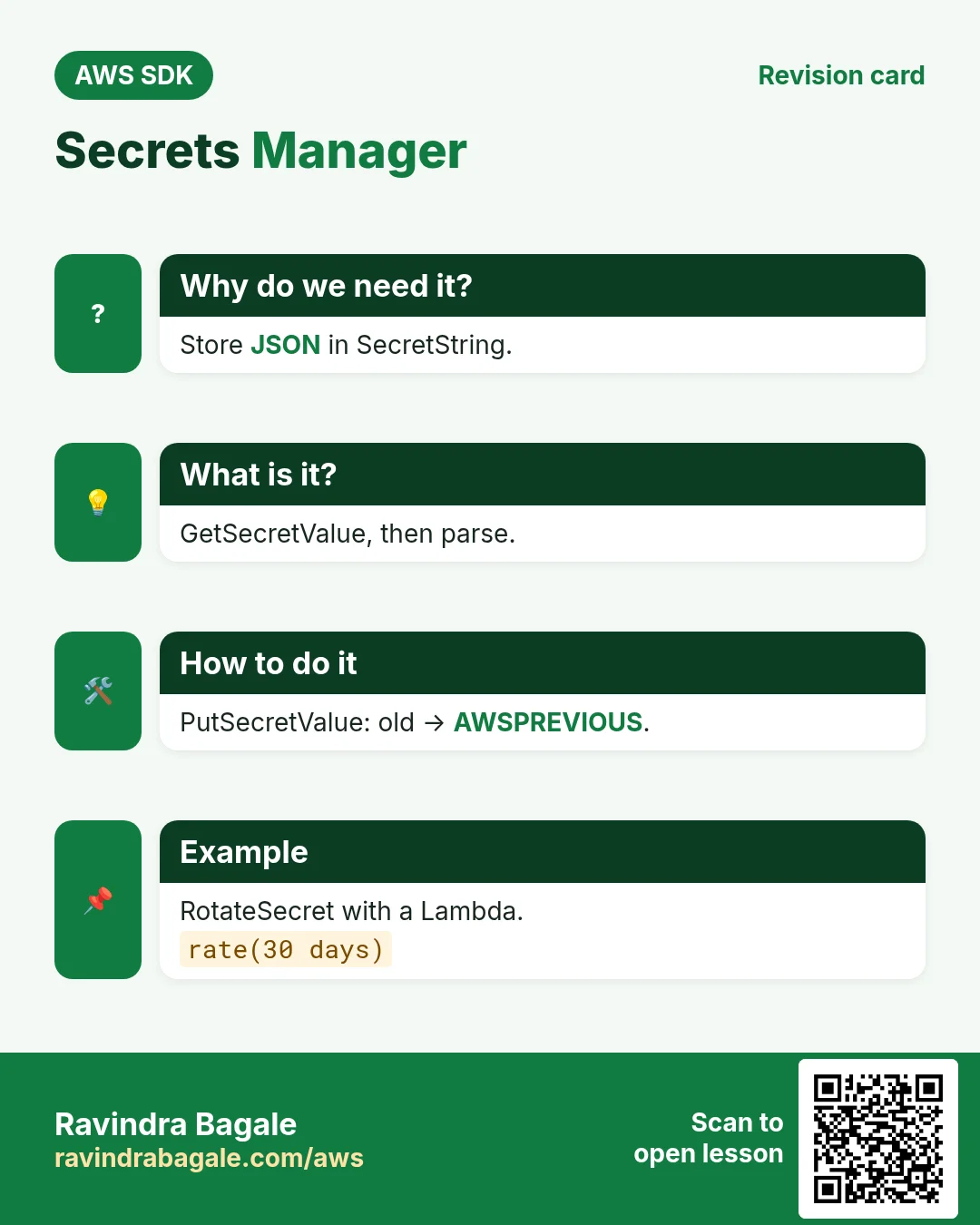
Why do we need this?
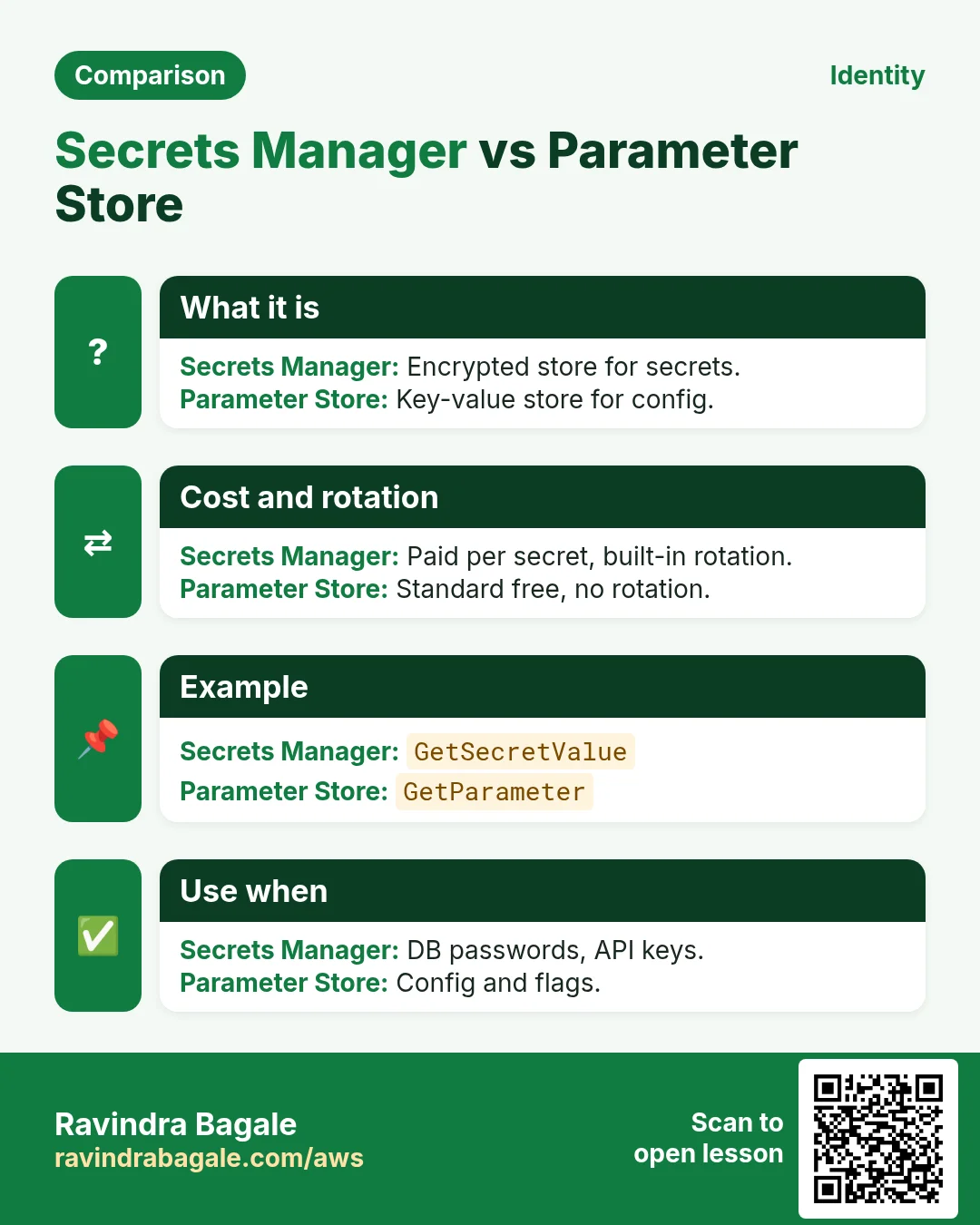
You do not tape your passport to the hotel door. You lock it in the room safe and open it when needed. Secrets Manager is the safe for passwords; Parameter Store is the notice board for settings, with a locked section for sensitive ones.
What is it?
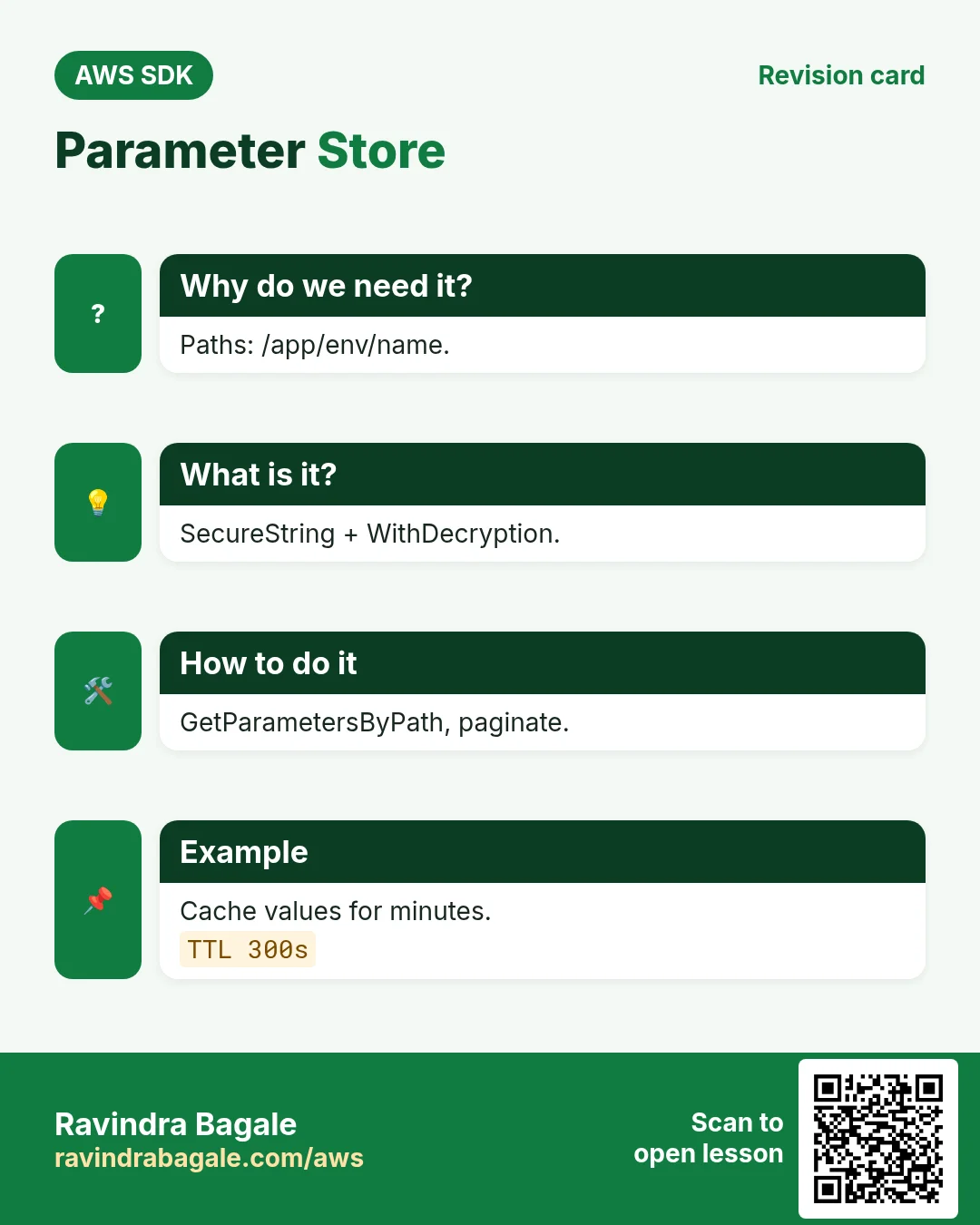
GetSecretValue returns SecretString. GetParameter with WithDecryption reads a SecureString. Both are encrypted with KMS; IAM decides who can read.
How to do it (step by step)
2. Create and read a secret
Why do we need this?
Lucas needs the Postgres password for the Brazil database without anyone seeing it in code.
What is it?
Store JSON in SecretString so one secret holds username, password, host. Read it and parse the JSON.
How to do it (step by step)
- Python: create the secret.
import boto3, json
sm = boto3.client("secretsmanager", region_name="sa-east-1")
r = sm.create_secret(Name="payments/db",
    SecretString=json.dumps({"user": "pay_app", "password": "Xy7!q2-Lm9", "host": "db.internal", "port": 5432}))
print(r["ARN"])
Expected output:
arn:aws:secretsmanager:sa-east-1:123456789012:secret:payments/db-AbCdEf- Node.js: read and parse it.
import { SecretsManagerClient, GetSecretValueCommand } from "@aws-sdk/client-secrets-manager";
const sm = new SecretsManagerClient({ region: "sa-east-1" });
const { SecretString } = await sm.send(new GetSecretValueCommand({ SecretId: "payments/db" }));
const db = JSON.parse(SecretString);
console.log(db.user, db.host, db.port);
Expected output:
pay_app db.internal 5432- PHP: read it and build a PDO DSN.
<?php
require "vendor/autoload.php";
$sm = new Aws\SecretsManager\SecretsManagerClient(["region" => "sa-east-1"]);
$db = json_decode($sm->getSecretValue(["SecretId" => "payments/db"])["SecretString"], true);
$dsn = "pgsql:host={$db["host"]};port={$db["port"]};dbname=payments";
echo $dsn, PHP_EOL;
Expected output:
pgsql:host=db.internal;port=5432;dbname=payments- Verify: describe the secret (never prints the value).
aws secretsmanager describe-secret --secret-id payments/db --region sa-east-1 --query "[Name,LastChangedDate]" --output textExpected output:
payments/db 2026-10-24T12:10:00+05:303. Update and rotate
Why do we need this?
The security team in Chennai rotates every database password each 30 days.
What is it?
PutSecretValue writes a new version labelled AWSCURRENT; the old one becomes AWSPREVIOUS. RotateSecret runs a rotation Lambda on a schedule.
How to do it (step by step)
- Python: generate and store a new password.
pw = sm.get_random_password(PasswordLength=24, ExcludePunctuation=True)["RandomPassword"]
cur = json.loads(sm.get_secret_value(SecretId="payments/db")["SecretString"])
cur["password"] = pw
v = sm.put_secret_value(SecretId="payments/db", SecretString=json.dumps(cur))
print(v["VersionStages"])
Expected output:
['AWSCURRENT']- Node.js: turn on automatic rotation.
import { RotateSecretCommand } from "@aws-sdk/client-secrets-manager";
await sm.send(new RotateSecretCommand({
  SecretId: "payments/db",
  RotationLambdaARN: "arn:aws:lambda:sa-east-1:123456789012:function:pg-rotator",
  RotationRules: { ScheduleExpression: "rate(30 days)" },
}));
console.log("rotation on");
Expected output:
rotation on- PHP: read the previous version (for a rollback).
<?php
$old = $sm->getSecretValue(["SecretId" => "payments/db", "VersionStage" => "AWSPREVIOUS"]);
echo json_decode($old["SecretString"])->user, " previous version ok", PHP_EOL;
Expected output:
pay_app previous version ok- Verify: list versions.
aws secretsmanager list-secret-version-ids --secret-id payments/db --region sa-east-1 --query "Versions[].VersionStages" --output textExpected output:
AWSPREVIOUS
AWSCURRENT
4. Parameter Store settings
Why do we need this?
Sneha keeps feature flags, the UPI gateway URL and a Stripe key per environment.
What is it?
Name parameters as paths like /payments/prod/... . String for plain values, SecureString for secrets. GetParametersByPath reads the whole tree (10 per page, paginate).
How to do it (step by step)
- Python: put three parameters.
ssm = boto3.client("ssm", region_name="ap-south-2")
ssm.put_parameter(Name="/payments/prod/upi_url", Value="https://upi.example.in/v2", Type="String", Overwrite=True)
ssm.put_parameter(Name="/payments/prod/max_txn_inr", Value="200000", Type="String", Overwrite=True)
ssm.put_parameter(Name="/payments/prod/stripe_key", Value="sk_live_51abc", Type="SecureString", Overwrite=True)
print("3 saved")
Expected output:
3 saved- Node.js: read one SecureString.
import { SSMClient, GetParameterCommand } from "@aws-sdk/client-ssm";
const ssm = new SSMClient({ region: "ap-south-2" });
const r = await ssm.send(new GetParameterCommand({ Name: "/payments/prod/stripe_key", WithDecryption: true }));
console.log(r.Parameter.Type, r.Parameter.Value.slice(0, 8) + "…");
Expected output:
SecureString sk_live_…- PHP: read the whole path with a paginator.
<?php
$ssm = new Aws\Ssm\SsmClient(["region" => "ap-south-2"]);
$cfg = [];
foreach ($ssm->getPaginator("GetParametersByPath", ["Path" => "/payments/prod/", "WithDecryption" => true]) as $page)
    foreach ($page["Parameters"] as $p) $cfg[basename($p["Name"])] = $p["Value"];
ksort($cfg); echo implode(",", array_keys($cfg)), PHP_EOL;
Expected output:
max_txn_inr,stripe_key,upi_url- Verify: describe parameters.
aws ssm describe-parameters --parameter-filters Key=Path,Values=/payments/prod --region ap-south-2 --query "Parameters[].[Name,Type]" --output textExpected output:
/payments/prod/max_txn_inr  String
/payments/prod/stripe_key   SecureString
/payments/prod/upi_url      String
5. Cache values
Why do we need this?
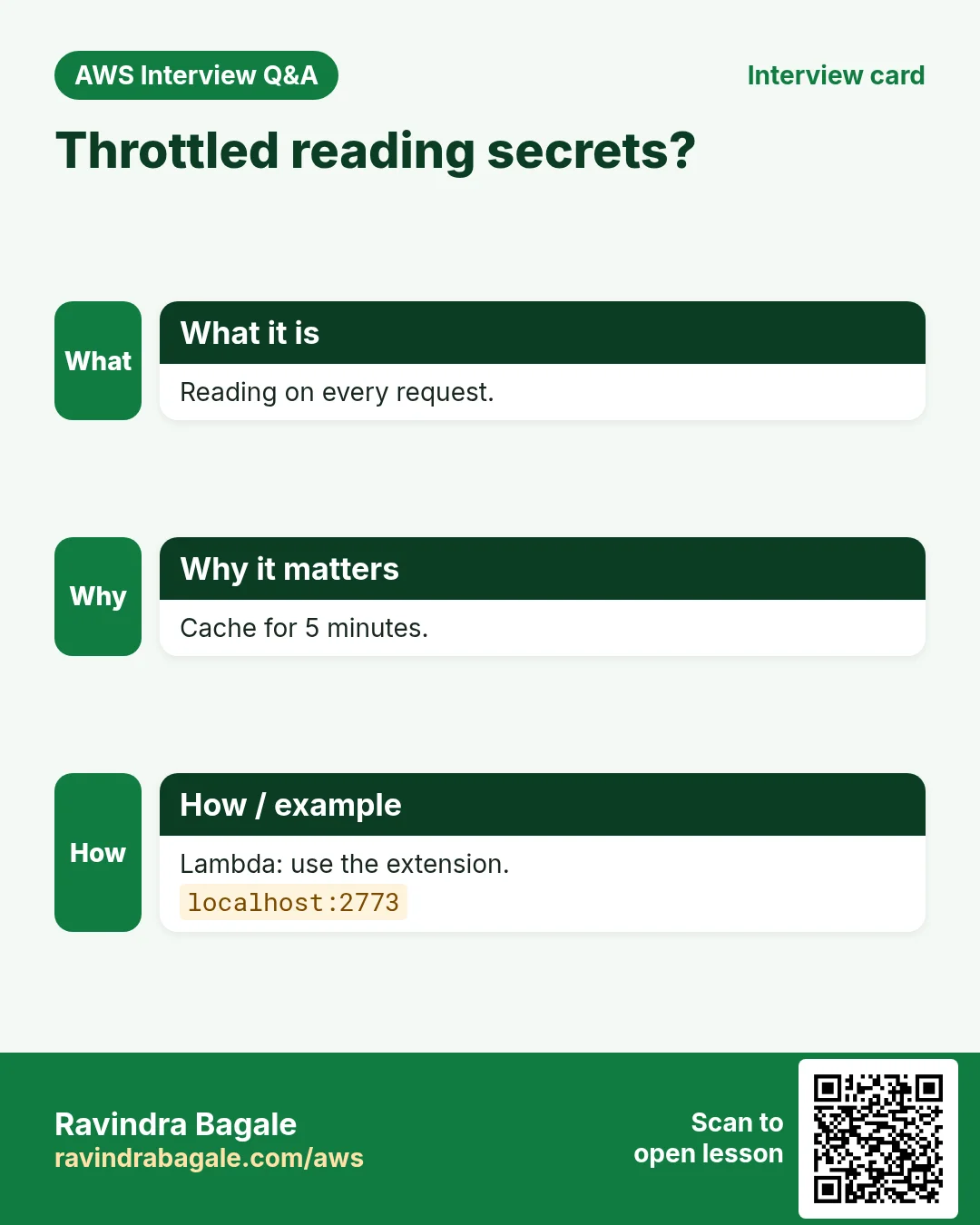
At 500 requests a second, calling AWS every time is slow, costly and hits throttling.
What is it?
Read once and keep it in memory for a few minutes. Python and others have official caching libraries; a small TTL cache works everywhere. On Lambda, the Parameters and Secrets extension does it for you on localhost:2773.
How to do it (step by step)
- Python: official cache.
# pip install aws-secretsmanager-caching
from aws_secretsmanager_caching import SecretCache, SecretCacheConfig
cache = SecretCache(config=SecretCacheConfig(secret_refresh_interval=300), client=sm)
for _ in range(3):
    print(json.loads(cache.get_secret_string("payments/db"))["user"])
Expected output:
pay_app
pay_app
pay_app (one API call)- Node.js: a tiny TTL cache.
const cache = new Map();
async function param(name, ttl = 300_000) {
  const hit = cache.get(name);
  if (hit && hit.exp > Date.now()) return hit.v;
  const r = await ssm.send(new GetParameterCommand({ Name: name, WithDecryption: true }));
  cache.set(name, { v: r.Parameter.Value, exp: Date.now() + ttl });
  return r.Parameter.Value;
}
console.log(await param("/payments/prod/max_txn_inr"), await param("/payments/prod/max_txn_inr"));
Expected output:
200000 200000 (second read from memory)- PHP: APCu cache around the SDK call.
<?php
function param(Aws\Ssm\SsmClient $ssm, string $n): string {
    $v = apcu_fetch($n, $ok);
    if ($ok) return $v;
    $v = $ssm->getParameter(["Name" => $n, "WithDecryption" => true])["Parameter"]["Value"];
    apcu_store($n, $v, 300);
    return $v;
}
echo param($ssm, "/payments/prod/upi_url"), PHP_EOL;
Expected output:
https://upi.example.in/v2- Verify: on Lambda, read via the extension.
curl -s -H "X-Aws-Parameters-Secrets-Token: $AWS_SESSION_TOKEN" "localhost:2773/systemsmanager/parameters/get?name=/payments/prod/upi_url" | jq -r .Parameter.ValueExpected output:
https://upi.example.in/v26. The same call in Java, Go, .NET and the CLI
Why do we need this?
Teams often mix languages. Once you know the call in Python, PHP and Node.js, the other SDKs are the same API with different syntax.
What is it?
All of them call the GetSecretValue API. Use the CLI line to test it quickly from a terminal.
How to do it (step by step)
| Stack | Code |
|---|---|
| AWS CLI | aws secretsmanager get-secret-value --secret-id payments/db --query SecretString --output text |
| Java v2 | String s = sm.getSecretValue(b -> b.secretId("payments/db")).secretString(); |
| Go v2 | out, _ := client.GetSecretValue(ctx, &secretsmanager.GetSecretValueInput{SecretId: aws.String("payments/db")}) |
| .NET | var r = await sm.GetSecretValueAsync(new GetSecretValueRequest { SecretId = "payments/db" }); |
7. Clean up so nothing keeps costing
Why do we need this?
Lab resources left running cost money and can be a security risk.
What is it?
Delete in reverse order: children first, then parents.
How to do it (step by step)
- Delete the secret and parameters.
aws secretsmanager delete-secret --secret-id payments/db --force-delete-without-recovery --region sa-east-1
aws ssm delete-parameters --names /payments/prod/upi_url /payments/prod/max_txn_inr /payments/prod/stripe_key --region ap-south-2
Expected output:
(no output means success)Ravindra Bagale's Tip
Never print or log a secret value, even in debug. Log the secret name and version id instead.
8. Interview questions and answers
Q. Secrets Manager vs Parameter Store?
Secrets Manager adds rotation and cross-account sharing at a per-secret price; Parameter Store is free for standard parameters and good for config.
Q. What does WithDecryption do?
Returns the plain value of a SecureString parameter using KMS.
Q. What are AWSCURRENT and AWSPREVIOUS?
Staging labels on secret versions; reads default to AWSCURRENT.
Q. Why cache secrets?
To cut latency, cost and throttling; refresh every few minutes to pick up rotation.
Q. How many parameters per GetParametersByPath page?
Up to 10; use the paginator.
Try at home
- Store /payments/dev/ values and load dev or prod config based on an APP_ENV variable in Node.js.
- Write an IAM policy that lets an app read only /payments/prod/*.
In short
- Secrets: Create/Get/Put.
- Rotate with a Lambda.
- SSM: SecureString + WithDecryption.
- GetParametersByPath + paginator.
- Cache with a TTL.
Practice Tasks
Sahyadri Clinic is a healthcare business in Satara. Dr. Anil Deshmukh looks after its IT and cloud work. They count money in INR and run their AWS resources in the ap-south-1 Region. In the tasks below you do real jobs for them using what this lesson teaches. All names, account IDs, IP addresses and numbers are made up for practice.
0 / 11
Easy Read a secret
Why: Apps read the secret at start-up instead of keeping it in a file.
What to do: Get the value of secret sahyadriclinic/prod/db.
- Read the task and decide which AWS service it is about.
- Write aws, then the service name, then the operation (the action word).
- Add each needed flag (--name) followed by its value from the task.
- Flags can be in any order. Click Check answer.
Easy Port for SSH
Why: Security group rules need the right port.
What to do: Which TCP port must the security group open for SSH?
- Write down the numbers the task gives you.
- Work it out step by step on paper.
- Type only the final answer in the box.
- Click Check answer.
Easy Port for MySQL
Why: The DB security group should open only this port, only to the app.
What to do: Sahyadri Clinic's app talks to RDS MySQL. Which port should the DB security group allow?
- Write down the numbers the task gives you.
- Work it out step by step on paper.
- Type only the final answer in the box.
- Click Check answer.
Medium Read a decrypted parameter
Why: Without --with-decryption you only see the encrypted blob.
What to do: Read /sahyadriclinic/prod/api-key and decrypt it.
- Read the task and decide which AWS service it is about.
- Write aws, then the service name, then the operation (the action word).
- Add each needed flag (--name) followed by its value from the task.
- Flags can be in any order. Click Check answer.
Medium Store an encrypted parameter
Why: SecureString parameters are encrypted with KMS and are free for standard tier.
What to do: Store /sahyadriclinic/prod/api-key as a SecureString with the value abc123.
- Read the task and decide which AWS service it is about.
- Write aws, then the service name, then the operation (the action word).
- Add each needed flag (--name) followed by its value from the task.
- Flags can be in any order. Click Check answer.
Medium Read one secret only
Why: Each app should read only its own secret.
What to do: Allow secretsmanager:GetSecretValue on arn:aws:secretsmanager:ap-south-1:102103063049:secret:sahyadriclinic/prod/db-* only.
- Start with { "Version": "2012-10-17", "Statement": [ ... ] }.
- In each statement write Effect, Action and Resource.
- Give only what the task needs (least privilege).
- Use double quotes and commas correctly. Click Check answer.
Medium Store a database password
Why: Secrets Manager encrypts secrets and can rotate them; never put them in code.
What to do: Create secret sahyadriclinic/prod/db with the value from secret.json.
- Read the task and decide which AWS service it is about.
- Write aws, then the service name, then the operation (the action word).
- Add each needed flag (--name) followed by its value from the task.
- Flags can be in any order. Click Check answer.
Medium CloudFormation: web security group
Why: Opening only 443 keeps the server safer.
What to do: Template with an AWS::EC2::SecurityGroup that allows TCP 443 from 0.0.0.0/0. Add a GroupDescription.
- Start from the top-level keys the task names.
- Indent child keys with 2 spaces (no tabs).
- Fill in each property with the value from the task.
- Click Check answer. Key order does not matter.
Hard Read all parameters under a path
Why: A path groups config, like /app/prod/, so one call loads it all.
What to do: Get all parameters under /sahyadriclinic/prod, including sub-paths, decrypted.
- Read the task and decide which AWS service it is about.
- Write aws, then the service name, then the operation (the action word).
- Add each needed flag (--name) followed by its value from the task.
- Flags can be in any order. Click Check answer.
Hard Rotate a secret now
Why: Rotation changes the password on a schedule or on demand.
What to do: Start rotation of secret sahyadriclinic/prod/db now.
- Read the task and decide which AWS service it is about.
- Write aws, then the service name, then the operation (the action word).
- Add each needed flag (--name) followed by its value from the task.
- Flags can be in any order. Click Check answer.
Hard Deny access from outside the office
Why: An explicit Deny with aws:SourceIp blocks keys used from anywhere else.
What to do: Write one Deny statement: deny all actions (*) on all resources (*) when the source IP is NOT in 203.0.113.0/24.
- Start with { "Version": "2012-10-17", "Statement": [ ... ] }.
- In each statement write Effect, Action and Resource.
- Give only what the task needs (least privilege).
- Use double quotes and commas correctly. Click Check answer.
Revision, comparison and interview cards
Revise this lesson in a few minutes. Save the cards on your phone or download them as PNG files. The QR code on each card opens this lesson.
More cards: Ravi Sir's Cards.