28. Copilot and AI in Excel
Friends, Copilot can build a PivotTable, a formula or a whole summary sheet from one sentence. That is powerful, and it is also risky, because a wrong number written confidently looks exactly like a right one. In this module we use Copilot properly: clean data first, clear prompts, the right mode, and a formula check for every number.
मित्रांनो, Copilot एका वाक्यावरून PivotTable, formula किंवा पूर्ण summary sheet बनवू शकतो. हे ताकदवान आहे, आणि धोकादायकही, कारण आत्मविश्वासाने लिहिलेला चुकीचा आकडा अगदी बरोबर आकड्यासारखा दिसतो. या module मध्ये आपण Copilot नीट वापरतो: आधी स्वच्छ data, स्पष्ट prompts, योग्य mode, आणि प्रत्येक आकड्यासाठी formula ने तपासणी.
दोस्तों, Copilot एक वाक्य से PivotTable, formula या पूरी summary sheet बना सकता है. यह ताकतवर है, और ख़तरनाक भी, क्योंकि भरोसे से लिखा ग़लत आँकड़ा बिलकुल सही आँकड़े जैसा दिखता है. इस module में हम Copilot ठीक से इस्तेमाल करते हैं: पहले साफ़ data, साफ़ prompts, सही mode, और हर आँकड़े की formula से जाँच.
What you will learn in this module
- Know what Copilot in Excel does, its three modes (edit, plan, chat) and where it runs
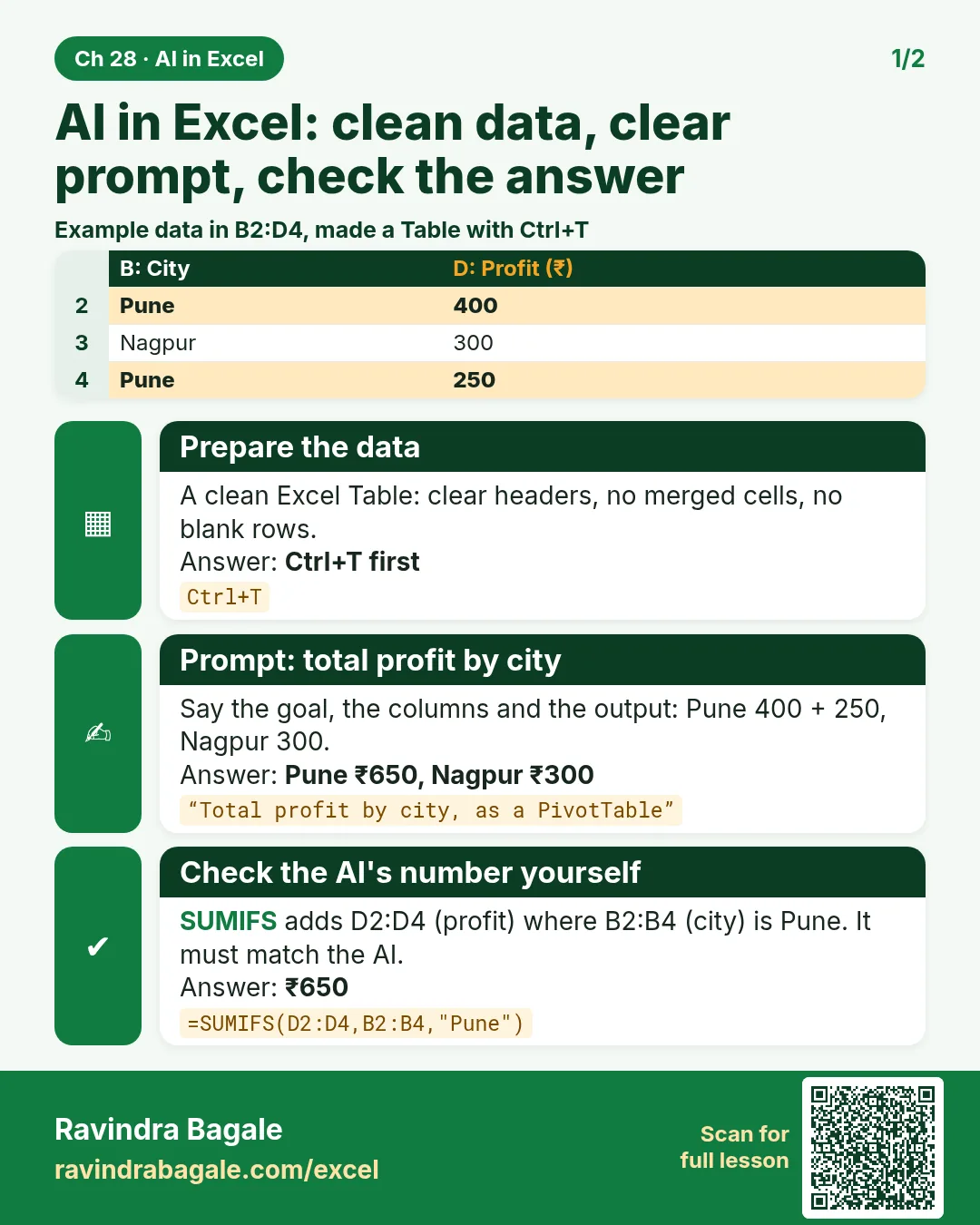
- Prepare data as a clean Excel Table so Copilot understands it
- Ask questions in Chat only mode and make multi-step edits safely
- Understand the retired COPILOT function and replace it with the pane or a formula
- Write analyst prompts with the WHERE-TASK-FILTER-OUTPUT-CHECK pattern
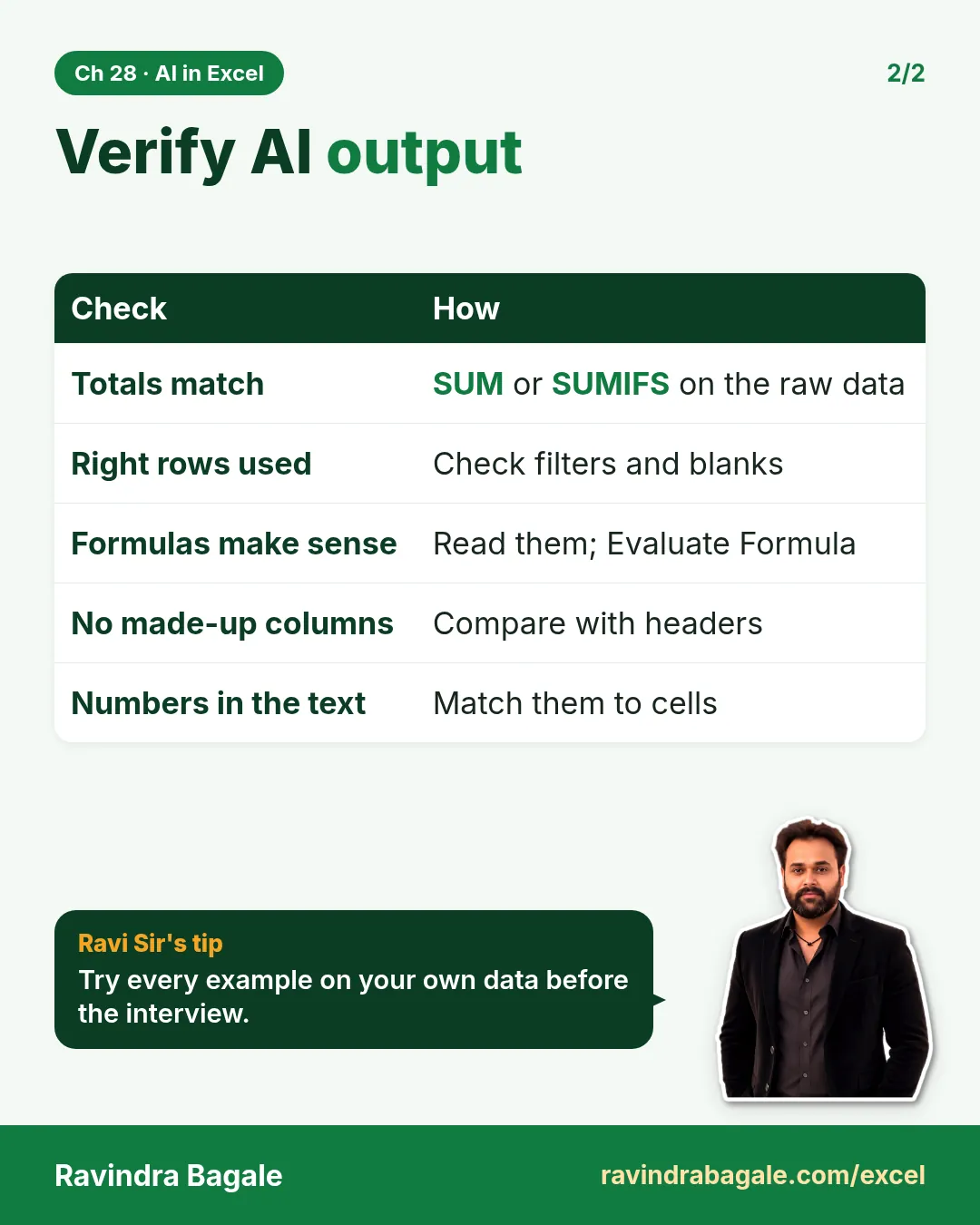
- Verify every AI number with formulas, and know the privacy, limits and licence facts
Live story: The ₹544 that should have been ₹324
Suppose Shraddha Bagale asks Copilot for "Pune sales" and gets ₹544. She sends it. Her manager wanted net sales of Delivered orders, which is ₹324, because one Pune order was cancelled. Nothing was wrong with the AI or the data; the question was not specific and the answer was not checked. After this module, Shraddha writes "Delivered only" in the prompt and checks every number with SUMIFS before it leaves her laptop.
All numbers in this story are fictional practice data.
Live story: ₹324 असायला हवे होते ते ₹544
समजा Shraddha Bagale Copilot ला "Pune sales" विचारते आणि ₹544 मिळतात. ती ते पाठवते. Manager ला Delivered orders ची net sales हवी होती, म्हणजे ₹324, कारण Pune ची एक order cancel झाली होती. AI किंवा data मध्ये काही चूक नव्हती; प्रश्न नेमका नव्हता आणि उत्तर तपासलं नव्हतं. या module नंतर Shraddha prompt मध्ये "Delivered only" लिहिते आणि प्रत्येक आकडा laptop बाहेर जाण्याआधी SUMIFS ने तपासते.
या story मधले सगळे आकडे काल्पनिक practice data आहेत.
Live story: ₹324 होने चाहिए थे वो ₹544
मान लीजिए Shraddha Bagale Copilot से "Pune sales" पूछती है और ₹544 मिलते हैं. वह भेज देती है. Manager को Delivered orders की net sales चाहिए थी, यानी ₹324, क्योंकि Pune का एक order cancel हुआ था. AI या data में कोई ग़लती नहीं थी; सवाल सटीक नहीं था और जवाब जाँचा नहीं गया. इस module के बाद Shraddha prompt में "Delivered only" लिखती है और हर आँकड़ा laptop से बाहर जाने से पहले SUMIFS से जाँचती है.
इस story के सारे आँकड़े काल्पनिक practice data हैं.
Fictional practice data
Every name, number and company detail in this module is made up for class. It is not the data of Blinkit, Amazon or any real firm.
Concepts in this chapter
- 28.1What Copilot in Excel Is and Who Can Use It
- 28.2Get Your Data Ready: Copilot Works Best on a Clean Excel Table
- 28.3Ask Copilot About Your Data (Chat Only Mode)
- 28.4Edit with Copilot (Formerly Agent Mode) and Plan Mode
- 28.5The COPILOT Function: Retired in September 2026, and What to Use Now
- 28.6Prompt Patterns for Analysts
- 28.7Verify AI Output: A Checklist and Recomputing with Formulas
- 28.8Copilot Data Privacy, Limits and Licensing
Review and practice
The chapter recap is at the end of the last concept page.
Quick revision cards
Quick revision
Revise this chapter in two minutes. Save the cards on your phone or download them as PNG files. All names and numbers are made up for practice.
झटपट उजळणी
हा chapter दोन मिनिटांत revise करा. Cards phone वर save करा किंवा PNG म्हणून download करा. सगळी नावं आणि आकडे सरावासाठी काल्पनिक आहेत.
झटपट दोहराई
यह chapter दो मिनट में revise करें. Cards phone पर save करें या PNG के रूप में download करें. सभी नाम और आंकड़े अभ्यास के लिए काल्पनिक हैं.

More cards for every chapter: Ravi Sir's Cards.