How to Understand a Dataset Before Analysis: Blinkit Quick Commerce Example (Business Questions)
You now know enough functions to answer a lot of questions. But knowing formulas is not what makes someone a data analyst. The real skill comes before the first formula: understanding what the data is, what every column means, and which business questions it can answer. In this chapter we take a small orders file from two quick-commerce apps, Blinkit and Amazon Now, in six Maharashtra cities, and go through it the way an analyst does on day one of a project.
What you'll learn in this chapter
- E-commerce vs quick commerce
- What one row of the data means
- Every column, grouped by what it tells you
- Cost_Price vs Selling_Price, revenue and profit
- Status and delivery columns, and the rules they need
- A data dictionary
- Business questions and the decisions they lead to
- First answers with COUNTIF, COUNTIFS and SUMIF
Practice file: quick-commerce-orders-practice.xlsx has the Orders sheet (24 orders with Revenue, Total_Cost and Profit formulas), the Questions sheet (first answers) and the Data dictionary sheet.
Made-up data: every order, product, price and number in this chapter is made up for practice. Product names are generic (for example "Milk 500 ml (local brand)"), not real brands.
Classroom line
Applying formulas doesn't make you a data analyst. The one who understands the data is the data analyst.
Class मधलं वाक्य
"Formula apply karne mhanje data analyst navhe. Ya datala samjun ghenara data analyst."
Formula apply करणं म्हणजे data analyst नव्हे. या data ला समजून घेणारा data analyst.
Classroom line
Applying formulas doesn't make you a data analyst. The one who understands the data is the data analyst.
1. E-commerce vs quick commerce
| E-commerce | Quick commerce | |
|---|---|---|
| Delivery time | one day or more | about 10 to 15 minutes |
| Ships from | large warehouses, far away | small "dark stores" inside the city |
| Typical order | anything, often one big item | daily needs: milk, bread, eggs, snacks |
| What decides success | price and range | speed, stock in the nearby store, distance |
That last row already tells you what to look at in the data: delivery time, distance and what each store needs to keep in stock.
Figure 1. E-commerce ships from far-away warehouses in a day or more; quick commerce delivers daily needs from a nearby dark store in minutes.
2. First look: what is one row?
Open the Orders sheet. Before reading any number, answer three questions:
- What is one row? One order: one customer, one product, one delivery.
- How many rows and columns? 24 orders, 14 data columns plus 3 calculated ones.
- What period and places? 1 to 8 September 2026; Pune, Solapur, Nashik, Sambhaji Nagar, Kolhapur and Nagpur; two apps.
The first rows:
| Order_ID | City | Product_Name | Quantity | Cost_Price | Selling_Price | Status | Distance_Km | Delivery_Time_mins | Delivery_Status |
|---|---|---|---|---|---|---|---|---|---|
| BLK-2001 | Pune | Milk 500 ml (local brand) | 4 | 26 | 30 | Delivered | 1.8 | 11 | On Time |
| BLK-2002 | Pune | Curd 400 g | 2 | 57 | 71 | Delivered | 2.4 | 13 | On Time |
| AMN-2003 | Nashik | Atta 5 kg | 1 | 205 | 240 | Delivered | 3.9 | 19 | Late |
| BLK-2004 | Solapur | Bread 400 g | 2 | 35 | 45 | Delivered | 1.2 | 9 | On Time |
| BLK-2006 | Nagpur | Cold drink 750 ml | 6 | 32 | 40 | Cancelled | 4.6 | (blank) | (blank) |
3. The columns, grouped
Reading 17 column names one by one is tiring. Group them by the question they answer:
- Which order? Order_ID (BLK- for Blinkit, AMN- for Amazon Now), Order_Date, Platform.
- Where? City, Area.
- What? Product_Name, Quantity.
- Money: Cost_Price, Selling_Price, and the calculated Revenue, Total_Cost, Profit.
- How paid? Payment_Mode: COD (cash on delivery) or Online.
- What happened? Status: Delivered, Cancelled or Returned.
- How fast? Distance_Km, Delivery_Time_mins, Delivery_Status (On Time or Late).
Figure 2. Seventeen columns become seven easy groups: which order, where, what, money, payment, what happened, and how fast.
4. The money columns
Two prices, and it matters which is which:
- Cost_Price: what the company pays its supplier for one unit.
- Selling_Price: what the customer pays for one unit.
From them, three calculated columns (formulas on the Orders sheet):
| Column | Formula | Curd, BLK-2002 (2 units, cost 57, selling 71) |
|---|---|---|
| Revenue | =G5*I5 (Quantity × Selling_Price) |
2 × 71 = 142 |
| Total_Cost | =G5*H5 (Quantity × Cost_Price) |
2 × 57 = 114 |
| Profit | =O5-P5 (Revenue − Total_Cost) |
142 − 114 = 28 |
Figure 3. Cost_Price and Selling_Price are per unit. Multiply by Quantity for Total_Cost and Revenue; the difference is the profit.
Ravindra Bagale's Tip
Whenever a dataset has a column called "price", "amount" or "cost", ask: per unit or for the whole order? With tax or without? Paid by whom? Write the answers in your data dictionary. Half of all wrong reports come from mixing up two money columns that look alike.
Ravindra Bagale's Tip – मराठी
Dataset मध्ये "price", "amount" किंवा "cost" नावाचा column दिसला की विचारा: एका unit चा की पूर्ण order चा? Tax सोबत की tax शिवाय? कोण भरतो? उत्तरं data dictionary मध्ये लिहा. चुकीच्या reports पैकी अर्धे सारख्या दिसणाऱ्या दोन money columns च्या गोंधळामुळे होतात.
Ravindra Bagale's Tip – हिंदी
Dataset में "price", "amount" या "cost" नाम का column दिखे तो पूछो: एक unit का या पूरे order का? Tax के साथ या बिना tax? कौन देता है? जवाब data dictionary में लिखो. गलत reports में से आधे एक जैसे दिखने वाले दो money columns की गड़बड़ से बनते हैं.
5. Status and delivery: rules before formulas
These columns need a decision before you calculate anything:
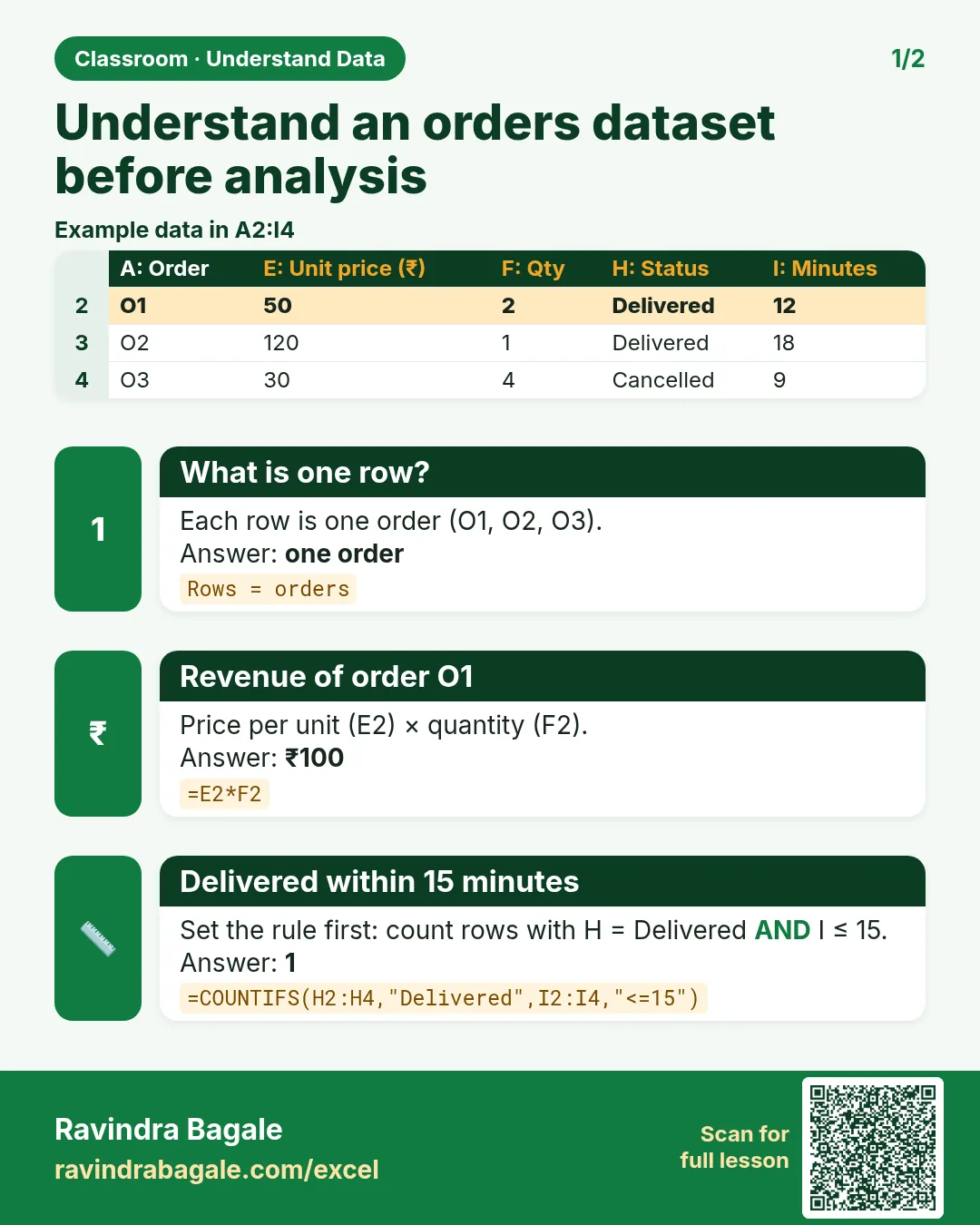
- Cancelled orders were never delivered. Their Delivery_Time_mins and Delivery_Status are blank, and that is correct, not missing data. Their Revenue column still shows a number (Quantity × Selling_Price) because the formula doesn't know the order was cancelled.
- Returned orders were delivered and then sent back. The company earned nothing and paid a rider twice.
- So decide the rule: count revenue and profit only for Delivered orders. On this data that gives revenue 2,655 and profit 447, with
=SUMIF(Status column,"Delivered",Profit column). - On Time means 15 minutes or less, the target in this data. Late means more than 15.
Write these rules down. If two people analyse the same file with different rules, they get different answers, and both look right.
6. The data dictionary
A data dictionary is a small table with one line per column: name, meaning, type and an example. It is the first thing to make, and the first thing to show your manager.
| Column | Meaning | Type | Example |
|---|---|---|---|
| Order_ID | Unique ID of one order; BLK- = Blinkit, AMN- = Amazon Now | Text | BLK-2001 |
| Quantity | Units in the order | Number | 2 |
| Cost_Price | What the company pays for one unit | Number (Rs) | 57 |
| Selling_Price | What the customer pays for one unit | Number (Rs) | 71 |
| Status | Delivered, Cancelled or Returned | Text | Delivered |
| Delivery_Time_mins | Minutes from order to delivery; blank if cancelled | Number | 13 |
| Delivery_Status | On Time (15 minutes or less) or Late; blank if cancelled | Text | On Time |
The full dictionary for all 17 columns is on the Data dictionary sheet of the practice file.
Classroom line
Being able to explain what the data is, is a skill in itself.
Class मधलं वाक्य
"Data kay aahe he samjavun sangna sudha ek skill aahe."
Data काय आहे हे समजावून सांगणं सुद्धा एक skill आहे.
Classroom line
Being able to explain what the data is, is a skill in itself.
7. Business questions
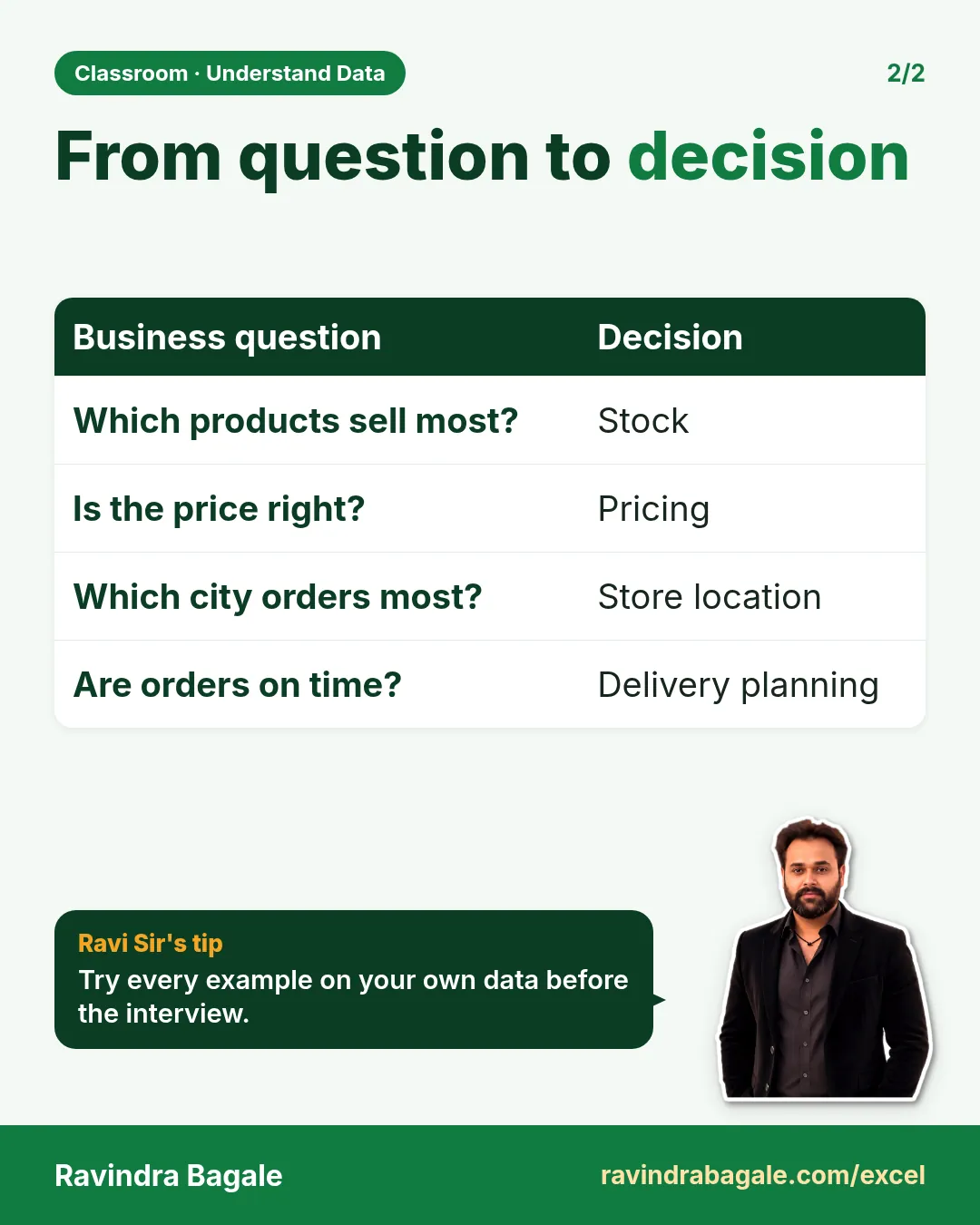
Data is useful only when it answers a question that leads to a decision. For each question, note which columns answer it and what the business would do with the answer.
| Business question | Columns | Decision it supports |
|---|---|---|
| Which products sell most? | Product_Name, Quantity | what to stock, where to change the price |
| How many orders are on time vs late? | Delivery_Status | is the delivery promise kept? |
| Are late orders the far ones? | Distance_Km, Delivery_Status | open a store nearer, or stop taking very far orders |
| Which products come back? | Status, Product_Name | check quality, reduce stock, cut rider cost |
| Does each city prefer different products? | City, Product_Name | stock each dark store for its own city |
| How do customers pay? | Payment_Mode | cash handling for riders |
| Where do we make or lose money? | Revenue, Total_Cost, Profit, Status | prices, discounts, which products to push |
Figure 4. A business question points to the columns that answer it, and the answer points to a decision: stock, price, store location or delivery rules.
8. First answers with COUNTIF and COUNTIFS
You already know the functions for a first look. On the Questions sheet:
| Question | Formula | Answer |
|---|---|---|
| Total orders | =COUNTA(Order_ID column) |
24 |
| Delivered / Cancelled / Returned | =COUNTIF(Status column,"Delivered") … |
20 / 2 / 2 |
| On Time / Late | =COUNTIF(Delivery_Status column,"Late") … |
14 / 8 |
| Late and 3 km or more | =COUNTIFS(Delivery_Status column,"Late",Distance column,">=3") |
7 |
| On Time and 3 km or more | same, with "On Time" | 0 |
| COD / Online | =COUNTIF(Payment_Mode column,"COD") … |
9 / 15 |
| Milk orders: local brand / national brand | =COUNTIF(Product_Name column,"Milk 500 ml (local brand)") … |
6 / 2 |
| Blinkit / Amazon Now | =COUNTIF(Platform column,"Blinkit") … |
16 / 8 |
What the sample already says:
- Distance and lateness go together. Seven of the eight late orders were 3 km or farther, and no order from 3 km or more arrived on time. The one other late order was 2.9 km away. A store closer to those areas, or a distance limit, would fix most delays. Late deliveries matter: a customer who waits 22 minutes for milk simply switches to another app next time.
- Milk is the top product, and the local brand sells more (6 orders vs 2). By city: Pune 2, Kolhapur 2, Solapur 1, Sambhaji Nagar 1 for the local brand; Nashik and Nagpur ordered only the national brand.
- Two returns (bananas and curd): small numbers, but each one costs a rider trip and the product.
With 24 rows these are hints, not conclusions. On a full month of data the same formulas give answers you can act on. The Blinkit Maharashtra final project takes this kind of file all the way to a dashboard.
Figure 5. Every order on a distance line. On-time orders (green) are all within 2.6 km; late orders (red) start at 2.9 km.
Ravindra Bagale's Tip
Before your first formula on any new dataset, write five lines: what one row is, how many rows and columns, the date range, the rules (which status counts as a sale, what "late" means) and three business questions. Those five lines are also your answer when an interviewer says "explain your project".
Ravindra Bagale's Tip – मराठी
कोणत्याही नवीन dataset वर पहिला formula लिहिण्याआधी पाच ओळी लिहा: एक row म्हणजे काय, किती rows आणि columns, dates ची range, नियम (कोणता status sale मानायचा, "late" म्हणजे काय) आणि तीन business questions. Interviewer "तुमचा project समजावा" म्हणाला की ह्याच पाच ओळी तुमचं उत्तर.
Ravindra Bagale's Tip – हिंदी
किसी भी नए dataset पर पहला formula लिखने से पहले पाँच लाइनें लिखो: एक row मतलब क्या, कितनी rows और columns, dates की range, नियम (कौन सा status sale माना जाए, "late" मतलब क्या) और तीन business questions. Interviewer "अपना project समझाओ" कहे तो यही पाँच लाइनें आपका जवाब हैं.
9. Explaining it in an interview
"Explain your project" is the most common interview question for analysts. Use the same order as this chapter:
- The business: quick commerce, delivery in 10 to 15 minutes from dark stores.
- The data: one row = one order; 17 columns in seven groups.
- The rules: revenue only for delivered orders; late = more than 15 minutes.
- The questions: best-selling products, late vs distance, returns, city preferences, profit.
- One finding and one decision: late orders are the far ones, so a nearer store or a distance limit.
Classroom line
Don't talk about it as if it were a burden; speak with energy.
Class मधलं वाक्य
"Jivavar aalyasarkha bolaycha nahi."
जिवावर आल्यासारखं बोलायचं नाही.
Classroom line
Don't talk about it as if it were a burden; speak with energy.
10. The whole chapter on one page
- Understand the data before you write a formula.
- Decide what one row is, and count rows and columns.
- Group the columns: which order, where, what, money, payment, outcome, speed.
- Cost_Price and Selling_Price are per unit; Revenue, Total_Cost and Profit are per order.
- Write the rules: which status counts, what is late.
- Keep a data dictionary.
- Every business question → columns → decision.
- COUNTIF, COUNTIFS and SUMIF give the first answers.
11. Try at home
Try at home
Task 1
- Count the late orders in each city with COUNTIFS. (Pune 2, Solapur 0, Nashik 2, Sambhaji Nagar 2, Kolhapur 0, Nagpur 2.)
Task 2
- Add up the profit of delivered orders with SUMIF (447). Then add up the profit column without any rule. Why is the second number bigger?
Task 3
- Write three more business questions for this data and, for each, the columns that answer it.
Task 4
- Explain the dataset in five sentences, out loud, as if to an interviewer.
Recap
In short
- Formulas come after understanding.
- One row = one order; know the size and the period.
- Per-unit prices × quantity = revenue and cost.
- Rules first: delivered only, 15-minute target.
- Questions lead to decisions: stock, price, store location, delivery.
- All data here is made up for practice.
Quick revision cards
Quick revision
Revise this chapter in two minutes. Save the cards on your phone or download them as PNG files. All names and numbers are made up for practice.
झटपट उजळणी
हा chapter दोन मिनिटांत revise करा. Cards phone वर save करा किंवा PNG म्हणून download करा. सगळी नावं आणि आकडे सरावासाठी काल्पनिक आहेत.
झटपट दोहराई
यह chapter दो मिनट में revise करें. Cards phone पर save करें या PNG के रूप में download करें. सभी नाम और आंकड़े अभ्यास के लिए काल्पनिक हैं.

More cards for every chapter: Ravi Sir's Cards.