1. Excel Basics
Come friends, today we get to know Excel. The ribbon, workbook, sheet, cell references, formatting, the rupee format, freeze panes and named ranges are all in this module. Once this foundation is strong, every later module feels easy. Do not worry, we go one step at a time.
चला मित्रांनो, आज आपण Excel ची ओळख करून घेऊया. Ribbon, workbook, sheet, cell references, formatting, rupee format, freeze panes आणि named ranges – हे सगळं या module मध्ये आहे. हा पाया पक्का झाला की पुढचे सगळे modules एकदम सोपे वाटतील. घाबरू नका, एक-एक step करूया.
चलो दोस्तों, आज हम Excel को पहचानते हैं. Ribbon, workbook, sheet, cell references, formatting, rupee format, freeze panes और named ranges – यह सब इस module में है. यह नींव पक्की हो गई तो आगे के सारे modules बहुत आसान लगेंगे. घबराइए मत, एक-एक step करेंगे.
What you will learn in this module
- The Excel window: ribbon, Quick Access Toolbar, Name Box, formula bar and status bar
- Workbooks and worksheets, and the practice dataset used in this book
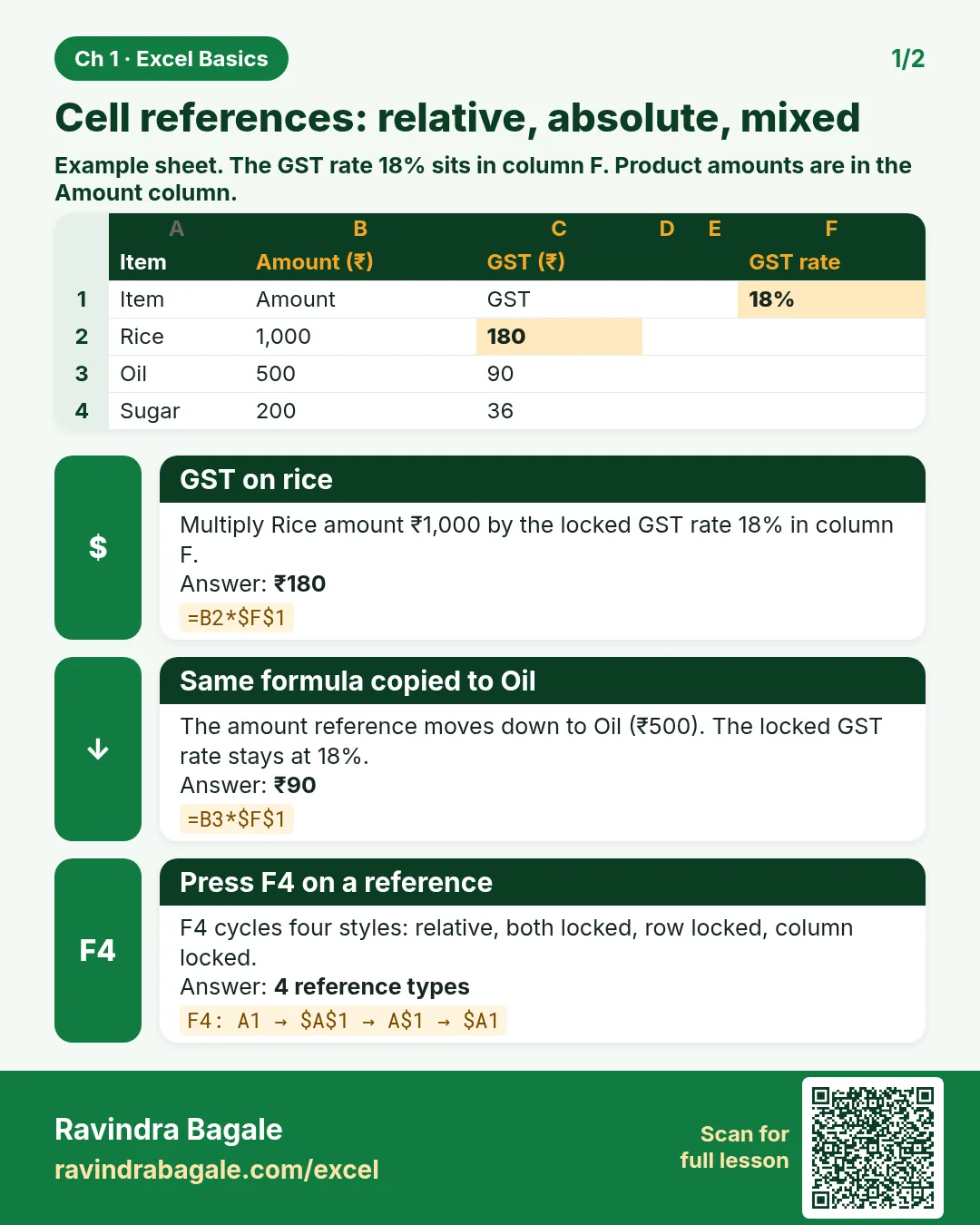
- Relative, absolute and mixed cell references (the F4 key)
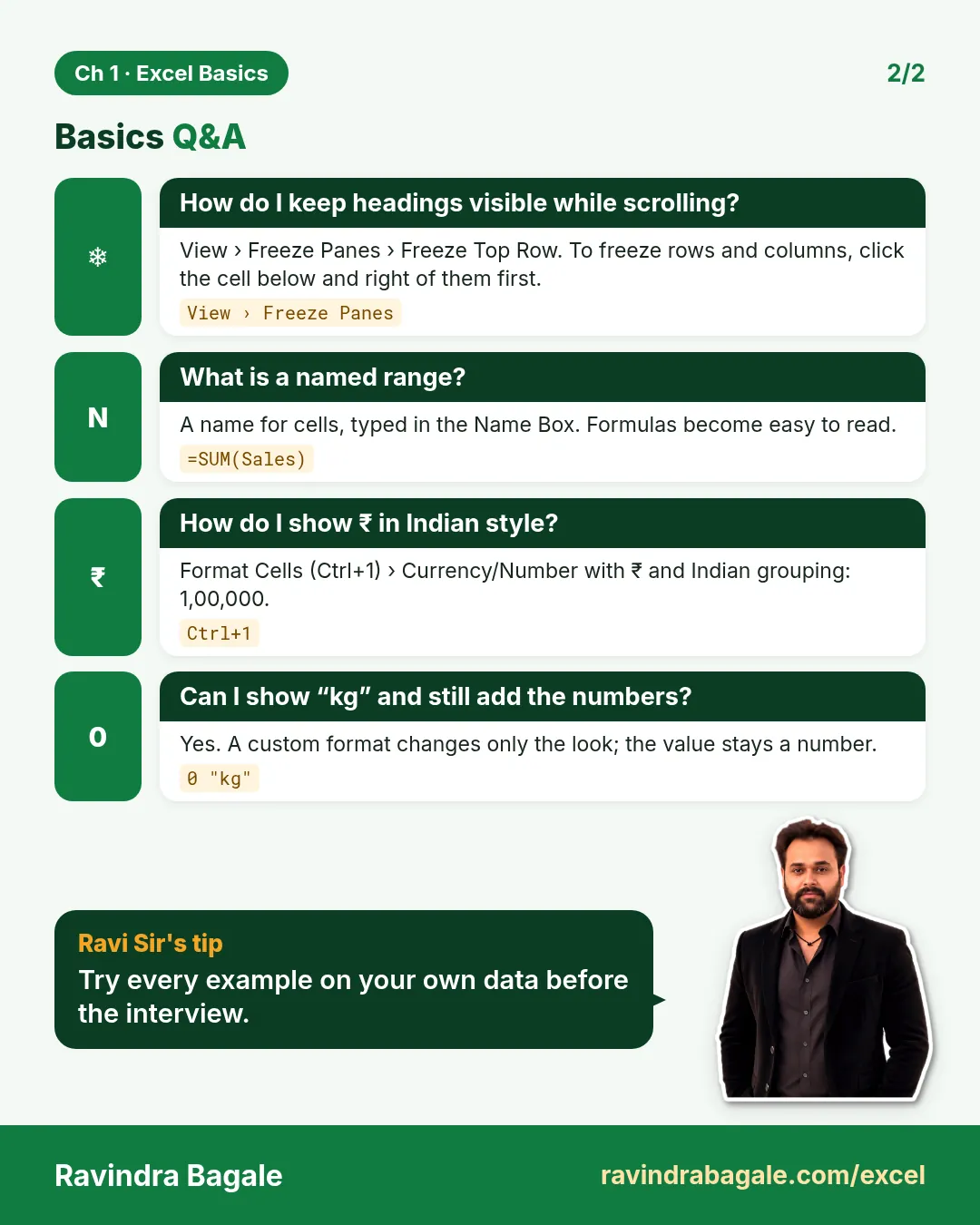
- Cell formatting, number formats, rupees in Indian comma style and dd-mm-yyyy dates
- Custom number formats, Freeze Panes and named ranges
Live story: The first monthly report file
Suppose we are the new analyst in Blinkit's Maharashtra team. On 1 November, Shraddha Bagale, the state head, sends a workbook with one sheet per city and says, "Make it readable before lunch." Amounts show as 64000.5 instead of ₹64,000.50, the header row disappears when we scroll, and one formula breaks when we copy it down. This chapter fixes all three: references, number formats and freeze panes.
All numbers in this story are fictional practice data.
Live story: पहिली monthly report file
समजा आपण Blinkit च्या Maharashtra team मध्ये नवीन analyst आहोत. 1 November ला state head Shraddha Bagale प्रत्येक city ची एक sheet असलेलं workbook पाठवतात आणि म्हणतात, "जेवणाआधी हे वाचण्यासारखं करा." Amounts ₹64,000.50 ऐवजी 64000.5 असे दिसतायत, scroll केलं की header row गायब होते, आणि खाली copy केला की एक formula बिघडतो. हा chapter तिन्ही गोष्टी fix करतो: references, number formats आणि freeze panes.
या story मधले सगळे आकडे काल्पनिक practice data आहेत.
Live story: पहली monthly report file
मान लीजिए हम Blinkit की Maharashtra team में नए analyst हैं. 1 November को state head Shraddha Bagale हर city की एक sheet वाला workbook भेजती हैं और कहती हैं, "lunch से पहले इसे पढ़ने लायक बनाइए." Amounts ₹64,000.50 की जगह 64000.5 दिख रहे हैं, scroll करने पर header row ग़ायब हो जाती है, और नीचे copy करने पर एक formula बिगड़ जाता है. यह chapter तीनों चीज़ें fix करता है: references, number formats और freeze panes.
इस story के सारे आँकड़े काल्पनिक practice data हैं.
Concepts in this chapter
- 1.1The Excel Interface
- 1.2Workbooks, Worksheets and Our Practice Dataset
- 1.3Relative, Absolute and Mixed References
- 1.4Formatting Cells
- 1.5Number Formats: Rupees in Indian Style and Dates
- 1.6Custom Number Formats
- 1.7Freeze Panes
- 1.8Named Ranges
The chapter recap is at the end of the last concept page.
Quick revision cards
Quick revision
Revise this chapter in two minutes. Save the cards on your phone or download them as PNG files. All names and numbers are made up for practice.
झटपट उजळणी
हा chapter दोन मिनिटांत revise करा. Cards phone वर save करा किंवा PNG म्हणून download करा. सगळी नावं आणि आकडे सरावासाठी काल्पनिक आहेत.
झटपट दोहराई
यह chapter दो मिनट में revise करें. Cards phone पर save करें या PNG के रूप में download करें. सभी नाम और आंकड़े अभ्यास के लिए काल्पनिक हैं.

More cards for every chapter: Ravi Sir's Cards.