2. Data Entry Tools
Come friends, today we learn how to enter data fast and without mistakes. AutoFill, Flash Fill, data validation (a rule that accepts only correct values), drop-down lists and conditional formatting keep the data clean and make the important numbers in a report stand out at once. Let us start.
चला मित्रांनो, आज आपण data entry fast आणि बिनचूक कशी करायची ते शिकूया. AutoFill, Flash Fill, data validation (फक्त योग्य values घेणारा नियम), drop-down lists आणि conditional formatting – हे tools वापरले की data स्वच्छ येतो आणि report मधले महत्त्वाचे आकडे लगेच दिसतात. चला सुरू करूया.
चलो दोस्तों, आज हम सीखते हैं कि data entry तेज़ और बिना ग़लती के कैसे करें. AutoFill, Flash Fill, data validation (सिर्फ़ सही values लेने वाला नियम), drop-down lists और conditional formatting – ये tools इस्तेमाल करें तो data साफ़ आता है और report के ज़रूरी आँकड़े तुरंत दिखते हैं. चलो शुरू करते हैं.
What you will learn in this module
- AutoFill and Fill Series for numbers, dates and custom lists
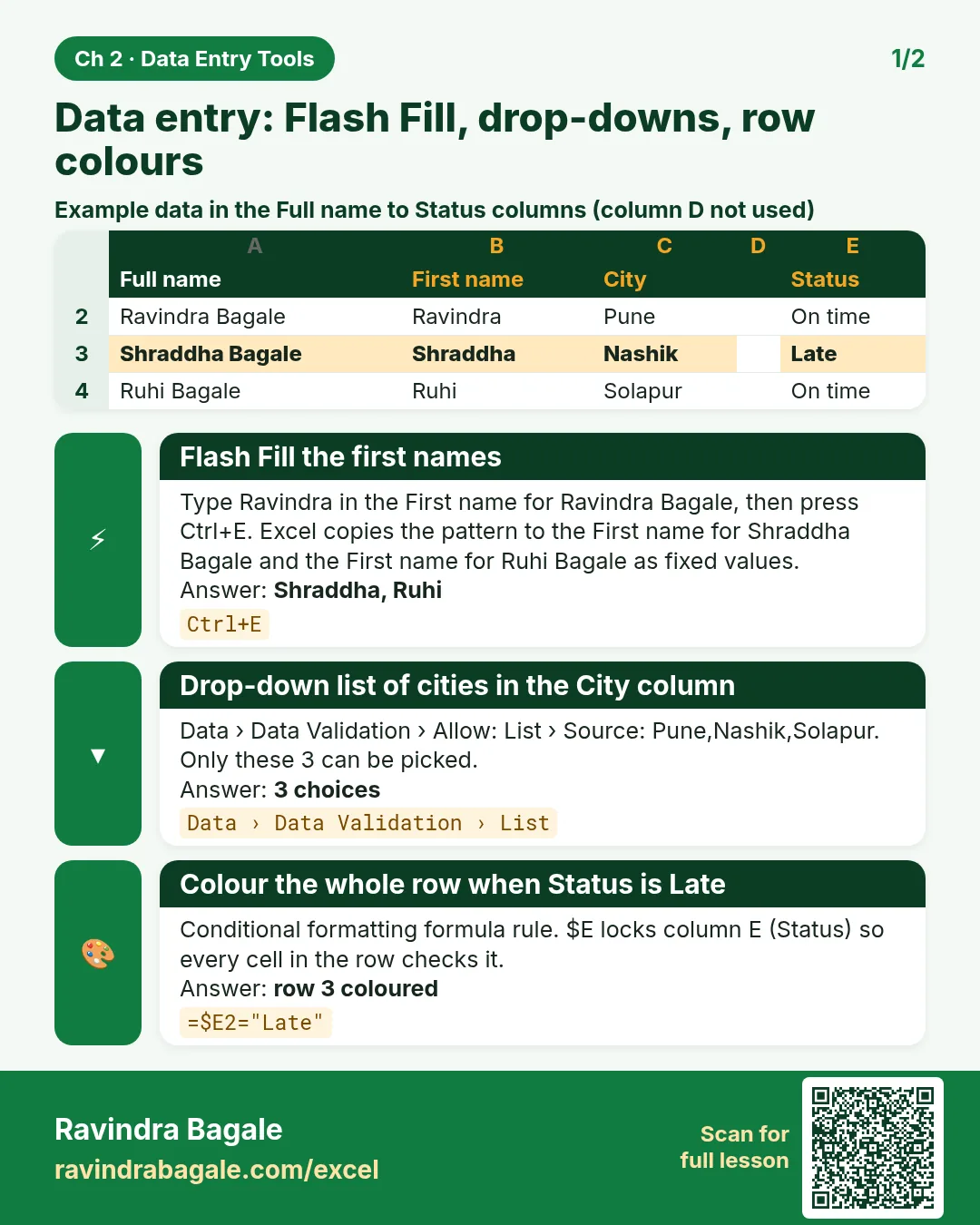
- Flash Fill to split and combine text by example
- Data validation rules, input messages and error alerts
- Drop-down lists, including a dependent City › Area drop-down
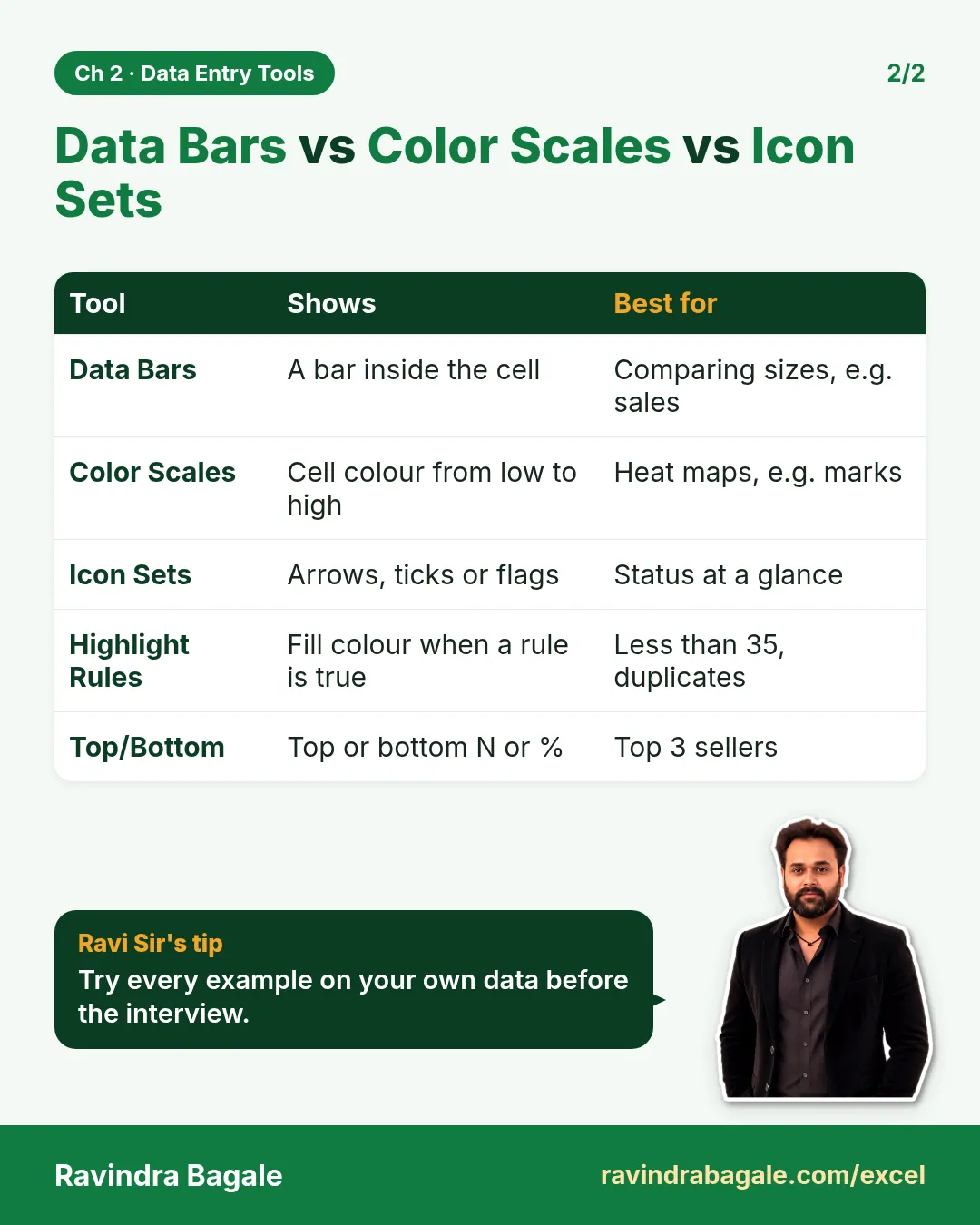
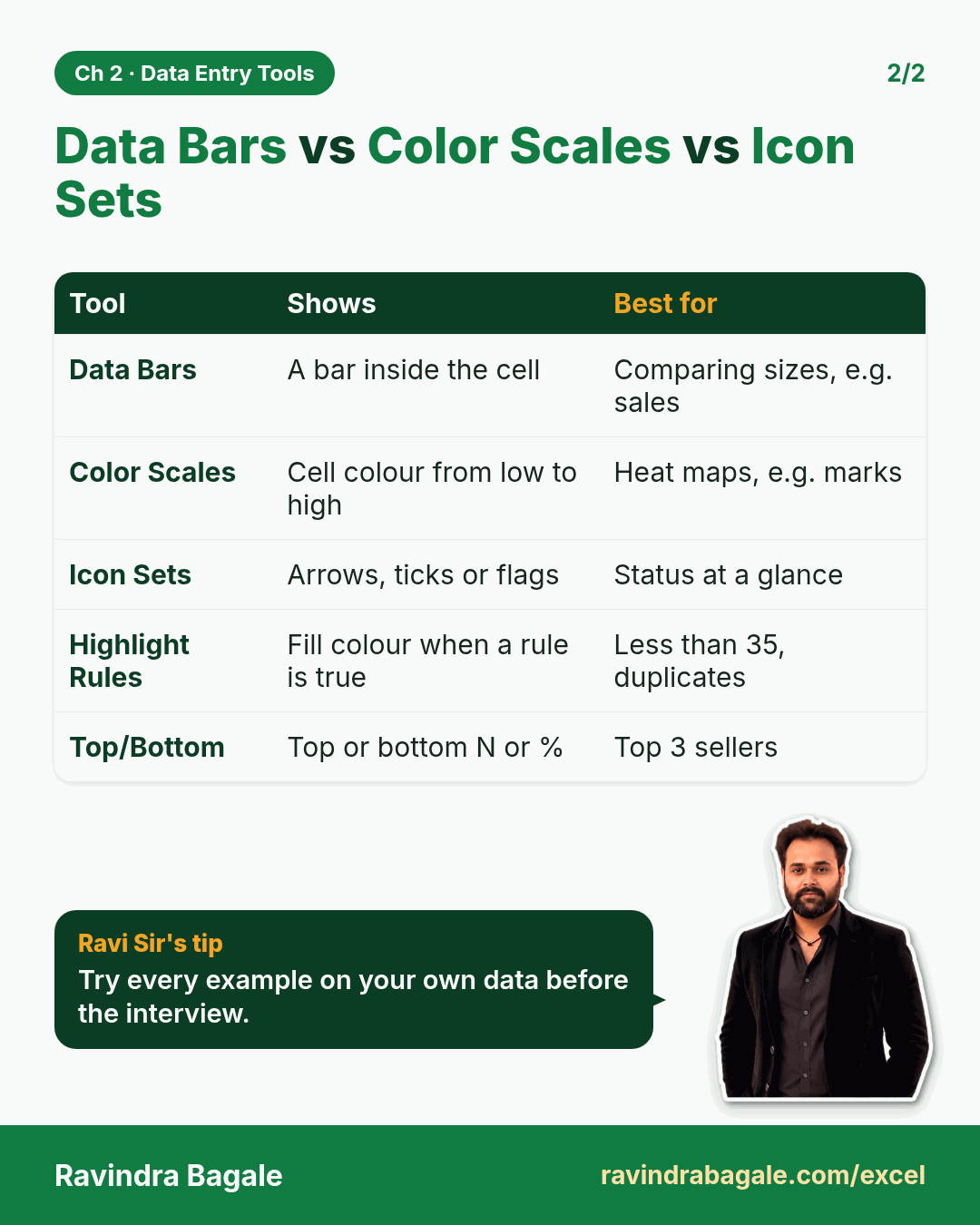
- Conditional formatting: highlight rules, Top/Bottom, data bars, colour scales, icon sets and formula-based rules
Live story: Six city managers, six spellings
Suppose six city managers type their daily orders into one shared sheet. By Friday the City column has "Pune", "pune " and "PUNE", and someone typed 1,200 minutes as the delivery time. Our monthly totals are wrong before we even start. This chapter stops bad data at the door with Flash Fill, data validation, drop-down lists and conditional formatting.
All numbers in this story are fictional practice data.
Live story: सहा city managers, सहा spellings
समजा सहा city managers त्यांच्या रोजच्या orders एकाच shared sheet मध्ये type करतात. शुक्रवारपर्यंत City column मध्ये "Pune", "pune " आणि "PUNE" आलंय, आणि कोणीतरी delivery time 1,200 minutes type केलाय. सुरुवात करण्याआधीच आपले monthly totals चुकलेत. हा chapter Flash Fill, data validation, drop-down lists आणि conditional formatting ने चुकीचा data दारातच थांबवतो.
या story मधले सगळे आकडे काल्पनिक practice data आहेत.
Live story: छह city managers, छह spellings
मान लीजिए छह city managers अपने रोज़ के orders एक ही shared sheet में type करते हैं. शुक्रवार तक City column में "Pune", "pune " और "PUNE" आ गया है, और किसी ने delivery time 1,200 minutes type कर दिया है. शुरू करने से पहले ही हमारे monthly totals ग़लत हैं. यह chapter Flash Fill, data validation, drop-down lists और conditional formatting से ग़लत data को दरवाज़े पर ही रोकता है.
इस story के सारे आँकड़े काल्पनिक practice data हैं.
Concepts in this chapter
- 2.1AutoFill and Fill Series
- 2.2Flash Fill
- 2.3Data Validation
- 2.4Drop-down Lists
- 2.5Dependent Drop-down: City › Area
- 2.6Conditional Formatting: Highlight Rules and Top/Bottom
- 2.7Data Bars, Color Scales and Icon Sets
- 2.8Formula-based Conditional Formatting
- 2.9Named Lists for Drop-downs
The chapter recap is at the end of the last concept page.
Quick revision cards
Quick revision
Revise this chapter in two minutes. Save the cards on your phone or download them as PNG files. All names and numbers are made up for practice.
झटपट उजळणी
हा chapter दोन मिनिटांत revise करा. Cards phone वर save करा किंवा PNG म्हणून download करा. सगळी नावं आणि आकडे सरावासाठी काल्पनिक आहेत.
झटपट दोहराई
यह chapter दो मिनट में revise करें. Cards phone पर save करें या PNG के रूप में download करें. सभी नाम और आंकड़े अभ्यास के लिए काल्पनिक हैं.

More cards for every chapter: Ravi Sir's Cards.