Return Multiple Columns with XLOOKUP, HSTACK and CHOOSECOLS in Excel
A search box rarely needs just one answer. Type a name and you want the roll number, the result and the percentage together. One XLOOKUP can return several columns at once, as long as they sit side by side. When they don't, two newer functions help: HSTACK glues any columns together, and CHOOSECOLS picks columns from a block by number. This short chapter shows all three ways on the same student table as the XLOOKUP chapter.
What you'll learn in this chapter
- Return side-by-side columns with one XLOOKUP
- What "spill" means
- HSTACK: put far-apart columns next to each other
- CHOOSECOLS: pick columns from a block by number
- Return columns in any order
- HSTACK vs CHOOSECOLS: when to use which
- What to do in older Excel
Practice file: excel-xlookup-hstack-choosecols-practice.xlsx: every method on the Multiple columns sheet, with its formula shown in column O.
Which Excel? XLOOKUP needs Excel 2021, Excel 2024, Microsoft 365 or Excel for the web. HSTACK and CHOOSECOLS need Microsoft 365, Excel 2024 or Excel for the web. Older versions use one formula per column (section 7).
1. The table and the goal
The student table is in A5:H15: roll (A), name (B), maths (C), science (D), english (E), total (F), result (G), percentage (H). The search box is in J:N, with the name typed in column J.
2. Side-by-side columns: one XLOOKUP
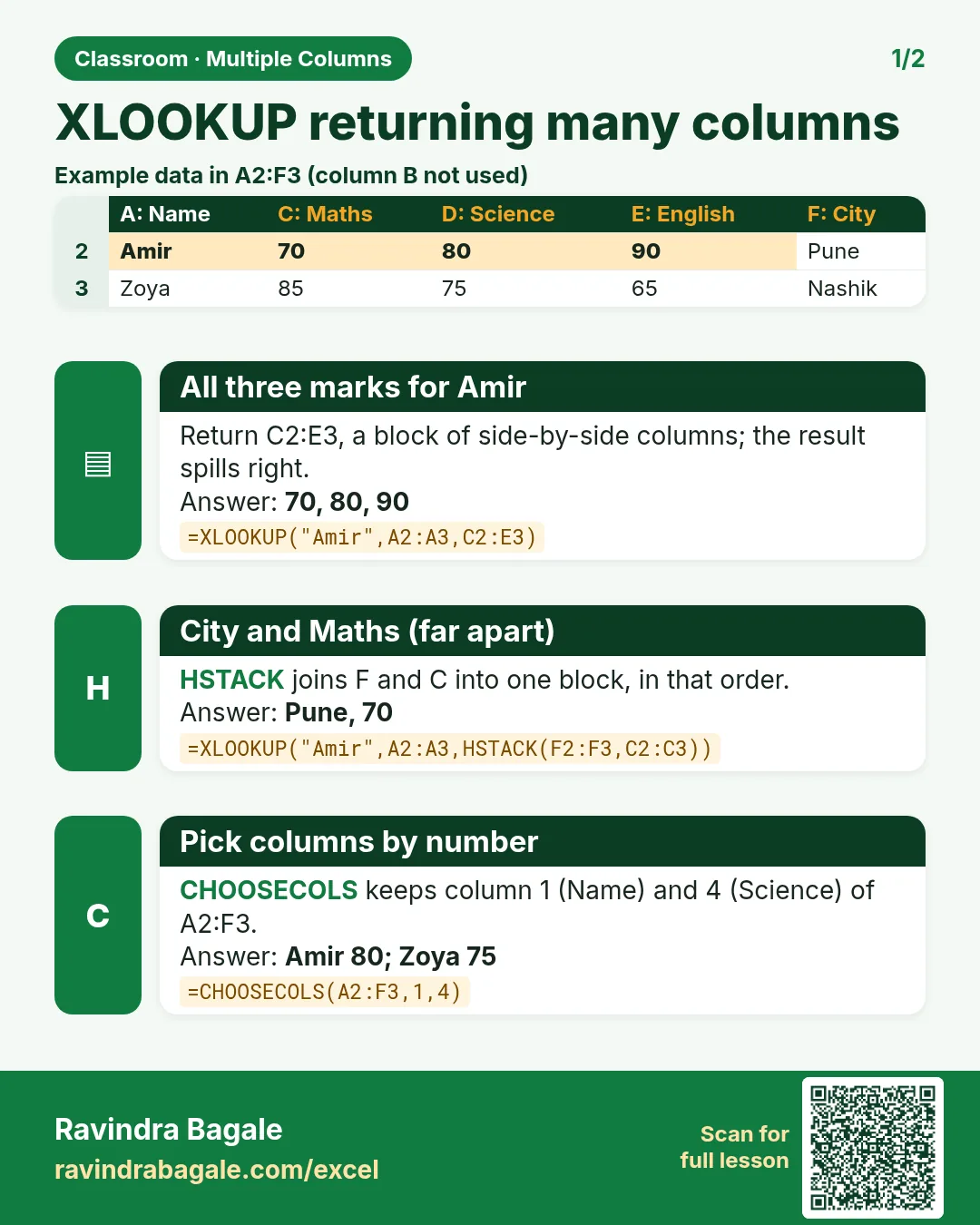
Total, result and percentage are in F, G and H, next to each other. Give XLOOKUP the whole block as the return array:
=XLOOKUP(J5,$B$5:$B$15,$F$5:$H$15,"Not found")
Zoya → 241 | Pass | 80.33 in L5, M5 and N5. You typed one formula in L5; Excel filled the other two cells. That is a spill: the result is bigger than one cell, so it flows into the cells next to it. A blue border shows the spill range. Click M5 and the formula appears greyed out: only L5 holds it.
Figure 1. The return array F:H is three columns wide, so one XLOOKUP spills three answers: total, result and percentage.
The return array must be one block. $F$5:$H$15 works; "column A and column G" is not a block, because B to F sit in between.
3. HSTACK: glue far-apart columns together
HSTACK (horizontal stack) puts ranges side by side, left to right:
=HSTACK($B$5:$B$15,$G$5:$G$15)
On its own this spills an 11 × 2 list of names and results. Inside XLOOKUP it builds the return array we need:
=XLOOKUP(J6,$B$5:$B$15,HSTACK($A$5:$A$15,$G$5:$G$15),"Not found")
Zoya → 106 | Pass: the roll number from column A (left of the names) and the result from column G, skipping everything in between.
Figure 2. HSTACK(A, G) builds a two-column block from roll and result. XLOOKUP returns Zoya's row of it: 106 and Pass.
4. CHOOSECOLS: pick columns by number
CHOOSECOLS takes one block and keeps only the columns you list, counting from 1:
=CHOOSECOLS($A$5:$H$15,1,7)
In A:H, column 1 is roll and column 7 is result. Inside XLOOKUP:
=XLOOKUP(J7,$B$5:$B$15,CHOOSECOLS($A$5:$H$15,1,7),"Not found")
Zoya → 106 | Pass, the same answer as HSTACK.
Figure 3. CHOOSECOLS numbers the columns of A:H from 1 to 8 and keeps 1 (roll) and 7 (result).
5. Any order you like
The columns come out in the order you list them. Percentage first, then roll:
=XLOOKUP(J8,$B$5:$B$15,CHOOSECOLS($A$5:$H$15,8,1),"Not found")
Zoya → 80.33 | 106. With HSTACK the order is simply the order of the ranges: HSTACK($H$5:$H$15,$A$5:$A$15).
Ravindra Bagale's Tip
Leave enough empty cells to the right of a spilling formula. If anything is in the way, even a single space, Excel shows #SPILL! instead of the answers. Click the error, and Excel outlines the range it needs; clear those cells and the answers appear.
Ravindra Bagale's Tip – मराठी
Spill होणाऱ्या formula च्या उजवीकडे पुरेशा रिकाम्या cells ठेवा. मध्ये काहीही असेल, अगदी एक space सुद्धा, तर उत्तरांऐवजी Excel #SPILL! दाखवतो. Error वर click करा, Excel ला लागणारी range outline होते; त्या cells रिकाम्या करा आणि उत्तरं दिसतात.
Ravindra Bagale's Tip – हिंदी
Spill होने वाले formula के दाईं ओर काफ़ी खाली cells छोड़ो. बीच में कुछ भी हो, एक space भी, तो जवाबों की जगह Excel #SPILL! दिखाता है. Error पर click करो, Excel को चाहिए वह range outline हो जाती है; वे cells खाली करो और जवाब दिख जाते हैं.
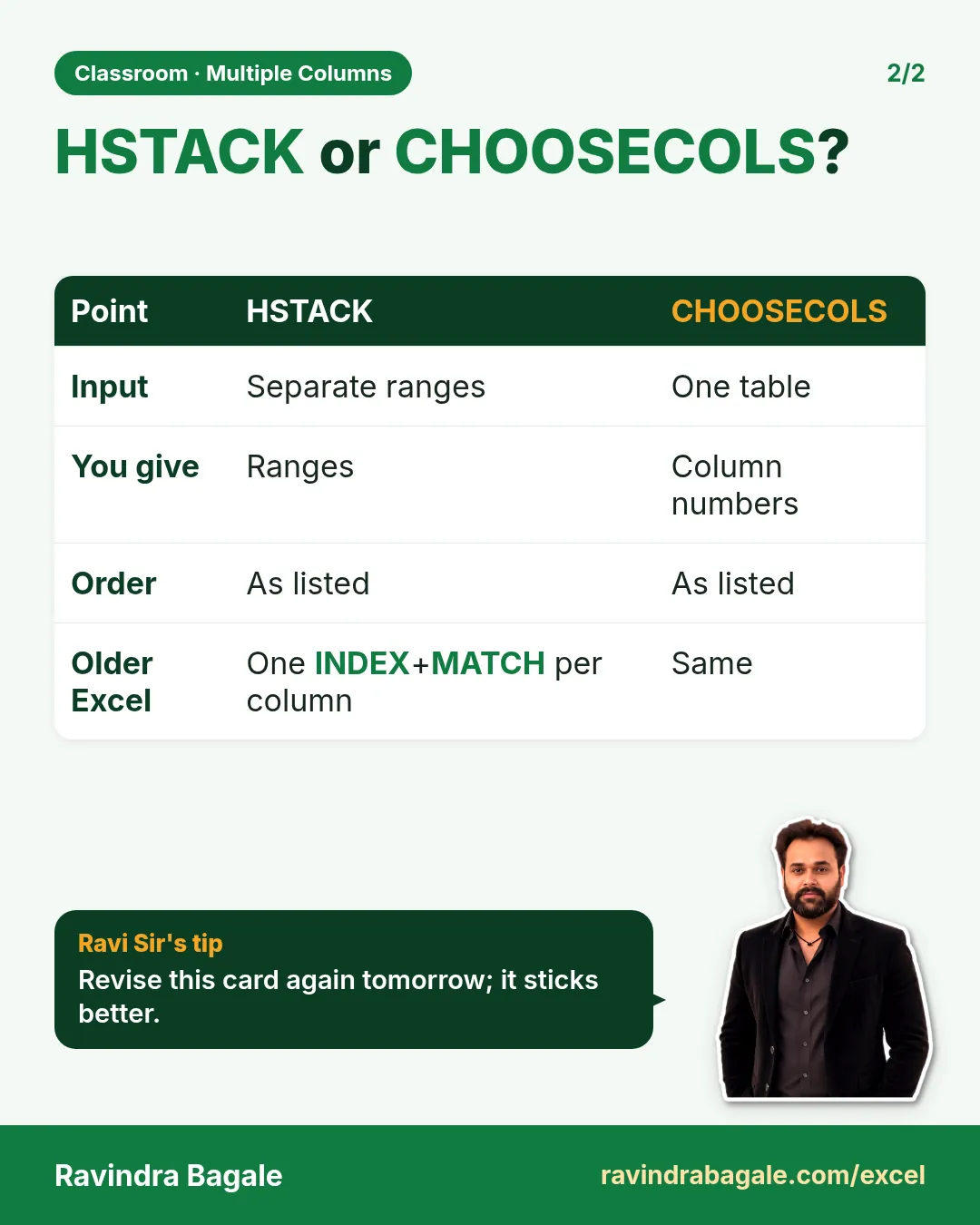
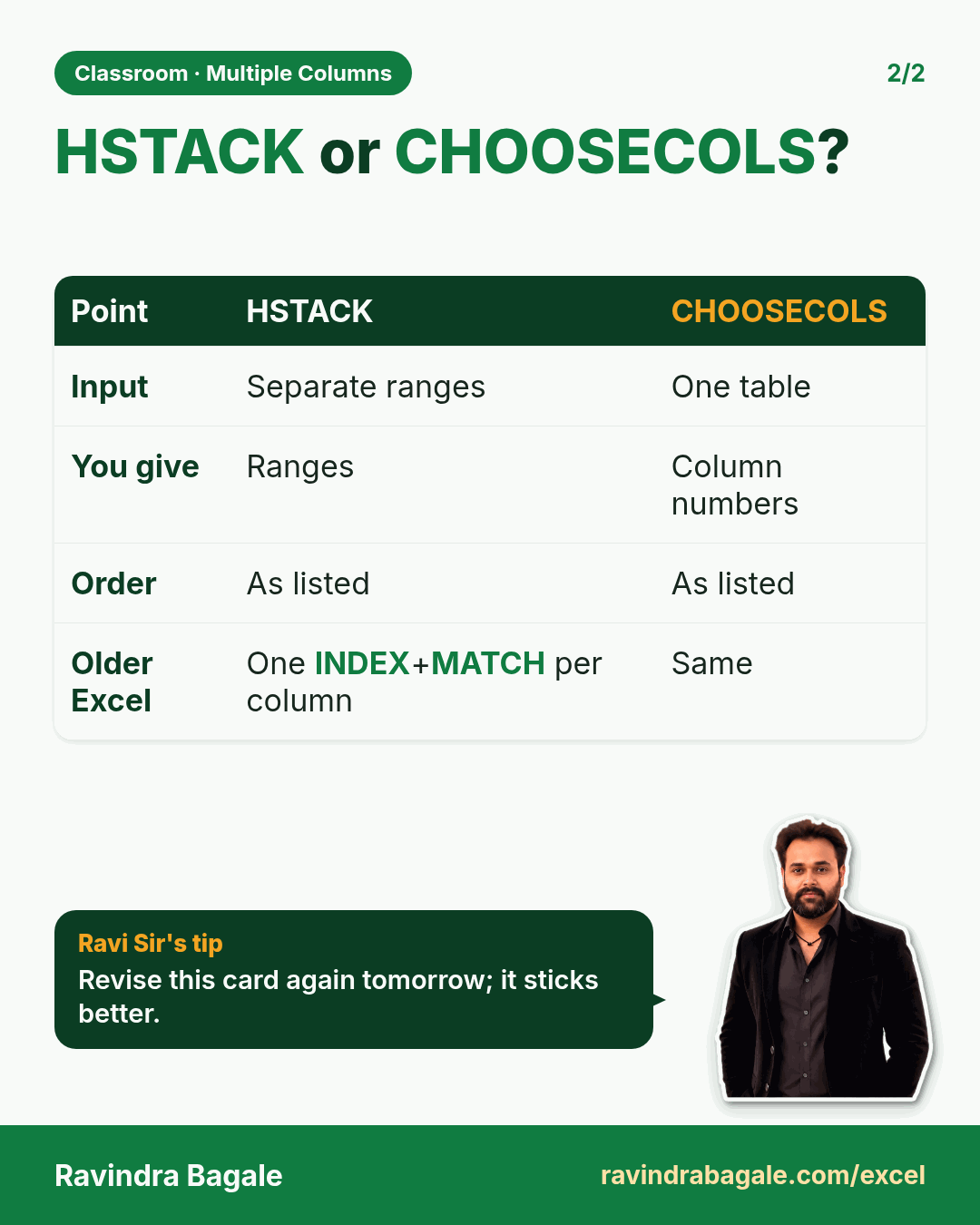
6. HSTACK or CHOOSECOLS?
| HSTACK | CHOOSECOLS | |
|---|---|---|
| You give it | separate ranges | one block + column numbers |
| Columns far apart | easy: list just those two | the block must cover everything in between |
| Columns from different sheets | yes | no, one block only |
| Easy to read later | yes, you see the ranges | you must count the numbers |
| Insert a column in the table | ranges adjust by themselves | the numbers may now point to the wrong column |
A simple rule: use HSTACK when you want two or three specific columns; use CHOOSECOLS when you already have a block and want to drop or reorder some of its columns.
7. Older Excel: one formula per column
Without HSTACK and CHOOSECOLS, write one lookup per answer. With INDEX and MATCH (works in every version):
=INDEX($A$5:$A$15,MATCH(J9,$B$5:$B$15,0))
=INDEX($G$5:$G$15,MATCH(J9,$B$5:$B$15,0))
→ 106 and Pass. The INDEX and MATCH chapter explains these step by step.
Classroom line
One alternative to XLOOKUP is the INDEX and MATCH functions.
Class मधलं वाक्य
"XLOOKUP cha ek alternative aahe INDEX ani MATCH function."
XLOOKUP चा एक alternative आहे: INDEX आणि MATCH function.
Classroom line
One alternative to XLOOKUP is the INDEX and MATCH functions.
Ravindra Bagale's Tip
Show your formulas next to the answers with =FORMULATEXT(L5) while you practise. When you come back to the sheet a week later, you can see at a glance which method each row uses, and it makes a great page for interview revision.
Ravindra Bagale's Tip – मराठी
Practice करताना answers च्या शेजारी =FORMULATEXT(L5) ने formulas दाखवा. आठवड्याने sheet परत उघडली की प्रत्येक row कोणती पद्धत वापरते ते एका नजरेत दिसतं, आणि interview revision साठी हे उत्तम page बनतं.
Ravindra Bagale's Tip – हिंदी
Practice करते समय जवाबों के बगल में =FORMULATEXT(L5) से formulas दिखाओ. एक हफ़्ते बाद sheet फिर खोलो तो हर row कौन सा तरीका इस्तेमाल करती है एक नज़र में दिखता है, और interview revision के लिए यह बढ़िया page बनता है.
8. The whole chapter on one page
- Side-by-side columns:
=XLOOKUP(name, B, F:H)spills all three. - Spill = one formula, several cells; keep the space to the right empty.
HSTACK(A, G)puts far-apart columns side by side.CHOOSECOLS(A:H, 1, 7)keeps columns 1 and 7 of a block.- The order you list = the order you get.
- HSTACK and CHOOSECOLS: Microsoft 365, Excel 2024 and Excel for the web. Older Excel: one INDEX+MATCH per column.
9. Try at home
Try at home
Task 1
- Return maths and english (columns C and E) for any name with HSTACK. Check Rani: 81 | 89.
Task 2
- Do the same with CHOOSECOLS on A:H. Which column numbers do you need? (3 and 5.)
Task 3
- Return result, total and roll, in that order, for Raja. (Pass | 138 | 109.)
Task 4
- Type something in N5, inside the spill range of the formula in L5, and read the #SPILL! message. Delete it again.
Recap
In short
- One XLOOKUP can return a block of side-by-side columns.
- HSTACK joins any ranges into one block.
- CHOOSECOLS keeps the columns you number.
- The order you list is the order you get.
- Keep space for the spill.
- Older Excel: one INDEX+MATCH per column.
Quick revision cards
Quick revision
Revise this chapter in two minutes. Save the cards on your phone or download them as PNG files. All names and numbers are made up for practice.
झटपट उजळणी
हा chapter दोन मिनिटांत revise करा. Cards phone वर save करा किंवा PNG म्हणून download करा. सगळी नावं आणि आकडे सरावासाठी काल्पनिक आहेत.
झटपट दोहराई
यह chapter दो मिनट में revise करें. Cards phone पर save करें या PNG के रूप में download करें. सभी नाम और आंकड़े अभ्यास के लिए काल्पनिक हैं.

More cards for every chapter: Ravi Sir's Cards.