4. Lookup Functions
Come friends, today we learn XLOOKUP and its whole family: VLOOKUP, HLOOKUP, INDEX + MATCH and XMATCH. Lookups are the most asked topic in interviews, so this is very important. How to bring information from one table into another, how to apply delivery fee slabs and how to fix lookup errors – we make all of it solid today.
चला मित्रांनो, आज आपण XLOOKUP आणि त्याचं सगळं कुटुंब शिकूया – VLOOKUP, HLOOKUP, INDEX + MATCH, XMATCH. Interview मध्ये सगळ्यात जास्त विचारला जाणारा topic म्हणजे lookups – हे खूप important आहे. एका table मधून दुसऱ्या table मध्ये माहिती कशी आणायची, delivery fee slabs कसे लावायचे आणि lookup errors कसे सोडवायचे, हे सगळं आज पक्कं करूया.
चलो दोस्तों, आज हम XLOOKUP और उसका पूरा परिवार सीखते हैं – VLOOKUP, HLOOKUP, INDEX + MATCH, XMATCH. Interview में सबसे ज़्यादा पूछा जाने वाला topic है lookups – यह बहुत important है. एक table से दूसरी table में जानकारी कैसे लाएँ, delivery fee slabs कैसे लगाएँ और lookup errors कैसे ठीक करें, यह सब आज पक्का करेंगे.
What you will learn in this module
- VLOOKUP exact and approximate match, and the column-index trap
- HLOOKUP for horizontal tables
- INDEX + MATCH, including two-way lookups
- XLOOKUP: if_not_found, match modes, search modes and returning many columns (Microsoft 365 / Excel 2021+)
- XMATCH, delivery-fee slabs with approximate lookup, and fixing common lookup errors
Live story: Product names are in another sheet
Suppose the Orders sheet has only Product IDs like P-104, but the report must show product names and prices, which live in a separate Products sheet. Amir copies them by hand and makes three mistakes in 50 rows. Delivery fees also depend on the order amount slab. This chapter fetches the right values every time with VLOOKUP, INDEX + MATCH and XLOOKUP.
All numbers in this story are fictional practice data.
Live story: Product names दुसऱ्या sheet मध्ये आहेत
समजा Orders sheet मध्ये फक्त P-104 सारखे Product IDs आहेत, पण report मध्ये product names आणि prices दाखवायच्यात, आणि त्या वेगळ्या Products sheet मध्ये आहेत. Amir त्या हाताने copy करतो आणि 50 rows मध्ये तीन चुका करतो. Delivery fee पण order amount च्या slab वर ठरते. हा chapter VLOOKUP, INDEX + MATCH आणि XLOOKUP ने दरवेळी बरोबर value आणतो.
या story मधले सगळे आकडे काल्पनिक practice data आहेत.
Live story: Product names दूसरी sheet में हैं
मान लीजिए Orders sheet में सिर्फ़ P-104 जैसे Product IDs हैं, पर report में product names और prices दिखाने हैं, जो अलग Products sheet में हैं. Amir उन्हें हाथ से copy करता है और 50 rows में तीन ग़लतियाँ करता है. Delivery fee भी order amount के slab पर तय होती है. यह chapter VLOOKUP, INDEX + MATCH और XLOOKUP से हर बार सही value लाता है.
इस story के सारे आँकड़े काल्पनिक practice data हैं.
Lookup table used in this module – sheet Stores, range A1:F8:
| A: Store ID | B: Platform | C: City | D: Area | E: City Manager | F: Manager Email |
|---|---|---|---|---|---|
| BLK-PUN-01 | Blinkit | Pune | Kothrud | Ravindra Bagale | ravindra.bagale@example.com |
| BLK-PUN-02 | Blinkit | Pune | Hinjewadi | Shraddha Bagale | shraddha.bagale@example.com |
| BLK-NSK-01 | Blinkit | Nashik | College Road | Zoya | zoya@example.com |
| AMN-NGP-01 | Amazon Now | Nagpur | Dharampeth | Amir | amir@example.com |
| BLK-KOP-01 | Blinkit | Kolhapur | Rajarampuri | Rani | rani@example.com |
| AMN-SLP-01 | Amazon Now | Solapur | Murarji Peth | Salman | salman@example.com |
| BLK-SBN-01 | Blinkit | Sambhaji Nagar | CIDCO | Raja | raja@example.com |
Concepts in this chapter
- 4.1VLOOKUP with Exact Match
- 4.2VLOOKUP Approximate Match and the Column-Index Trap
- 4.3HLOOKUP
- 4.4INDEX and MATCH
- 4.5Two-way Lookup (Row and Column)
- 4.6XLOOKUP Basics and if_not_found
- 4.7XLOOKUP Match Modes, Search Modes and Multiple Returns
- 4.8XMATCH
- 4.9Approximate Lookup: Delivery Fee Slabs
- 4.10Common Lookup Errors and Fixes
Review and practice
The chapter recap is at the end of the last concept page.
Quick revision cards
Quick revision
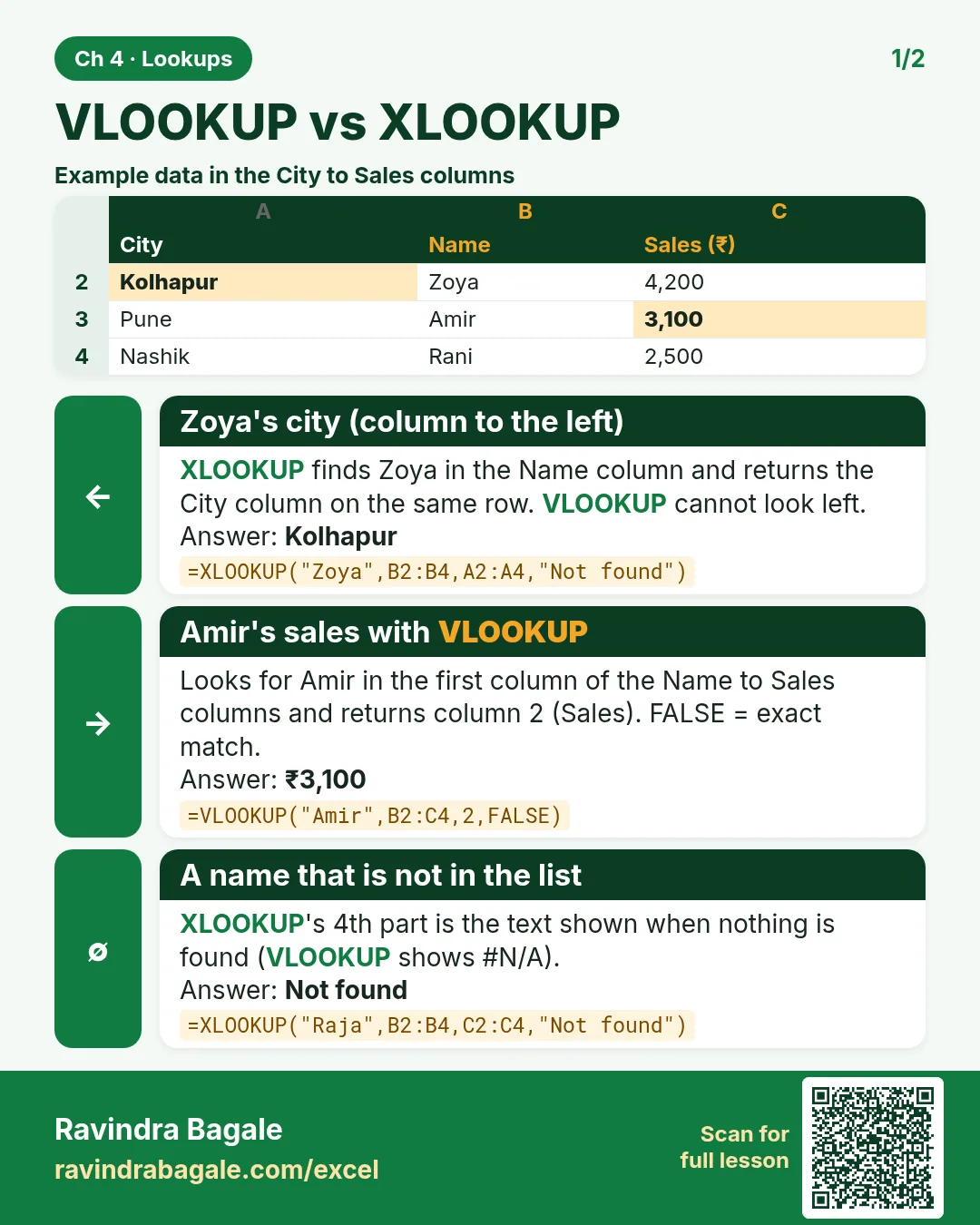
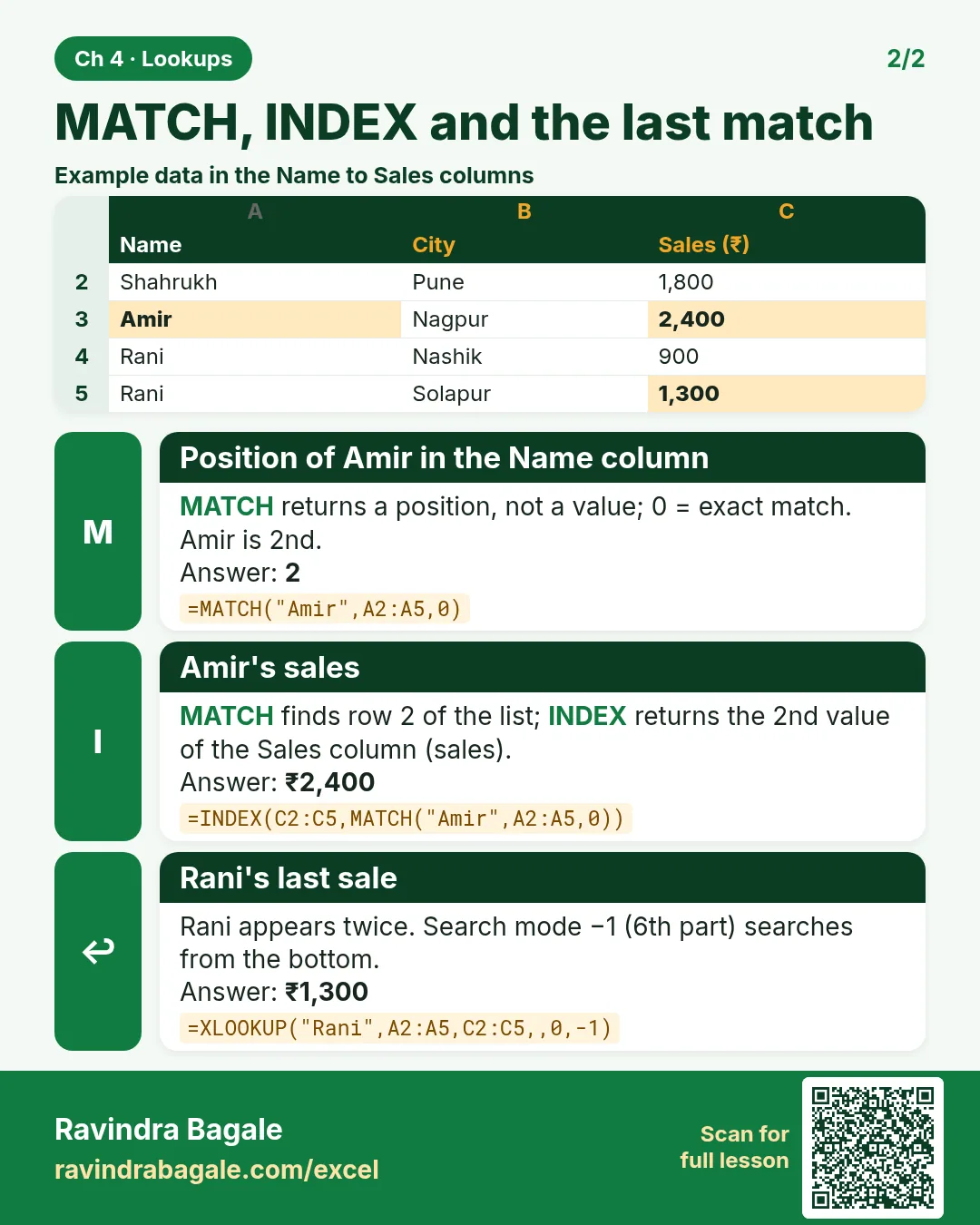
Revise this chapter in two minutes. Save the cards on your phone or download them as PNG files. All names and numbers are made up for practice.
झटपट उजळणी
हा chapter दोन मिनिटांत revise करा. Cards phone वर save करा किंवा PNG म्हणून download करा. सगळी नावं आणि आकडे सरावासाठी काल्पनिक आहेत.
झटपट दोहराई
यह chapter दो मिनट में revise करें. Cards phone पर save करें या PNG के रूप में download करें. सभी नाम और आंकड़े अभ्यास के लिए काल्पनिक हैं.


More cards for every chapter: Ravi Sir's Cards.