Money Lent Tracker in Excel: Simple Interest by Days, Total Due and Overdue Loans
Ravindra Bagale in Pune has lent money to four friends, some with interest agreed, one interest-free. Each loan started on a different date, so working out "how much does Amir owe today?" meant a calculator and a calendar. This sheet does it every day: days so far, simple interest by days, the total due and which loans are past their due date.
What you'll learn on this page
- One row per loan with amount, date, yearly rate and due date
- Days so far with a date subtraction
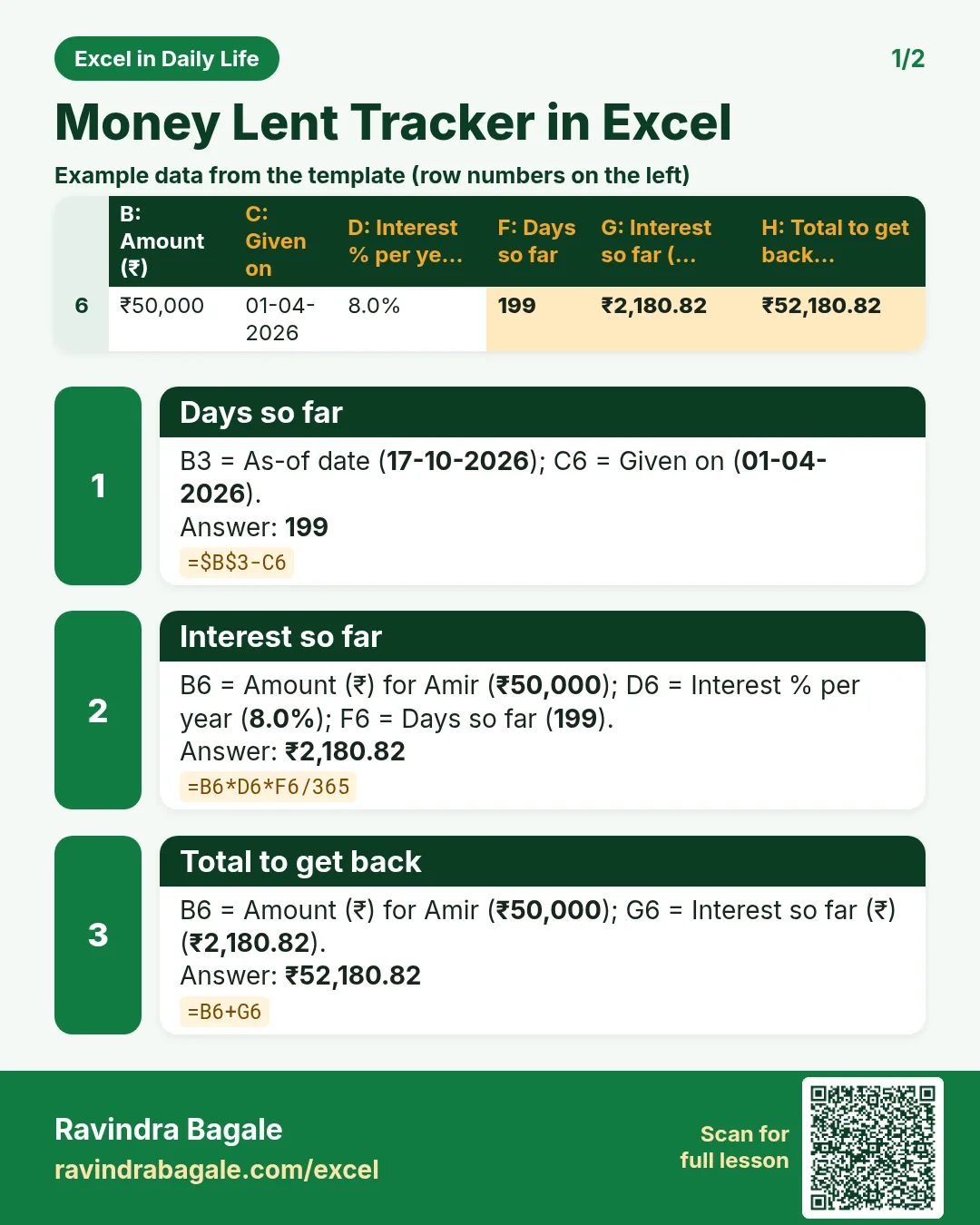
- Simple interest by days: amount × rate × days ÷ 365
- Total to get back
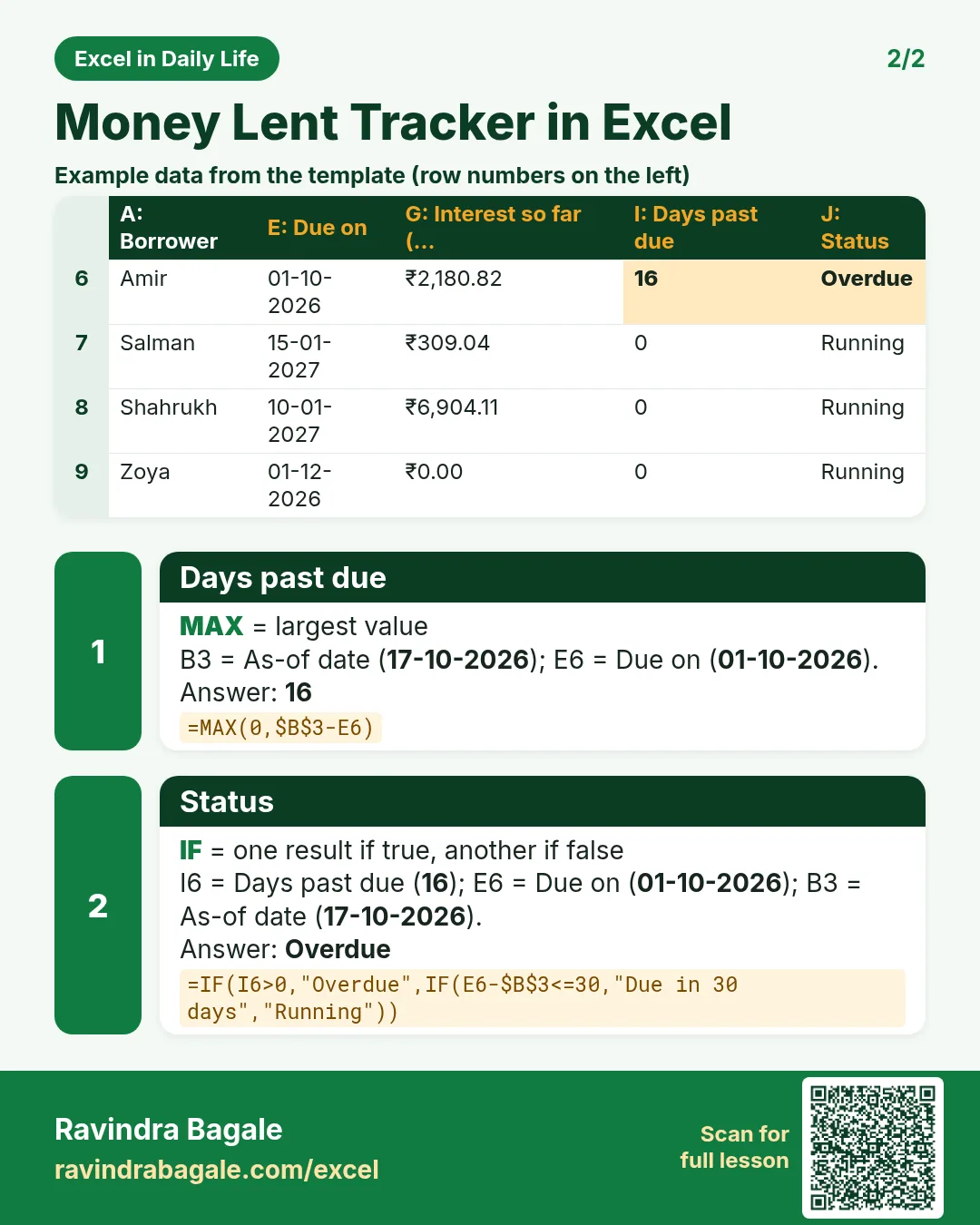
- Days past due with MAX and an Overdue status
- Interest that builds up per day
Download the template: money-lent-simple-interest-template.xlsx: example data with real formulas. Yellow cells are inputs you can type over; green cells hold formulas; blue rows are headers and totals. Replace the example data with your own and everything recalculates.
Made-up data: every name, amount, shop and date on this page is made up for practice. Cities are used only to make the examples feel real.
1. The example
Ravindra's loans on 17 October 2026 (made-up values agreed between friends):
| Borrower | Amount | Given on | Rate | Due on | Days so far | Interest so far | Total to get back | Status |
|---|---|---|---|---|---|---|---|---|
| Amir | ₹50,000 | 01-04-2026 | 8% | 01-10-2026 | 199 | ₹2,180.82 | ₹52,180.82 | Overdue (16 days) |
| Salman | ₹20,000 | 15-07-2026 | 6% | 15-01-2027 | 94 | ₹309.04 | ₹20,309.04 | Running |
| Shahrukh | ₹1,00,000 | 10-01-2026 | 9% | 10-01-2027 | 280 | ₹6,904.11 | ₹1,06,904.11 | Running |
| Zoya | ₹15,000 | 01-09-2026 | 0% | 01-12-2026 | 46 | ₹0.00 | ₹15,000.00 | Running |
₹1,85,000 is lent out and ₹9,393.97 of interest has built up. All four loans together add ₹38.90 of interest every day. If Shahrukh repays on his due date, the interest will be exactly ₹9,000 (one full year at 9%).
Figure 1. Days so far = today − date given; simple interest = amount × yearly rate × days ÷ 365; total = amount + interest; MAX(0, today − due date) and IF show overdue loans.

Figure 2. The template sheet, recalculated with its example data. Download it above and replace the yellow cells with your own numbers.
2. Build it step by step
Step 1. The loans
- In A5:J5 type Borrower, Amount, Given on, Interest % per year, Due on, Days so far, Interest so far, Total to get back, Days past due, Status.
- In B3 type the as-of date (
=TODAY()in your copy).
Step 2. Days so far
- In F6 type
=$B$3-C6: 199 days for Amir. Dates are numbers, so subtracting gives days (date functions).
Step 3. Simple interest
- In G6 type
=B6*D6*F6/365: ₹50,000 × 8% × 199 ÷ 365 = ₹2,180.82. - This is simple interest: interest is worked out on the amount lent only, never on earlier interest.
- In H6 type
=B6+G6.
Step 4. Overdue
- In I6 type
=MAX(0,$B$3-E6): 16 days for Amir, 0 for loans not yet due. - In J6 type
=IF(I6>0,"Overdue",IF(E6-$B$3<=30,"Due in 30 days","Running"))(nested IF).
Step 5. Totals and summary
- In B10, G10 and H10 use
=SUM(...)of rows 6 to 9. - In M8 type
=SUMIF(J6:J9,"Overdue",H6:H9)for the overdue amount (SUMIF). - In M9 type
=SUMPRODUCT(B6:B9,D6:D9)/365: ₹38.90 of interest per day (SUMPRODUCT).
Step 6. Colours
- Select A6:J9 > New Rule > Use a formula
=$J6="Overdue"red and=$J6="Due in 30 days"amber (formula rules).
Ravindra Bagale's Tip
Share the Total to get back with the borrower politely on the due date. Clear numbers avoid awkward talks.
Ravindra Bagale's Tip – मराठी
Due date ला "Total to get back" चा आकडा प्रेमाने कळवा. स्पष्ट आकडे असले की बोलणं अवघड होत नाही.
Ravindra Bagale's Tip – हिंदी
Due date पर "Total to get back" का आंकड़ा प्यार से बताओ. साफ़ आंकड़े हों तो बात मुश्किल नहीं होती.
3. Formulas used
| Cell | Formula | What it does |
|---|---|---|
| F6 | =$B$3-C6 |
Days so far |
| G6 | =B6*D6*F6/365 |
Interest so far |
| H6 | =B6+G6 |
Total to get back |
| I6 | =MAX(0,$B$3-E6) |
Days past due |
| J6 | =IF(I6>0,"Overdue",IF(E6-$B$3<=30,"Due in 30 days","Running")) |
Status |
| G10 | =SUM(G6:G9) |
Total interest |
| M8 | =SUMIF(J6:J9,"Overdue",H6:H9) |
Overdue amount |
| M9 | =SUMPRODUCT(B6:B9,D6:D9)/365 |
Interest for one more day |
| M10 | =B8*D8*(E8-C8)/365 |
Interest at the due date (Shahrukh) |
Every formula above is written in the template, so you can click a cell and see it in the formula bar. All values on this page were recalculated in the file.
4. Common mistakes
- Typing 8 instead of 8%. With 8 the interest is 100 times too high. Type 8% or 0.08.
- Dividing by 12 instead of 365. The formula uses days, so divide a yearly rate by 365.
- Negative days past due.
$B$3-E6is negative for loans not yet due. MAX(0, …) shows 0. - Mixing simple and compound interest. This sheet is simple interest. If you agreed on compounding, the numbers will differ.
- No written agreement. The sheet only does the arithmetic. Write down the amount, rate and dates and both sign it.
Ravindra Bagale's Tip
Keep a photo of the signed agreement in the same folder as this sheet.
Ravindra Bagale's Tip – मराठी
Sign केलेल्या agreement चा फोटो याच sheet च्या folder मध्ये ठेवा.
Ravindra Bagale's Tip – हिंदी
Sign किए agreement की फ़ोटो इसी sheet के folder में रखो.
5. More real examples
Example 1: Partial repayments. Add a Repaid column and work out interest on the remaining amount from the repayment date.
Example 2: Interest-free family loans. Type 0%; the sheet still tracks days and overdue status.
Example 3: Money you borrowed. Use the same sheet for loans you took from someone, to know exactly what to return.
Quick revision cards
Quick revision
Each card shows formulas from this page, each with an example and its answer from the template. Scan the QR code on a card to open this lesson. All names and numbers are made up for practice.
झटपट उजळणी
प्रत्येक card वर या page मधले formulas, त्यांचं example आणि template मधलं उत्तर आहे. Card वरचा QR code scan केला की हा lesson उघडतो. सगळी नावं आणि आकडे सरावासाठी काल्पनिक आहेत.
झटपट दोहराई
हर card पर इस page के formulas, उनका example और template का उत्तर है. Card का QR code scan करें तो यह lesson खुलेगा. सभी नाम और आंकड़े अभ्यास के लिए काल्पनिक हैं.


More cards: Ravi Sir's Cards.
6. Frequently asked questions
How do I calculate simple interest by days in Excel?
=amount*rate*days/365, with days = today − date given.
What is the difference between simple and compound interest?
Simple interest is on the original amount only; compound interest also earns interest on earlier interest.
How do I count days between two dates?
Subtract them: =B3-C6. Both must be real dates.
How do I show only positive overdue days?
Use =MAX(0,today-due date).
How much interest builds up per day?
Amount × yearly rate ÷ 365. For all loans: =SUMPRODUCT(amounts,rates)/365.
7. Quick quiz
Ten questions on this page. Sign in to save your score.
Loading practice tasks...
- Monthly rate (Easy): Yearly rate B3 divided by 12. (sheet "Plan")
- Months (Easy): B4 times 12. (sheet "Plan")
- Monthly EMI (Easy): EMI on amount B2 at B3 for B4 years, as a positive number, rounded to 2 decimals. (sheet "Plan")
- Days taken (Easy): C2 minus B2. (sheet "Dates")
- Start year (Easy): Year of B3. (sheet "Dates")
- Due month (Easy): Month number of C3. (sheet "Dates")
- Earliest start (Easy): Earliest date in B2:B9 (as a date number). (sheet "Dates")
- Total repaid (Medium): Total paid over the loan, rounded to 0 decimals. (sheet "Plan")
- Total interest (Medium): Total paid minus B2, rounded to 0 decimals. (sheet "Plan")
- Processing fee (Medium): B2 times B6. (sheet "Plan")
- Working days (Medium): Working days from B2 to C2. (sheet "Dates")
- Weekday of due (Medium): Weekday number of C4 (Sunday = 1). (sheet "Dates")