Excel for Manufacturing: Production, QC, Scrap and OEE (With Templates)
This guide is for people in the manufacturing industry who use Excel every day. You will see every common file, the formulas people actually type, and downloadable templates with made-up Indian ₹ data. Related short lessons are linked — we do not re-teach them here.
What you'll learn
- Which roles use Excel in manufacturing
- Every common Excel file type for this industry
- Sample tables with realistic ₹ examples (made-up names)
- Formulas: Efficiency %, Yield %, OEE, Scrap cost and more
- Ready templates you can download and reuse
Downloads: manufacturing-production-qc-oee.xlsx (Shift production + QC + scrap + OEE + downtime)
Example data only
All names, amounts, rates and dates are made up for practice. They are not real client or employer records. Follow your organisation's own rules and software for live work.
In short
One industry → many Excel files. Each file is one clear list. Yellow cells are inputs; green cells are formulas. Start with the Roles table, then open the matching template.
थोडक्यात
एक industry → अनेक Excel files. प्रत्येक file = एक स्पष्ट यादी. Yellow = input; green = formula. Roles table पासून सुरू करा, नंतर matching template उघडा.
संक्षेप में
एक industry → कई Excel files. हर file = एक साफ सूची. Yellow = input; green = formula. Roles table से शुरू करें, फिर matching template खोलें.
Related chapters (already on this site)
Why
Some topics already have a focused lesson. Use those for depth; use this guide for the full industry picture.
What
| Chapter | What it covers |
|---|---|
| Excel for Mechanical (plant files) | BOM, job card, PM, RFQ. |
| Production planning system | Capacity and rejects. |
| Excel for Engineers (profession) | Project cost tracker. |
How
- Skim the link if you need that one skill.
- Come back here for the full file list and templates.
1. Who uses Excel
Why
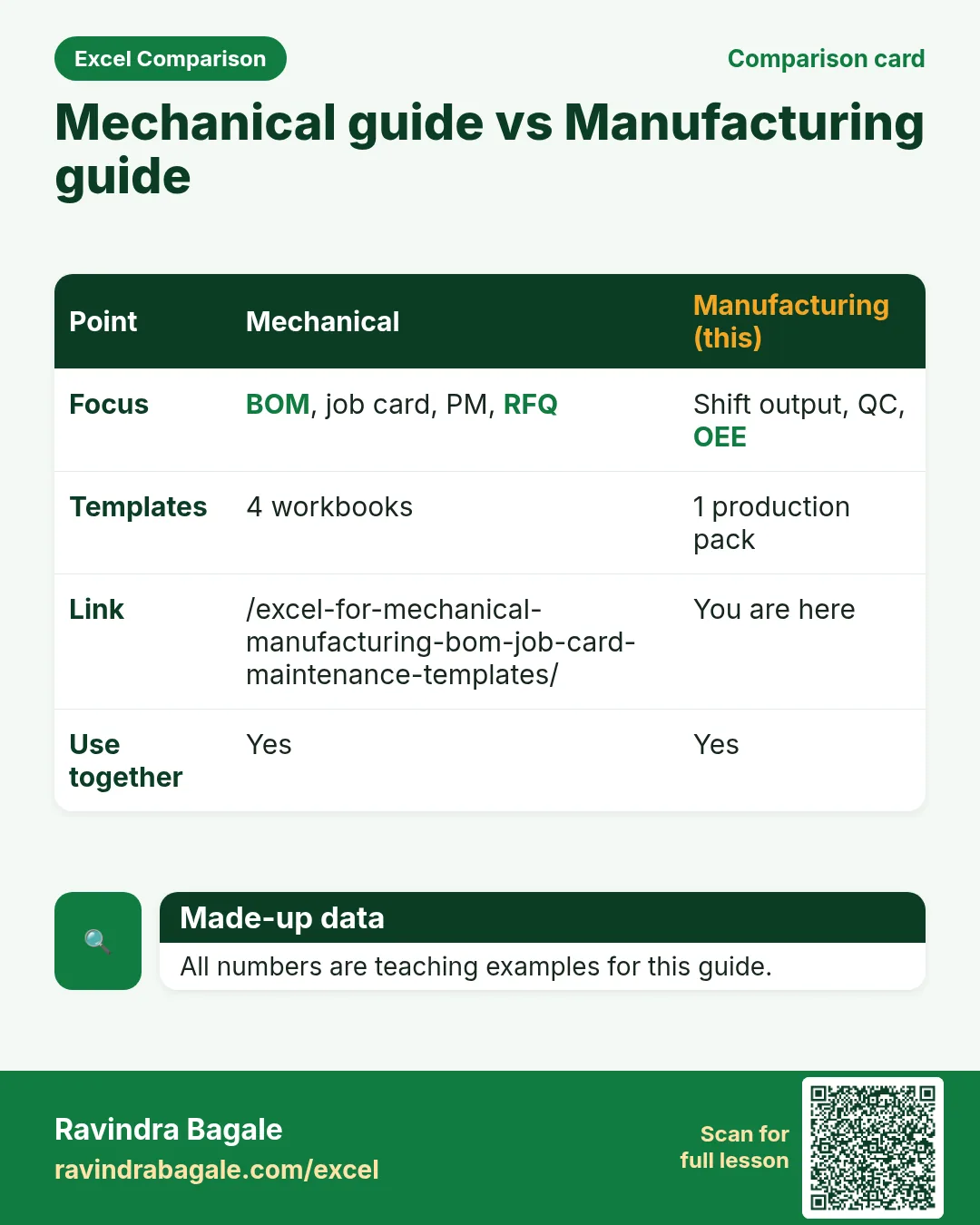
Mechanical guide = BOM, job card, PM, RFQ. This guide = production KPIs and OEE.
What
| Role | Typical Excel work |
|---|---|
| Production supervisor | Shift output vs plan. |
| QC inspector | Accept / reject, yield %. |
| Industrial engineer | OEE factors teaching sheet. |
| Plant MIS | Daily production pack. |
How
- Download manufacturing-production-qc-oee.xlsx.
- Use Mechanical templates for BOM and spares.
- Use this file for shift MIS.
2. Every common Excel file
Why
If you only learn one dashboard, you miss the daily registers that feed it.
What
| File | What one row / sheet holds |
|---|---|
| Shift production | Line, shift, plan, actual, efficiency %. |
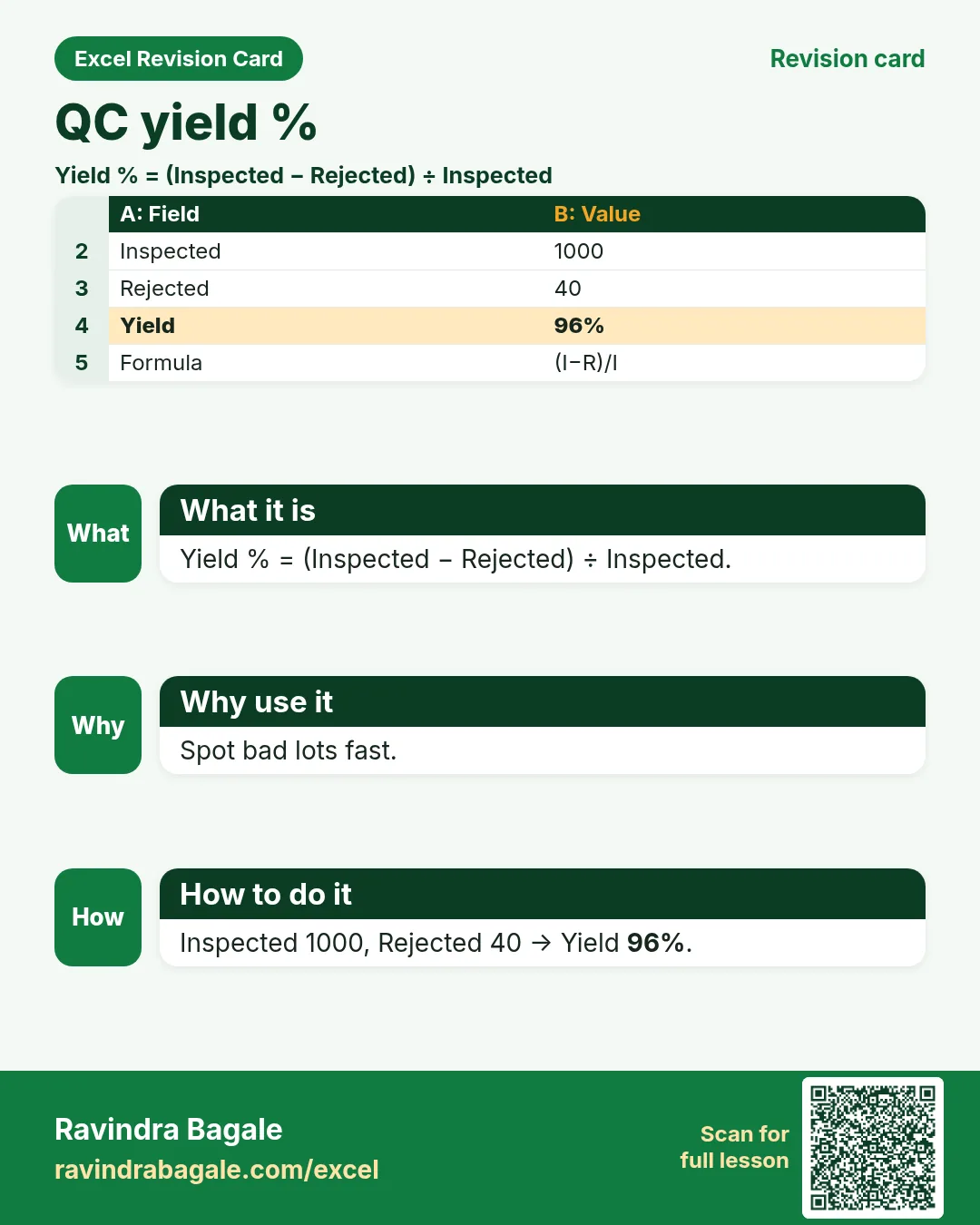
| QC lot register | Lot, inspected, rejected, yield %. |
| Scrap reason log | Reason, qty, cost. |
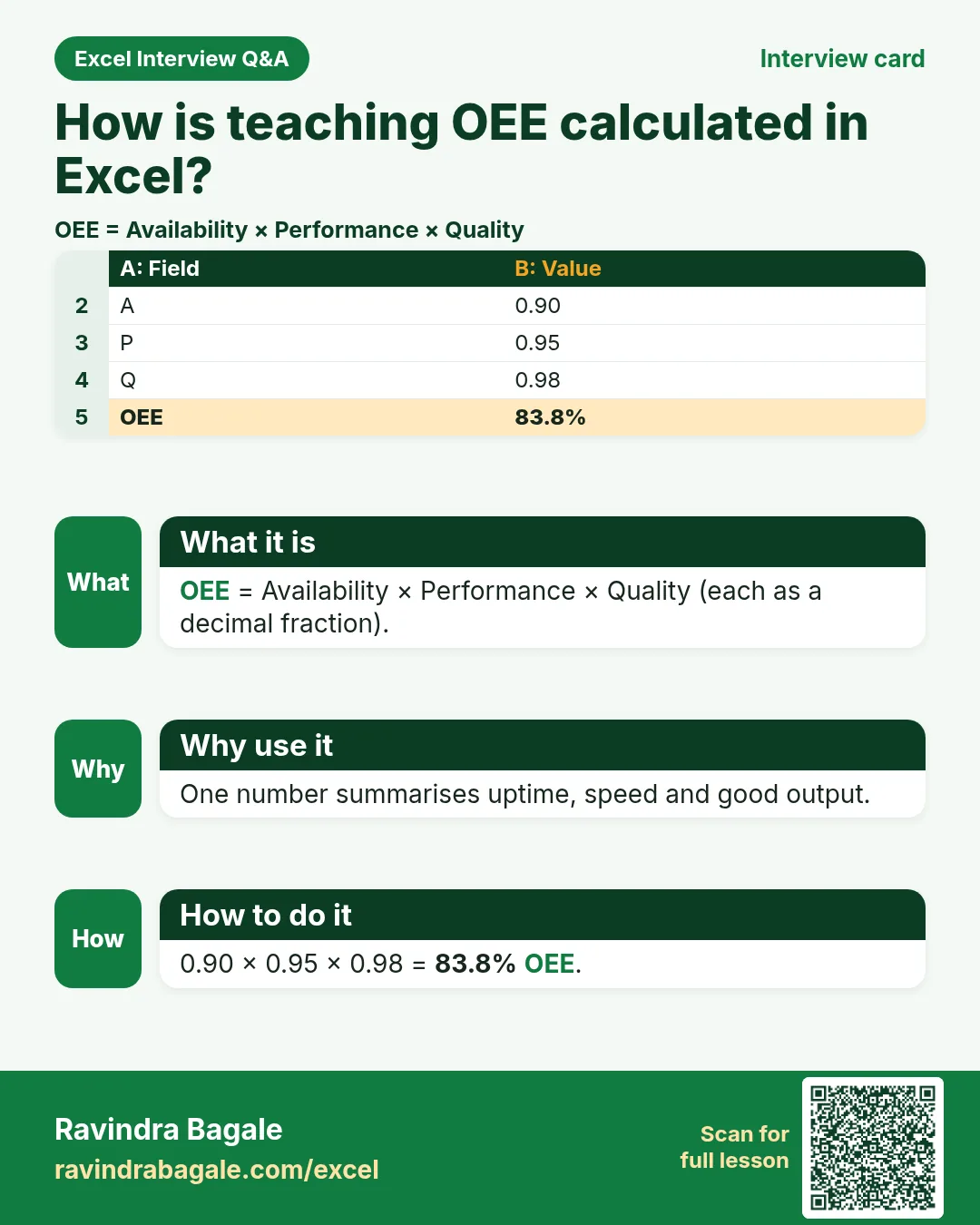
| OEE factors (teaching) | Availability, performance, quality → OEE. |
| Downtime log | Machine, minutes, reason. |
How
- Pick the file that matches your role.
- Download the template that contains that sheet.
- Replace yellow sample rows with your practice data (still made-up if you share screenshots).
3. Formulas people use
Why
Typed numbers go stale. Formulas update when inputs change.
What
| Name | Formula | What it does |
|---|---|---|
| Efficiency % | =actual/plan |
Output vs plan. |
| Yield % | =(inspected-rejected)/inspected |
QC yield. |
| OEE | =A*P*Q |
Availability × Performance × Quality. |
| Scrap cost | =qty*unit_cost |
Scrap ₹. |
| Downtime hours | =minutes/60 |
Hours lost. |
How
- Open the Formulas used sheet inside each template.
- Change only yellow cells.
- Watch green cells recalculate.
3. Production and QC
Why
Plan without actuals is theatre; QC without yield hides scrap.
What
Shift production + QC yield.
How
- Efficiency % = Actual ÷ Plan.
- Yield % = (Inspected − Rejected) ÷ Inspected.
- Filter low yield lots.
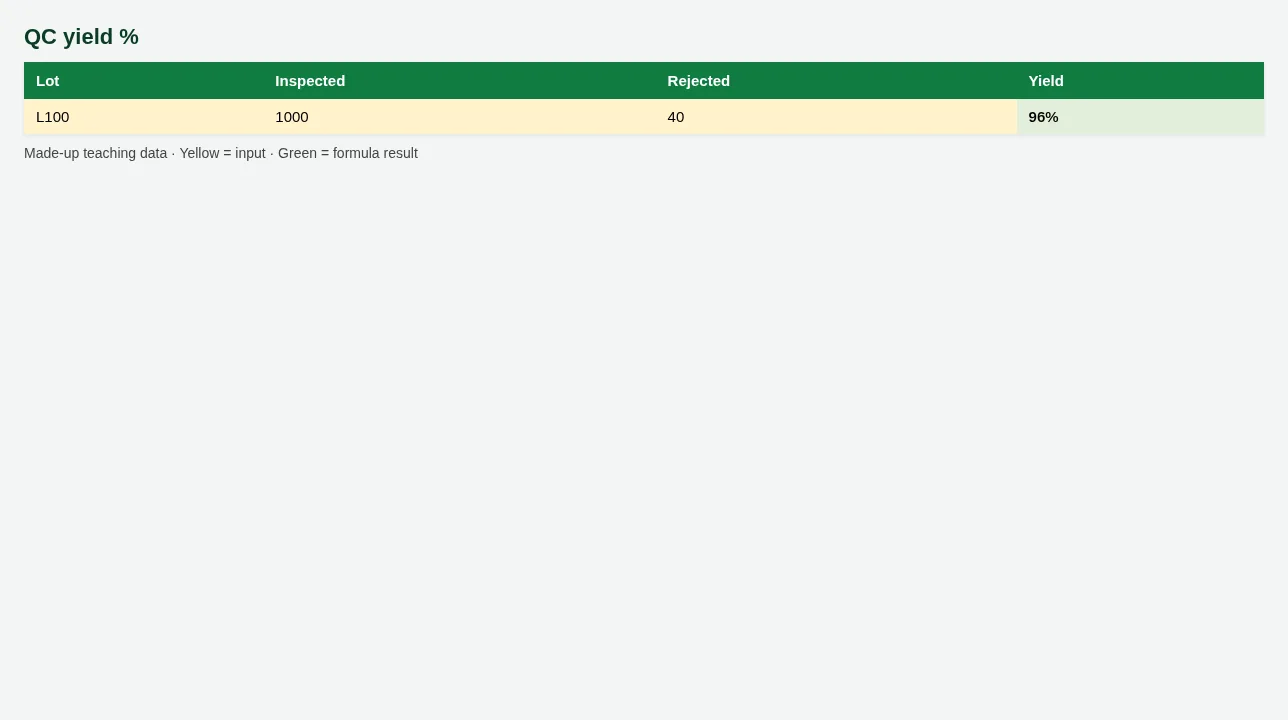
Figure. QC yield %
4. OEE teaching sheet
Why
OEE packages availability, speed and quality into one %.
What
Enter A, P, Q as decimals; OEE multiplies.
How
- Availability 0.90, Performance 0.95, Quality 0.98 → OEE green.
- Downtime log feeds Availability discussions.
- Teaching only — plant historians may differ.
5. Sheet previews
Why
See the layout before you open Excel.
What
Screenshots of the main sheets in the downloadable templates.
How
Scroll the figures, then download the matching .xlsx.
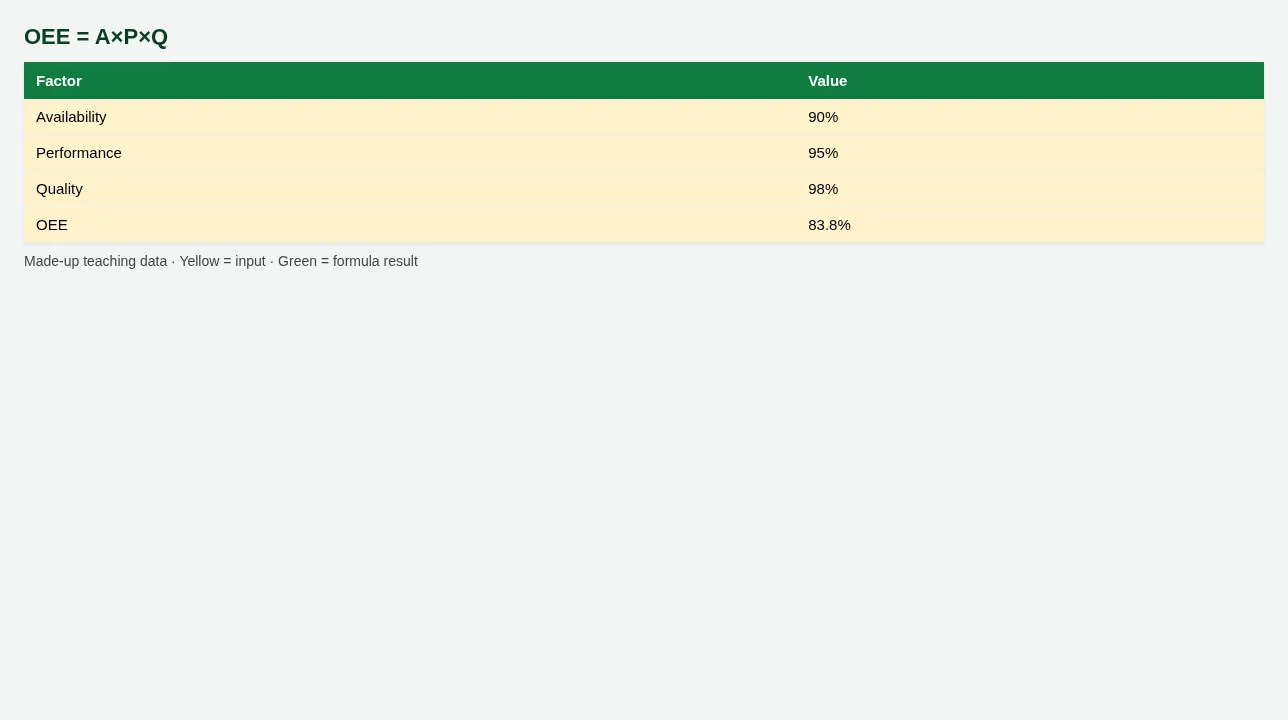
Figure. OEE = A×P×Q
Figure. QC yield %
6. Common mistakes
| Mistake | What goes wrong | Fix |
|---|---|---|
| OEE with percentages typed as 90 not 0.9 | OEE explodes. | Store A/P/Q as decimals or divide by 100. |
| Skipping Mechanical BOM | Wrong material qty. | Link Mechanical guide. |
7. FAQ
Is OEE world-class at 85%?
Benchmarks vary by industry. Numbers here are classroom examples.
8. Try at home
Try at home
- Efficiency % on Line A Day shift?
- Yield % on Lot L100?
- OEE when A=0.9, P=0.95, Q=0.98?
Recap
In short
- 4 roles use Excel in this industry.
- 5 common file types are listed above.
- 1 downloadable templates with yellow inputs and green formulas.
- Rates and rules here are teaching examples only.
- Use Related chapters for focused skills.
Quick revision cards
Quick revision
1 interview card, 1 comparison card and 1 revision card. Save on your phone or download as PNG. Numbers are made up for practice.
झटपट उजळणी
1 interview card, 1 comparison card आणि 1 revision card. Phone वर save करा किंवा PNG download करा. आकडे सरावासाठी काल्पनिक आहेत.
झटपट दोहराई
1 interview card, 1 comparison card और 1 revision card. Phone पर save करें या PNG download करें. आंकड़े अभ्यास के लिए काल्पनिक हैं.