Excel for IT and Consulting: Timesheets, Resource Plans, RAID and Project Status (With Templates)
This guide is for people in the it industry who use Excel every day. You will see every common file, the formulas people actually type, and downloadable templates with made-up Indian ₹ data. Related short lessons are linked — we do not re-teach them here.
What you'll learn
- Which roles use Excel in it
- Every common Excel file type for this industry
- Sample tables with realistic ₹ examples (made-up names)
- Formulas: Util %, Allocation check, Days open, Remaining SOW and more
- Ready templates you can download and reuse
Downloads: it-consulting-timesheet-raid.xlsx (Timesheet + utilisation + resource plan + RAID + status + SOW)
Example data only
All names, amounts, rates and dates are made up for practice. They are not real client or employer records. Follow your organisation's own rules and software for live work.
In short
One industry → many Excel files. Each file is one clear list. Yellow cells are inputs; green cells are formulas. Start with the Roles table, then open the matching template.
थोडक्यात
एक industry → अनेक Excel files. प्रत्येक file = एक स्पष्ट यादी. Yellow = input; green = formula. Roles table पासून सुरू करा, नंतर matching template उघडा.
संक्षेप में
एक industry → कई Excel files. हर file = एक साफ सूची. Yellow = input; green = formula. Roles table से शुरू करें, फिर matching template खोलें.
Related chapters (already on this site)
Why
Some topics already have a focused lesson. Use those for depth; use this guide for the full industry picture.
What
| Chapter | What it covers |
|---|---|
| Excel for Data Analysts (profession) | Cleaning, KPI, dashboard canvas. |
| Power Query lessons | Import and clean client extracts. |
| 22. KPI in All Industries | Service KPIs. |
How
- Skim the link if you need that one skill.
- Come back here for the full file list and templates.
1. Who uses Excel
Why
Jira exists; Excel still carries the client status pack.
What
| Role | Typical Excel work |
|---|---|
| Consultant / developer | Daily timesheet, task notes. |
| Project manager | Status, RAID, plan vs actual hours. |
| Resource manager | Allocation %, bench list. |
| Delivery lead | SOW tracker, margin teaching sheet. |
How
- Download it-consulting-timesheet-raid.xlsx.
- Yellow inputs, green formulas.
2. Every common Excel file
Why
If you only learn one dashboard, you miss the daily registers that feed it.
What
| File | What one row / sheet holds |
|---|---|
| Weekly timesheet | Person, project, date, hours, billable flag. |
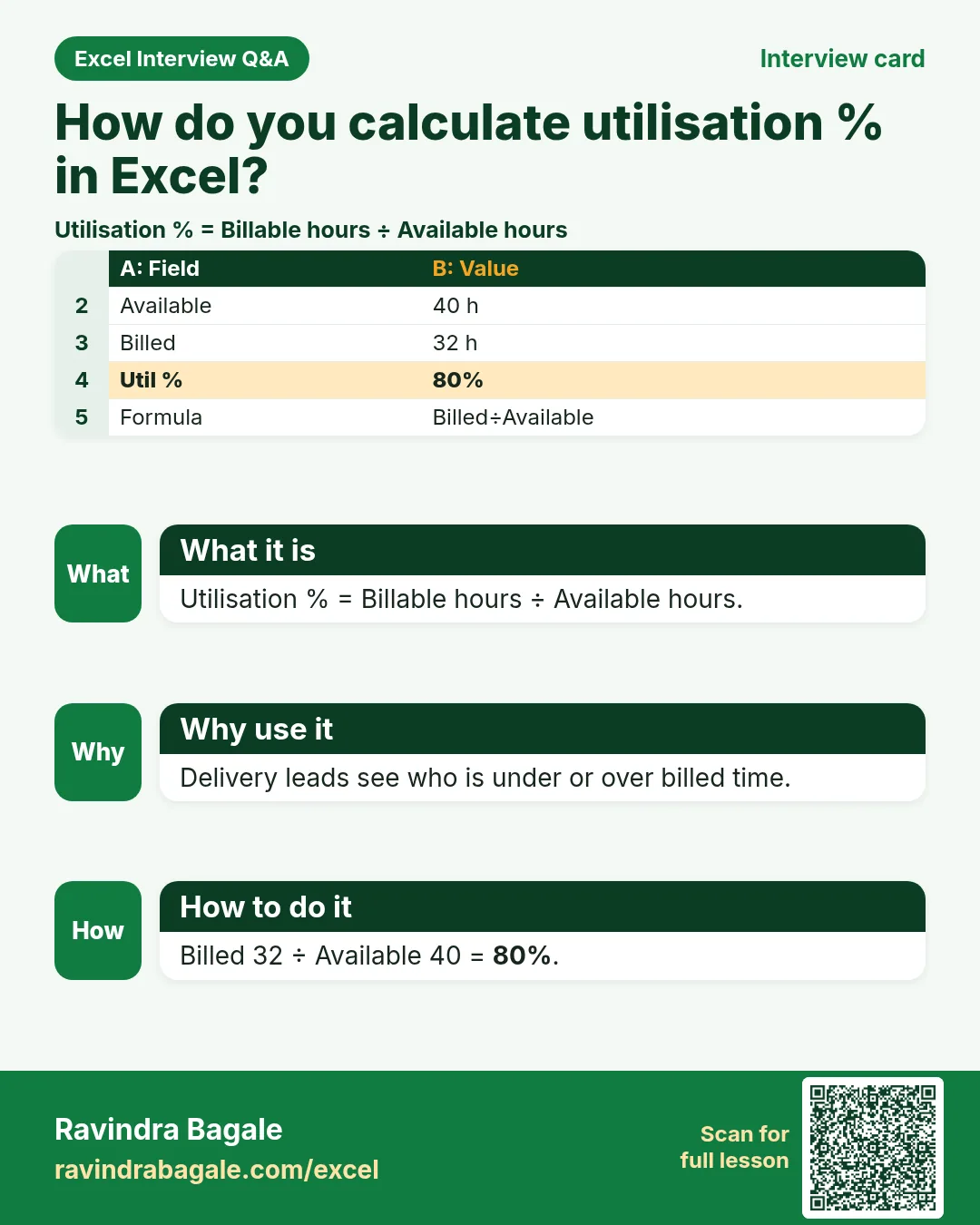
| Utilisation sheet | Available hours, billed hours, util %. |
| Resource plan | Person, project, allocation %, start, end. |
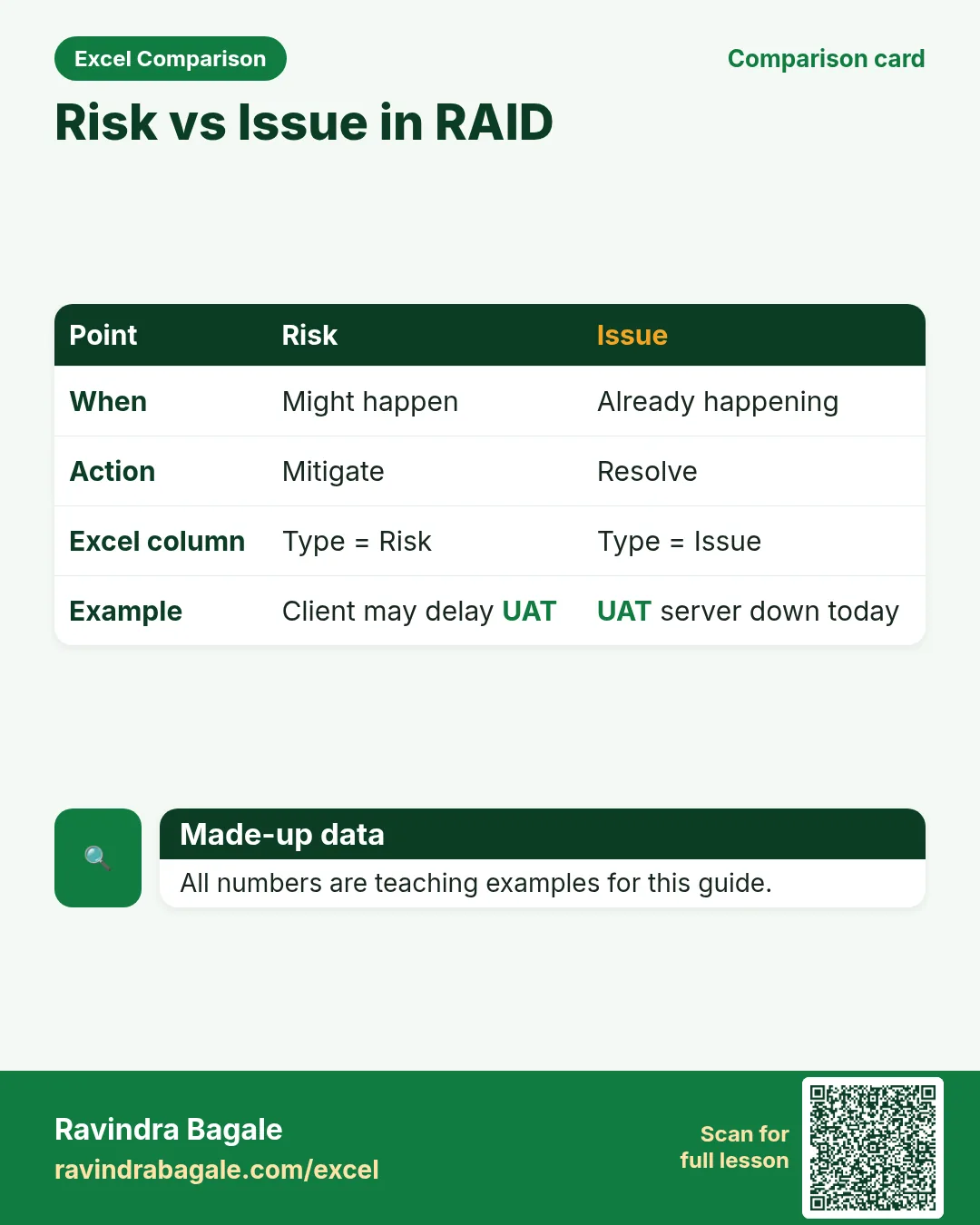
| RAID log | Risk/Action/Issue/Decision, owner, due, status. |
| Project status pack | RAG, milestone, % complete, blockers. |
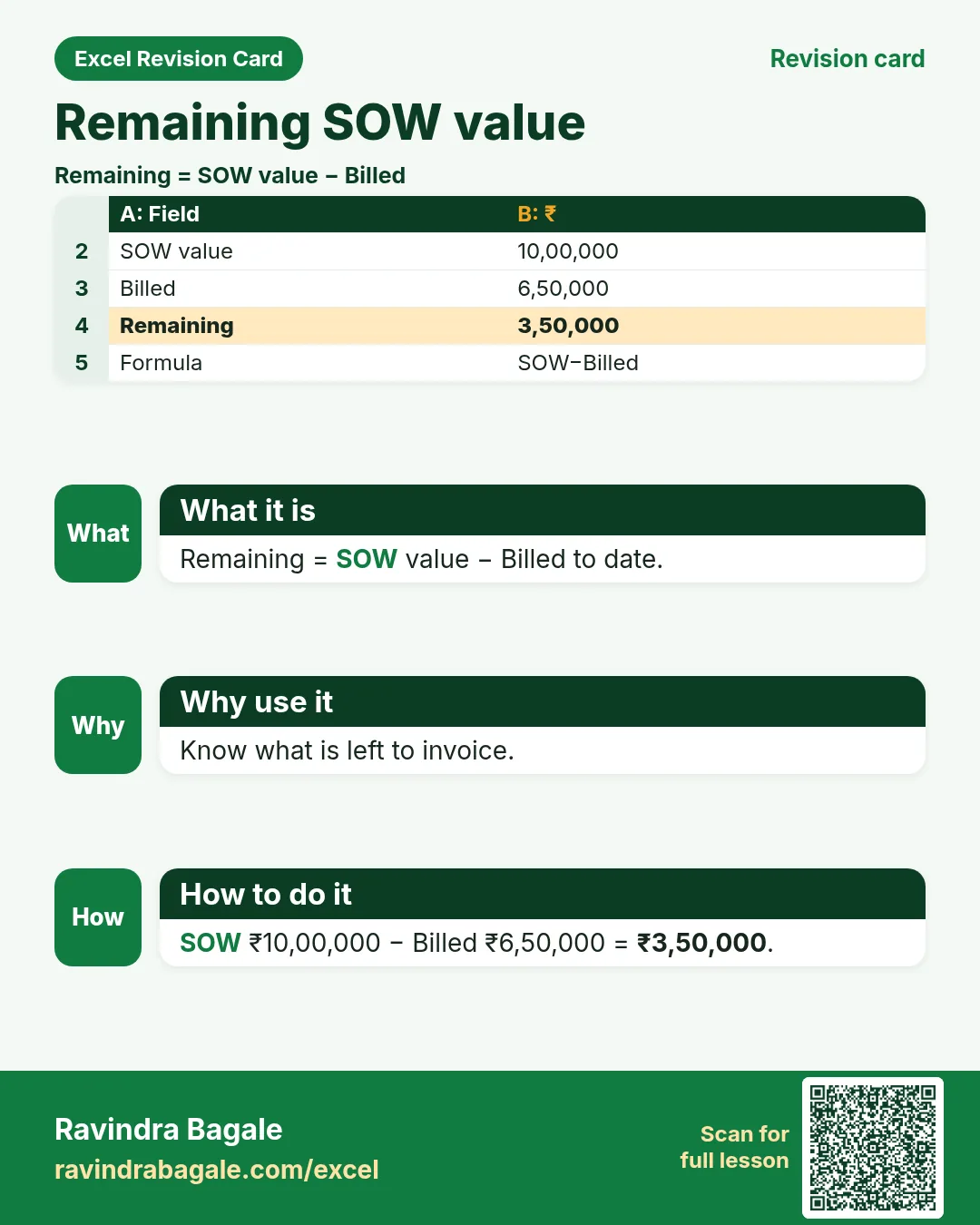
| SOW / CR tracker | SOW value, billed, remaining, CR ₹. |
How
- Pick the file that matches your role.
- Download the template that contains that sheet.
- Replace yellow sample rows with your practice data (still made-up if you share screenshots).
3. Formulas people use
Why
Typed numbers go stale. Formulas update when inputs change.
What
| Name | Formula | What it does |
|---|---|---|
| Util % | =billed/available |
Billable utilisation. |
| Allocation check | =SUMIF(person,p,alloc%) |
Should not exceed ~100%. |
| Days open | =TODAY()-raised |
RAID age. |
| Remaining SOW | =sow-billed |
Unbilled value. |
| Overallocate flag | =IF(alloc_sum>1,"Over","OK") |
Resource conflict. |
| Billable hours sum | =SUMIF(billable,"Yes",hours) |
Week billable total. |
How
- Open the Formulas used sheet inside each template.
- Change only yellow cells.
- Watch green cells recalculate.
3. Timesheet and utilisation
Why
Unbilled hours hide margin problems.
What
Timesheet + util %.
How
- Enter hours and Billable Yes/No.
- Util % = Billed ÷ Available.
- Filter Billable = No for internal work review.
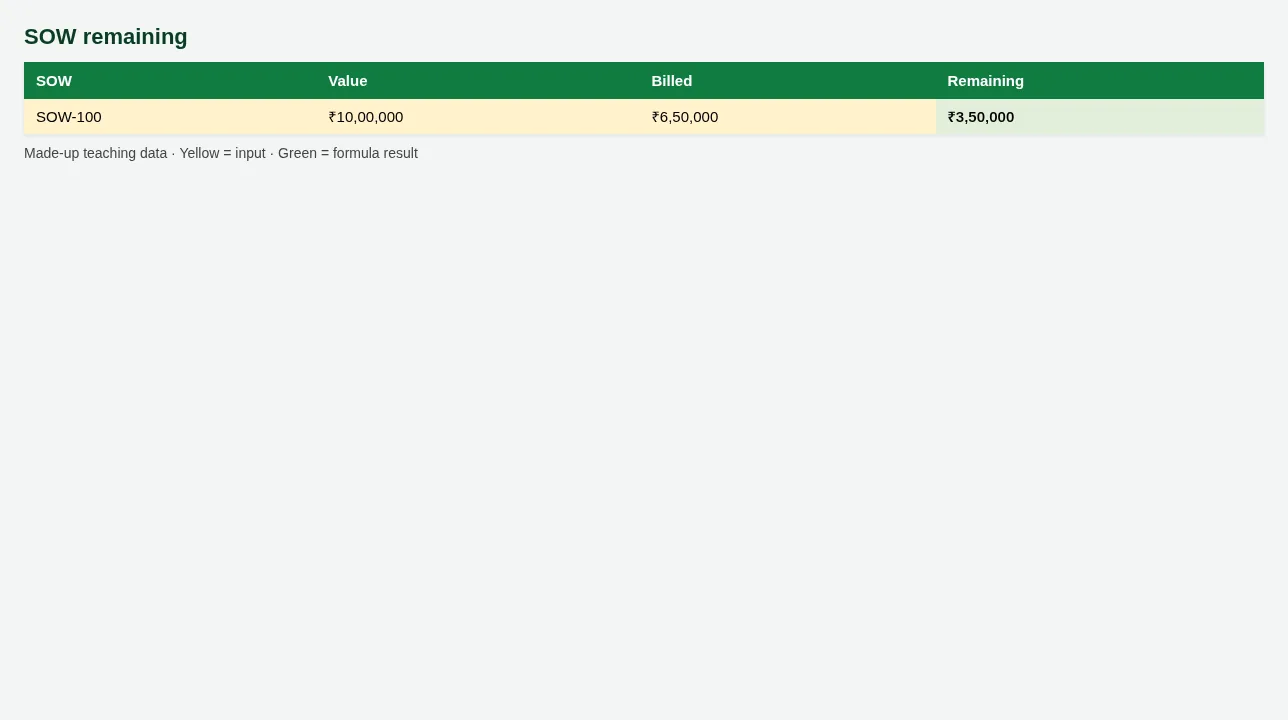
Figure. SOW remaining
4. RAID and resource plan
Why
Risks without owners are rumours.
What
RAID log with days open; resource plan with overallocate flag.
How
- Add a Risk for project PRJ-01 owned by Salman.
- Days open calculates.
- On Resource plan, if one person sums over 100%, flag Over.
5. SOW tracker
Why
Delivery without billing tracking surprises finance.
What
SOW value, billed, remaining.
How
- Update Billed (yellow).
- Remaining is green.
- Link CRs so scope changes stay visible.
6. Sheet previews
Why
See the layout before you open Excel.
What
Screenshots of the main sheets in the downloadable templates.
How
Scroll the figures, then download the matching .xlsx.
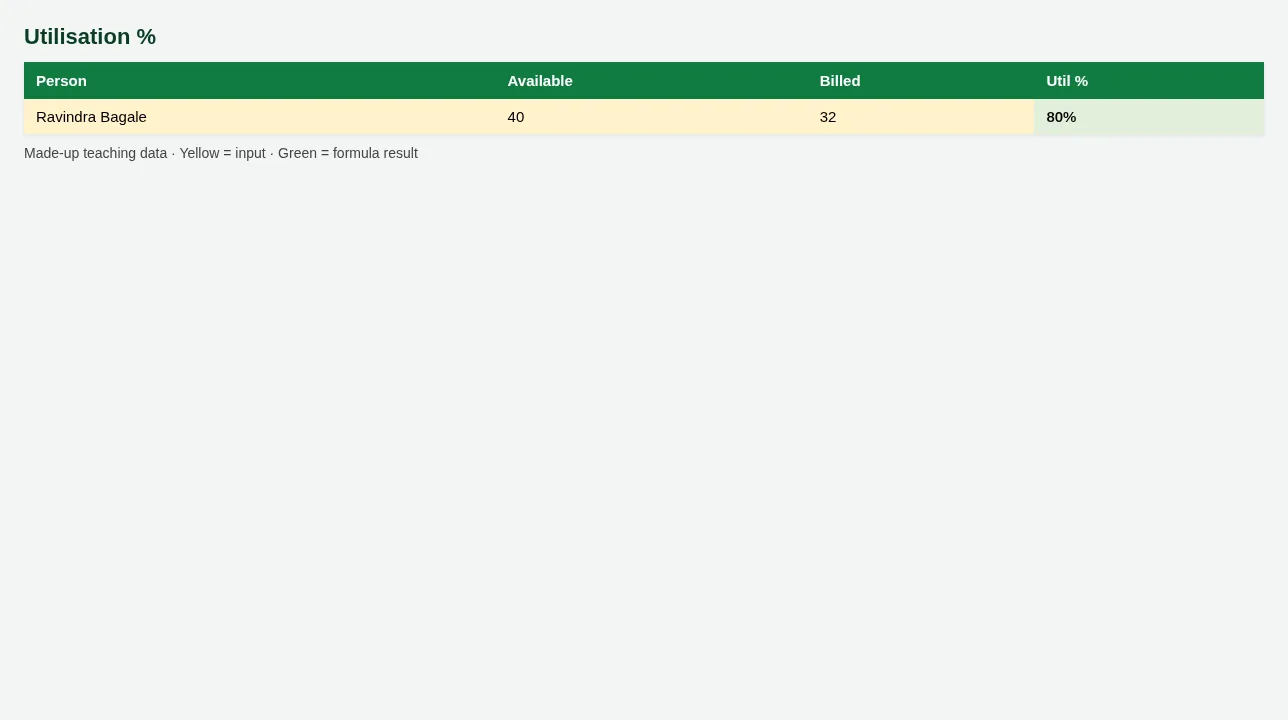
Figure. Utilisation %
Figure. SOW remaining
7. Common mistakes
| Mistake | What goes wrong | Fix |
|---|---|---|
| Allocations that sum past 100% | People promised to two clients. | Use allocation check. |
| RAID without due date | Nothing closes. | Due + Status required. |
8. FAQ
Replace PSA tools?
No — teaching sheets beside your PSA/Jira.
9. Try at home
Try at home
- Util % for Ravindra Bagale this week?
- How many RAID items are Open?
- Remaining SOW on SOW-100?
Recap
In short
- 4 roles use Excel in this industry.
- 6 common file types are listed above.
- 1 downloadable templates with yellow inputs and green formulas.
- Rates and rules here are teaching examples only.
- Use Related chapters for focused skills.
Quick revision cards
Quick revision
1 interview card, 1 comparison card and 1 revision card. Save on your phone or download as PNG. Numbers are made up for practice.
झटपट उजळणी
1 interview card, 1 comparison card आणि 1 revision card. Phone वर save करा किंवा PNG download करा. आकडे सरावासाठी काल्पनिक आहेत.
झटपट दोहराई
1 interview card, 1 comparison card और 1 revision card. Phone पर save करें या PNG download करें. आंकड़े अभ्यास के लिए काल्पनिक हैं.