Excel for Business Owners and Managers: Profit, Expenses and Performance (With Templates)
This guide is for people in the owners profession who use Excel every day. You will see every common file, the formulas people actually type, and downloadable templates with made-up Indian ₹ data. Related short lessons are linked — we do not re-teach them here.
What you'll learn
- Which roles use Excel in owners
- Every common Excel file type for this profession
- Sample tables with realistic ₹ examples (made-up names)
- Formulas: Gross profit, Net profit, Margin %, Burn and more
- Ready templates you can download and reuse
Downloads: owners-profit-expense-runway.xlsx (Profit snapshot + expenses + cash runway + customer + product mix)
Example data only
All names, amounts, rates and dates are made up for practice. They are not real client or employer records. Follow your organisation's own rules and software for live work.
In short
One profession → many Excel files. Each file is one clear list. Yellow cells are inputs; green cells are formulas. Start with the Roles table, then open the matching template.
थोडक्यात
एक profession → अनेक Excel files. प्रत्येक file = एक स्पष्ट यादी. Yellow = input; green = formula. Roles table पासून सुरू करा, नंतर matching template उघडा.
संक्षेप में
एक profession → कई Excel files. हर file = एक साफ सूची. Yellow = input; green = formula. Roles table से शुरू करें, फिर matching template खोलें.
Related chapters (already on this site)
Why
Some topics already have a focused lesson. Use those for depth; use this guide for the full profession picture.
What
| Chapter | What it covers |
|---|---|
| Home Budget (Daily Life) | Income vs expense habit. |
| Excel Dashboards gallery | Business performance boards. |
| 22. KPI in All Industries | Owner-level KPIs. |
How
- Skim the link if you need that one skill.
- Come back here for the full file list and templates.
1. Who uses Excel
Why
ERP can wait; tonight’s profit question cannot.
What
| Role | Typical Excel work |
|---|---|
| Business owner | Profit, cash, top expenses. |
| General manager | Branch/unit performance pack. |
| Ops manager (small firm) | Daily sales vs expense. |
| Family business partner | Simple drawings vs profit. |
How
- Download owners-profit-expense-runway.xlsx.
- Start with Monthly profit snapshot.
2. Every common Excel file
Why
If you only learn one dashboard, you miss the daily registers that feed it.
What
| File | What one row / sheet holds |
|---|---|
| Monthly profit snapshot | Sales, COGS, gross profit, expenses, net. |
| Expense tracker | Date, category, amount, mode, notes. |
| Cash runway | Opening cash, burn, months left. |
| Customer performance | Customer, revenue, margin, last order. |
| Product mix | Product, qty, revenue, share %. |
How
- Pick the file that matches your role.
- Download the template that contains that sheet.
- Replace yellow sample rows with your practice data (still made-up if you share screenshots).
3. Formulas people use
Why
Typed numbers go stale. Formulas update when inputs change.
What
| Name | Formula | What it does |
|---|---|---|
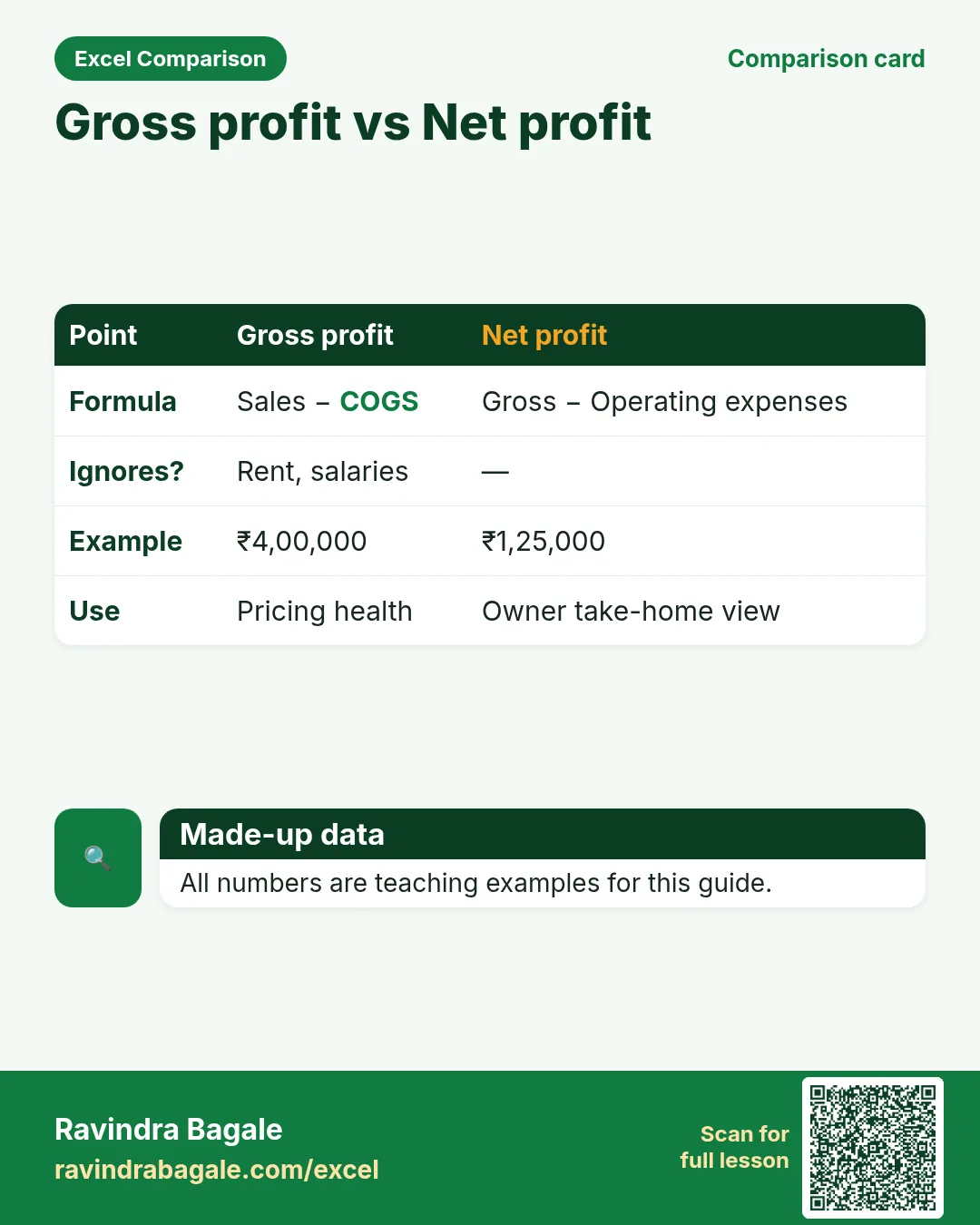
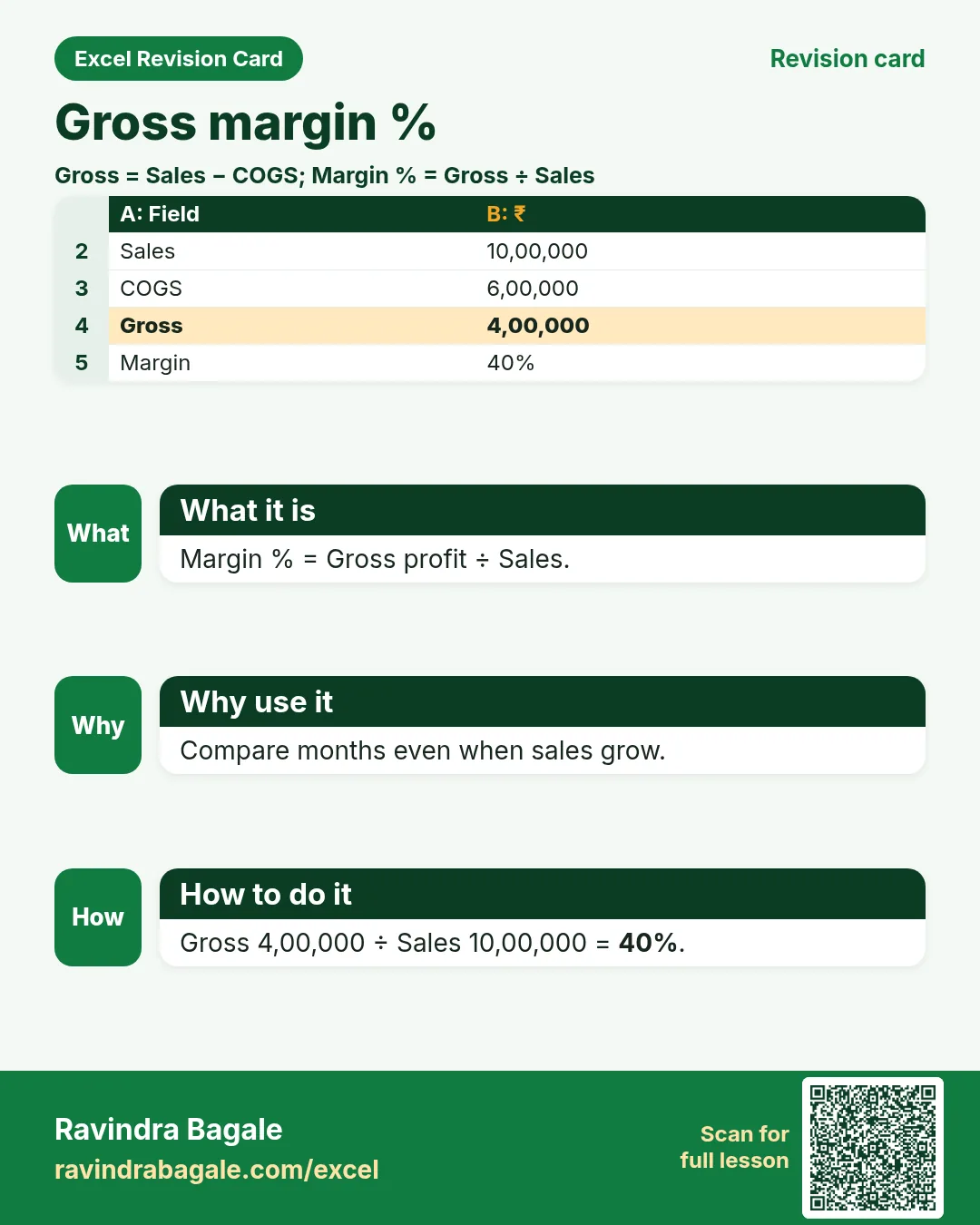
| Gross profit | =sales-cogs |
Before operating expenses. |
| Net profit | =gross-opex |
After expenses. |
| Margin % | =gross/sales |
Gross margin. |
| Burn | =avg_monthly_expense |
Teaching cash burn. |
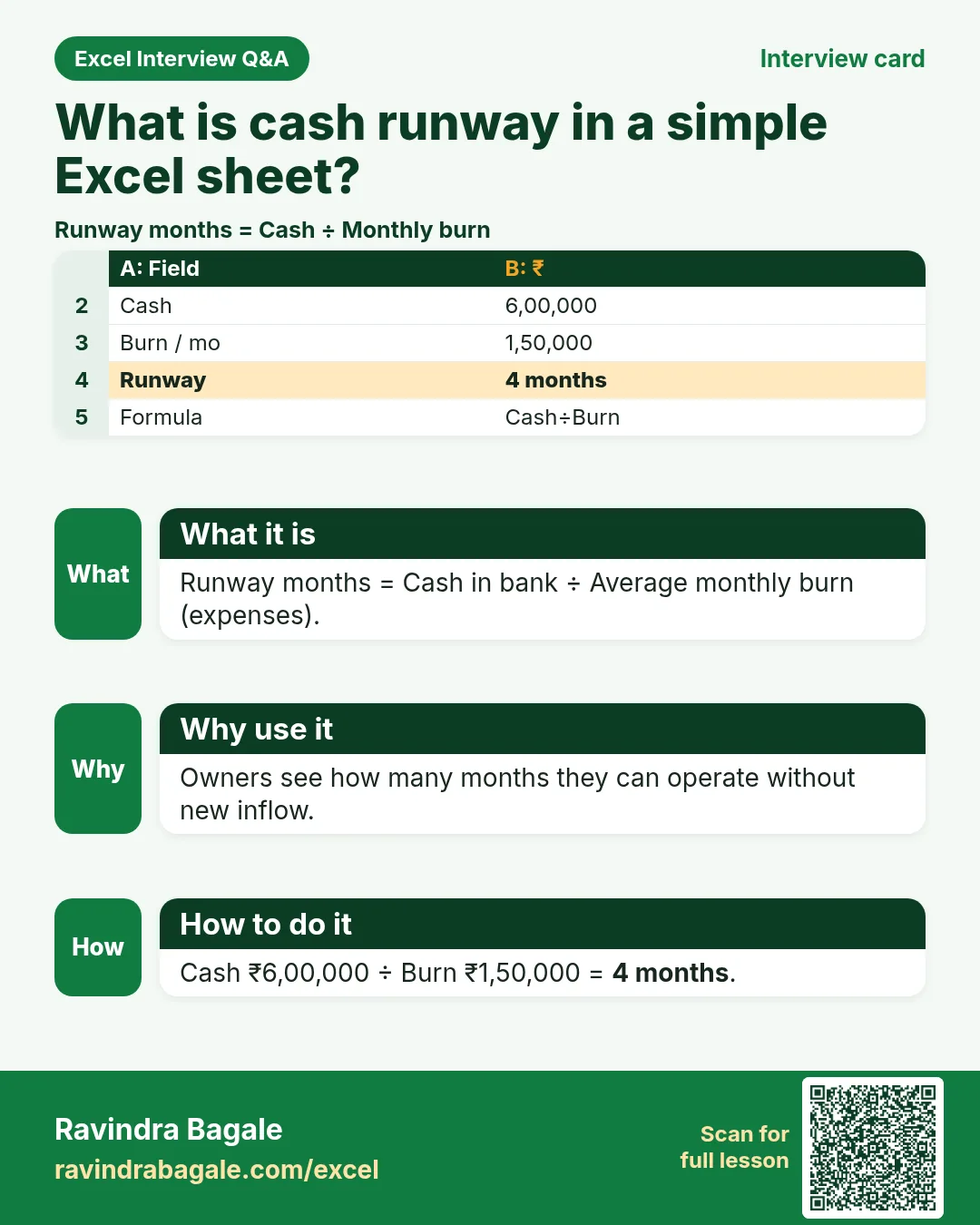
| Runway months | =cash/burn |
How long cash lasts. |
| Share % | =product_rev/total_rev |
Mix share. |
How
- Open the Formulas used sheet inside each template.
- Change only yellow cells.
- Watch green cells recalculate.
3. Profit and expenses
Why
Sales up but cash down usually hides expense creep.
What
Profit snapshot + expense tracker with category SUMIF.
How
- Enter Sales and COGS (yellow).
- Gross and Net are green.
- Tag expenses by category; read category totals.
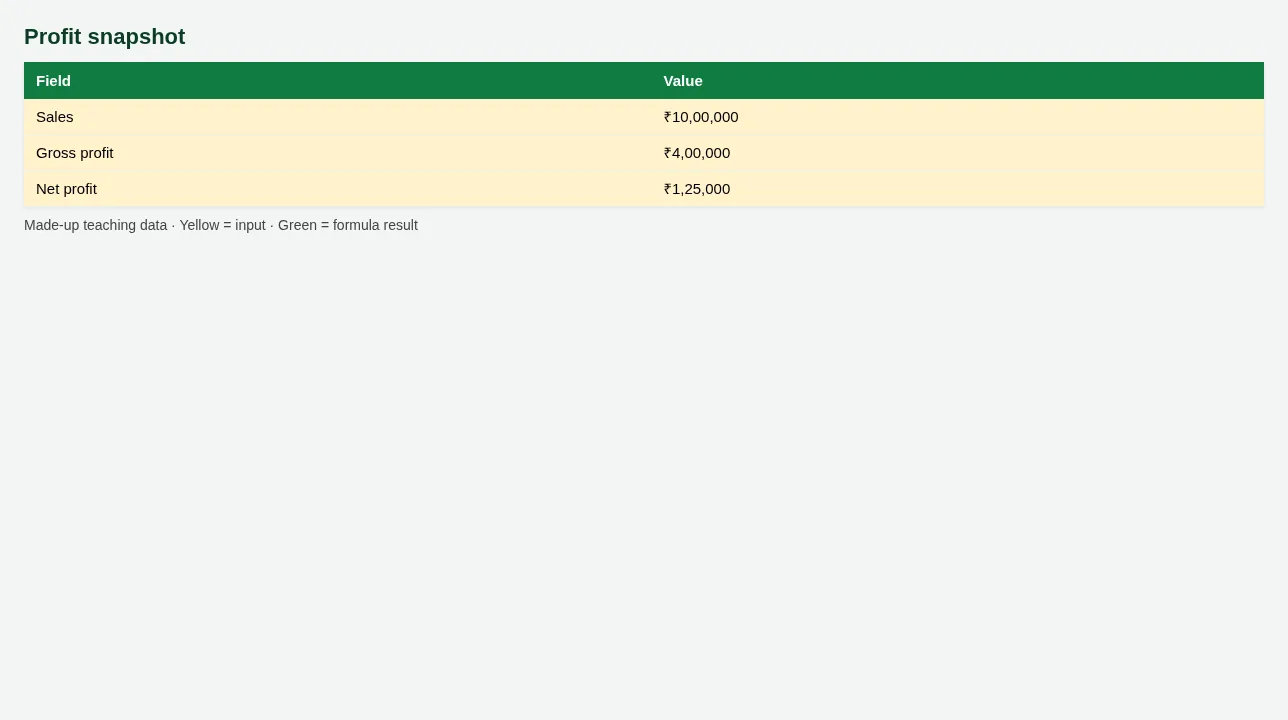
Figure. Profit snapshot
4. Cash runway and performance
Why
Runway turns anxiety into a number.
What
Cash ÷ monthly burn; customer and product sheets.
How
- Set Opening cash and Burn.
- Runway months updates.
- Sort customers by revenue for focus accounts.
5. Sheet previews
Why
See the layout before you open Excel.
What
Screenshots of the main sheets in the downloadable templates.
How
Scroll the figures, then download the matching .xlsx.
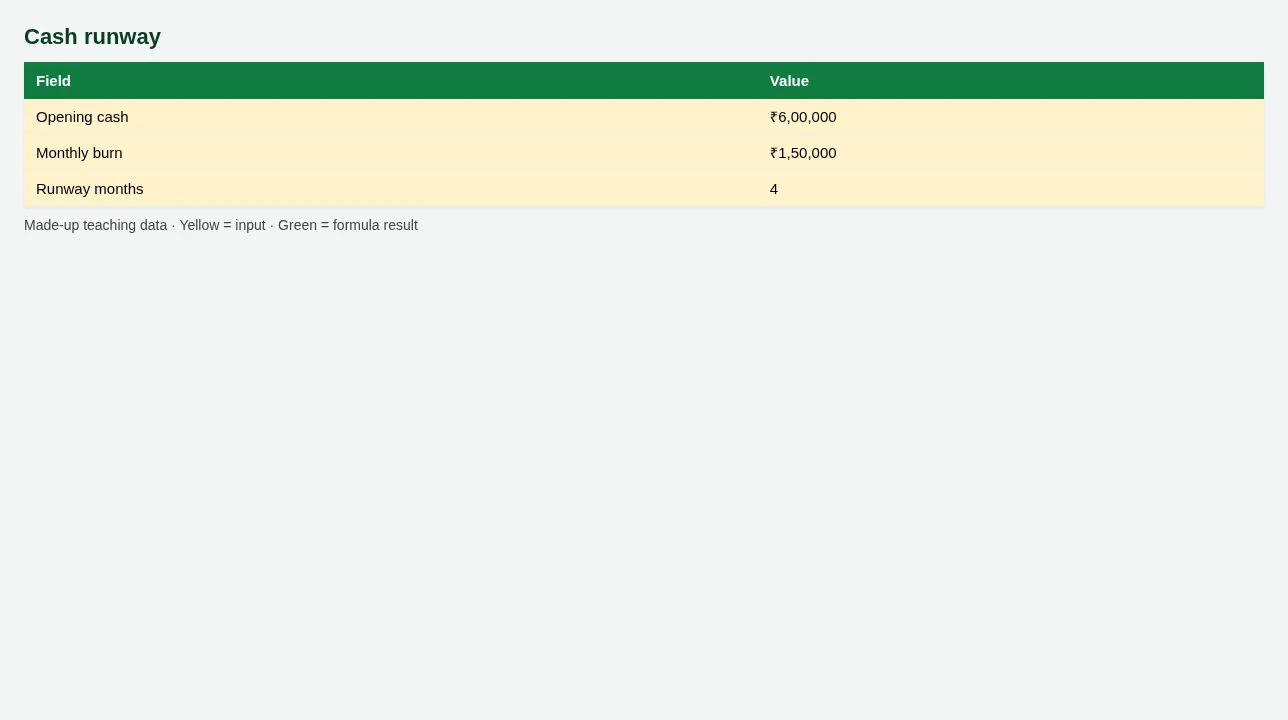
Figure. Cash runway
Figure. Profit snapshot
6. Common mistakes
| Mistake | What goes wrong | Fix |
|---|---|---|
| Mixing personal drawings in Sales | Profit looks fake. | Keep drawings in a separate row under capital. |
| Runway with one unusual month | Panic or false calm. | Use 3-month average burn when you can. |
7. FAQ
Is this accounting standard P&L?
Teaching snapshot only — ask your CA for statutory statements.
8. Try at home
Try at home
- What is Net profit for October on the snapshot?
- How many runway months at current burn?
- Which product has the highest Share %?
Recap
In short
- 4 roles use Excel in this profession.
- 5 common file types are listed above.
- 1 downloadable templates with yellow inputs and green formulas.
- Rates and rules here are teaching examples only.
- Use Related chapters for focused skills.
Quick revision cards
Quick revision
1 interview card, 1 comparison card and 1 revision card. Save on your phone or download as PNG. Numbers are made up for practice.
झटपट उजळणी
1 interview card, 1 comparison card आणि 1 revision card. Phone वर save करा किंवा PNG download करा. आकडे सरावासाठी काल्पनिक आहेत.
झटपट दोहराई
1 interview card, 1 comparison card और 1 revision card. Phone पर save करें या PNG download करें. आंकड़े अभ्यास के लिए काल्पनिक हैं.