Excel for Supply Chain and Procurement: Purchase Orders, Vendors and Stock Forecasting (With Templates)
This guide is for people in the procurement profession who use Excel every day. You will see every common file, the formulas people actually type, and downloadable templates with made-up Indian ₹ data. Related short lessons are linked — we do not re-teach them here.
What you'll learn
- Which roles use Excel in procurement
- Every common Excel file type for this profession
- Sample tables with realistic ₹ examples (made-up names)
- Formulas: PO value, Open qty, OTIF flag, Lead days and more
- Ready templates you can download and reuse
Downloads: procurement-po-vendor-forecast.xlsx (PO register + vendor scorecard + GRN vs PO + lead time + reorder point)
Example data only
All names, amounts, rates and dates are made up for practice. They are not real client or employer records. Follow your organisation's own rules and software for live work.
In short
One profession → many Excel files. Each file is one clear list. Yellow cells are inputs; green cells are formulas. Start with the Roles table, then open the matching template.
थोडक्यात
एक profession → अनेक Excel files. प्रत्येक file = एक स्पष्ट यादी. Yellow = input; green = formula. Roles table पासून सुरू करा, नंतर matching template उघडा.
संक्षेप में
एक profession → कई Excel files. हर file = एक साफ सूची. Yellow = input; green = formula. Roles table से शुरू करें, फिर matching template खोलें.
Related chapters (already on this site)
Why
Some topics already have a focused lesson. Use those for depth; use this guide for the full profession picture.
What
| Chapter | What it covers |
|---|---|
| Excel for Mechanical — Vendor RFQ | Vendor compare sheet in mechanical guide. |
| 22. KPI in All Industries (SCM) | Purchase and stock KPIs. |
| 27. 20 Industry Projects | Practice projects. |
How
- Skim the link if you need that one skill.
- Come back here for the full file list and templates.
1. Who uses Excel
Why
ERP POs still get tracked in a working Excel list.
What
| Role | Typical Excel work |
|---|---|
| Purchase executive | PO raise, follow-up, GRN match. |
| Buyer | Vendor quotes, landed cost compare. |
| Stores / inbound | GRN qty, rejection qty. |
| Planning | Reorder point, forecast demand. |
How
- Download procurement-po-vendor-forecast.xlsx.
- See also Mechanical vendor RFQ in industry guide.
2. Every common Excel file
Why
If you only learn one dashboard, you miss the daily registers that feed it.
What
| File | What one row / sheet holds |
|---|---|
| PO register | PO no, vendor, SKU, qty, rate, value, due date, status. |
| Vendor scorecard | OTIF %, quality %, price index, score. |
| GRN vs PO | Ordered vs received vs rejected. |
| Lead time log | PO date, receipt date, lead days. |
| Stock forecast (simple) | Avg monthly use, lead time, reorder point. |
How
- Pick the file that matches your role.
- Download the template that contains that sheet.
- Replace yellow sample rows with your practice data (still made-up if you share screenshots).
3. Formulas people use
Why
Typed numbers go stale. Formulas update when inputs change.
What
| Name | Formula | What it does |
|---|---|---|
| PO value | =qty*rate |
Line value. |
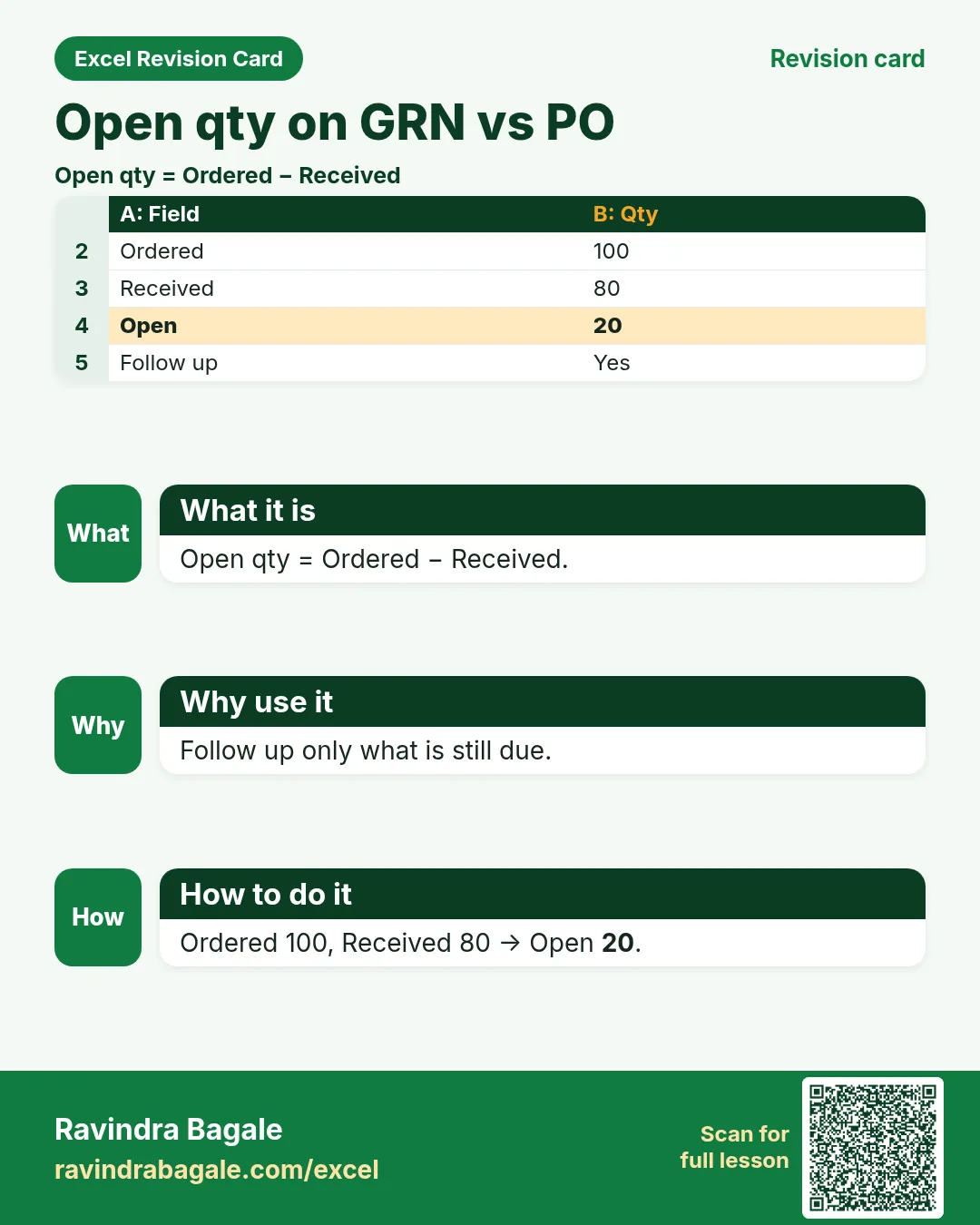
| Open qty | =ordered-received |
Still expected. |
| OTIF flag | =IF(AND(on_time="Yes",full="Yes"),"OTIF","Miss") |
On time in full teaching. |
| Lead days | =receipt-po_date |
Vendor speed. |
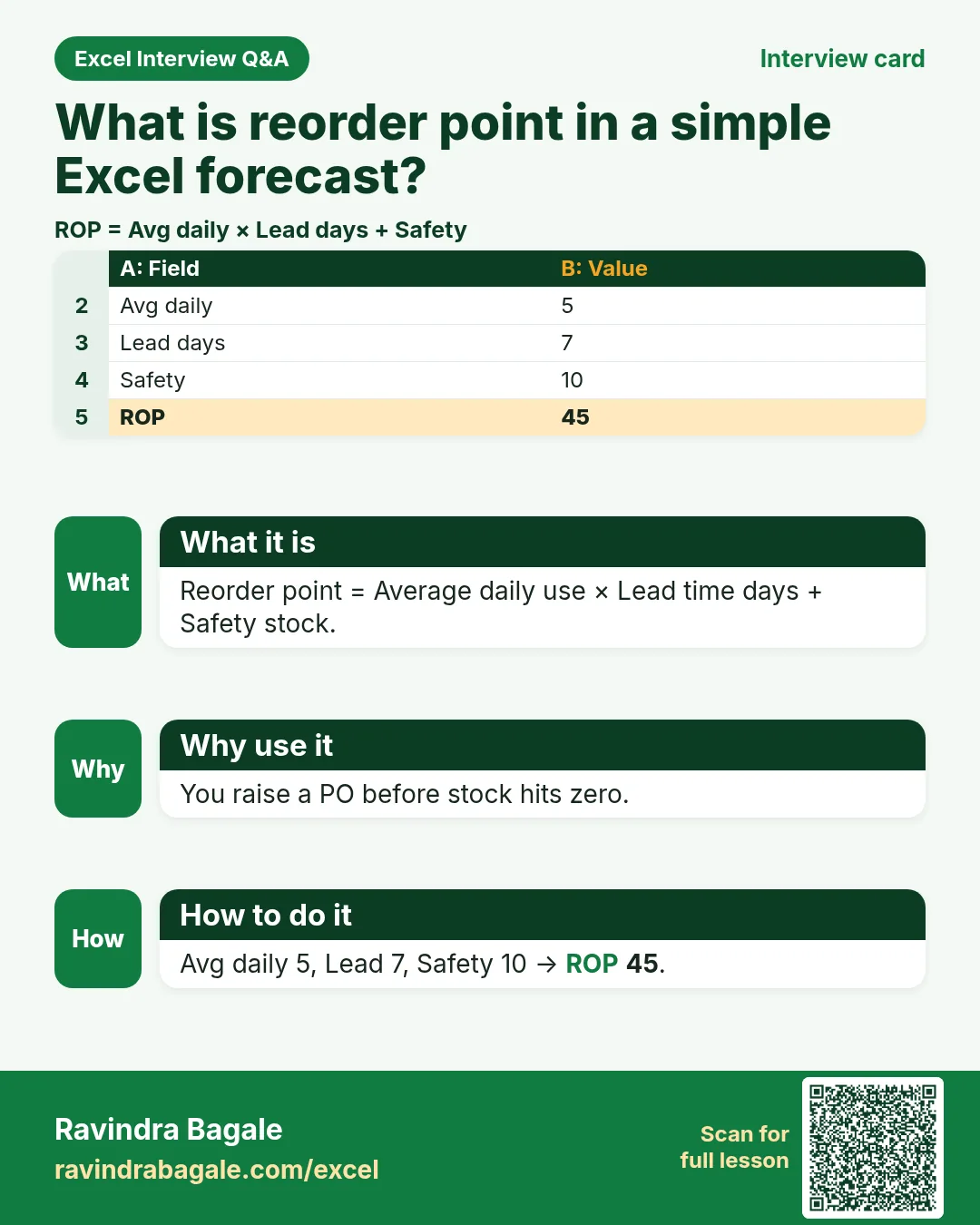
| Reorder point | =avg_daily*lead_days+safety |
When to buy again. |
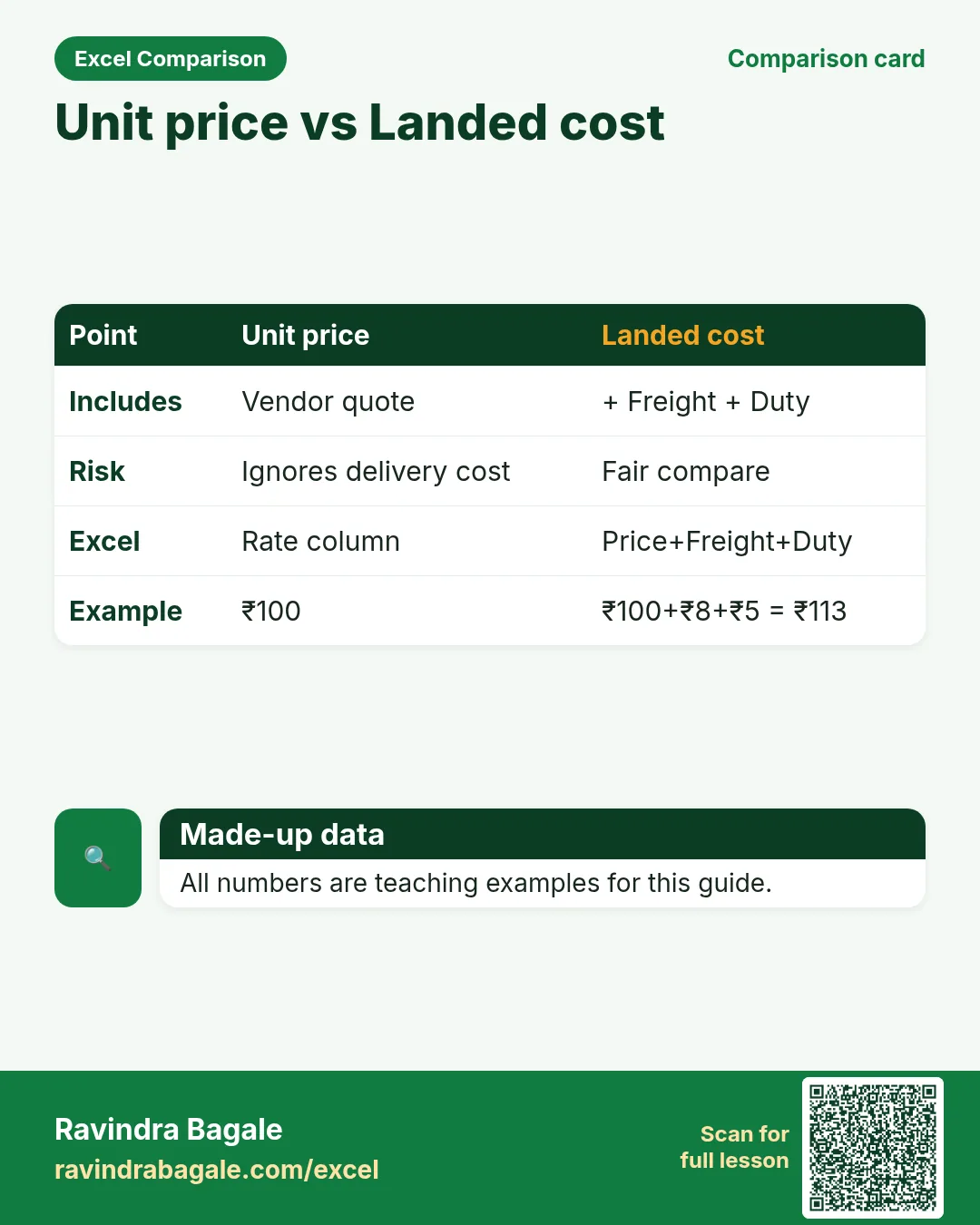
| Landed compare | =price+freight+duty |
True compare. |
How
- Open the Formulas used sheet inside each template.
- Change only yellow cells.
- Watch green cells recalculate.
3. PO and GRN
Why
Unordered receipts and short supply hide in chats.
What
PO register + GRN vs PO with open qty.
How
- Filter Status = Open on PO register.
- Open GRN vs PO; Open qty green.
- Rejected qty drives quality talk with vendor.
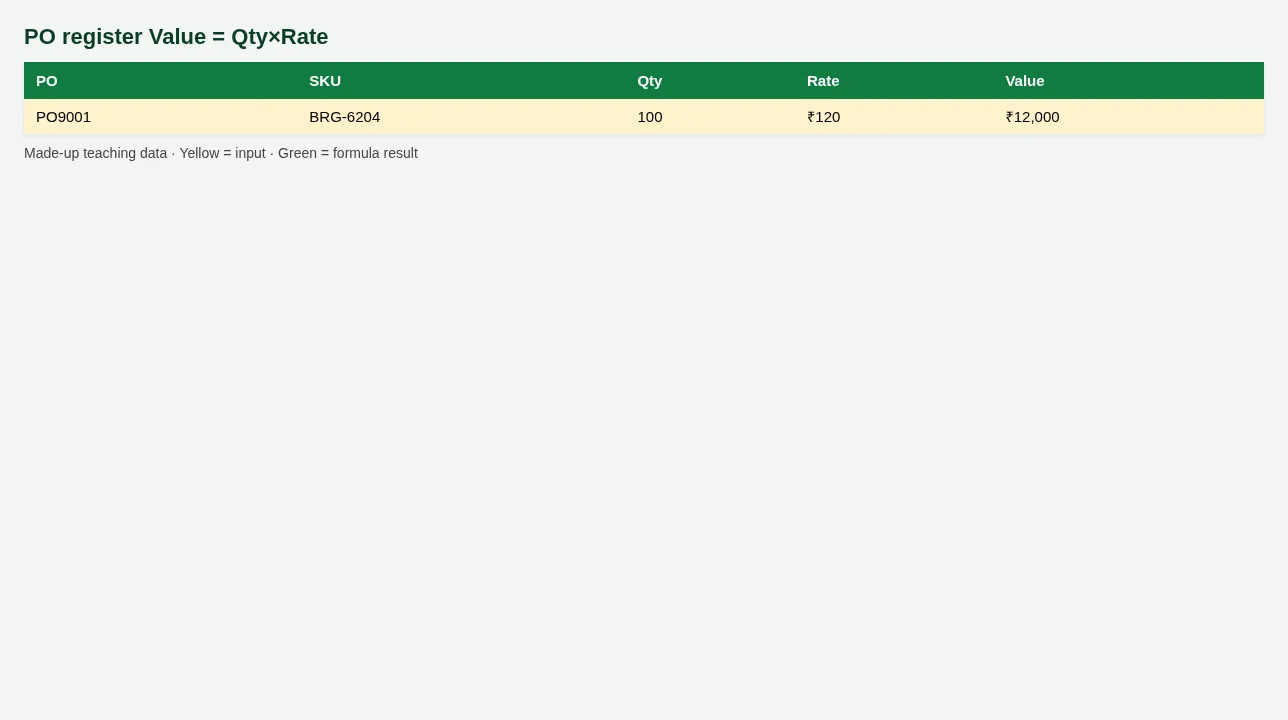
Figure. PO register Value = Qty×Rate
4. Vendor score and forecast
Why
Cheapest quote that arrives late is expensive.
What
Scorecard + reorder point sheet.
How
- OTIF and quality feed a simple Score.
- Reorder point = Avg daily use × Lead days + Safety.
- Place PO when On hand ≤ Reorder point.
5. Sheet previews
Why
See the layout before you open Excel.
What
Screenshots of the main sheets in the downloadable templates.
How
Scroll the figures, then download the matching .xlsx.
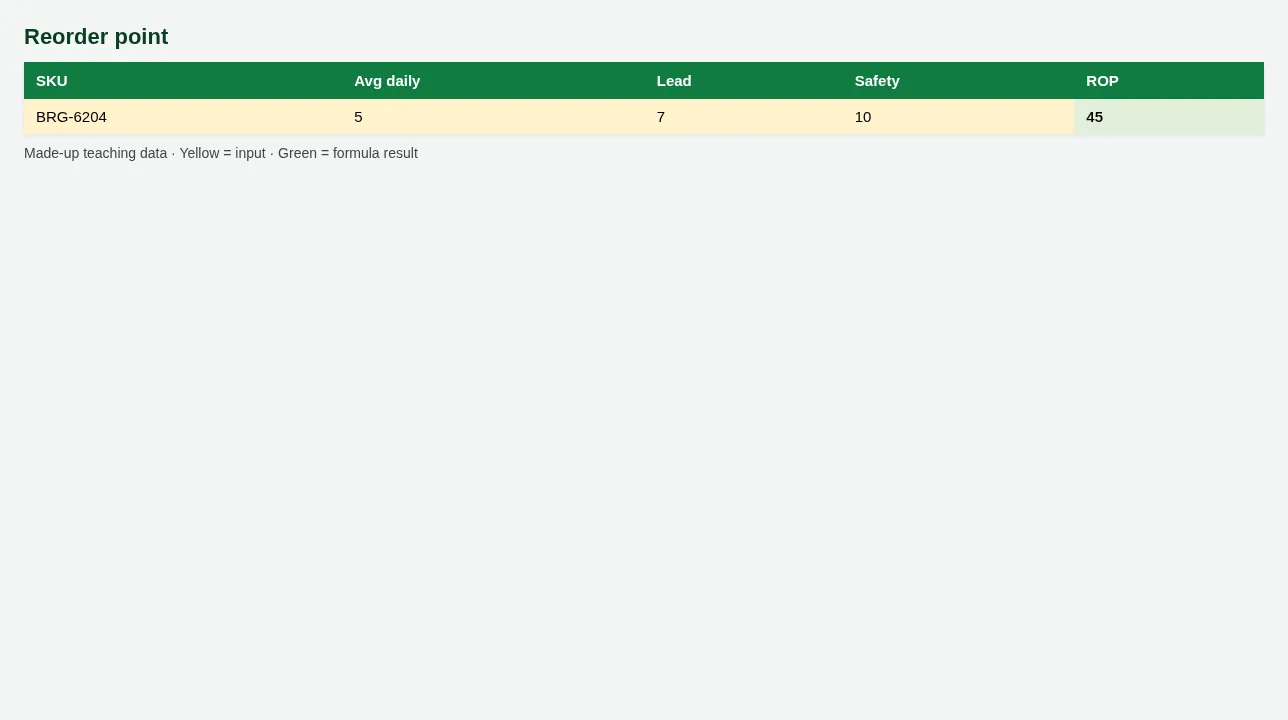
Figure. Reorder point
Figure. PO register Value = Qty×Rate
6. Common mistakes
| Mistake | What goes wrong | Fix |
|---|---|---|
| Comparing vendors on unit price only | Freight and duty ignored. | Use Landed compare. |
| No safety stock | Stockout on delay. | Add Safety in reorder point. |
7. FAQ
Is reorder point EOQ?
No — teaching reorder point only. EOQ is a separate model.
8. Try at home
Try at home
- Which POs are still Open?
- What is lead days for PO9001?
- Reorder point for SKU BRG-6204?
Recap
In short
- 4 roles use Excel in this profession.
- 5 common file types are listed above.
- 1 downloadable templates with yellow inputs and green formulas.
- Rates and rules here are teaching examples only.
- Use Related chapters for focused skills.
Quick revision cards
Quick revision
1 interview card, 1 comparison card and 1 revision card. Save on your phone or download as PNG. Numbers are made up for practice.
झटपट उजळणी
1 interview card, 1 comparison card आणि 1 revision card. Phone वर save करा किंवा PNG download करा. आकडे सरावासाठी काल्पनिक आहेत.
झटपट दोहराई
1 interview card, 1 comparison card और 1 revision card. Phone पर save करें या PNG download करें. आंकड़े अभ्यास के लिए काल्पनिक हैं.