Employee Salary Calculation in Excel: Basic, HRA, DA, TA, Gross, PF, Net Salary and CTC
"My CTC is 2.3 lakh but my salary credit is less. Why?" This chapter answers that question with a sheet you build yourself. Starting from the Basic salary, you add HRA, DA and TA to get Gross, take out the employee's PF to get the Net salary that reaches the bank account, and add the employer's PF to get the CTC. Then you use the paid days from the attendance sheet chapter to work out the pay for August.
What you'll learn in this chapter
- What Basic, HRA, DA, TA, Gross, PF, Net and CTC mean
- Percentages in formulas: =C230% and =C230/100
- Keeping rates in cells and locking them with $
- Gross with SUM, PF with ROUND on Basic + DA
- Net (in-hand) salary and CTC per month and per year
- The month's pay from paid days, with VLOOKUP
Practice file: excel-salary-calculation-practice.xlsx: the Salary sheet with the rates in yellow cells O2:O5, the August 2026 Attendance sheet and the August pay sheet.
Made-up data and example rates: the ten people, their Basic salaries and attendance are made up for practice. The rates (HRA 30%, DA 30%, TA 20% of Basic, PF 12% of Basic + DA) are example rates for practice only. Real rates, limits and other deductions depend on the company and on the current rules, so check them with HR or the official PF rules before using a sheet like this for real pay.
1. The words
- Basic: the fixed core of the salary. Most other parts are a percentage of it.
- HRA (House Rent Allowance): money towards the rent of your home.
- DA (Dearness Allowance): an allowance that helps with rising prices.
- TA (Travel Allowance): money towards travel to work.
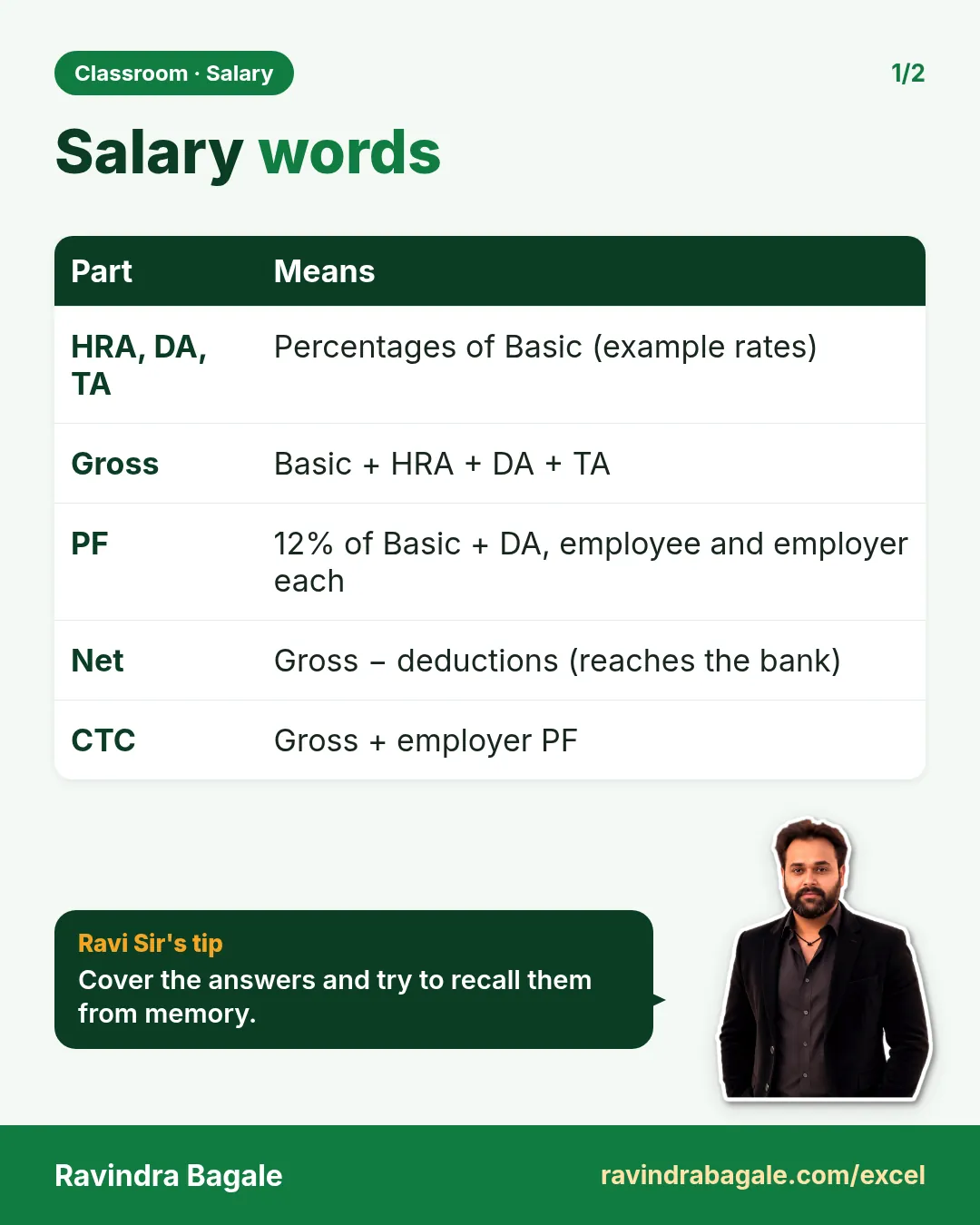
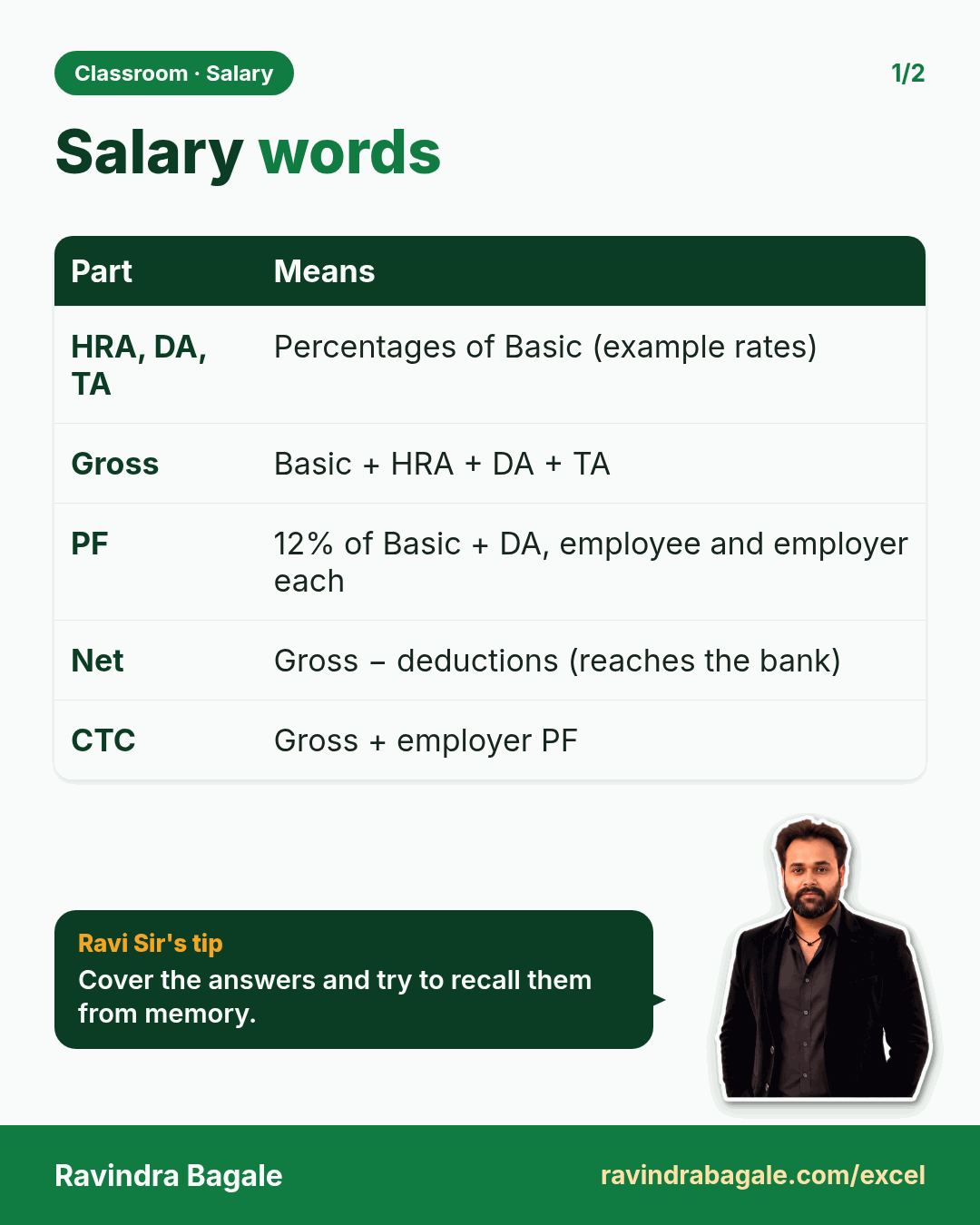
- Gross salary: Basic + HRA + DA + TA, everything the company pays you each month before deductions.
- PF (Provident Fund): a savings fund for later. Part is cut from your salary (employee share), and the company pays a matching amount (employer share) into the same fund.
- Net salary (in hand): Gross − employee PF. This is what is credited to the bank account.
- CTC (Cost to Company): Gross + employer PF. Everything the company spends on you, per month or per year.
2. The sheet
Headers in row 1, ten people in rows 2 to 11: A Emp_ID, B Name, C Basic, D HRA, E DA, F TA, G Gross, H PF Employee, I PF Employer, J Net (in hand), K CTC per month, L CTC per year.
Basic starts at 10,000 for E101 and goes up by 2,000 per row, to 28,000 for E110. Type 10000 in C2 and 12000 in C3, select both and double-click the fill handle: Excel continues the series down to row 11.
3. HRA, DA and TA as a percentage
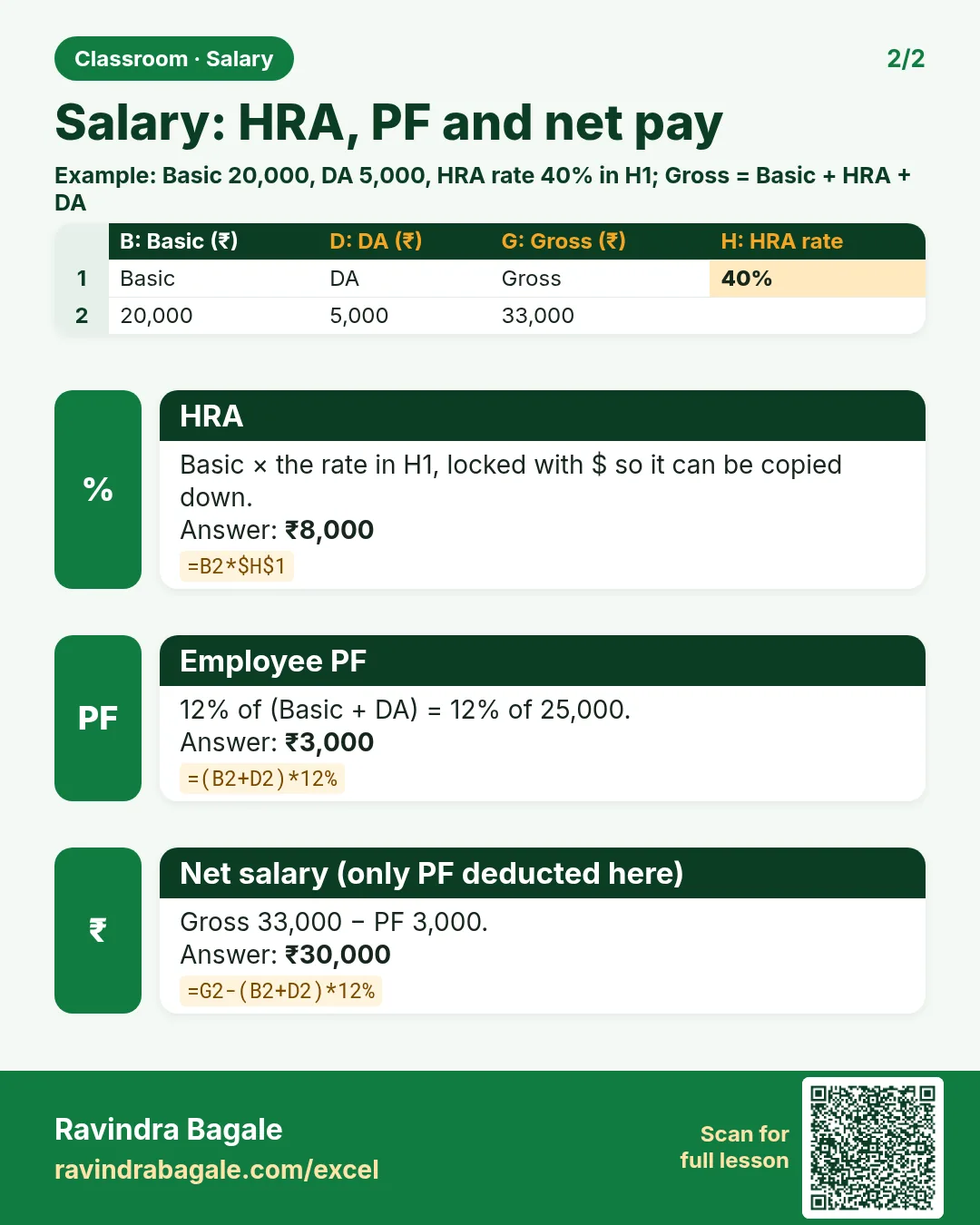
For HRA at 30% of Basic, in D2:
=C2*30%
→ 3,000. =C2*30/100 and =C2*0.3 give the same result; Excel reads 30% as 0.3.
The same way, DA in E2 is =C2*30% → 3,000, and TA in F2 is =C2*20% → 2,000. Double-click the fill handle of each to copy down.
Better: keep the rates in cells. If the HRA rate changes, you do not want to edit ten formulas. Type the rates in a small table, O2 HRA 30%, O3 DA 30%, O4 TA 20%, O5 PF 12%, and point to them with absolute references (press F4, as in the cell references chapter):
D2: =C2*$O$2 E2: =C2*$O$3 F2: =C2*$O$4
Change O2 to 40% and every HRA in the sheet updates. Without the dollars, the formula in D3 would look at O3 and pick up the DA rate instead.
Figure 1. One row, Basic 10,000: HRA 30% = 3,000, DA 30% = 3,000, TA 20% = 2,000, Gross = 18,000 (example rates).
4. Gross
G2: =SUM(C2:F2)
→ 18,000 (10,000 + 3,000 + 3,000 + 2,000).
5. PF, employee and employer
PF is worked out on Basic + DA, not on Gross. With the example rate of 12% for each side:
H2: =ROUND((C2+E2)*$O$5,0)
I2: =ROUND((C2+E2)*$O$5,0)
→ 1,560 each: 12% of (10,000 + 3,000) = 12% of 13,000. ROUND(...,0) gives whole rupees.
The brackets matter: =C2+E2*12% would calculate 12% of E2 only and then add C2, giving 10,360. Excel multiplies before it adds, so put the sum in brackets first.
Classroom line
The employee pays 12 percent PF, meaning the person who is the employee.
Class मधलं वाक्य
12 टक्के PF employee भरतो, म्हणजे जो employee आहे तो.
Classroom line – हिंदी
"12 percent PF employee bharta hai, matlab jo employee hai."
6. Net salary and CTC
J2: =G2-H2      → 16,440   Net (in hand)
K2: =G2+I2      → 19,560   CTC per month
L2: =K2*12      → 2,34,720 CTC per year
So for E101 the offer letter says a CTC of 2,34,720 a year, the Gross is 18,000 a month, and 16,440 is credited to the bank. The difference between CTC and in-hand is the PF from both sides, 1,560 + 1,560 = 3,120 a month, and that money still belongs to the employee, saved in the PF account.
Classroom line
From the gross salary, subtract the employee PF, cut it. What remains is the net salary: that much you get in hand, and it is credited to your bank account.
Class मधलं वाक्य
"Gross salary madhna PF employee minus kara, cut kara. Mag rahilela je bante te net salary, tevdha in hand bhetnar, bank account madhe jama honar."
Gross salary मधून PF employee minus करा, cut करा. मग राहिलेलं जे बनतं ते net salary, तेवढं in hand भेटणार, bank account मध्ये जमा होणार.
Classroom line
From the gross salary, subtract the employee PF, cut it. What remains is the net salary: that much you get in hand, and it is credited to your bank account.
Figure 2. From Gross 18,000: minus employee PF 1,560 = Net 16,440 in hand. Plus employer PF 1,560 = CTC 19,560 a month, 2,34,720 a year.
| Emp_ID | Name | Basic | Gross | PF (each) | Net | CTC / month |
|---|---|---|---|---|---|---|
| E101 | Ravindra Bagale | 10,000 | 18,000 | 1,560 | 16,440 | 19,560 |
| E102 | Shraddha Bagale | 12,000 | 21,600 | 1,872 | 19,728 | 23,472 |
| E105 | Amir | 18,000 | 32,400 | 2,808 | 29,592 | 35,208 |
| E109 | Raja | 26,000 | 46,800 | 4,056 | 42,744 | 50,856 |
| E110 | Rani | 28,000 | 50,400 | 4,368 | 46,032 | 54,768 |
Row 12 holds the totals with =SUM(C2:C11) and so on: the team's Gross is 3,42,000 a month and the Net 3,12,360.
Ravindra Bagale's Tip
Never type a rate inside a salary formula. Put every rate in its own labelled cell and lock it with $. When the rate changes you edit one cell, and anyone who opens the file can see which rates the numbers are based on.
Ravindra Bagale's Tip – मराठी
Salary formula च्या आत कधीही rate type करू नका. प्रत्येक rate त्याच्या स्वतःच्या label असलेल्या cell मध्ये ठेवा आणि $ ने lock करा. Rate बदलला की तुम्ही एकच cell बदलता, आणि file उघडणाऱ्या कोणालाही दिसतं की आकडे कोणत्या rates वर आधारित आहेत.
Ravindra Bagale's Tip – हिंदी
Salary formula के अंदर कभी rate type मत करो. हर rate को उसके अपने label वाले cell में रखो और $ से lock करो. Rate बदले तो तुम एक ही cell बदलते हो, और file खोलने वाला कोई भी देख सकता है कि आँकड़े किन rates पर आधारित हैं.
7. August pay from paid days
The Salary sheet is the full month. In August, not everyone was paid for all 31 days. The August pay sheet brings in the paid days from the Attendance sheet (present days + Sundays, from the attendance chapter) and pays for those days:
- Paid days, C2:
=VLOOKUP(A2,Attendance!$A$3:$AK$12,37,FALSE). AK, the Paid days column, is the 37th column of A:AK. (VLOOKUP is explained in the VLOOKUP chapter.) - Gross (full month), D2:
=VLOOKUP(A2,Salary!$A$2:$G$11,7,FALSE). - Per-day gross, E2:
=D2/31. August has 31 days. - Earned gross, F2:
=ROUND(E2*C2,0). - PF on earned, G2: 12% of the earned Basic + DA:
=ROUND((Basic+DA)/31*C2*12%,0), written in the file with VLOOKUPs for Basic and DA and the rate cell. - In hand for August, H2:
=F2-G2.
| Name | Paid days | Earned gross | PF | In hand |
|---|---|---|---|---|
| Ravindra Bagale | 31 | 18,000 | 1,560 | 16,440 |
| Shraddha Bagale | 30 | 20,903 | 1,812 | 19,091 |
| Raja | 26 | 39,252 | 3,402 | 35,850 |
Raja's full-month gross is 46,800; 46,800 ÷ 31 = 1,509.68 per day; × 26 paid days = 39,252. Ravindra Bagale had no absent day, so his August pay equals the full month. The total in-hand pay for August is 2,91,573.
Some companies divide by 30 or by the working days instead of the calendar days. That is a company rule, so write it next to the formula.
Classroom line
This much was your salary; some of that money was cut and added to PF.
Class मधलं वाक्य
"Yevdha pagar tumhala hota, tyachatle kahi paise cut houn PF la add zhale."
एवढा पगार तुम्हाला होता, त्यातले काही पैसे cut होऊन PF ला add झाले.
Classroom line
This much was your salary; some of that money was cut and added to PF.
Figure 3. Raja in August: gross 46,800 ÷ 31 = 1,509.68 per day, × 26 paid days = 39,252; minus PF 3,402 = 35,850 in hand.
8. The whole chapter on one page
| Part | Formula (row 2) | E101 |
|---|---|---|
| HRA | =C2*$O$2 |
3,000 |
| DA | =C2*$O$3 |
3,000 |
| TA | =C2*$O$4 |
2,000 |
| Gross | =SUM(C2:F2) |
18,000 |
| PF employee / employer | =ROUND((C2+E2)*$O$5,0) |
1,560 |
| Net (in hand) | =G2-H2 |
16,440 |
| CTC per month | =G2+I2 |
19,560 |
| CTC per year | =K2*12 |
2,34,720 |
- Gross = Basic + HRA + DA + TA.
- PF is a percentage of Basic + DA; brackets first.
- Net = Gross − employee PF; CTC = Gross + employer PF.
- Keep rates in cells, locked with $.
- Month's pay = Gross ÷ days in the month × paid days.
9. Try at home
Try at home
Task 1
- Change the HRA rate in O2 to 40%. What is E101's Gross now? (19,000.)
Task 2
- Work out Amir's August pay. He has 30 paid days. (Earned gross 31,355, PF 2,717, in hand 28,638.)
Task 3
- Add a column for the yearly Net salary, =J2*12. What is it for E101? (1,97,280.)
Recap
In short
- HRA, DA and TA are percentages of Basic (example rates here).
- Gross is their sum; PF is 12% of Basic + DA on each side.
- Net is what reaches the bank; CTC adds the employer PF.
- Rates live in cells with absolute references.
- Paid days turn the monthly salary into the month's pay.
Quick revision cards
Quick revision
Revise this chapter in two minutes. Save the cards on your phone or download them as PNG files. All names and numbers are made up for practice.
झटपट उजळणी
हा chapter दोन मिनिटांत revise करा. Cards phone वर save करा किंवा PNG म्हणून download करा. सगळी नावं आणि आकडे सरावासाठी काल्पनिक आहेत.
झटपट दोहराई
यह chapter दो मिनट में revise करें. Cards phone पर save करें या PNG के रूप में download करें. सभी नाम और आंकड़े अभ्यास के लिए काल्पनिक हैं.

More cards for every chapter: Ravi Sir's Cards.
Loading practice tasks...
- Total leave days (Easy): Add up Leave days in D2:D11.
- Average salary (Easy): Average of E2:E11, rounded to 2 decimals.
- Rows in Sales (Easy): How many rows have Department "Sales"?
- Largest leave days (Easy): The largest value in D2:D11.
- Leave days for Sales (Medium): Total of D2:D11 where B is "Sales".
- Sales in Denver (Medium): Total of D2:D11 where B is "Sales" and C is "Denver".
- Best in Sales (Medium): Largest E2:E11 value where B is "Sales".
- Value of row 2 (Medium): D2 times E2.
- Look up Neha Gupta (Medium): The Leave days for "Neha Gupta" (use a lookup on column A).
- Total value (Hard): Sum of D times E for all rows.
- Share of Sales (Hard): Share of D2:D11 that is "Sales", rounded to 3 decimals.
- Rank of row 2 (Hard): Rank of D2 among D2:D11 (largest = 1).
- Above average? (Hard): "Above" if E2 is above the average of E2:E11, else "Below".