Excel for Sales and Marketing Teams: Targets, Leads and Revenue Reports (With Templates)
This guide is for people in the sales profession who use Excel every day. You will see every common file, the formulas people actually type, and downloadable templates with made-up Indian ₹ data. Related short lessons are linked — we do not re-teach them here.
What you'll learn
- Which roles use Excel in sales
- Every common Excel file type for this profession
- Sample tables with realistic ₹ examples (made-up names)
- Formulas: Achievement %, Conversion %, ROI %, SUMIF by rep and more
- Ready templates you can download and reuse
Downloads: sales-marketing-leads-targets.xlsx (Leads + pipeline + sales vs target + revenue by city + campaign ROI)
Example data only
All names, amounts, rates and dates are made up for practice. They are not real client or employer records. Follow your organisation's own rules and software for live work.
In short
One profession → many Excel files. Each file is one clear list. Yellow cells are inputs; green cells are formulas. Start with the Roles table, then open the matching template.
थोडक्यात
एक profession → अनेक Excel files. प्रत्येक file = एक स्पष्ट यादी. Yellow = input; green = formula. Roles table पासून सुरू करा, नंतर matching template उघडा.
संक्षेप में
एक profession → कई Excel files. हर file = एक साफ सूची. Yellow = input; green = formula. Roles table से शुरू करें, फिर matching template खोलें.
Related chapters (already on this site)
Why
Some topics already have a focused lesson. Use those for depth; use this guide for the full profession picture.
What
| Chapter | What it covers |
|---|---|
| Sales Dashboard with PivotTables | Slicers and timeline on sales. |
| 22. KPI in All Industries (Sales) | Sales KPIs. |
| Excel Dashboards gallery | Brand and industry dashboards. |
How
- Skim the link if you need that one skill.
- Come back here for the full file list and templates.
1. Who uses Excel
Why
CRM helps, but weekly reviews still open in Excel.
What
| Role | Typical Excel work |
|---|---|
| Sales executive | Daily leads, follow-ups, order booking. |
| Sales manager | Team target vs actual, pipeline review. |
| Marketing executive | Campaign list, spend, leads from campaign. |
| Revenue ops | Clean bookings file for finance handover. |
How
- Pick your role.
- Download sales-marketing-leads-targets.xlsx.
2. Every common Excel file
Why
If you only learn one dashboard, you miss the daily registers that feed it.
What
| File | What one row / sheet holds |
|---|---|
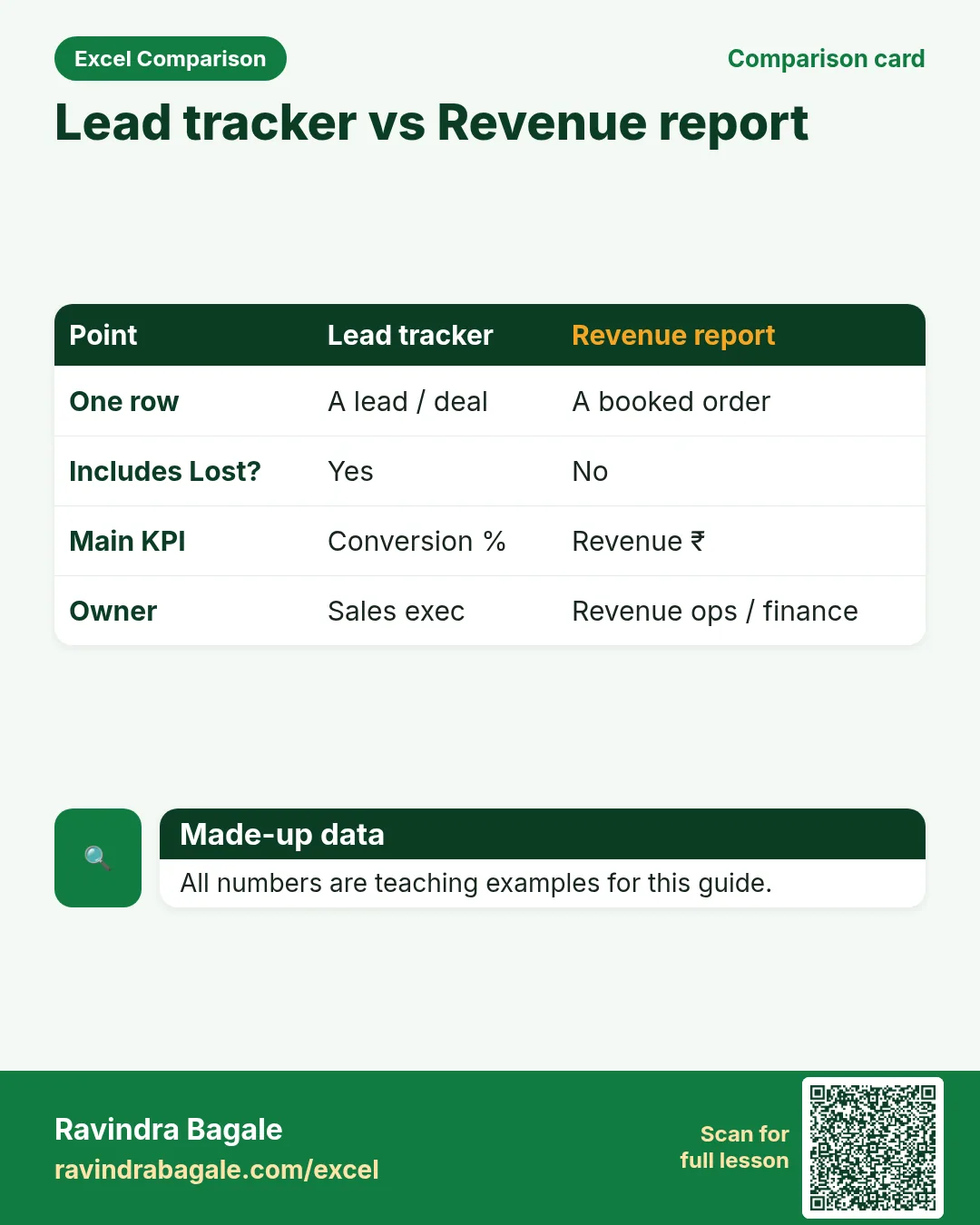
| Lead tracker | Lead ID, source, stage, owner, next action, value. |
| Pipeline by stage | Counts and ₹ by stage (New → Won/Lost). |
| Sales vs target | Rep, target, actual, achievement %. |
| Revenue by city/product | Month, city, product, revenue, margin. |
| Campaign ROI | Spend, leads, customers, revenue, ROI %. |
How
- Pick the file that matches your role.
- Download the template that contains that sheet.
- Replace yellow sample rows with your practice data (still made-up if you share screenshots).
3. Formulas people use
Why
Typed numbers go stale. Formulas update when inputs change.
What
| Name | Formula | What it does |
|---|---|---|
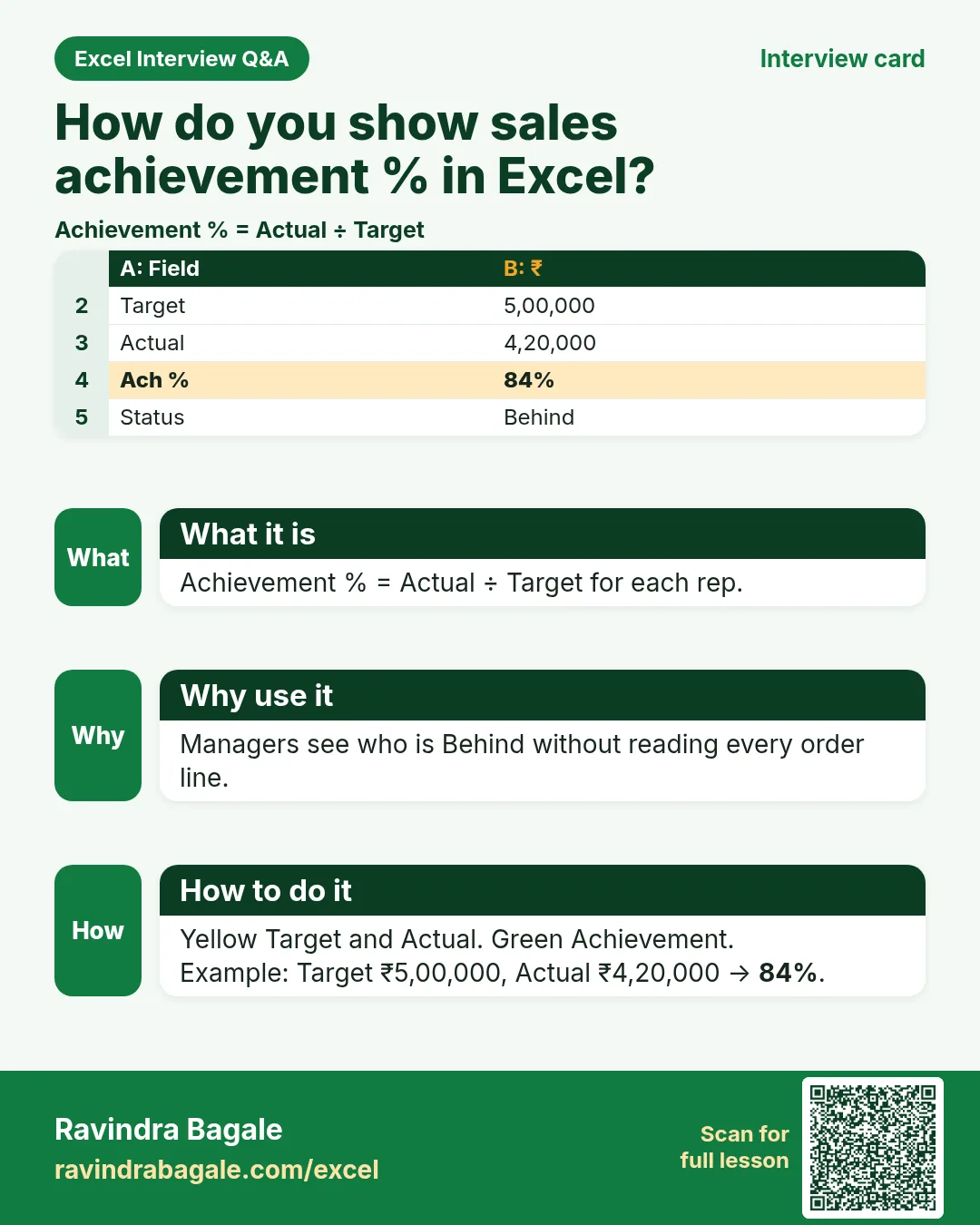
| Achievement % | =actual/target |
Rep performance. |
| Conversion % | =won/leads |
Lead to won. |
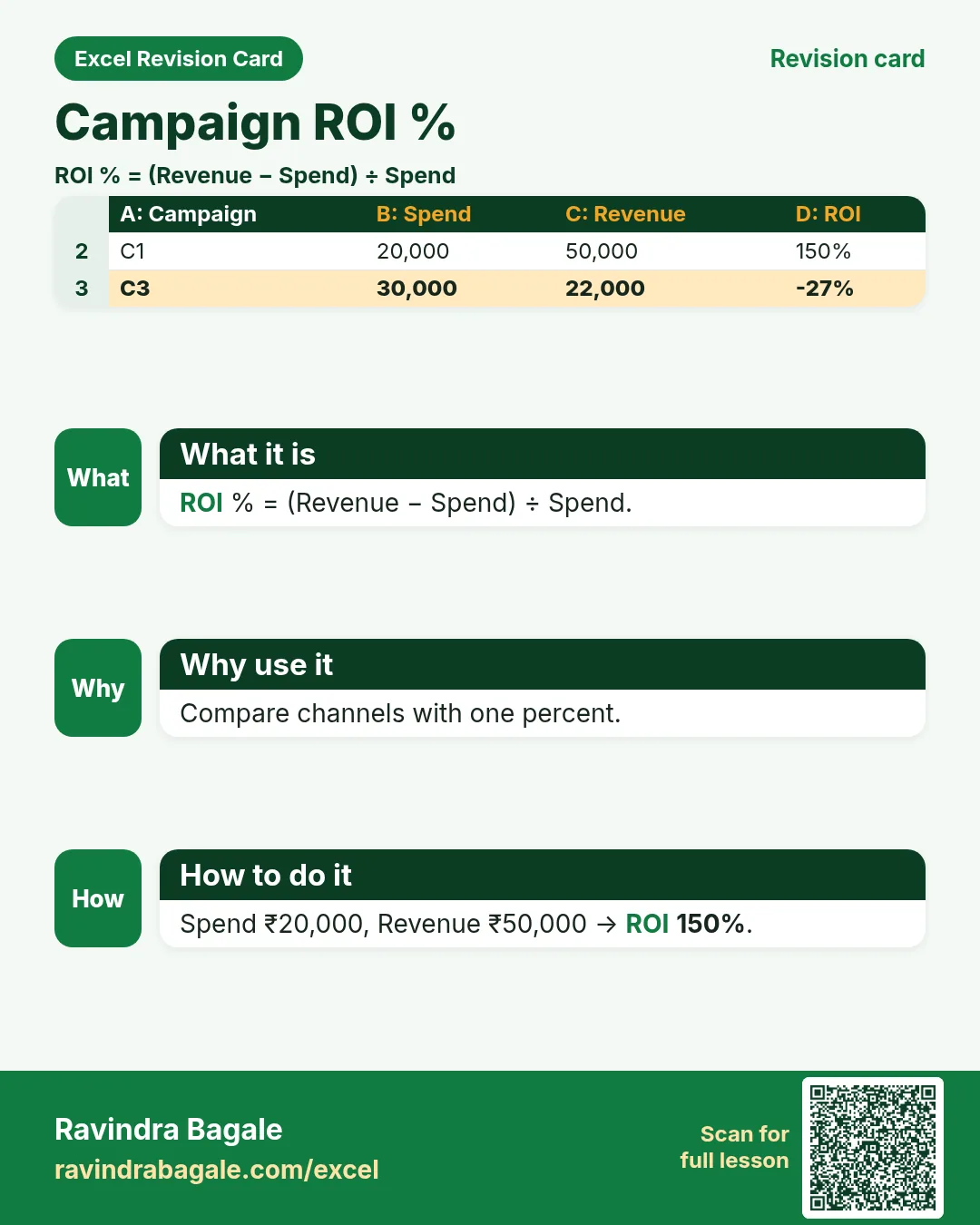
| ROI % | =(revenue-spend)/spend |
Campaign return teaching. |
| SUMIF by rep | =SUMIF(rep_range,rep,amount) |
One rep’s bookings. |
| Weighted pipeline | =value*probability |
Simple forecast weight. |
| Days in stage | =TODAY()-stage_date |
Stuck deal signal. |
How
- Open the Formulas used sheet inside each template.
- Change only yellow cells.
- Watch green cells recalculate.
3. Leads and pipeline
Why
A lead without next action dies quietly.
What
Lead tracker with stage and days-in-stage.
How
- Add a lead for Zoya in Pune (yellow).
- Set Stage = Proposal; days-in-stage calculates.
- Filter Stage = Won for this week’s bookings.
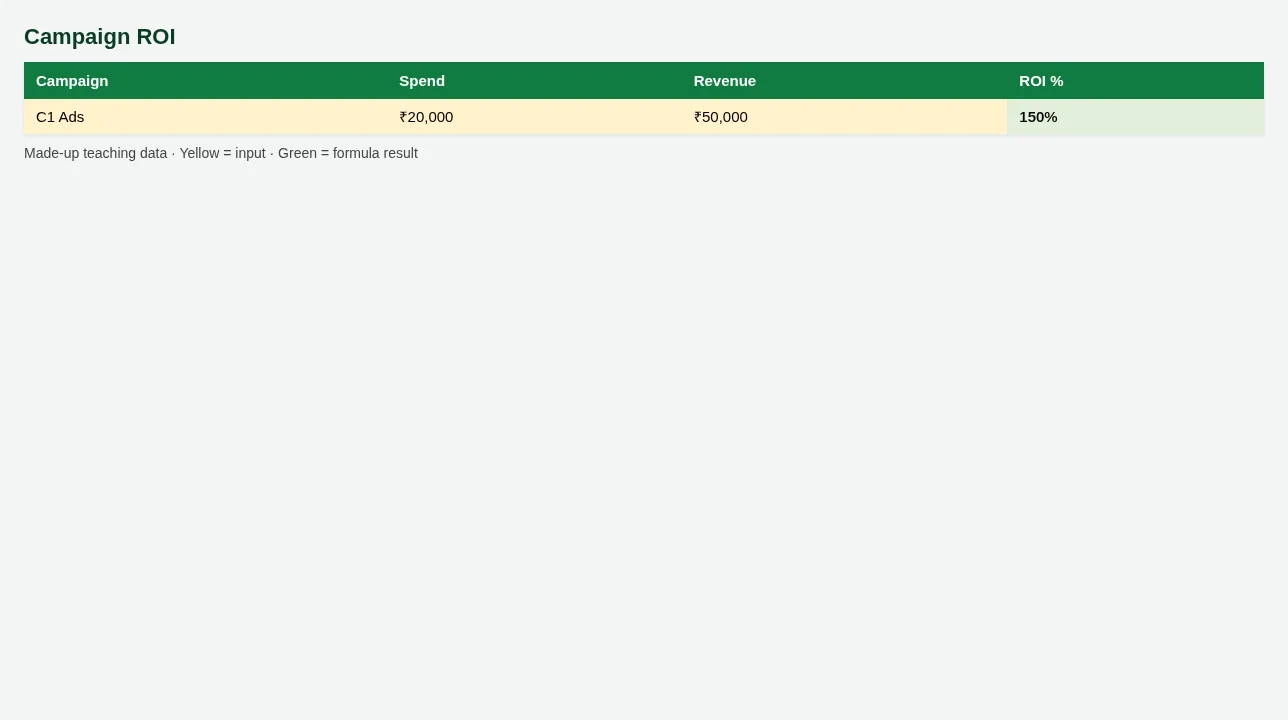
Figure. Campaign ROI
4. Targets and revenue
Why
Target without actual is a poster.
What
Sales vs target plus revenue by city.
How
- Open Sales vs target. Achievement % is green.
- Open Revenue by city. SUMIF totals by city.
- Build charts in the Sales Dashboard chapter (Related).
5. Campaign ROI
Why
Spend without revenue learning wastes next month’s budget.
What
Campaign sheet with ROI %.
How
- Enter Spend and Revenue (yellow).
- ROI % = (Revenue − Spend) ÷ Spend.
- Negative ROI → review that channel.
6. Sheet previews
Why
See the layout before you open Excel.
What
Screenshots of the main sheets in the downloadable templates.
How
Scroll the figures, then download the matching .xlsx.
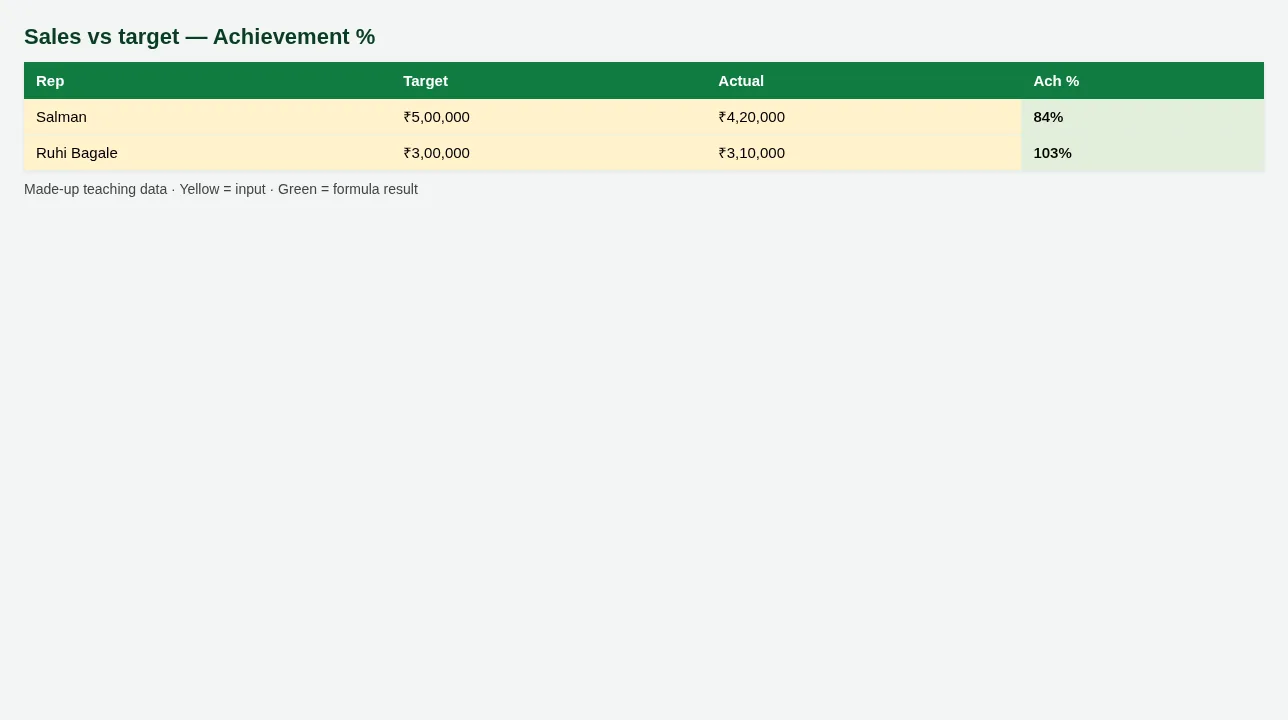
Figure. Sales vs target — Achievement %
Figure. Campaign ROI
7. Common mistakes
| Mistake | What goes wrong | Fix |
|---|---|---|
| Counting every open lead as revenue | Forecast lies. | Only Won (or booked) goes to revenue. |
| Targets in email only | Achievement % cannot update. | Keep Target column in the sheet. |
8. FAQ
CRM or Excel?
Use CRM as system of record; Excel for weekly pack and what-if.
ROI formula exact for GST?
This ROI ignores tax for teaching. Finance may use net revenue.
9. Try at home
Try at home
- Which rep is Behind on Sales vs target?
- What is ROI % for Campaign C1?
- How many leads are in Stage = Proposal?
Recap
In short
- 4 roles use Excel in this profession.
- 5 common file types are listed above.
- 1 downloadable templates with yellow inputs and green formulas.
- Rates and rules here are teaching examples only.
- Use Related chapters for focused skills.
Quick revision cards
Quick revision
1 interview card, 1 comparison card and 1 revision card. Save on your phone or download as PNG. Numbers are made up for practice.
झटपट उजळणी
1 interview card, 1 comparison card आणि 1 revision card. Phone वर save करा किंवा PNG download करा. आकडे सरावासाठी काल्पनिक आहेत.
झटपट दोहराई
1 interview card, 1 comparison card और 1 revision card. Phone पर save करें या PNG download करें. आंकड़े अभ्यास के लिए काल्पनिक हैं.