Ravi Sir's Cards › Excel
Walking Steps Tracker in Excel (card 1 of 2)
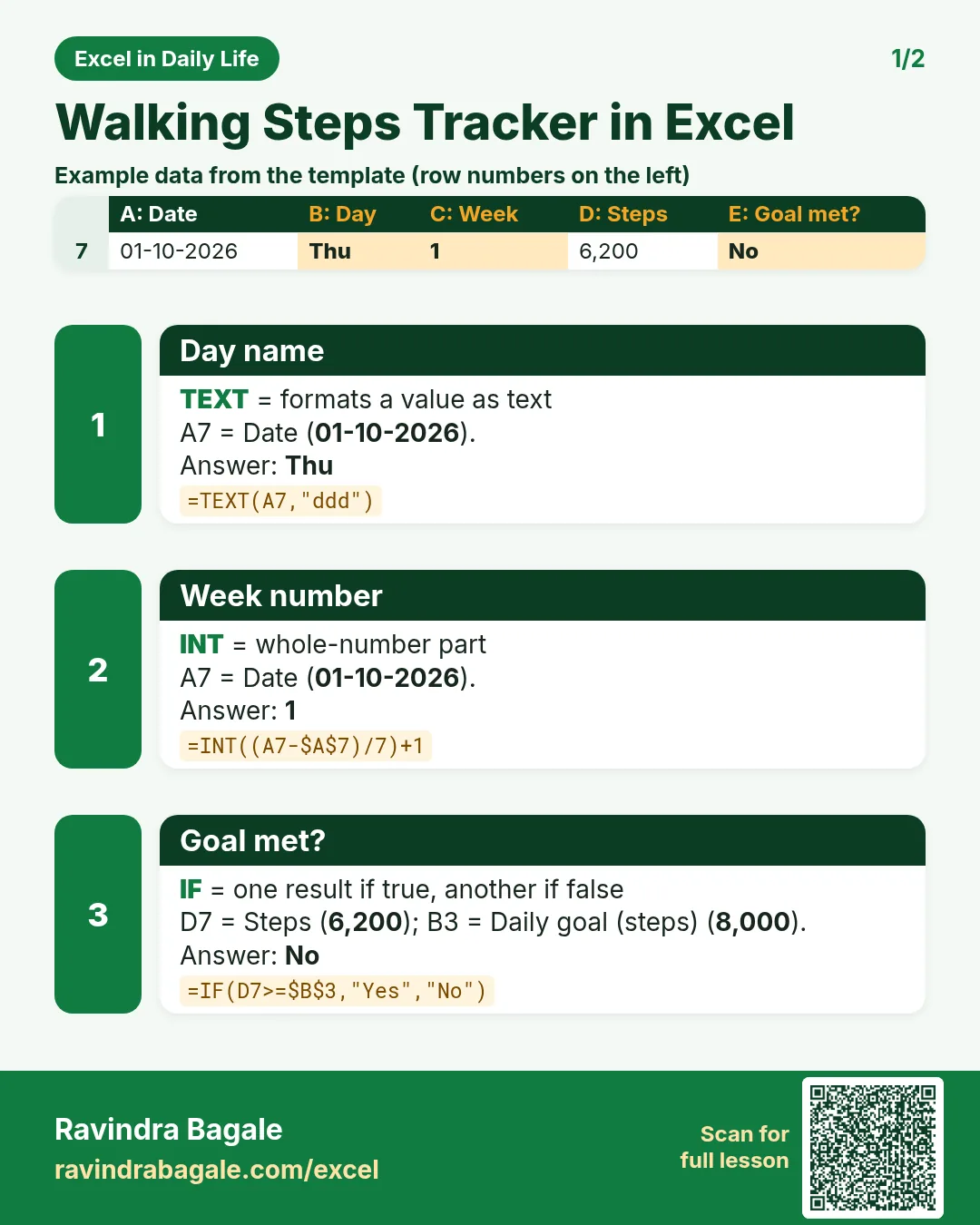
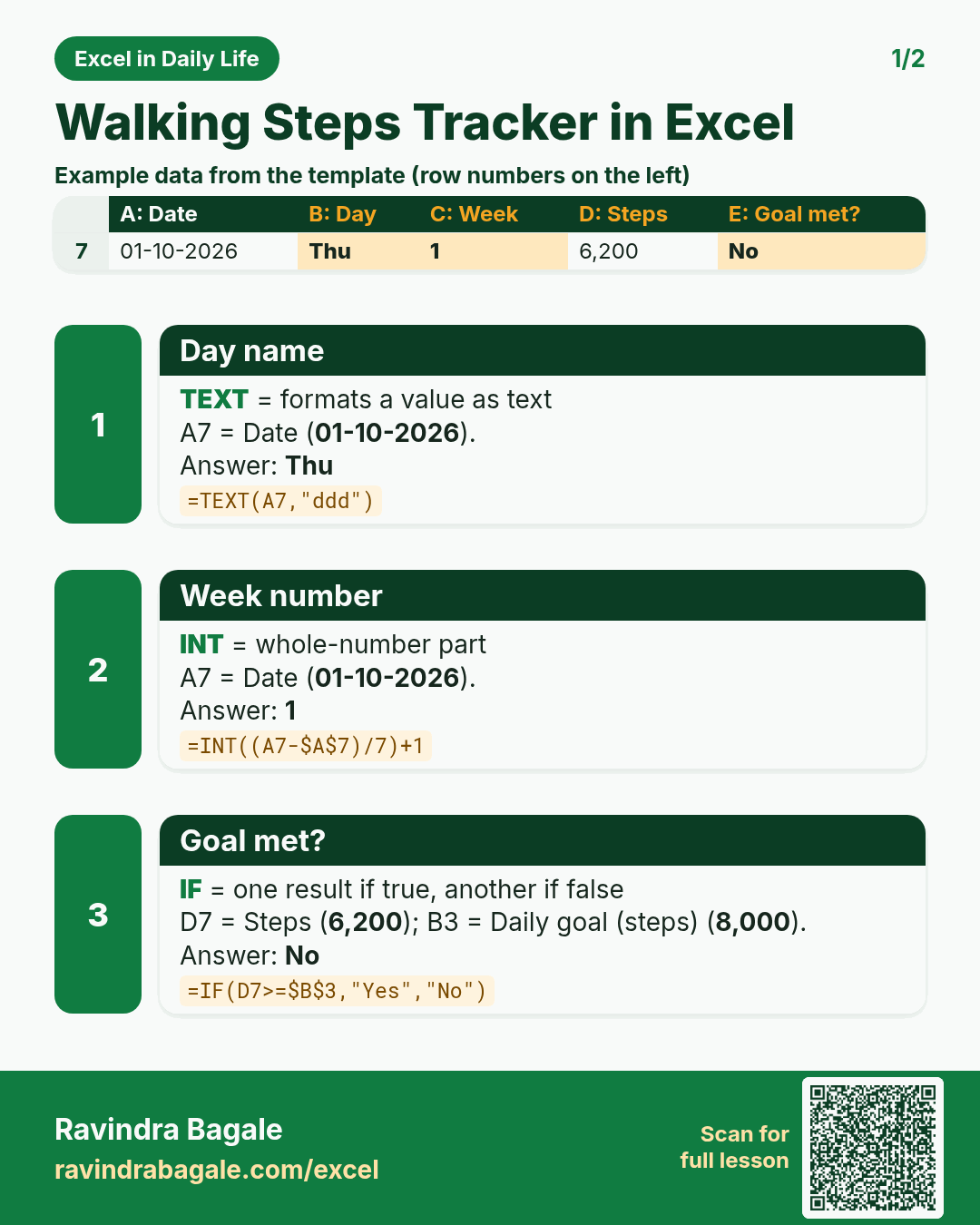
Revision card 1 for Walking Steps Tracker in Excel: Day name: =TEXT(A7,"ddd") gives Thu; Week number: =INT((A7-$A$7)/7)+1 gives 1; Goal met?: =IF(D7>=$B$3,"Yes","No") gives No. Includes an example data table.
Read card text
What this card says
1 for Walking Steps Tracker in Excel: Day name: =TEXT(A7,"ddd") gives Thu
Week number: =INT((A7-$A$7)/7)+1 gives 1
Goal met?: =IF(D7>=$B$3,"Yes","No") gives No. Includes an
Example
data table
Learn this in the lesson: Walking Steps Tracker in Excel: Daily Goal, Weekly Average with AVERAGEIFS and Km Walked