Ravi Sir's Cards › Excel
Transport and Fleet Management System in Excel (card 1 of 2)
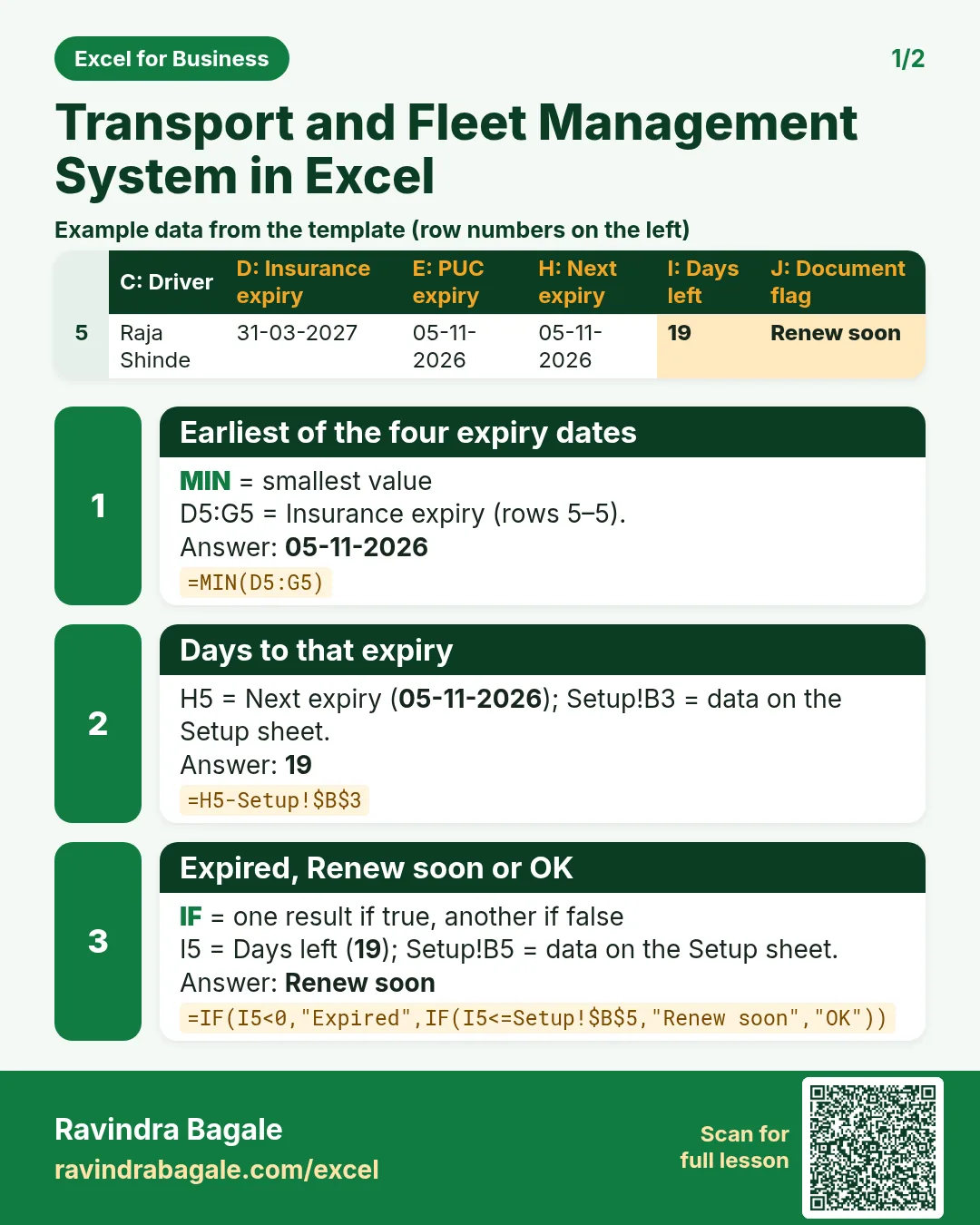
Revision card 1 for Transport and Fleet Management System in Excel: Earliest of the four expiry dates: =MIN(D5:G5) gives 05-11-2026; Days to that expiry: =H5-Setup!$B$3 gives 19; Expired, Renew soon or OK: =IF(I5<0,"Expired",IF(I5<=Setup!$B$5,"Renew soon","OK")) gives Renew soon. Includes an example data table.
Read card text
What this card says
1 for Transport and Fleet Management System in Excel: Earliest of the four expiry dates: =MIN(D5:G5) gives 05-11-2026
Days to that expiry: =H5-Setup!$B$3 gives 19
Expired, Renew soon or OK: =IF(I5<0,"Expired",IF(I5<=Setup!$B$5,"Renew soon","OK")) gives Renew soon. Includes an
Example
data table
Learn this in the lesson: Transport and Fleet Management System in Excel: Trips, Km per Litre, Cost per Km, Document Expiry and Profit