Ravi Sir's Cards › Excel
To-Do List in Excel (card 2 of 2)
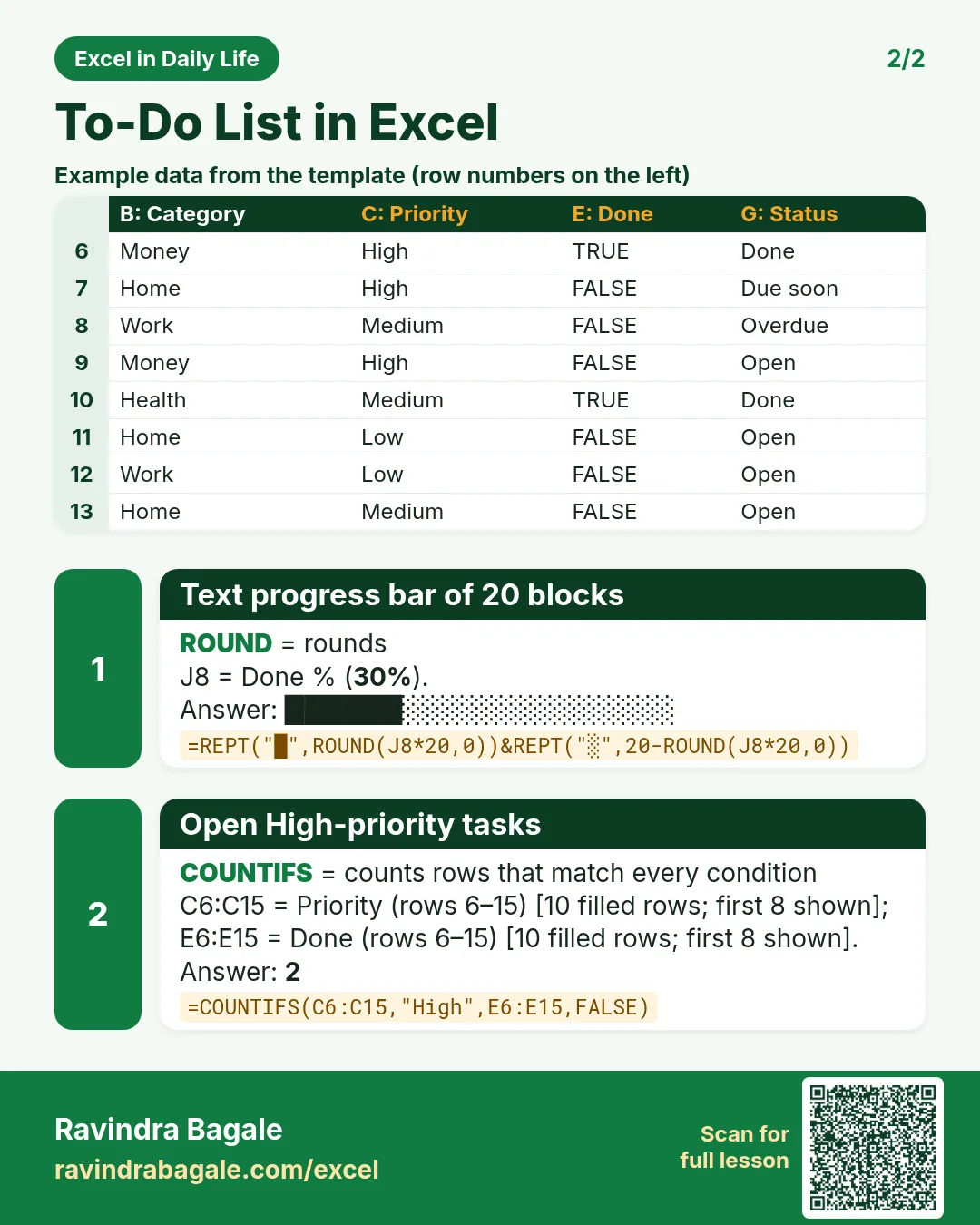
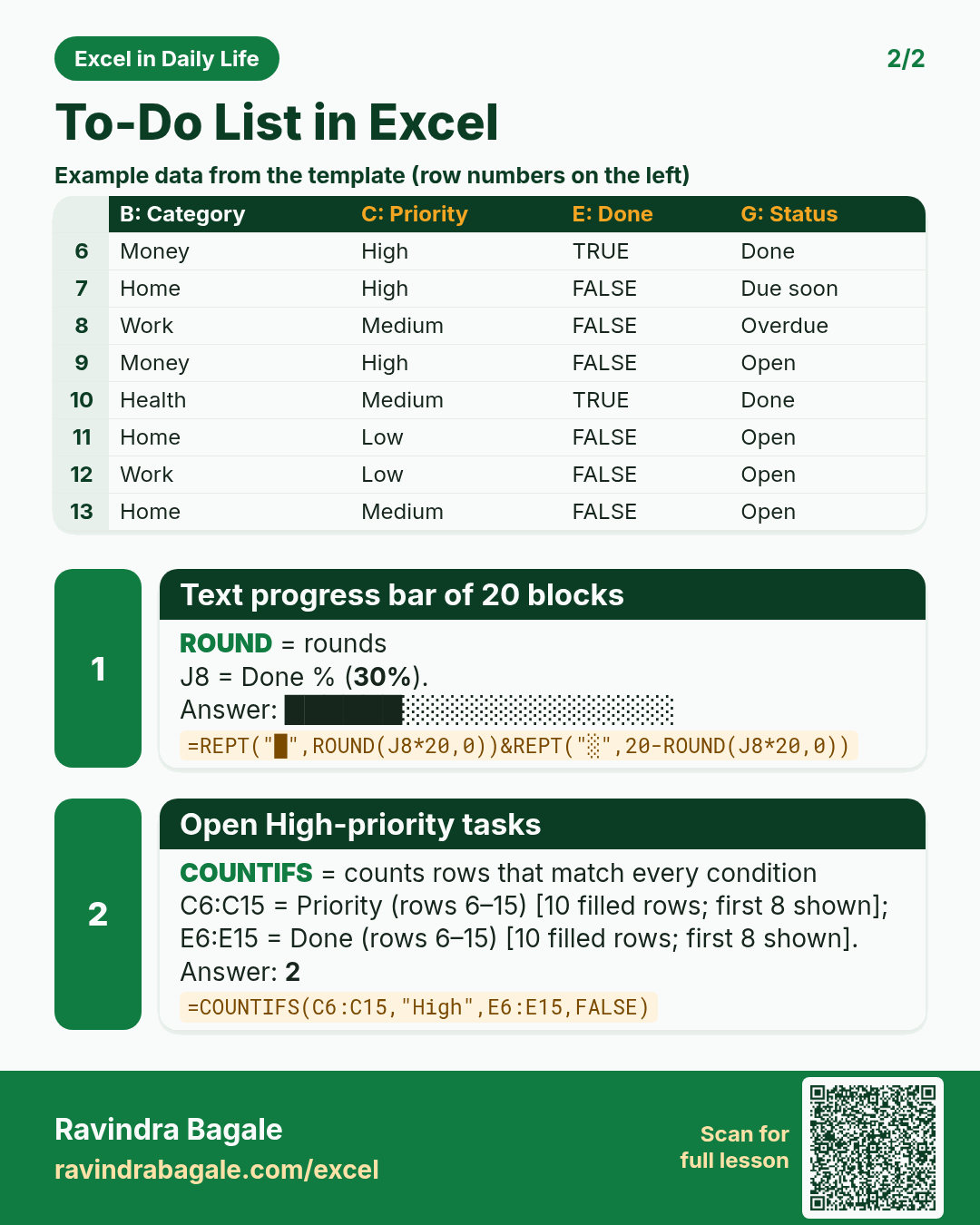
Revision card 2 for To-Do List in Excel: Text progress bar of 20 blocks: =REPT("█",ROUND(J8*20,0))&REPT("░",20-ROUND(J8*20,0)) gives ██████░░░░░░░░░░░░░░; Open High-priority tasks: =COUNTIFS(C6:C15,"High",E6:E15,FALSE) gives 2. Includes an example data table.
Read card text
What this card says
2 for To-Do List in Excel: Text progress bar of 20 blocks: =REPT("█",ROUND(J8*20,0))&REPT("░",20-ROUND(J8*20,0)) gives ██████░░░░░░░░░░░░░░
Open High-priority tasks: =COUNTIFS(C6:C15,"High",E6:E15,FALSE) gives 2. Includes an
Example
data table
Learn this in the lesson: To-Do List in Excel with Priority, Due Dates, a Done Checkbox and a Progress Bar