Ravi Sir's Cards › Excel
Screen Time Tracker in Excel (card 1 of 2)
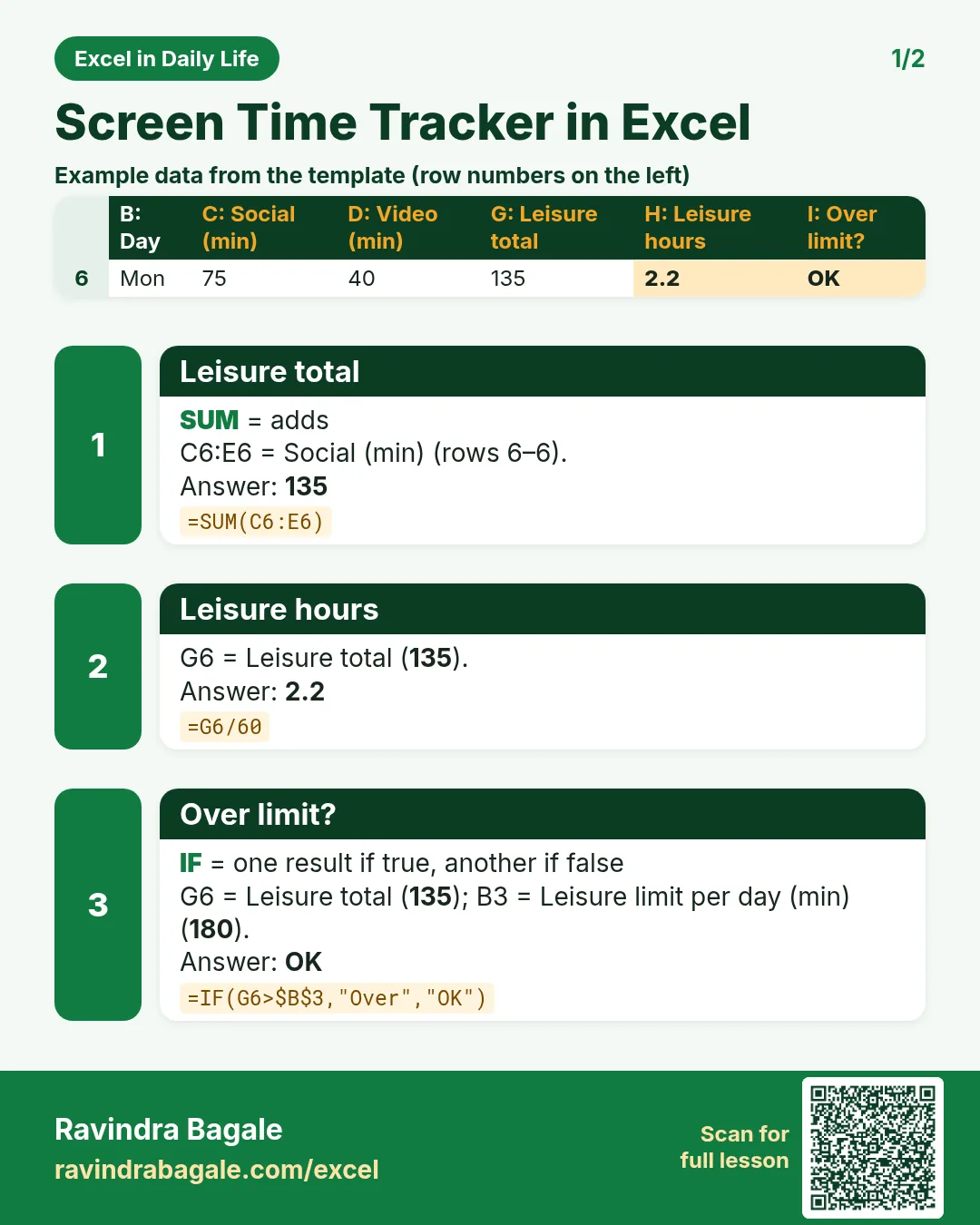
Revision card 1 for Screen Time Tracker in Excel: Leisure total: =SUM(C6:E6) gives 135; Leisure hours: =G6/60 gives 2.2; Over limit?: =IF(G6>$B$3,"Over","OK") gives OK. Includes an example data table.
Read card text
What this card says
1 for Screen Time Tracker in Excel: Leisure total: =SUM(C6:E6) gives 135
Leisure hours: =G6/60 gives 2.2
Over limit?: =IF(G6>$B$3,"Over","OK") gives OK. Includes an
Example
data table
Learn this in the lesson: Screen Time Tracker in Excel: Daily Leisure Limit, Weekday vs Weekend and Stacked Chart