Ravi Sir's Cards › Excel
Rental Property Management System in Excel (card 2 of 2)
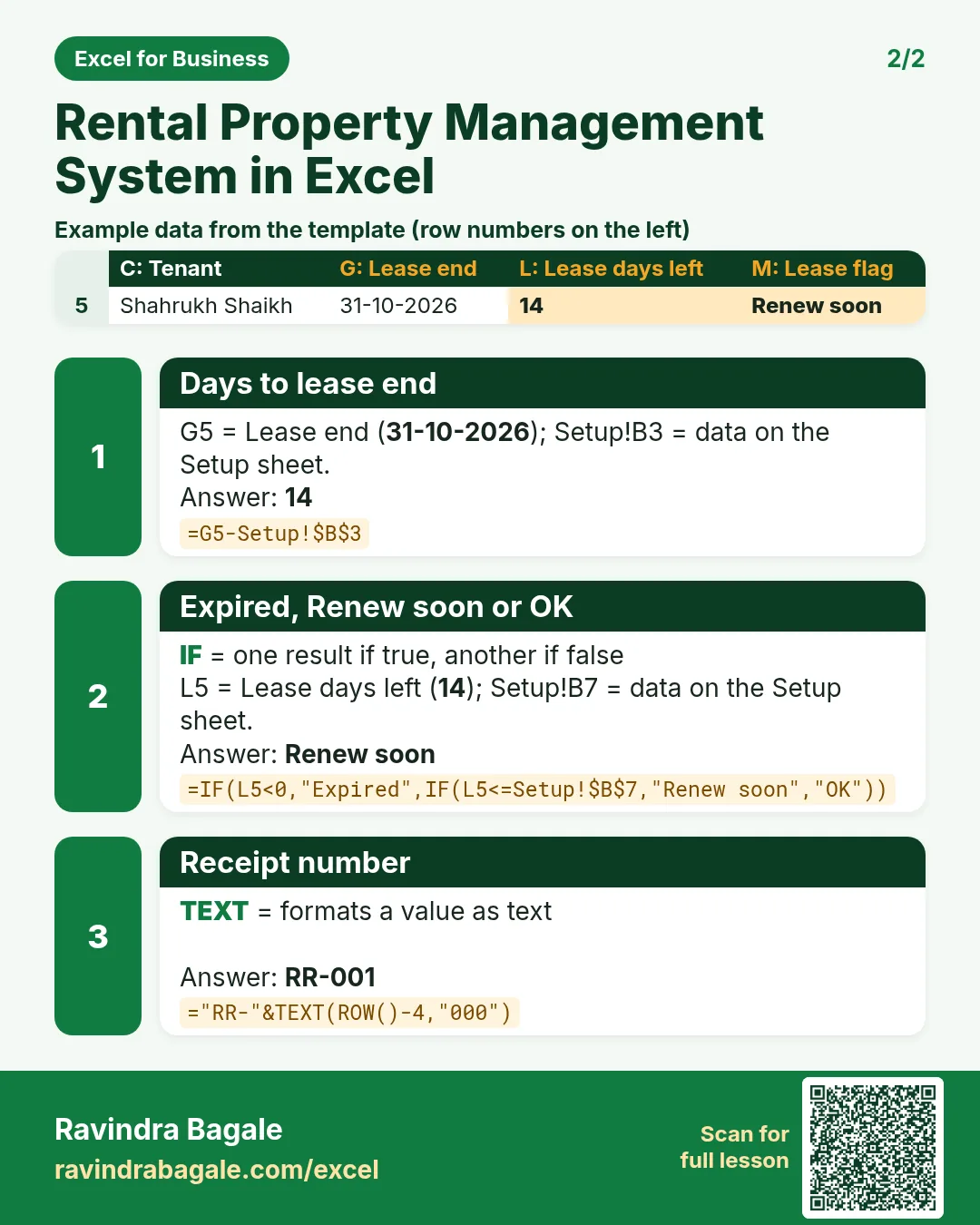
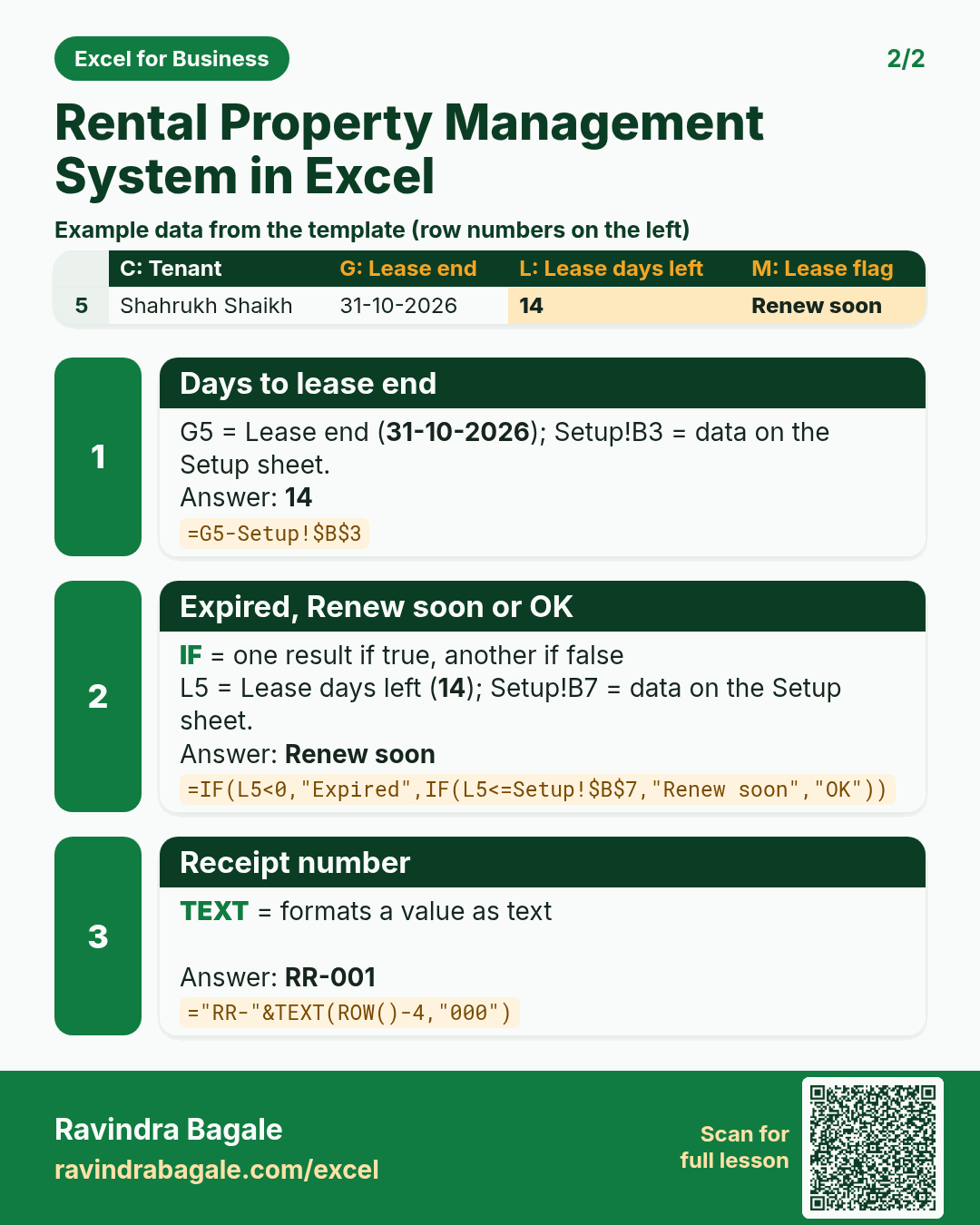
Revision card 2 for Rental Property Management System in Excel: Days to lease end: =G5-Setup!$B$3 gives 14; Expired, Renew soon or OK: =IF(L5<0,"Expired",IF(L5<=Setup!$B$7,"Renew soon","OK")) gives Renew soon; Receipt number: ="RR-"&TEXT(ROW()-4,"000") gives RR-001. Includes an example data table.
Read card text
What this card says
2 for Rental Property Management System in Excel: Days to lease end: =G5-Setup!$B$3 gives 14
Expired, Renew soon or OK: =IF(L5<0,"Expired",IF(L5<=Setup!$B$7,"Renew soon","OK")) gives Renew soon
Receipt number: ="RR-"&TEXT(ROW()-4,"000") gives RR-001. Includes an
Example
data table
Learn this in the lesson: Rental Property Management System in Excel: Units, Rent Roll, Arrears, Lease Expiry, Receipts and Net Yield