Ravi Sir's Cards › Excel
Rental Property Management System in Excel (card 1 of 2)
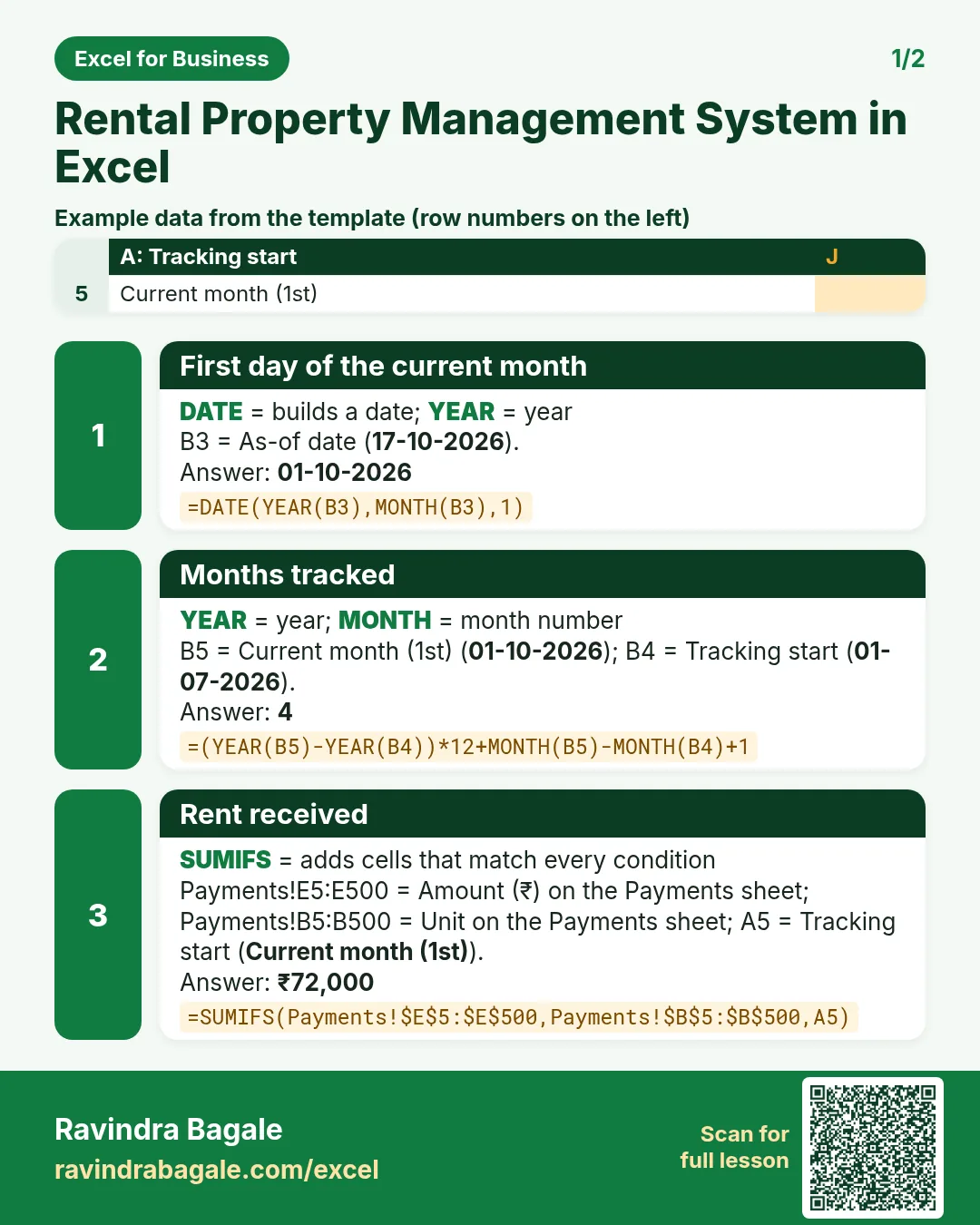
Revision card 1 for Rental Property Management System in Excel: First day of the current month: =DATE(YEAR(B3),MONTH(B3),1) gives 01-10-2026; Months tracked: =(YEAR(B5)-YEAR(B4))*12+MONTH(B5)-MONTH(B4)+1 gives 4; Rent received: =SUMIFS(Payments!$E$5:$E$500,Payments!$B$5:$B$500,A5) gives ₹72,000. Includes an example data table.
Read card text
What this card says
1 for Rental Property Management System in Excel: First day of the current month: =DATE(YEAR(B3),MONTH(B3),1) gives 01-10-2026
Months tracked: =(YEAR(B5)-YEAR(B4))*12+MONTH(B5)-MONTH(B4)+1 gives 4
Rent received: =SUMIFS(Payments!$E$5:$E$500,Payments!$B$5:$B$500,A5) gives ₹72,000. Includes an
Example
data table
Learn this in the lesson: Rental Property Management System in Excel: Units, Rent Roll, Arrears, Lease Expiry, Receipts and Net Yield