Ravi Sir's Cards › Excel
PivotTable basics: count, sum, filter
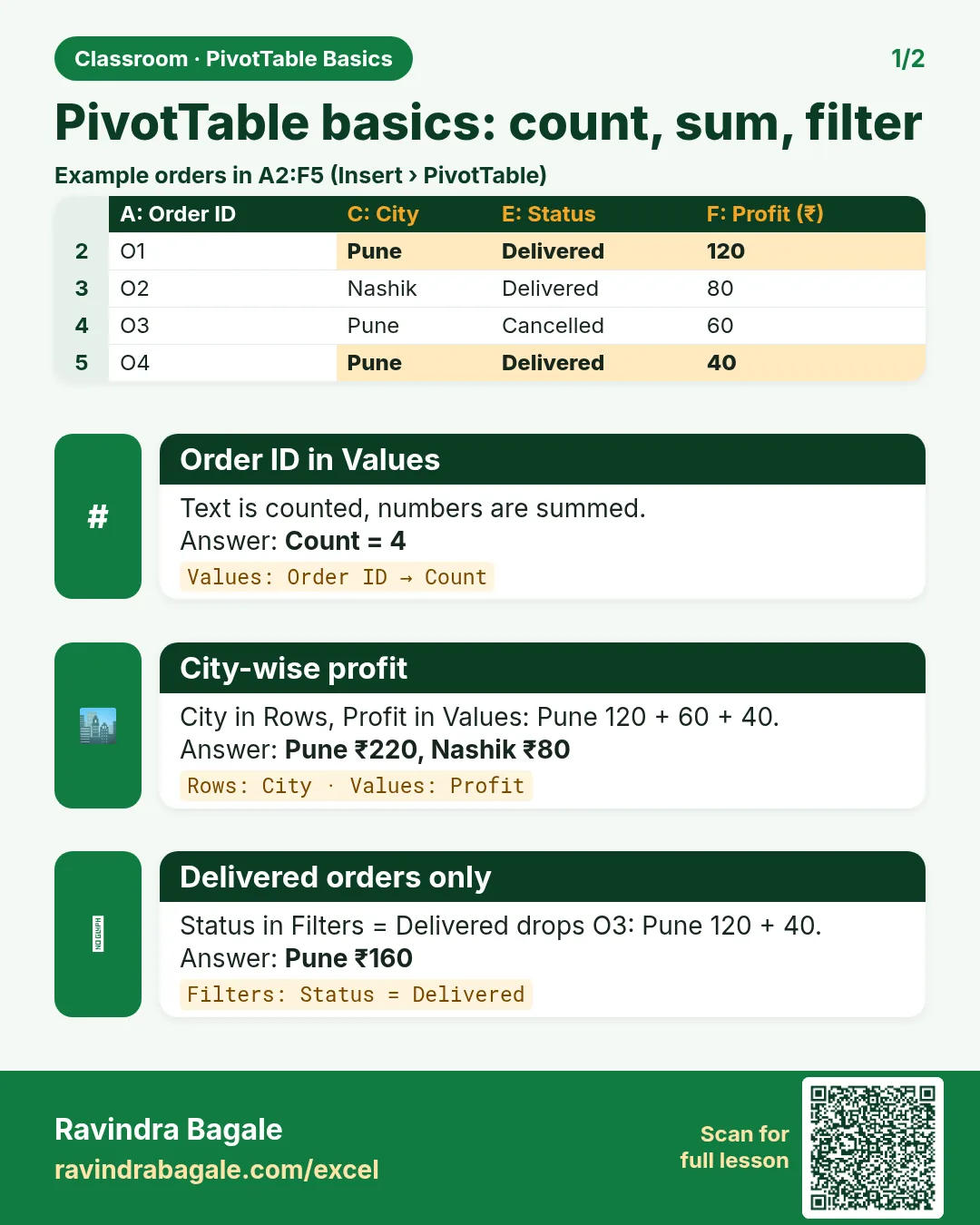
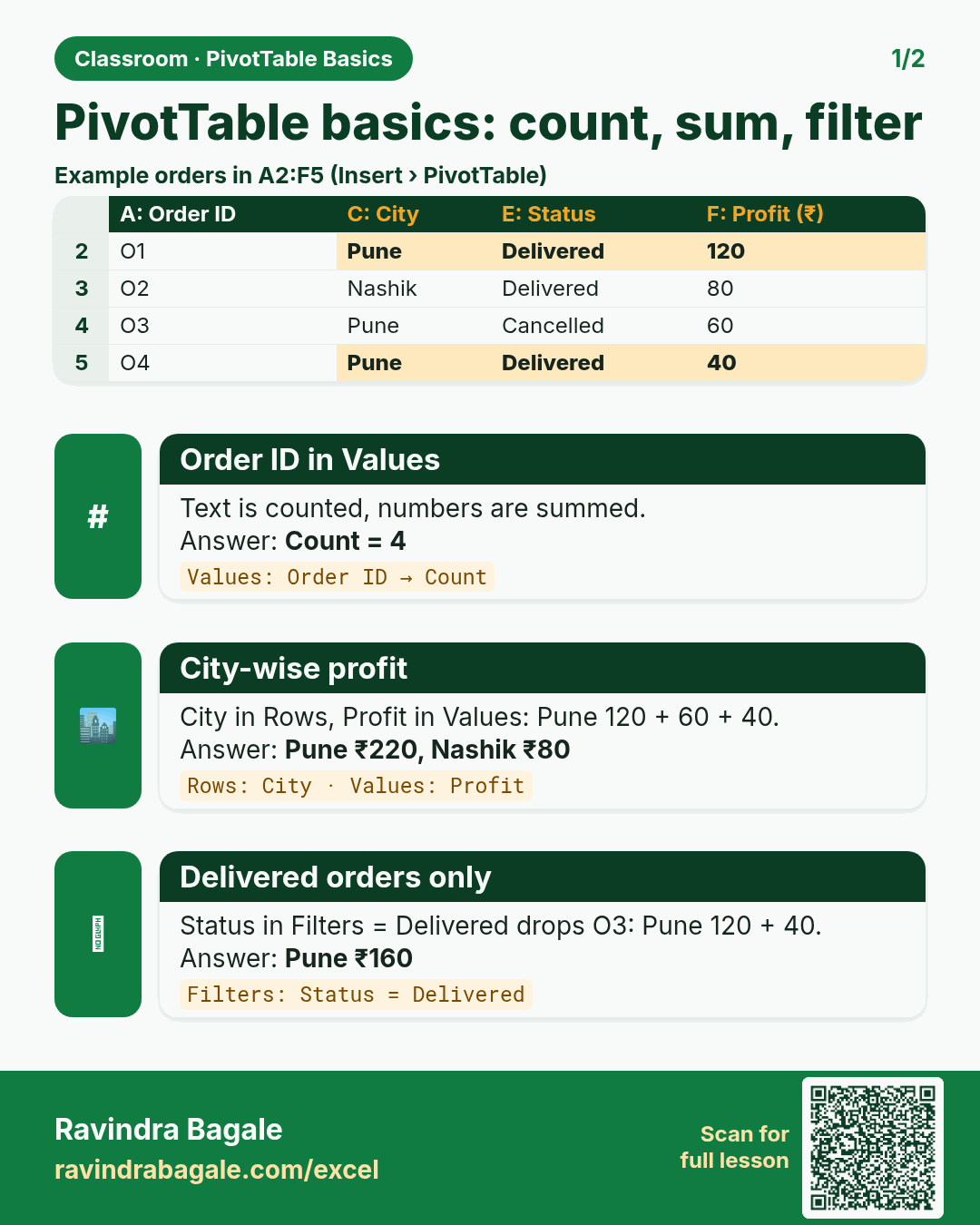
Revision card: PivotTable basics: count, sum, filter. Example data table with Order ID in Values: Count = 4; City-wise profit: Pune ₹220, Nashik ₹80; Delivered orders only: Pune ₹160.
Read card text
What this card says
PivotTable basics: count, sum, filter
Example
data table with Order ID in Values: Count = 4; City-wise profit: Pune ₹220, Nashik ₹80; Delivered orders only: Pune ₹160
Learn this in the lesson: How to Create a PivotTable in Excel for Beginners: Rows, Values, Count vs Sum and Report Filter (Blinkit Orders Example)