Ravi Sir's Cards › Excel
NGO Donor and Fund Management System in Excel (card 2 of 2)
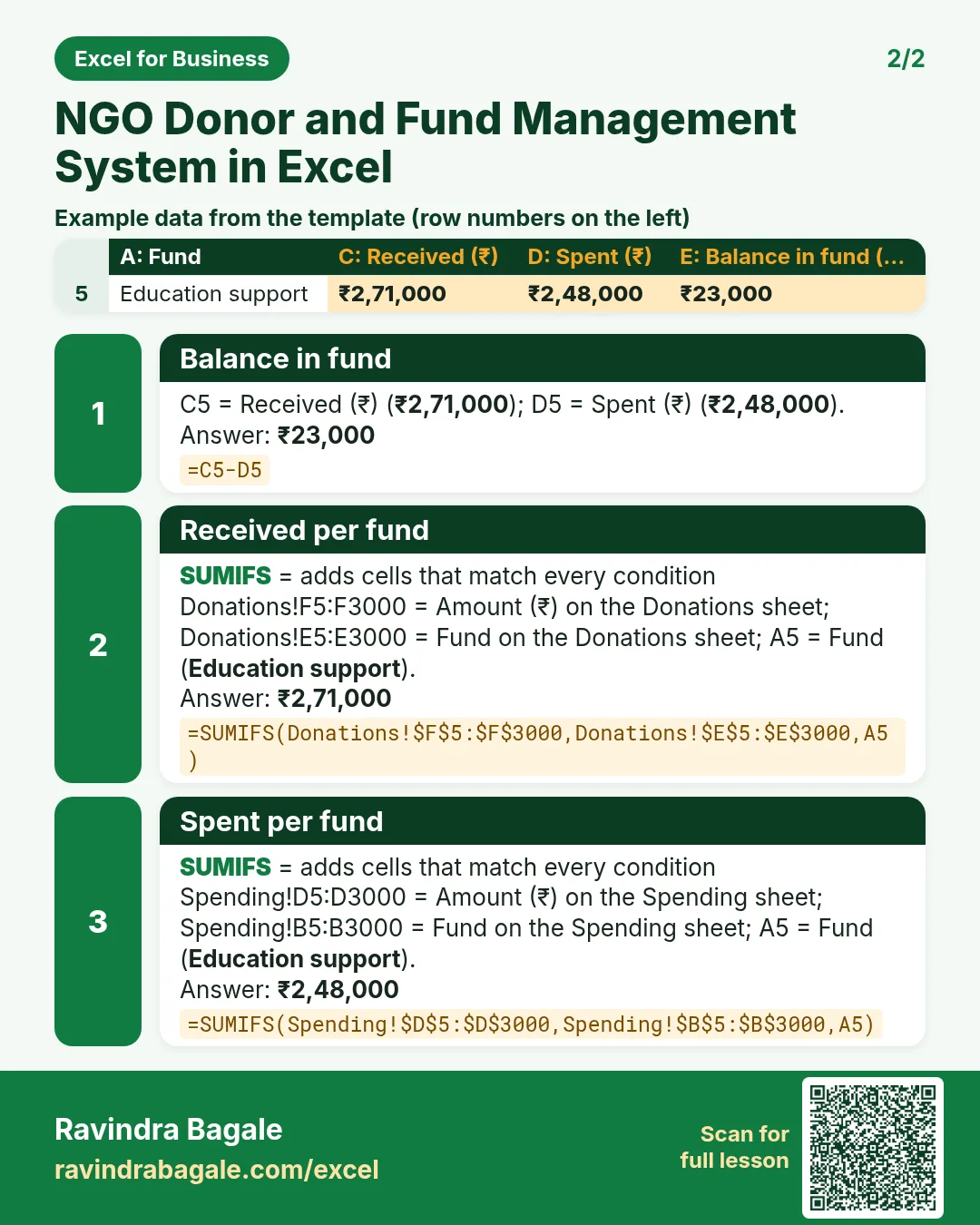
Revision card 2 for NGO Donor and Fund Management System in Excel: Balance in fund: =C5-D5 gives ₹23,000; Received per fund: =SUMIFS(Donations!$F$5:$F$3000,Donations!$E$5:$E$3000,A5) gives ₹2,71,000; Spent per fund: =SUMIFS(Spending!$D$5:$D$3000,Spending!$B$5:$B$3000,A5) gives ₹2,48,000. Includes an example data table.
Read card text
What this card says
2 for NGO Donor and Fund Management System in Excel: Balance in fund: =C5-D5 gives ₹23,000
Received per fund: =SUMIFS(Donations!$F$5:$F$3000,Donations!$E$5:$E$3000,A5) gives ₹2,71,000
Spent per fund: =SUMIFS(Spending!$D$5:$D$3000,Spending!$B$5:$B$3000,A5) gives ₹2,48,000. Includes an
Example
data table
Learn this in the lesson: NGO Donor and Fund Management System in Excel: Donors, Donations, 80G Checks, Fund-wise Spending, Balance and Receipt