Ravi Sir's Cards › Excel
Monthly Home Budget in Excel (card 1 of 2)
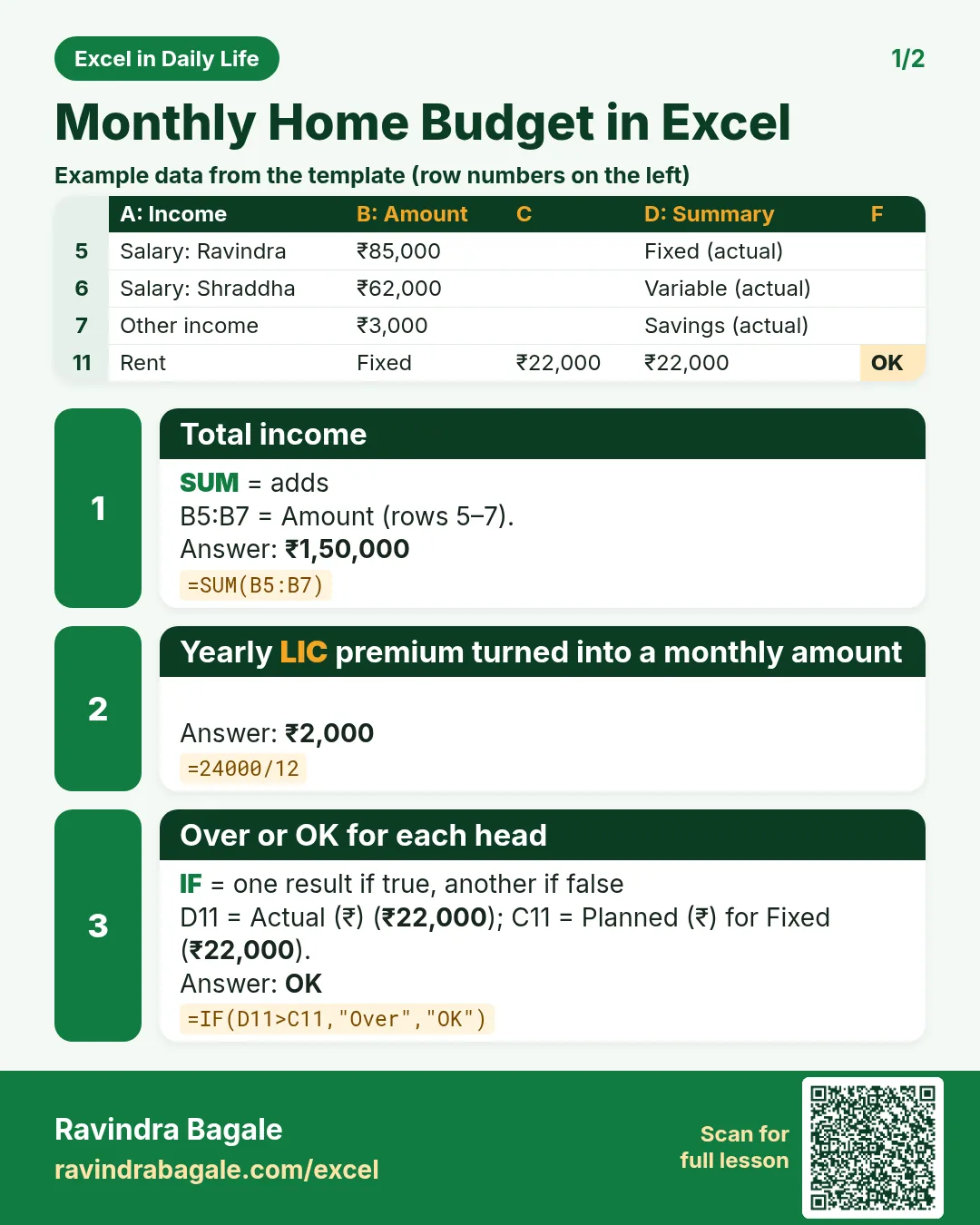
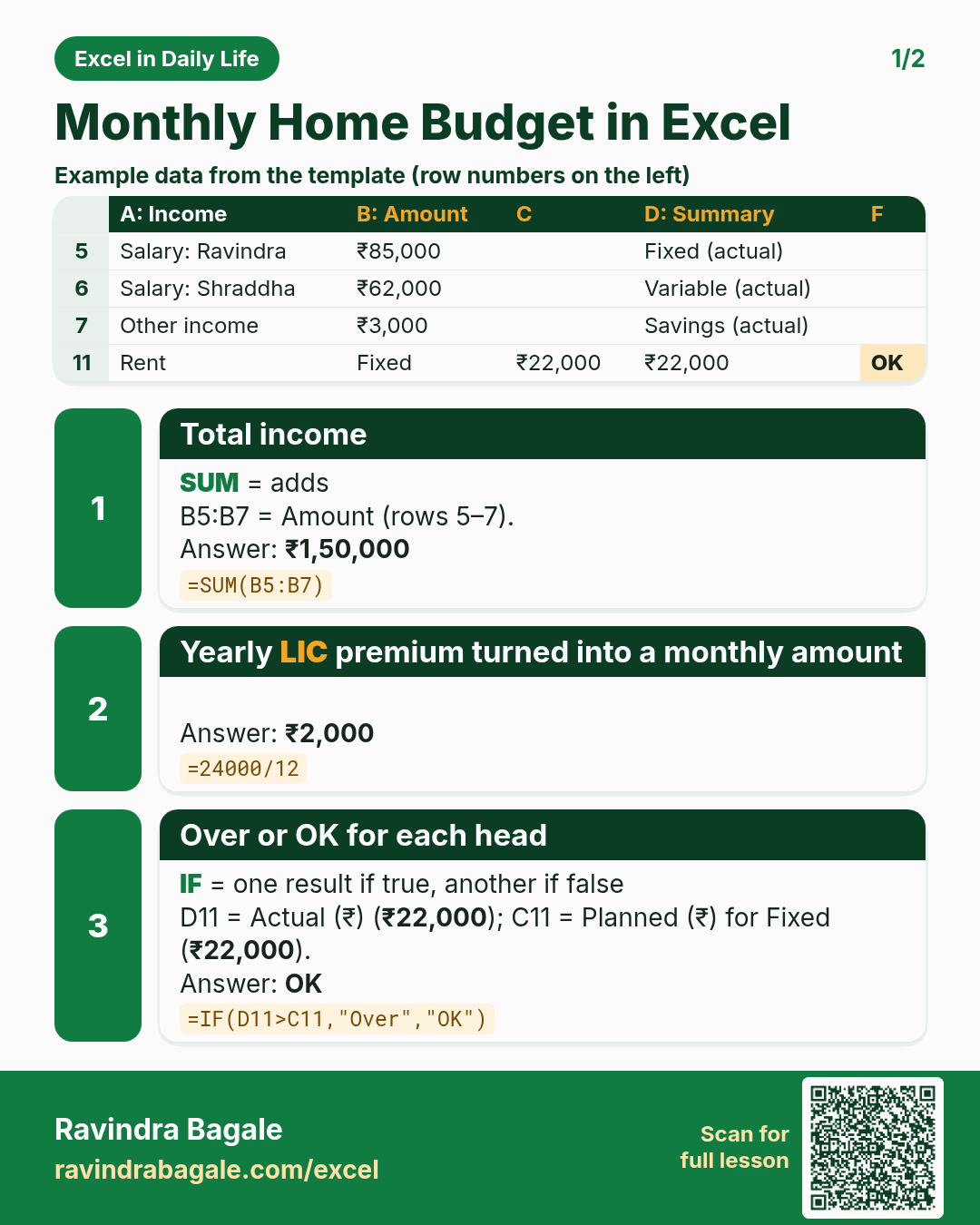
Revision card 1 for Monthly Home Budget in Excel: Total income: =SUM(B5:B7) gives ₹1,50,000; Yearly LIC premium turned into a monthly amount: =24000/12 gives ₹2,000; Over or OK for each head: =IF(D11>C11,"Over","OK") gives OK. Includes an example data table.
Read card text
What this card says
1 for Monthly Home Budget in Excel: Total income: =SUM(B5:B7) gives ₹1,50,000
Yearly LIC premium turned into a monthly amount: =24000/12 gives ₹2,000
Over or OK for each head: =IF(D11>C11,"Over","OK") gives OK. Includes an
Example
data table
Learn this in the lesson: How to Make a Monthly Home Budget in Excel (Planned vs Actual, Savings and Overspending Alerts)