Ravi Sir's Cards › Excel
Money Lent Tracker in Excel (card 2 of 2)
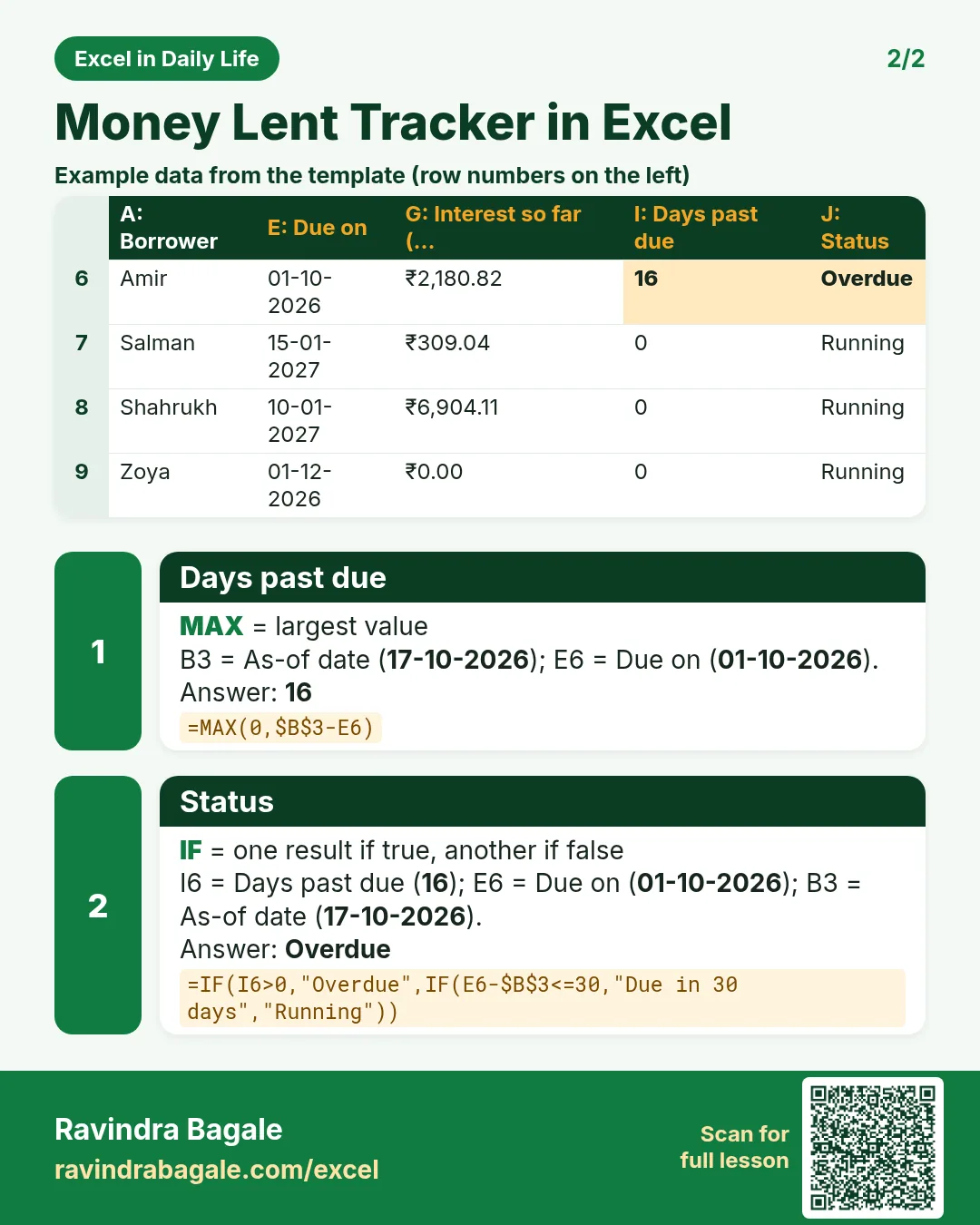
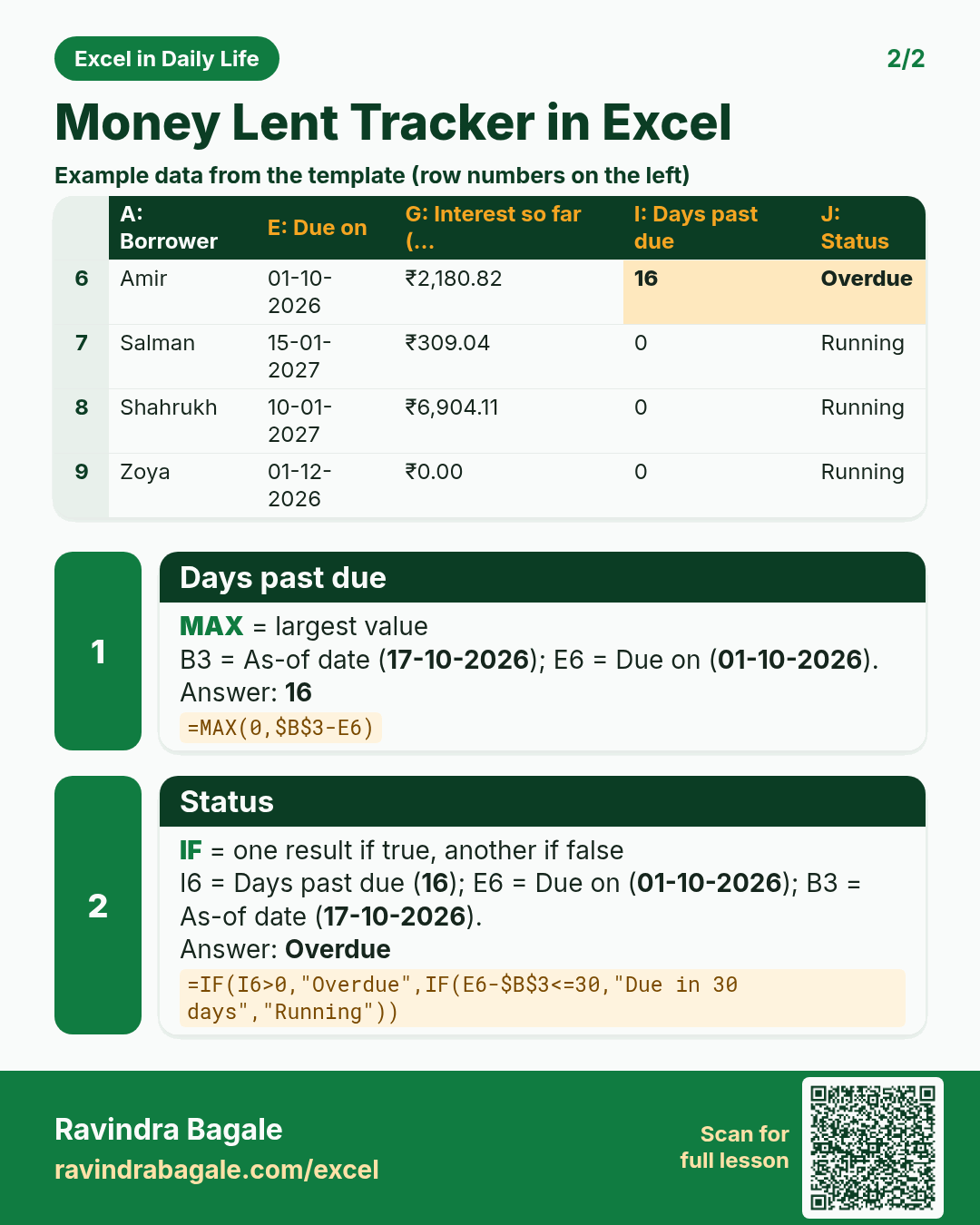
Revision card 2 for Money Lent Tracker in Excel: Days past due: =MAX(0,$B$3-E6) gives 16; Status: =IF(I6>0,"Overdue",IF(E6-$B$3<=30,"Due in 30 days","Running")) gives Overdue. Includes an example data table.
Read card text
What this card says
2 for Money Lent Tracker in Excel: Days past due: =MAX(0,$B$3-E6) gives 16
Status: =IF(I6>0,"Overdue",IF(E6-$B$3<=30,"Due in 30 days","Running")) gives Overdue. Includes an
Example
data table
Learn this in the lesson: Money Lent Tracker in Excel: Simple Interest by Days, Total Due and Overdue Loans